Computer Components
Dr. Kuppusamy .P
Associate Professor / SCOPE
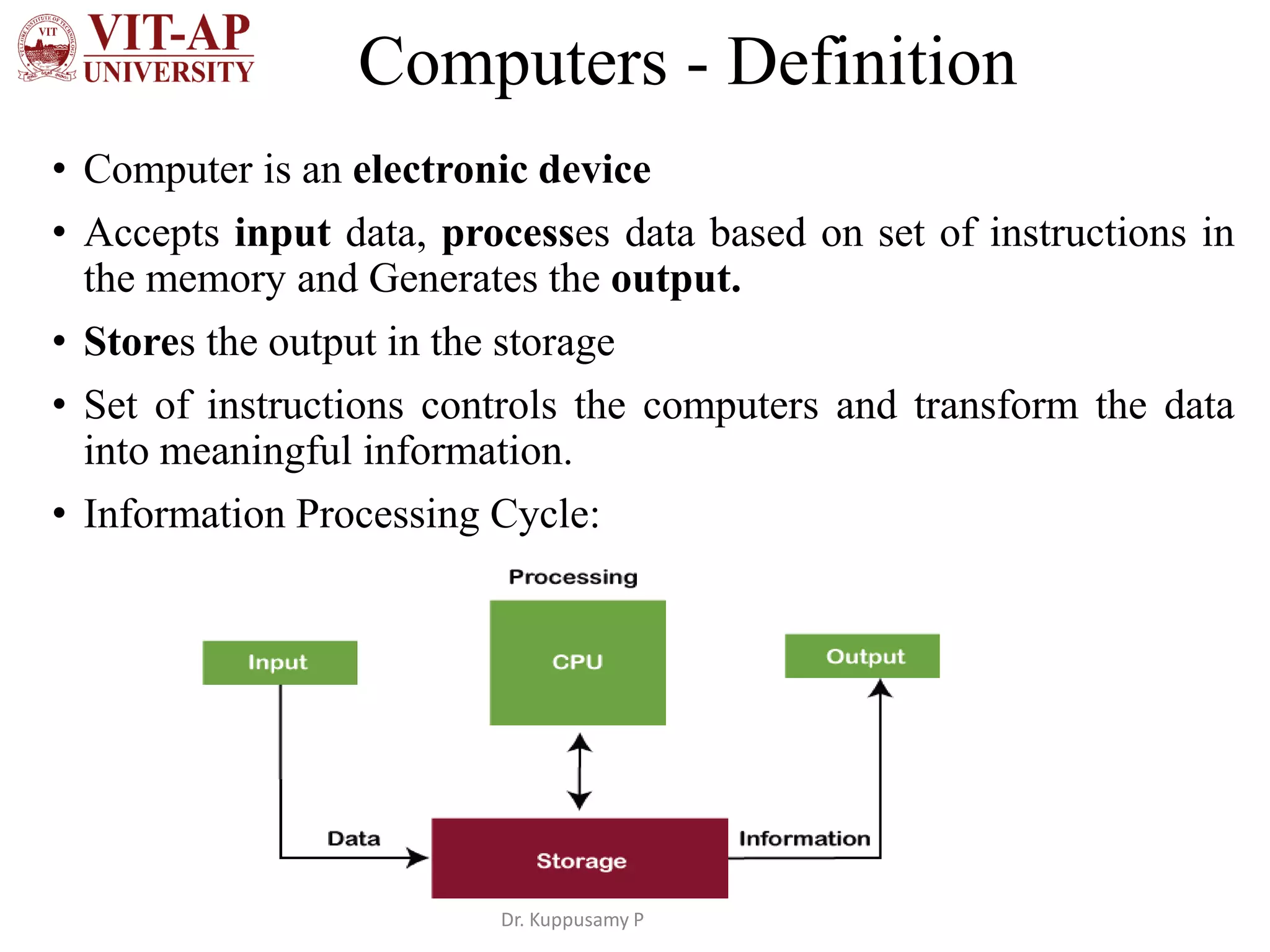
Computers - Definition
• Computer is an electronic device
• Accepts input data, processes data based on set of instructions in
the memory and Generates the output.
• Stores the output in the storage
• Set of instructions controls the computers and transform the data
into meaningful information.
• Information Processing Cycle:
Dr. Kuppusamy P
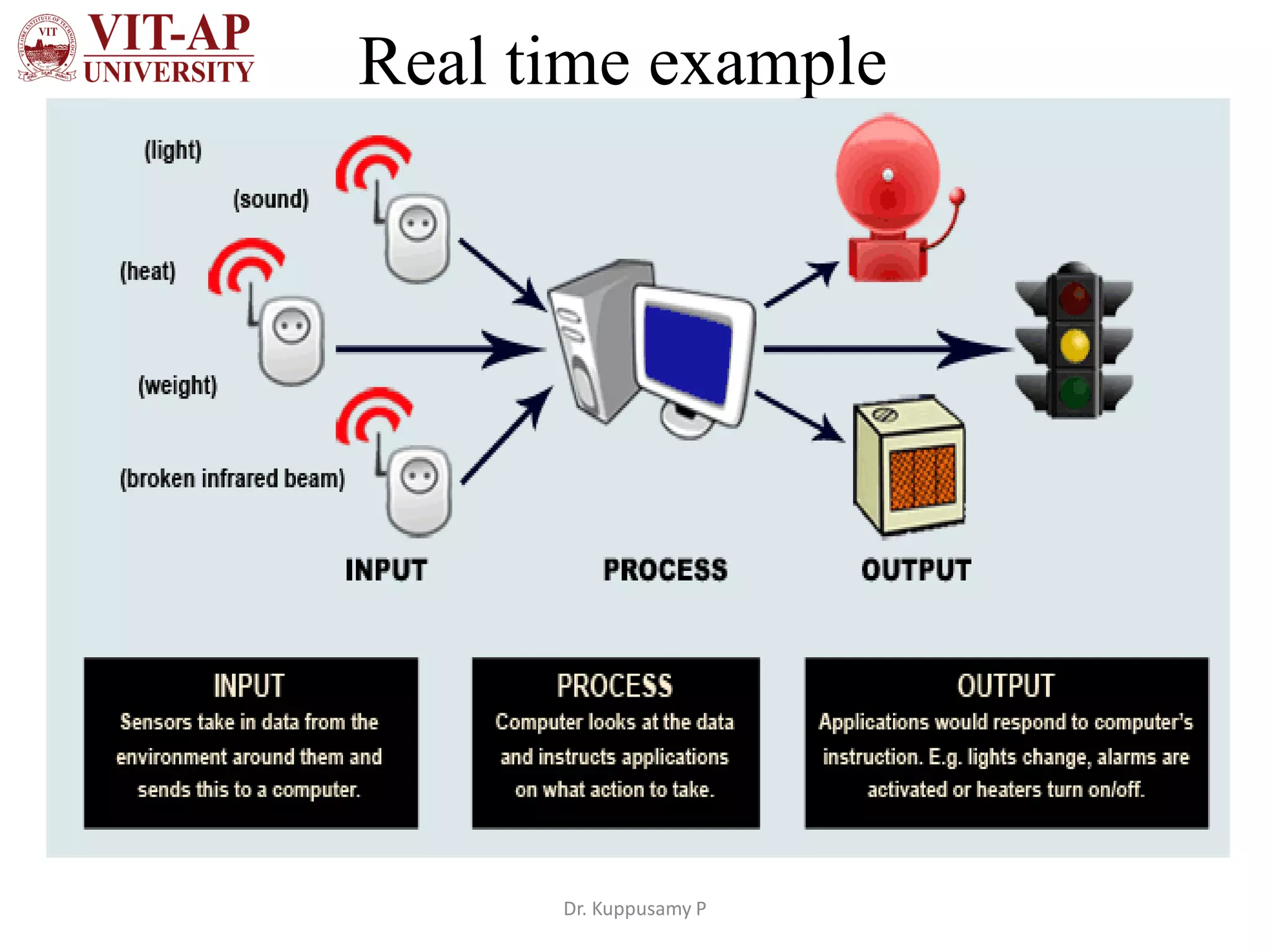
Real time example
Dr. Kuppusamy P
Data Processing Cycle
• Input is the data feed into the CPU using input devices
such as keyboard, mouse, web cam, mic, scanners,
sensors, etc.
• E.g. Text, pictures, audio, temperature, pressure, humidity,
speed, etc.,
• Processing is the manipulation of input data.
• Input data contains raw information denotes the objects,
and related information about people, places, events, etc.
• Software is a program that contains a sequence of
instructions.
• Instructions instructs the computer how to carry out a
processing task.
• E.g. Arithmetic operations, Searching a data, Sorting a list.
Dr. Kuppusamy P
Data Processing Cycle
• Output is the result generated by processing the input
data.
• Generated output is displaying on screen, printing on paper, or
transmitting to another device (audio, robot arm).
• Memory - The data is stored temporarily that is being
processed or waiting to be processed or output.
• E.g. RAM
• Storage - The data is stored permanently even that is not
needed for processing.
• E.g. magnetic disks, CD-ROM (Compact Disk Read-Only
Memory), magnetic tapes, Flash disk, Memory card, Floppy
disk, etc.,
Dr. Kuppusamy P
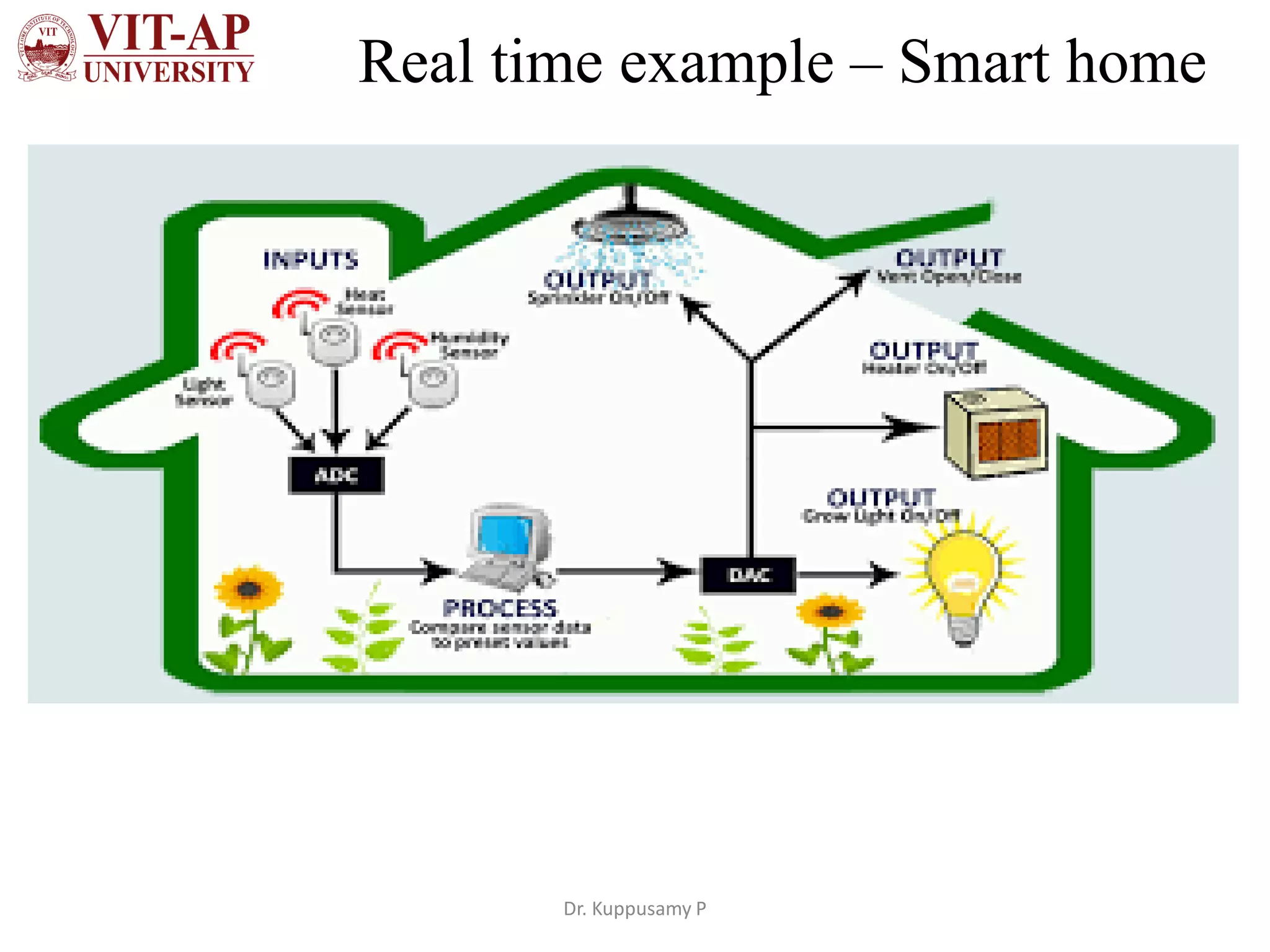
Real time example – Smart home
Dr. Kuppusamy P
Applications
• Personal applications: Regular activities done easily
• Shopping online, Playing games, Work from home,
Entertainment, Communication (e-mails , chats) etc.
• Business: Store and large amounts of information.
• Databases, online purchase and tracking resources quicker and
easier, online meetings from different locations, fast decision
making
• Education: online research materials, online discussion
about ongoing research, Fast analysing research data.
Dr. Kuppusamy P
Parts of Computer
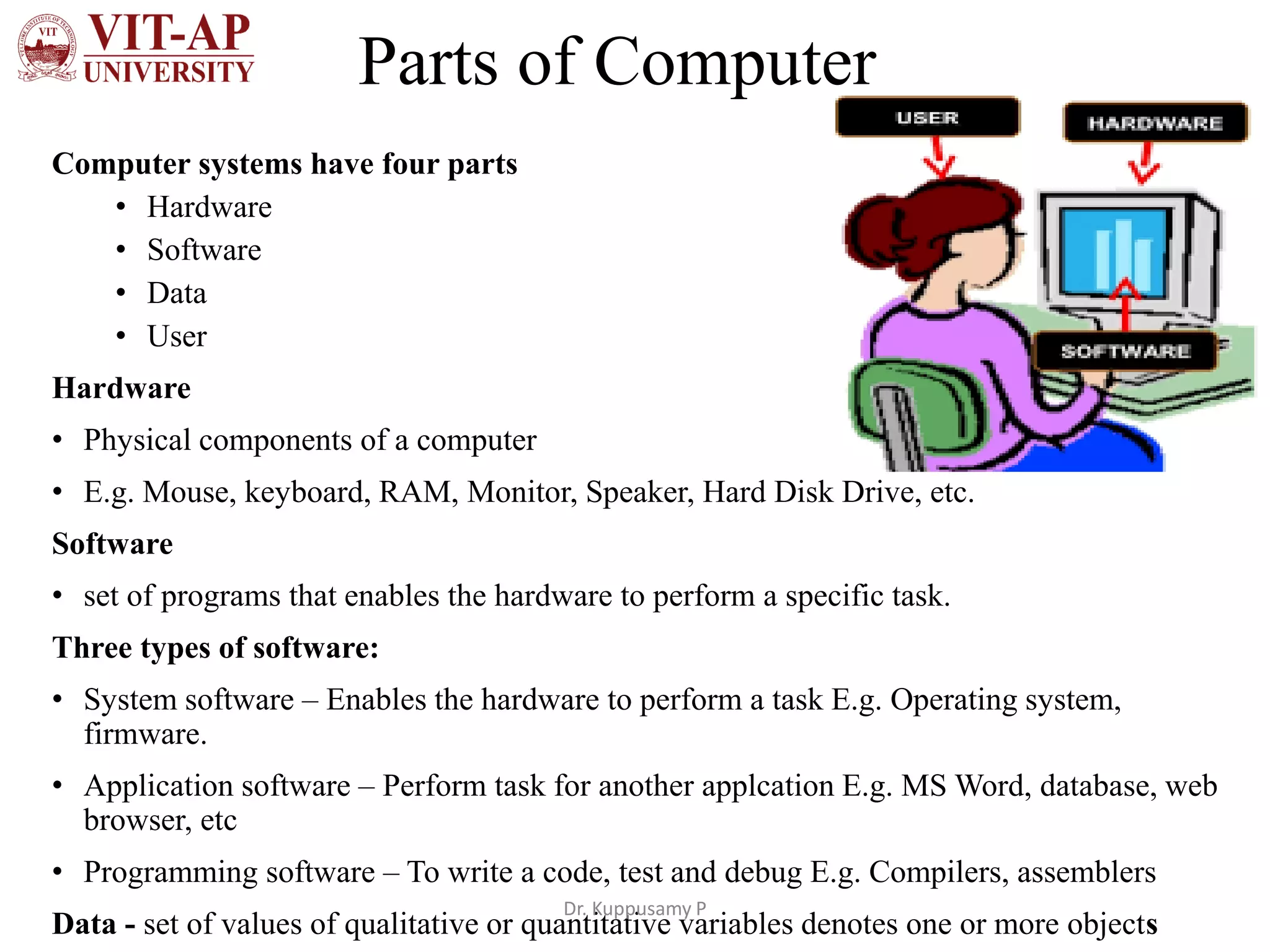
Computer systems have four parts
• Hardware
• Software
• Data
• User
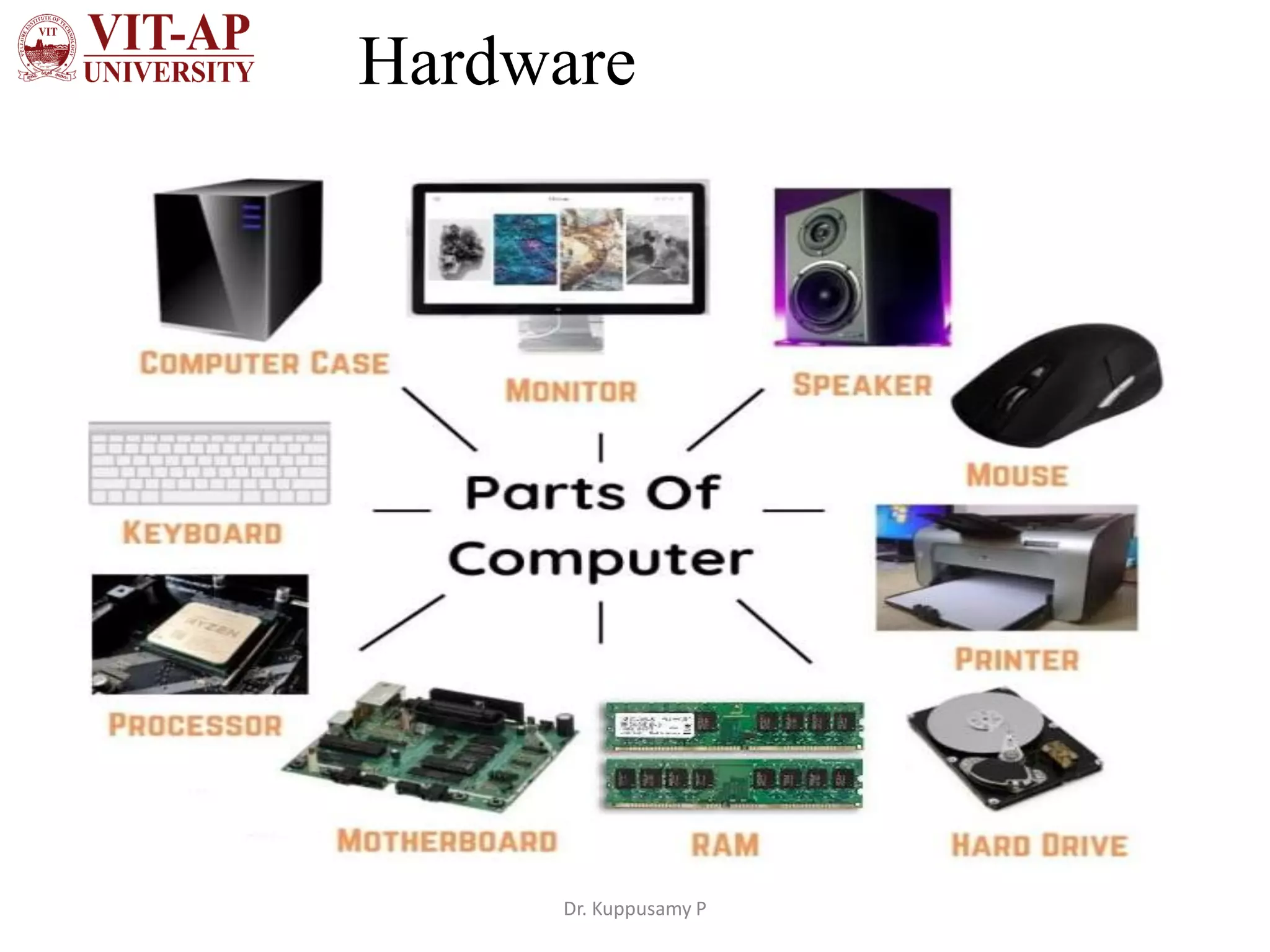
Hardware
• Physical components of a computer
• E.g. Mouse, keyboard, RAM, Monitor, Speaker, Hard Disk Drive, etc.
Software
• set of programs that enables the hardware to perform a specific task.
Three types of software:
• System software – Enables the hardware to perform a task E.g. Operating system,
firmware.
• Application software – Perform task for another applcation E.g. MS Word, database, web
browser, etc
• Programming software – To write a code, test and debug E.g. Compilers, assemblers
Data - set of values of qualitative or quantitative variables denotes one or more objects
Dr. Kuppusamy P
Hardware
Dr. Kuppusamy P

Parts of Computer, Hardware and Software

  • 1.
    Computer Components Dr. Kuppusamy.P Associate Professor / SCOPE
  • 2.
    Computers - Definition •Computer is an electronic device • Accepts input data, processes data based on set of instructions in the memory and Generates the output. • Stores the output in the storage • Set of instructions controls the computers and transform the data into meaningful information. • Information Processing Cycle: Dr. Kuppusamy P
  • 3.
  • 4.
    Data Processing Cycle •Input is the data feed into the CPU using input devices such as keyboard, mouse, web cam, mic, scanners, sensors, etc. • E.g. Text, pictures, audio, temperature, pressure, humidity, speed, etc., • Processing is the manipulation of input data. • Input data contains raw information denotes the objects, and related information about people, places, events, etc. • Software is a program that contains a sequence of instructions. • Instructions instructs the computer how to carry out a processing task. • E.g. Arithmetic operations, Searching a data, Sorting a list. Dr. Kuppusamy P
  • 5.
    Data Processing Cycle •Output is the result generated by processing the input data. • Generated output is displaying on screen, printing on paper, or transmitting to another device (audio, robot arm). • Memory - The data is stored temporarily that is being processed or waiting to be processed or output. • E.g. RAM • Storage - The data is stored permanently even that is not needed for processing. • E.g. magnetic disks, CD-ROM (Compact Disk Read-Only Memory), magnetic tapes, Flash disk, Memory card, Floppy disk, etc., Dr. Kuppusamy P
  • 6.
    Real time example– Smart home Dr. Kuppusamy P
  • 7.
    Applications • Personal applications:Regular activities done easily • Shopping online, Playing games, Work from home, Entertainment, Communication (e-mails , chats) etc. • Business: Store and large amounts of information. • Databases, online purchase and tracking resources quicker and easier, online meetings from different locations, fast decision making • Education: online research materials, online discussion about ongoing research, Fast analysing research data. Dr. Kuppusamy P
  • 8.
    Parts of Computer Computersystems have four parts • Hardware • Software • Data • User Hardware • Physical components of a computer • E.g. Mouse, keyboard, RAM, Monitor, Speaker, Hard Disk Drive, etc. Software • set of programs that enables the hardware to perform a specific task. Three types of software: • System software – Enables the hardware to perform a task E.g. Operating system, firmware. • Application software – Perform task for another applcation E.g. MS Word, database, web browser, etc • Programming software – To write a code, test and debug E.g. Compilers, assemblers Data - set of values of qualitative or quantitative variables denotes one or more objects Dr. Kuppusamy P
  • 9.