Practical Ansible: A Top-down Introduction


Architect @ Gogolook
3
--no-provision
4
5
6
Modern Web 2015
Bottom-up Ansible
IT


Top-down
”
7
Modern Web 2015
Bottom-up Ansible
IT 


Top-down
”
8
9
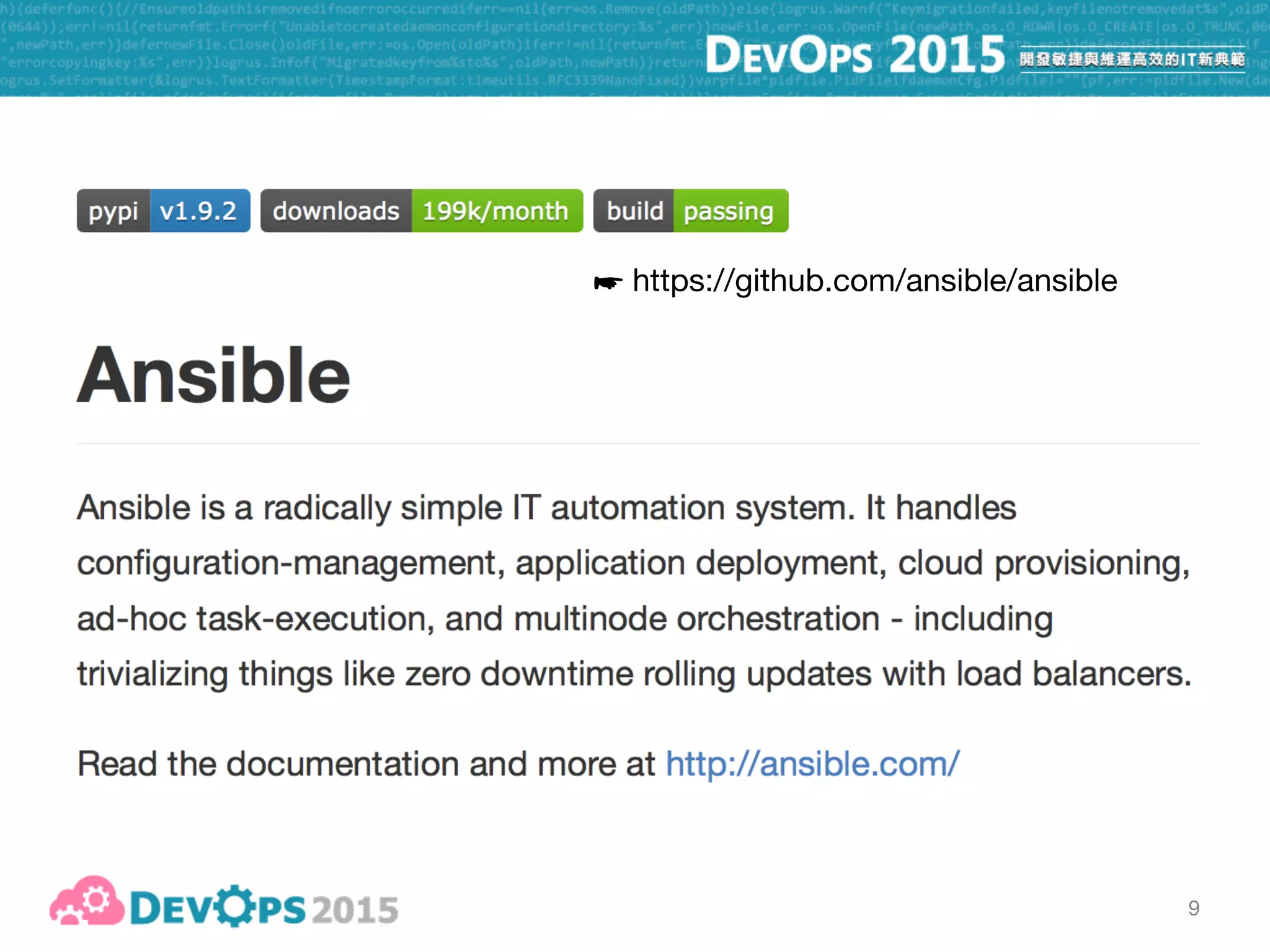
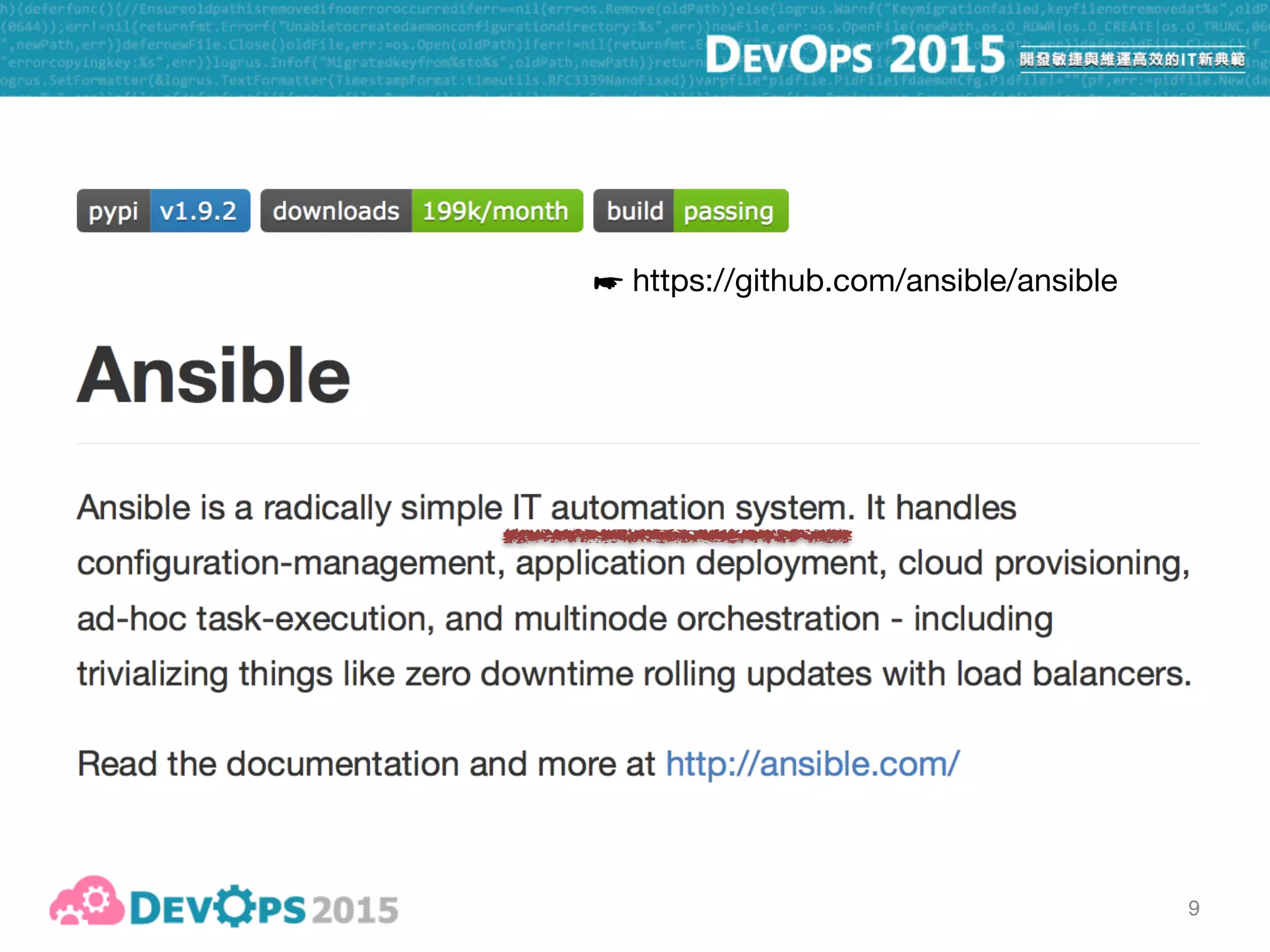
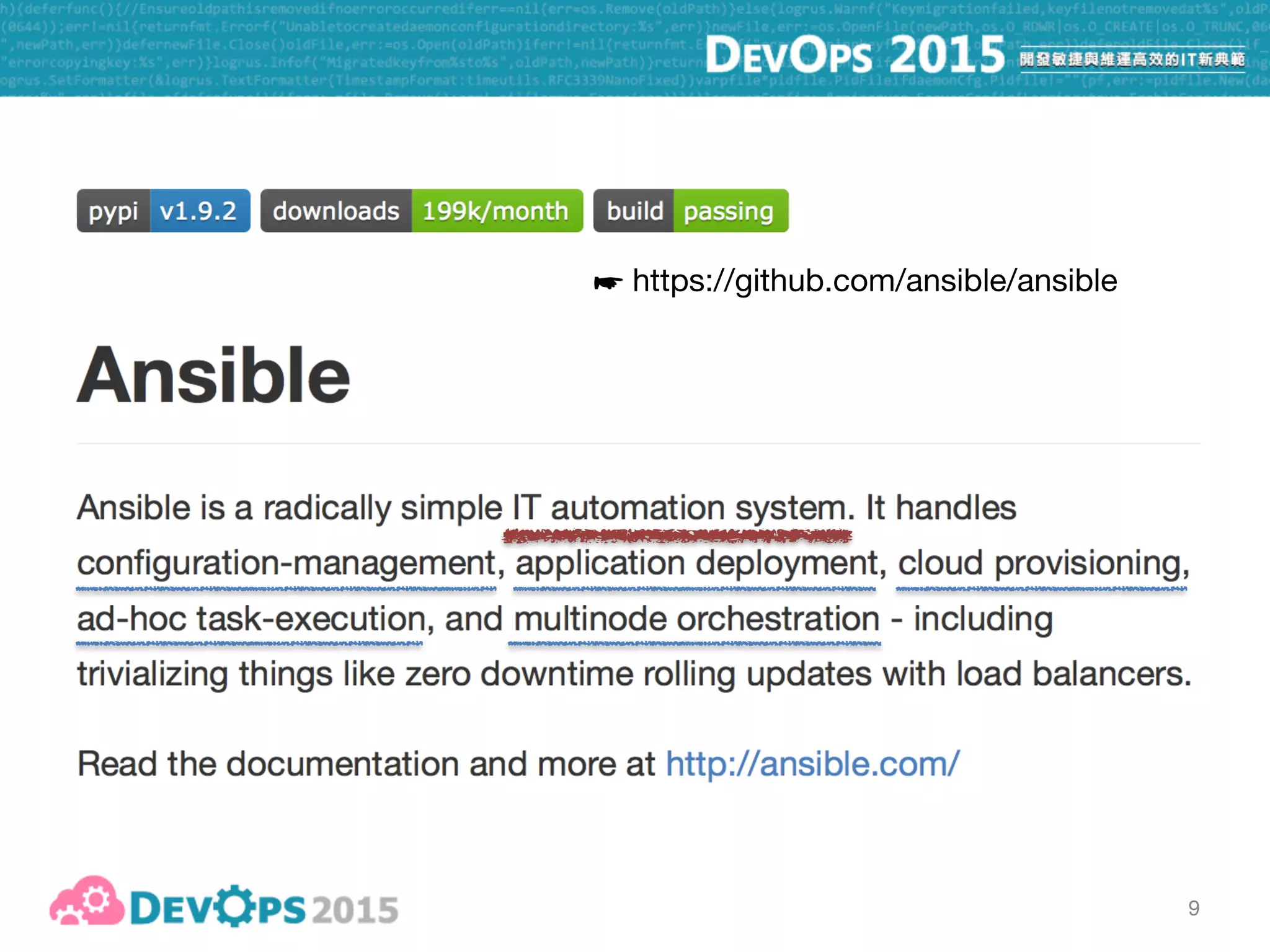
☛ https://github.com/ansible/ansible
9
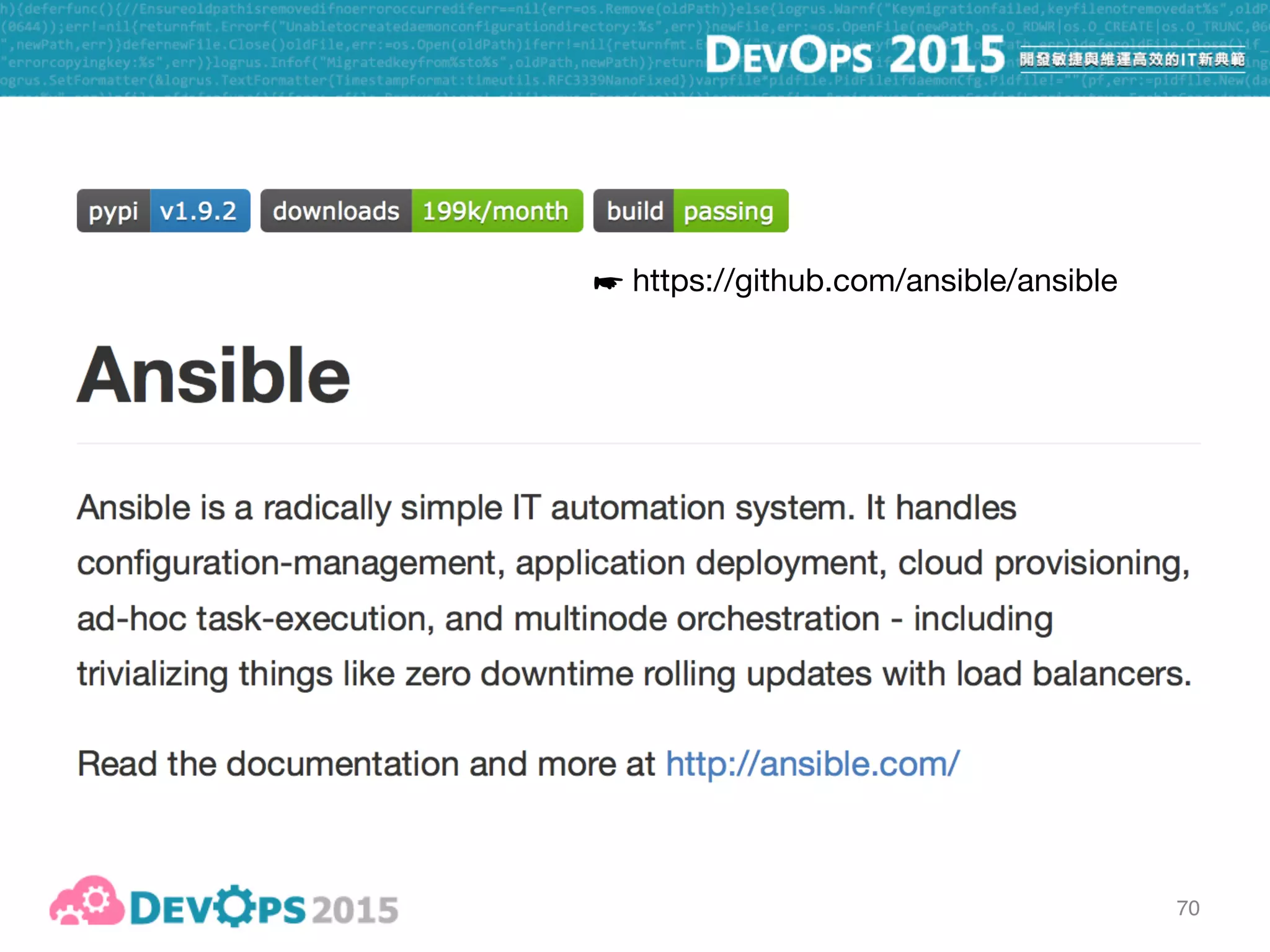
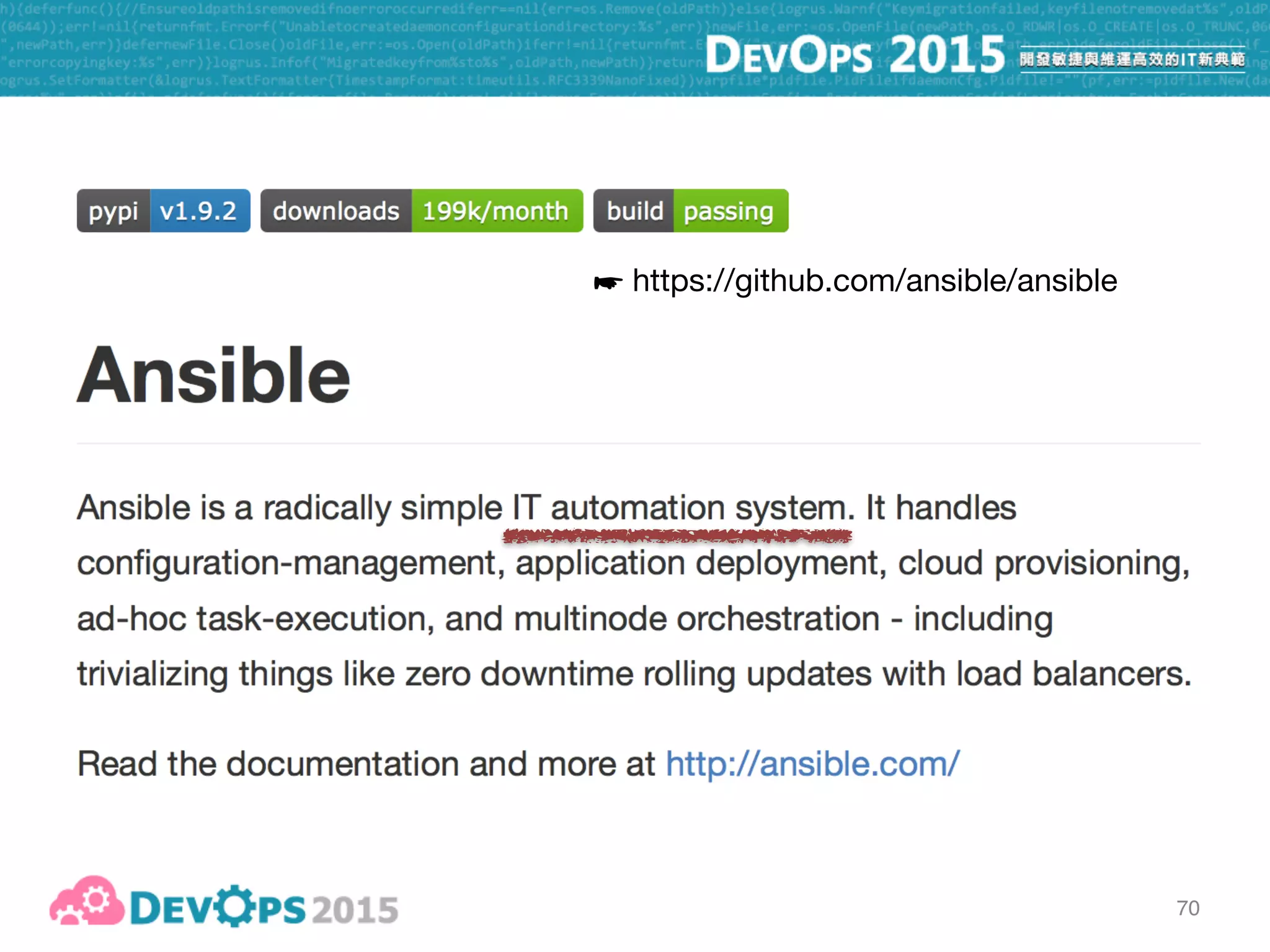
☛ https://github.com/ansible/ansible
9
☛ https://github.com/ansible/ansible
10
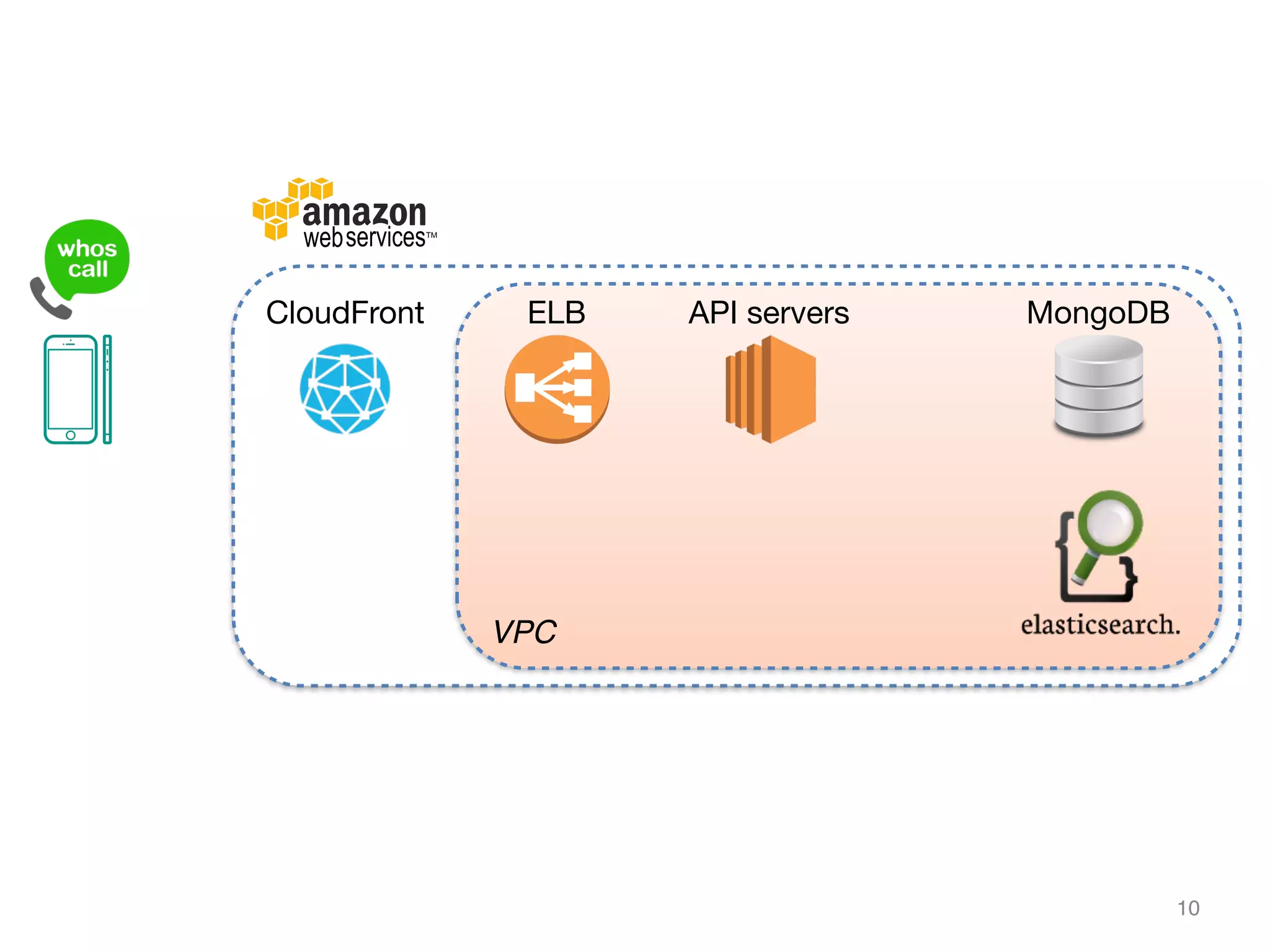
VPC
CloudFront ELB API servers MongoDB
11
11
12
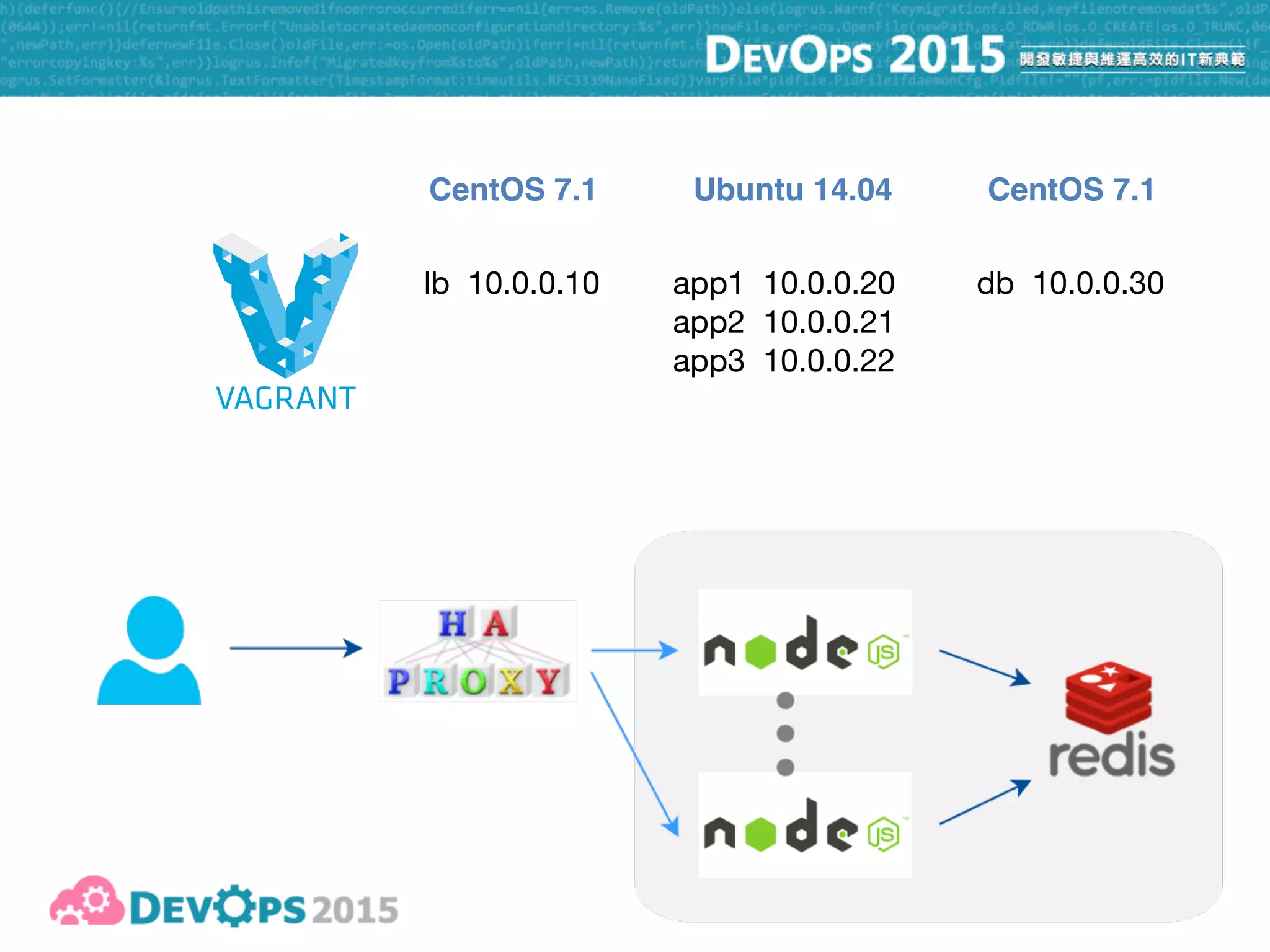
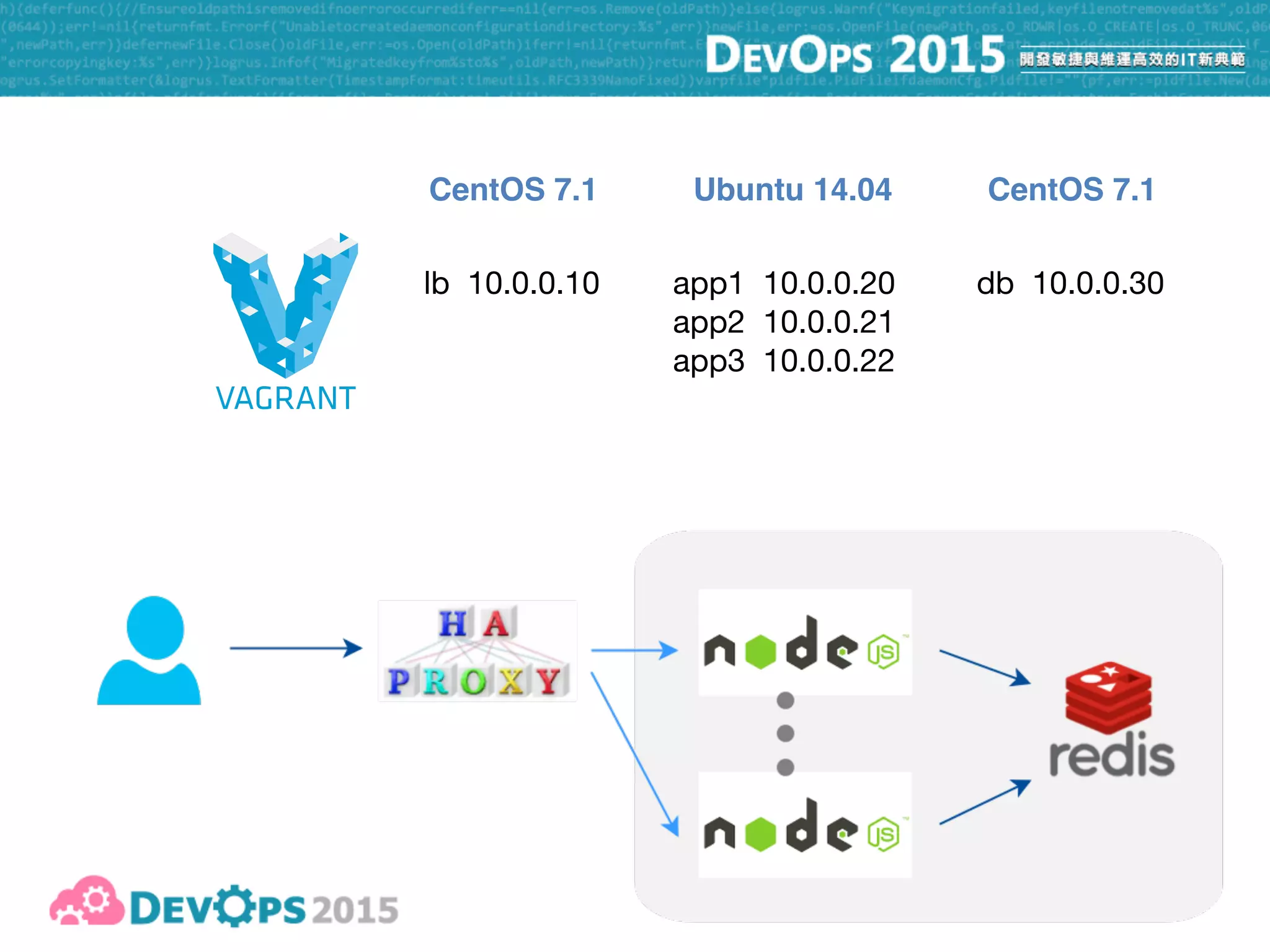
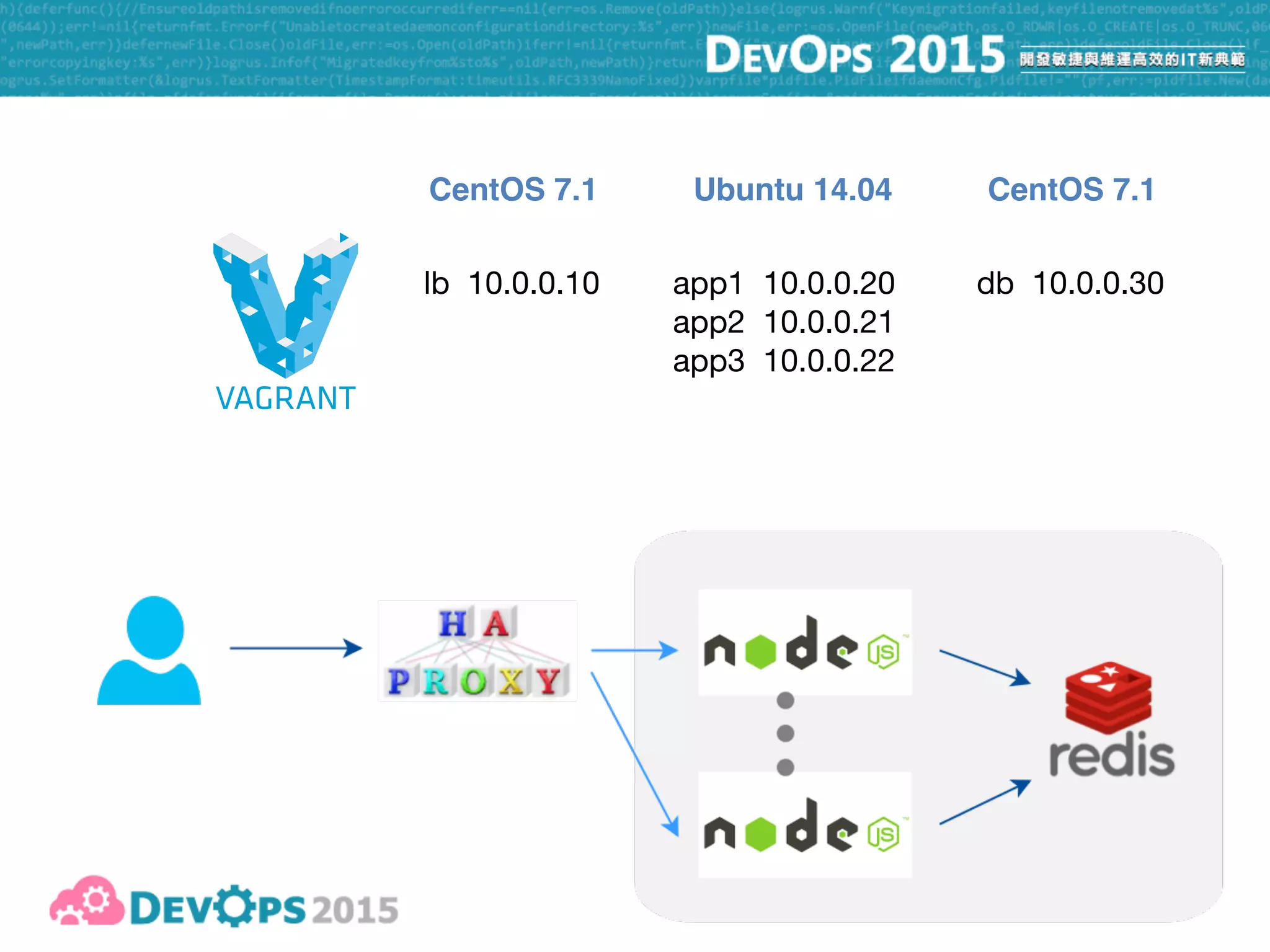
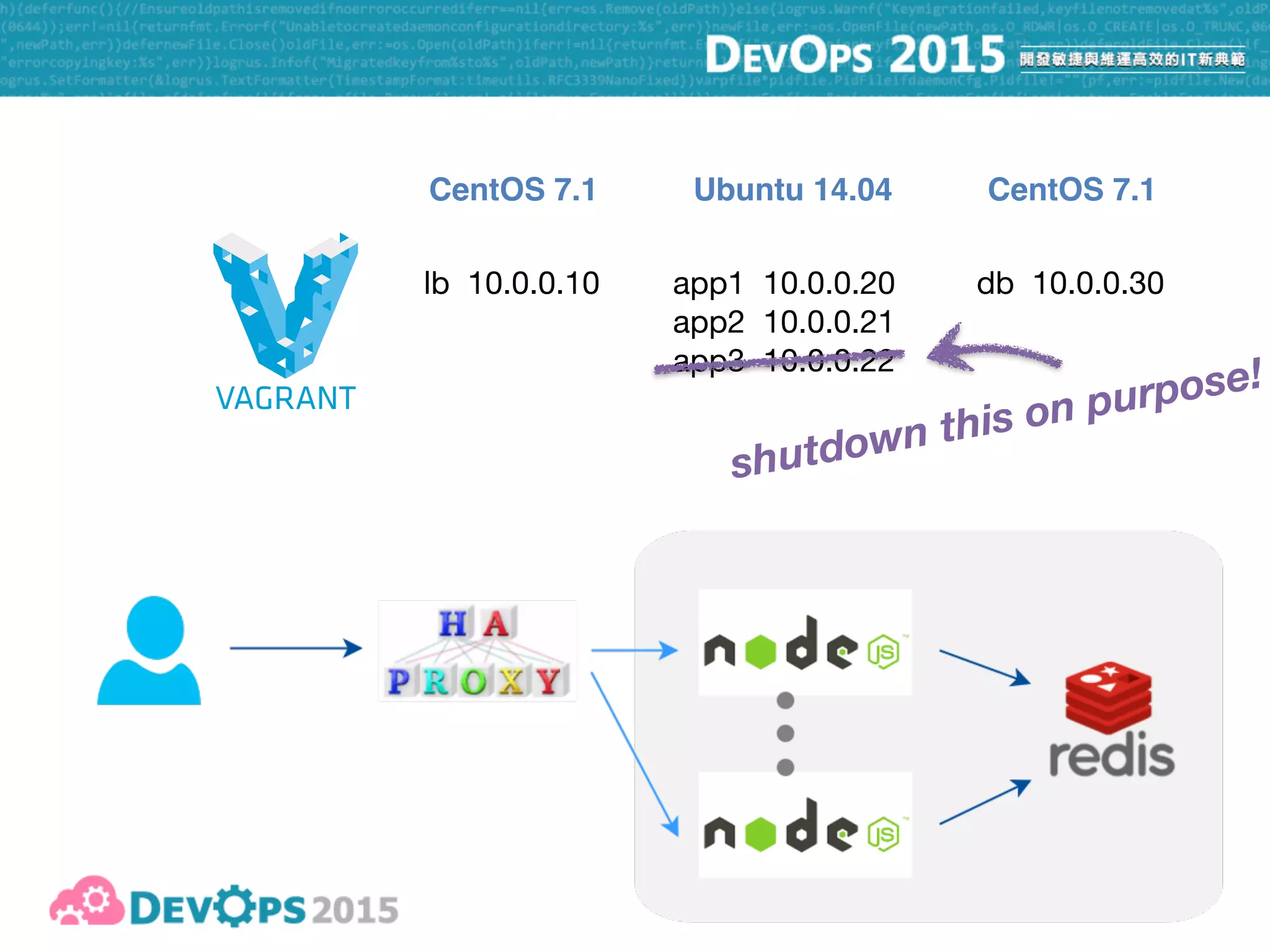
lb 10.0.0.10 app1 10.0.0.20

app2 10.0.0.21

app3 10.0.0.22
db 10.0.0.30
CentOS 7.1 CentOS 7.1Ubuntu 14.04
13
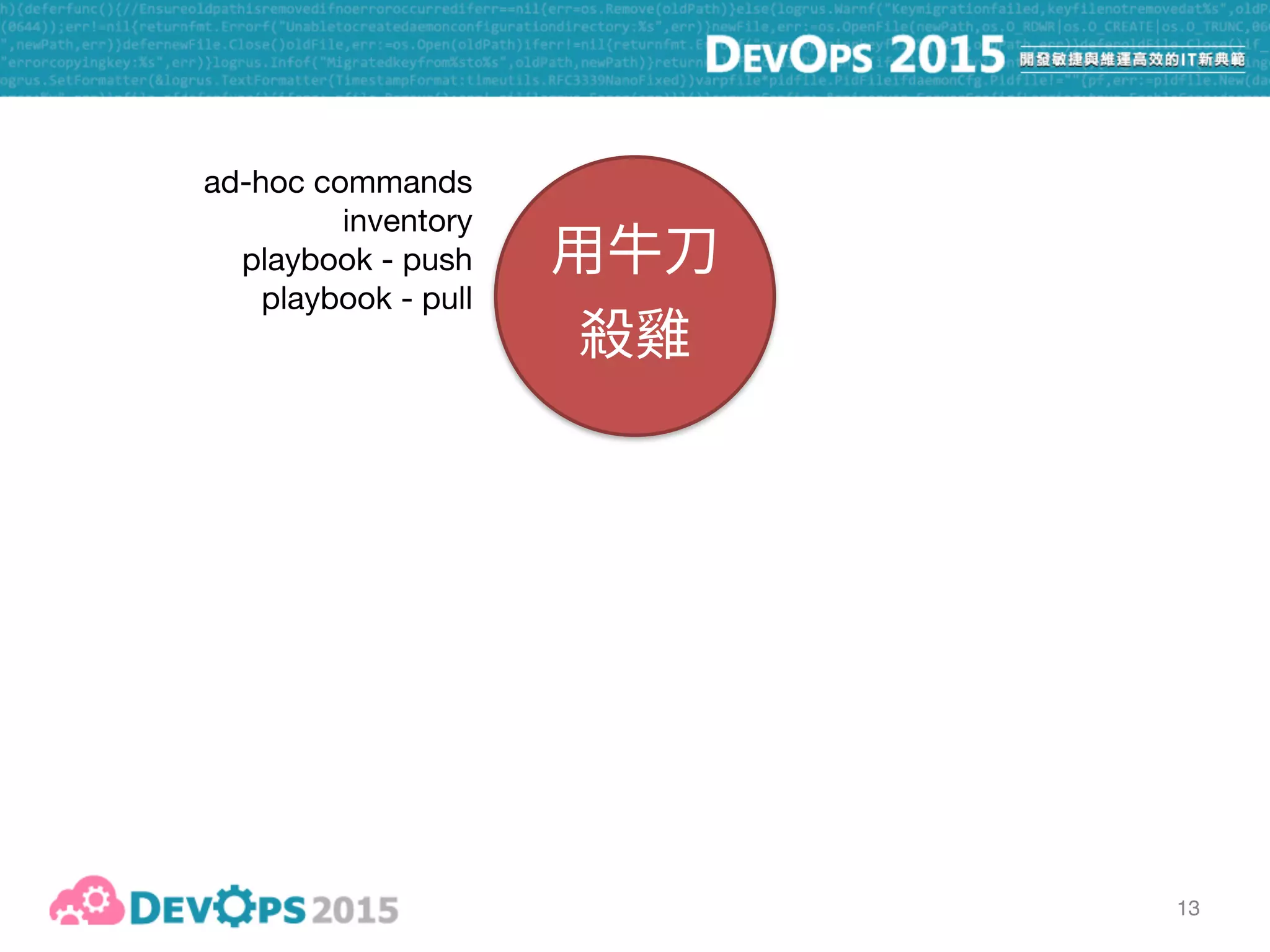
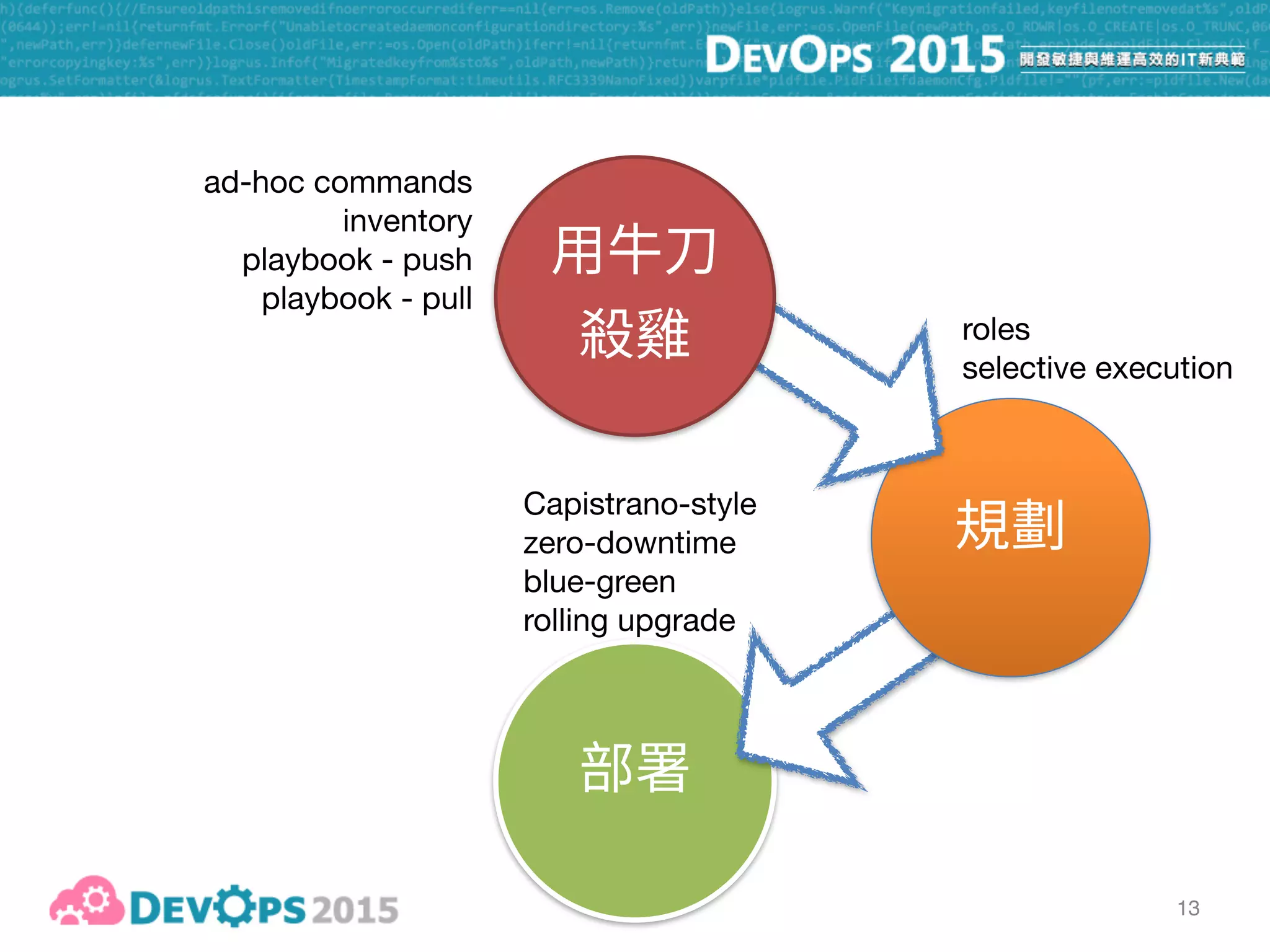
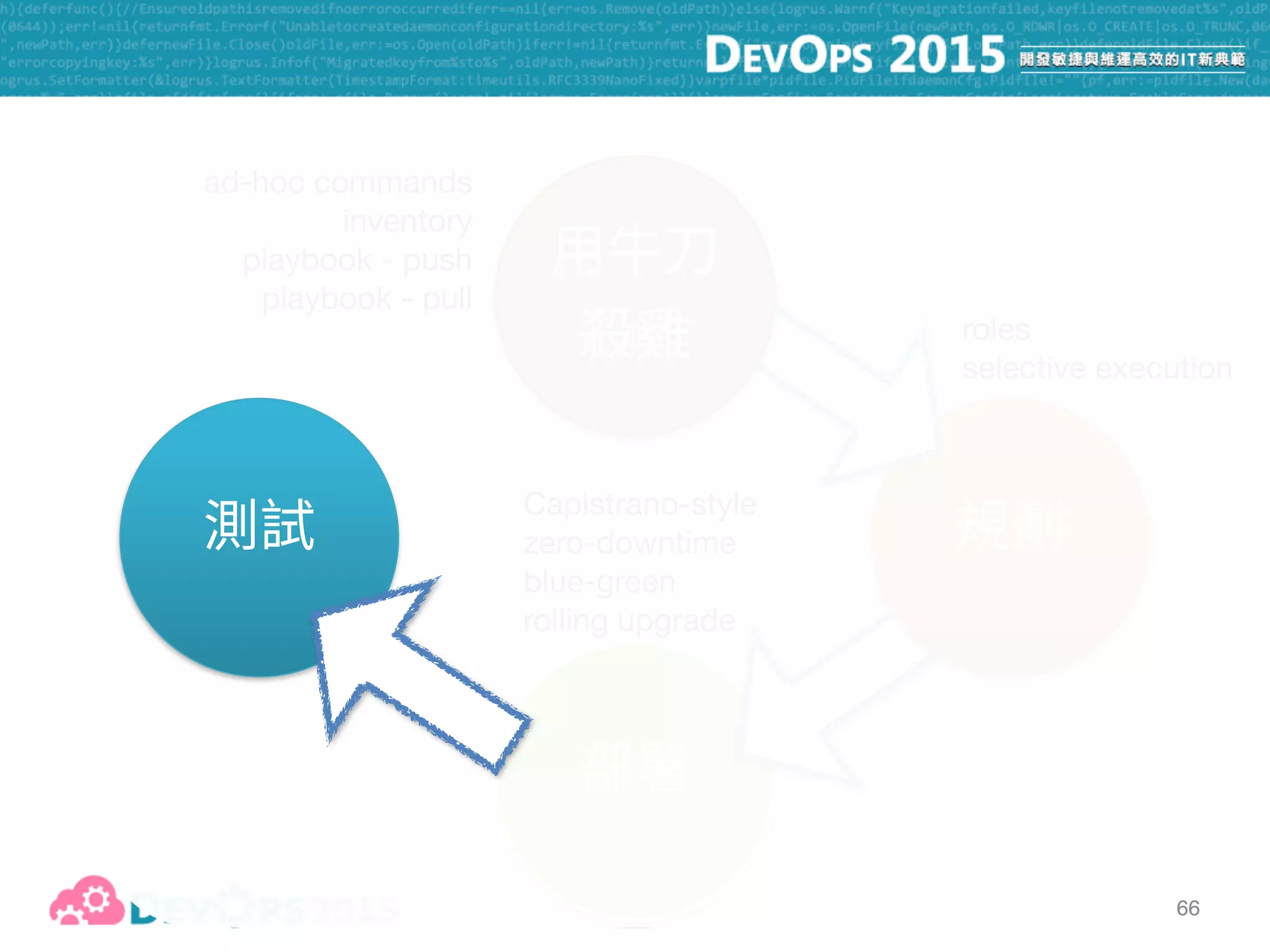
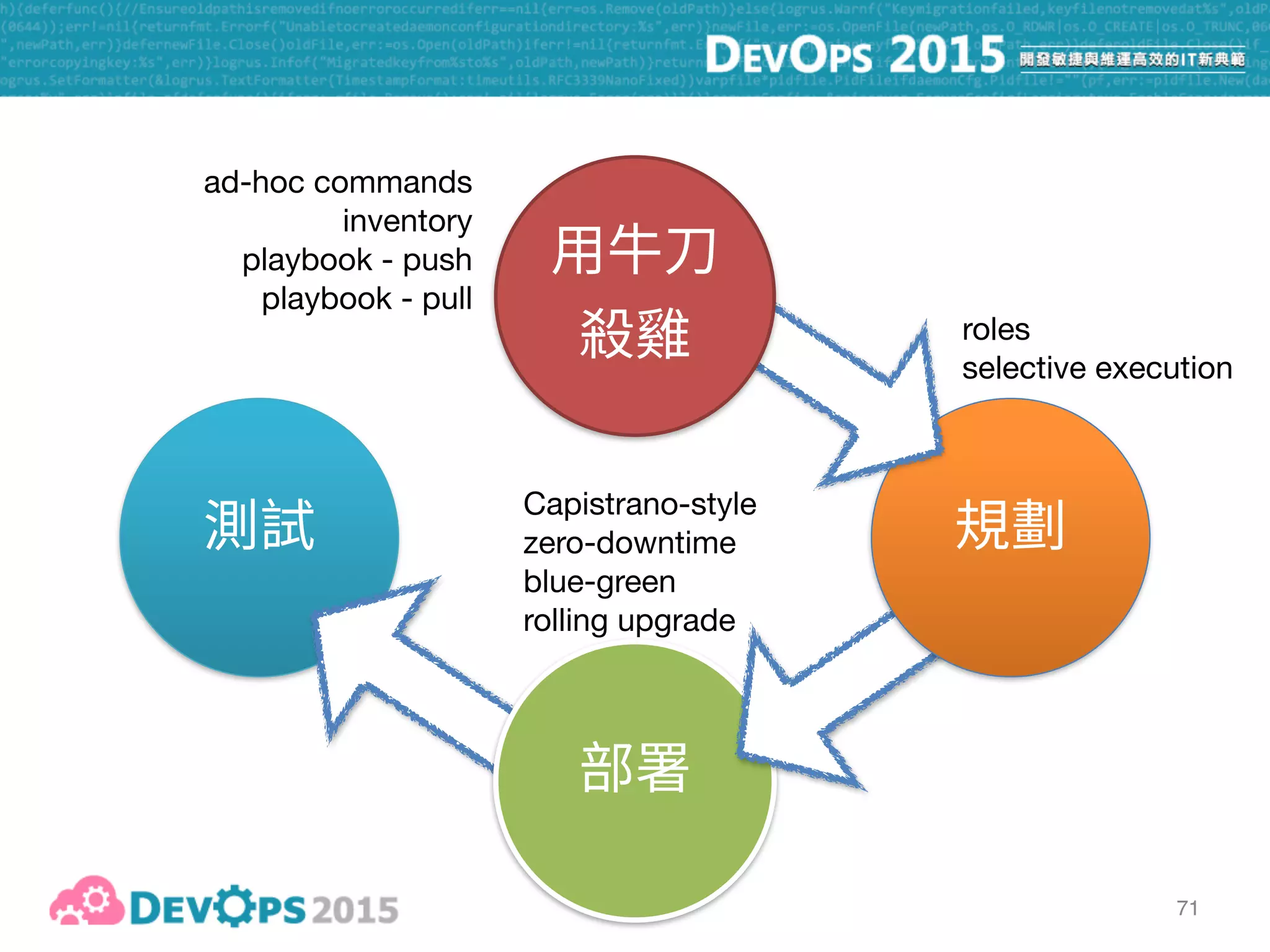
ad-hoc commands

inventory

playbook - push

playbook - pull
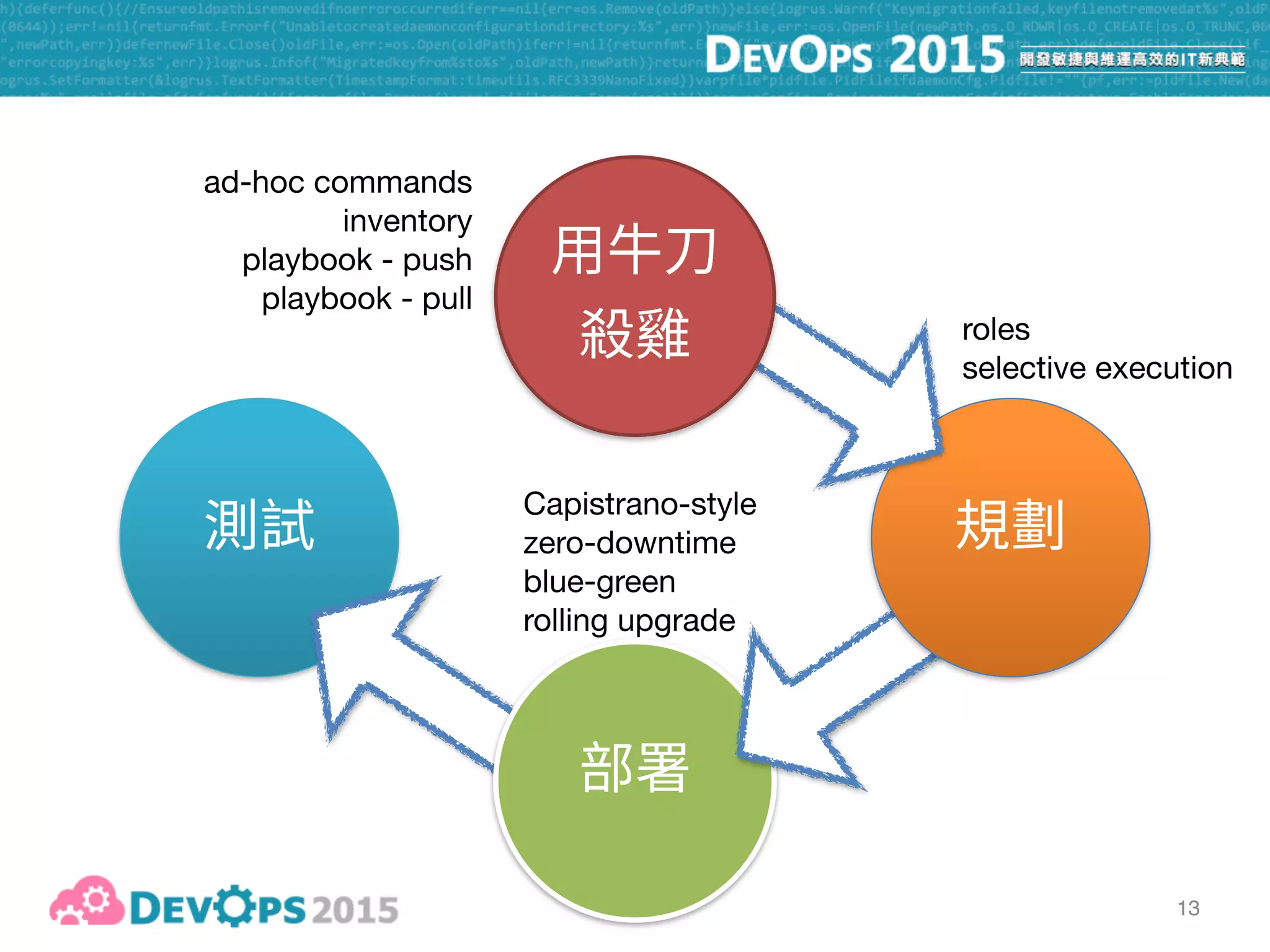
13
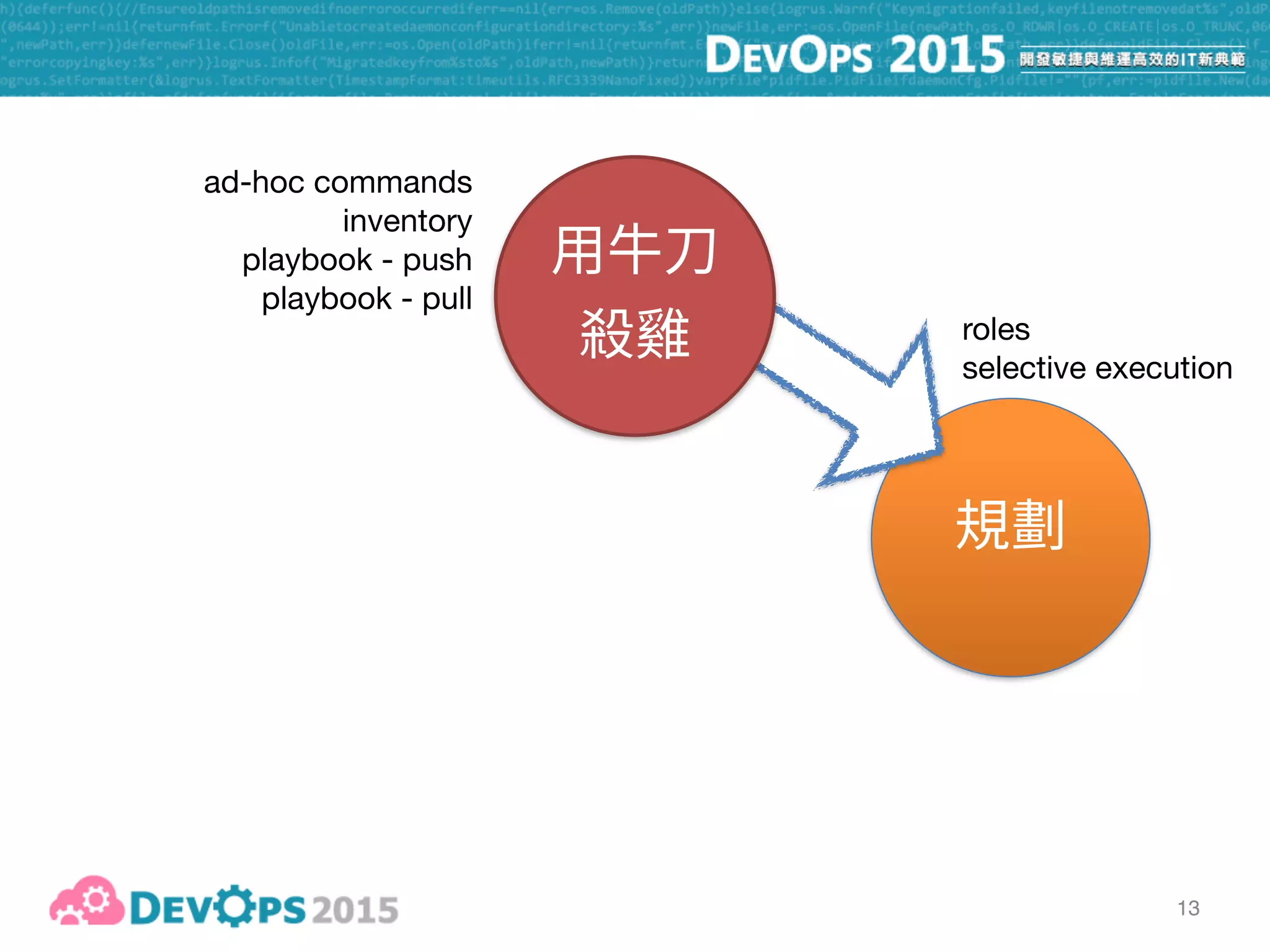
ad-hoc commands

inventory

playbook - push

playbook - pull
roles

selective execution
13
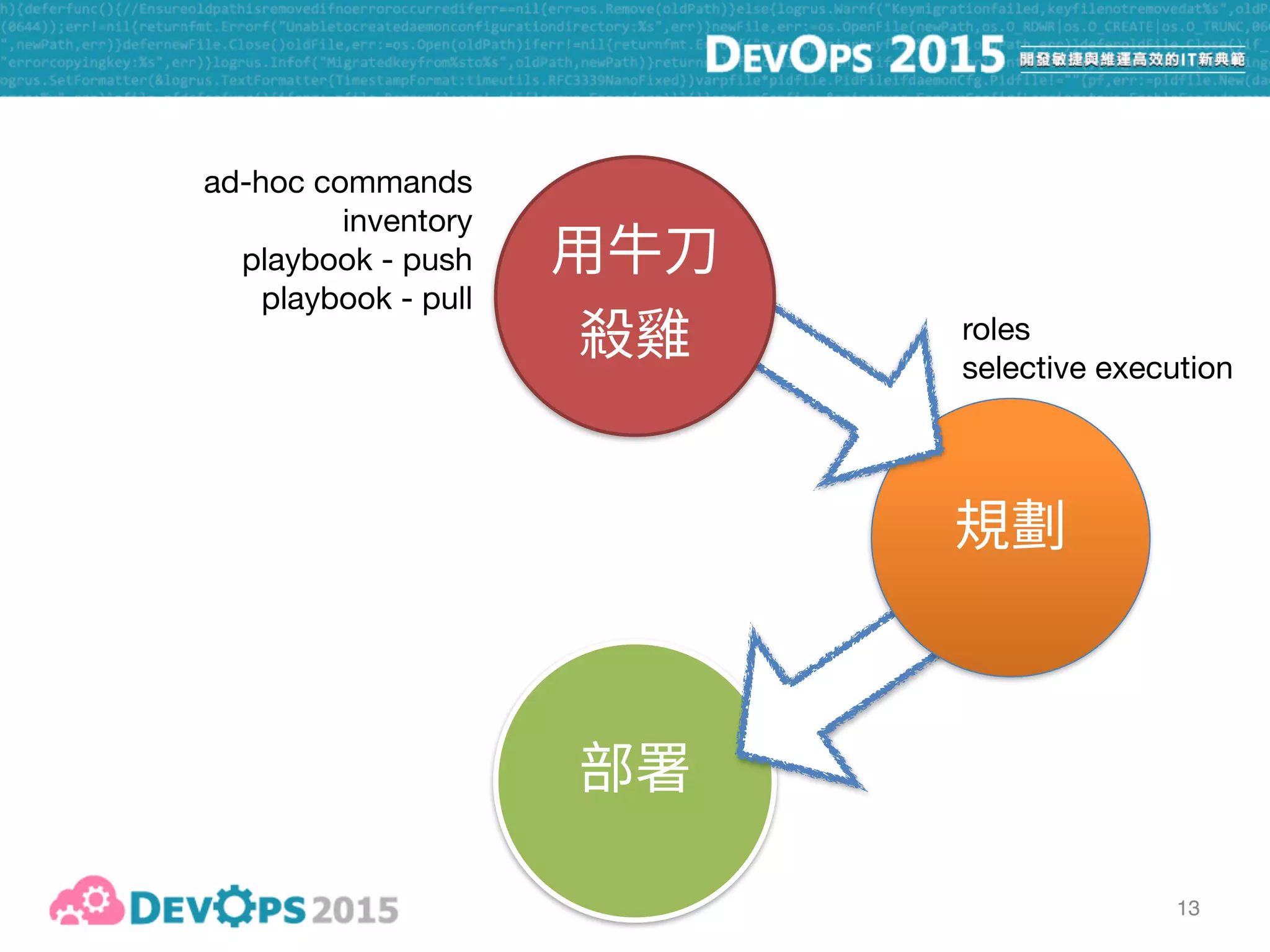
ad-hoc commands

inventory

playbook - push

playbook - pull
roles

selective execution
13
ad-hoc commands

inventory

playbook - push

playbook - pull
roles

selective execution
Capistrano-style

zero-downtime

blue-green

rolling upgrade
13
ad-hoc commands

inventory

playbook - push

playbook - pull
roles

selective execution
Capistrano-style

zero-downtime

blue-green

rolling upgrade
roles

selective execution
Capistrano-style

zero-downtime

blue-green

rolling upgrade
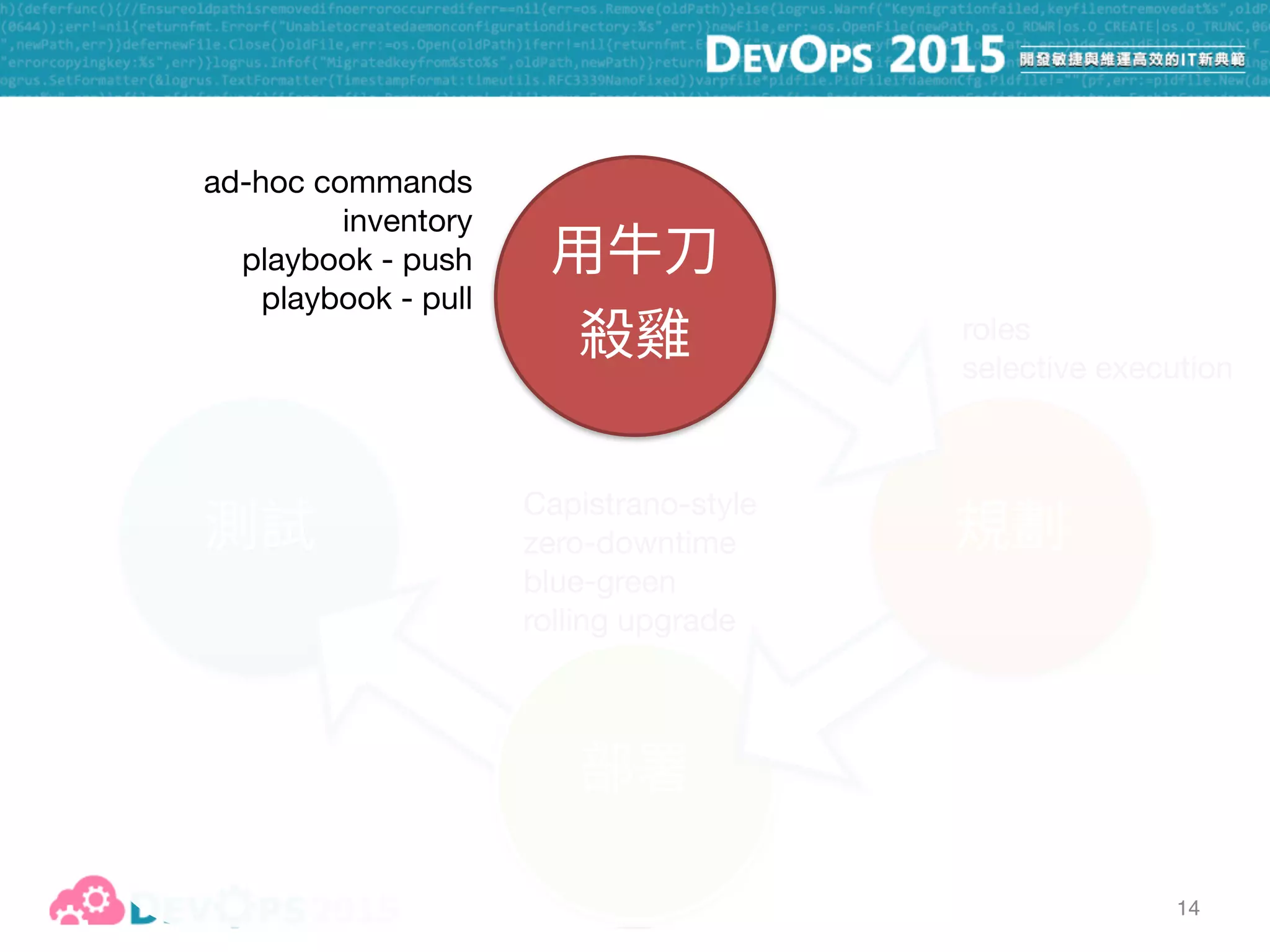
14
ad-hoc commands

inventory

playbook - push

playbook - pull
15
16
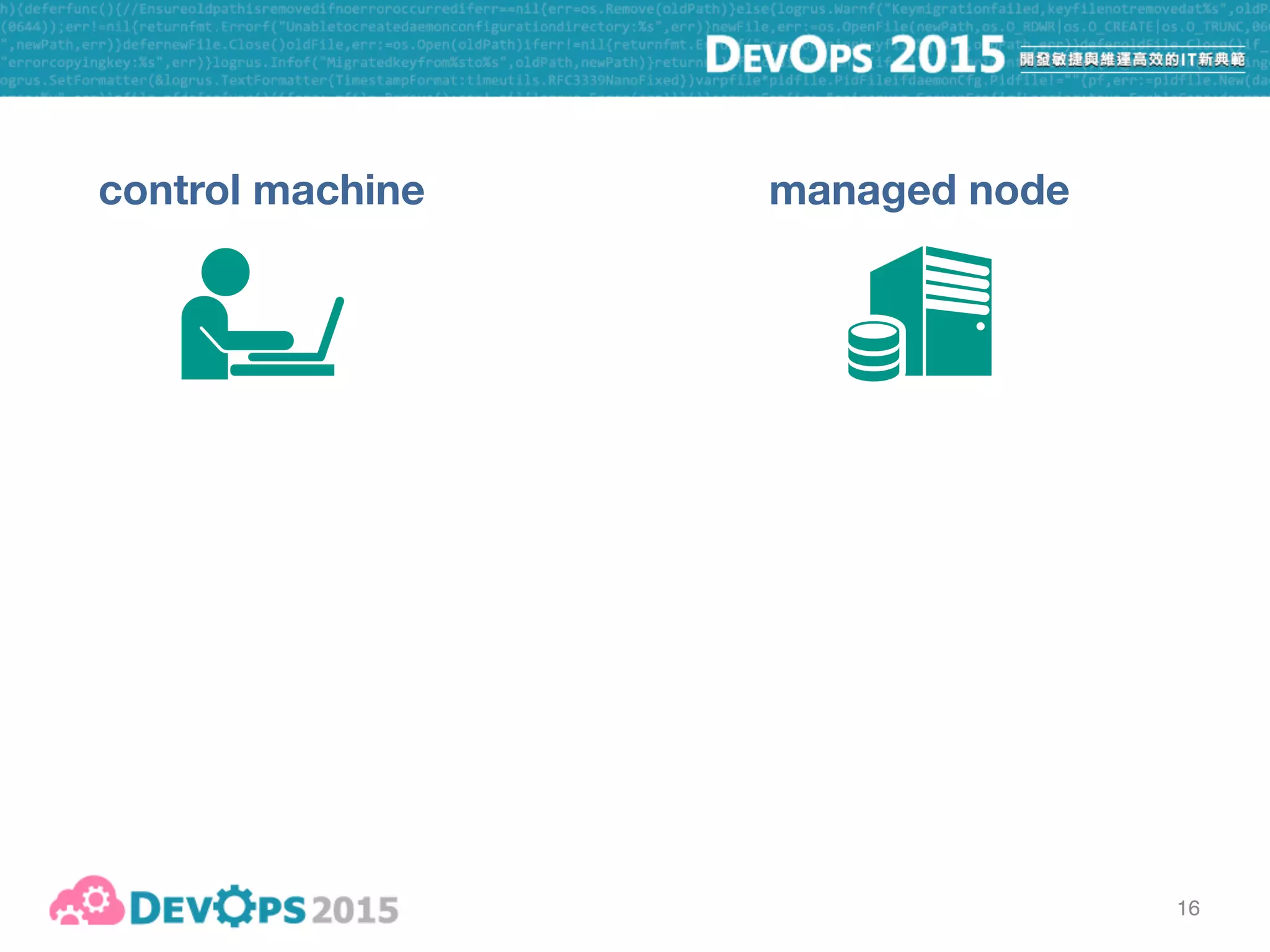
control machine managed node
16
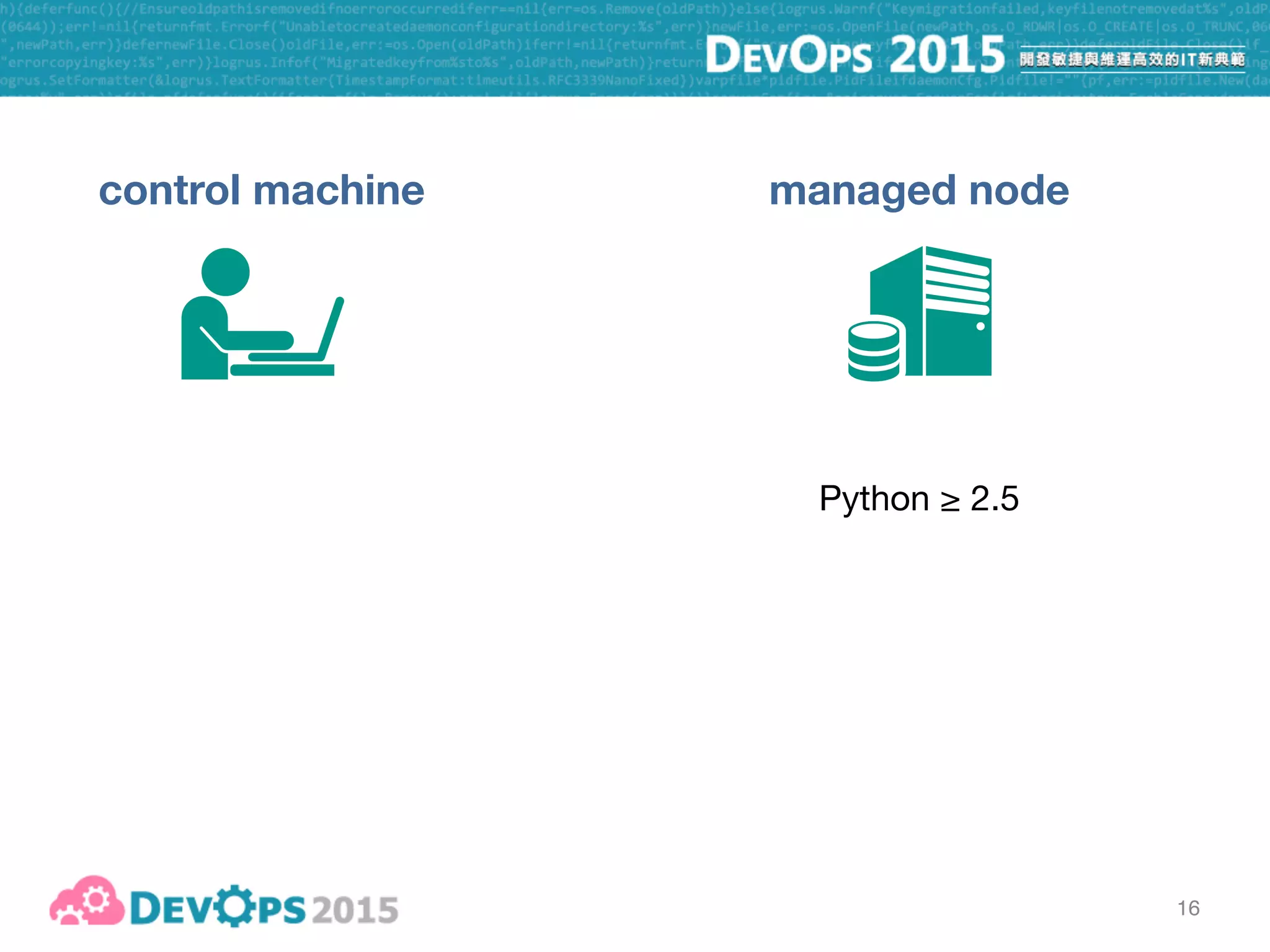
control machine managed node
Python ≥ 2.5
16
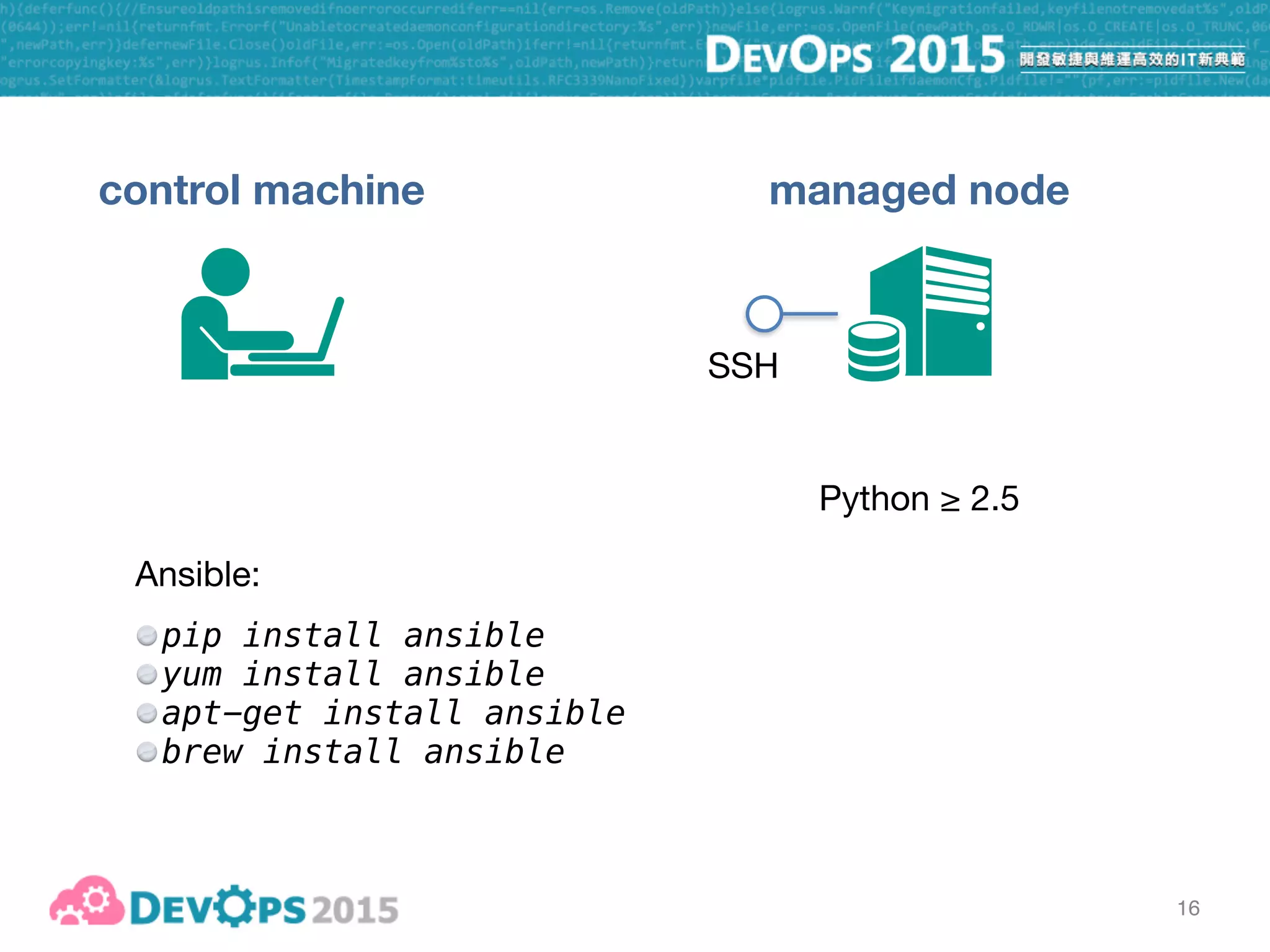
control machine managed node
Python ≥ 2.5
SSH
16
control machine managed node
Python ≥ 2.5
SSH
Ansible:

pip install ansible
yum install ansible
apt-get install ansible
brew install ansible
16
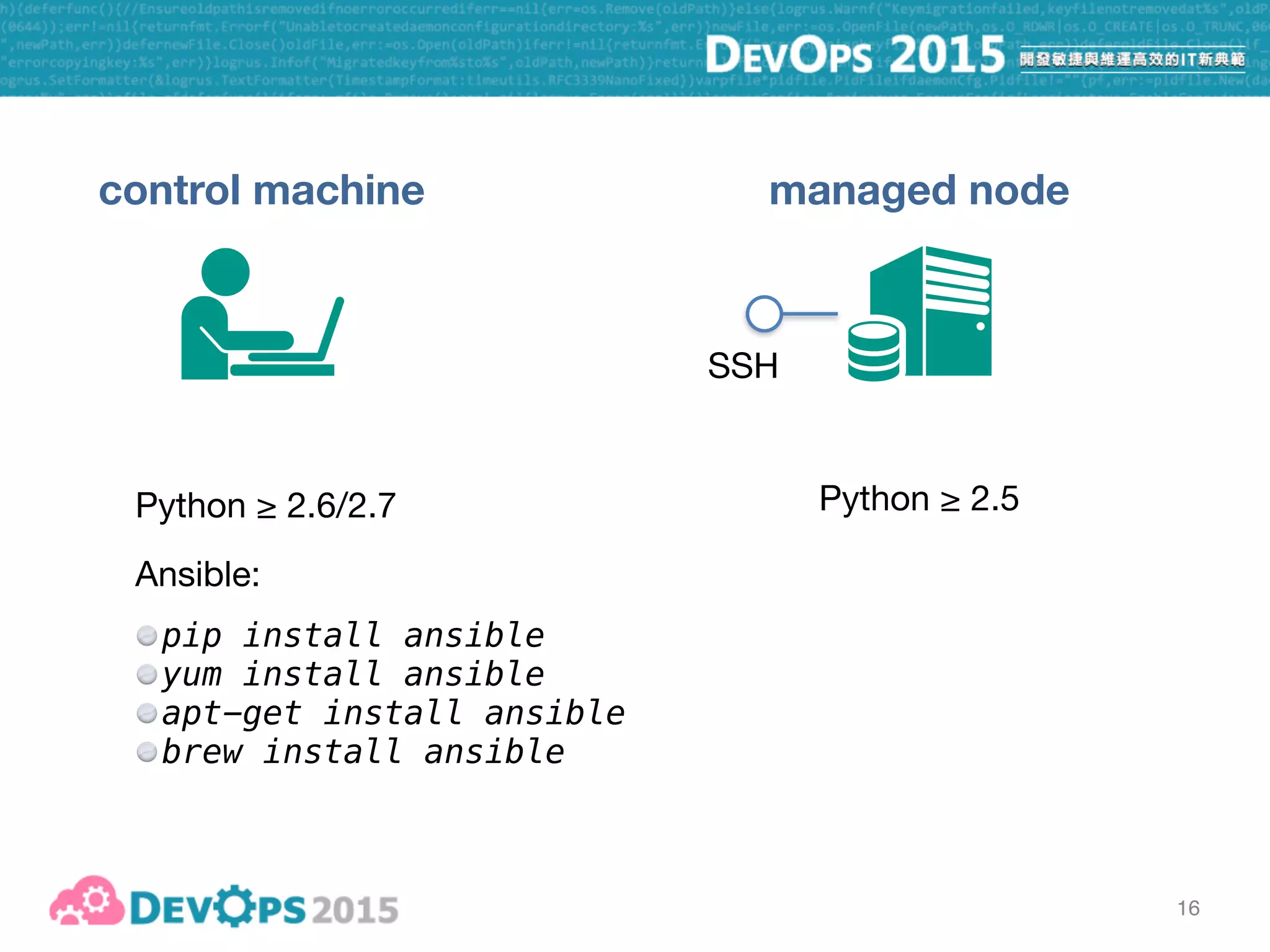
control machine managed node
Python ≥ 2.5Python ≥ 2.6/2.7
SSH
Ansible:

pip install ansible
yum install ansible
apt-get install ansible
brew install ansible
17
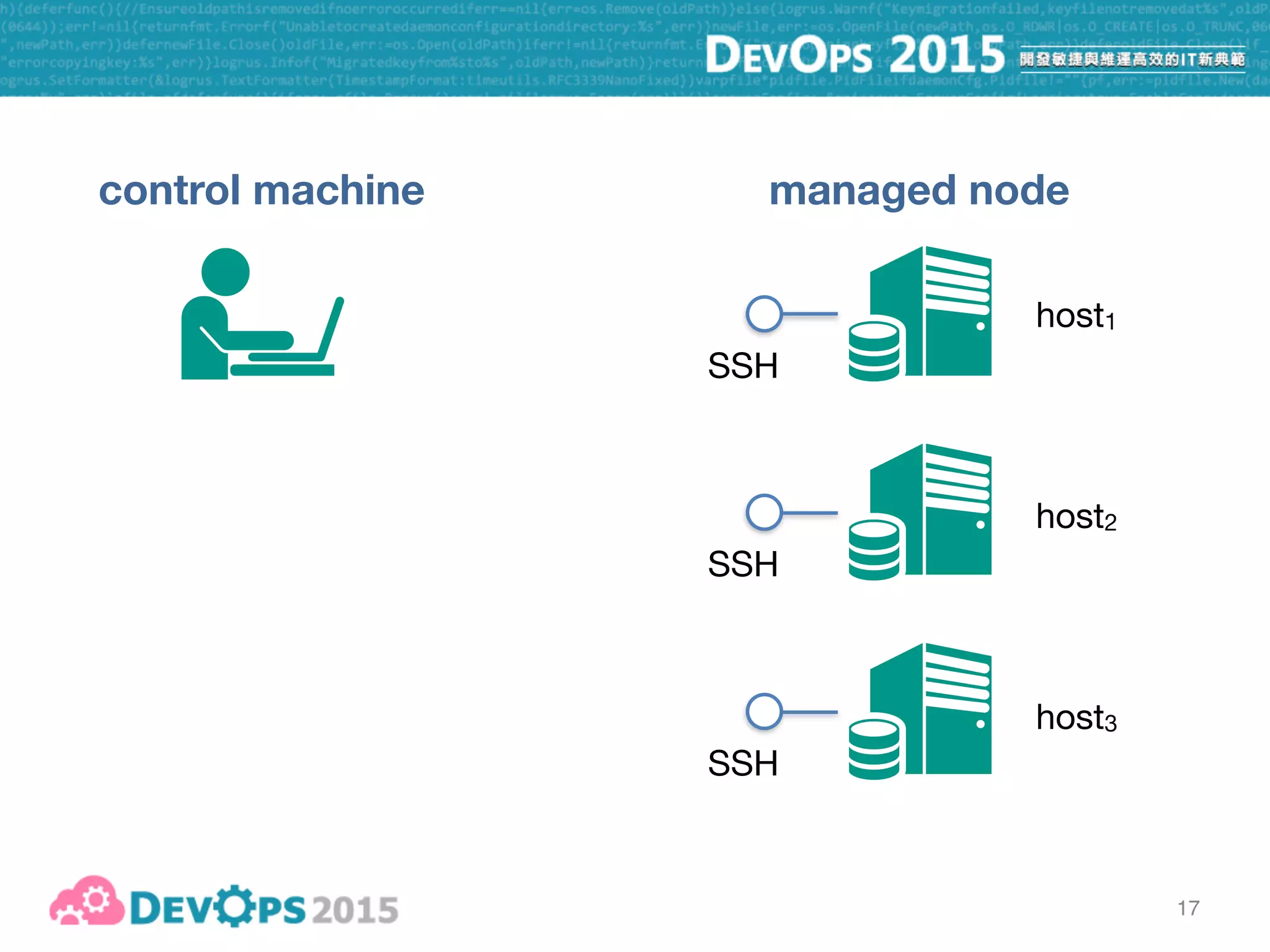
control machine managed node
SSH
SSH
SSH
host1
host2
host3
17
control machine managed node
SSH
SSH
SSH
host1
host2
host3
inventory file
host1
host2 ansible_ssh_host=10.0.0.10
host3 ansible_ssh_port=2222
18
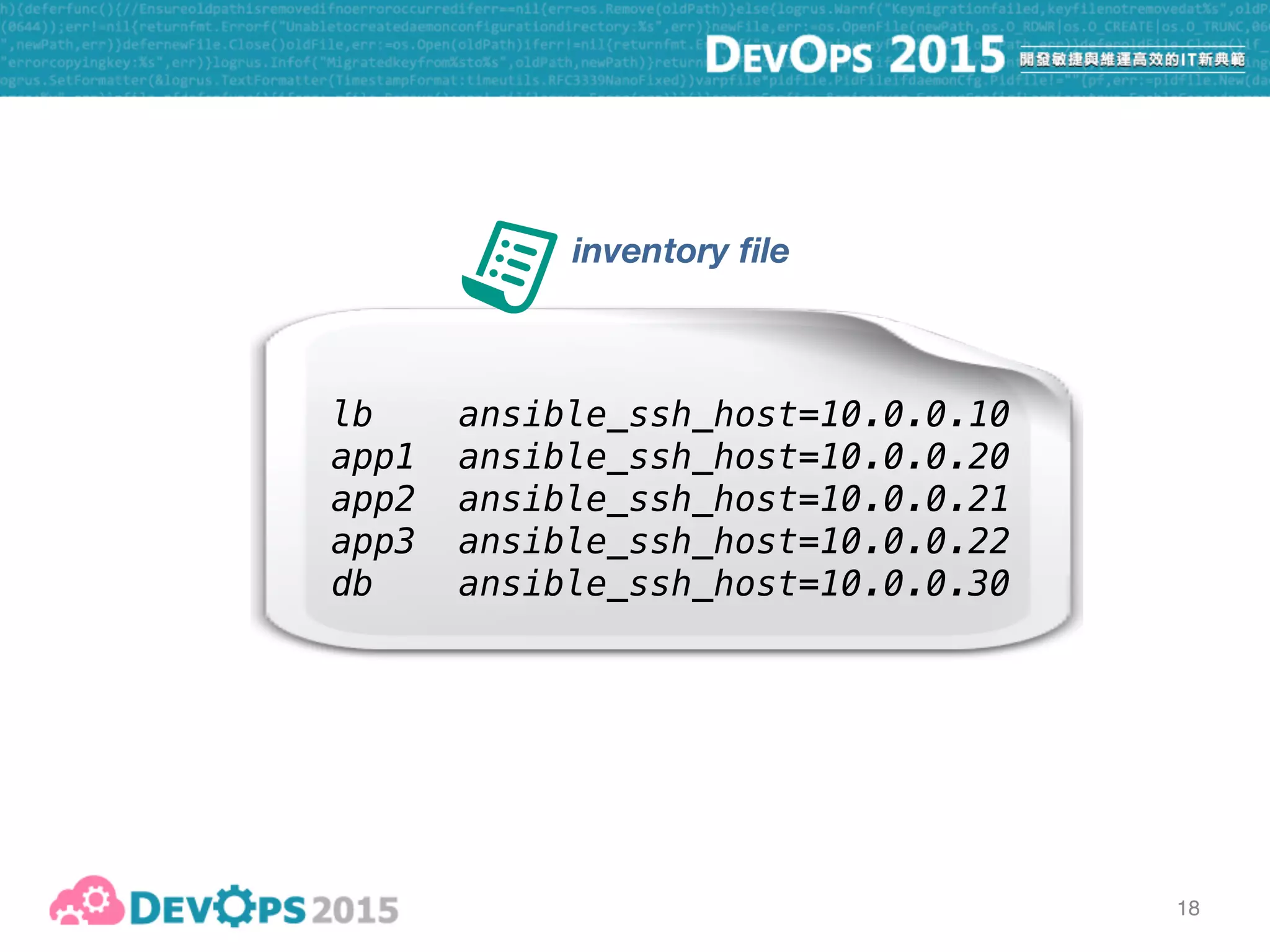
inventory file
lb ansible_ssh_host=10.0.0.10
app1 ansible_ssh_host=10.0.0.20
app2 ansible_ssh_host=10.0.0.21
app3 ansible_ssh_host=10.0.0.22
db ansible_ssh_host=10.0.0.30
19
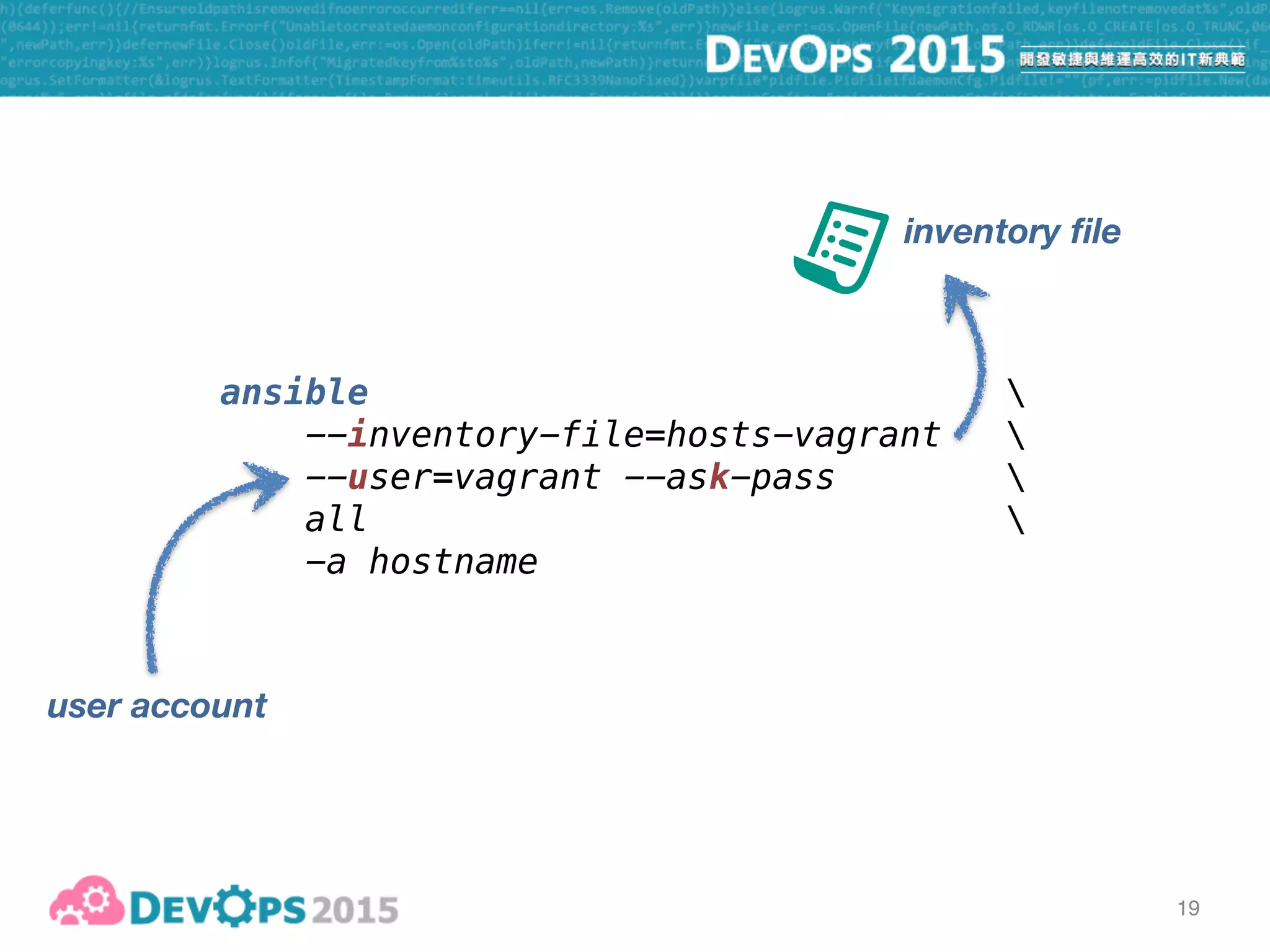
ansible 
--inventory-file=hosts-vagrant 
--user=vagrant --ask-pass 

all 
-a hostname
inventory file
19
ansible 
--inventory-file=hosts-vagrant 
--user=vagrant --ask-pass 

all 
-a hostname
inventory file
user account
19
ansible 
--inventory-file=hosts-vagrant 
--user=vagrant --ask-pass 

all 
-a hostname
inventory file
apply to “all” hosts
in the inventory file
user account
19
ansible 
--inventory-file=hosts-vagrant 
--user=vagrant --ask-pass 

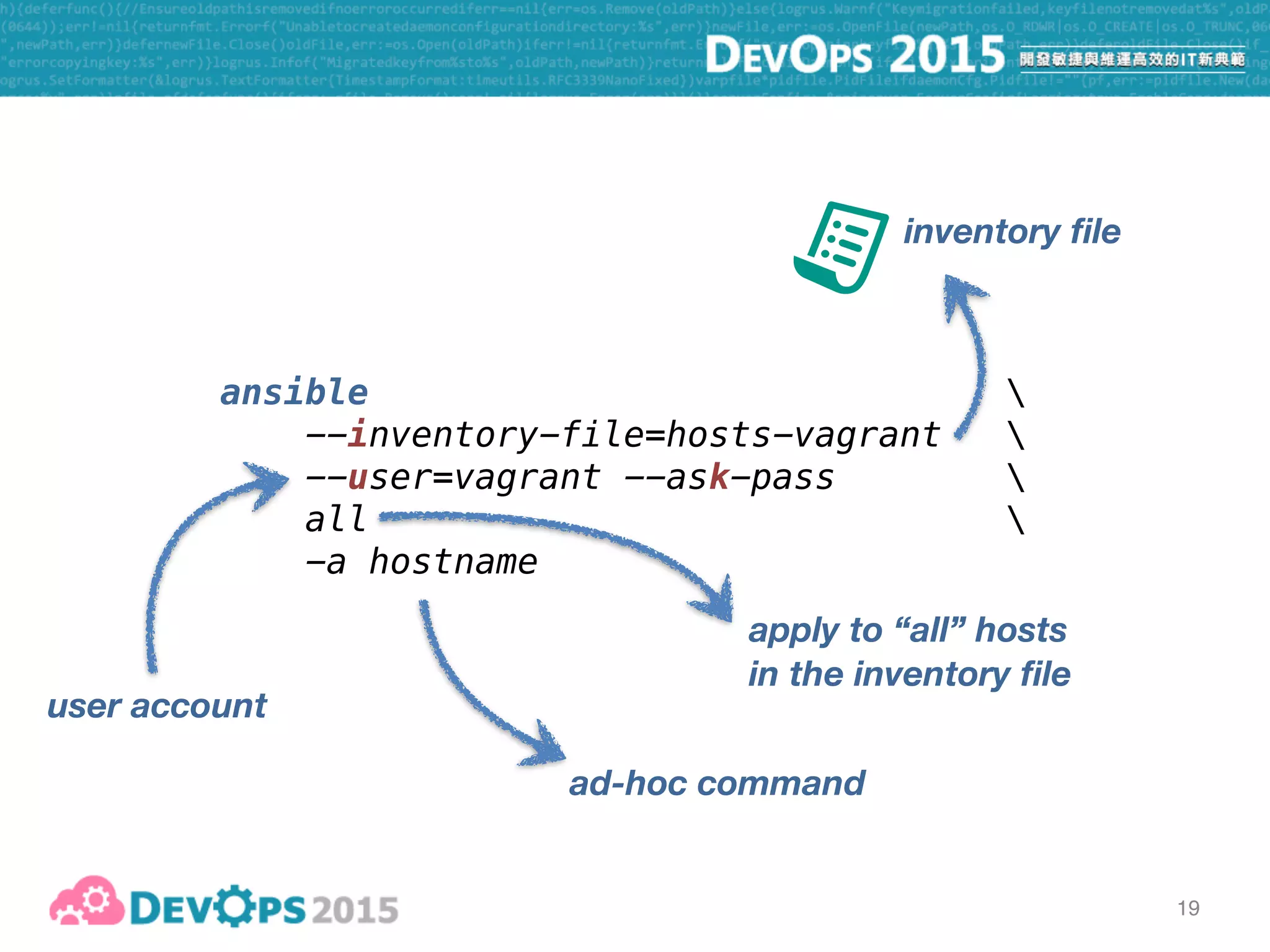
all 
-a hostname
inventory file
ad-hoc command
apply to “all” hosts
in the inventory file
user account
20
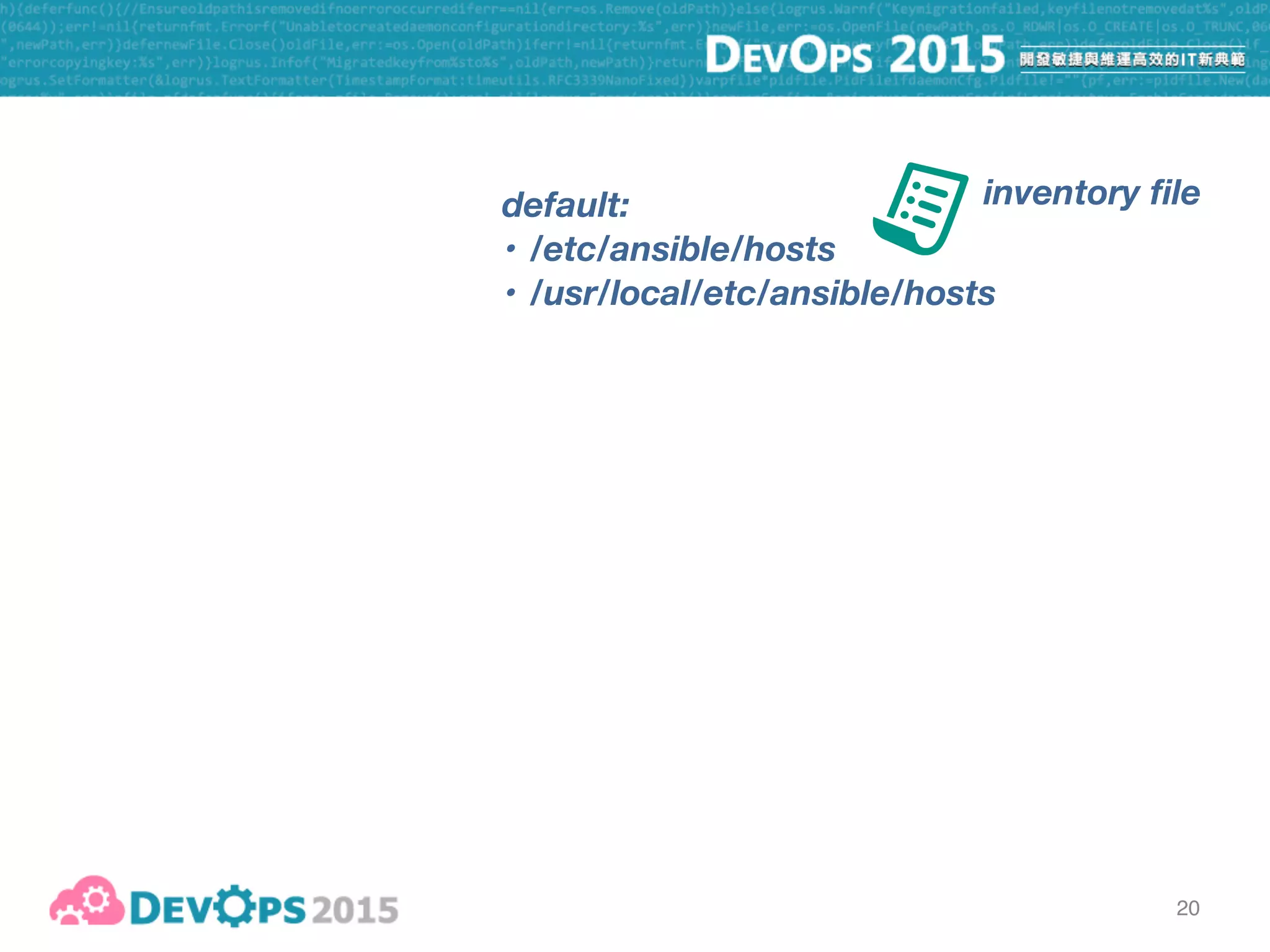
inventory filedefault:
• /etc/ansible/hosts
• /usr/local/etc/ansible/hosts
20
inventory file
cp hosts-vagrant /usr/local/etc/ansible/hosts
ansible 
--user=vagrant --ask-pass 

all 
-a hostname
default:
• /etc/ansible/hosts
• /usr/local/etc/ansible/hosts
21
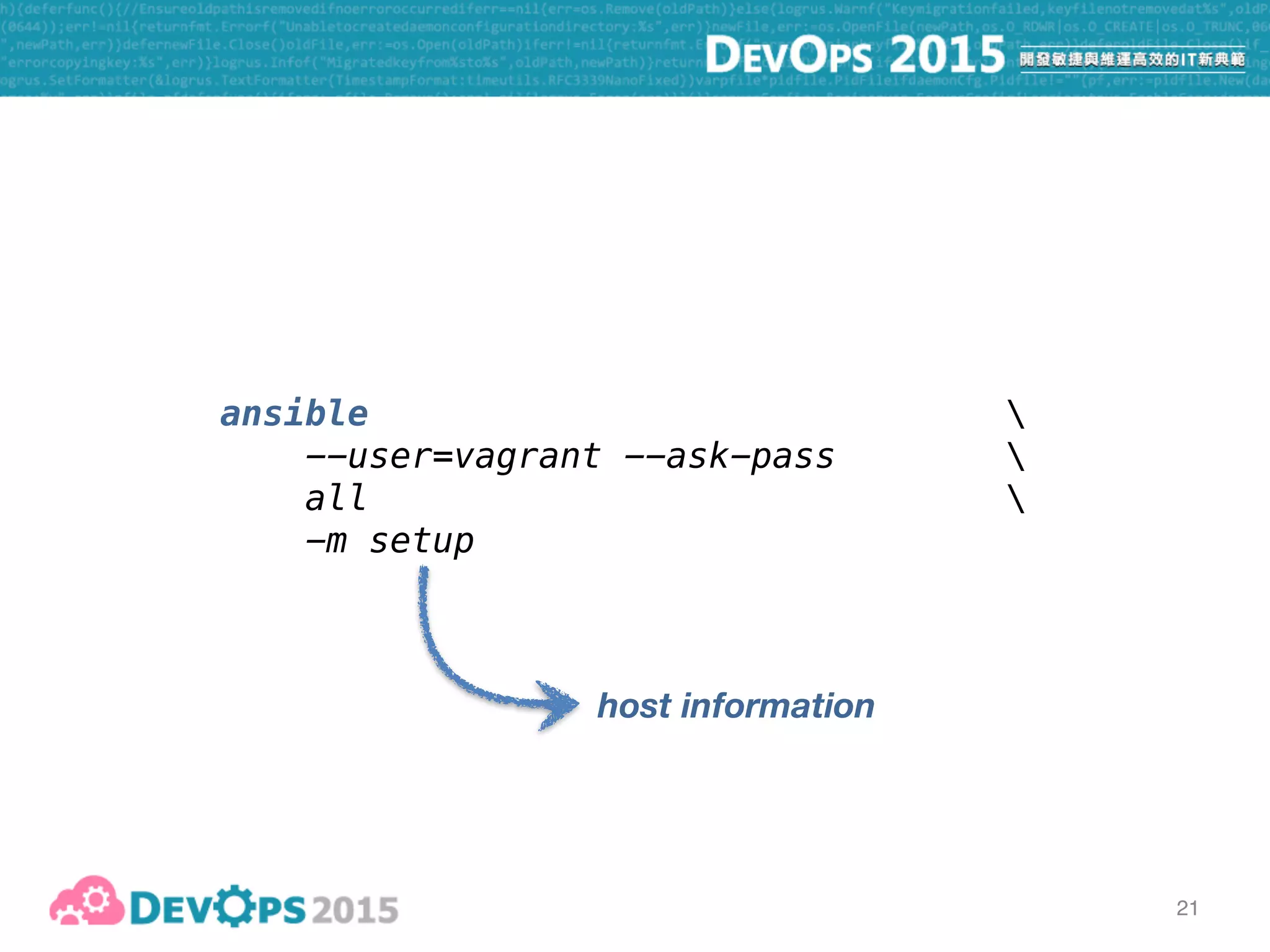
ansible 
--user=vagrant --ask-pass 

all 
-m setup
host information
22
22
23
24
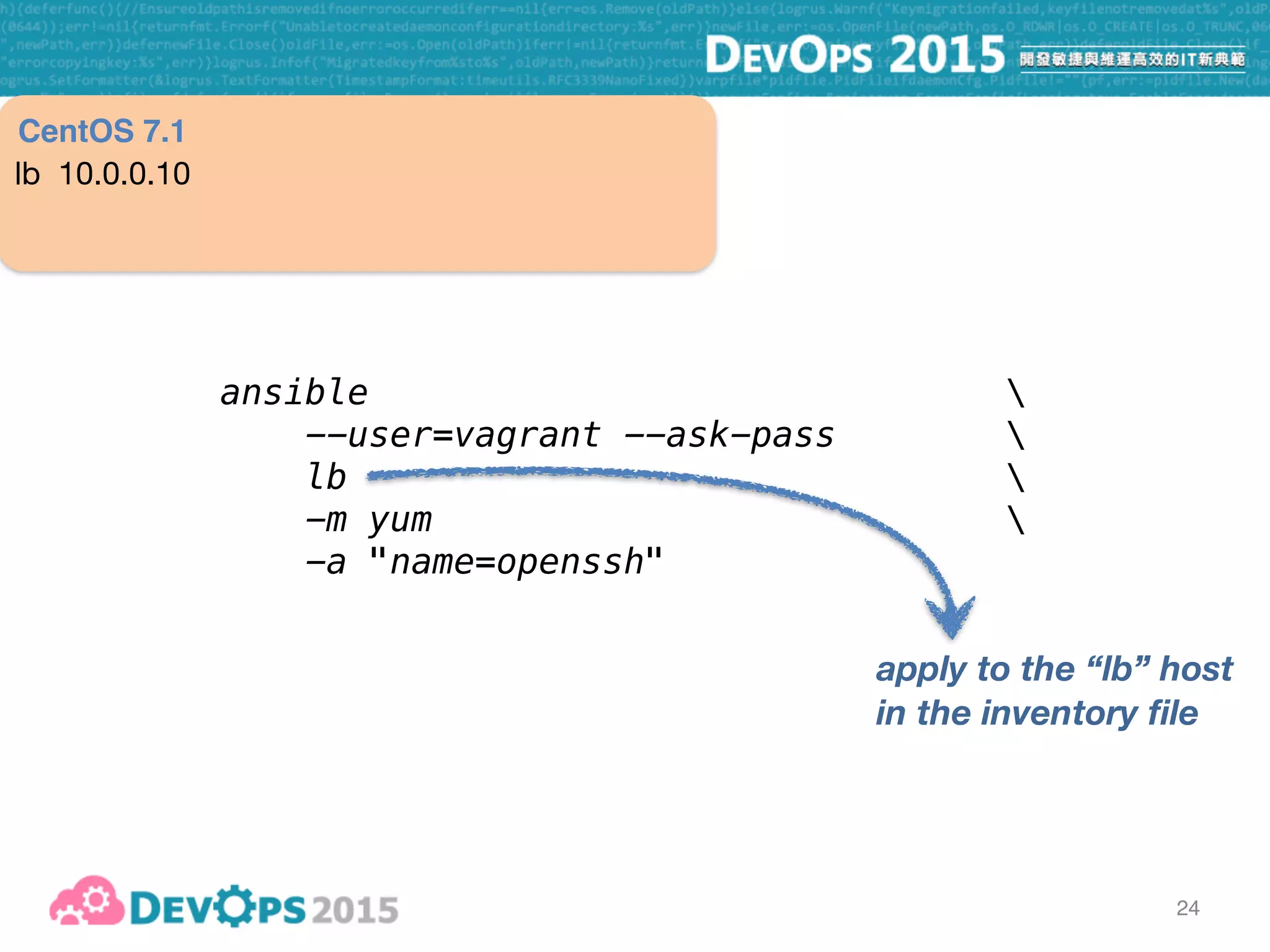
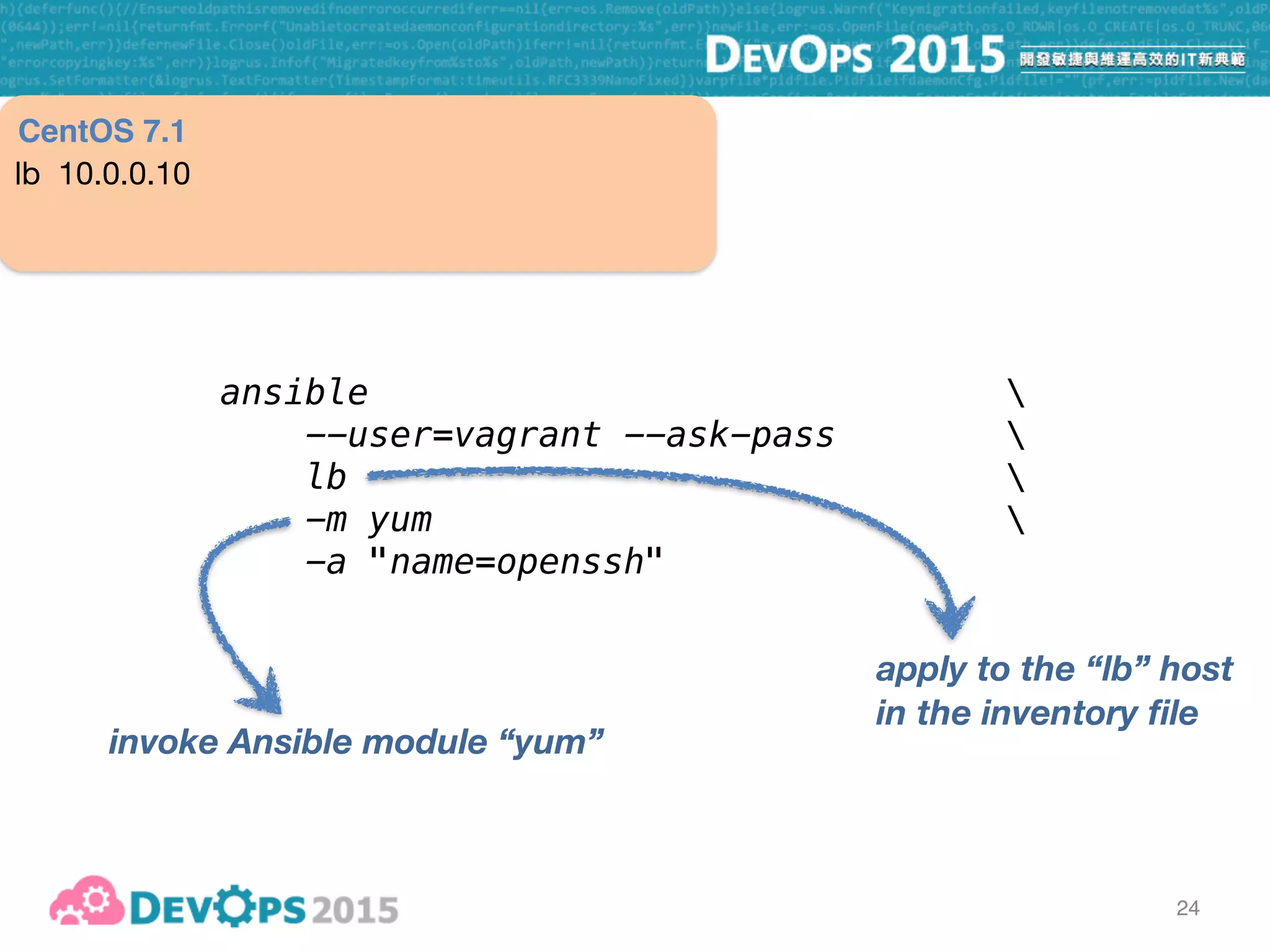
ansible 
--user=vagrant --ask-pass 

lb 
-m yum 
-a "name=openssh"
apply to the “lb” host
in the inventory file
lb 10.0.0.10
CentOS 7.1
24
ansible 
--user=vagrant --ask-pass 

lb 
-m yum 
-a "name=openssh"
apply to the “lb” host
in the inventory file
invoke Ansible module “yum”
lb 10.0.0.10
CentOS 7.1
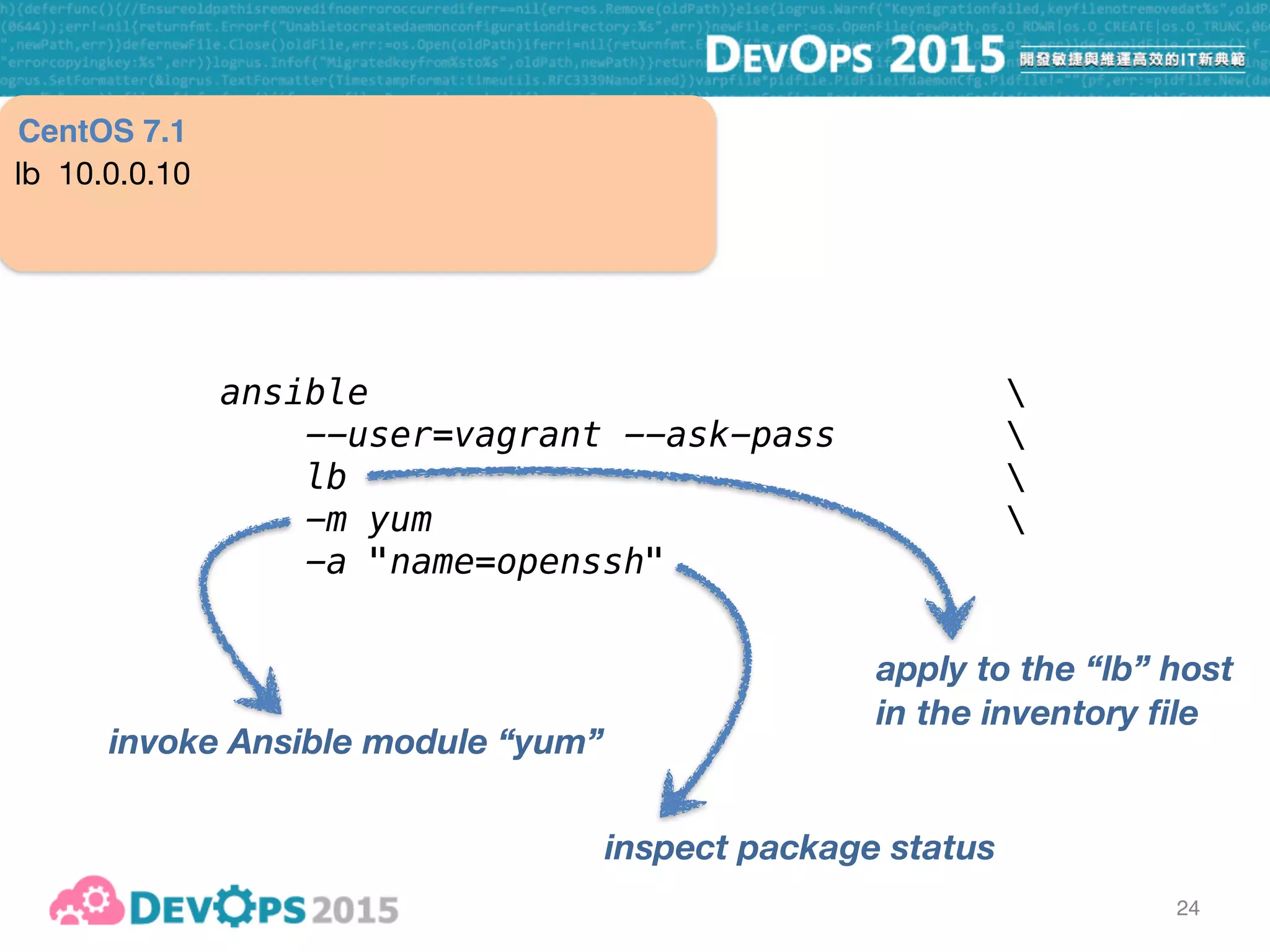
24
ansible 
--user=vagrant --ask-pass 

lb 
-m yum 
-a "name=openssh"
apply to the “lb” host
in the inventory file
invoke Ansible module “yum”
inspect package status
lb 10.0.0.10
CentOS 7.1
25
ansible 
--user=vagrant --ask-pass 
--become 

lb 
-m yum 
-a "name=openssh state=latest"
install or update latest package
lb 10.0.0.10
CentOS 7.1
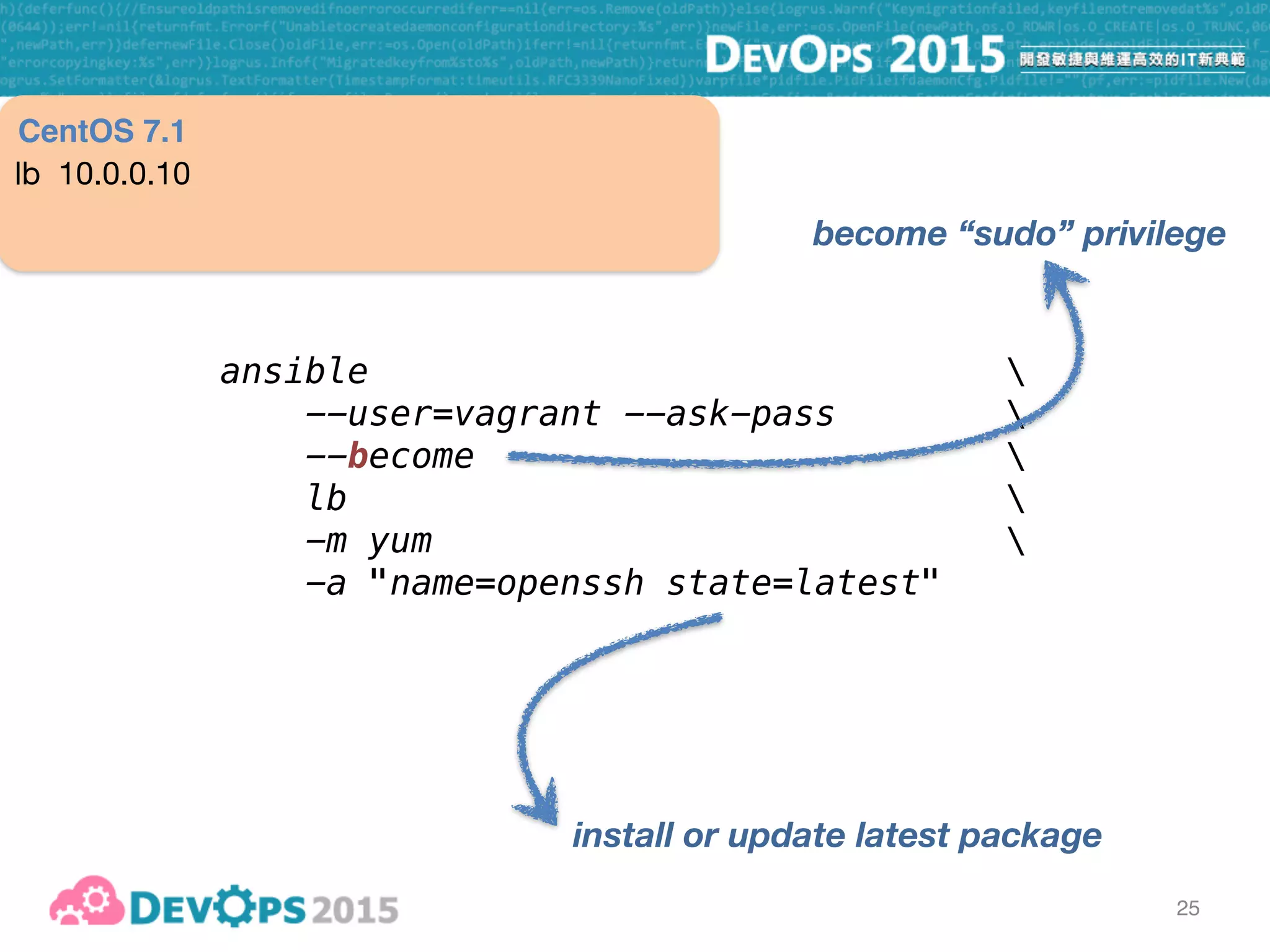
25
ansible 
--user=vagrant --ask-pass 
--become 

lb 
-m yum 
-a "name=openssh state=latest"
install or update latest package
become “sudo” privilege
lb 10.0.0.10
CentOS 7.1
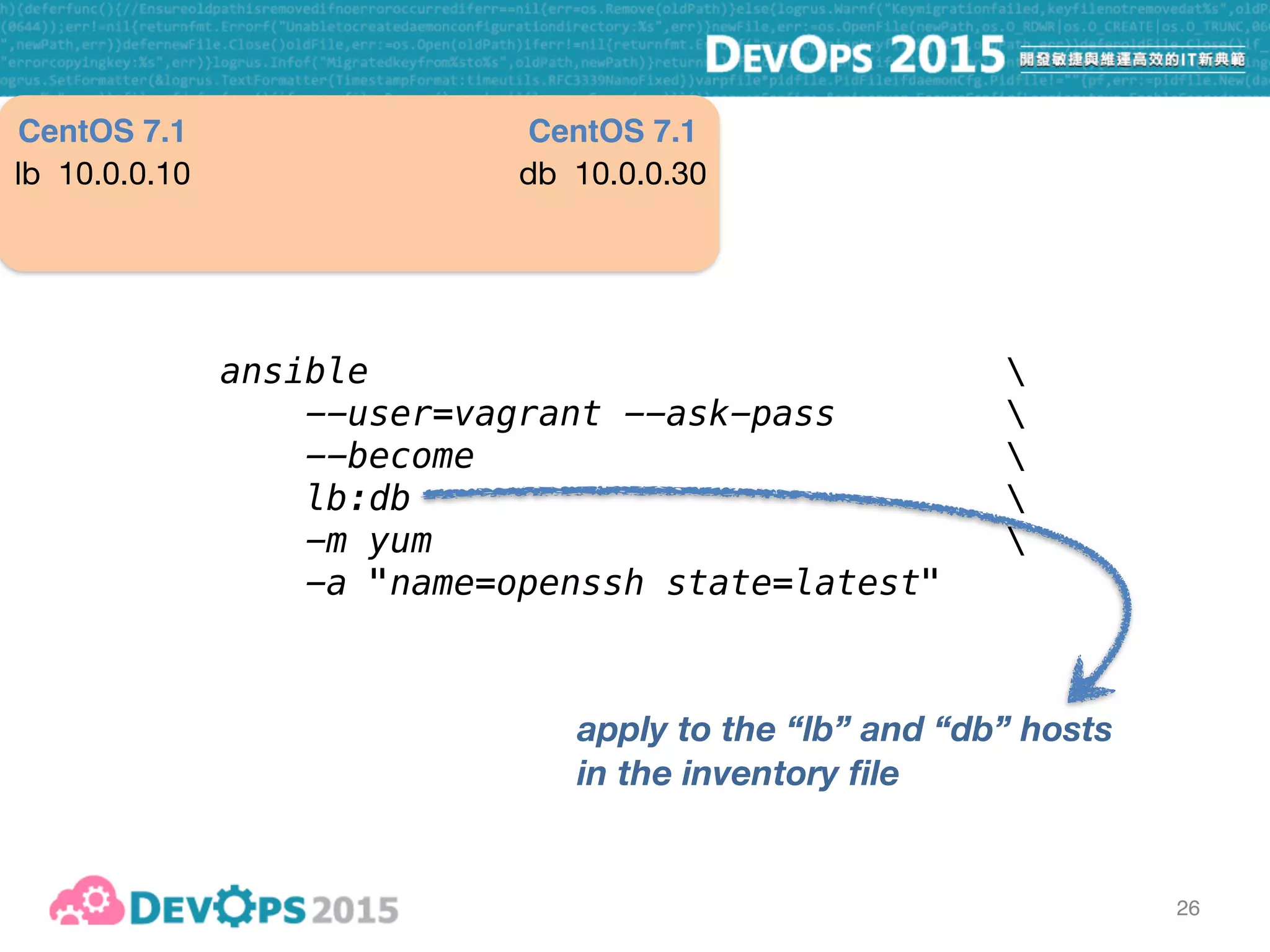
26
ansible 
--user=vagrant --ask-pass 
--become 

lb:db 
-m yum 
-a "name=openssh state=latest"
apply to the “lb” and “db” hosts
in the inventory file
lb 10.0.0.10 db 10.0.0.30
CentOS 7.1 CentOS 7.1
27
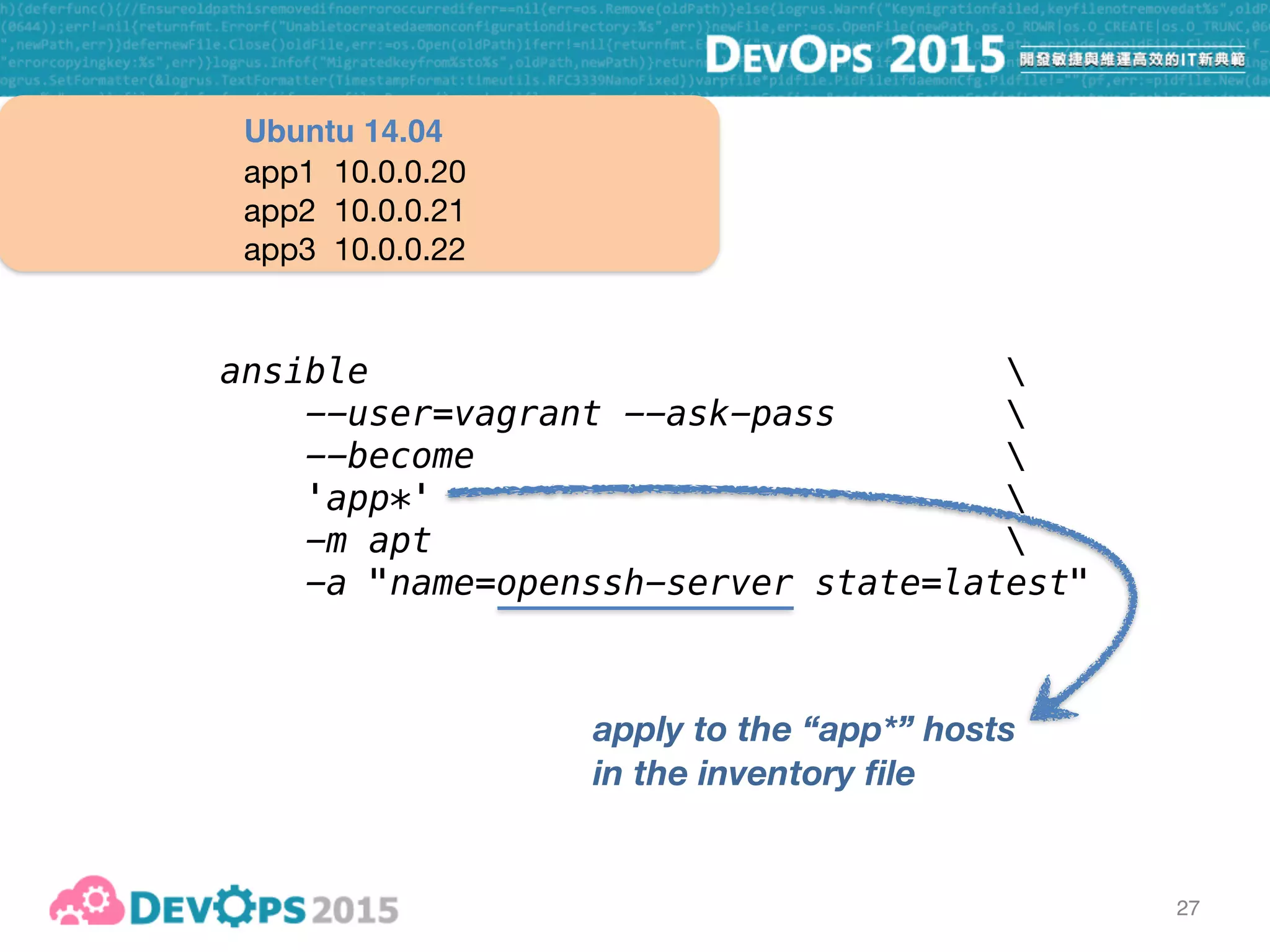
ansible 
--user=vagrant --ask-pass 
--become 

'app*' 
-m apt 
-a "name=openssh-server state=latest"
apply to the “app*” hosts
in the inventory file
app1 10.0.0.20

app2 10.0.0.21

app3 10.0.0.22
Ubuntu 14.04
27
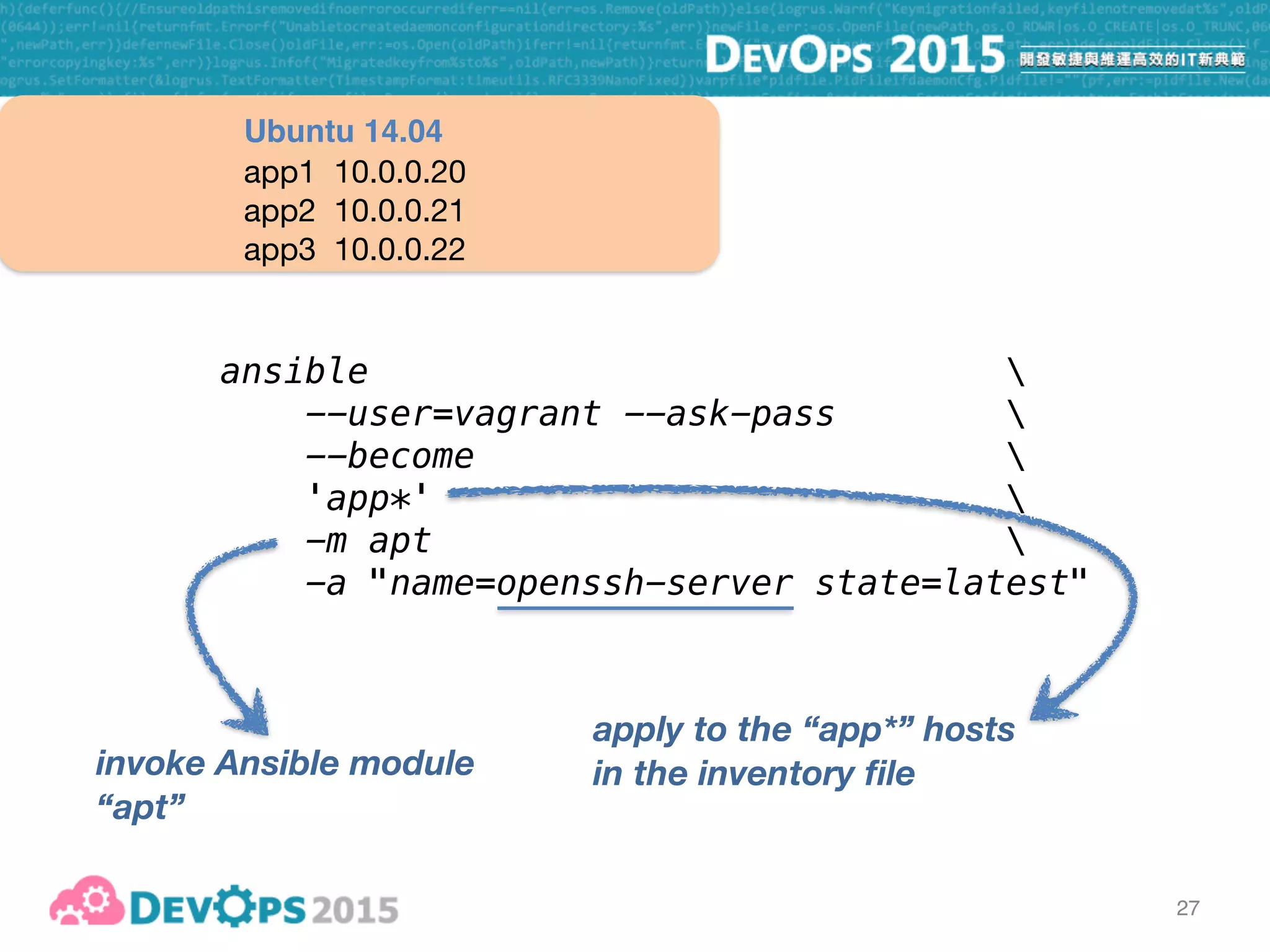
ansible 
--user=vagrant --ask-pass 
--become 

'app*' 
-m apt 
-a "name=openssh-server state=latest"
apply to the “app*” hosts
in the inventory file
app1 10.0.0.20

app2 10.0.0.21

app3 10.0.0.22
Ubuntu 14.04
invoke Ansible module
“apt”
28
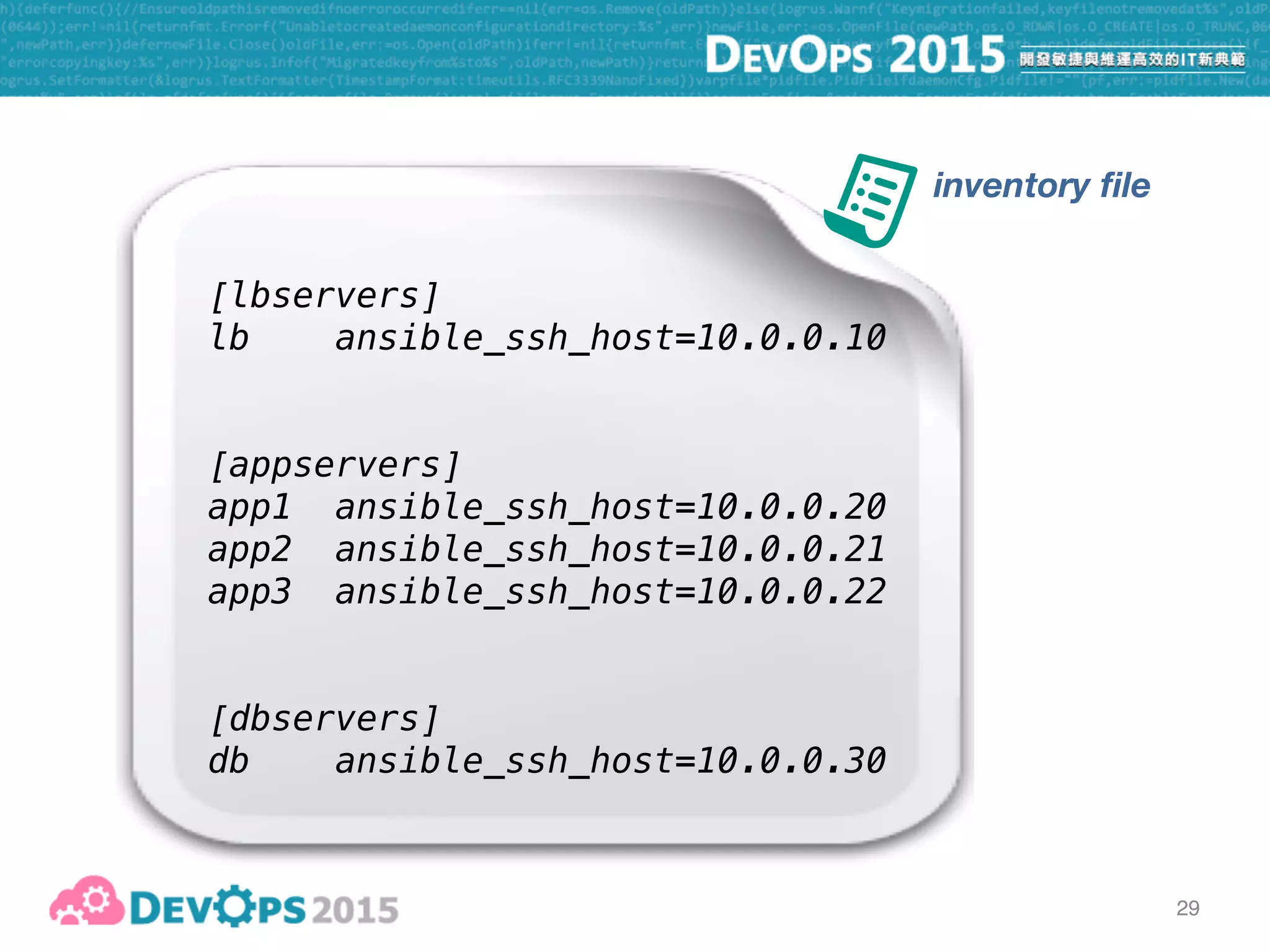
[lbservers]
lb ansible_ssh_host=10.0.0.10
[appservers]
app1 ansible_ssh_host=10.0.0.20
app2 ansible_ssh_host=10.0.0.21
app3 ansible_ssh_host=10.0.0.22
[dbservers]
db ansible_ssh_host=10.0.0.30
29
inventory file
30
“push” mode
31
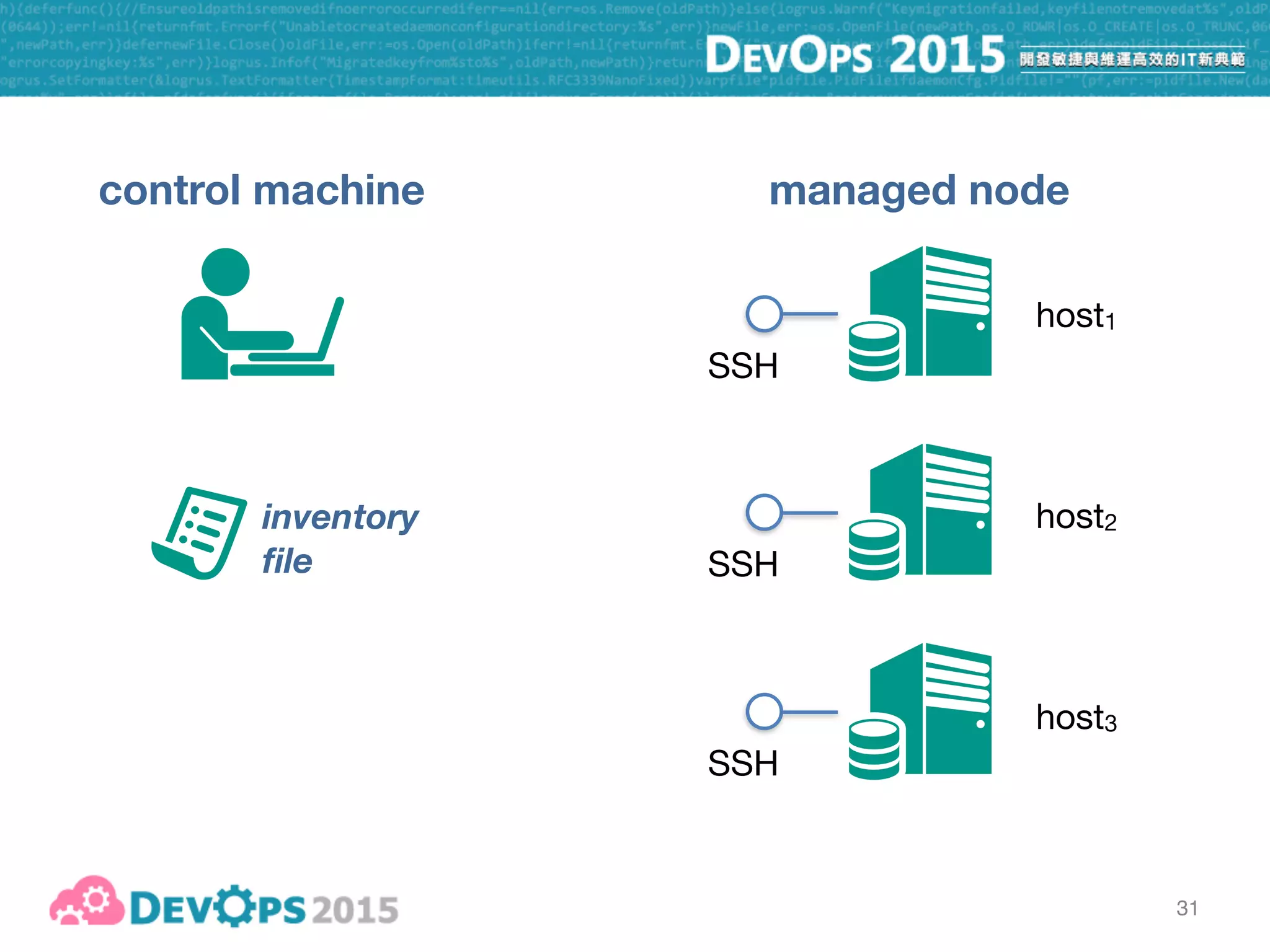
control machine managed node
SSH
SSH
SSH
host1
host2
host3
inventory
file
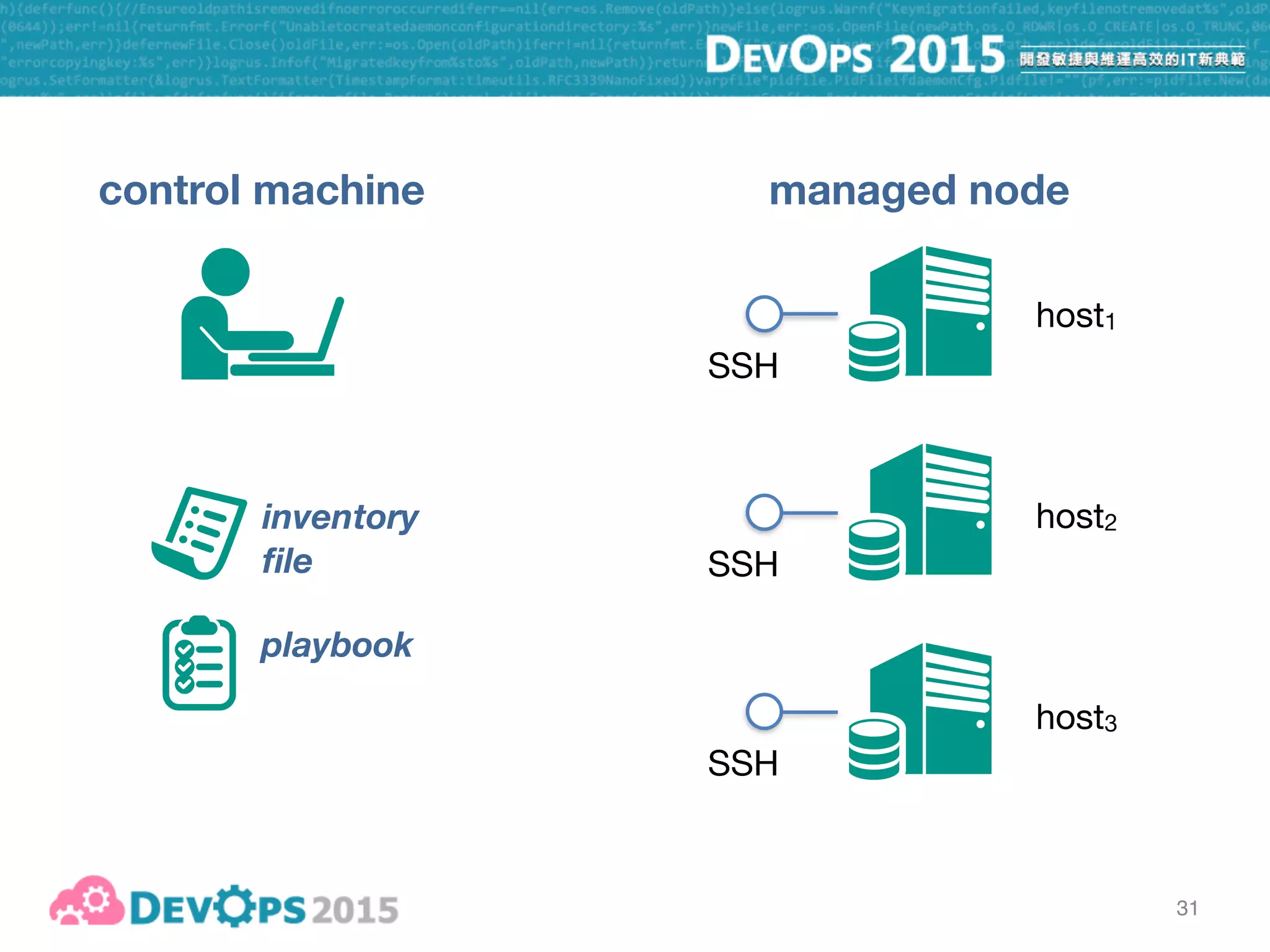
31
control machine managed node
SSH
SSH
SSH
host1
host2
host3
playbook
inventory
file
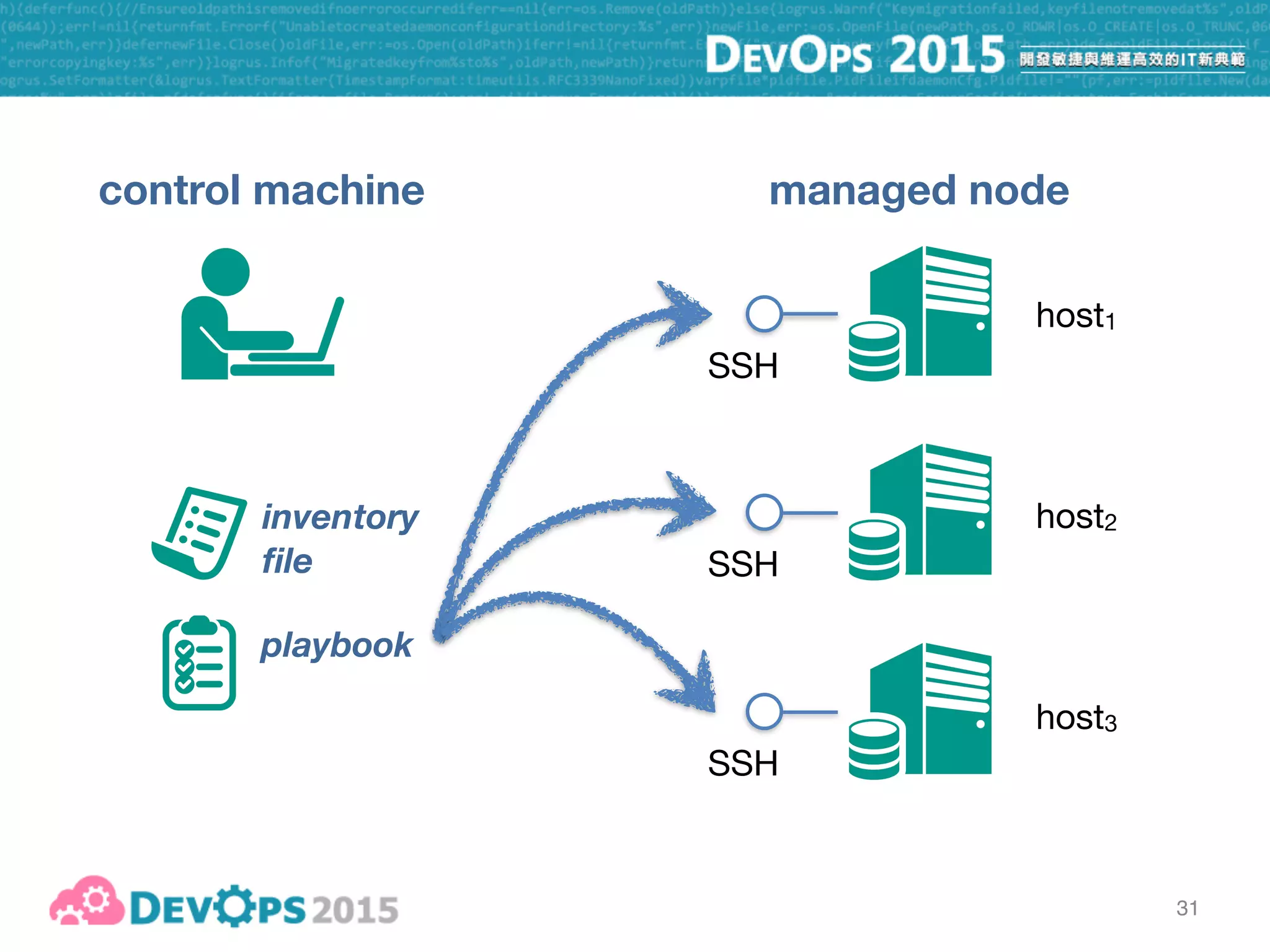
31
control machine managed node
SSH
SSH
SSH
host1
host2
host3
playbook
inventory
file
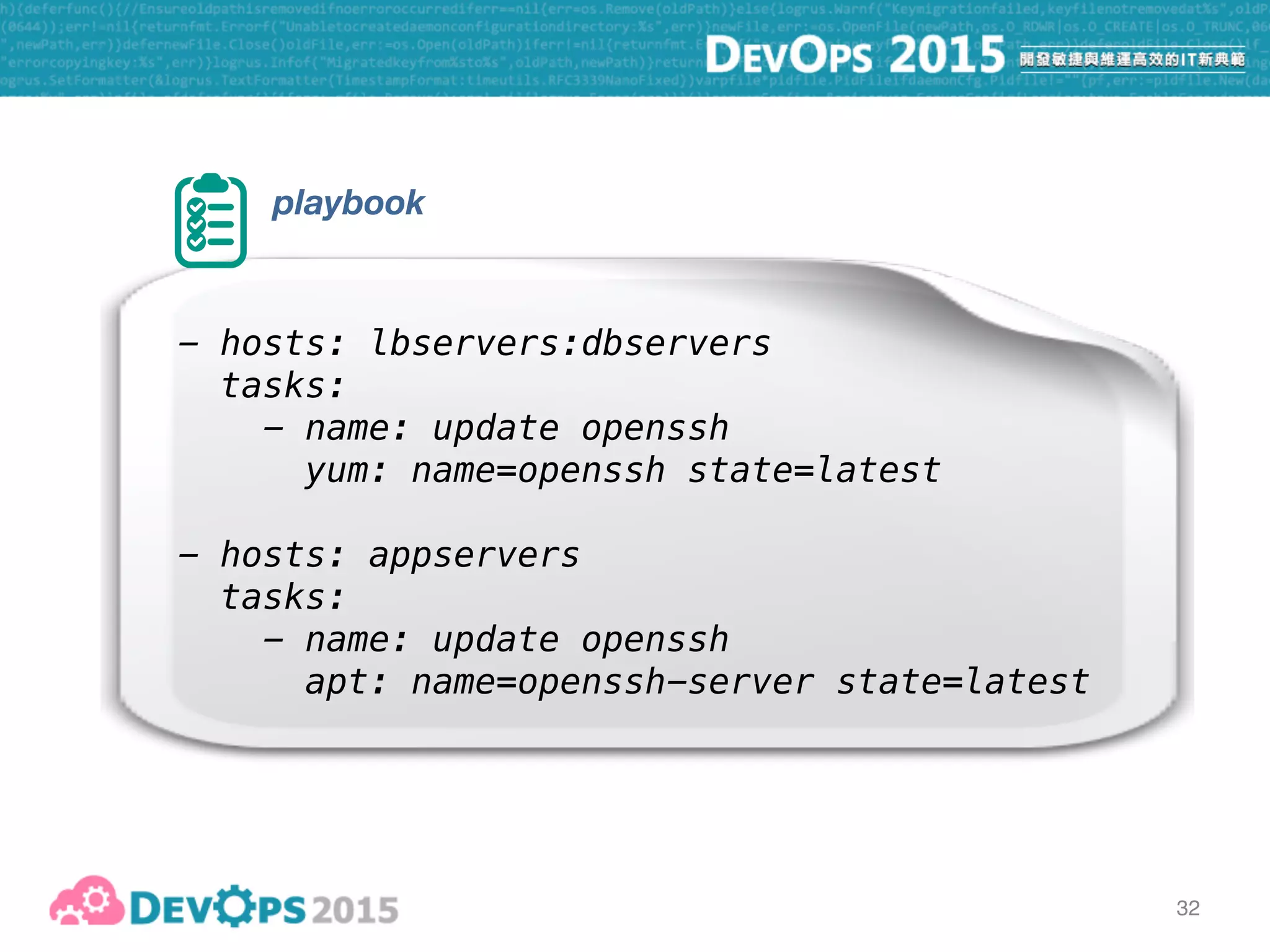
32
playbook
- hosts: lbservers:dbservers
tasks:
- name: update openssh
yum: name=openssh state=latest
- hosts: appservers
tasks:
- name: update openssh
apt: name=openssh-server state=latest
33
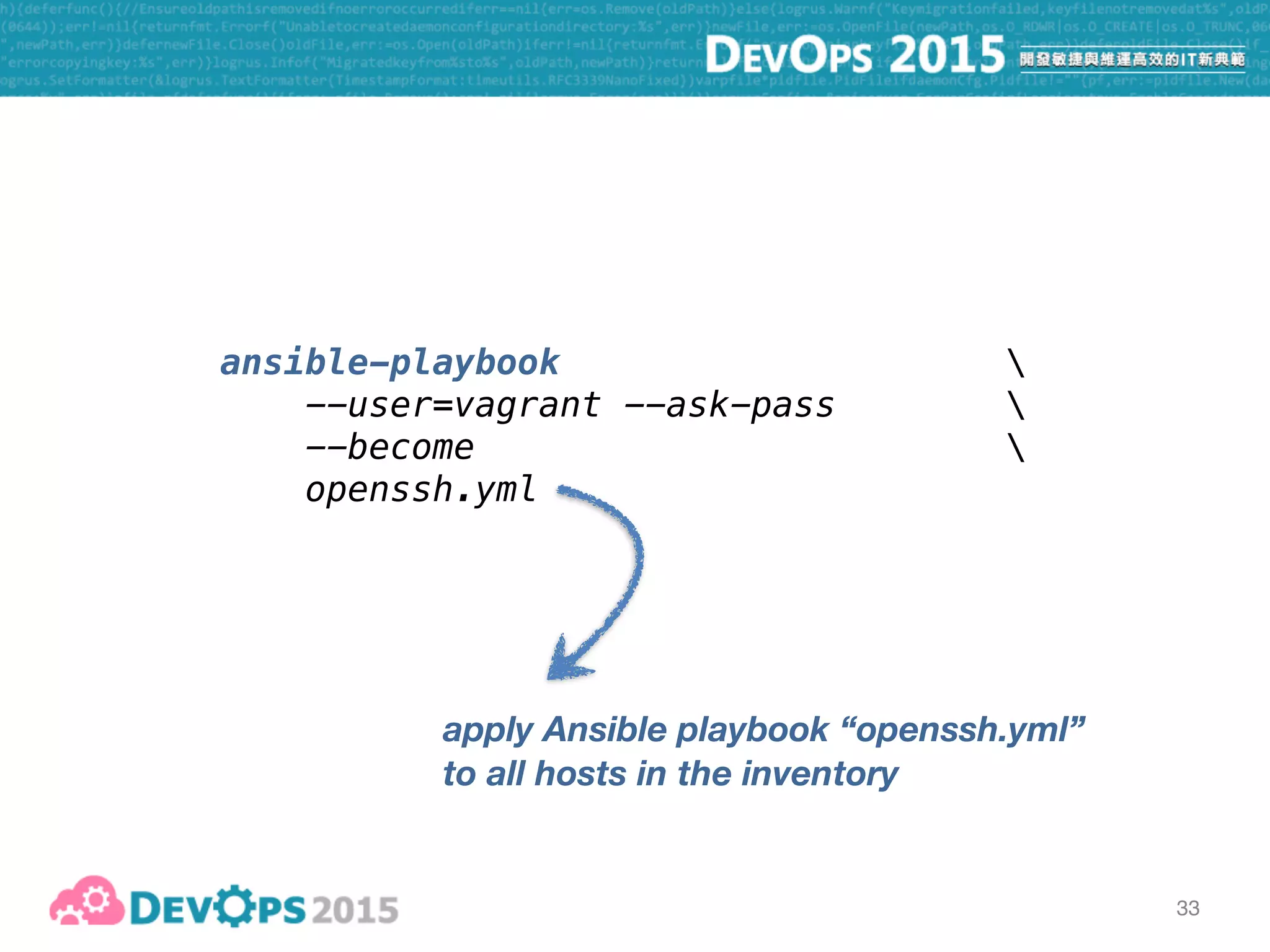
ansible-playbook 
--user=vagrant --ask-pass 
--become 

openssh.yml
apply Ansible playbook “openssh.yml”
to all hosts in the inventory
34
How about the “pull” mode?
35
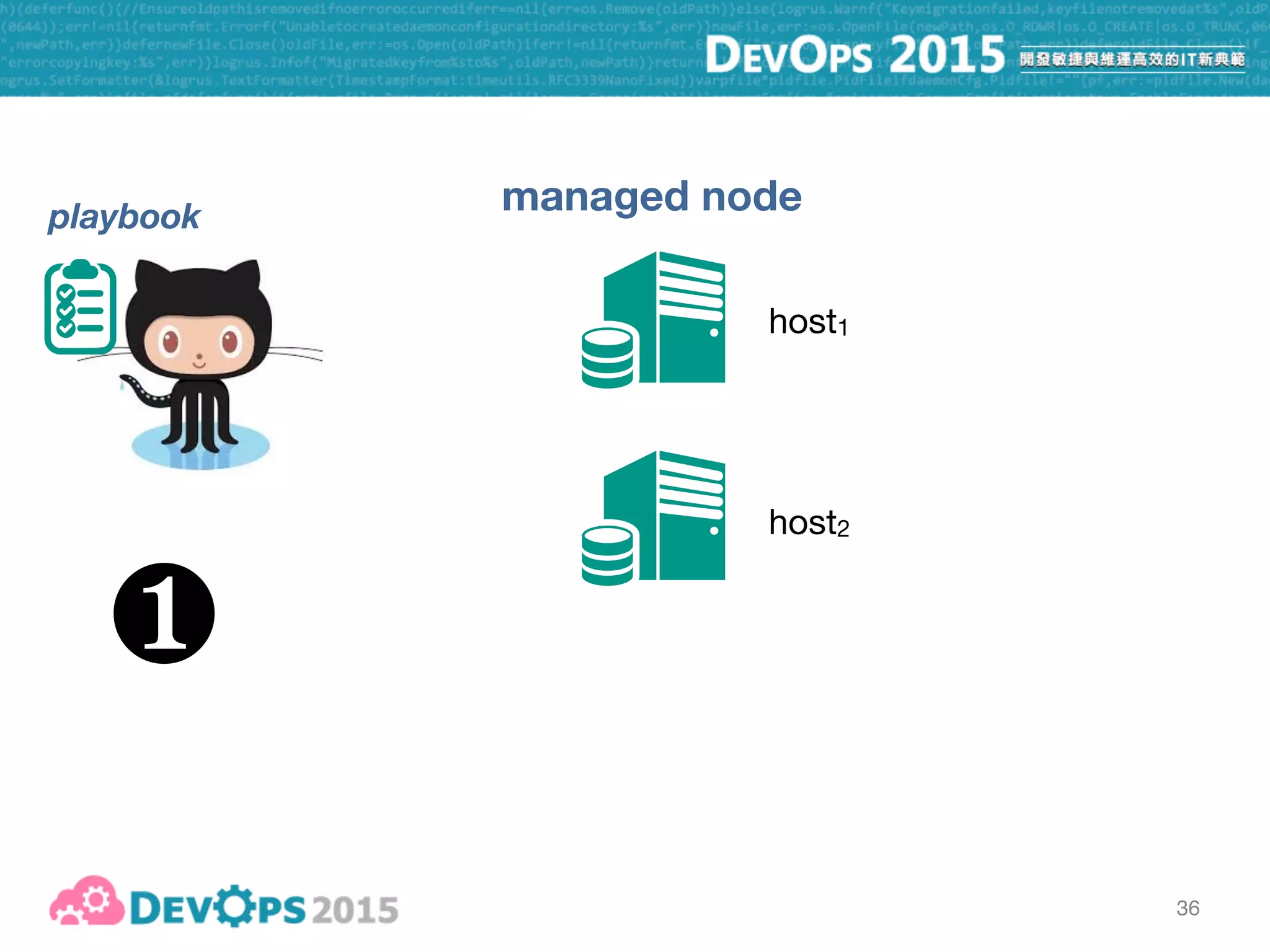
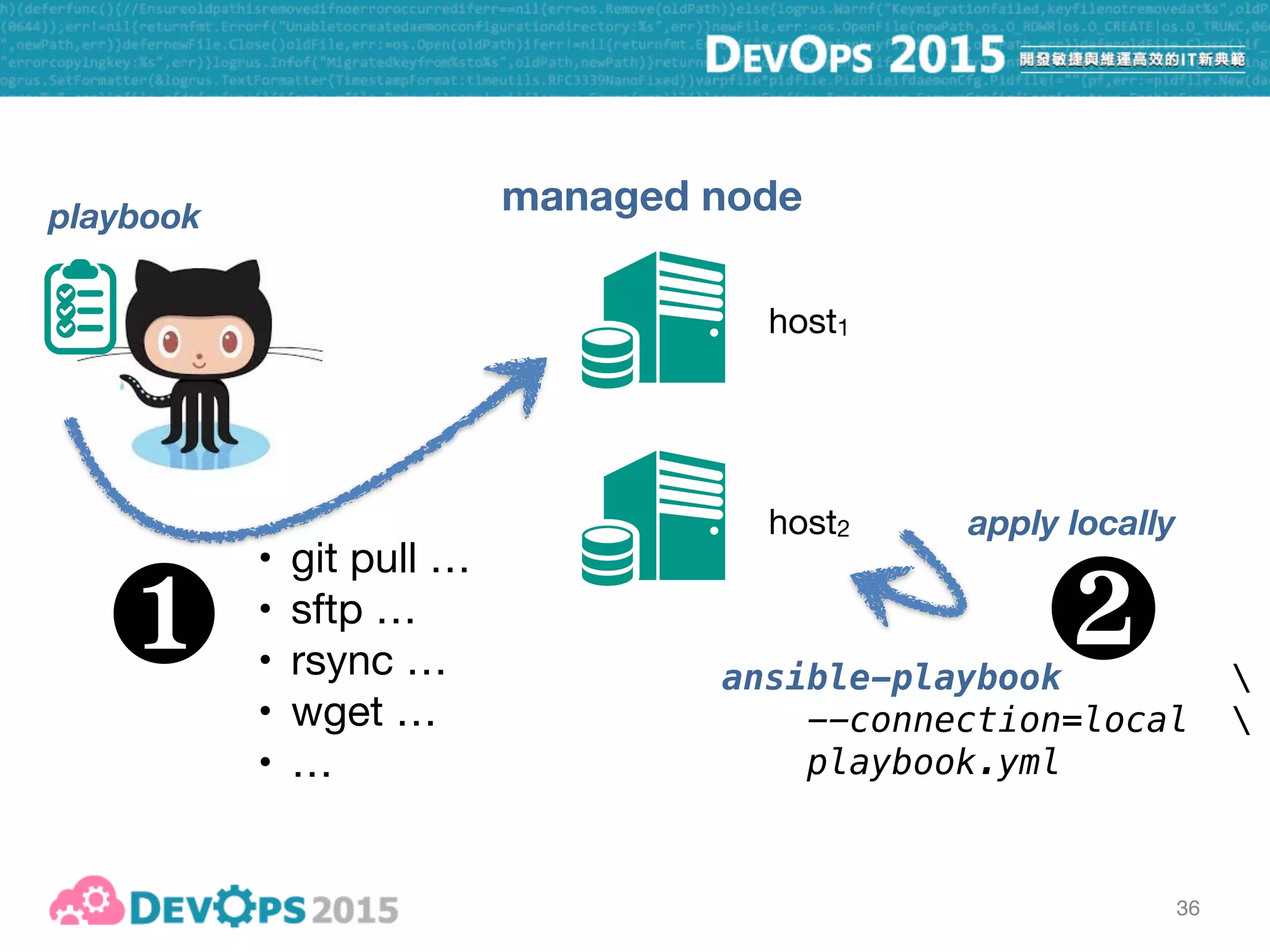
36
managed node
host1
host2
playbook
❶
36
managed node
host1
host2
playbook
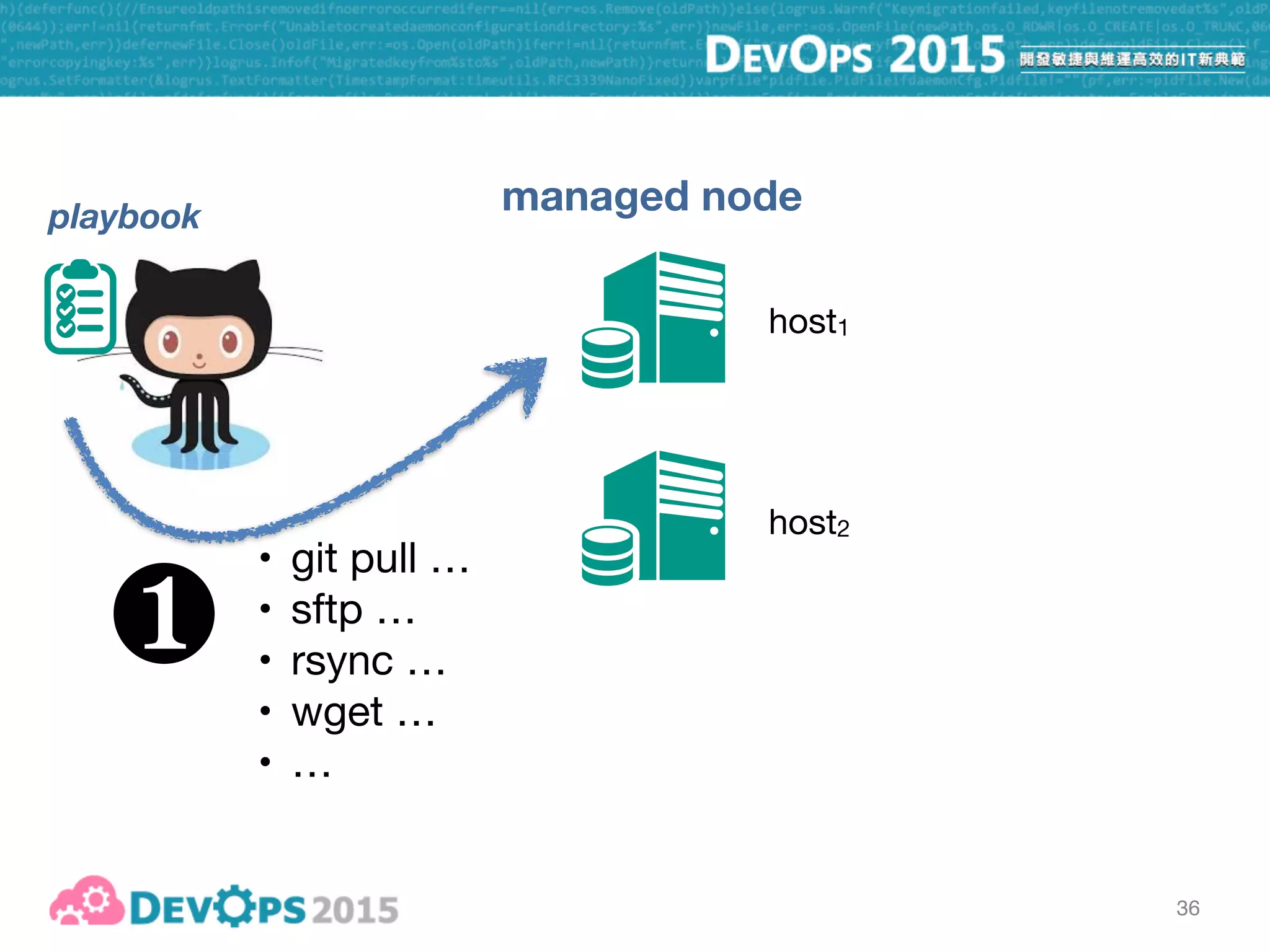
• git pull …

• sftp …

• rsync …

• wget …

• …
❶
36
managed node
host1
host2
playbook
• git pull …

• sftp …

• rsync …

• wget …

• …
❶ ansible-playbook 
--connection=local 

playbook.yml
apply locally
❷
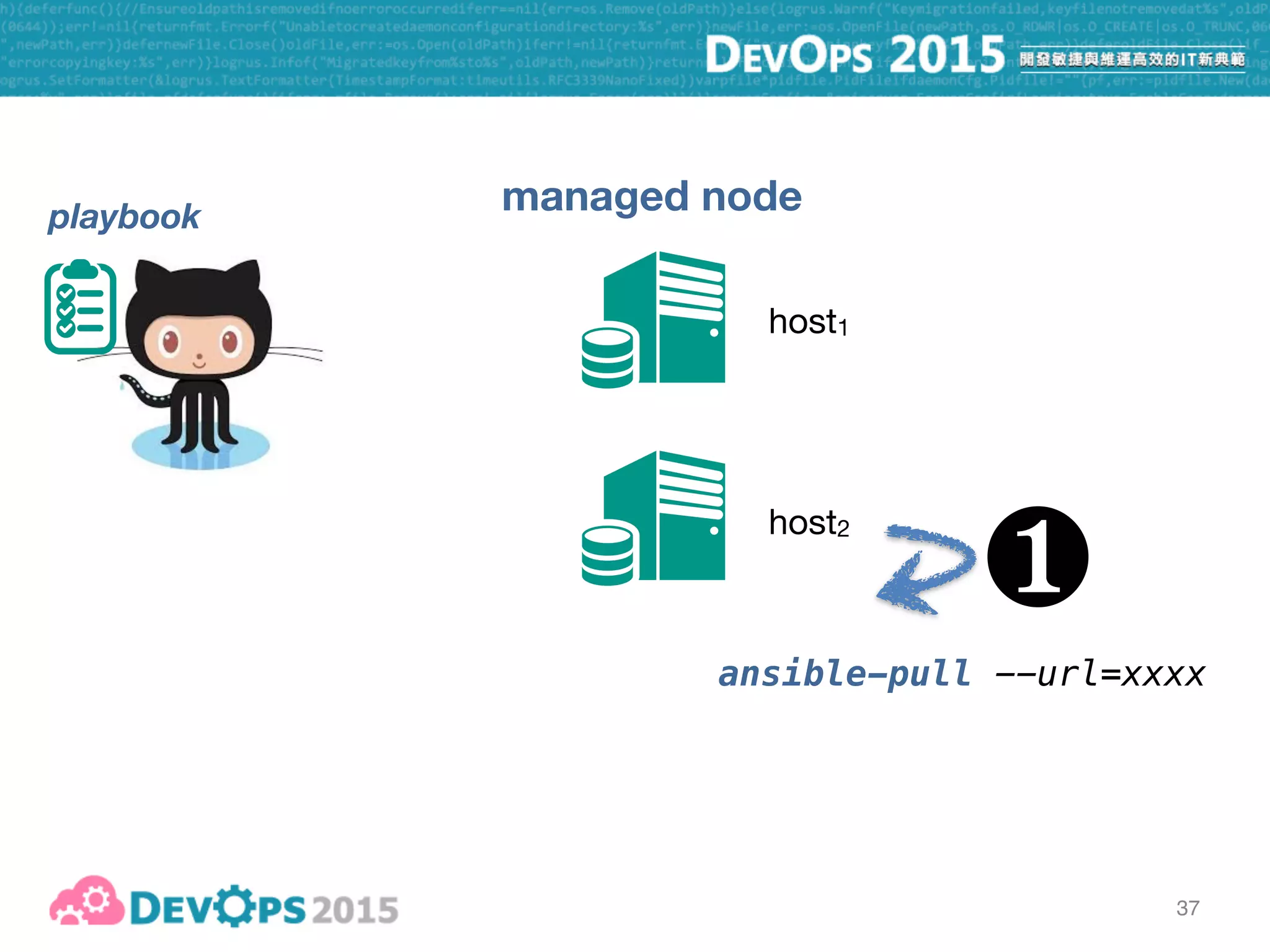
37
managed node
host1
host2
playbook
❶
ansible-pull --url=xxxx
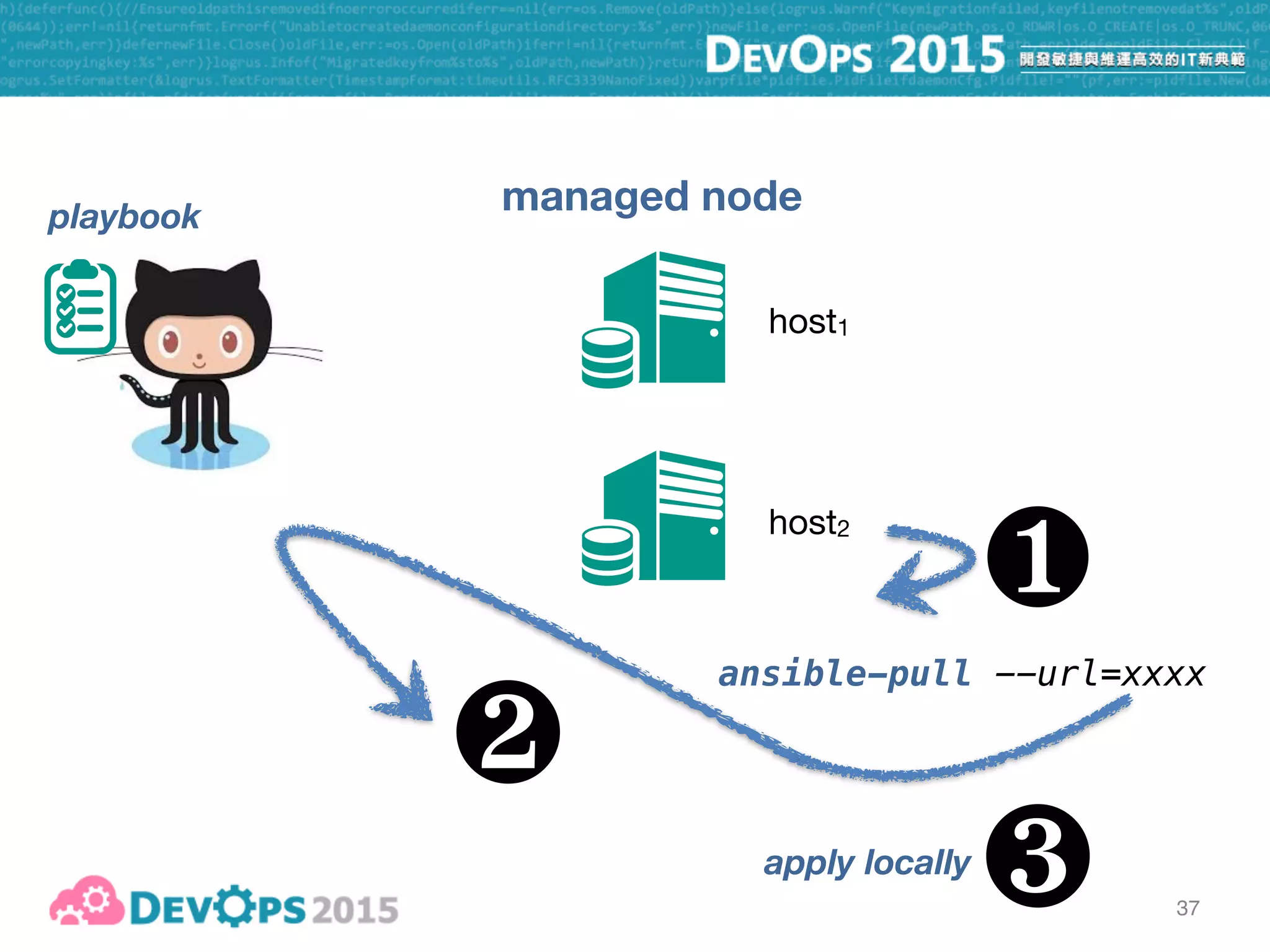
37
managed node
host1
host2
playbook
❶
ansible-pull --url=xxxx
❷
37
managed node
host1
host2
playbook
❶
ansible-pull --url=xxxx
❷
apply locally
❸
Capistrano-style

zero-downtime

blue-green

rolling upgrade
ad-hoc commands

inventory

playbook - push

playbook - pull
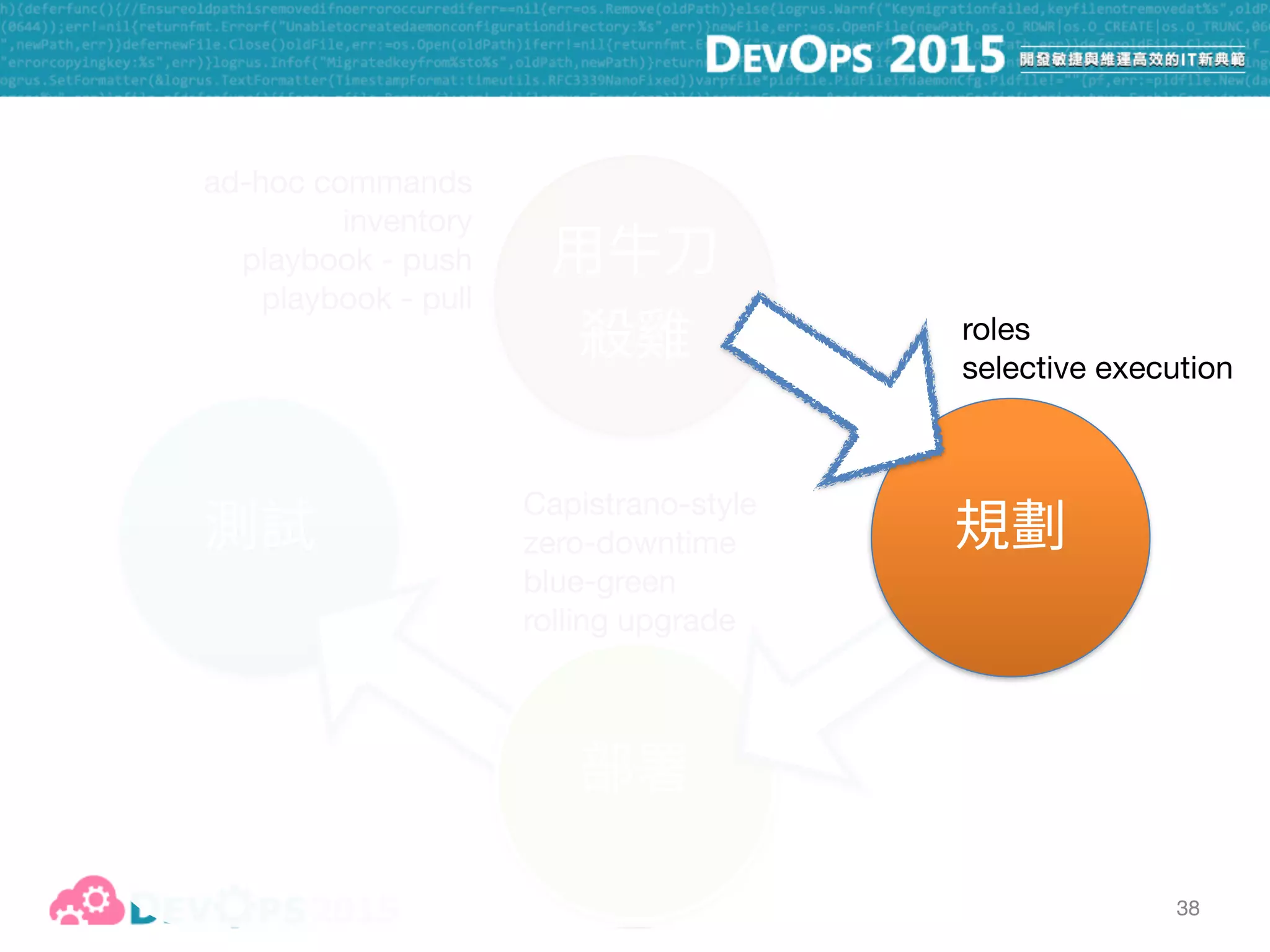
38
roles

selective execution
39
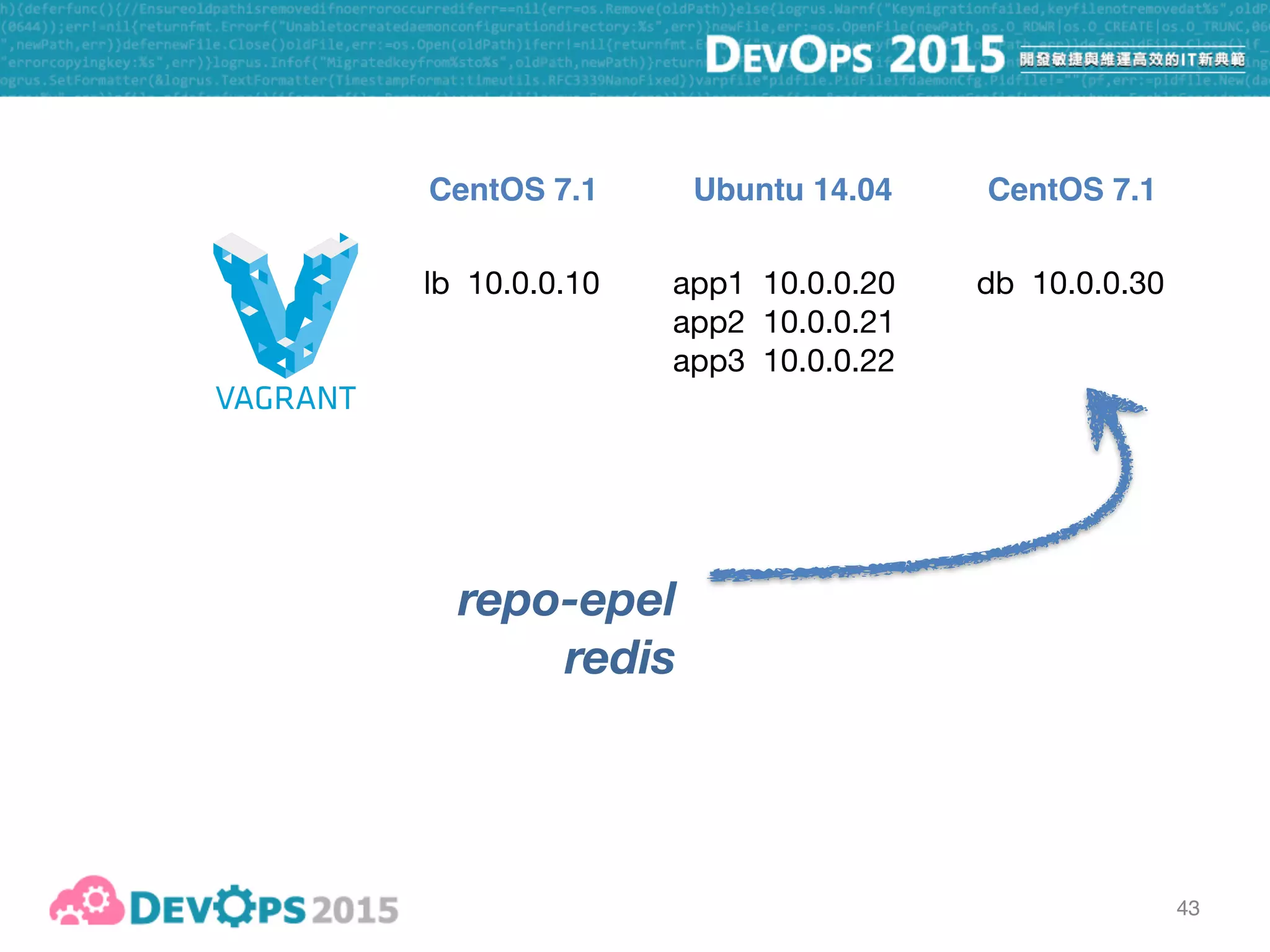
lb 10.0.0.10 app1 10.0.0.20

app2 10.0.0.21

app3 10.0.0.22
db 10.0.0.30
CentOS 7.1 CentOS 7.1Ubuntu 14.04
40
41
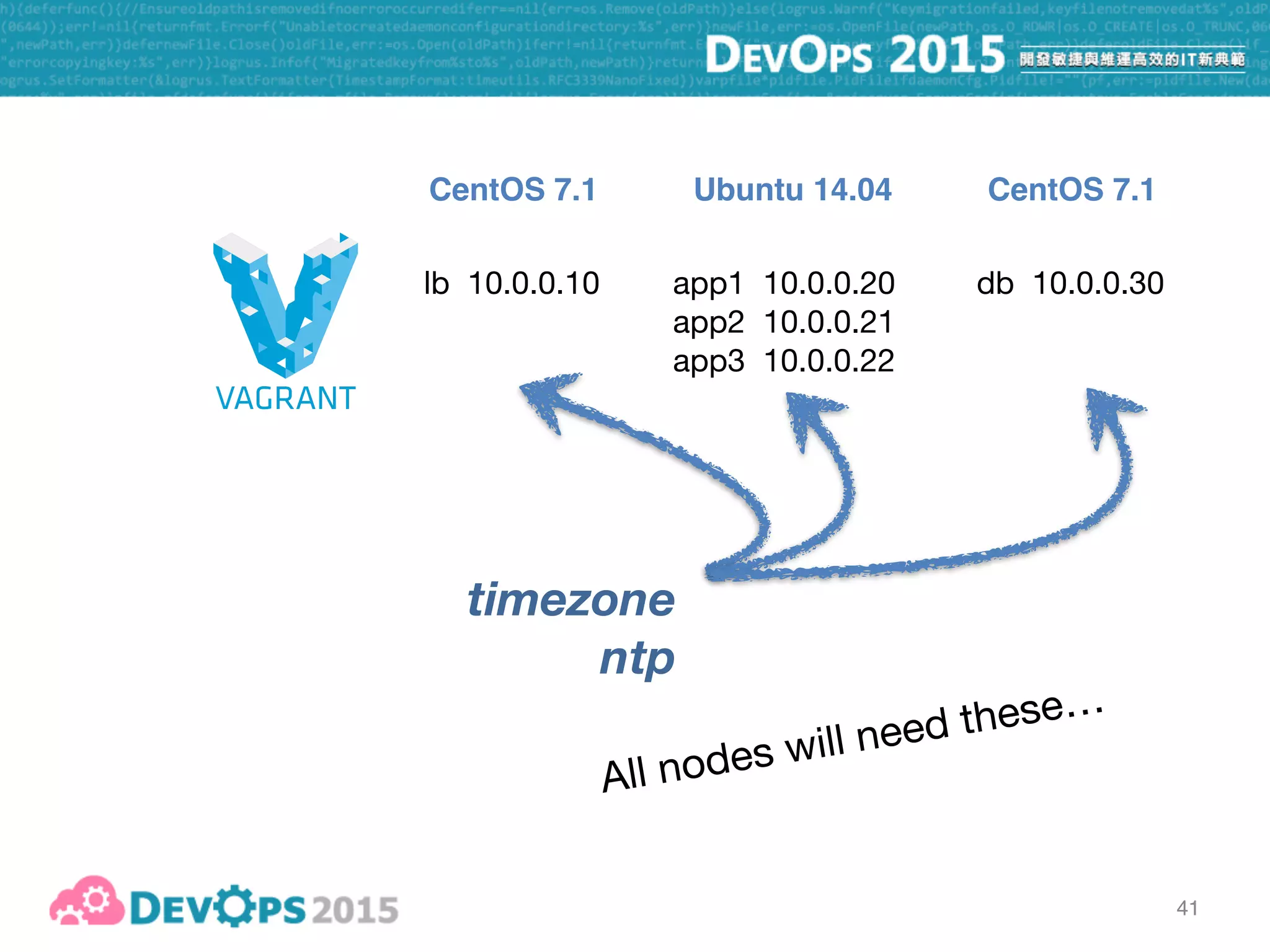
lb 10.0.0.10 app1 10.0.0.20

app2 10.0.0.21

app3 10.0.0.22
db 10.0.0.30
CentOS 7.1 CentOS 7.1Ubuntu 14.04
timezone
ntp
All nodes will need these…
42
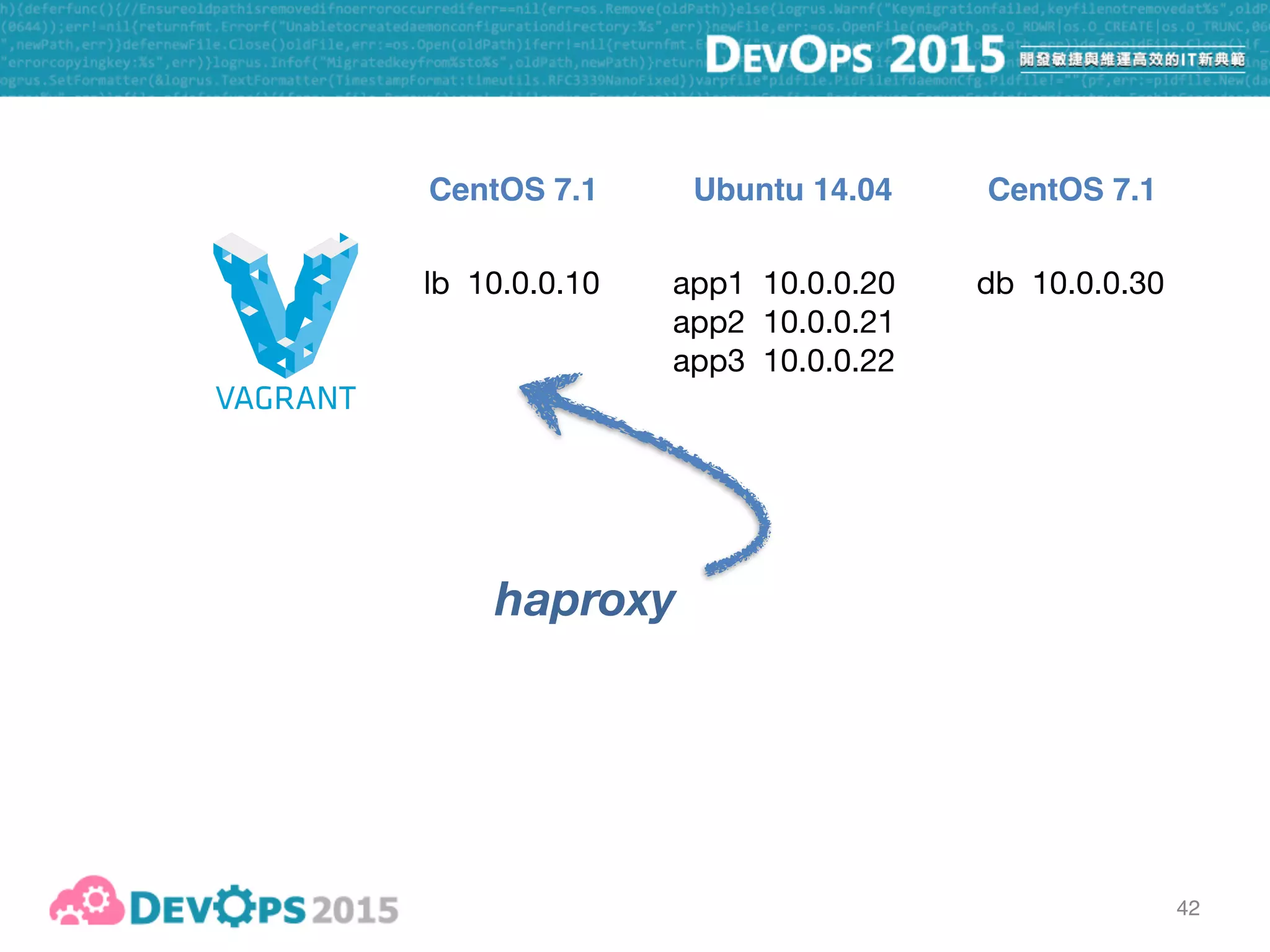
lb 10.0.0.10 app1 10.0.0.20

app2 10.0.0.21

app3 10.0.0.22
db 10.0.0.30
CentOS 7.1 CentOS 7.1Ubuntu 14.04
haproxy
43
lb 10.0.0.10 app1 10.0.0.20

app2 10.0.0.21

app3 10.0.0.22
db 10.0.0.30
CentOS 7.1 CentOS 7.1Ubuntu 14.04
repo-epel
redis
44
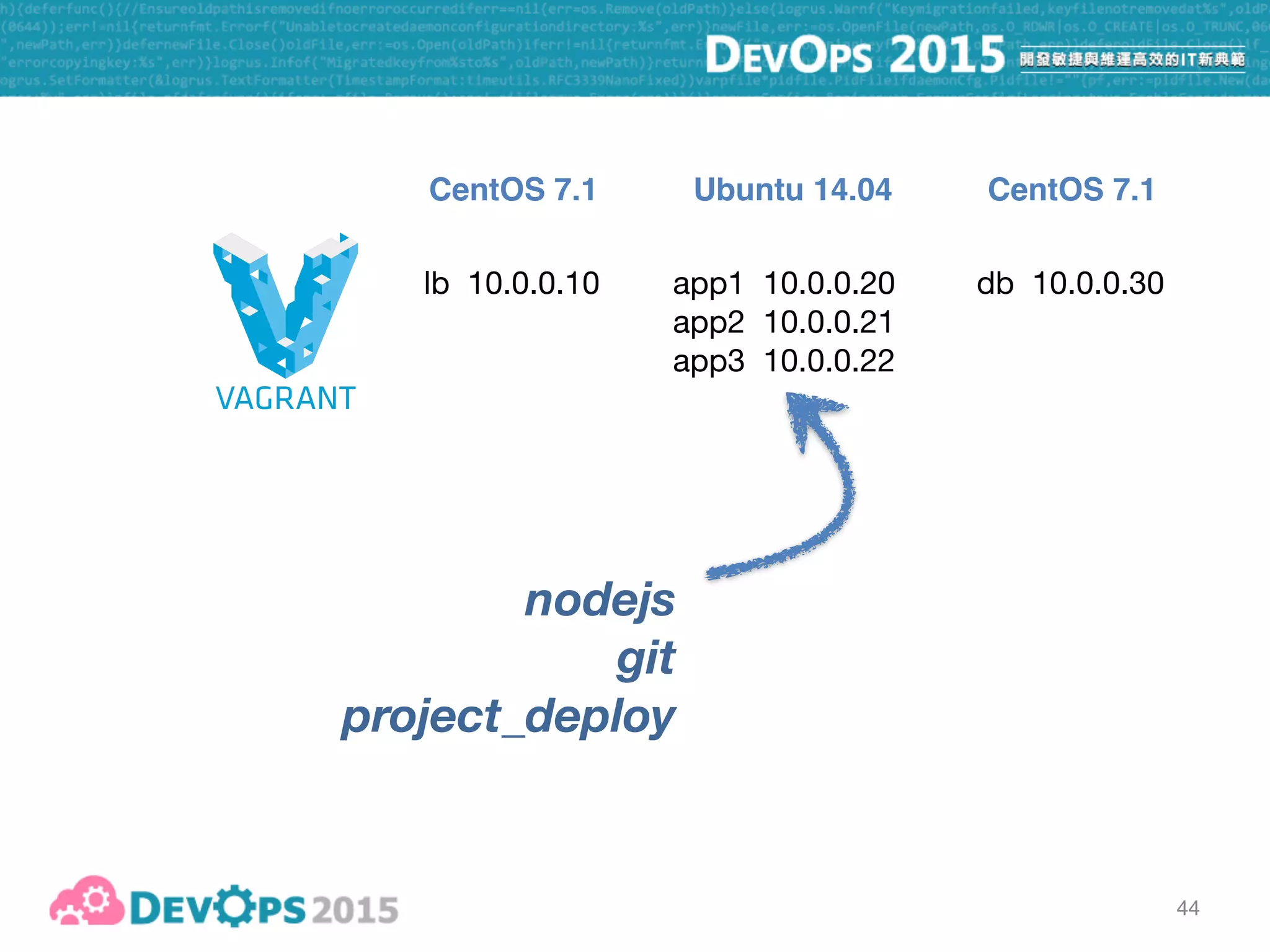
lb 10.0.0.10 app1 10.0.0.20

app2 10.0.0.21

app3 10.0.0.22
db 10.0.0.30
CentOS 7.1 CentOS 7.1Ubuntu 14.04
nodejs
git
project_deploy
45
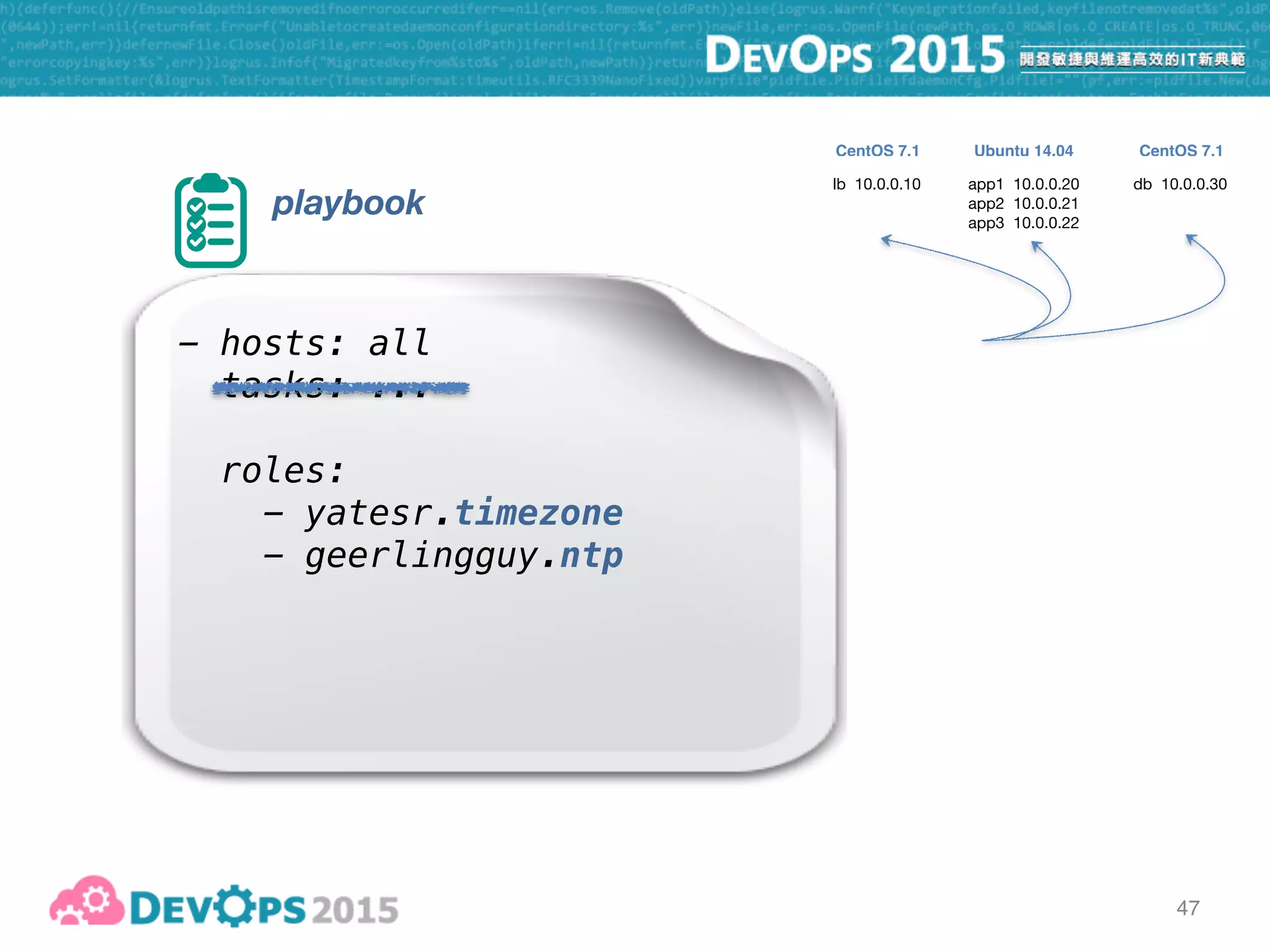
playbook
- hosts: all
tasks: ...
- hosts: lbservers
tasks: ...
- hosts: appservers
tasks: ...
- hosts: dbservers
tasks: ...
timezone, ntp
haproxy
repo-epel, redis
nodejs, git, project_deploy
46
ansible galaxy [pic]
is your friend…
46
ansible galaxy [pic]
is your friend…
Ansible Galaxy is your friend…
47
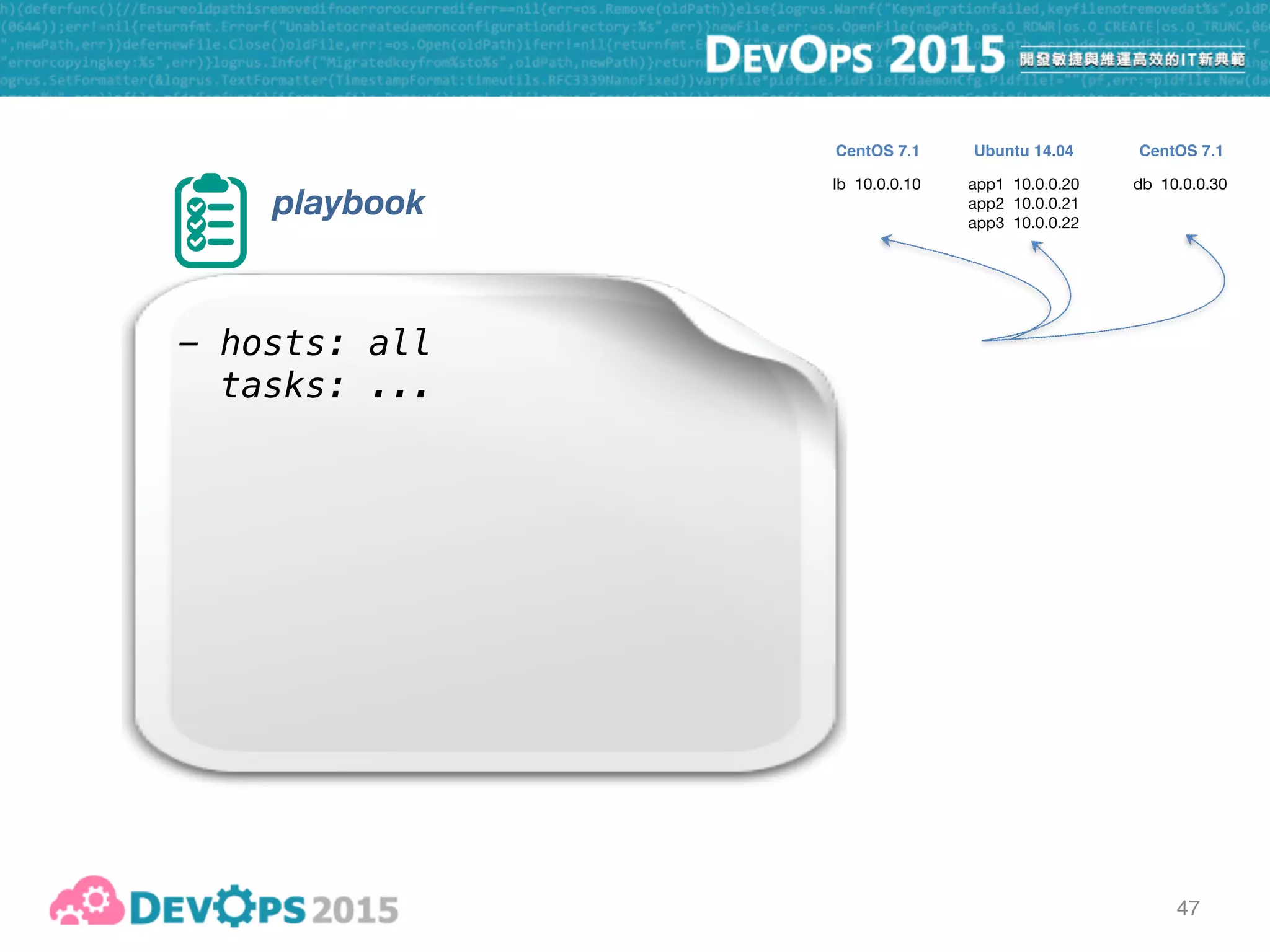
playbook
- hosts: all
tasks: ...
lb 10.0.0.10 app1 10.0.0.20

app2 10.0.0.21

app3 10.0.0.22
db 10.0.0.30
CentOS 7.1 CentOS 7.1Ubuntu 14.04
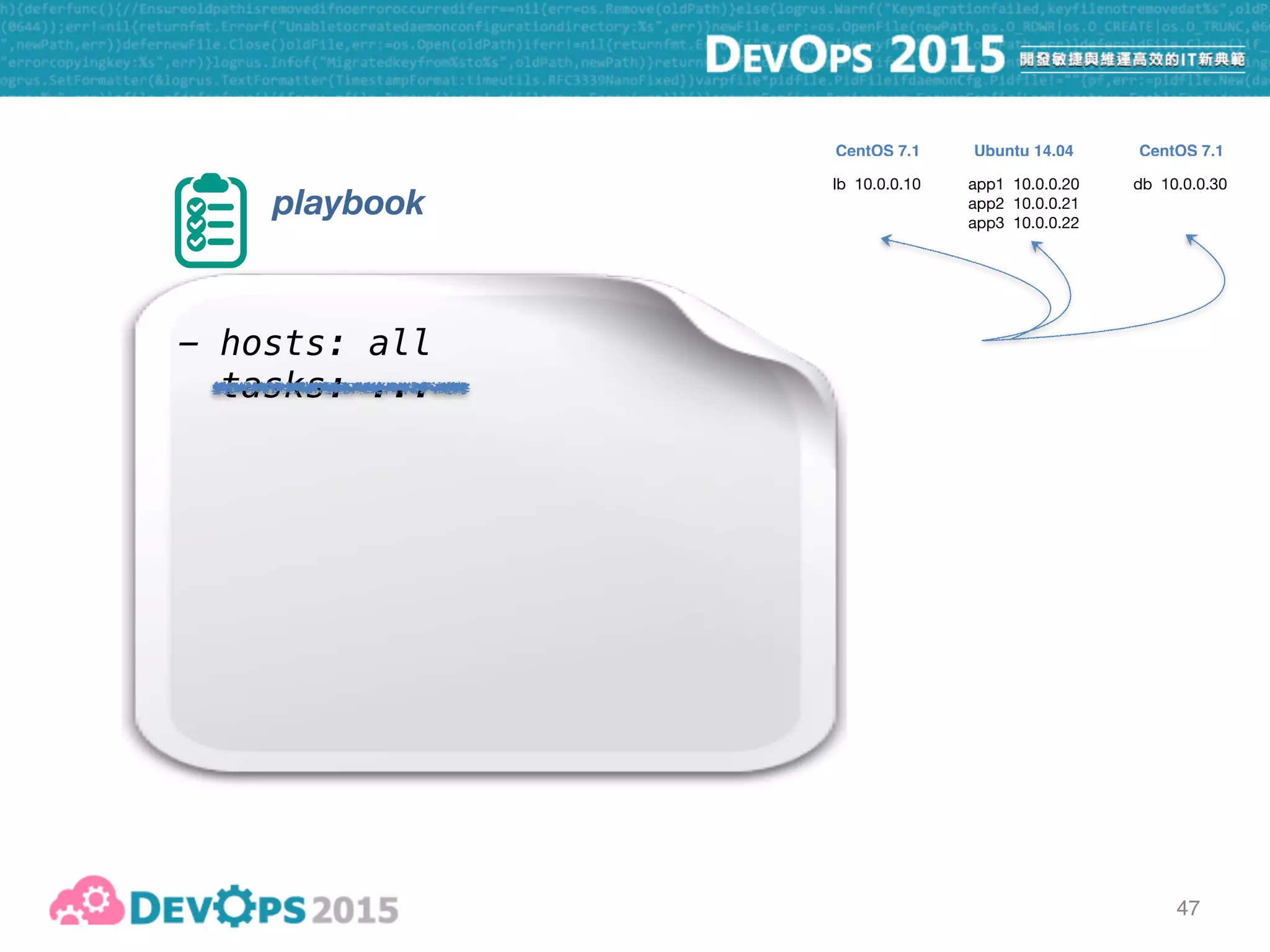
47
playbook
- hosts: all
tasks: ...
lb 10.0.0.10 app1 10.0.0.20

app2 10.0.0.21

app3 10.0.0.22
db 10.0.0.30
CentOS 7.1 CentOS 7.1Ubuntu 14.04
47
playbook
- hosts: all
tasks: ...
roles:
- yatesr.timezone
- geerlingguy.ntp
lb 10.0.0.10 app1 10.0.0.20

app2 10.0.0.21

app3 10.0.0.22
db 10.0.0.30
CentOS 7.1 CentOS 7.1Ubuntu 14.04
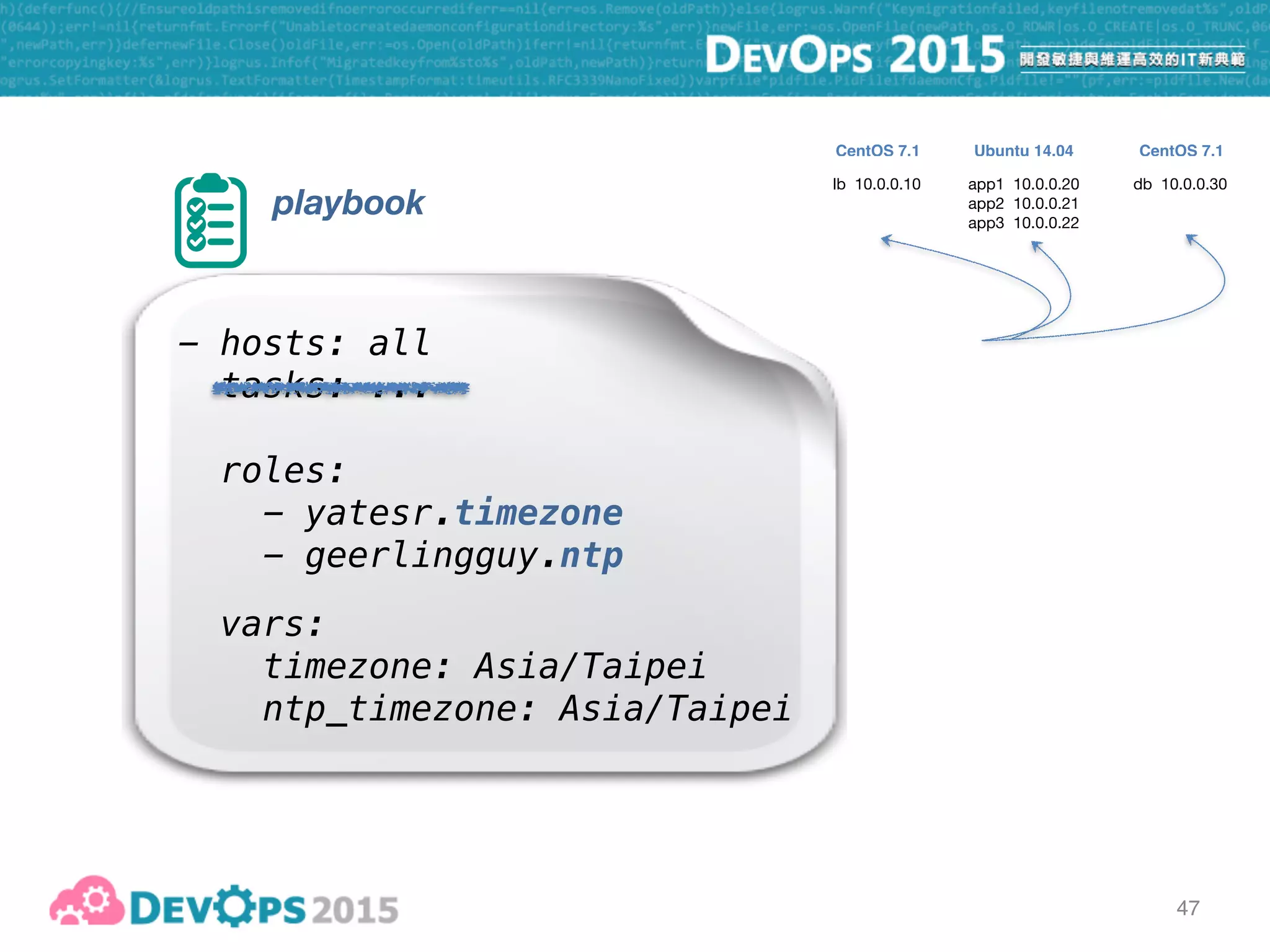
47
playbook
- hosts: all
tasks: ...
roles:
- yatesr.timezone
- geerlingguy.ntp
vars:
timezone: Asia/Taipei
ntp_timezone: Asia/Taipei
lb 10.0.0.10 app1 10.0.0.20

app2 10.0.0.21

app3 10.0.0.22
db 10.0.0.30
CentOS 7.1 CentOS 7.1Ubuntu 14.04
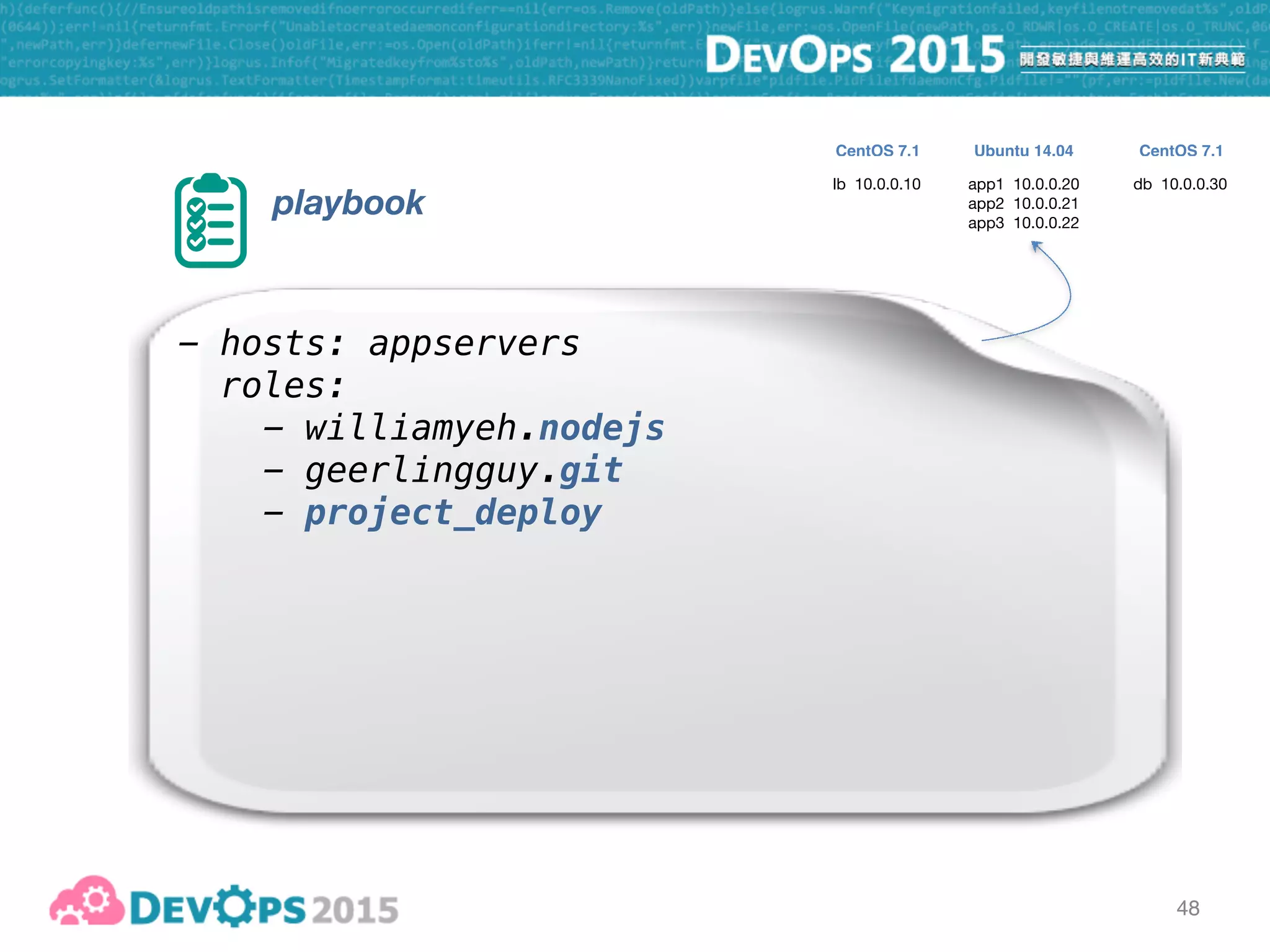
48
playbook
- hosts: appservers
roles:
- williamyeh.nodejs
- geerlingguy.git
- project_deploy
lb 10.0.0.10 app1 10.0.0.20

app2 10.0.0.21

app3 10.0.0.22
db 10.0.0.30
CentOS 7.1 CentOS 7.1Ubuntu 14.04
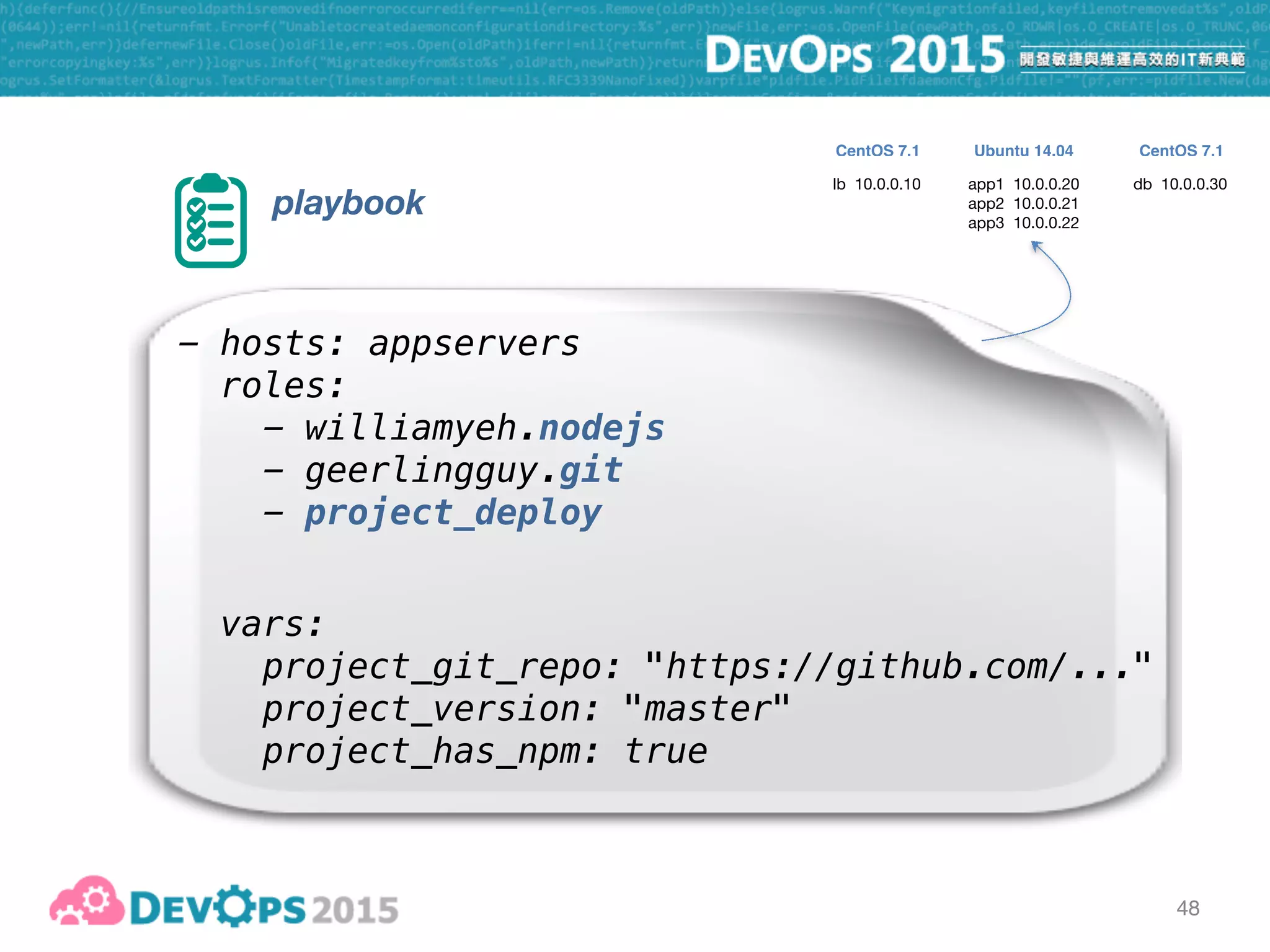
48
playbook
- hosts: appservers
roles:
- williamyeh.nodejs
- geerlingguy.git
- project_deploy
vars:
project_git_repo: "https://github.com/..."
project_version: "master"
project_has_npm: true
lb 10.0.0.10 app1 10.0.0.20

app2 10.0.0.21

app3 10.0.0.22
db 10.0.0.30
CentOS 7.1 CentOS 7.1Ubuntu 14.04
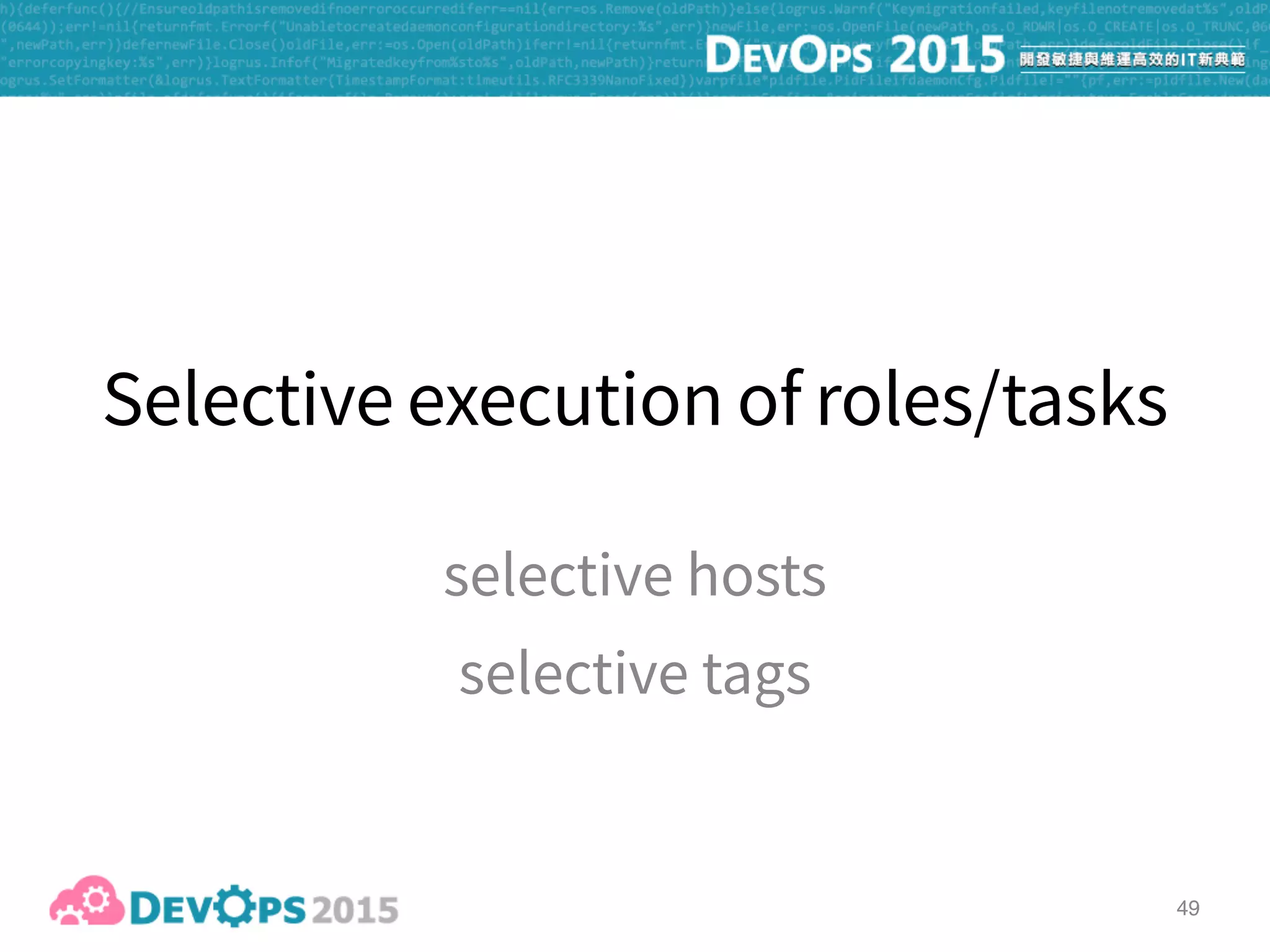
49
50
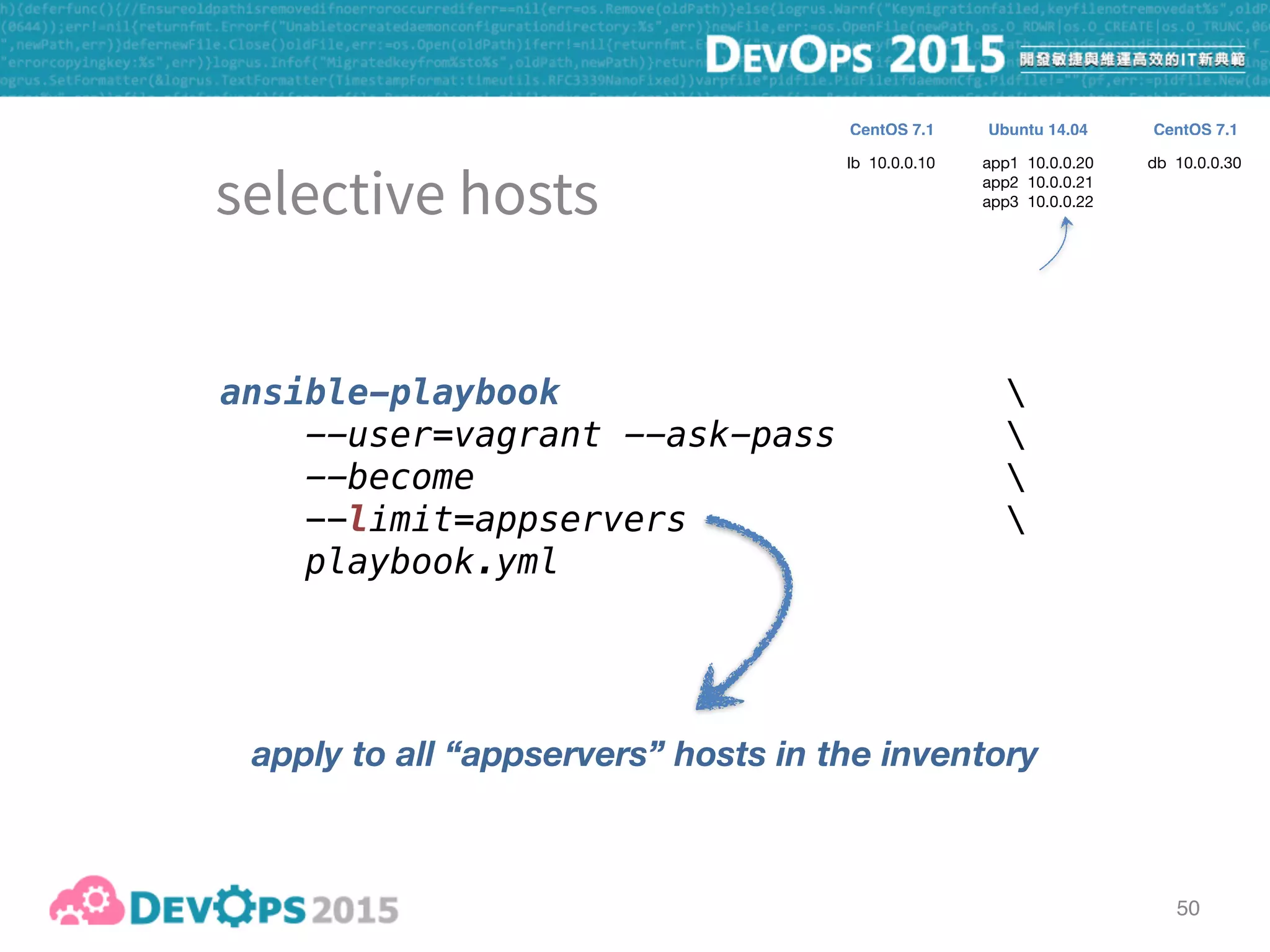
ansible-playbook 
--user=vagrant --ask-pass 
--become 
--limit=appservers 
playbook.yml
apply to all “appservers” hosts in the inventory
lb 10.0.0.10 app1 10.0.0.20

app2 10.0.0.21

app3 10.0.0.22
db 10.0.0.30
CentOS 7.1 CentOS 7.1Ubuntu 14.04
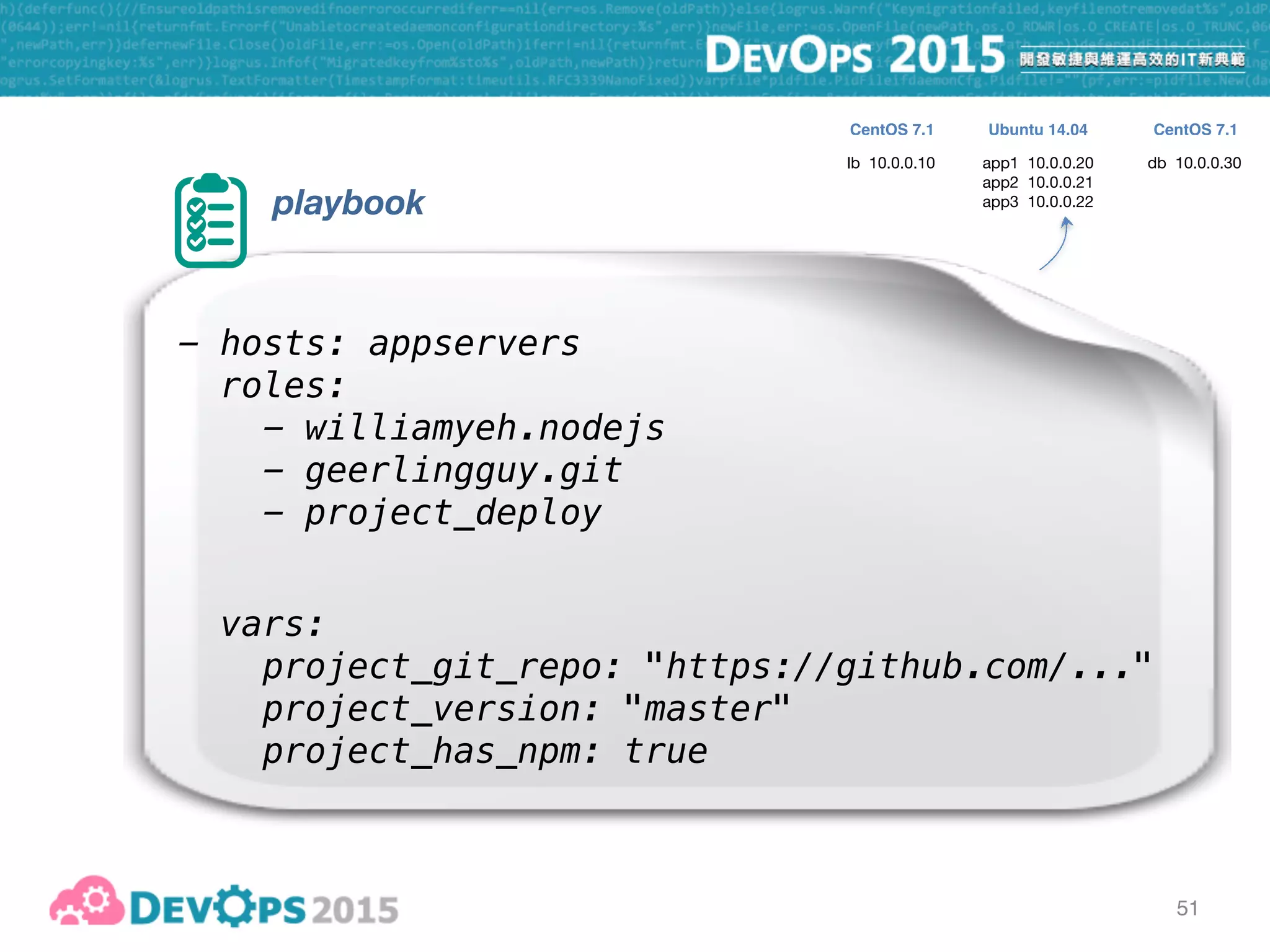
51
playbook
- hosts: appservers
roles:
- williamyeh.nodejs
- geerlingguy.git
- project_deploy
vars:
project_git_repo: "https://github.com/..."
project_version: "master"
project_has_npm: true
lb 10.0.0.10 app1 10.0.0.20

app2 10.0.0.21

app3 10.0.0.22
db 10.0.0.30
CentOS 7.1 CentOS 7.1Ubuntu 14.04
51
playbook
- hosts: appservers
roles:
- williamyeh.nodejs
- geerlingguy.git
- project_deploy
vars:
project_git_repo: "https://github.com/..."
project_version: "master"
project_has_npm: true
lb 10.0.0.10 app1 10.0.0.20

app2 10.0.0.21

app3 10.0.0.22
db 10.0.0.30
CentOS 7.1 CentOS 7.1Ubuntu 14.04
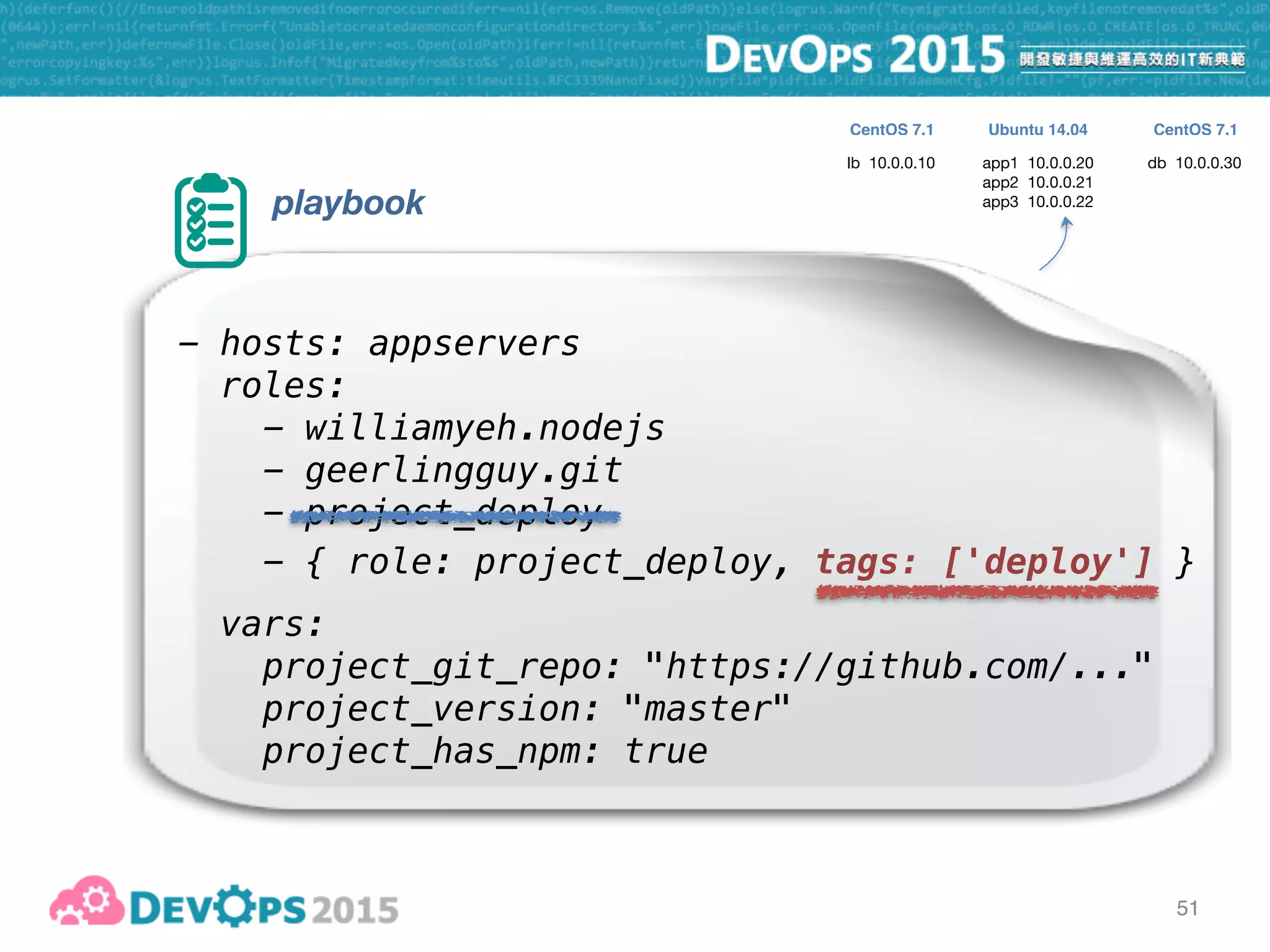
51
playbook
- hosts: appservers
roles:
- williamyeh.nodejs
- geerlingguy.git
- project_deploy
vars:
project_git_repo: "https://github.com/..."
project_version: "master"
project_has_npm: true
- { role: project_deploy, tags: ['deploy'] }
lb 10.0.0.10 app1 10.0.0.20

app2 10.0.0.21

app3 10.0.0.22
db 10.0.0.30
CentOS 7.1 CentOS 7.1Ubuntu 14.04
52
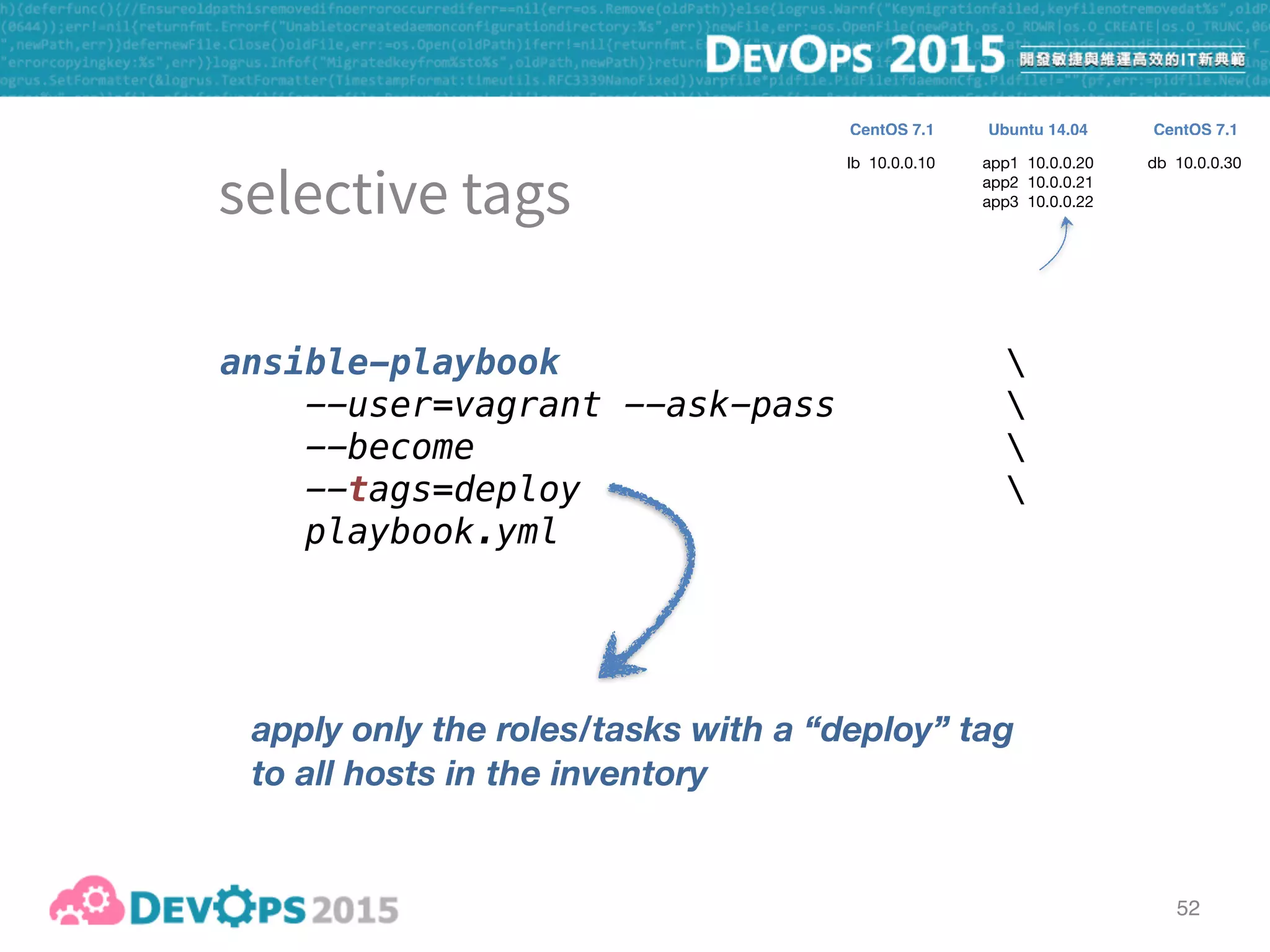
ansible-playbook 
--user=vagrant --ask-pass 
--become 

--tags=deploy 
playbook.yml
apply only the roles/tasks with a “deploy” tag
to all hosts in the inventory
lb 10.0.0.10 app1 10.0.0.20

app2 10.0.0.21

app3 10.0.0.22
db 10.0.0.30
CentOS 7.1 CentOS 7.1Ubuntu 14.04
ad-hoc commands

inventory

playbook - push

playbook - pull
roles

selective execution
53
Capistrano-style

zero-downtime

blue-green

rolling upgrade
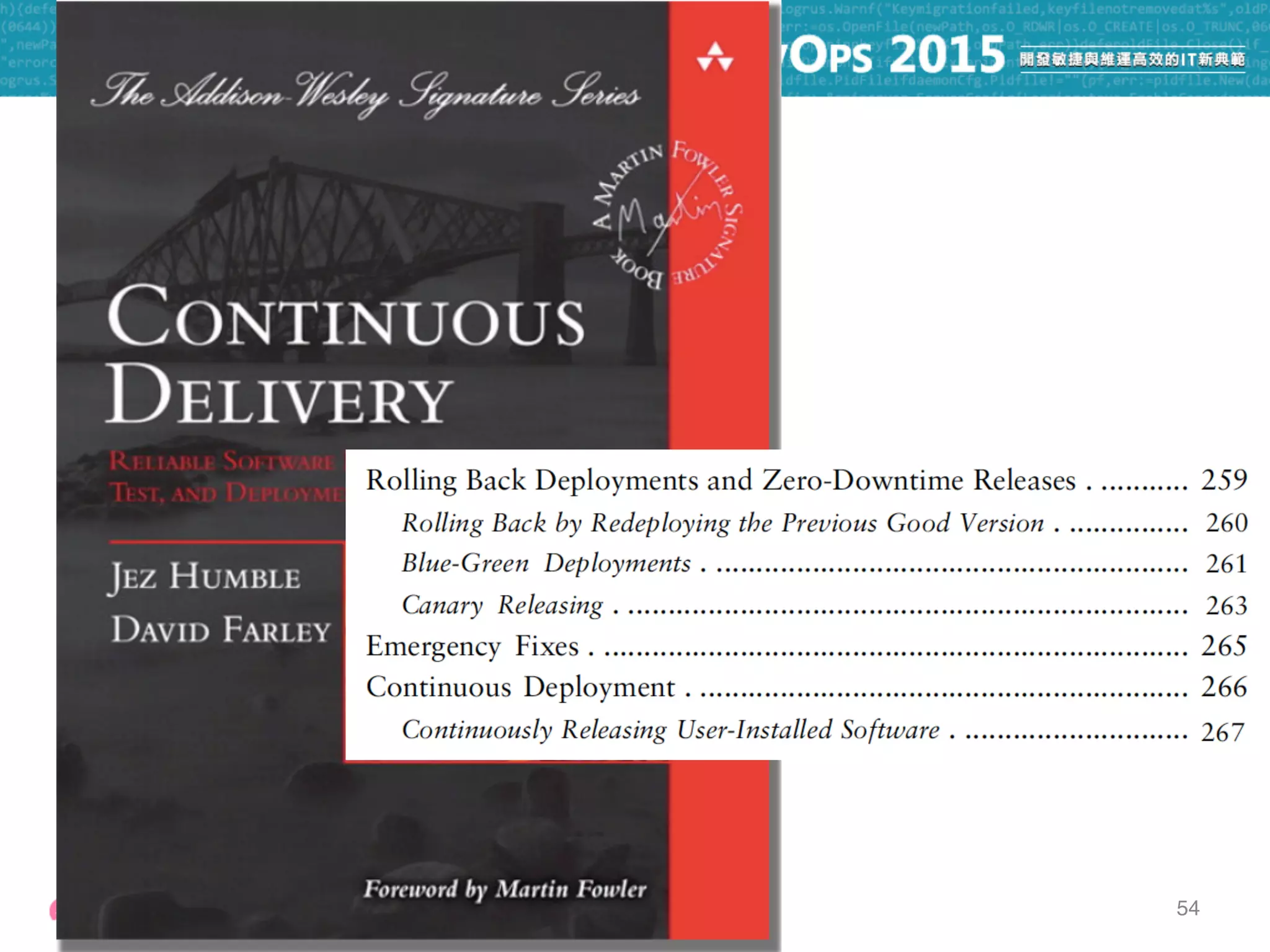
54
54
55
56
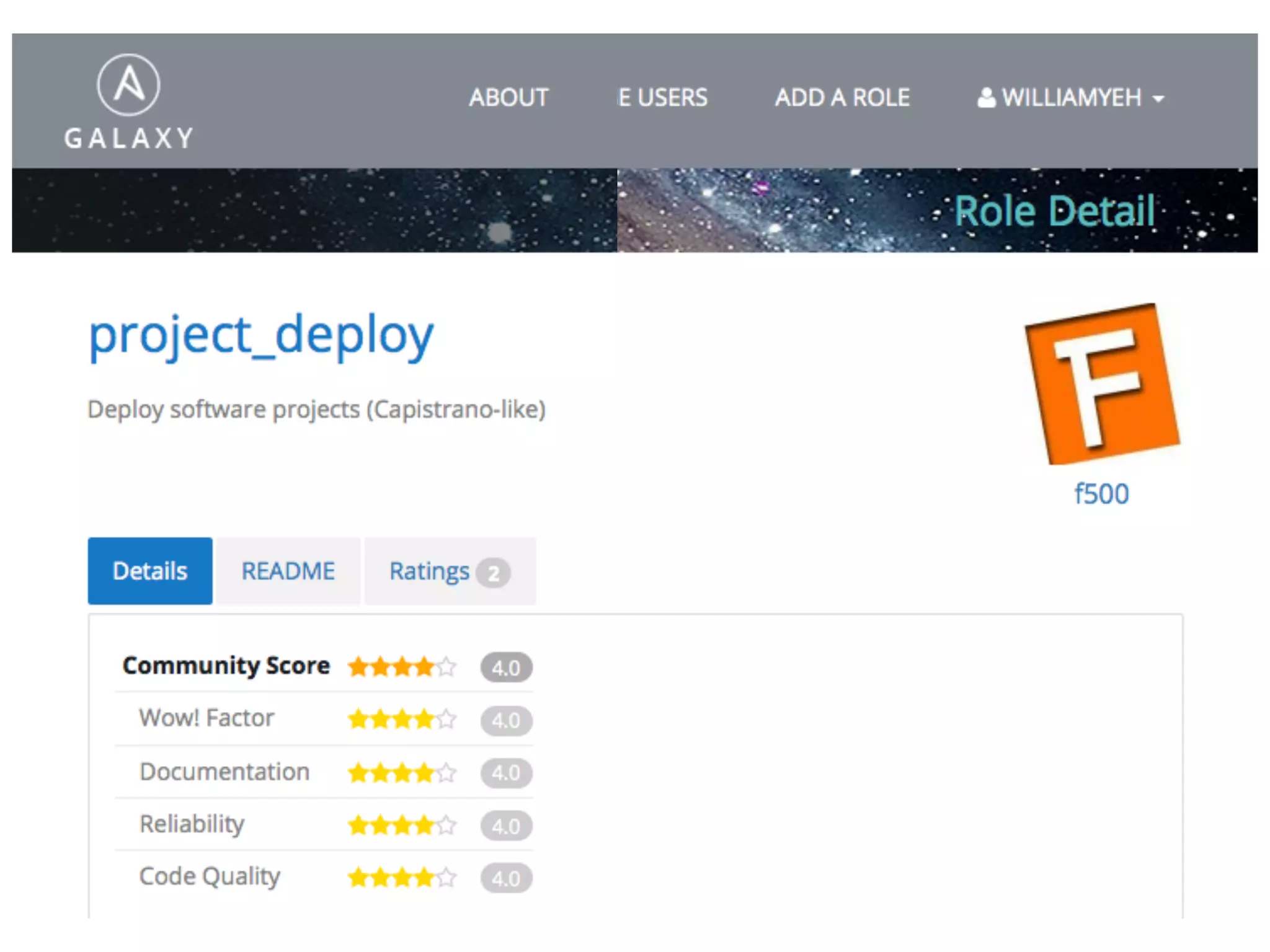
https://galaxy.ansible.com/list#/roles/732
57
57
Deploy software projects (Capistrano-like)
58
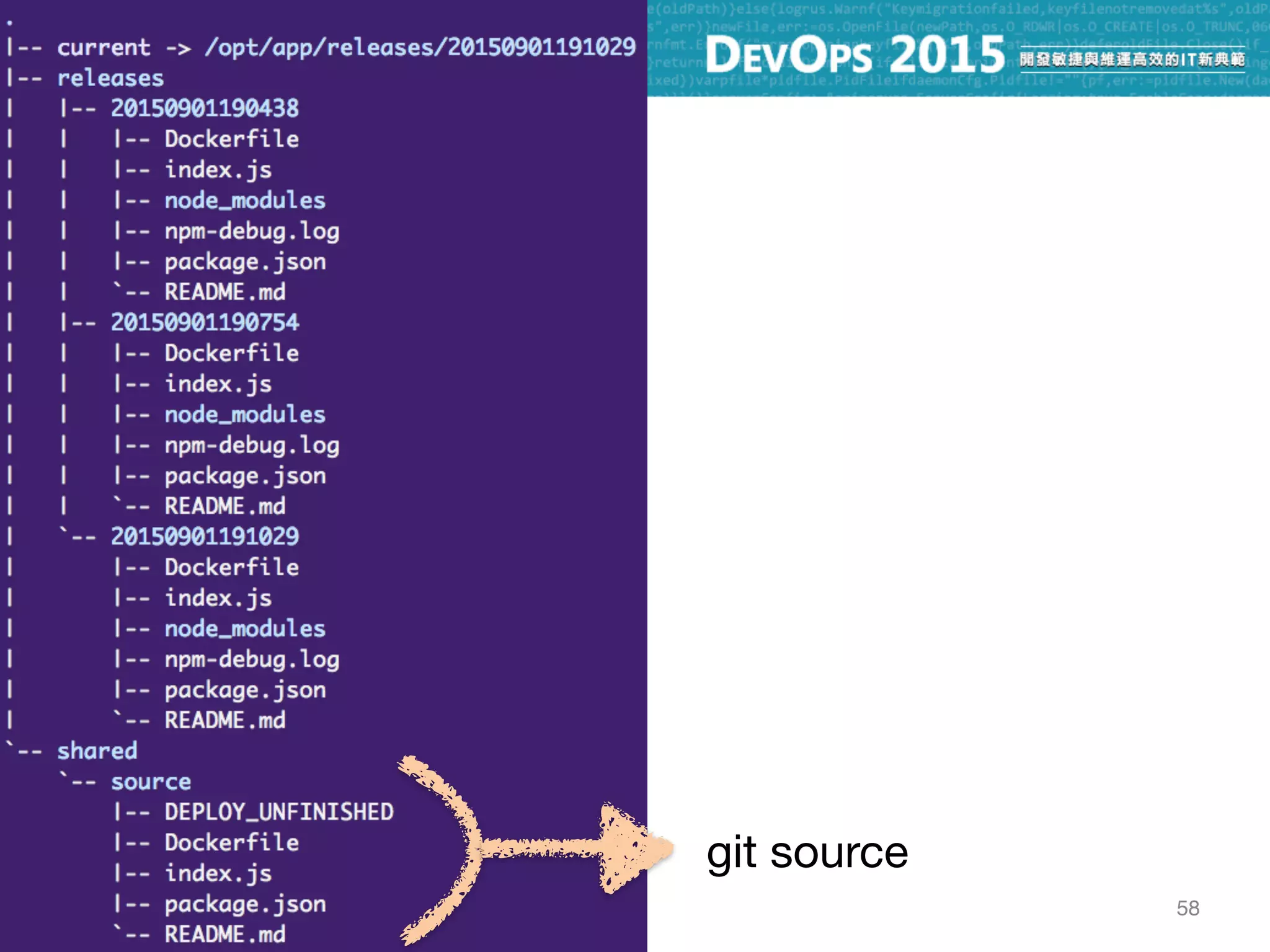
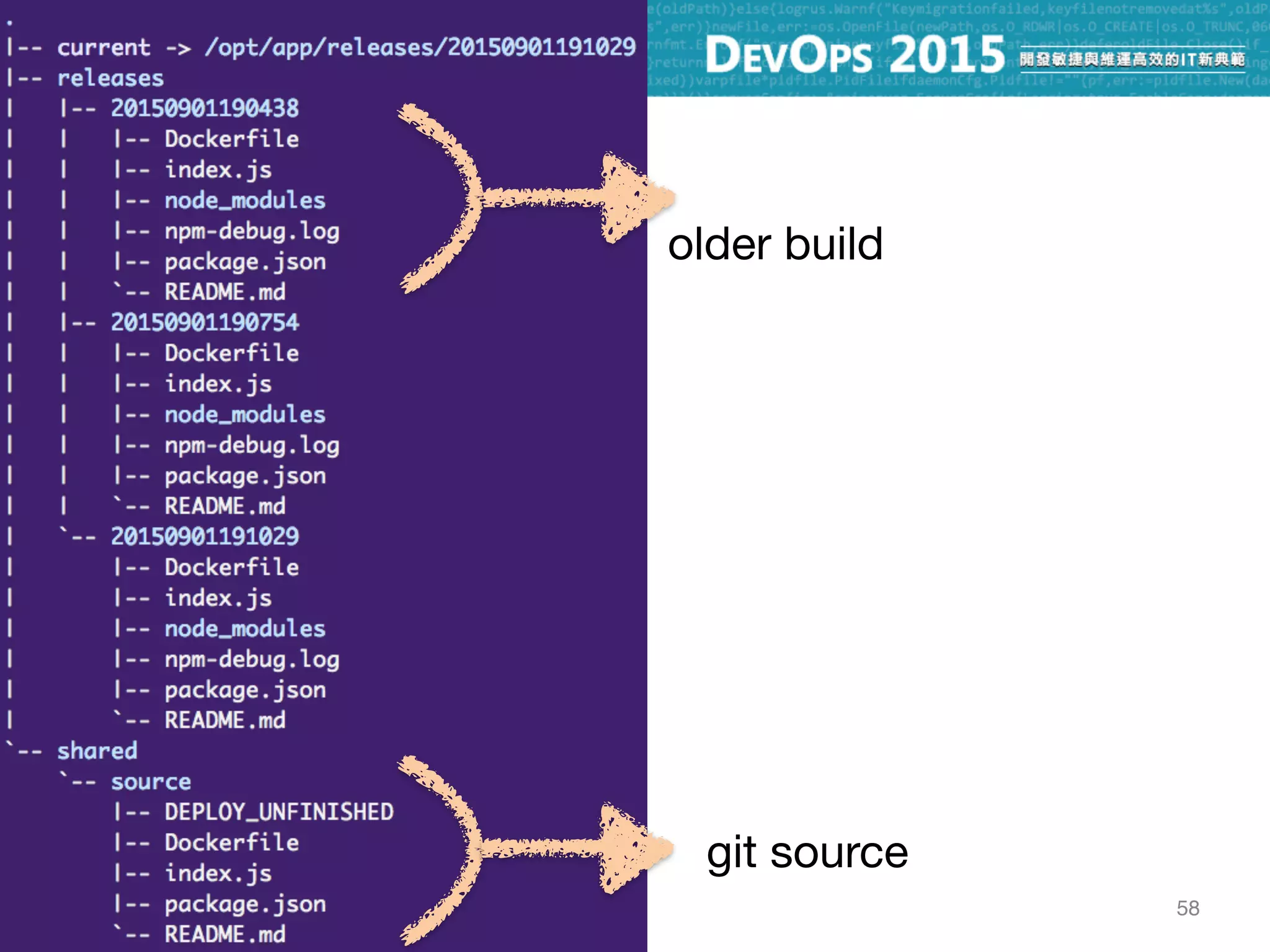
git source
58
git source
older build
58
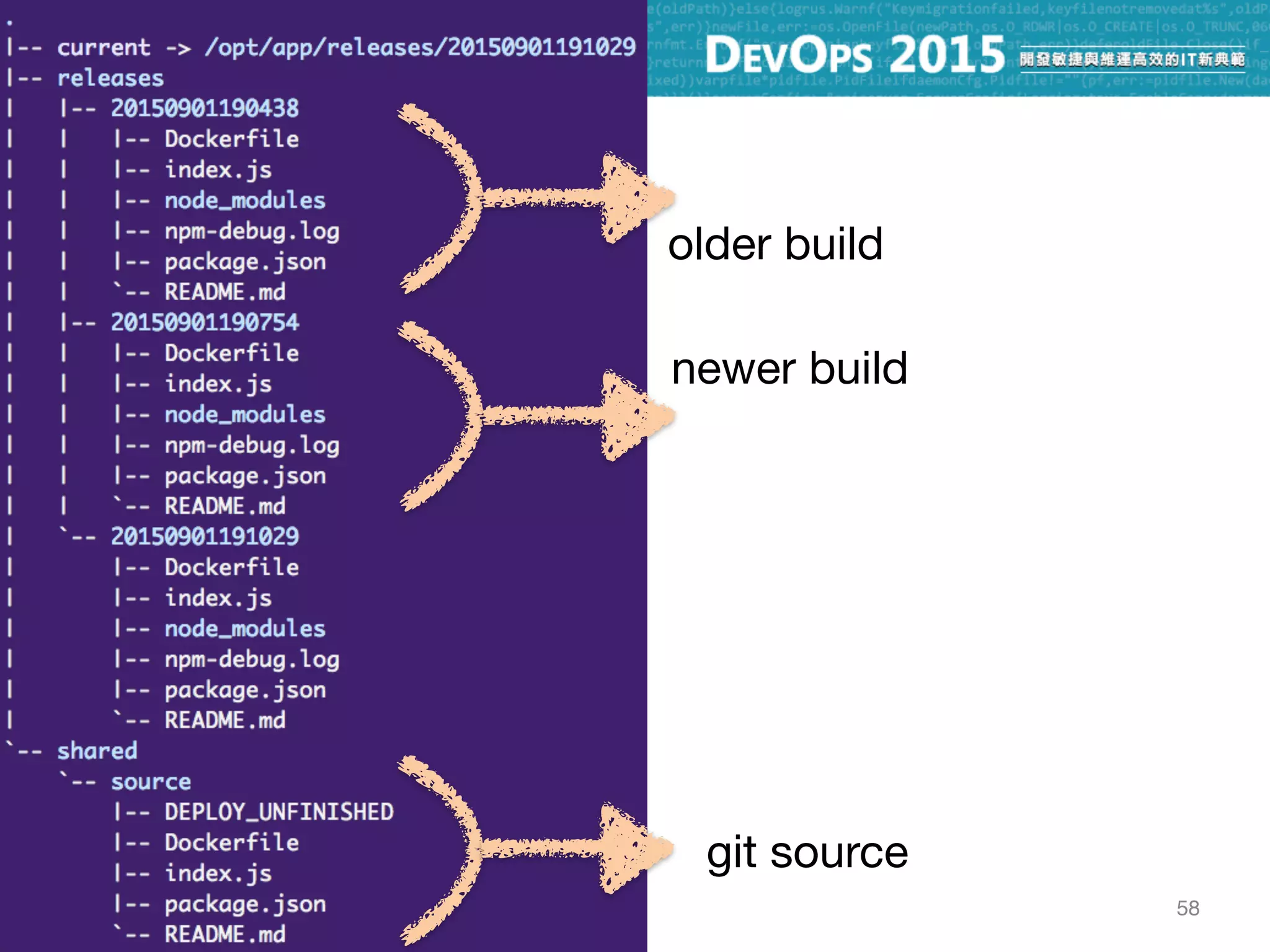
git source
older build
newer build
58
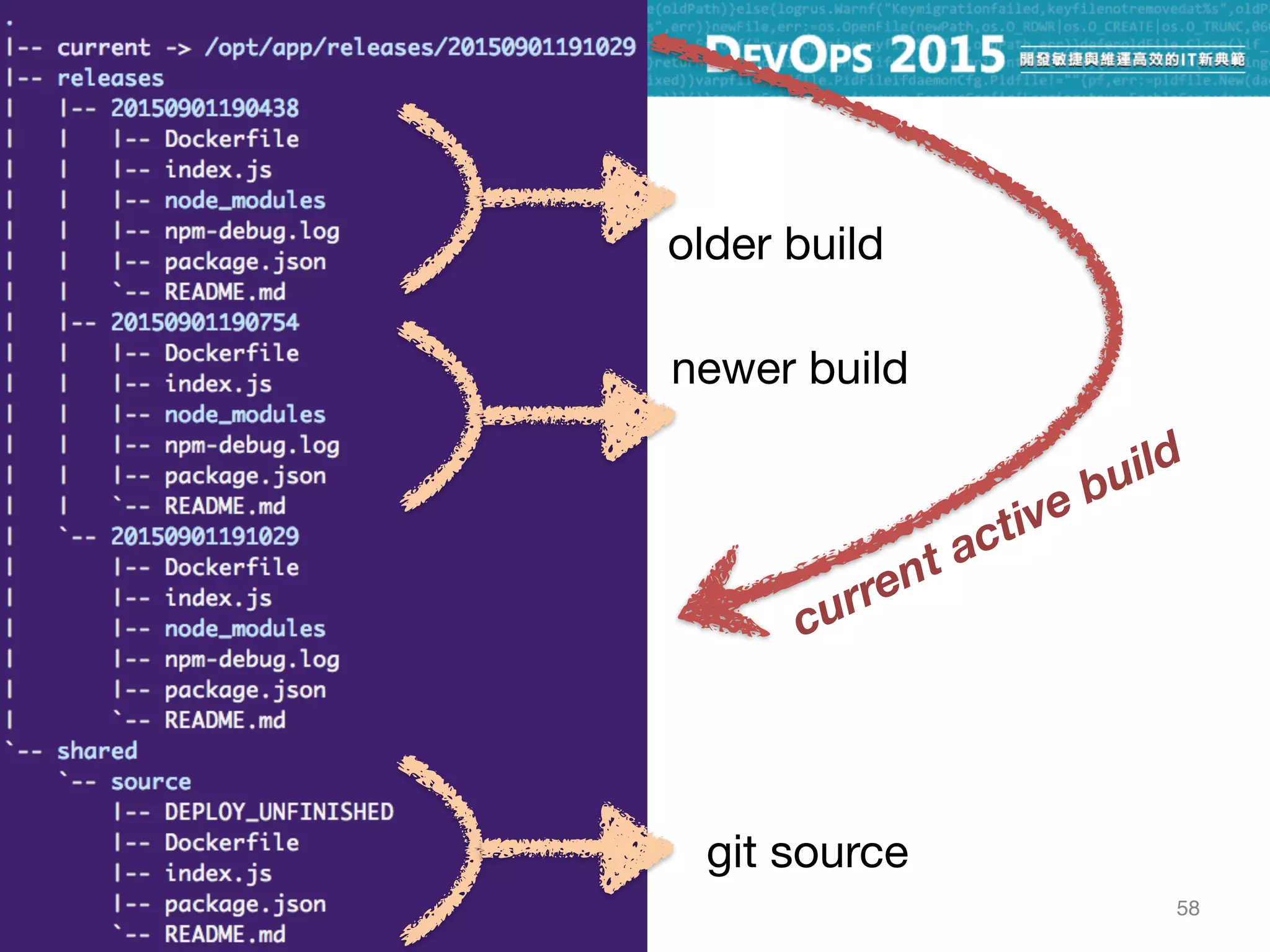
git source
older build
newer build
current active build
59
60
lb 10.0.0.10 app1 10.0.0.20

app2 10.0.0.21

app3 10.0.0.22
db 10.0.0.30
CentOS 7.1 CentOS 7.1Ubuntu 14.04
60
lb 10.0.0.10 app1 10.0.0.20

app2 10.0.0.21

app3 10.0.0.22
db 10.0.0.30
CentOS 7.1 CentOS 7.1Ubuntu 14.04
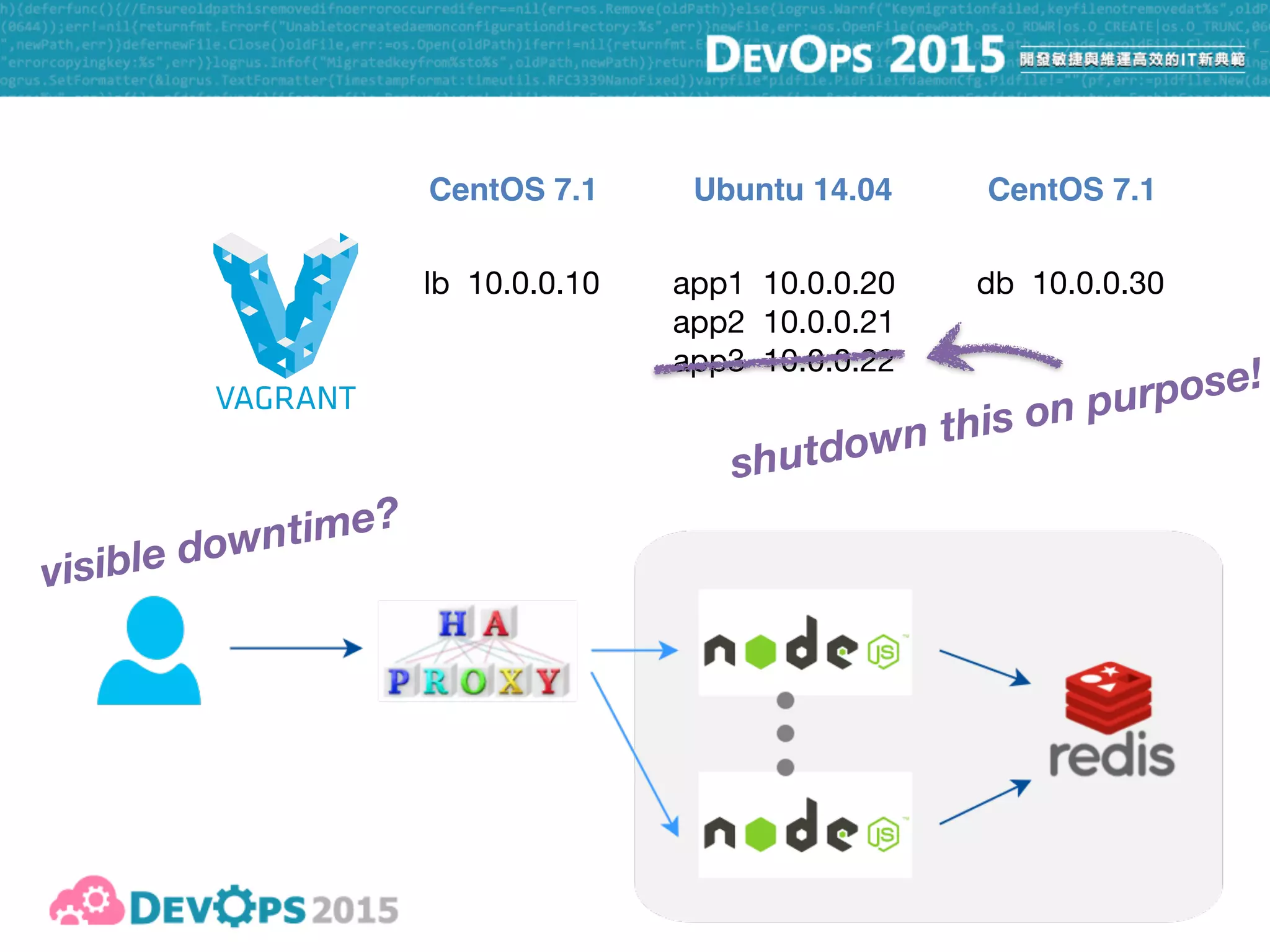
shutdown this on purpose!
60
lb 10.0.0.10 app1 10.0.0.20

app2 10.0.0.21

app3 10.0.0.22
db 10.0.0.30
CentOS 7.1 CentOS 7.1Ubuntu 14.04
shutdown this on purpose!
visible downtime?
61
62
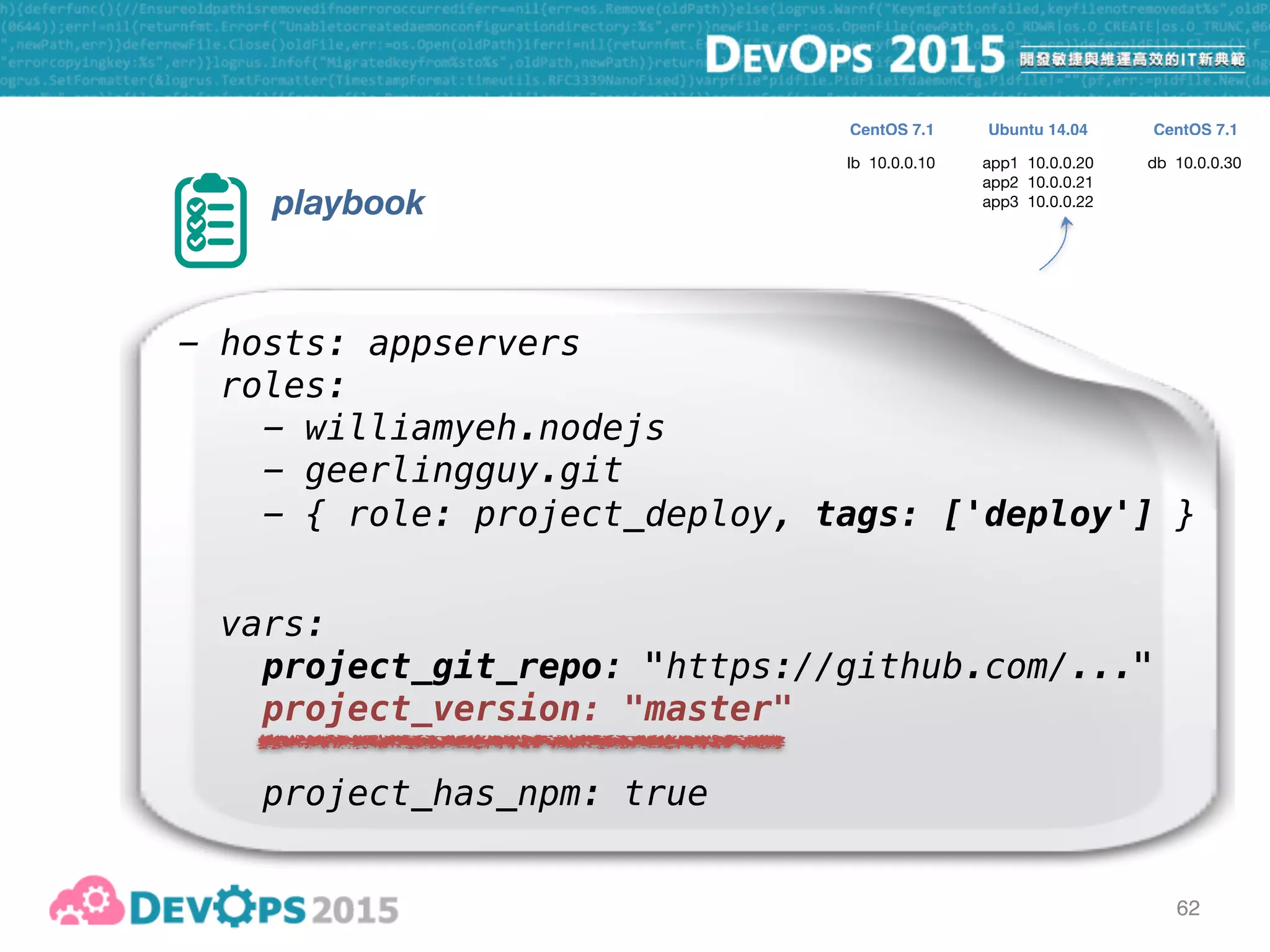
playbook
- hosts: appservers
roles:
- williamyeh.nodejs
- geerlingguy.git
vars:
project_git_repo: "https://github.com/..."
project_version: "master"
project_has_npm: true
- { role: project_deploy, tags: ['deploy'] }
lb 10.0.0.10 app1 10.0.0.20

app2 10.0.0.21

app3 10.0.0.22
db 10.0.0.30
CentOS 7.1 CentOS 7.1Ubuntu 14.04
63
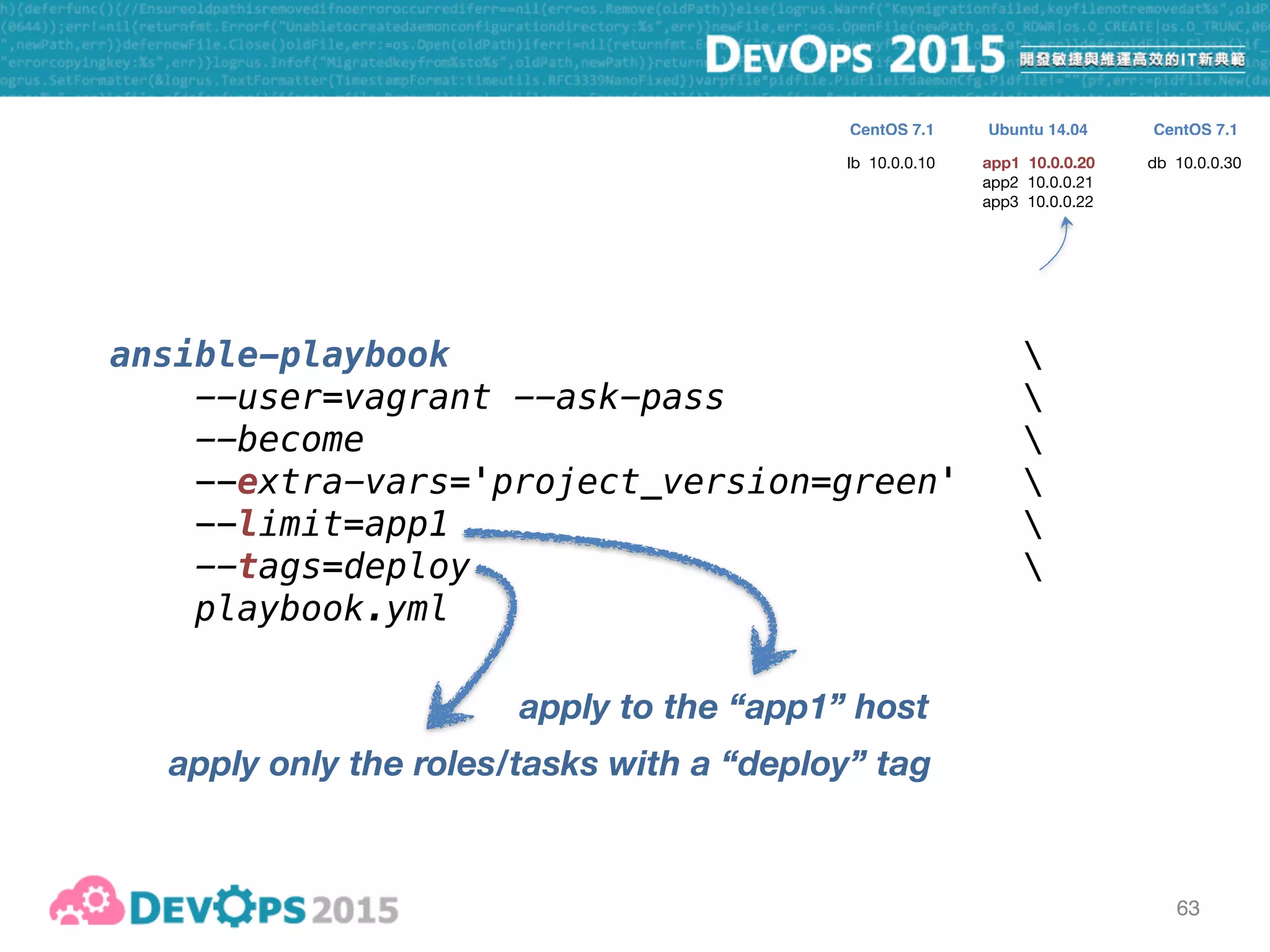
ansible-playbook 
--user=vagrant --ask-pass 
--become 
--extra-vars='project_version=green' 

--limit=app1 
--tags=deploy 
playbook.yml
apply only the roles/tasks with a “deploy” tag
lb 10.0.0.10 app1 10.0.0.20
app2 10.0.0.21

app3 10.0.0.22
db 10.0.0.30
CentOS 7.1 CentOS 7.1Ubuntu 14.04
apply to the “app1” host
63
ansible-playbook 
--user=vagrant --ask-pass 
--become 
--extra-vars='project_version=green' 

--limit=app1 
--tags=deploy 
playbook.yml
apply only the roles/tasks with a “deploy” tag
lb 10.0.0.10 app1 10.0.0.20
app2 10.0.0.21

app3 10.0.0.22
db 10.0.0.30
CentOS 7.1 CentOS 7.1Ubuntu 14.04
apply to the “app1” host
checkout “green” branch
64
65
playbook
- hosts: appservers
serial: 1
roles:
- williamyeh.nodejs
- geerlingguy.git
- { role: project_deploy, tags: ['deploy'] }
vars:
project_git_repo: "https://github.com/..."
project_version: "master"
project_has_npm: true
lb 10.0.0.10 app1 10.0.0.20

app2 10.0.0.21

app3 10.0.0.22
db 10.0.0.30
CentOS 7.1 CentOS 7.1Ubuntu 14.04
ad-hoc commands

inventory

playbook - push

playbook - pull
roles

selective execution
Capistrano-style

zero-downtime

blue-green

rolling upgrade
66
67
•
67
•
•
67
•
•
•
67
68
69
70
☛ https://github.com/ansible/ansible
70
☛ https://github.com/ansible/ansible
70
☛ https://github.com/ansible/ansible
71
ad-hoc commands

inventory

playbook - push

playbook - pull
roles

selective execution
Capistrano-style

zero-downtime

blue-green

rolling upgrade
72

Ansible 實戰:top down 觀點