Blackboard 9.1 Changes in the New Blackboard Willem van Valkenburg
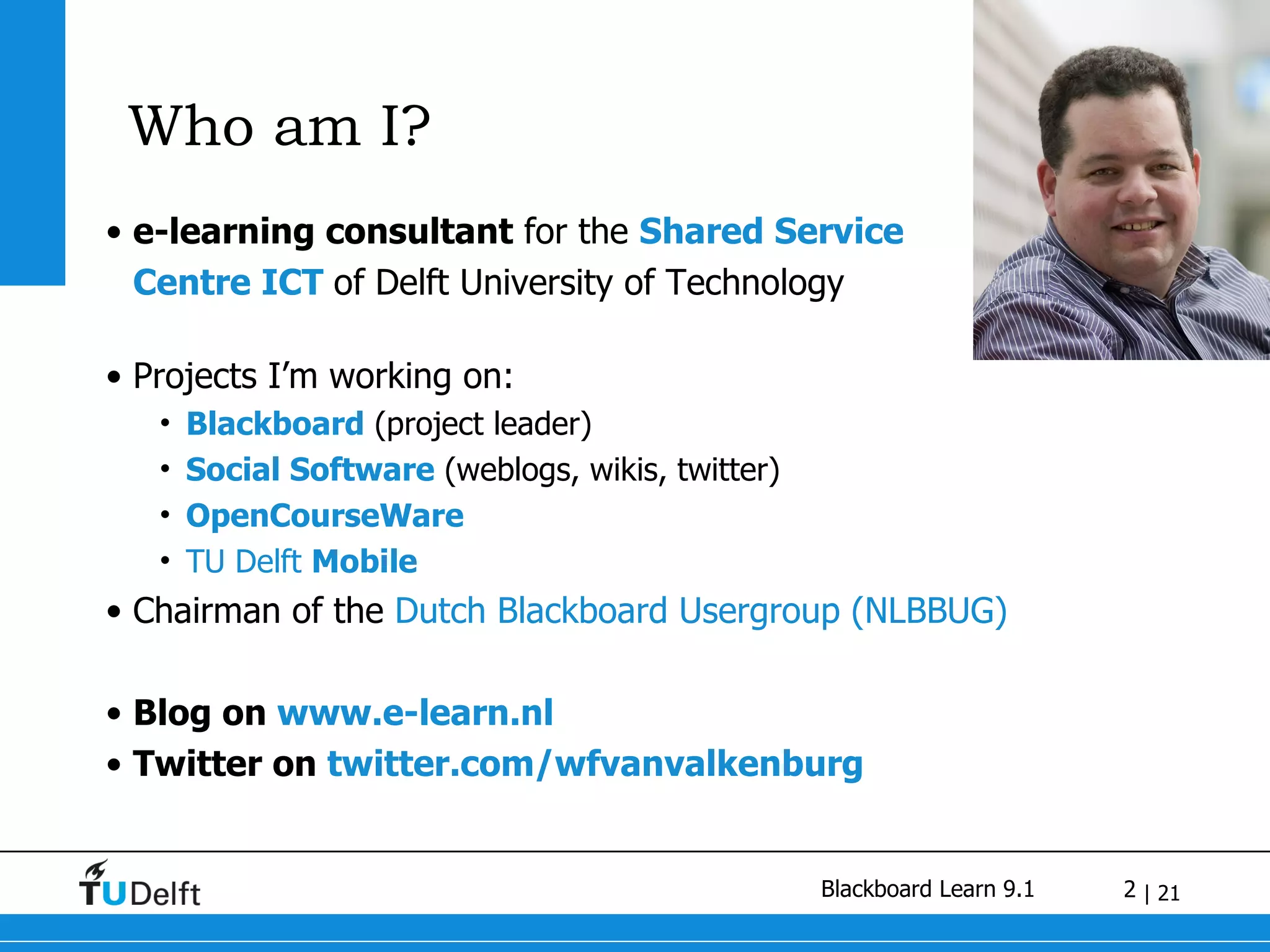
Who am I? e-learning consultant  for the  Shared Service  Centre ICT  of Delft University of Technology Projects I’m working on: Blackboard  (project leader) Social Software  (weblogs, wikis, twitter) OpenCourseWare TU Delft  Mobile Chairman of the  Dutch Blackboard Usergroup (NLBBUG) Blog on  www.e-learn.nl  Twitter on  twitter.com/wfvanvalkenburg
Blackboard Learn 9.1 Fostering Student Engagement Release 9.1 features exciting  new social learning and teaching tools  that foster more logical, visually impactful, and  active learn ing opportunities for students. You'll transform your closed-door classrooms into  communities  where students remain connected to their educational experience  24 hours a day . Supporting Educator Efficiency Our new instructional  productivity tools  give your faculty the freedom to focus on teaching and learning techniques. By continually improving the  course workflow , you'll enable educators to  spend less time  on administrative details and more time on  student success ,  achievement , and  retention .
Blackboard Learn 9.1 Fostering Student Engagement Promote  active  collaboration and social learning Engage  students with a new user interface Integrate  visually  engaging content Increase  accessibility Supporting Educator Efficiency Manage  content  at the course level Grade  in context with more options Create assessments in  less time Provide  intuitive  online structure Monitor  Activity and Progress
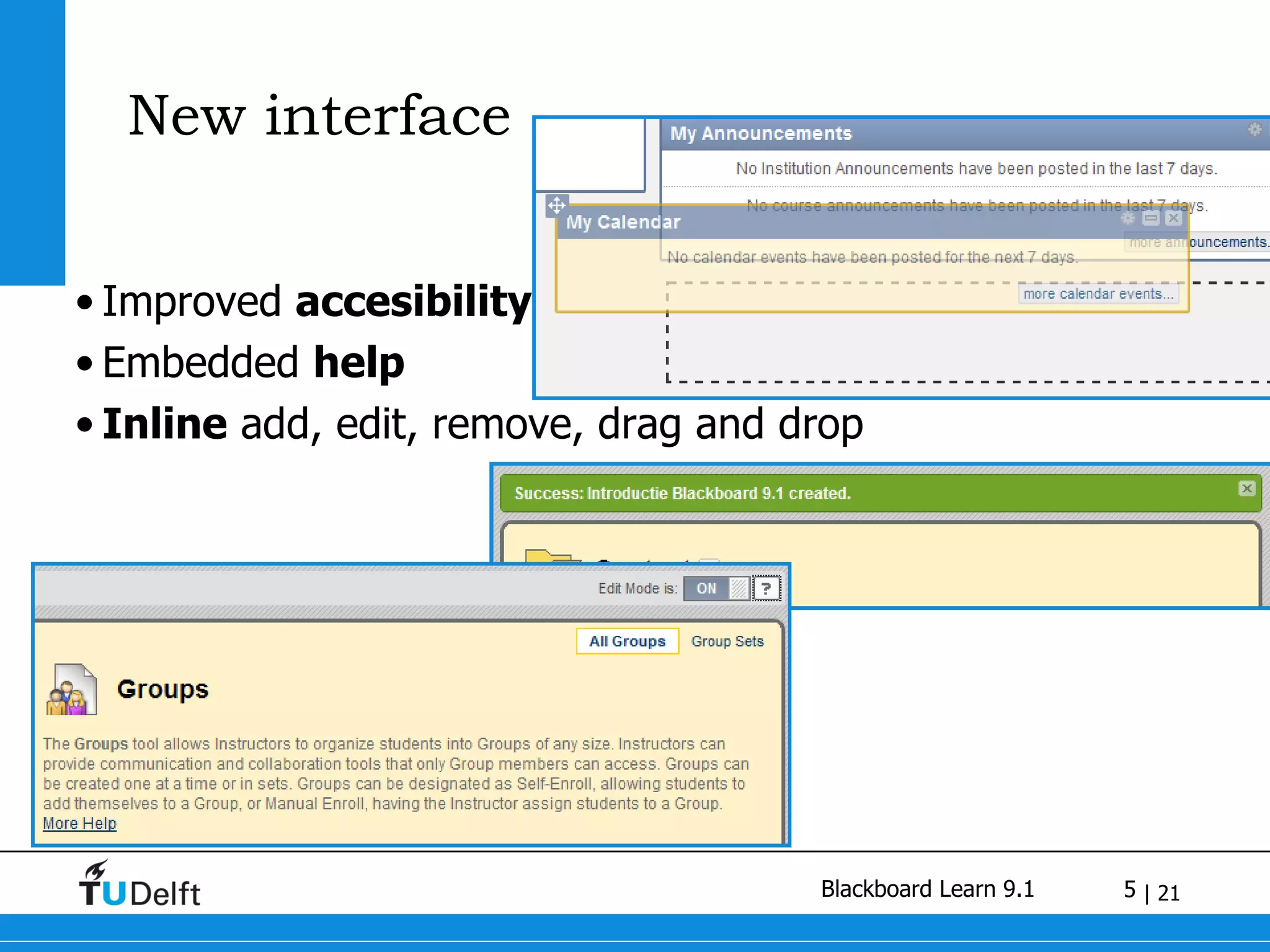
New interface Improved  accesibility Embedded  help Inline  add, edit, remove, drag and drop
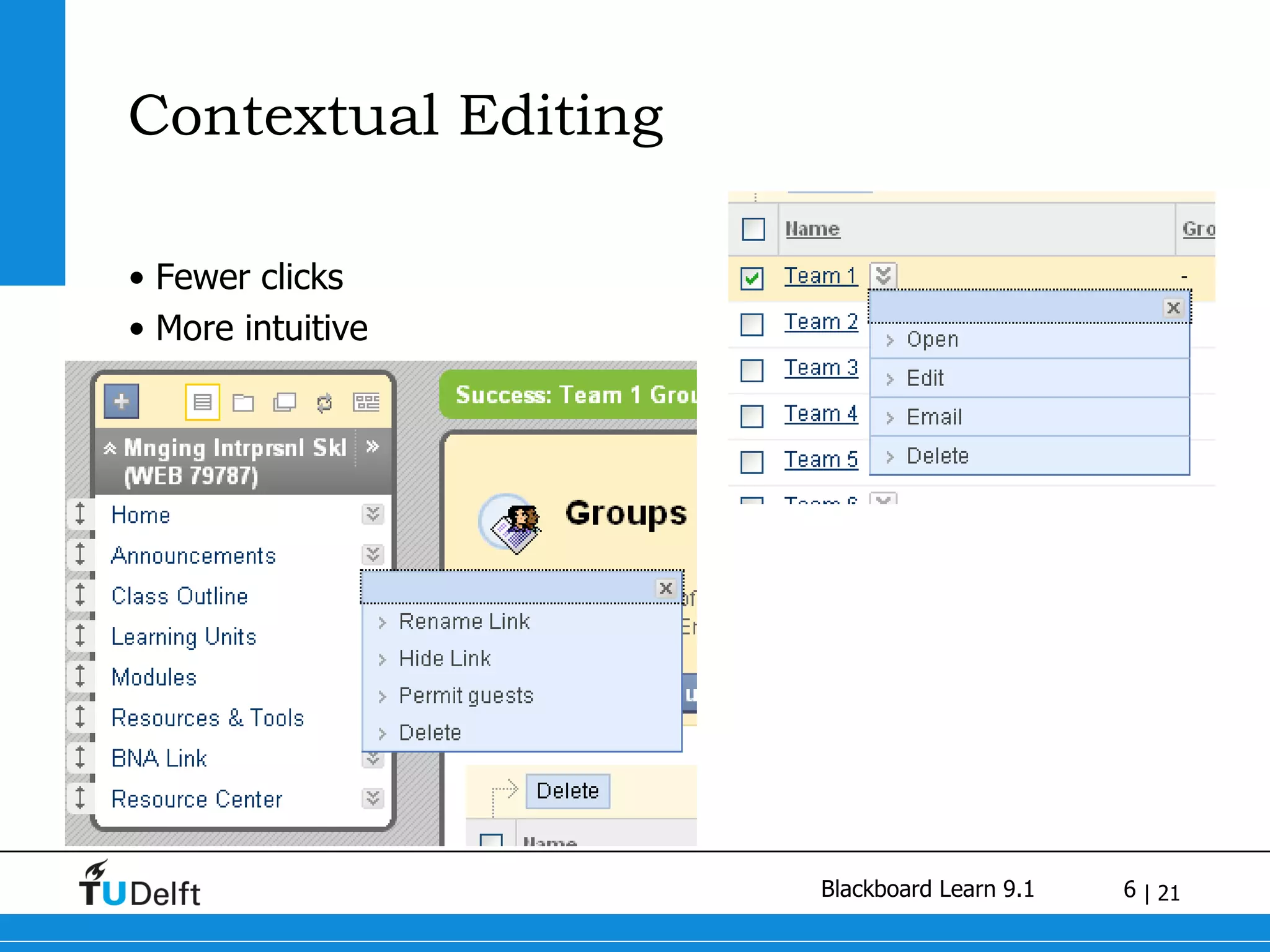
Contextual Editing Fewer clicks More intuitive
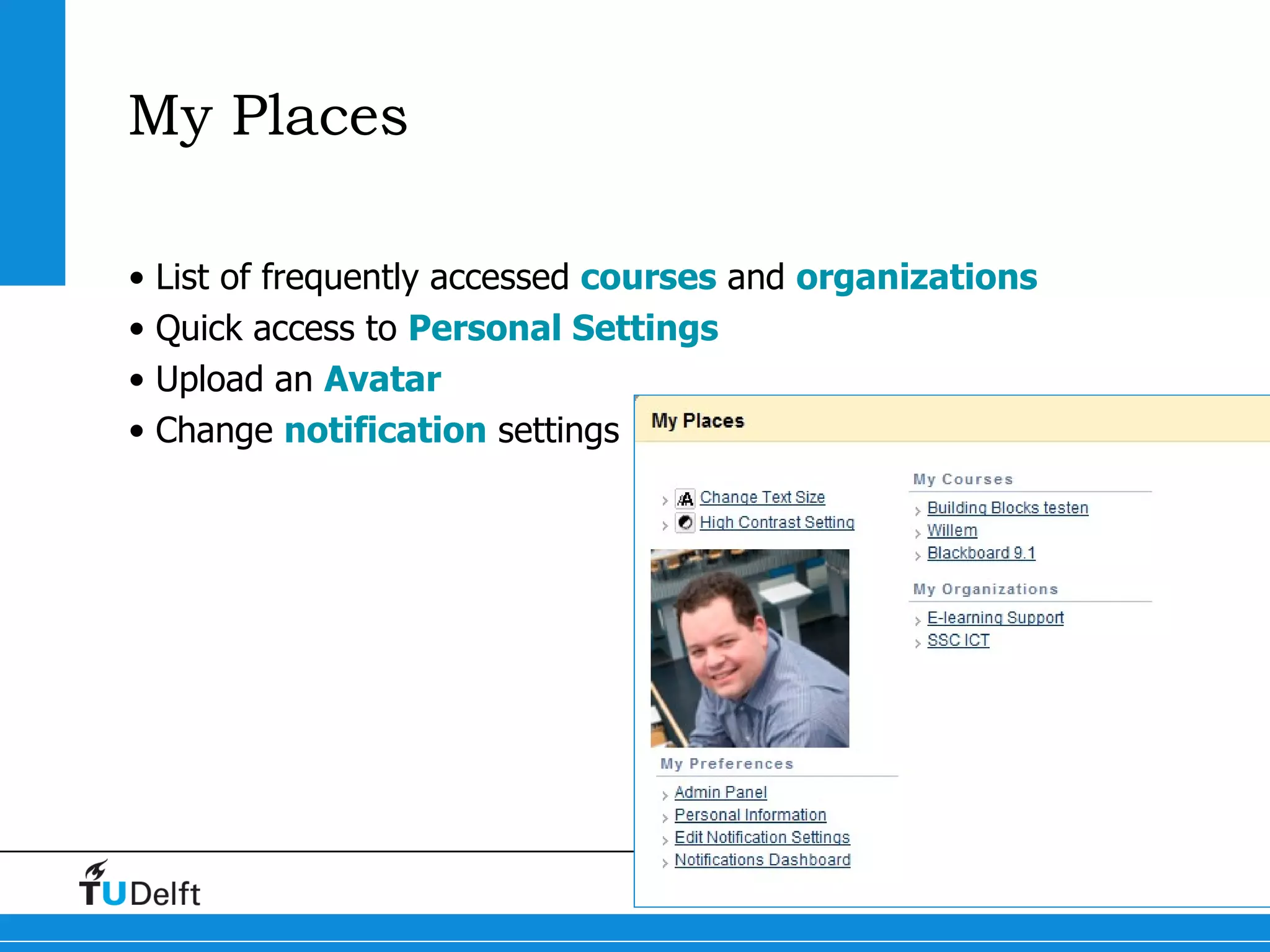
My Places List of frequently accessed  courses  and  organizations Quick access to  Personal Settings Upload an  Avatar Change  notification  settings
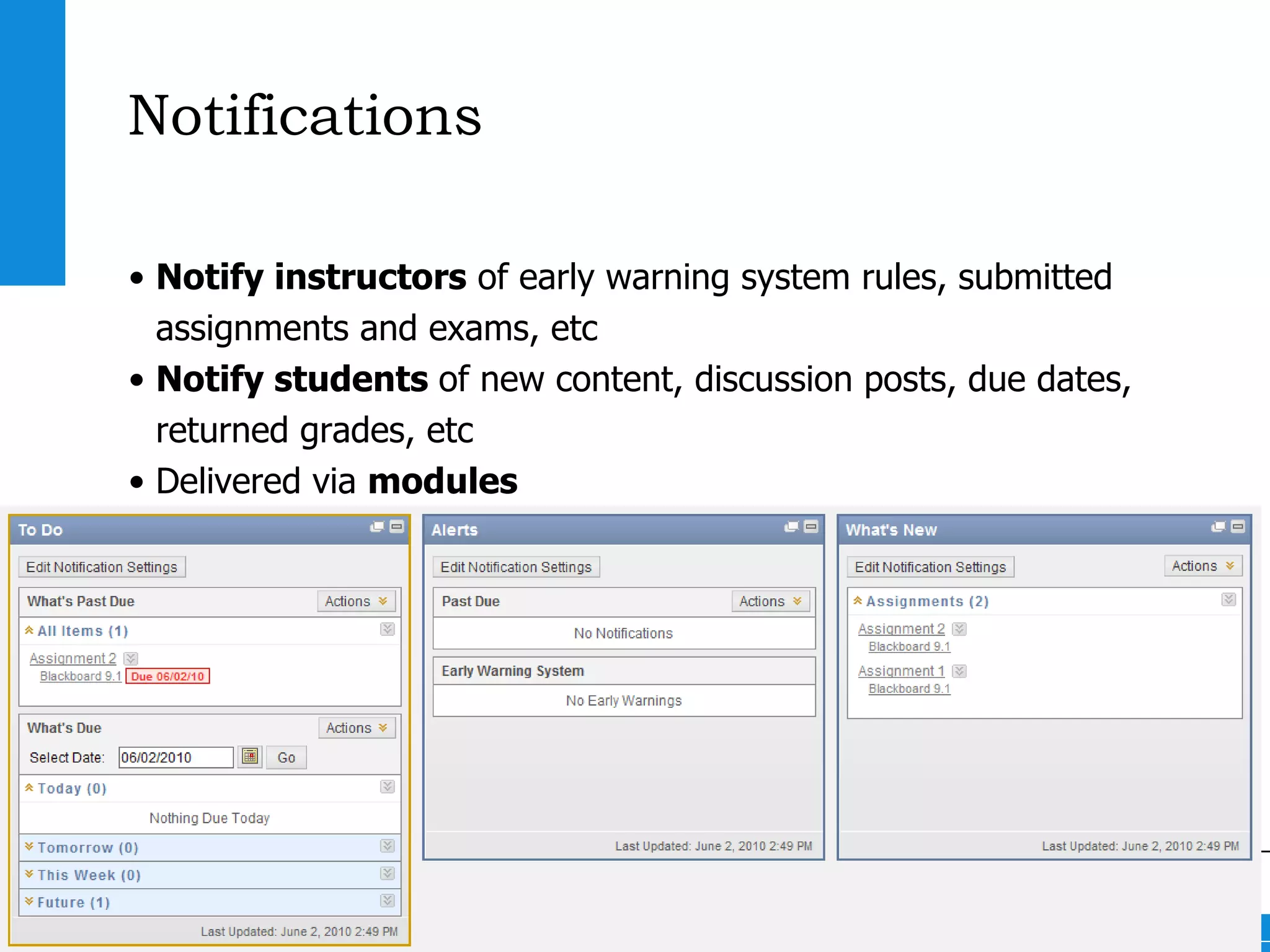
Notifications Notify instructors  of early warning system rules, submitted assignments and exams, etc Notify students  of new content, discussion posts, due dates, returned grades, etc Delivered via  modules Delivered via  e-mail , individually or as a digest
Within a course Module page Weblogs and Journals  Wikis Direct access to Control Panel
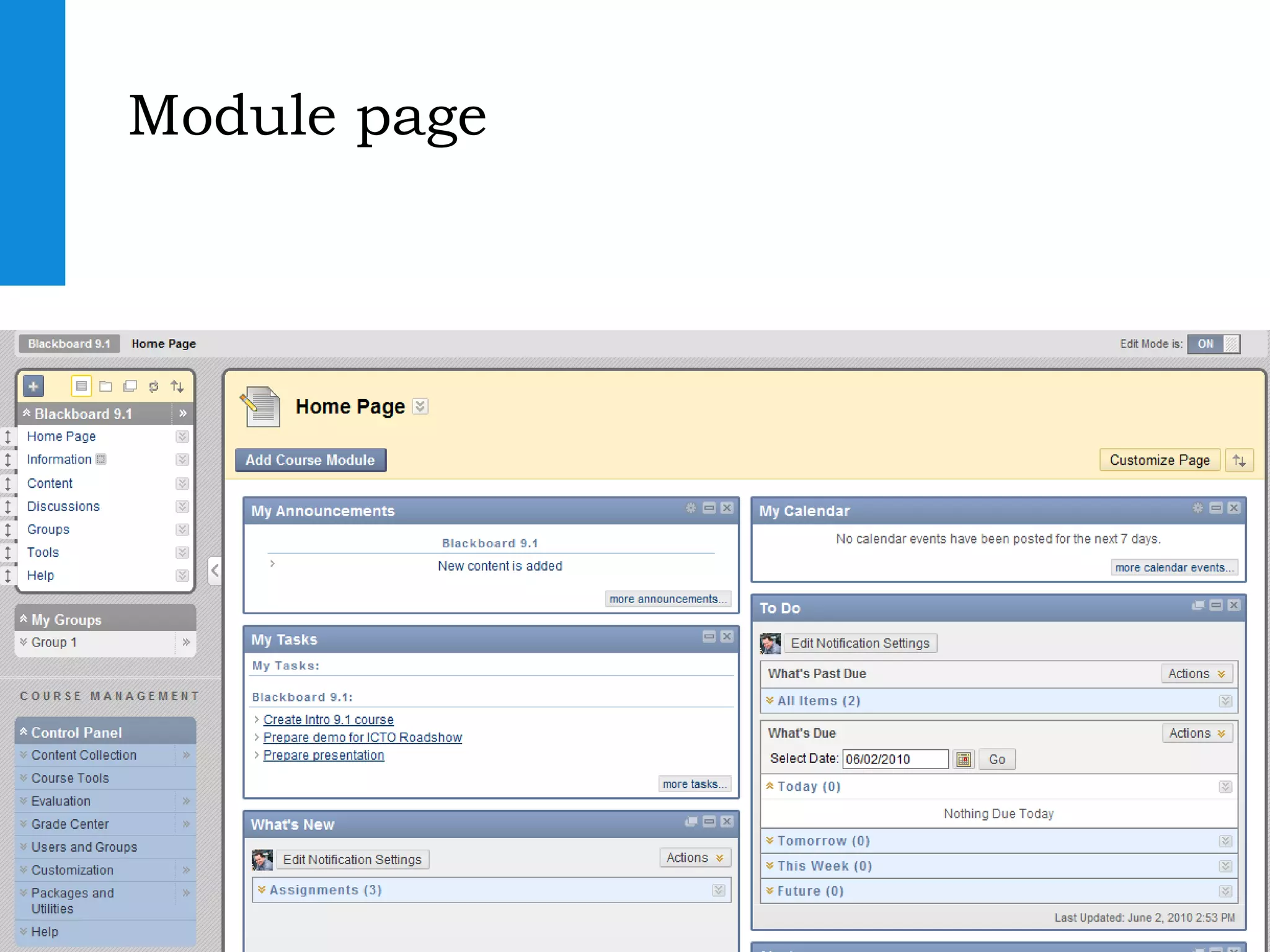
Module page
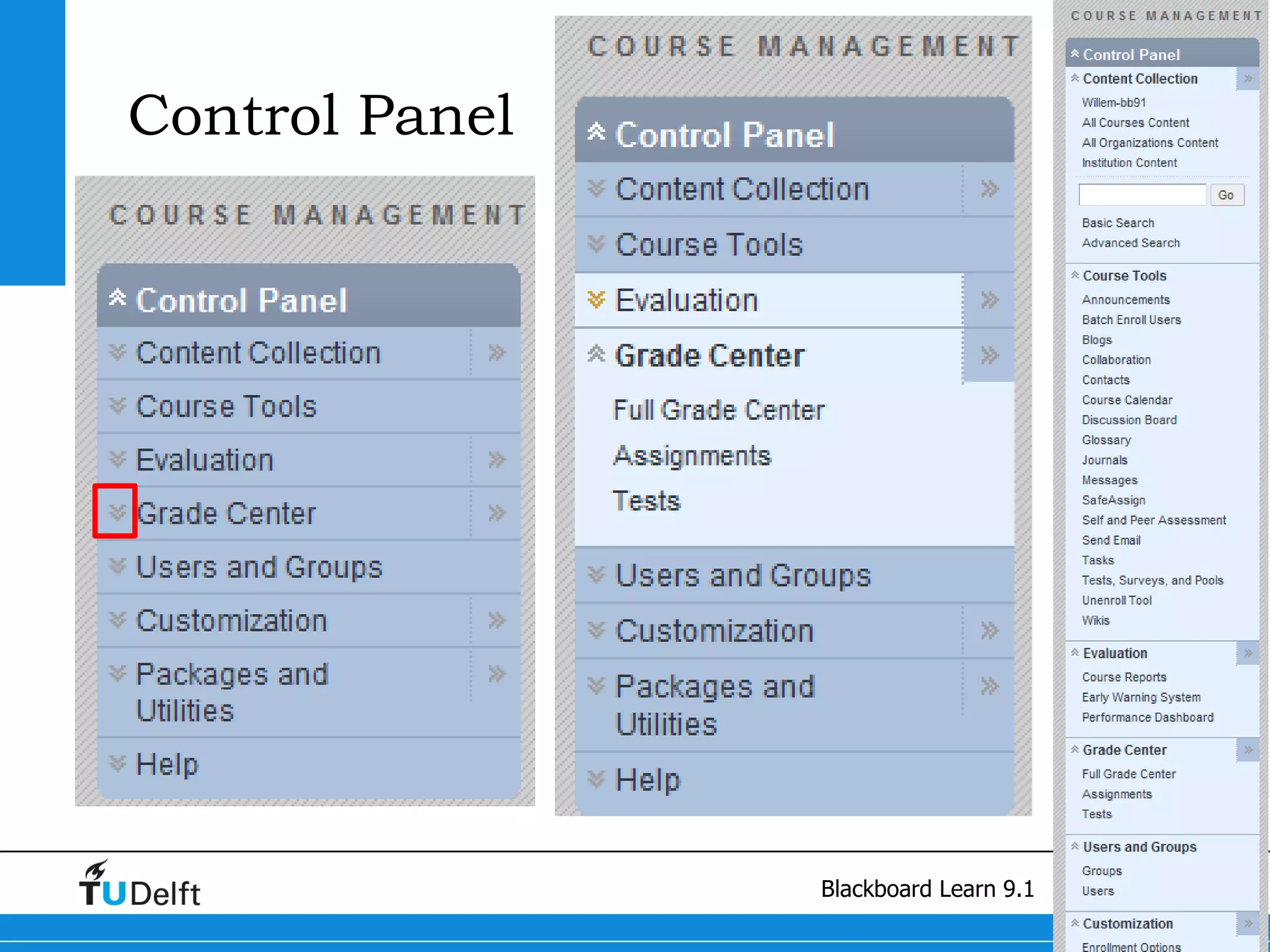
Control Panel
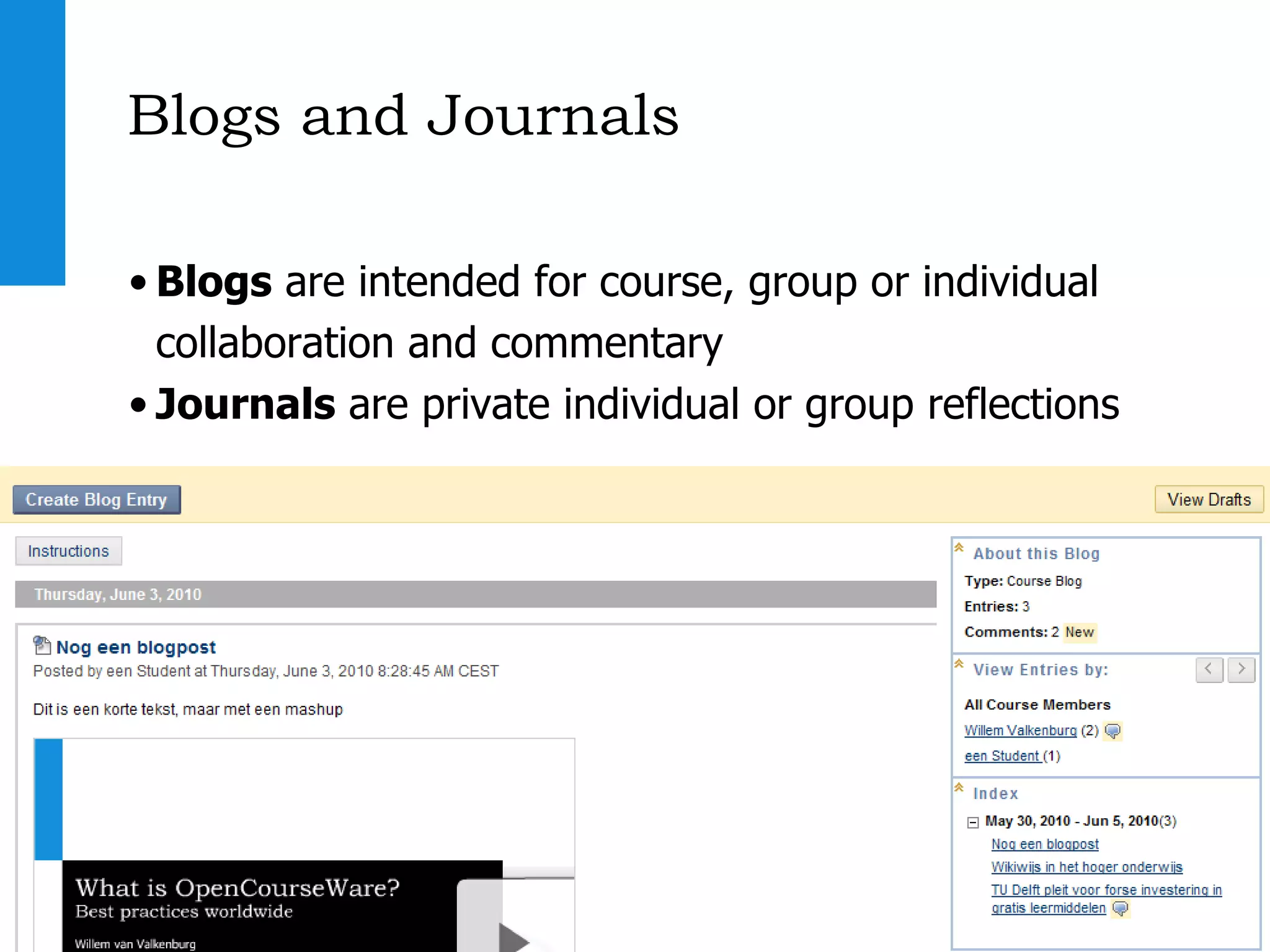
Blogs and Journals Blogs  are intended for course, group or individual collaboration and commentary Journals  are private individual or group reflections
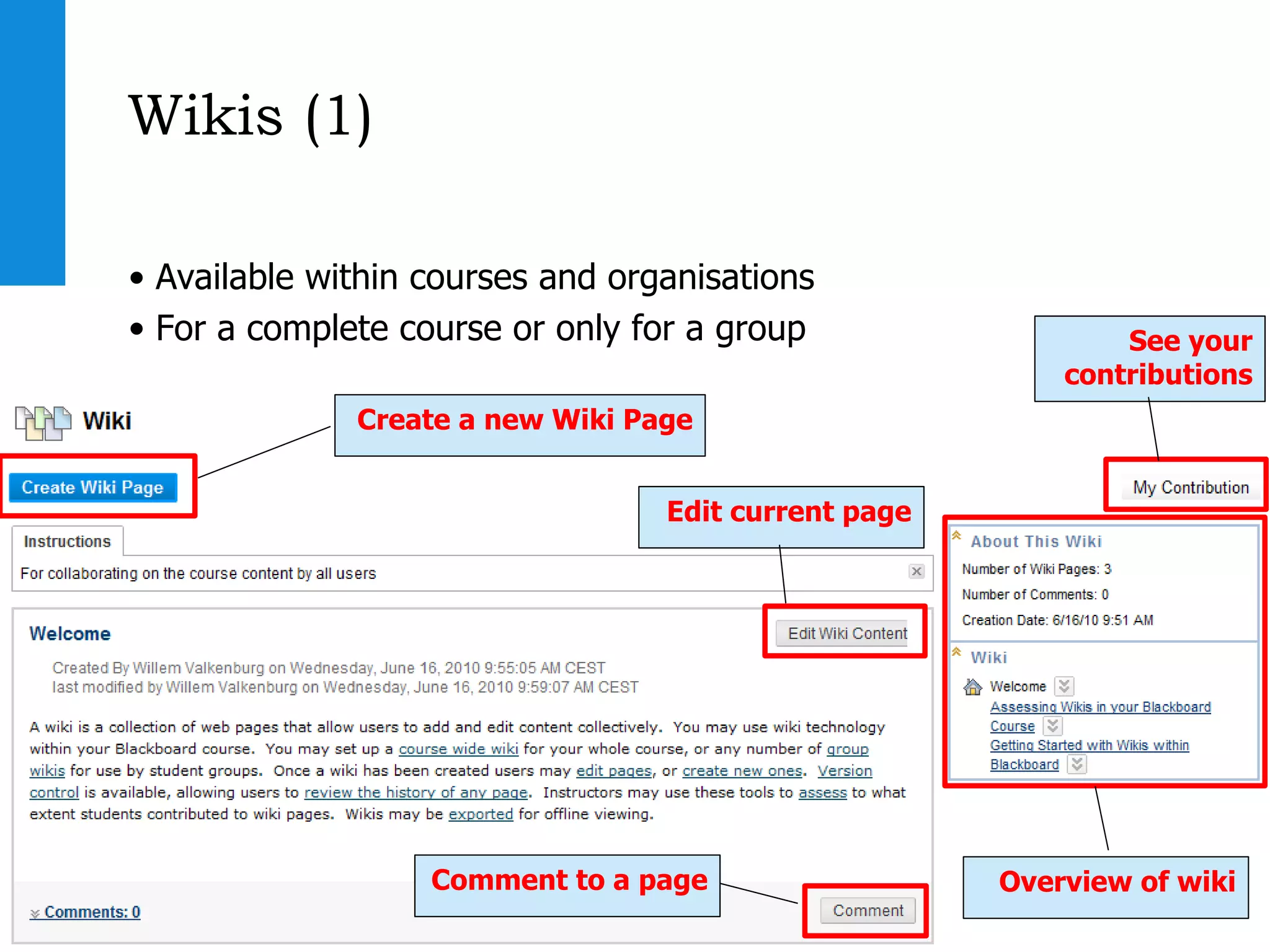
Wikis (1) Available within courses and organisations For a complete course or only for a group Create a new Wiki Page Edit current page Comment to a page See your contributions Overview of wiki
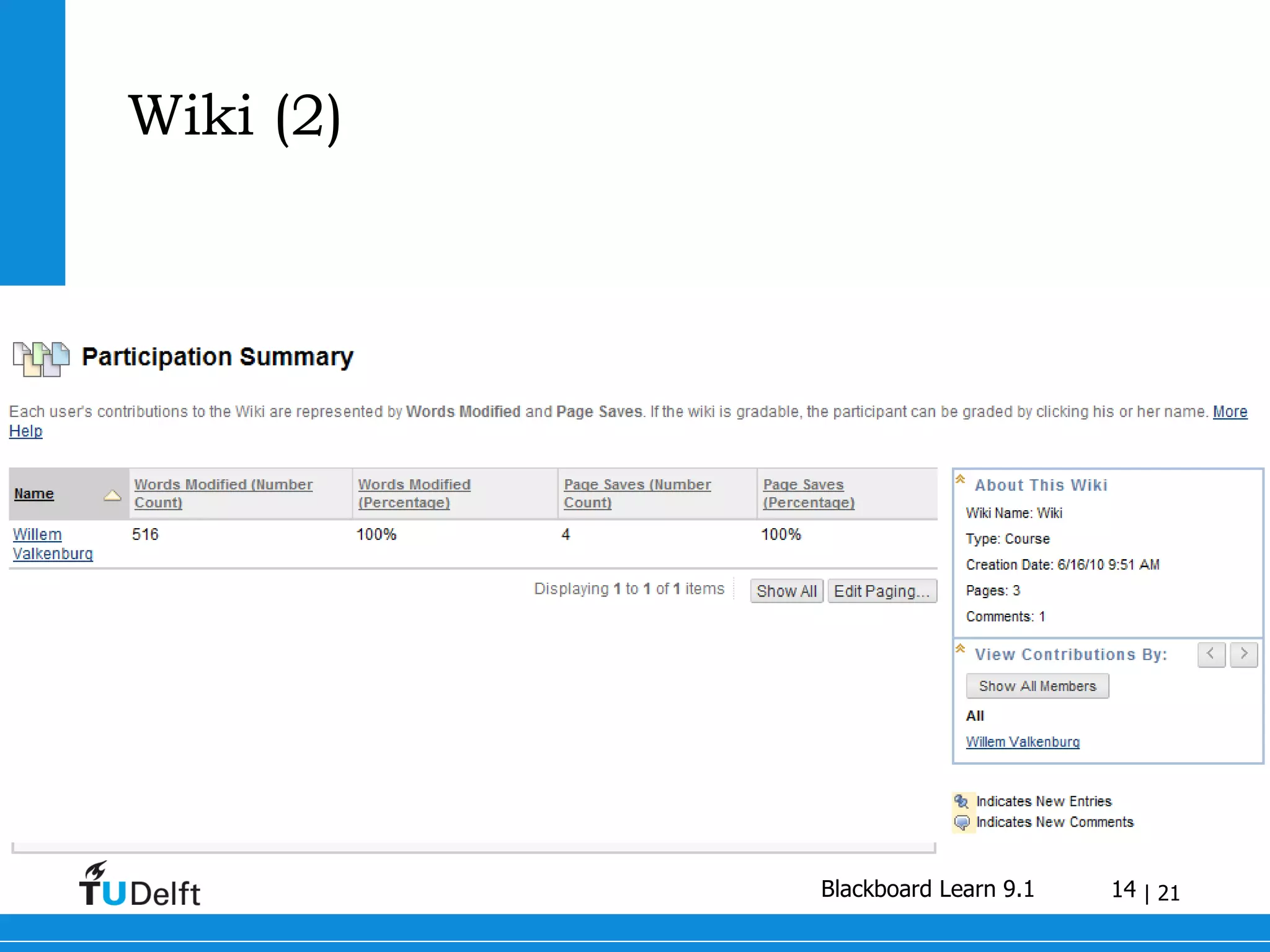
Wiki (2)
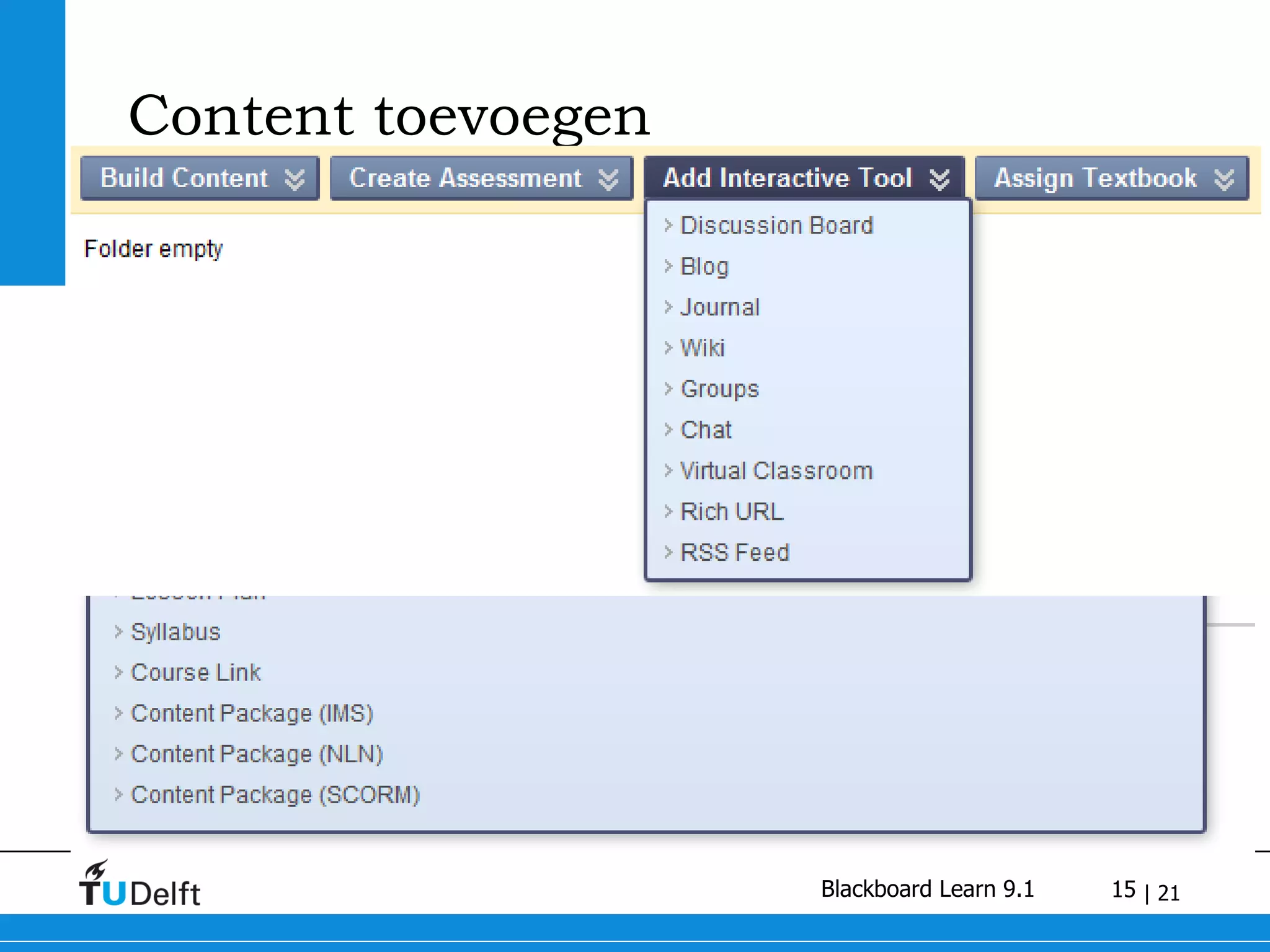
Content toevoegen
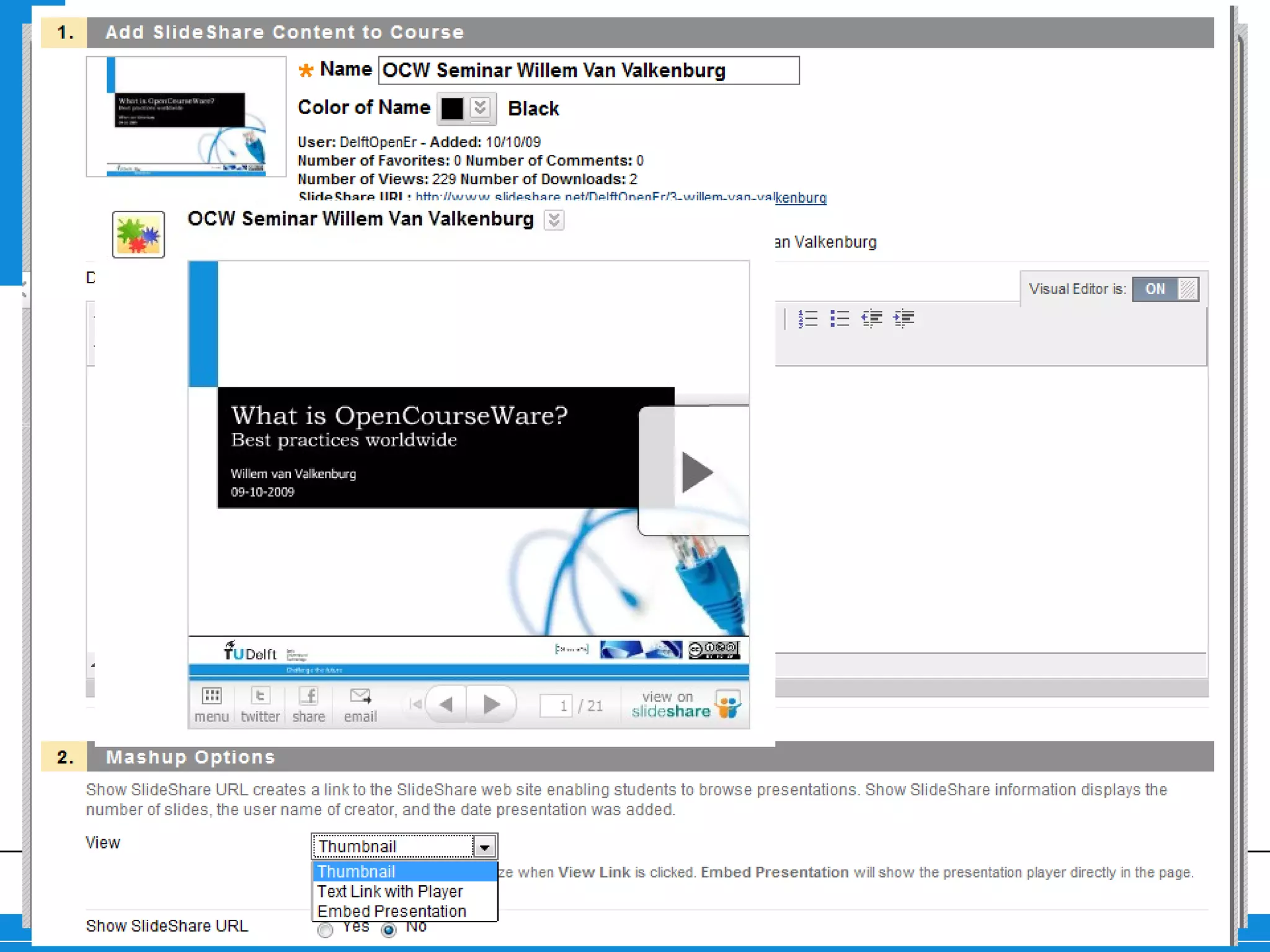
Mashups Add external content Photo’s from Flickr.com Video’s from Youtube Presentations from Slideshare
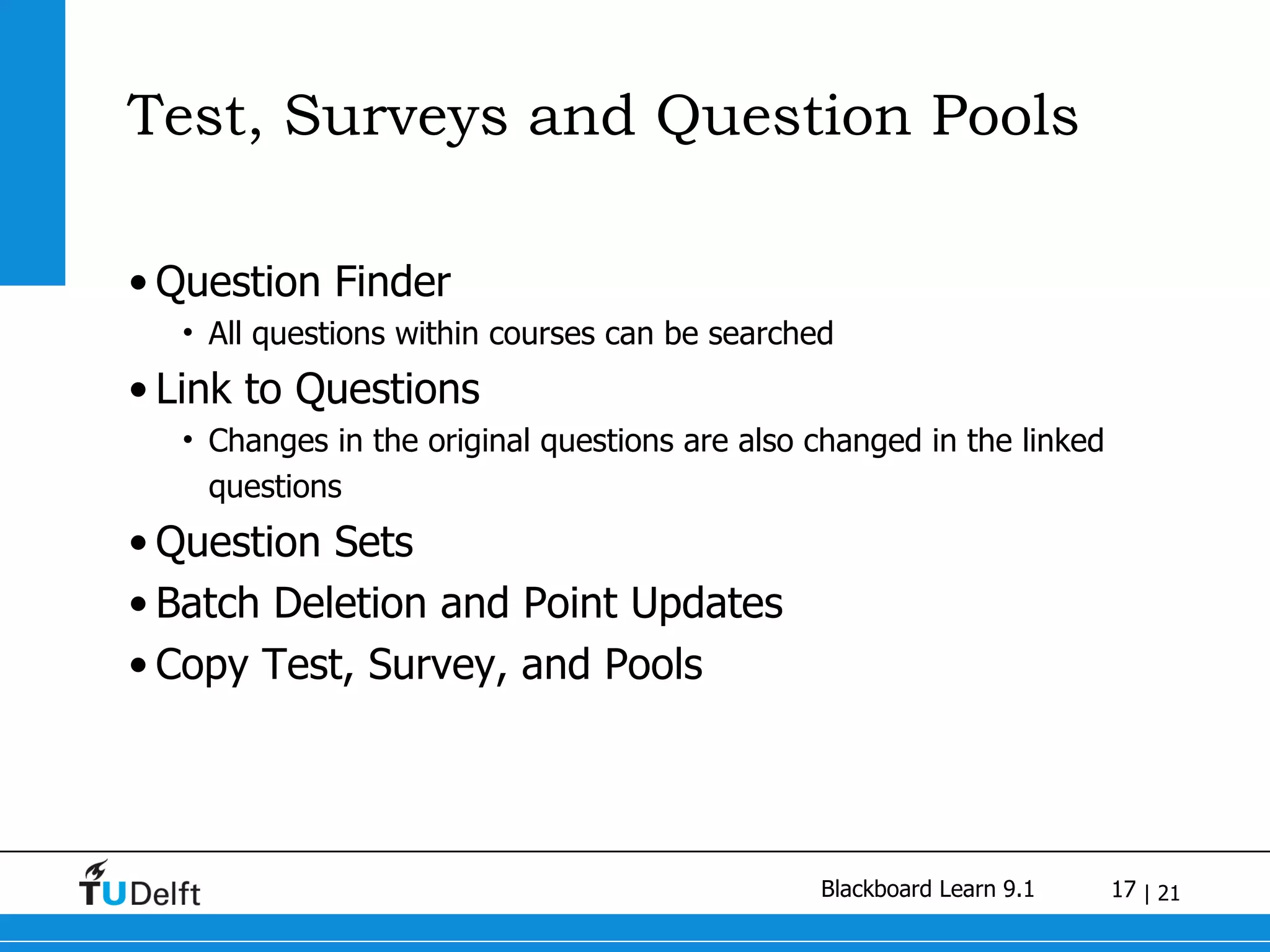
Test, Surveys and Question Pools Question Finder All questions within courses can be searched Link to Questions Changes in the original questions are also changed in the linked questions Question Sets Batch Deletion and Point Updates Copy Test, Survey, and Pools
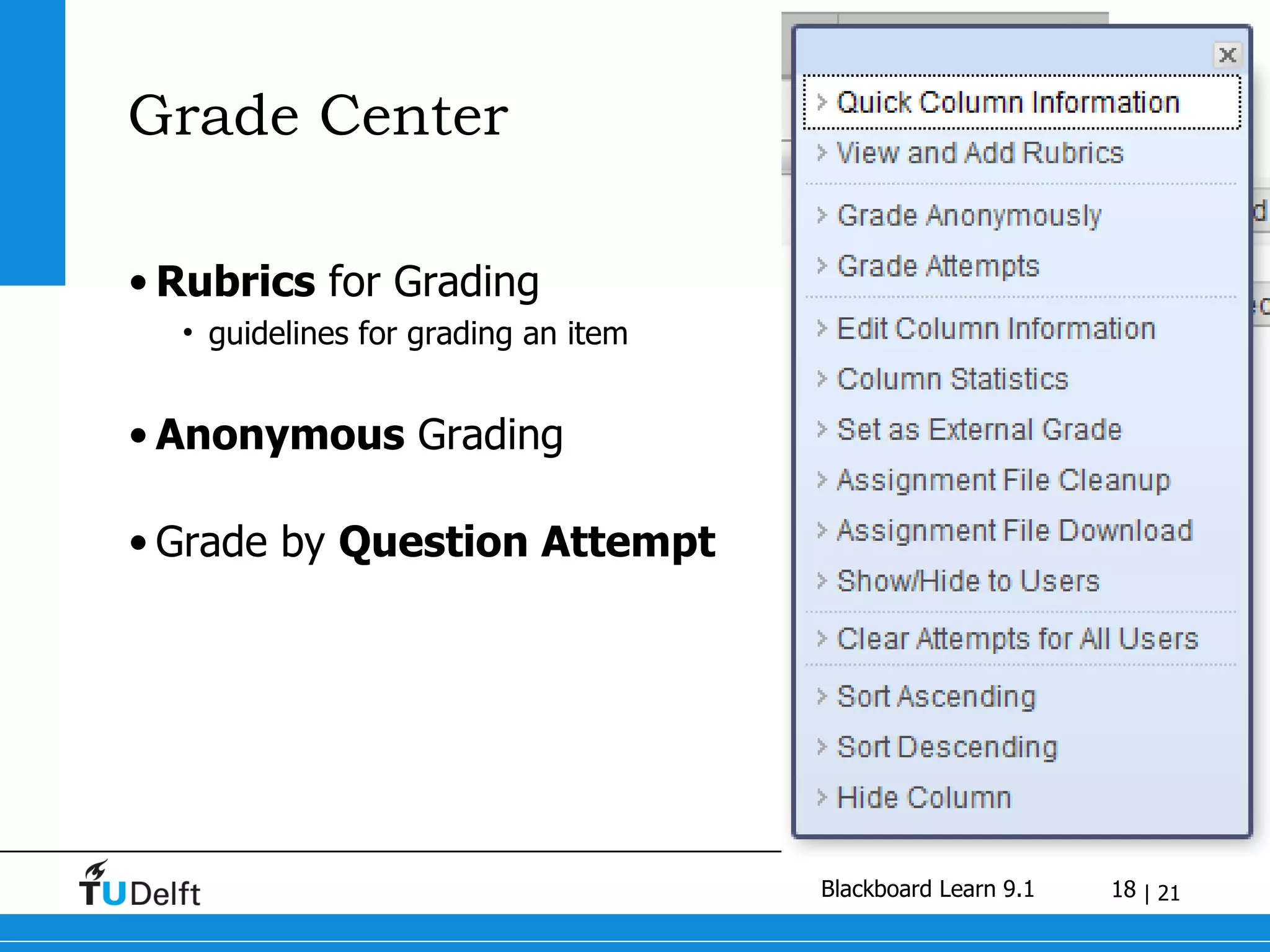
Grade Center Rubrics  for Grading  guidelines for grading an item Anonymous  Grading Grade by  Question Attempt
Blackboard unavailable  on 19 th  and 20 th  of July
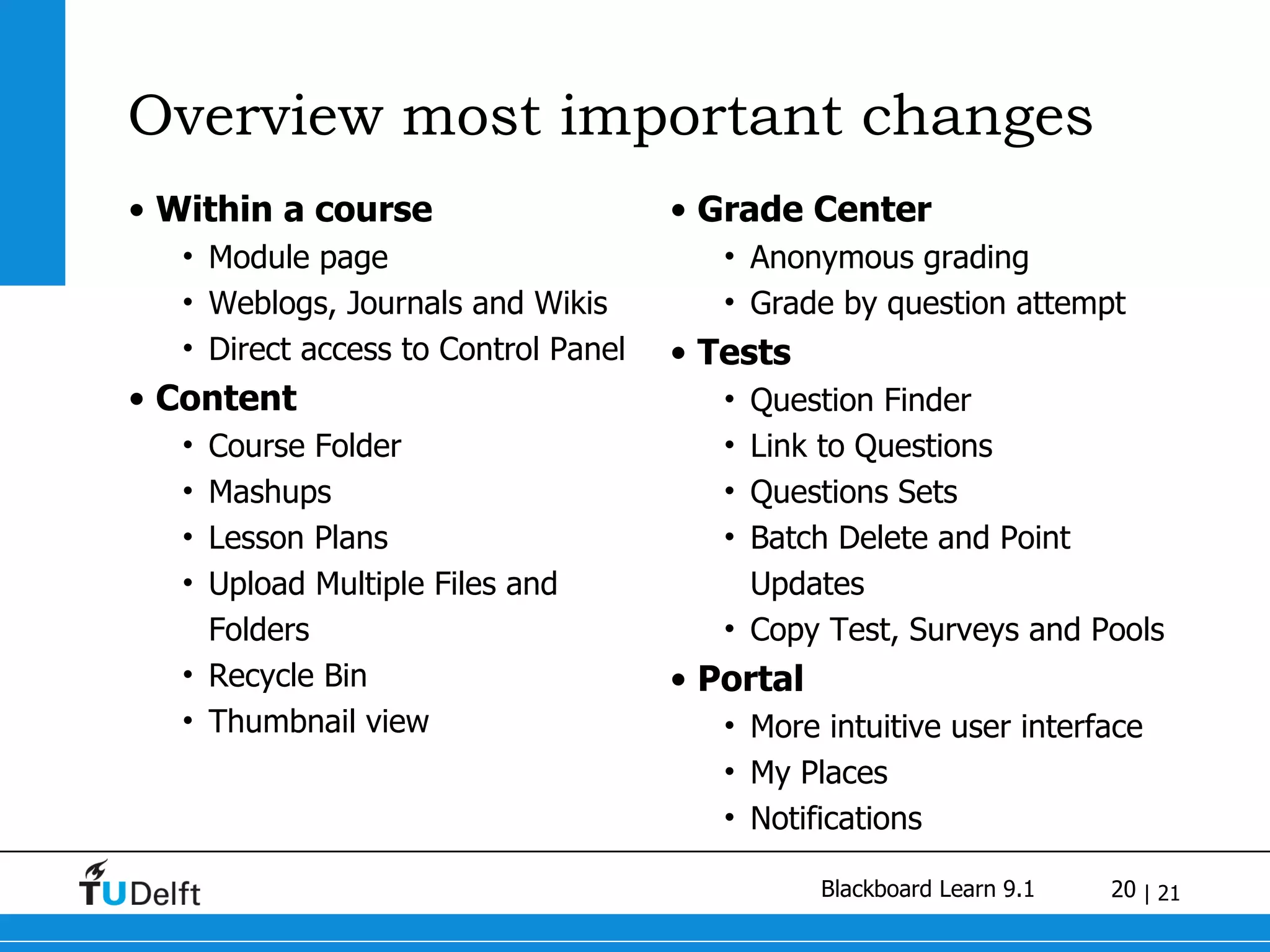
Overview most important changes Within a course Module page Weblogs, Journals and Wikis Direct access to Control Panel Content Course Folder Mashups Lesson Plans Upload Multiple Files and Folders Recycle Bin Thumbnail view Grade Center  Anonymous grading Grade by question attempt Tests Question Finder Link to Questions Questions Sets Batch Delete and Point Updates Copy Test, Surveys and Pools Portal More intuitive user interface My Places Notifications
ir. W.F. van Valkenburg www.e-learn.nl twitter.com/wfvanvalkenburg slideshare.net/wfvanvalkenburg

20100617 Intro to Blackboard Learn 9.1

  • 1.
    Blackboard 9.1 Changesin the New Blackboard Willem van Valkenburg
  • 2.
    Who am I?e-learning consultant for the Shared Service Centre ICT of Delft University of Technology Projects I’m working on: Blackboard (project leader) Social Software (weblogs, wikis, twitter) OpenCourseWare TU Delft Mobile Chairman of the Dutch Blackboard Usergroup (NLBBUG) Blog on www.e-learn.nl Twitter on twitter.com/wfvanvalkenburg
  • 3.
    Blackboard Learn 9.1Fostering Student Engagement Release 9.1 features exciting new social learning and teaching tools that foster more logical, visually impactful, and active learn ing opportunities for students. You'll transform your closed-door classrooms into communities where students remain connected to their educational experience 24 hours a day . Supporting Educator Efficiency Our new instructional productivity tools give your faculty the freedom to focus on teaching and learning techniques. By continually improving the course workflow , you'll enable educators to spend less time on administrative details and more time on student success , achievement , and retention .
  • 4.
    Blackboard Learn 9.1Fostering Student Engagement Promote active collaboration and social learning Engage students with a new user interface Integrate visually engaging content Increase accessibility Supporting Educator Efficiency Manage content at the course level Grade in context with more options Create assessments in less time Provide intuitive online structure Monitor Activity and Progress
  • 5.
    New interface Improved accesibility Embedded help Inline add, edit, remove, drag and drop
  • 6.
    Contextual Editing Fewerclicks More intuitive
  • 7.
    My Places Listof frequently accessed courses and organizations Quick access to Personal Settings Upload an Avatar Change notification settings
  • 8.
    Notifications Notify instructors of early warning system rules, submitted assignments and exams, etc Notify students of new content, discussion posts, due dates, returned grades, etc Delivered via modules Delivered via e-mail , individually or as a digest
  • 9.
    Within a courseModule page Weblogs and Journals Wikis Direct access to Control Panel
  • 10.
  • 11.
  • 12.
    Blogs and JournalsBlogs are intended for course, group or individual collaboration and commentary Journals are private individual or group reflections
  • 13.
    Wikis (1) Availablewithin courses and organisations For a complete course or only for a group Create a new Wiki Page Edit current page Comment to a page See your contributions Overview of wiki
  • 14.
  • 15.
  • 16.
    Mashups Add externalcontent Photo’s from Flickr.com Video’s from Youtube Presentations from Slideshare
  • 17.
    Test, Surveys andQuestion Pools Question Finder All questions within courses can be searched Link to Questions Changes in the original questions are also changed in the linked questions Question Sets Batch Deletion and Point Updates Copy Test, Survey, and Pools
  • 18.
    Grade Center Rubrics for Grading guidelines for grading an item Anonymous Grading Grade by Question Attempt
  • 19.
    Blackboard unavailable on 19 th and 20 th of July
  • 20.
    Overview most importantchanges Within a course Module page Weblogs, Journals and Wikis Direct access to Control Panel Content Course Folder Mashups Lesson Plans Upload Multiple Files and Folders Recycle Bin Thumbnail view Grade Center Anonymous grading Grade by question attempt Tests Question Finder Link to Questions Questions Sets Batch Delete and Point Updates Copy Test, Surveys and Pools Portal More intuitive user interface My Places Notifications
  • 21.
    ir. W.F. vanValkenburg www.e-learn.nl twitter.com/wfvanvalkenburg slideshare.net/wfvanvalkenburg