Schoology vs. Edmodo
The Ultimate Showdown
                   Michelle Cowell
             Technology Consultant
                  Grant Wood AEA
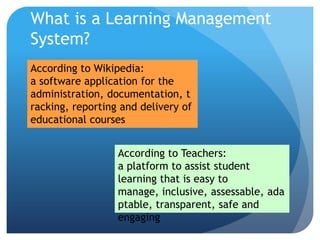
What is a Learning Management
System?
According to Wikipedia:
a software application for the
administration, documentation, t
racking, reporting and delivery of
educational courses


                  According to Teachers:
                  a platform to assist student
                  learning that is easy to
                  manage, inclusive, assessable, ada
                  ptable, transparent, safe and
                  engaging
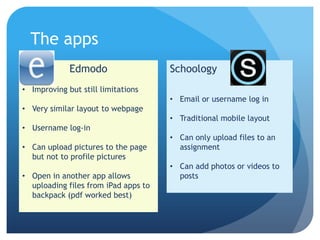
The apps
             Edmodo                   Schoology
• Improving but still limitations
                                      • Email or username log in
• Very similar layout to webpage
                                      • Traditional mobile layout
• Username log-in
                                      • Can only upload files to an
• Can upload pictures to the page       assignment
  but not to profile pictures
                                      • Can add photos or videos to
• Open in another app allows            posts
  uploading files from iPad apps to
  backpack (pdf worked best)
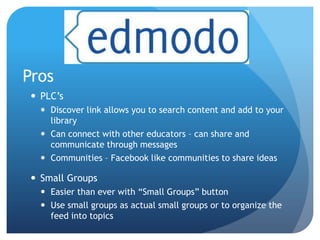
Pros
  PLC’s
    Discover link allows you to search content and add to your
     library
    Can connect with other educators – can share and
     communicate through messages
    Communities – Facebook like communities to share ideas

  Small Groups
    Easier than ever with “Small Groups” button
    Use small groups as actual small groups or to organize the
     feed into topics
Pros
  Reward Badges!!
    Can use premade Edmodo badges or create your own

  Learning profiles

  Site layout – Very user friendly

  No email account necessary

  Analytics and management options available through
   free district account
Cons
  Students have parent access code

  No attendance

  Parents are observers of student’s interactions – no
   direct communication

  Quiz and assignment options are limited

  Facebook-like layout
Pros
 Discussion feature!
   Nested replies
   Share with another course

 Settings for Tests & Quizes
   Set time limits
   Allow multiple attempts

 App Center

 Groups
Cons
 District level (Enterprise) package isn’t free

 Can create Schoology groups but not small groups within
  courses

 Long student access codes

 Trickier navigation and takes more time to learn
And the Winner is…

Edmodo vs schoology

  • 1.
    Schoology vs. Edmodo TheUltimate Showdown Michelle Cowell Technology Consultant Grant Wood AEA
  • 2.
    What is aLearning Management System? According to Wikipedia: a software application for the administration, documentation, t racking, reporting and delivery of educational courses According to Teachers: a platform to assist student learning that is easy to manage, inclusive, assessable, ada ptable, transparent, safe and engaging
  • 4.
    The apps Edmodo Schoology • Improving but still limitations • Email or username log in • Very similar layout to webpage • Traditional mobile layout • Username log-in • Can only upload files to an • Can upload pictures to the page assignment but not to profile pictures • Can add photos or videos to • Open in another app allows posts uploading files from iPad apps to backpack (pdf worked best)
  • 5.
    Pros  PLC’s  Discover link allows you to search content and add to your library  Can connect with other educators – can share and communicate through messages  Communities – Facebook like communities to share ideas  Small Groups  Easier than ever with “Small Groups” button  Use small groups as actual small groups or to organize the feed into topics
  • 6.
    Pros  RewardBadges!!  Can use premade Edmodo badges or create your own  Learning profiles  Site layout – Very user friendly  No email account necessary  Analytics and management options available through free district account
  • 7.
    Cons  Studentshave parent access code  No attendance  Parents are observers of student’s interactions – no direct communication  Quiz and assignment options are limited  Facebook-like layout
  • 8.
    Pros  Discussion feature!  Nested replies  Share with another course  Settings for Tests & Quizes  Set time limits  Allow multiple attempts  App Center  Groups
  • 9.
    Cons  District level(Enterprise) package isn’t free  Can create Schoology groups but not small groups within courses  Long student access codes  Trickier navigation and takes more time to learn
  • 10.