A formative experience of people with disabilities (down sindrome) through TIC Josetxu Aguirre A distance on-line learning experience for students from different universities  Ángeles Gutiérrez Computer supported collaborative learning to help presential teaching Melchor Gómez
Virtual Learnin Environment (VLE) to help presential teaching http://cursos.dte.uam.es
Project At the request of teachers, few subjects are supported by an Virtual Learning Environment (VLE) We use a virtual learning environment that helps presential teaching (NOT distance education)
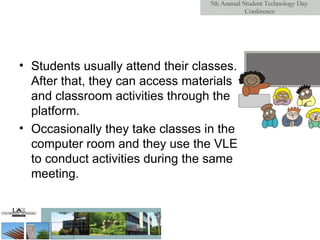
Students usually attend their classes. After that, they can access materials and classroom activities through the platform.  Occasionally they take classes in the computer room and they use the VLE to conduct activities during the same meeting.
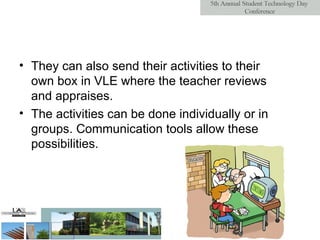
They can also send their activities to their own box in VLE where the teacher reviews and appraises.  The activities can be done individually or in groups. Communication tools allow these possibilities.
Virtual Learnin Environment We use a course management system:  A free, Open Source software package designed using pedagogical principles.  http :// cursos.dte.uam.es
Collaborative Learning Moodle is not just about text, images and links. There is a  philosophy  that presumes that  learning is particularly effective when constructing something for others to experience .  Moodle was born with collaboration in mind
Active learning We encourage our students to experience Moodle not as a book that has been posted to the Web, but rather as an active learning system
Teacher role Our job as a 'teacher' can change from being 'the source of knowledge' to being an influencer and role model of class culture Teacher addresses student learning needs, and moderate discussions and activities in a way that collectively leads students towards the learning goals of the class.
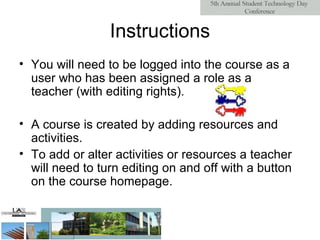
Instructions You will need to be logged into the course as a user who has been assigned a role as a teacher (with editing rights). A course is created by adding resources and activities. To add or alter activities or resources a teacher will need to turn editing on and off with a button on the course homepage.
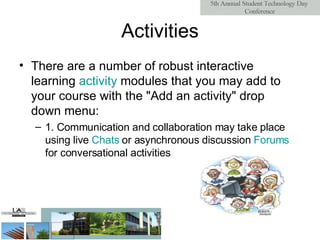
Activities There are a number of robust interactive learning  activity  modules  that you may add to your course with the "Add an activity" drop down menu: 1. Communication and collaboration may take place using live  Chats  or asynchronous discussion  Forums  for conversational activities
2. Adding  Wikis  to your courses is an excellent way to allow students to work together on a collaboratively-authored project. 3.  Glossaries  of keywords can be set up by the instructor, and can be configured to allow students to edit, add, or rate entries.  4. Online  Quizzes  offer several options for automatic and manual scoring
5. Work can be uploaded and submitted by students and scored by teachers using  Assignments  or  Workshops . Workshops have several assessment options: instructor-assessment, self-assessment, and even peer-assessment  6.  Lessons  and  SCORM  activities deliver content and offer ways of individualizing your presentation based upon a student's choices
Resources Moodle supports a range of different  resource   types  that allow you to include almost any kind of digital content into your courses. These can be added by using the  add  a  resource  dropdown box when editing is turned on.  1. A  Text   page  is a simple page written using plain text
2. If you are after more options for your new page then you should be thinking about adding a  Web  page   3. If the resource already exist in electronic form, you may  link  to   an   uploaded  file  or   external   website   4. If you have an  IMS  content   package  then this can be easily added to your course.
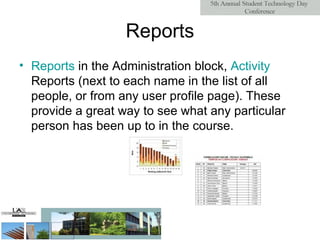
Reports Reports  in the Administration block,  Activity   Reports  (next to each name in the list of all people, or from any user profile page). These provide a great way to see what any particular person has been up to in the course.
Benefits Motivates and engages students Supports self-directed learning Promotes collaborative learning Helps students organise better Provides one-to-one support for students Embeds the use of ICT in subject teaching Breaks down barriers to learning (time, space)
Thanks for your attention…

Detroit

  • 1.
    A formative experienceof people with disabilities (down sindrome) through TIC Josetxu Aguirre A distance on-line learning experience for students from different universities Ángeles Gutiérrez Computer supported collaborative learning to help presential teaching Melchor Gómez
  • 2.
    Virtual Learnin Environment(VLE) to help presential teaching http://cursos.dte.uam.es
  • 3.
    Project At therequest of teachers, few subjects are supported by an Virtual Learning Environment (VLE) We use a virtual learning environment that helps presential teaching (NOT distance education)
  • 4.
    Students usually attendtheir classes. After that, they can access materials and classroom activities through the platform. Occasionally they take classes in the computer room and they use the VLE to conduct activities during the same meeting.
  • 5.
    They can alsosend their activities to their own box in VLE where the teacher reviews and appraises. The activities can be done individually or in groups. Communication tools allow these possibilities.
  • 6.
    Virtual Learnin EnvironmentWe use a course management system: A free, Open Source software package designed using pedagogical principles. http :// cursos.dte.uam.es
  • 7.
    Collaborative Learning Moodleis not just about text, images and links. There is a philosophy that presumes that learning is particularly effective when constructing something for others to experience . Moodle was born with collaboration in mind
  • 8.
    Active learning Weencourage our students to experience Moodle not as a book that has been posted to the Web, but rather as an active learning system
  • 9.
    Teacher role Ourjob as a 'teacher' can change from being 'the source of knowledge' to being an influencer and role model of class culture Teacher addresses student learning needs, and moderate discussions and activities in a way that collectively leads students towards the learning goals of the class.
  • 10.
    Instructions You willneed to be logged into the course as a user who has been assigned a role as a teacher (with editing rights). A course is created by adding resources and activities. To add or alter activities or resources a teacher will need to turn editing on and off with a button on the course homepage.
  • 11.
    Activities There area number of robust interactive learning activity modules that you may add to your course with the "Add an activity" drop down menu: 1. Communication and collaboration may take place using live Chats or asynchronous discussion Forums for conversational activities
  • 12.
    2. Adding Wikis to your courses is an excellent way to allow students to work together on a collaboratively-authored project. 3. Glossaries of keywords can be set up by the instructor, and can be configured to allow students to edit, add, or rate entries. 4. Online Quizzes offer several options for automatic and manual scoring
  • 13.
    5. Work canbe uploaded and submitted by students and scored by teachers using Assignments or Workshops . Workshops have several assessment options: instructor-assessment, self-assessment, and even peer-assessment 6. Lessons and SCORM activities deliver content and offer ways of individualizing your presentation based upon a student's choices
  • 14.
    Resources Moodle supportsa range of different resource types that allow you to include almost any kind of digital content into your courses. These can be added by using the add a resource dropdown box when editing is turned on. 1. A Text page is a simple page written using plain text
  • 15.
    2. If youare after more options for your new page then you should be thinking about adding a Web page 3. If the resource already exist in electronic form, you may link to an uploaded file or external website 4. If you have an IMS content package then this can be easily added to your course.
  • 16.
    Reports Reports in the Administration block, Activity Reports (next to each name in the list of all people, or from any user profile page). These provide a great way to see what any particular person has been up to in the course.
  • 17.
    Benefits Motivates andengages students Supports self-directed learning Promotes collaborative learning Helps students organise better Provides one-to-one support for students Embeds the use of ICT in subject teaching Breaks down barriers to learning (time, space)
  • 18.
    Thanks for yourattention…