Networking Devices
Introduction
• LANs do not normally operate in isolation but
  they are connected to one another or to the
  Internet.
• To connect LANs, connecting devices are
  needed and various connecting devices are
  such as bridge, switch, router, hub, repeater.
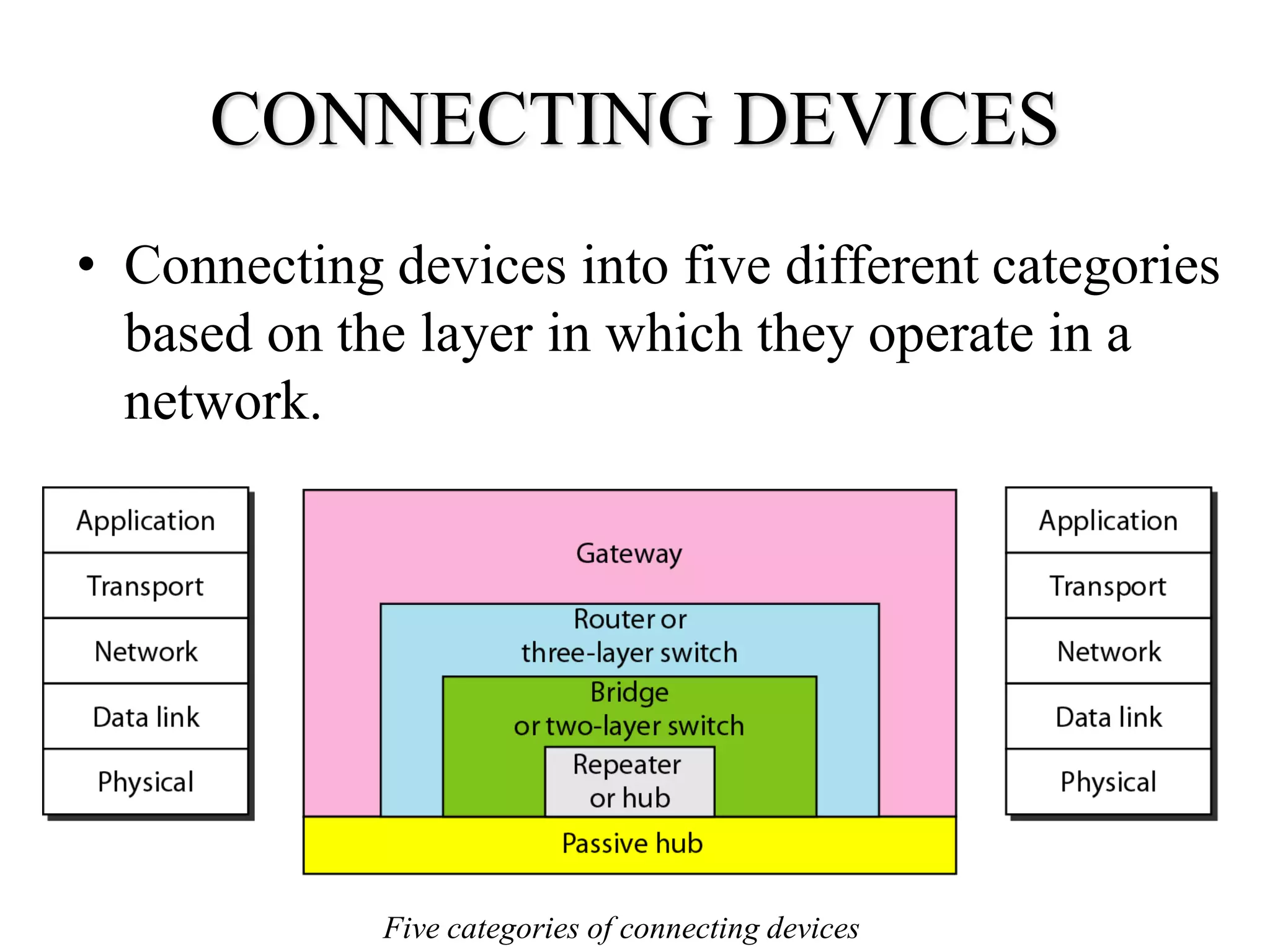
CONNECTING DEVICES
• Connecting devices into five different categories
  based on the layer in which they operate in a
  network.


             Five categories of connecting devices
Hubs
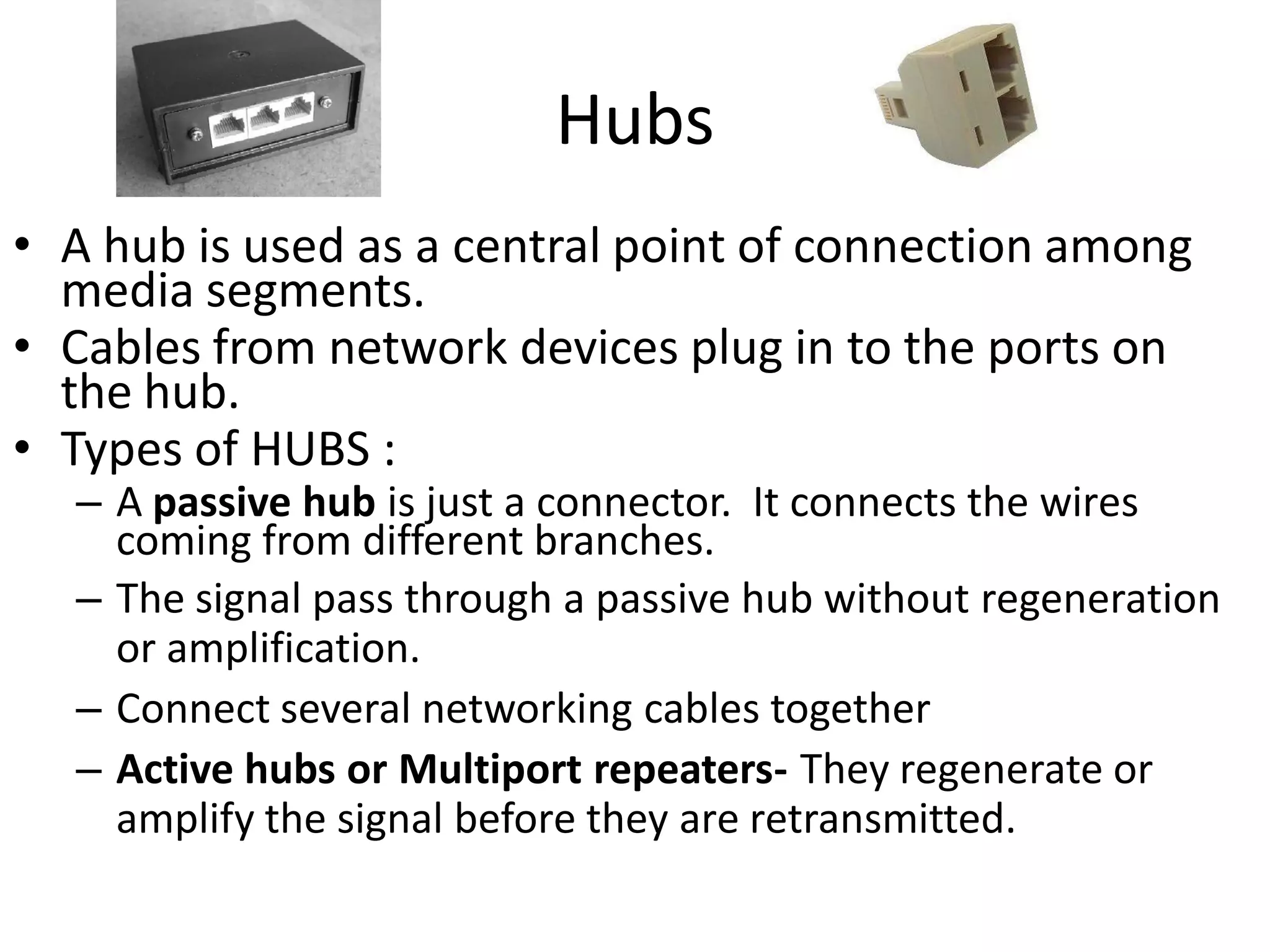
• A hub is used as a central point of connection among
  media segments.
• Cables from network devices plug in to the ports on
  the hub.
• Types of HUBS :
  – A passive hub is just a connector. It connects the wires
    coming from different branches.
  – The signal pass through a passive hub without regeneration
    or amplification.
  – Connect several networking cables together
  – Active hubs or Multiport repeaters- They regenerate or
    amplify the signal before they are retransmitted.
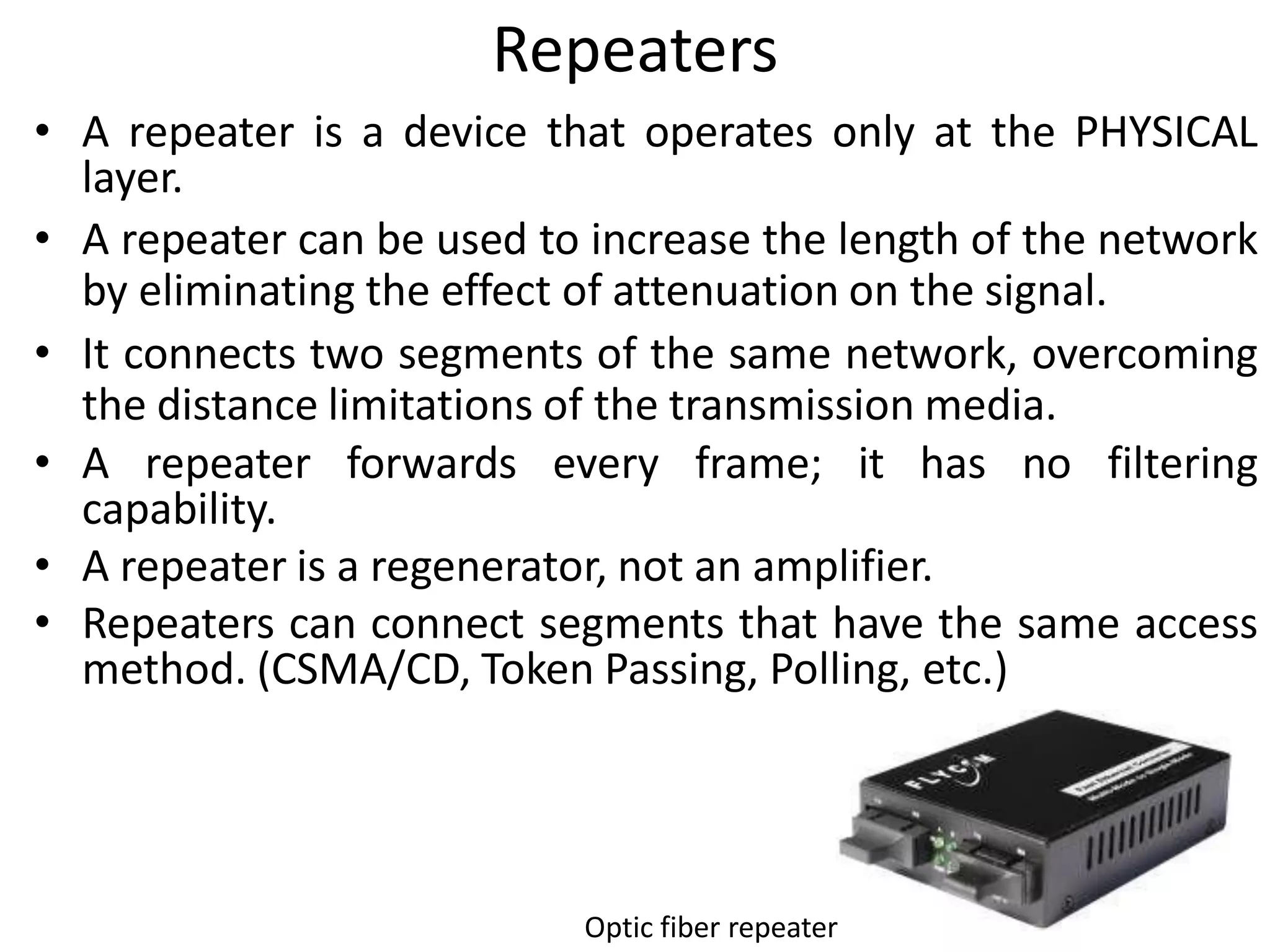
Repeaters
• A repeater is a device that operates only at the PHYSICAL
  layer.
• A repeater can be used to increase the length of the network
  by eliminating the effect of attenuation on the signal.
• It connects two segments of the same network, overcoming
  the distance limitations of the transmission media.
• A repeater forwards every frame; it has no filtering
  capability.
• A repeater is a regenerator, not an amplifier.
• Repeaters can connect segments that have the same access
  method. (CSMA/CD, Token Passing, Polling, etc.)


                           Optic fiber repeater
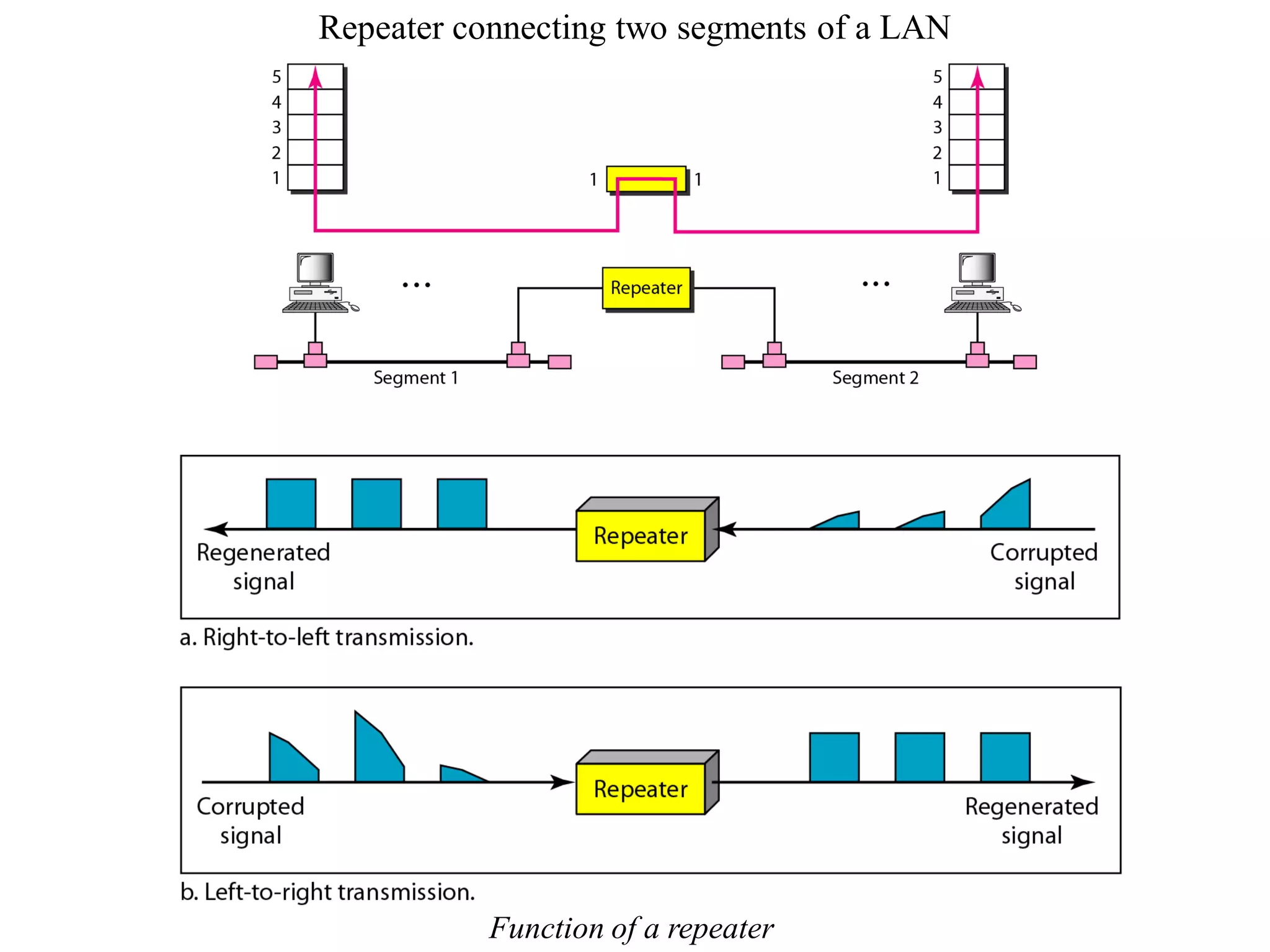
Repeater connecting two segments of a LAN


           Function of a repeater
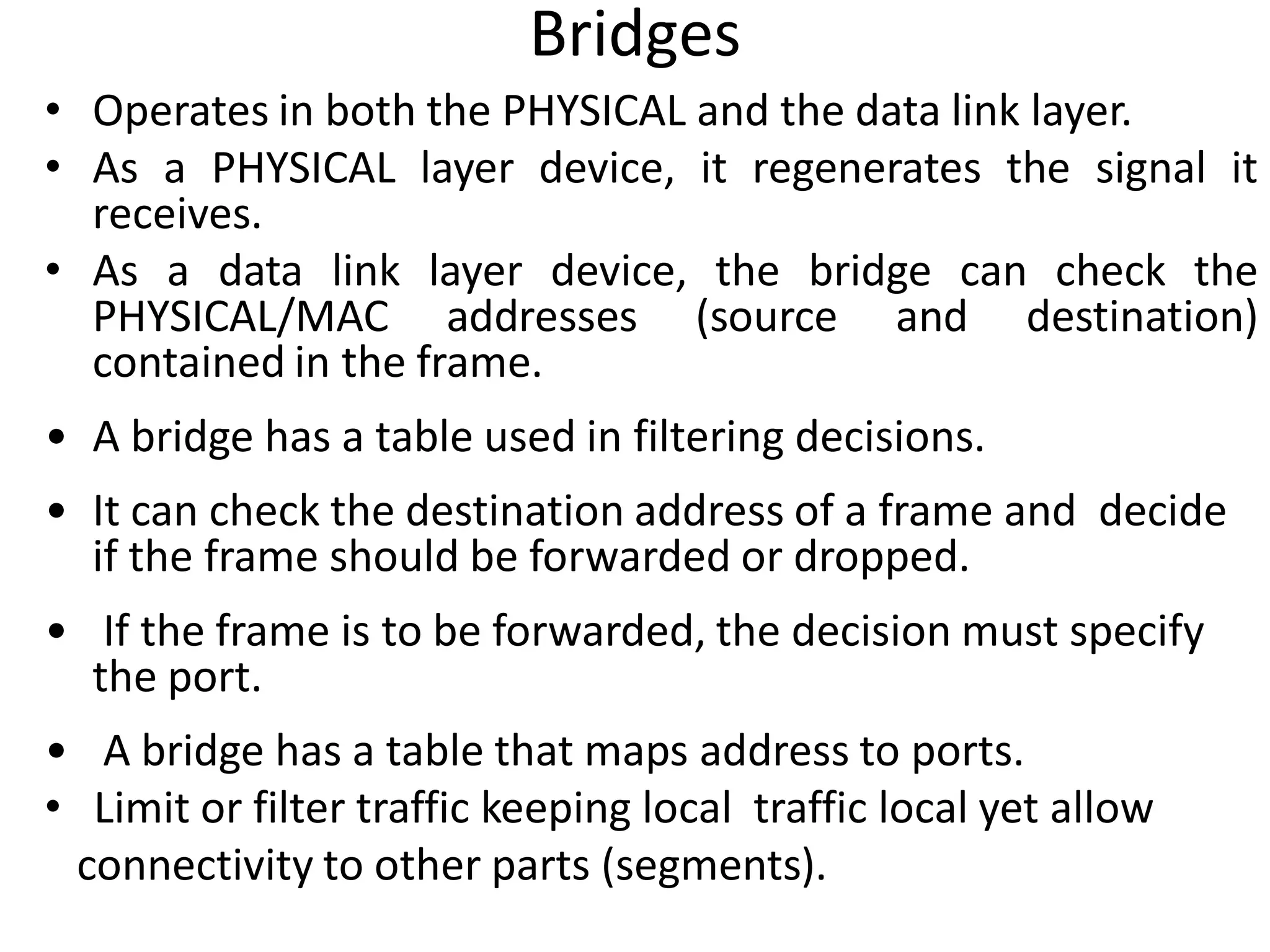
Bridges
• Operates in both the PHYSICAL and the data link layer.
• As a PHYSICAL layer device, it regenerates the signal it
  receives.
• As a data link layer device, the bridge can check the
  PHYSICAL/MAC addresses (source and destination)
  contained in the frame.
• A bridge has a table used in filtering decisions.
• It can check the destination address of a frame and decide
  if the frame should be forwarded or dropped.
• If the frame is to be forwarded, the decision must specify
  the port.
• A bridge has a table that maps address to ports.
• Limit or filter traffic keeping local traffic local yet allow
 connectivity to other parts (segments).
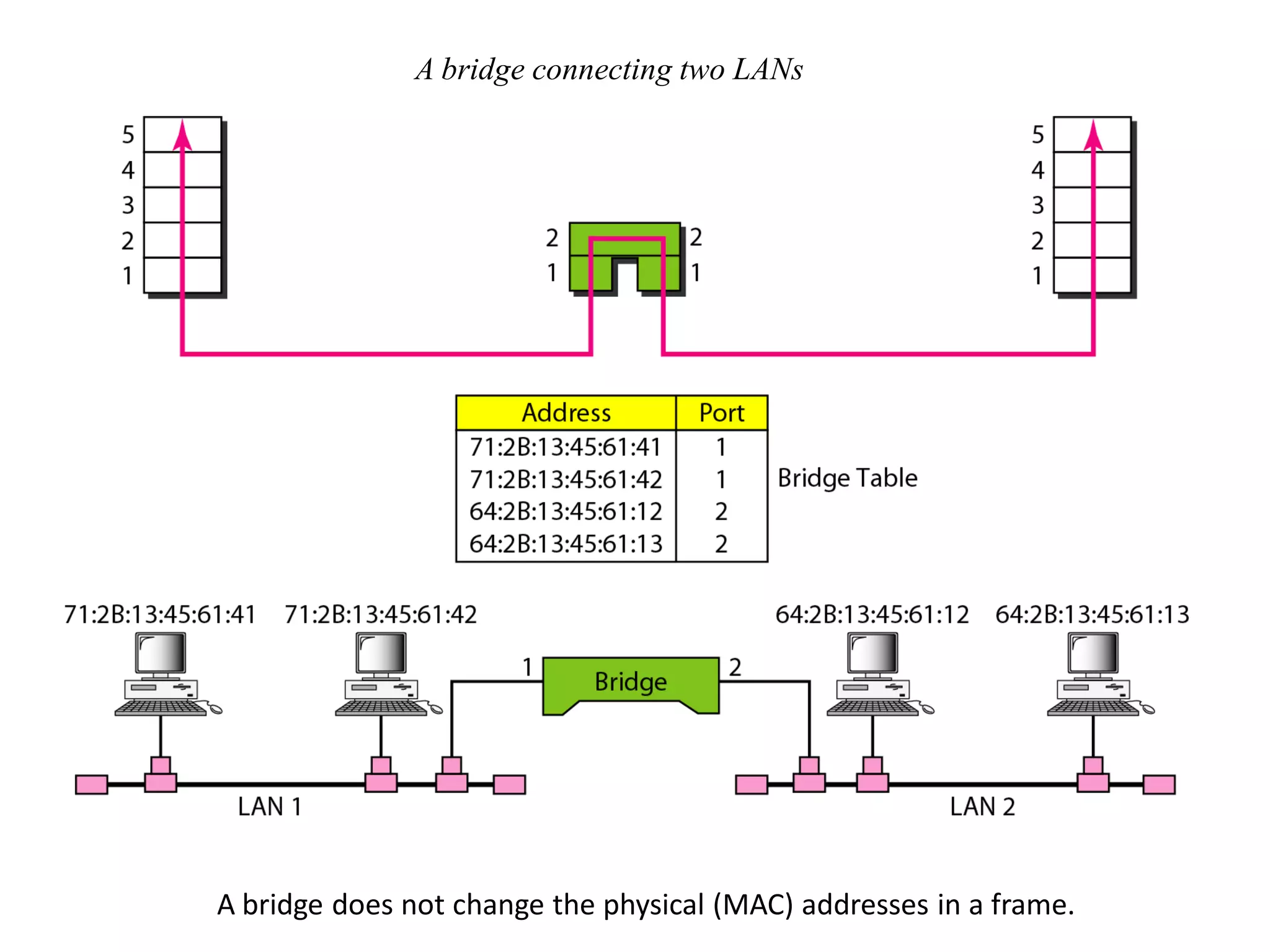
A bridge connecting two LANs


A bridge does not change the physical (MAC) addresses in a frame.
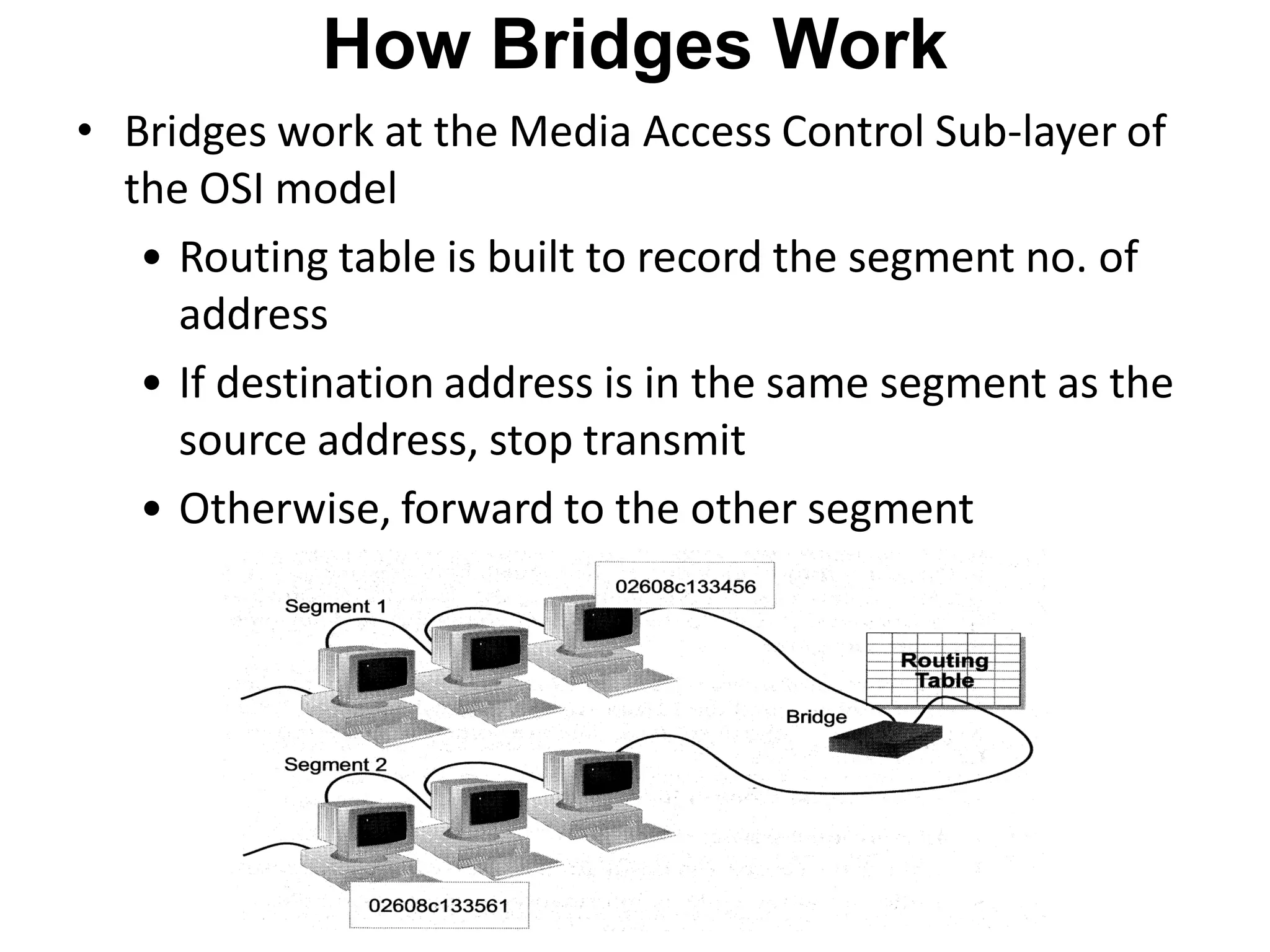
How Bridges Work
• Bridges work at the Media Access Control Sub-layer of
  the OSI model
   • Routing table is built to record the segment no. of
     address
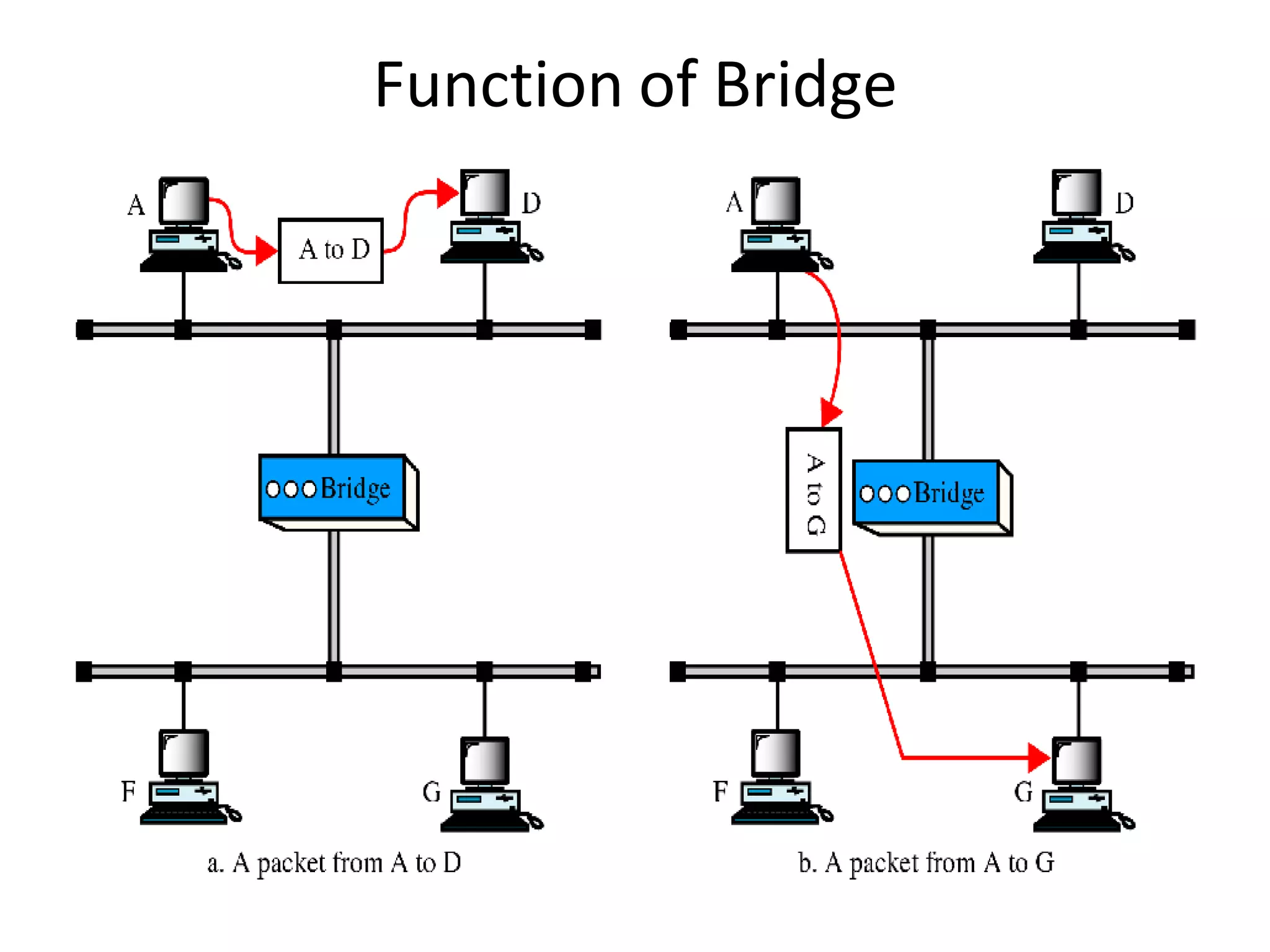
   • If destination address is in the same segment as the
     source address, stop transmit
   • Otherwise, forward to the other segment
Function of Bridge
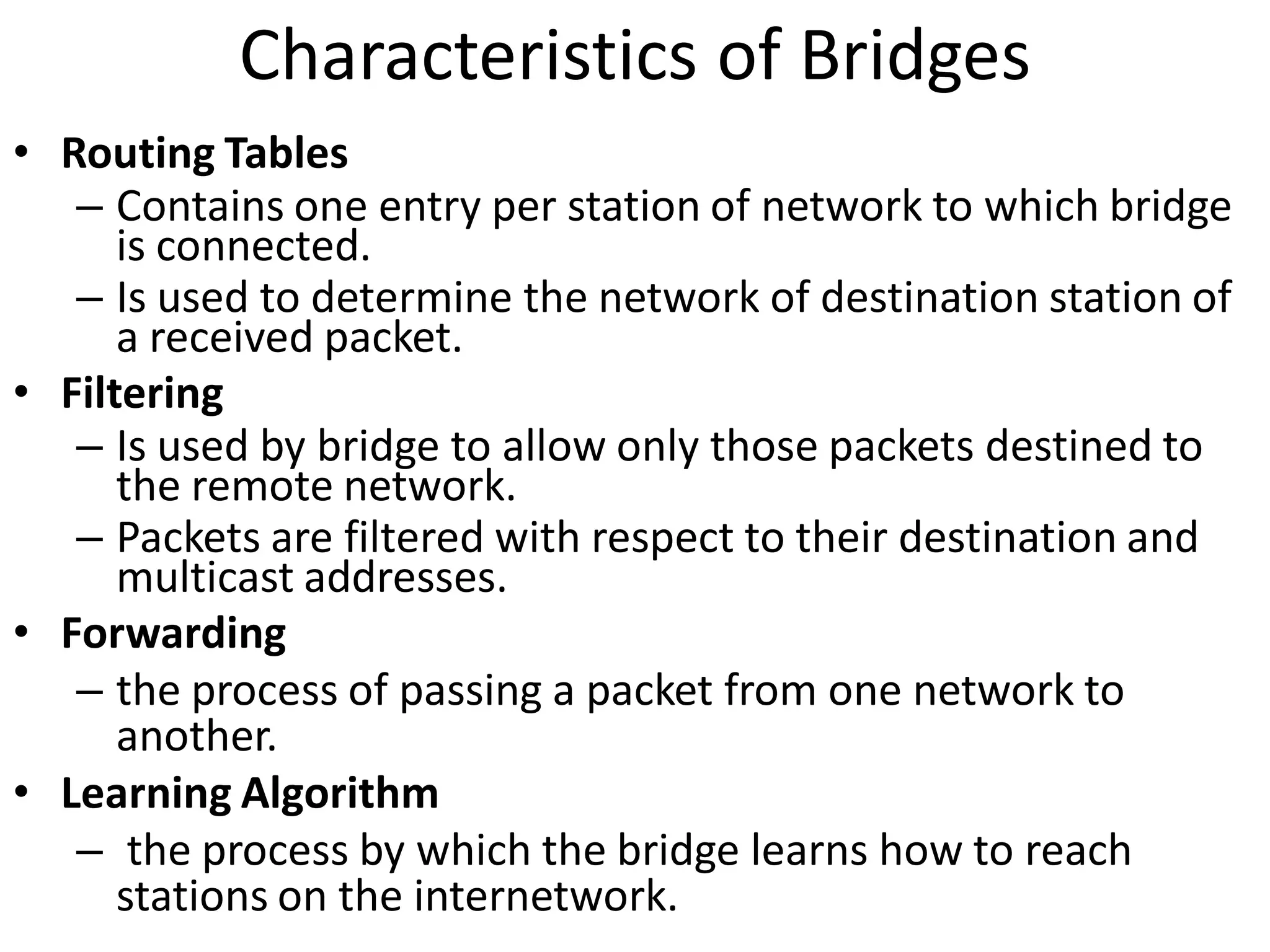
Characteristics of Bridges
• Routing Tables
   – Contains one entry per station of network to which bridge
      is connected.
   – Is used to determine the network of destination station of
      a received packet.
• Filtering
   – Is used by bridge to allow only those packets destined to
      the remote network.
   – Packets are filtered with respect to their destination and
      multicast addresses.
• Forwarding
   – the process of passing a packet from one network to
      another.
• Learning Algorithm
   – the process by which the bridge learns how to reach
      stations on the internetwork.
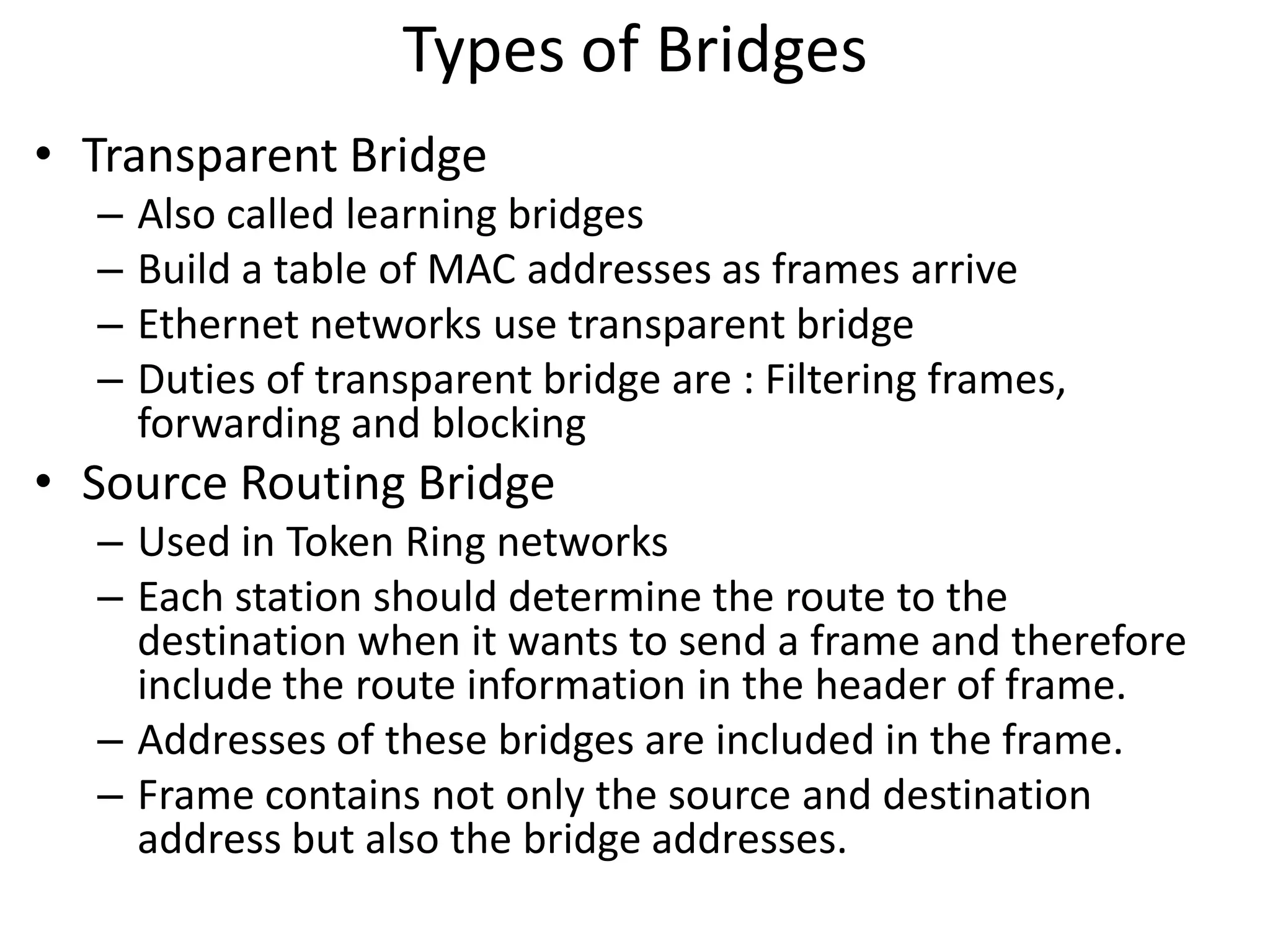
Types of Bridges
• Transparent Bridge
  –   Also called learning bridges
  –   Build a table of MAC addresses as frames arrive
  –   Ethernet networks use transparent bridge
  –   Duties of transparent bridge are : Filtering frames,
      forwarding and blocking
• Source Routing Bridge
  – Used in Token Ring networks
  – Each station should determine the route to the
    destination when it wants to send a frame and therefore
    include the route information in the header of frame.
  – Addresses of these bridges are included in the frame.
  – Frame contains not only the source and destination
    address but also the bridge addresses.
Advantages And Disadvantages Of
               Bridges
• Advantages of using a bridge
  – Extend physical network
  – Reduce network traffic with minor segmentation
  – Creates separate collision domains
  – Reduce collisions
  – Connect different architecture
• Disadvantages of using bridges
  – Slower that repeaters due to filtering
  – Do not filter broadcasts
  – More expensive than repeaters
Two and Three layer switches
• Two layer switch operate at PHY and data link
  layer
• Three layer switch operates at network layer
• Bridge is an example of two-layer switch.
• Bridge with few port can connect a few LANs
• Bridge with many port may be able to allocate
  a unique port to each station, with each
  station on its own independent entity. This
  means no competing traffic (no collision as we
  saw in Ethernet)
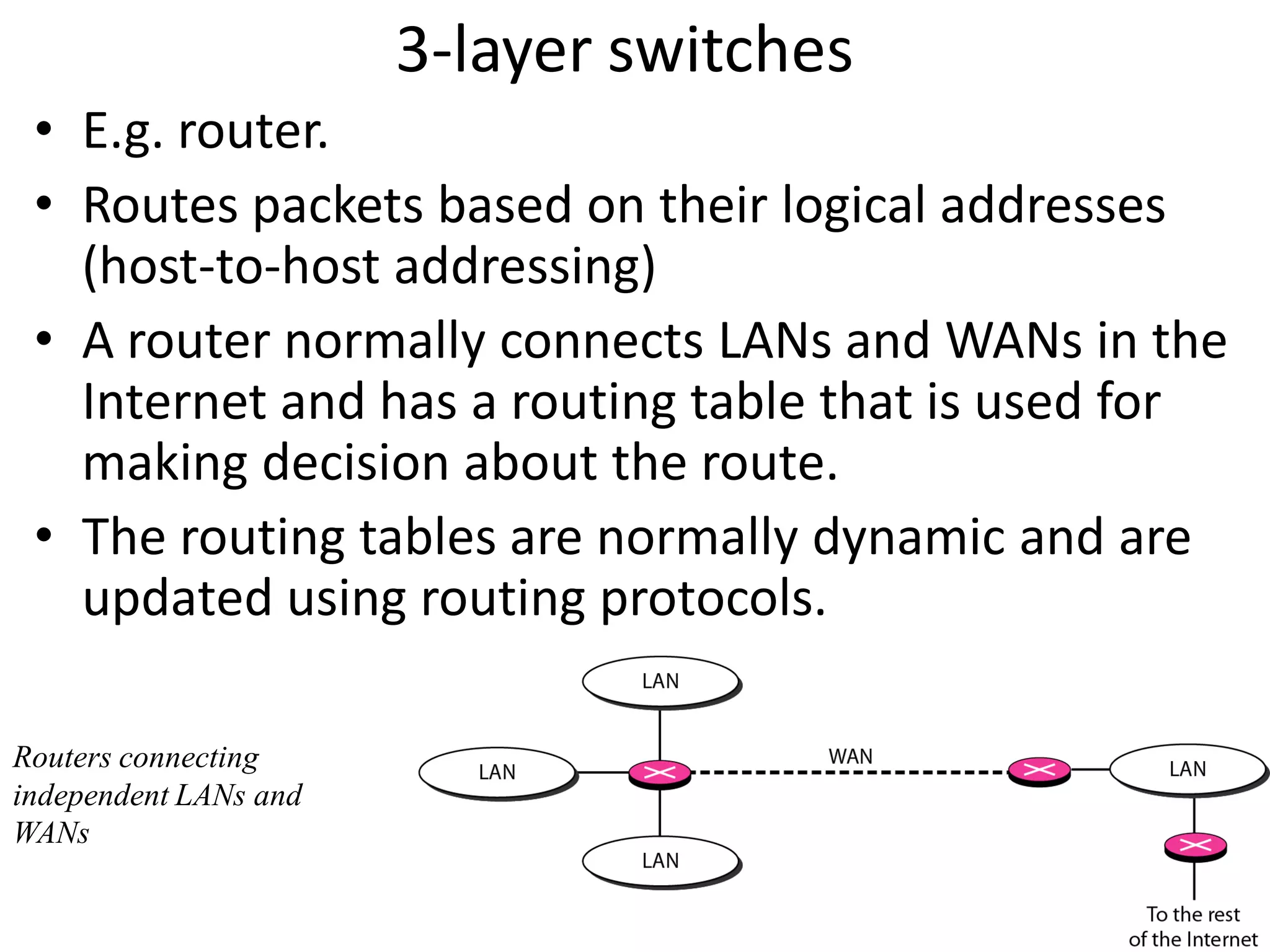
3-layer switches
 • E.g. router.
 • Routes packets based on their logical addresses
   (host-to-host addressing)
 • A router normally connects LANs and WANs in the
   Internet and has a routing table that is used for
   making decision about the route.
 • The routing tables are normally dynamic and are
   updated using routing protocols.

Routers connecting
independent LANs and
WANs
Advantages and Disadvantages of Routers
• Advantages
  – Routers
   provide sophisticated routing, flow control, and traffic
    isolation
   are configurable, which allows network manager to
    make policy based on routing decisions
   allow active loops so that redundant paths are available
• Disadvantages
  – Routers
  – are protocol-dependent devices that must understand
    the protocol they are forwarding.
  – can require a considerable amount of initial
    configuration.
  – are relatively complex devices, and generally are more
    expensive than bridges.
Routers versus Bridges
• Addressing
   – Routers are explicitly addressed.
   – Bridges are not addressed.
• Availability
   – Routers can handle failures in links, stations, and other routers.
   – Bridges use only source and destination MAC address, which
     does not guarantee delivery of frames.
 Message Size
   » Routers can perform fragmentation on packets and thus handle
     different packet sizes.
   » Bridges cannot do fragmentation and should not forward a
     frame which is too big for the next LAN.
 Forwarding
   » Routers forward a message to a specific destination.
   » Bridges forward a message to an outgoing network.
   Priority
     » Routers can treat packets according to priorities
     » Bridges treat all packets equally.
   Error Rate
     » Network layers have error-checking algorithms that
       examines each received packet.
     » The MAC layer provides a very low undetected bit error
       rate.
   Security
     » Both bridges and routers provide the ability to put
       “security walls” around specific stations.
     » Routers generally provide greater security than bridges
       because
        – they can be addressed directly and
        – they use additional data for implementing security.
Brouters: Bridging Routers
   Combine features of bridges and routers.
   Capable of establishing a bridge between two
    networks as well as routing some messages from the
    bridge networks to other networks.
   Are sometimes called (Layer 2/3) switches and are a
    combination of bridge/router hardware and software.
Gateway
• Interchangeably used term router and gateway
• Connect two networks above the network layer of OSI
  model.
• Are capable of converting data frames and network
  protocols into the format needed by another network.
• Provide for translation services between different
  computer protocols.
• Transport gateways make a connection between two
  networks at the transport layer.
• Application gateways connect two parts of an
  application in the application layer, e.g., sending email
  between two machines using different mail formats
• Broadband-modem-router is one e.g. of gateway

Networking devices

  • 1.
  • 2.
    Introduction • LANs donot normally operate in isolation but they are connected to one another or to the Internet. • To connect LANs, connecting devices are needed and various connecting devices are such as bridge, switch, router, hub, repeater.
  • 3.
    CONNECTING DEVICES • Connectingdevices into five different categories based on the layer in which they operate in a network. Five categories of connecting devices
  • 4.
    Hubs • A hubis used as a central point of connection among media segments. • Cables from network devices plug in to the ports on the hub. • Types of HUBS : – A passive hub is just a connector. It connects the wires coming from different branches. – The signal pass through a passive hub without regeneration or amplification. – Connect several networking cables together – Active hubs or Multiport repeaters- They regenerate or amplify the signal before they are retransmitted.
  • 5.
    Repeaters • A repeateris a device that operates only at the PHYSICAL layer. • A repeater can be used to increase the length of the network by eliminating the effect of attenuation on the signal. • It connects two segments of the same network, overcoming the distance limitations of the transmission media. • A repeater forwards every frame; it has no filtering capability. • A repeater is a regenerator, not an amplifier. • Repeaters can connect segments that have the same access method. (CSMA/CD, Token Passing, Polling, etc.) Optic fiber repeater
  • 6.
    Repeater connecting twosegments of a LAN Function of a repeater
  • 7.
    Bridges • Operates inboth the PHYSICAL and the data link layer. • As a PHYSICAL layer device, it regenerates the signal it receives. • As a data link layer device, the bridge can check the PHYSICAL/MAC addresses (source and destination) contained in the frame. • A bridge has a table used in filtering decisions. • It can check the destination address of a frame and decide if the frame should be forwarded or dropped. • If the frame is to be forwarded, the decision must specify the port. • A bridge has a table that maps address to ports. • Limit or filter traffic keeping local traffic local yet allow connectivity to other parts (segments).
  • 8.
    A bridge connectingtwo LANs A bridge does not change the physical (MAC) addresses in a frame.
  • 9.
    How Bridges Work •Bridges work at the Media Access Control Sub-layer of the OSI model • Routing table is built to record the segment no. of address • If destination address is in the same segment as the source address, stop transmit • Otherwise, forward to the other segment
  • 10.
  • 11.
    Characteristics of Bridges •Routing Tables – Contains one entry per station of network to which bridge is connected. – Is used to determine the network of destination station of a received packet. • Filtering – Is used by bridge to allow only those packets destined to the remote network. – Packets are filtered with respect to their destination and multicast addresses. • Forwarding – the process of passing a packet from one network to another. • Learning Algorithm – the process by which the bridge learns how to reach stations on the internetwork.
  • 12.
    Types of Bridges •Transparent Bridge – Also called learning bridges – Build a table of MAC addresses as frames arrive – Ethernet networks use transparent bridge – Duties of transparent bridge are : Filtering frames, forwarding and blocking • Source Routing Bridge – Used in Token Ring networks – Each station should determine the route to the destination when it wants to send a frame and therefore include the route information in the header of frame. – Addresses of these bridges are included in the frame. – Frame contains not only the source and destination address but also the bridge addresses.
  • 13.
    Advantages And DisadvantagesOf Bridges • Advantages of using a bridge – Extend physical network – Reduce network traffic with minor segmentation – Creates separate collision domains – Reduce collisions – Connect different architecture • Disadvantages of using bridges – Slower that repeaters due to filtering – Do not filter broadcasts – More expensive than repeaters
  • 14.
    Two and Threelayer switches • Two layer switch operate at PHY and data link layer • Three layer switch operates at network layer • Bridge is an example of two-layer switch. • Bridge with few port can connect a few LANs • Bridge with many port may be able to allocate a unique port to each station, with each station on its own independent entity. This means no competing traffic (no collision as we saw in Ethernet)
  • 15.
    3-layer switches •E.g. router. • Routes packets based on their logical addresses (host-to-host addressing) • A router normally connects LANs and WANs in the Internet and has a routing table that is used for making decision about the route. • The routing tables are normally dynamic and are updated using routing protocols. Routers connecting independent LANs and WANs
  • 16.
    Advantages and Disadvantagesof Routers • Advantages – Routers  provide sophisticated routing, flow control, and traffic isolation  are configurable, which allows network manager to make policy based on routing decisions  allow active loops so that redundant paths are available • Disadvantages – Routers – are protocol-dependent devices that must understand the protocol they are forwarding. – can require a considerable amount of initial configuration. – are relatively complex devices, and generally are more expensive than bridges.
  • 17.
    Routers versus Bridges •Addressing – Routers are explicitly addressed. – Bridges are not addressed. • Availability – Routers can handle failures in links, stations, and other routers. – Bridges use only source and destination MAC address, which does not guarantee delivery of frames.  Message Size » Routers can perform fragmentation on packets and thus handle different packet sizes. » Bridges cannot do fragmentation and should not forward a frame which is too big for the next LAN.  Forwarding » Routers forward a message to a specific destination. » Bridges forward a message to an outgoing network.
  • 18.
    Priority » Routers can treat packets according to priorities » Bridges treat all packets equally.  Error Rate » Network layers have error-checking algorithms that examines each received packet. » The MAC layer provides a very low undetected bit error rate.  Security » Both bridges and routers provide the ability to put “security walls” around specific stations. » Routers generally provide greater security than bridges because – they can be addressed directly and – they use additional data for implementing security.
  • 19.
    Brouters: Bridging Routers  Combine features of bridges and routers.  Capable of establishing a bridge between two networks as well as routing some messages from the bridge networks to other networks.  Are sometimes called (Layer 2/3) switches and are a combination of bridge/router hardware and software.
  • 20.
    Gateway • Interchangeably usedterm router and gateway • Connect two networks above the network layer of OSI model. • Are capable of converting data frames and network protocols into the format needed by another network. • Provide for translation services between different computer protocols. • Transport gateways make a connection between two networks at the transport layer. • Application gateways connect two parts of an application in the application layer, e.g., sending email between two machines using different mail formats • Broadband-modem-router is one e.g. of gateway