Network devices, or networking hardware,
are physical devices that are required for
communication and interaction between
hardware on a computer network.
CONNECTING DEVICES
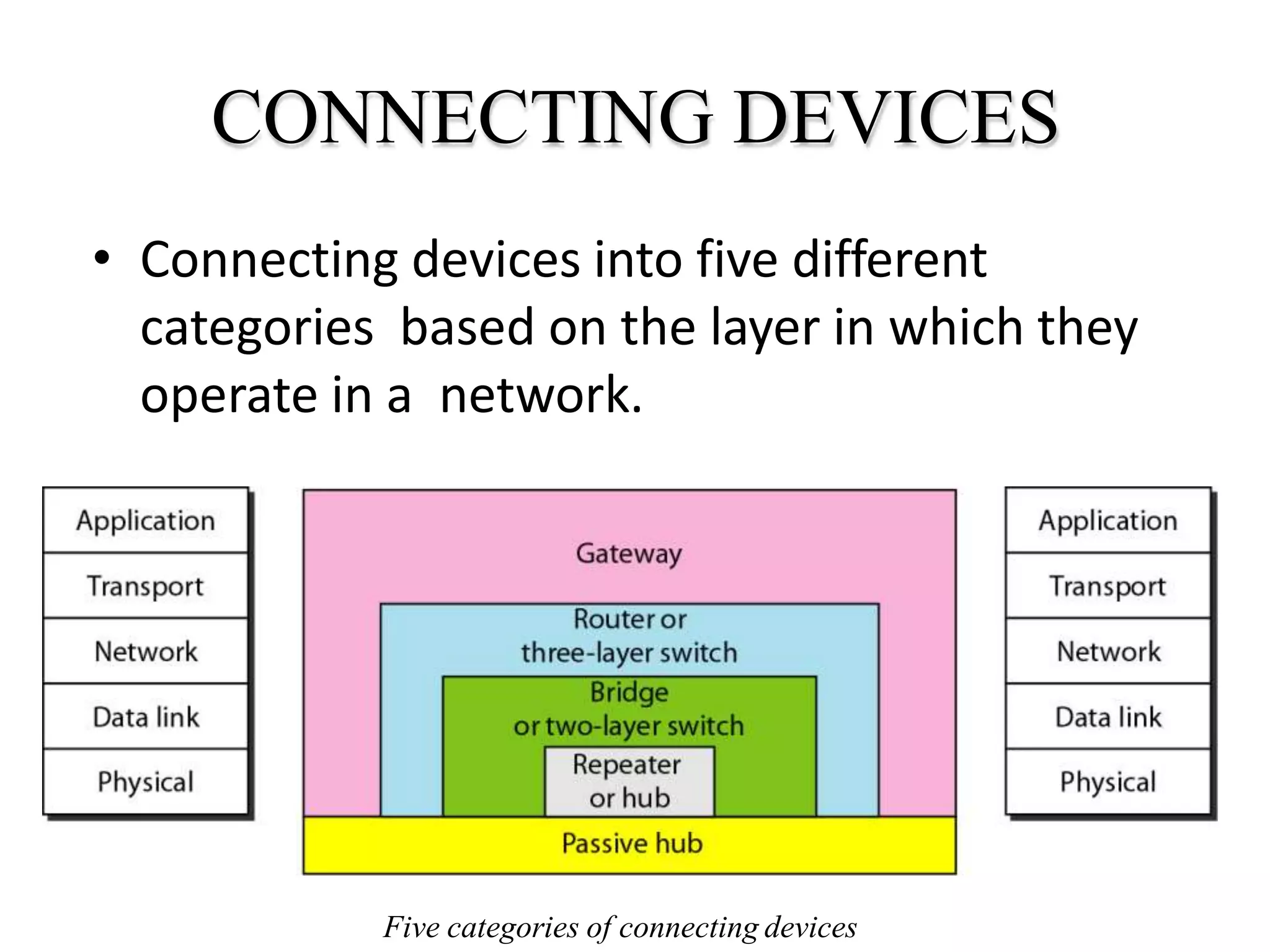
• Connecting devices into five different
categories based on the layer in which they
operate in a network.
Five categories of connecting devices
• Hub
• Repeater
• Bridge
• Router
• Brouter
• Switch
• Gateways
HUB
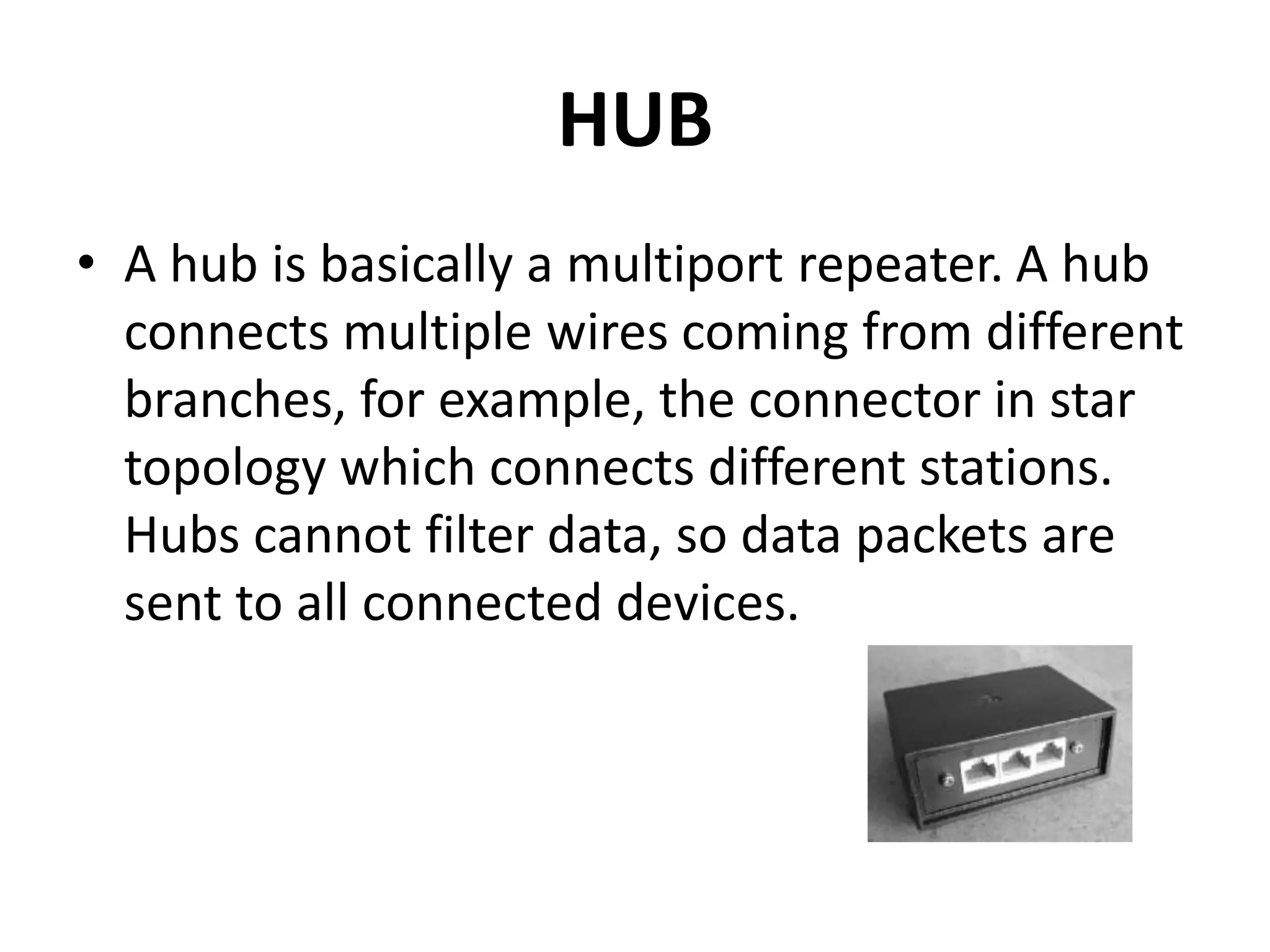
• A hub is basically a multiport repeater. A hub
connects multiple wires coming from different
branches, for example, the connector in star
topology which connects different stations.
Hubs cannot filter data, so data packets are
sent to all connected devices.
Types of Hub
• Active Hub:- These are the hubs which have their
own power supply and can clean, boost and relay
the signal along with the network. It serves both
as a repeater as well as wiring centre. These are
used to extend the maximum distance between
nodes.
• Passive Hub :- These are the hubs which collect
wiring from nodes and power supply from active
hub. These hubs relay signals onto the network
without cleaning and boosting them and can’t be
used to extend the distance between nodes.
REPEATER
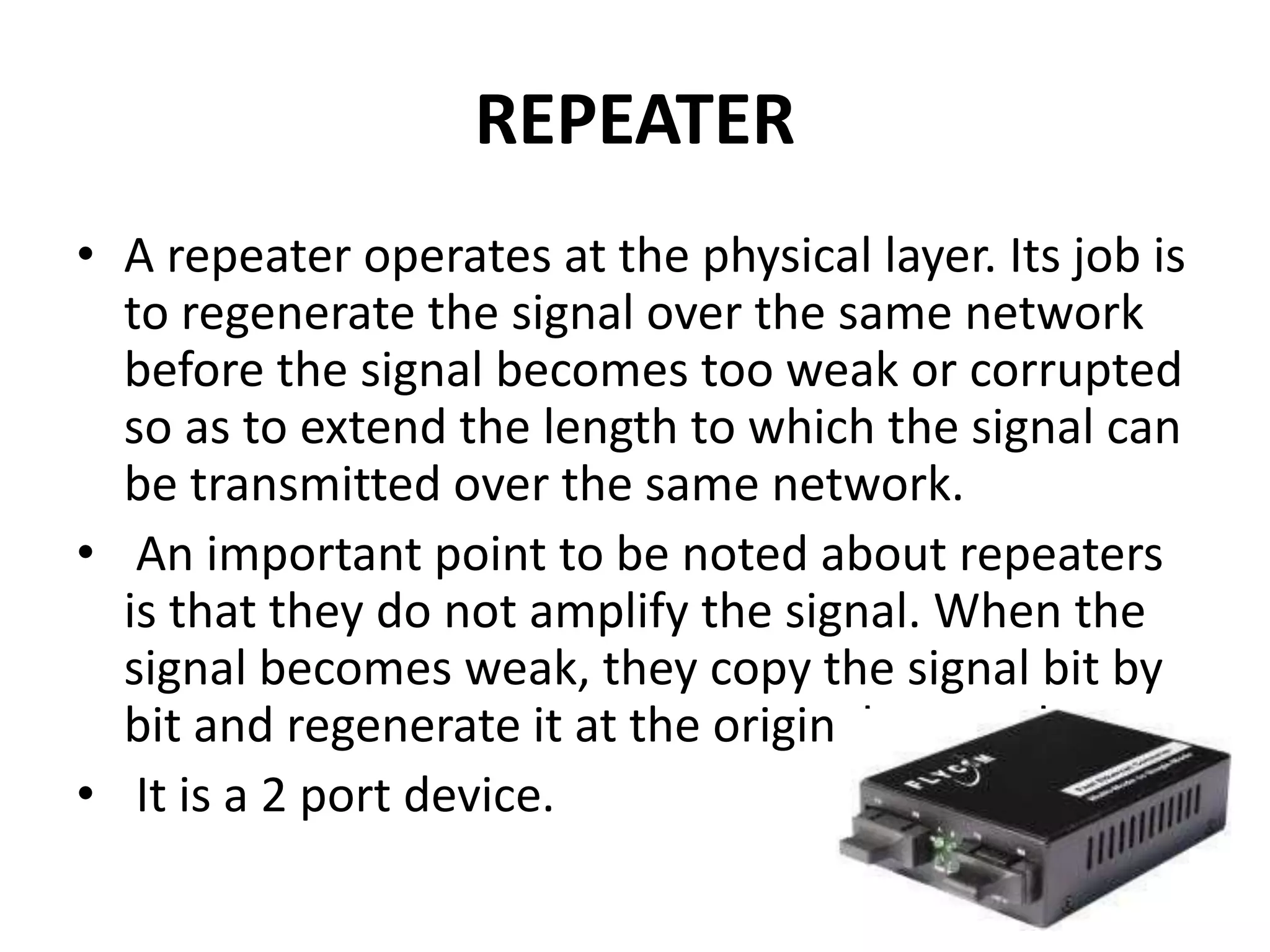
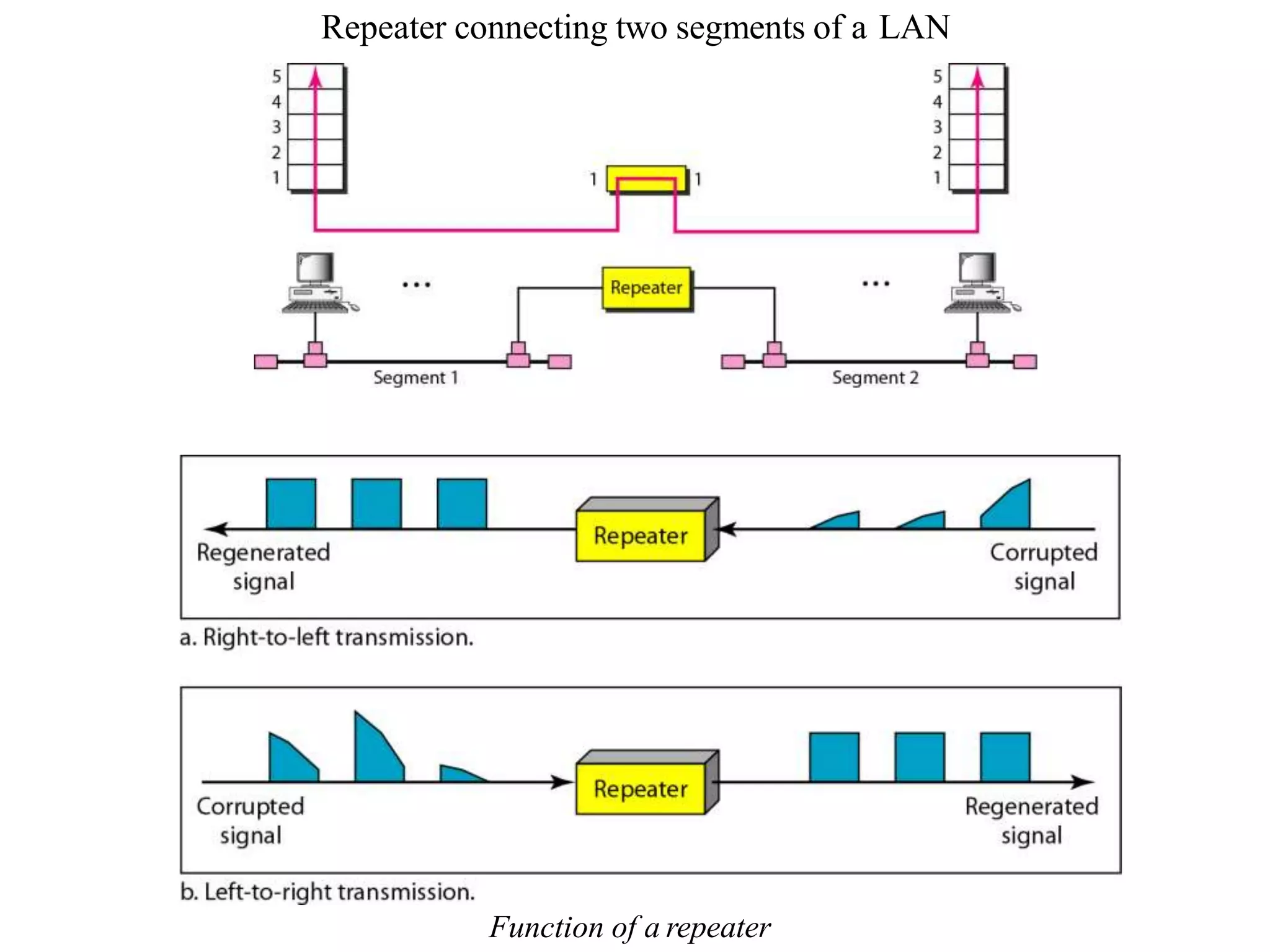
• A repeater operates at the physical layer. Its job is
to regenerate the signal over the same network
before the signal becomes too weak or corrupted
so as to extend the length to which the signal can
be transmitted over the same network.
• An important point to be noted about repeaters
is that they do not amplify the signal. When the
signal becomes weak, they copy the signal bit by
bit and regenerate it at the original strength.
• It is a 2 port device.
Repeater connecting two segments of a LAN
Function of a repeater
BRIDGE
• A bridge operates at data link layer. A bridge is
a repeater, with add on the functionality of
filtering content by reading the MAC
addresses of source and destination. It is also
used for interconnecting two LANs working on
the same protocol. It has a single input and
single output port, thus making it a 2 port
device.
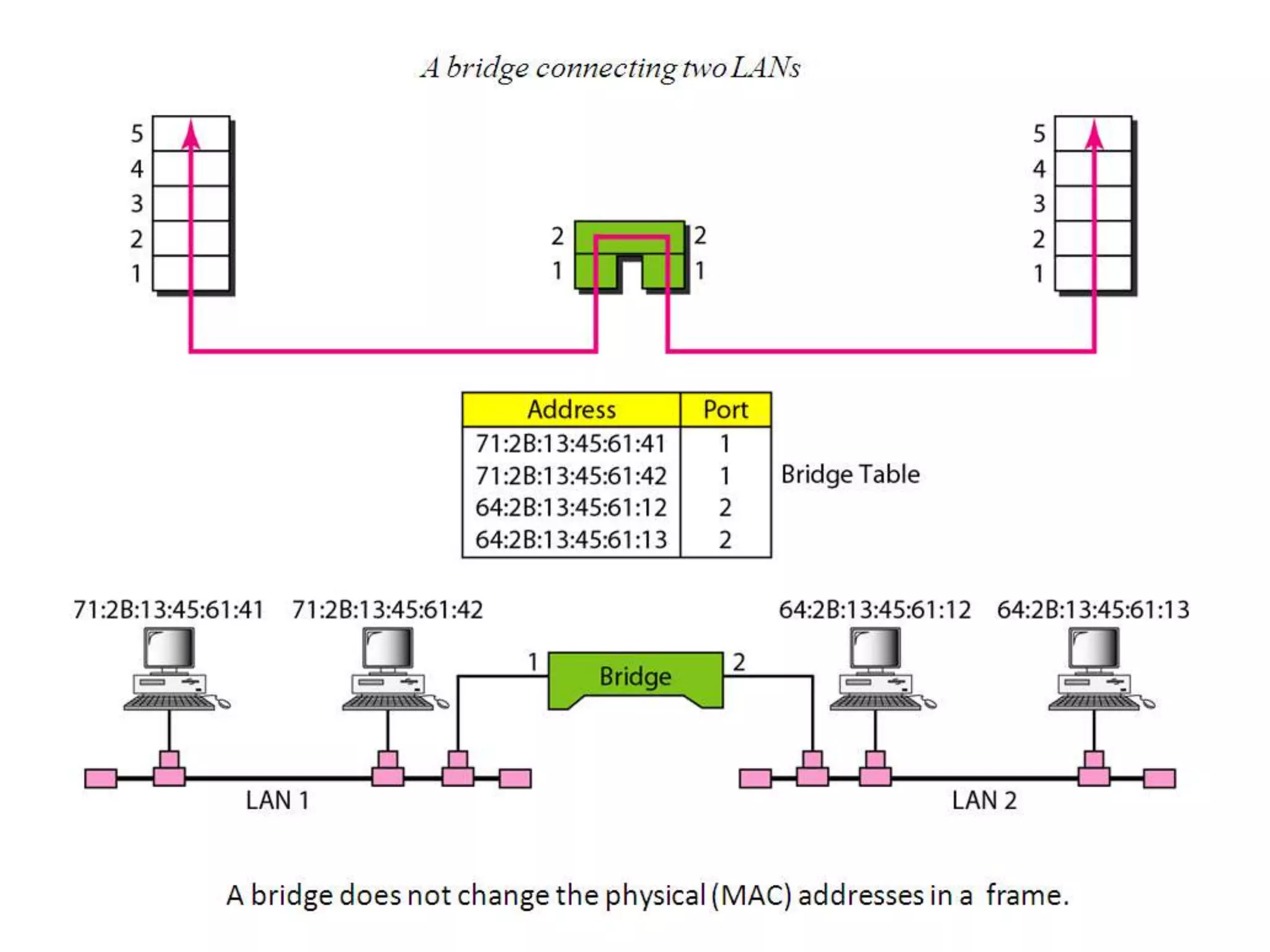
How Bridges Work
• Bridges work at the Media Access Control Sub-layerof
the OSI model
• Routing table is built to record the segment no.of
address
• If destination address is in the same segment asthe
source address, stop transmit
• Otherwise, forward to the othersegment
Function of
Bridge
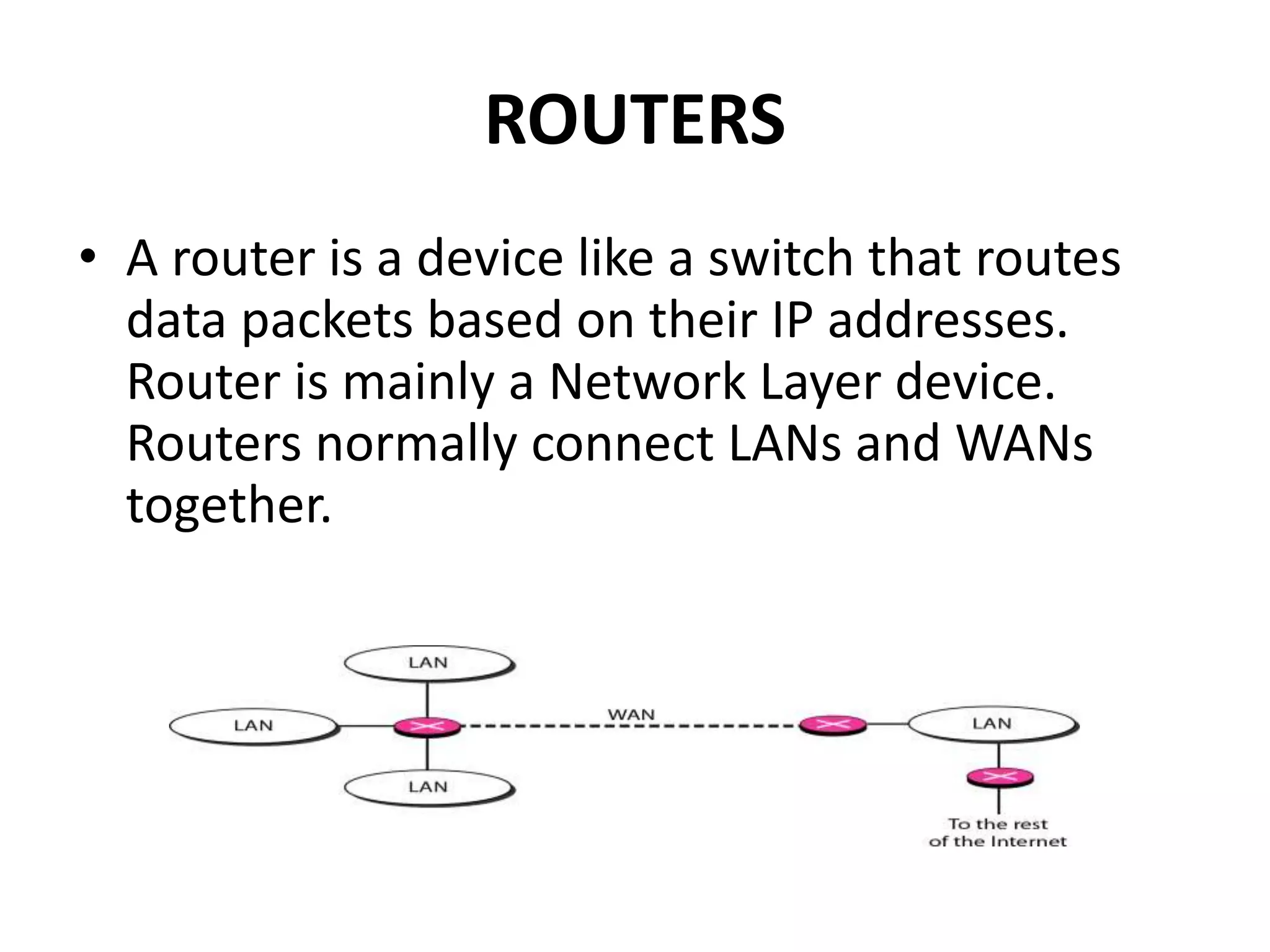
ROUTERS
• A router is a device like a switch that routes
data packets based on their IP addresses.
Router is mainly a Network Layer device.
Routers normally connect LANs and WANs
together.
• Routes packets based on their logical
addresses (host-to-host addressing)
• A router normally connects LANs and WANs in
the Internet and has a routing table that is
used for making decision about the route.
• The routing tables are normally dynamic and
are updated using routing protocols
BROUTER
• It is also known as bridging router is a device
which combines features of both bridge and
router. It can work either at data link layer or
at network layer. Working as router, it is
capable of routing packets across networks
and working as bridge, it is capable of filtering
local area network traffic.
SWITCH
• A switch is a multiport bridge with a buffer
and a design that can boost its efficiency(a
large number of ports imply less traffic) and
performance. A switch is a data link layer
device. The switch can perform error checking
before forwarding data, that makes it very
efficient as it does not forward packets that
have errors and forward good packets
selectively to correct port only.
GATEWAY
A gateway, as the name suggests, is a
passage to connect two networks together
that may work upon different networking
models. They basically work as the messenger
agents that take data from one system,
interpret it, and transfer it to another system.
Gateways are also called protocol converters
and can operate at any network layer.
Gateways are generally more complex than
switch or router.
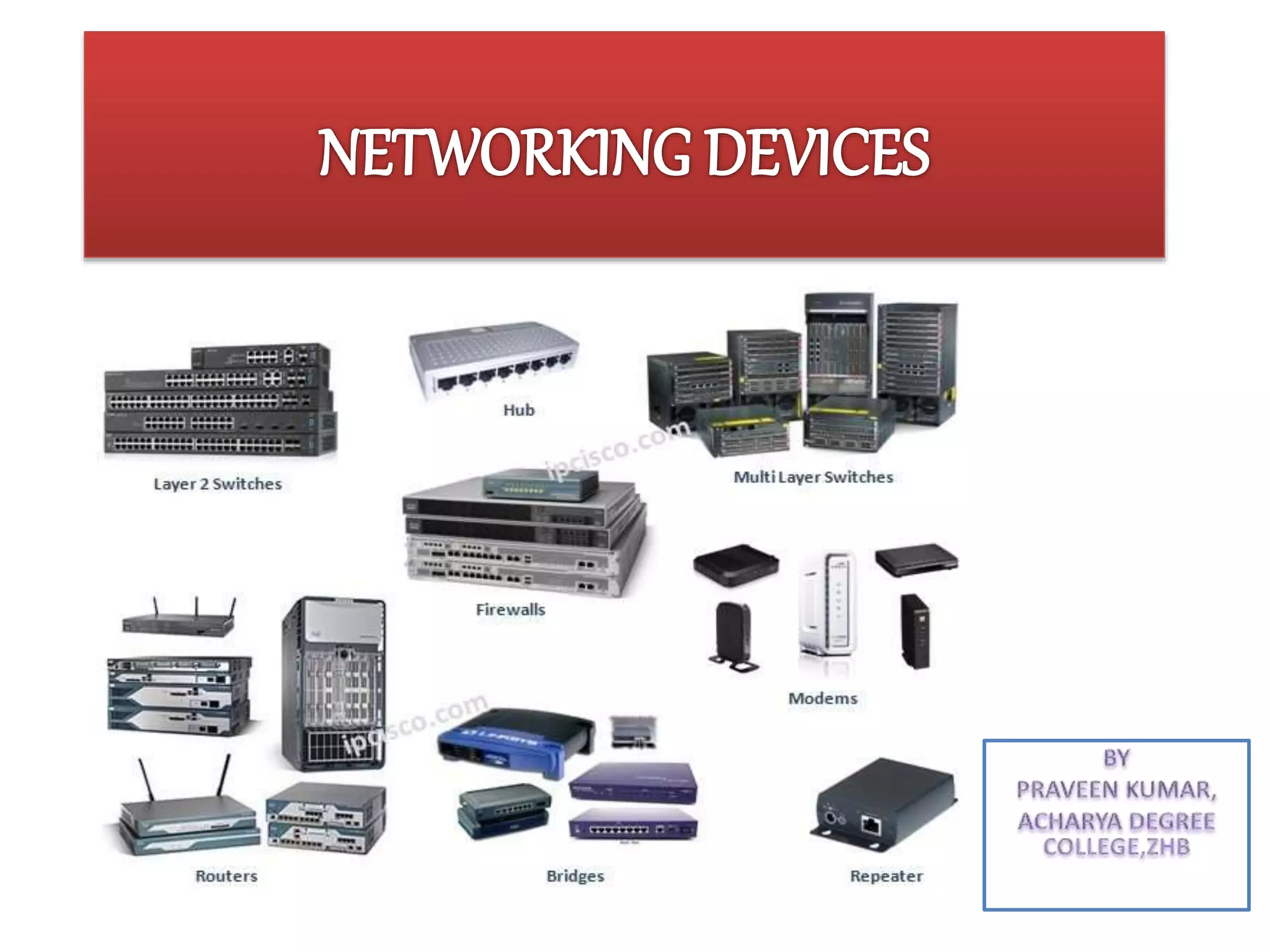
Networking devices

Networking devices

  • 2.
    Network devices, ornetworking hardware, are physical devices that are required for communication and interaction between hardware on a computer network.
  • 3.
    CONNECTING DEVICES • Connectingdevices into five different categories based on the layer in which they operate in a network. Five categories of connecting devices
  • 4.
    • Hub • Repeater •Bridge • Router • Brouter • Switch • Gateways
  • 5.
    HUB • A hubis basically a multiport repeater. A hub connects multiple wires coming from different branches, for example, the connector in star topology which connects different stations. Hubs cannot filter data, so data packets are sent to all connected devices.
  • 6.
    Types of Hub •Active Hub:- These are the hubs which have their own power supply and can clean, boost and relay the signal along with the network. It serves both as a repeater as well as wiring centre. These are used to extend the maximum distance between nodes. • Passive Hub :- These are the hubs which collect wiring from nodes and power supply from active hub. These hubs relay signals onto the network without cleaning and boosting them and can’t be used to extend the distance between nodes.
  • 7.
    REPEATER • A repeateroperates at the physical layer. Its job is to regenerate the signal over the same network before the signal becomes too weak or corrupted so as to extend the length to which the signal can be transmitted over the same network. • An important point to be noted about repeaters is that they do not amplify the signal. When the signal becomes weak, they copy the signal bit by bit and regenerate it at the original strength. • It is a 2 port device.
  • 8.
    Repeater connecting twosegments of a LAN Function of a repeater
  • 9.
    BRIDGE • A bridgeoperates at data link layer. A bridge is a repeater, with add on the functionality of filtering content by reading the MAC addresses of source and destination. It is also used for interconnecting two LANs working on the same protocol. It has a single input and single output port, thus making it a 2 port device.
  • 11.
    How Bridges Work •Bridges work at the Media Access Control Sub-layerof the OSI model • Routing table is built to record the segment no.of address • If destination address is in the same segment asthe source address, stop transmit • Otherwise, forward to the othersegment
  • 12.
  • 13.
    ROUTERS • A routeris a device like a switch that routes data packets based on their IP addresses. Router is mainly a Network Layer device. Routers normally connect LANs and WANs together.
  • 14.
    • Routes packetsbased on their logical addresses (host-to-host addressing) • A router normally connects LANs and WANs in the Internet and has a routing table that is used for making decision about the route. • The routing tables are normally dynamic and are updated using routing protocols
  • 15.
    BROUTER • It isalso known as bridging router is a device which combines features of both bridge and router. It can work either at data link layer or at network layer. Working as router, it is capable of routing packets across networks and working as bridge, it is capable of filtering local area network traffic.
  • 16.
    SWITCH • A switchis a multiport bridge with a buffer and a design that can boost its efficiency(a large number of ports imply less traffic) and performance. A switch is a data link layer device. The switch can perform error checking before forwarding data, that makes it very efficient as it does not forward packets that have errors and forward good packets selectively to correct port only.
  • 17.
    GATEWAY A gateway, asthe name suggests, is a passage to connect two networks together that may work upon different networking models. They basically work as the messenger agents that take data from one system, interpret it, and transfer it to another system. Gateways are also called protocol converters and can operate at any network layer. Gateways are generally more complex than switch or router.