Docker at Nuxeo
Who we are
What is Nuxeo platform
• A platform to develop you own content apps
• Highly pluggable thru extension points
• Model you content with Nuxeo Studio
• Point and click UI to define your business model
• with hot-reload
Nuxeo tech. stack
• Java stack : Seam + JSF for Nuxeo DM and DAM
• Rest API to build your JS Apps
• Nuxeo Studio (Saas) to model your business
• Thru data model (doc types, schemas)
• Thru Automation chains
Nuxeo in the cloud ?
Goals
• Customers ask to host their app
• Provide quick access to test instances (onboarding)
• Provide onDemand dev or CI instances
Goals
• Customers ask to host their app
• Provide quick access to test instances (onboarding)
• Provide onDemand dev or CI instances
This is the nuxeo.io promise
First attempt
Manual OnDemand
• Based on AWS CloudFormation
• Manually deployed
• Works but :
• not scalable
• manual admin & monitoring
• difficult upgrade process
Second attempt
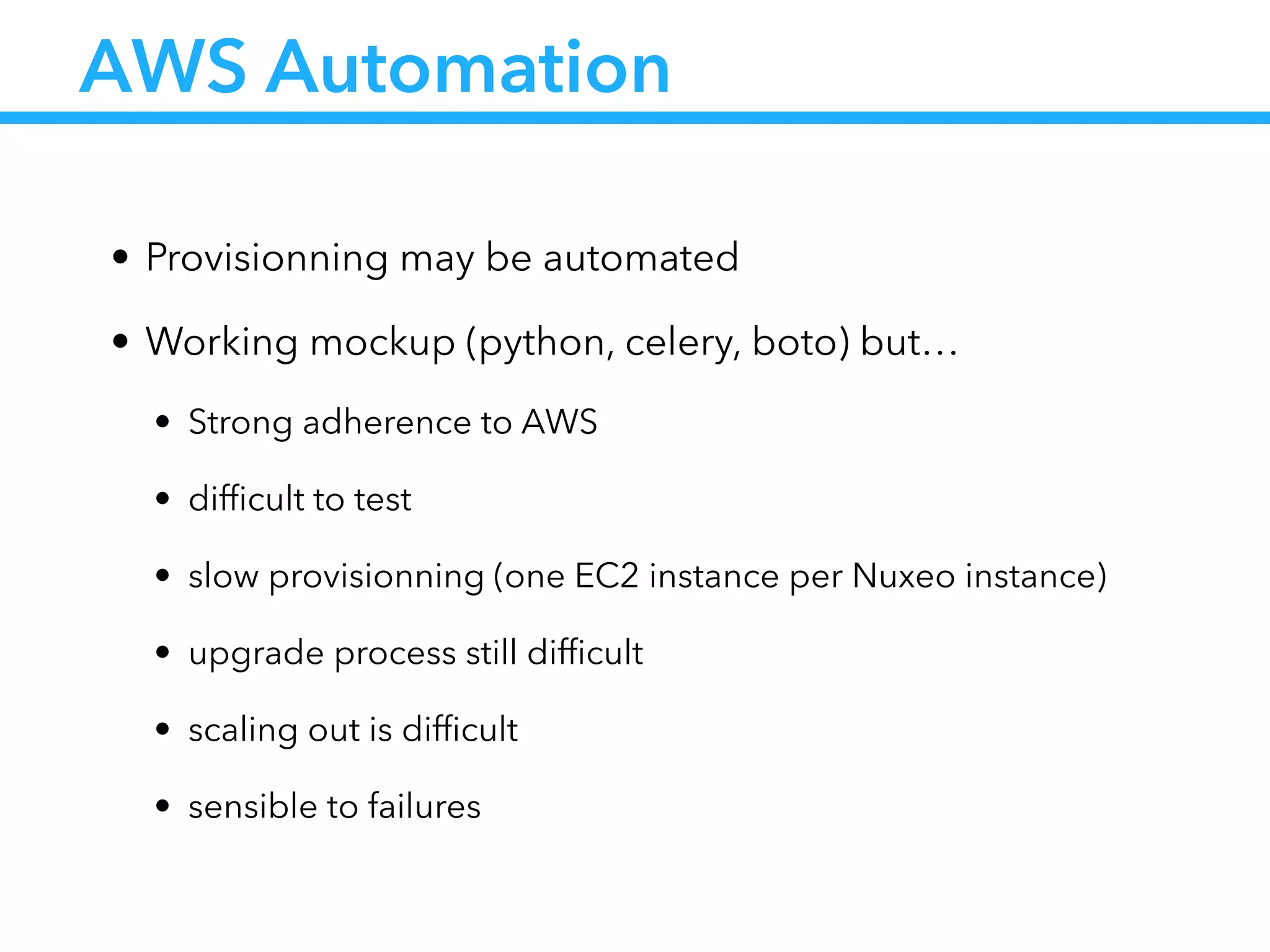
AWS Automation
• Provisionning may be automated
• Working mockup (python, celery, boto) but…
• Strong adherence to AWS
• difficult to test
• slow provisionning (one EC2 instance per Nuxeo instance)
• upgrade process still difficult
• scaling out is difficult
• sensible to failures
This leads to our
challenge
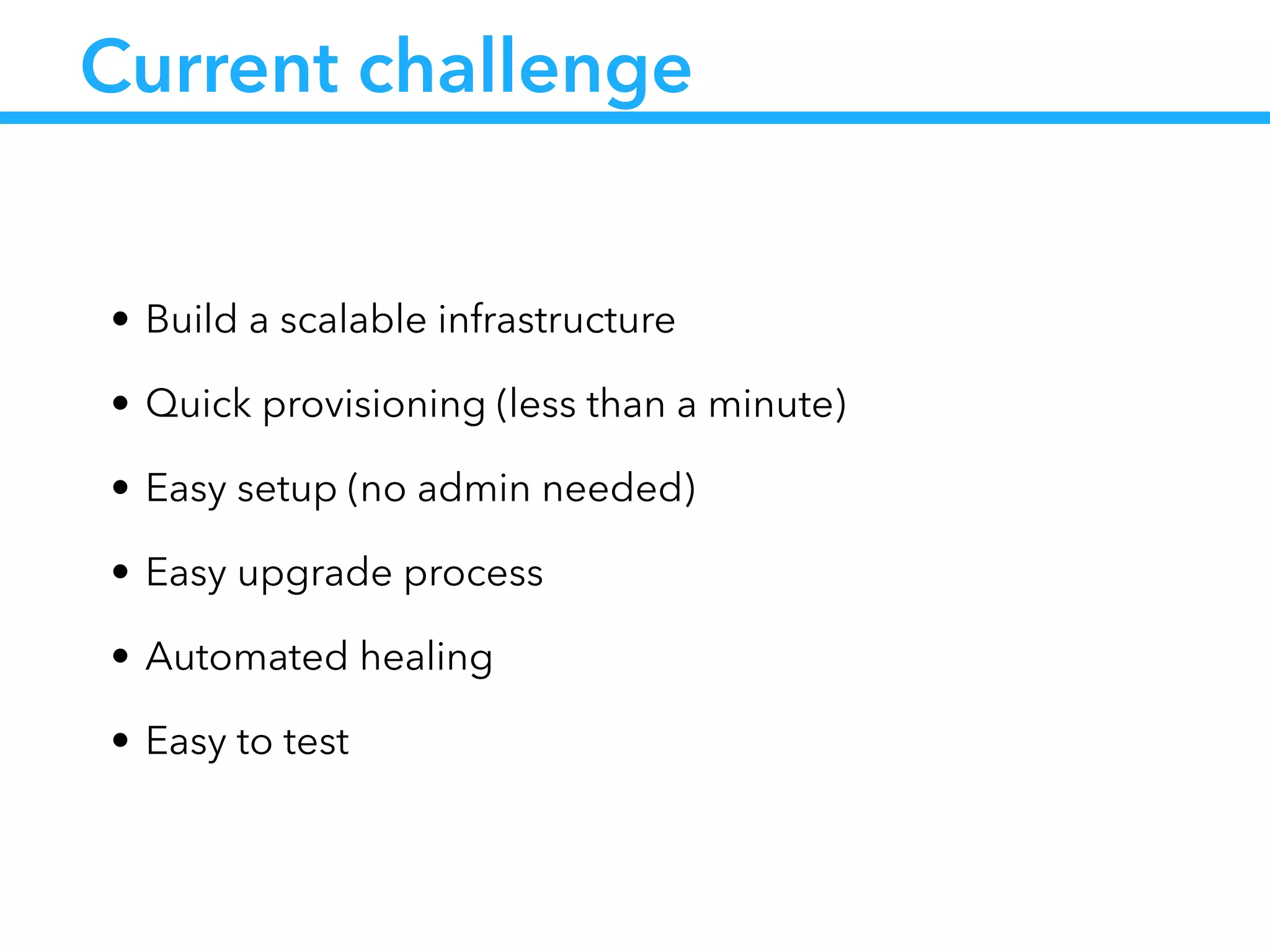
Current challenge
• Build a scalable infrastructure
• Quick provisioning (less than a minute)
• Easy setup (no admin needed)
• Easy upgrade process
• Automated healing
• Easy to test
How Docker solves
some of these issues ?
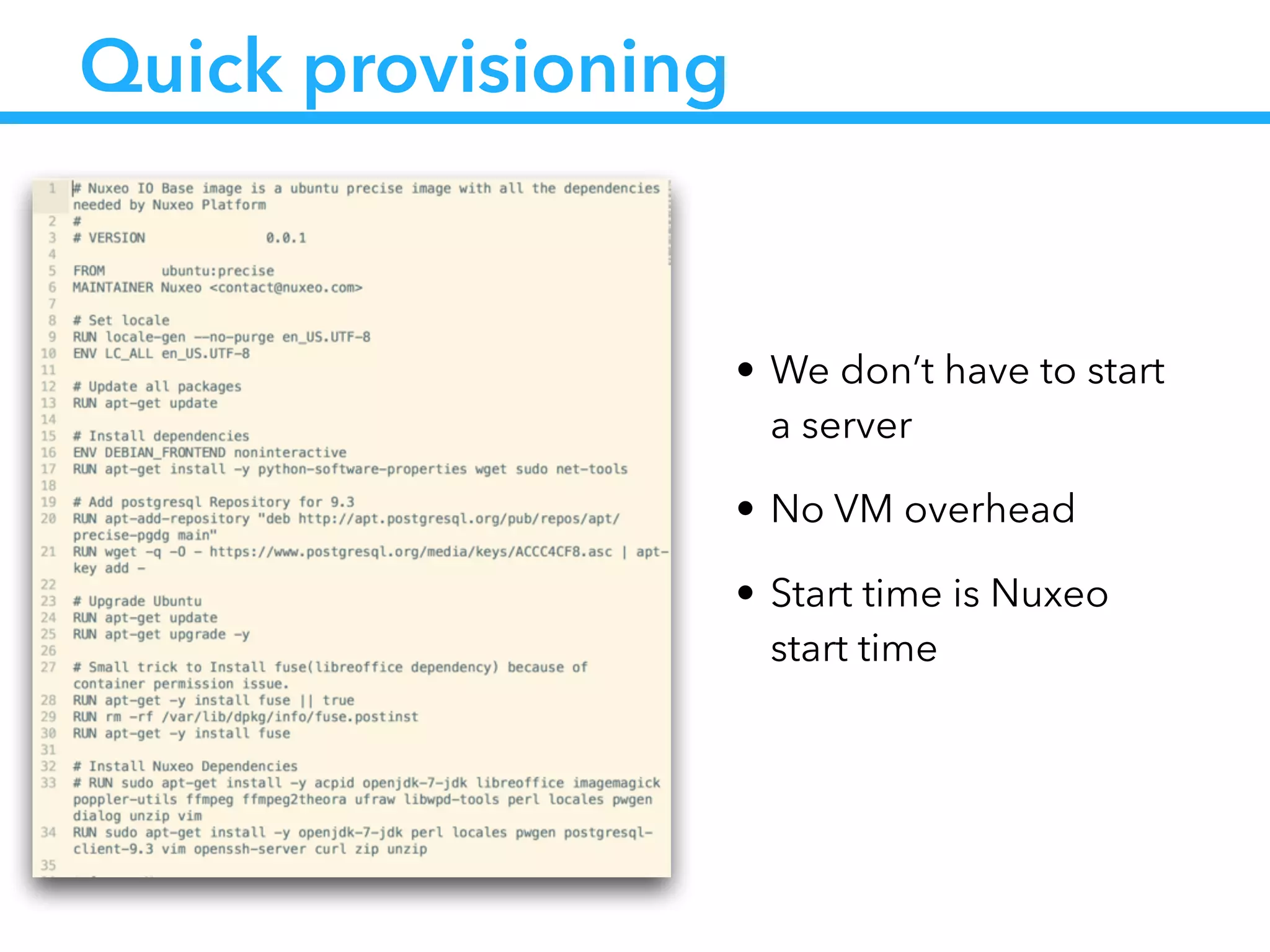
Quick provisioning
• We don’t have to start
a server
• No VM overhead
• Start time is Nuxeo
start time
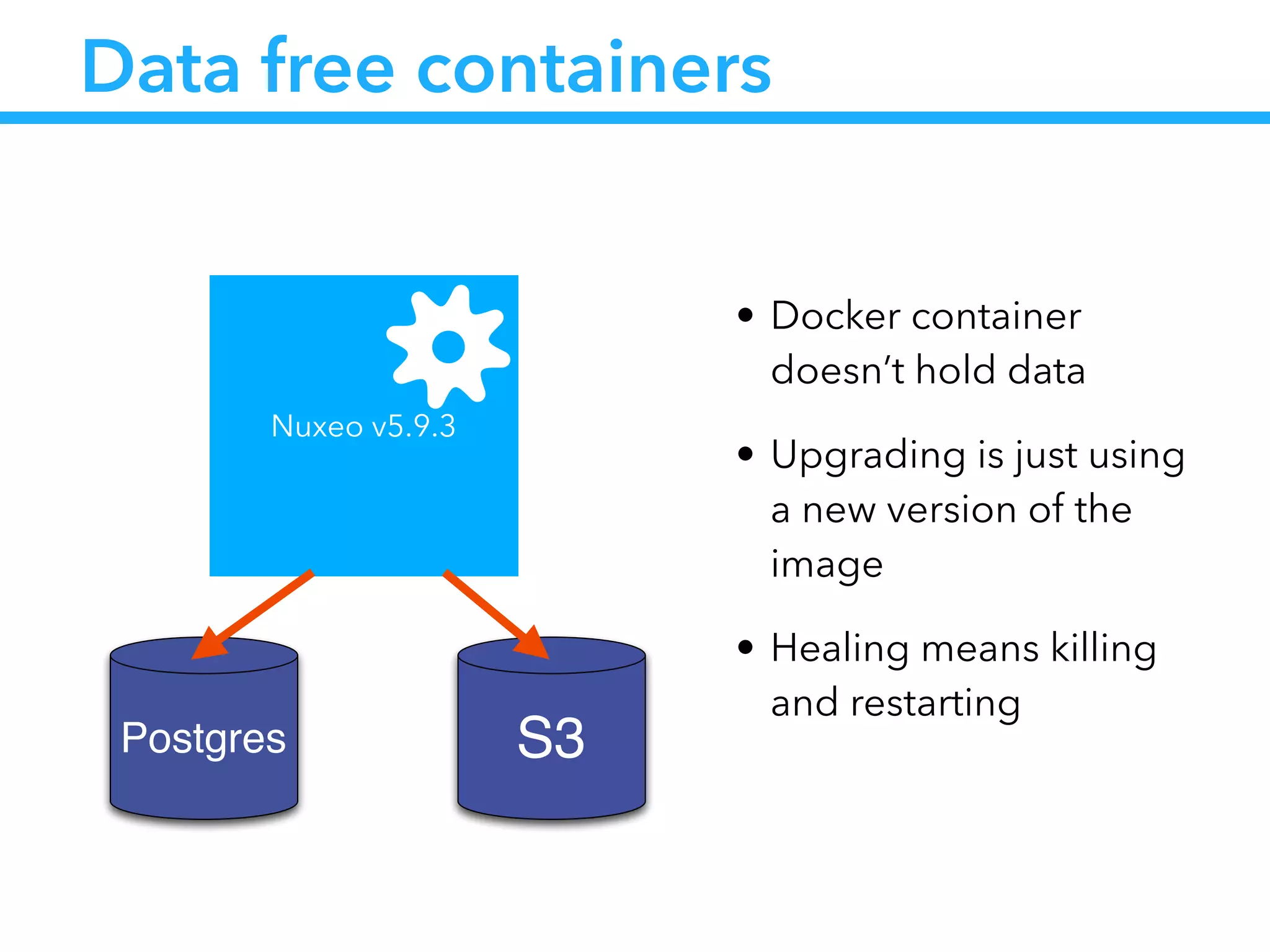
Data free containers
• Docker container
doesn’t hold data
• Upgrading is just using
a new version of the
image
• Healing means killing
and restarting
Nuxeo v5.9.3
S3Postgres
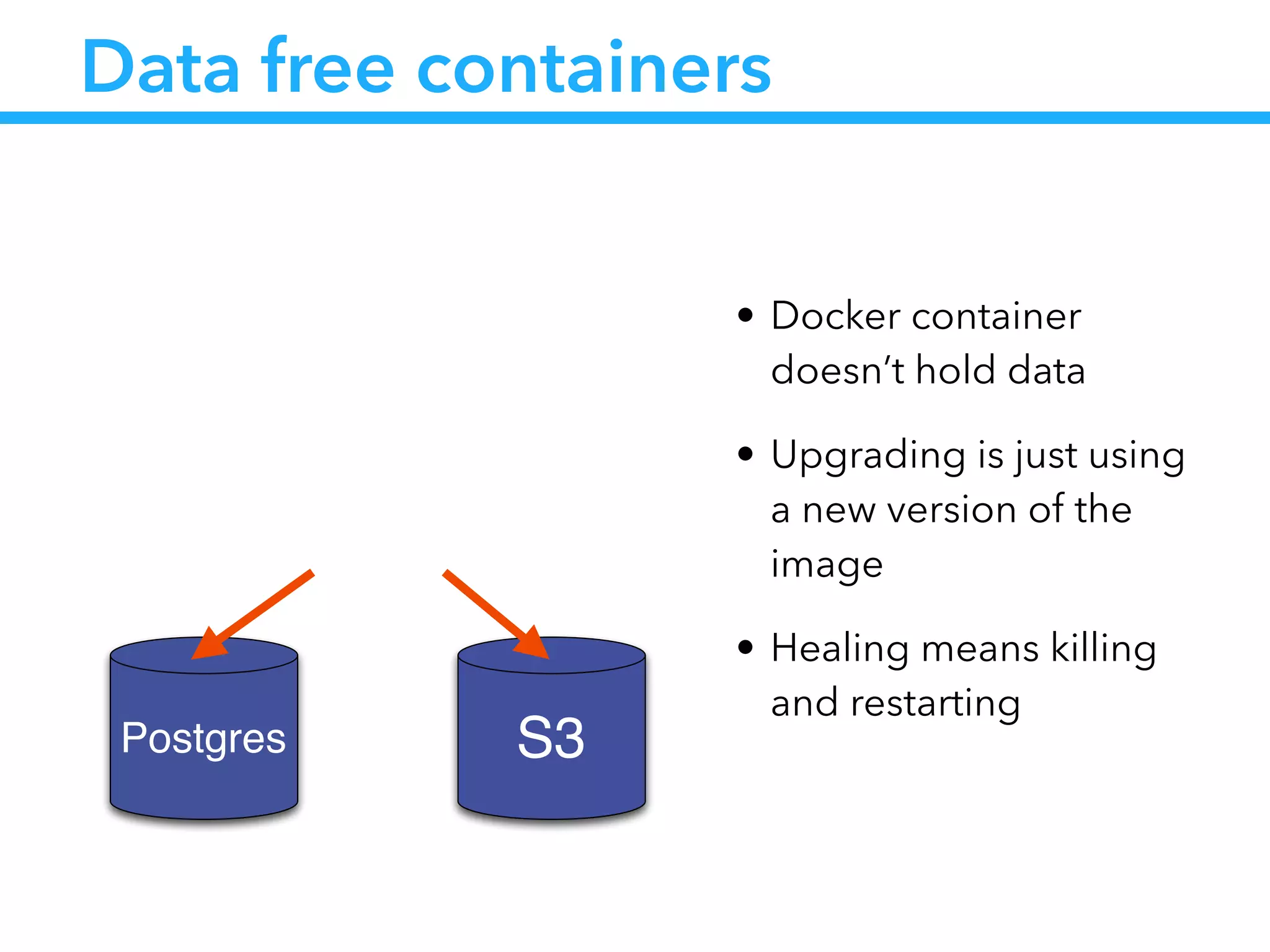
Data free containers
• Docker container
doesn’t hold data
• Upgrading is just using
a new version of the
image
• Healing means killing
and restarting
S3Postgres
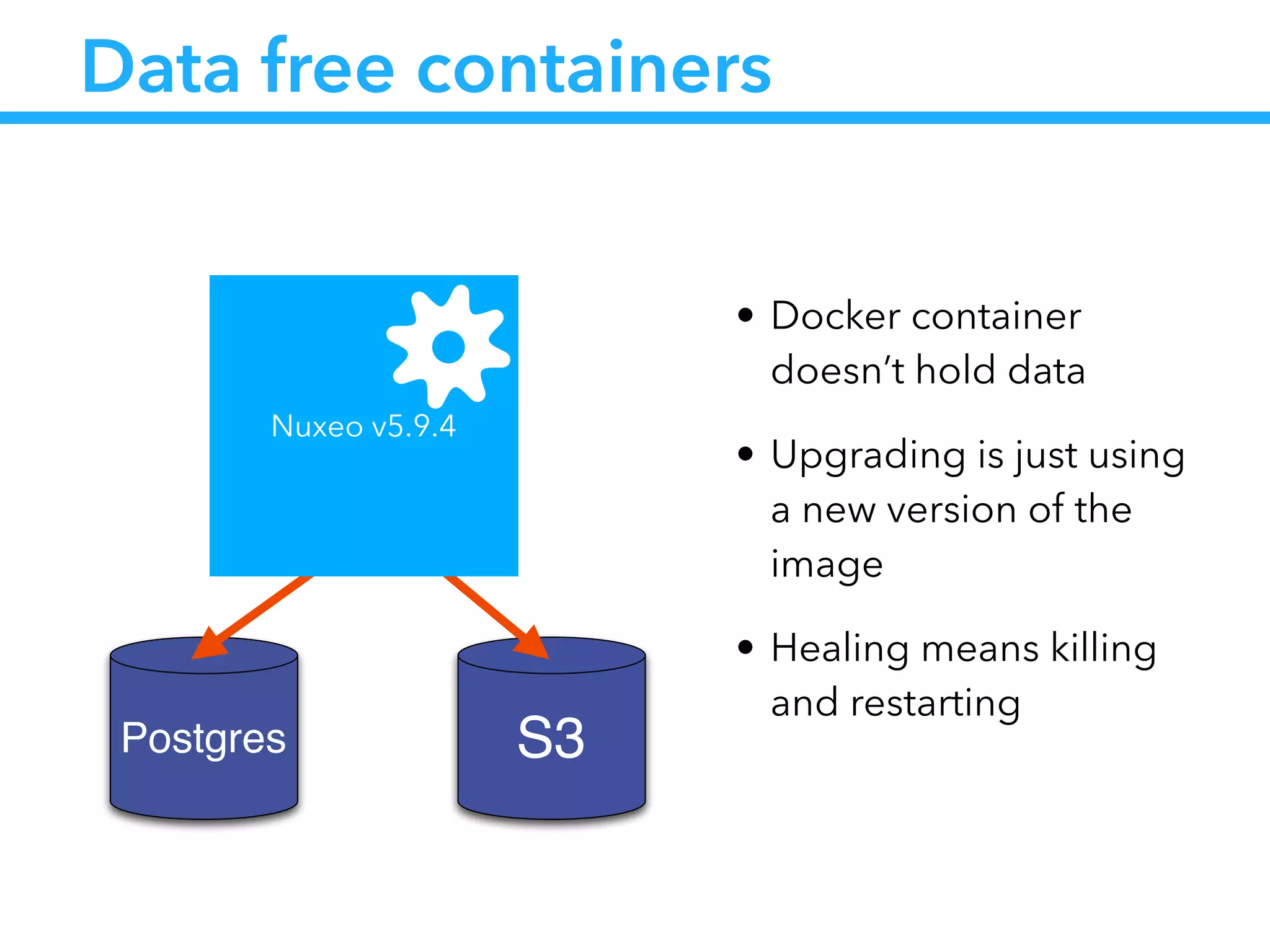
Data free containers
• Docker container
doesn’t hold data
• Upgrading is just using
a new version of the
image
• Healing means killing
and restarting
S3Postgres
Nuxeo v5.9.4
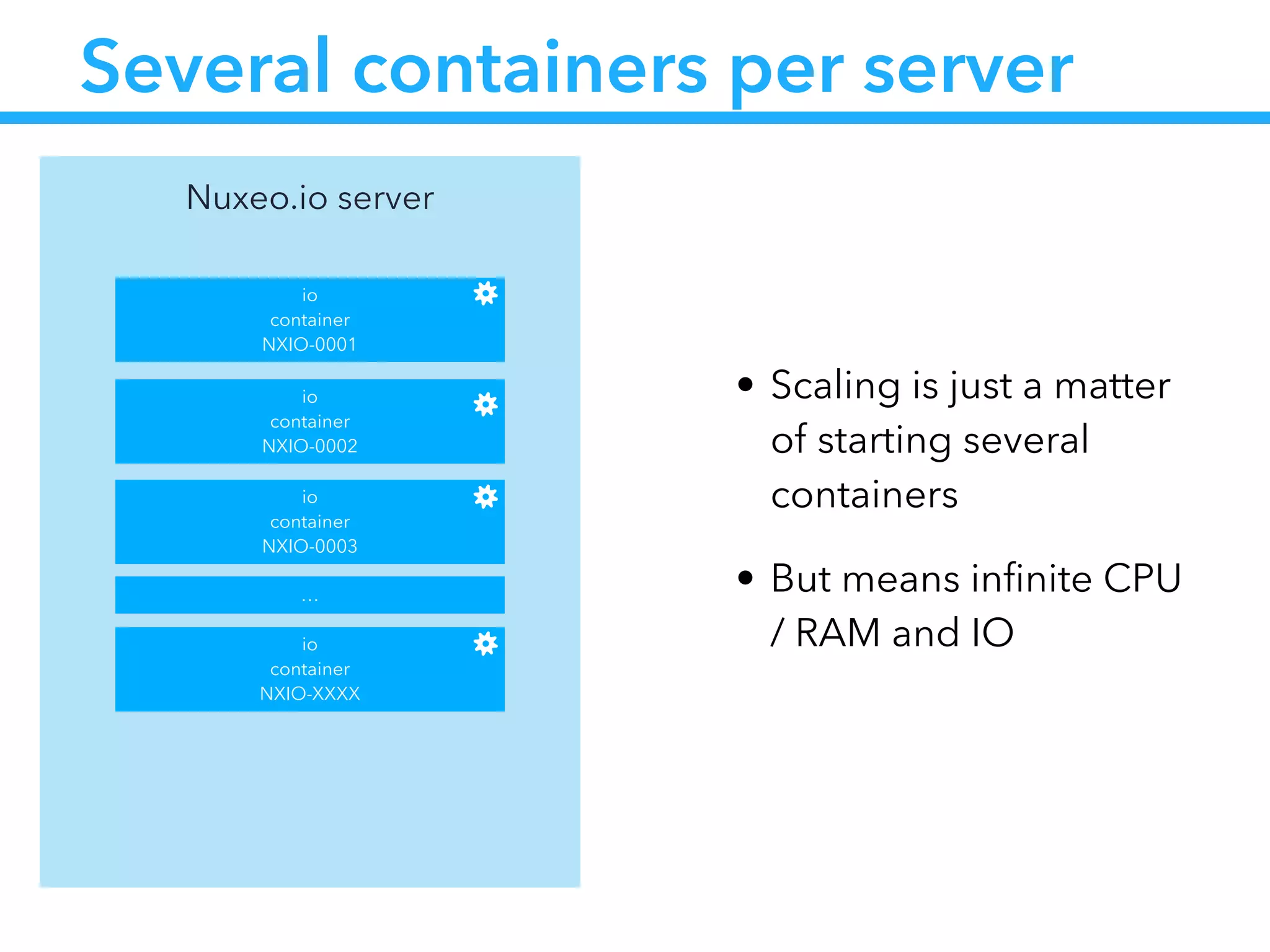
Several containers per server
• Scaling is just a matter
of starting several
containers
• But means infinite CPU
/ RAM and IO
Nuxeo.io server
io
container
NXIO-0001
io
container
NXIO-0002
io
container
NXIO-0003
io
container
NXIO-XXXX
…
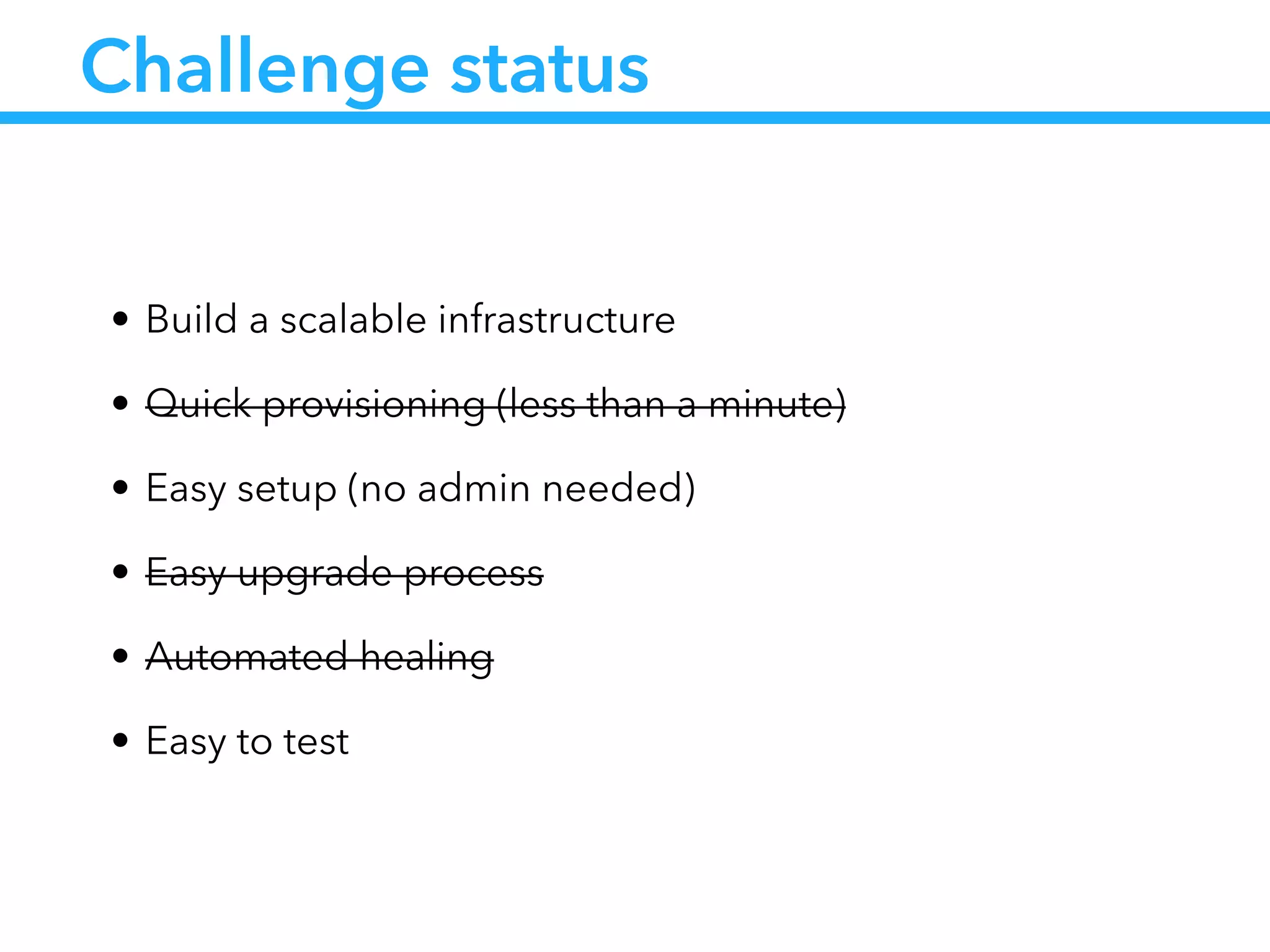
Challenge status
• Build a scalable infrastructure
• Quick provisioning (less than a minute)
• Easy setup (no admin needed)
• Easy upgrade process
• Automated healing
• Easy to test
How to solve the
other issues ?
… with a little help from my friends
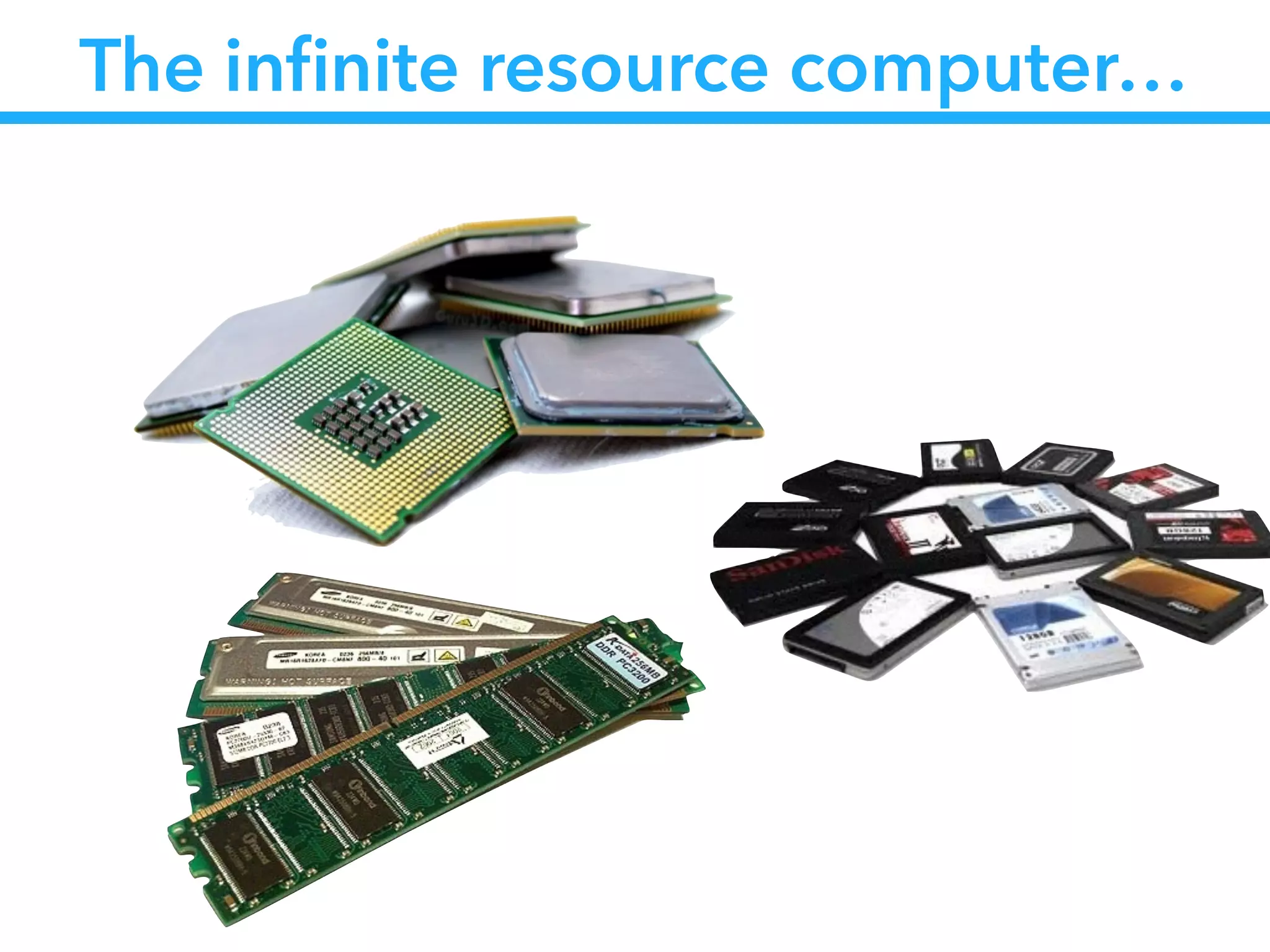
The infinite resource computer…
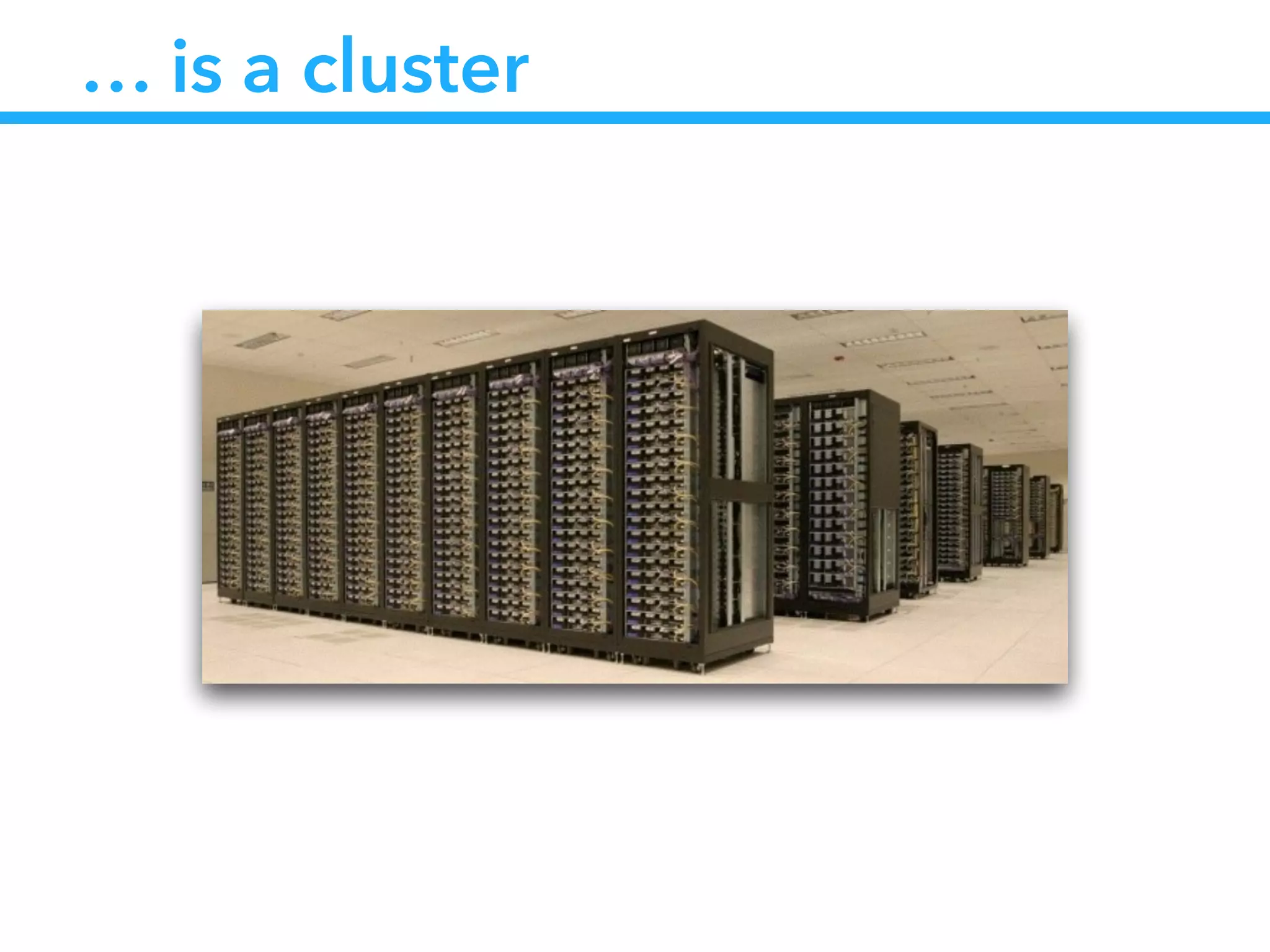
… is a cluster
Docker is not sufficient
• Docker handles processes at the OS level
• On the cluster level we need a companion
• To load balance the processes
• To check the statuses of the processes
• We need a docker ps at the cluster level
Introducing CoreOS
• A minimal Linux distribution (small footprint)
• Designed to handle cluster
• Providing cluster tooling
• Docker
• etcd
• fleet
https://coreos.com/
etcd : service discovery
• etcd is
• small distributed key value store
• keys may have TTL
• using Raft protocol to elect cluster leader
• suitable for :
• shared configuration
• service discovery
fleet : clustered init system
• fleet is :
• an init system at the cluster level
• compatible with systemd unit files
• suitable for :
• launching docker containers
• distributing load across cluster
• get the status of the jobs
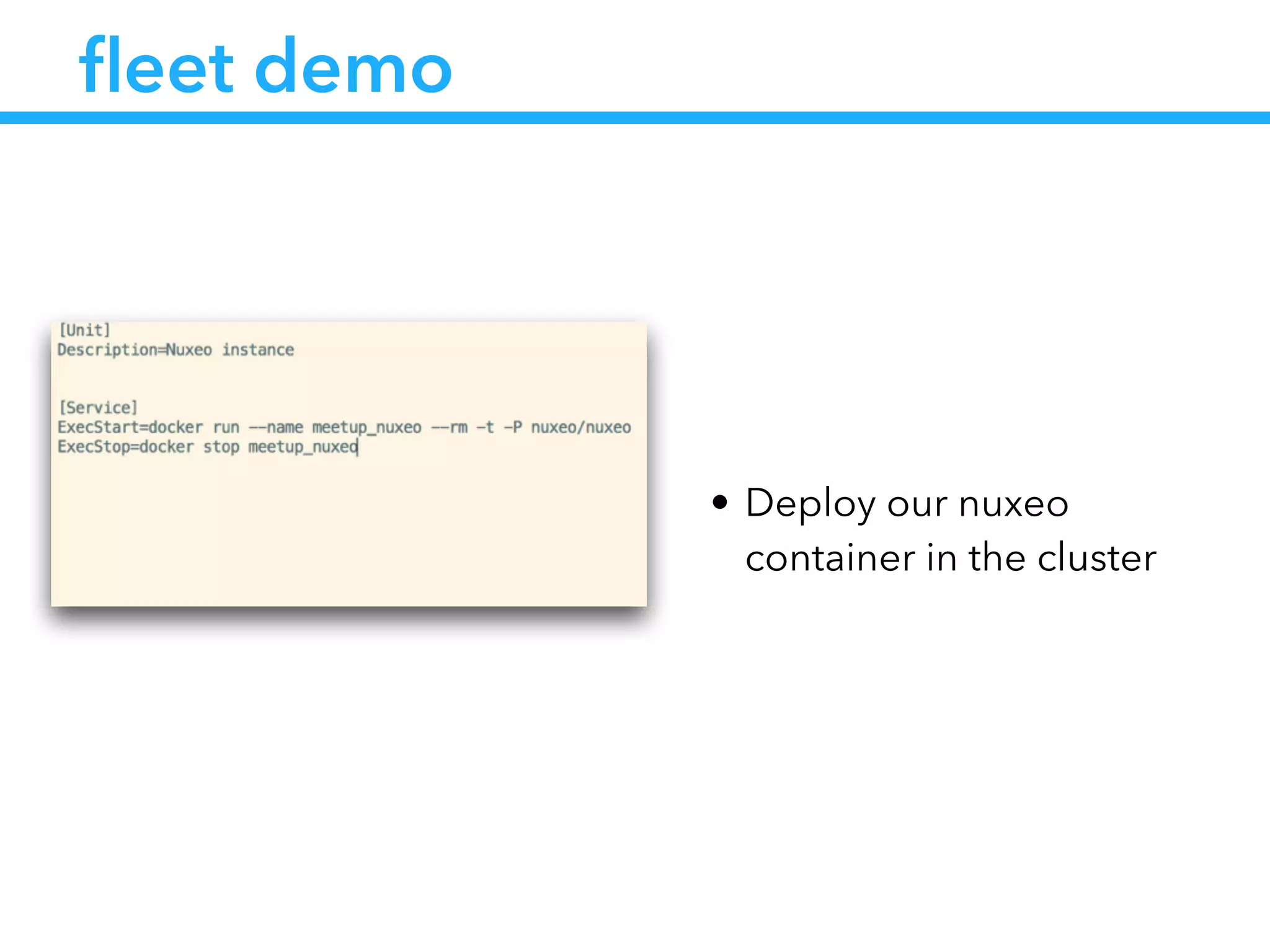
fleet demo
• Deploy our nuxeo
container in the cluster
Challenge status
• Build a scalable infrastructure
• Quick provisioning (less than a minute)
• Easy setup (no admin needed)
• Easy upgrade process
• Automated healing
• Easy to test
What are the admin tasks ?
• Launch the fleetctl command
• Setup DNS and reverse proxies
• Link container to external services (S3, Postgres etc…)
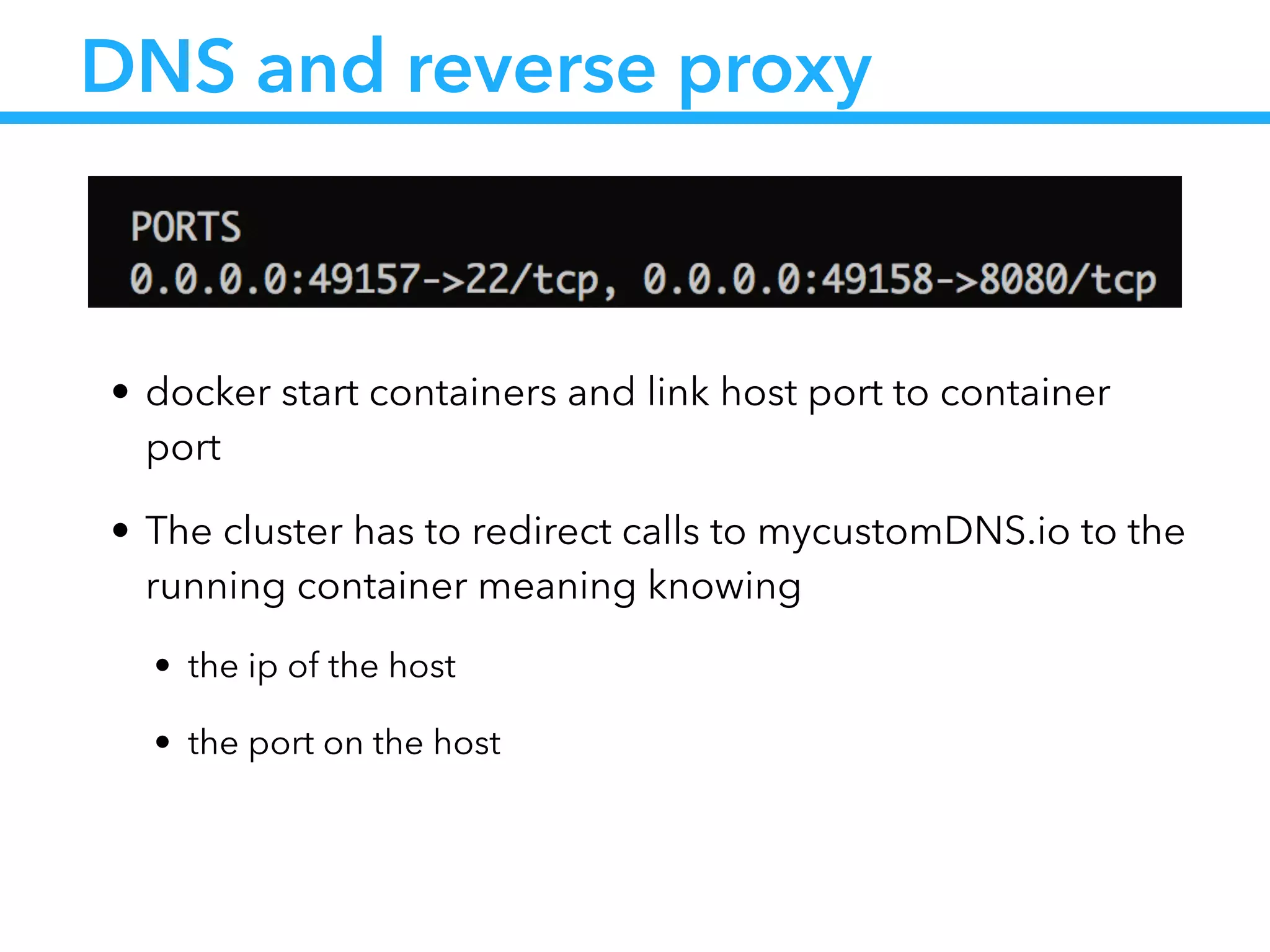
DNS and reverse proxy
• docker start containers and link host port to container
port
• The cluster has to redirect calls to mycustomDNS.io to the
running container meaning knowing
• the ip of the host
• the port on the host
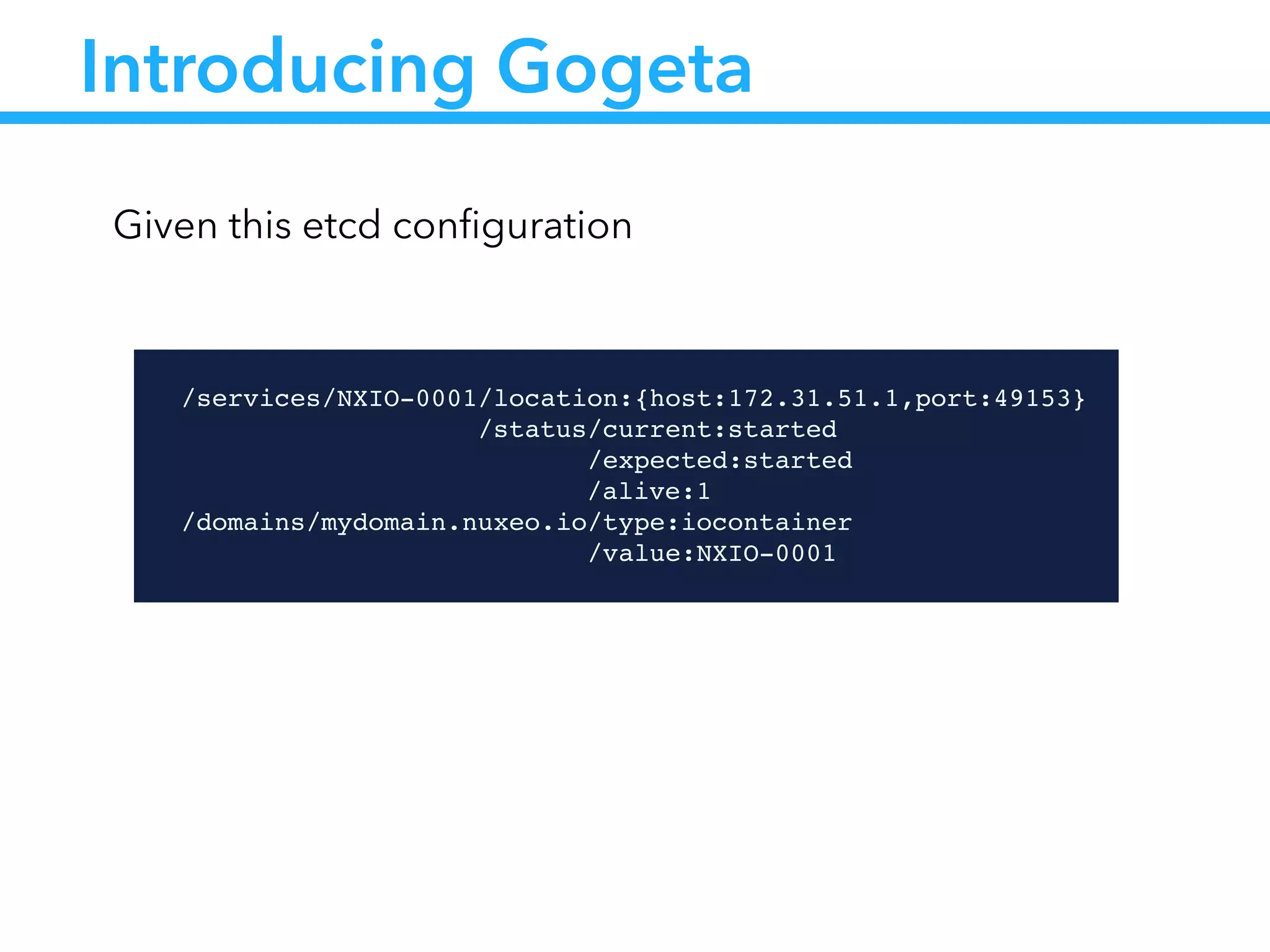
Introducing Gogeta
!
/services/NXIO-0001/location:{host:172.31.51.1,port:49153}!
                /status/current:started!
                      /expected:started!
!! ! ! ! ! /alive:1!
/domains/mydomain.nuxeo.io/type:iocontainer!
                          /value:NXIO-0001
Given this etcd configuration
Cluster
CoreOS
172.31.51.20
etcd
io
container
NXIO-0098
systemd
CoreOS
172.31.51.1
etcd
io
container
NXIO-0001 Gogeta
systemd
… … … …
Fleet
…
Gogeta
…
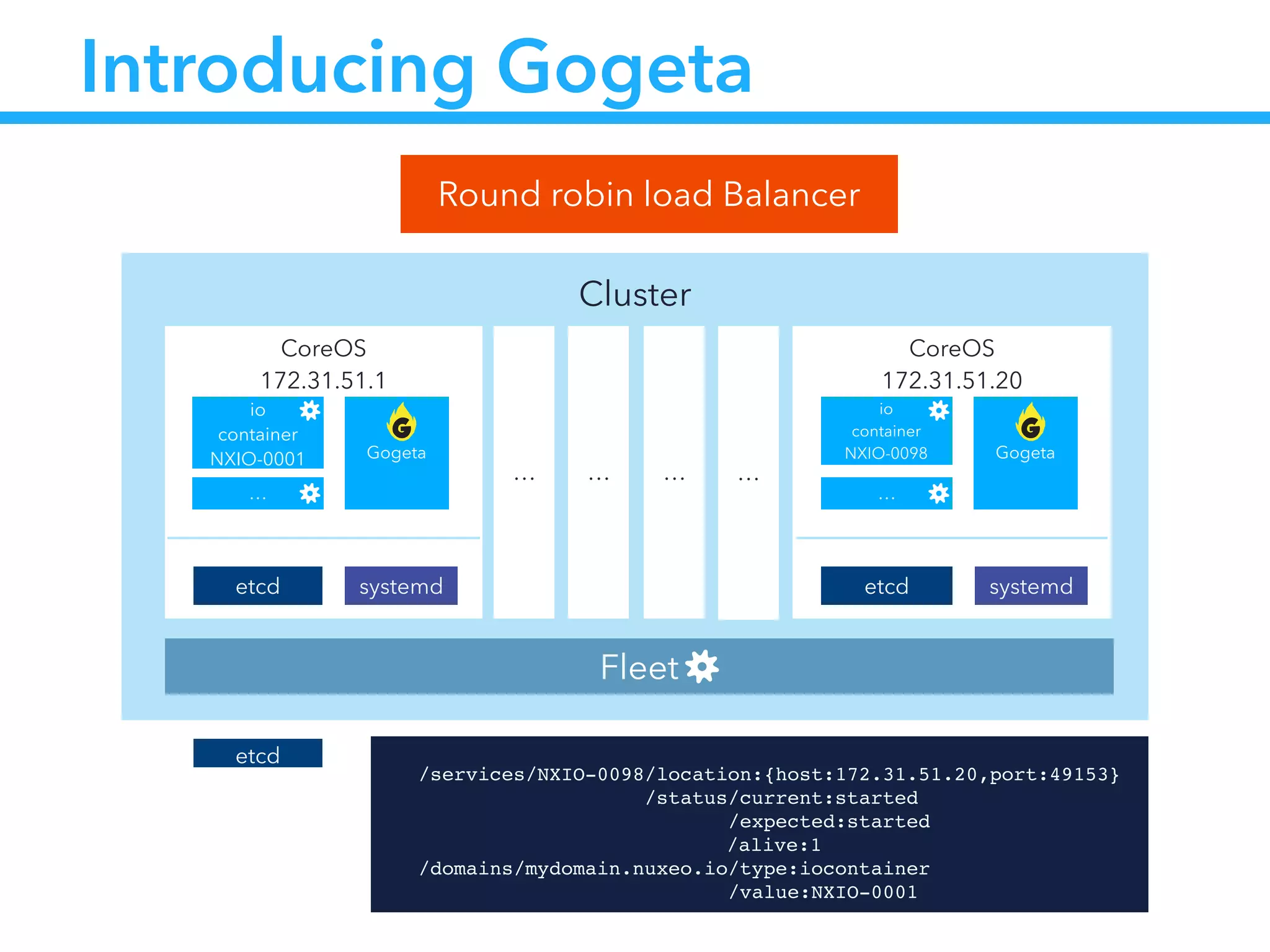
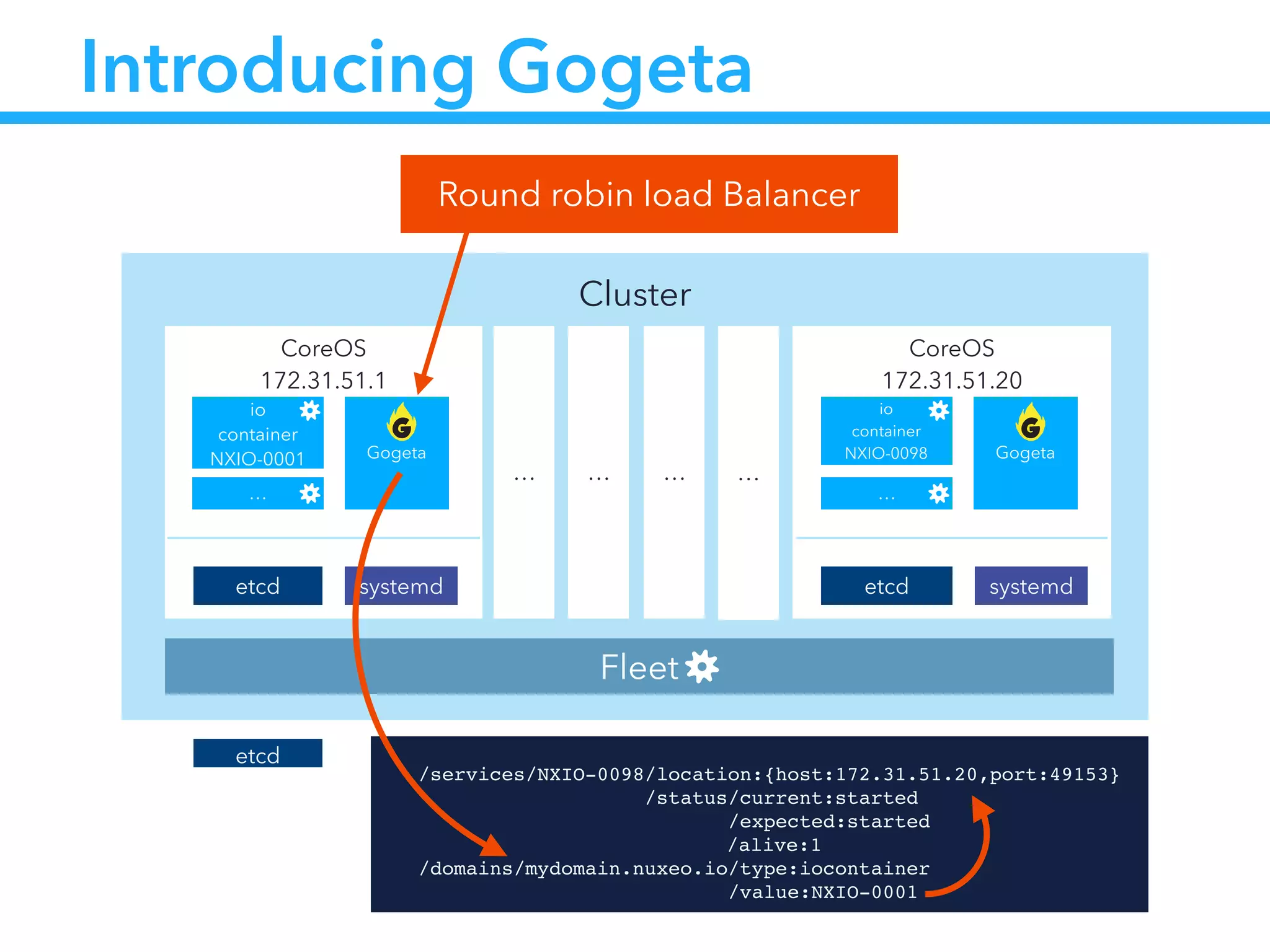
Introducing Gogeta
Round robin load Balancer
etcd !
/services/NXIO-0098/location:{host:172.31.51.20,port:49153}!
                /status/current:started!
                      /expected:started!
!! ! ! ! ! /alive:1!
/domains/mydomain.nuxeo.io/type:iocontainer!
                          /value:NXIO-0001
Cluster
CoreOS
172.31.51.20
etcd
io
container
NXIO-0098
systemd
CoreOS
172.31.51.1
etcd
io
container
NXIO-0001 Gogeta
systemd
… … … …
Fleet
…
Gogeta
…
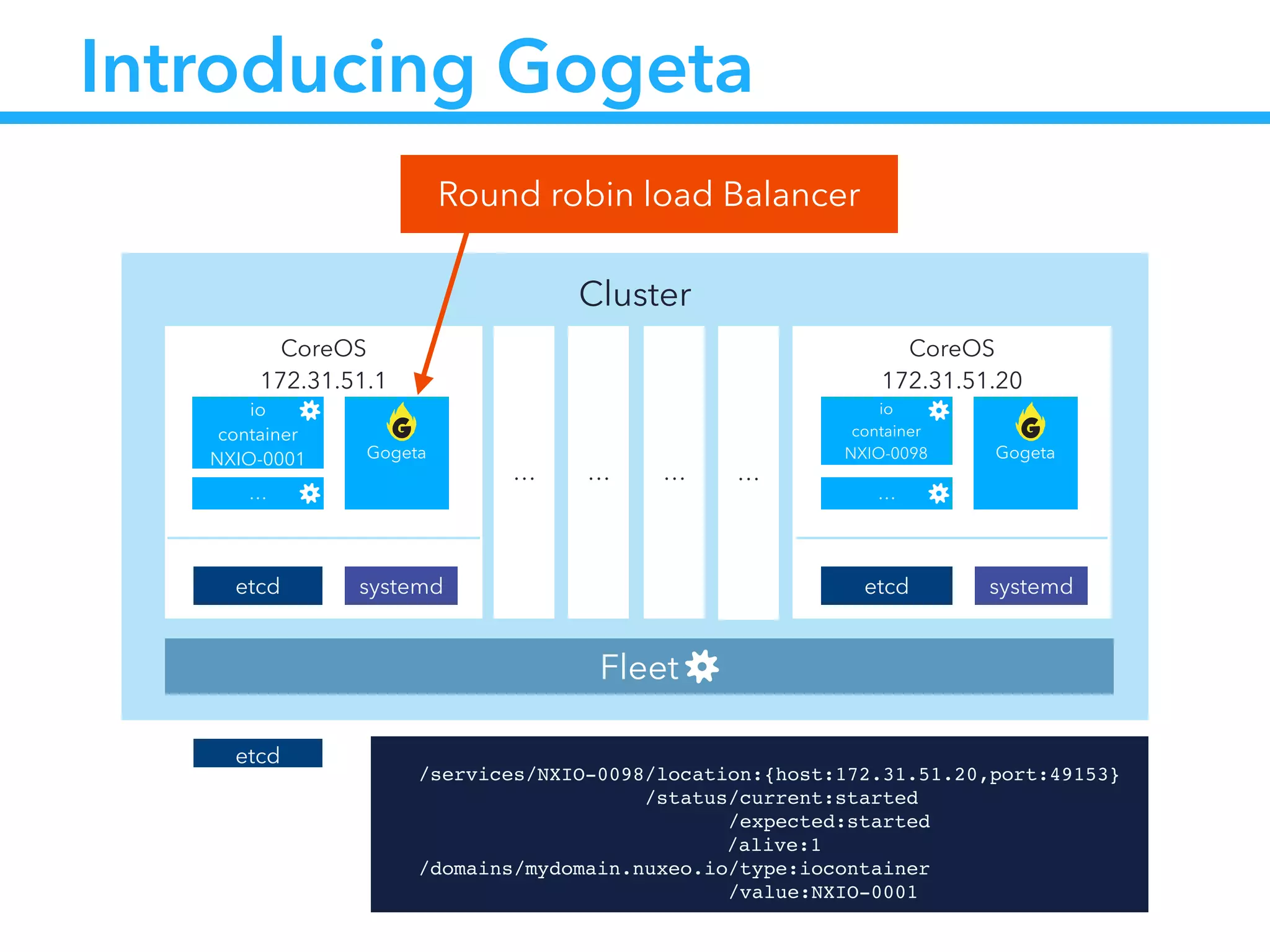
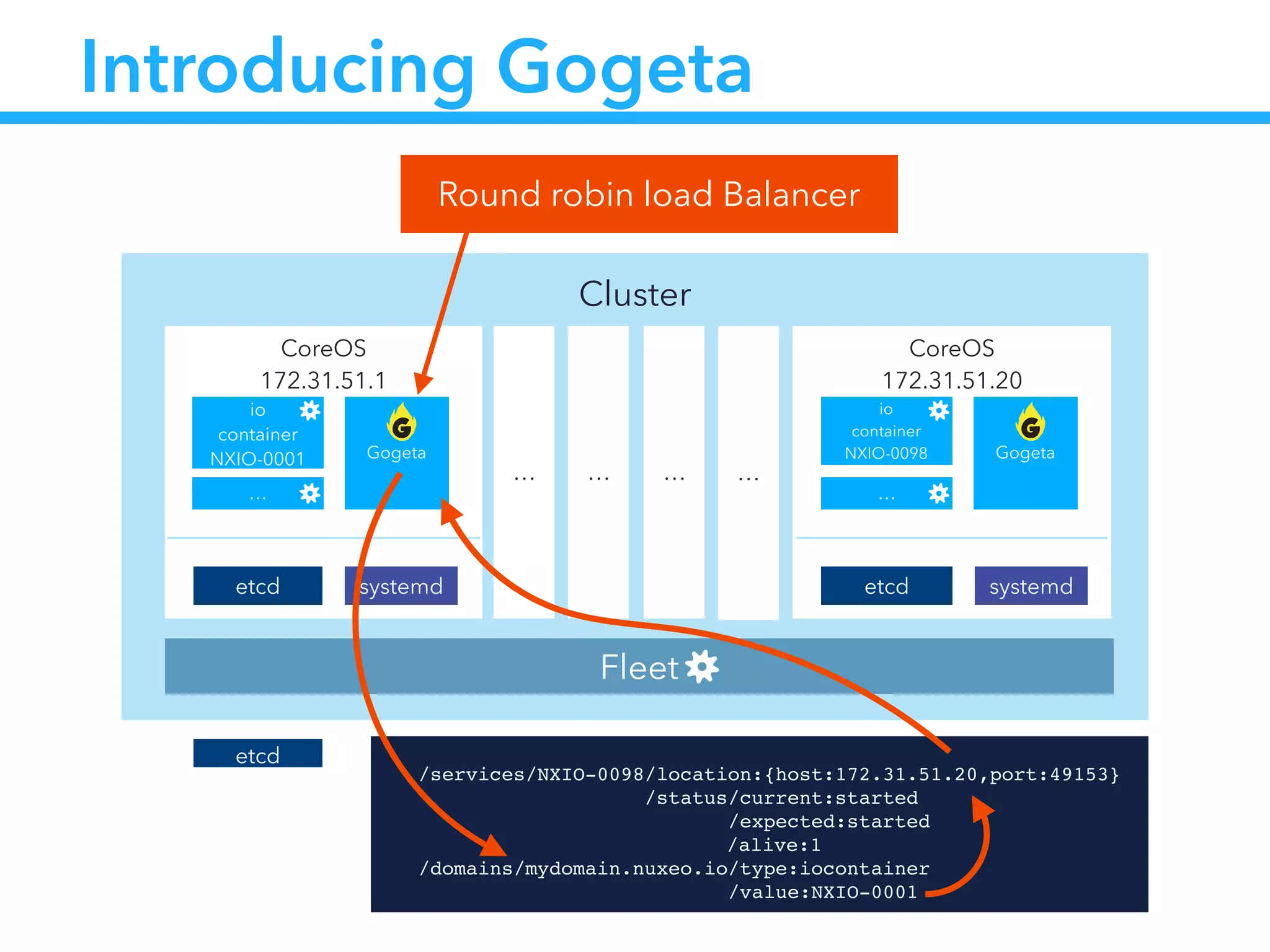
Introducing Gogeta
Round robin load Balancer
etcd !
/services/NXIO-0098/location:{host:172.31.51.20,port:49153}!
                /status/current:started!
                      /expected:started!
!! ! ! ! ! /alive:1!
/domains/mydomain.nuxeo.io/type:iocontainer!
                          /value:NXIO-0001
Cluster
CoreOS
172.31.51.20
etcd
io
container
NXIO-0098
systemd
CoreOS
172.31.51.1
etcd
io
container
NXIO-0001 Gogeta
systemd
… … … …
Fleet
…
Gogeta
…
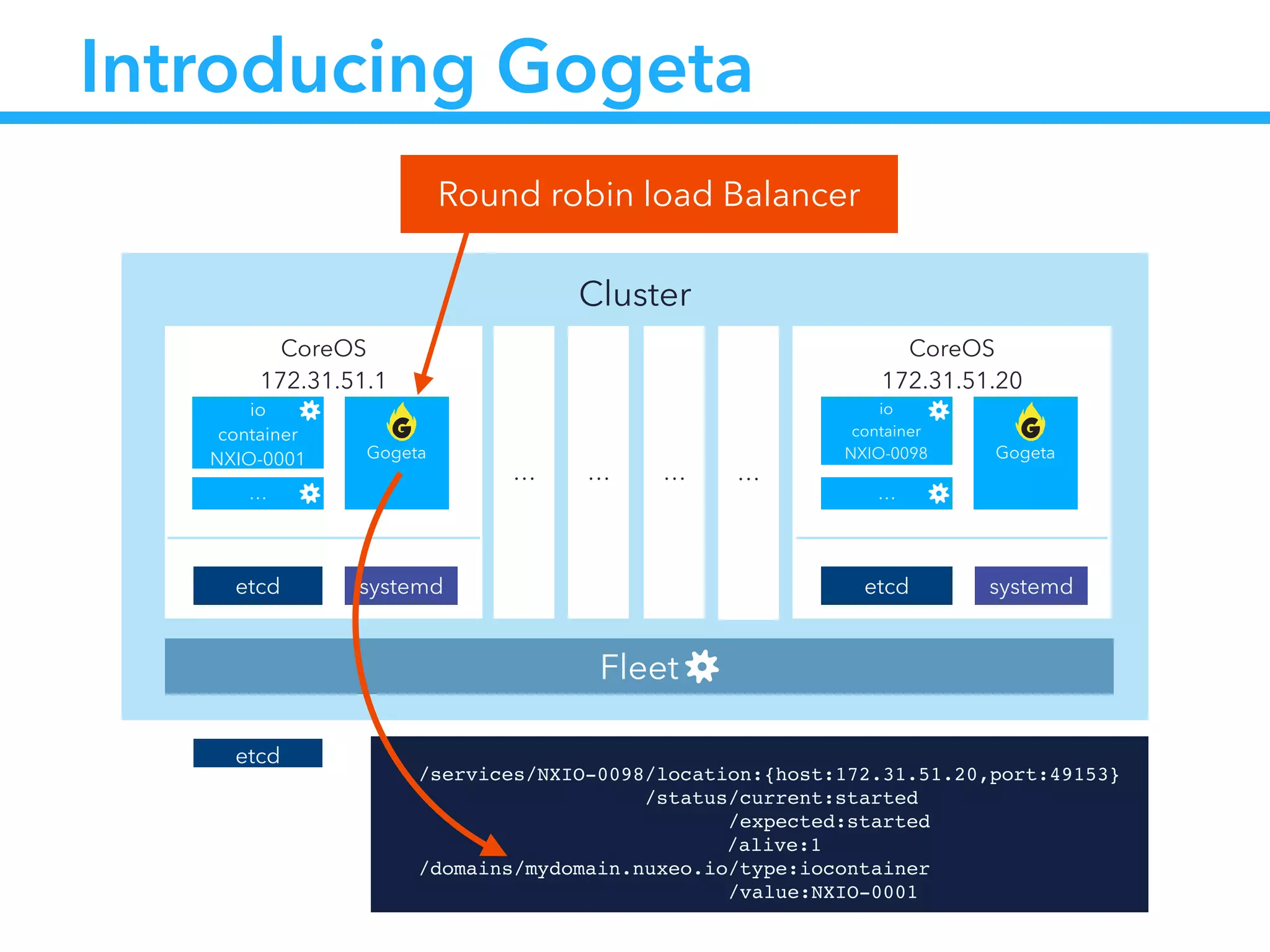
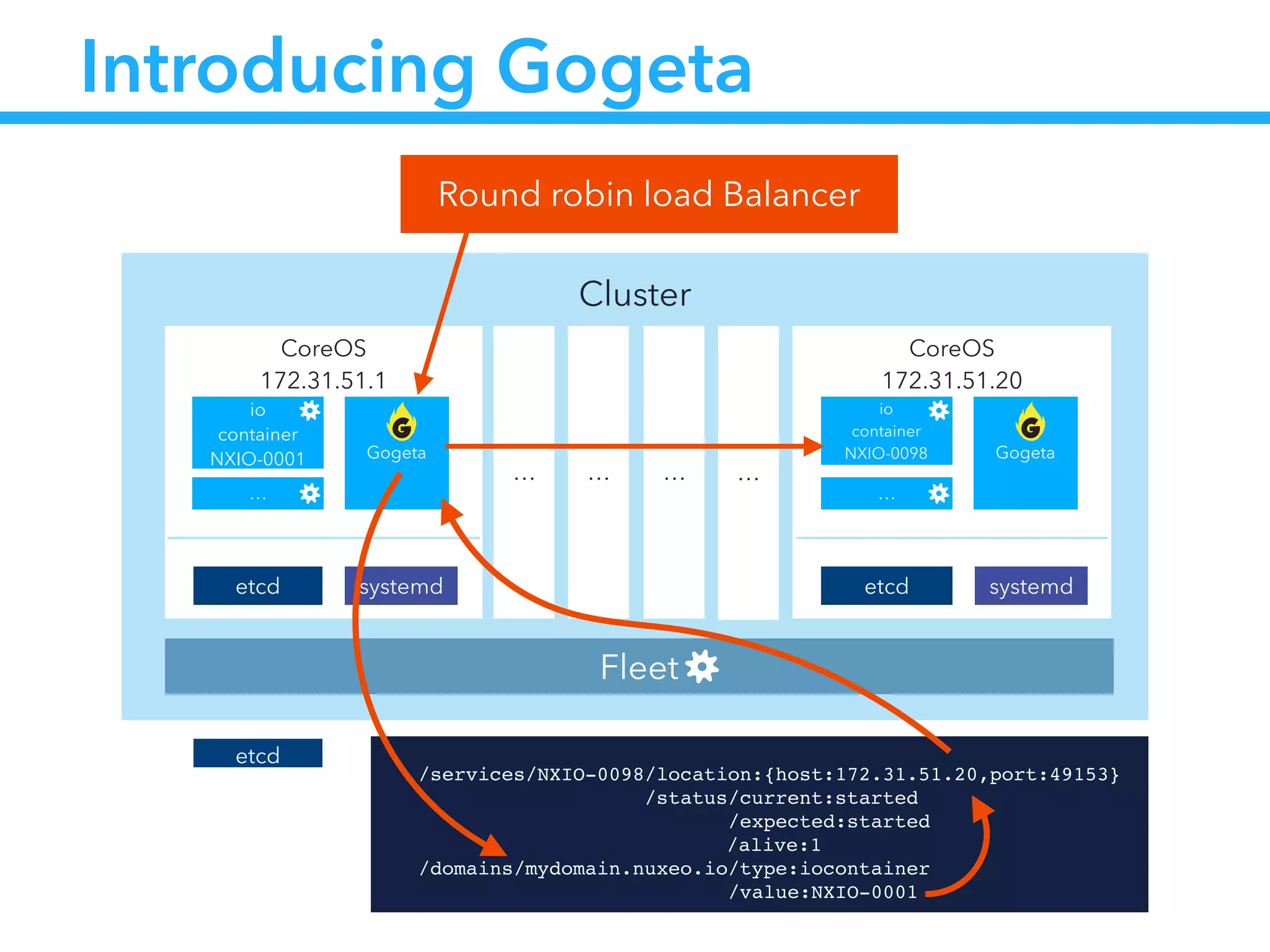
Introducing Gogeta
Round robin load Balancer
etcd !
/services/NXIO-0098/location:{host:172.31.51.20,port:49153}!
                /status/current:started!
                      /expected:started!
!! ! ! ! ! /alive:1!
/domains/mydomain.nuxeo.io/type:iocontainer!
                          /value:NXIO-0001
Cluster
CoreOS
172.31.51.20
etcd
io
container
NXIO-0098
systemd
CoreOS
172.31.51.1
etcd
io
container
NXIO-0001 Gogeta
systemd
… … … …
Fleet
…
Gogeta
…
Introducing Gogeta
Round robin load Balancer
etcd !
/services/NXIO-0098/location:{host:172.31.51.20,port:49153}!
                /status/current:started!
                      /expected:started!
!! ! ! ! ! /alive:1!
/domains/mydomain.nuxeo.io/type:iocontainer!
                          /value:NXIO-0001
Cluster
CoreOS
172.31.51.20
etcd
io
container
NXIO-0098
systemd
CoreOS
172.31.51.1
etcd
io
container
NXIO-0001 Gogeta
systemd
… … … …
Fleet
…
Gogeta
…
Introducing Gogeta
Round robin load Balancer
etcd !
/services/NXIO-0098/location:{host:172.31.51.20,port:49153}!
                /status/current:started!
                      /expected:started!
!! ! ! ! ! /alive:1!
/domains/mydomain.nuxeo.io/type:iocontainer!
                          /value:NXIO-0001
Cluster
CoreOS
172.31.51.20
etcd
io
container
NXIO-0098
systemd
CoreOS
172.31.51.1
etcd
io
container
NXIO-0001 Gogeta
systemd
… … … …
Fleet
…
Gogeta
…
Introducing Gogeta
Round robin load Balancer
etcd !
/services/NXIO-0098/location:{host:172.31.51.20,port:49153}!
                /status/current:started!
                      /expected:started!
!! ! ! ! ! /alive:1!
/domains/mydomain.nuxeo.io/type:iocontainer!
                          /value:NXIO-0001
Introducing Gogeta
• Easy to start as a docker container
!
!
• Written in Go
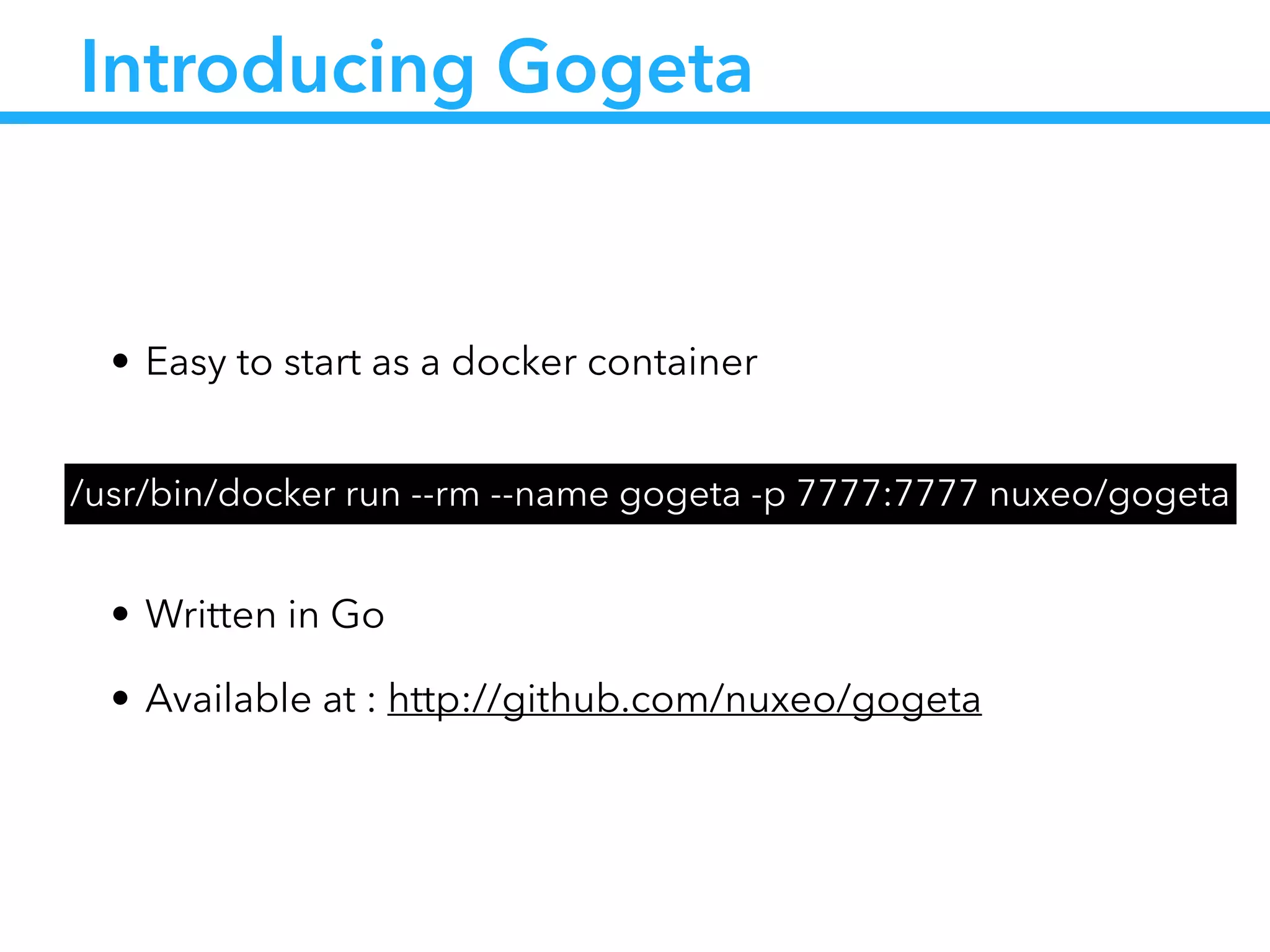
• Available at : http://github.com/nuxeo/gogeta
/usr/bin/docker run --rm --name gogeta -p 7777:7777 nuxeo/gogeta
Application startup unit
!
[Unit]!
Description=Sample startup script!
!
[Service]!
ExecStartPre= Set starting status in etcd!
ExecStart= Launch docker container!
ExecStartPost= Wait container to be launched and set app location in etcd!
ExecStop= Stop docker container!
ExecStopPost= Set stopped status in etcd!
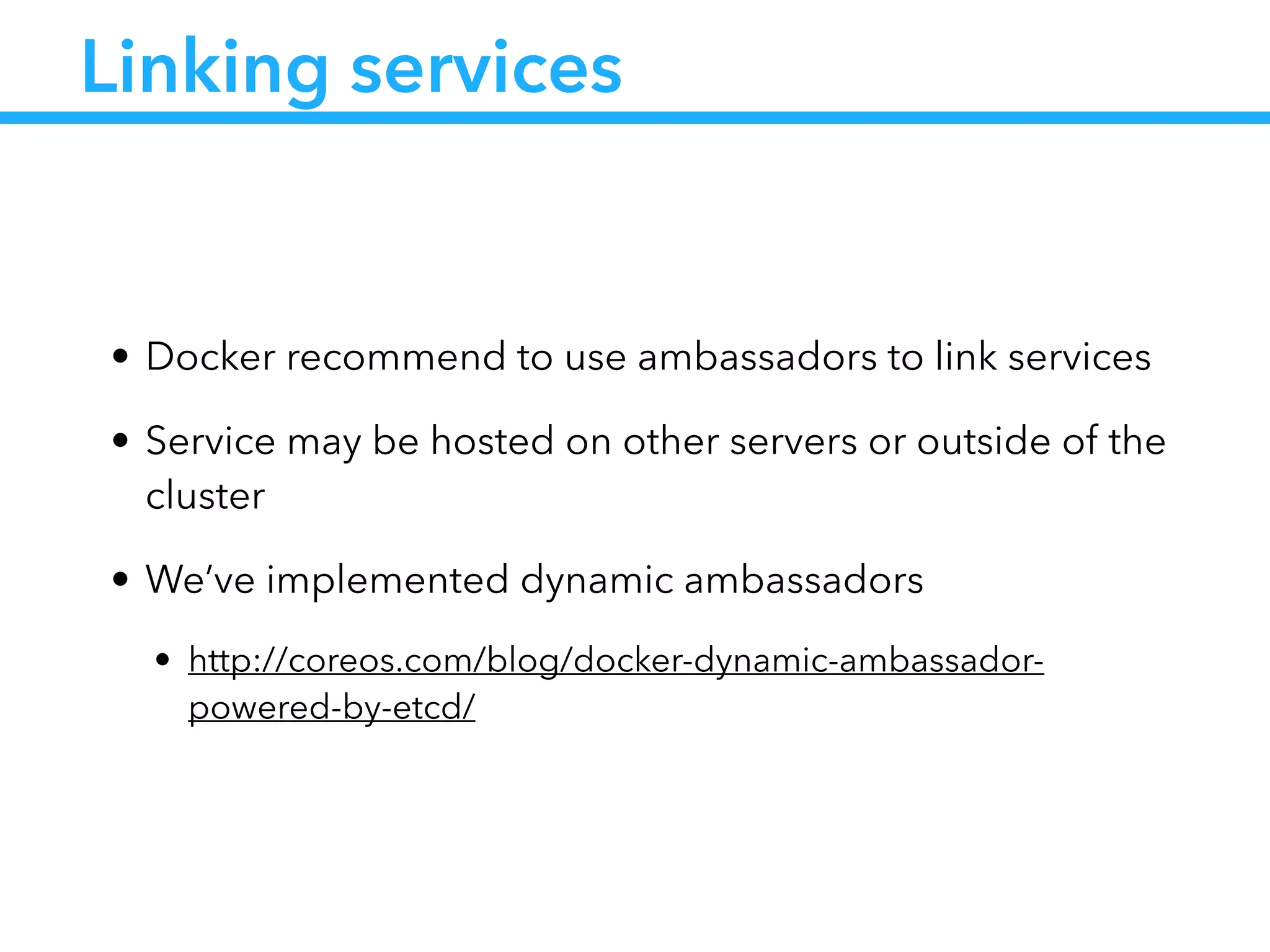
Linking services
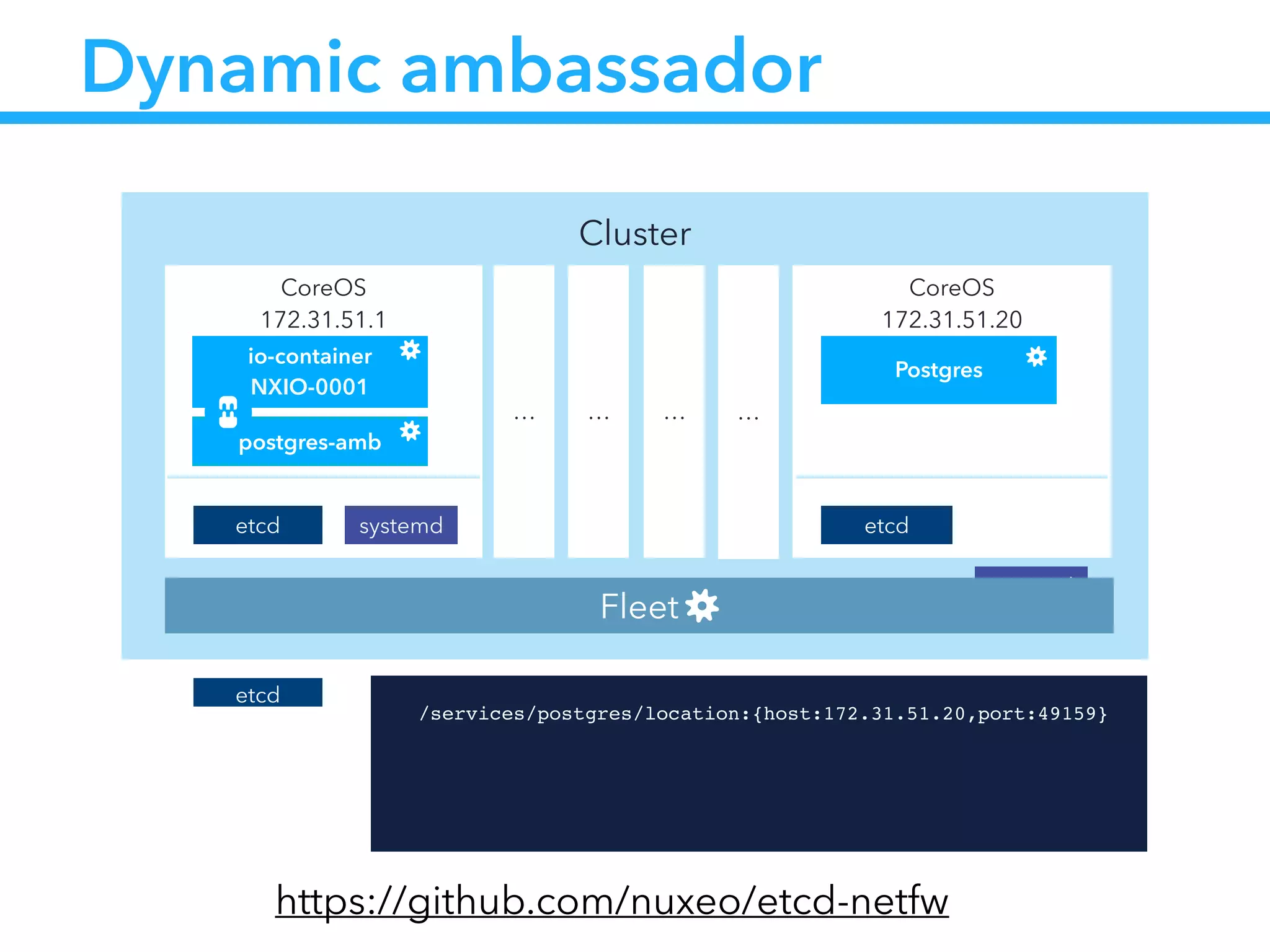
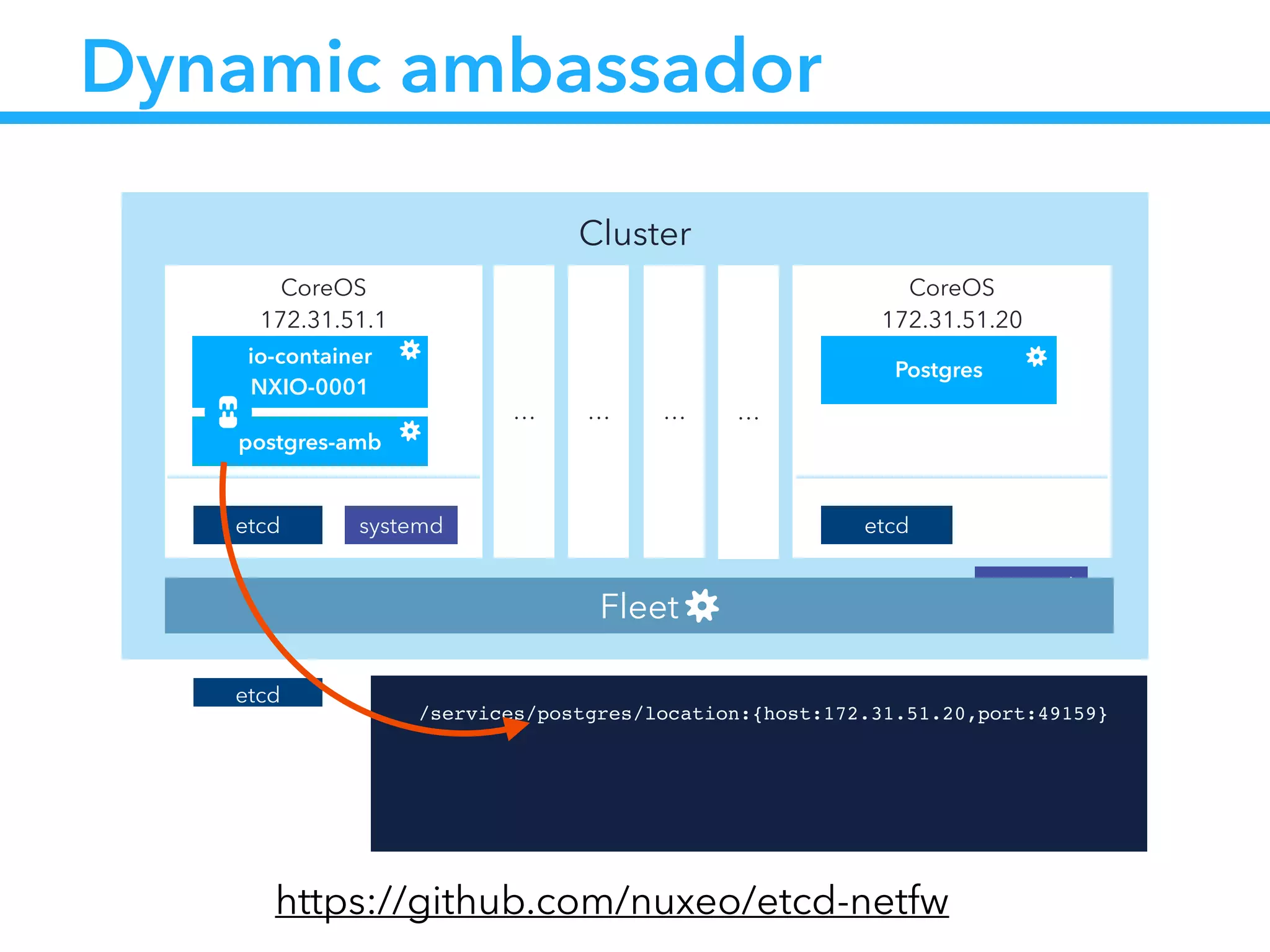
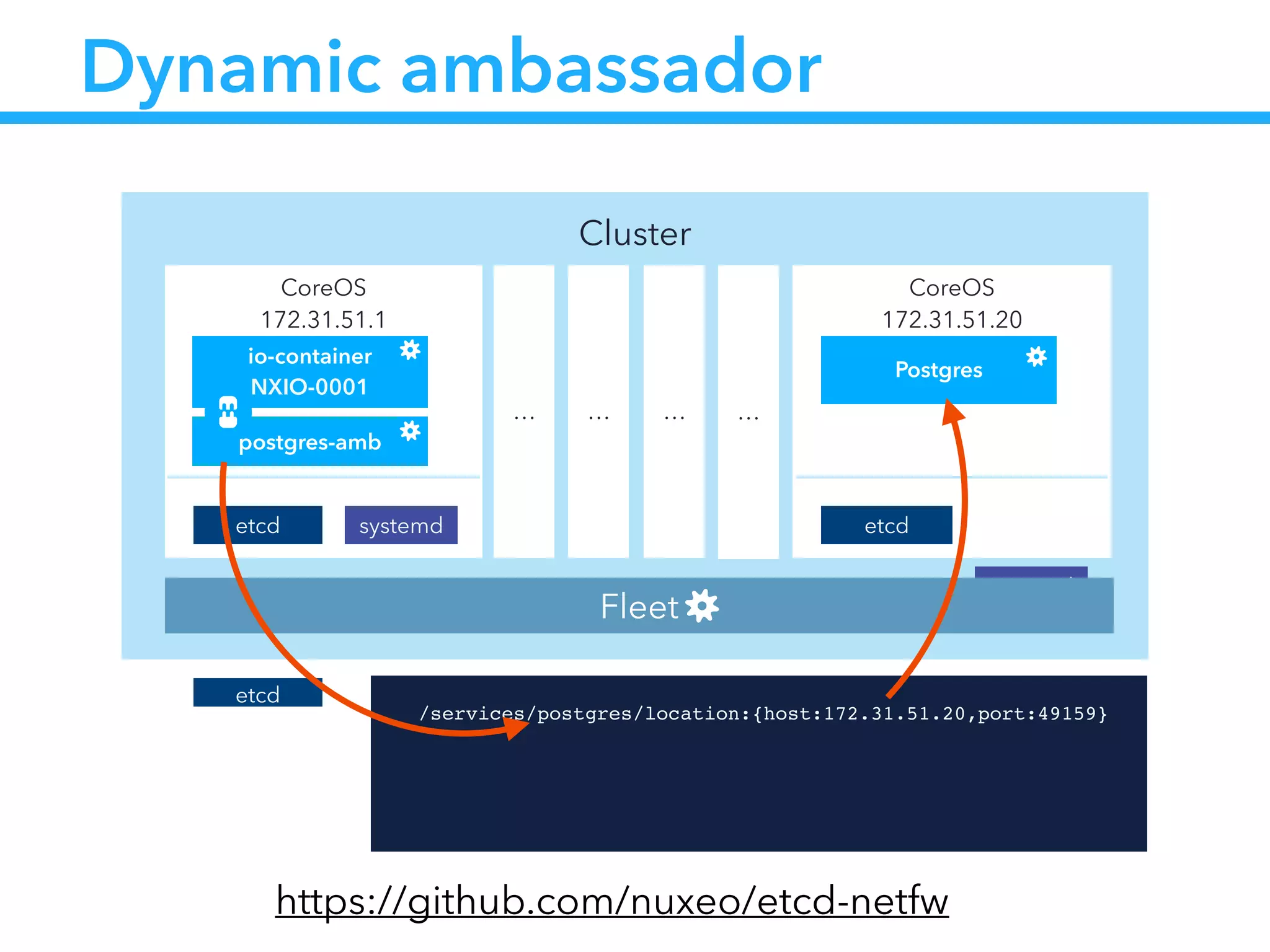
• Docker recommend to use ambassadors to link services
• Service may be hosted on other servers or outside of the
cluster
• We’ve implemented dynamic ambassadors
• http://coreos.com/blog/docker-dynamic-ambassador-
powered-by-etcd/
Cluster
CoreOS
172.31.51.20
etcd
Postgres
systemd
CoreOS
172.31.51.1
etcd
io-container
NXIO-0001
systemd
… … … …
Fleet
postgres-amb
Dynamic ambassador
etcd !
/services/postgres/location:{host:172.31.51.20,port:49159}!
https://github.com/nuxeo/etcd-netfw
Cluster
CoreOS
172.31.51.20
etcd
Postgres
systemd
CoreOS
172.31.51.1
etcd
io-container
NXIO-0001
systemd
… … … …
Fleet
postgres-amb
Dynamic ambassador
etcd !
/services/postgres/location:{host:172.31.51.20,port:49159}!
https://github.com/nuxeo/etcd-netfw
Cluster
CoreOS
172.31.51.20
etcd
Postgres
systemd
CoreOS
172.31.51.1
etcd
io-container
NXIO-0001
systemd
… … … …
Fleet
postgres-amb
Dynamic ambassador
etcd !
/services/postgres/location:{host:172.31.51.20,port:49159}!
https://github.com/nuxeo/etcd-netfw
Dynamic ambassador
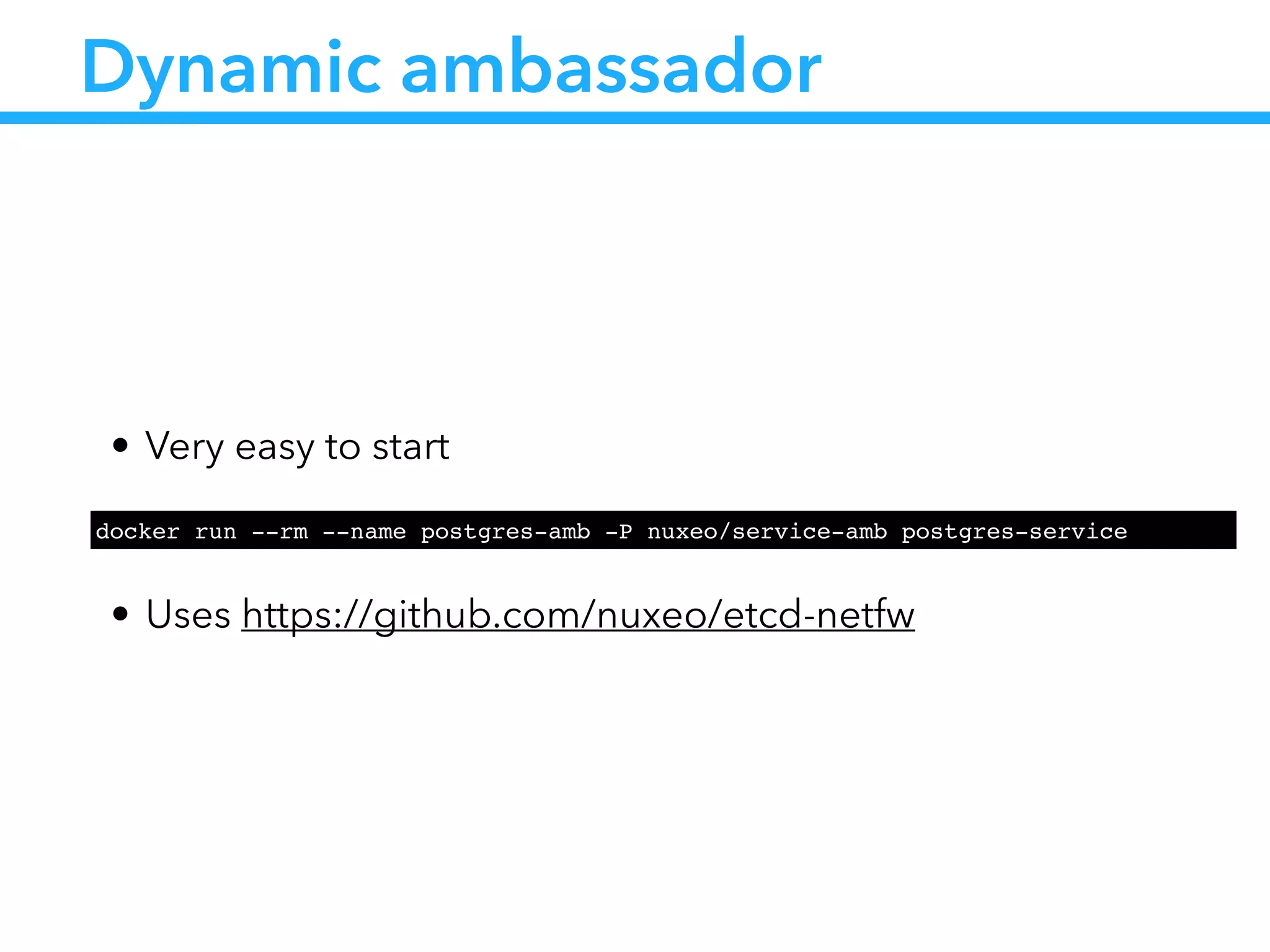
• Very easy to start
!
• Uses https://github.com/nuxeo/etcd-netfw
docker run --rm --name postgres-amb -P nuxeo/service-amb postgres-service
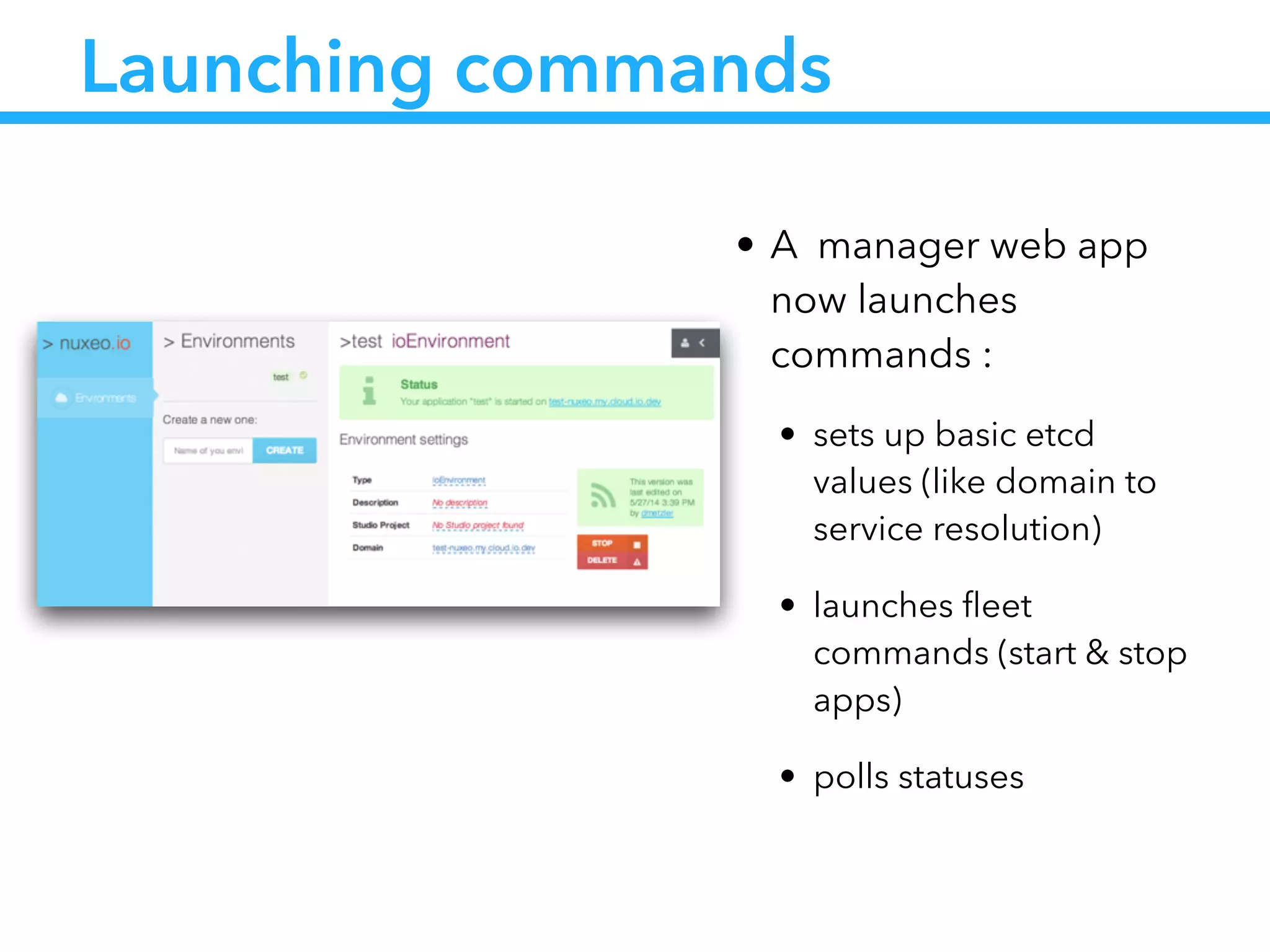
Launching commands
• A manager web app
now launches
commands :
• sets up basic etcd
values (like domain to
service resolution)
• launches fleet
commands (start & stop
apps)
• polls statuses
Challenge status
• Build a scalable infrastructure
• Quick provisioning (less than a minute)
• Easy setup (no admin needed)
• Easy upgrade process
• Automated healing
• Easy to test
Let’s resume
From nuxeo.io…
• We’ve built a cluster infrastructure that :
• knows how to deploy Docker containers (with fleet)
• Expose those containers thru domain name resolution (with
gogeta)
• Link dependent services to the container (with etcd-netfw)
From nuxeo.io…
• Given that a container should represent an application
• Running this apps means :
• Launch it with runtime parameters
• Link it to its dependent services
• Then we can build a metamodel around it
…
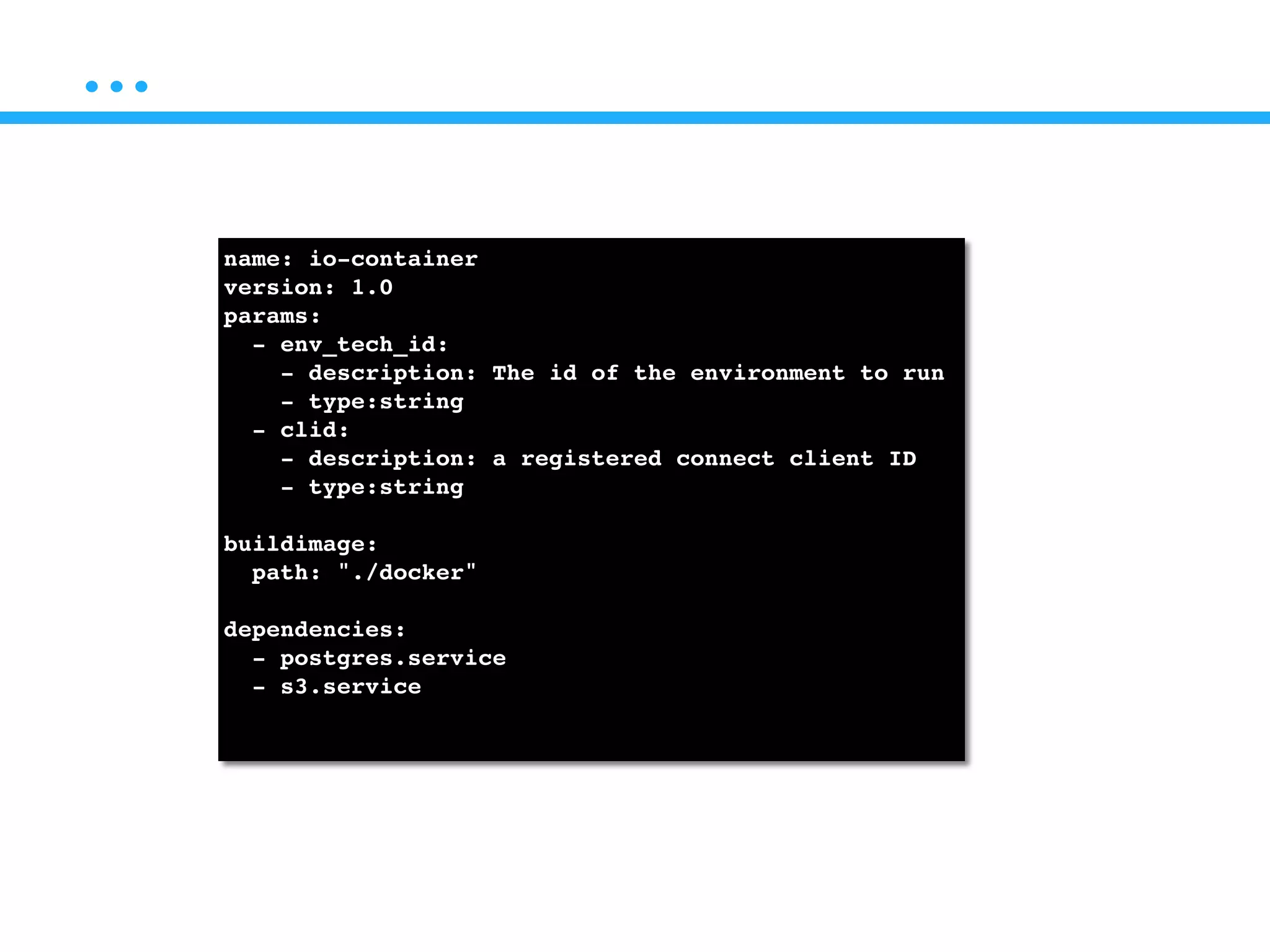
name: io-container!
version: 1.0!
params:!
- env_tech_id: !
- description: The id of the environment to run!
- type:string!
- clid:!
- description: a registered connect client ID!
- type:string!
!
buildimage:!
path: "./docker"!
!
dependencies:!
- postgres.service!
- s3.service!
!
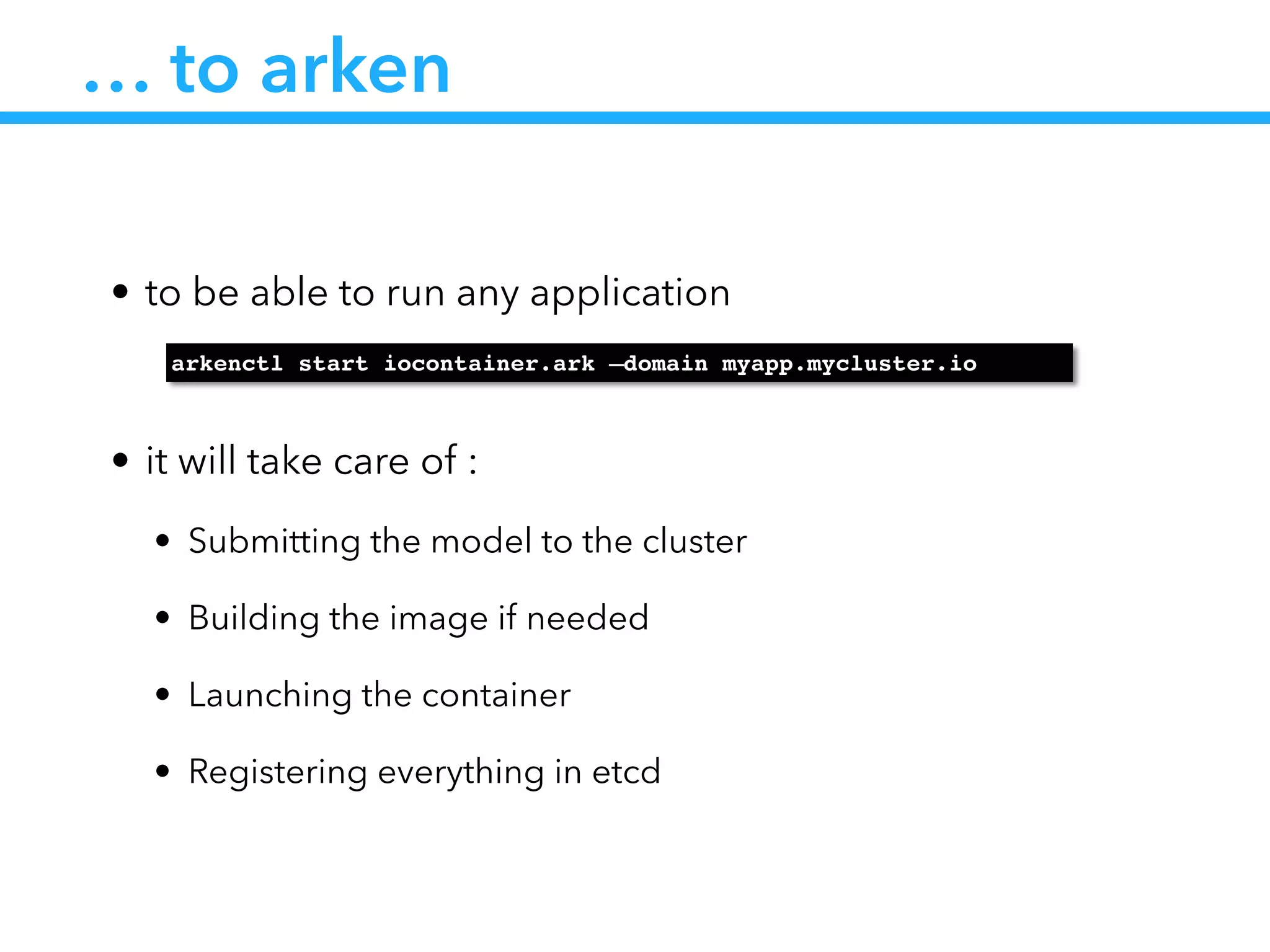
… to arken
• to be able to run any application
!
• it will take care of :
• Submitting the model to the cluster
• Building the image if needed
• Launching the container
• Registering everything in etcd
arkenctl start iocontainer.ark —domain myapp.mycluster.io
Arken status
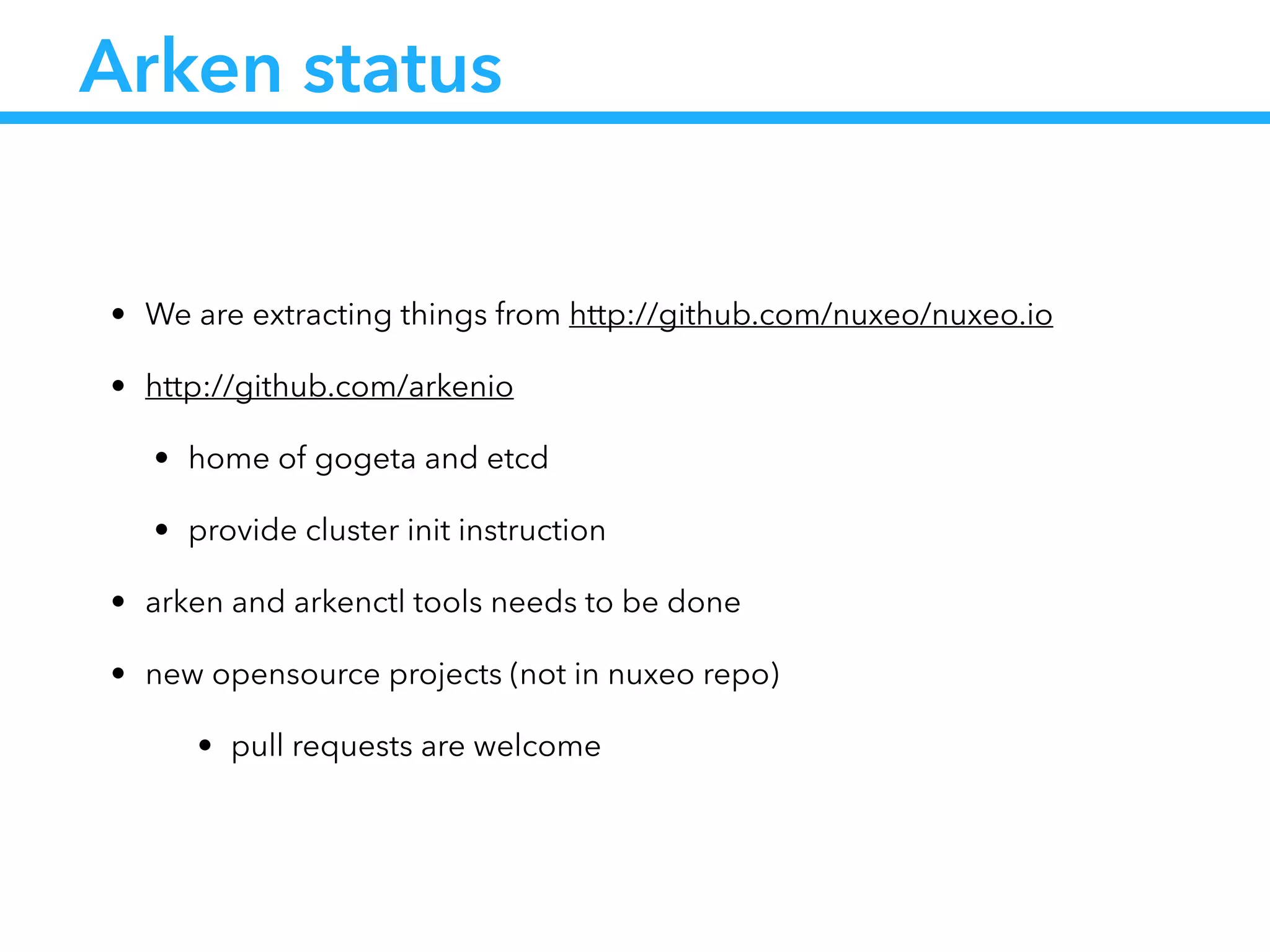
• We are extracting things from http://github.com/nuxeo/nuxeo.io
• http://github.com/arkenio
• home of gogeta and etcd
• provide cluster init instruction
• arken and arkenctl tools needs to be done
• new opensource projects (not in nuxeo repo)
• pull requests are welcome
Conclusion
• Docker helped us to enter the micro containers world
• Lots of new features : multi-repo, automatic /etc/hosts etc…
• CoreOS provided us cluster deployment
• Arken wants to provide a higher deployment model
Time for questions
@damienmetzler

[NYC Meetup] Docker at Nuxeo

  • 1.
  • 2.
  • 3.
    What is Nuxeoplatform • A platform to develop you own content apps • Highly pluggable thru extension points • Model you content with Nuxeo Studio • Point and click UI to define your business model • with hot-reload
  • 4.
    Nuxeo tech. stack •Java stack : Seam + JSF for Nuxeo DM and DAM • Rest API to build your JS Apps • Nuxeo Studio (Saas) to model your business • Thru data model (doc types, schemas) • Thru Automation chains
  • 5.
    Nuxeo in thecloud ?
  • 6.
    Goals • Customers askto host their app • Provide quick access to test instances (onboarding) • Provide onDemand dev or CI instances
  • 7.
    Goals • Customers askto host their app • Provide quick access to test instances (onboarding) • Provide onDemand dev or CI instances This is the nuxeo.io promise
  • 8.
  • 9.
    Manual OnDemand • Basedon AWS CloudFormation • Manually deployed • Works but : • not scalable • manual admin & monitoring • difficult upgrade process
  • 10.
  • 11.
    AWS Automation • Provisionningmay be automated • Working mockup (python, celery, boto) but… • Strong adherence to AWS • difficult to test • slow provisionning (one EC2 instance per Nuxeo instance) • upgrade process still difficult • scaling out is difficult • sensible to failures
  • 12.
    This leads toour challenge
  • 13.
    Current challenge • Builda scalable infrastructure • Quick provisioning (less than a minute) • Easy setup (no admin needed) • Easy upgrade process • Automated healing • Easy to test
  • 14.
    How Docker solves someof these issues ?
  • 15.
    Quick provisioning • Wedon’t have to start a server • No VM overhead • Start time is Nuxeo start time
  • 16.
    Data free containers •Docker container doesn’t hold data • Upgrading is just using a new version of the image • Healing means killing and restarting Nuxeo v5.9.3 S3Postgres
  • 17.
    Data free containers •Docker container doesn’t hold data • Upgrading is just using a new version of the image • Healing means killing and restarting S3Postgres
  • 18.
    Data free containers •Docker container doesn’t hold data • Upgrading is just using a new version of the image • Healing means killing and restarting S3Postgres Nuxeo v5.9.4
  • 19.
    Several containers perserver • Scaling is just a matter of starting several containers • But means infinite CPU / RAM and IO Nuxeo.io server io container NXIO-0001 io container NXIO-0002 io container NXIO-0003 io container NXIO-XXXX …
  • 20.
    Challenge status • Builda scalable infrastructure • Quick provisioning (less than a minute) • Easy setup (no admin needed) • Easy upgrade process • Automated healing • Easy to test
  • 21.
    How to solvethe other issues ? … with a little help from my friends
  • 22.
  • 23.
    … is acluster
  • 24.
    Docker is notsufficient • Docker handles processes at the OS level • On the cluster level we need a companion • To load balance the processes • To check the statuses of the processes • We need a docker ps at the cluster level
  • 25.
    Introducing CoreOS • Aminimal Linux distribution (small footprint) • Designed to handle cluster • Providing cluster tooling • Docker • etcd • fleet https://coreos.com/
  • 26.
    etcd : servicediscovery • etcd is • small distributed key value store • keys may have TTL • using Raft protocol to elect cluster leader • suitable for : • shared configuration • service discovery
  • 27.
    fleet : clusteredinit system • fleet is : • an init system at the cluster level • compatible with systemd unit files • suitable for : • launching docker containers • distributing load across cluster • get the status of the jobs
  • 28.
    fleet demo • Deployour nuxeo container in the cluster
  • 29.
    Challenge status • Builda scalable infrastructure • Quick provisioning (less than a minute) • Easy setup (no admin needed) • Easy upgrade process • Automated healing • Easy to test
  • 30.
    What are theadmin tasks ? • Launch the fleetctl command • Setup DNS and reverse proxies • Link container to external services (S3, Postgres etc…)
  • 31.
    DNS and reverseproxy • docker start containers and link host port to container port • The cluster has to redirect calls to mycustomDNS.io to the running container meaning knowing • the ip of the host • the port on the host
  • 32.
    Introducing Gogeta ! /services/NXIO-0001/location:{host:172.31.51.1,port:49153}!                /status/current:started!                       /expected:started! !! ! ! ! ! /alive:1! /domains/mydomain.nuxeo.io/type:iocontainer!                           /value:NXIO-0001 Given this etcd configuration
  • 33.
    Cluster CoreOS 172.31.51.20 etcd io container NXIO-0098 systemd CoreOS 172.31.51.1 etcd io container NXIO-0001 Gogeta systemd … …… … Fleet … Gogeta … Introducing Gogeta Round robin load Balancer etcd ! /services/NXIO-0098/location:{host:172.31.51.20,port:49153}!                 /status/current:started!                       /expected:started! !! ! ! ! ! /alive:1! /domains/mydomain.nuxeo.io/type:iocontainer!                           /value:NXIO-0001
  • 34.
    Cluster CoreOS 172.31.51.20 etcd io container NXIO-0098 systemd CoreOS 172.31.51.1 etcd io container NXIO-0001 Gogeta systemd … …… … Fleet … Gogeta … Introducing Gogeta Round robin load Balancer etcd ! /services/NXIO-0098/location:{host:172.31.51.20,port:49153}!                 /status/current:started!                       /expected:started! !! ! ! ! ! /alive:1! /domains/mydomain.nuxeo.io/type:iocontainer!                           /value:NXIO-0001
  • 35.
    Cluster CoreOS 172.31.51.20 etcd io container NXIO-0098 systemd CoreOS 172.31.51.1 etcd io container NXIO-0001 Gogeta systemd … …… … Fleet … Gogeta … Introducing Gogeta Round robin load Balancer etcd ! /services/NXIO-0098/location:{host:172.31.51.20,port:49153}!                 /status/current:started!                       /expected:started! !! ! ! ! ! /alive:1! /domains/mydomain.nuxeo.io/type:iocontainer!                           /value:NXIO-0001
  • 36.
    Cluster CoreOS 172.31.51.20 etcd io container NXIO-0098 systemd CoreOS 172.31.51.1 etcd io container NXIO-0001 Gogeta systemd … …… … Fleet … Gogeta … Introducing Gogeta Round robin load Balancer etcd ! /services/NXIO-0098/location:{host:172.31.51.20,port:49153}!                 /status/current:started!                       /expected:started! !! ! ! ! ! /alive:1! /domains/mydomain.nuxeo.io/type:iocontainer!                           /value:NXIO-0001
  • 37.
    Cluster CoreOS 172.31.51.20 etcd io container NXIO-0098 systemd CoreOS 172.31.51.1 etcd io container NXIO-0001 Gogeta systemd … …… … Fleet … Gogeta … Introducing Gogeta Round robin load Balancer etcd ! /services/NXIO-0098/location:{host:172.31.51.20,port:49153}!                 /status/current:started!                       /expected:started! !! ! ! ! ! /alive:1! /domains/mydomain.nuxeo.io/type:iocontainer!                           /value:NXIO-0001
  • 38.
    Cluster CoreOS 172.31.51.20 etcd io container NXIO-0098 systemd CoreOS 172.31.51.1 etcd io container NXIO-0001 Gogeta systemd … …… … Fleet … Gogeta … Introducing Gogeta Round robin load Balancer etcd ! /services/NXIO-0098/location:{host:172.31.51.20,port:49153}!                 /status/current:started!                       /expected:started! !! ! ! ! ! /alive:1! /domains/mydomain.nuxeo.io/type:iocontainer!                           /value:NXIO-0001
  • 39.
    Introducing Gogeta • Easyto start as a docker container ! ! • Written in Go • Available at : http://github.com/nuxeo/gogeta /usr/bin/docker run --rm --name gogeta -p 7777:7777 nuxeo/gogeta
  • 40.
    Application startup unit ! [Unit]! Description=Samplestartup script! ! [Service]! ExecStartPre= Set starting status in etcd! ExecStart= Launch docker container! ExecStartPost= Wait container to be launched and set app location in etcd! ExecStop= Stop docker container! ExecStopPost= Set stopped status in etcd!
  • 41.
    Linking services • Dockerrecommend to use ambassadors to link services • Service may be hosted on other servers or outside of the cluster • We’ve implemented dynamic ambassadors • http://coreos.com/blog/docker-dynamic-ambassador- powered-by-etcd/
  • 42.
    Cluster CoreOS 172.31.51.20 etcd Postgres systemd CoreOS 172.31.51.1 etcd io-container NXIO-0001 systemd … … …… Fleet postgres-amb Dynamic ambassador etcd ! /services/postgres/location:{host:172.31.51.20,port:49159}! https://github.com/nuxeo/etcd-netfw
  • 43.
    Cluster CoreOS 172.31.51.20 etcd Postgres systemd CoreOS 172.31.51.1 etcd io-container NXIO-0001 systemd … … …… Fleet postgres-amb Dynamic ambassador etcd ! /services/postgres/location:{host:172.31.51.20,port:49159}! https://github.com/nuxeo/etcd-netfw
  • 44.
    Cluster CoreOS 172.31.51.20 etcd Postgres systemd CoreOS 172.31.51.1 etcd io-container NXIO-0001 systemd … … …… Fleet postgres-amb Dynamic ambassador etcd ! /services/postgres/location:{host:172.31.51.20,port:49159}! https://github.com/nuxeo/etcd-netfw
  • 45.
    Dynamic ambassador • Veryeasy to start ! • Uses https://github.com/nuxeo/etcd-netfw docker run --rm --name postgres-amb -P nuxeo/service-amb postgres-service
  • 46.
    Launching commands • Amanager web app now launches commands : • sets up basic etcd values (like domain to service resolution) • launches fleet commands (start & stop apps) • polls statuses
  • 47.
    Challenge status • Builda scalable infrastructure • Quick provisioning (less than a minute) • Easy setup (no admin needed) • Easy upgrade process • Automated healing • Easy to test
  • 48.
  • 49.
    From nuxeo.io… • We’vebuilt a cluster infrastructure that : • knows how to deploy Docker containers (with fleet) • Expose those containers thru domain name resolution (with gogeta) • Link dependent services to the container (with etcd-netfw)
  • 50.
    From nuxeo.io… • Giventhat a container should represent an application • Running this apps means : • Launch it with runtime parameters • Link it to its dependent services • Then we can build a metamodel around it
  • 51.
    … name: io-container! version: 1.0! params:! -env_tech_id: ! - description: The id of the environment to run! - type:string! - clid:! - description: a registered connect client ID! - type:string! ! buildimage:! path: "./docker"! ! dependencies:! - postgres.service! - s3.service! !
  • 52.
    … to arken •to be able to run any application ! • it will take care of : • Submitting the model to the cluster • Building the image if needed • Launching the container • Registering everything in etcd arkenctl start iocontainer.ark —domain myapp.mycluster.io
  • 53.
    Arken status • Weare extracting things from http://github.com/nuxeo/nuxeo.io • http://github.com/arkenio • home of gogeta and etcd • provide cluster init instruction • arken and arkenctl tools needs to be done • new opensource projects (not in nuxeo repo) • pull requests are welcome
  • 54.
    Conclusion • Docker helpedus to enter the micro containers world • Lots of new features : multi-repo, automatic /etc/hosts etc… • CoreOS provided us cluster deployment • Arken wants to provide a higher deployment model
  • 55.