FreeBSD: Dev to Prod in the Cloud
Sean Chittenden
Engineering, HashiCorp
sean@hashicorp.com
seanc@FreeBSD.org (semi-retired)
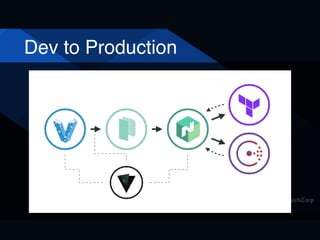
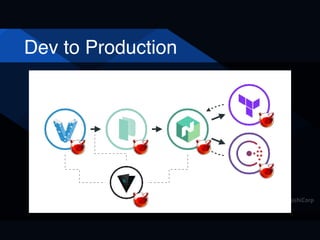
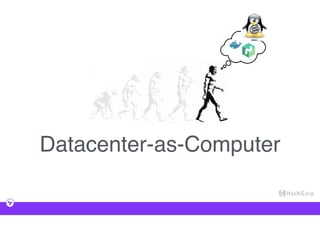
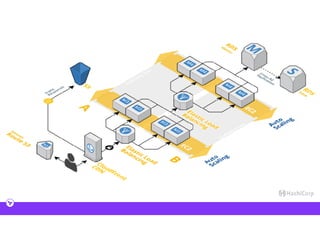
Dev to Production
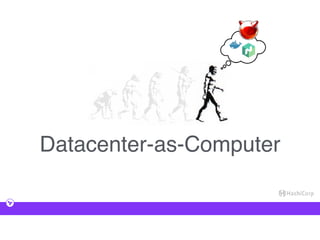
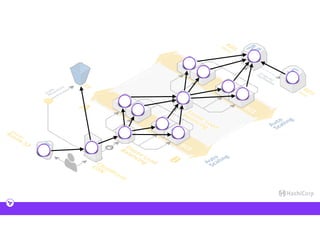
Dev to Production
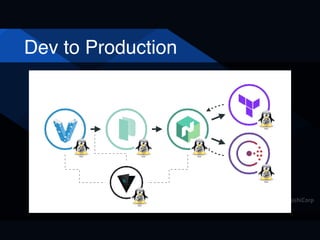
Dev to Production
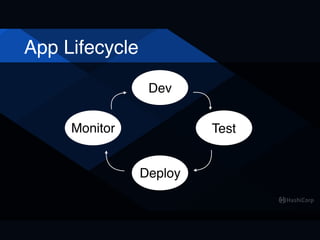
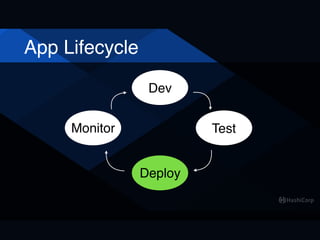
App Lifecycle
Dev
Deploy
TestMonitor
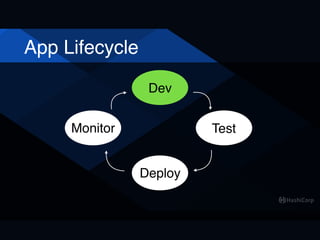
App Lifecycle
Dev
Deploy
TestMonitor
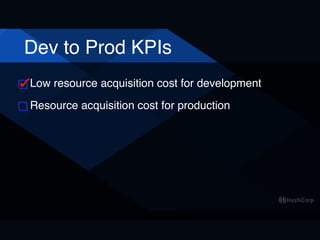
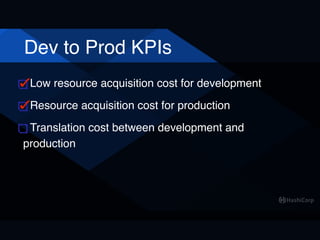
Dev to Prod KPIs
Low resource acquisition cost for development
Poll: How many use Vagrant?
• Never heard of Vagrant
• Heard of Vagrant but never used it
• Used it once or twice
• I live in Vagrant
Poll: How many use Vagrant?
• Never heard of Vagrant
• Heard of Vagrant but never used it
• Used it once or twice
• I live in Vagrant
Poll: How many use Vagrant?
YOU CAN'T HANDLE THE TRUTH!!!
Poll: How many use Vagrant?
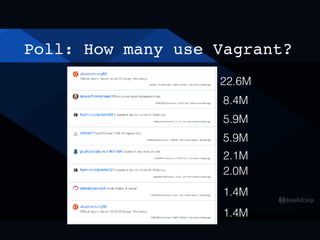
22.6M
8.4M
5.9M
5.9M
2.1M
2.0M
1.4M
1.4M
Poll: How many use Vagrant?
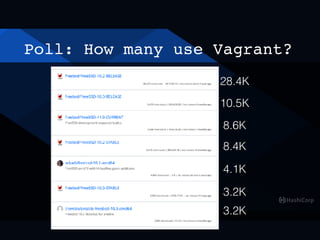
28.4K
10.5K
8.6K
8.4K
4.1K
3.2K
3.2K
Development: Vagrant
$ vagrant init freebsd/FreeBSD-11.0-
STABLE
[ Add config.ssh.shell = "sh" to
Vagrantfile ]
$ vagrant up --provider vmware_desktop
Development: Vagrant
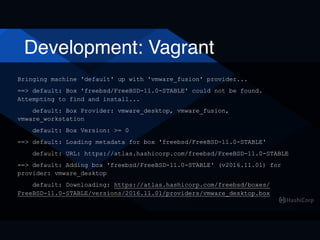
Bringing machine 'default' up with 'vmware_fusion' provider...
==> default: Box 'freebsd/FreeBSD-11.0-STABLE' could not be found.
Attempting to find and install...
default: Box Provider: vmware_desktop, vmware_fusion,
vmware_workstation
default: Box Version: >= 0
==> default: Loading metadata for box 'freebsd/FreeBSD-11.0-STABLE'
default: URL: https://atlas.hashicorp.com/freebsd/FreeBSD-11.0-STABLE
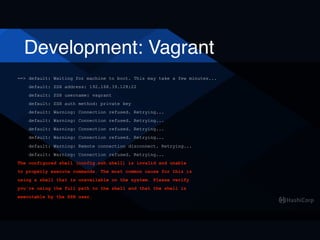
==> default: Adding box 'freebsd/FreeBSD-11.0-STABLE' (v2016.11.01) for
provider: vmware_desktop
default: Downloading: https://atlas.hashicorp.com/freebsd/boxes/
FreeBSD-11.0-STABLE/versions/2016.11.01/providers/vmware_desktop.box
Development: Vagrant
==> default: Waiting for machine to boot. This may take a few minutes...
default: SSH address: 192.168.39.128:22
default: SSH username: vagrant
default: SSH auth method: private key
default: Warning: Connection refused. Retrying...
default: Warning: Remote connection disconnect. Retrying...
default: Warning: Connection refused. Retrying...
The configured shell (config.ssh.shell) is invalid and unable
to properly execute commands. The most common cause for this is
using a shell that is unavailable on the system. Please verify
you're using the full path to the shell and that the shell is
executable by the SSH user.
Development: Vagrant
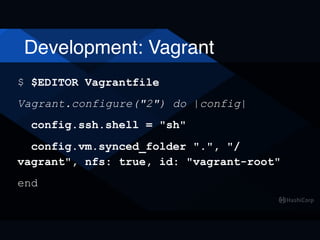
$ $EDITOR Vagrantfile
Vagrant.configure("2") do |config|
config.ssh.shell = "sh"
config.vm.synced_folder ".", "/
vagrant", nfs: true, id: "vagrant-root"
end
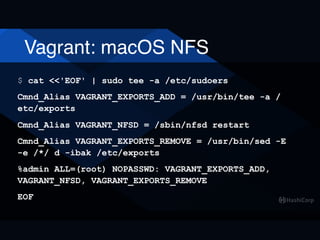
Vagrant: macOS NFS
$ cat <<'EOF' | sudo tee -a /etc/sudoers
Cmnd_Alias VAGRANT_EXPORTS_ADD = /usr/bin/tee -a /
etc/exports
Cmnd_Alias VAGRANT_NFSD = /sbin/nfsd restart
Cmnd_Alias VAGRANT_EXPORTS_REMOVE = /usr/bin/sed -E
-e /*/ d -ibak /etc/exports
%admin ALL=(root) NOPASSWD: VAGRANT_EXPORTS_ADD,
VAGRANT_NFSD, VAGRANT_EXPORTS_REMOVE
EOF
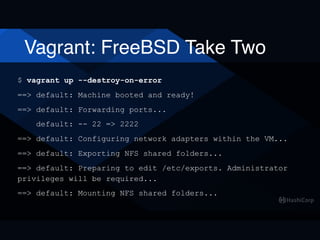
Vagrant: FreeBSD Take Two
$ vagrant up --destroy-on-error
==> default: Machine booted and ready!
==> default: Forwarding ports...
default: -- 22 => 2222
==> default: Configuring network adapters within the VM...
==> default: Exporting NFS shared folders...
==> default: Preparing to edit /etc/exports. Administrator
privileges will be required...
==> default: Mounting NFS shared folders...
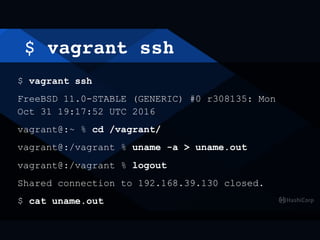
$ vagrant ssh
$ vagrant ssh
FreeBSD 11.0-STABLE (GENERIC) #0 r308135: Mon
Oct 31 19:17:52 UTC 2016
vagrant@:~ % cd /vagrant/
vagrant@:/vagrant % uname -a > uname.out
vagrant@:/vagrant % logout
Shared connection to 192.168.39.130 closed.
$ cat uname.out
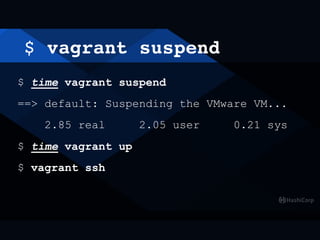
$ vagrant suspend
$ time vagrant suspend
==> default: Suspending the VMware VM...
2.85 real 2.05 user 0.21 sys
$ time vagrant up
$ vagrant ssh
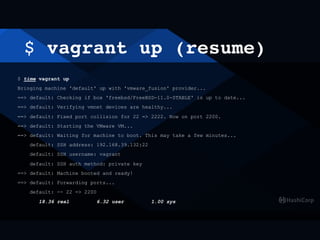
$ vagrant up (resume)
$ time vagrant up
Bringing machine 'default' up with 'vmware_fusion' provider...
==> default: Checking if box 'freebsd/FreeBSD-11.0-STABLE' is up to date...
==> default: Verifying vmnet devices are healthy...
==> default: Fixed port collision for 22 => 2222. Now on port 2200.
==> default: Starting the VMware VM...
==> default: Waiting for machine to boot. This may take a few minutes...
default: SSH address: 192.168.39.132:22
default: SSH username: vagrant
default: SSH auth method: private key
==> default: Machine booted and ready!
==> default: Forwarding ports...
default: -- 22 => 2200
18.36 real 6.32 user 1.00 sys
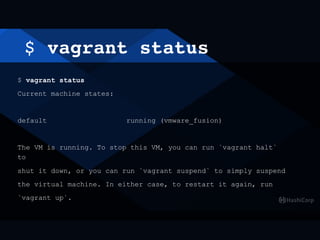
$ vagrant status
$ vagrant status
Current machine states:
default running (vmware_fusion)
The VM is running. To stop this VM, you can run `vagrant halt`
to
shut it down, or you can run `vagrant suspend` to simply suspend
the virtual machine. In either case, to restart it again, run
`vagrant up`.
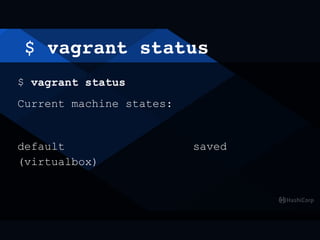
$ vagrant status
$ vagrant status
Current machine states:
default saved
(virtualbox)
$ vagrant destroy
$ vagrant destroy
default: Are you sure you want to destroy the
'default' VM? [y/N] y
==> default: Stopping the VMware VM...
Connection to 192.168.39.130 closed by remote host.
==> default: Deleting the VM...
==> default: Pruning invalid NFS exports.
Administrator privileges will be required...
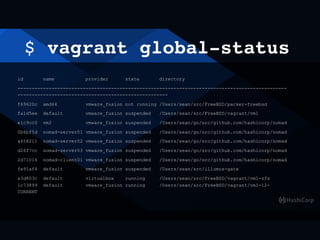
$ vagrant global-status
id name provider state directory
-----------------------------------------------------------------------------------------------
-----------------------------------------------------
f69620c amd64 vmware_fusion not running /Users/sean/src/FreeBSD/packer-freebsd
fa1d5ee default vmware_fusion suspended /Users/sean/src/FreeBSD/vagrant/vm1
e1c9cc0 vm2 vmware_fusion suspended /Users/sean/go/src/github.com/hashicorp/nomad
0b6bf5d nomad-server01 vmware_fusion suspended /Users/sean/go/src/github.com/hashicorp/nomad
a658211 nomad-server02 vmware_fusion suspended /Users/sean/go/src/github.com/hashicorp/nomad
d26f7cc nomad-server03 vmware_fusion suspended /Users/sean/go/src/github.com/hashicorp/nomad
2d71016 nomad-client01 vmware_fusion suspended /Users/sean/go/src/github.com/hashicorp/nomad
fe91af4 default vmware_fusion suspended /Users/sean/src/illumos-gate
a3d803c default virtualbox running /Users/sean/src/FreeBSD/vagrant/vm1-zfs

1c73899 default vmware_fusion running /Users/sean/src/FreeBSD/vagrant/vm1-12-
CURRENT
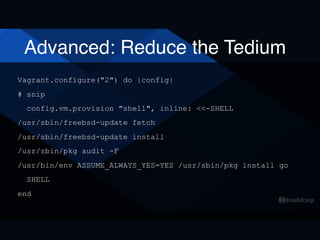
Advanced: Reduce the Tedium
Vagrant.configure("2") do |config|
# snip
config.vm.provision "shell", inline: <<-SHELL
/usr/sbin/freebsd-update fetch
/usr/sbin/freebsd-update install
/usr/sbin/pkg audit -F
/usr/bin/env ASSUME_ALWAYS_YES=YES /usr/sbin/pkg install go
SHELL
end
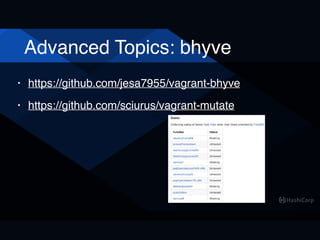
Advanced Topics: bhyve
• https://github.com/jesa7955/vagrant-bhyve
• https://github.com/sciurus/vagrant-mutate
More Advanced Topics
• Multiple VMs per Vagrantfile
• Vagrant Provisioner Scripts
• Building ZFS root images
Poll: Going to use Vagrant?
Dev to Prod KPIs
Low resource acquisition cost for development
App Lifecycle
Dev
Deploy
TestMonitor
Cloud
Dev to Prod KPIs
Low resource acquisition cost for development
Resource acquisition cost for production
Quick GCE "Demo"
(arbitrarily chose GCE, could
have used AWS or Azure)
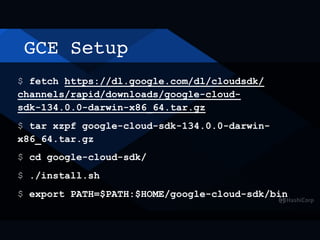
GCE Setup
$ fetch https://dl.google.com/dl/cloudsdk/
channels/rapid/downloads/google-cloud-
sdk-134.0.0-darwin-x86_64.tar.gz
$ tar xzpf google-cloud-sdk-134.0.0-darwin-
x86_64.tar.gz
$ cd google-cloud-sdk/
$ ./install.sh
$ export PATH=$PATH:$HOME/google-cloud-sdk/bin
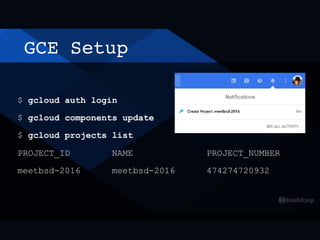
GCE Setup
$ gcloud auth login
$ gcloud components update
$ gcloud projects list
PROJECT_ID NAME PROJECT_NUMBER
meetbsd-2016 meetbsd-2016 474274720932
GCE Setup
$ gcloud config list project
Your active configuration is: [default]
[core]
project (unset)
$ gcloud config set project meetbsd-2016
Updated property [core/project].
$ gcloud config list project
Your active configuration is: [default]
[core]
project = meetbsd-2016
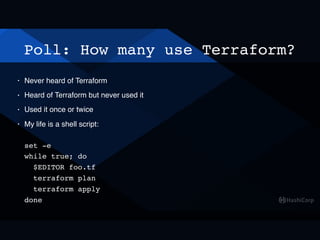
Poll: How many use Terraform?
• Never heard of Terraform
• Heard of Terraform but never used it
• Used it once or twice
• My life is a shell script:


set -e

while true; do

$EDITOR foo.tf

terraform plan

terraform apply

done
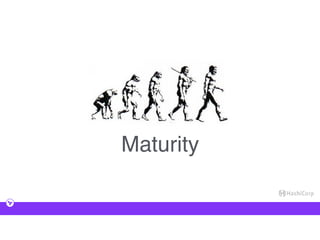
Maturity
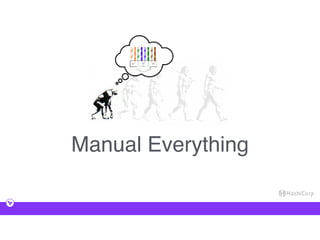
Manual Everything
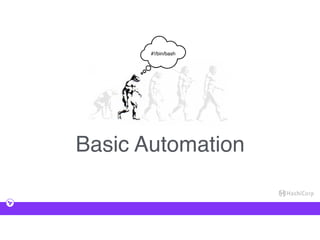
Basic Automation
#!/bin/bash
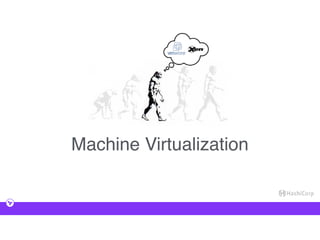
Machine Virtualization
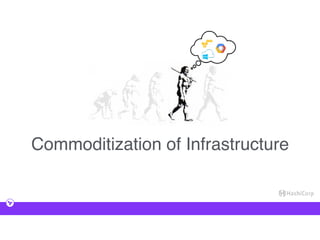
Commoditization of Infrastructure
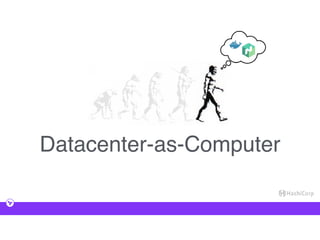
Datacenter-as-Computer
Capability Complexity
Managing Complexity
A strategy for
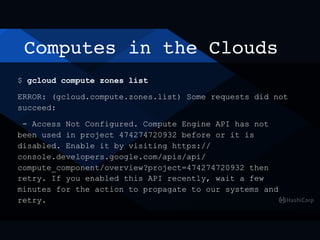
Computes in the Clouds
$ gcloud compute zones list
ERROR: (gcloud.compute.zones.list) Some requests did not
succeed:
- Access Not Configured. Compute Engine API has not
been used in project 474274720932 before or it is
disabled. Enable it by visiting https://
console.developers.google.com/apis/api/
compute_component/overview?project=474274720932 then
retry. If you enabled this API recently, wait a few
minutes for the action to propagate to our systems and
retry.
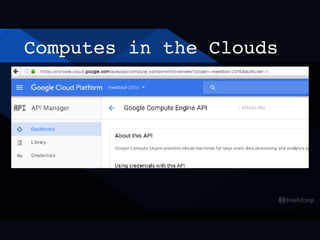
Computes in the Clouds
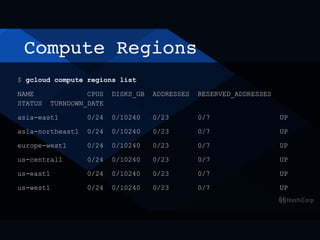
Compute Regions
$ gcloud compute regions list
NAME CPUS DISKS_GB ADDRESSES RESERVED_ADDRESSES
STATUS TURNDOWN_DATE
asia-east1 0/24 0/10240 0/23 0/7 UP
asia-northeast1 0/24 0/10240 0/23 0/7 UP
europe-west1 0/24 0/10240 0/23 0/7 UP
us-central1 0/24 0/10240 0/23 0/7 UP
us-east1 0/24 0/10240 0/23 0/7 UP
us-west1 0/24 0/10240 0/23 0/7 UP
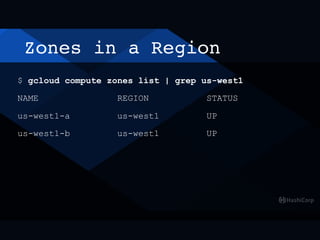
Zones in a Region
$ gcloud compute zones list | grep us-west1
NAME REGION STATUS
us-west1-a us-west1 UP
us-west1-b us-west1 UP
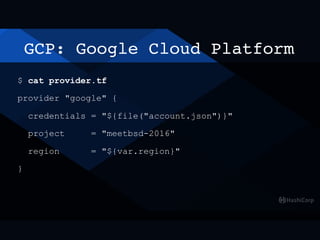
GCP: Google Cloud Platform
$ cat provider.tf
provider "google" {
credentials = "${file("account.json")}"
project = "meetbsd-2016"
region = "${var.region}"
}
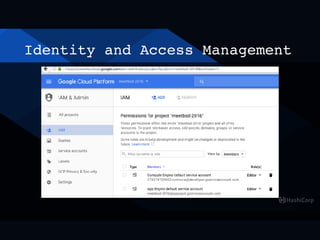
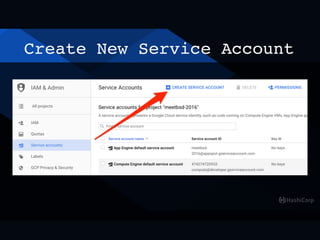
Identity and Access Management
Create New Service Account
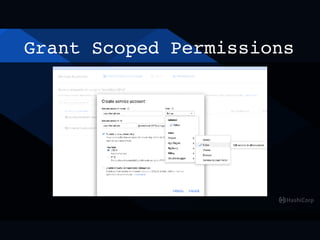
Grant Scoped Permissions
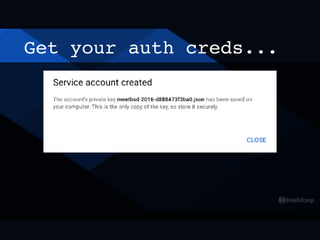
Get your auth creds...
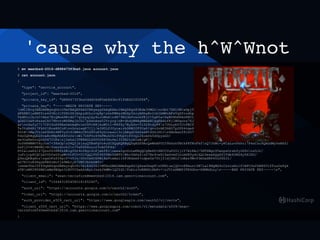
...and show them to the world
$ mv meetbsd-2016-d888473f3ba0.json account.json
$ cat account.json
{
"type": "service_account",
"project_id": "meetbsd-2016",
"private_key_id": "d888473f3ba0ddd06d85eb8d3bc91fd8d2020f86",
"private_key": "-----BEGIN PRIVATE KEY-----
nMIIEvgIBADANBgkqhkiG9w0BAQEFAASCBKgwggSkAgEAAoIBAQDXgx83Rde3UMGLnrGbt7ZN10WiwDpjTmXfbQT/
dFX8B5jaNBF6ls64YEcJiTZHtZ8JAkpydOLcrvpRpnhnFWHsrMGZp5kcyAHhaBr2cbIbMHvAFzVqXfcodhpbPhiOF6XBmnXF+f75NmbC04ny9HtQL8BqWROgKpU2iuw
TsdNinjbJoC+Abx7EiQMukHKvdG77qteyqlQy4oJcMnmn4N79EG3mfvxohPEjC+5gK5a+XaBUHhNPArKN0lA6p+Q2Sfxarf66IPWZL5M4BjS5nMDF+kCPSwO3tloaPi
qGXD1GwFcRzsxCkU7NhvroW68MajhCG17pSwnAsw52YryognB+dhdyWHAgMBAAECggEAdufKjlWDqons76Jke/vrs0Kh7xluqrjvD1LV6KZWl/
arnvGxfyC717CPISzKfRAxOehAqRvim34TcH8jkuW5t1+R8fXy7BykSo+TiD28tdyP8n7OUuybVICtFBCTvbpAYyxUtLG1Q00Hr5DHAwWCWz/
Te3tzR4Ri7FkhY1EoxHGCoHnvGcsiwgK7Cjj/eIN0LfJUycairbDHB02F0UsP/qvuDrAE3hNO7p2PD4vqe6/
SOtMnMaJVzlmfShRL4WFVyfo9lBM4oCR0d90uK9yGJzexol3cjABgd26AfakNtXGSJDCJn8AhAan591hO7xR1BndaNq5TGXDxtaMUzKiA8/
Tdo0QKBgQD2SveRcHNpRhKAVzUsnWl7USFUo49kFMuh061SVbpYcf0vQi2koASk5d0pyxGO/
xe3OaKmOvnQrk567COPanj2ehxl5TB8AGLDGVO2RP3Xu4e135fB2tuklwA/gF//
Jo0NKMBMVYHyJoa7+38xUpnD4Q2jbjsyQTEwFgVo4uGCDQqKQKBgQDgAZX9AcQeWkAFUC09hXzhTBtkP8TKnFkfnQ7JhWc+yKCaLuvPkkti7P4xCzu9QAGdMyYeNXZl
GzPj2Y4tHW4MjvN1XoerDovk3n7VsK8SHzLo23vA05F4d/
PUIa1zeEZ1Z7QnnfD3H8fn6EigYDr4n58giScPjebf8inexaZgoUoLwKBgQCg8m6D+XNCCUuP2O1jlY7AtKAJ/5NTZWgo95wnpsOrzbfyiRfnnz5Jr/
juFcjcpHCQCLb0YDfeGfopM+UtFCU+UlTgQlFD0965TMiOkWT0/WkcYAPa4nD7Nr4vwSl6aGvmfInlmD85ydlkQL5msekQg6SjTdb6ORG4y0X1KO/
Q9xuQKBgHnzngxOFxZ58pcP+vVJz/OOvCm6OZPWlHsPtmAx116P3Rdzmf+cdpw5x70tj21djkNl2nEez9Wvf3mUaSNP45LPDk3l/
aD7RIYoN3Hgyb8E6zNoYjw9MkIyk7UWTJbDkSBTv/
nmde9UeITf49qkRGqnGRNxyrqhCKcIb1E463ZJ+MTAoGBAOAMeEapAk1Q6awGkwpNnUKNluwjQZ+n8FmurrIM7Lal8NQMG4cCsvcxEolf1WPCOxfkB86VlZTuuOxPgk
sTNnMP28PZMS1mNm9BGpn3iBVYCDaAZxAyrJzskJkMWvlQ2YdI/fobiz3vBHHZcDbPv+nJV1xXMBFJTK6Ghn+X8MHdLzyn-----END PRIVATE KEY-----n",
"client_email": "sean-terraform@meetbsd-2016.iam.gserviceaccount.com",
"client_id": "106443185458018185240",
"auth_uri": "https://accounts.google.com/o/oauth2/auth",
"token_uri": "https://accounts.google.com/o/oauth2/token",
"auth_provider_x509_cert_url": "https://www.googleapis.com/oauth2/v1/certs",
"client_x509_cert_url": "https://www.googleapis.com/robot/v1/metadata/x509/sean-
terraform%40meetbsd-2016.iam.gserviceaccount.com"
}
'cause why the h^W^Wnot
$ mv meetbsd-2016-d888473f3ba0.json account.json
$ cat account.json
{
"type": "service_account",
"project_id": "meetbsd-2016",
"private_key_id": "d888473f3ba0ddd06d85eb8d3bc91fd8d2020f86",
"private_key": "-----BEGIN PRIVATE KEY-----
nMIIEvgIBADANBgkqhkiG9w0BAQEFAASCBKgwggSkAgEAAoIBAQDXgx83Rde3UMGLnrGbt7ZN10WiwDpjTmXfbQT/
dFX8B5jaNBF6ls64YEcJiTZHtZ8JAkpydOLcrvpRpnhnFWHsrMGZp5kcyAHhaBr2cbIbMHvAFzVqXfcodhpbPhiOF6XBmnXF+f75NmbC04ny9HtQL8BqWROgKpU2iuw
TsdNinjbJoC+Abx7EiQMukHKvdG77qteyqlQy4oJcMnmn4N79EG3mfvxohPEjC+5gK5a+XaBUHhNPArKN0lA6p+Q2Sfxarf66IPWZL5M4BjS5nMDF+kCPSwO3tloaPi
qGXD1GwFcRzsxCkU7NhvroW68MajhCG17pSwnAsw52YryognB+dhdyWHAgMBAAECggEAdufKjlWDqons76Jke/vrs0Kh7xluqrjvD1LV6KZWl/
arnvGxfyC717CPISzKfRAxOehAqRvim34TcH8jkuW5t1+R8fXy7BykSo+TiD28tdyP8n7OUuybVICtFBCTvbpAYyxUtLG1Q00Hr5DHAwWCWz/
Te3tzR4Ri7FkhY1EoxHGCoHnvGcsiwgK7Cjj/eIN0LfJUycairbDHB02F0UsP/qvuDrAE3hNO7p2PD4vqe6/
SOtMnMaJVzlmfShRL4WFVyfo9lBM4oCR0d90uK9yGJzexol3cjABgd26AfakNtXGSJDCJn8AhAan591hO7xR1BndaNq5TGXDxtaMUzKiA8/
Tdo0QKBgQD2SveRcHNpRhKAVzUsnWl7USFUo49kFMuh061SVbpYcf0vQi2koASk5d0pyxGO/
xe3OaKmOvnQrk567COPanj2ehxl5TB8AGLDGVO2RP3Xu4e135fB2tuklwA/gF//
Jo0NKMBMVYHyJoa7+38xUpnD4Q2jbjsyQTEwFgVo4uGCDQqKQKBgQDgAZX9AcQeWkAFUC09hXzhTBtkP8TKnFkfnQ7JhWc+yKCaLuvPkkti7P4xCzu9QAGdMyYeNXZl
GzPj2Y4tHW4MjvN1XoerDovk3n7VsK8SHzLo23vA05F4d/
PUIa1zeEZ1Z7QnnfD3H8fn6EigYDr4n58giScPjebf8inexaZgoUoLwKBgQCg8m6D+XNCCUuP2O1jlY7AtKAJ/5NTZWgo95wnpsOrzbfyiRfnnz5Jr/
juFcjcpHCQCLb0YDfeGfopM+UtFCU+UlTgQlFD0965TMiOkWT0/WkcYAPa4nD7Nr4vwSl6aGvmfInlmD85ydlkQL5msekQg6SjTdb6ORG4y0X1KO/
Q9xuQKBgHnzngxOFxZ58pcP+vVJz/OOvCm6OZPWlHsPtmAx116P3Rdzmf+cdpw5x70tj21djkNl2nEez9Wvf3mUaSNP45LPDk3l/
aD7RIYoN3Hgyb8E6zNoYjw9MkIyk7UWTJbDkSBTv/
nmde9UeITf49qkRGqnGRNxyrqhCKcIb1E463ZJ+MTAoGBAOAMeEapAk1Q6awGkwpNnUKNluwjQZ+n8FmurrIM7Lal8NQMG4cCsvcxEolf1WPCOxfkB86VlZTuuOxPgk
sTNnMP28PZMS1mNm9BGpn3iBVYCDaAZxAyrJzskJkMWvlQ2YdI/fobiz3vBHHZcDbPv+nJV1xXMBFJTK6Ghn+X8MHdLzyn-----END PRIVATE KEY-----n",
"client_email": "sean-terraform@meetbsd-2016.iam.gserviceaccount.com",
"client_id": "106443185458018185240",
"auth_uri": "https://accounts.google.com/o/oauth2/auth",
"token_uri": "https://accounts.google.com/o/oauth2/token",
"auth_provider_x509_cert_url": "https://www.googleapis.com/oauth2/v1/certs",
"client_x509_cert_url": "https://www.googleapis.com/robot/v1/metadata/x509/sean-
terraform%40meetbsd-2016.iam.gserviceaccount.com"
}
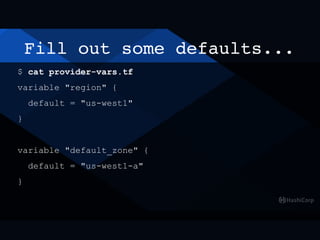
Fill out some defaults...
$ cat provider-vars.tf
variable "region" {
default = "us-west1"
}
variable "default_zone" {
default = "us-west1-a"
}
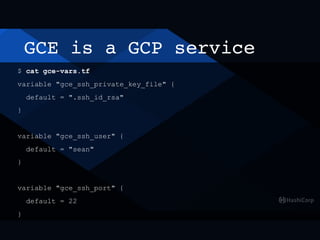
GCE is a GCP service
$ cat gce-vars.tf
variable "gce_ssh_private_key_file" {
default = ".ssh_id_rsa"
}
variable "gce_ssh_user" {
default = "sean"
}
variable "gce_ssh_port" {
default = 22
}
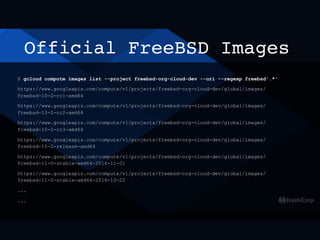
Official FreeBSD Images
$ gcloud compute images list --project freebsd-org-cloud-dev --uri --regexp freebsd'.*'
https://www.googleapis.com/compute/v1/projects/freebsd-org-cloud-dev/global/images/
freebsd-10-2-rc1-amd64
https://www.googleapis.com/compute/v1/projects/freebsd-org-cloud-dev/global/images/
freebsd-10-2-rc2-amd64
https://www.googleapis.com/compute/v1/projects/freebsd-org-cloud-dev/global/images/
freebsd-10-2-rc3-amd64
https://www.googleapis.com/compute/v1/projects/freebsd-org-cloud-dev/global/images/
freebsd-10-2-release-amd64
https://www.googleapis.com/compute/v1/projects/freebsd-org-cloud-dev/global/images/
freebsd-11-0-stable-amd64-2016-11-01
https://www.googleapis.com/compute/v1/projects/freebsd-org-cloud-dev/global/images/
freebsd-11-0-stable-amd64-2016-10-22
...
...
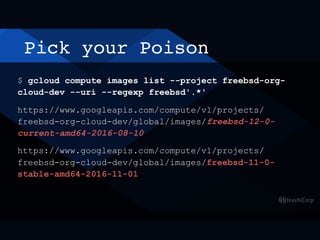
Pick your Poison
$ gcloud compute images list --project freebsd-org-
cloud-dev --uri --regexp freebsd'.*'
https://www.googleapis.com/compute/v1/projects/
freebsd-org-cloud-dev/global/images/freebsd-12-0-
current-amd64-2016-08-10
https://www.googleapis.com/compute/v1/projects/
freebsd-org-cloud-dev/global/images/freebsd-11-0-
stable-amd64-2016-11-01
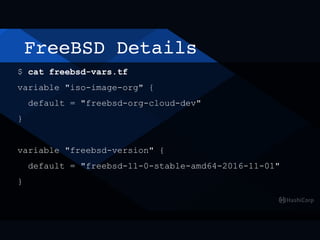
FreeBSD Details
$ cat freebsd-vars.tf
variable "iso-image-org" {
default = "freebsd-org-cloud-dev"
}
variable "freebsd-version" {
default = "freebsd-11-0-stable-amd64-2016-11-01"
}
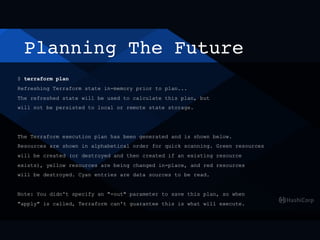
Planning The Future
$ terraform plan
Refreshing Terraform state in-memory prior to plan...
The refreshed state will be used to calculate this plan, but
will not be persisted to local or remote state storage.
The Terraform execution plan has been generated and is shown below.
Resources are shown in alphabetical order for quick scanning. Green resources
will be created (or destroyed and then created if an existing resource
exists), yellow resources are being changed in-place, and red resources
will be destroyed. Cyan entries are data sources to be read.
Note: You didn't specify an "-out" parameter to save this plan, so when
"apply" is called, Terraform can't guarantee this is what will execute.
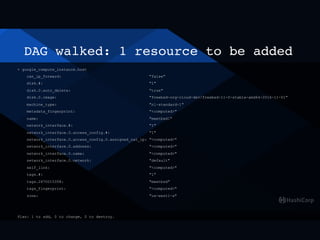
DAG walked: 1 resource to be added
+ google_compute_instance.host
can_ip_forward: "false"
disk.#: "1"
disk.0.auto_delete: "true"
disk.0.image: "freebsd-org-cloud-dev/freebsd-11-0-stable-amd64-2016-11-01"
machine_type: "n1-standard-1"
metadata_fingerprint: "<computed>"
name: "meetbsd1"
network_interface.#: "1"
network_interface.0.access_config.#: "1"
network_interface.0.access_config.0.assigned_nat_ip: "<computed>"
network_interface.0.address: "<computed>"
network_interface.0.name: "<computed>"
network_interface.0.network: "default"
self_link: "<computed>"
tags.#: "1"
tags.2670015358: "meetbsd"
tags_fingerprint: "<computed>"
zone: "us-west1-a"
Plan: 1 to add, 0 to change, 0 to destroy.
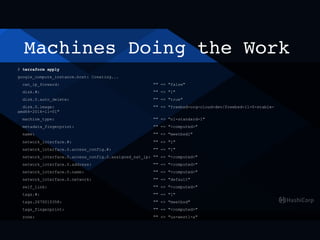
Machines Doing the Work
$ terraform apply
google_compute_instance.host: Creating...
can_ip_forward: "" => "false"
disk.#: "" => "1"
disk.0.auto_delete: "" => "true"
disk.0.image: "" => "freebsd-org-cloud-dev/freebsd-11-0-stable-
amd64-2016-11-01"
machine_type: "" => "n1-standard-1"
metadata_fingerprint: "" => "<computed>"
name: "" => "meetbsd1"
network_interface.#: "" => "1"
network_interface.0.access_config.#: "" => "1"
network_interface.0.access_config.0.assigned_nat_ip: "" => "<computed>"
network_interface.0.address: "" => "<computed>"
network_interface.0.name: "" => "<computed>"
network_interface.0.network: "" => "default"
self_link: "" => "<computed>"
tags.#: "" => "1"
tags.2670015358: "" => "meetbsd"
tags_fingerprint: "" => "<computed>"
zone: "" => "us-west1-a"
Hold Please
google_compute_instance.host: Still creating... (10s elapsed)
google_compute_instance.host: Still creating... (20s elapsed)
google_compute_instance.host: Still creating... (30s elapsed)
google_compute_instance.host: Still creating... (40s elapsed)
google_compute_instance.host: Provisioning with 'file'...
google_compute_instance.host: Still creating... (50s elapsed)
google_compute_instance.host: Still creating... (1m0s
elapsed)
google_compute_instance.host: Still creating... (1m10s
elapsed)
[snip]
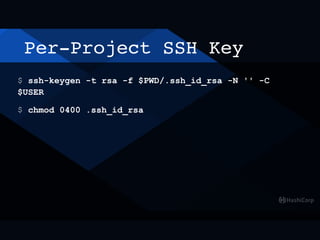
$ ssh-keygen -t rsa -f $PWD/.ssh_id_rsa -N '' -C
$USER
$ chmod 0400 .ssh_id_rsa
Per-Project SSH Key
$ cat .ssh_id_rsa
-----BEGIN RSA PRIVATE KEY-----
MIIEogIBAAKCAQEAs1Aif7ST/0Ck8rcuxaVrq0slBOzVXytdJyFnNzv+eYvMGcqB
kMT6UPuwZLhcNfaGoH6Uu5b96zri66Qvo49kfn5trpjCxPLV2fz8otPVk6C6TbO5
xPIAzOudtm9zgYfwDJfypqesv2eF/SxRQcNJjdUkd1RtJocY8diBXmbCfhtX/P+A
LrKB+jMVGburwlshXYShdcuc3fTEGeZX52Hh+vnXWPEZEsPI6WFnpUmaza1Rwwsf
NhZnmgeb8+fPOfuWz9syzIAxZUEtEiacrSlNlJeHAjuxVb3nUhsrjkc3BAD4Ar6q
hPa4z118FNqyn1TiDwBaZ9s+1nTga0dAYDyQnQIDAQABAoIBAFkR0zEwV9uRFt5h
09/lnagGuarKoeqWNb18QDMVoABsSsP87YMl9VlIzIQbd+JuRM1wUx0jkZnJNHLs
qaVLUxXqYz05MHZ4UXXozu1q4EpmqmRyhDKqK2+fEkZO8kdDaSA4UhYqcArbt5jc
7LgH8396gpSr4VQkA2YOr6Re0vmkcpaRe0w83BjixKs9lusJGKtHjlhWnow63vmJ
h5SDfxjP2o1VqPbvMKOHggQ/yn763Nao7CaOn8rAIPNtTQHMKE3zO2Lc3OmbieH9
5nkCz6EA2kd8EEM4l5OFIG4CNNy6qsuFGEJJkFtbS8OSz6IVtBDmXy7cdQsW3yKU
ieXiU0ECgYEA2xLpwctgfY4rcPzih9tFv9buEXY98uD2HA+TOeZPeJRDoci/z6it
MUR+WEXQ8YaRVLdmZEbZPmSsCoWn7O45EdVVVIEOUVoqNYgeZHJ46bYjP07Xe1wP
X00M48Fj5MAIFIoSlu3FiSBtN+n9uTmu2YgWd0XmTdpowZ+r84By1KkCgYEA0YmI
LfpyXdYHICQw5k7a2EBUpo15Aa3nlxEhfMt2obxHXYSdgb8UYMu/vTqfcJ7X86jo
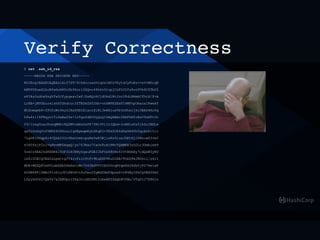
Verify Correctness
$ cat .ssh_id_rsa
-----BEGIN RSA PRIVATE KEY-----
MIIEogIBAAKCAQEAs1Aif7ST/0Ck8rcuxaVrq0slBOzVXytdJyFnNzv+eYvMGcqB
kMT6UPuwZLhcNfaGoH6Uu5b96zri66Qvo49kfn5trpjCxPLV2fz8otPVk6C6TbO5
xPIAzOudtm9zgYfwDJfypqesv2eF/SxRQcNJjdUkd1RtJocY8diBXmbCfhtX/P+A
LrKB+jMVGburwlshXYShdcuc3fTEGeZX52Hh+vnXWPEZEsPI6WFnpUmaza1Rwwsf
NhZnmgeb8+fPOfuWz9syzIAxZUEtEiacrSlNlJeHAjuxVb3nUhsrjkc3BAD4Ar6q
hPa4z118FNqyn1TiDwBaZ9s+1nTga0dAYDyQnQIDAQABAoIBAFkR0zEwV9uRFt5h
09/lnagGuarKoeqWNb18QDMVoABsSsP87YMl9VlIzIQbd+JuRM1wUx0jkZnJNHLs
qaVLUxXqYz05MHZ4UXXozu1q4EpmqmRyhDKqK2+fEkZO8kdDaSA4UhYqcArbt5jc
7LgH8396gpSr4VQkA2YOr6Re0vmkcpaRe0w83BjixKs9lusJGKtHjlhWnow63vmJ
h5SDfxjP2o1VqPbvMKOHggQ/yn763Nao7CaOn8rAIPNtTQHMKE3zO2Lc3OmbieH9
5nkCz6EA2kd8EEM4l5OFIG4CNNy6qsuFGEJJkFtbS8OSz6IVtBDmXy7cdQsW3yKU
ieXiU0ECgYEA2xLpwctgfY4rcPzih9tFv9buEXY98uD2HA+TOeZPeJRDoci/z6it
MUR+WEXQ8YaRVLdmZEbZPmSsCoWn7O45EdVVVIEOUVoqNYgeZHJ46bYjP07Xe1wP
X00M48Fj5MAIFIoSlu3FiSBtN+n9uTmu2YgWd0XmTdpowZ+r84By1KkCgYEA0YmI
LfpyXdYHICQw5k7a2EBUpo15Aa3nlxEhfMt2obxHXYSdgb8UYMu/vTqfcJ7X86jo
Verify Correctness
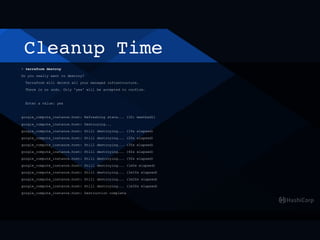
Cleanup Time
> terraform destroy
Do you really want to destroy?
Terraform will delete all your managed infrastructure.
There is no undo. Only 'yes' will be accepted to confirm.
Enter a value: yes
google_compute_instance.host: Refreshing state... (ID: meetbsd1)
google_compute_instance.host: Destroying...
google_compute_instance.host: Still destroying... (10s elapsed)
google_compute_instance.host: Still destroying... (20s elapsed)
google_compute_instance.host: Still destroying... (30s elapsed)
google_compute_instance.host: Still destroying... (40s elapsed)
google_compute_instance.host: Still destroying... (50s elapsed)
google_compute_instance.host: Still destroying... (1m0s elapsed)
google_compute_instance.host: Still destroying... (1m10s elapsed)
google_compute_instance.host: Still destroying... (1m20s elapsed)
google_compute_instance.host: Still destroying... (1m30s elapsed)
google_compute_instance.host: Destruction complete
Tubing at Scale
> $EDITOR main.tf
count = 100
> terraform plan
+ google_compute_instance.host.99
[snip]
network_interface.0.network: "default"
self_link: "<computed>"
tags.#: "1"
tags.2670015358: "meetbsd"
tags_fingerprint: "<computed>"
zone: "us-west1-a"
Plan: 99 to add, 10 to change, 0 to destroy.
Dev to Prod KPIs
Low resource acquisition cost for development
Resource acquisition cost for production
Advanced Tips and Topics
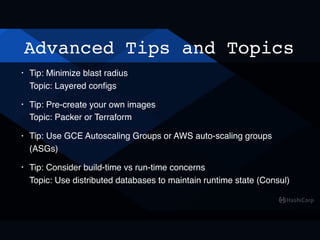
• Tip: Minimize blast radius

Topic: Layered configs
• Tip: Pre-create your own images

Topic: Packer or Terraform
• Tip: Use GCE Autoscaling Groups or AWS auto-scaling groups
(ASGs)
• Tip: Consider build-time vs run-time concerns

Topic: Use distributed databases to maintain runtime state (Consul)
Advanced Tips and Topics
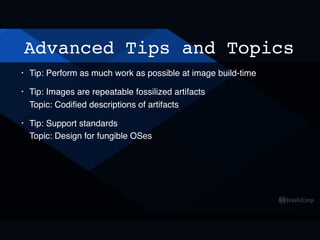
• Tip: Perform as much work as possible at image build-time
• Tip: Images are repeatable fossilized artifacts

Topic: Codified descriptions of artifacts
• Tip: Support standards

Topic: Design for fungible OSes
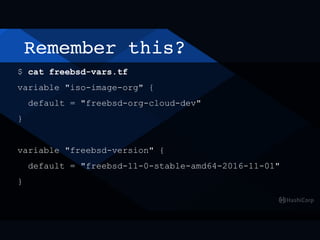
Remember this?
$ cat freebsd-vars.tf
variable "iso-image-org" {
default = "freebsd-org-cloud-dev"
}
variable "freebsd-version" {
default = "freebsd-11-0-stable-amd64-2016-11-01"
}
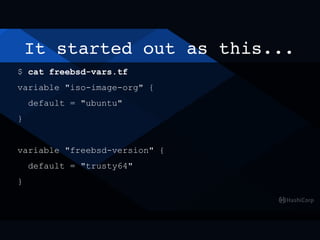
It started out as this...
$ cat freebsd-vars.tf
variable "iso-image-org" {
default = "ubuntu"
}
variable "freebsd-version" {
default = "trusty64"
}
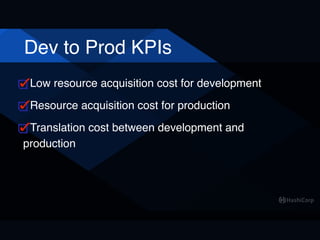
Dev to Prod KPIs
Low resource acquisition cost for development
Resource acquisition cost for production
Translation cost between development and
production
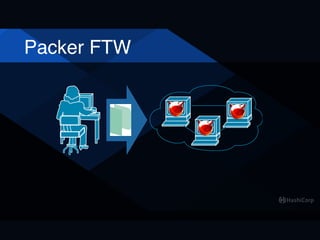
Packer FTW
Packer Templates
# Hat tip to brd@ for doing the initial heavy lifting!

$ git clone https://github.com/brd/packer-freebsd.git
$ cd packer-freebsd
$ ./automatic-11.0-current-ufs.sh —only=vmware-iso

[snip]
$ vagrant up
$ vagrant ssh
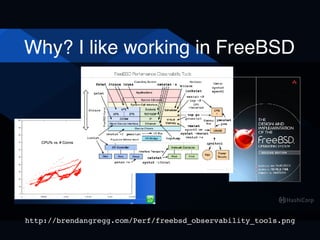
Why? I like working in FreeBSD
http://brendangregg.com/Perf/freebsd_observability_tools.png
Dev to Prod KPIs
Low resource acquisition cost for development
Resource acquisition cost for production
Translation cost between development and
production
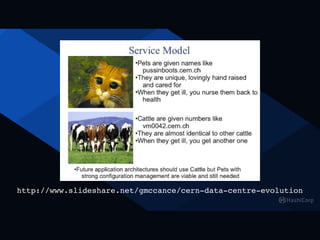
http://www.slideshare.net/gmccance/cern-data-centre-evolution
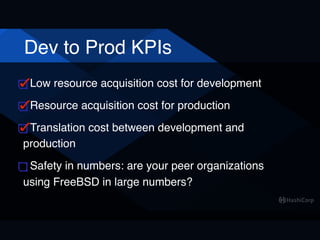
Dev to Prod KPIs
Low resource acquisition cost for development
Resource acquisition cost for production
Translation cost between development and
production
Safety in numbers: are your peer organizations
using FreeBSD in large numbers?
https://www.freebsdfoundation.org/wp-content/uploads/2015/12/vol2_no4_groupon.pdf
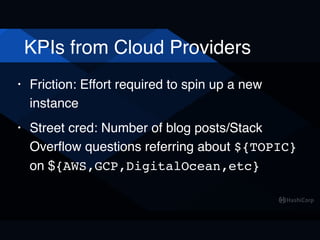
KPIs from Cloud Providers
• Friction: Effort required to spin up a new
instance
• Street cred: Number of blog posts/Stack
Overflow questions referring about ${TOPIC}
on ${AWS,GCP,DigitalOcean,etc}
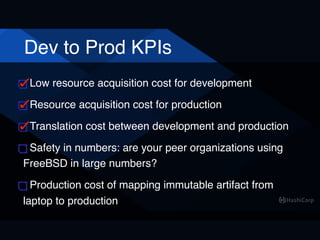
Dev to Prod KPIs
Low resource acquisition cost for development
Resource acquisition cost for production
Translation cost between development and production
Safety in numbers: are your peer organizations using
FreeBSD in large numbers?
Production cost of mapping immutable artifact from
laptop to production
License Questions
Open Source?
FreeBSD: BSD
Vagrant: MIT
Packer: MPL
Terraform: MPL
Consul: MPL
Nomad: MPL
Questions?
Thanks!
sean@hashicorp.com

FreeBSD: Dev to Prod

  • 1.
    FreeBSD: Dev toProd in the Cloud
  • 2.
  • 3.
  • 4.
  • 5.
  • 6.
  • 7.
  • 8.
    Dev to ProdKPIs Low resource acquisition cost for development
  • 9.
    Poll: How manyuse Vagrant? • Never heard of Vagrant • Heard of Vagrant but never used it • Used it once or twice • I live in Vagrant
  • 10.
    Poll: How manyuse Vagrant? • Never heard of Vagrant • Heard of Vagrant but never used it • Used it once or twice • I live in Vagrant
  • 11.
    Poll: How manyuse Vagrant? YOU CAN'T HANDLE THE TRUTH!!!
  • 12.
    Poll: How manyuse Vagrant? 22.6M 8.4M 5.9M 5.9M 2.1M 2.0M 1.4M 1.4M
  • 13.
    Poll: How manyuse Vagrant? 28.4K 10.5K 8.6K 8.4K 4.1K 3.2K 3.2K
  • 17.
    Development: Vagrant $ vagrantinit freebsd/FreeBSD-11.0- STABLE [ Add config.ssh.shell = "sh" to Vagrantfile ] $ vagrant up --provider vmware_desktop
  • 18.
    Development: Vagrant Bringing machine'default' up with 'vmware_fusion' provider... ==> default: Box 'freebsd/FreeBSD-11.0-STABLE' could not be found. Attempting to find and install... default: Box Provider: vmware_desktop, vmware_fusion, vmware_workstation default: Box Version: >= 0 ==> default: Loading metadata for box 'freebsd/FreeBSD-11.0-STABLE' default: URL: https://atlas.hashicorp.com/freebsd/FreeBSD-11.0-STABLE ==> default: Adding box 'freebsd/FreeBSD-11.0-STABLE' (v2016.11.01) for provider: vmware_desktop default: Downloading: https://atlas.hashicorp.com/freebsd/boxes/ FreeBSD-11.0-STABLE/versions/2016.11.01/providers/vmware_desktop.box
  • 19.
    Development: Vagrant ==> default:Waiting for machine to boot. This may take a few minutes... default: SSH address: 192.168.39.128:22 default: SSH username: vagrant default: SSH auth method: private key default: Warning: Connection refused. Retrying... default: Warning: Connection refused. Retrying... default: Warning: Connection refused. Retrying... default: Warning: Connection refused. Retrying... default: Warning: Remote connection disconnect. Retrying... default: Warning: Connection refused. Retrying... The configured shell (config.ssh.shell) is invalid and unable to properly execute commands. The most common cause for this is using a shell that is unavailable on the system. Please verify you're using the full path to the shell and that the shell is executable by the SSH user.
  • 20.
    Development: Vagrant $ $EDITORVagrantfile Vagrant.configure("2") do |config| config.ssh.shell = "sh" config.vm.synced_folder ".", "/ vagrant", nfs: true, id: "vagrant-root" end
  • 21.
    Vagrant: macOS NFS $cat <<'EOF' | sudo tee -a /etc/sudoers Cmnd_Alias VAGRANT_EXPORTS_ADD = /usr/bin/tee -a / etc/exports Cmnd_Alias VAGRANT_NFSD = /sbin/nfsd restart Cmnd_Alias VAGRANT_EXPORTS_REMOVE = /usr/bin/sed -E -e /*/ d -ibak /etc/exports %admin ALL=(root) NOPASSWD: VAGRANT_EXPORTS_ADD, VAGRANT_NFSD, VAGRANT_EXPORTS_REMOVE EOF
  • 22.
    Vagrant: FreeBSD TakeTwo $ vagrant up --destroy-on-error ==> default: Machine booted and ready! ==> default: Forwarding ports... default: -- 22 => 2222 ==> default: Configuring network adapters within the VM... ==> default: Exporting NFS shared folders... ==> default: Preparing to edit /etc/exports. Administrator privileges will be required... ==> default: Mounting NFS shared folders...
  • 23.
    $ vagrant ssh $vagrant ssh FreeBSD 11.0-STABLE (GENERIC) #0 r308135: Mon Oct 31 19:17:52 UTC 2016 vagrant@:~ % cd /vagrant/ vagrant@:/vagrant % uname -a > uname.out vagrant@:/vagrant % logout Shared connection to 192.168.39.130 closed. $ cat uname.out
  • 24.
    $ vagrant suspend $time vagrant suspend ==> default: Suspending the VMware VM... 2.85 real 2.05 user 0.21 sys $ time vagrant up $ vagrant ssh
  • 25.
    $ vagrant up(resume) $ time vagrant up Bringing machine 'default' up with 'vmware_fusion' provider... ==> default: Checking if box 'freebsd/FreeBSD-11.0-STABLE' is up to date... ==> default: Verifying vmnet devices are healthy... ==> default: Fixed port collision for 22 => 2222. Now on port 2200. ==> default: Starting the VMware VM... ==> default: Waiting for machine to boot. This may take a few minutes... default: SSH address: 192.168.39.132:22 default: SSH username: vagrant default: SSH auth method: private key ==> default: Machine booted and ready! ==> default: Forwarding ports... default: -- 22 => 2200 18.36 real 6.32 user 1.00 sys
  • 26.
    $ vagrant status $vagrant status Current machine states: default running (vmware_fusion) The VM is running. To stop this VM, you can run `vagrant halt` to shut it down, or you can run `vagrant suspend` to simply suspend the virtual machine. In either case, to restart it again, run `vagrant up`.
  • 27.
    $ vagrant status $vagrant status Current machine states: default saved (virtualbox)
  • 28.
    $ vagrant destroy $vagrant destroy default: Are you sure you want to destroy the 'default' VM? [y/N] y ==> default: Stopping the VMware VM... Connection to 192.168.39.130 closed by remote host. ==> default: Deleting the VM... ==> default: Pruning invalid NFS exports. Administrator privileges will be required...
  • 29.
    $ vagrant global-status idname provider state directory ----------------------------------------------------------------------------------------------- ----------------------------------------------------- f69620c amd64 vmware_fusion not running /Users/sean/src/FreeBSD/packer-freebsd fa1d5ee default vmware_fusion suspended /Users/sean/src/FreeBSD/vagrant/vm1 e1c9cc0 vm2 vmware_fusion suspended /Users/sean/go/src/github.com/hashicorp/nomad 0b6bf5d nomad-server01 vmware_fusion suspended /Users/sean/go/src/github.com/hashicorp/nomad a658211 nomad-server02 vmware_fusion suspended /Users/sean/go/src/github.com/hashicorp/nomad d26f7cc nomad-server03 vmware_fusion suspended /Users/sean/go/src/github.com/hashicorp/nomad 2d71016 nomad-client01 vmware_fusion suspended /Users/sean/go/src/github.com/hashicorp/nomad fe91af4 default vmware_fusion suspended /Users/sean/src/illumos-gate a3d803c default virtualbox running /Users/sean/src/FreeBSD/vagrant/vm1-zfs
 1c73899 default vmware_fusion running /Users/sean/src/FreeBSD/vagrant/vm1-12- CURRENT
  • 30.
    Advanced: Reduce theTedium Vagrant.configure("2") do |config| # snip config.vm.provision "shell", inline: <<-SHELL /usr/sbin/freebsd-update fetch /usr/sbin/freebsd-update install /usr/sbin/pkg audit -F /usr/bin/env ASSUME_ALWAYS_YES=YES /usr/sbin/pkg install go SHELL end
  • 31.
    Advanced Topics: bhyve •https://github.com/jesa7955/vagrant-bhyve • https://github.com/sciurus/vagrant-mutate
  • 32.
    More Advanced Topics •Multiple VMs per Vagrantfile • Vagrant Provisioner Scripts • Building ZFS root images
  • 33.
    Poll: Going touse Vagrant?
  • 34.
    Dev to ProdKPIs Low resource acquisition cost for development
  • 35.
  • 36.
  • 37.
    Dev to ProdKPIs Low resource acquisition cost for development Resource acquisition cost for production
  • 38.
    Quick GCE "Demo" (arbitrarilychose GCE, could have used AWS or Azure)
  • 39.
    GCE Setup $ fetchhttps://dl.google.com/dl/cloudsdk/ channels/rapid/downloads/google-cloud- sdk-134.0.0-darwin-x86_64.tar.gz $ tar xzpf google-cloud-sdk-134.0.0-darwin- x86_64.tar.gz $ cd google-cloud-sdk/ $ ./install.sh $ export PATH=$PATH:$HOME/google-cloud-sdk/bin
  • 40.
    GCE Setup $ gcloudauth login $ gcloud components update $ gcloud projects list PROJECT_ID NAME PROJECT_NUMBER meetbsd-2016 meetbsd-2016 474274720932
  • 41.
    GCE Setup $ gcloudconfig list project Your active configuration is: [default] [core] project (unset) $ gcloud config set project meetbsd-2016 Updated property [core/project]. $ gcloud config list project Your active configuration is: [default] [core] project = meetbsd-2016
  • 42.
    Poll: How manyuse Terraform? • Never heard of Terraform • Heard of Terraform but never used it • Used it once or twice • My life is a shell script:
 
 set -e
 while true; do
 $EDITOR foo.tf
 terraform plan
 terraform apply
 done
  • 43.
  • 44.
  • 45.
  • 46.
  • 47.
  • 48.
  • 49.
  • 50.
  • 53.
  • 55.
  • 59.
    Computes in theClouds $ gcloud compute zones list ERROR: (gcloud.compute.zones.list) Some requests did not succeed: - Access Not Configured. Compute Engine API has not been used in project 474274720932 before or it is disabled. Enable it by visiting https:// console.developers.google.com/apis/api/ compute_component/overview?project=474274720932 then retry. If you enabled this API recently, wait a few minutes for the action to propagate to our systems and retry.
  • 60.
  • 61.
    Compute Regions $ gcloudcompute regions list NAME CPUS DISKS_GB ADDRESSES RESERVED_ADDRESSES STATUS TURNDOWN_DATE asia-east1 0/24 0/10240 0/23 0/7 UP asia-northeast1 0/24 0/10240 0/23 0/7 UP europe-west1 0/24 0/10240 0/23 0/7 UP us-central1 0/24 0/10240 0/23 0/7 UP us-east1 0/24 0/10240 0/23 0/7 UP us-west1 0/24 0/10240 0/23 0/7 UP
  • 62.
    Zones in aRegion $ gcloud compute zones list | grep us-west1 NAME REGION STATUS us-west1-a us-west1 UP us-west1-b us-west1 UP
  • 63.
    GCP: Google CloudPlatform $ cat provider.tf provider "google" { credentials = "${file("account.json")}" project = "meetbsd-2016" region = "${var.region}" }
  • 64.
  • 65.
  • 66.
  • 67.
    Get your authcreds...
  • 68.
    ...and show themto the world $ mv meetbsd-2016-d888473f3ba0.json account.json $ cat account.json { "type": "service_account", "project_id": "meetbsd-2016", "private_key_id": "d888473f3ba0ddd06d85eb8d3bc91fd8d2020f86", "private_key": "-----BEGIN PRIVATE KEY----- nMIIEvgIBADANBgkqhkiG9w0BAQEFAASCBKgwggSkAgEAAoIBAQDXgx83Rde3UMGLnrGbt7ZN10WiwDpjTmXfbQT/ dFX8B5jaNBF6ls64YEcJiTZHtZ8JAkpydOLcrvpRpnhnFWHsrMGZp5kcyAHhaBr2cbIbMHvAFzVqXfcodhpbPhiOF6XBmnXF+f75NmbC04ny9HtQL8BqWROgKpU2iuw TsdNinjbJoC+Abx7EiQMukHKvdG77qteyqlQy4oJcMnmn4N79EG3mfvxohPEjC+5gK5a+XaBUHhNPArKN0lA6p+Q2Sfxarf66IPWZL5M4BjS5nMDF+kCPSwO3tloaPi qGXD1GwFcRzsxCkU7NhvroW68MajhCG17pSwnAsw52YryognB+dhdyWHAgMBAAECggEAdufKjlWDqons76Jke/vrs0Kh7xluqrjvD1LV6KZWl/ arnvGxfyC717CPISzKfRAxOehAqRvim34TcH8jkuW5t1+R8fXy7BykSo+TiD28tdyP8n7OUuybVICtFBCTvbpAYyxUtLG1Q00Hr5DHAwWCWz/ Te3tzR4Ri7FkhY1EoxHGCoHnvGcsiwgK7Cjj/eIN0LfJUycairbDHB02F0UsP/qvuDrAE3hNO7p2PD4vqe6/ SOtMnMaJVzlmfShRL4WFVyfo9lBM4oCR0d90uK9yGJzexol3cjABgd26AfakNtXGSJDCJn8AhAan591hO7xR1BndaNq5TGXDxtaMUzKiA8/ Tdo0QKBgQD2SveRcHNpRhKAVzUsnWl7USFUo49kFMuh061SVbpYcf0vQi2koASk5d0pyxGO/ xe3OaKmOvnQrk567COPanj2ehxl5TB8AGLDGVO2RP3Xu4e135fB2tuklwA/gF// Jo0NKMBMVYHyJoa7+38xUpnD4Q2jbjsyQTEwFgVo4uGCDQqKQKBgQDgAZX9AcQeWkAFUC09hXzhTBtkP8TKnFkfnQ7JhWc+yKCaLuvPkkti7P4xCzu9QAGdMyYeNXZl GzPj2Y4tHW4MjvN1XoerDovk3n7VsK8SHzLo23vA05F4d/ PUIa1zeEZ1Z7QnnfD3H8fn6EigYDr4n58giScPjebf8inexaZgoUoLwKBgQCg8m6D+XNCCUuP2O1jlY7AtKAJ/5NTZWgo95wnpsOrzbfyiRfnnz5Jr/ juFcjcpHCQCLb0YDfeGfopM+UtFCU+UlTgQlFD0965TMiOkWT0/WkcYAPa4nD7Nr4vwSl6aGvmfInlmD85ydlkQL5msekQg6SjTdb6ORG4y0X1KO/ Q9xuQKBgHnzngxOFxZ58pcP+vVJz/OOvCm6OZPWlHsPtmAx116P3Rdzmf+cdpw5x70tj21djkNl2nEez9Wvf3mUaSNP45LPDk3l/ aD7RIYoN3Hgyb8E6zNoYjw9MkIyk7UWTJbDkSBTv/ nmde9UeITf49qkRGqnGRNxyrqhCKcIb1E463ZJ+MTAoGBAOAMeEapAk1Q6awGkwpNnUKNluwjQZ+n8FmurrIM7Lal8NQMG4cCsvcxEolf1WPCOxfkB86VlZTuuOxPgk sTNnMP28PZMS1mNm9BGpn3iBVYCDaAZxAyrJzskJkMWvlQ2YdI/fobiz3vBHHZcDbPv+nJV1xXMBFJTK6Ghn+X8MHdLzyn-----END PRIVATE KEY-----n", "client_email": "sean-terraform@meetbsd-2016.iam.gserviceaccount.com", "client_id": "106443185458018185240", "auth_uri": "https://accounts.google.com/o/oauth2/auth", "token_uri": "https://accounts.google.com/o/oauth2/token", "auth_provider_x509_cert_url": "https://www.googleapis.com/oauth2/v1/certs", "client_x509_cert_url": "https://www.googleapis.com/robot/v1/metadata/x509/sean- terraform%40meetbsd-2016.iam.gserviceaccount.com" }
  • 69.
    'cause why theh^W^Wnot $ mv meetbsd-2016-d888473f3ba0.json account.json $ cat account.json { "type": "service_account", "project_id": "meetbsd-2016", "private_key_id": "d888473f3ba0ddd06d85eb8d3bc91fd8d2020f86", "private_key": "-----BEGIN PRIVATE KEY----- nMIIEvgIBADANBgkqhkiG9w0BAQEFAASCBKgwggSkAgEAAoIBAQDXgx83Rde3UMGLnrGbt7ZN10WiwDpjTmXfbQT/ dFX8B5jaNBF6ls64YEcJiTZHtZ8JAkpydOLcrvpRpnhnFWHsrMGZp5kcyAHhaBr2cbIbMHvAFzVqXfcodhpbPhiOF6XBmnXF+f75NmbC04ny9HtQL8BqWROgKpU2iuw TsdNinjbJoC+Abx7EiQMukHKvdG77qteyqlQy4oJcMnmn4N79EG3mfvxohPEjC+5gK5a+XaBUHhNPArKN0lA6p+Q2Sfxarf66IPWZL5M4BjS5nMDF+kCPSwO3tloaPi qGXD1GwFcRzsxCkU7NhvroW68MajhCG17pSwnAsw52YryognB+dhdyWHAgMBAAECggEAdufKjlWDqons76Jke/vrs0Kh7xluqrjvD1LV6KZWl/ arnvGxfyC717CPISzKfRAxOehAqRvim34TcH8jkuW5t1+R8fXy7BykSo+TiD28tdyP8n7OUuybVICtFBCTvbpAYyxUtLG1Q00Hr5DHAwWCWz/ Te3tzR4Ri7FkhY1EoxHGCoHnvGcsiwgK7Cjj/eIN0LfJUycairbDHB02F0UsP/qvuDrAE3hNO7p2PD4vqe6/ SOtMnMaJVzlmfShRL4WFVyfo9lBM4oCR0d90uK9yGJzexol3cjABgd26AfakNtXGSJDCJn8AhAan591hO7xR1BndaNq5TGXDxtaMUzKiA8/ Tdo0QKBgQD2SveRcHNpRhKAVzUsnWl7USFUo49kFMuh061SVbpYcf0vQi2koASk5d0pyxGO/ xe3OaKmOvnQrk567COPanj2ehxl5TB8AGLDGVO2RP3Xu4e135fB2tuklwA/gF// Jo0NKMBMVYHyJoa7+38xUpnD4Q2jbjsyQTEwFgVo4uGCDQqKQKBgQDgAZX9AcQeWkAFUC09hXzhTBtkP8TKnFkfnQ7JhWc+yKCaLuvPkkti7P4xCzu9QAGdMyYeNXZl GzPj2Y4tHW4MjvN1XoerDovk3n7VsK8SHzLo23vA05F4d/ PUIa1zeEZ1Z7QnnfD3H8fn6EigYDr4n58giScPjebf8inexaZgoUoLwKBgQCg8m6D+XNCCUuP2O1jlY7AtKAJ/5NTZWgo95wnpsOrzbfyiRfnnz5Jr/ juFcjcpHCQCLb0YDfeGfopM+UtFCU+UlTgQlFD0965TMiOkWT0/WkcYAPa4nD7Nr4vwSl6aGvmfInlmD85ydlkQL5msekQg6SjTdb6ORG4y0X1KO/ Q9xuQKBgHnzngxOFxZ58pcP+vVJz/OOvCm6OZPWlHsPtmAx116P3Rdzmf+cdpw5x70tj21djkNl2nEez9Wvf3mUaSNP45LPDk3l/ aD7RIYoN3Hgyb8E6zNoYjw9MkIyk7UWTJbDkSBTv/ nmde9UeITf49qkRGqnGRNxyrqhCKcIb1E463ZJ+MTAoGBAOAMeEapAk1Q6awGkwpNnUKNluwjQZ+n8FmurrIM7Lal8NQMG4cCsvcxEolf1WPCOxfkB86VlZTuuOxPgk sTNnMP28PZMS1mNm9BGpn3iBVYCDaAZxAyrJzskJkMWvlQ2YdI/fobiz3vBHHZcDbPv+nJV1xXMBFJTK6Ghn+X8MHdLzyn-----END PRIVATE KEY-----n", "client_email": "sean-terraform@meetbsd-2016.iam.gserviceaccount.com", "client_id": "106443185458018185240", "auth_uri": "https://accounts.google.com/o/oauth2/auth", "token_uri": "https://accounts.google.com/o/oauth2/token", "auth_provider_x509_cert_url": "https://www.googleapis.com/oauth2/v1/certs", "client_x509_cert_url": "https://www.googleapis.com/robot/v1/metadata/x509/sean- terraform%40meetbsd-2016.iam.gserviceaccount.com" }
  • 70.
    Fill out somedefaults... $ cat provider-vars.tf variable "region" { default = "us-west1" } variable "default_zone" { default = "us-west1-a" }
  • 71.
    GCE is aGCP service $ cat gce-vars.tf variable "gce_ssh_private_key_file" { default = ".ssh_id_rsa" } variable "gce_ssh_user" { default = "sean" } variable "gce_ssh_port" { default = 22 }
  • 72.
    Official FreeBSD Images $gcloud compute images list --project freebsd-org-cloud-dev --uri --regexp freebsd'.*' https://www.googleapis.com/compute/v1/projects/freebsd-org-cloud-dev/global/images/ freebsd-10-2-rc1-amd64 https://www.googleapis.com/compute/v1/projects/freebsd-org-cloud-dev/global/images/ freebsd-10-2-rc2-amd64 https://www.googleapis.com/compute/v1/projects/freebsd-org-cloud-dev/global/images/ freebsd-10-2-rc3-amd64 https://www.googleapis.com/compute/v1/projects/freebsd-org-cloud-dev/global/images/ freebsd-10-2-release-amd64 https://www.googleapis.com/compute/v1/projects/freebsd-org-cloud-dev/global/images/ freebsd-11-0-stable-amd64-2016-11-01 https://www.googleapis.com/compute/v1/projects/freebsd-org-cloud-dev/global/images/ freebsd-11-0-stable-amd64-2016-10-22 ... ...
  • 73.
    Pick your Poison $gcloud compute images list --project freebsd-org- cloud-dev --uri --regexp freebsd'.*' https://www.googleapis.com/compute/v1/projects/ freebsd-org-cloud-dev/global/images/freebsd-12-0- current-amd64-2016-08-10 https://www.googleapis.com/compute/v1/projects/ freebsd-org-cloud-dev/global/images/freebsd-11-0- stable-amd64-2016-11-01
  • 74.
    FreeBSD Details $ catfreebsd-vars.tf variable "iso-image-org" { default = "freebsd-org-cloud-dev" } variable "freebsd-version" { default = "freebsd-11-0-stable-amd64-2016-11-01" }
  • 75.
    Planning The Future $terraform plan Refreshing Terraform state in-memory prior to plan... The refreshed state will be used to calculate this plan, but will not be persisted to local or remote state storage. The Terraform execution plan has been generated and is shown below. Resources are shown in alphabetical order for quick scanning. Green resources will be created (or destroyed and then created if an existing resource exists), yellow resources are being changed in-place, and red resources will be destroyed. Cyan entries are data sources to be read. Note: You didn't specify an "-out" parameter to save this plan, so when "apply" is called, Terraform can't guarantee this is what will execute.
  • 76.
    DAG walked: 1resource to be added + google_compute_instance.host can_ip_forward: "false" disk.#: "1" disk.0.auto_delete: "true" disk.0.image: "freebsd-org-cloud-dev/freebsd-11-0-stable-amd64-2016-11-01" machine_type: "n1-standard-1" metadata_fingerprint: "<computed>" name: "meetbsd1" network_interface.#: "1" network_interface.0.access_config.#: "1" network_interface.0.access_config.0.assigned_nat_ip: "<computed>" network_interface.0.address: "<computed>" network_interface.0.name: "<computed>" network_interface.0.network: "default" self_link: "<computed>" tags.#: "1" tags.2670015358: "meetbsd" tags_fingerprint: "<computed>" zone: "us-west1-a" Plan: 1 to add, 0 to change, 0 to destroy.
  • 77.
    Machines Doing theWork $ terraform apply google_compute_instance.host: Creating... can_ip_forward: "" => "false" disk.#: "" => "1" disk.0.auto_delete: "" => "true" disk.0.image: "" => "freebsd-org-cloud-dev/freebsd-11-0-stable- amd64-2016-11-01" machine_type: "" => "n1-standard-1" metadata_fingerprint: "" => "<computed>" name: "" => "meetbsd1" network_interface.#: "" => "1" network_interface.0.access_config.#: "" => "1" network_interface.0.access_config.0.assigned_nat_ip: "" => "<computed>" network_interface.0.address: "" => "<computed>" network_interface.0.name: "" => "<computed>" network_interface.0.network: "" => "default" self_link: "" => "<computed>" tags.#: "" => "1" tags.2670015358: "" => "meetbsd" tags_fingerprint: "" => "<computed>" zone: "" => "us-west1-a"
  • 78.
    Hold Please google_compute_instance.host: Stillcreating... (10s elapsed) google_compute_instance.host: Still creating... (20s elapsed) google_compute_instance.host: Still creating... (30s elapsed) google_compute_instance.host: Still creating... (40s elapsed) google_compute_instance.host: Provisioning with 'file'... google_compute_instance.host: Still creating... (50s elapsed) google_compute_instance.host: Still creating... (1m0s elapsed) google_compute_instance.host: Still creating... (1m10s elapsed) [snip]
  • 79.
    $ ssh-keygen -trsa -f $PWD/.ssh_id_rsa -N '' -C $USER $ chmod 0400 .ssh_id_rsa Per-Project SSH Key
  • 80.
    $ cat .ssh_id_rsa -----BEGINRSA PRIVATE KEY----- MIIEogIBAAKCAQEAs1Aif7ST/0Ck8rcuxaVrq0slBOzVXytdJyFnNzv+eYvMGcqB kMT6UPuwZLhcNfaGoH6Uu5b96zri66Qvo49kfn5trpjCxPLV2fz8otPVk6C6TbO5 xPIAzOudtm9zgYfwDJfypqesv2eF/SxRQcNJjdUkd1RtJocY8diBXmbCfhtX/P+A LrKB+jMVGburwlshXYShdcuc3fTEGeZX52Hh+vnXWPEZEsPI6WFnpUmaza1Rwwsf NhZnmgeb8+fPOfuWz9syzIAxZUEtEiacrSlNlJeHAjuxVb3nUhsrjkc3BAD4Ar6q hPa4z118FNqyn1TiDwBaZ9s+1nTga0dAYDyQnQIDAQABAoIBAFkR0zEwV9uRFt5h 09/lnagGuarKoeqWNb18QDMVoABsSsP87YMl9VlIzIQbd+JuRM1wUx0jkZnJNHLs qaVLUxXqYz05MHZ4UXXozu1q4EpmqmRyhDKqK2+fEkZO8kdDaSA4UhYqcArbt5jc 7LgH8396gpSr4VQkA2YOr6Re0vmkcpaRe0w83BjixKs9lusJGKtHjlhWnow63vmJ h5SDfxjP2o1VqPbvMKOHggQ/yn763Nao7CaOn8rAIPNtTQHMKE3zO2Lc3OmbieH9 5nkCz6EA2kd8EEM4l5OFIG4CNNy6qsuFGEJJkFtbS8OSz6IVtBDmXy7cdQsW3yKU ieXiU0ECgYEA2xLpwctgfY4rcPzih9tFv9buEXY98uD2HA+TOeZPeJRDoci/z6it MUR+WEXQ8YaRVLdmZEbZPmSsCoWn7O45EdVVVIEOUVoqNYgeZHJ46bYjP07Xe1wP X00M48Fj5MAIFIoSlu3FiSBtN+n9uTmu2YgWd0XmTdpowZ+r84By1KkCgYEA0YmI LfpyXdYHICQw5k7a2EBUpo15Aa3nlxEhfMt2obxHXYSdgb8UYMu/vTqfcJ7X86jo Verify Correctness
  • 81.
    $ cat .ssh_id_rsa -----BEGINRSA PRIVATE KEY----- MIIEogIBAAKCAQEAs1Aif7ST/0Ck8rcuxaVrq0slBOzVXytdJyFnNzv+eYvMGcqB kMT6UPuwZLhcNfaGoH6Uu5b96zri66Qvo49kfn5trpjCxPLV2fz8otPVk6C6TbO5 xPIAzOudtm9zgYfwDJfypqesv2eF/SxRQcNJjdUkd1RtJocY8diBXmbCfhtX/P+A LrKB+jMVGburwlshXYShdcuc3fTEGeZX52Hh+vnXWPEZEsPI6WFnpUmaza1Rwwsf NhZnmgeb8+fPOfuWz9syzIAxZUEtEiacrSlNlJeHAjuxVb3nUhsrjkc3BAD4Ar6q hPa4z118FNqyn1TiDwBaZ9s+1nTga0dAYDyQnQIDAQABAoIBAFkR0zEwV9uRFt5h 09/lnagGuarKoeqWNb18QDMVoABsSsP87YMl9VlIzIQbd+JuRM1wUx0jkZnJNHLs qaVLUxXqYz05MHZ4UXXozu1q4EpmqmRyhDKqK2+fEkZO8kdDaSA4UhYqcArbt5jc 7LgH8396gpSr4VQkA2YOr6Re0vmkcpaRe0w83BjixKs9lusJGKtHjlhWnow63vmJ h5SDfxjP2o1VqPbvMKOHggQ/yn763Nao7CaOn8rAIPNtTQHMKE3zO2Lc3OmbieH9 5nkCz6EA2kd8EEM4l5OFIG4CNNy6qsuFGEJJkFtbS8OSz6IVtBDmXy7cdQsW3yKU ieXiU0ECgYEA2xLpwctgfY4rcPzih9tFv9buEXY98uD2HA+TOeZPeJRDoci/z6it MUR+WEXQ8YaRVLdmZEbZPmSsCoWn7O45EdVVVIEOUVoqNYgeZHJ46bYjP07Xe1wP X00M48Fj5MAIFIoSlu3FiSBtN+n9uTmu2YgWd0XmTdpowZ+r84By1KkCgYEA0YmI LfpyXdYHICQw5k7a2EBUpo15Aa3nlxEhfMt2obxHXYSdgb8UYMu/vTqfcJ7X86jo Verify Correctness
  • 82.
    Cleanup Time > terraformdestroy Do you really want to destroy? Terraform will delete all your managed infrastructure. There is no undo. Only 'yes' will be accepted to confirm. Enter a value: yes google_compute_instance.host: Refreshing state... (ID: meetbsd1) google_compute_instance.host: Destroying... google_compute_instance.host: Still destroying... (10s elapsed) google_compute_instance.host: Still destroying... (20s elapsed) google_compute_instance.host: Still destroying... (30s elapsed) google_compute_instance.host: Still destroying... (40s elapsed) google_compute_instance.host: Still destroying... (50s elapsed) google_compute_instance.host: Still destroying... (1m0s elapsed) google_compute_instance.host: Still destroying... (1m10s elapsed) google_compute_instance.host: Still destroying... (1m20s elapsed) google_compute_instance.host: Still destroying... (1m30s elapsed) google_compute_instance.host: Destruction complete
  • 83.
    Tubing at Scale >$EDITOR main.tf count = 100 > terraform plan + google_compute_instance.host.99 [snip] network_interface.0.network: "default" self_link: "<computed>" tags.#: "1" tags.2670015358: "meetbsd" tags_fingerprint: "<computed>" zone: "us-west1-a" Plan: 99 to add, 10 to change, 0 to destroy.
  • 84.
    Dev to ProdKPIs Low resource acquisition cost for development Resource acquisition cost for production
  • 85.
    Advanced Tips andTopics • Tip: Minimize blast radius
 Topic: Layered configs • Tip: Pre-create your own images
 Topic: Packer or Terraform • Tip: Use GCE Autoscaling Groups or AWS auto-scaling groups (ASGs) • Tip: Consider build-time vs run-time concerns
 Topic: Use distributed databases to maintain runtime state (Consul)
  • 86.
    Advanced Tips andTopics • Tip: Perform as much work as possible at image build-time • Tip: Images are repeatable fossilized artifacts
 Topic: Codified descriptions of artifacts • Tip: Support standards
 Topic: Design for fungible OSes
  • 87.
    Remember this? $ catfreebsd-vars.tf variable "iso-image-org" { default = "freebsd-org-cloud-dev" } variable "freebsd-version" { default = "freebsd-11-0-stable-amd64-2016-11-01" }
  • 88.
    It started outas this... $ cat freebsd-vars.tf variable "iso-image-org" { default = "ubuntu" } variable "freebsd-version" { default = "trusty64" }
  • 89.
    Dev to ProdKPIs Low resource acquisition cost for development Resource acquisition cost for production Translation cost between development and production
  • 90.
  • 91.
    Packer Templates # Hattip to brd@ for doing the initial heavy lifting!
 $ git clone https://github.com/brd/packer-freebsd.git $ cd packer-freebsd $ ./automatic-11.0-current-ufs.sh —only=vmware-iso
 [snip] $ vagrant up $ vagrant ssh
  • 92.
    Why? I likeworking in FreeBSD http://brendangregg.com/Perf/freebsd_observability_tools.png
  • 93.
    Dev to ProdKPIs Low resource acquisition cost for development Resource acquisition cost for production Translation cost between development and production
  • 94.
  • 95.
    Dev to ProdKPIs Low resource acquisition cost for development Resource acquisition cost for production Translation cost between development and production Safety in numbers: are your peer organizations using FreeBSD in large numbers?
  • 96.
  • 97.
    KPIs from CloudProviders • Friction: Effort required to spin up a new instance • Street cred: Number of blog posts/Stack Overflow questions referring about ${TOPIC} on ${AWS,GCP,DigitalOcean,etc}
  • 98.
    Dev to ProdKPIs Low resource acquisition cost for development Resource acquisition cost for production Translation cost between development and production Safety in numbers: are your peer organizations using FreeBSD in large numbers? Production cost of mapping immutable artifact from laptop to production
  • 99.
    License Questions Open Source? FreeBSD:BSD Vagrant: MIT Packer: MPL Terraform: MPL Consul: MPL Nomad: MPL
  • 100.
  • 101.