Roger A. Grimes Microsoft
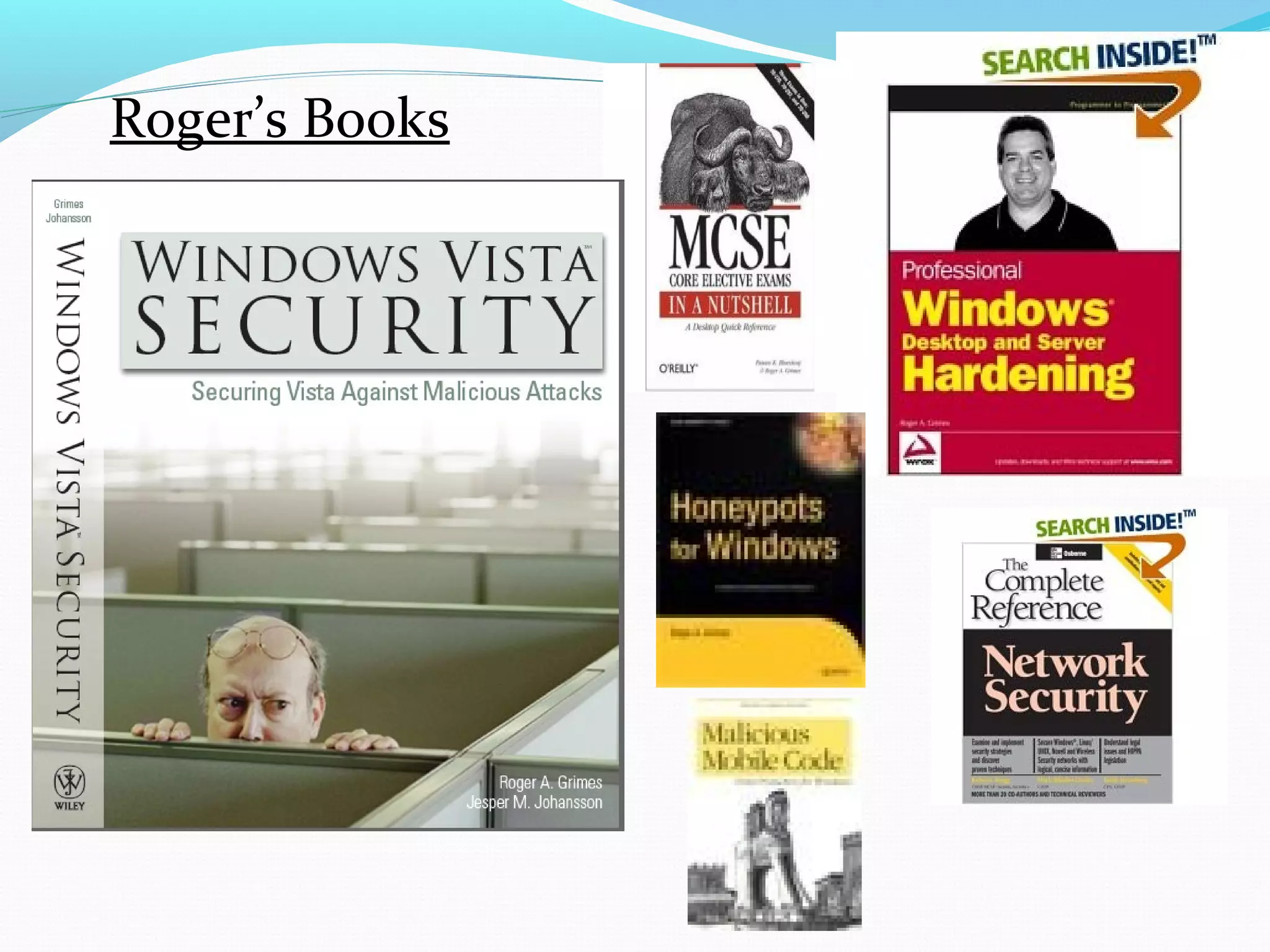
Presenter BIO Roger A. Grimes   CPA, CISSP, CEH, CISA, TICSA, MCSE: Security, yada, yada PKI installer for over  1o years Taught Microsoft PKI to Verisign Principal Security Architect for Microsoft InfoSec ACE Team InfoWorld Contributing Editor, Security Columnist, Product Reviewer, and Blogger 23-year Windows security consultant, instructor, and author Author of seven books on computer security, including: Windows Vista Security: Security Vista Against Malicious Attacks  (Wiley, 2007) Professional Windows Desktop and Server Hardening  (Dec. 2005) Malicious Mobile Code:  Virus Protection for Windows  (O’Reilly, 2001) Honeypots for Windows  (Apress, December 2004) Author of over 300 national magazine  articles on computer security
Roger’s Books
Presentation Summary Quick PKI Terminology Overview W2K8\R2 New Features Summary Installing a W2K8 PKI CA New Features Review New Ciphers Version 3 Templates Restricted KRA and Enrollment Agents OCSP NDES Web Enrollment Service Cross-Forest Enrollment Clustering
Public Key Infrastructure Quick Primer
Why PKI? Primarily, PKI exists to  authenticate  the i dentities  and their  cryptographic keys  involved in cryptographic transactions PKI says to the consumer of PKI certs: If you trust me, then the certificate is who it says it is from and that is their encryption key Principal=subject=user, computer, device, or service Public Key Infrastructure Primer
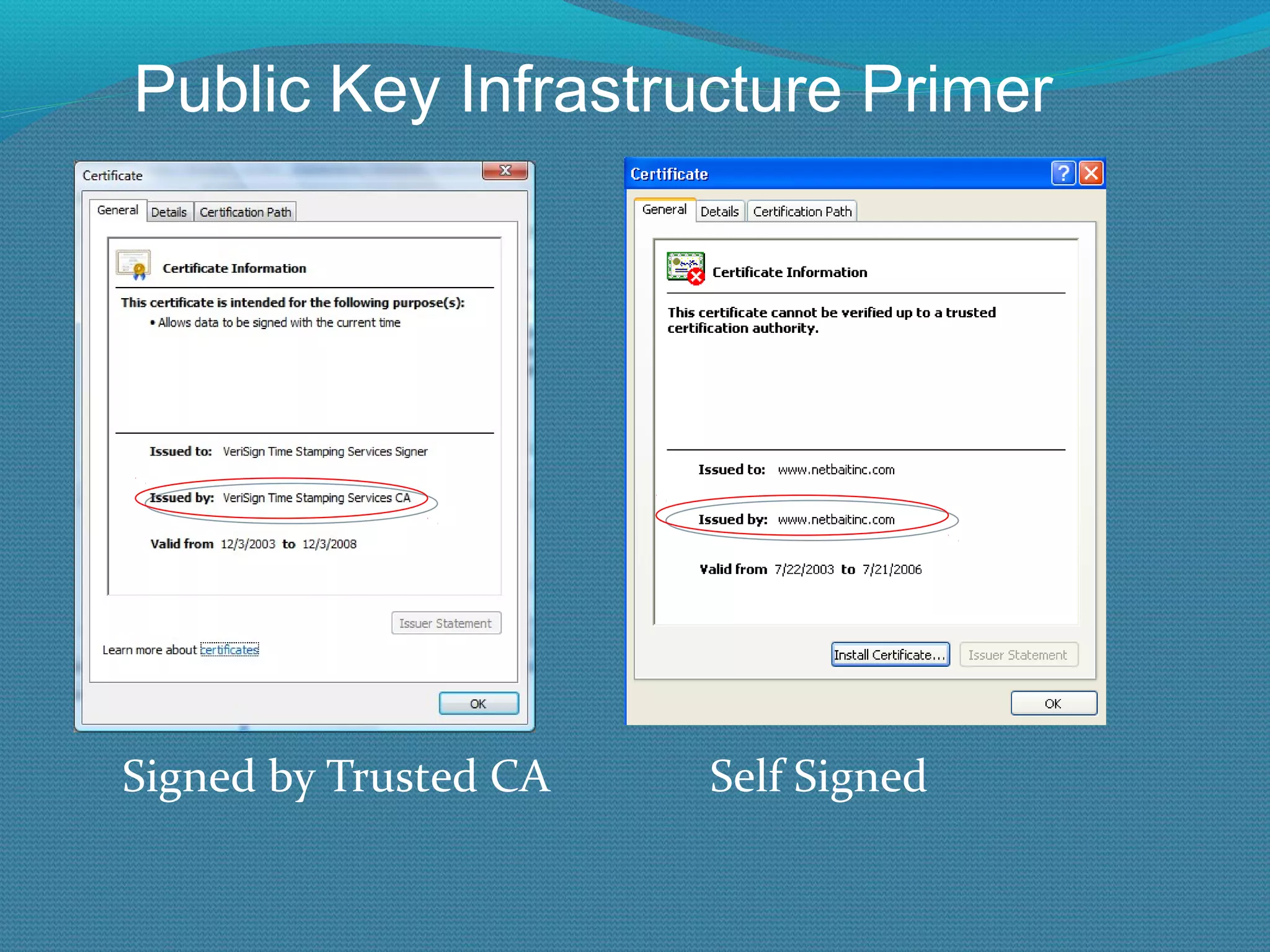
Signed by Trusted CA  Self Signed Public Key Infrastructure Primer
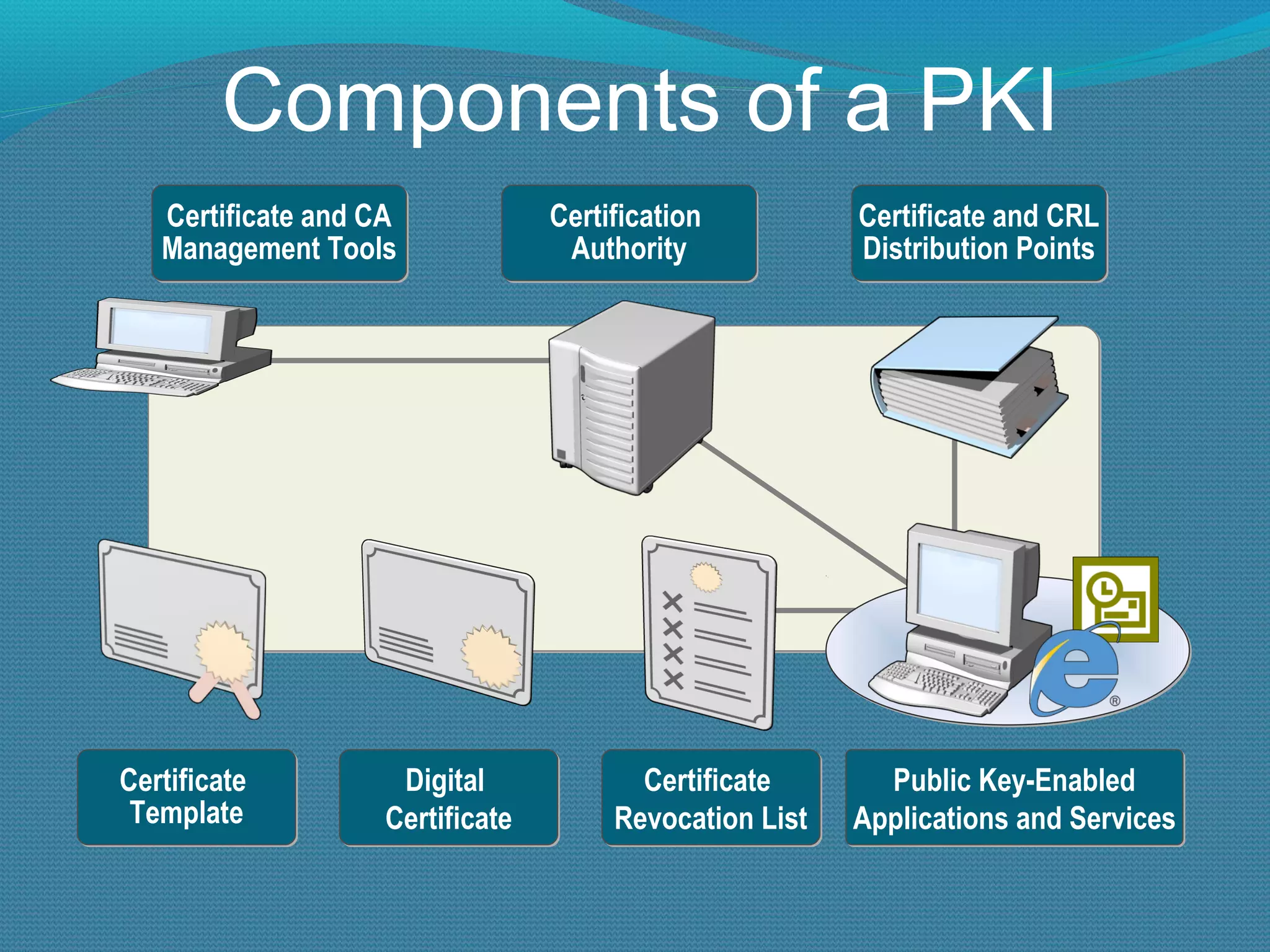
Components of a PKI Certificate and CA Management Tools Certification  Authority Certificate and CRL Distribution Points Certificate  Template Digital  Certificate Certificate  Revocation List Public Key-Enabled Applications and Services
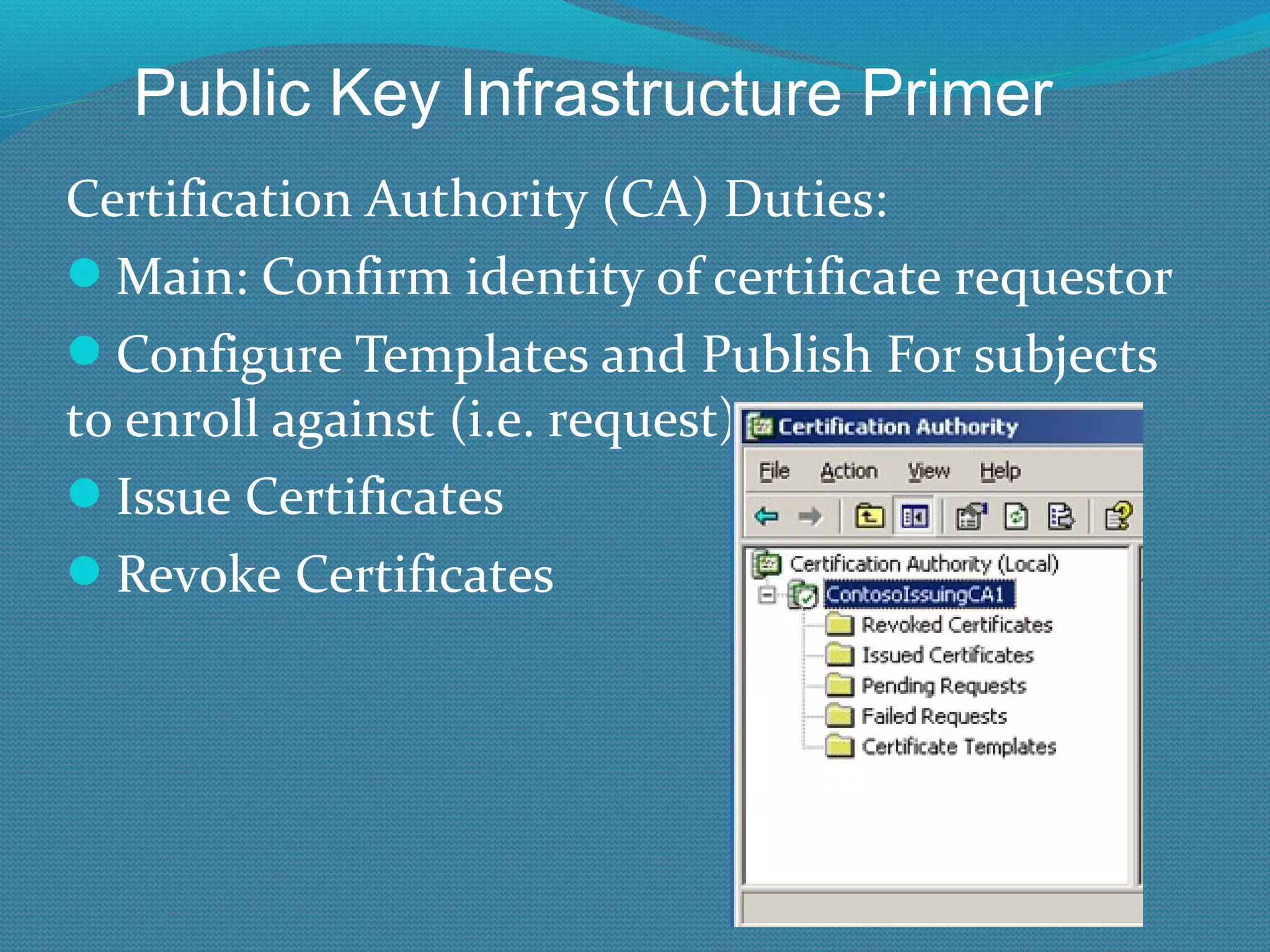
Certification Authority (CA) Duties: Main: Confirm identity of certificate requestor Configure Templates and Publish For subjects to enroll against (i.e. request) Issue Certificates Revoke Certificates Public Key Infrastructure Primer
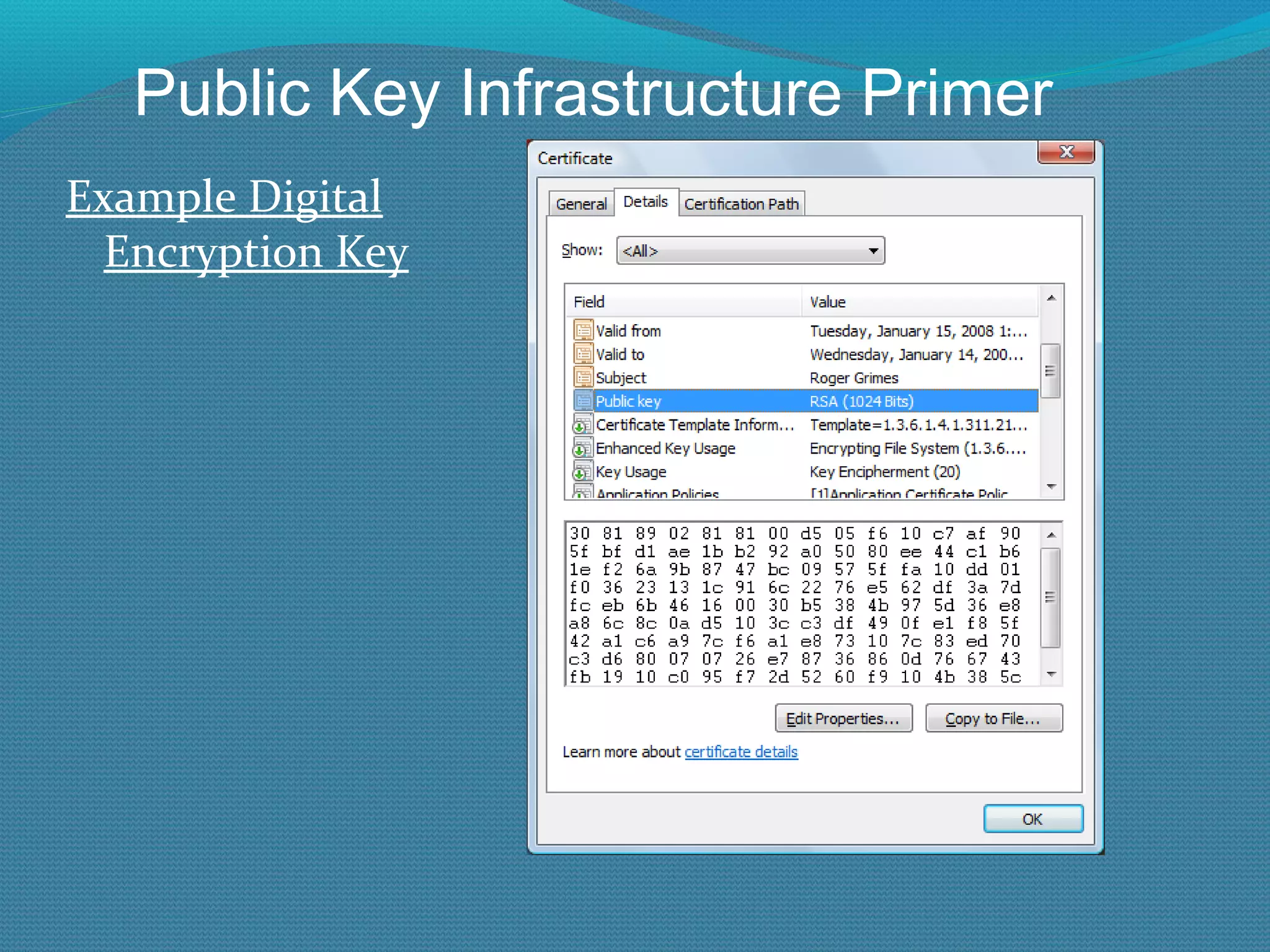
Digital encryption keys are just a series of binary bits (1’s and 0’s) used (i.e. mathematically applied) to obscure plaintext content Computers often represent keys as ASCII or hexadecimal characters Today, a typical key size ranges from a few dozen bits to thousands 128-bit to 4096-bit keys are very normal Why can’t a hacker just guess the key? Because with good crypto, brute force guessing would take more than “atoms in the known universe” Public Key Infrastructure Primer
Example Digital Encryption Key Public Key Infrastructure Primer
Two major types of encryption keys: Symmetric  – same key used to lock and unlock Asymmetric  – diff key used to lock and unlock Called Private\Public Key Cryptography Most programs using asymmetric ciphers also use symmetric ciphers as part of their encryption process Public Key Infrastructure Primer
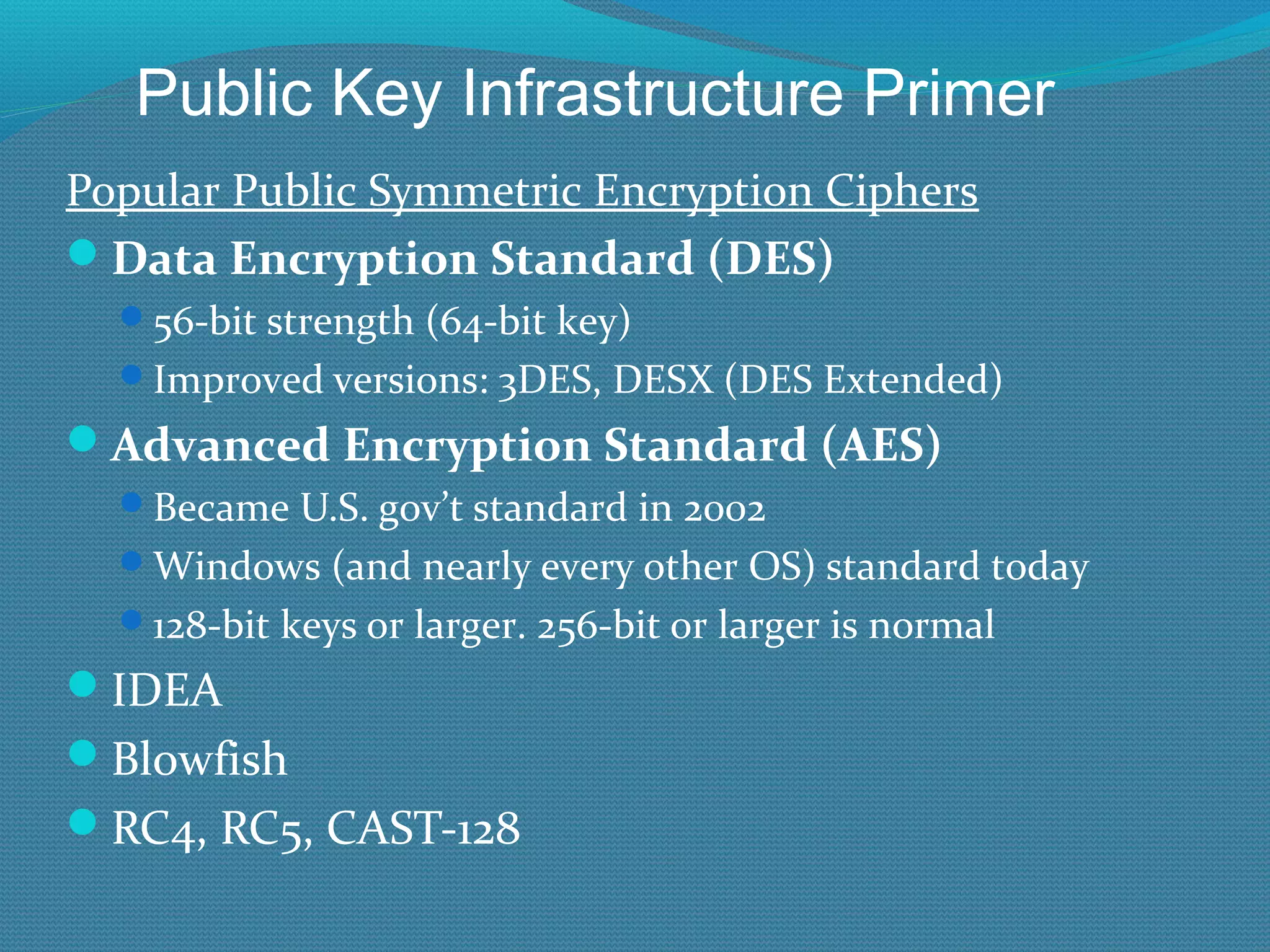
Popular Public Symmetric Encryption Ciphers Data Encryption Standard (DES) 56-bit strength (64-bit key) Improved versions: 3DES, DESX (DES Extended) Advanced Encryption Standard (AES) Became U.S. gov’t standard in 2002 Windows (and nearly every other OS) standard today 128-bit keys or larger. 256-bit or larger is normal IDEA Blowfish RC4, RC5, CAST-128 Public Key Infrastructure Primer
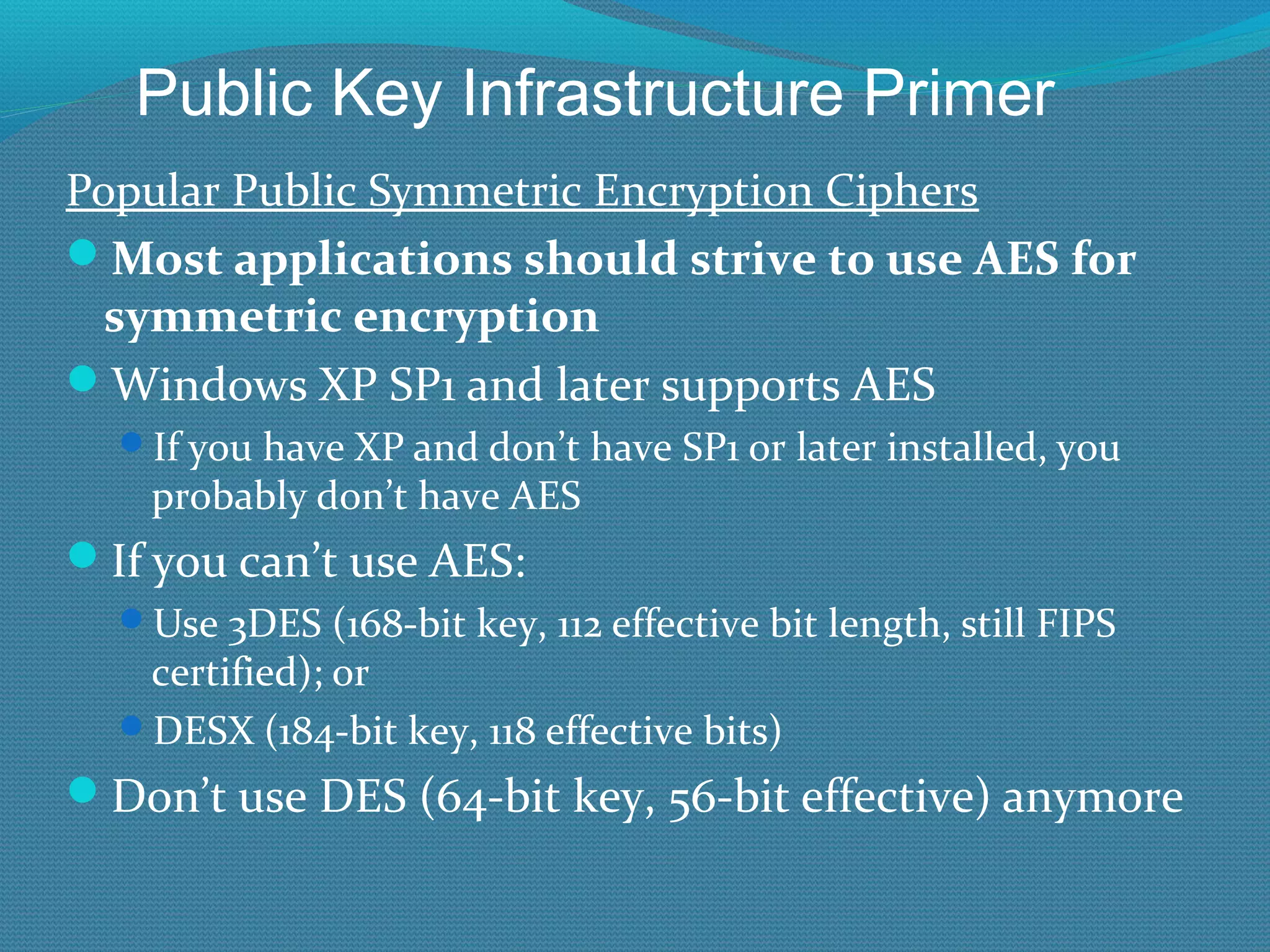
Popular Public Symmetric Encryption Ciphers Most applications should strive to use AES for symmetric encryption Windows XP SP1 and later supports AES If you have XP and don’t have SP1 or later installed, you probably don’t have AES If you can’t use AES: Use 3DES (168-bit key, 112 effective bit length, still FIPS certified); or  DESX (184-bit key, 118 effective bits) Don’t use DES (64-bit key, 56-bit effective) anymore Public Key Infrastructure Primer
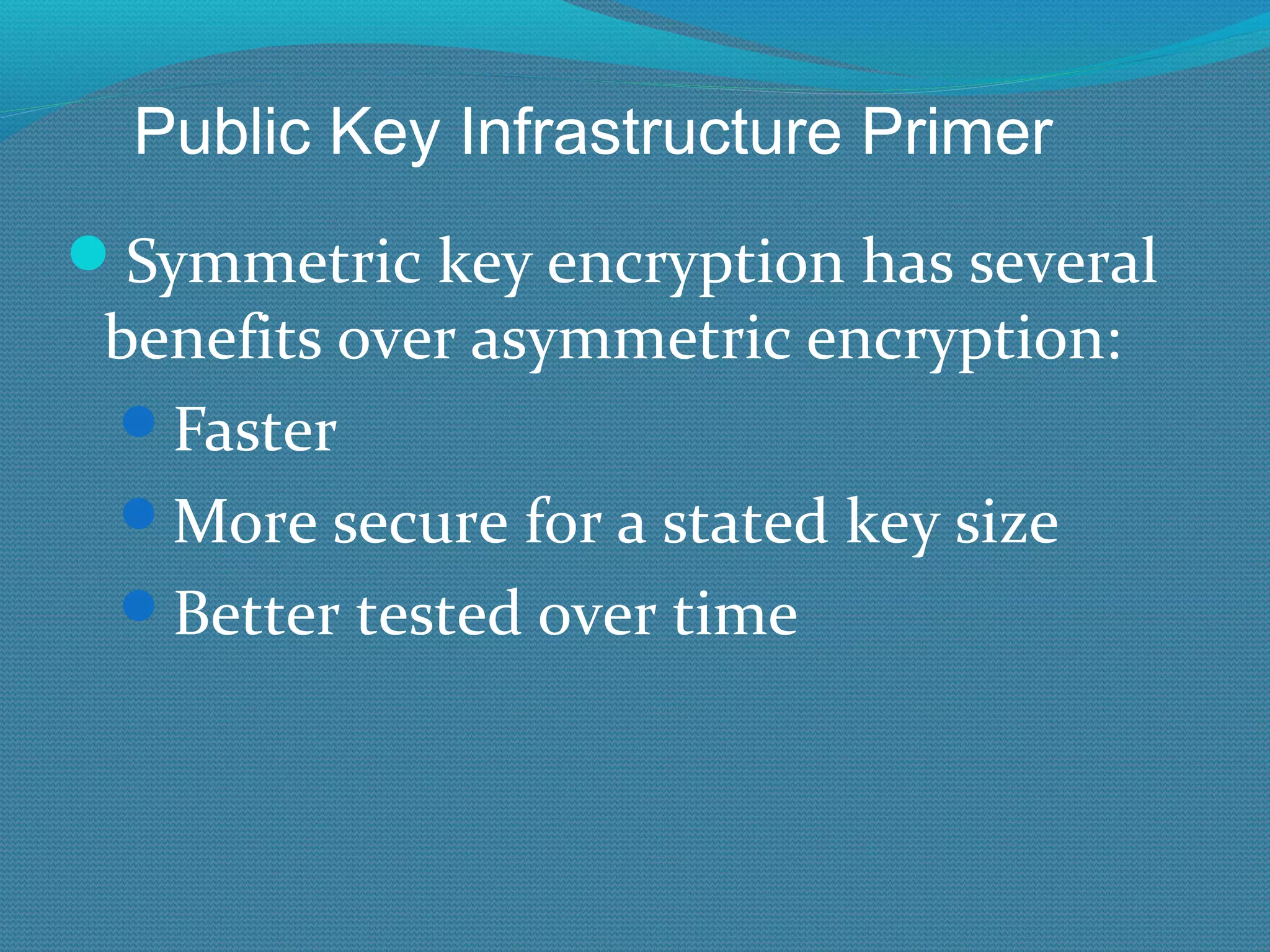
Symmetric key encryption has several benefits over asymmetric encryption: Faster More secure for a stated key size Better tested over time Public Key Infrastructure Primer
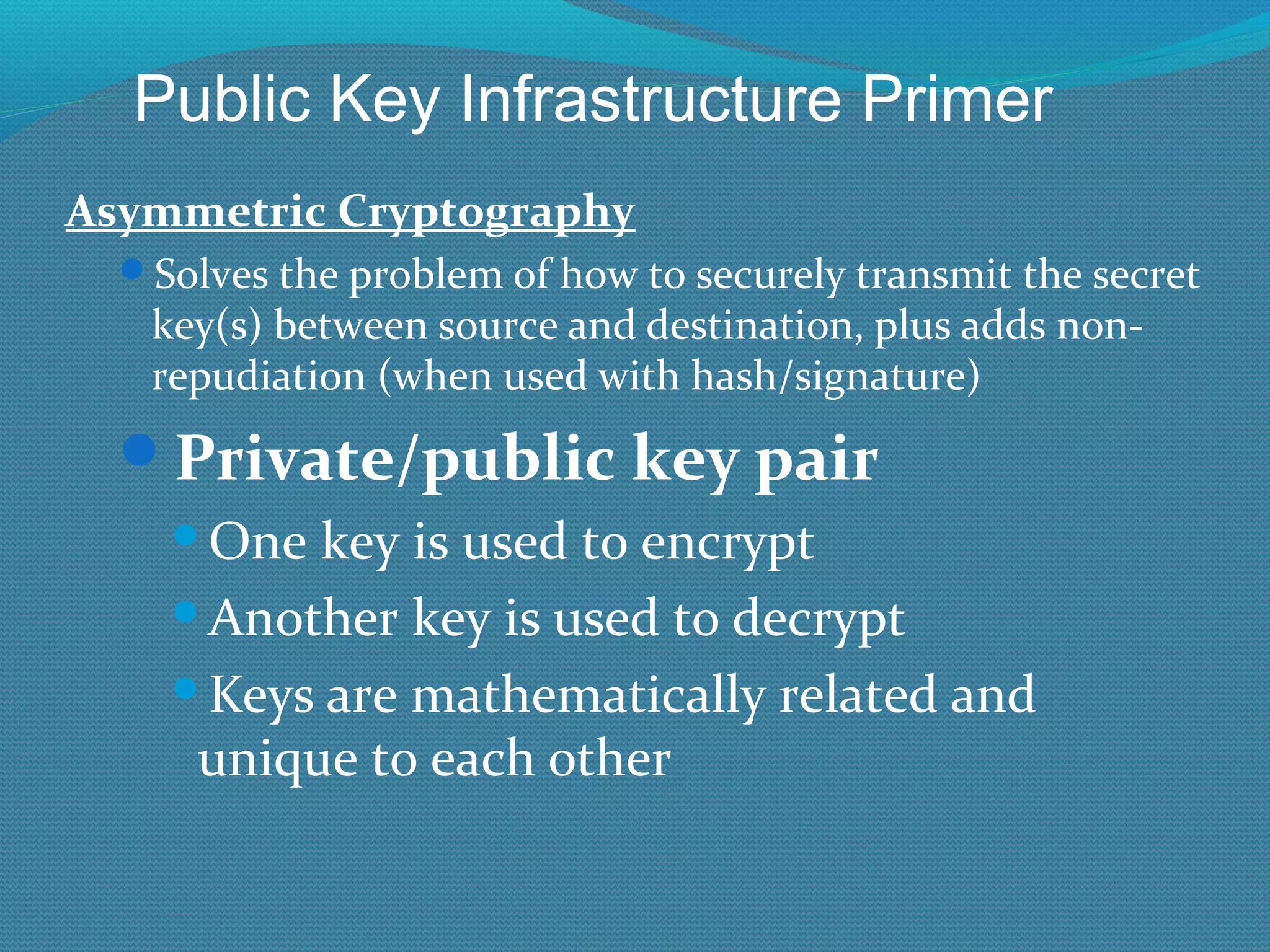
Asymmetric Cryptography Solves the problem of how to securely transmit the secret key(s) between source and destination, plus adds non-repudiation (when used with hash/signature) Private/public key pair One key is used to encrypt Another key is used to decrypt Keys are mathematically related and unique to each other Public Key Infrastructure Primer
Asymmetric Cryptography Private/public key pair Central Point: What one key can encrypt, the other can decrypt Besides the key pair, no other key can decrypt what the other key encrypted All participating parties should have their own key pairs Public Key Infrastructure Primer
Asymmetric Cryptography Private key Only single owner/user should possess No one else should ever see Needs to be protected against unauthorized use/viewing/change Public key The “world” can possess and see Public Key Infrastructure Primer
Asymmetric crypto Whatever the public key encrypts, the private key can decrypt Encryption Whatever the private key encrypts, the public key can decrypt Signing/Authentication Public Key Infrastructure Primer
Popular Public Asymmetric Encryption Ciphers RSA Diffie-Hellman ElGamal DSS/DSA Elliptical Curve Cryptography (ECC) RSA and Diffie-Hellman most popular, but ECC gaining All are supported in today’s Windows OSs by default except ElGamal (which can be added by 3 rd  party) Public Key Infrastructure Primer
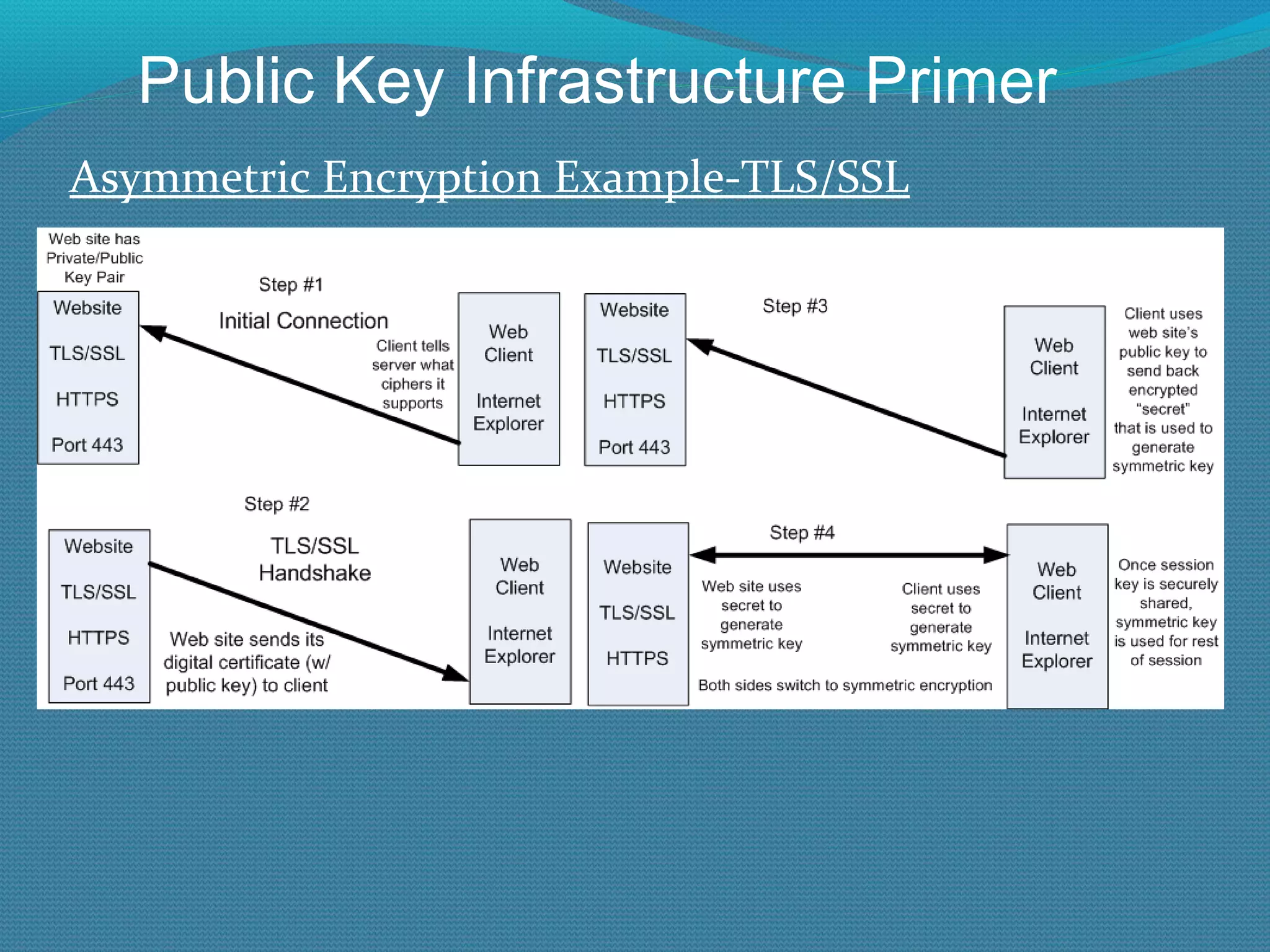
Asymmetric Encryption Example-TLS/SSL Public Key Infrastructure Primer
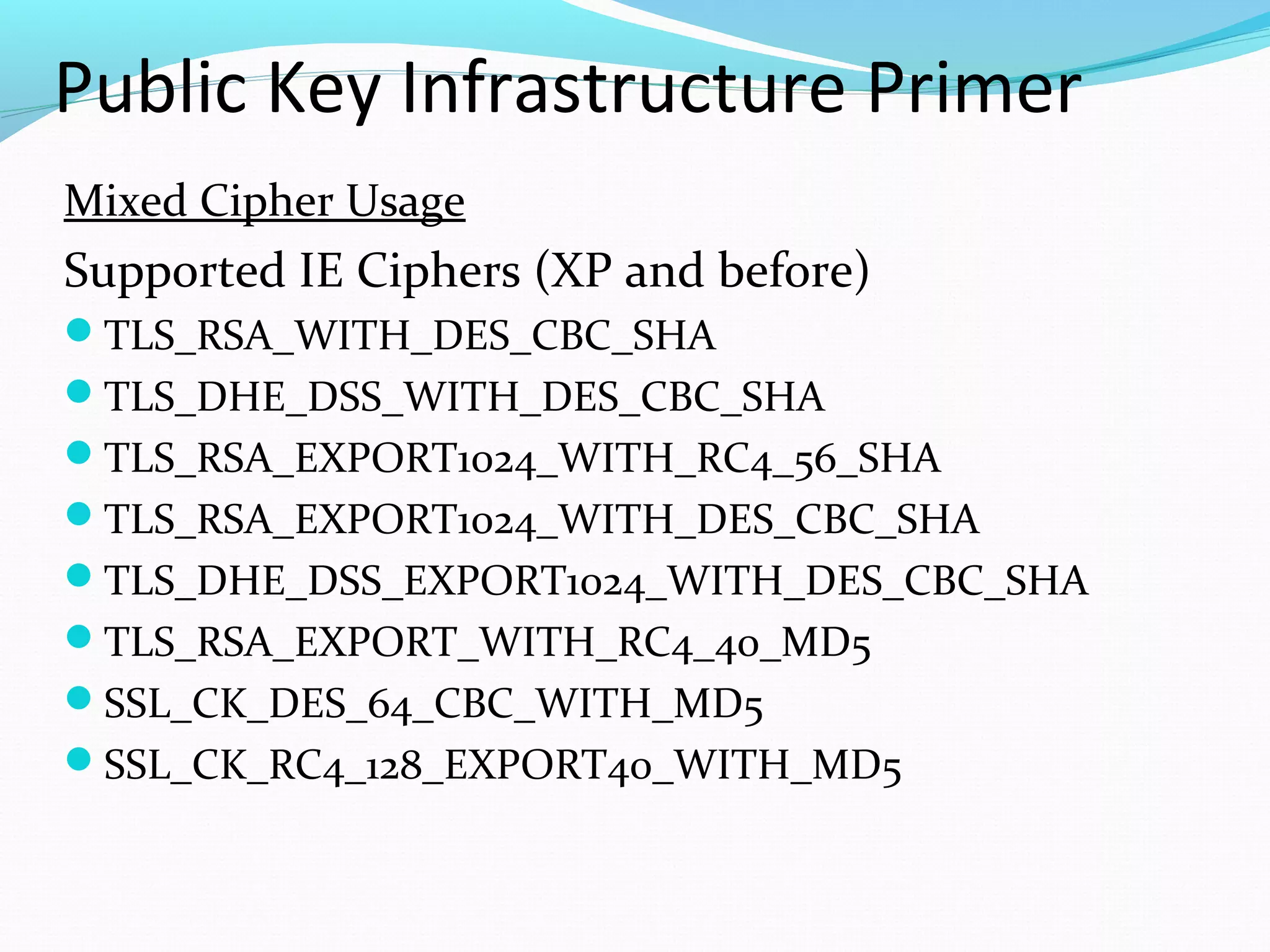
Public Key Infrastructure Primer Mixed Cipher Usage Supported IE Ciphers (XP and before) TLS_RSA_WITH_DES_CBC_SHA TLS_DHE_DSS_WITH_DES_CBC_SHA TLS_RSA_EXPORT1024_WITH_RC4_56_SHA TLS_RSA_EXPORT1024_WITH_DES_CBC_SHA TLS_DHE_DSS_EXPORT1024_WITH_DES_CBC_SHA TLS_RSA_EXPORT_WITH_RC4_40_MD5 SSL_CK_DES_64_CBC_WITH_MD5 SSL_CK_RC4_128_EXPORT40_WITH_MD5
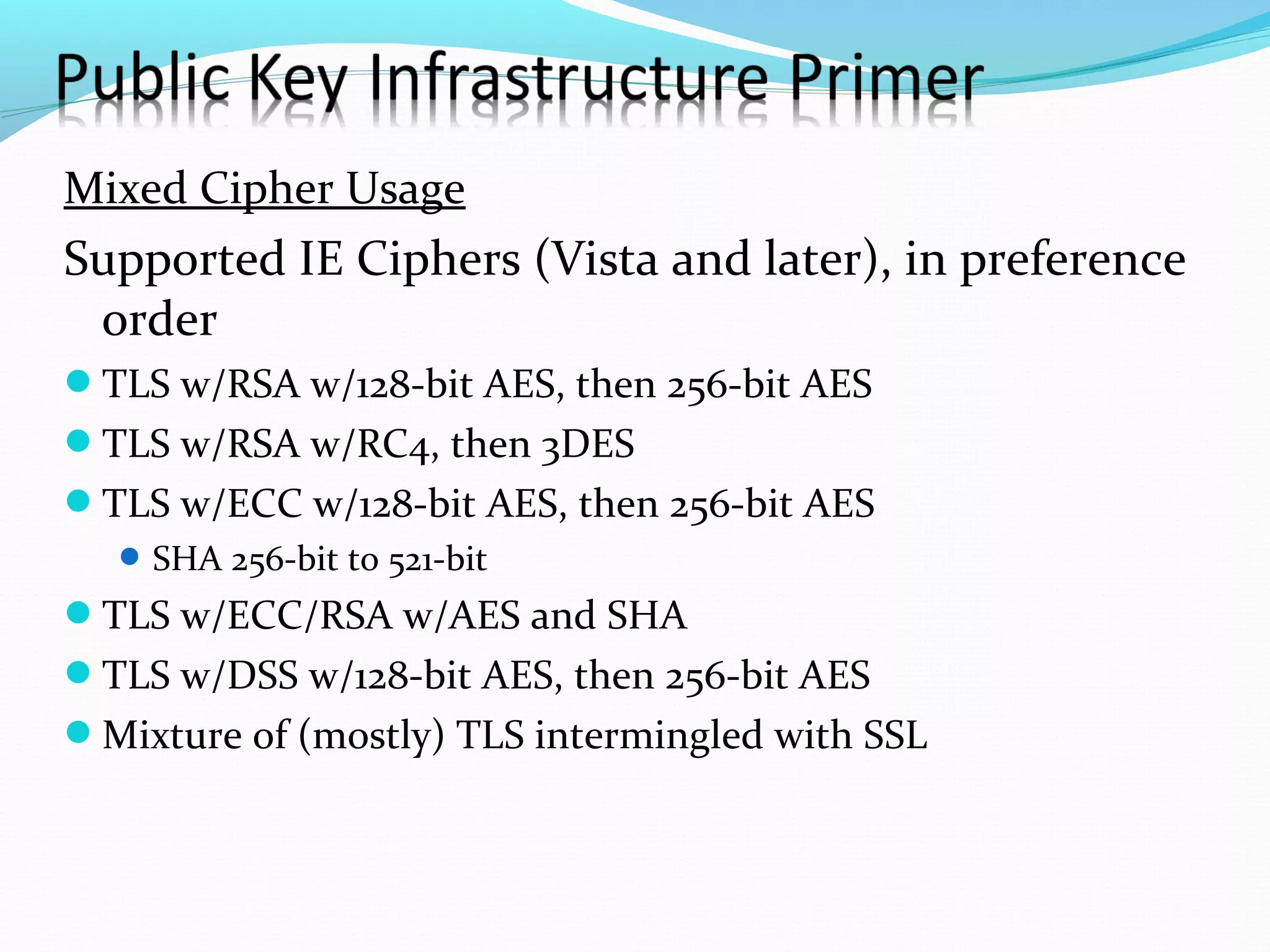
Mixed Cipher Usage Supported IE Ciphers (Vista and later), in preference order TLS w/RSA w/128-bit AES, then 256-bit AES TLS w/RSA w/RC4, then 3DES TLS w/ECC w/128-bit AES, then 256-bit AES SHA 256-bit to 521-bit TLS w/ECC/RSA w/AES and SHA TLS w/DSS w/128-bit AES, then 256-bit AES Mixture of (mostly) TLS intermingled with SSL
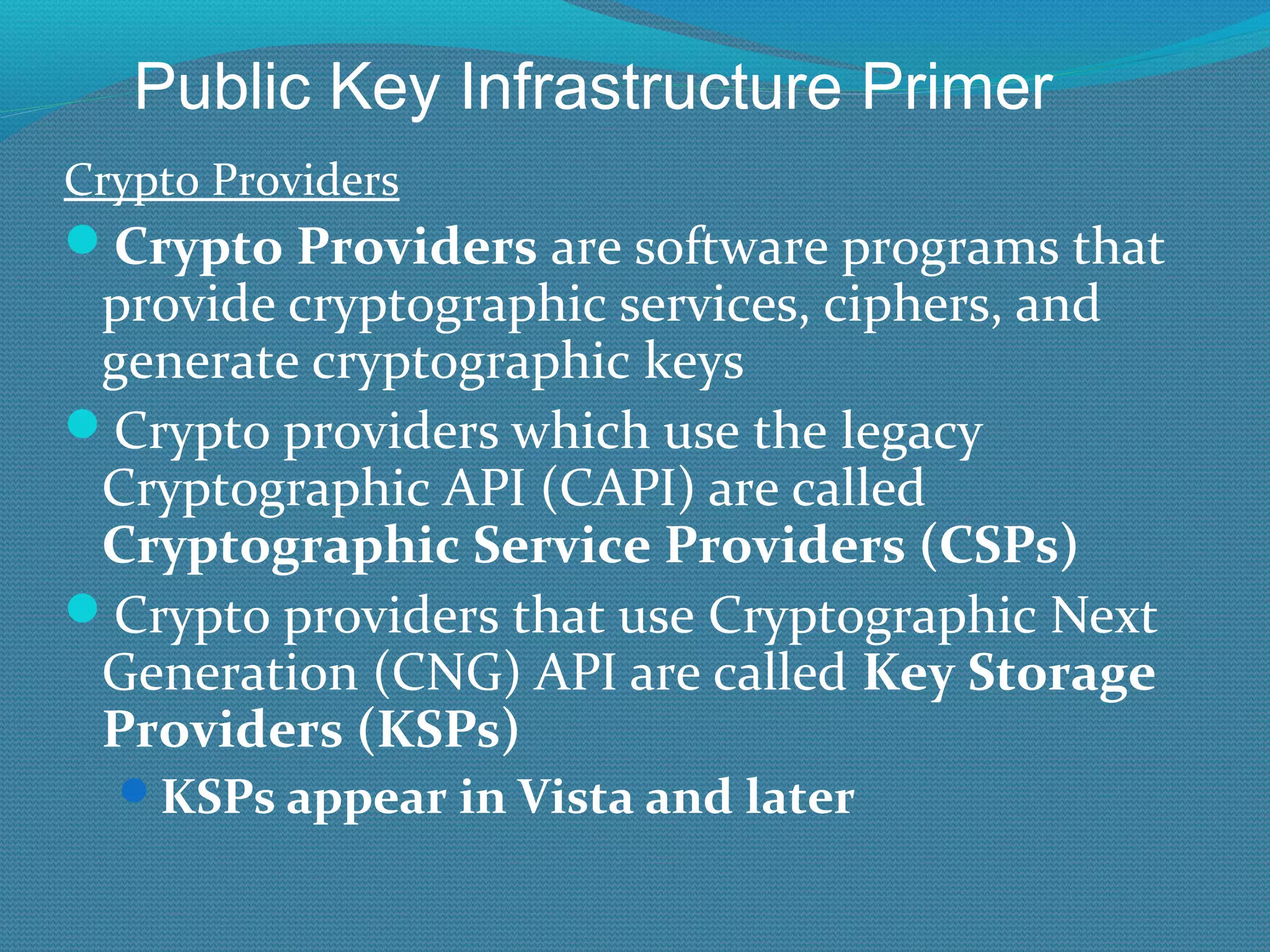
Crypto Providers Crypto Providers  are software programs that provide cryptographic services, ciphers, and generate cryptographic keys Crypto providers which use the legacy Cryptographic API (CAPI) are called  Cryptographic Service Providers (CSPs) Crypto providers that use Cryptographic Next Generation (CNG) API are called  Key Storage Providers (KSPs) KSPs appear in Vista and later Public Key Infrastructure Primer
Crypto Providers (CSP/KSP) CSPs/KSPs determine what cipher algorithms (e.g. AES, RSA, sizes, etc.) are available to use Windows comes with many default CSPs Prior to Vista, only CSPs by default With Vista and later, both CSPs and KSPs can be used Only Vista and later recognizes KSPs Can use the default ones in Windows or  3 rd  party vendors can install their own Often you can choose between Windows defaults or vendor supplied CSP\KSP Public Key Infrastructure Primer
Crypto Provider Example To use a smart card: You need a smart card PKI to issue certs to smart card Smart card reader KSP/CSP that works with smart cards Smart card reader and KSP/CSP must be installed where ever you plan to use smart card plus on CA where templates are created or published Public Key Infrastructure Primer
Crypto in Microsoft Certificate Services Can use any cipher provided by a Crypto Provider (KSP\CSP) module installed Defaults are: Diffie-Hellman, RSA, ECC DSS MD5, SHA1 AES, DES, 3DES, DESX Public Key Infrastructure Primer
Suite B Set of algorithms required by US gov’t starting in 2007 AES 128 and 256,  SHA-2 (SHA-256, SHA-384, SHA-512) ECC Vista and later is Suite B compliant  Public Key Infrastructure Primer
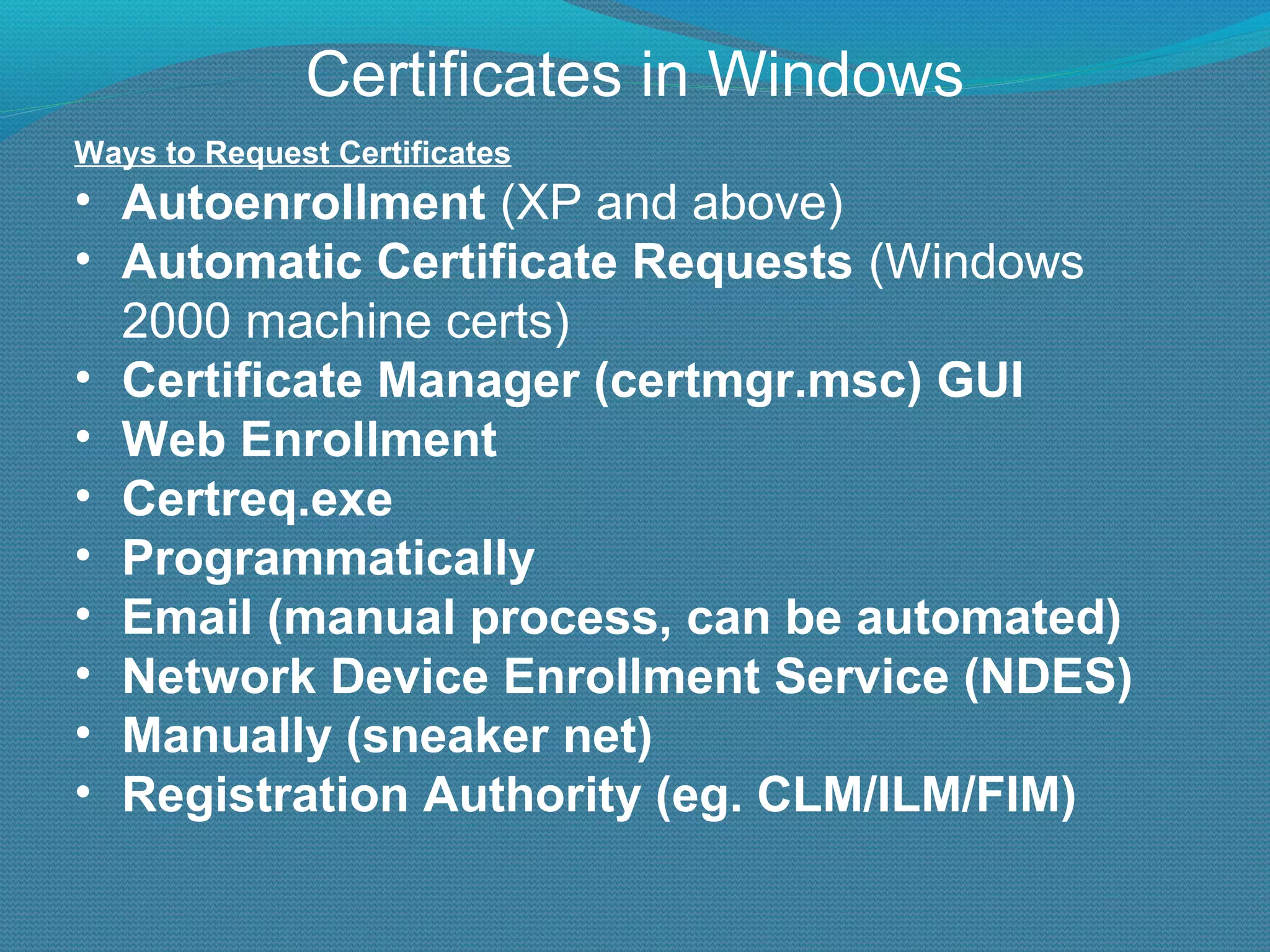
Certificates in Windows Ways to Request Certificates Autoenrollment  (XP and above) Automatic Certificate Requests  (Windows 2000 machine certs) Certificate Manager (certmgr.msc) GUI Web Enrollment Certreq.exe Programmatically Email (manual process, can be automated) Network Device Enrollment Service (NDES) Manually (sneaker net) Registration Authority (eg. CLM/ILM/FIM)
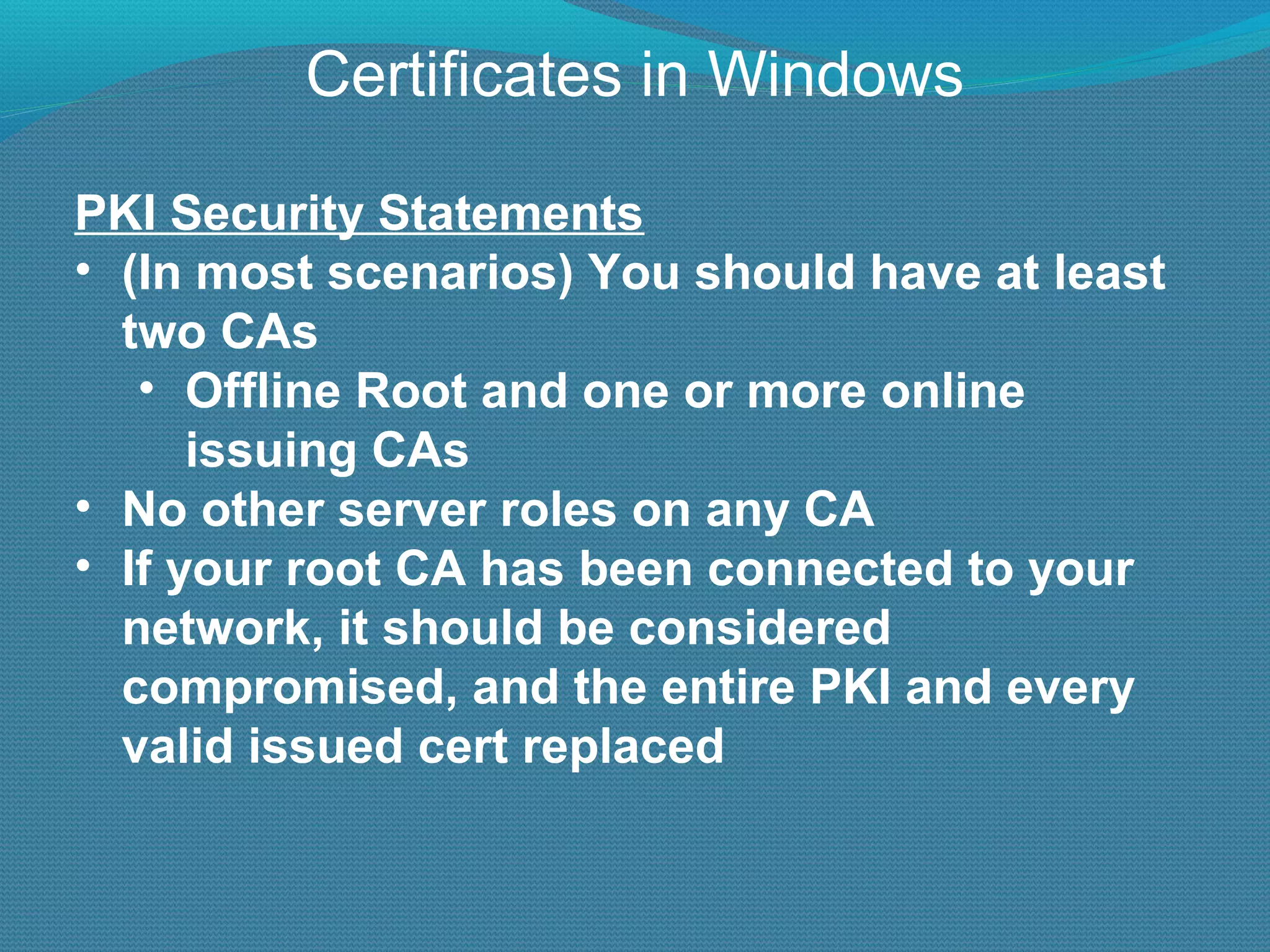
Certificates in Windows PKI Security Statements (In most scenarios) You should have at least two CAs Offline Root and one or more online issuing CAs No other server roles on any CA If your root CA has been connected to your network, it should be considered compromised, and the entire PKI and every valid issued cert replaced
W2K8\R2 Certificate Services New Feature Summary
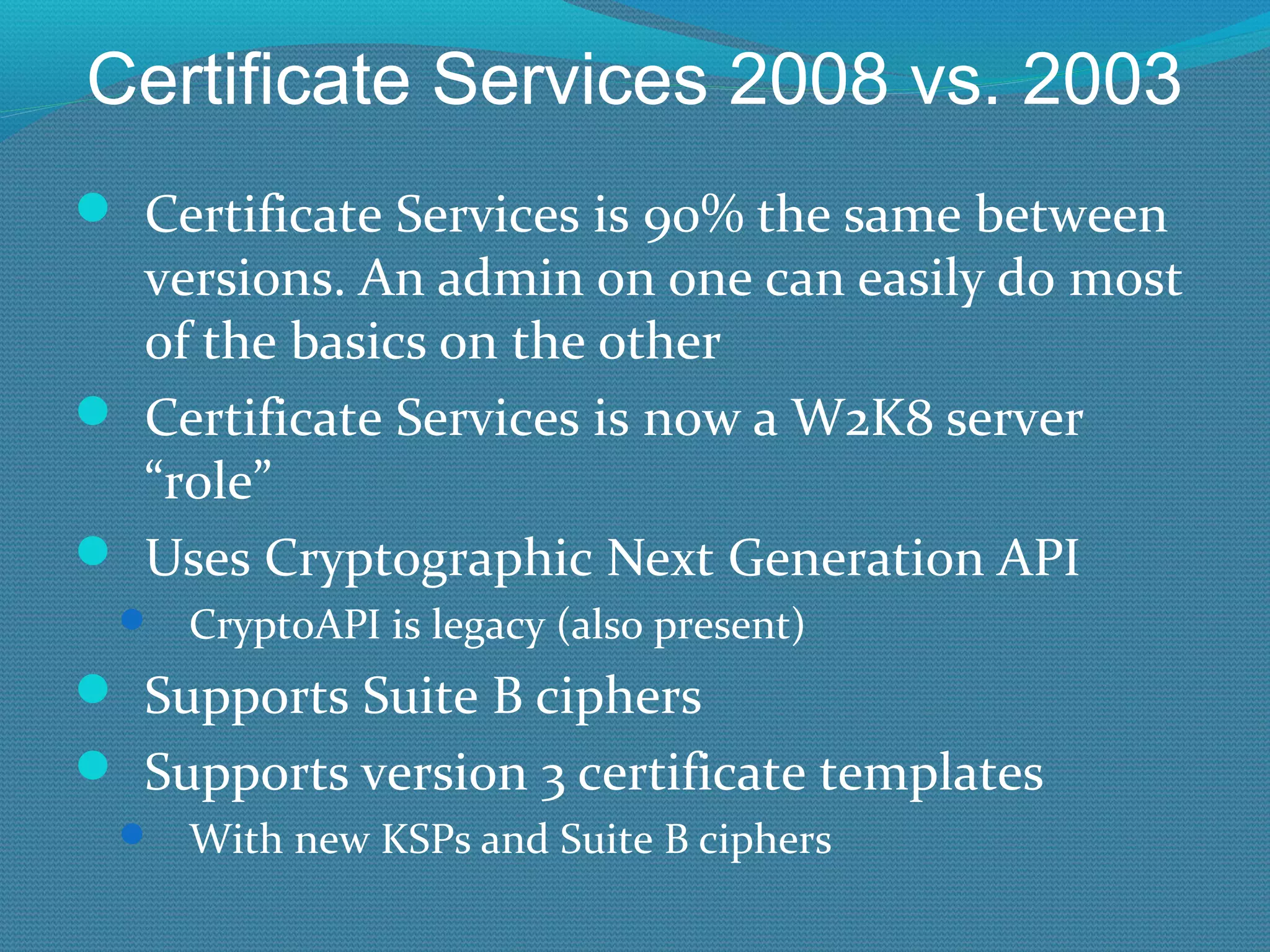
Certificate Services 2008 vs. 2003 Main New “Feature” Now known as ADCS Active Directory Certificate Services
Certificate Services 2008 vs. 2003 Certificate Services is 90% the same between versions. An admin on one can easily do most of the basics on the other Certificate Services is now a W2K8 server “role” Uses Cryptographic Next Generation API CryptoAPI is legacy (also present) Supports Suite B ciphers Supports version 3 certificate templates With new KSPs and Suite B ciphers
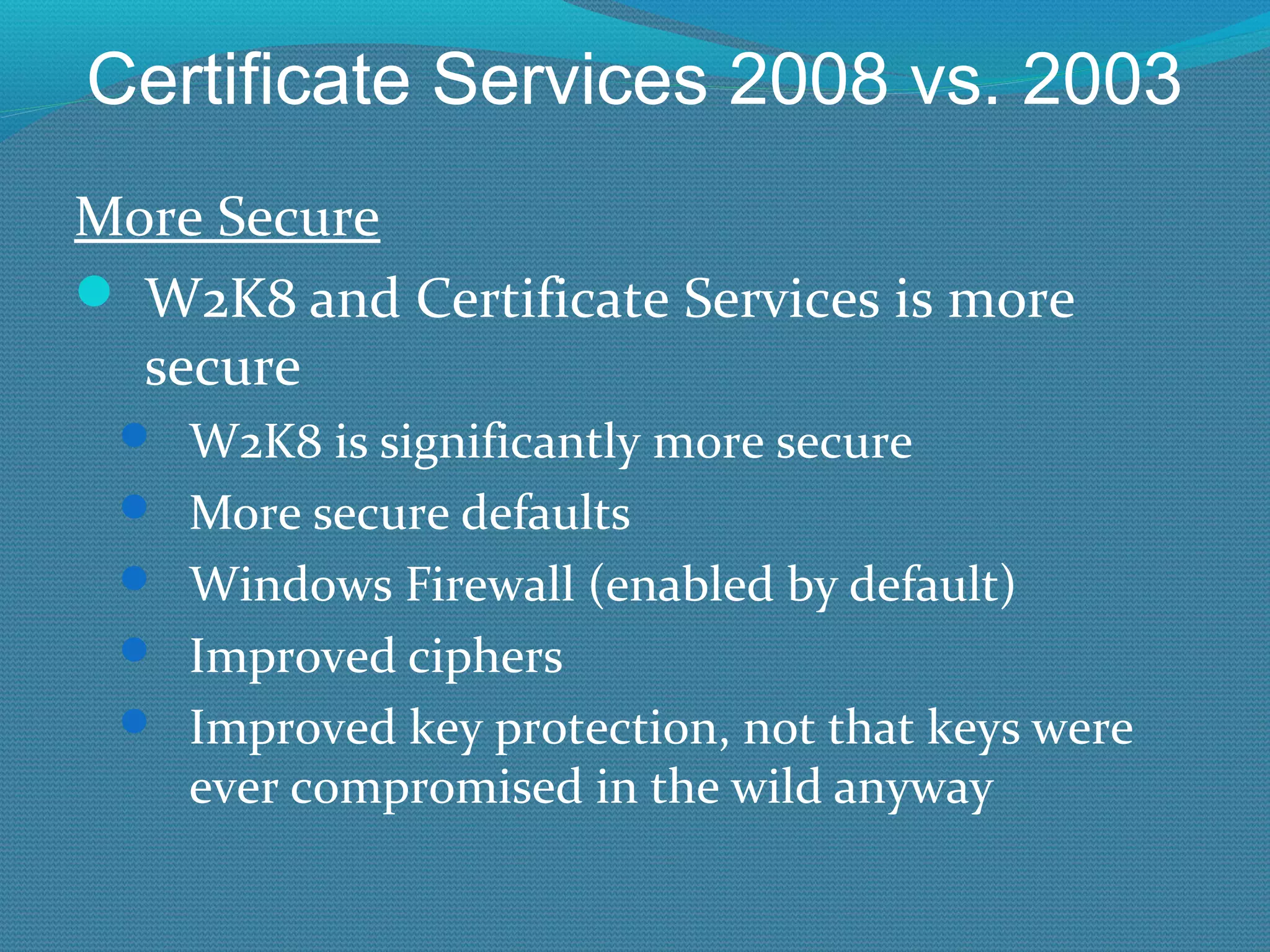
Certificate Services 2008 vs. 2003 More Secure W2K8 and Certificate Services is more secure W2K8 is significantly more secure More secure defaults Windows Firewall (enabled by default) Improved ciphers Improved key protection, not that keys were ever compromised in the wild anyway
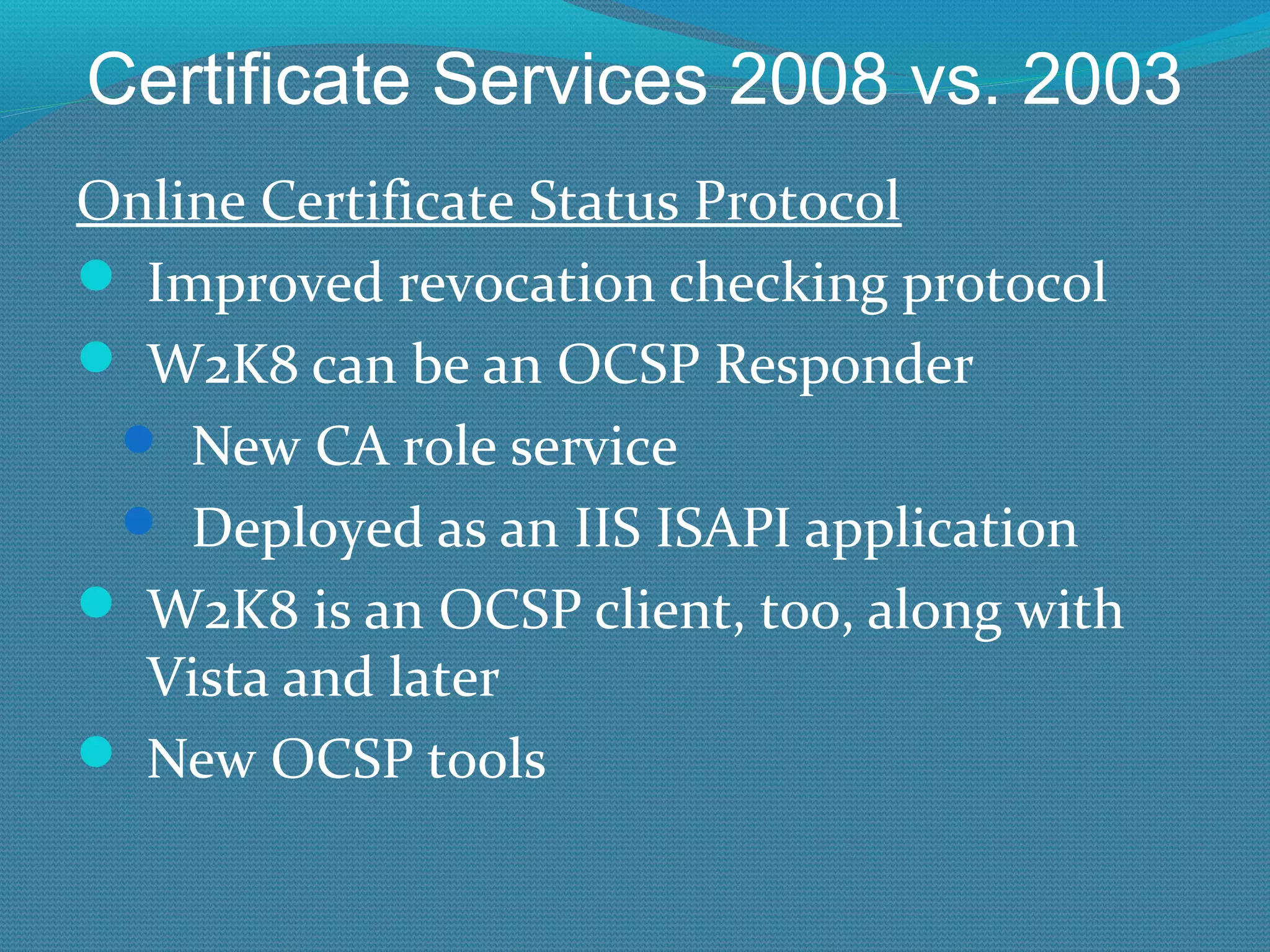
Certificate Services 2008 vs. 2003 Online Certificate Status Protocol Improved revocation checking protocol W2K8 can be an OCSP Responder New CA role service Deployed as an IIS ISAPI application W2K8 is an OCSP client, too, along with Vista and later New OCSP tools
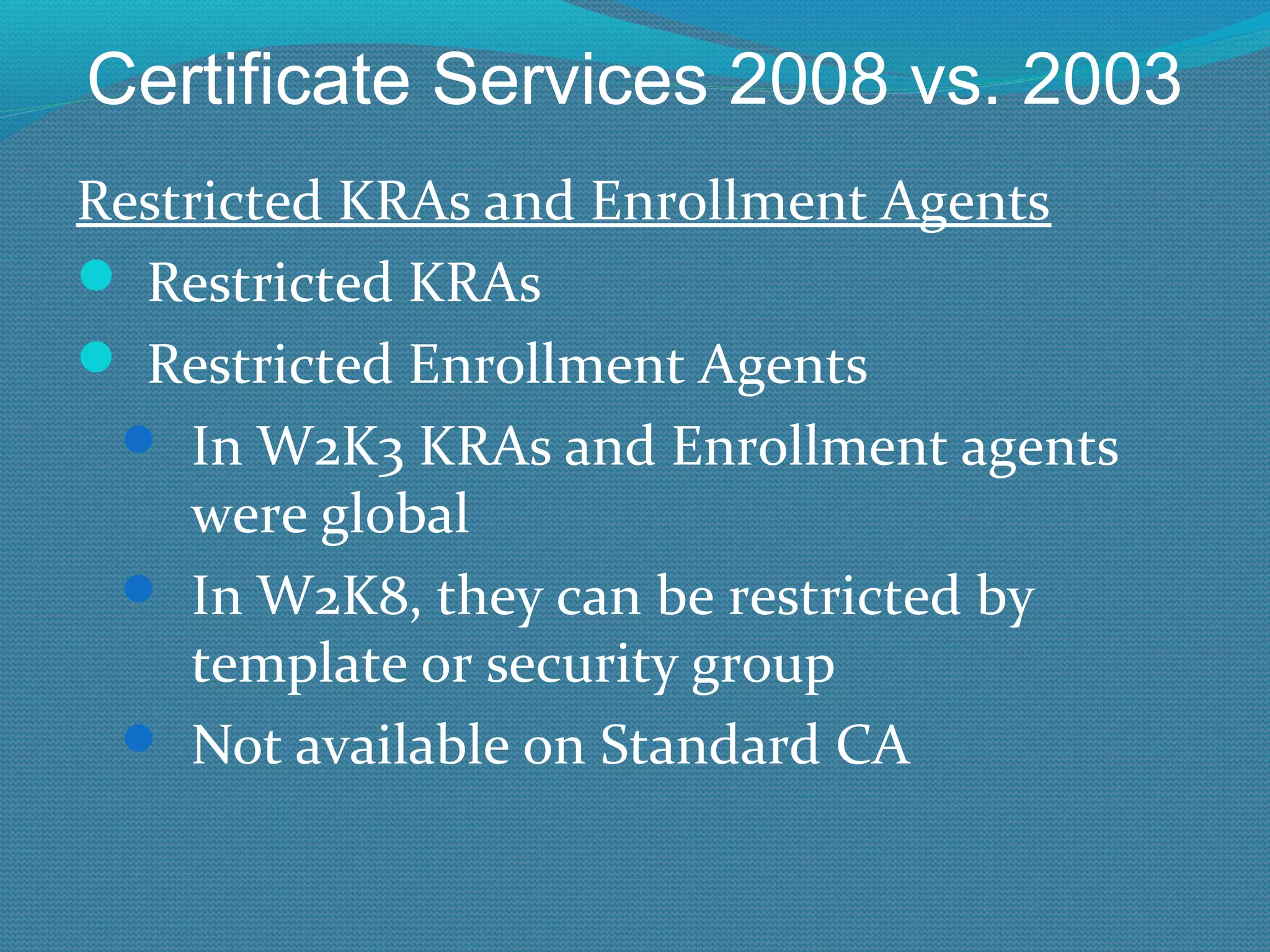
Certificate Services 2008 vs. 2003 Restricted KRAs and Enrollment Agents Restricted KRAs Restricted Enrollment Agents In W2K3 KRAs and Enrollment agents were global In W2K8, they can be restricted by template or security group Not available on Standard CA
Certificate Services 2008 vs. 2003 Template Changes 2 new default templates Kerberos Authentication (supercedes DC certs) OCSP Response Signing LoadDefaultTemplates=0 Put in CApolicy.inf to prevent auto-publishing of default templates In W2K3 SP1, too (Standalone CAs only)
Certificate Services 2008 vs. 2003 Template Changes (con’t) Version 3 Certificate Templates For Vista and later (don’t use with XP and W2K3) Uses new CSPs -CryptoNextGeneration (CNG) New Cryptography tab for detailing crypto V.2.0 templates have a CSP button with less choices Uses AES-256 to transport private key to and from enrollment client (instead of 3DES) New field to allow Network Service to have Read permission to templates Helps machine-based certs in certain scenarios
Certificate Services 2008 vs. 2003 Network Device Enrollment Service (NDES) For issuing certs to SCEP-compatible devices Simple Certificate Enrollment Protocol Invented by Cisco Receives and processes SCEP enrollment requests on behalf of software running on network devices. Retrieves pending requests from the CA Generates and provides one-time enrollment passwords to administrators.
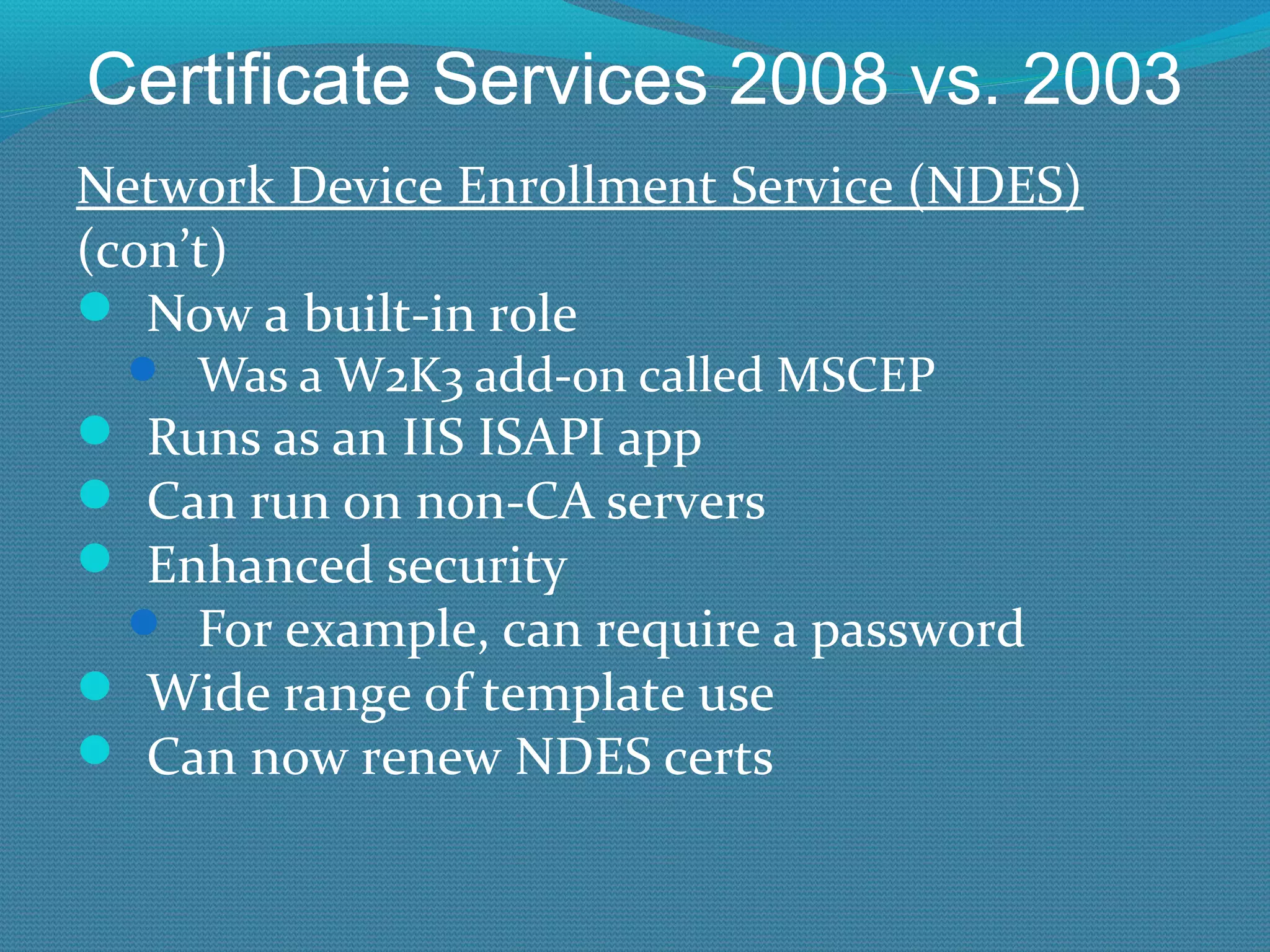
Certificate Services 2008 vs. 2003 Network Device Enrollment Service (NDES) (con’t) Now a built-in role Was a W2K3 add-on called MSCEP Runs as an IIS ISAPI app Can run on non-CA servers Enhanced security For example, can require a password Wide range of template use Can now renew NDES certs
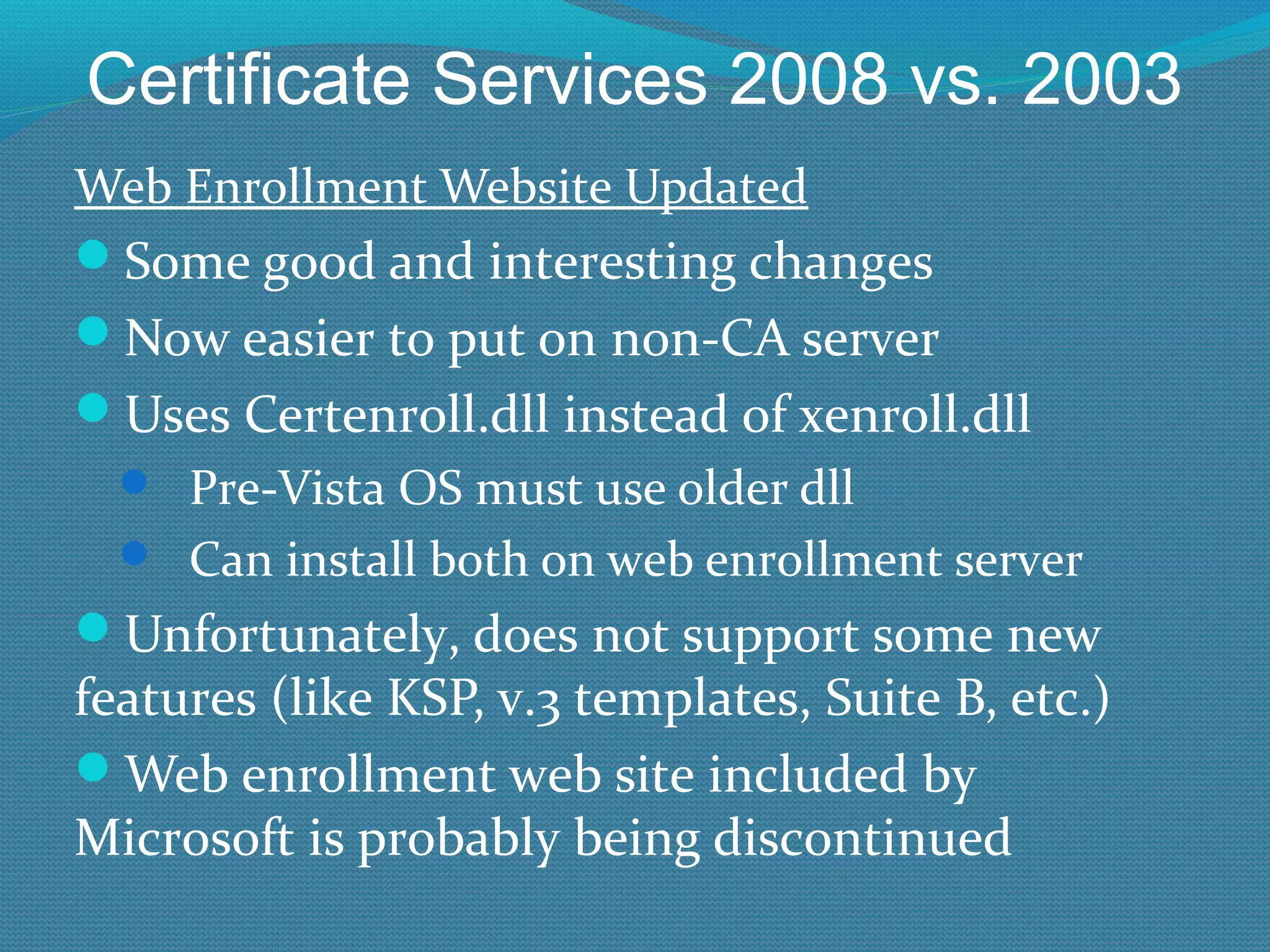
Certificate Services 2008 vs. 2003 Web Enrollment Website Updated Some good and interesting changes Now easier to put on non-CA server Uses Certenroll.dll instead of xenroll.dll Pre-Vista OS must use older dll Can install both on web enrollment server Unfortunately, does not support some new features (like KSP, v.3 templates, Suite B, etc.) Web enrollment web site included by Microsoft is probably being discontinued
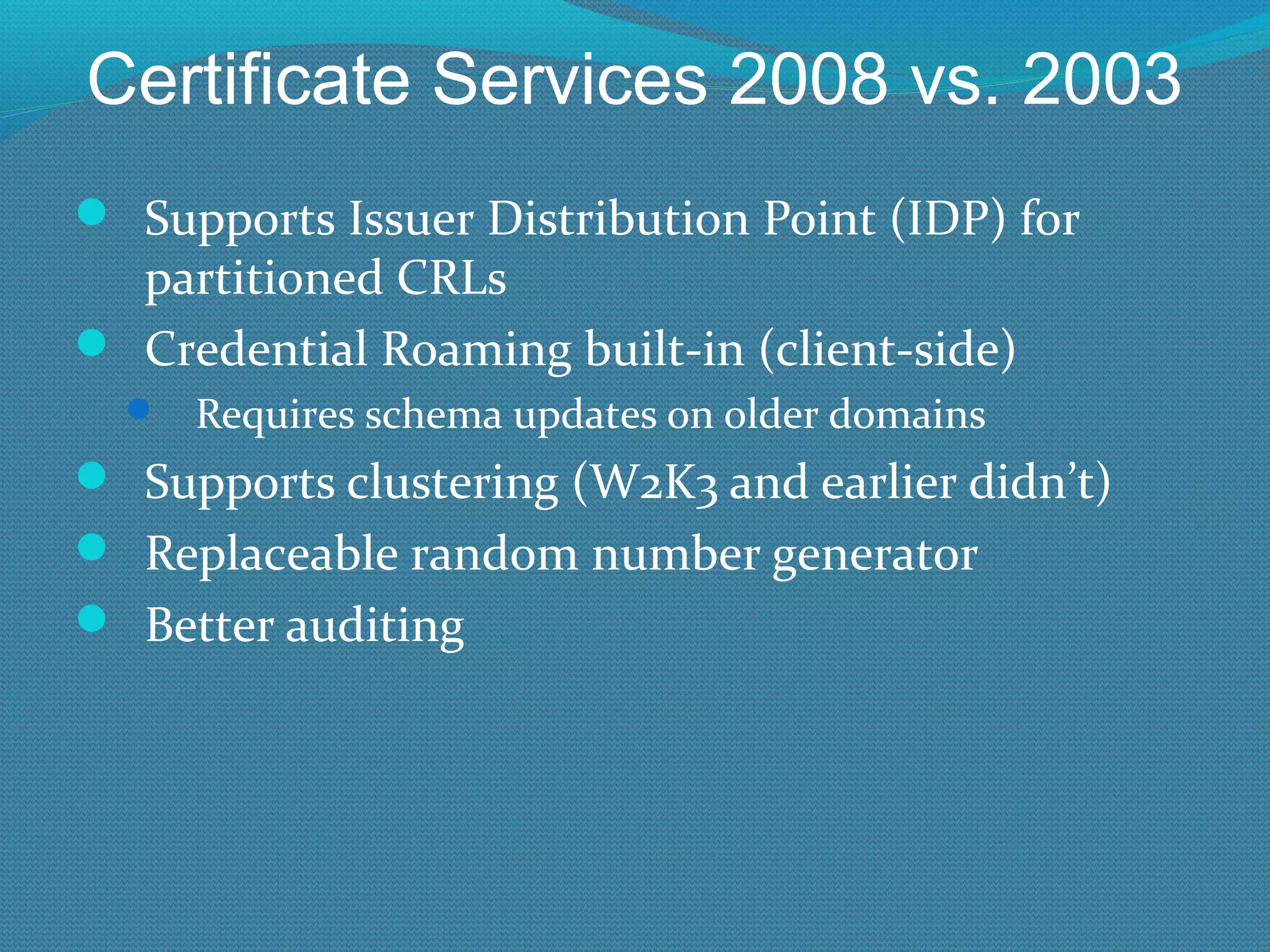
Certificate Services 2008 vs. 2003 Supports Issuer Distribution Point (IDP) for partitioned CRLs Credential Roaming built-in (client-side) Requires schema updates on older domains Supports clustering (W2K3 and earlier didn’t) Replaceable random number generator Better auditing
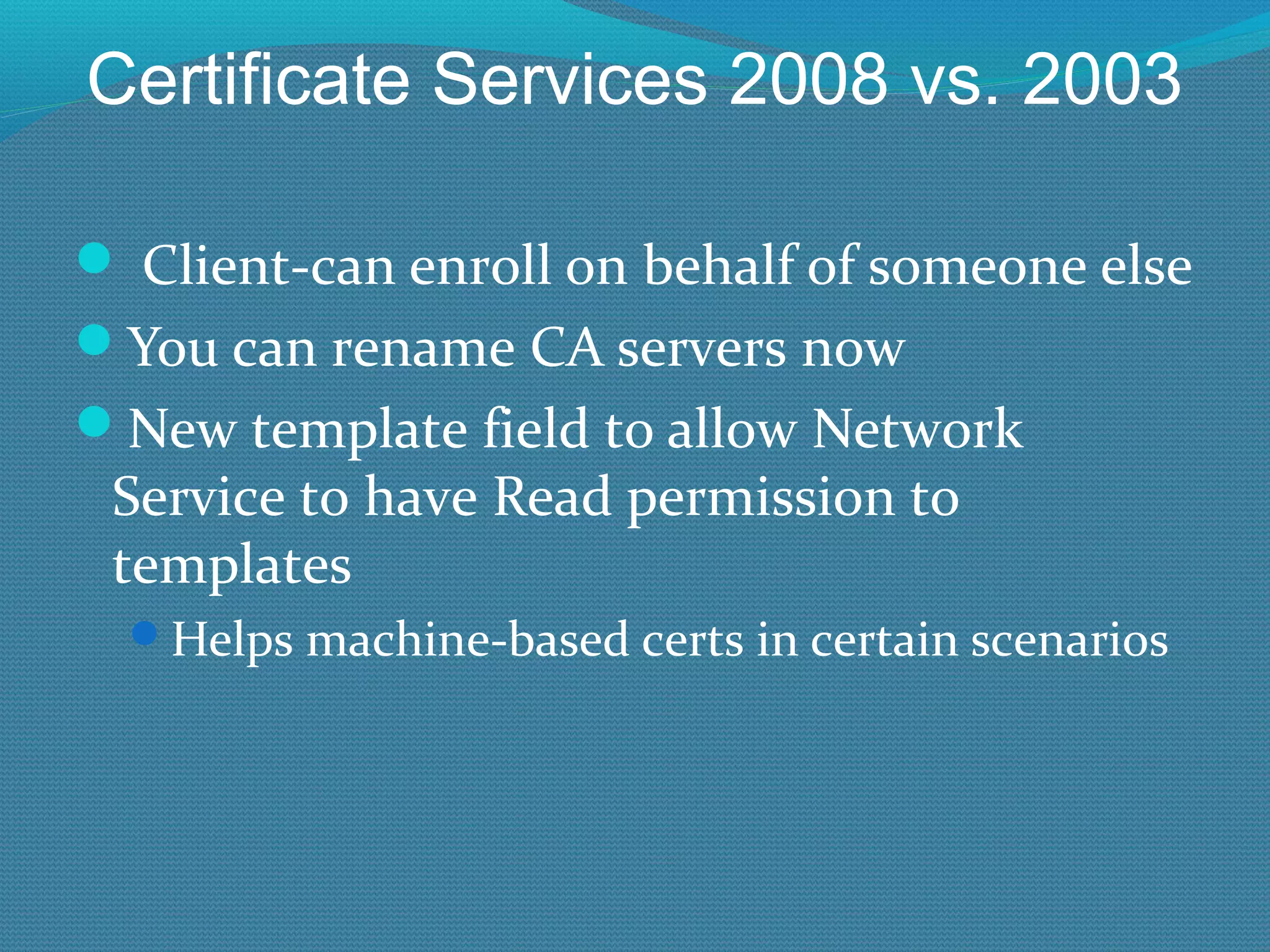
Certificate Services 2008 vs. 2003   Client-can enroll on behalf of someone else You can rename CA servers now New template field to allow Network Service to have Read permission to templates Helps machine-based certs in certain scenarios
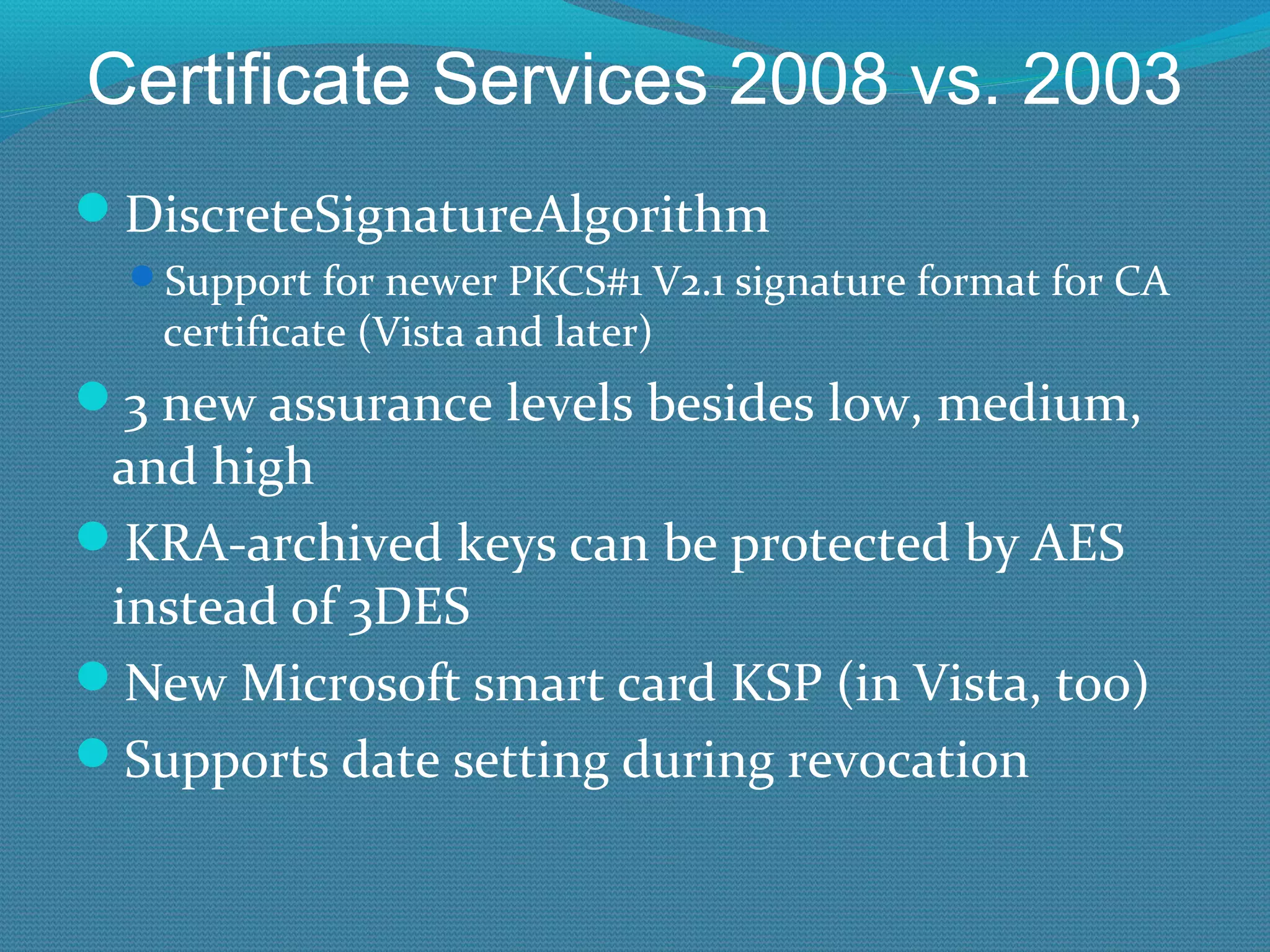
Certificate Services 2008 vs. 2003 DiscreteSignatureAlgorithm Support for newer PKCS#1 V2.1 signature format for CA certificate (Vista and later) 3 new assurance levels besides low, medium, and high KRA-archived keys can be protected by AES instead of 3DES New Microsoft smart card KSP (in Vista, too) Supports date setting during revocation
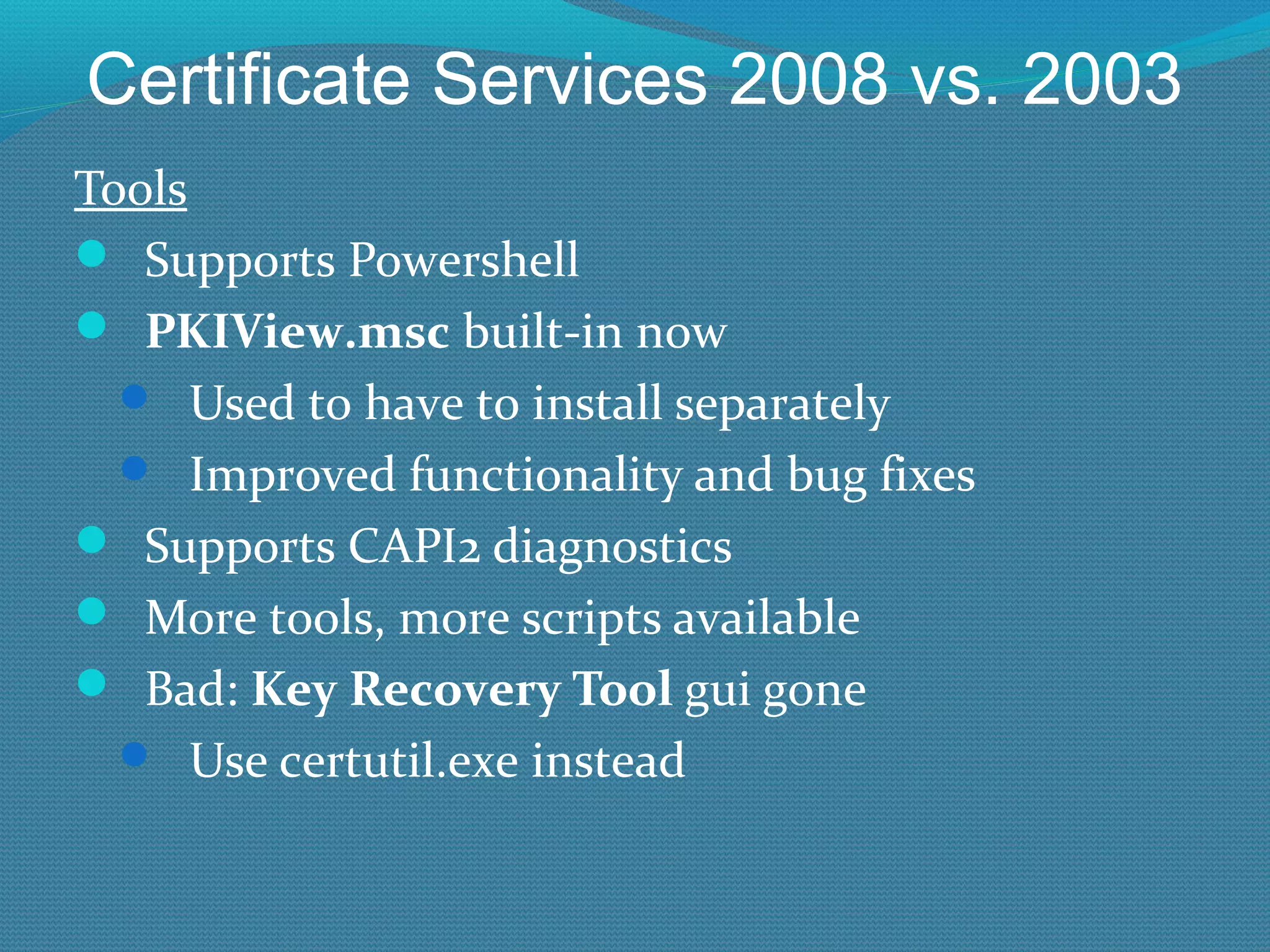
Certificate Services 2008 vs. 2003 Tools Supports Powershell PKIView.msc  built-in now Used to have to install separately Improved functionality and bug fixes Supports CAPI2 diagnostics More tools, more scripts available Bad:  Key Recovery Tool  gui gone Use certutil.exe instead
Certificate Services 2008 vs. 2003 Pushing Certs Using GPO Trusted root CA certificates (W2K3 too) Enterprise trust certificates (W2K3 too) Intermediate CA certificates Trusted publisher certificates Untrusted certificates Trusted people (peer trust certificates)
New W2K8 R2 Features
Certificate Services 2008 vs. 2003 W2K8R2 Certificate Enrollment Services (CES) Don’t confuse with web enrollment web site! Website enrollment is for browser interactive sessions Problem to Solve: All legacy enrollment services required RPC and DCOM, and lots of open RPC ports Even web enrollment web site uses DCOM to back-end CA Firewall nightmare Didn’t work well across the Internet, forests, non-domain joined machines, etc.
Certificate Services 2008 vs. 2003 W2k8 R2 Certificate Enrollment Services (con’t) New method is a web  service, less interactive Uses TLS over 443 New method works well in almost all scenarios (if the client enrollment process uses the new enrollment method) Windows 7\W2K8R2 and later Uses two new services: Certificate Enrollment Policy Web Service  the policy service Certificate Enrollment Web Service  the enrollment service
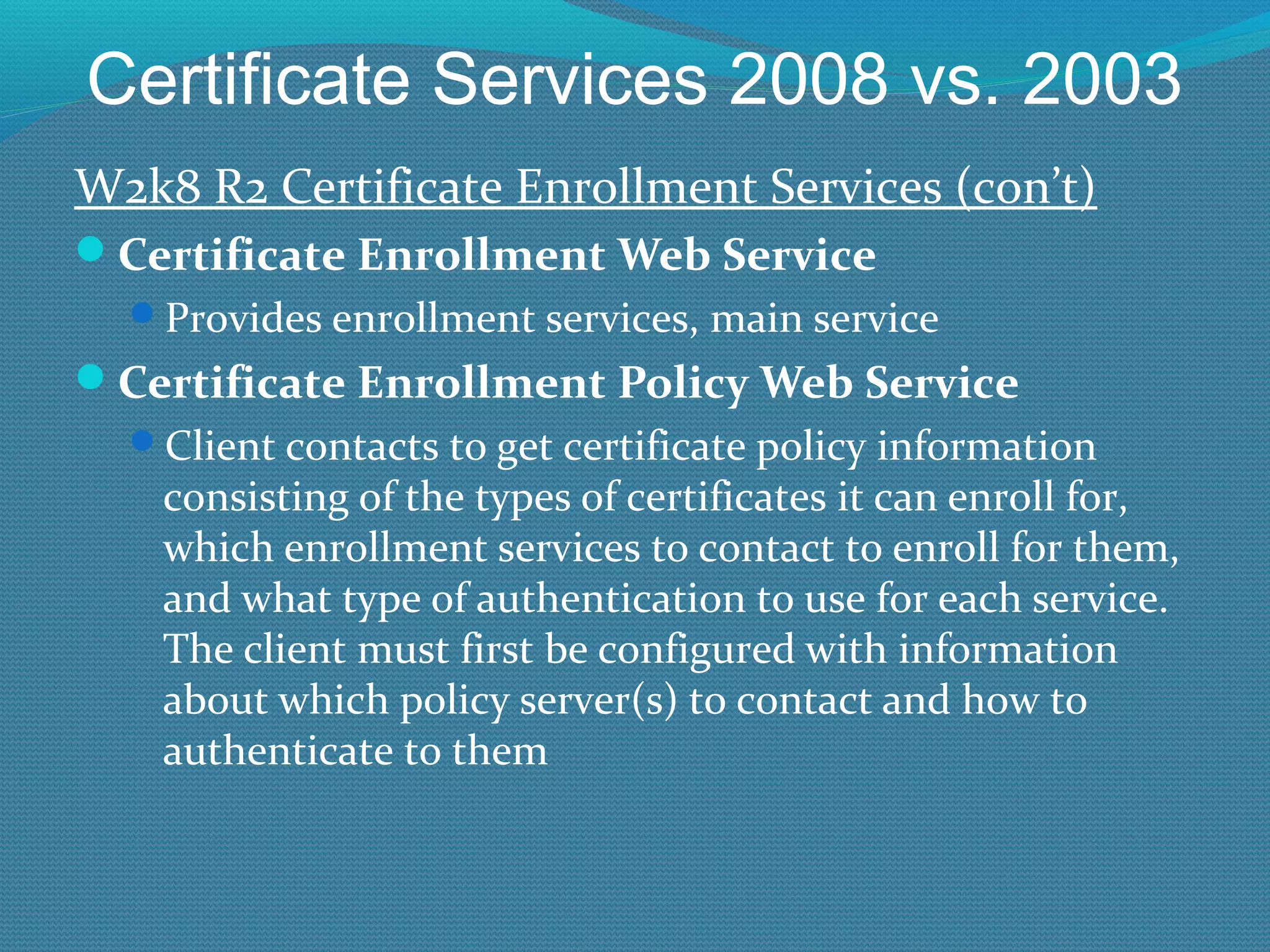
Certificate Services 2008 vs. 2003 W2k8 R2 Certificate Enrollment Services (con’t) Certificate Enrollment Web Service  Provides enrollment services, main service Certificate Enrollment Policy Web Service  Client contacts to get certificate policy information consisting of the types of certificates it can enroll for, which enrollment services to contact to enroll for them, and what type of authentication to use for each service.  The client must first be configured with information about which policy server(s) to contact and how to authenticate to them
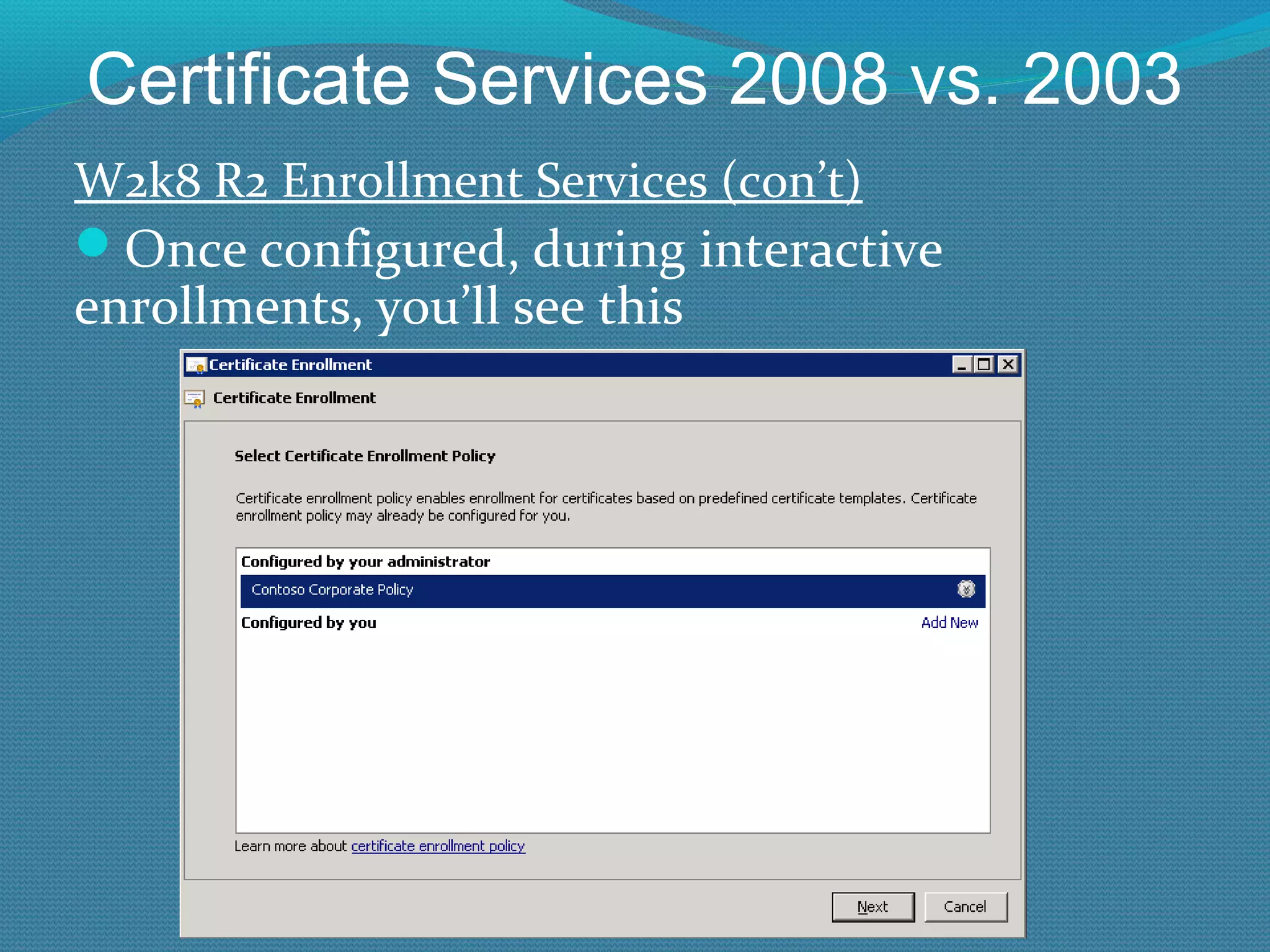
Certificate Services 2008 vs. 2003 W2k8 R2 Enrollment Services (con’t) Once configured, during interactive enrollments, you’ll see this
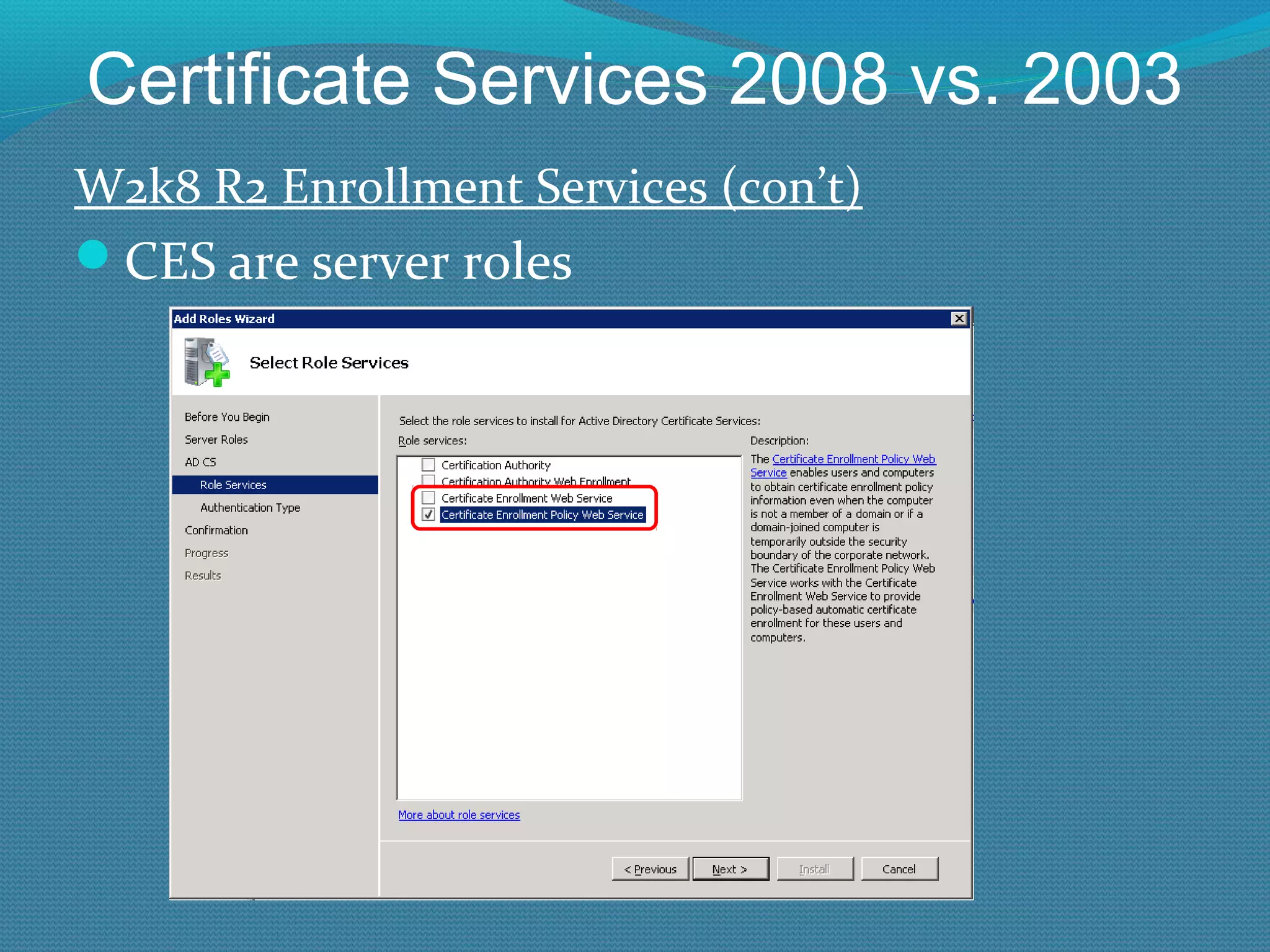
Certificate Services 2008 vs. 2003 W2k8 R2 Enrollment Services (con’t) CES are server roles
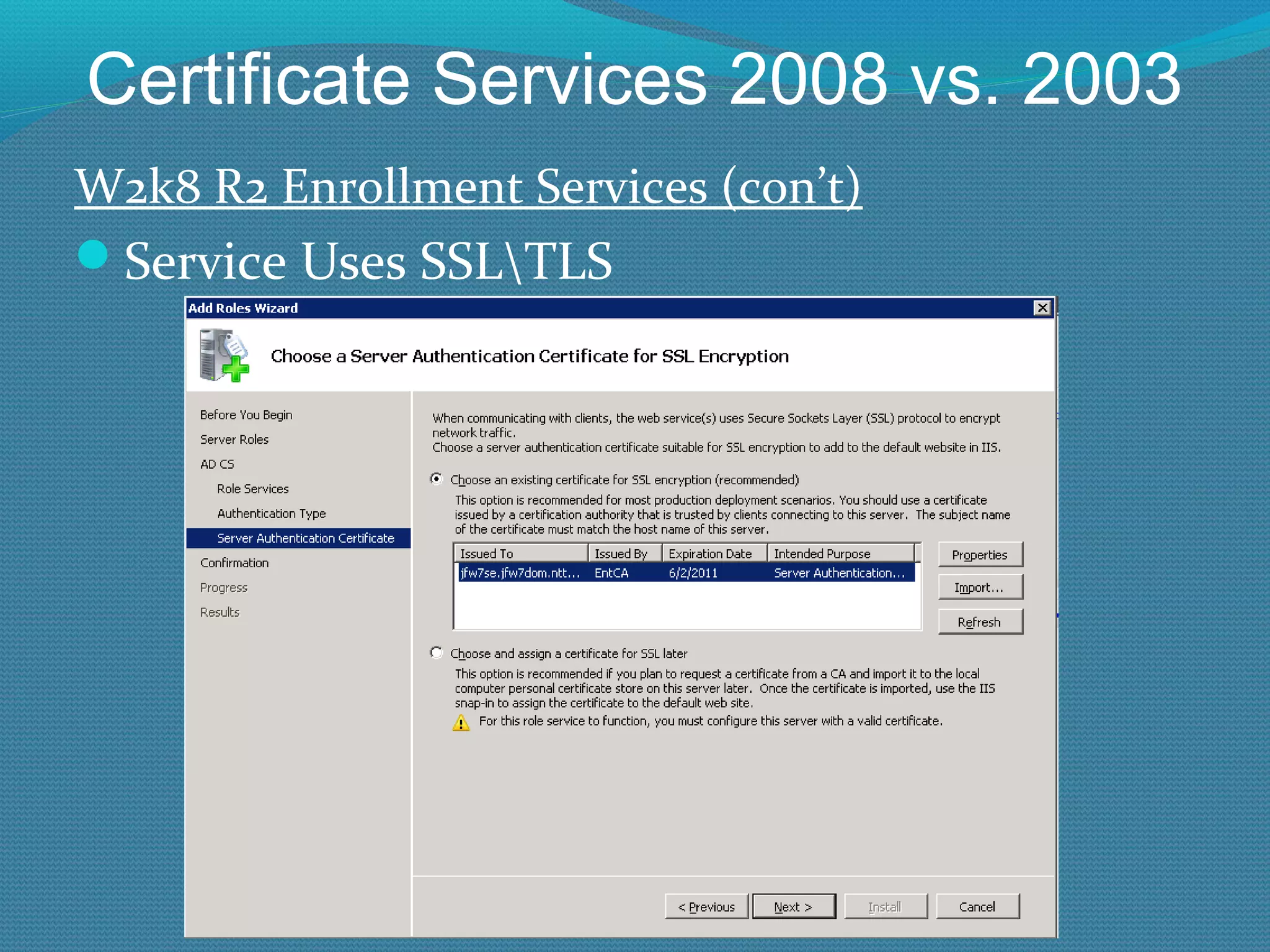
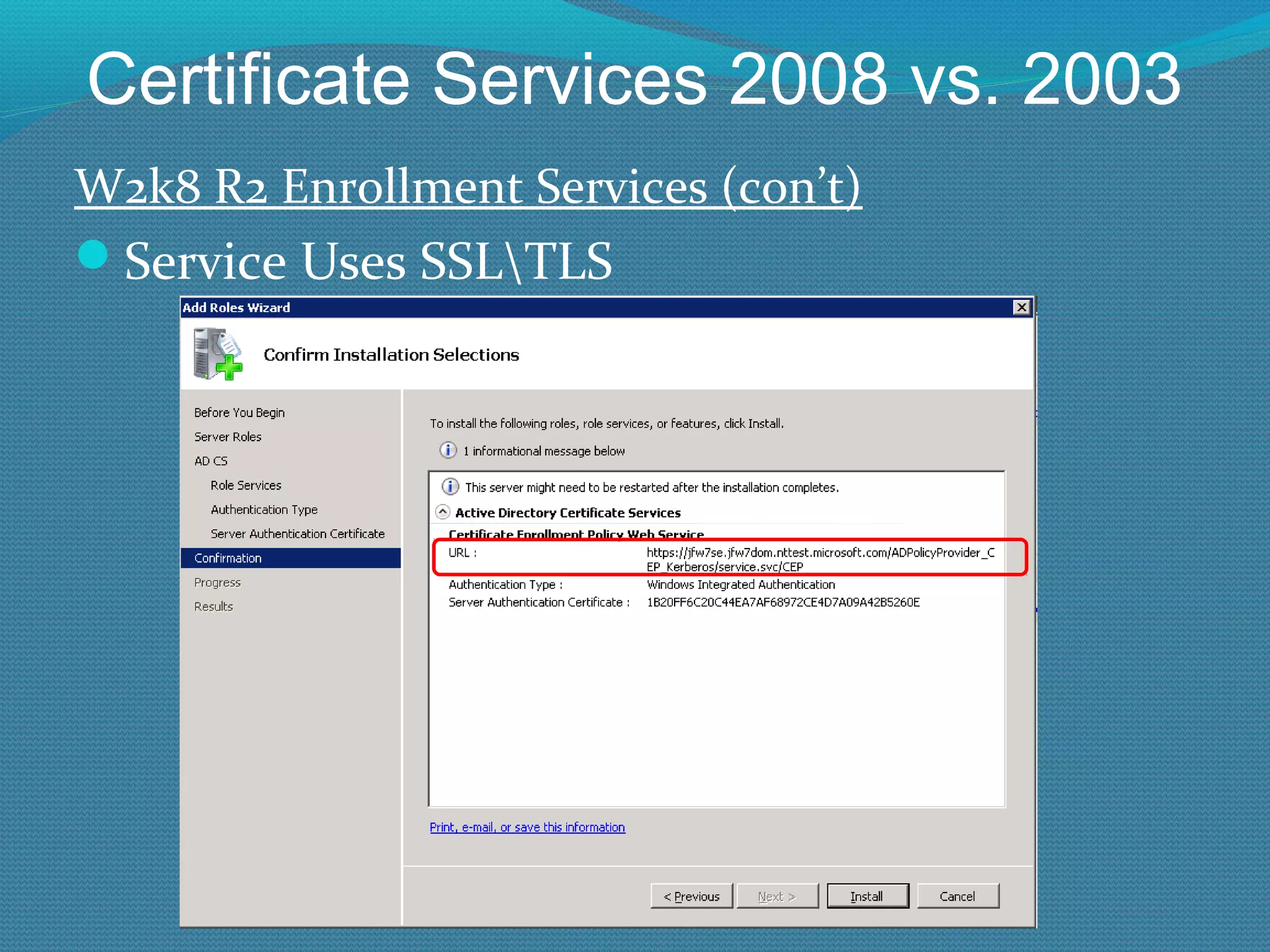
Certificate Services 2008 vs. 2003 W2k8 R2 Enrollment Services (con’t) Service Uses SSL\TLS
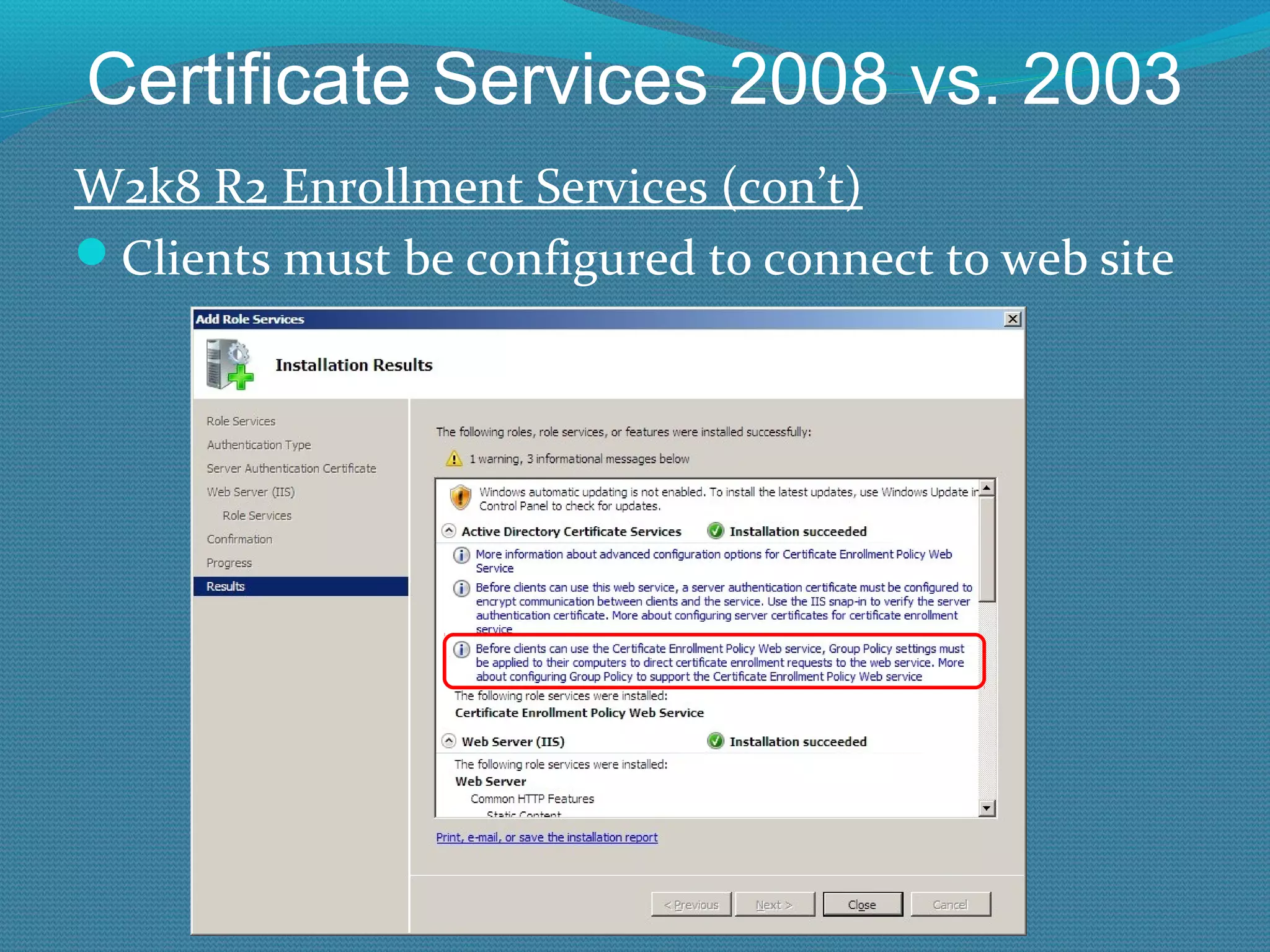
Certificate Services 2008 vs. 2003 W2k8 R2 Enrollment Services (con’t) Clients must be configured to connect to web site
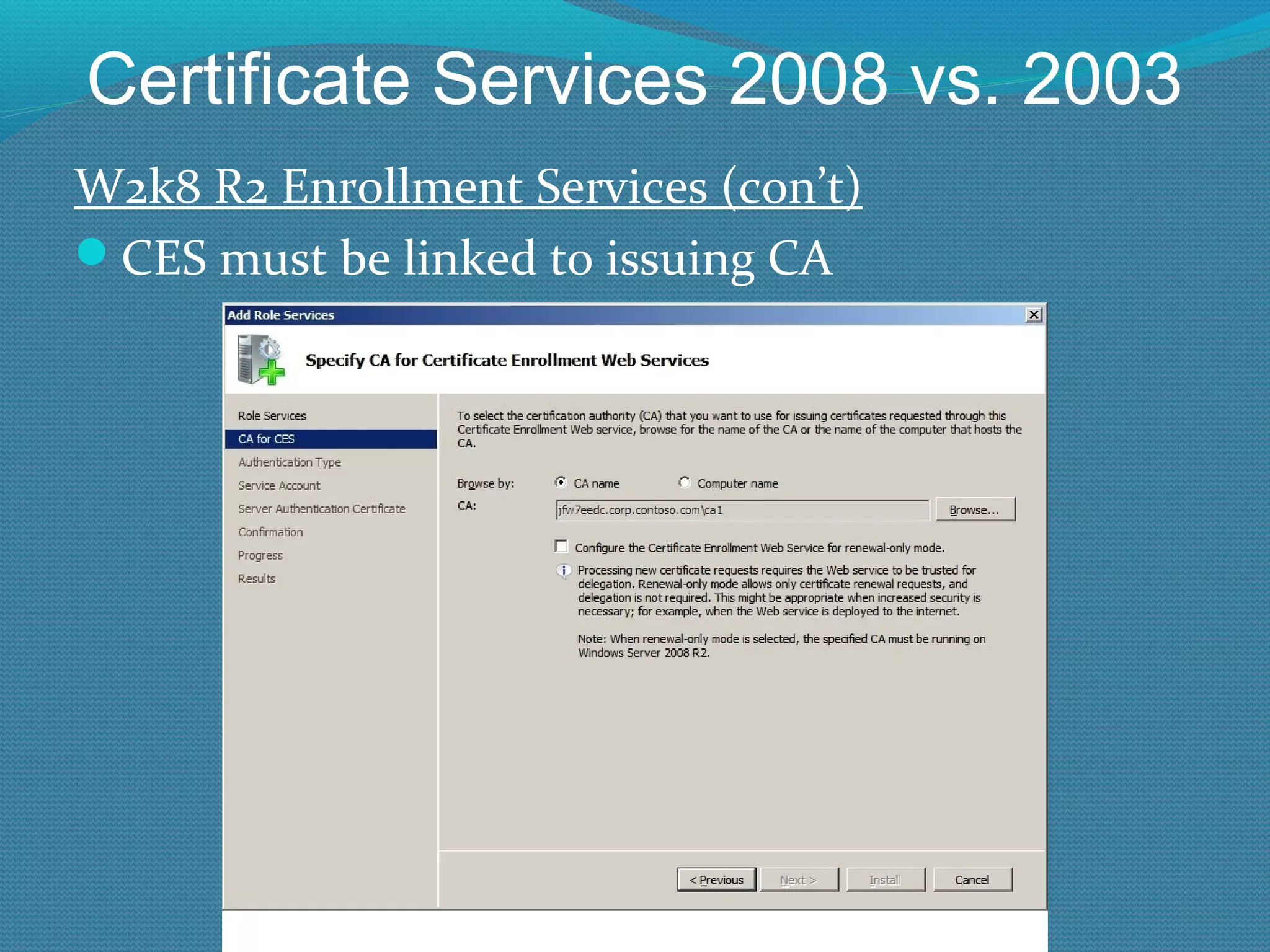
Certificate Services 2008 vs. 2003 W2k8 R2 Enrollment Services (con’t) CES must be linked to issuing CA
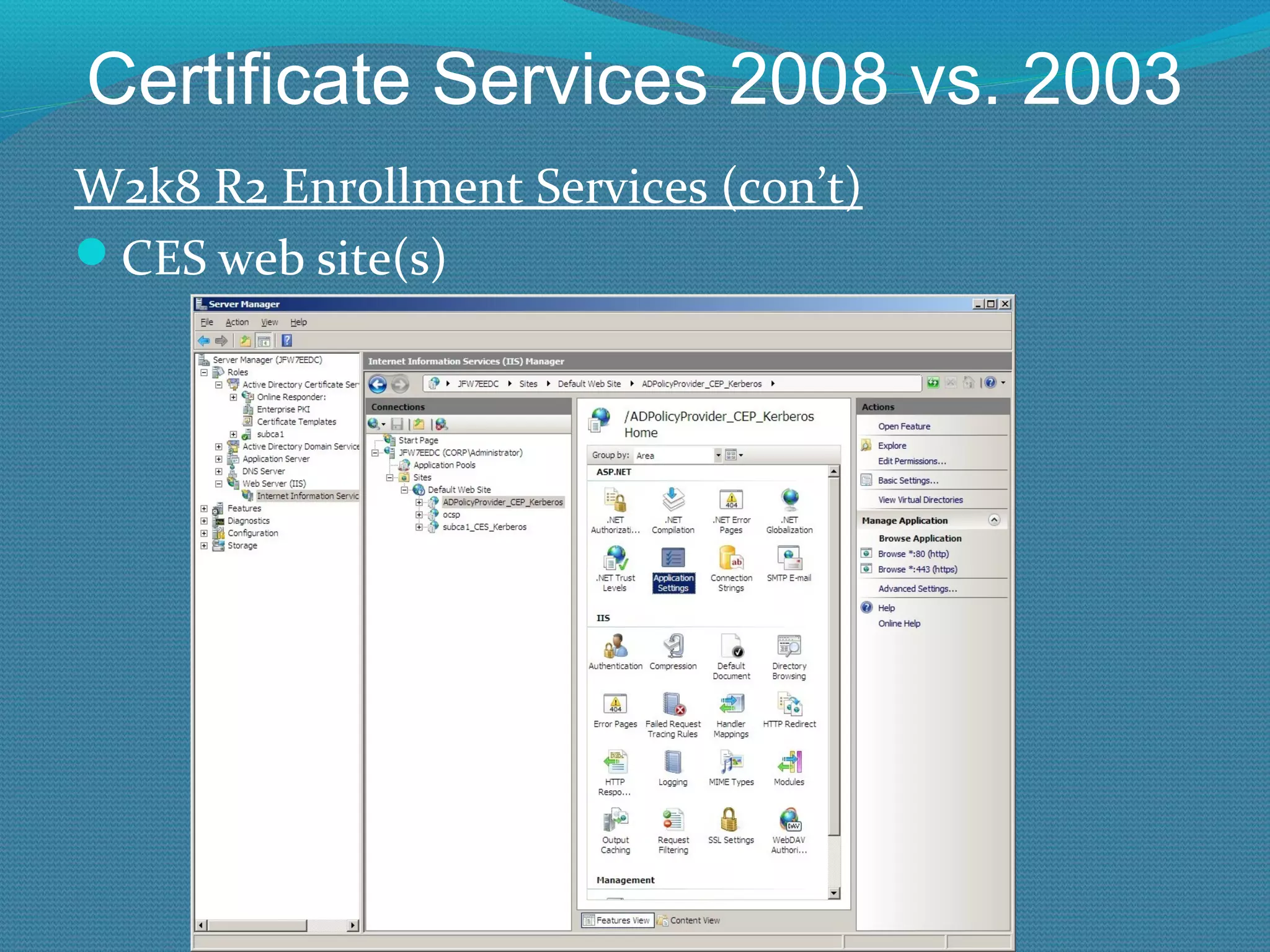
Certificate Services 2008 vs. 2003 W2k8 R2 Enrollment Services (con’t) CES web site(s)
Common Web Service Scenario
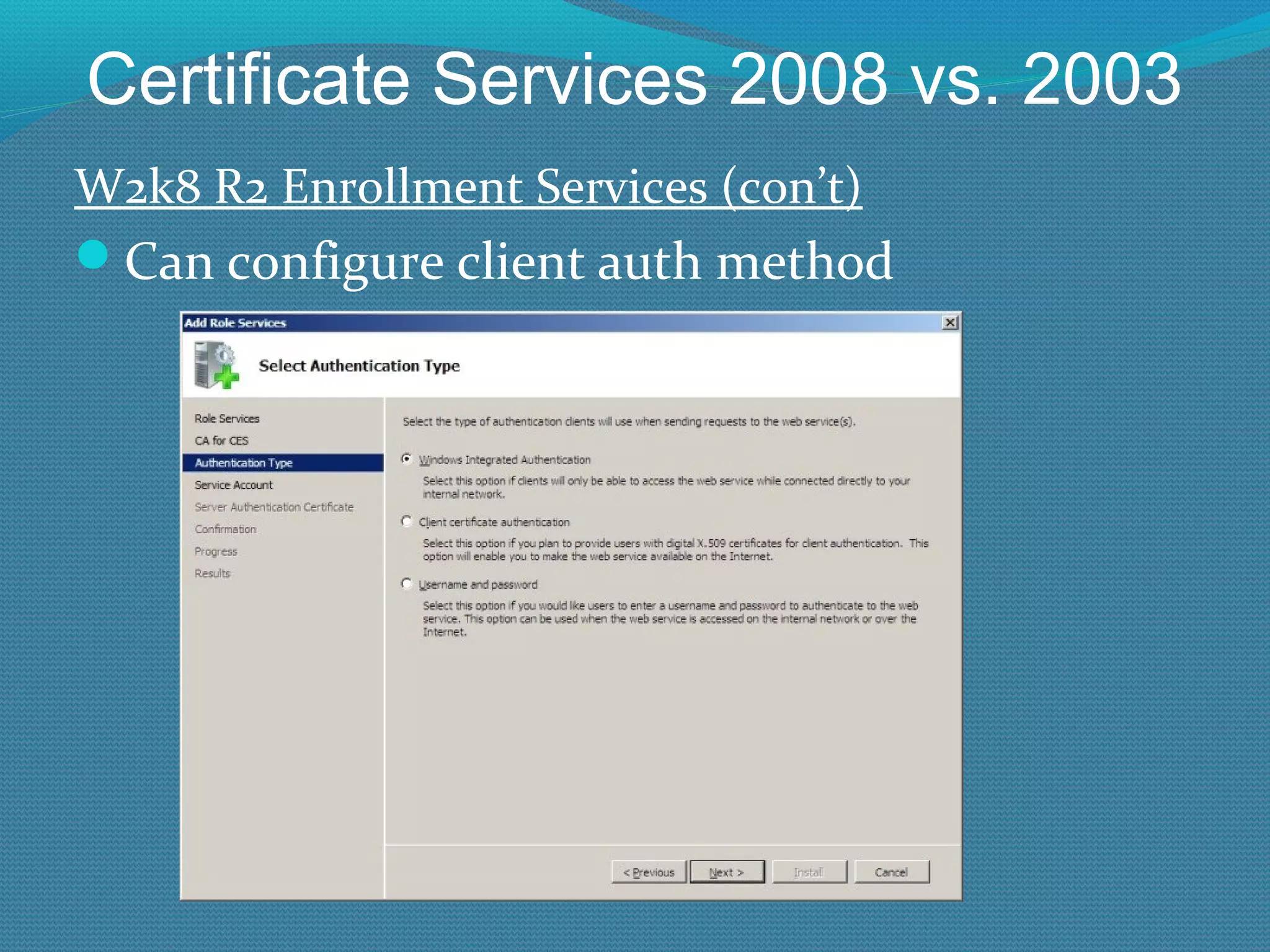
Certificate Services 2008 vs. 2003 W2k8 R2 Enrollment Services (con’t) Can configure client auth method
Certificate Services 2008 vs. 2003 New R2 Stuff Support cross-forest servicing Old CA versions required separate PKI per forest; or limited service using cross-forest trusts and lots of pre-work Didn’t work well off-intranet New version can support multiple forests with one PKI Works well off-net But requires cross-forest trusts, Kerberos auth, and Win7\W2K8R2 or later clients
Cross Forest Servicing
Certificate Services 2008 vs. 2003 New R2 Stuff Supports “renewal-only” mode for Internet-facing CAs Using Certificate Enrollment Service Supports static port 80 CA interactions (Enrollment/renewal/revocation) Supports internet clients for enrollment/renewal/revocation when off the corporate network (great for mobile users)
Certificate Services 2008 vs. 2003 Is A Schema Update Needed for W2K8 CAs? Schema update  not  needed to use almost all functionality of W2K8 CA Schema update needed for Credential Roaming support, or CLM/ILM/FIM ACL update (using adprep /forestprep) on Domain Controller template to let RODC get issued DC certs)
Installing  ADCS
Install W2K8 CA Unfortunately, still need to place a CAPolicy.inf file on CA server before installing Microsoft Certificate Services
CAPolicy.inf File Example - Bare Minimum for Issuing CA [Version] Signature= "$Windows NT$" [Certsrv_Server] RenewalKeyLength=4096 RenewalValidityPeriod=Years RenewalValidityPeriodUnits=10 [CRLDistributionPoint] URL = “LDAP:///CN=%7,CN=CDP,CN=Public Key Services, CN=Services,%6,%10” URL = http://W2K8IssuingCA1.contoso.ad/PKI/IssuingCA1.crl URL = “http://www.contoso.com/PKI/IssuingCA1.crl” [AuthorityInformationAccess] URL = “LDAP:///CN=%7,CN=AIA,CN=Public Key Services, CN=Services,%6,%11” URL = “http://www.contoso.ad/PKI/ContosoCA.cer”
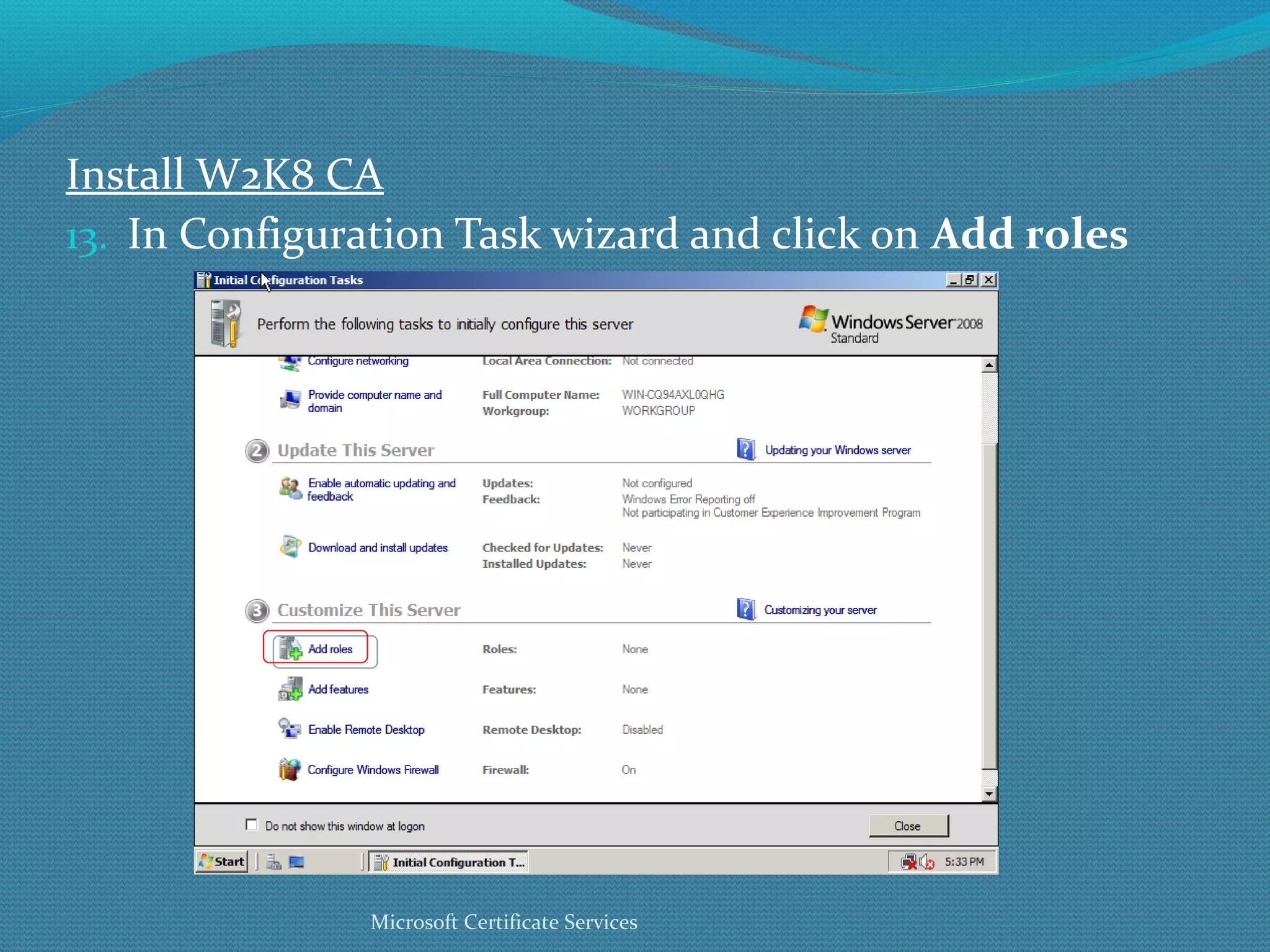
Install W2K8 CA In Configuration Task wizard and click on  Add roles Microsoft Certificate Services
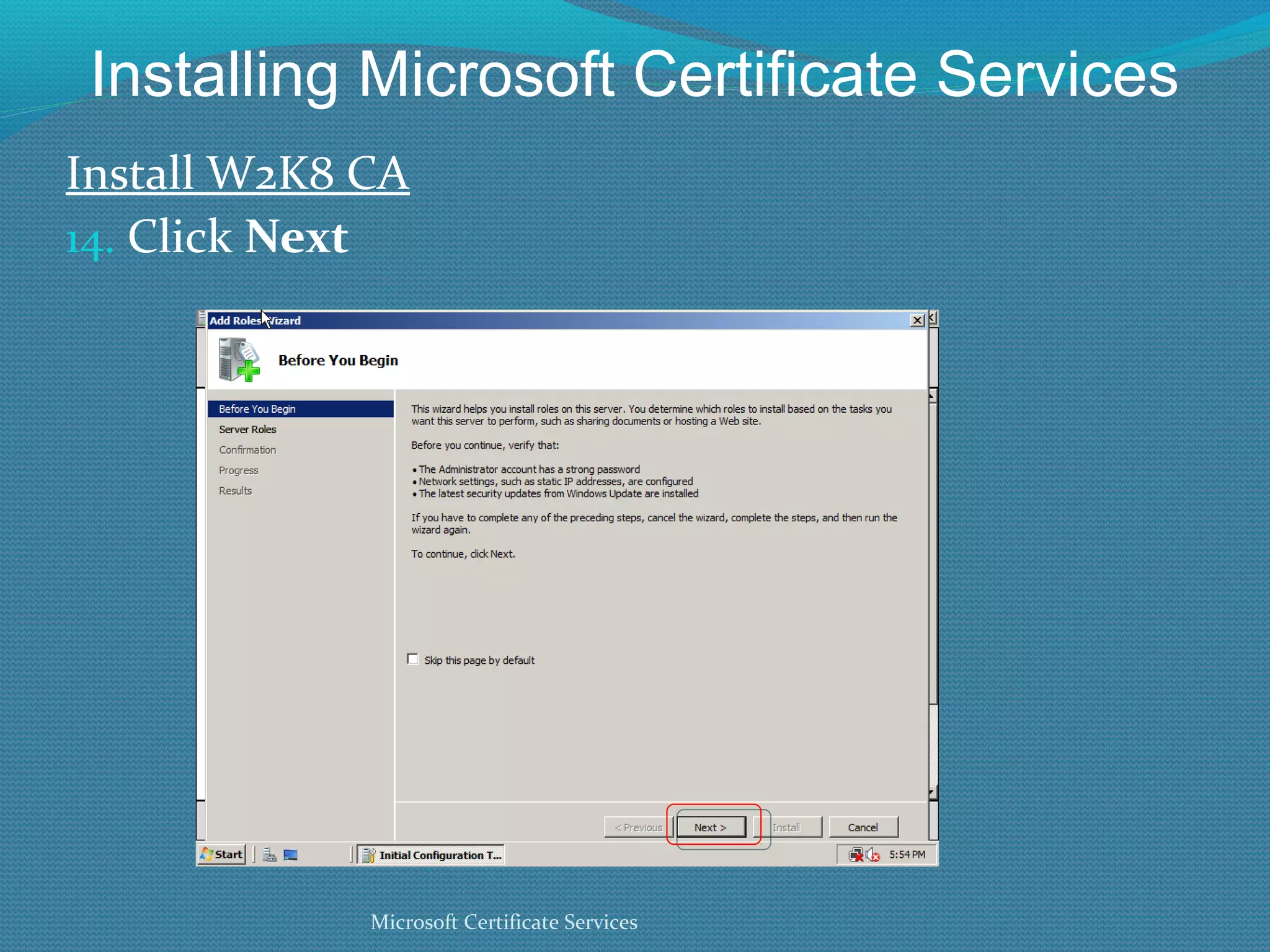
Installing Microsoft Certificate Services Install W2K8 CA Click  Next Microsoft Certificate Services
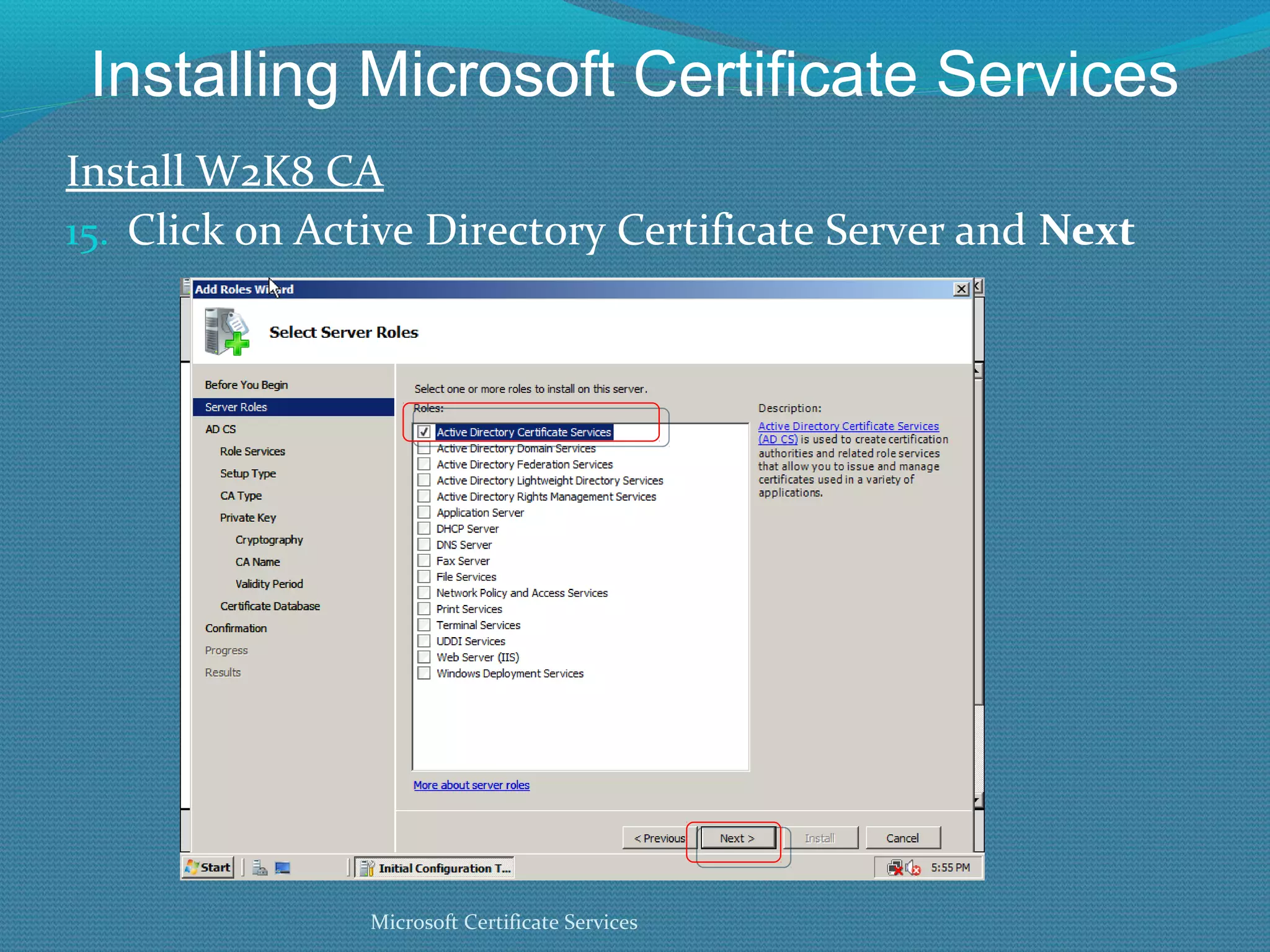
Installing Microsoft Certificate Services Install W2K8 CA Click on Active Directory Certificate Server and  Next Microsoft Certificate Services
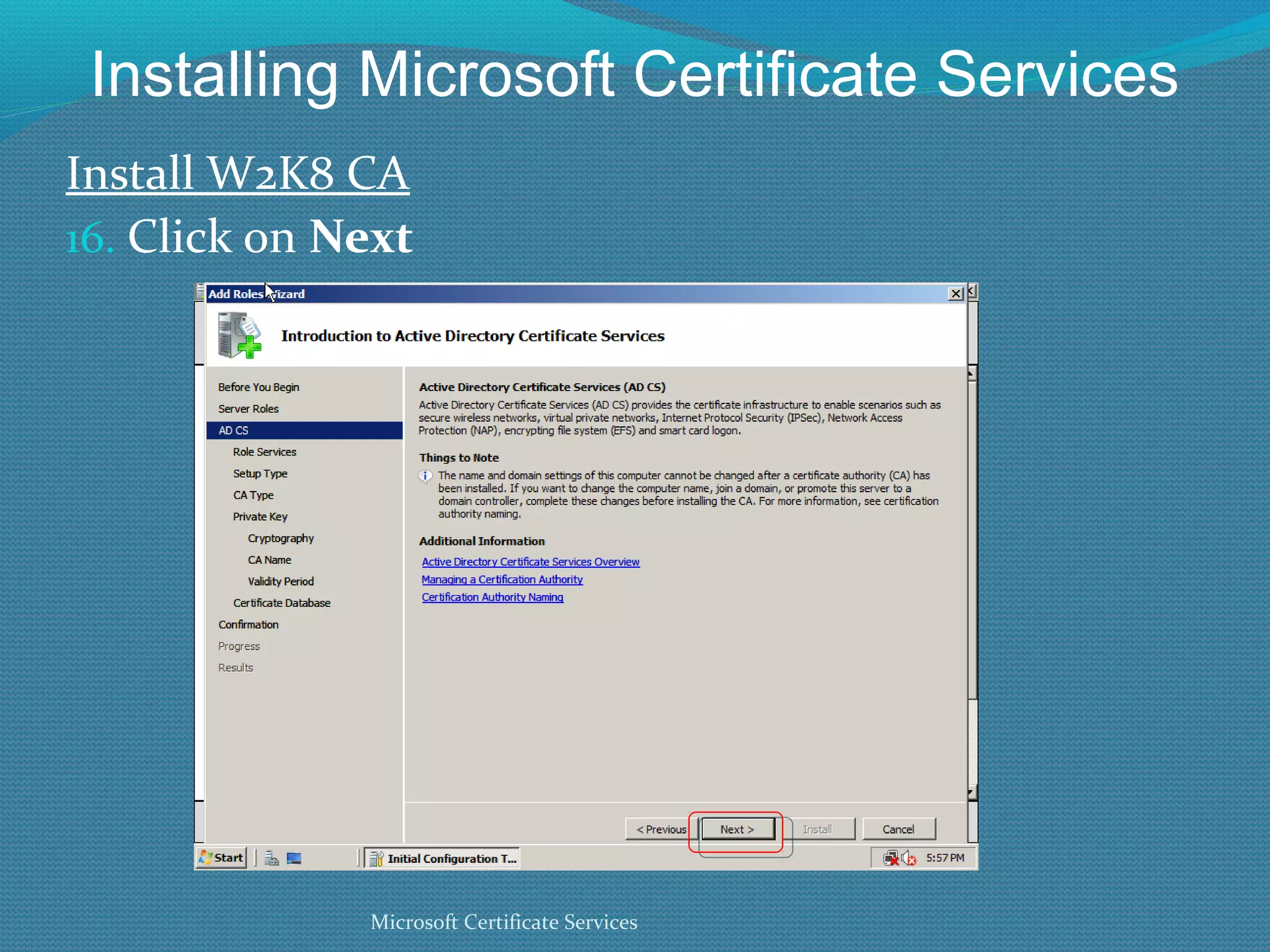
Installing Microsoft Certificate Services Install W2K8 CA Click on  Next Microsoft Certificate Services
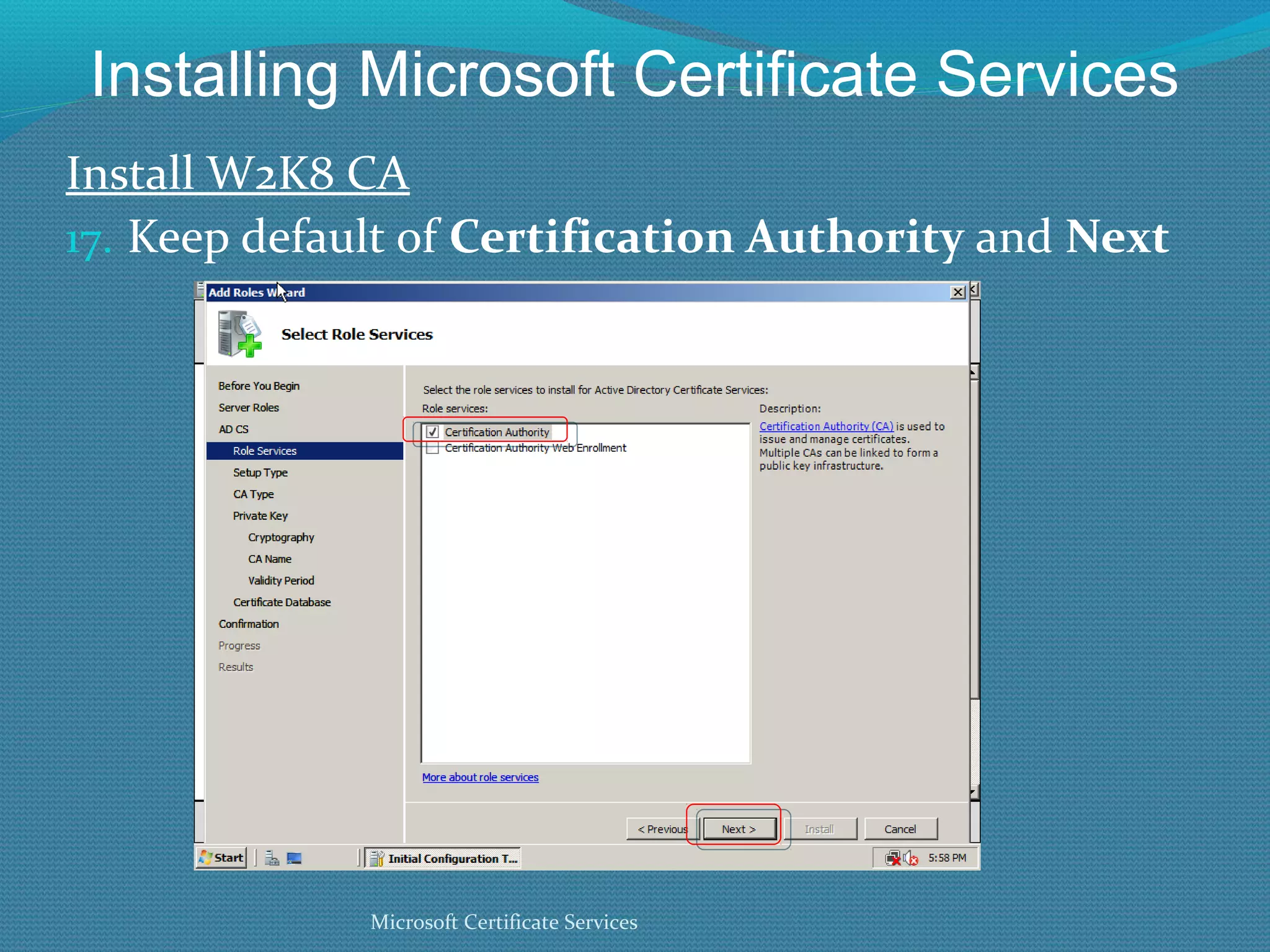
Installing Microsoft Certificate Services Install W2K8 CA Keep default of  Certification Authority  and  Next Microsoft Certificate Services
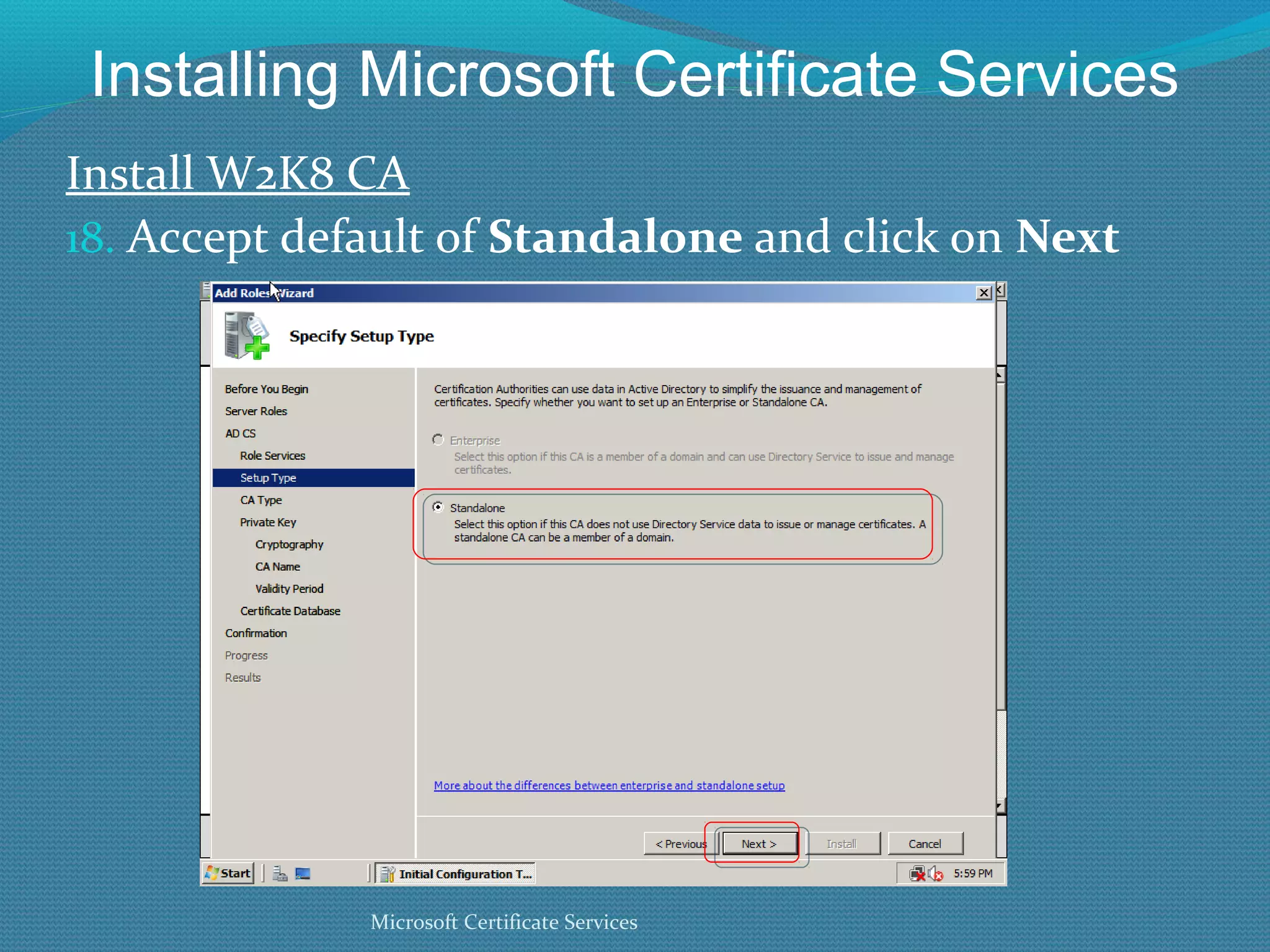
Installing Microsoft Certificate Services Install W2K8 CA Accept default of  Standalone  and click on  Next Microsoft Certificate Services
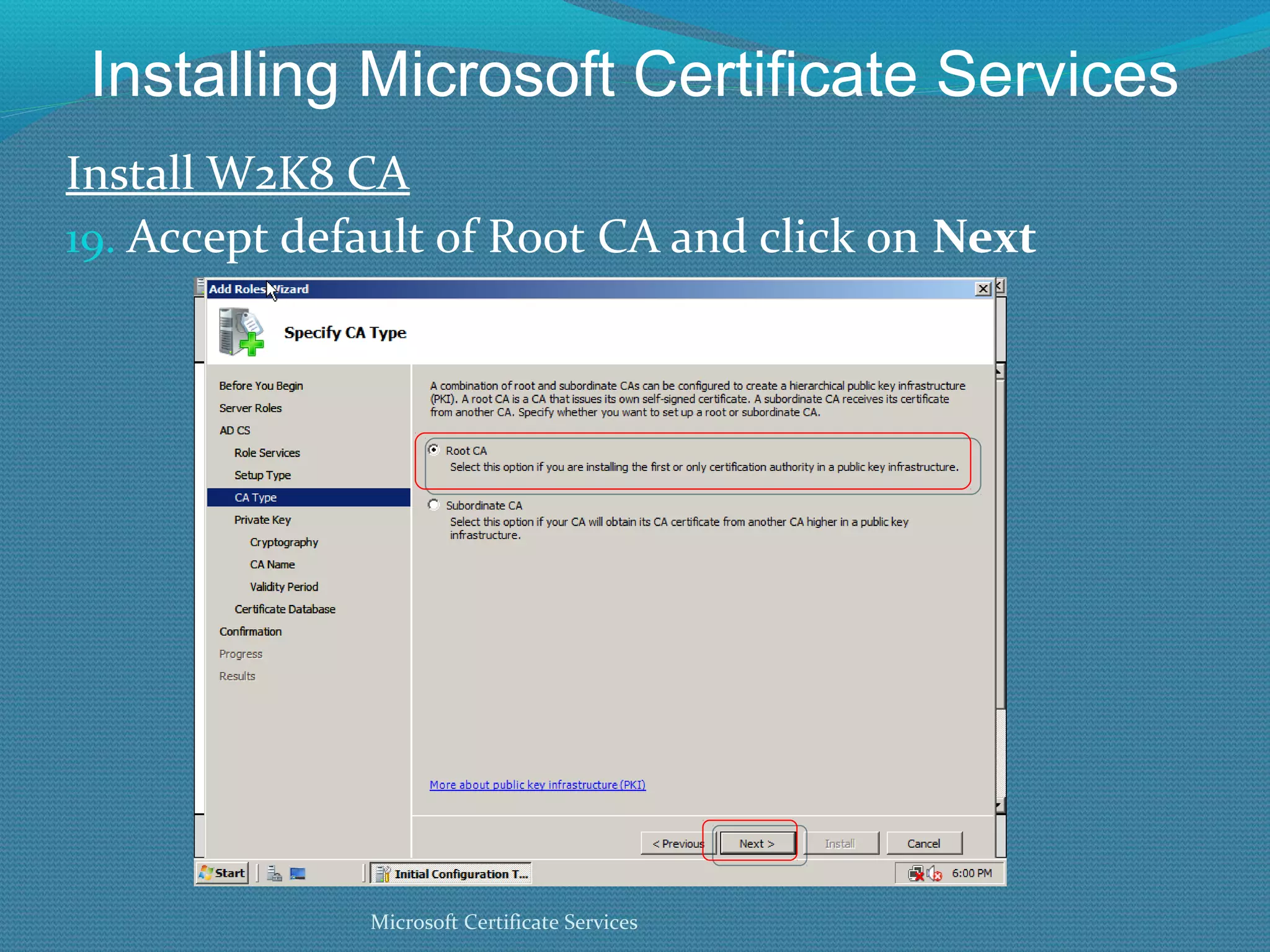
Installing Microsoft Certificate Services Install W2K8 CA Accept default of Root CA and click on  Next Microsoft Certificate Services
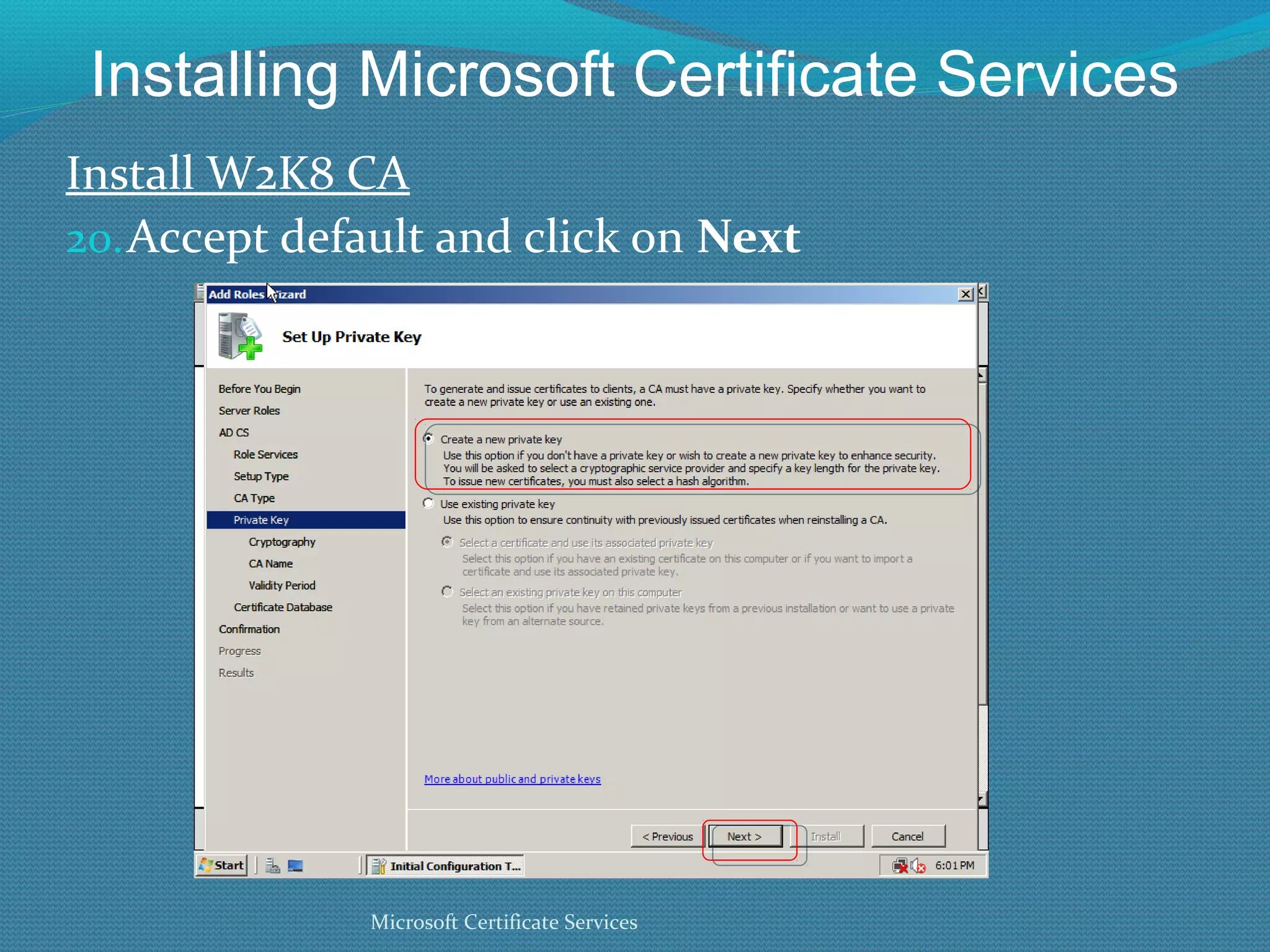
Installing Microsoft Certificate Services Install W2K8 CA Accept default and click on  Next Microsoft Certificate Services
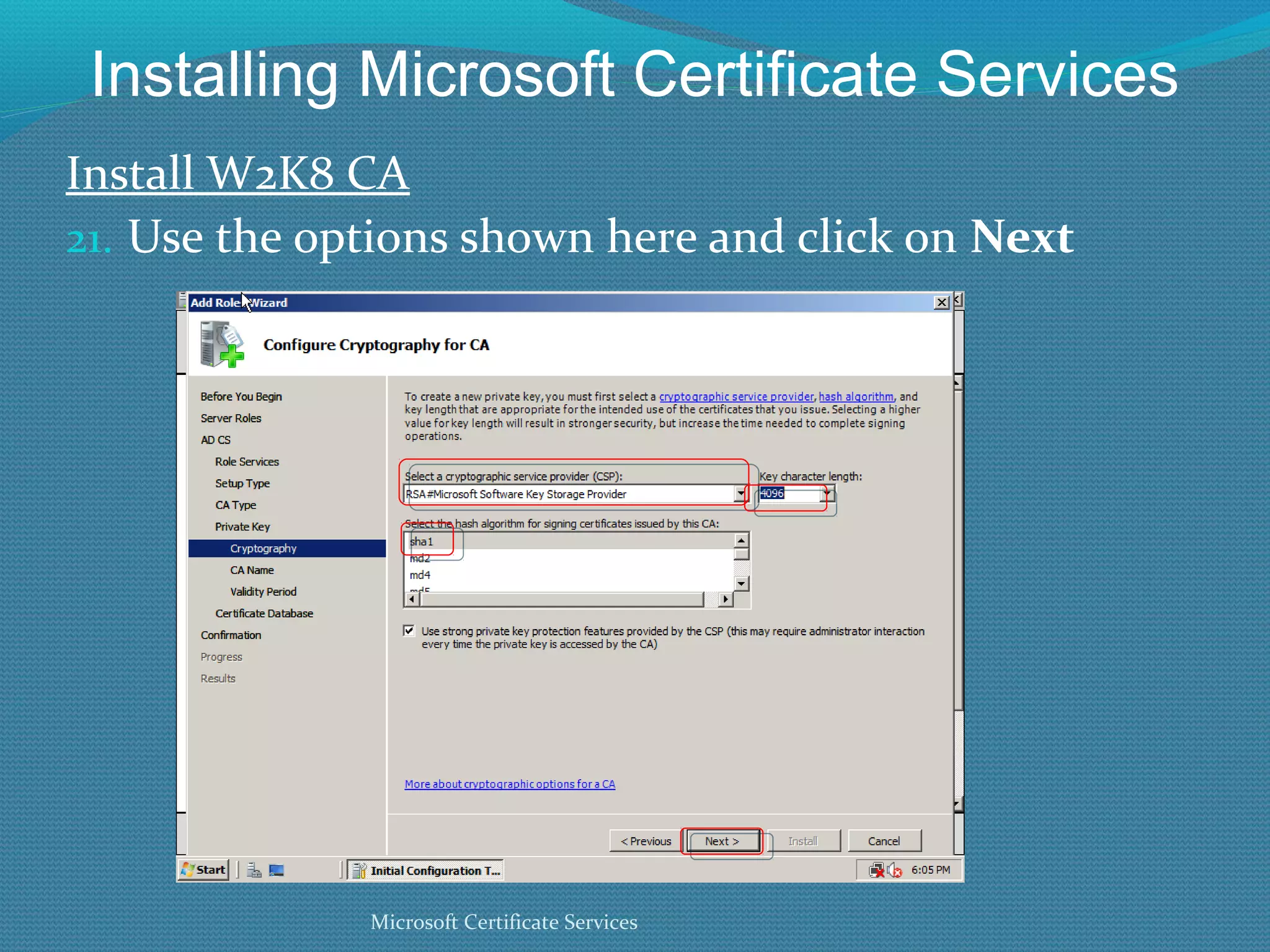
Installing Microsoft Certificate Services Install W2K8 CA Use the options shown here and click on  Next Microsoft Certificate Services
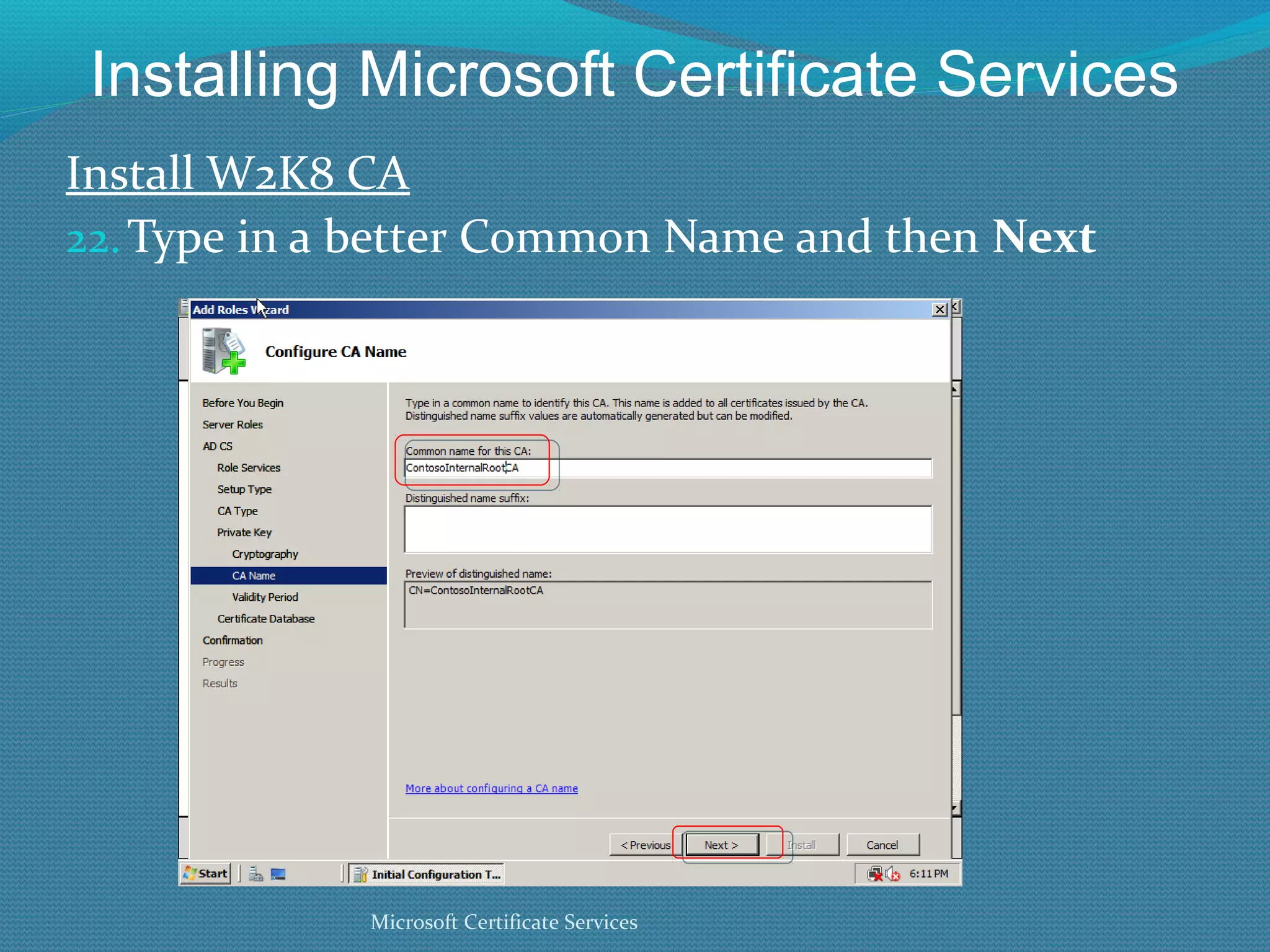
Installing Microsoft Certificate Services Install W2K8 CA Type in a better Common Name and then  Next Microsoft Certificate Services
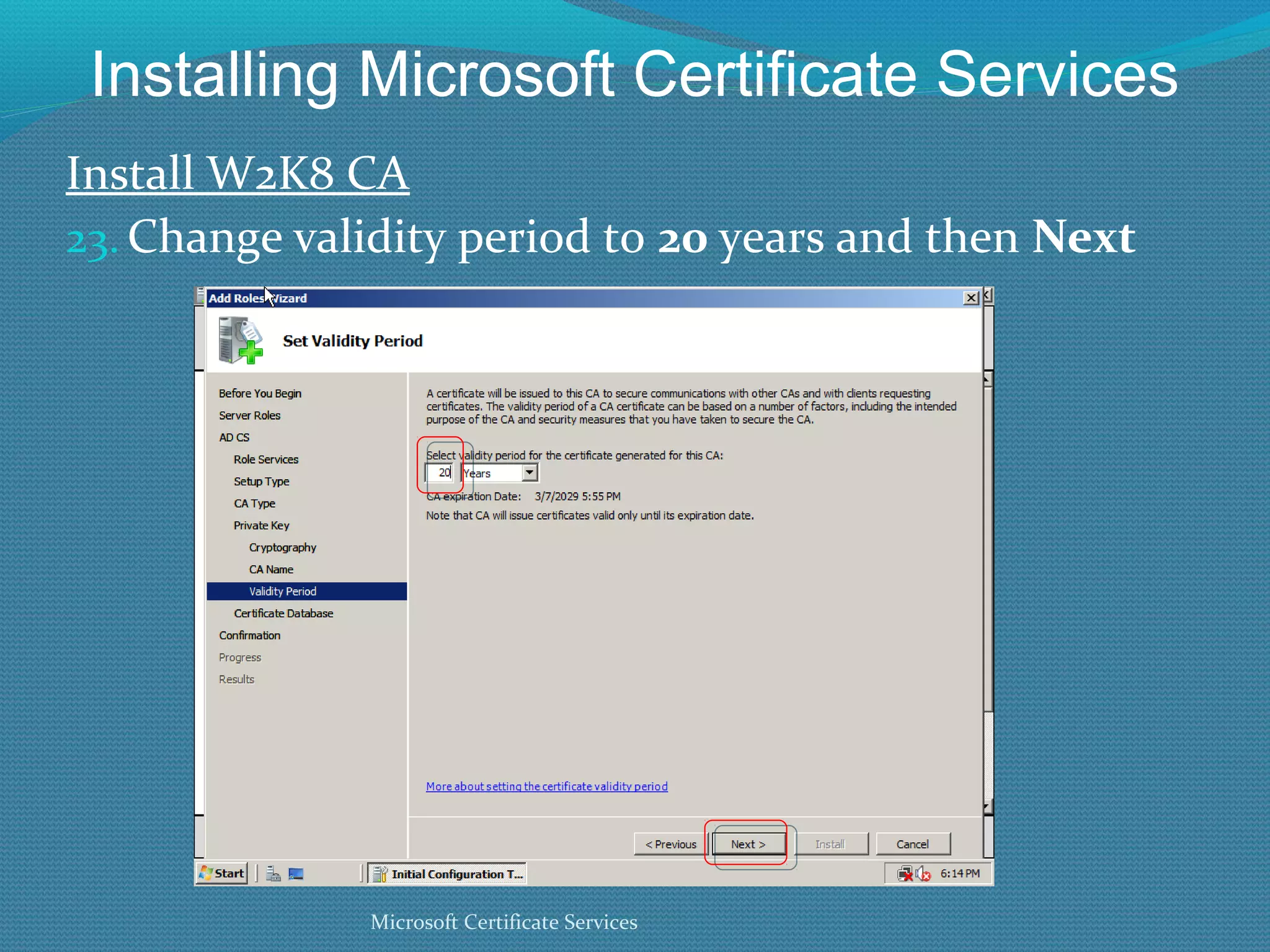
Installing Microsoft Certificate Services Install W2K8 CA Change validity period to  20  years and then  Next Microsoft Certificate Services
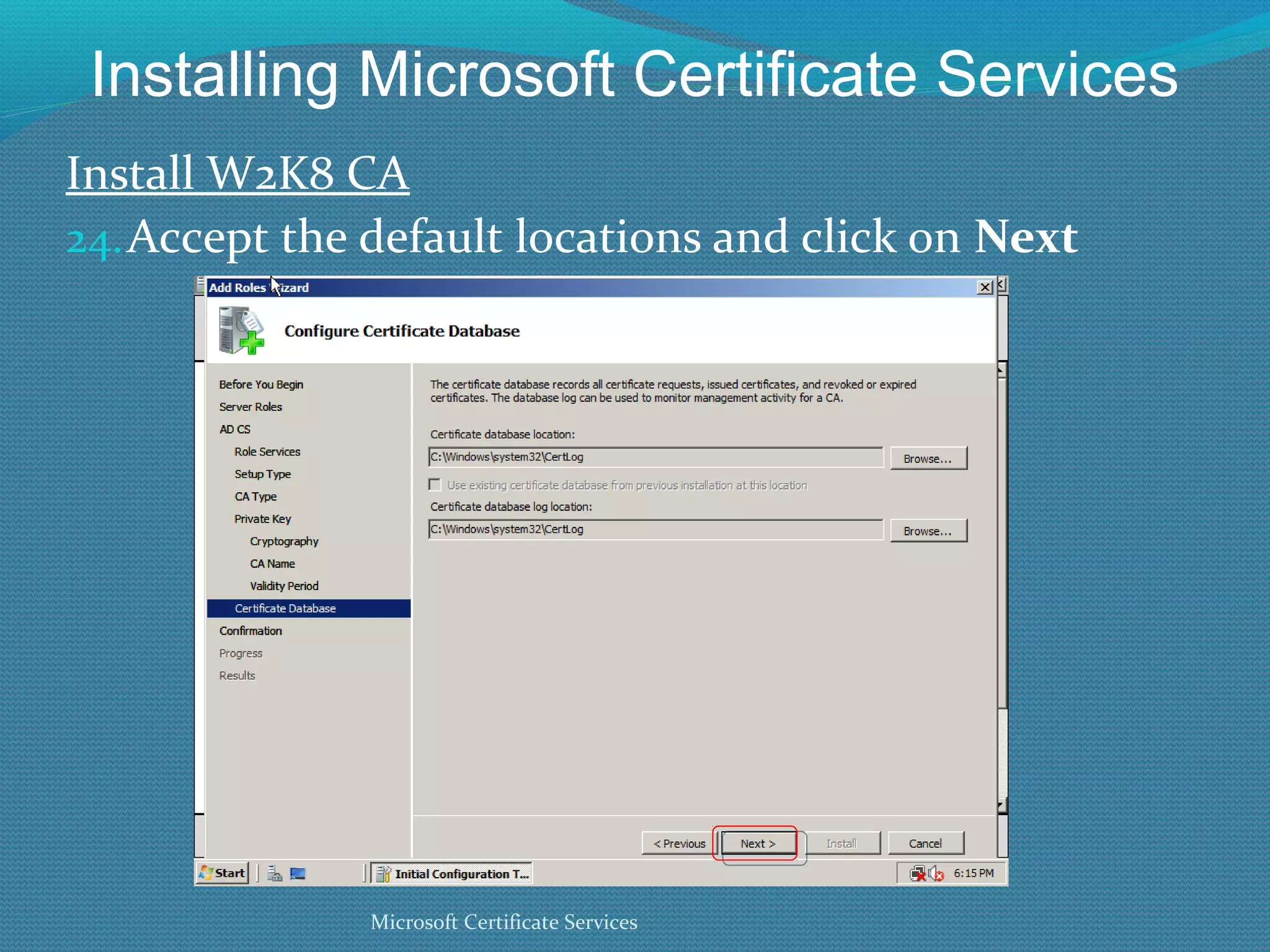
Installing Microsoft Certificate Services Install W2K8 CA Accept the default locations and click on  Next Microsoft Certificate Services
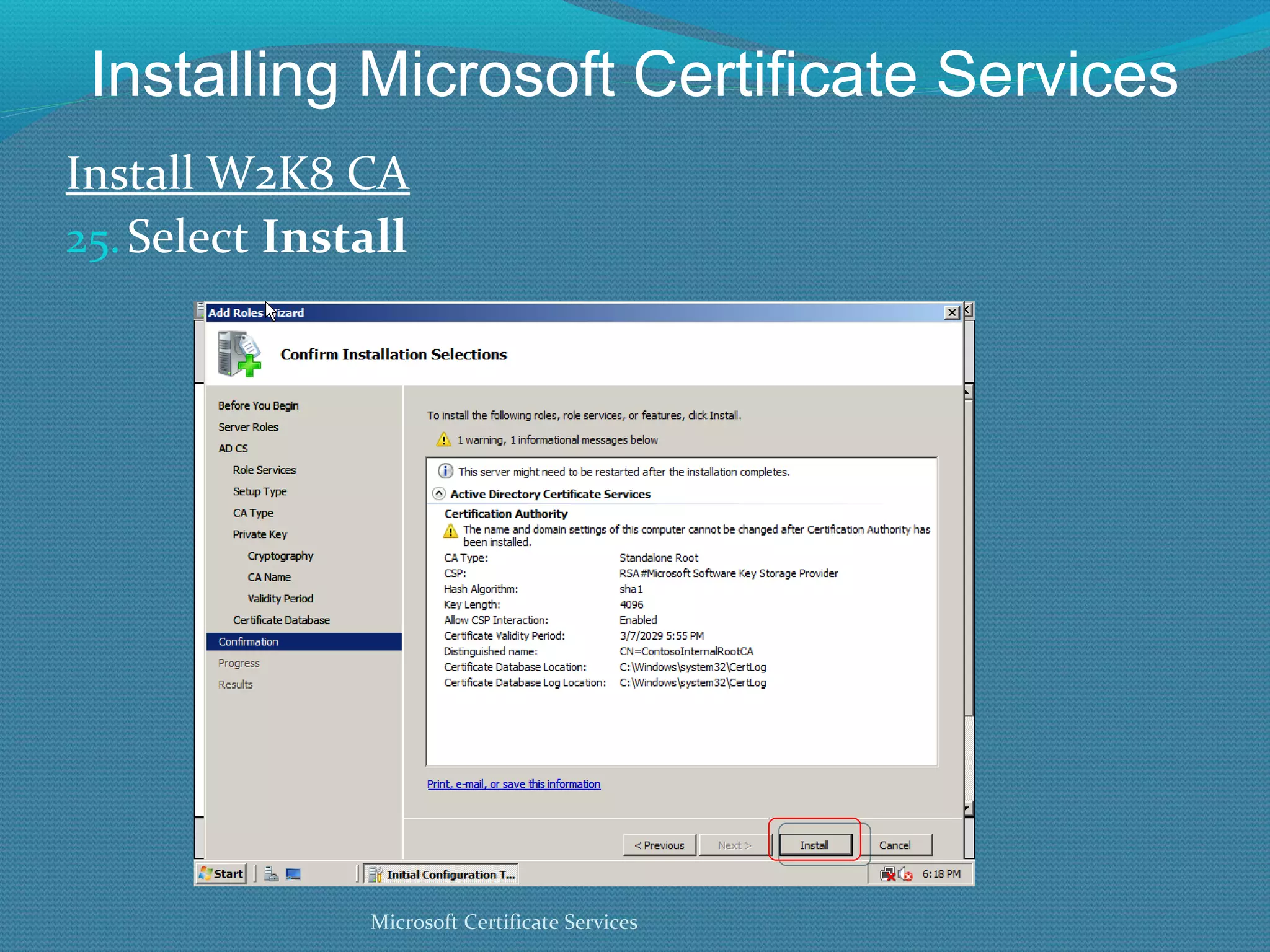
Installing Microsoft Certificate Services Install W2K8 CA Select  Install Microsoft Certificate Services
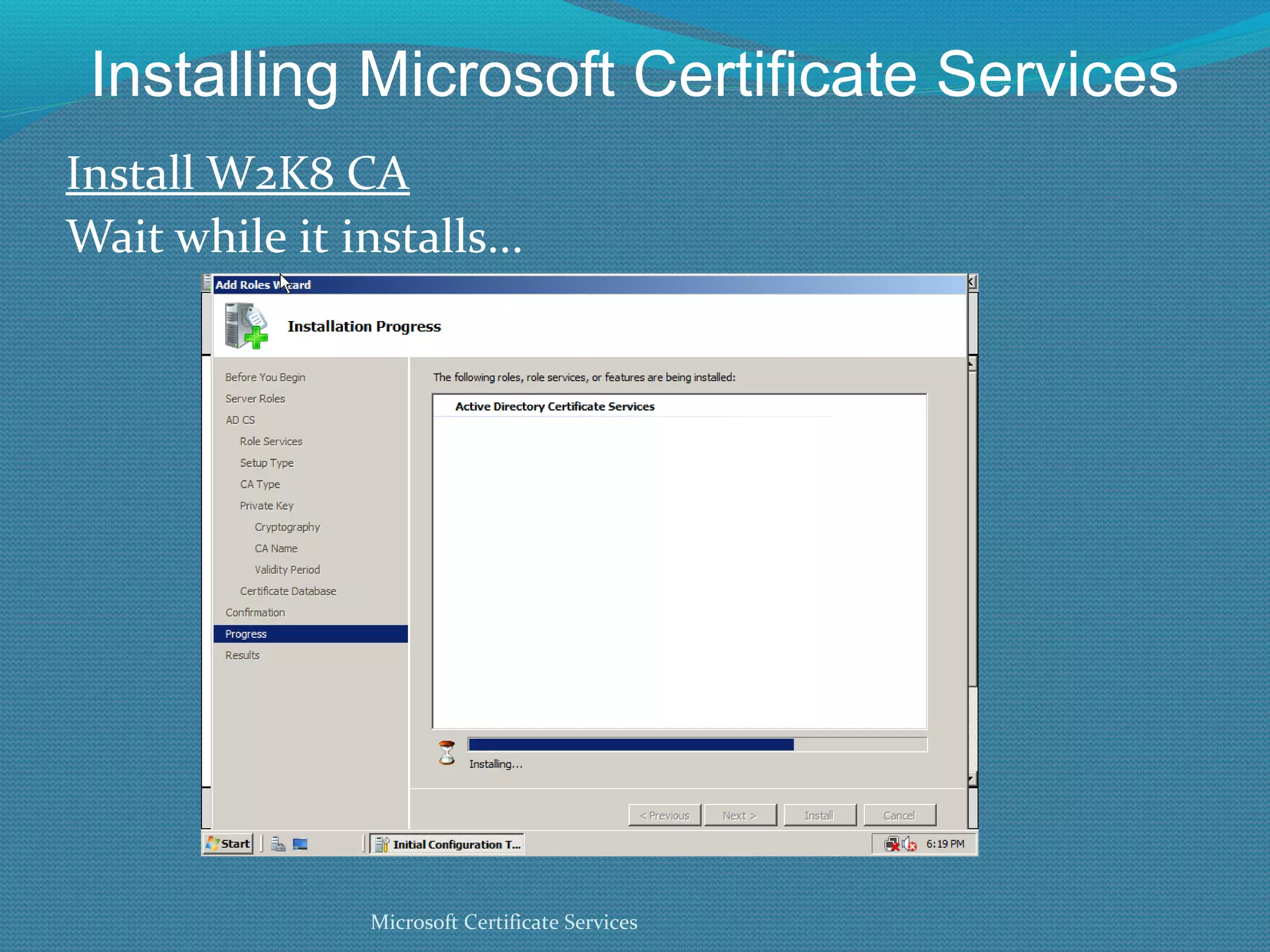
Installing Microsoft Certificate Services Install W2K8 CA Wait while it installs... Microsoft Certificate Services
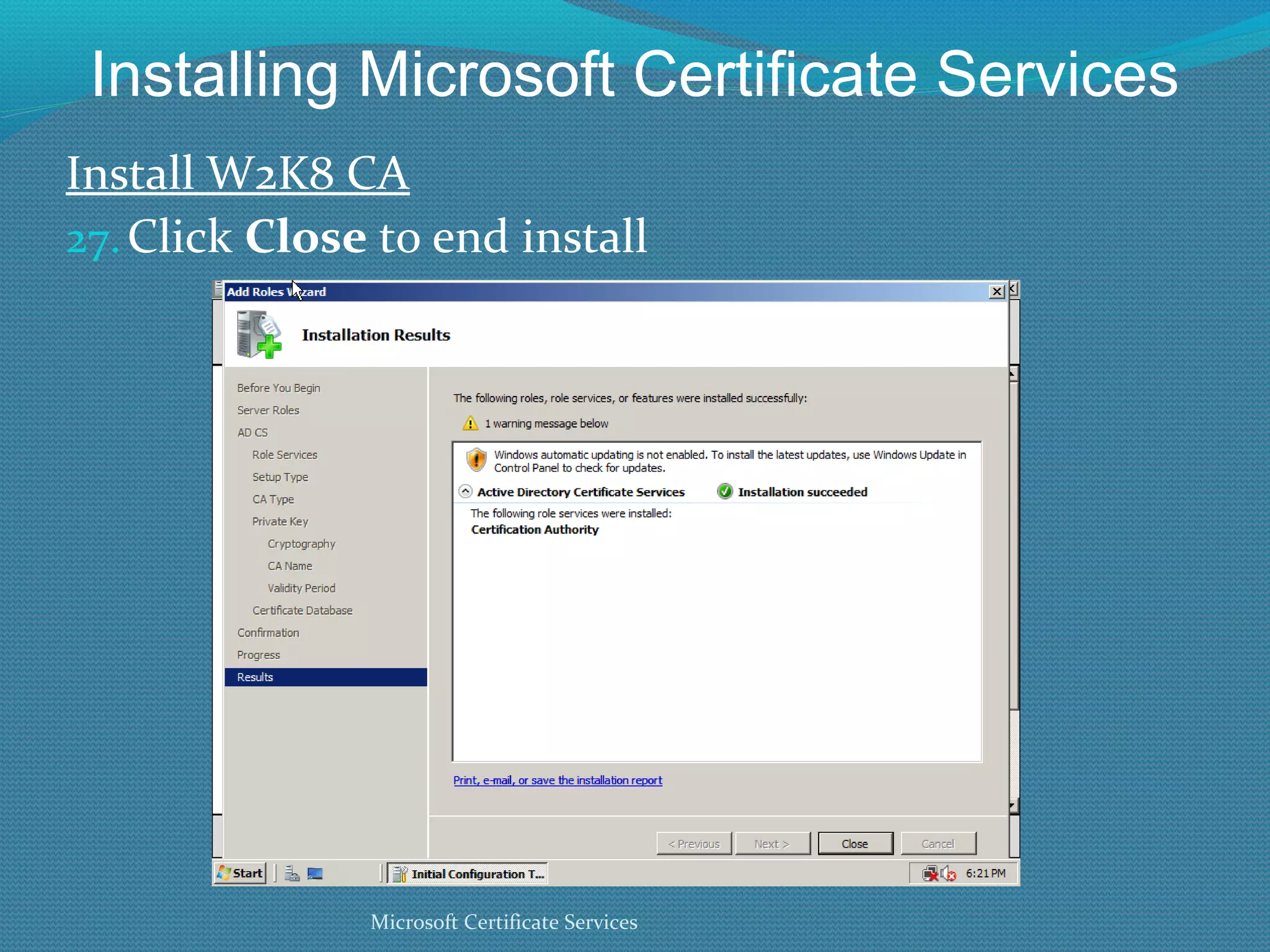
Installing Microsoft Certificate Services Install W2K8 CA Click  Close  to end install Microsoft Certificate Services
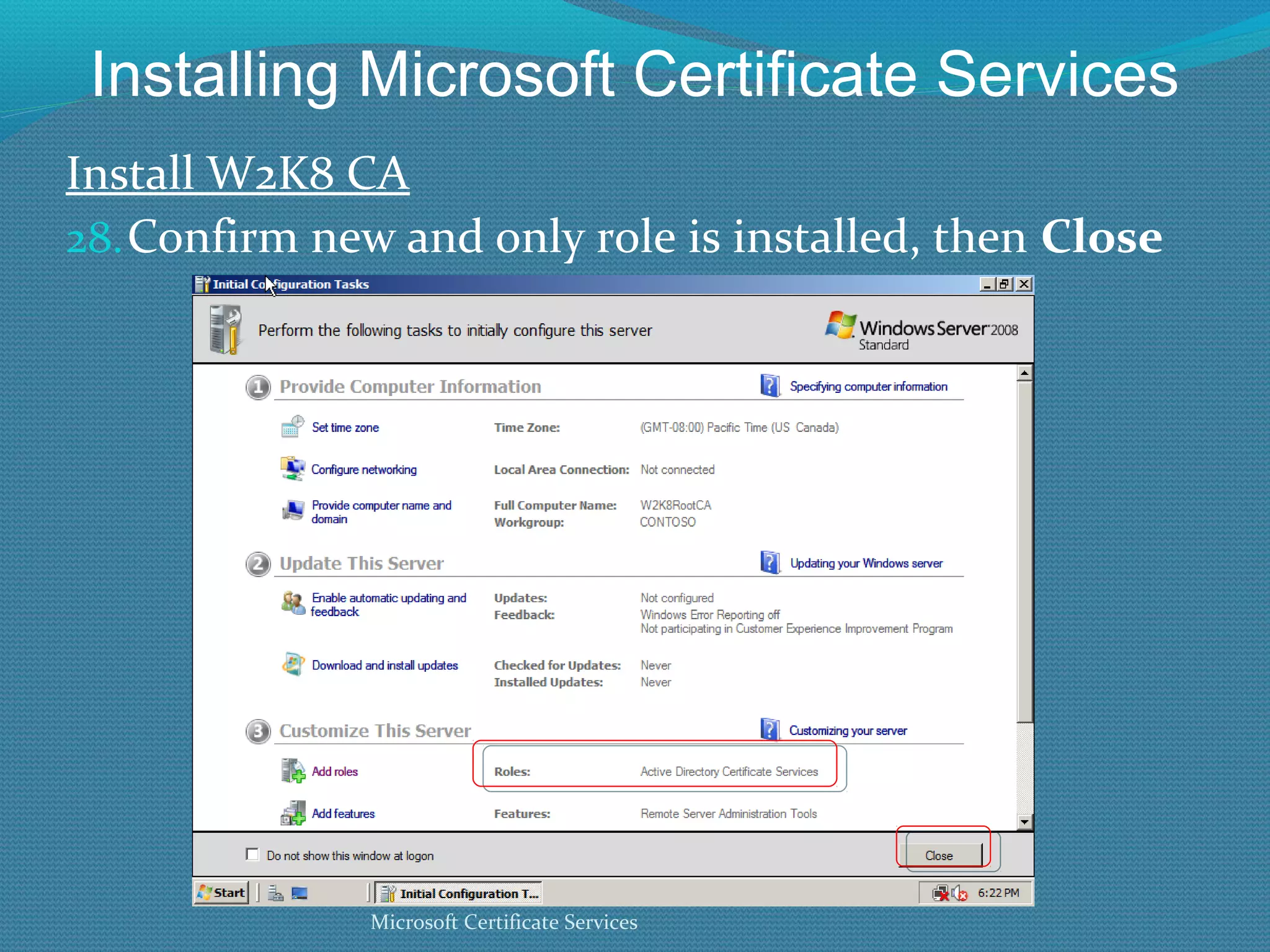
Installing Microsoft Certificate Services Install W2K8 CA Confirm new and only role is installed, then  Close Microsoft Certificate Services
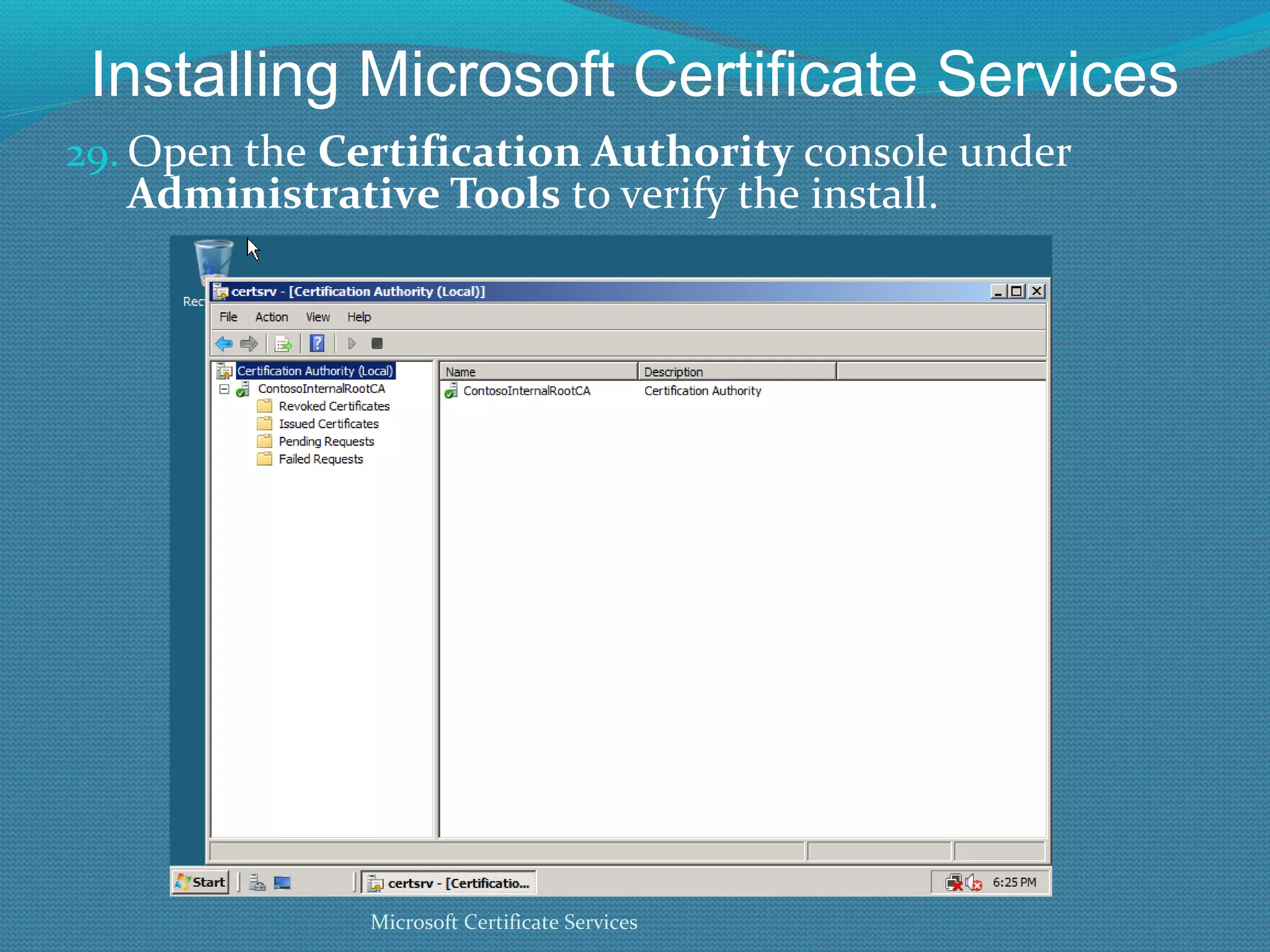
Installing Microsoft Certificate Services Open the  Certification Authority  console under  Administrative Tools  to verify the install. Microsoft Certificate Services
Version 3.0 Templates
Certificate Template Version 3 A certificate based on a version 3 certificate template can  only  be issued by an enterprise CA running on  Windows Server 2008 (or later), Enterprise Edition.  Version 3 templates contain more options, and stronger crypto Version 3 templates can only be published on W2K8 CAs V3 templates do not work with Windows OSs prior to Windows Vista Microsoft Certificate Services
Certificate Template Version 3 Windows 2000, XP, and 2003 will not enroll against V3 templates Only Vista and later understands SHA-2 hashes and ECC ciphers XP SP3 can verify certificates containing SHA-256 ciphers, but not all applications can, so be careful in using any cipher above SHA-1 V3 templates will not show up on web enroll site **To be safe, only use V3 templates with Windows Vista and later Microsoft Certificate Services
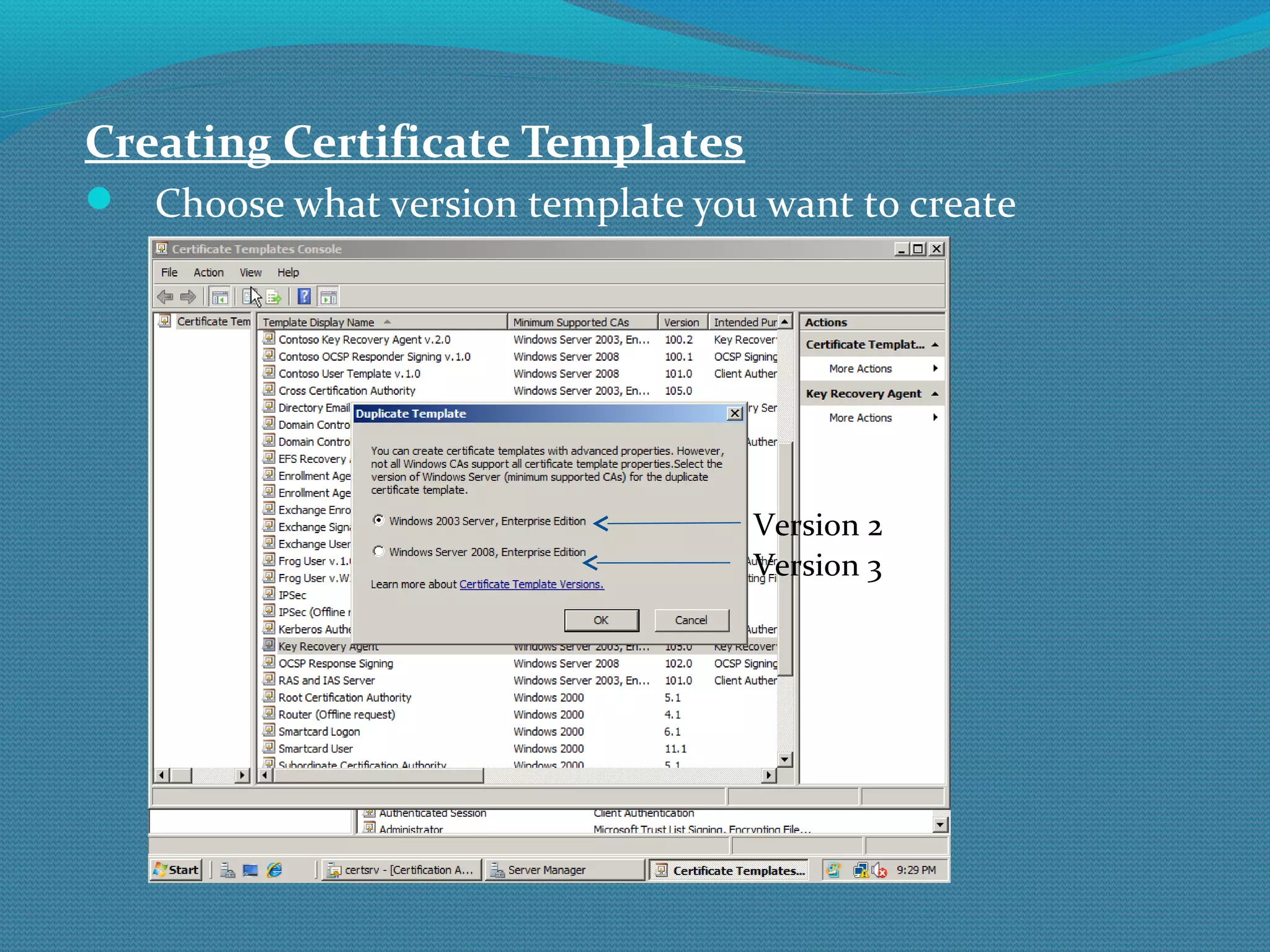
Creating Certificate Templates Choose what version template you want to create Version 2 Version 3
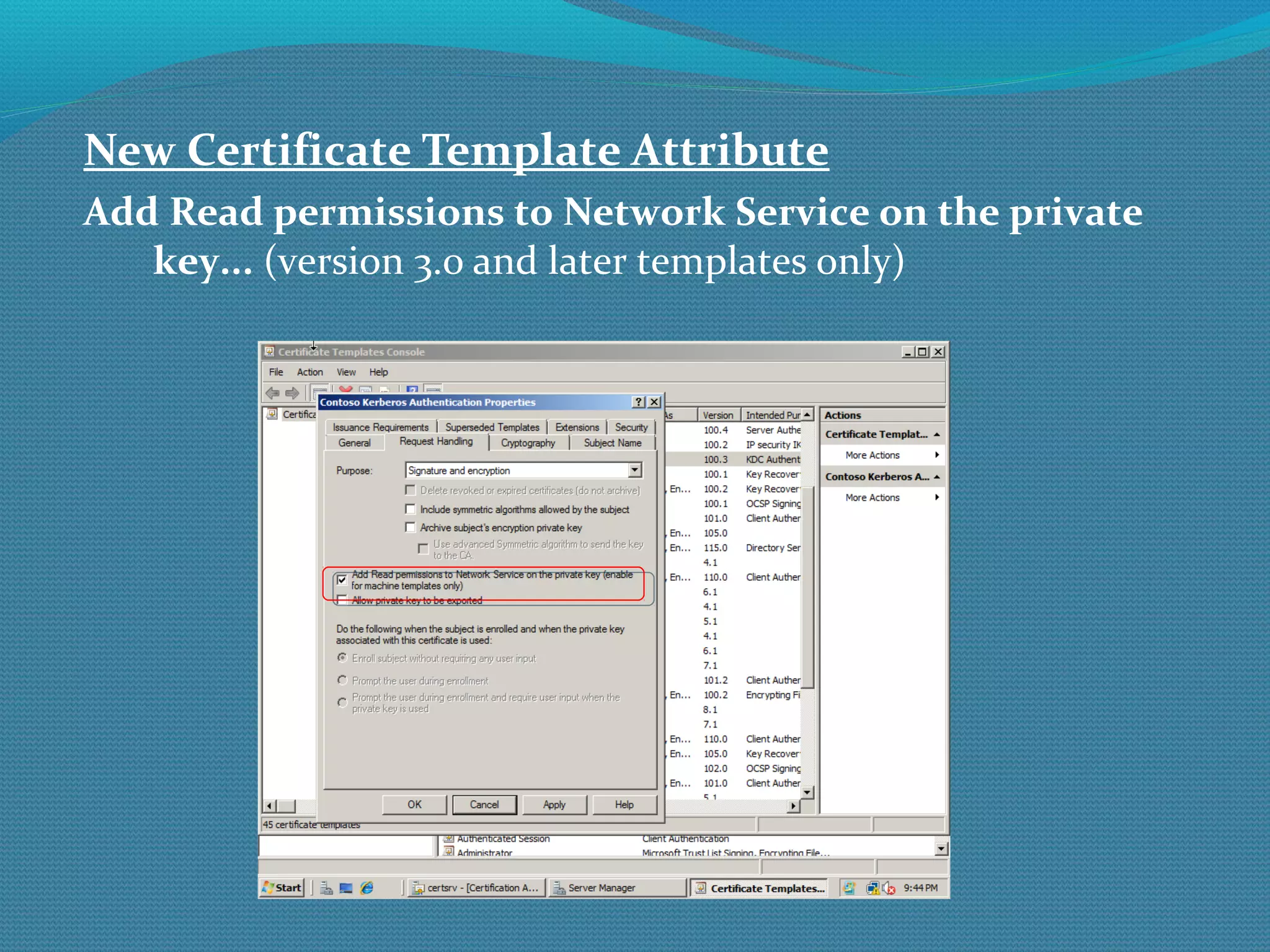
New Certificate Template Attribute Add Read permissions to Network Service on the private key...  (version 3.0 and later templates only)
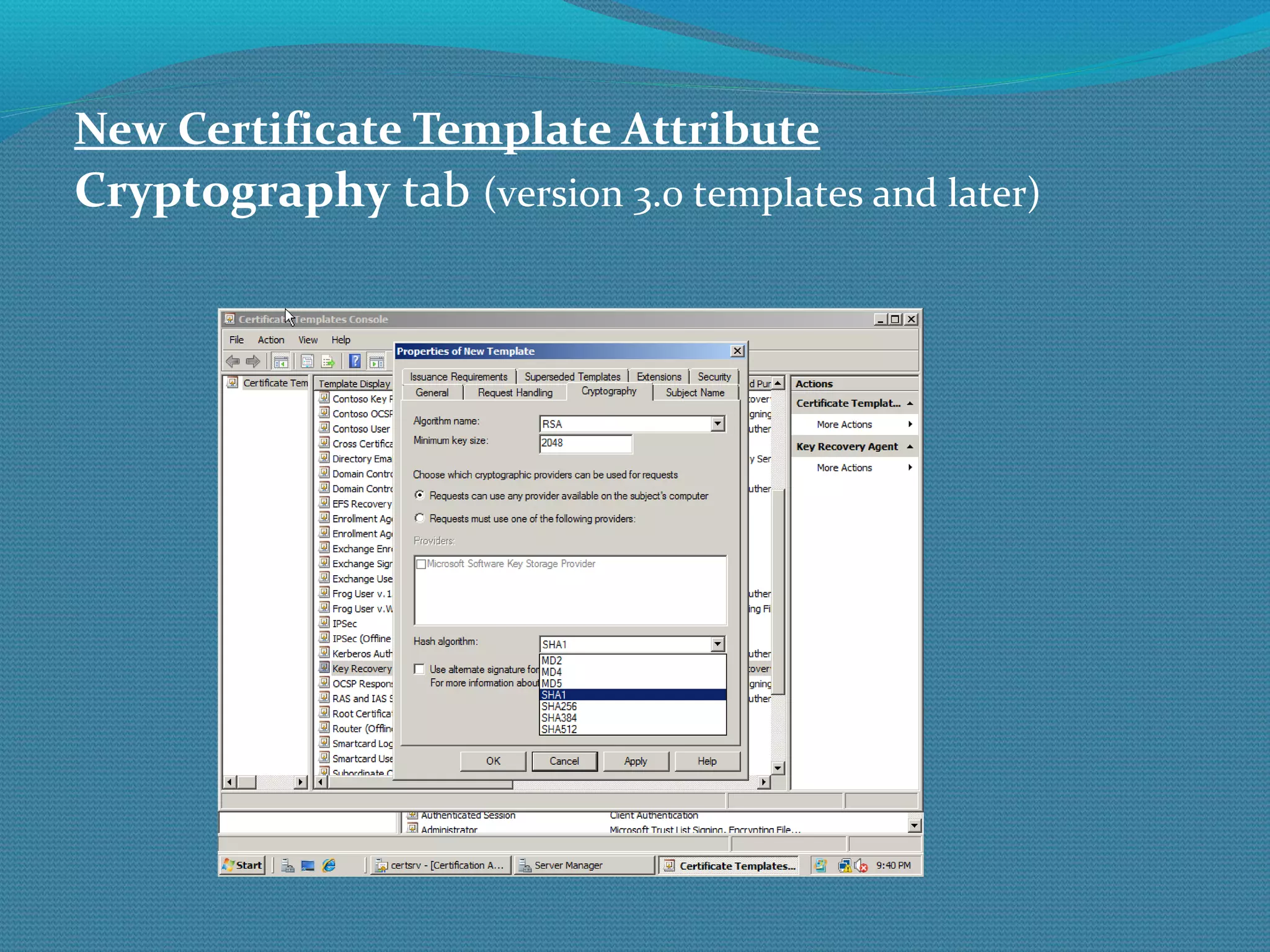
New Certificate Template Attribute Cryptography  tab  (version 3.0 templates and later)
Certificate Revocation CRLs and OCSP
Certificate Revocation Certificate Revocation Used to indicate digital certificate is invalid Any revoked certificate is to be considered (very) untrusted App may “break” if it can’t find revocation point or revocation is negative Unfortunately, certificate revocation doesn’t always work (not all applications or users check for revocation)
Certificate Revocation Certificate Revocation Certificates are revoked when: CA or other CAs in path (e.g. issuing) have been compromised Entity issued certificate is discovered to be a fraud To prematurely end certificate’s useful life For any other reason the CA wants (e.g. customer didn’t pay their bill)
Certificate Revocation Checking Certificate Revocation In order for revocation to be checked, the certificate being verified must include valid revocation information (e.g. revocation list location, etc.) and the resulting information must be reachable by the client/application investigating Called certificate chaining Certificate information is usually checked back to just before Root CA (root is offline)
Certificate Revocation Certificate Revocation Revocation checking not always done, depends on the PKI-participating application and/or its settings Sometimes even when it is done/required, application only reports if certificate is revoked (and not, unfortunately, if the revocation information can’t be confirmed) But can also cripple your organization if revocation is not working!!!
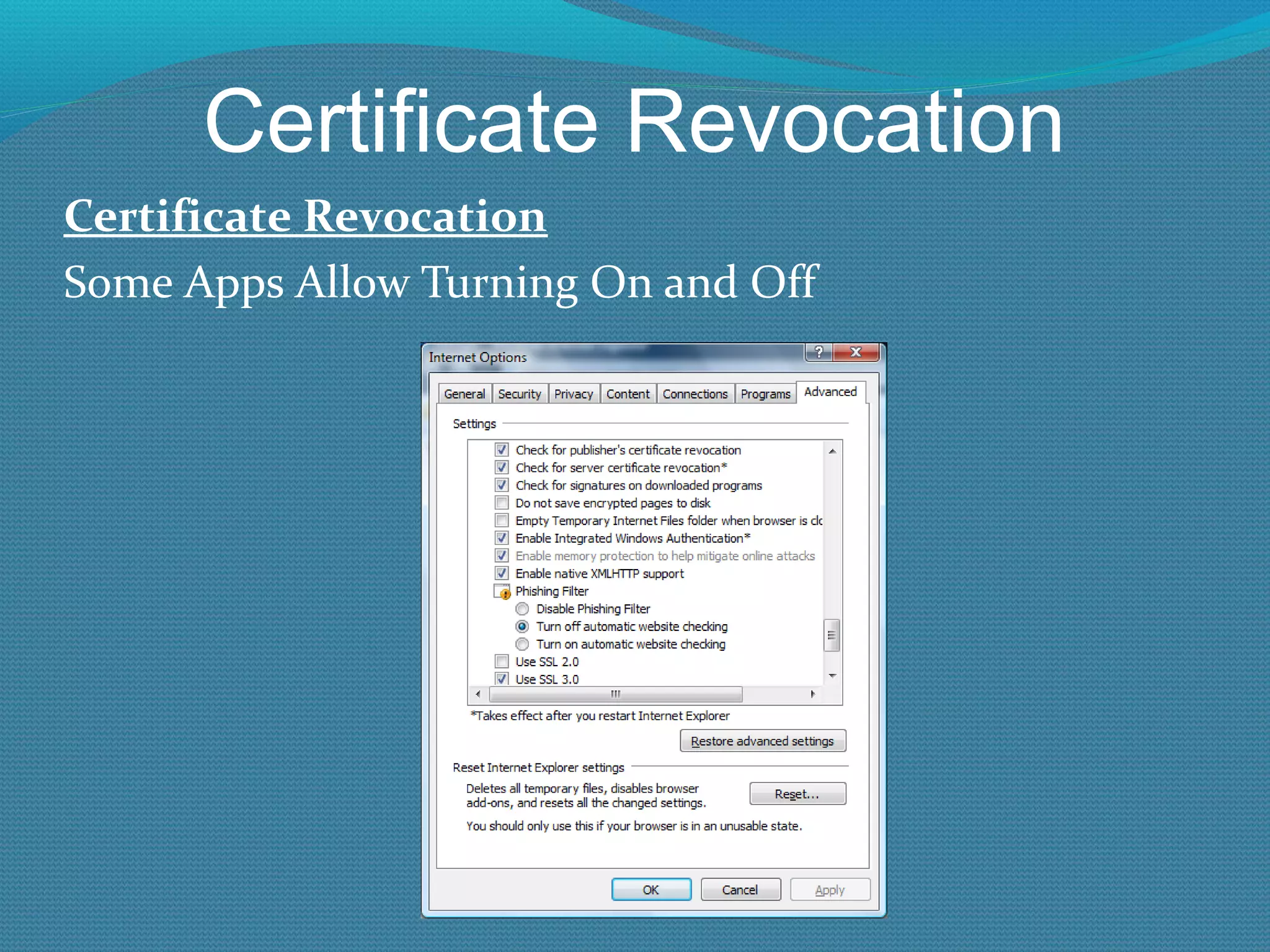
Certificate Revocation Certificate Revocation Some Apps Allow Turning On and Off
Certificate Revocation Certificate Revocation In IE (with revocation checking enabled), if the cert’s revocation information isn’t valid or reachable, IE won’t report an error by default Although when using Secure Socket Tunneling Protocol (SSTP), IE will check and absolutely require correct revocation information in the VPN server’s cert
Certificate Revocation Checking Certificate Revocation Ways Revocation Can Be Checked Certificate Revocation List (CRL) Full and deltas Online Certificate Status Protocol (OCSP) Application checks (depends on app) Manually using Certutil.exe Programmatically Stored locally in revocation database
Certificate Revocation Certificate Revocation List (CRL) List of revoked certificates ( revocation ). CRL is placed at CDP ( CRL distribution point)  so clients can check.  CDP is hard wired into certificate CRL’s can be published to Active Directory so it is available to everyone. CRLs can be  full base  or  delta . HTTP references should not be HTTPS-enabled Microsoft Certificate Services
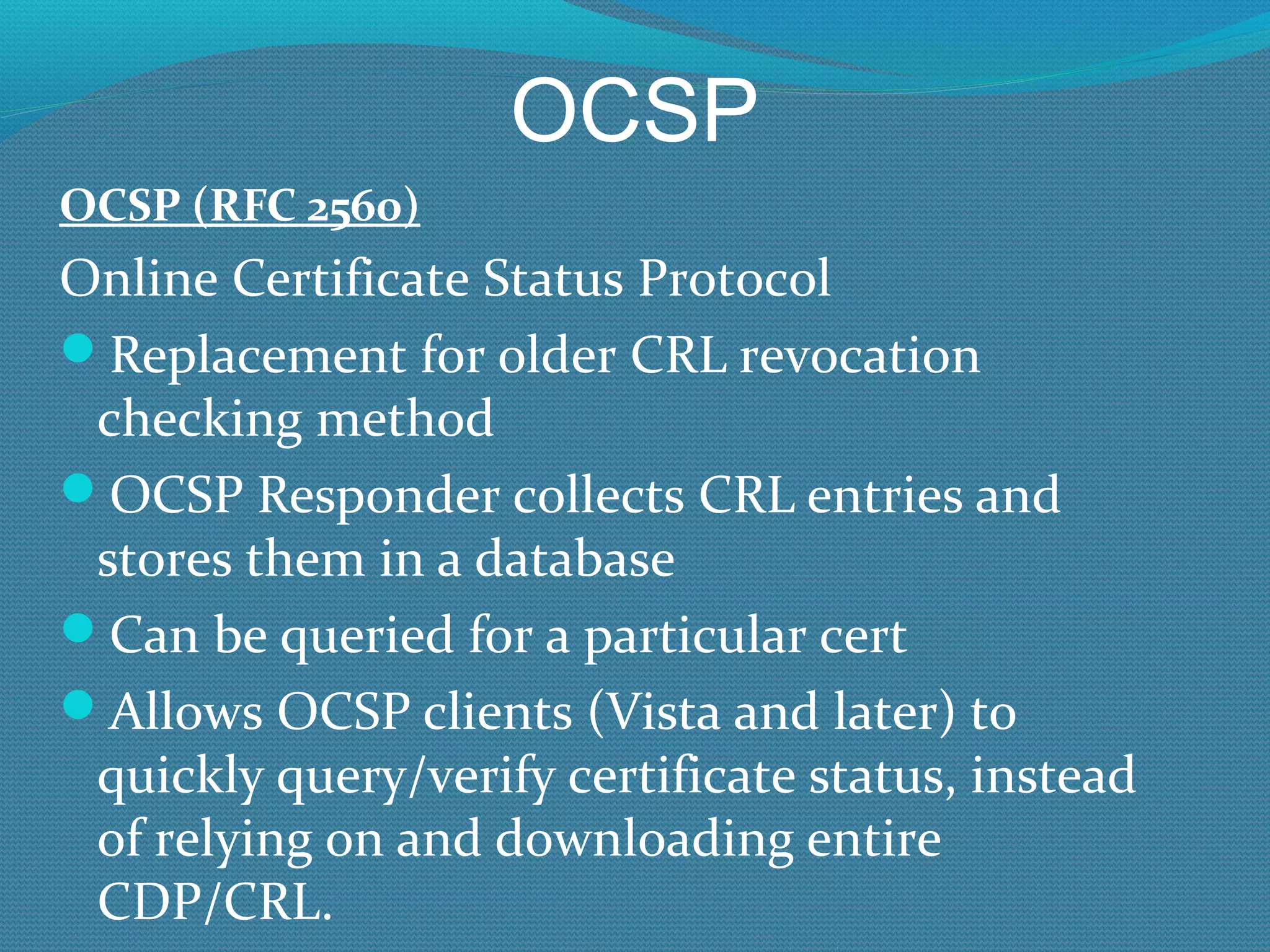
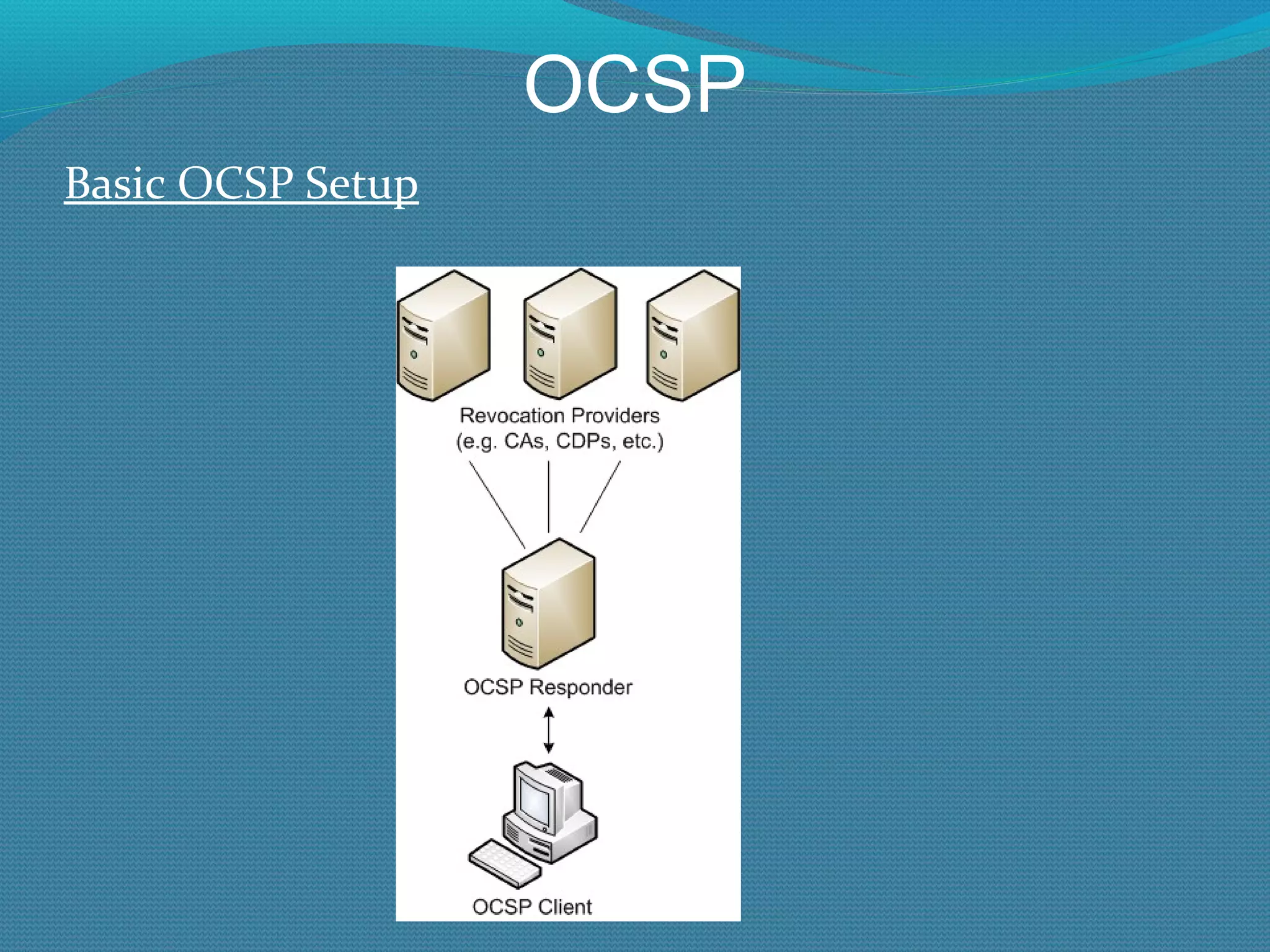
OCSP OCSP (RFC 2560) Online Certificate Status Protocol Replacement for older CRL revocation checking method OCSP Responder collects CRL entries and stores them in a database Can be queried for a particular cert Allows OCSP clients (Vista and later) to quickly query/verify certificate status, instead of relying on and downloading entire CDP/CRL.
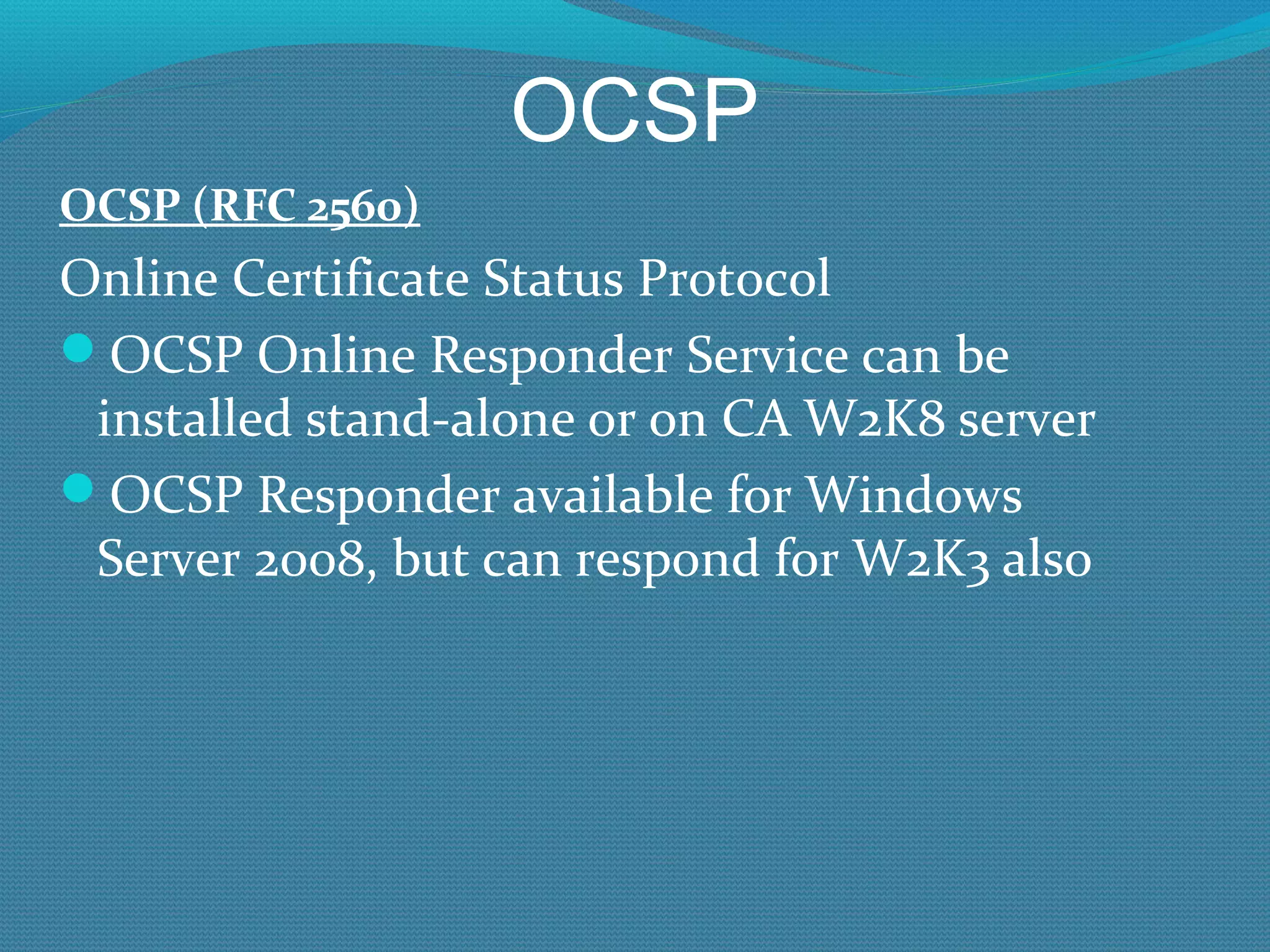
OCSP OCSP (RFC 2560) Online Certificate Status Protocol OCSP Online Responder Service can be installed stand-alone or on CA W2K8 server OCSP Responder available for Windows Server 2008, but can respond for W2K3 also
OCSP Basic OCSP Setup
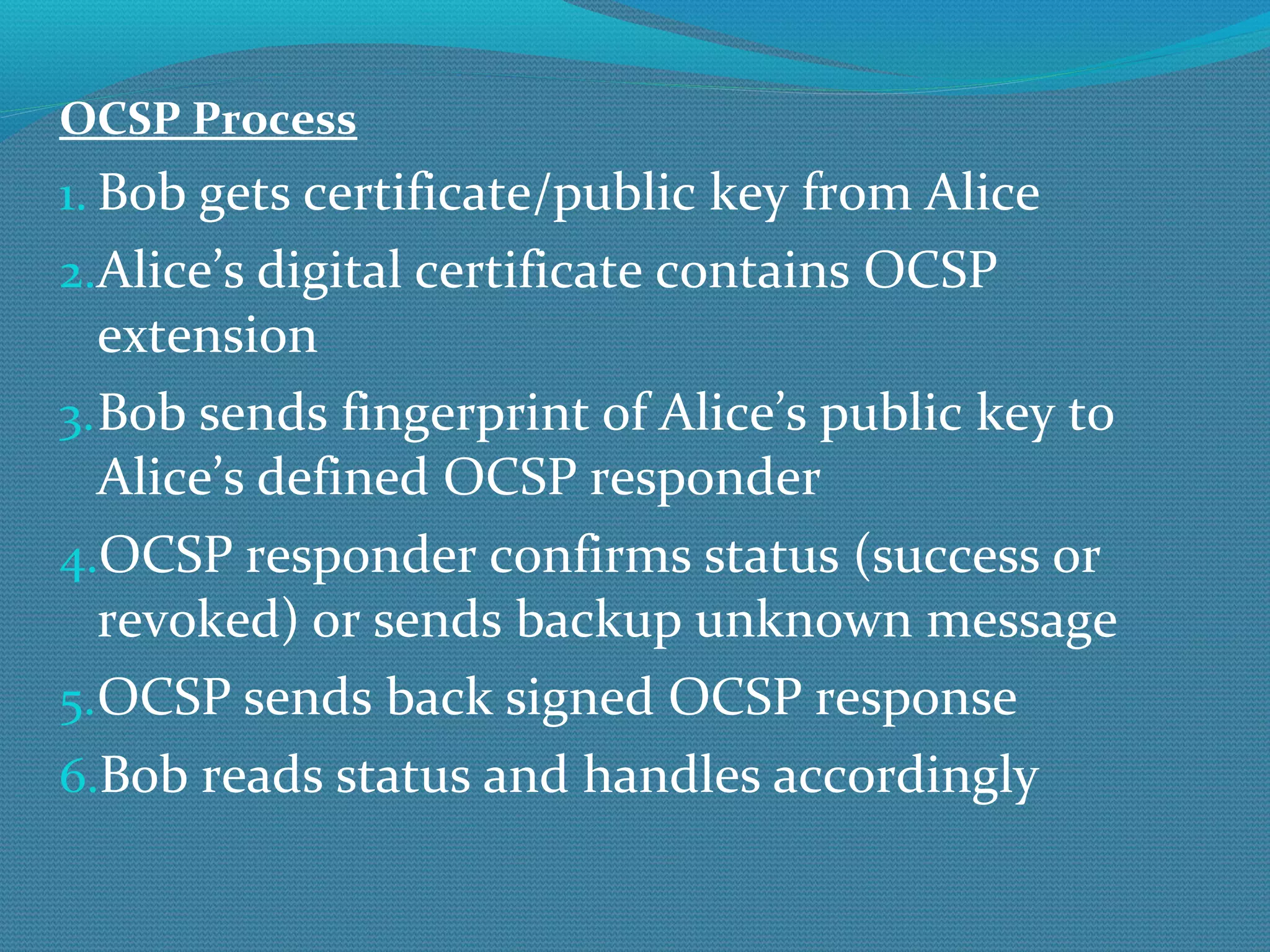
OCSP Process Bob gets certificate/public key from Alice Alice’s digital certificate contains OCSP extension Bob sends fingerprint of Alice’s public key to Alice’s defined OCSP responder OCSP responder confirms status (success or revoked) or sends backup unknown message OCSP sends back signed OCSP response Bob reads status and handles accordingly
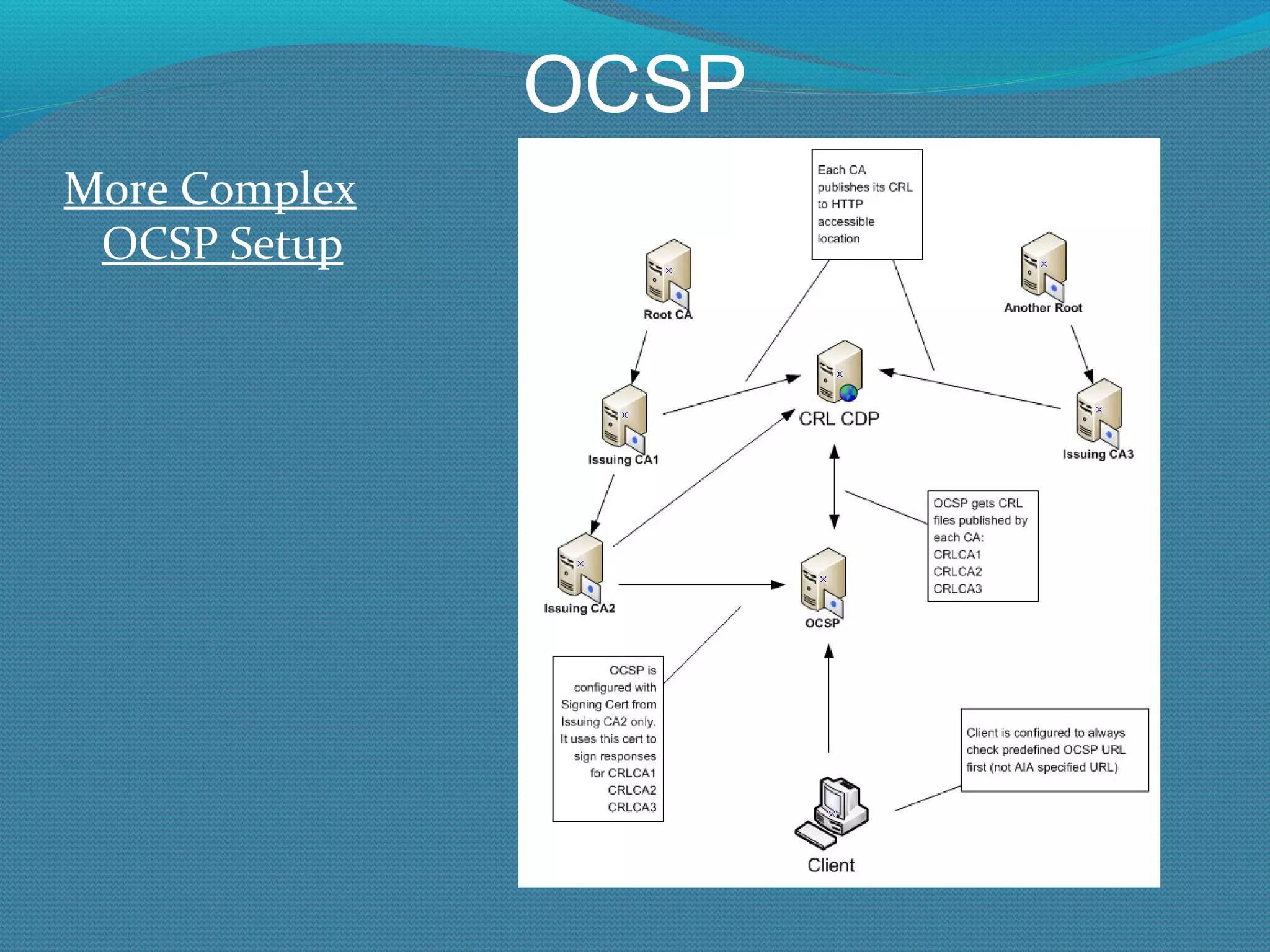
OCSP More Complex OCSP Setup
OCSP (RFC 2560) con’t OCSP uses HTTP OCSP Responder location should be hardcoded into OCSP-enabled digital certificates in AIA location OCSP Standard can connect directly to CA database or use CRLs Windows OCSP relies on CA CRLs Client must be OCSP-aware and be able to reach OCSP responder
OCSP (RFC 2560) con’t Vista/W2K8 and later has OCSP client built in and will resolve using OCSP first vs. CRLs Legacy clients will need to use 3 rd  party OCSP client W2K8 can serve as an OCSP Responder for W2K8/W2K3 servers OCSP Responder was a separate download in W2K3
OCSP Online Certificate Status Protocol Application must be coded to look for OCSP extension in certificate IE 7 and later, on Vista and later All versions of Firefox support OCSP, v.3.0 turns it on by default Safari and Opera support it Google’s Chrome does not (as of 3/09)
OCSP Online Certificate Status Protocol By default: OCSP will be checked first if OCSP extension is found If no OCSP response, then CRL tried Default behavior can be reversed
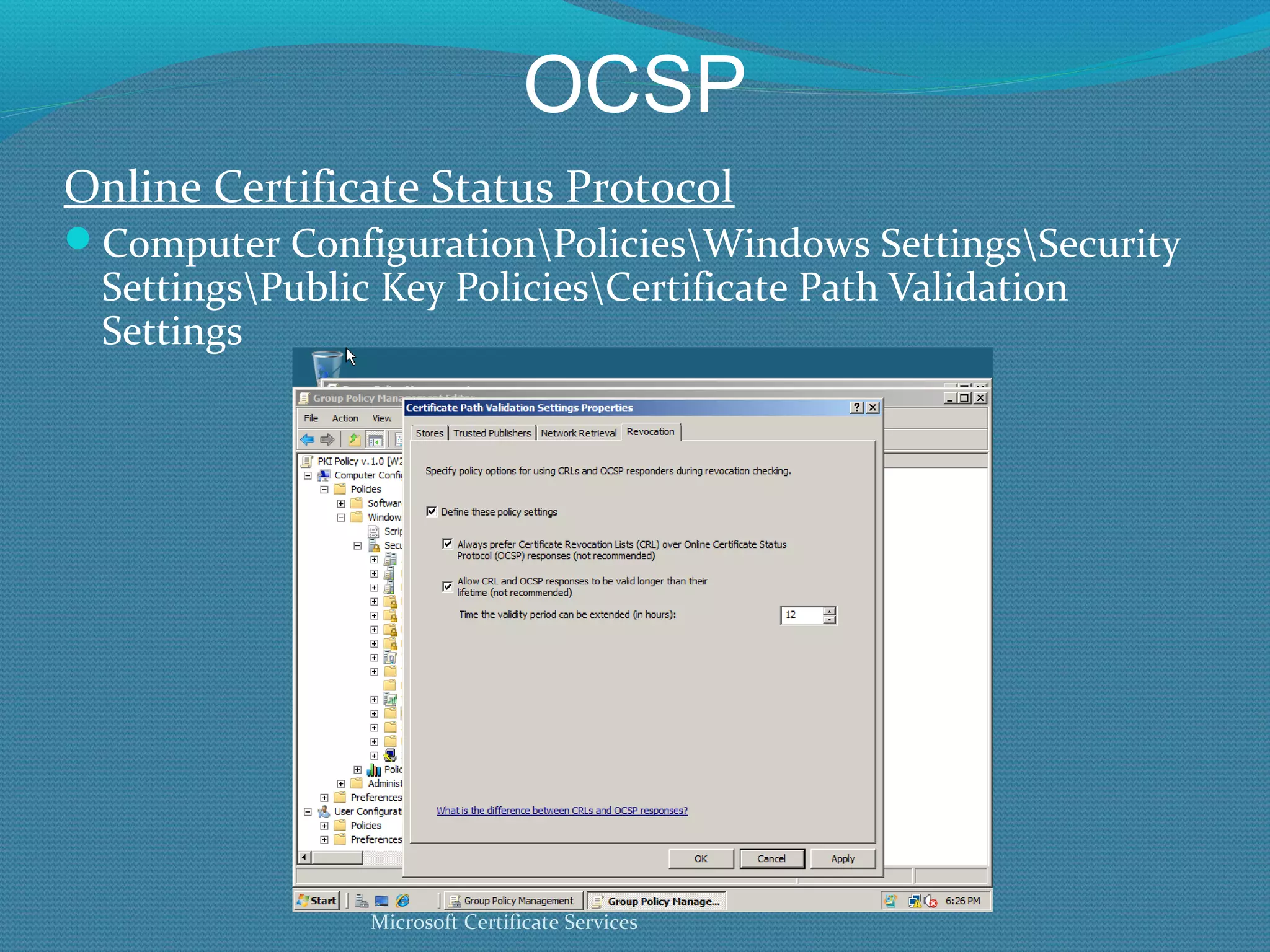
OCSP Online Certificate Status Protocol Computer Configuration\Policies\Windows Settings\Security Settings\Public Key Policies\Certificate Path Validation Settings Microsoft Certificate Services
OCSP Installing OCSP Configure OCSP Response Signing Certificate Template and Publish Modify AIA on Issuing CA to point to OCSP Responder virtual directory Install OCSP Responder and configure Test
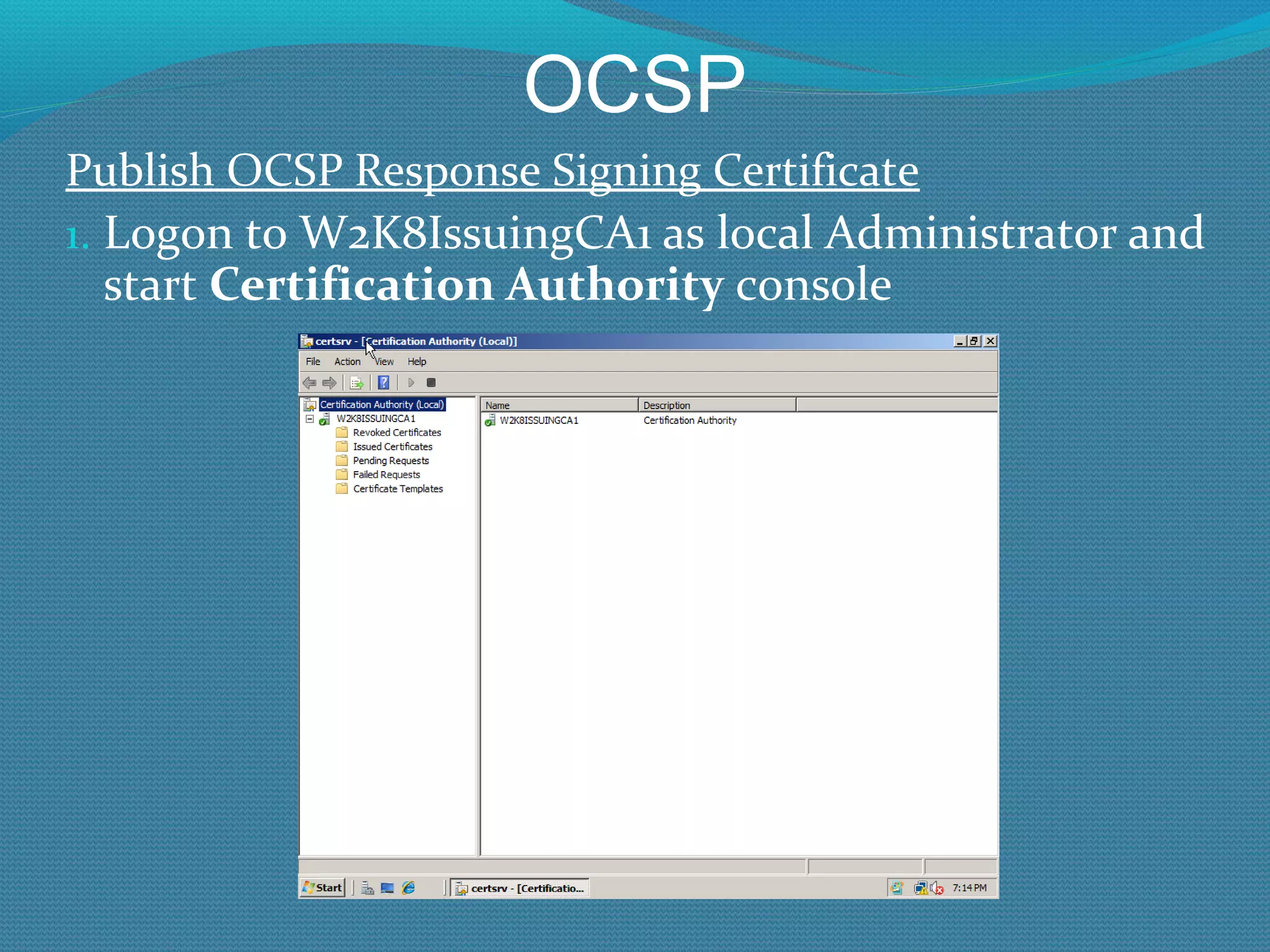
OCSP Publish OCSP Response Signing Certificate Logon to W2K8IssuingCA1 as local Administrator and start  Certification Authority  console
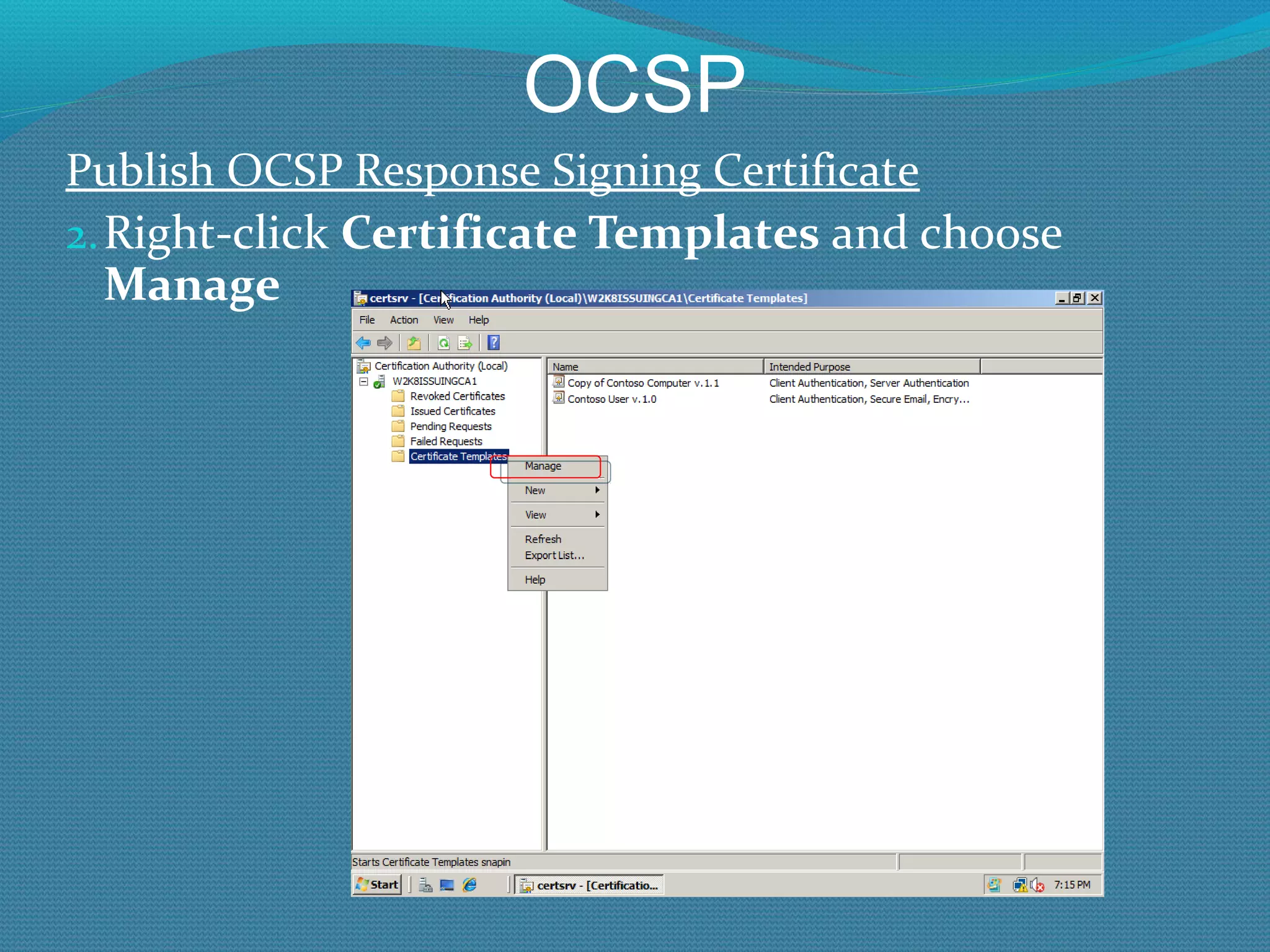
OCSP Publish OCSP Response Signing Certificate Right-click  Certificate Templates  and choose  Manage
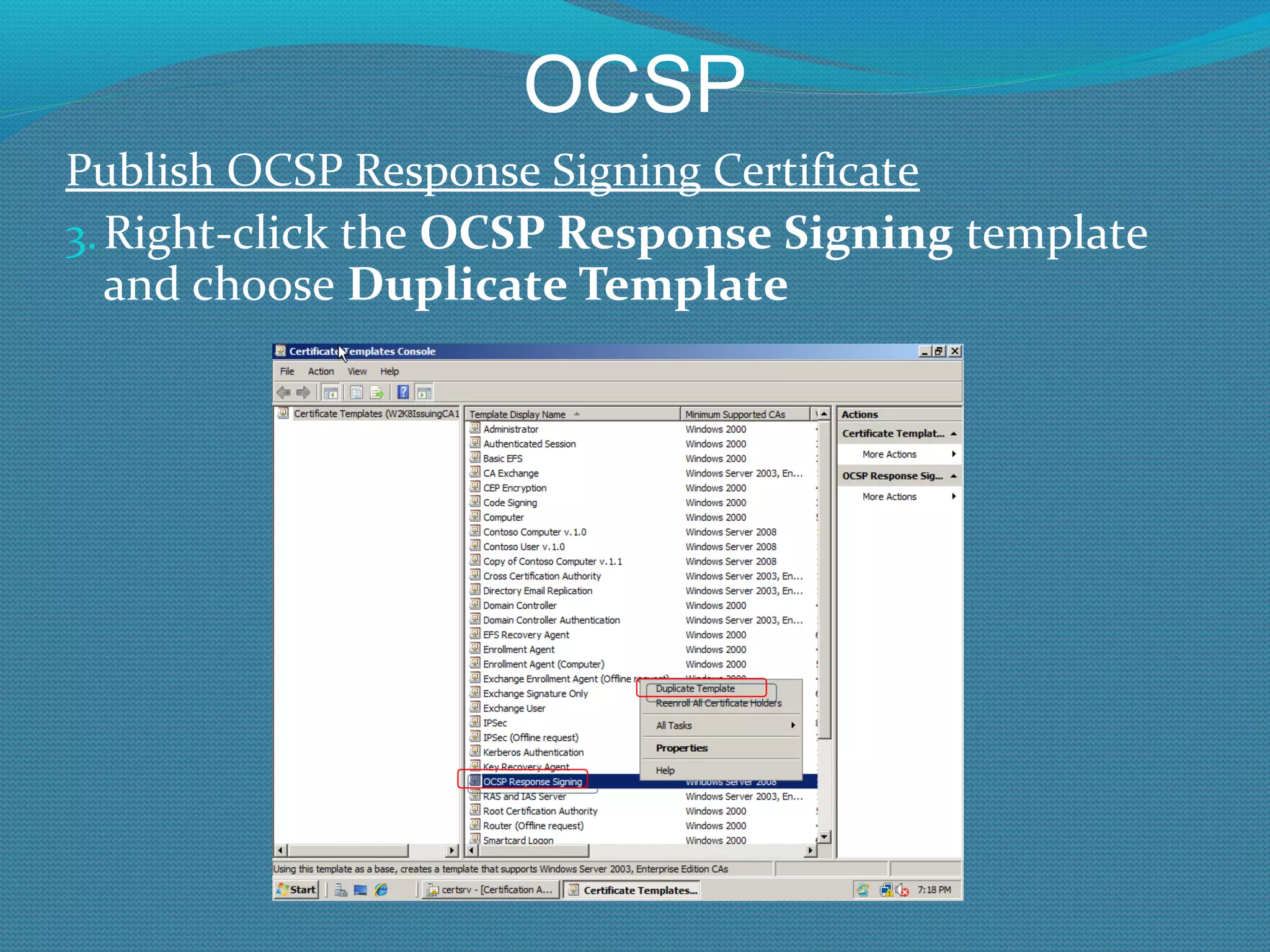
OCSP Publish OCSP Response Signing Certificate Right-click the  OCSP Response Signing  template and choose  Duplicate Template
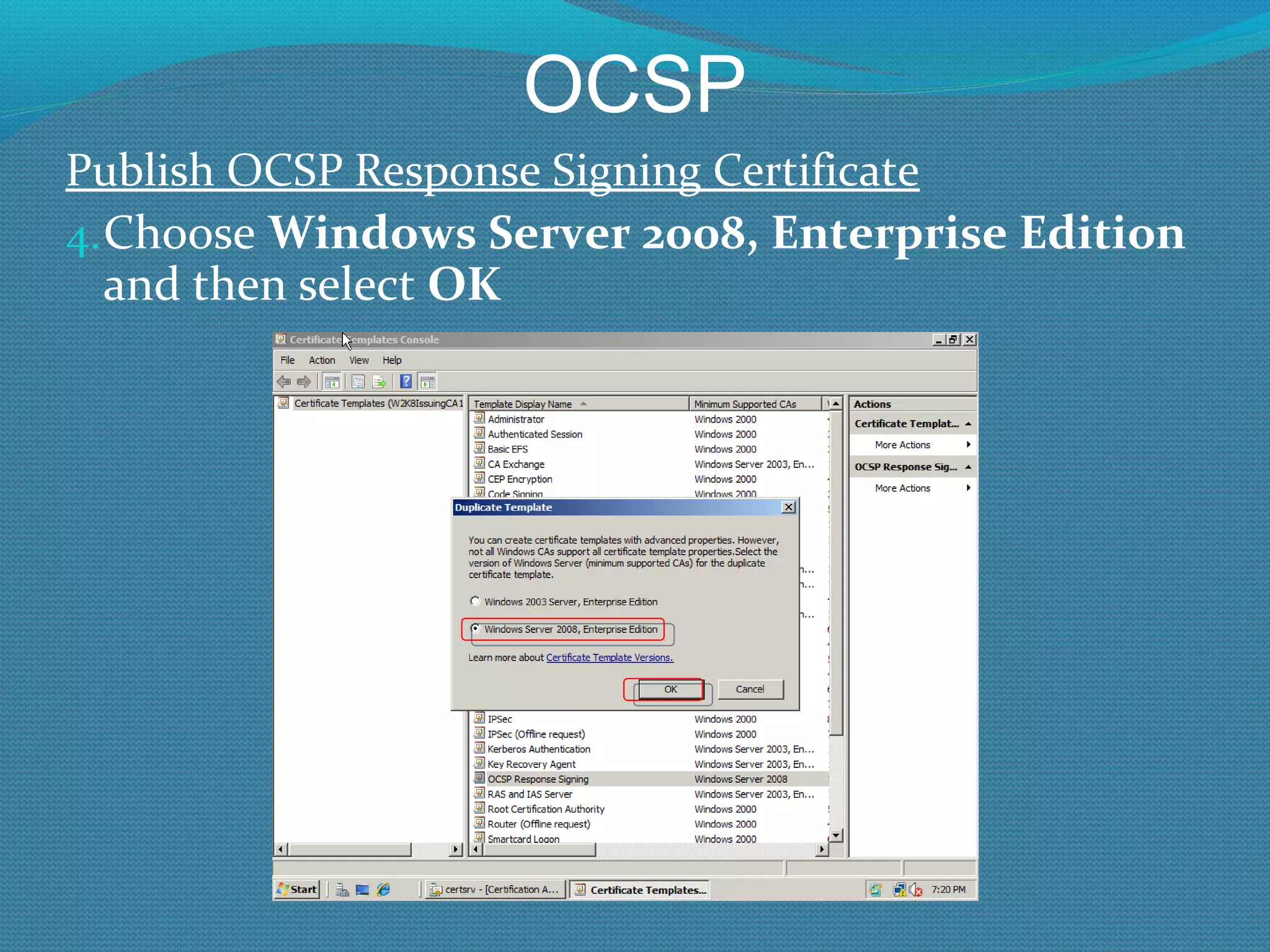
OCSP Publish OCSP Response Signing Certificate Choose  Windows Server 2008, Enterprise Edition  and then select  OK
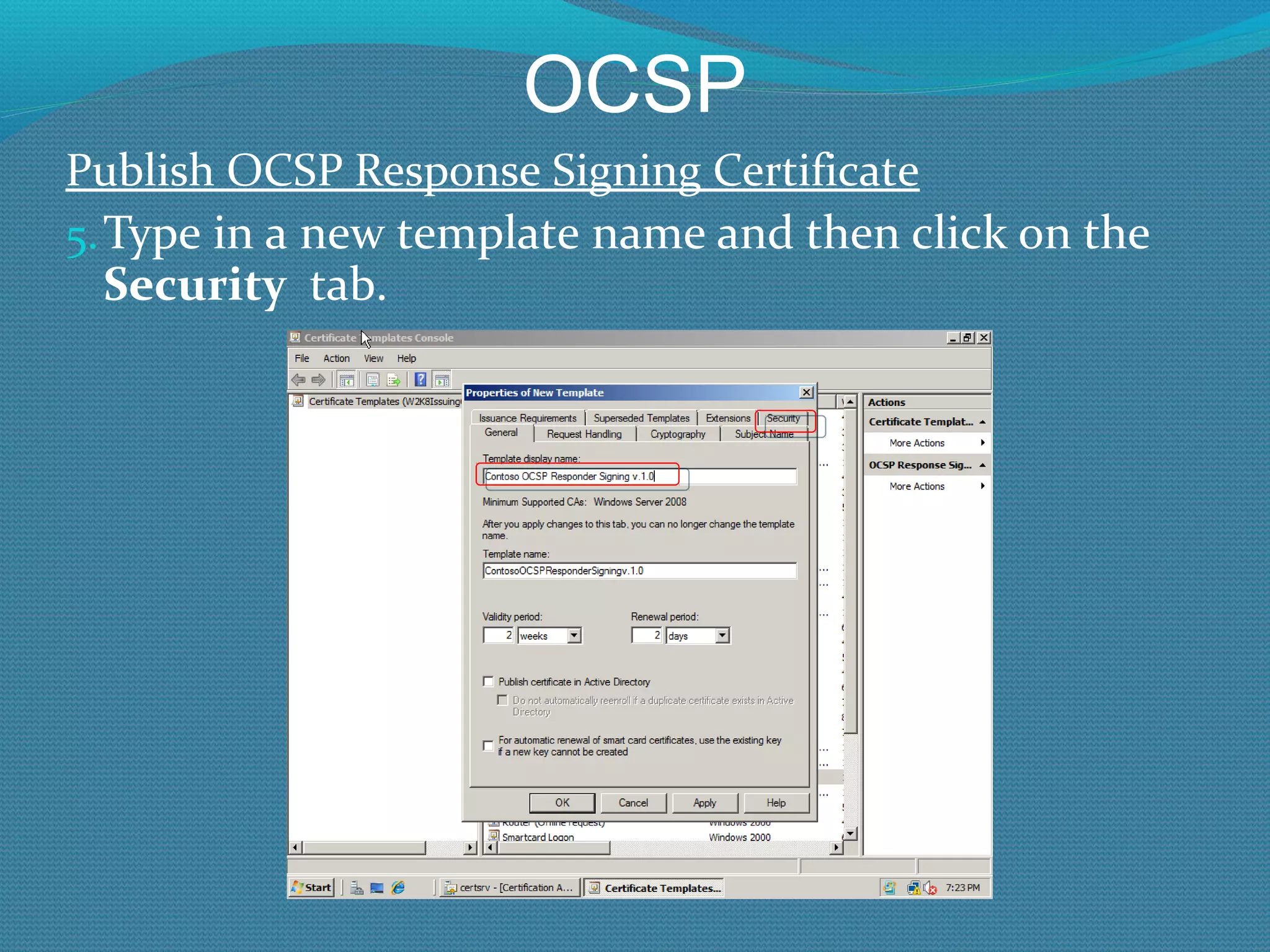
OCSP Publish OCSP Response Signing Certificate Type in a new template name and then click on the  Security  tab.
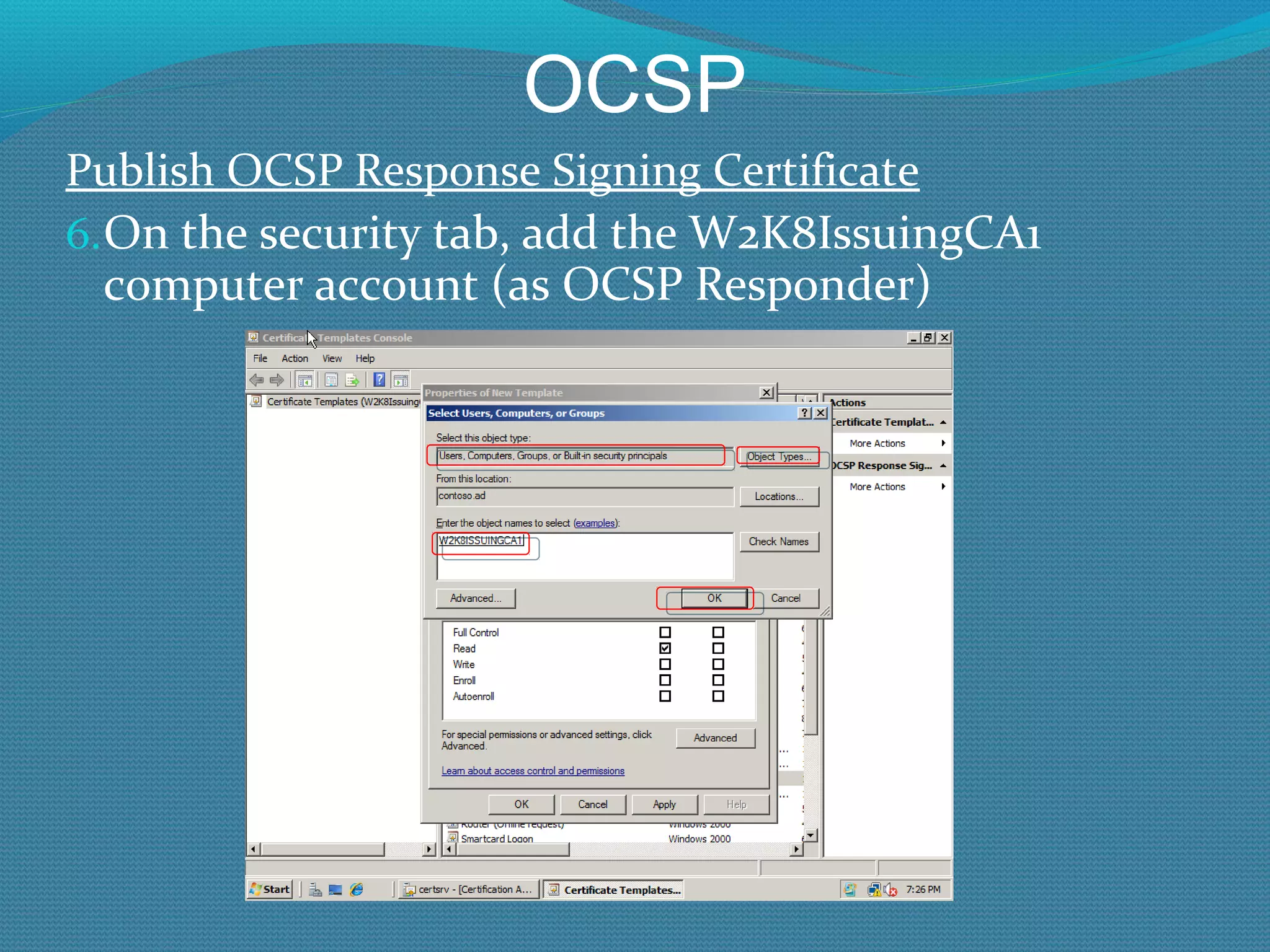
OCSP Publish OCSP Response Signing Certificate On the security tab, add the W2K8IssuingCA1 computer account (as OCSP Responder)
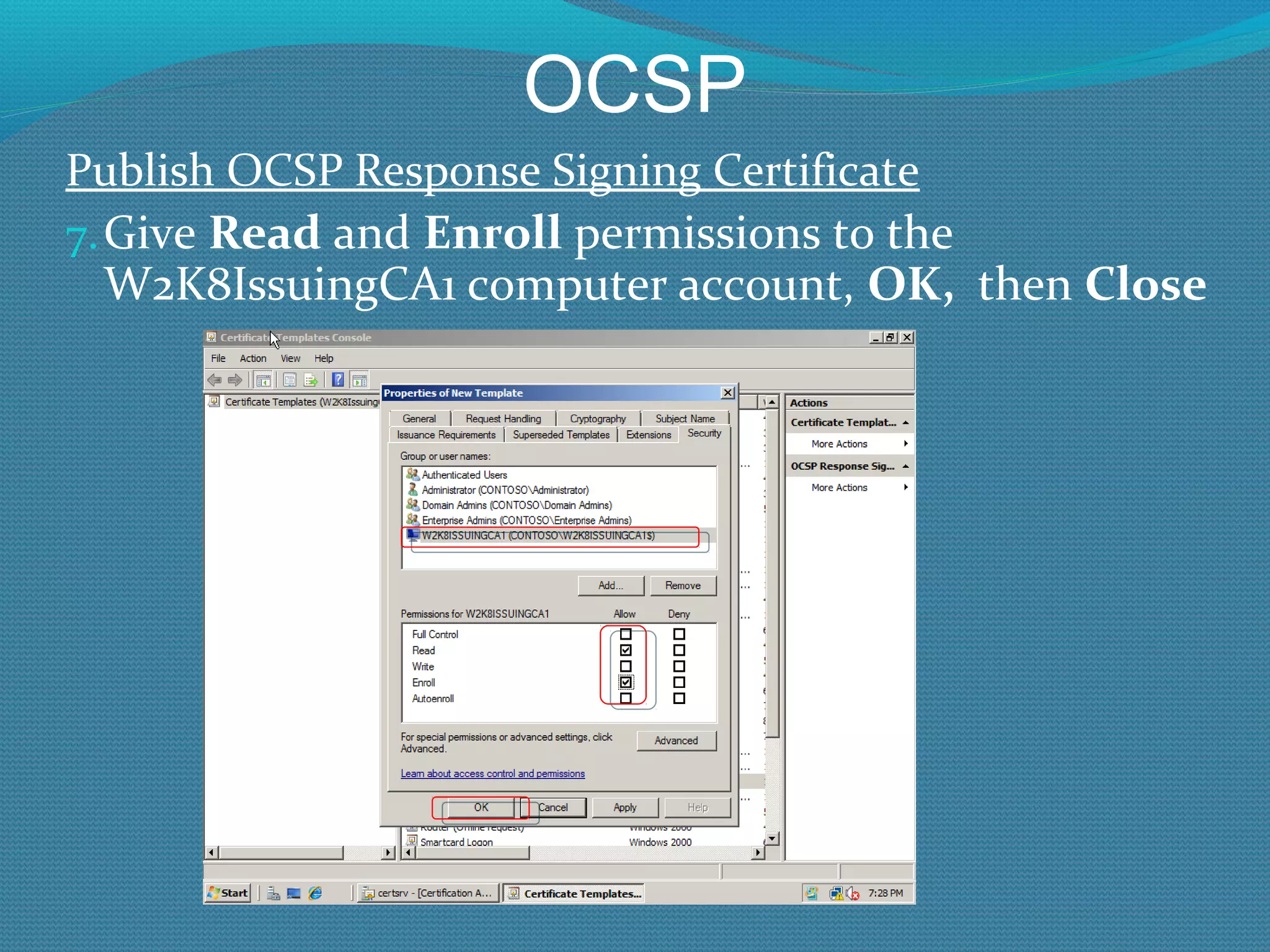
OCSP Publish OCSP Response Signing Certificate Give  Read  and  Enroll  permissions to the W2K8IssuingCA1 computer account,  OK,  then  Close
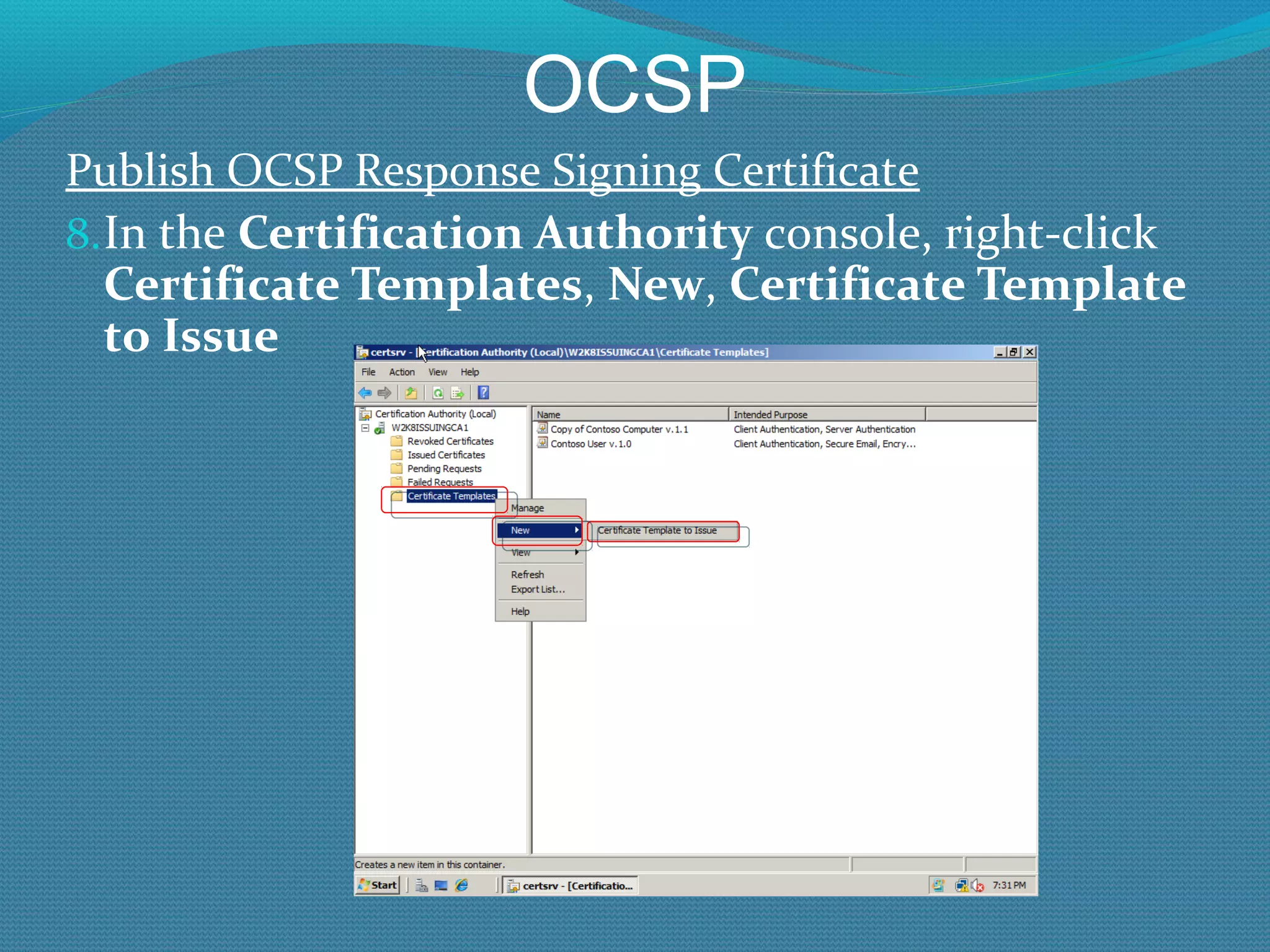
OCSP Publish OCSP Response Signing Certificate In the  Certification Authority  console, right-click  Certificate Templates ,  New ,  Certificate Template to Issue
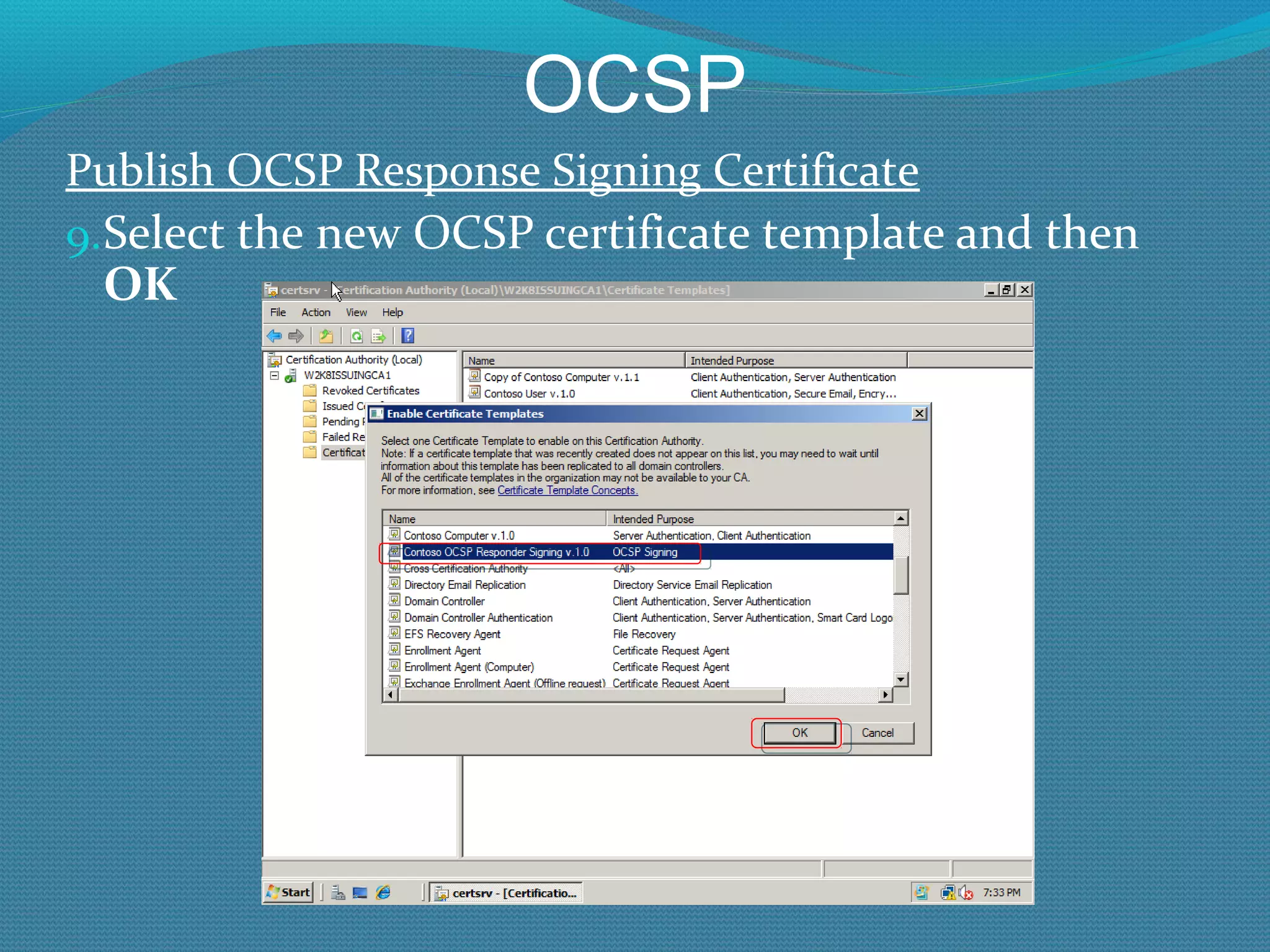
OCSP Publish OCSP Response Signing Certificate Select the new OCSP certificate template and then  OK
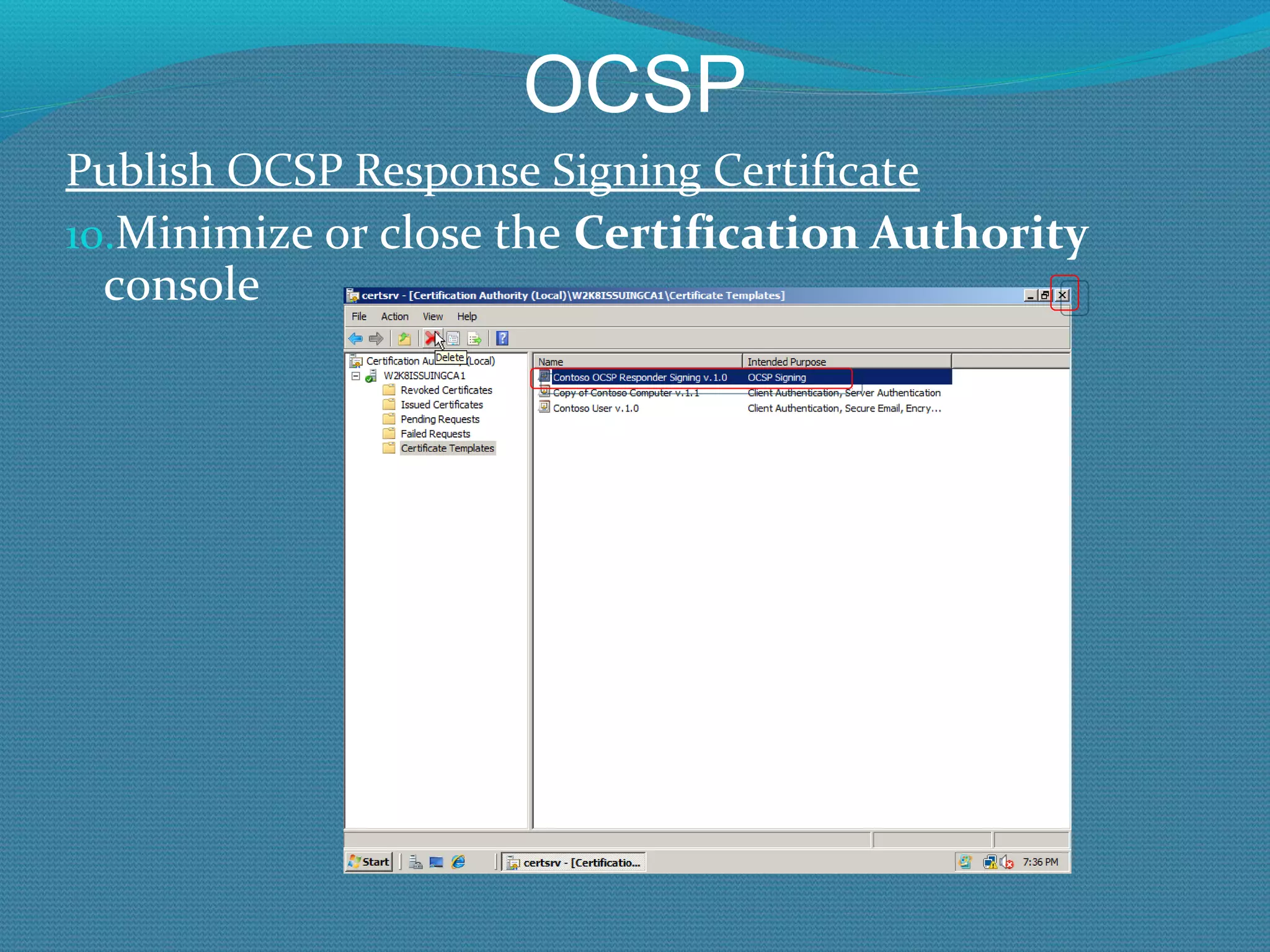
OCSP Publish OCSP Response Signing Certificate Minimize or close the  Certification Authority  console
OCSP Publish OCSP Response Signing Certificate At the command prompt on the CA server, type: certutil –setreg CA\UseDefinedCACertInRequest 1  Close prompt Restart the CA service
OCSP Installing OCSP You need to install OCSP Responder service, and then configure a Revocation Provider Configuration entry for each Revocation Provider that you want the OCSP Responder to respond for
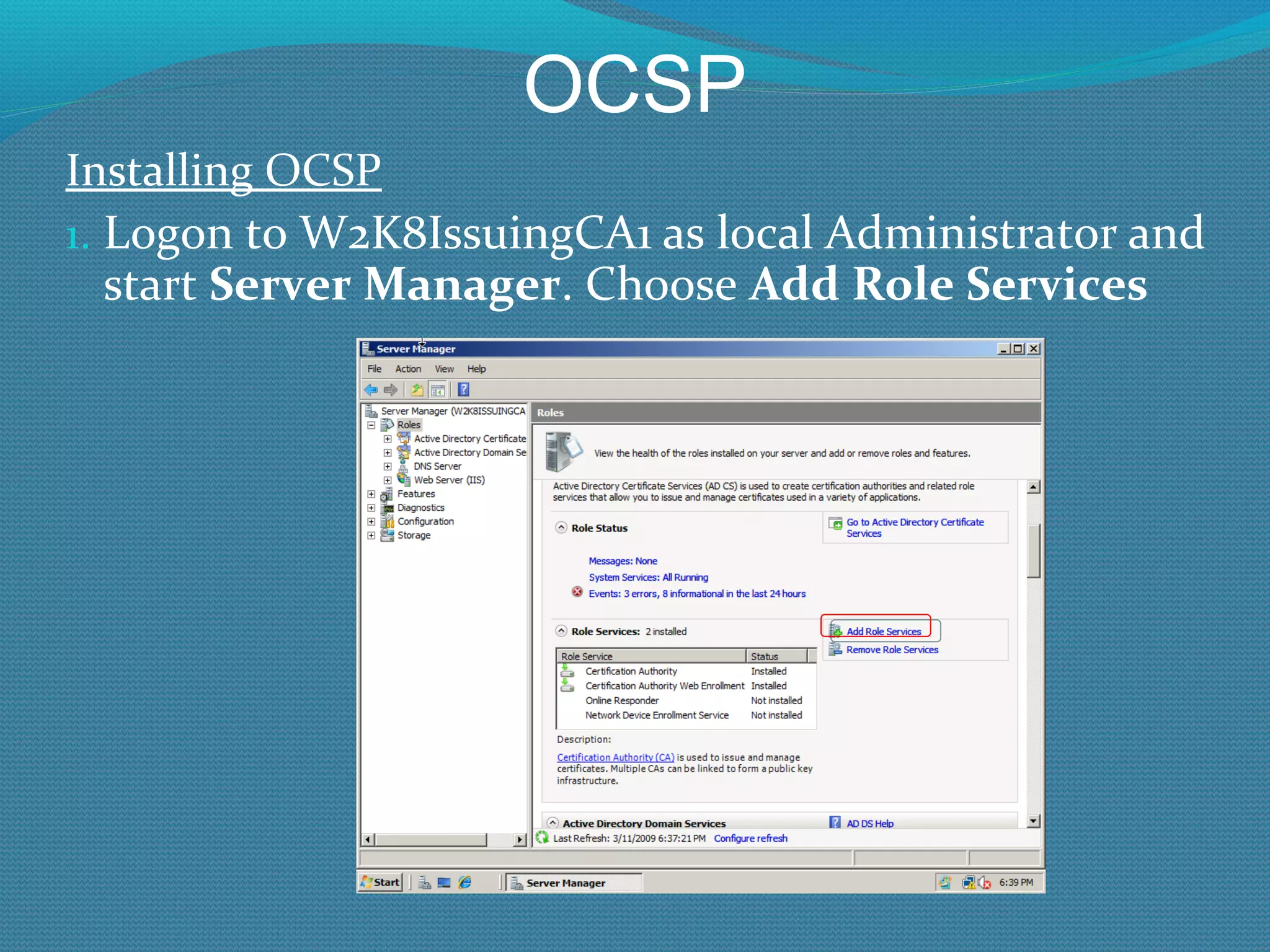
OCSP Installing OCSP Logon to W2K8IssuingCA1 as local Administrator and start  Server Manager . Choose  Add Role Services
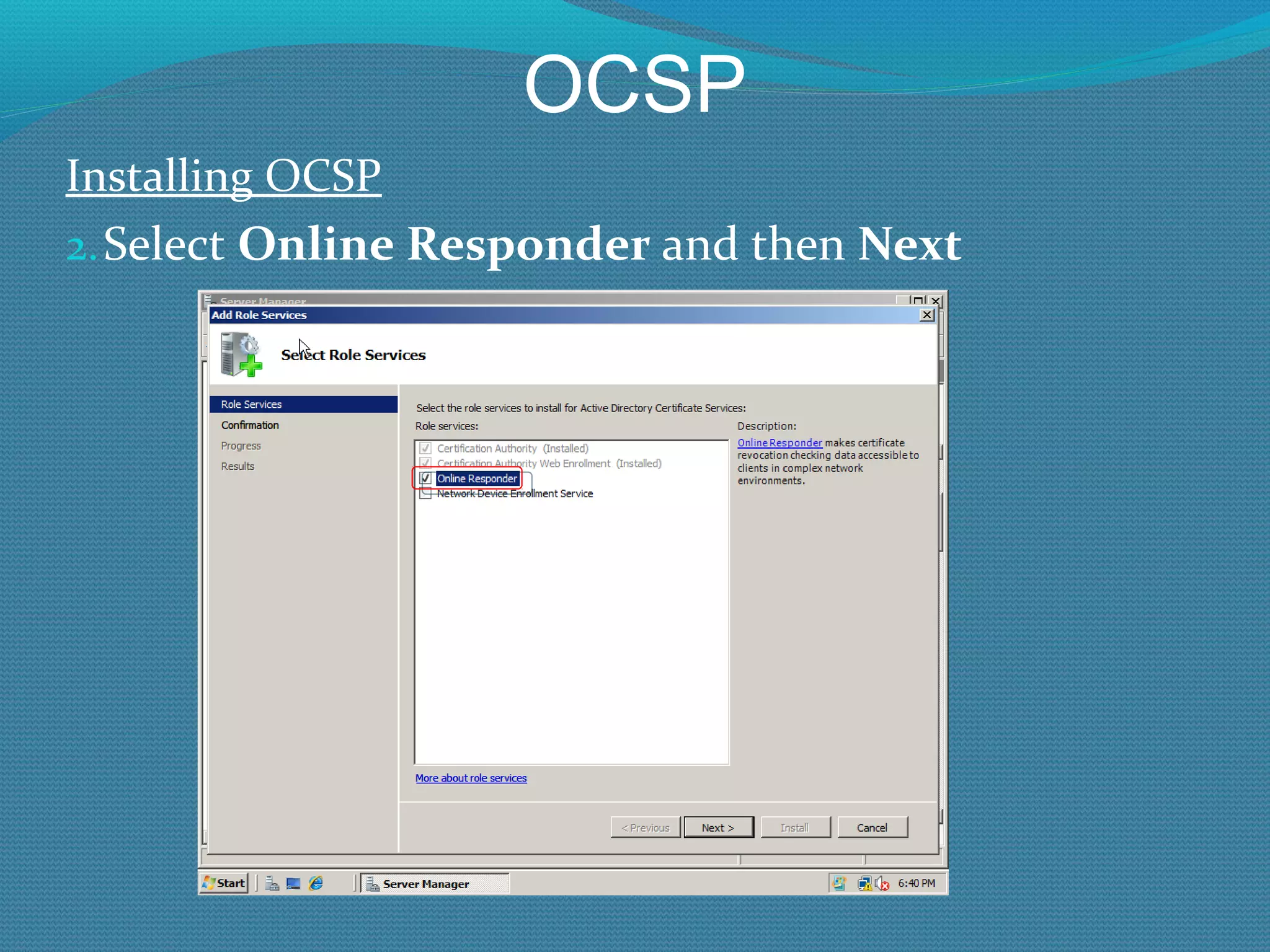
OCSP Installing OCSP Select  Online Responder  and then  Next
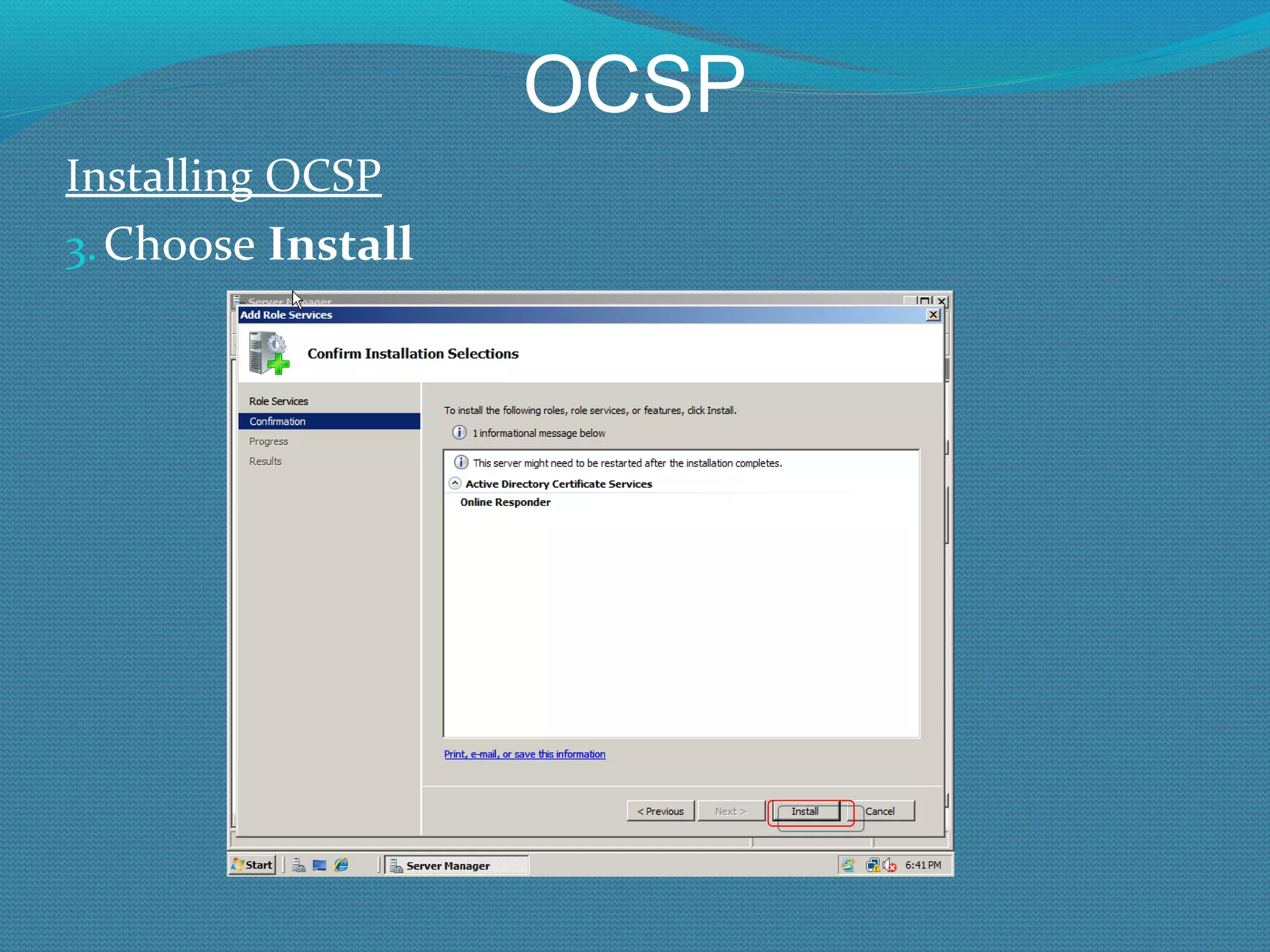
OCSP Installing OCSP Choose  Install
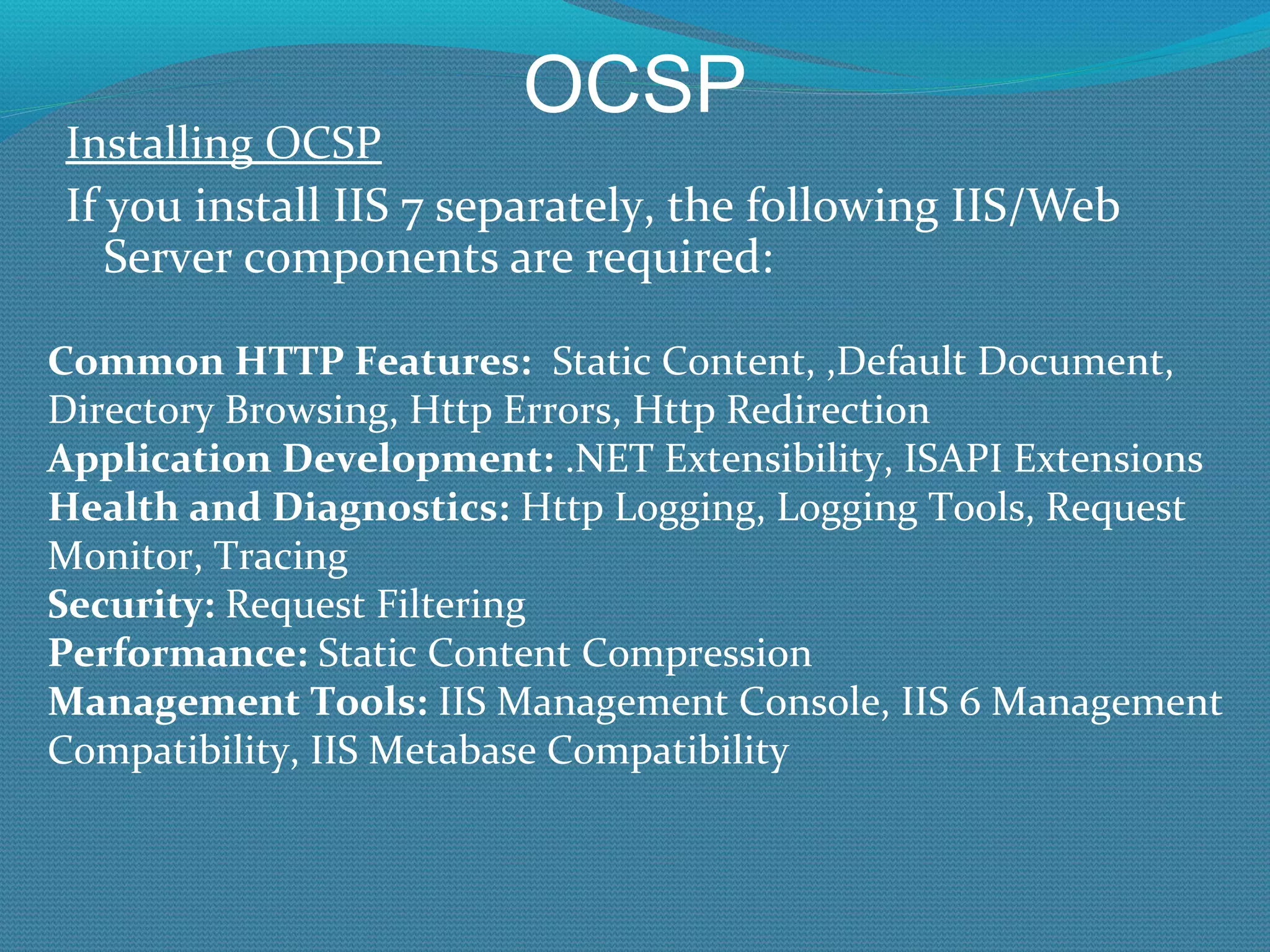
OCSP Installing OCSP If you install IIS 7 separately, the following IIS/Web Server components are required: Common HTTP Features:   Static Content, ,Default Document, Directory Browsing, Http Errors, Http Redirection Application Development:  .NET Extensibility, ISAPI Extensions Health and Diagnostics:  Http Logging, Logging Tools, Request Monitor, Tracing Security:  Request Filtering Performance:  Static Content Compression Management Tools:  IIS Management Console, IIS 6 Management Compatibility, IIS Metabase Compatibility
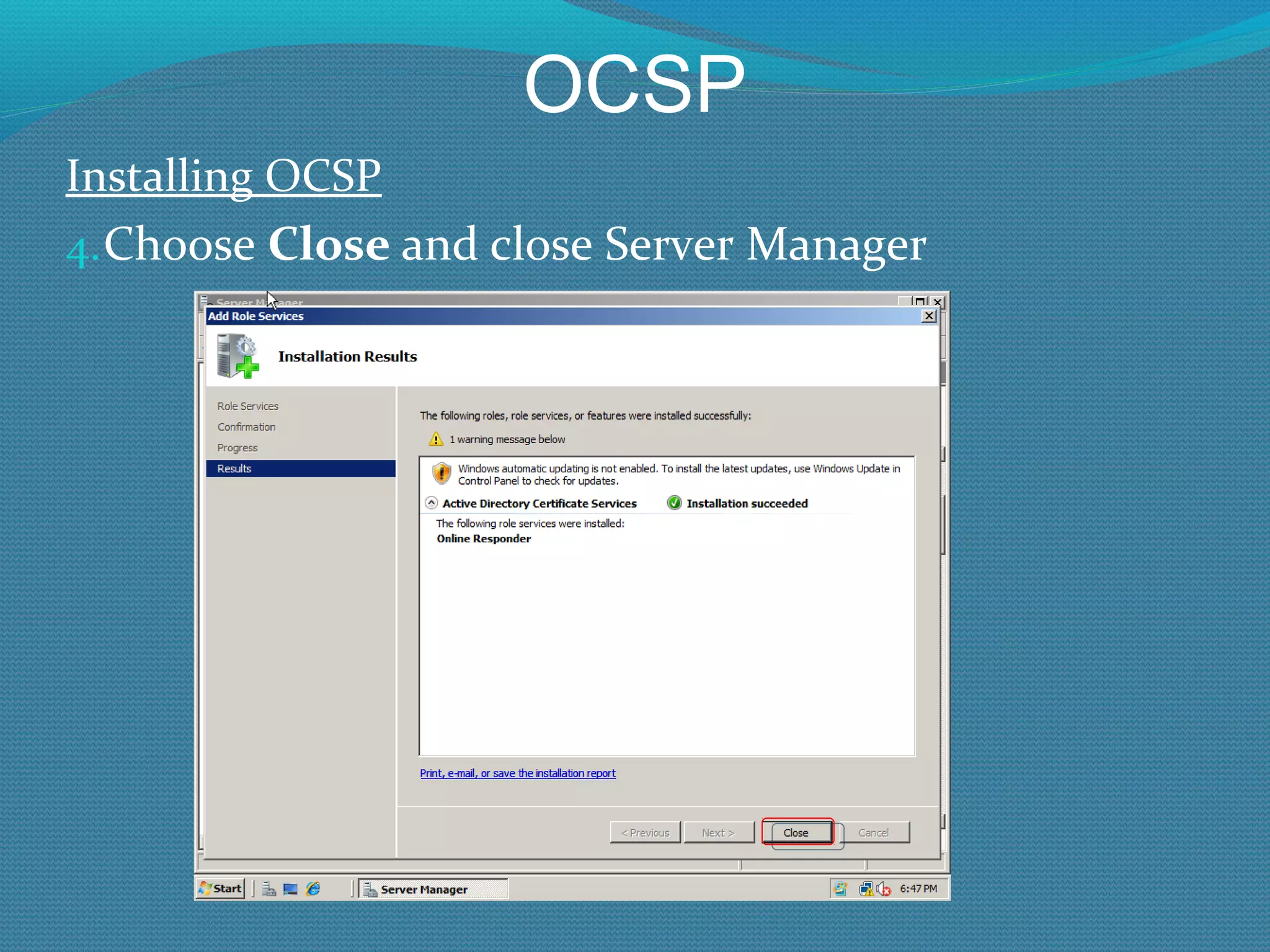
OCSP Installing OCSP Choose  Close  and close Server Manager
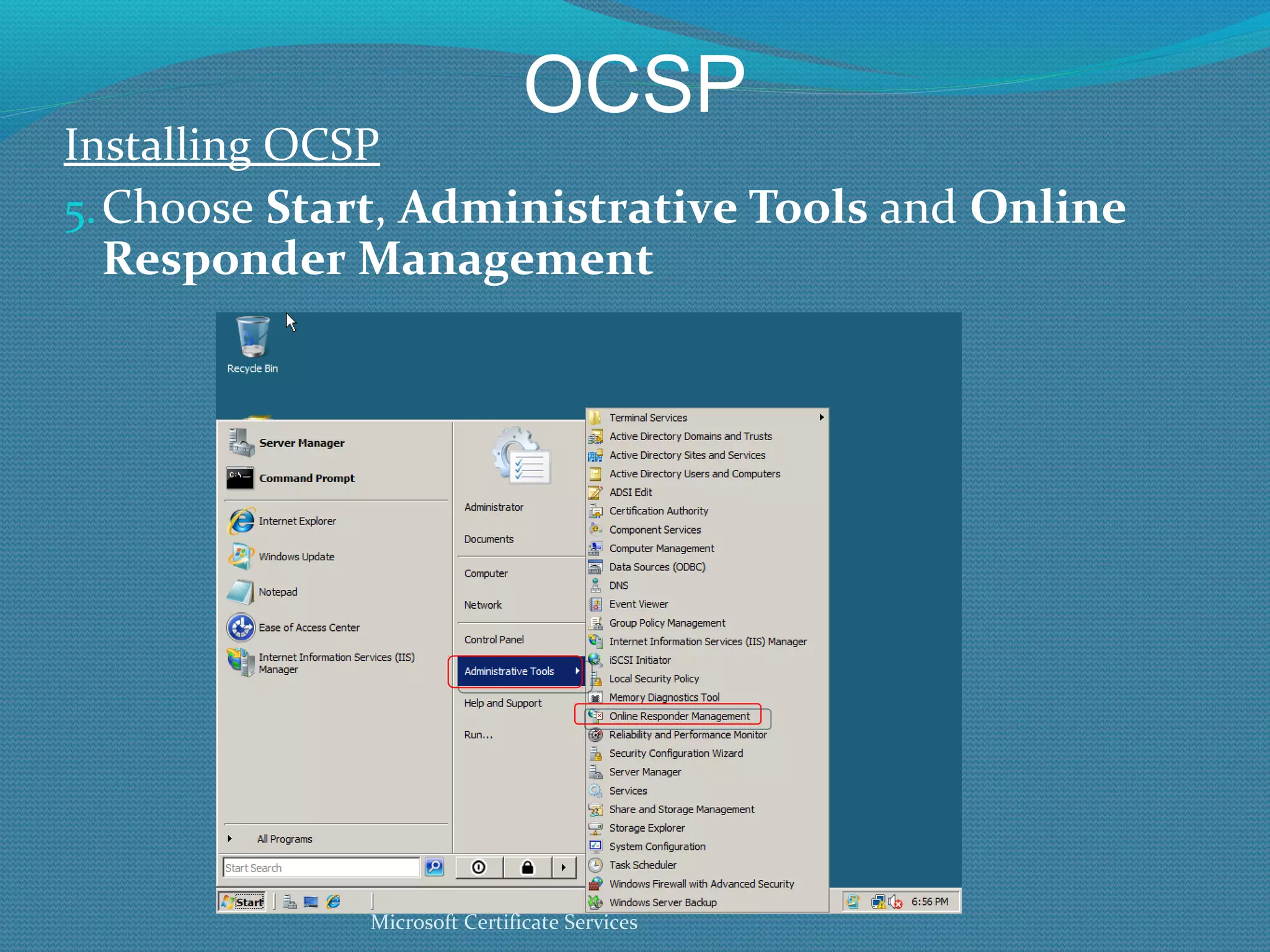
OCSP Installing OCSP Choose  Start ,  Administrative Tools  and  Online Responder Management Microsoft Certificate Services
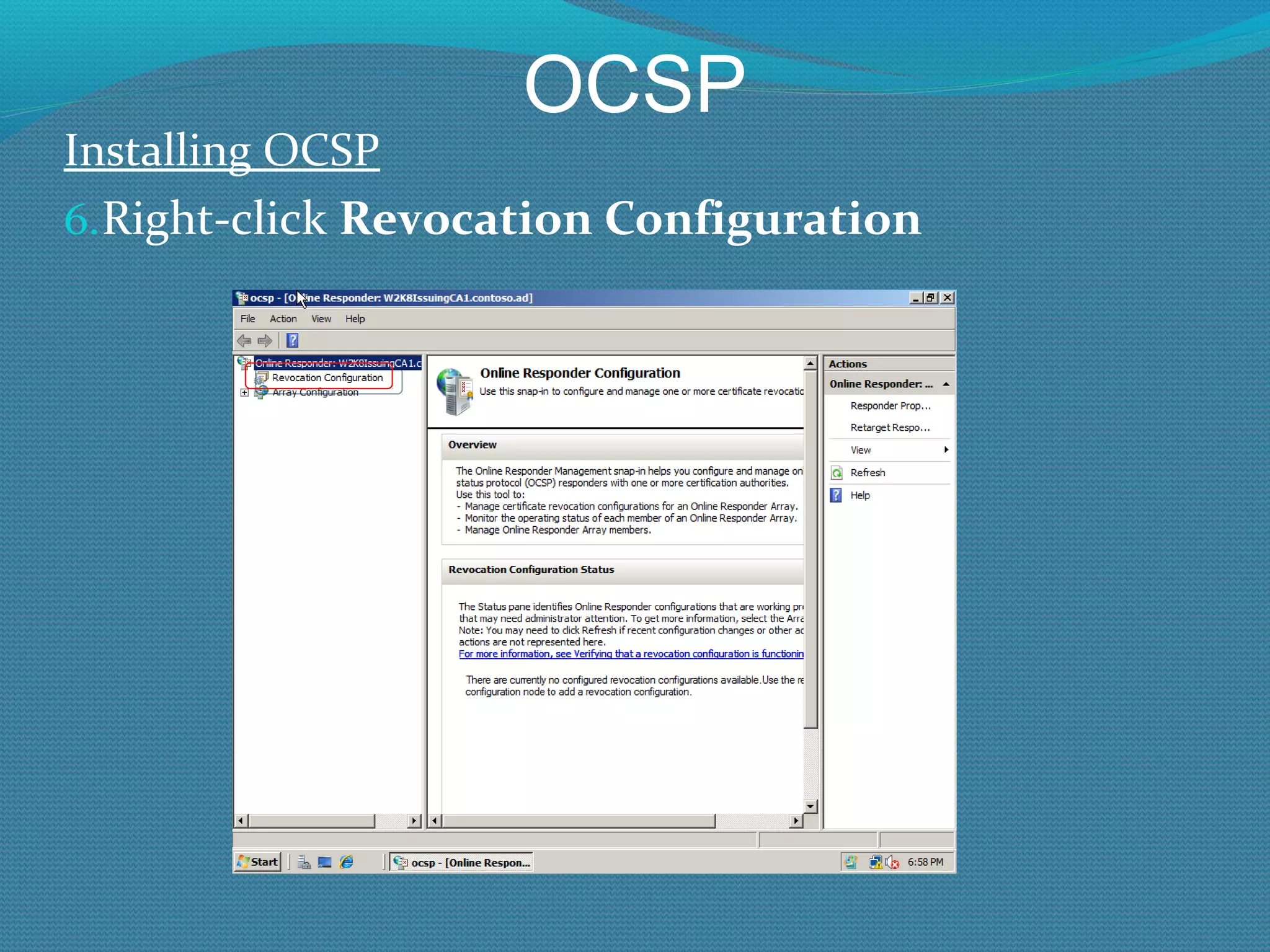
OCSP Installing OCSP Right-click  Revocation Configuration
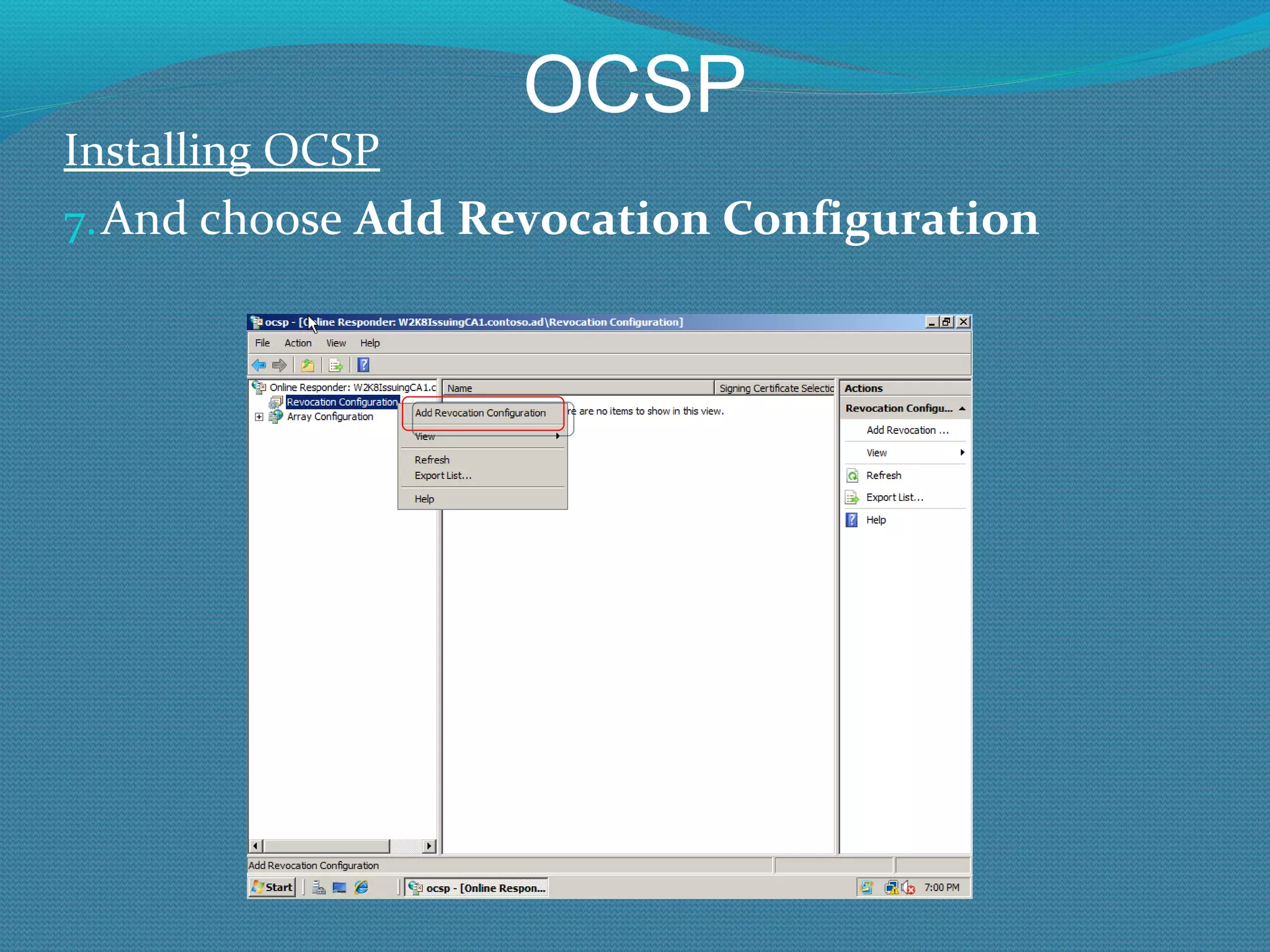
OCSP Installing OCSP And choose  Add Revocation Configuration
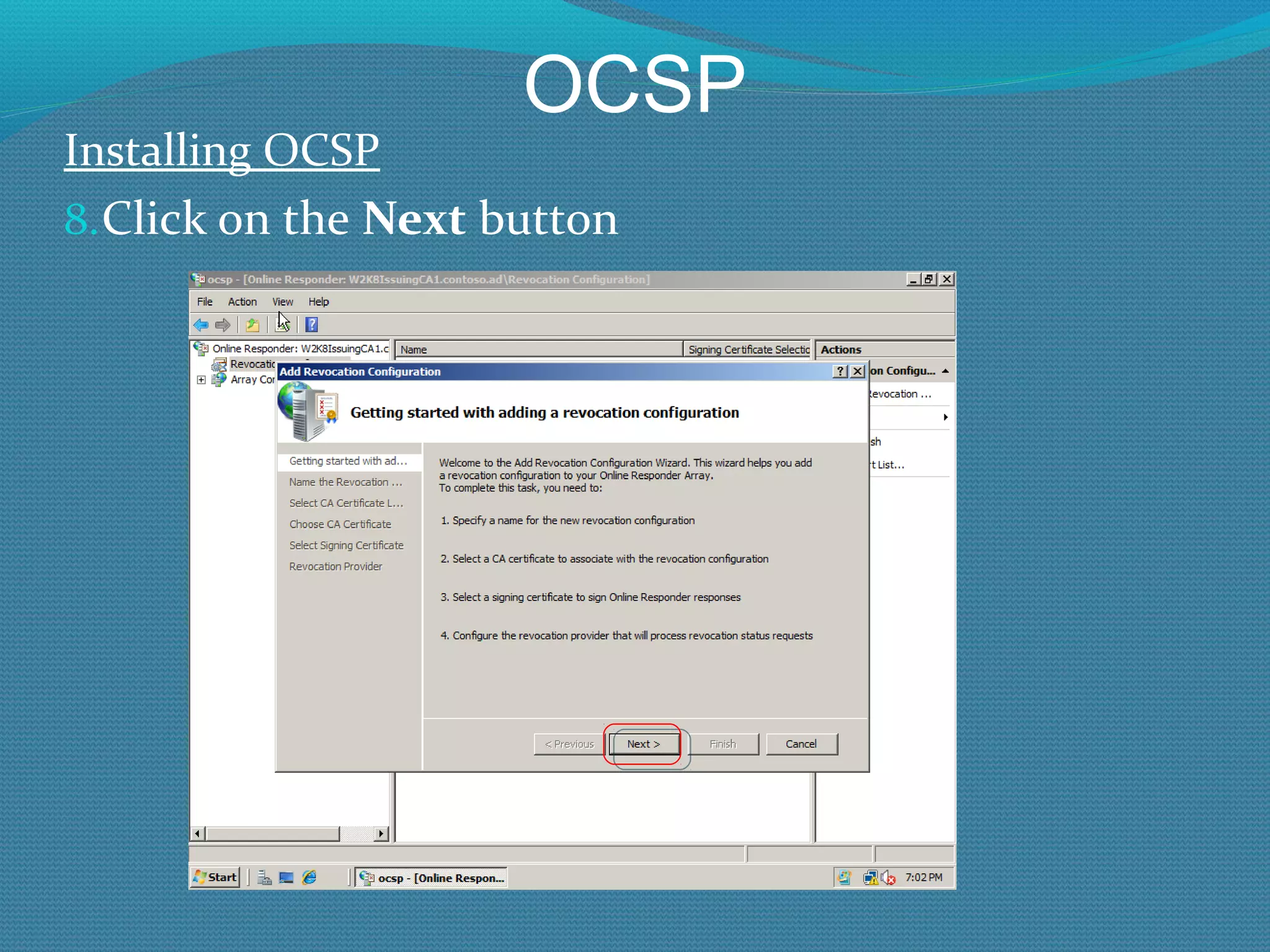
OCSP Installing OCSP Click on the  Next  button
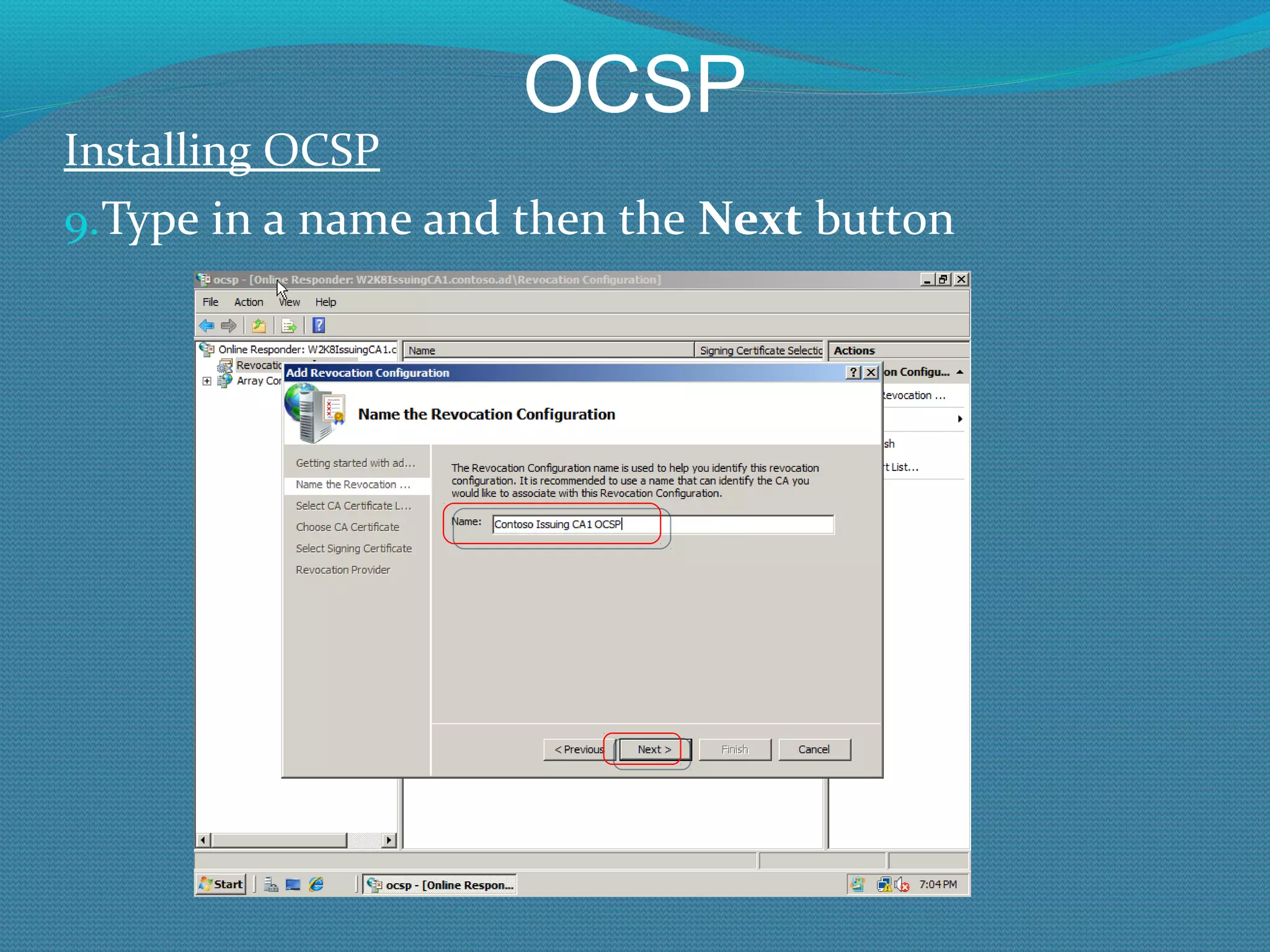
OCSP Installing OCSP Type in a name and then the  Next  button
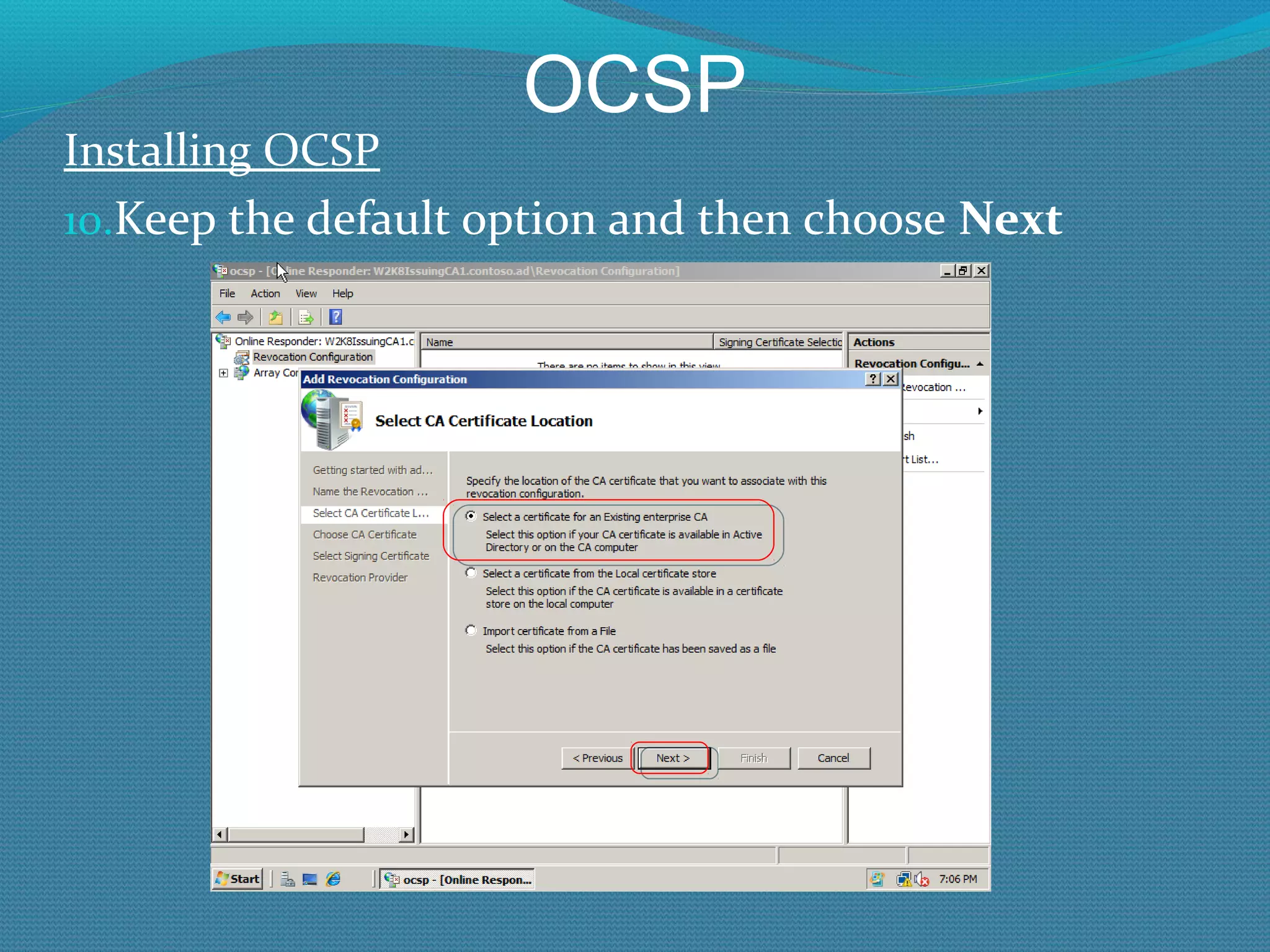
OCSP Installing OCSP Keep the default option and then choose  Next
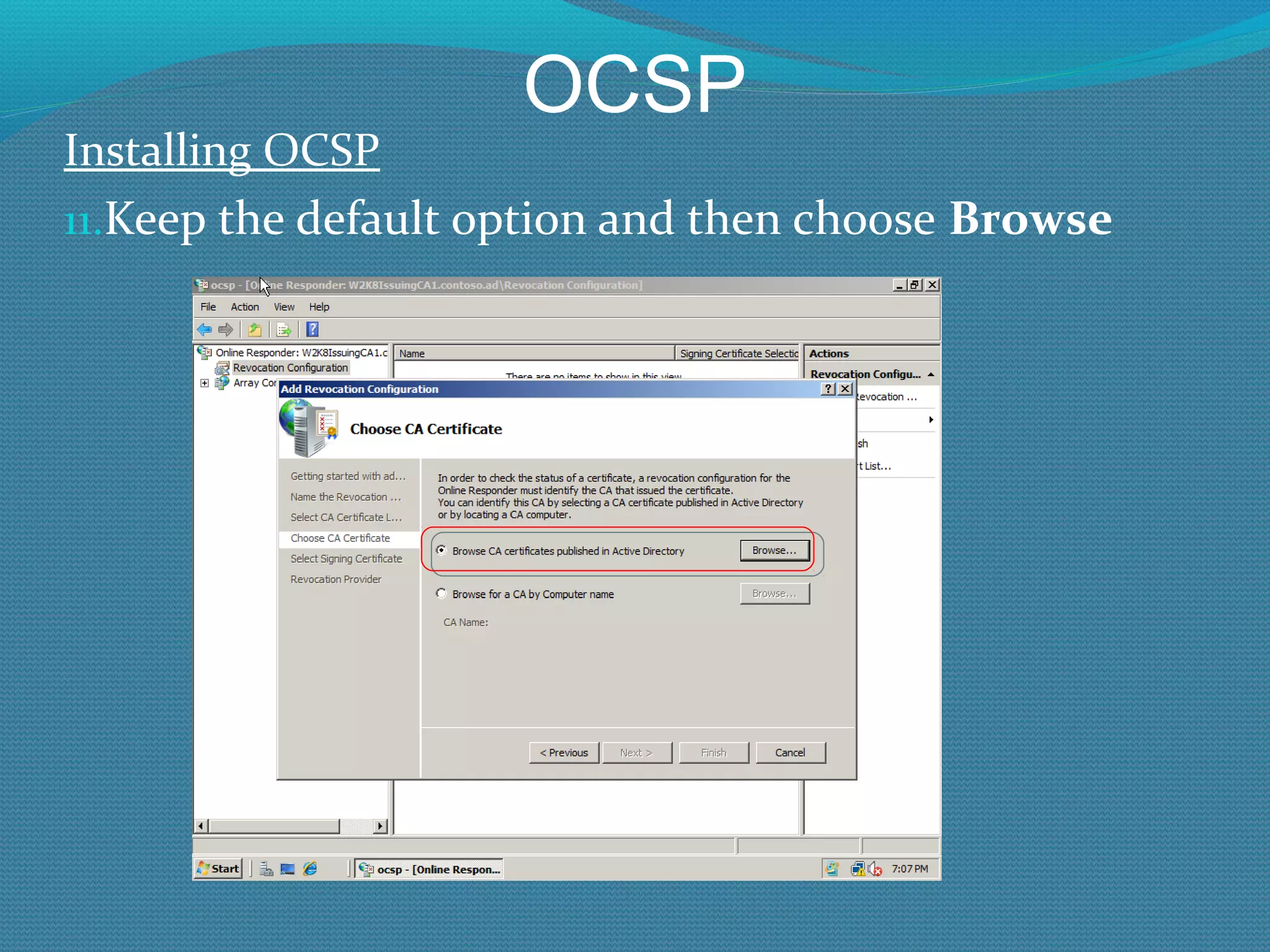
OCSP Installing OCSP Keep the default option and then choose  Browse
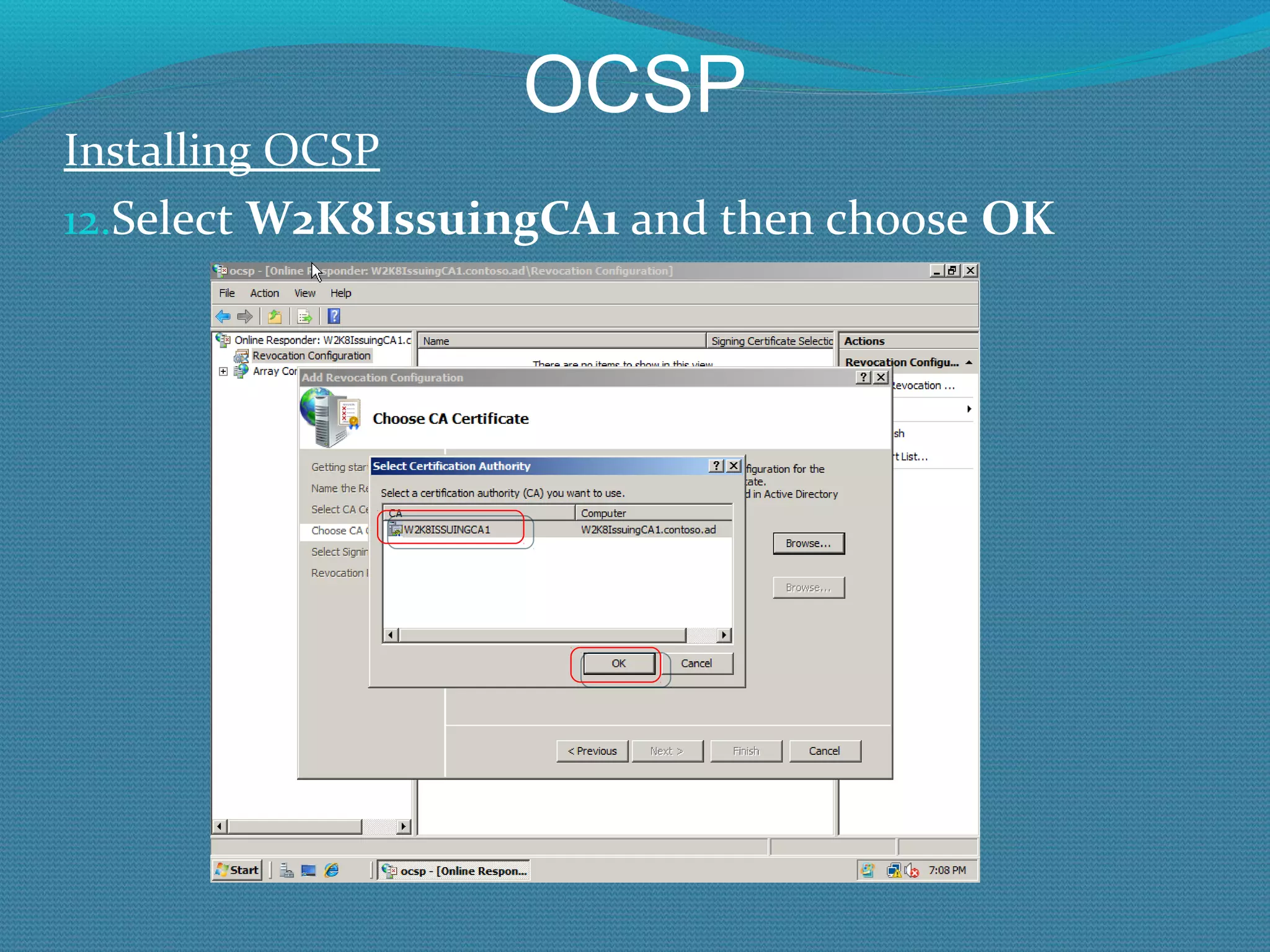
OCSP Installing OCSP Select  W2K8IssuingCA1  and then choose  OK
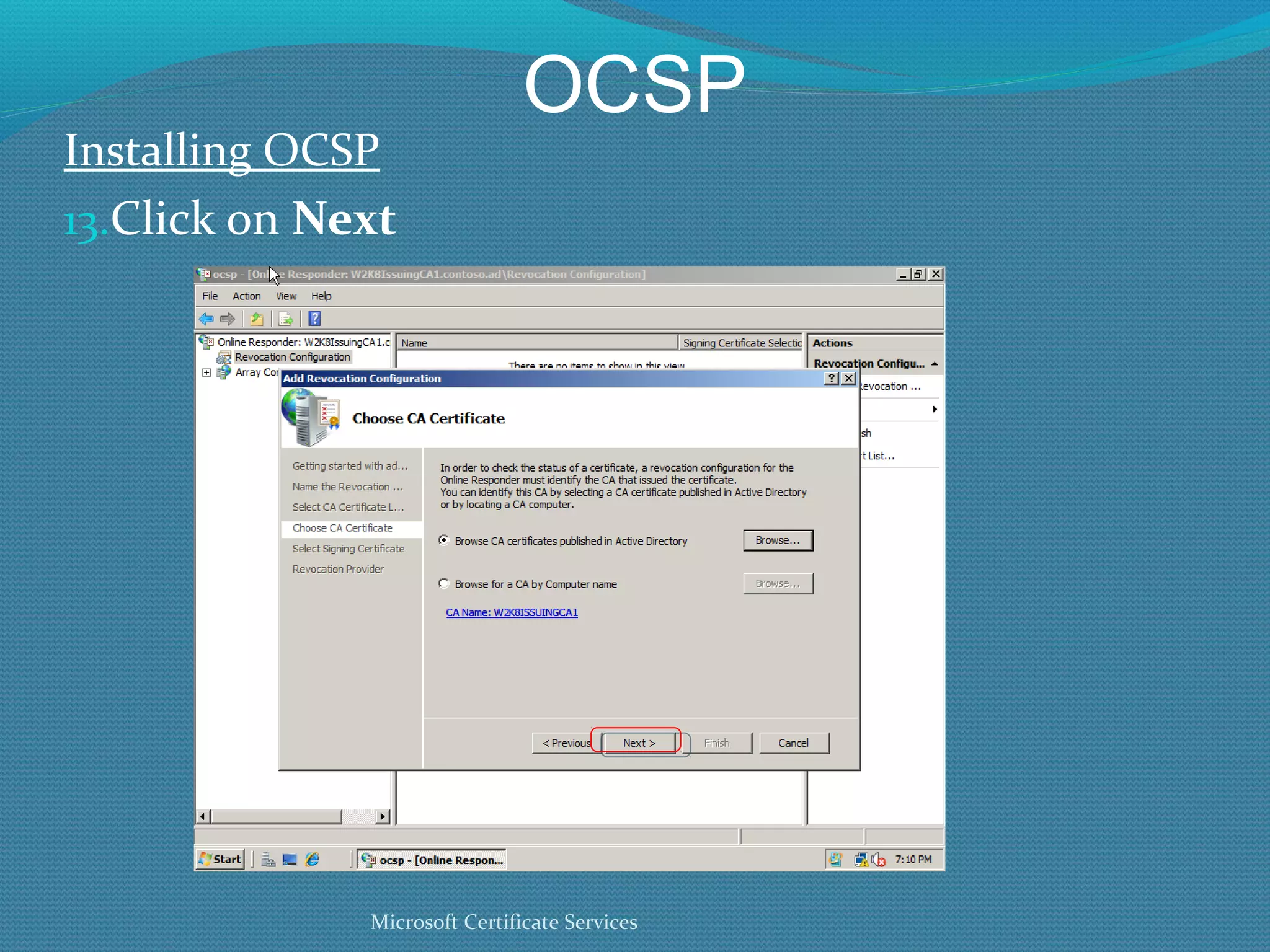
OCSP Installing OCSP Click on  Next Microsoft Certificate Services
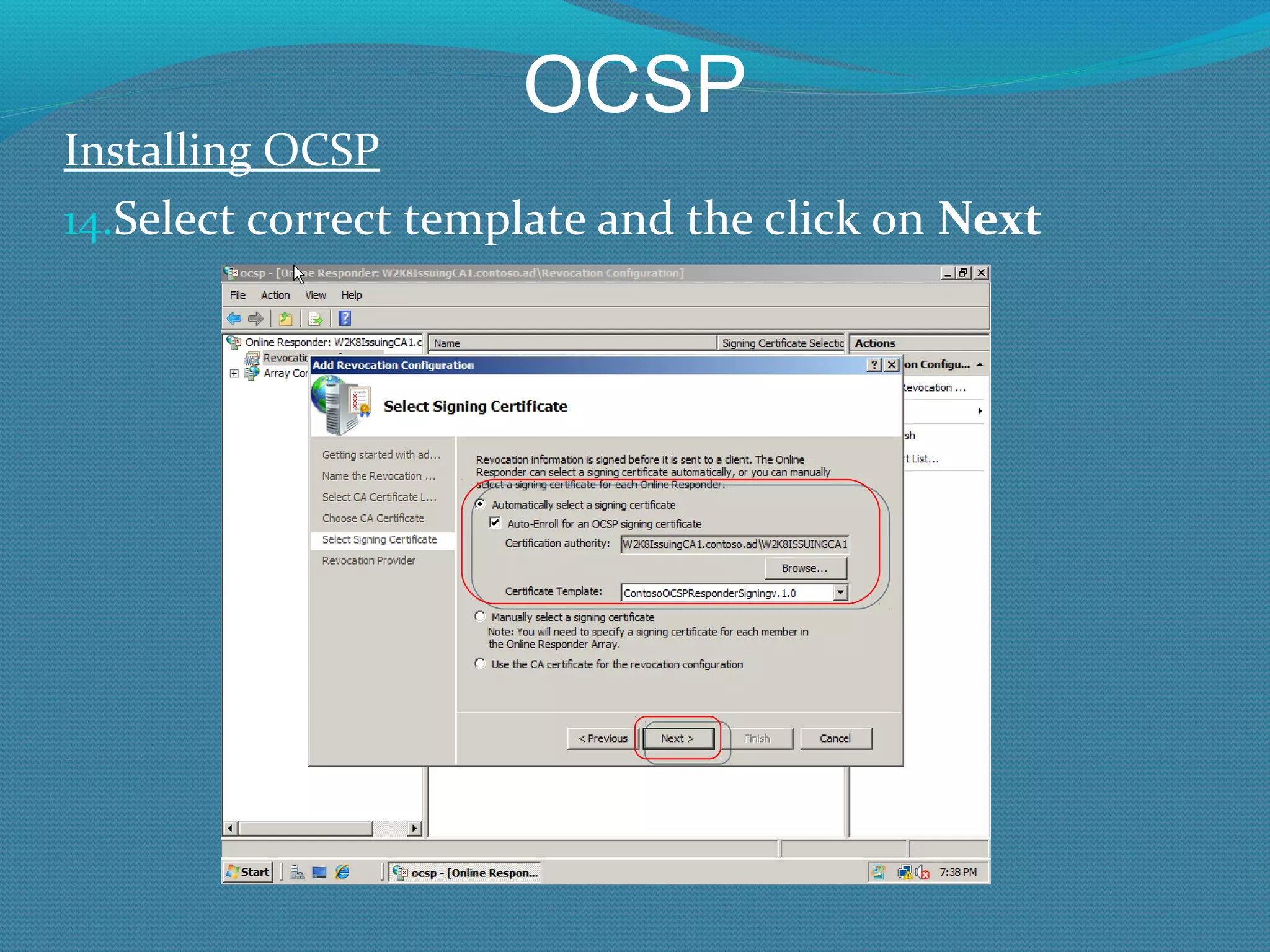
OCSP Installing OCSP Select correct template and the click on  Next
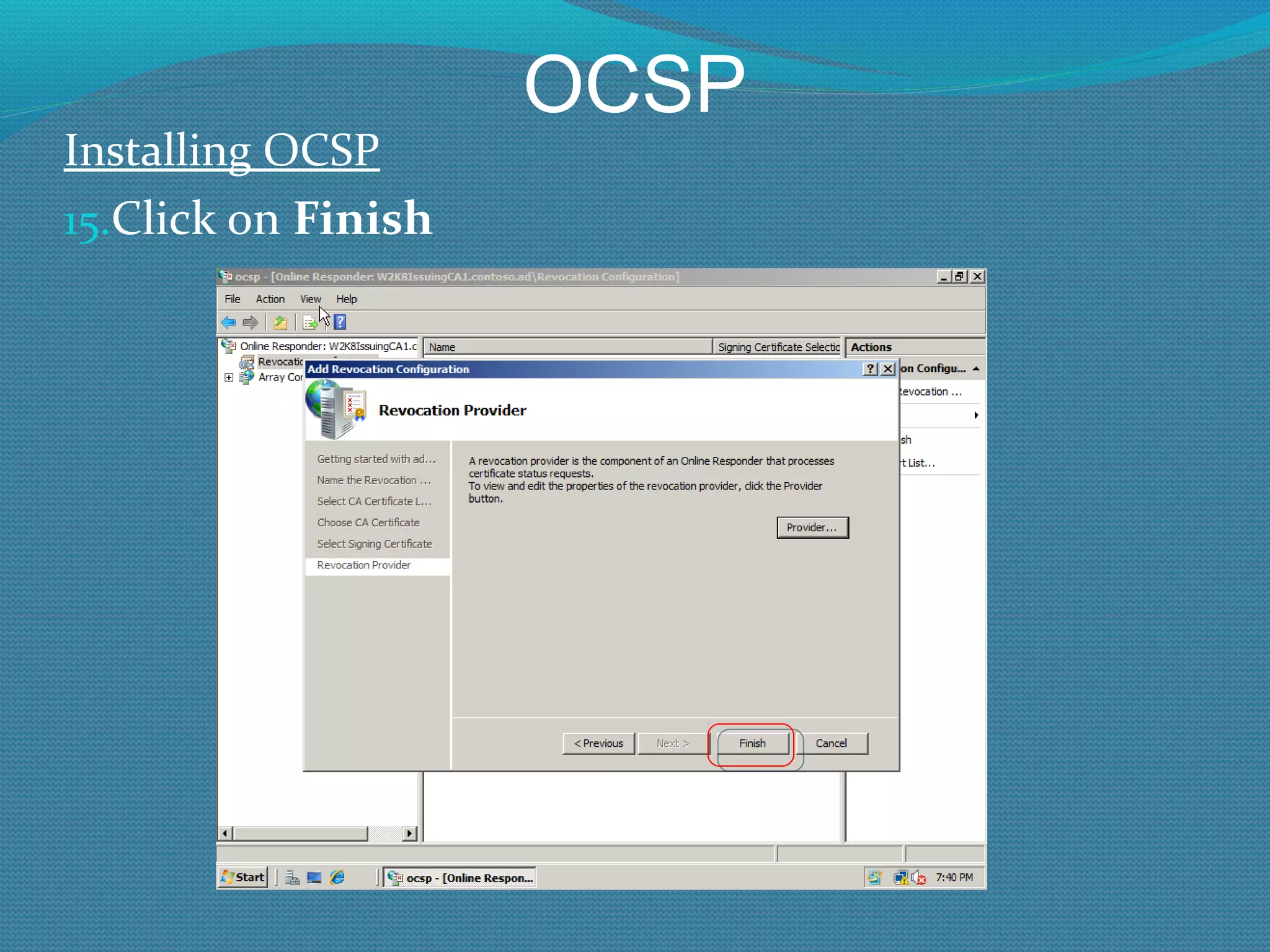
OCSP Installing OCSP Click on  Finish
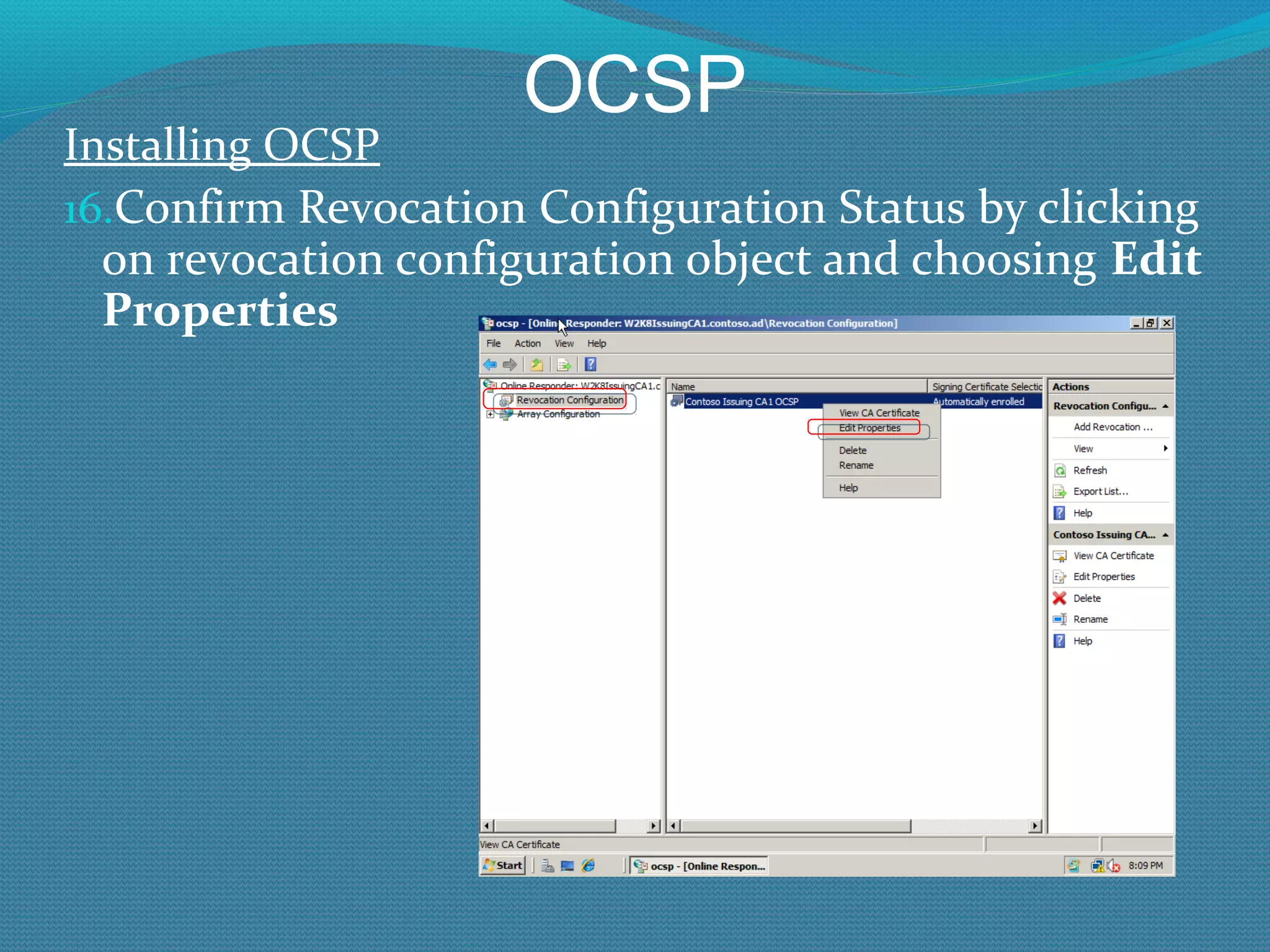
OCSP Installing OCSP Confirm Revocation Configuration Status by clicking on revocation configuration object and choosing  Edit Properties
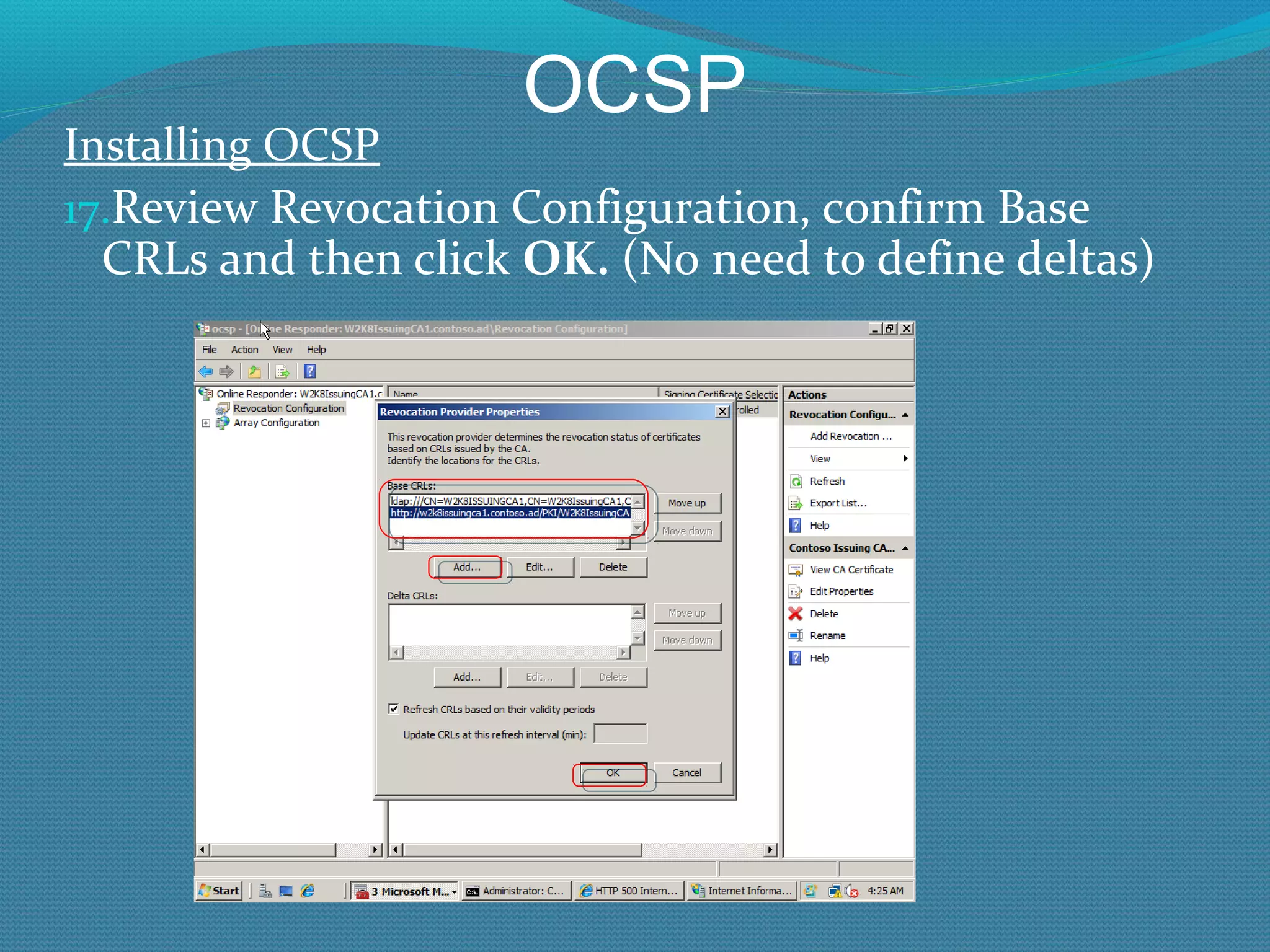
OCSP Installing OCSP Review Revocation Configuration, confirm Base CRLs and then click  OK.  (No need to define deltas)
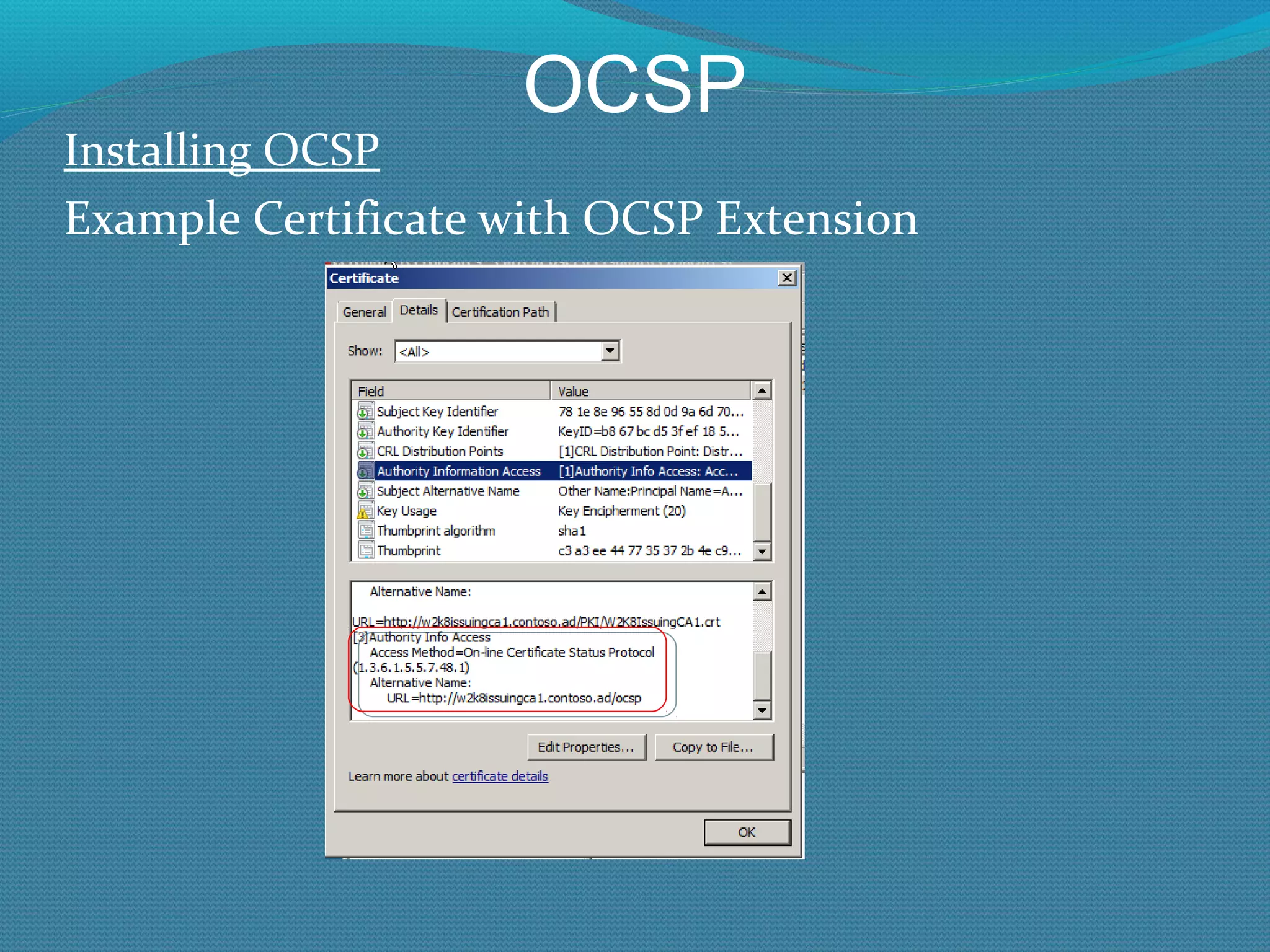
OCSP Installing OCSP Example Certificate with OCSP Extension
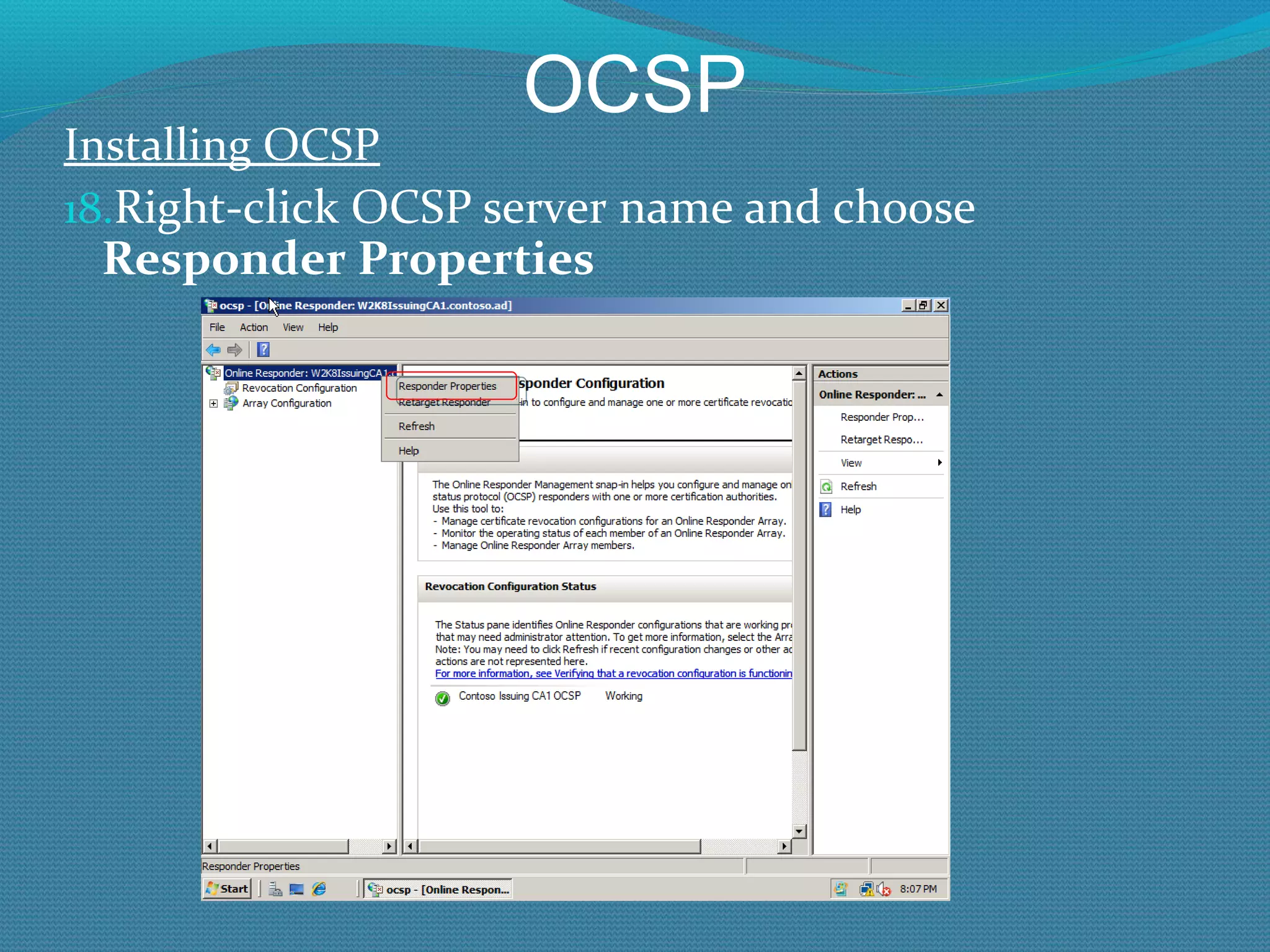
OCSP Installing OCSP Right-click OCSP server name and choose  Responder Properties
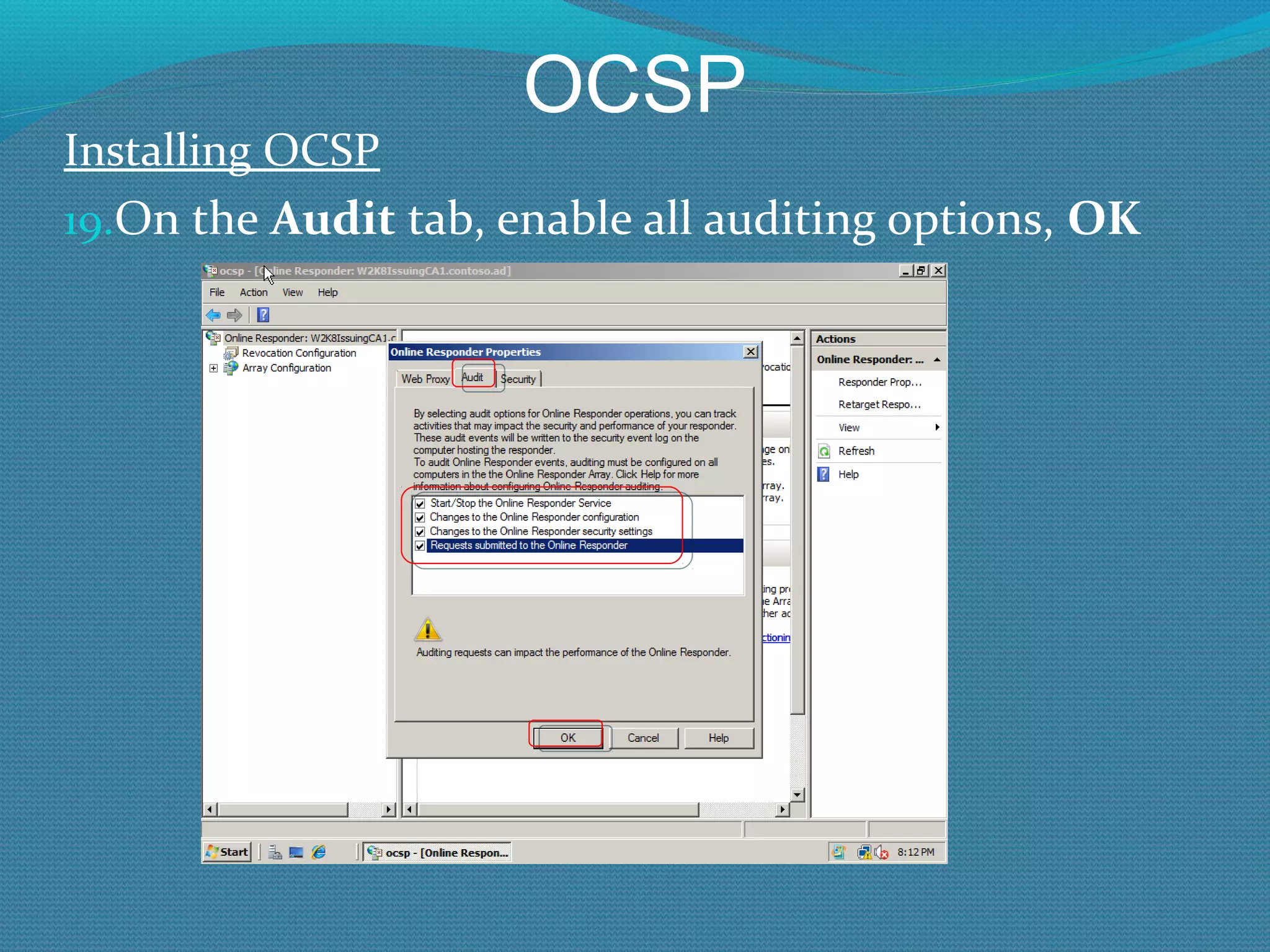
OCSP Installing OCSP On the  Audit  tab, enable all auditing options,  OK
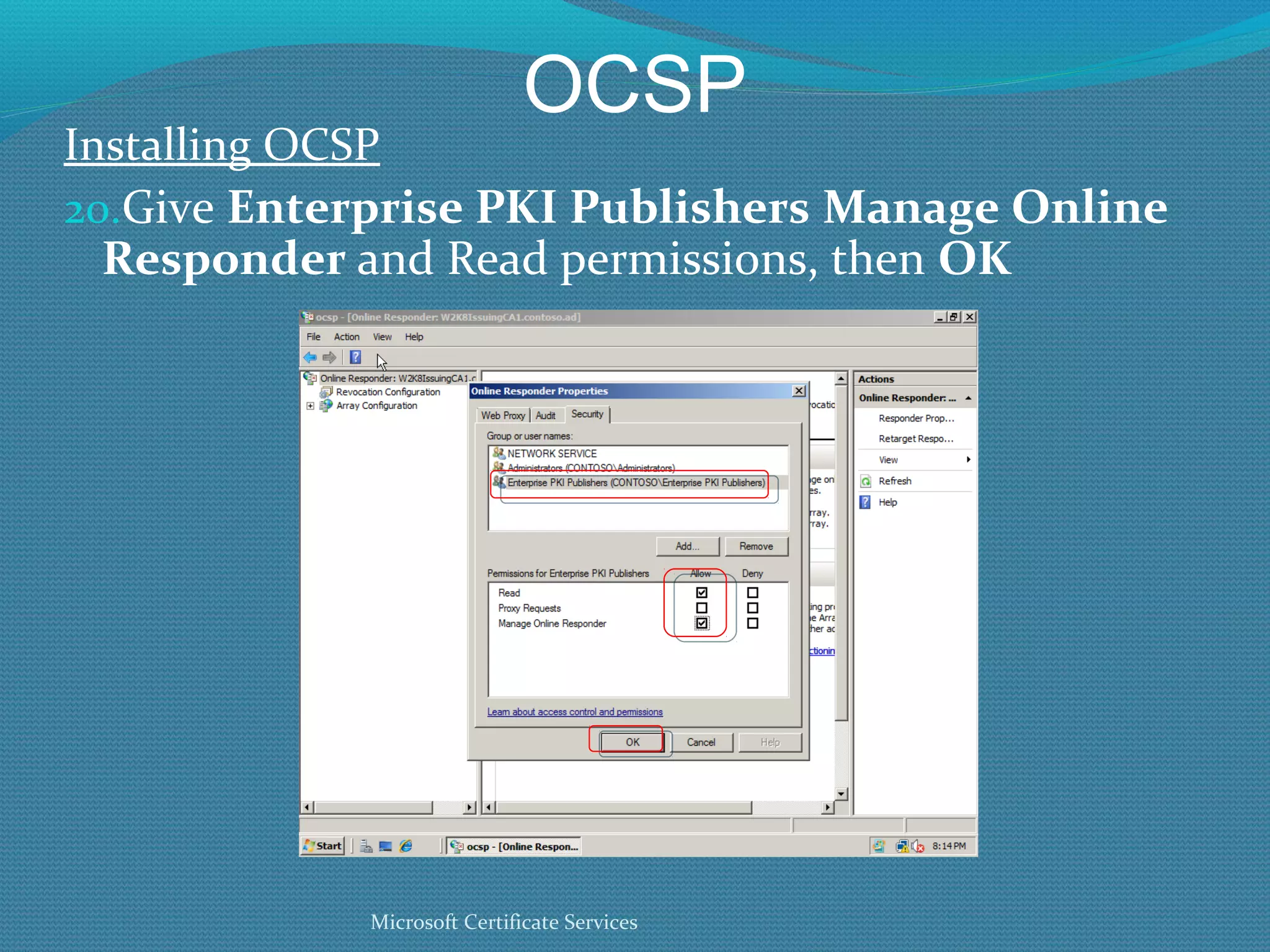
OCSP Installing OCSP Give  Enterprise PKI Publishers   Manage Online Responder  and Read permissions, then  OK Microsoft Certificate Services
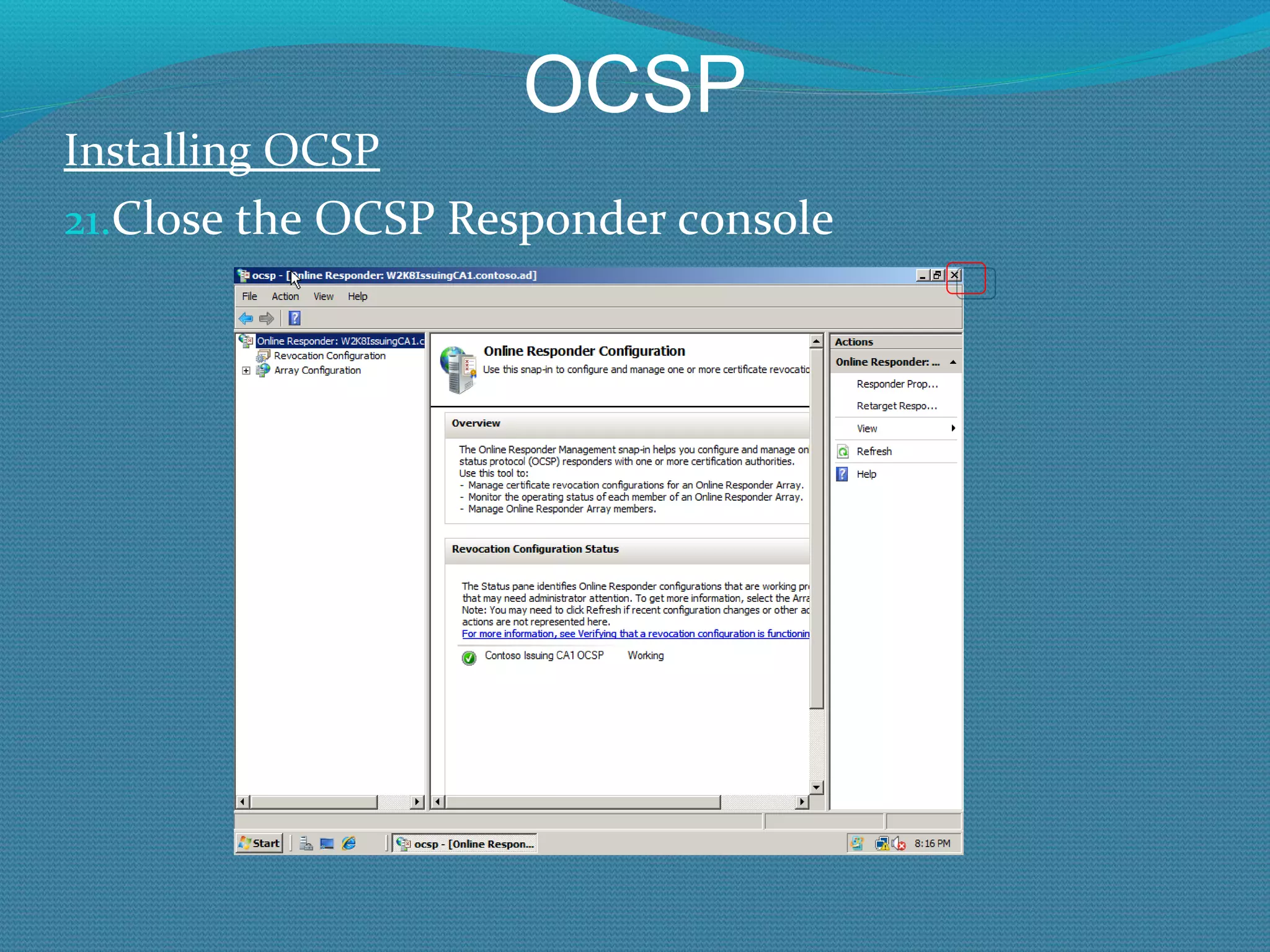
OCSP Installing OCSP Close the OCSP Responder console
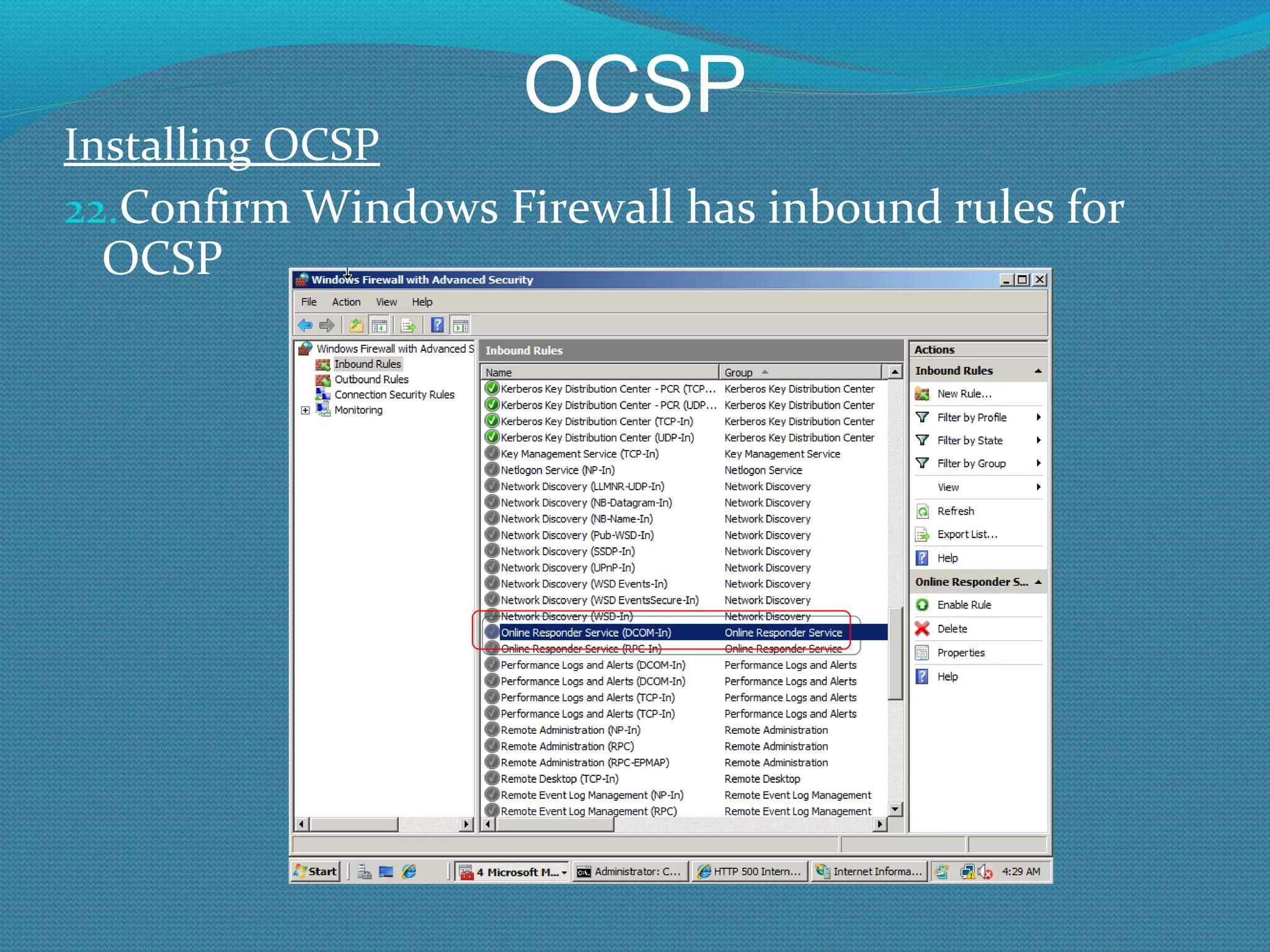
OCSP Installing OCSP Confirm Windows Firewall has inbound rules for OCSP
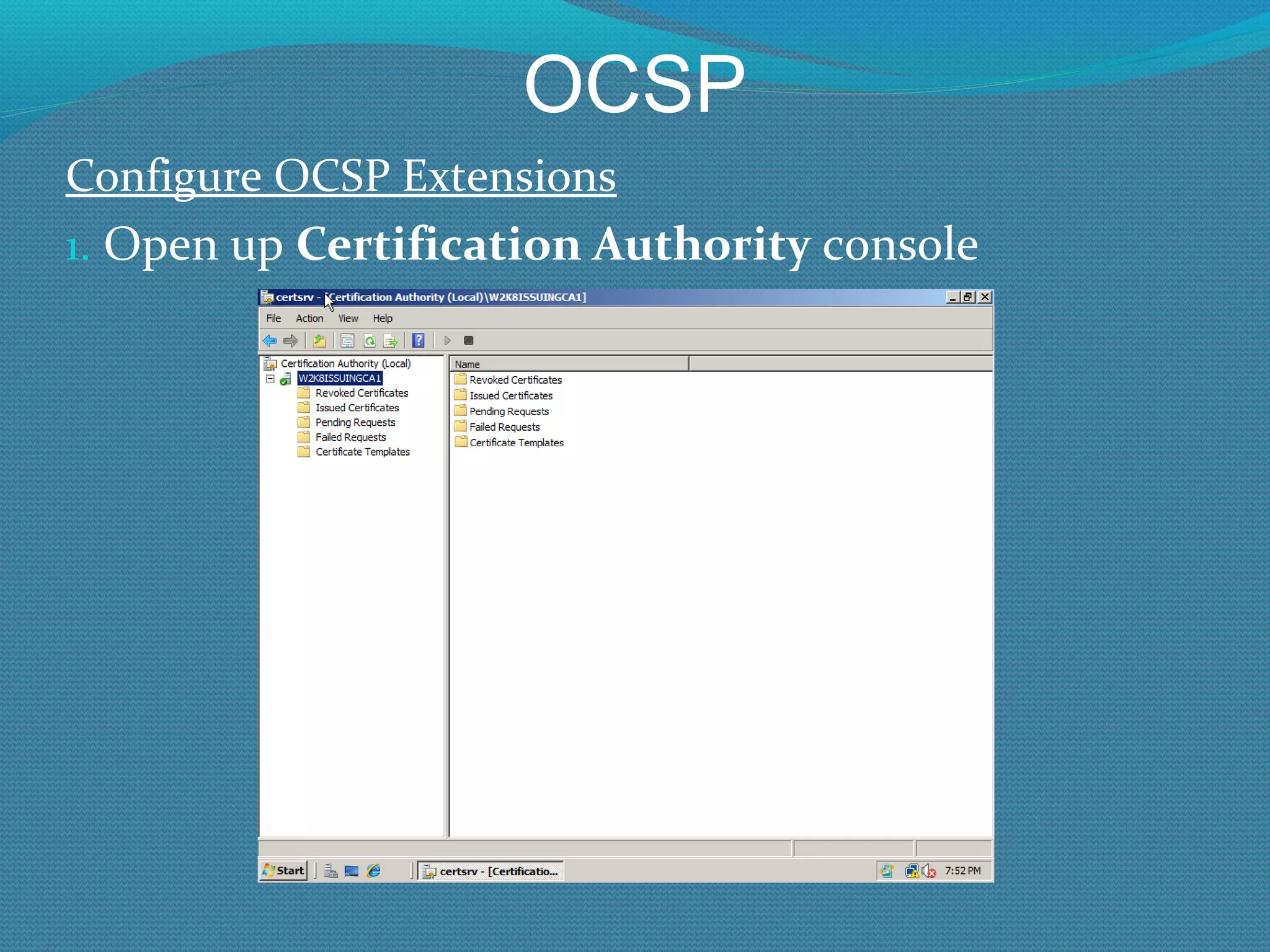
OCSP Configure OCSP Extensions Open up  Certification Authority  console
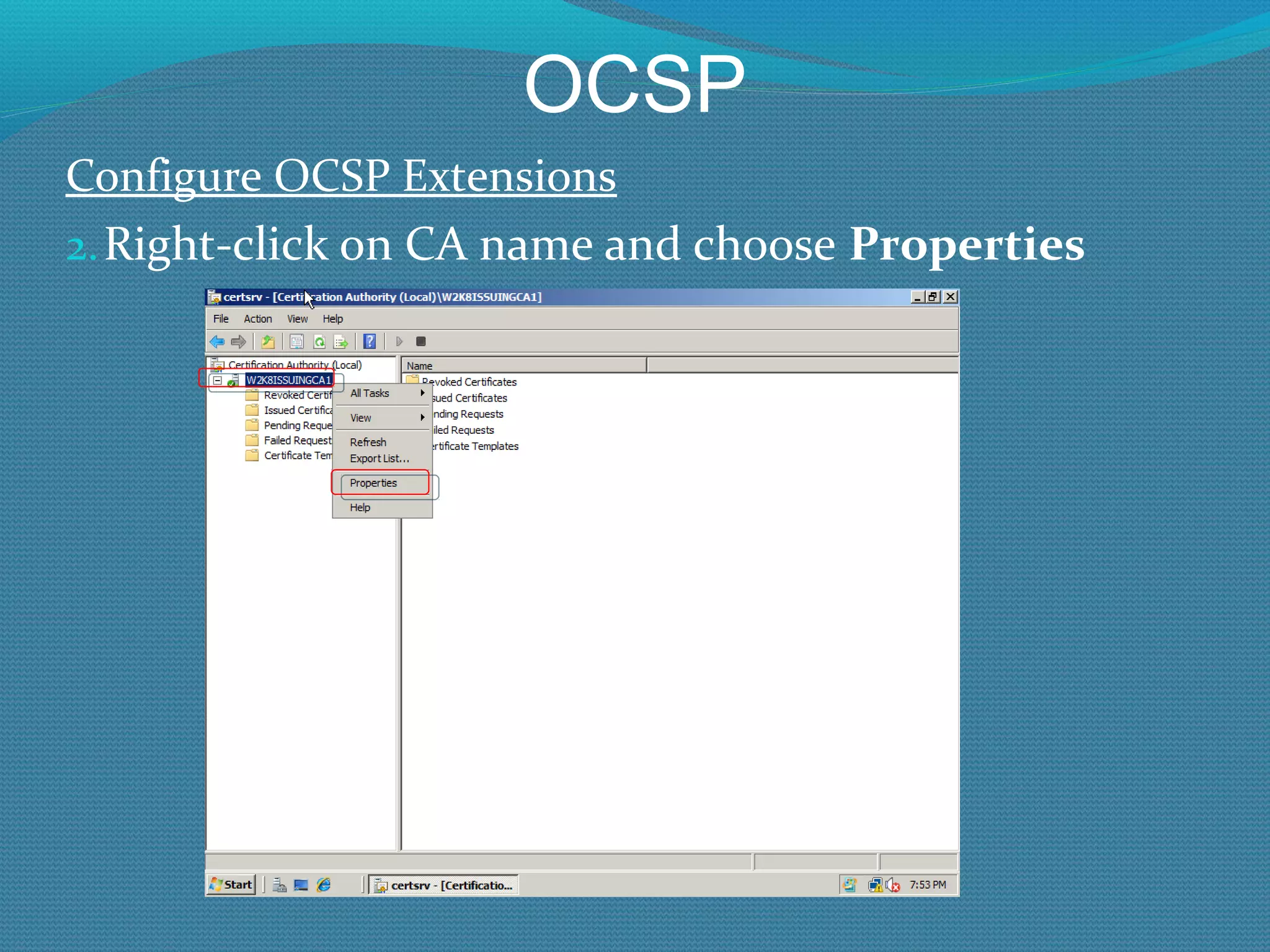
OCSP Configure OCSP Extensions Right-click on CA name and choose  Properties
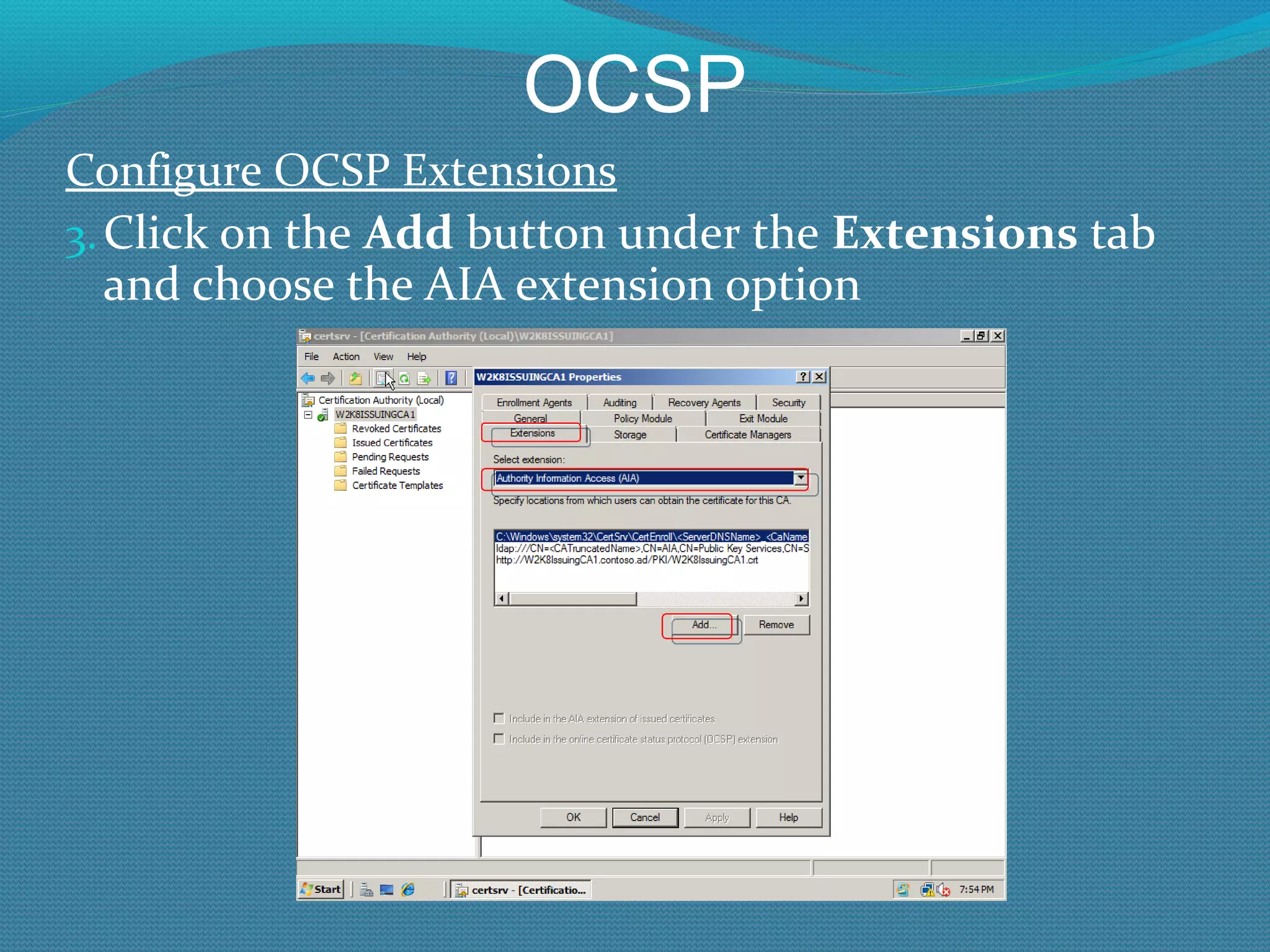
OCSP Configure OCSP Extensions Click on the  Add  button under the  Extensions  tab and choose the AIA extension option
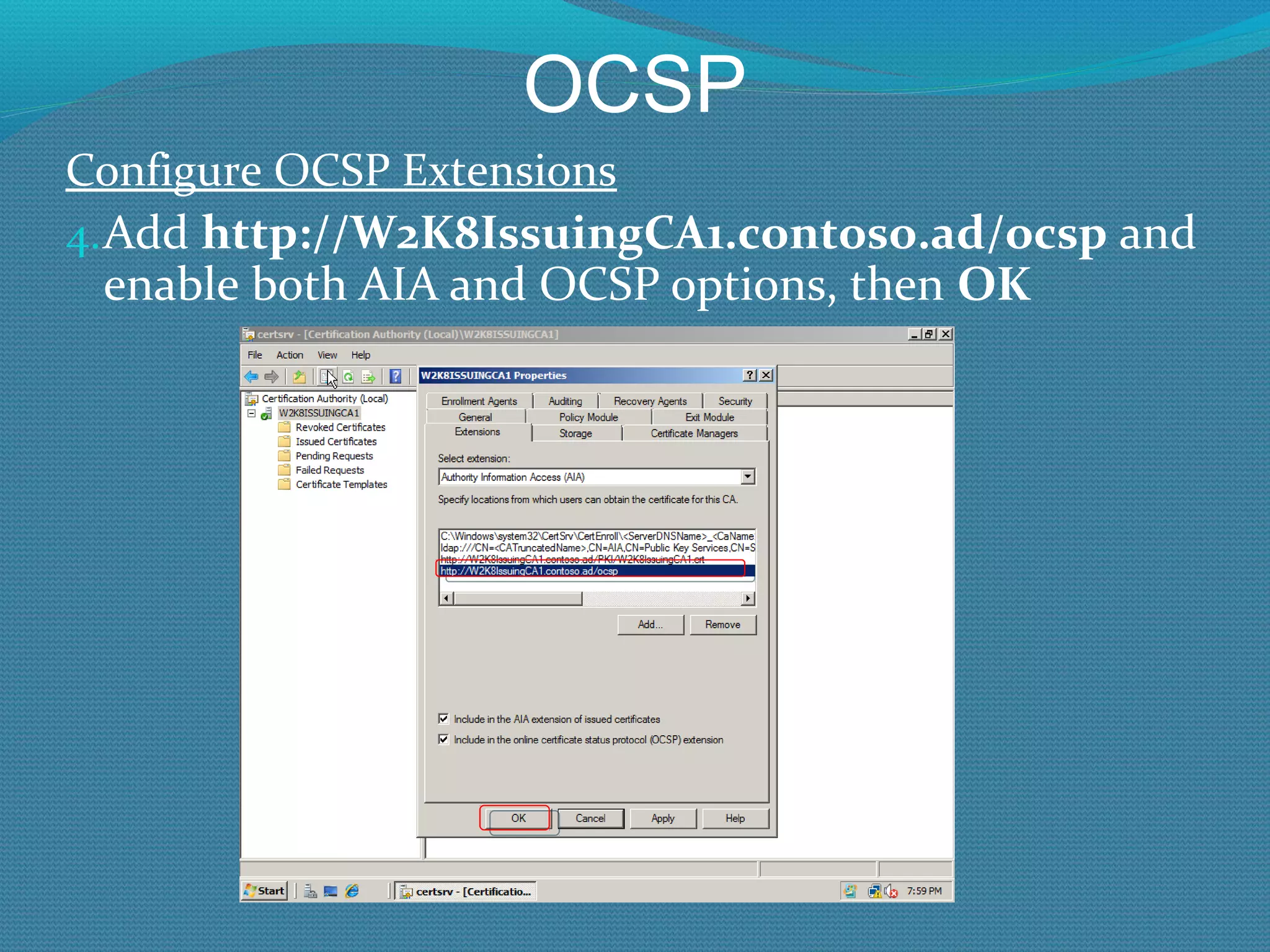
OCSP Configure OCSP Extensions Add  http://W2K8IssuingCA1.contoso.ad/ocsp  and enable both AIA and OCSP options, then  OK
OCSP Configure OCSP Extensions Close or minimize the  Certification Authority  console
OCSP Testing OCSP PKIView.msc (W2K8 or later) Generate a new cert and verify correct http path in OCSP extension in the AIA extension Force CRL checking in application using certificate Certutil –verify <certname>
OCSP OCSP Arrays It is easy to create a fault-tolerant array of OCSP Responders Enable Network Load Balance (NLB) service Define OCSP extension with a name that will resolve with the NLB’s cluster IP address Then defined in the Array Configuration option in the OCSP Responder gui
OCSP Is Schema Update Needed? W2K3 AD schema or later is needed for OCSP W2K8 schema update is not needed if schema has been updated to W2K3 A Windows 2000 domain is OK, as long as the AD schema has been upgraded to Windows 2003 AD schema. Need at least one W2K8 server joined to the domain, and to have a domain admin execute the template snap-in from the Windows 2008 server to get the new OCSP Responder Signing template(s) installed in AD.
OCSP For More Reading http://technet.microsoft.com/en-us/library/cc770413.aspx Questions?
Fault Tolerance, Backup  and  Disaster Recovery
Fault Tolerance When would end-users notice a problem? If Issuing CAs are down: When users request new cert or try to renew expiring cert If AIA or CDP publication points are down: When application end-user is using checks certificate revocation
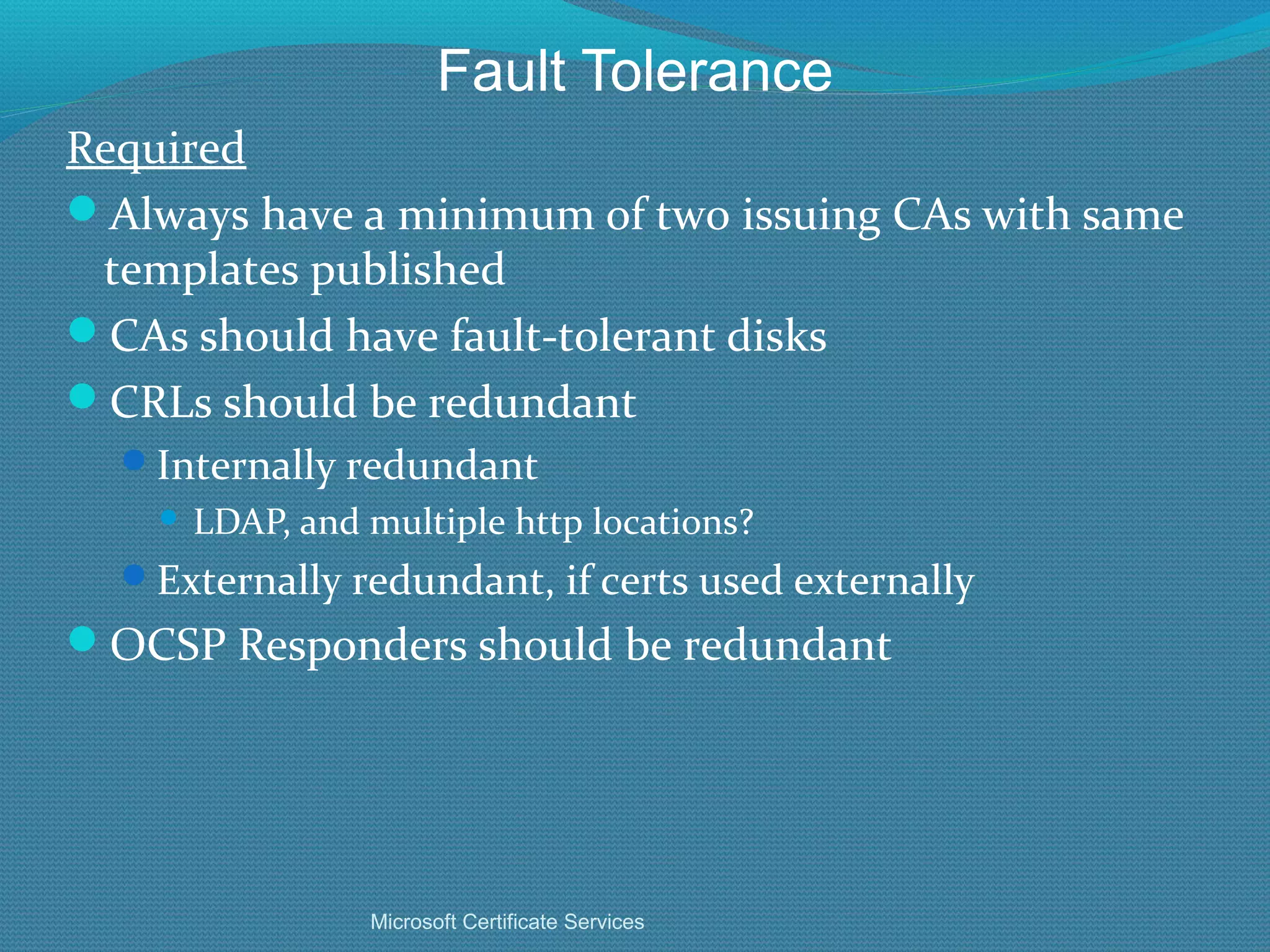
Fault Tolerance Required Always have a minimum of two issuing CAs with same templates published CAs should have fault-tolerant disks CRLs should be redundant Internally redundant LDAP, and multiple http locations? Externally redundant, if certs used externally OCSP Responders should be redundant Microsoft Certificate Services
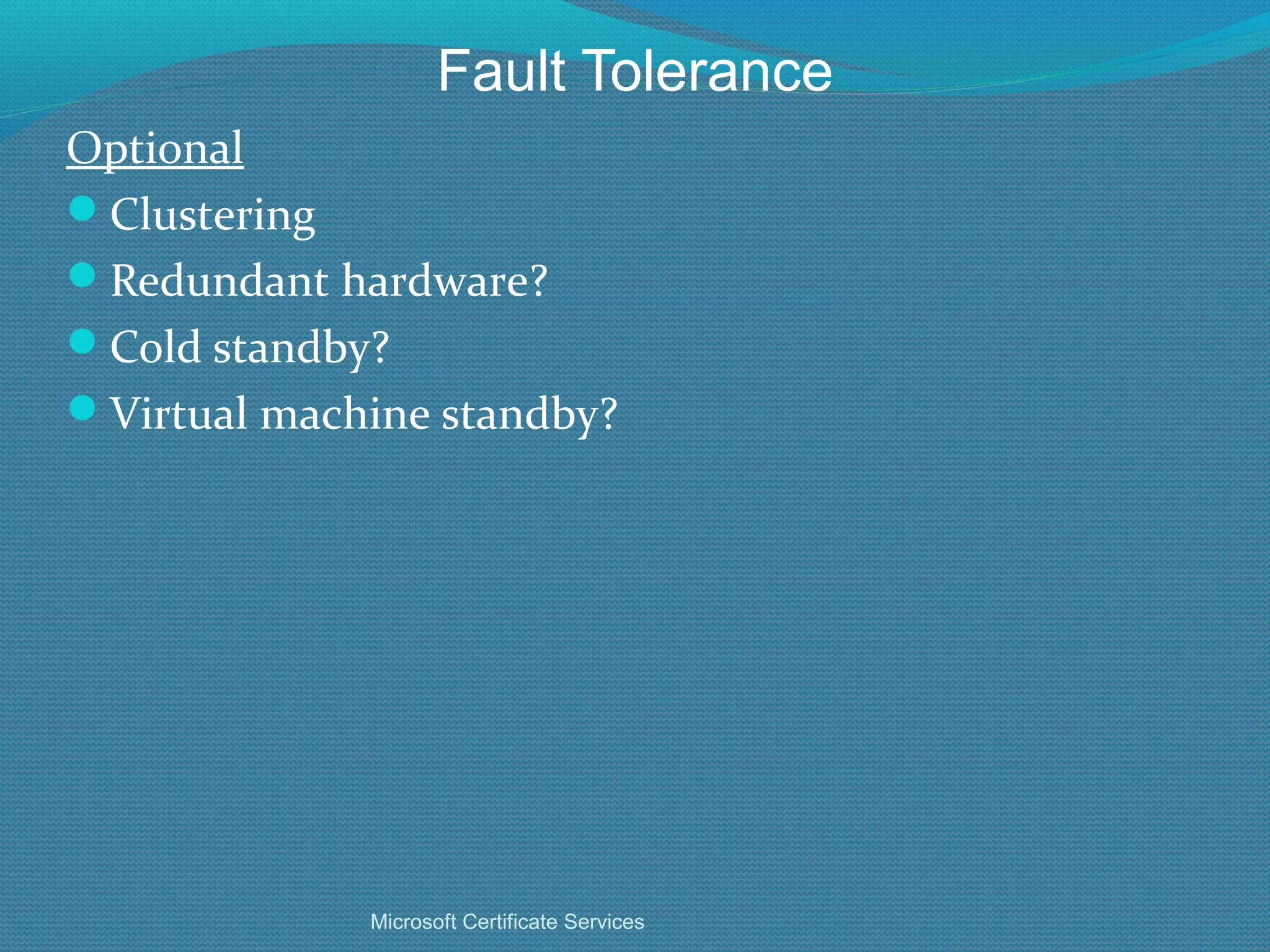
Fault Tolerance Optional Clustering Redundant hardware? Cold standby? Virtual machine standby? Microsoft Certificate Services
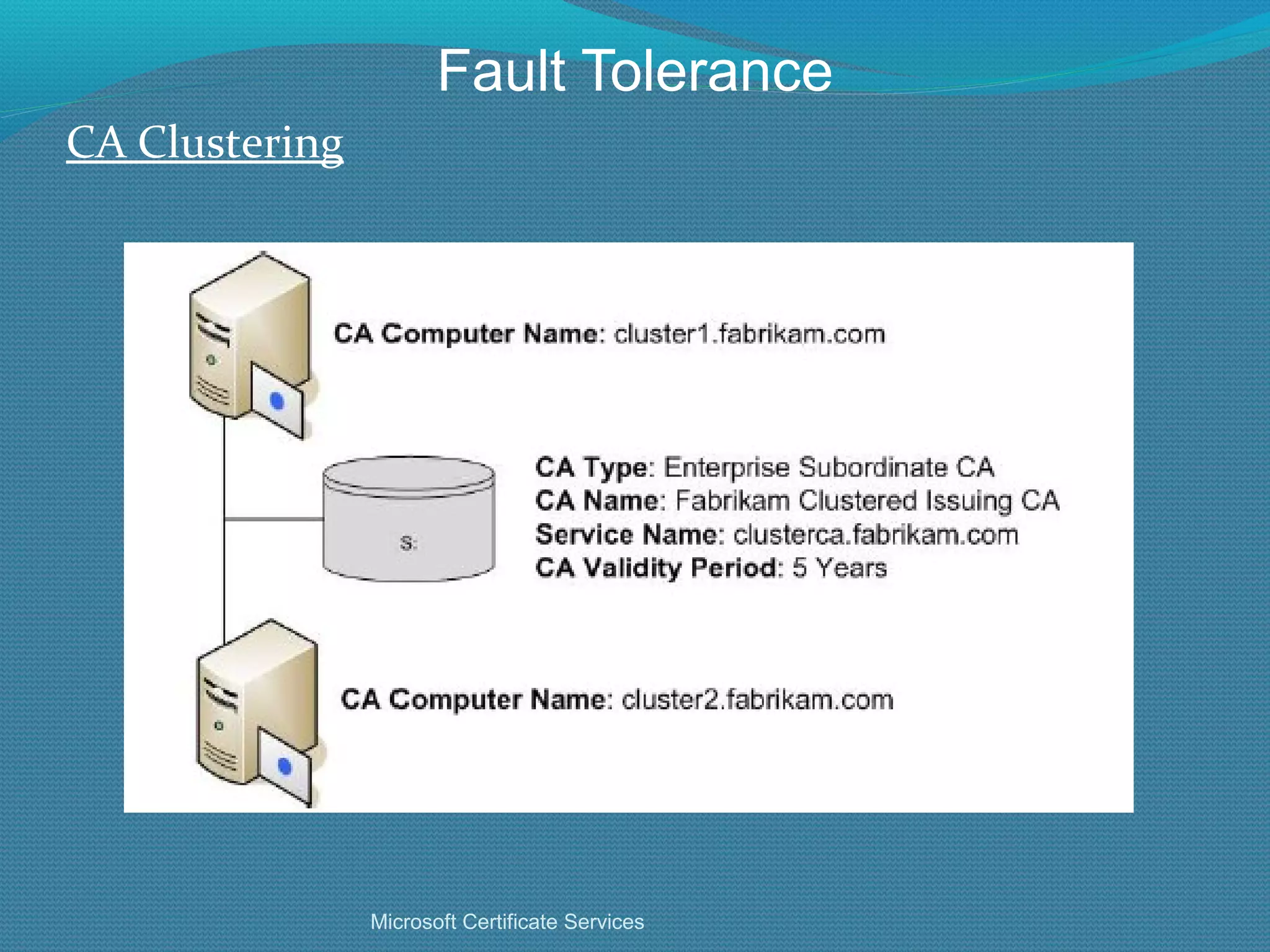
Fault Tolerance CA Clustering Microsoft Certificate Services
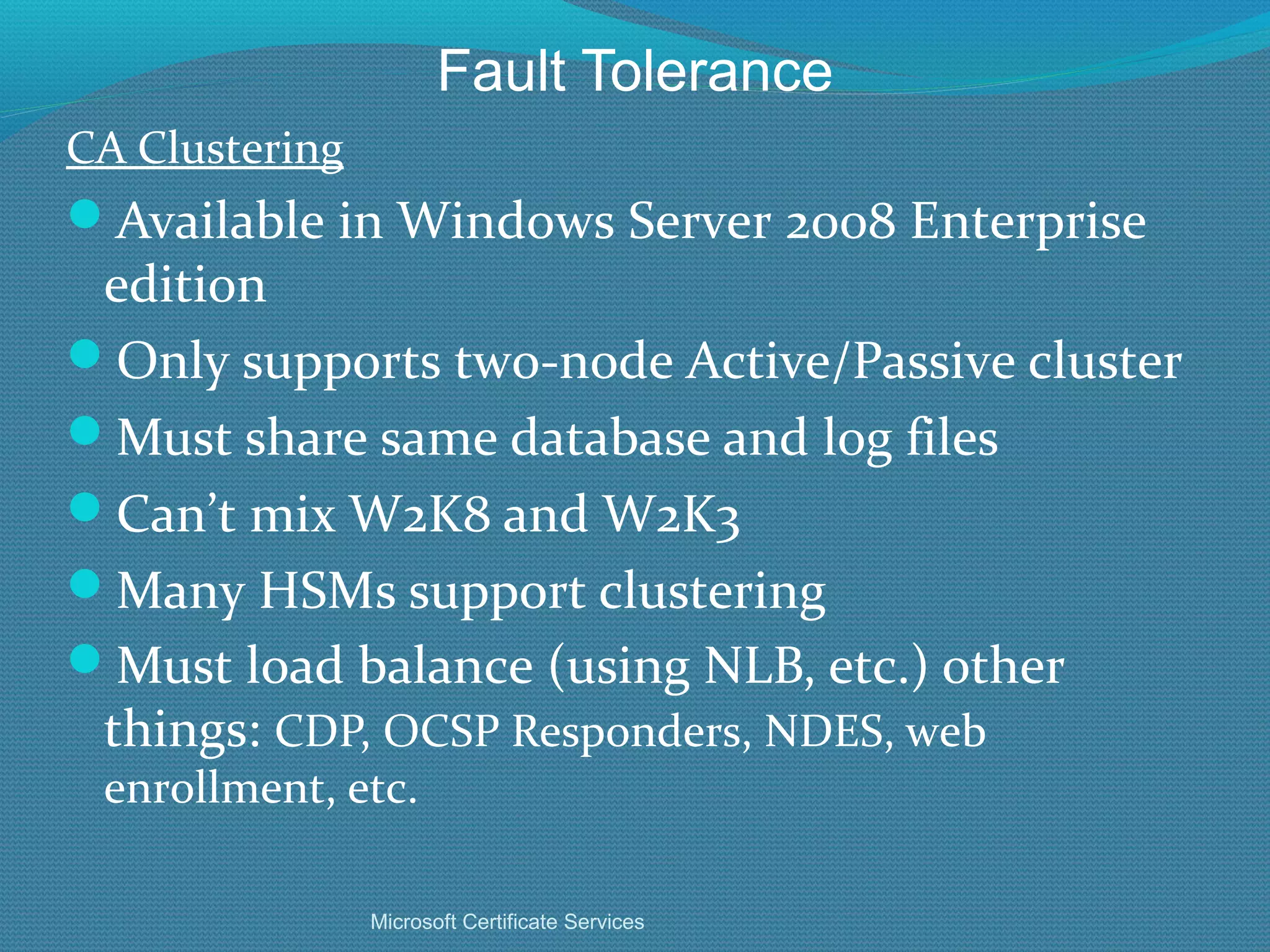
Fault Tolerance CA Clustering Available in Windows Server 2008 Enterprise edition Only supports two-node Active/Passive cluster Must share same database and log files Can’t mix W2K8 and W2K3 Many HSMs support clustering Must load balance (using NLB, etc.) other things:  CDP, OCSP Responders, NDES, web enrollment, etc. Microsoft Certificate Services
Fault Tolerance Why Clustering? If multiple issuing CA servers can issue the same types of certs, why cluster CA servers? Answer: They don’t issue the same certs or share the same database Can’t revoke a cert you can’t “find” If one goes down, there can be problems when base or delta CRLs expire (can break the revocation chain and break applications that depend on revocation checking Microsoft Certificate Services
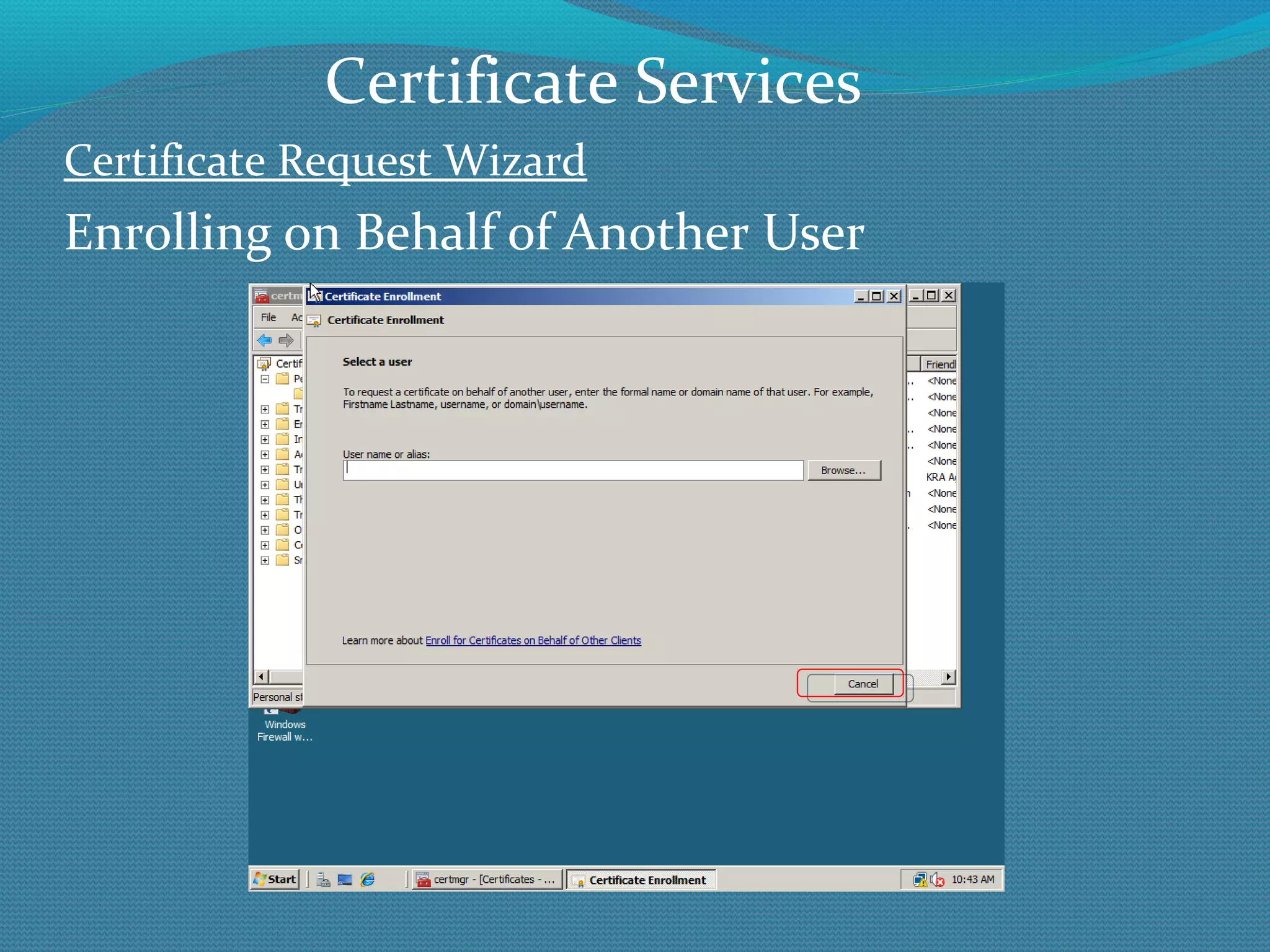
Enrolling on Behalf of Another User
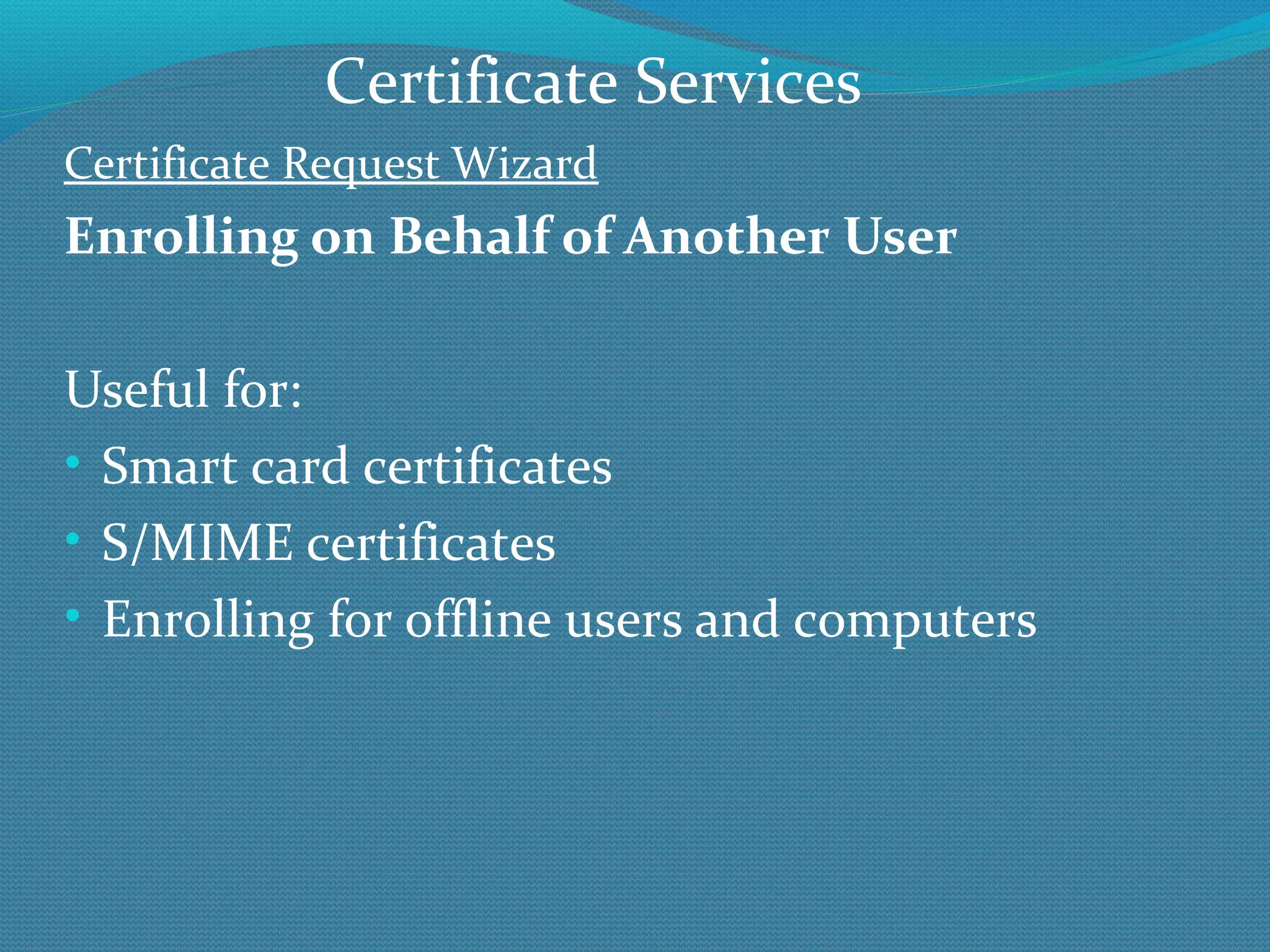
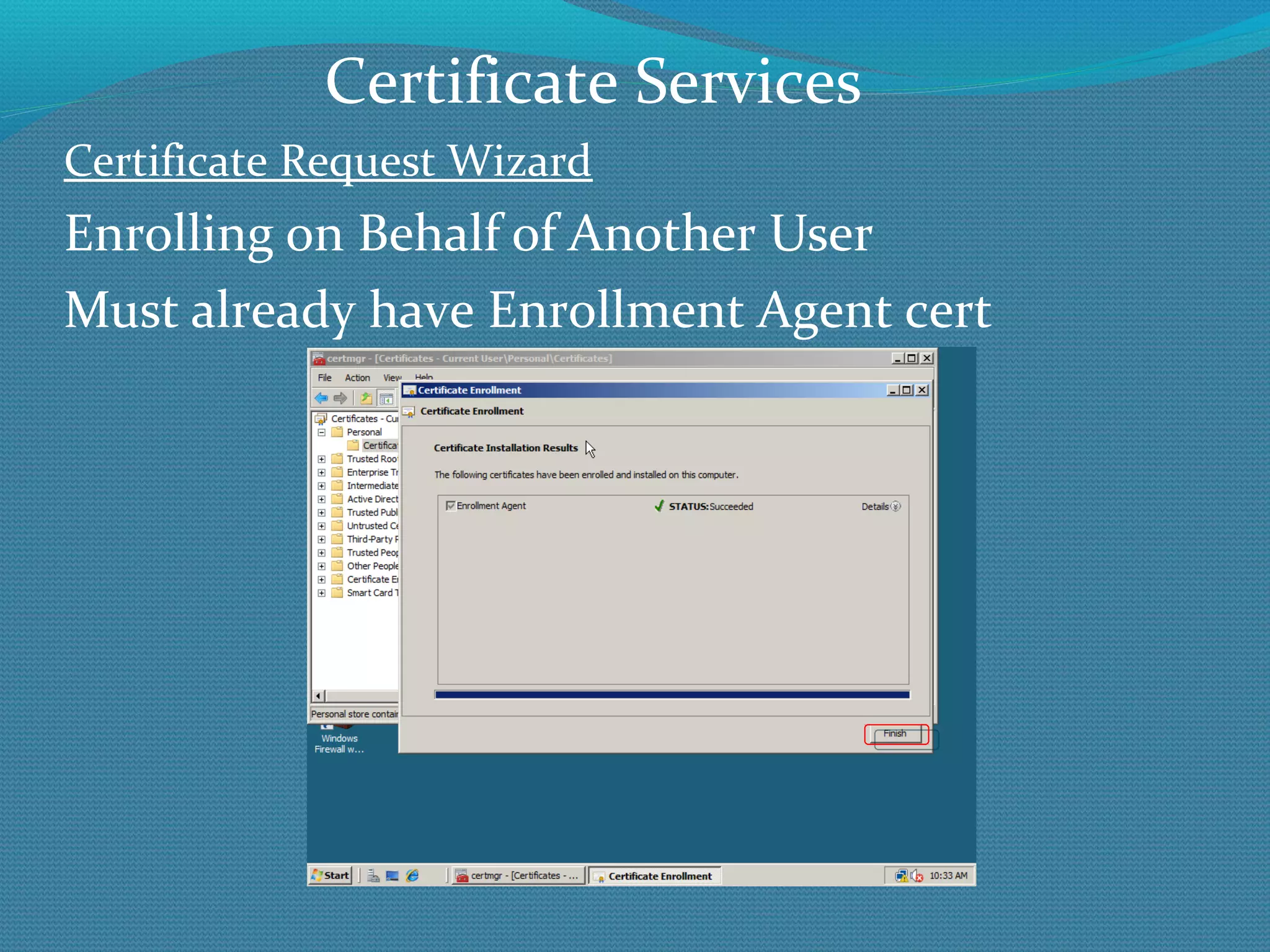
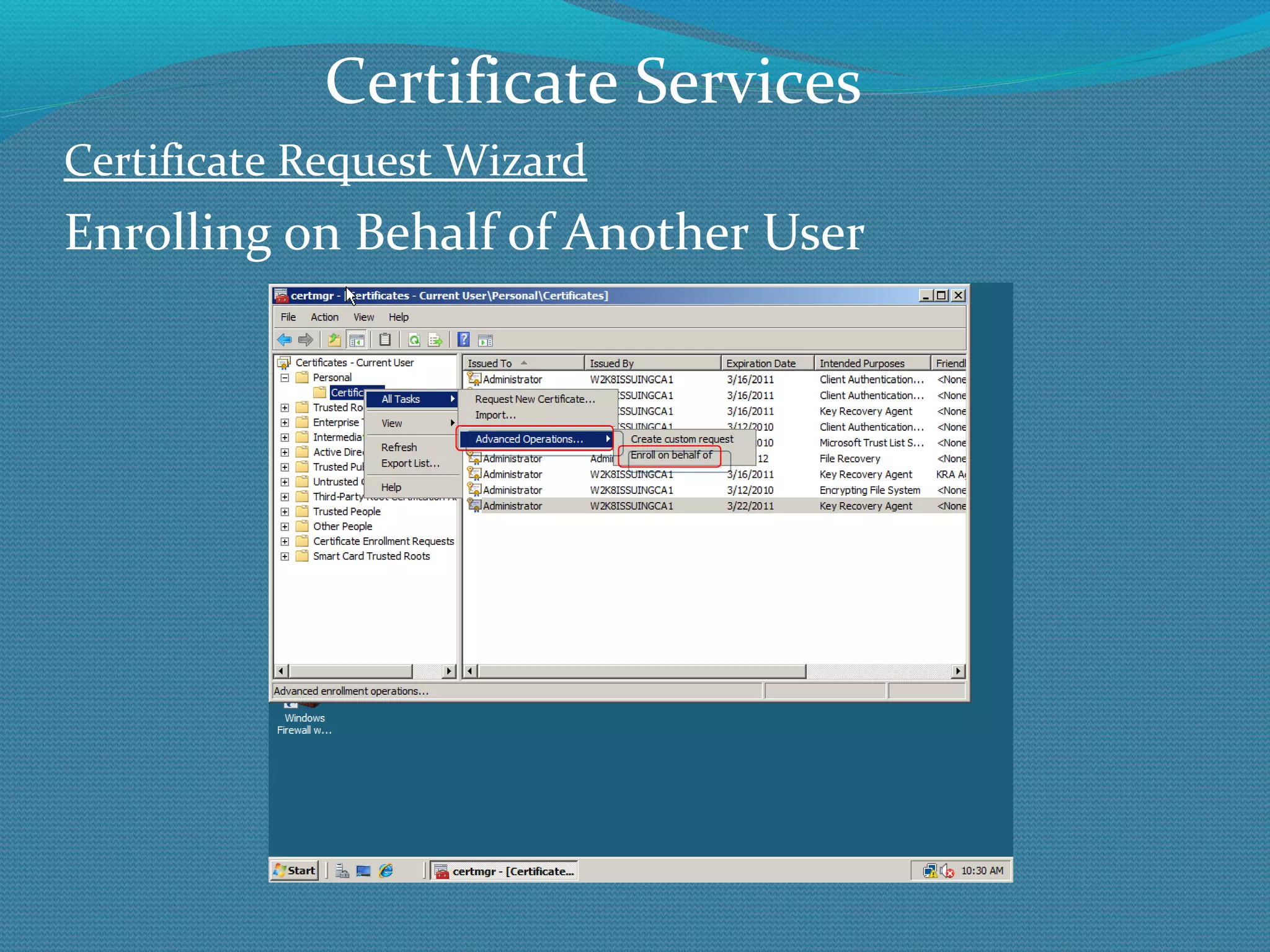
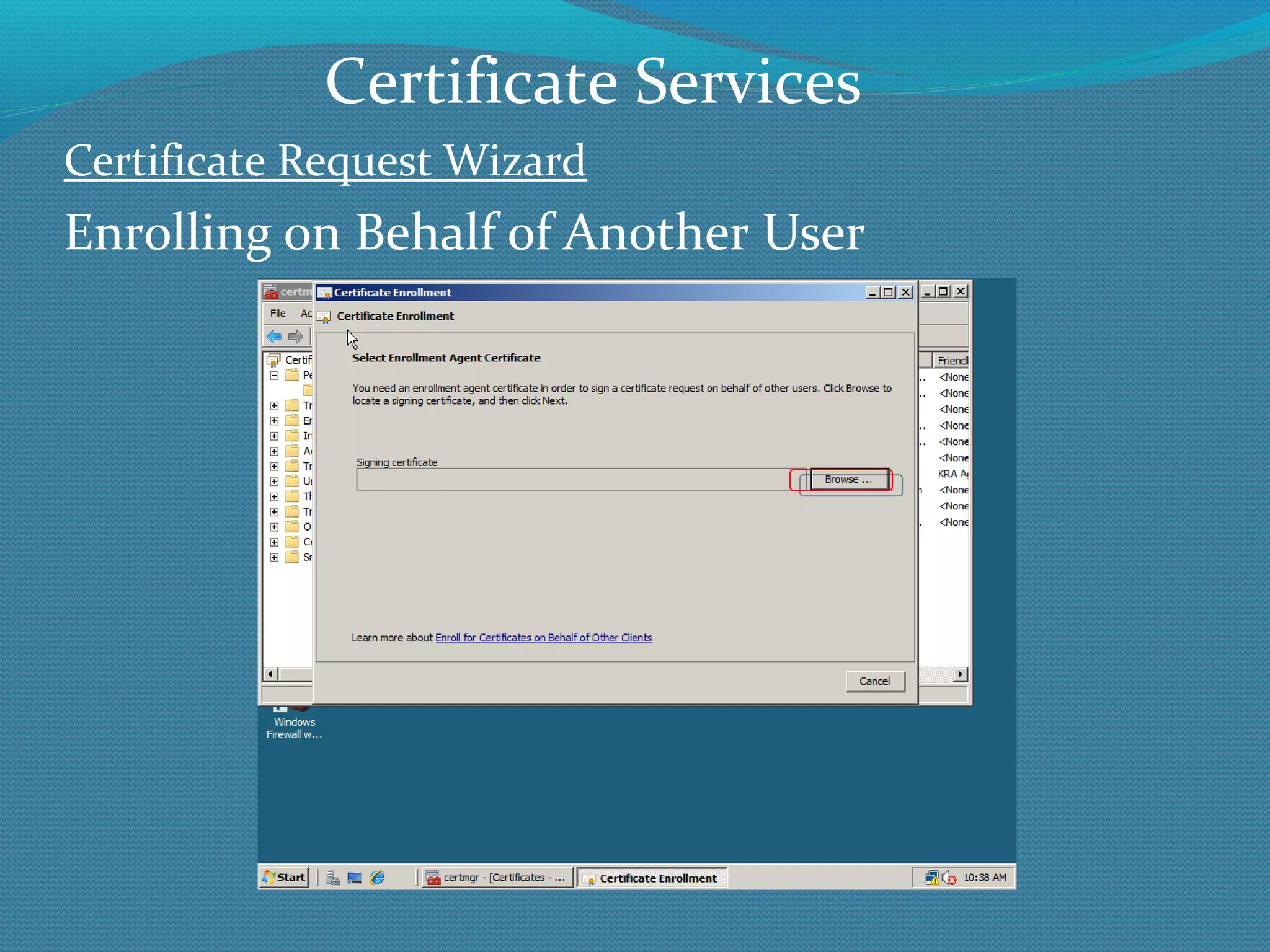
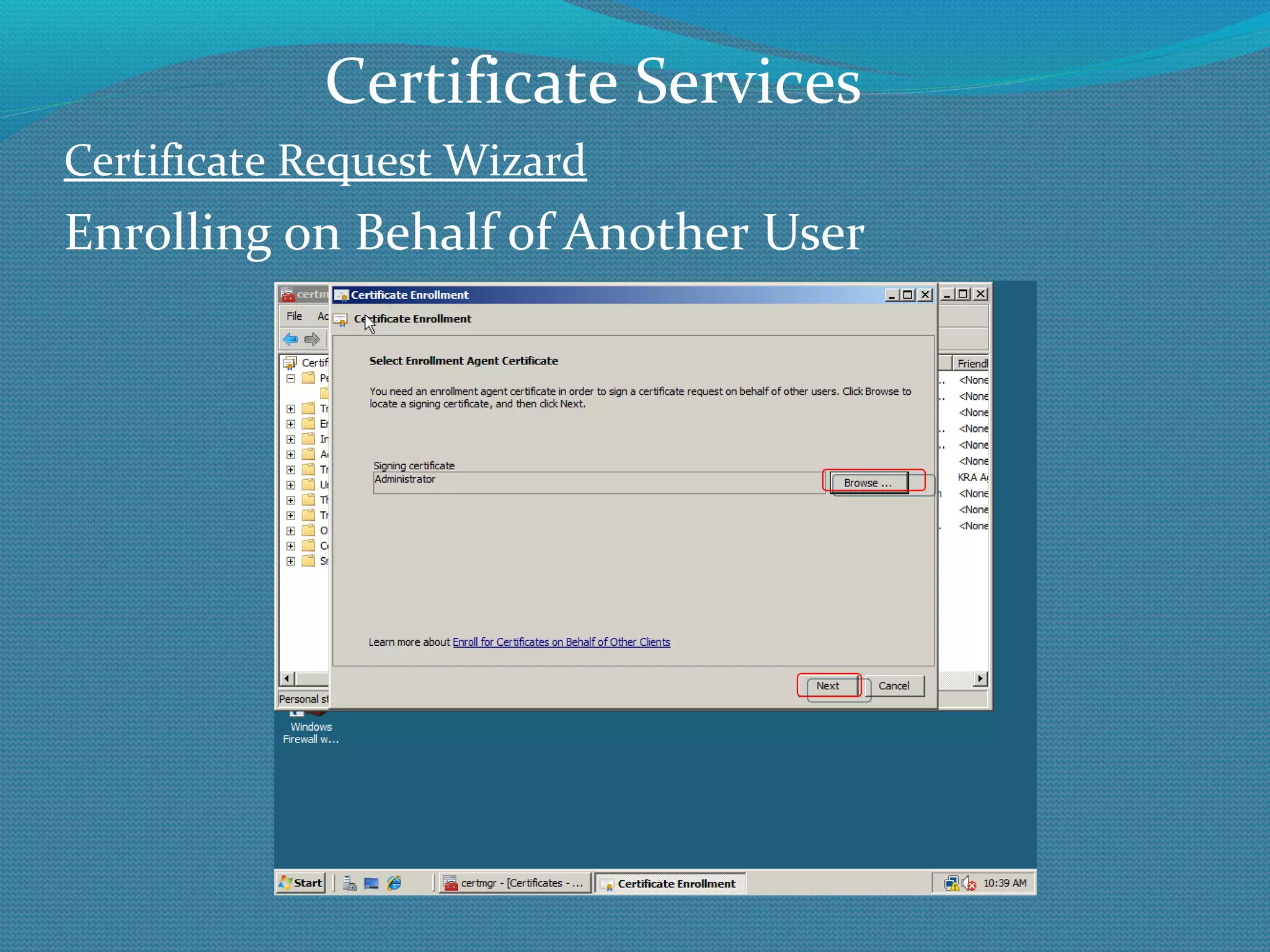
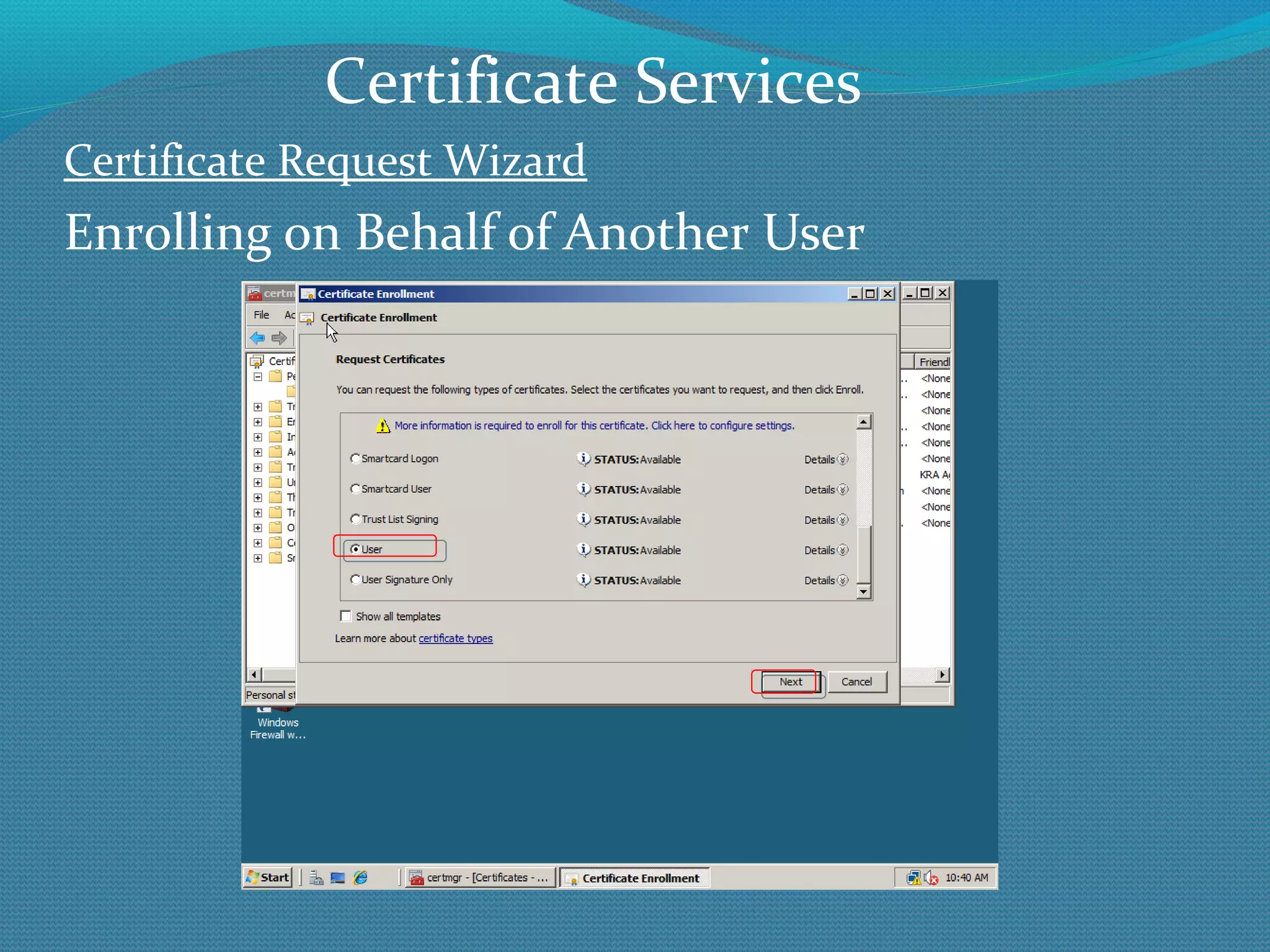
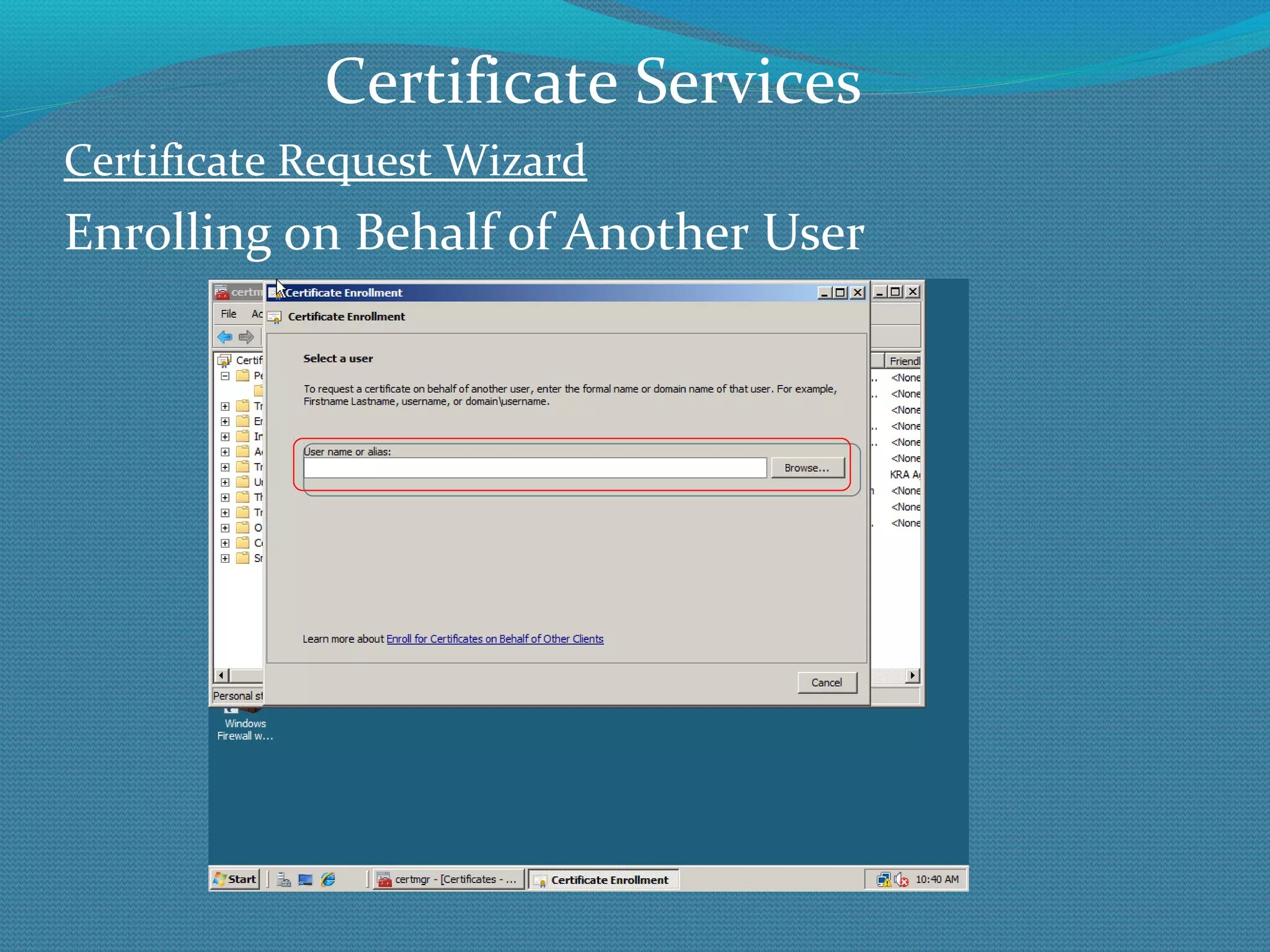
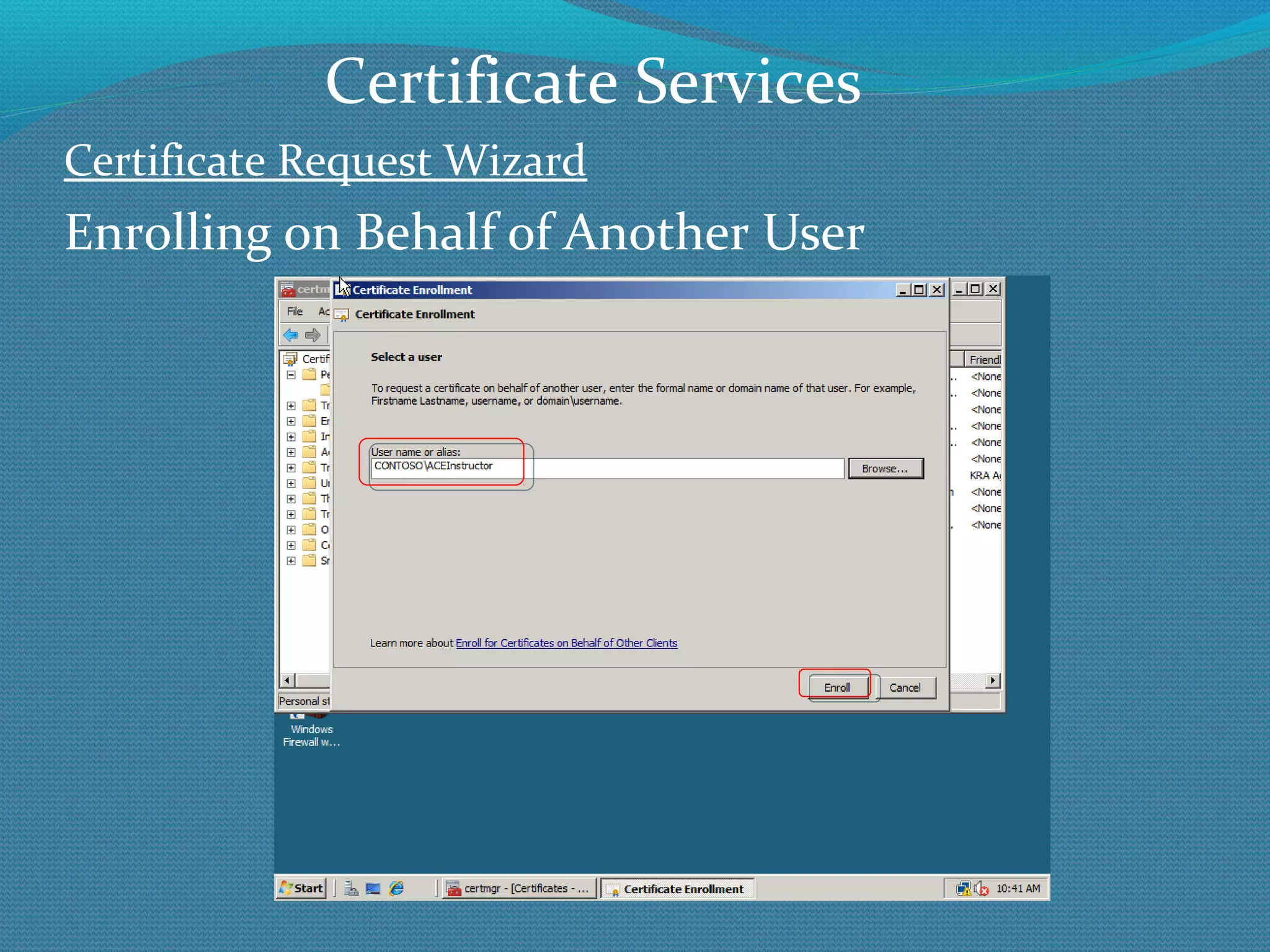
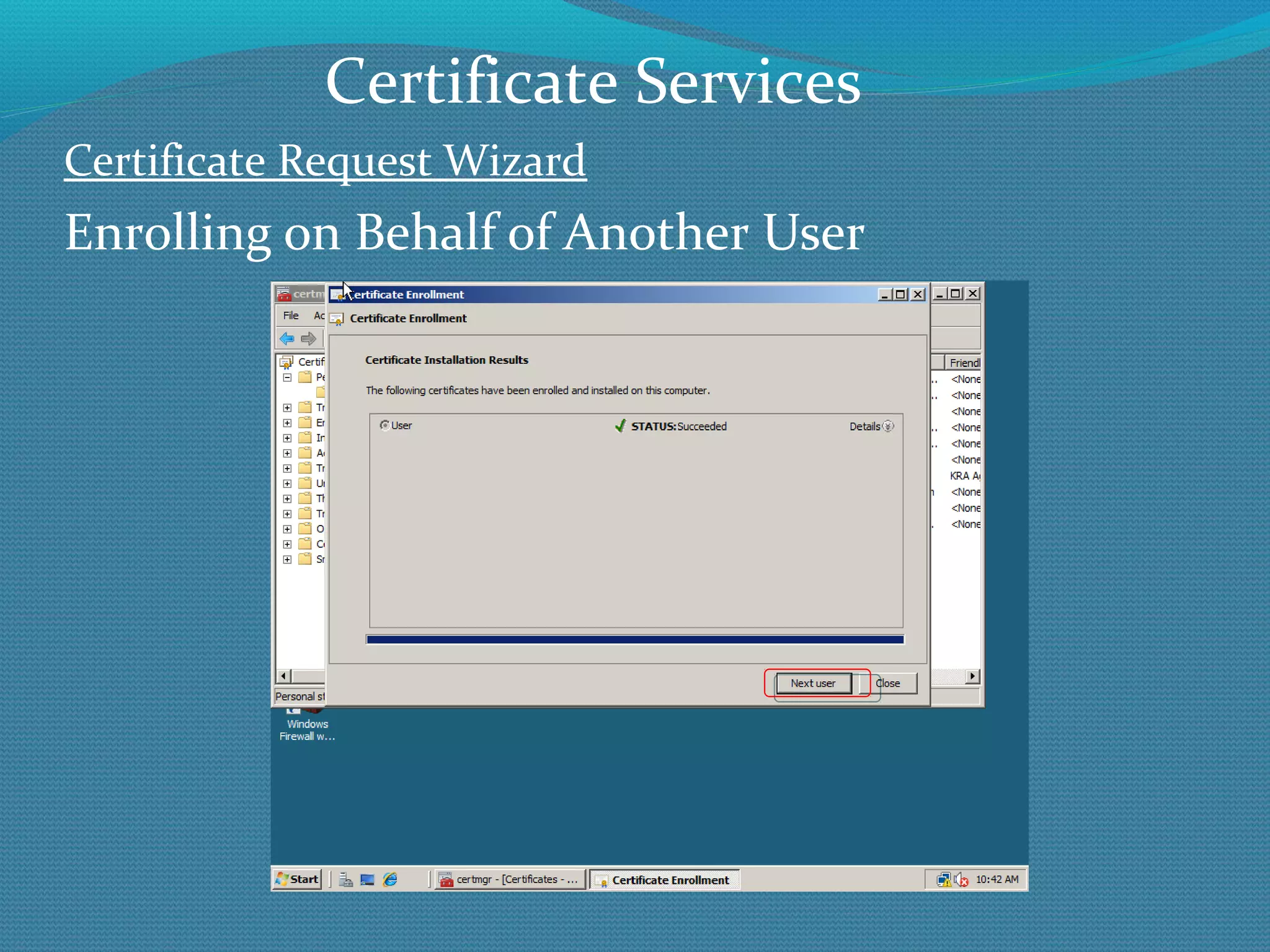
Certificate Request Wizard Enrolling on Behalf of Another User Useful for: Smart card certificates S/MIME certificates Enrolling for offline users and computers Certificate Services
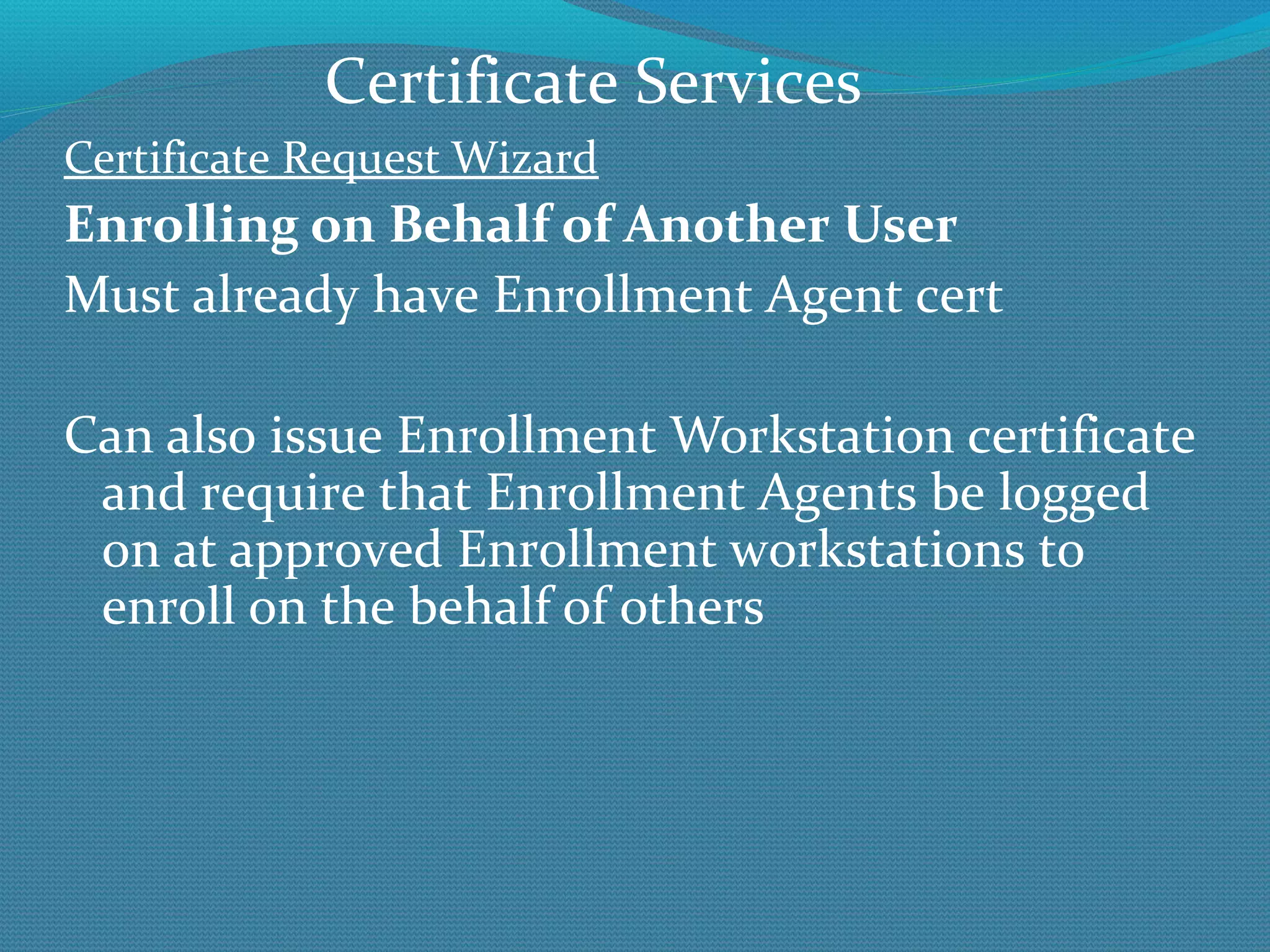
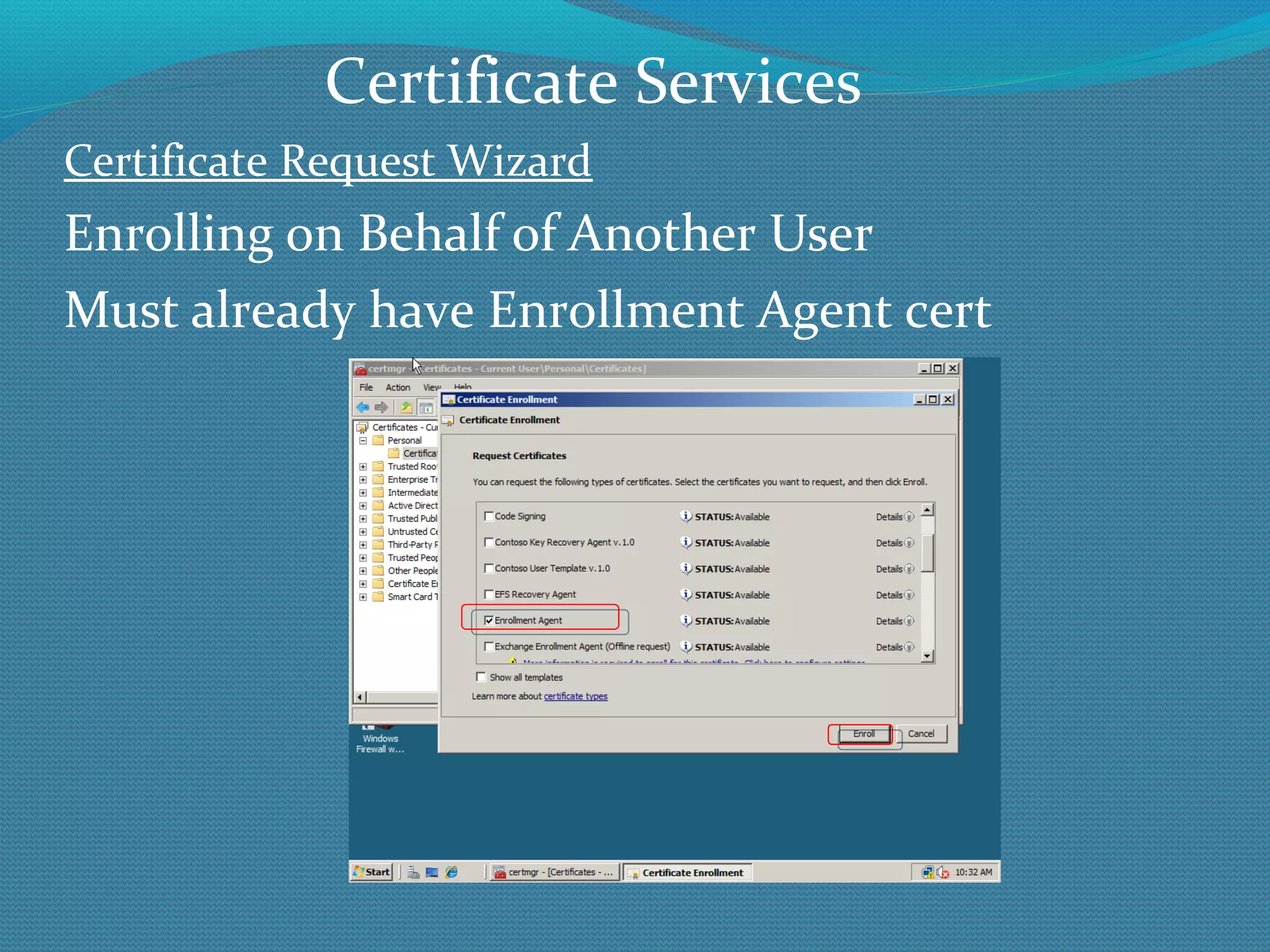
Certificate Request Wizard Enrolling on Behalf of Another User Must already have Enrollment Agent cert Can also issue Enrollment Workstation certificate and require that Enrollment Agents be logged on at approved Enrollment workstations to enroll on the behalf of others Certificate Services
Certificate Request Wizard Enrolling on Behalf of Another User Must already have Enrollment Agent cert Certificate Services
Certificate Request Wizard Enrolling on Behalf of Another User Certificate Services
e: rogrim@microsoft.com New PKI Features Questions

The new rocket science stuff in microsoft pki

  • 1.
    Roger A. GrimesMicrosoft
  • 2.
    Presenter BIO RogerA. Grimes CPA, CISSP, CEH, CISA, TICSA, MCSE: Security, yada, yada PKI installer for over 1o years Taught Microsoft PKI to Verisign Principal Security Architect for Microsoft InfoSec ACE Team InfoWorld Contributing Editor, Security Columnist, Product Reviewer, and Blogger 23-year Windows security consultant, instructor, and author Author of seven books on computer security, including: Windows Vista Security: Security Vista Against Malicious Attacks (Wiley, 2007) Professional Windows Desktop and Server Hardening (Dec. 2005) Malicious Mobile Code: Virus Protection for Windows (O’Reilly, 2001) Honeypots for Windows (Apress, December 2004) Author of over 300 national magazine articles on computer security
  • 3.
  • 4.
    Presentation Summary QuickPKI Terminology Overview W2K8\R2 New Features Summary Installing a W2K8 PKI CA New Features Review New Ciphers Version 3 Templates Restricted KRA and Enrollment Agents OCSP NDES Web Enrollment Service Cross-Forest Enrollment Clustering
  • 5.
  • 6.
    Why PKI? Primarily,PKI exists to authenticate the i dentities and their cryptographic keys involved in cryptographic transactions PKI says to the consumer of PKI certs: If you trust me, then the certificate is who it says it is from and that is their encryption key Principal=subject=user, computer, device, or service Public Key Infrastructure Primer
  • 7.
    Signed by TrustedCA Self Signed Public Key Infrastructure Primer
  • 8.
    Components of aPKI Certificate and CA Management Tools Certification Authority Certificate and CRL Distribution Points Certificate Template Digital Certificate Certificate Revocation List Public Key-Enabled Applications and Services
  • 9.
    Certification Authority (CA)Duties: Main: Confirm identity of certificate requestor Configure Templates and Publish For subjects to enroll against (i.e. request) Issue Certificates Revoke Certificates Public Key Infrastructure Primer
  • 10.
    Digital encryption keysare just a series of binary bits (1’s and 0’s) used (i.e. mathematically applied) to obscure plaintext content Computers often represent keys as ASCII or hexadecimal characters Today, a typical key size ranges from a few dozen bits to thousands 128-bit to 4096-bit keys are very normal Why can’t a hacker just guess the key? Because with good crypto, brute force guessing would take more than “atoms in the known universe” Public Key Infrastructure Primer
  • 11.
    Example Digital EncryptionKey Public Key Infrastructure Primer
  • 12.
    Two major typesof encryption keys: Symmetric – same key used to lock and unlock Asymmetric – diff key used to lock and unlock Called Private\Public Key Cryptography Most programs using asymmetric ciphers also use symmetric ciphers as part of their encryption process Public Key Infrastructure Primer
  • 13.
    Popular Public SymmetricEncryption Ciphers Data Encryption Standard (DES) 56-bit strength (64-bit key) Improved versions: 3DES, DESX (DES Extended) Advanced Encryption Standard (AES) Became U.S. gov’t standard in 2002 Windows (and nearly every other OS) standard today 128-bit keys or larger. 256-bit or larger is normal IDEA Blowfish RC4, RC5, CAST-128 Public Key Infrastructure Primer
  • 14.
    Popular Public SymmetricEncryption Ciphers Most applications should strive to use AES for symmetric encryption Windows XP SP1 and later supports AES If you have XP and don’t have SP1 or later installed, you probably don’t have AES If you can’t use AES: Use 3DES (168-bit key, 112 effective bit length, still FIPS certified); or DESX (184-bit key, 118 effective bits) Don’t use DES (64-bit key, 56-bit effective) anymore Public Key Infrastructure Primer
  • 15.
    Symmetric key encryptionhas several benefits over asymmetric encryption: Faster More secure for a stated key size Better tested over time Public Key Infrastructure Primer
  • 16.
    Asymmetric Cryptography Solvesthe problem of how to securely transmit the secret key(s) between source and destination, plus adds non-repudiation (when used with hash/signature) Private/public key pair One key is used to encrypt Another key is used to decrypt Keys are mathematically related and unique to each other Public Key Infrastructure Primer
  • 17.
    Asymmetric Cryptography Private/publickey pair Central Point: What one key can encrypt, the other can decrypt Besides the key pair, no other key can decrypt what the other key encrypted All participating parties should have their own key pairs Public Key Infrastructure Primer
  • 18.
    Asymmetric Cryptography Privatekey Only single owner/user should possess No one else should ever see Needs to be protected against unauthorized use/viewing/change Public key The “world” can possess and see Public Key Infrastructure Primer
  • 19.
    Asymmetric crypto Whateverthe public key encrypts, the private key can decrypt Encryption Whatever the private key encrypts, the public key can decrypt Signing/Authentication Public Key Infrastructure Primer
  • 20.
    Popular Public AsymmetricEncryption Ciphers RSA Diffie-Hellman ElGamal DSS/DSA Elliptical Curve Cryptography (ECC) RSA and Diffie-Hellman most popular, but ECC gaining All are supported in today’s Windows OSs by default except ElGamal (which can be added by 3 rd party) Public Key Infrastructure Primer
  • 21.
    Asymmetric Encryption Example-TLS/SSLPublic Key Infrastructure Primer
  • 22.
    Public Key InfrastructurePrimer Mixed Cipher Usage Supported IE Ciphers (XP and before) TLS_RSA_WITH_DES_CBC_SHA TLS_DHE_DSS_WITH_DES_CBC_SHA TLS_RSA_EXPORT1024_WITH_RC4_56_SHA TLS_RSA_EXPORT1024_WITH_DES_CBC_SHA TLS_DHE_DSS_EXPORT1024_WITH_DES_CBC_SHA TLS_RSA_EXPORT_WITH_RC4_40_MD5 SSL_CK_DES_64_CBC_WITH_MD5 SSL_CK_RC4_128_EXPORT40_WITH_MD5
  • 23.
    Mixed Cipher UsageSupported IE Ciphers (Vista and later), in preference order TLS w/RSA w/128-bit AES, then 256-bit AES TLS w/RSA w/RC4, then 3DES TLS w/ECC w/128-bit AES, then 256-bit AES SHA 256-bit to 521-bit TLS w/ECC/RSA w/AES and SHA TLS w/DSS w/128-bit AES, then 256-bit AES Mixture of (mostly) TLS intermingled with SSL
  • 24.
    Crypto Providers CryptoProviders are software programs that provide cryptographic services, ciphers, and generate cryptographic keys Crypto providers which use the legacy Cryptographic API (CAPI) are called Cryptographic Service Providers (CSPs) Crypto providers that use Cryptographic Next Generation (CNG) API are called Key Storage Providers (KSPs) KSPs appear in Vista and later Public Key Infrastructure Primer
  • 25.
    Crypto Providers (CSP/KSP)CSPs/KSPs determine what cipher algorithms (e.g. AES, RSA, sizes, etc.) are available to use Windows comes with many default CSPs Prior to Vista, only CSPs by default With Vista and later, both CSPs and KSPs can be used Only Vista and later recognizes KSPs Can use the default ones in Windows or 3 rd party vendors can install their own Often you can choose between Windows defaults or vendor supplied CSP\KSP Public Key Infrastructure Primer
  • 26.
    Crypto Provider ExampleTo use a smart card: You need a smart card PKI to issue certs to smart card Smart card reader KSP/CSP that works with smart cards Smart card reader and KSP/CSP must be installed where ever you plan to use smart card plus on CA where templates are created or published Public Key Infrastructure Primer
  • 27.
    Crypto in MicrosoftCertificate Services Can use any cipher provided by a Crypto Provider (KSP\CSP) module installed Defaults are: Diffie-Hellman, RSA, ECC DSS MD5, SHA1 AES, DES, 3DES, DESX Public Key Infrastructure Primer
  • 28.
    Suite B Setof algorithms required by US gov’t starting in 2007 AES 128 and 256, SHA-2 (SHA-256, SHA-384, SHA-512) ECC Vista and later is Suite B compliant Public Key Infrastructure Primer
  • 29.
    Certificates in WindowsWays to Request Certificates Autoenrollment (XP and above) Automatic Certificate Requests (Windows 2000 machine certs) Certificate Manager (certmgr.msc) GUI Web Enrollment Certreq.exe Programmatically Email (manual process, can be automated) Network Device Enrollment Service (NDES) Manually (sneaker net) Registration Authority (eg. CLM/ILM/FIM)
  • 30.
    Certificates in WindowsPKI Security Statements (In most scenarios) You should have at least two CAs Offline Root and one or more online issuing CAs No other server roles on any CA If your root CA has been connected to your network, it should be considered compromised, and the entire PKI and every valid issued cert replaced
  • 31.
    W2K8\R2 Certificate ServicesNew Feature Summary
  • 32.
    Certificate Services 2008vs. 2003 Main New “Feature” Now known as ADCS Active Directory Certificate Services
  • 33.
    Certificate Services 2008vs. 2003 Certificate Services is 90% the same between versions. An admin on one can easily do most of the basics on the other Certificate Services is now a W2K8 server “role” Uses Cryptographic Next Generation API CryptoAPI is legacy (also present) Supports Suite B ciphers Supports version 3 certificate templates With new KSPs and Suite B ciphers
  • 34.
    Certificate Services 2008vs. 2003 More Secure W2K8 and Certificate Services is more secure W2K8 is significantly more secure More secure defaults Windows Firewall (enabled by default) Improved ciphers Improved key protection, not that keys were ever compromised in the wild anyway
  • 35.
    Certificate Services 2008vs. 2003 Online Certificate Status Protocol Improved revocation checking protocol W2K8 can be an OCSP Responder New CA role service Deployed as an IIS ISAPI application W2K8 is an OCSP client, too, along with Vista and later New OCSP tools
  • 36.
    Certificate Services 2008vs. 2003 Restricted KRAs and Enrollment Agents Restricted KRAs Restricted Enrollment Agents In W2K3 KRAs and Enrollment agents were global In W2K8, they can be restricted by template or security group Not available on Standard CA
  • 37.
    Certificate Services 2008vs. 2003 Template Changes 2 new default templates Kerberos Authentication (supercedes DC certs) OCSP Response Signing LoadDefaultTemplates=0 Put in CApolicy.inf to prevent auto-publishing of default templates In W2K3 SP1, too (Standalone CAs only)
  • 38.
    Certificate Services 2008vs. 2003 Template Changes (con’t) Version 3 Certificate Templates For Vista and later (don’t use with XP and W2K3) Uses new CSPs -CryptoNextGeneration (CNG) New Cryptography tab for detailing crypto V.2.0 templates have a CSP button with less choices Uses AES-256 to transport private key to and from enrollment client (instead of 3DES) New field to allow Network Service to have Read permission to templates Helps machine-based certs in certain scenarios
  • 39.
    Certificate Services 2008vs. 2003 Network Device Enrollment Service (NDES) For issuing certs to SCEP-compatible devices Simple Certificate Enrollment Protocol Invented by Cisco Receives and processes SCEP enrollment requests on behalf of software running on network devices. Retrieves pending requests from the CA Generates and provides one-time enrollment passwords to administrators.
  • 40.
    Certificate Services 2008vs. 2003 Network Device Enrollment Service (NDES) (con’t) Now a built-in role Was a W2K3 add-on called MSCEP Runs as an IIS ISAPI app Can run on non-CA servers Enhanced security For example, can require a password Wide range of template use Can now renew NDES certs
  • 41.
    Certificate Services 2008vs. 2003 Web Enrollment Website Updated Some good and interesting changes Now easier to put on non-CA server Uses Certenroll.dll instead of xenroll.dll Pre-Vista OS must use older dll Can install both on web enrollment server Unfortunately, does not support some new features (like KSP, v.3 templates, Suite B, etc.) Web enrollment web site included by Microsoft is probably being discontinued
  • 42.
    Certificate Services 2008vs. 2003 Supports Issuer Distribution Point (IDP) for partitioned CRLs Credential Roaming built-in (client-side) Requires schema updates on older domains Supports clustering (W2K3 and earlier didn’t) Replaceable random number generator Better auditing
  • 43.
    Certificate Services 2008vs. 2003   Client-can enroll on behalf of someone else You can rename CA servers now New template field to allow Network Service to have Read permission to templates Helps machine-based certs in certain scenarios
  • 44.
    Certificate Services 2008vs. 2003 DiscreteSignatureAlgorithm Support for newer PKCS#1 V2.1 signature format for CA certificate (Vista and later) 3 new assurance levels besides low, medium, and high KRA-archived keys can be protected by AES instead of 3DES New Microsoft smart card KSP (in Vista, too) Supports date setting during revocation
  • 45.
    Certificate Services 2008vs. 2003 Tools Supports Powershell PKIView.msc built-in now Used to have to install separately Improved functionality and bug fixes Supports CAPI2 diagnostics More tools, more scripts available Bad: Key Recovery Tool gui gone Use certutil.exe instead
  • 46.
    Certificate Services 2008vs. 2003 Pushing Certs Using GPO Trusted root CA certificates (W2K3 too) Enterprise trust certificates (W2K3 too) Intermediate CA certificates Trusted publisher certificates Untrusted certificates Trusted people (peer trust certificates)
  • 47.
    New W2K8 R2Features
  • 48.
    Certificate Services 2008vs. 2003 W2K8R2 Certificate Enrollment Services (CES) Don’t confuse with web enrollment web site! Website enrollment is for browser interactive sessions Problem to Solve: All legacy enrollment services required RPC and DCOM, and lots of open RPC ports Even web enrollment web site uses DCOM to back-end CA Firewall nightmare Didn’t work well across the Internet, forests, non-domain joined machines, etc.
  • 49.
    Certificate Services 2008vs. 2003 W2k8 R2 Certificate Enrollment Services (con’t) New method is a web service, less interactive Uses TLS over 443 New method works well in almost all scenarios (if the client enrollment process uses the new enrollment method) Windows 7\W2K8R2 and later Uses two new services: Certificate Enrollment Policy Web Service the policy service Certificate Enrollment Web Service the enrollment service
  • 50.
    Certificate Services 2008vs. 2003 W2k8 R2 Certificate Enrollment Services (con’t) Certificate Enrollment Web Service Provides enrollment services, main service Certificate Enrollment Policy Web Service Client contacts to get certificate policy information consisting of the types of certificates it can enroll for, which enrollment services to contact to enroll for them, and what type of authentication to use for each service. The client must first be configured with information about which policy server(s) to contact and how to authenticate to them
  • 51.
    Certificate Services 2008vs. 2003 W2k8 R2 Enrollment Services (con’t) Once configured, during interactive enrollments, you’ll see this
  • 52.
    Certificate Services 2008vs. 2003 W2k8 R2 Enrollment Services (con’t) CES are server roles
  • 53.
    Certificate Services 2008vs. 2003 W2k8 R2 Enrollment Services (con’t) Service Uses SSL\TLS
  • 54.
    Certificate Services 2008vs. 2003 W2k8 R2 Enrollment Services (con’t) Service Uses SSL\TLS
  • 55.
    Certificate Services 2008vs. 2003 W2k8 R2 Enrollment Services (con’t) Clients must be configured to connect to web site
  • 56.
    Certificate Services 2008vs. 2003 W2k8 R2 Enrollment Services (con’t) CES must be linked to issuing CA
  • 57.
    Certificate Services 2008vs. 2003 W2k8 R2 Enrollment Services (con’t) CES web site(s)
  • 58.
  • 59.
    Certificate Services 2008vs. 2003 W2k8 R2 Enrollment Services (con’t) Can configure client auth method
  • 60.
    Certificate Services 2008vs. 2003 New R2 Stuff Support cross-forest servicing Old CA versions required separate PKI per forest; or limited service using cross-forest trusts and lots of pre-work Didn’t work well off-intranet New version can support multiple forests with one PKI Works well off-net But requires cross-forest trusts, Kerberos auth, and Win7\W2K8R2 or later clients
  • 61.
  • 62.
    Certificate Services 2008vs. 2003 New R2 Stuff Supports “renewal-only” mode for Internet-facing CAs Using Certificate Enrollment Service Supports static port 80 CA interactions (Enrollment/renewal/revocation) Supports internet clients for enrollment/renewal/revocation when off the corporate network (great for mobile users)
  • 63.
    Certificate Services 2008vs. 2003 Is A Schema Update Needed for W2K8 CAs? Schema update not needed to use almost all functionality of W2K8 CA Schema update needed for Credential Roaming support, or CLM/ILM/FIM ACL update (using adprep /forestprep) on Domain Controller template to let RODC get issued DC certs)
  • 64.
  • 65.
    Install W2K8 CAUnfortunately, still need to place a CAPolicy.inf file on CA server before installing Microsoft Certificate Services
  • 66.
    CAPolicy.inf File Example- Bare Minimum for Issuing CA [Version] Signature= &quot;$Windows NT$&quot; [Certsrv_Server] RenewalKeyLength=4096 RenewalValidityPeriod=Years RenewalValidityPeriodUnits=10 [CRLDistributionPoint] URL = “LDAP:///CN=%7,CN=CDP,CN=Public Key Services, CN=Services,%6,%10” URL = http://W2K8IssuingCA1.contoso.ad/PKI/IssuingCA1.crl URL = “http://www.contoso.com/PKI/IssuingCA1.crl” [AuthorityInformationAccess] URL = “LDAP:///CN=%7,CN=AIA,CN=Public Key Services, CN=Services,%6,%11” URL = “http://www.contoso.ad/PKI/ContosoCA.cer”
  • 67.
    Install W2K8 CAIn Configuration Task wizard and click on Add roles Microsoft Certificate Services
  • 68.
    Installing Microsoft CertificateServices Install W2K8 CA Click Next Microsoft Certificate Services
  • 69.
    Installing Microsoft CertificateServices Install W2K8 CA Click on Active Directory Certificate Server and Next Microsoft Certificate Services
  • 70.
    Installing Microsoft CertificateServices Install W2K8 CA Click on Next Microsoft Certificate Services
  • 71.
    Installing Microsoft CertificateServices Install W2K8 CA Keep default of Certification Authority and Next Microsoft Certificate Services
  • 72.
    Installing Microsoft CertificateServices Install W2K8 CA Accept default of Standalone and click on Next Microsoft Certificate Services
  • 73.
    Installing Microsoft CertificateServices Install W2K8 CA Accept default of Root CA and click on Next Microsoft Certificate Services
  • 74.
    Installing Microsoft CertificateServices Install W2K8 CA Accept default and click on Next Microsoft Certificate Services
  • 75.
    Installing Microsoft CertificateServices Install W2K8 CA Use the options shown here and click on Next Microsoft Certificate Services
  • 76.
    Installing Microsoft CertificateServices Install W2K8 CA Type in a better Common Name and then Next Microsoft Certificate Services
  • 77.
    Installing Microsoft CertificateServices Install W2K8 CA Change validity period to 20 years and then Next Microsoft Certificate Services
  • 78.
    Installing Microsoft CertificateServices Install W2K8 CA Accept the default locations and click on Next Microsoft Certificate Services
  • 79.
    Installing Microsoft CertificateServices Install W2K8 CA Select Install Microsoft Certificate Services
  • 80.
    Installing Microsoft CertificateServices Install W2K8 CA Wait while it installs... Microsoft Certificate Services
  • 81.
    Installing Microsoft CertificateServices Install W2K8 CA Click Close to end install Microsoft Certificate Services
  • 82.
    Installing Microsoft CertificateServices Install W2K8 CA Confirm new and only role is installed, then Close Microsoft Certificate Services
  • 83.
    Installing Microsoft CertificateServices Open the Certification Authority console under Administrative Tools to verify the install. Microsoft Certificate Services
  • 84.
  • 85.
    Certificate Template Version3 A certificate based on a version 3 certificate template can only be issued by an enterprise CA running on Windows Server 2008 (or later), Enterprise Edition. Version 3 templates contain more options, and stronger crypto Version 3 templates can only be published on W2K8 CAs V3 templates do not work with Windows OSs prior to Windows Vista Microsoft Certificate Services
  • 86.
    Certificate Template Version3 Windows 2000, XP, and 2003 will not enroll against V3 templates Only Vista and later understands SHA-2 hashes and ECC ciphers XP SP3 can verify certificates containing SHA-256 ciphers, but not all applications can, so be careful in using any cipher above SHA-1 V3 templates will not show up on web enroll site **To be safe, only use V3 templates with Windows Vista and later Microsoft Certificate Services
  • 87.
    Creating Certificate TemplatesChoose what version template you want to create Version 2 Version 3
  • 88.
    New Certificate TemplateAttribute Add Read permissions to Network Service on the private key... (version 3.0 and later templates only)
  • 89.
    New Certificate TemplateAttribute Cryptography tab (version 3.0 templates and later)
  • 90.
  • 91.
    Certificate Revocation CertificateRevocation Used to indicate digital certificate is invalid Any revoked certificate is to be considered (very) untrusted App may “break” if it can’t find revocation point or revocation is negative Unfortunately, certificate revocation doesn’t always work (not all applications or users check for revocation)
  • 92.
    Certificate Revocation CertificateRevocation Certificates are revoked when: CA or other CAs in path (e.g. issuing) have been compromised Entity issued certificate is discovered to be a fraud To prematurely end certificate’s useful life For any other reason the CA wants (e.g. customer didn’t pay their bill)
  • 93.
    Certificate Revocation CheckingCertificate Revocation In order for revocation to be checked, the certificate being verified must include valid revocation information (e.g. revocation list location, etc.) and the resulting information must be reachable by the client/application investigating Called certificate chaining Certificate information is usually checked back to just before Root CA (root is offline)
  • 94.
    Certificate Revocation CertificateRevocation Revocation checking not always done, depends on the PKI-participating application and/or its settings Sometimes even when it is done/required, application only reports if certificate is revoked (and not, unfortunately, if the revocation information can’t be confirmed) But can also cripple your organization if revocation is not working!!!
  • 95.
    Certificate Revocation CertificateRevocation Some Apps Allow Turning On and Off
  • 96.
    Certificate Revocation CertificateRevocation In IE (with revocation checking enabled), if the cert’s revocation information isn’t valid or reachable, IE won’t report an error by default Although when using Secure Socket Tunneling Protocol (SSTP), IE will check and absolutely require correct revocation information in the VPN server’s cert
  • 97.
    Certificate Revocation CheckingCertificate Revocation Ways Revocation Can Be Checked Certificate Revocation List (CRL) Full and deltas Online Certificate Status Protocol (OCSP) Application checks (depends on app) Manually using Certutil.exe Programmatically Stored locally in revocation database
  • 98.
    Certificate Revocation CertificateRevocation List (CRL) List of revoked certificates ( revocation ). CRL is placed at CDP ( CRL distribution point) so clients can check. CDP is hard wired into certificate CRL’s can be published to Active Directory so it is available to everyone. CRLs can be full base or delta . HTTP references should not be HTTPS-enabled Microsoft Certificate Services
  • 99.
    OCSP OCSP (RFC2560) Online Certificate Status Protocol Replacement for older CRL revocation checking method OCSP Responder collects CRL entries and stores them in a database Can be queried for a particular cert Allows OCSP clients (Vista and later) to quickly query/verify certificate status, instead of relying on and downloading entire CDP/CRL.
  • 100.
    OCSP OCSP (RFC2560) Online Certificate Status Protocol OCSP Online Responder Service can be installed stand-alone or on CA W2K8 server OCSP Responder available for Windows Server 2008, but can respond for W2K3 also
  • 101.
  • 102.
    OCSP Process Bobgets certificate/public key from Alice Alice’s digital certificate contains OCSP extension Bob sends fingerprint of Alice’s public key to Alice’s defined OCSP responder OCSP responder confirms status (success or revoked) or sends backup unknown message OCSP sends back signed OCSP response Bob reads status and handles accordingly
  • 103.
  • 104.
    OCSP (RFC 2560)con’t OCSP uses HTTP OCSP Responder location should be hardcoded into OCSP-enabled digital certificates in AIA location OCSP Standard can connect directly to CA database or use CRLs Windows OCSP relies on CA CRLs Client must be OCSP-aware and be able to reach OCSP responder
  • 105.
    OCSP (RFC 2560)con’t Vista/W2K8 and later has OCSP client built in and will resolve using OCSP first vs. CRLs Legacy clients will need to use 3 rd party OCSP client W2K8 can serve as an OCSP Responder for W2K8/W2K3 servers OCSP Responder was a separate download in W2K3
  • 106.
    OCSP Online CertificateStatus Protocol Application must be coded to look for OCSP extension in certificate IE 7 and later, on Vista and later All versions of Firefox support OCSP, v.3.0 turns it on by default Safari and Opera support it Google’s Chrome does not (as of 3/09)
  • 107.
    OCSP Online CertificateStatus Protocol By default: OCSP will be checked first if OCSP extension is found If no OCSP response, then CRL tried Default behavior can be reversed
  • 108.
    OCSP Online CertificateStatus Protocol Computer Configuration\Policies\Windows Settings\Security Settings\Public Key Policies\Certificate Path Validation Settings Microsoft Certificate Services
  • 109.
    OCSP Installing OCSPConfigure OCSP Response Signing Certificate Template and Publish Modify AIA on Issuing CA to point to OCSP Responder virtual directory Install OCSP Responder and configure Test
  • 110.
    OCSP Publish OCSPResponse Signing Certificate Logon to W2K8IssuingCA1 as local Administrator and start Certification Authority console
  • 111.
    OCSP Publish OCSPResponse Signing Certificate Right-click Certificate Templates and choose Manage
  • 112.
    OCSP Publish OCSPResponse Signing Certificate Right-click the OCSP Response Signing template and choose Duplicate Template
  • 113.
    OCSP Publish OCSPResponse Signing Certificate Choose Windows Server 2008, Enterprise Edition and then select OK
  • 114.
    OCSP Publish OCSPResponse Signing Certificate Type in a new template name and then click on the Security tab.
  • 115.
    OCSP Publish OCSPResponse Signing Certificate On the security tab, add the W2K8IssuingCA1 computer account (as OCSP Responder)
  • 116.
    OCSP Publish OCSPResponse Signing Certificate Give Read and Enroll permissions to the W2K8IssuingCA1 computer account, OK, then Close
  • 117.
    OCSP Publish OCSPResponse Signing Certificate In the Certification Authority console, right-click Certificate Templates , New , Certificate Template to Issue
  • 118.
    OCSP Publish OCSPResponse Signing Certificate Select the new OCSP certificate template and then OK
  • 119.
    OCSP Publish OCSPResponse Signing Certificate Minimize or close the Certification Authority console
  • 120.
    OCSP Publish OCSPResponse Signing Certificate At the command prompt on the CA server, type: certutil –setreg CA\UseDefinedCACertInRequest 1 Close prompt Restart the CA service
  • 121.
    OCSP Installing OCSPYou need to install OCSP Responder service, and then configure a Revocation Provider Configuration entry for each Revocation Provider that you want the OCSP Responder to respond for
  • 122.
    OCSP Installing OCSPLogon to W2K8IssuingCA1 as local Administrator and start Server Manager . Choose Add Role Services
  • 123.
    OCSP Installing OCSPSelect Online Responder and then Next
  • 124.
    OCSP Installing OCSPChoose Install
  • 125.
    OCSP Installing OCSPIf you install IIS 7 separately, the following IIS/Web Server components are required: Common HTTP Features: Static Content, ,Default Document, Directory Browsing, Http Errors, Http Redirection Application Development: .NET Extensibility, ISAPI Extensions Health and Diagnostics: Http Logging, Logging Tools, Request Monitor, Tracing Security: Request Filtering Performance: Static Content Compression Management Tools: IIS Management Console, IIS 6 Management Compatibility, IIS Metabase Compatibility
  • 126.
    OCSP Installing OCSPChoose Close and close Server Manager
  • 127.
    OCSP Installing OCSPChoose Start , Administrative Tools and Online Responder Management Microsoft Certificate Services
  • 128.
    OCSP Installing OCSPRight-click Revocation Configuration
  • 129.
    OCSP Installing OCSPAnd choose Add Revocation Configuration
  • 130.
    OCSP Installing OCSPClick on the Next button
  • 131.
    OCSP Installing OCSPType in a name and then the Next button
  • 132.
    OCSP Installing OCSPKeep the default option and then choose Next
  • 133.
    OCSP Installing OCSPKeep the default option and then choose Browse
  • 134.
    OCSP Installing OCSPSelect W2K8IssuingCA1 and then choose OK
  • 135.
    OCSP Installing OCSPClick on Next Microsoft Certificate Services
  • 136.
    OCSP Installing OCSPSelect correct template and the click on Next
  • 137.
    OCSP Installing OCSPClick on Finish
  • 138.
    OCSP Installing OCSPConfirm Revocation Configuration Status by clicking on revocation configuration object and choosing Edit Properties
  • 139.
    OCSP Installing OCSPReview Revocation Configuration, confirm Base CRLs and then click OK. (No need to define deltas)
  • 140.
    OCSP Installing OCSPExample Certificate with OCSP Extension
  • 141.
    OCSP Installing OCSPRight-click OCSP server name and choose Responder Properties
  • 142.
    OCSP Installing OCSPOn the Audit tab, enable all auditing options, OK
  • 143.
    OCSP Installing OCSPGive Enterprise PKI Publishers Manage Online Responder and Read permissions, then OK Microsoft Certificate Services
  • 144.
    OCSP Installing OCSPClose the OCSP Responder console
  • 145.
    OCSP Installing OCSPConfirm Windows Firewall has inbound rules for OCSP
  • 146.
    OCSP Configure OCSPExtensions Open up Certification Authority console
  • 147.
    OCSP Configure OCSPExtensions Right-click on CA name and choose Properties
  • 148.
    OCSP Configure OCSPExtensions Click on the Add button under the Extensions tab and choose the AIA extension option
  • 149.
    OCSP Configure OCSPExtensions Add http://W2K8IssuingCA1.contoso.ad/ocsp and enable both AIA and OCSP options, then OK
  • 150.
    OCSP Configure OCSPExtensions Close or minimize the Certification Authority console
  • 151.
    OCSP Testing OCSPPKIView.msc (W2K8 or later) Generate a new cert and verify correct http path in OCSP extension in the AIA extension Force CRL checking in application using certificate Certutil –verify <certname>
  • 152.
    OCSP OCSP ArraysIt is easy to create a fault-tolerant array of OCSP Responders Enable Network Load Balance (NLB) service Define OCSP extension with a name that will resolve with the NLB’s cluster IP address Then defined in the Array Configuration option in the OCSP Responder gui
  • 153.
    OCSP Is SchemaUpdate Needed? W2K3 AD schema or later is needed for OCSP W2K8 schema update is not needed if schema has been updated to W2K3 A Windows 2000 domain is OK, as long as the AD schema has been upgraded to Windows 2003 AD schema. Need at least one W2K8 server joined to the domain, and to have a domain admin execute the template snap-in from the Windows 2008 server to get the new OCSP Responder Signing template(s) installed in AD.
  • 154.
    OCSP For MoreReading http://technet.microsoft.com/en-us/library/cc770413.aspx Questions?
  • 155.
    Fault Tolerance, Backup and Disaster Recovery
  • 156.
    Fault Tolerance Whenwould end-users notice a problem? If Issuing CAs are down: When users request new cert or try to renew expiring cert If AIA or CDP publication points are down: When application end-user is using checks certificate revocation
  • 157.
    Fault Tolerance RequiredAlways have a minimum of two issuing CAs with same templates published CAs should have fault-tolerant disks CRLs should be redundant Internally redundant LDAP, and multiple http locations? Externally redundant, if certs used externally OCSP Responders should be redundant Microsoft Certificate Services
  • 158.
    Fault Tolerance OptionalClustering Redundant hardware? Cold standby? Virtual machine standby? Microsoft Certificate Services
  • 159.
    Fault Tolerance CAClustering Microsoft Certificate Services
  • 160.
    Fault Tolerance CAClustering Available in Windows Server 2008 Enterprise edition Only supports two-node Active/Passive cluster Must share same database and log files Can’t mix W2K8 and W2K3 Many HSMs support clustering Must load balance (using NLB, etc.) other things: CDP, OCSP Responders, NDES, web enrollment, etc. Microsoft Certificate Services
  • 161.
    Fault Tolerance WhyClustering? If multiple issuing CA servers can issue the same types of certs, why cluster CA servers? Answer: They don’t issue the same certs or share the same database Can’t revoke a cert you can’t “find” If one goes down, there can be problems when base or delta CRLs expire (can break the revocation chain and break applications that depend on revocation checking Microsoft Certificate Services
  • 162.
    Enrolling on Behalfof Another User
  • 163.
    Certificate Request WizardEnrolling on Behalf of Another User Useful for: Smart card certificates S/MIME certificates Enrolling for offline users and computers Certificate Services
  • 164.
    Certificate Request WizardEnrolling on Behalf of Another User Must already have Enrollment Agent cert Can also issue Enrollment Workstation certificate and require that Enrollment Agents be logged on at approved Enrollment workstations to enroll on the behalf of others Certificate Services
  • 165.
    Certificate Request WizardEnrolling on Behalf of Another User Must already have Enrollment Agent cert Certificate Services
  • 166.
    Certificate Request WizardEnrolling on Behalf of Another User Must already have Enrollment Agent cert Certificate Services
  • 167.
    Certificate Request WizardEnrolling on Behalf of Another User Certificate Services
  • 168.
    Certificate Request WizardEnrolling on Behalf of Another User Certificate Services
  • 169.
    Certificate Request WizardEnrolling on Behalf of Another User Certificate Services
  • 170.
    Certificate Request WizardEnrolling on Behalf of Another User Certificate Services
  • 171.
    Certificate Request WizardEnrolling on Behalf of Another User Certificate Services
  • 172.
    Certificate Request WizardEnrolling on Behalf of Another User Certificate Services
  • 173.
    Certificate Request WizardEnrolling on Behalf of Another User Certificate Services
  • 174.
    Certificate Request WizardEnrolling on Behalf of Another User Certificate Services
  • 175.
    e: rogrim@microsoft.com NewPKI Features Questions

Editor's Notes

  • #7 It’s important in PKI to know whether the certificate you are generating is for a user or computer (or device or service), because each gives you a different type of authentication.
  • #8 Instructor Notes: In this instance, it’s not whether we trust the program the digital certificate is trying to authenticate, it is whether or not we (or our computer or application) trusts the CA that issued the publisher’s digital certificate. If we trust the CA, it means we trust the CA to have correctly identified the entity attached to the cert. Either way, we still have to make a second trust decision of whether to trust the publisher and the content they are sending us. The CA just verifies the identity of the publisher and their cert.
  • #10 Instructor’s Notes: Key sizes that are usually talked about and published, usually refer to the public key size. The related private key is normally significantly short than the public key size. For example, a 1024 bit public key can be associated with a 512 or 636 bit private key. SSL transactions used to be commonly use 40-bit keys, but now use 128-bits routinely. Thus, you may remember the 40- and 128-bit versions of Internet Explorer years ago. “...more than the known atoms in the universe” quote can be attributed to many crypto writings including http://www.ssh.com/support/cryptography/algorithms/asymmetric.html
  • #11 Instructor’s Notes: Key sizes that are usually talked about and published, usually refer to the public key size. The related private key is normally significantly short than the public key size. For example, a 1024 bit public key can be associated with a 512 or 636 bit private key. SSL transactions used to be commonly use 40-bit keys, but now use 128-bits routinely. Thus, you may remember the 40- and 128-bit versions of Internet Explorer years ago. “...more than the known atoms in the universe” quote can be attributed to many crypto writings including http://www.ssh.com/support/cryptography/algorithms/asymmetric.html
  • #12 Note that key is often shown in hexadecimal form instead of binary just to make it easier to read and easier to store. It is always okay to share a public encryption key. There is absolutely no benefit to “hiding” it or making it a secret. Public keys are meant to be shared by everyone.
  • #13 Instructor’s Notes: Key sizes that are usually talked about and published, usually refer to the public key size. The related private key is normally significantly short than the public key size. For example, a 1024 bit public key can be associated with a 512 or 636 bit private key. SSL transactions used to be commonly use 40-bit keys, but now use 128-bits routinely. Thus, you may remember the 40- and 128-bit versions of Internet Explorer years ago. “...more than the known atoms in the universe” quote can be attributed to many crypto writings including http://www.ssh.com/support/cryptography/algorithms/asymmetric.html
  • #14 Instructor’s Notes: 3DES can still be used in some gov’t applications, it still considered FIPS-compliant, although DES is not. Windows can use DESX or 3DES when AES can’t be used. DESX, an improved version of DES, was made by Ron Rivest (of RSA fame) in May 1984.
  • #18 Instructor Notes: No normal key pair should ever be shared. It would defeat the purpose. (Although there are specialized PKI systems where multiple security principals must present individual parts of a big central key to decrypt or sign very valuable data. It makes the key pair stronger by requiring collusion by multiple parties. No one party can compromise the protected data. It is very common for a single entity to have multiple key pairs, different key pairs for different purposes (e.g. EFS, S/MIME, wireless security, etc.), and to have multiple key pairs from different PKI systems (e.g. Microsoft Certificate Services, Versign for public email, etc.), and a single identity may have a different key pair for encryption than they do signing, but it is preferred that within a single PKI system (i.e. corporate PKI server) that each user/computer have a single key pair for a particular application (e.g. EFS). It makes PKI key management easier.
  • #19 Instructor Notes: In real-life the key generator (e.g. sysadmin, Certification Authority) may also have access to the key pair besides the user, but in the most secure systems, even those parties are not able to ever see the private key. But if these normal parties see or have access to the private key, and it is a function of how those keys are supposed to be generated and delivered, it is not considered a compromise. If the private key is ever viewed or accessed by an unintendeded party, the entire key pair is compromised and should be revoked. Private keys must be securely stored, and can often be protected by passwords and other authentication mechanisms. In Windows, a user’s private key is often securely stored in their local user profile. If their user profile is compromised (e.g. the bad guy learns the user’s password and logs on as the user), then the keys should be considered compromised. Theoretically, the entire world can see any public key they want (it’s innate in the very name of public key)...it’s meant for the public...the entire public. In reality, public keys normally have to be sent to the receiving party to be relied upon, either with the content (e.g. ActiveX/Authenticode delivered content), sent to the receiver (e.g. in email), or downloaded from a key server that the receiver can access.
  • #21 Instructor’s Notes: RSA is the most popular ECC just added with Windows Vista and later ElGamal was invented in 1984. It isn’t installed by Microsoft, but is installed/used by PGP and GNU Privacy Guard.
  • #22 Instructor Notes: Visio diagram isn’t 100% accurate, but close. The TLS Handshake Protocol involves the following steps: The client sends a &amp;quot;Client hello&amp;quot; message to the server, along with the client&amp;apos;s random value and supported cipher suites. The server responds by sending a &amp;quot;Server hello&amp;quot; message to the client, along with the server&amp;apos;s random value. The server sends its certificate to the client for authentication and may request a certificate from the client. The server sends the &amp;quot;Server hello done&amp;quot; message. If the server has requested a certificate from the client, the client sends it. The client creates a random Pre-Master Secret and encrypts it with the public key from the server&amp;apos;s certificate, sending the encrypted Pre-Master Secret to the server. The server receives the Pre-Master Secret. The server and client each generate the Master Secret and session keys based on the Pre-Master Secret. The client sends &amp;quot;Change cipher spec&amp;quot; notification to server to indicate that the client will start using the new session keys for hashing and encrypting messages. Client also sends &amp;quot;Client finished&amp;quot; message. Server receives &amp;quot;Change cipher spec&amp;quot; and switches its record layer security state to symmetric encryption using the session keys. Server sends &amp;quot;Server finished&amp;quot; message to the client. Client and server can now exchange application data over the secured channel they have established. All messages sent from client to server and from server to client are encrypted using session key.
  • #29 Instructor Notes: ECC patent is actually owned Canadian company, and licensed to US gov’t for $25M Great info link: http://en.wikipedia.org/wiki/NSA_Suite_B There is a Suite A, also, which is an unpublished set of crypto algorithms for highly sensitive crypto
  • #30 If Web Enrollment is not installed on the same computer as Certificate Services is installed, the computer must be joined to the domain and the computer account must be trusted for delegation. Autoenrollment does not work for devices or services Network Device Enrollment Service is also known as Simple Certificate Enrollment Protocol (SCEP) SCEP is heavily favored by many network device vendors including Cisco. When SCEP is used, one or more SCEP-related certs are issued on CA, and network devices can enroll against those certs. Normal certificate template used is IPSec offline NDES is covered in Part III of course for interested students.
  • #34 Certificate Template v.3.0 do not work with systems prior to Vista.
  • #39 Certificate Template v.3.0 do not work with OSs prior to Vista
  • #43 IDP = Issuer or Issuing Distribution Point . Allows the implementation of partitioned CRLs. Allows really big base CRLs to be split. Partitioning of CRLs can also be split so that the IDP CRL covers only parts of the infrastructure, i.e., end user certificates only, CA certificates only, etc.  
  • #46 CAPI2 Diagnostics: Makes troubleshooting easier (not specific to CA – available on both Vista client and W2k8 server) - http://www.microsoft.com/downloads/details.aspx?FamilyID=FE8EB7EA-68DA-4331-9D38-BDBF9FA2C266&amp;displaylang=en
  • #64 Certificate Lifecycle Manager (CLM) is a component of ILM (Identity Lifecycle Manager 2), which is now known as Forefront Identity Manager
  • #67 Values are just suggestions Students must make sure that CDP and AIA locations are valid and correct. They should absolutely ensure that the paths are valid before using. If the paths are not valid, fix them or delete. You can add LoadDefaultTemplates=0 to make sure the default templates are not published upon installing (W2K3 SP1 and later) How about adding a Policy statement? Should make sure public publication areas are available and configured in IIS before putting in locations “Public Key Services” has spaces in between words.
  • #76 Instructor Note: Have students experiment with different CSPs, and look at the different associated key lengths and hashes We have to be careful about using SHA-1 or MD-5, but at the same time, many operating systems don’t understand the newer hashes. If you use Vista or later, you can use any of these options, and you should use something other than MD5 or SHA-1. Note that we have to “re-select” the Root CA key size of 4096 (and be careful it jumps back to the default of 2048 whenever you choose a new CSP), because the key size we put in the CAPolicy.inf file is only for the key renewal, not for the initial generation of the key. Strong key protection, in this case, will mean that the private key is password protected
  • #77 You can have common names with spaces for readability, but it makes using the CA’s name harder when using commandline tools (you have to remember to put the name in quotes) No need to put in a Distinguished Name Suffix, because this CA is offline and won’t be part of a DNS lookup
  • #79 Note database and log files go into the same folder In real life you may want to change these values to reflect NAS or SANS storage For better performance the database and log files should not be on the same physical hard drive
  • #84 If Certificate Services was installed on an Enterprise edition of W2K8, you would also so the Certificate Templates container.
  • #88 Select version appropriate, usually v.2003 is right for most environments. If you have only Windows Vista or later you can use v.2008.
  • #89 Used for some new types of templates, like OCSP Response Signing
  • #95 For example, if certificate revocation checking is enabled in IE, IE will only report a certificate as revoked if it could access the certificates revocation information and confirm that the certificate is revoked. If the digital certificate does not have revocation information or if that revocation information is invalid, IE doesn’t report it to the user.
  • #96 For example, if certificate revocation checking is enabled in IE, IE will only report a certificate as revoked if it could access the certificates revocation information and confirm that the certificate is revoked. If the digital certificate does not have revocation information or if that revocation information is invalid, IE doesn’t report it to the user.
  • #97 SSTP is a new VPN protocol in W2K8.
  • #99 W2K3, XP, and later supports delta CRLs, which are CRLs that only include the added revoked certificates since the last full or delta CRL. Full CRLs always contain all previously revoked certificates. The idea is that delta CRLs are smaller and can be released more frequently, in between the normal time periods of the larger full CRL releases. CDP’s should not be placed on https: locations because it causes a problem with certificate chaining.
  • #100 Microsoft OCSP only works on W2K8, but the OCSP responder can respond for W2K3 and W2K8 servers to OCSP clients. Microsoft only has OCSP clients for Vista (built-in), and later. By default Vista (and later) will check for OCSP first, before CDP/CRL, but behavior can be changed. If admin wants OCSP on earlier Windows client they must use third party or open source OCSP client.
  • #101 Microsoft OCSP only works on W2K8, but the OCSP responder can respond for W2K3 and W2K8 servers to OCSP clients. Microsoft only has OCSP clients for Vista (built-in), and later. By default Vista (and later) will check for OCSP first, before CDP/CRL, but behavior can be changed. If admin wants OCSP on earlier Windows client they must use third party or open source OCSP client.
  • #106 Microsoft OCSP only works on W2K8, but the OCSP responder can respond for W2K3 and W2K8 servers to OCSP clients. Microsoft only has OCSP clients for Vista (built-in). If admin wants OCSP on earlier Windows client they must use third party or open source OCSP client.
  • #117 Note: Do not choose Autoenroll, as it will cause the OCSP to request multiple certificates
  • #140 If the CA is configured to issue delta CRLs, the revocation provider will use the URL provided in the Base CRLs list to retrieve the base CRL and will use the information included in the base CRL itself to retrieve the delta CRLs. The Delta CRLs list should be used only if you would like the revocation provider to retrieve the delta CRLs from a different location than the one specified in the base CRL. The revocation provider will always look for a valid CRL and a delta CRL on the local computer before trying to retrieve them from the network. If the Online Responder is installed on the same computer as the CA, the values configured in the revocation provider are ignored. The Microsoft OCSP client does not support the nonce extension.