Azure IoT Hub
Basa Mulaveesala (Basavaraj.basa@Infosys.com)
Linkedin profile: www.linkedin.com/in/basavaraj-mulaveesala
Date: 6/22/2018
Azure IoT Hub
 Establish bidirectional communication with billions of IoT devices
 Authenticate per device for security-enhanced IoT solutions
 Automate IoT device provisioning and registration to accelerate your IoT deployment
 Azure IoT Hub is PaaS service and is available in Free, S1, S2 and S3 tiers
IoT Hub
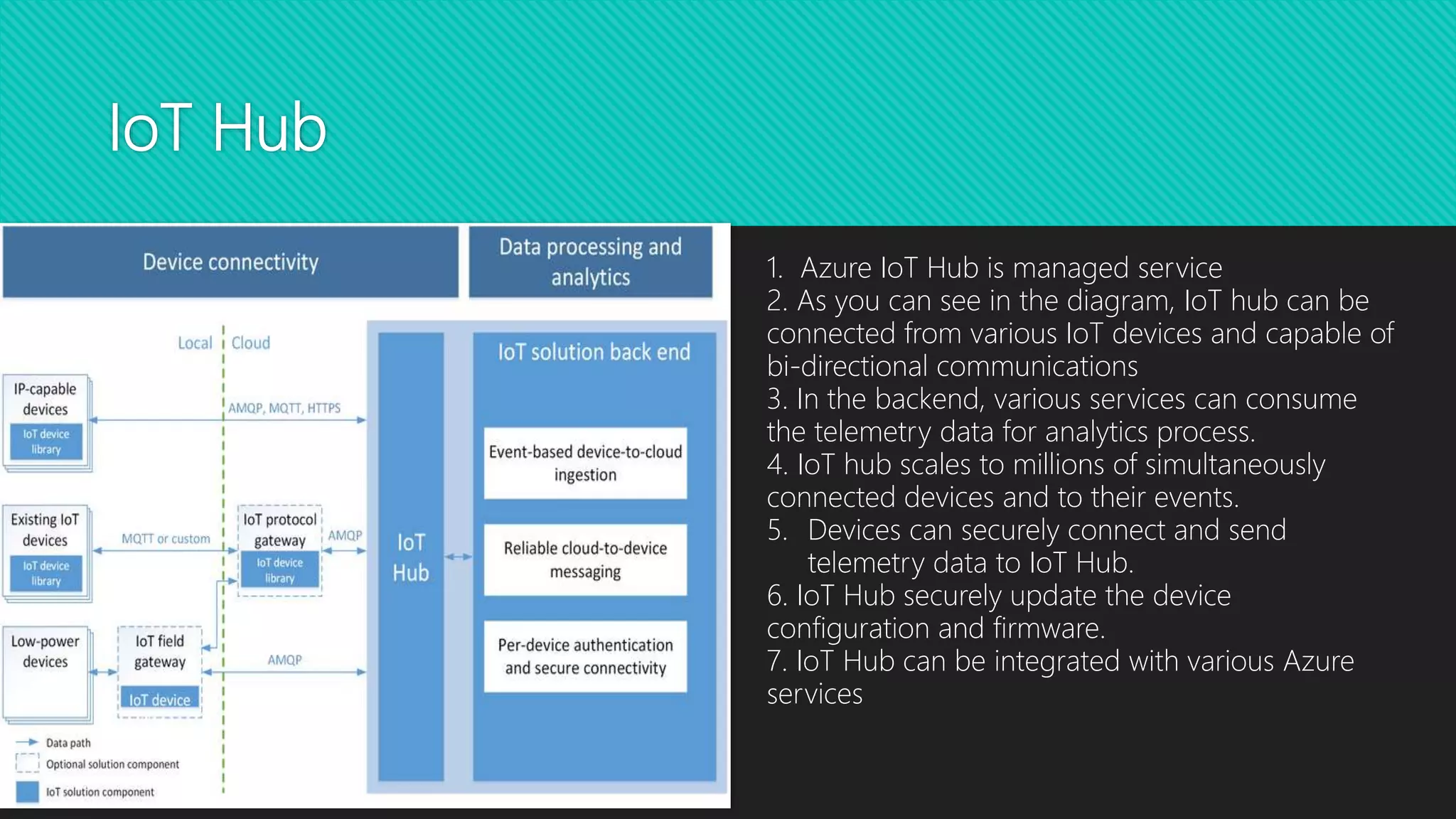
1. Azure IoT Hub is managed service
2. As you can see in the diagram, IoT hub can be
connected from various IoT devices and capable of
bi-directional communications
3. In the backend, various services can consume
the telemetry data for analytics process.
4. IoT hub scales to millions of simultaneously
connected devices and to their events.
5. Devices can securely connect and send
telemetry data to IoT Hub.
6. IoT Hub securely update the device
configuration and firmware.
7. IoT Hub can be integrated with various Azure
services
IoT SDK
 Azure IoT SDK is open sourced and available from GitHub.
 Two types of SDKs: a) Device SDK to be installed on devices
b) PaaS service SDK https://www.nuget.org/packages/Microsoft.Azure.Devices/)
 Device SDK enables devices to communicate with Azure IoT hub
 Supports C#/Java/C/Python/Node.js
 Protocols: REST API,
MQTT(Message Queuing Telemetry Transport),
AMQP(Advanced Message Queuing Protocol)
 Message Limits:
Device-to-cloud messaging - Maximum message size 256 KB
Cloud-to-device messaging1 - Maximum message size 64 KB. Maximum pending messages for delivery is 50.
Direct method - Maximum direct method payload size is 128 KB.
IoT Hub endpoints
Microsoft
documentation
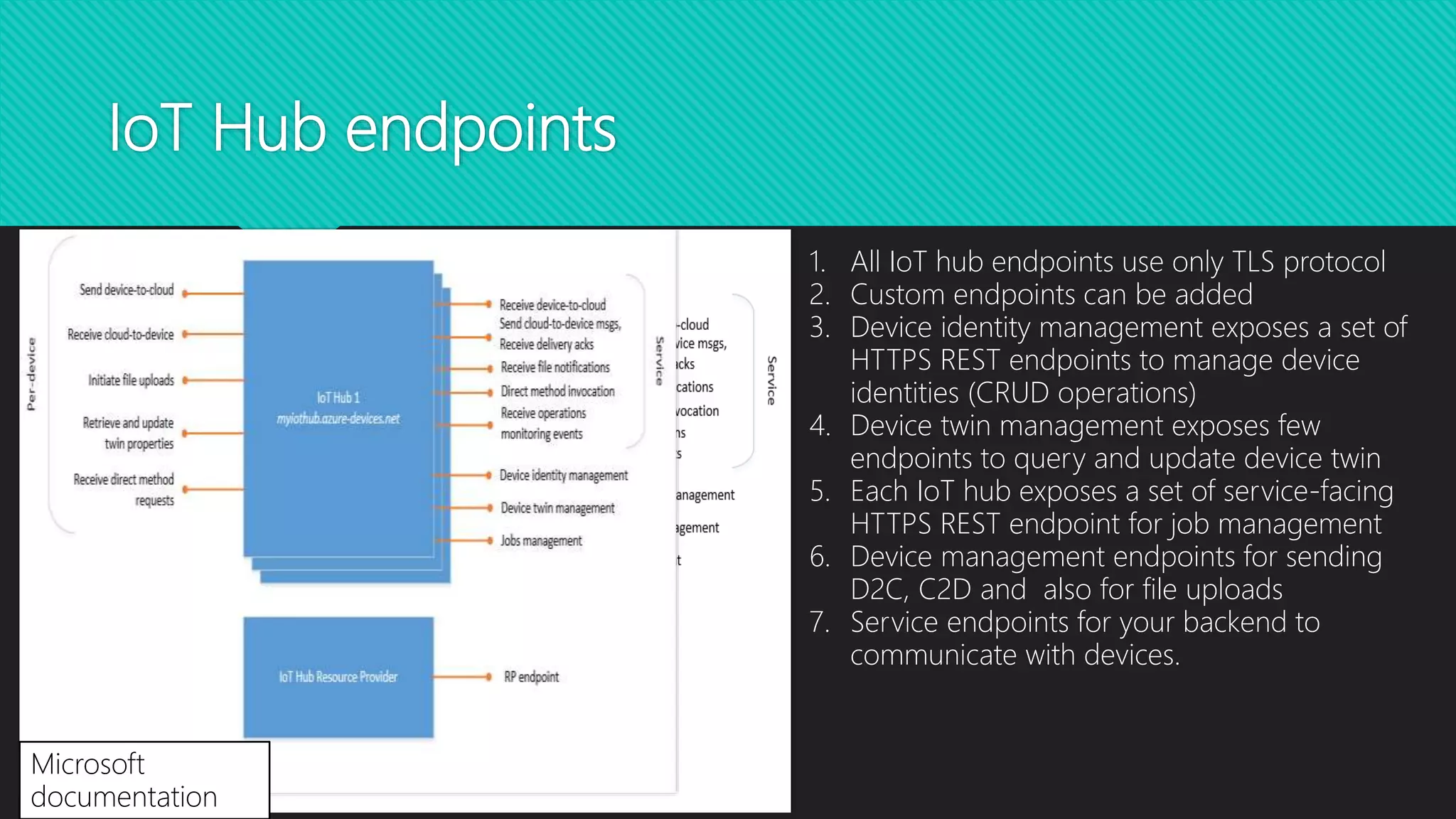
1. All IoT hub endpoints use only TLS protocol
2. Custom endpoints can be added
3. Device identity management exposes a set of
HTTPS REST endpoints to manage device
identities (CRUD operations)
4. Device twin management exposes few
endpoints to query and update device twin
5. Each IoT hub exposes a set of service-facing
HTTPS REST endpoint for job management
6. Device management endpoints for sending
D2C, C2D and also for file uploads
7. Service endpoints for your backend to
communicate with devices.
Device twins
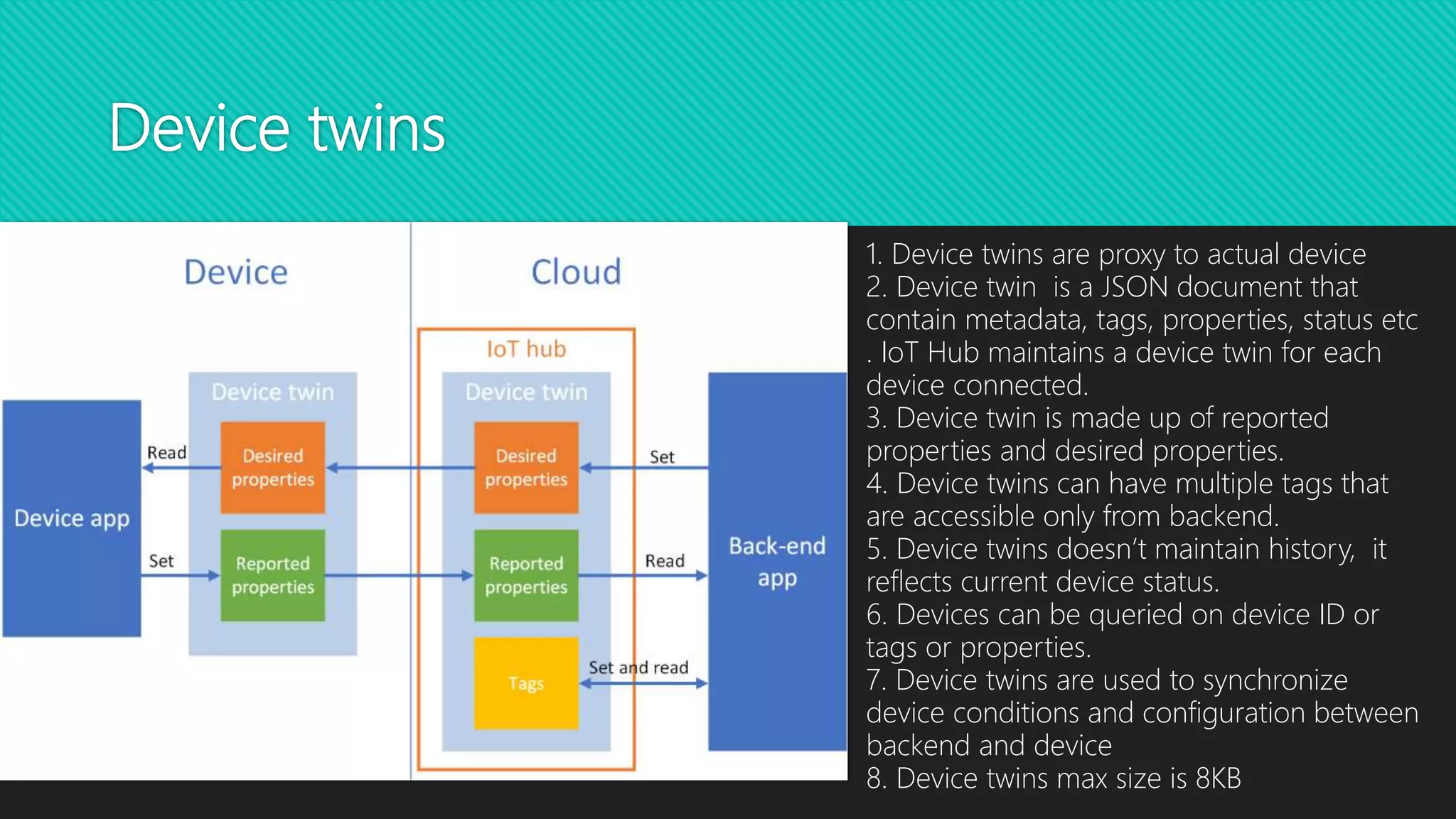
1. Device twins are proxy to actual device
2. Device twin is a JSON document that
contain metadata, tags, properties, status etc
. IoT Hub maintains a device twin for each
device connected.
3. Device twin is made up of reported
properties and desired properties.
4. Device twins can have multiple tags that
are accessible only from backend.
5. Device twins doesn’t maintain history, it
reflects current device status.
6. Devices can be queried on device ID or
tags or properties.
7. Device twins are used to synchronize
device conditions and configuration between
backend and device
8. Device twins max size is 8KB
Connection strings
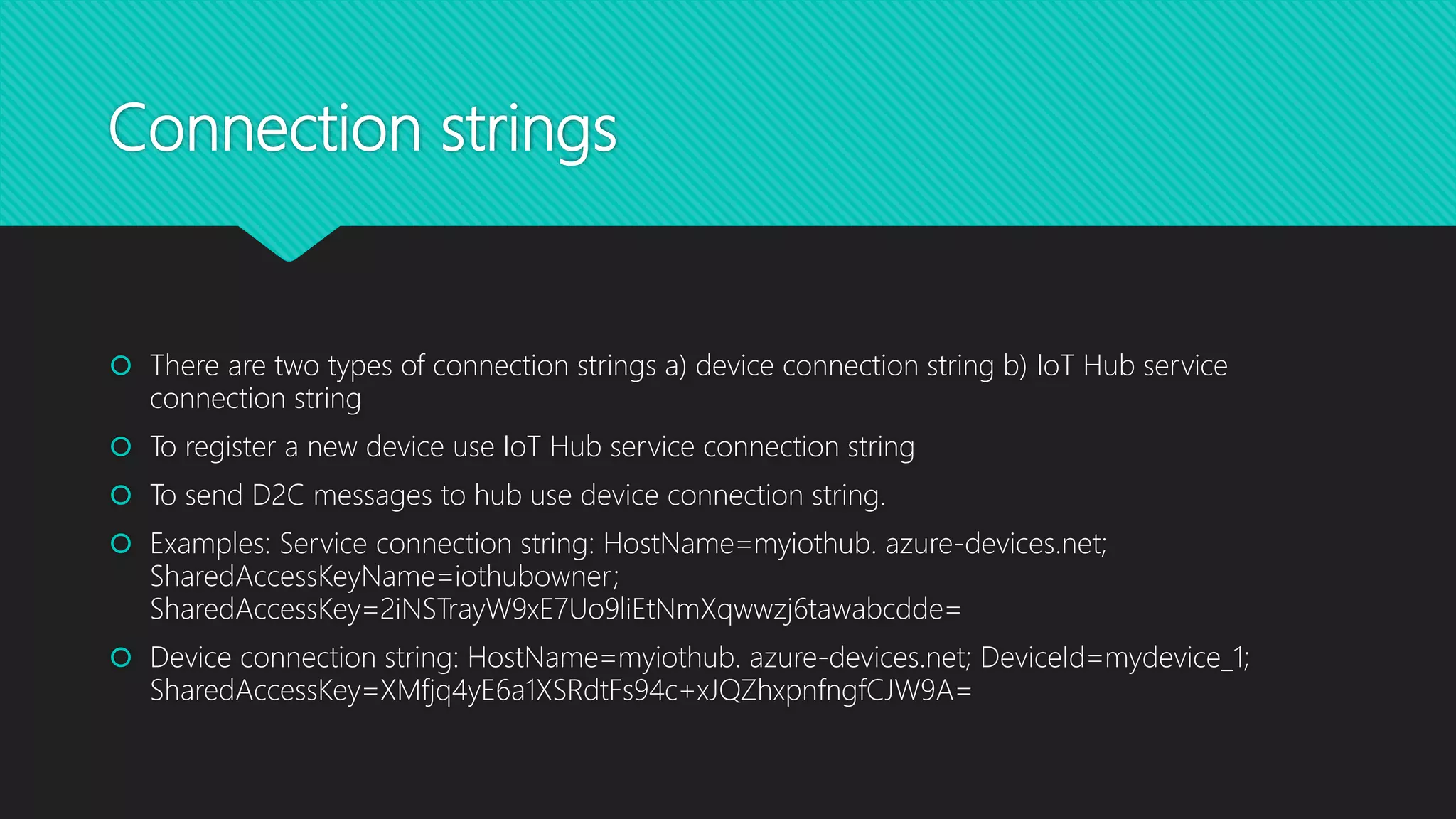
 There are two types of connection strings a) device connection string b) IoT Hub service
connection string
 To register a new device use IoT Hub service connection string
 To send D2C messages to hub use device connection string.
 Examples: Service connection string: HostName=myiothub. azure-devices.net;
SharedAccessKeyName=iothubowner;
SharedAccessKey=2iNSTrayW9xE7Uo9liEtNmXqwwzj6tawabcdde=
 Device connection string: HostName=myiothub. azure-devices.net; DeviceId=mydevice_1;
SharedAccessKey=XMfjq4yE6a1XSRdtFs94c+xJQZhxpnfngfCJW9A=
Registering device with IoT Hub
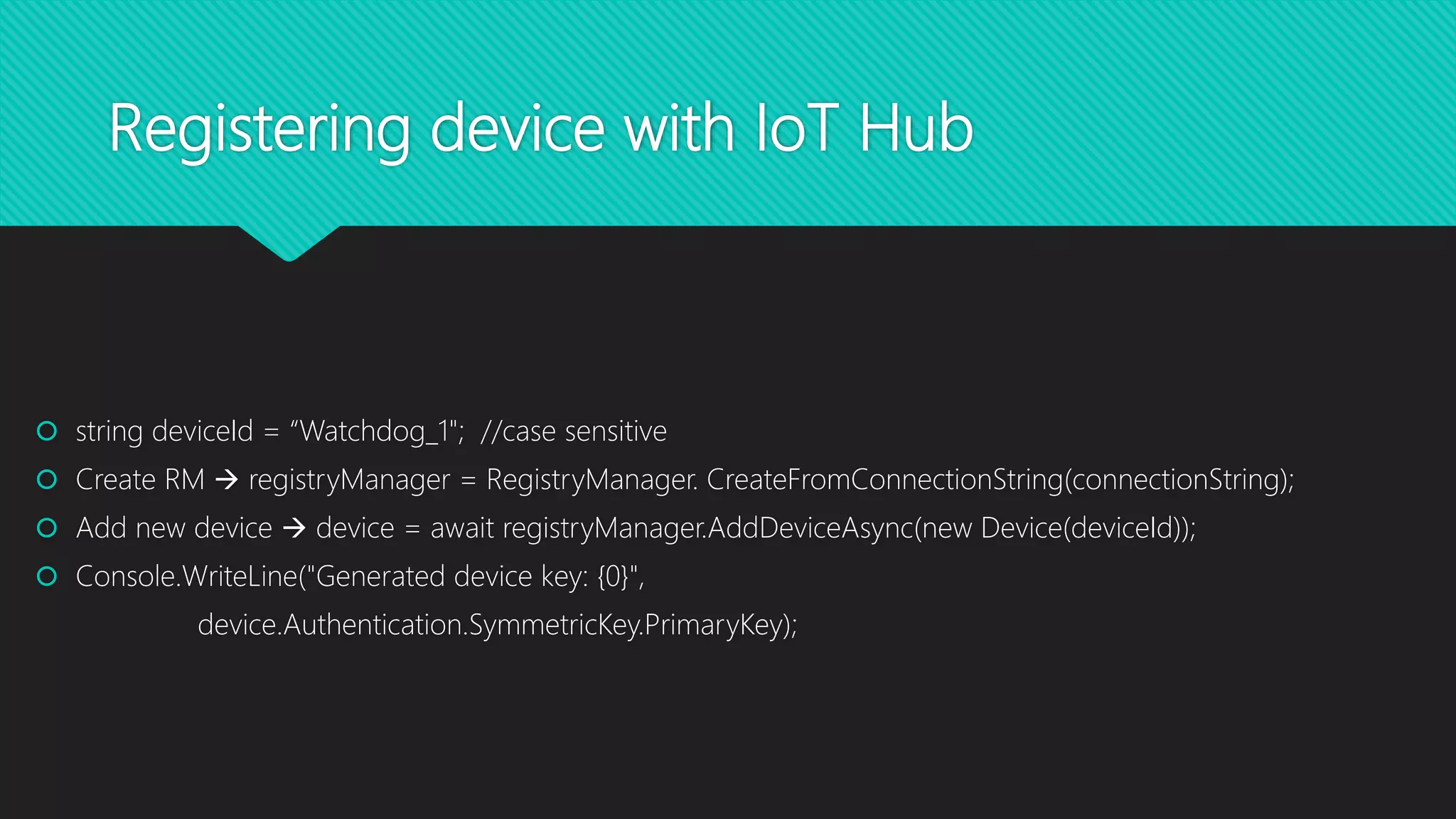
 string deviceId = “Watchdog_1"; //case sensitive
 Create RM  registryManager = RegistryManager. CreateFromConnectionString(connectionString);
 Add new device  device = await registryManager.AddDeviceAsync(new Device(deviceId));
 Console.WriteLine("Generated device key: {0}",
device.Authentication.SymmetricKey.PrimaryKey);
Direct Methods
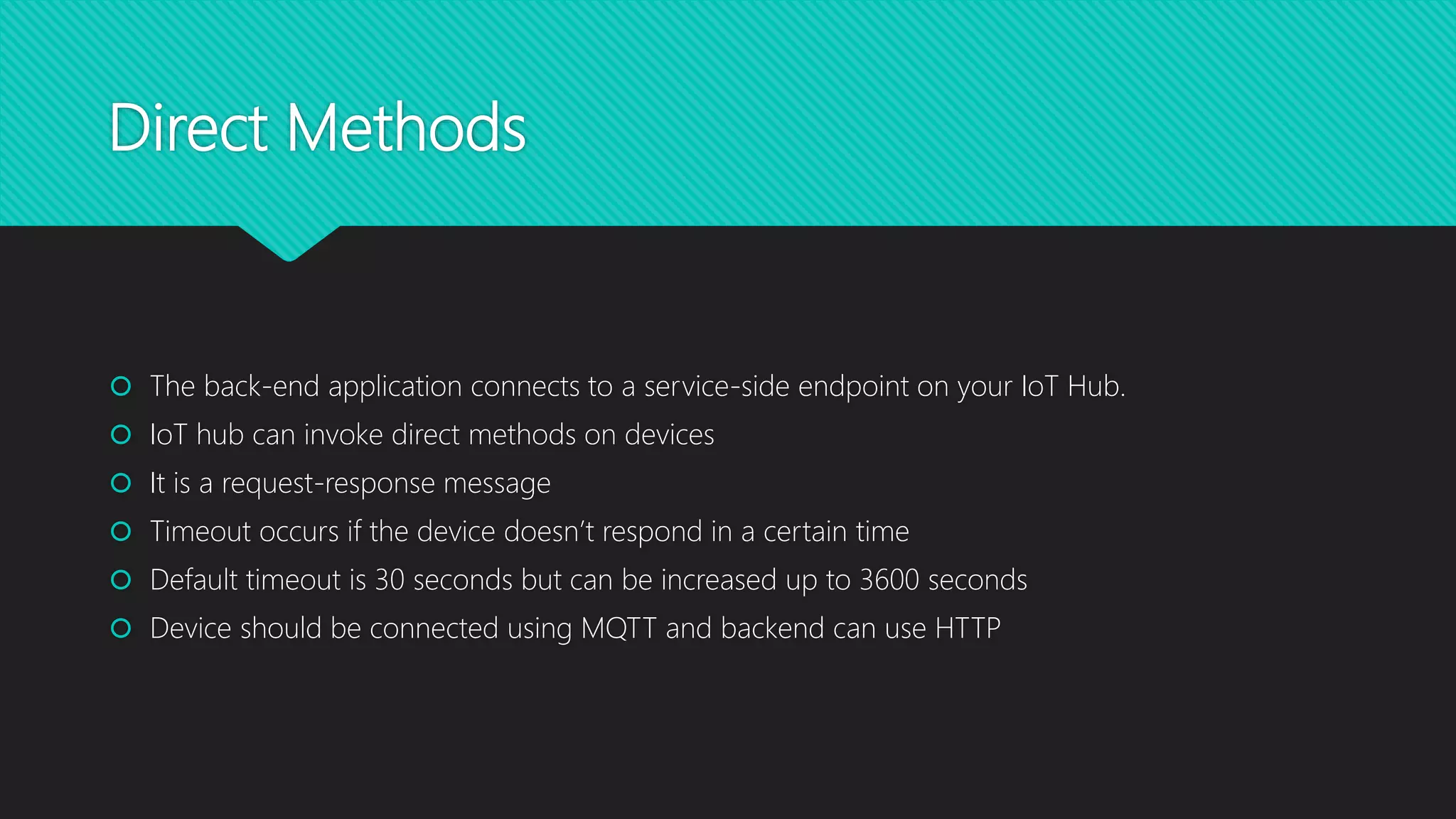
 The back-end application connects to a service-side endpoint on your IoT Hub.
 IoT hub can invoke direct methods on devices
 It is a request-response message
 Timeout occurs if the device doesn’t respond in a certain time
 Default timeout is 30 seconds but can be increased up to 3600 seconds
 Device should be connected using MQTT and backend can use HTTP
References
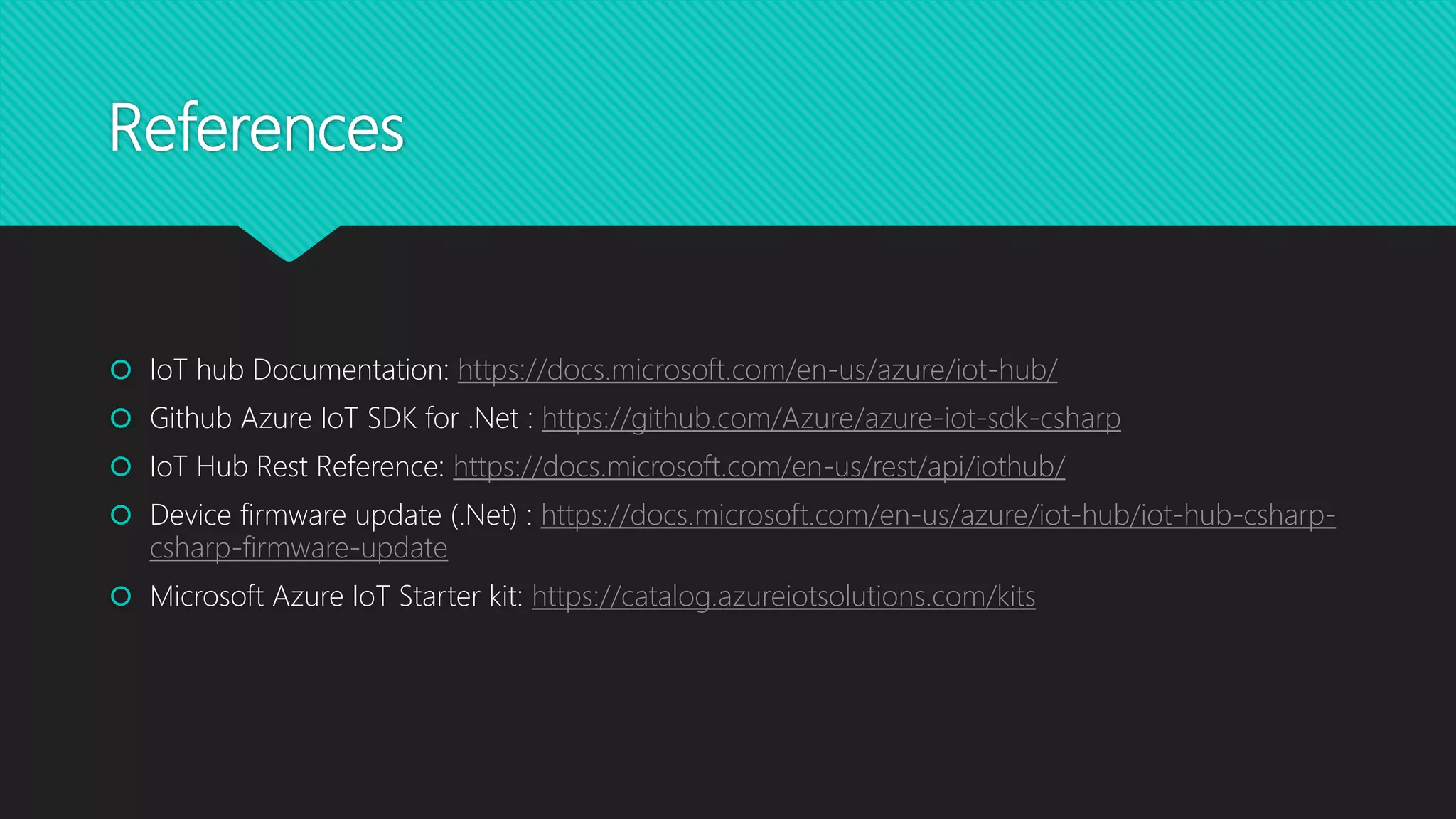
 IoT hub Documentation: https://docs.microsoft.com/en-us/azure/iot-hub/
 Github Azure IoT SDK for .Net : https://github.com/Azure/azure-iot-sdk-csharp
 IoT Hub Rest Reference: https://docs.microsoft.com/en-us/rest/api/iothub/
 Device firmware update (.Net) : https://docs.microsoft.com/en-us/azure/iot-hub/iot-hub-csharp-
csharp-firmware-update
 Microsoft Azure IoT Starter kit: https://catalog.azureiotsolutions.com/kits

Azure IoT hub

  • 1.
    Azure IoT Hub BasaMulaveesala (Basavaraj.basa@Infosys.com) Linkedin profile: www.linkedin.com/in/basavaraj-mulaveesala Date: 6/22/2018
  • 2.
    Azure IoT Hub Establish bidirectional communication with billions of IoT devices  Authenticate per device for security-enhanced IoT solutions  Automate IoT device provisioning and registration to accelerate your IoT deployment  Azure IoT Hub is PaaS service and is available in Free, S1, S2 and S3 tiers
  • 3.
    IoT Hub 1. AzureIoT Hub is managed service 2. As you can see in the diagram, IoT hub can be connected from various IoT devices and capable of bi-directional communications 3. In the backend, various services can consume the telemetry data for analytics process. 4. IoT hub scales to millions of simultaneously connected devices and to their events. 5. Devices can securely connect and send telemetry data to IoT Hub. 6. IoT Hub securely update the device configuration and firmware. 7. IoT Hub can be integrated with various Azure services
  • 4.
    IoT SDK  AzureIoT SDK is open sourced and available from GitHub.  Two types of SDKs: a) Device SDK to be installed on devices b) PaaS service SDK https://www.nuget.org/packages/Microsoft.Azure.Devices/)  Device SDK enables devices to communicate with Azure IoT hub  Supports C#/Java/C/Python/Node.js  Protocols: REST API, MQTT(Message Queuing Telemetry Transport), AMQP(Advanced Message Queuing Protocol)  Message Limits: Device-to-cloud messaging - Maximum message size 256 KB Cloud-to-device messaging1 - Maximum message size 64 KB. Maximum pending messages for delivery is 50. Direct method - Maximum direct method payload size is 128 KB.
  • 5.
    IoT Hub endpoints Microsoft documentation 1.All IoT hub endpoints use only TLS protocol 2. Custom endpoints can be added 3. Device identity management exposes a set of HTTPS REST endpoints to manage device identities (CRUD operations) 4. Device twin management exposes few endpoints to query and update device twin 5. Each IoT hub exposes a set of service-facing HTTPS REST endpoint for job management 6. Device management endpoints for sending D2C, C2D and also for file uploads 7. Service endpoints for your backend to communicate with devices.
  • 6.
    Device twins 1. Devicetwins are proxy to actual device 2. Device twin is a JSON document that contain metadata, tags, properties, status etc . IoT Hub maintains a device twin for each device connected. 3. Device twin is made up of reported properties and desired properties. 4. Device twins can have multiple tags that are accessible only from backend. 5. Device twins doesn’t maintain history, it reflects current device status. 6. Devices can be queried on device ID or tags or properties. 7. Device twins are used to synchronize device conditions and configuration between backend and device 8. Device twins max size is 8KB
  • 7.
    Connection strings  Thereare two types of connection strings a) device connection string b) IoT Hub service connection string  To register a new device use IoT Hub service connection string  To send D2C messages to hub use device connection string.  Examples: Service connection string: HostName=myiothub. azure-devices.net; SharedAccessKeyName=iothubowner; SharedAccessKey=2iNSTrayW9xE7Uo9liEtNmXqwwzj6tawabcdde=  Device connection string: HostName=myiothub. azure-devices.net; DeviceId=mydevice_1; SharedAccessKey=XMfjq4yE6a1XSRdtFs94c+xJQZhxpnfngfCJW9A=
  • 8.
    Registering device withIoT Hub  string deviceId = “Watchdog_1"; //case sensitive  Create RM  registryManager = RegistryManager. CreateFromConnectionString(connectionString);  Add new device  device = await registryManager.AddDeviceAsync(new Device(deviceId));  Console.WriteLine("Generated device key: {0}", device.Authentication.SymmetricKey.PrimaryKey);
  • 9.
    Direct Methods  Theback-end application connects to a service-side endpoint on your IoT Hub.  IoT hub can invoke direct methods on devices  It is a request-response message  Timeout occurs if the device doesn’t respond in a certain time  Default timeout is 30 seconds but can be increased up to 3600 seconds  Device should be connected using MQTT and backend can use HTTP
  • 10.
    References  IoT hubDocumentation: https://docs.microsoft.com/en-us/azure/iot-hub/  Github Azure IoT SDK for .Net : https://github.com/Azure/azure-iot-sdk-csharp  IoT Hub Rest Reference: https://docs.microsoft.com/en-us/rest/api/iothub/  Device firmware update (.Net) : https://docs.microsoft.com/en-us/azure/iot-hub/iot-hub-csharp- csharp-firmware-update  Microsoft Azure IoT Starter kit: https://catalog.azureiotsolutions.com/kits