ZERO TRUST
ARCHITECTURE
With KeyCloak & Hashicorp Vault
Topics
- What is Zero Trust?
- Key Components
- SSH Auth - Certificate Signing
- SSH Auth - OTP
SSH AUTHENTICATION
CERTIFICATE SIGNING
What is Zero Trust?
Zero Trust, Zero Trust Network, or Zero Trust Architecture refer to security concepts and threat model that no
longer assumes that actors, systems or services operating from within the security perimeter should be
automatically trusted, and instead must verify anything and everything trying to connect to its systems before
granting access.
Key Components
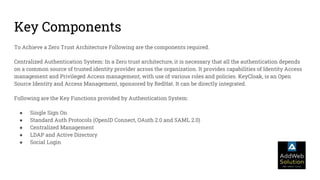
To Achieve a Zero Trust Architecture Following are the components required.
Centralized Authentication System: In a Zero trust architecture, it is necessary that all the authentication depends
on a common source of trusted identity provider across the organization. It provides capabilities of Identity Access
management and Privileged Access management, with use of various roles and policies. KeyCloak, is an Open
Source Identity and Access Management, sponsored by RedHat. It can be directly integrated.
Following are the Key Functions provided by Authentication System:
● Single Sign On
● Standard Auth Protocols (OpenID Connect, OAuth 2.0 and SAML 2.0)
● Centralized Management
● LDAP and Active Directory
● Social Login
Key Components
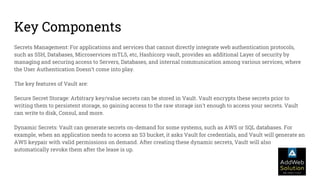
Secrets Management: For applications and services that cannot directly integrate web authentication protocols,
such as SSH, Databases, Microservices mTLS, etc, Hashicorp vault, provides an additional Layer of security by
managing and securing access to Servers, Databases, and internal communication among various services, where
the User Authentication Doesn’t come into play.
The key features of Vault are:
Secure Secret Storage: Arbitrary key/value secrets can be stored in Vault. Vault encrypts these secrets prior to
writing them to persistent storage, so gaining access to the raw storage isn't enough to access your secrets. Vault
can write to disk, Consul, and more.
Dynamic Secrets: Vault can generate secrets on-demand for some systems, such as AWS or SQL databases. For
example, when an application needs to access an S3 bucket, it asks Vault for credentials, and Vault will generate an
AWS keypair with valid permissions on demand. After creating these dynamic secrets, Vault will also
automatically revoke them after the lease is up.
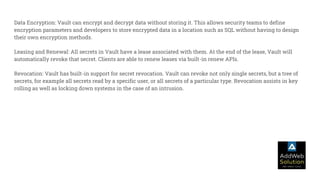
Data Encryption: Vault can encrypt and decrypt data without storing it. This allows security teams to define
encryption parameters and developers to store encrypted data in a location such as SQL without having to design
their own encryption methods.
Leasing and Renewal: All secrets in Vault have a lease associated with them. At the end of the lease, Vault will
automatically revoke that secret. Clients are able to renew leases via built-in renew APIs.
Revocation: Vault has built-in support for secret revocation. Vault can revoke not only single secrets, but a tree of
secrets, for example all secrets read by a specific user, or all secrets of a particular type. Revocation assists in key
rolling as well as locking down systems in the case of an intrusion.
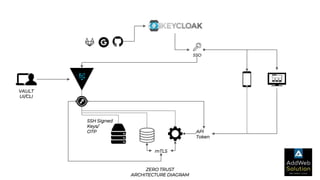
SSO
mTLS
API
Token
SSH Signed
Keys/
OTP
VAULT
UI/CLI
ZERO TRUST
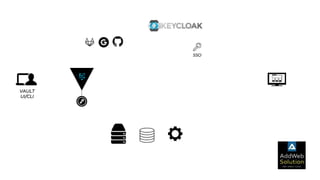
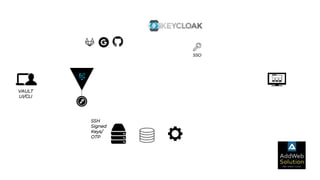
ARCHITECTURE DIAGRAM
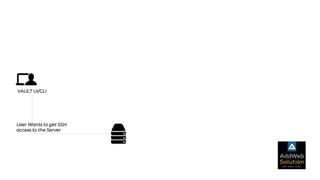
VAULT UI/CLI
User Wants to get SSH
access to the Server
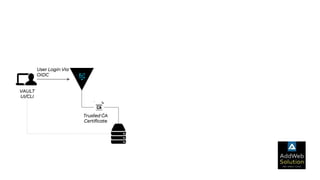
VAULT
UI/CLI
User Login Via
OIDC
Trusted CA
Certificate
VAULT
UI/CLI
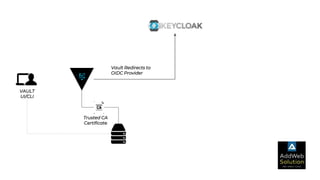
Vault Redirects to
OIDC Provider
Trusted CA
Certificate
VAULT
UI/CLI
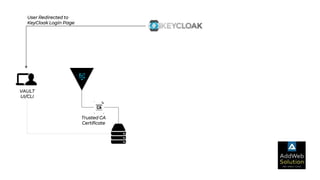
User Redirected to
KeyCloak Login Page
Trusted CA
Certificate
VAULT
UI/CLI
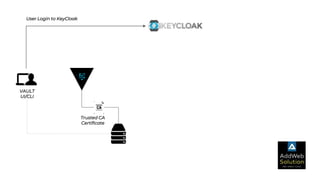
User Login to KeyCloak
Trusted CA
Certificate
VAULT
UI/CLI
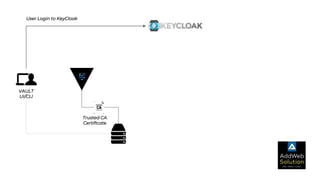
User Login to KeyCloak
Trusted CA
Certificate
SSO
VAULT
UI/CLI
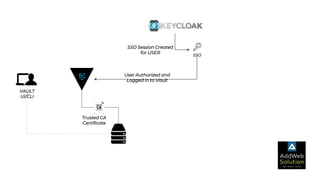
SSO Session Created
for USER
User Authorized and
Logged in to Vault
Trusted CA
Certificate
SSO
VAULT
UI/CLI
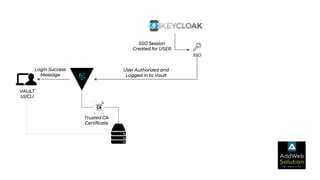
SSO Session
Created for USER
User Authorized and
Logged in to Vault
Login Success
Message
Trusted CA
Certificate
SSO
VAULT
UI/CLI
SSO Session Created
for USER
User Authorized and
Logged in to Vault
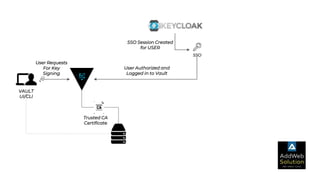
User Requests
For Key
Signing
Trusted CA
Certificate
SSO
VAULT
UI/CLI
SSO Session Created
for USER
User Authorized and
Logged in to Vault
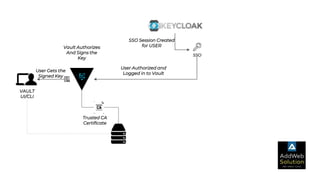
Vault Authorizes
And Signs the
Key
User Gets the
Signed Key
Trusted CA
Certificate
SSO
VAULT
UI/CLI
SSO Session
Created for USER
User Authorized and
Logged in to Vault
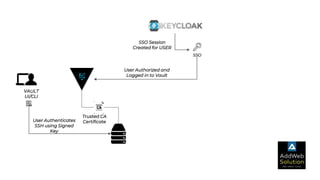
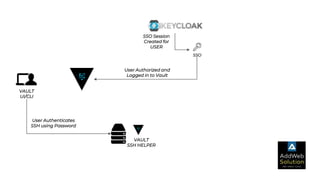
User Authenticates
SSH using Signed
Key
Trusted CA
Certificate
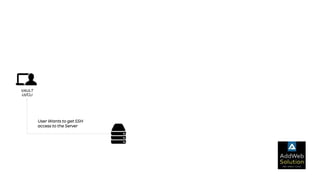
SSH AUTHENTICATION
ONE TIME PASSWORD
VAULT
UI/CLI
User Wants to get SSH
access to the Server
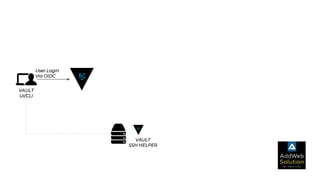
VAULT
UI/CLI
User Login
Via OIDC
VAULT
SSH HELPER
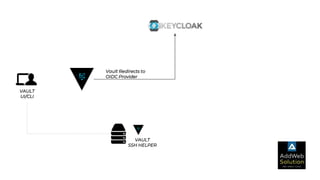
VAULT
UI/CLI
Vault Redirects to
OIDC Provider
VAULT
SSH HELPER
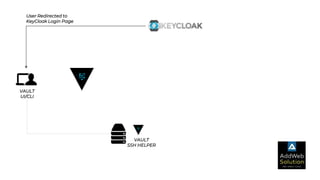
VAULT
UI/CLI
User Redirected to
KeyCloak Login Page
VAULT
SSH HELPER
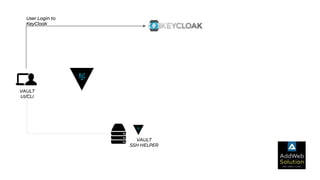
VAULT
UI/CLI
User Login to
KeyCloak
VAULT
SSH HELPER
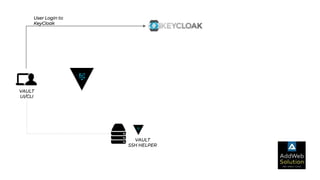
VAULT
UI/CLI
User Login to
KeyCloak
VAULT
SSH HELPER
SSO
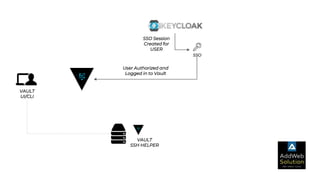
VAULT
UI/CLI
SSO Session
Created for
USER
User Authorized and
Logged in to Vault
VAULT
SSH HELPER
SSO
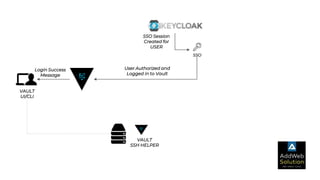
VAULT
UI/CLI
SSO Session
Created for
USER
User Authorized and
Logged in to Vault
Login Success
Message
VAULT
SSH HELPER
SSO
VAULT
UI/CLI
SSO Session
Created for
USER
User Authorized and
Logged in to Vault
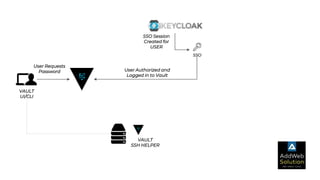
User Requests
Password
VAULT
SSH HELPER
SSO
VAULT
UI/CLI
SSO Session
Created for
USER
User Authorized and
Logged in to Vault
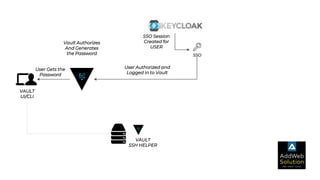
Vault Authorizes
And Generates
the Password
User Gets the
Password
VAULT
SSH HELPER
SSO
VAULT
UI/CLI
SSO Session
Created for
USER
User Authorized and
Logged in to Vault
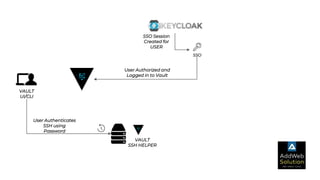
User Authenticates
SSH using
Password
VAULT
SSH HELPER
SSO
VAULT
UI/CLI
SSO Session
Created for
USER
User Authorized and
Logged in to Vault
VAULT
SSH HELPER
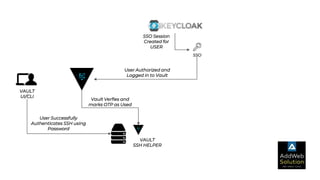
Vault Verfies and
marks OTP as Used
User Successfully
Authenticates SSH using
Password
SSO
VAULT
UI/CLI
SSO Session
Created for
USER
User Authorized and
Logged in to Vault
User Authenticates
SSH using Password
VAULT
SSH HELPER
SSO
VAULT
UI/CLI
SSO
SSH
Signed
Keys/
OTP
VAULT
UI/CLI
Reach us at :
Email:
1. hi@addwebsolution.com or
2. contact@addwebsolution.com
Phone:
1. +1-302-261-5724
2. +44-020-8144-0266
3. +91 903 317 7471
We are Social:
Team Culture | LinkedIn | Happy Clients | Twitter

Zero trust Architecture