From Zero to Hero on Hyper-V R2-Part 1-Lai YoongSengMVP : Virtual Machine | www.ms4u.infoMVUG
Virtualization OverviewVirtualization RoadmapAgendaHyper V RequirementHyper V EditionKey CapabilitiesMicrosoftWindows Server 2008 R2Hyper-V
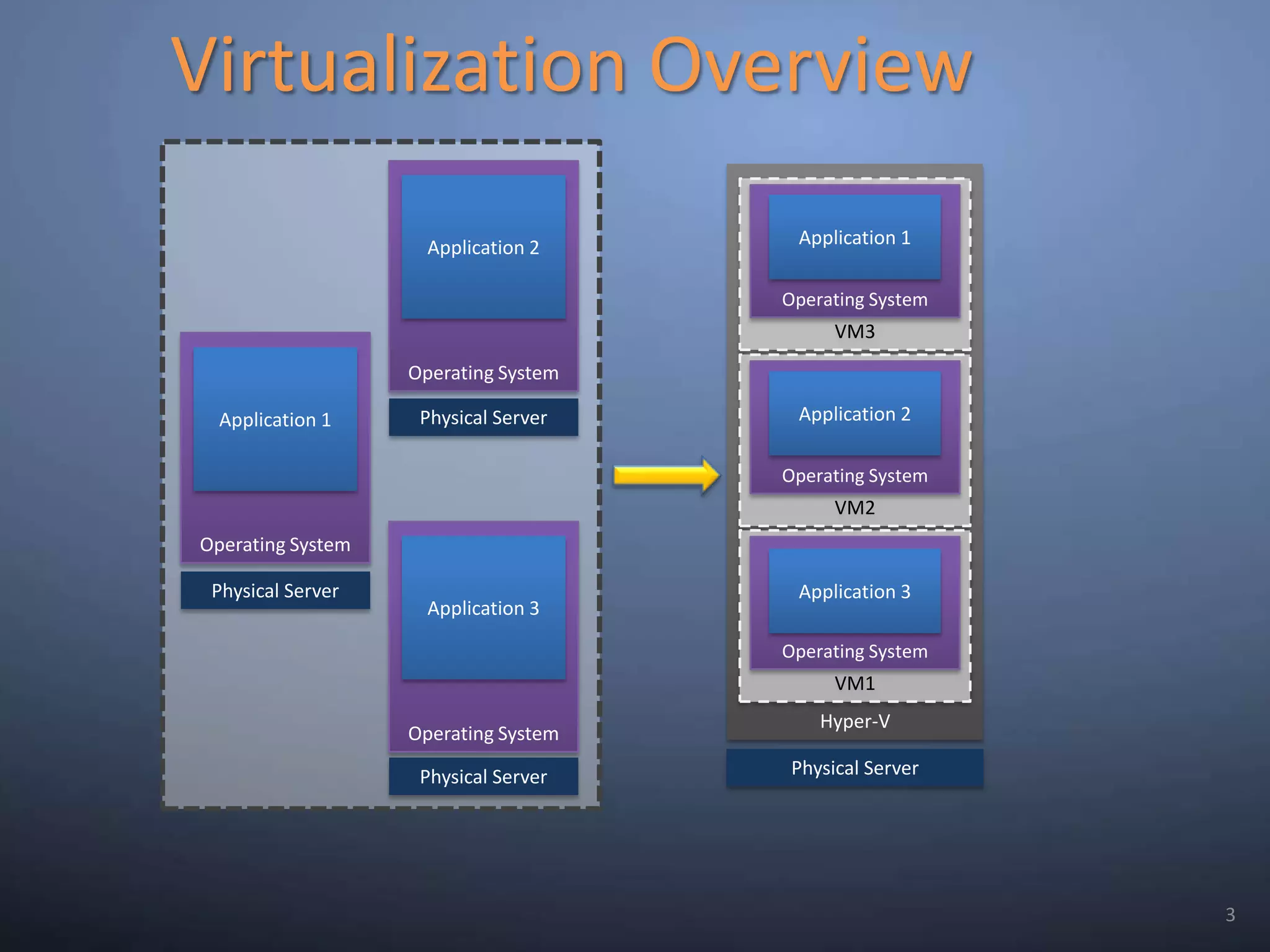
Virtualization OverviewOperating SystemHyper-VApplication 2VM3Operating SystemApplication 1Operating SystemApplication 1VM2Operating SystemApplication 2Physical ServerOperating SystemVM1Application 3Operating SystemApplication 3PhysicalServerPhysical ServerPhysical Server3
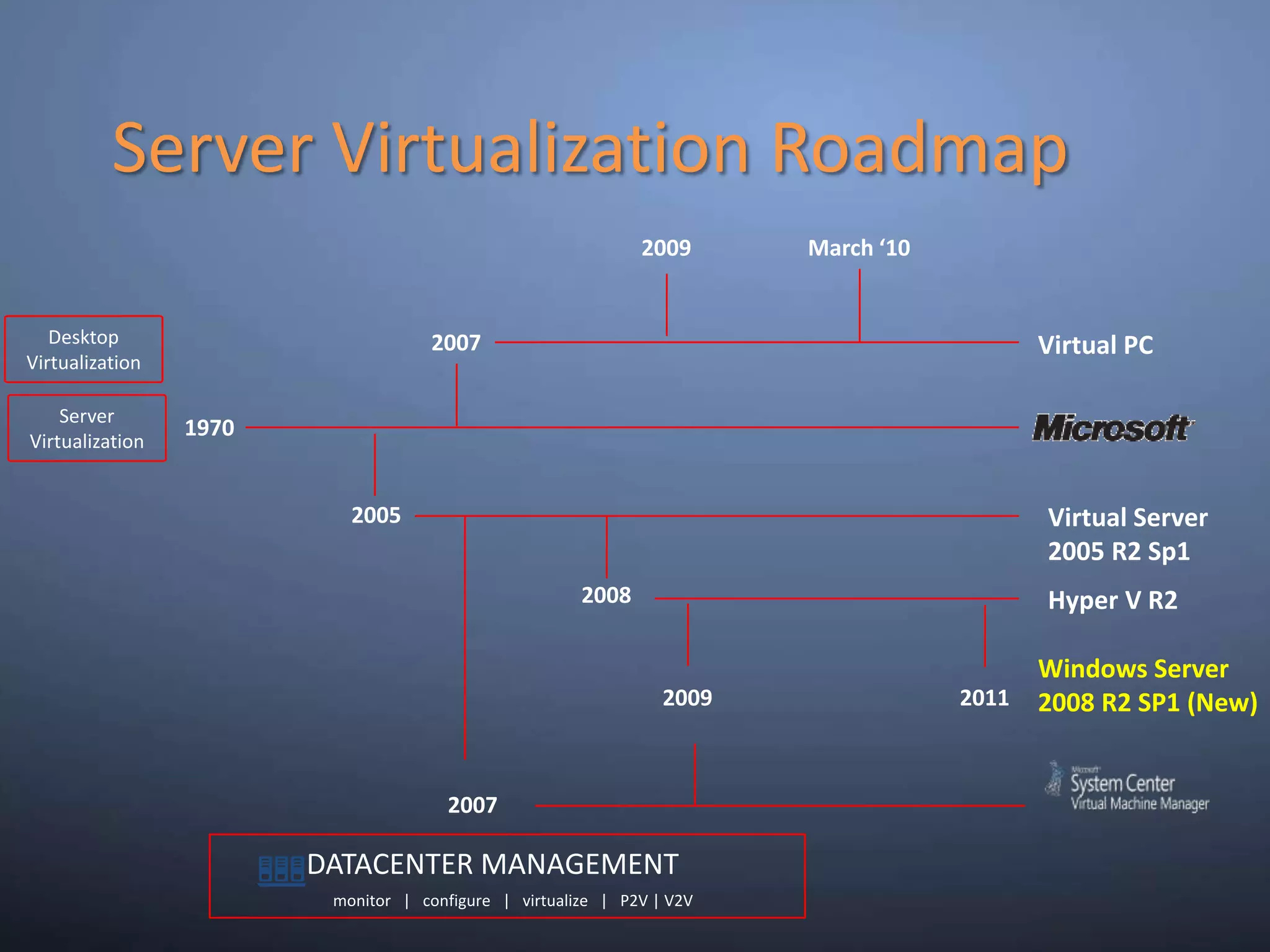
Server Virtualization Roadmap2009March ‘10DesktopVirtualization     DATACENTER MANAGEMENT   monitor   |   configure   |   virtualize   |   P2V | V2VVirtual PCServerVirtualization19702005Virtual Server 2005 R2 Sp12008Hyper V R22007Windows Server 2008 R2 SP1 (New)200920112007
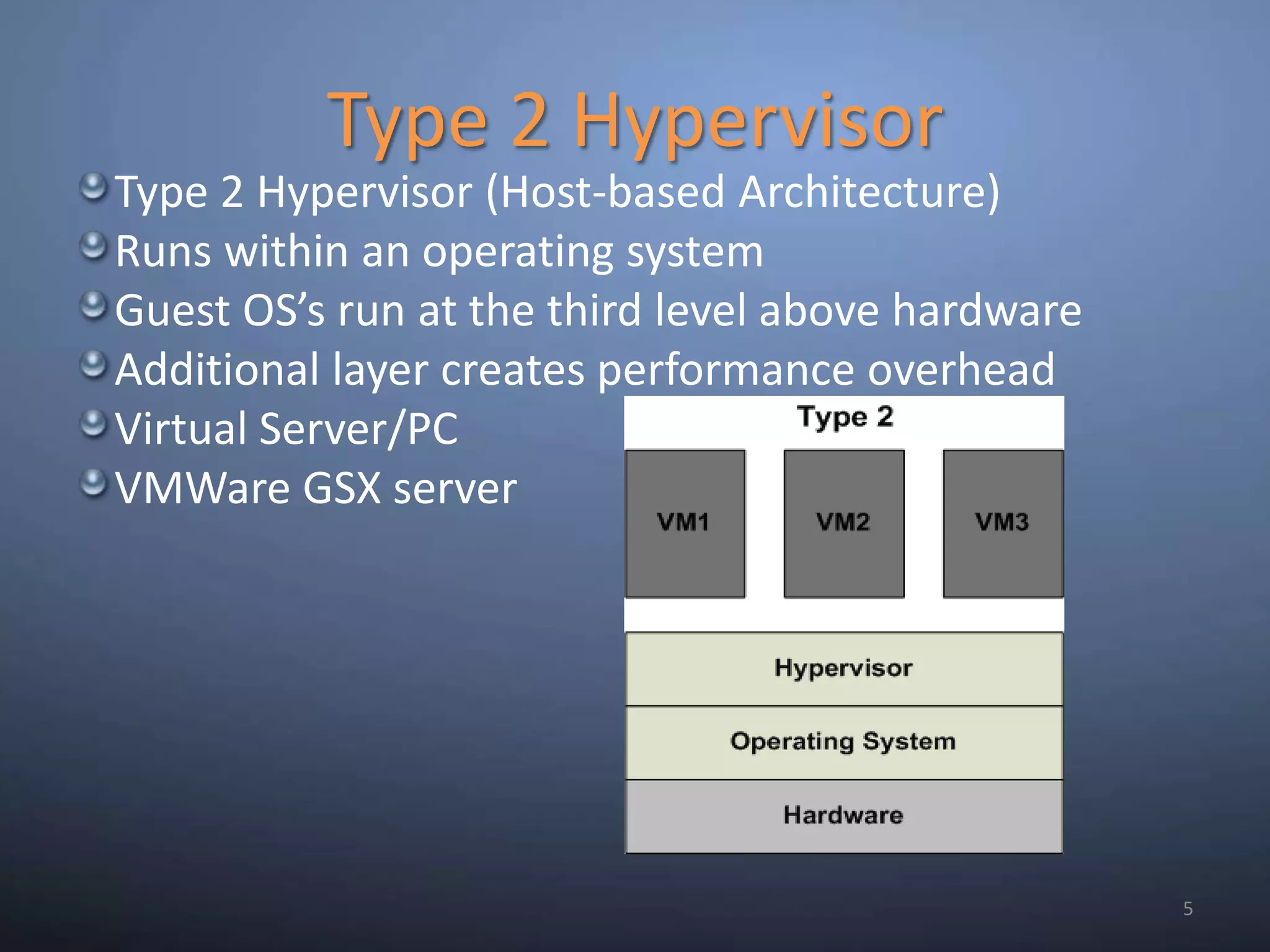
Type 2 Hypervisor5Type 2 Hypervisor (Host-based Architecture)Runs within an operating systemGuest OS’s run at the third level above hardwareAdditional layer creates performance overheadVirtual Server/PCVMWare GSX server
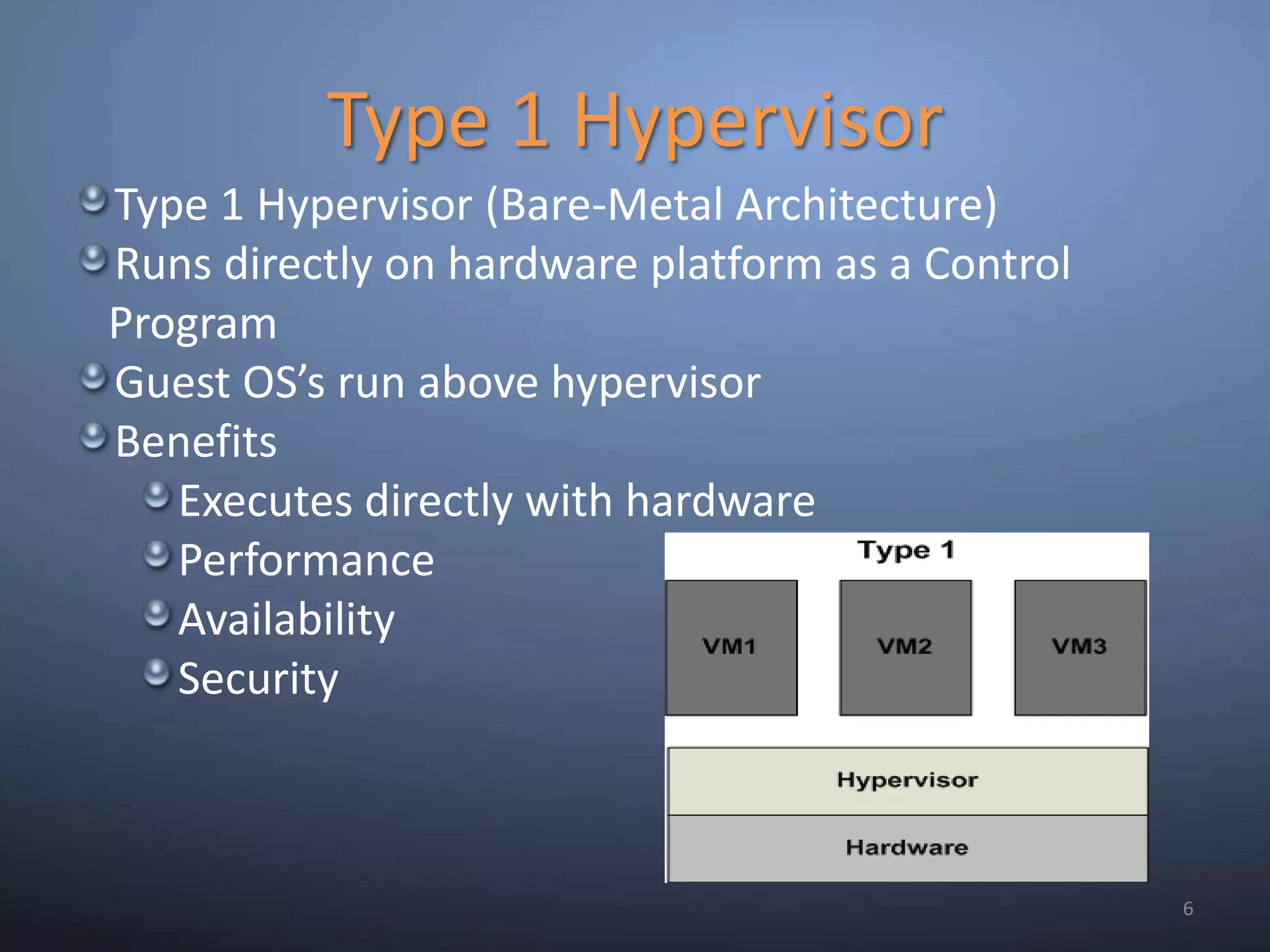
Type 1 Hypervisor6Type 1 Hypervisor (Bare-Metal Architecture)Runs directly on hardware platform as a Control ProgramGuest OS’s run above hypervisorBenefitsExecutes directly with hardwarePerformanceAvailabilitySecurity
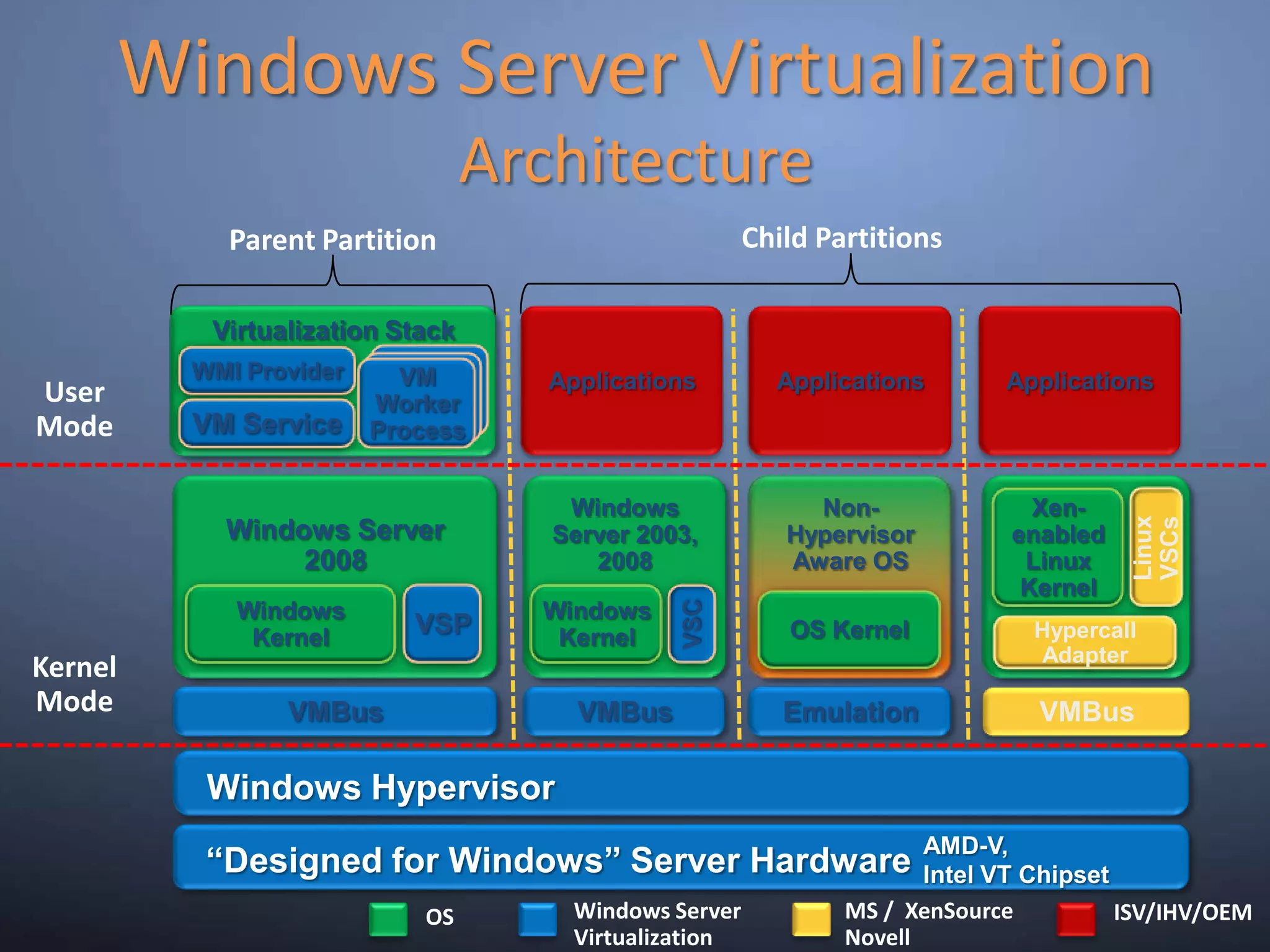
Windows Server VirtualizationArchitectureChild PartitionsParentPartitionVM WorkerProcessApplicationsApplicationsApplicationsVirtualization StackWMI ProviderUser ModeVM ServiceWindows Server 2003, 2008Windows Server 2008Non-Hypervisor Aware OSXen-enabled Linux KernelLinux VSCsWindows KernelWindows KernelVSPOS KernelVSCHypercall AdapterKernel ModeVMBusEmulationVMBusVMBusWindows HypervisorAMD-V,Intel VT Chipset“Designed for Windows” Server HardwareMS /  XenSourceNovellWindows Server VirtualizationISV/IHV/OEMOS
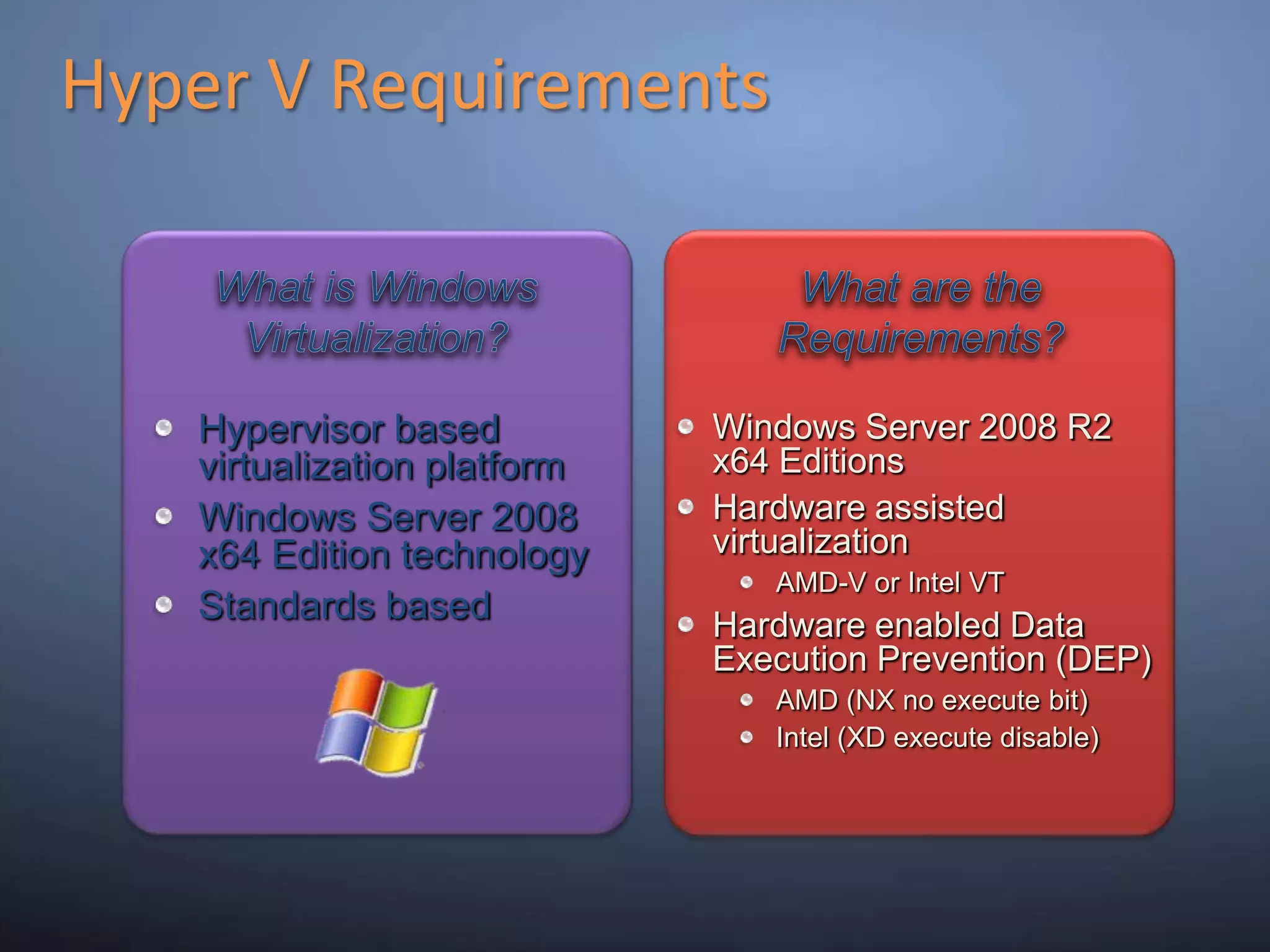
Hyper V RequirementsWhat is Windows Virtualization?What are the Requirements?Windows Server 2008 R2x64 EditionsHardware assisted virtualizationAMD-V or Intel VTHardware enabled Data Execution Prevention (DEP) AMD (NX no execute bit)Intel (XD execute disable)Hypervisor based virtualization platformWindows Server 2008 x64 Edition technologyStandards based
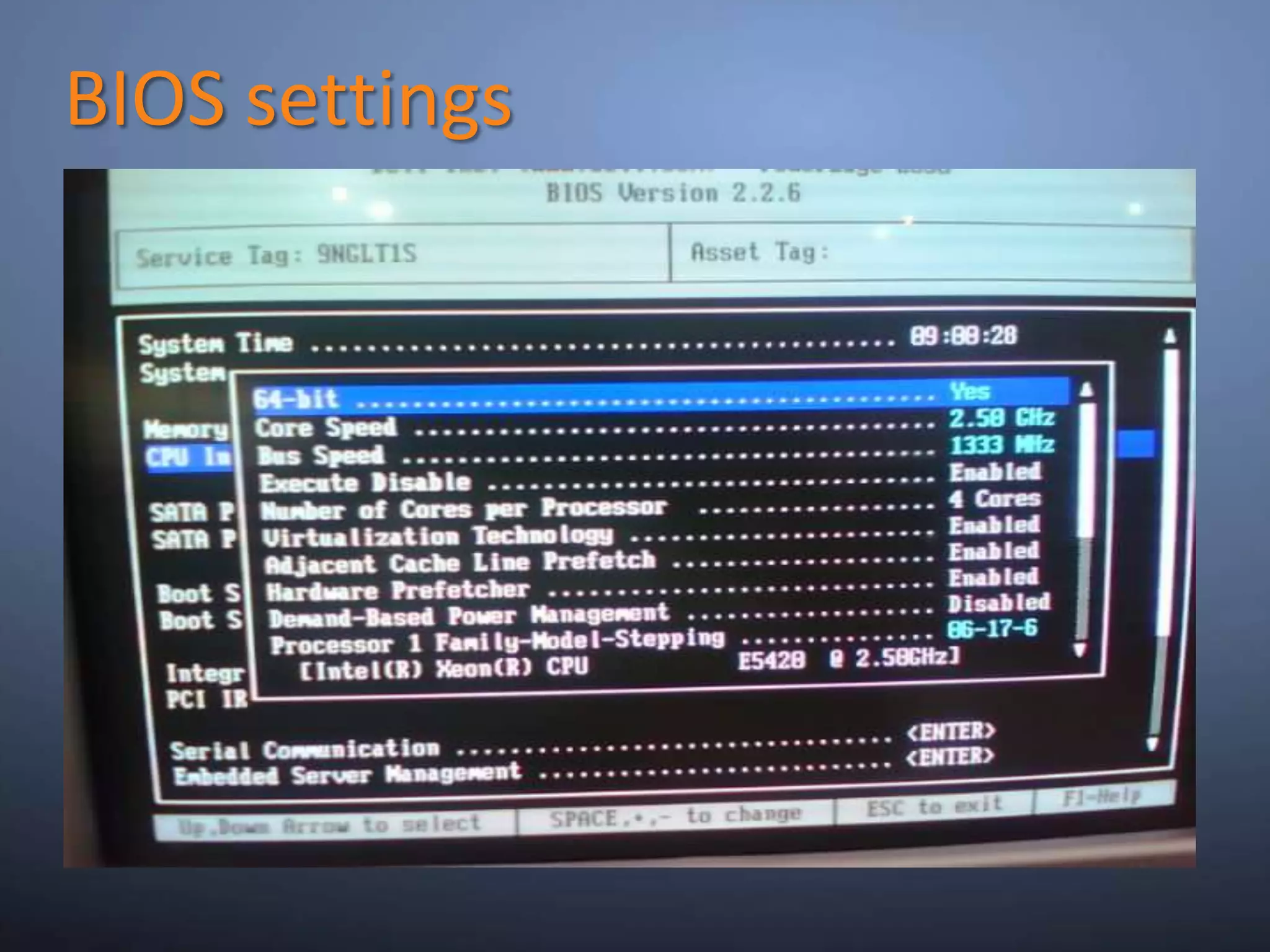
BIOS settings
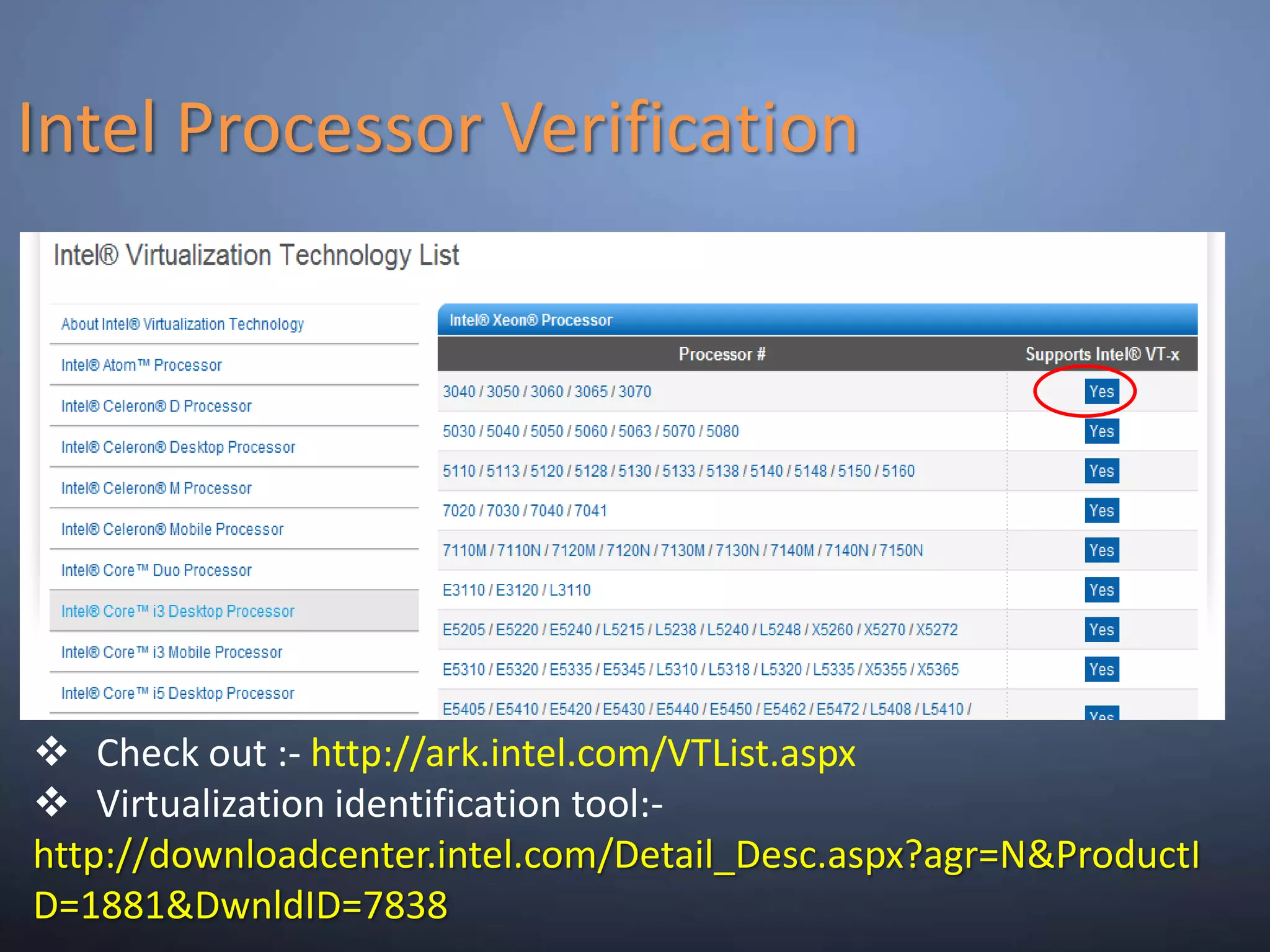
Intel Processor VerificationCheck out :- http://ark.intel.com/VTList.aspx
Virtualization identification tool:- http://downloadcenter.intel.com/Detail_Desc.aspx?agr=N&ProductID=1881&DwnldID=7838
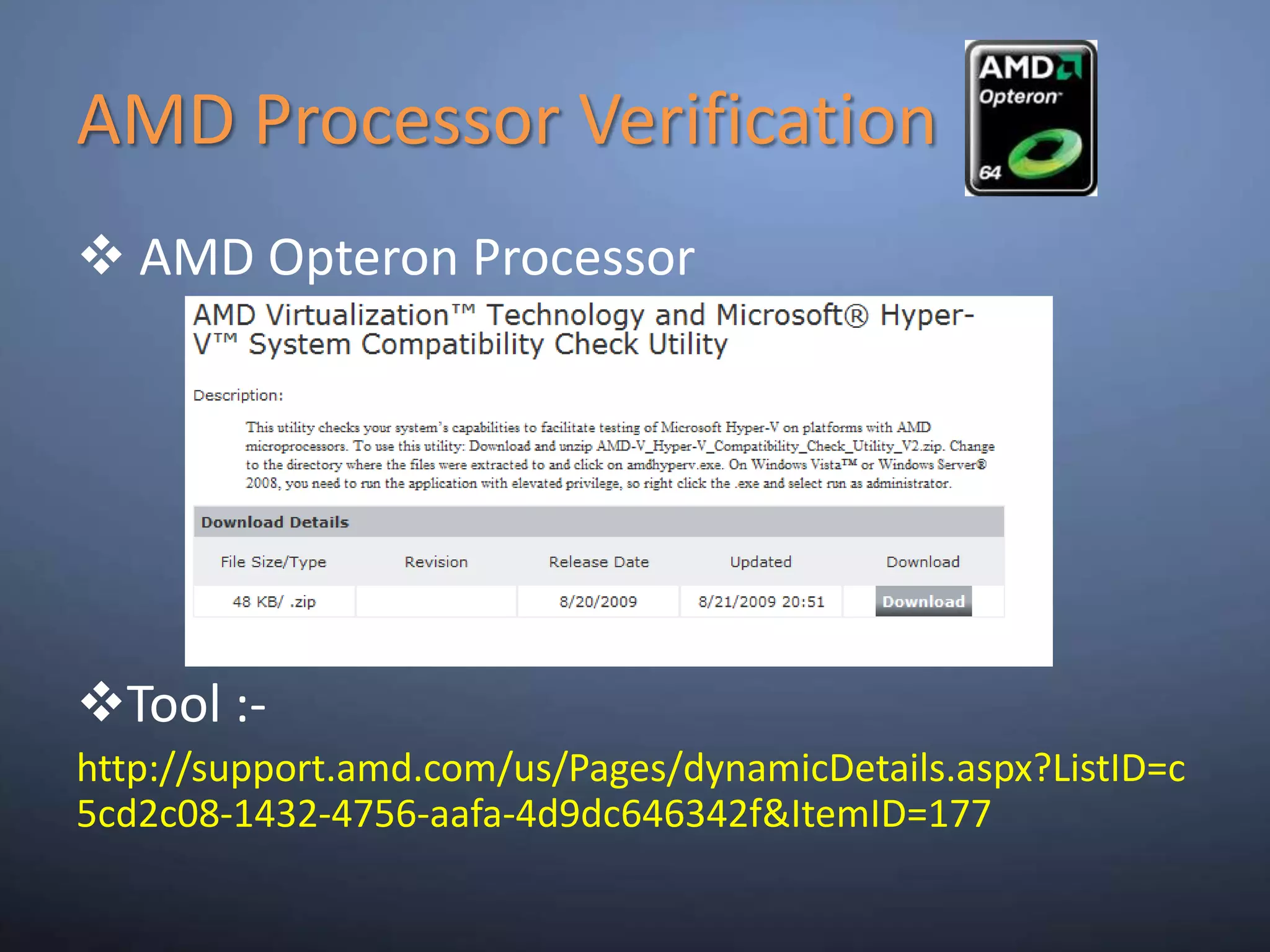
AMD Processor Verification AMD Opteron Processor
Tool :-http://support.amd.com/us/Pages/dynamicDetails.aspx?ListID=c5cd2c08-1432-4756-aafa-4d9dc646342f&ItemID=177
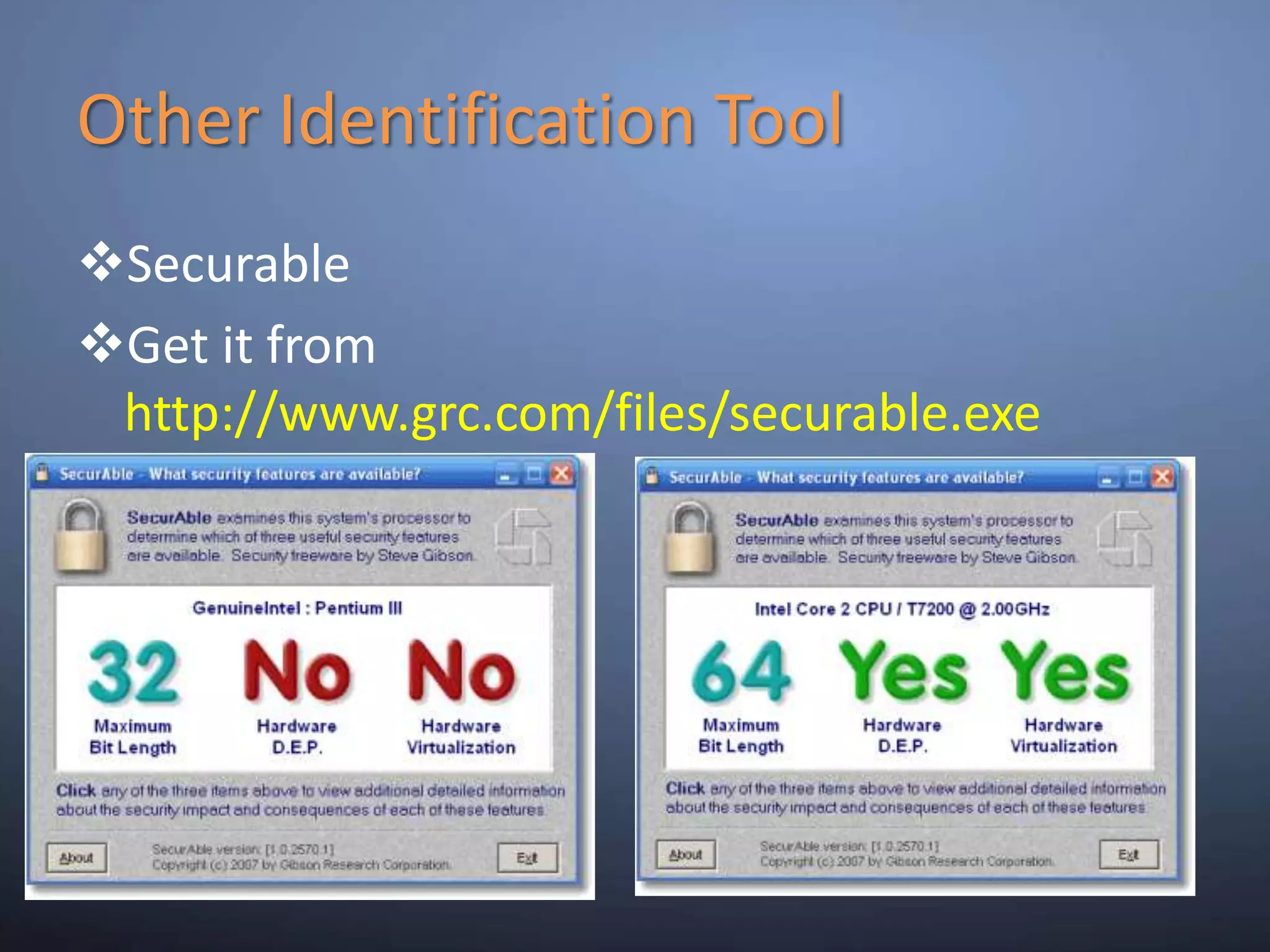
Other Identification ToolSecurable
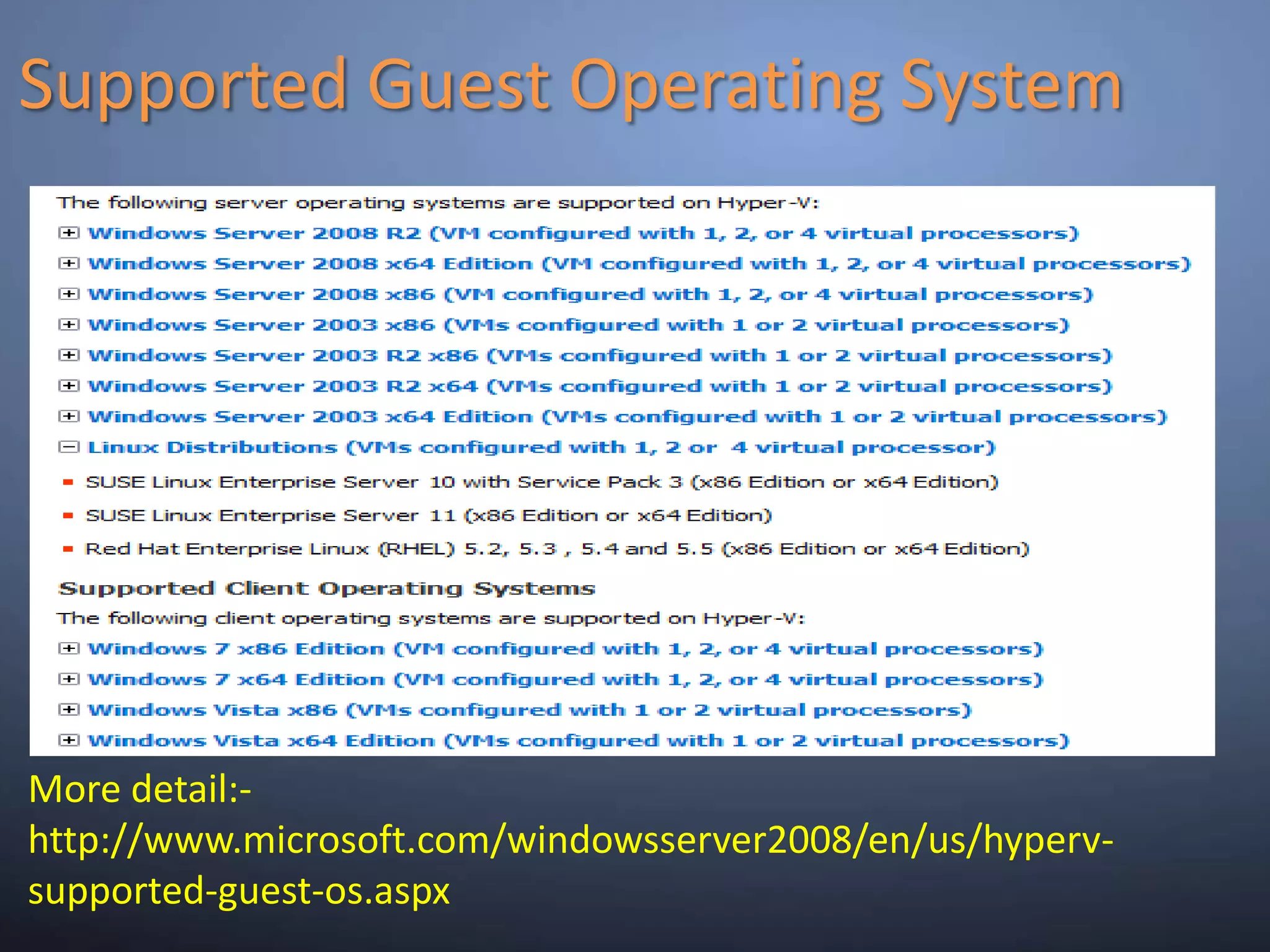
Get it from http://www.grc.com/files/securable.exeSupported Guest Operating SystemMore detail:- http://www.microsoft.com/windowsserver2008/en/us/hyperv-supported-guest-os.aspx
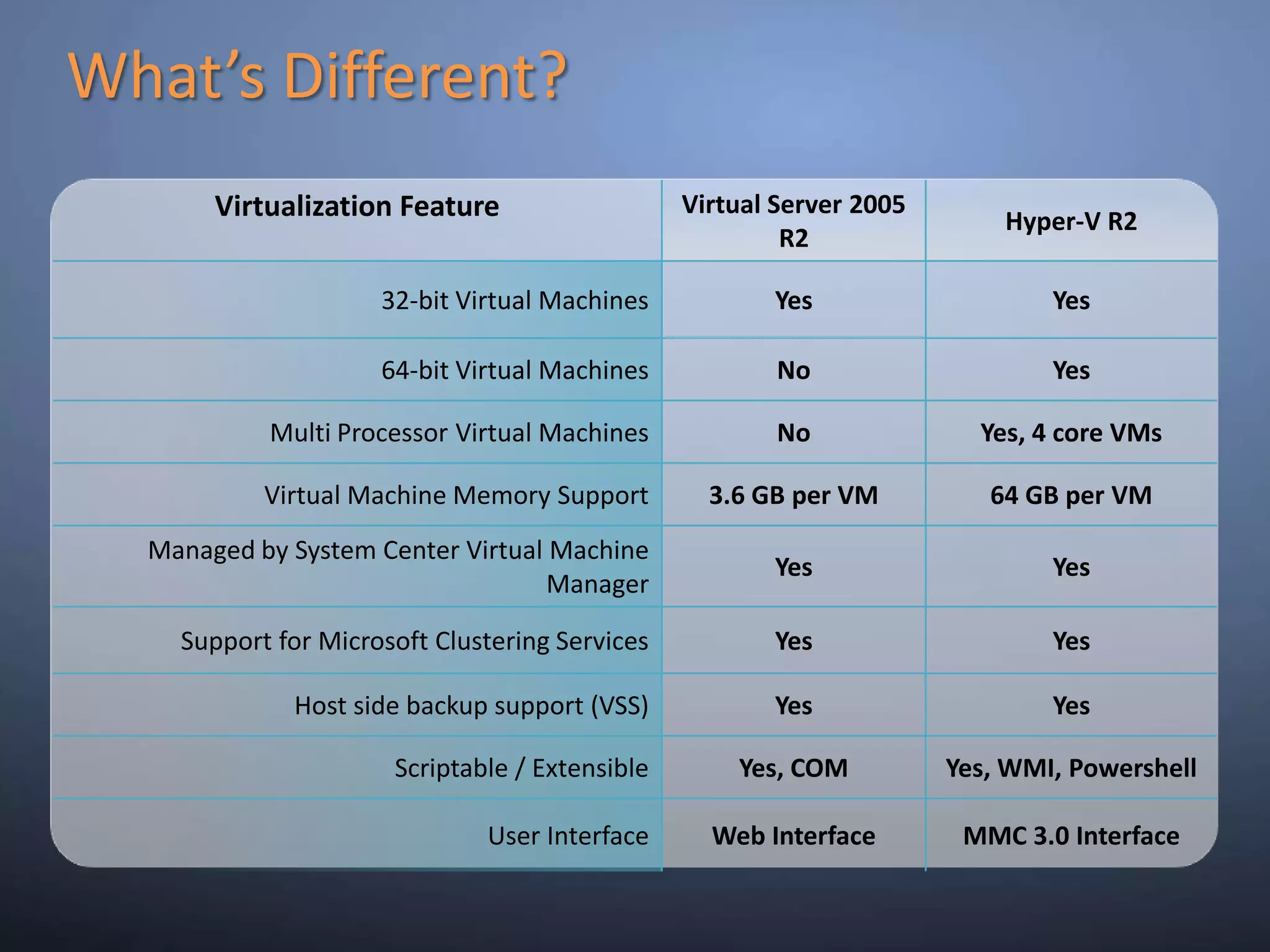
What’s Different?
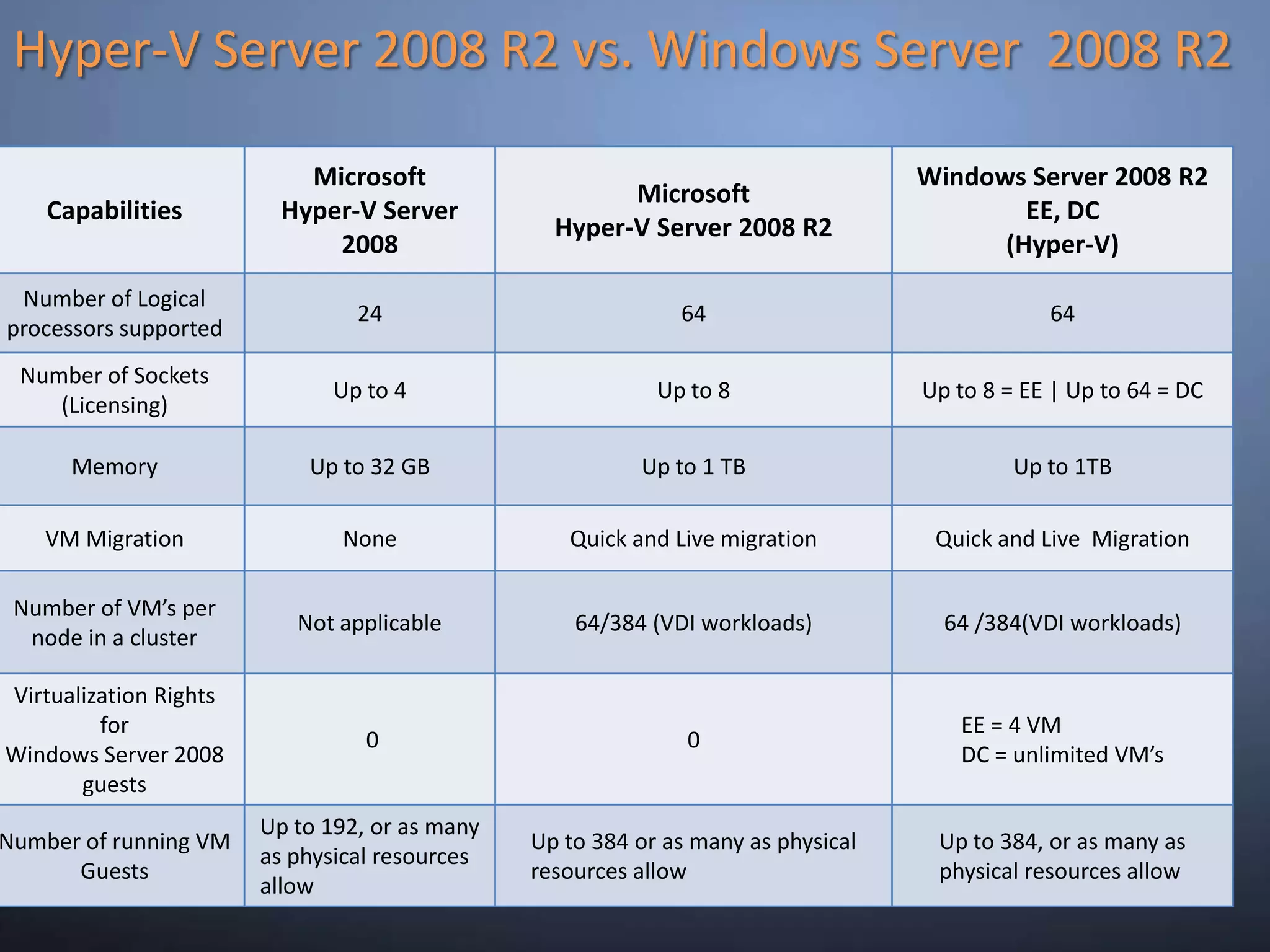
Hyper-V Server 2008 R2 vs. Windows Server  2008 R2
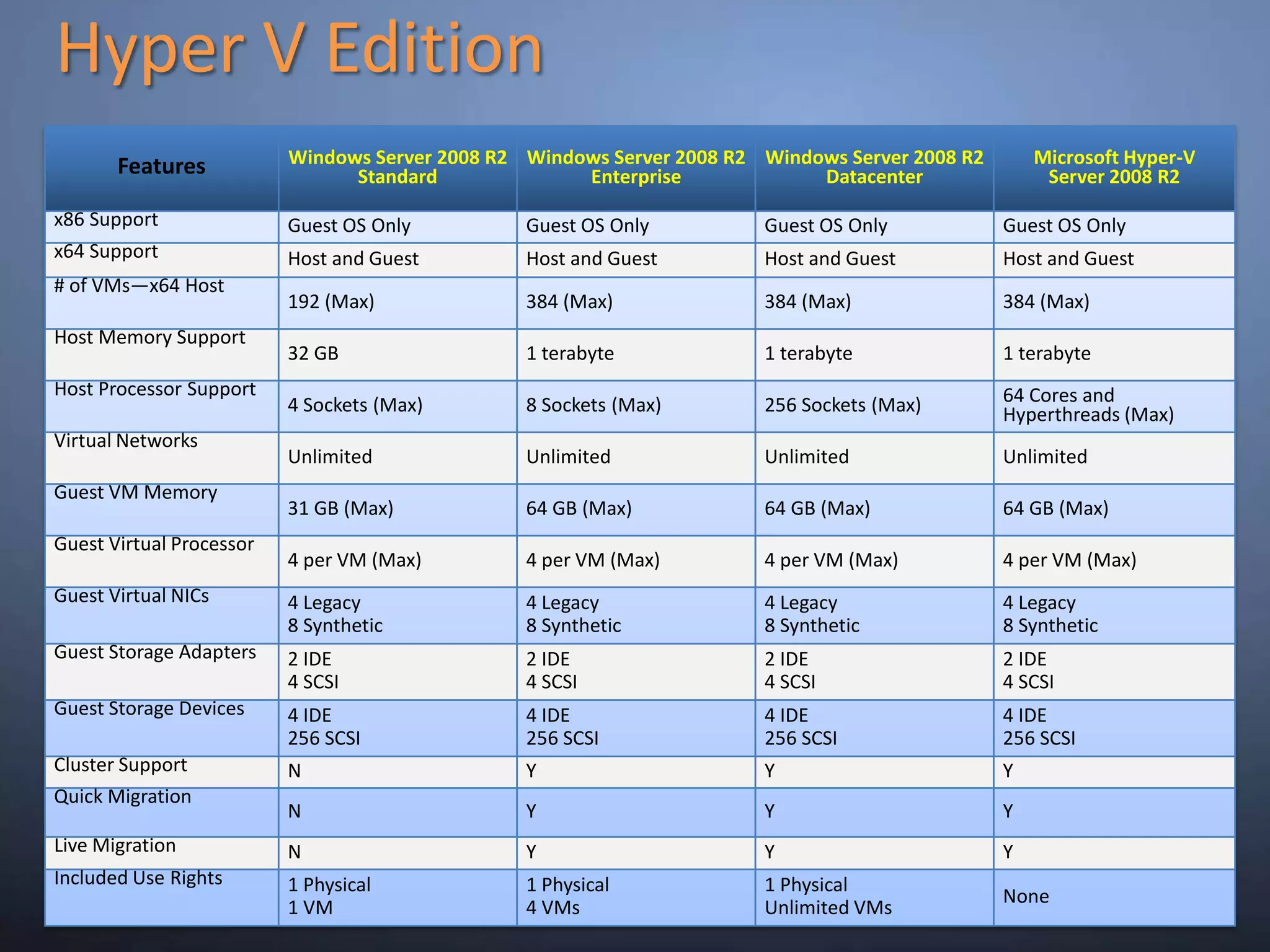
Hyper V Edition
Key Capabilities17
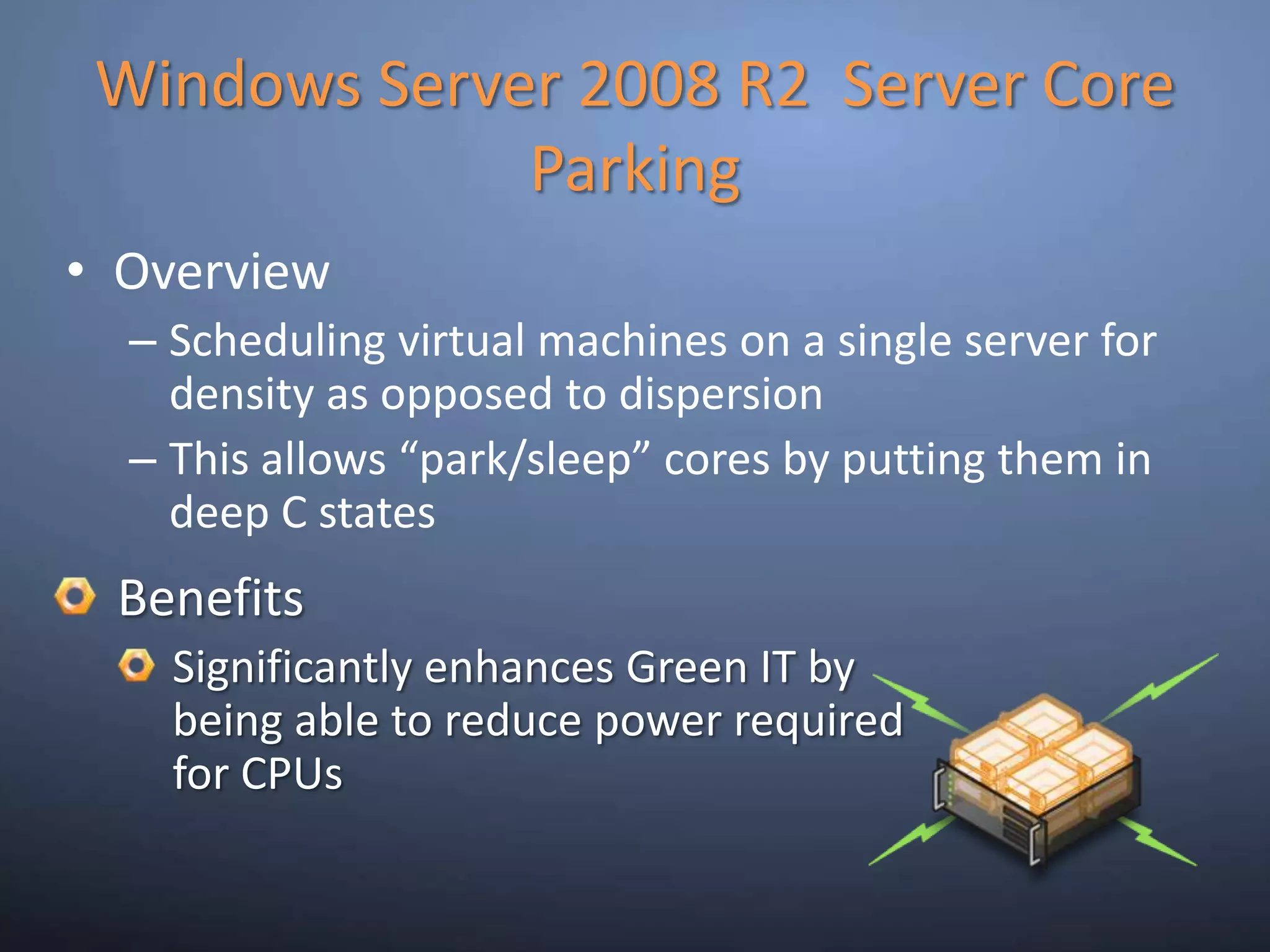
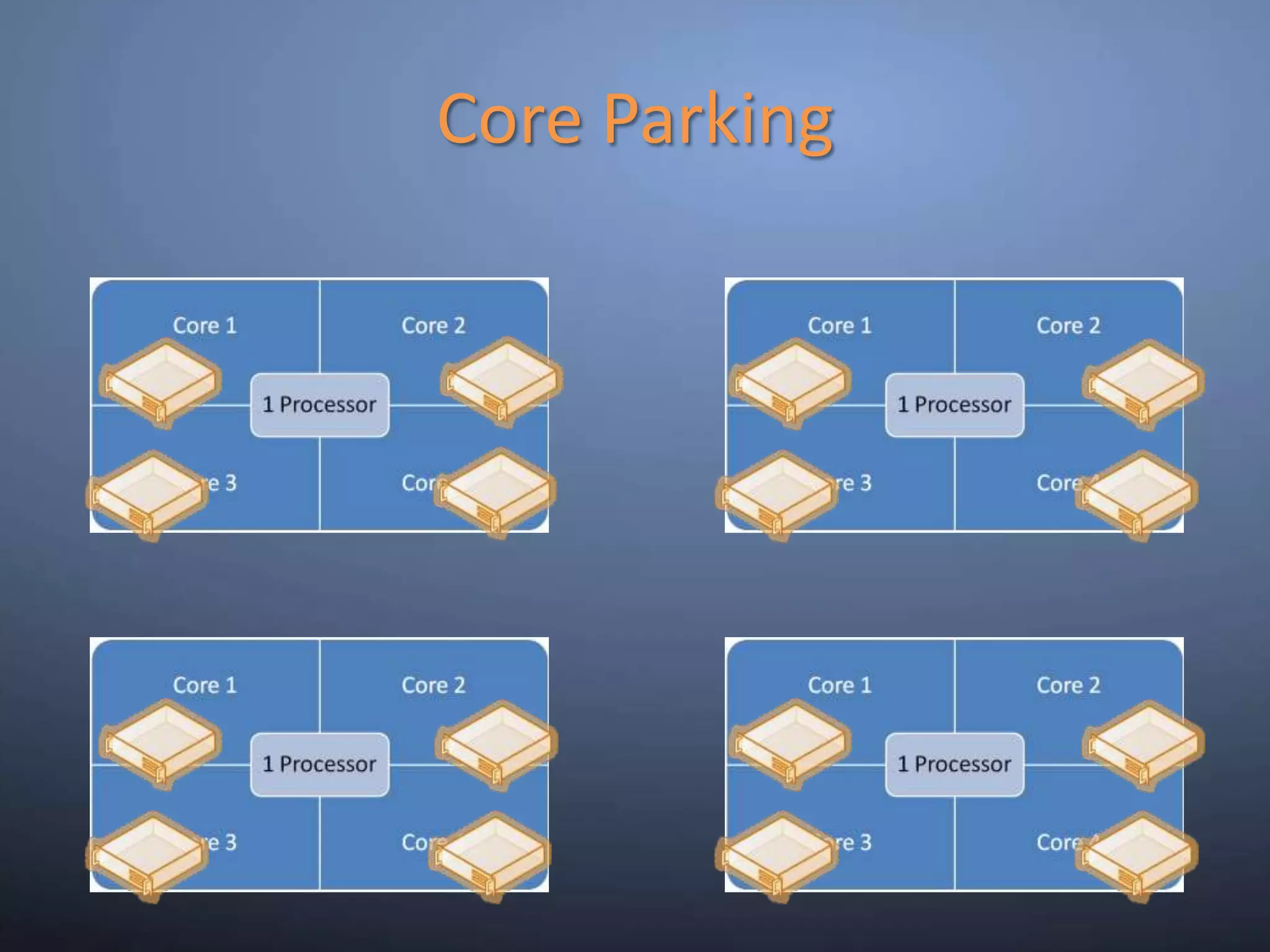
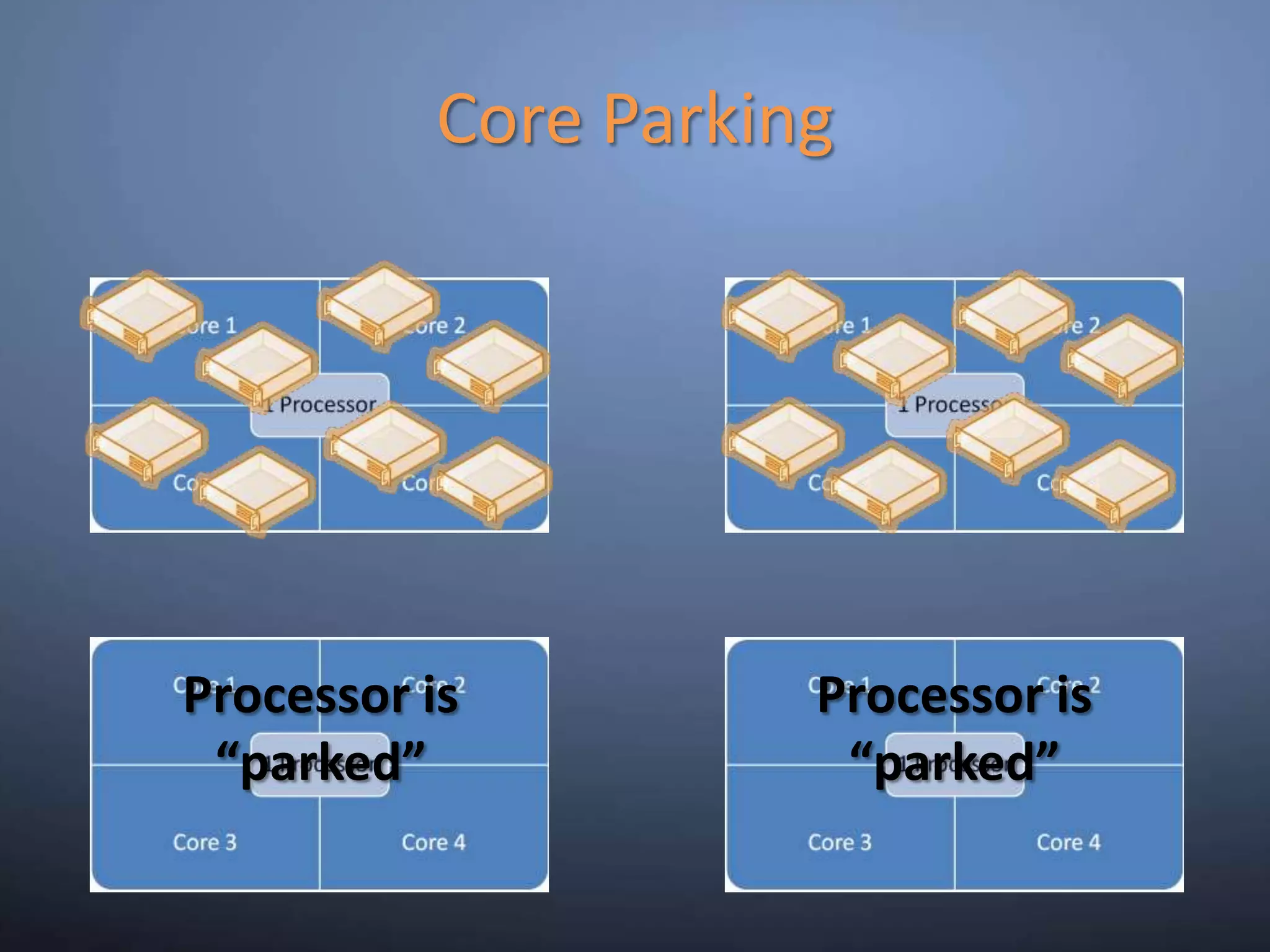
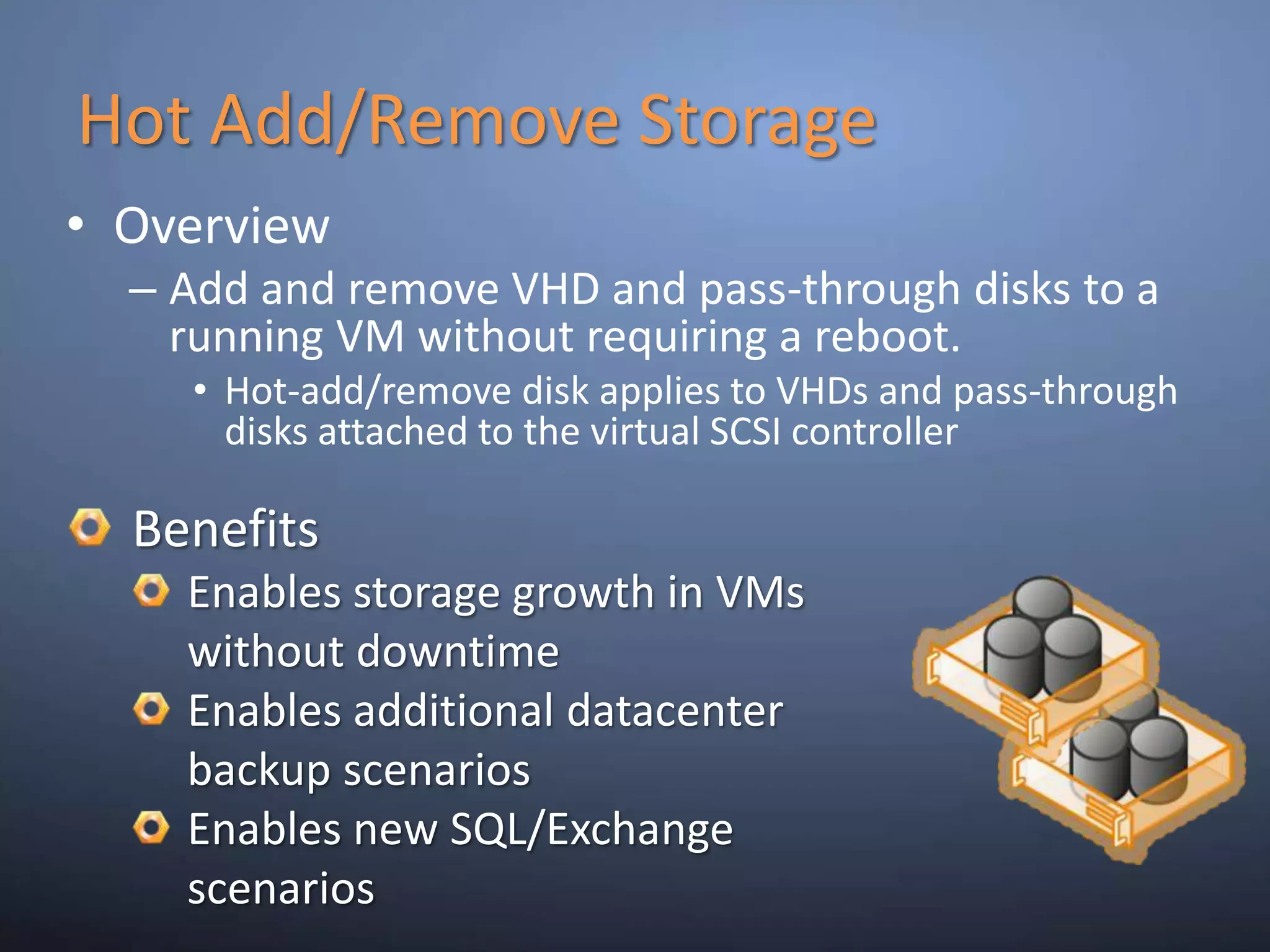
Windows Server 2008 R2  Server Core ParkingOverviewScheduling virtual machines on a single server for density as opposed to dispersionThis allows “park/sleep” cores by putting them in deep C statesBenefitsSignificantly enhances Green IT by being able to reduce power required for CPUs
Core Parking
Core ParkingProcessor is “parked”Processor is “parked”
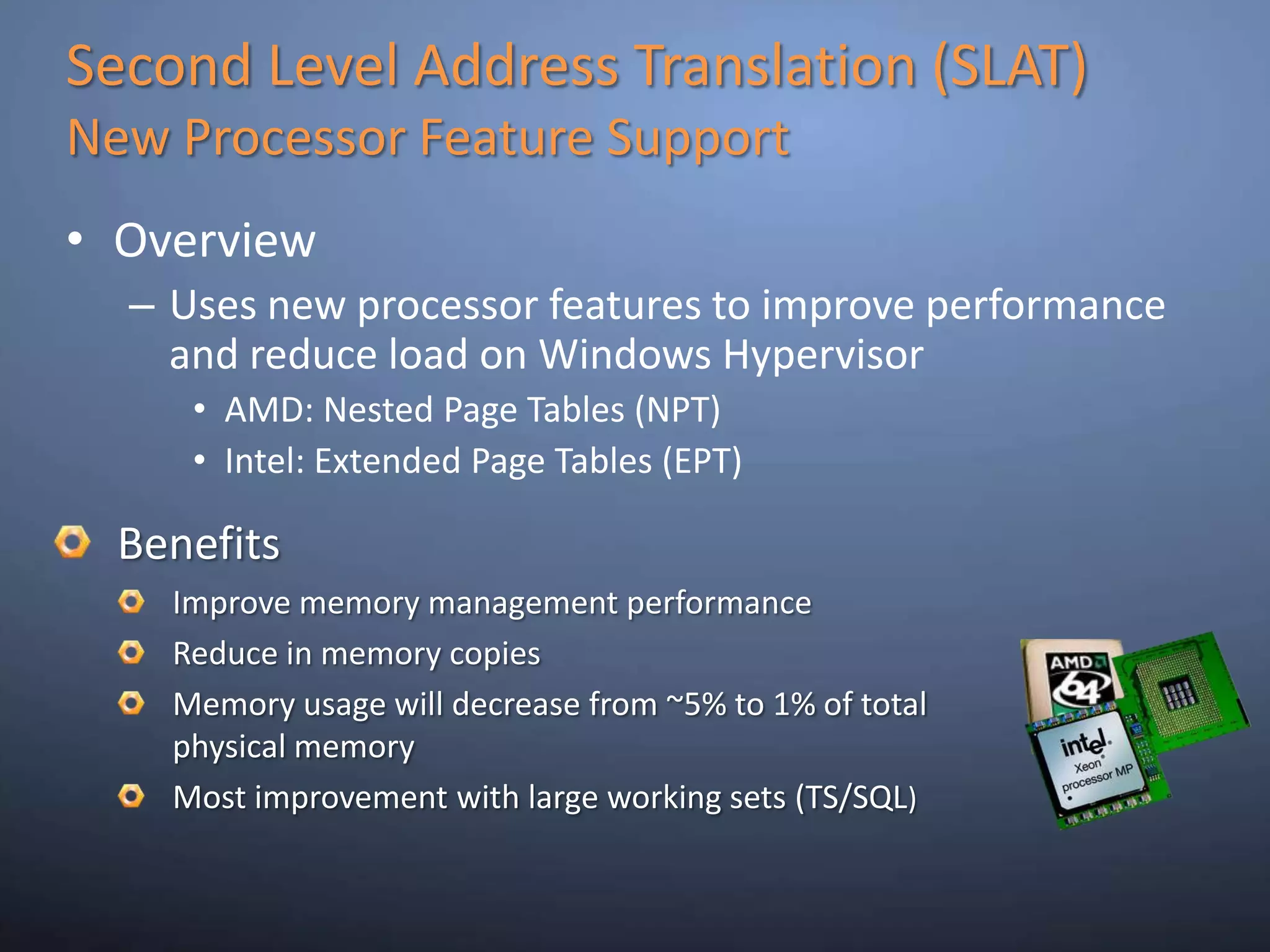
Second Level Address Translation (SLAT)New Processor Feature SupportOverviewUses new processor features to improve performance and reduce load on Windows HypervisorAMD: Nested Page Tables (NPT)Intel: Extended Page Tables (EPT)BenefitsImprove memory management performanceReduce in memory copiesMemory usage will decrease from ~5% to 1% of total physical memoryMost improvement with large working sets (TS/SQL)
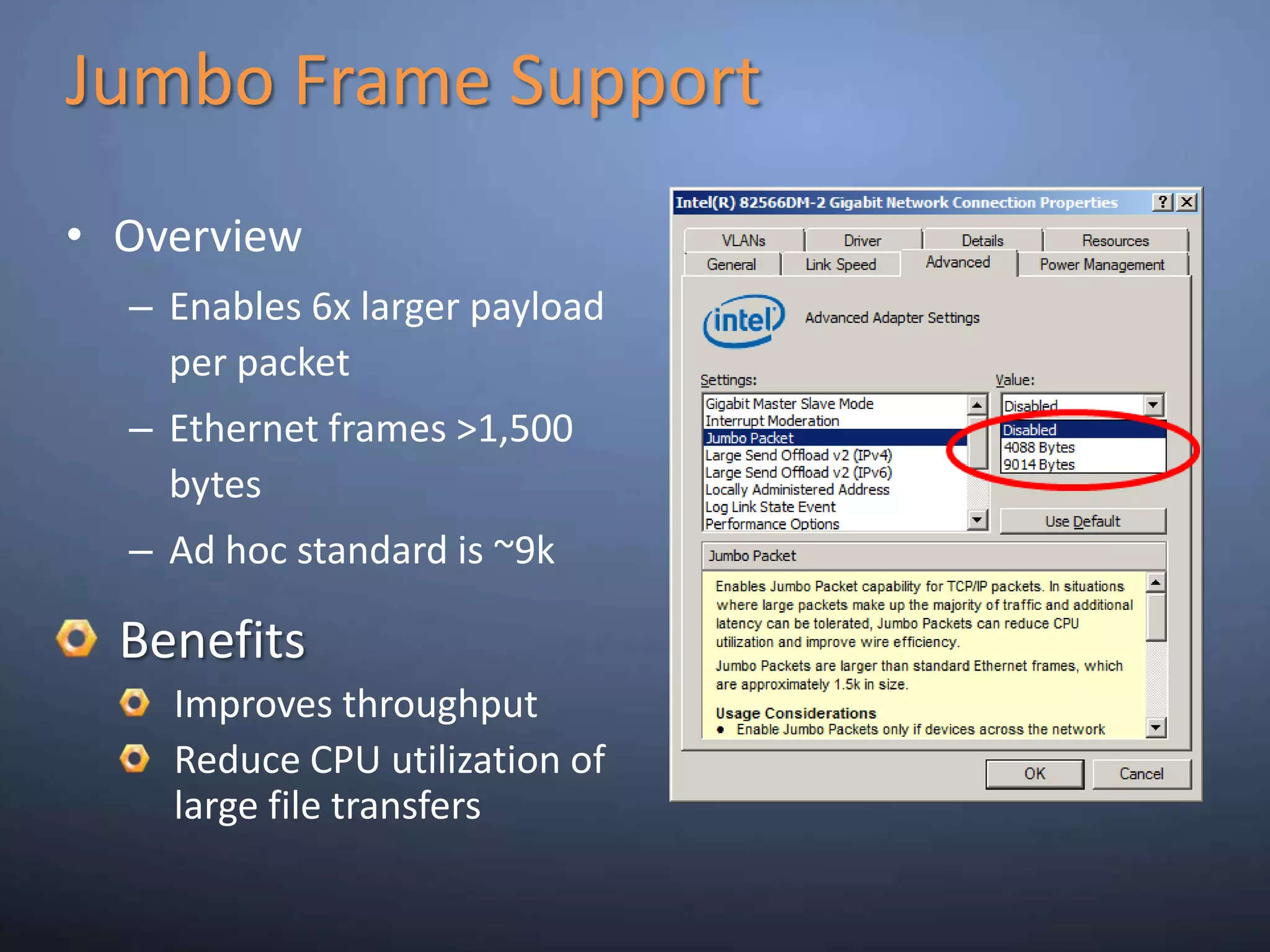
Jumbo Frame SupportOverviewEnables 6x larger payload per packetEthernet frames >1,500 bytesAd hoc standard is ~9kBenefitsImproves throughputReduce CPU utilization of large file transfers
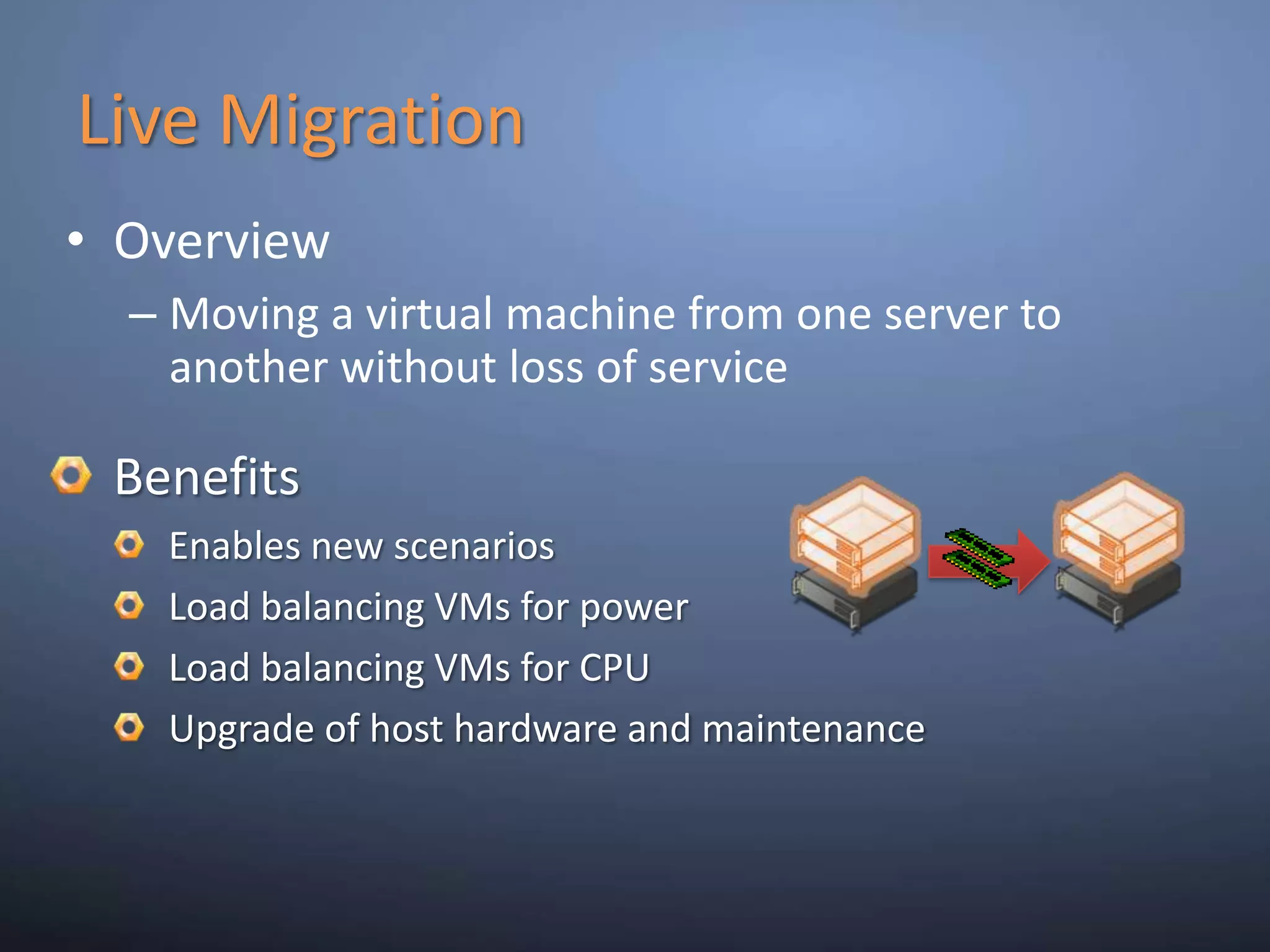
Live MigrationOverviewMoving a virtual machine from one server to another without loss of serviceBenefitsEnables new scenariosLoad balancing VMs for powerLoad balancing VMs for CPUUpgrade of host hardware and maintenance
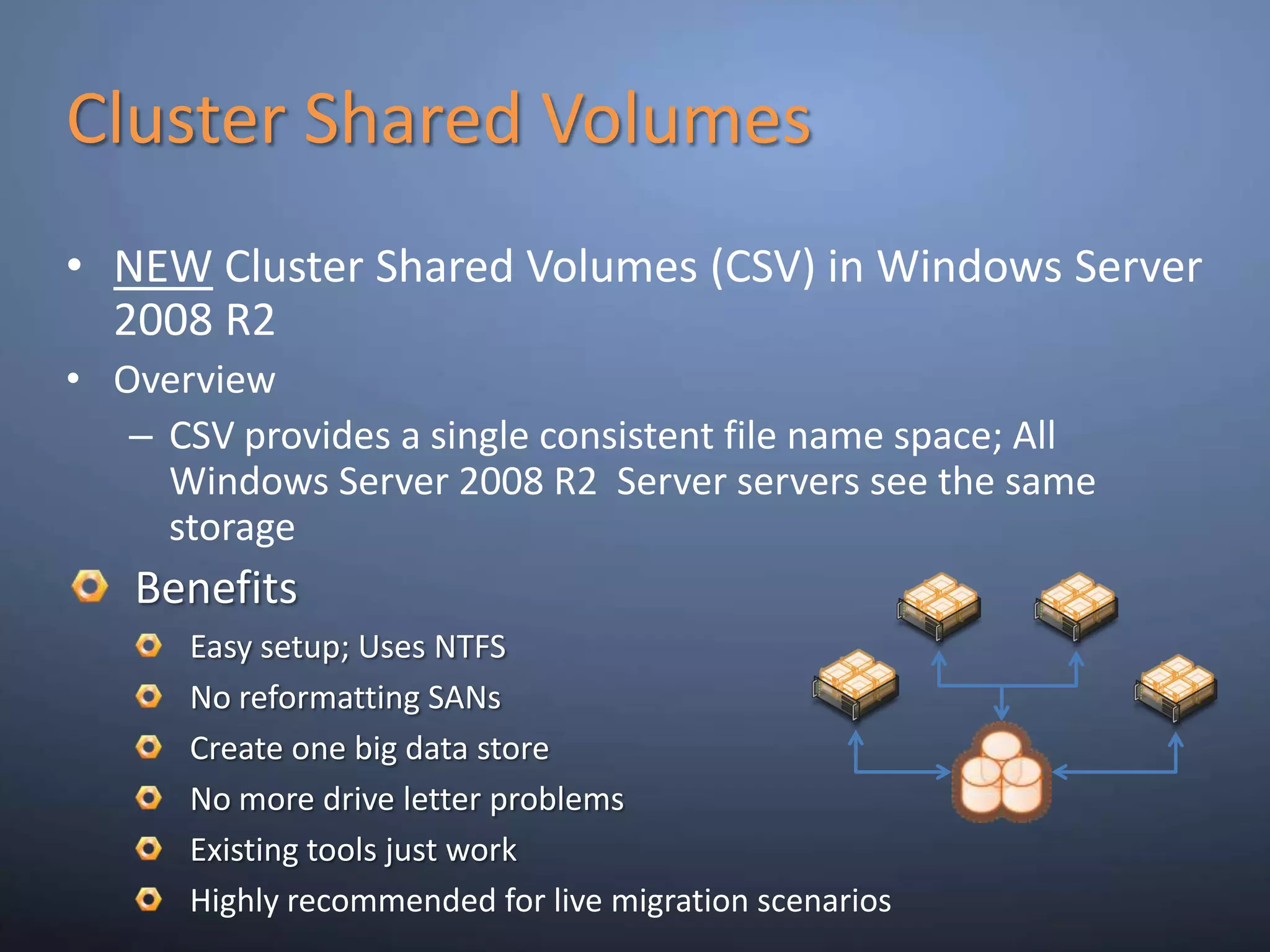
Cluster Shared VolumesNEW Cluster Shared Volumes (CSV) in Windows Server 2008 R2OverviewCSV provides a single consistent file name space; All Windows Server 2008 R2  Server servers see the same storageBenefitsEasy setup; Uses NTFSNo reformatting SANsCreate one big data storeNo more drive letter problemsExisting tools just workHighly recommended for live migration scenarios
Hot Add/Remove StorageOverviewAdd and remove VHD and pass-through disks to a running VM without requiring a reboot. Hot-add/remove disk applies to VHDs and pass-through disks attached to the virtual SCSI controllerBenefitsEnables storage growth in VMs without downtimeEnables additional datacenter backup scenariosEnables new SQL/Exchange scenarios
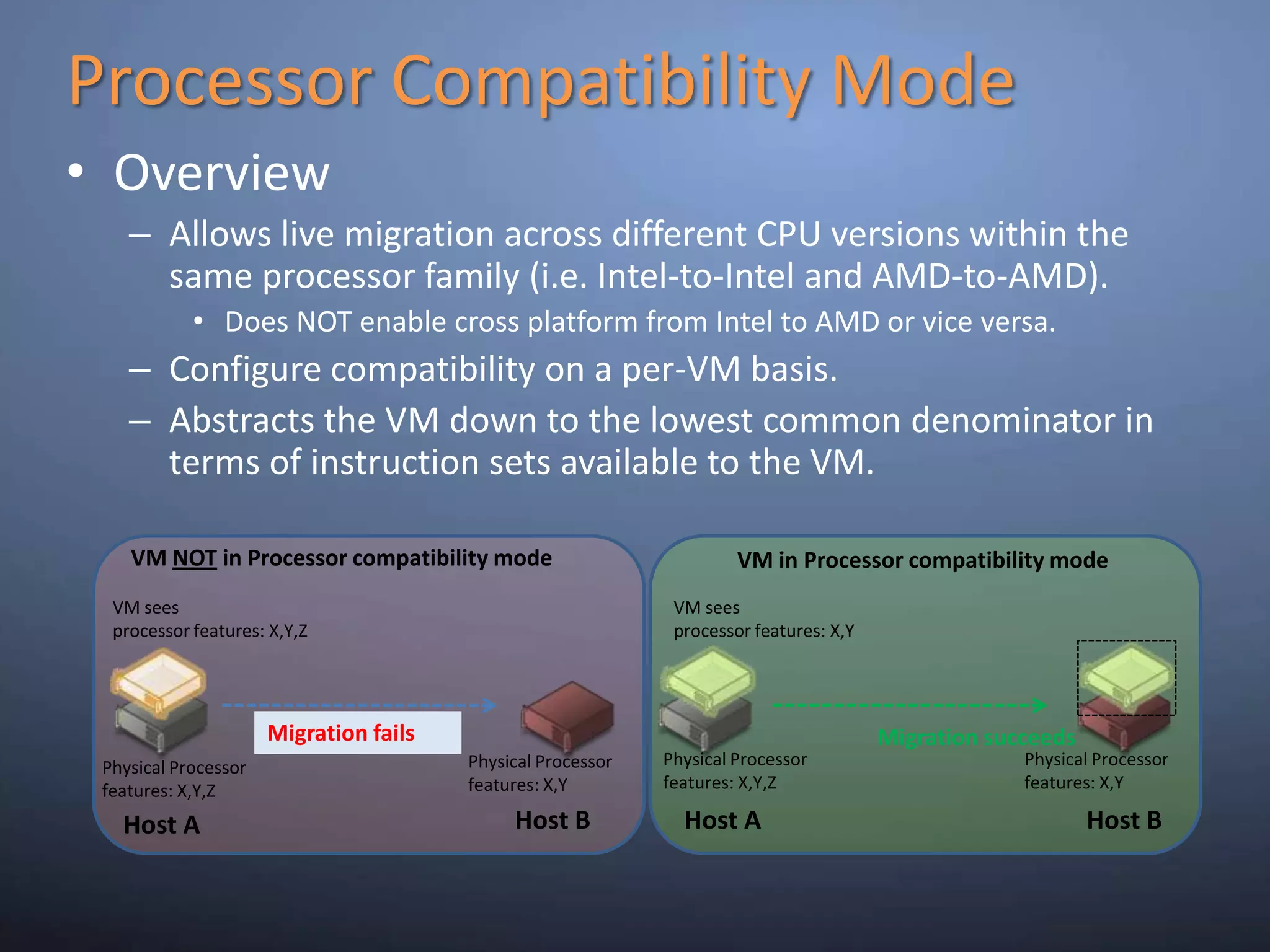
Processor Compatibility ModeOverviewAllows live migration across different CPU versions within the same processor family (i.e. Intel-to-Intel and AMD-to-AMD).Does NOT enable cross platform from Intel to AMD or vice versa.Configure compatibility on a per-VM basis.Abstracts the VM down to the lowest common denominator in terms of instruction sets available to the VM. VM NOT in Processor compatibility modeVM in Processor compatibility modeVM sees  processor features: X,Y,ZVM sees  processor features: X,YMigration failsMigration succeedsPhysical Processor features: X,Y,ZPhysical Processor features: X,YPhysical Processor features: X,YPhysical Processor features: X,Y,ZHost BHost BHost AHost A
DemoSecurable
Core Parking
Hot Add/Remove Storage
Processor Compatibility Mode

MVUG- From Zero to Hero on Hyper V R2- Part1

  • 1.
    From Zero toHero on Hyper-V R2-Part 1-Lai YoongSengMVP : Virtual Machine | www.ms4u.infoMVUG
  • 2.
    Virtualization OverviewVirtualization RoadmapAgendaHyperV RequirementHyper V EditionKey CapabilitiesMicrosoftWindows Server 2008 R2Hyper-V
  • 3.
    Virtualization OverviewOperating SystemHyper-VApplication2VM3Operating SystemApplication 1Operating SystemApplication 1VM2Operating SystemApplication 2Physical ServerOperating SystemVM1Application 3Operating SystemApplication 3PhysicalServerPhysical ServerPhysical Server3
  • 4.
    Server Virtualization Roadmap2009March‘10DesktopVirtualization DATACENTER MANAGEMENT monitor | configure | virtualize | P2V | V2VVirtual PCServerVirtualization19702005Virtual Server 2005 R2 Sp12008Hyper V R22007Windows Server 2008 R2 SP1 (New)200920112007
  • 5.
    Type 2 Hypervisor5Type2 Hypervisor (Host-based Architecture)Runs within an operating systemGuest OS’s run at the third level above hardwareAdditional layer creates performance overheadVirtual Server/PCVMWare GSX server
  • 6.
    Type 1 Hypervisor6Type1 Hypervisor (Bare-Metal Architecture)Runs directly on hardware platform as a Control ProgramGuest OS’s run above hypervisorBenefitsExecutes directly with hardwarePerformanceAvailabilitySecurity
  • 7.
    Windows Server VirtualizationArchitectureChildPartitionsParentPartitionVM WorkerProcessApplicationsApplicationsApplicationsVirtualization StackWMI ProviderUser ModeVM ServiceWindows Server 2003, 2008Windows Server 2008Non-Hypervisor Aware OSXen-enabled Linux KernelLinux VSCsWindows KernelWindows KernelVSPOS KernelVSCHypercall AdapterKernel ModeVMBusEmulationVMBusVMBusWindows HypervisorAMD-V,Intel VT Chipset“Designed for Windows” Server HardwareMS / XenSourceNovellWindows Server VirtualizationISV/IHV/OEMOS
  • 8.
    Hyper V RequirementsWhatis Windows Virtualization?What are the Requirements?Windows Server 2008 R2x64 EditionsHardware assisted virtualizationAMD-V or Intel VTHardware enabled Data Execution Prevention (DEP) AMD (NX no execute bit)Intel (XD execute disable)Hypervisor based virtualization platformWindows Server 2008 x64 Edition technologyStandards based
  • 9.
  • 10.
    Intel Processor VerificationCheckout :- http://ark.intel.com/VTList.aspx
  • 11.
    Virtualization identification tool:-http://downloadcenter.intel.com/Detail_Desc.aspx?agr=N&ProductID=1881&DwnldID=7838
  • 12.
    AMD Processor VerificationAMD Opteron Processor
  • 13.
  • 14.
  • 15.
    Get it fromhttp://www.grc.com/files/securable.exeSupported Guest Operating SystemMore detail:- http://www.microsoft.com/windowsserver2008/en/us/hyperv-supported-guest-os.aspx
  • 16.
  • 17.
    Hyper-V Server 2008R2 vs. Windows Server 2008 R2
  • 18.
  • 19.
  • 20.
    Windows Server 2008R2 Server Core ParkingOverviewScheduling virtual machines on a single server for density as opposed to dispersionThis allows “park/sleep” cores by putting them in deep C statesBenefitsSignificantly enhances Green IT by being able to reduce power required for CPUs
  • 21.
  • 22.
    Core ParkingProcessor is“parked”Processor is “parked”
  • 23.
    Second Level AddressTranslation (SLAT)New Processor Feature SupportOverviewUses new processor features to improve performance and reduce load on Windows HypervisorAMD: Nested Page Tables (NPT)Intel: Extended Page Tables (EPT)BenefitsImprove memory management performanceReduce in memory copiesMemory usage will decrease from ~5% to 1% of total physical memoryMost improvement with large working sets (TS/SQL)
  • 24.
    Jumbo Frame SupportOverviewEnables6x larger payload per packetEthernet frames >1,500 bytesAd hoc standard is ~9kBenefitsImproves throughputReduce CPU utilization of large file transfers
  • 25.
    Live MigrationOverviewMoving avirtual machine from one server to another without loss of serviceBenefitsEnables new scenariosLoad balancing VMs for powerLoad balancing VMs for CPUUpgrade of host hardware and maintenance
  • 26.
    Cluster Shared VolumesNEWCluster Shared Volumes (CSV) in Windows Server 2008 R2OverviewCSV provides a single consistent file name space; All Windows Server 2008 R2 Server servers see the same storageBenefitsEasy setup; Uses NTFSNo reformatting SANsCreate one big data storeNo more drive letter problemsExisting tools just workHighly recommended for live migration scenarios
  • 27.
    Hot Add/Remove StorageOverviewAddand remove VHD and pass-through disks to a running VM without requiring a reboot. Hot-add/remove disk applies to VHDs and pass-through disks attached to the virtual SCSI controllerBenefitsEnables storage growth in VMs without downtimeEnables additional datacenter backup scenariosEnables new SQL/Exchange scenarios
  • 28.
    Processor Compatibility ModeOverviewAllowslive migration across different CPU versions within the same processor family (i.e. Intel-to-Intel and AMD-to-AMD).Does NOT enable cross platform from Intel to AMD or vice versa.Configure compatibility on a per-VM basis.Abstracts the VM down to the lowest common denominator in terms of instruction sets available to the VM. VM NOT in Processor compatibility modeVM in Processor compatibility modeVM sees processor features: X,Y,ZVM sees processor features: X,YMigration failsMigration succeedsPhysical Processor features: X,Y,ZPhysical Processor features: X,YPhysical Processor features: X,YPhysical Processor features: X,Y,ZHost BHost BHost AHost A
  • 29.
  • 30.
  • 31.
  • 32.
  • 33.
    Jumbo FrameSummaryDescribe aboutVirtualization OverviewRoadmap on Microsoft VirtualizationRequirement, Architecture, IdentificationHyper V EditionKey CapabilitiesMicrosoftWindows Server 2008 R2Hyper-V
  • 34.
  • 35.
    ResourcesMVUG (Malaysia VirtualizationUser Group) – Join us !http://www.facebook.com/group.php?gid=216237734803 @ Search “MVUG” in FacebookLai’s Blog –Virtualization & System Center related, etchttp://www.ms4u.info Virtualization with Hyper V R2http://www.microsoft.com/windowsserver2008/en/us/hyperv-main.aspx
  • 36.
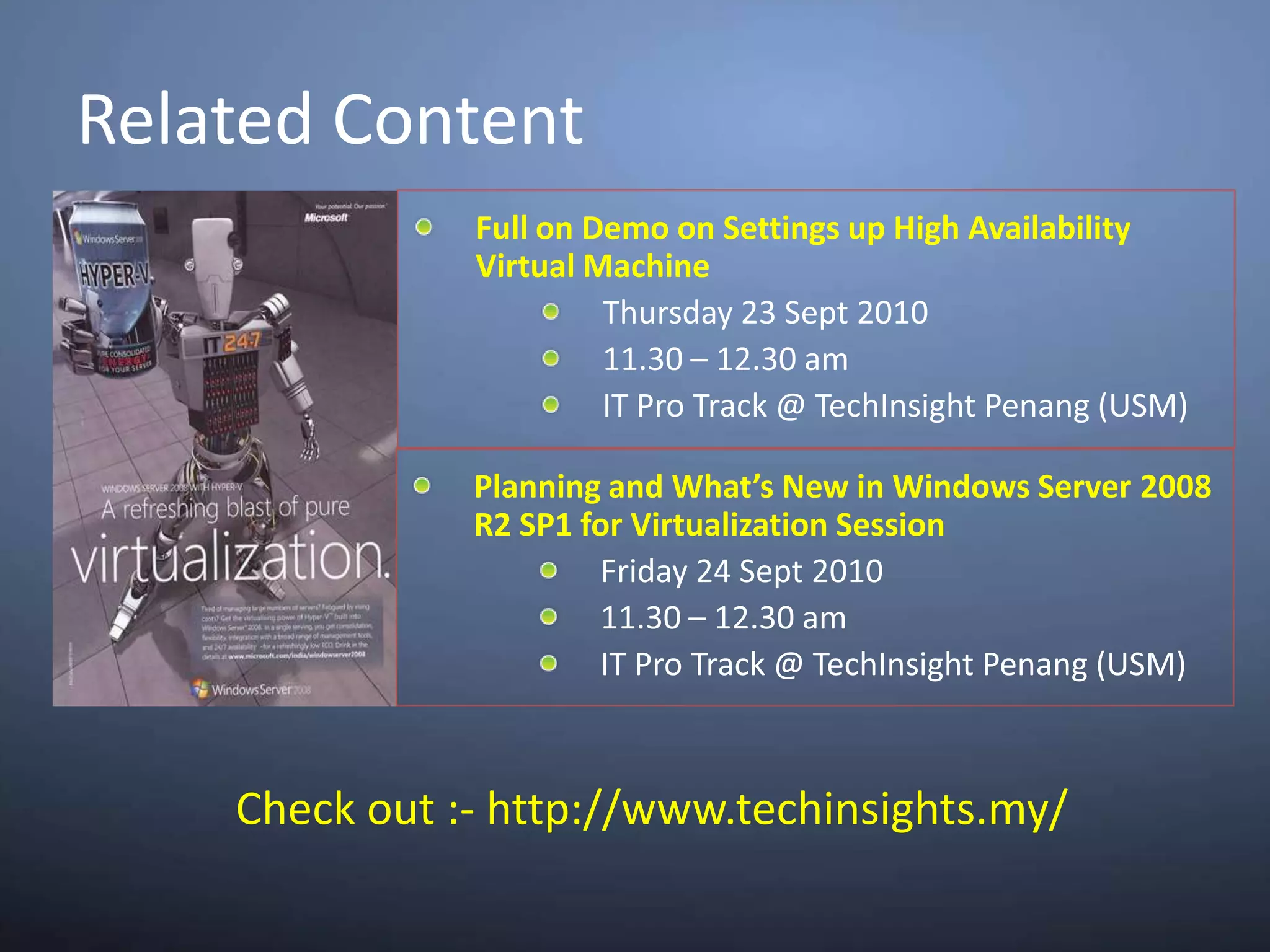
    Related ContentFull onDemo on Settings up High Availability Virtual MachineThursday 23 Sept 201011.30 – 12.30 amIT Pro Track @ TechInsight Penang (USM)Planning and What’s New in Windows Server 2008 R2 SP1 for Virtualization SessionFriday 24 Sept 201011.30 – 12.30 amIT Pro Track @ TechInsight Penang (USM)Check out :- http://www.techinsights.my/
  • 37.
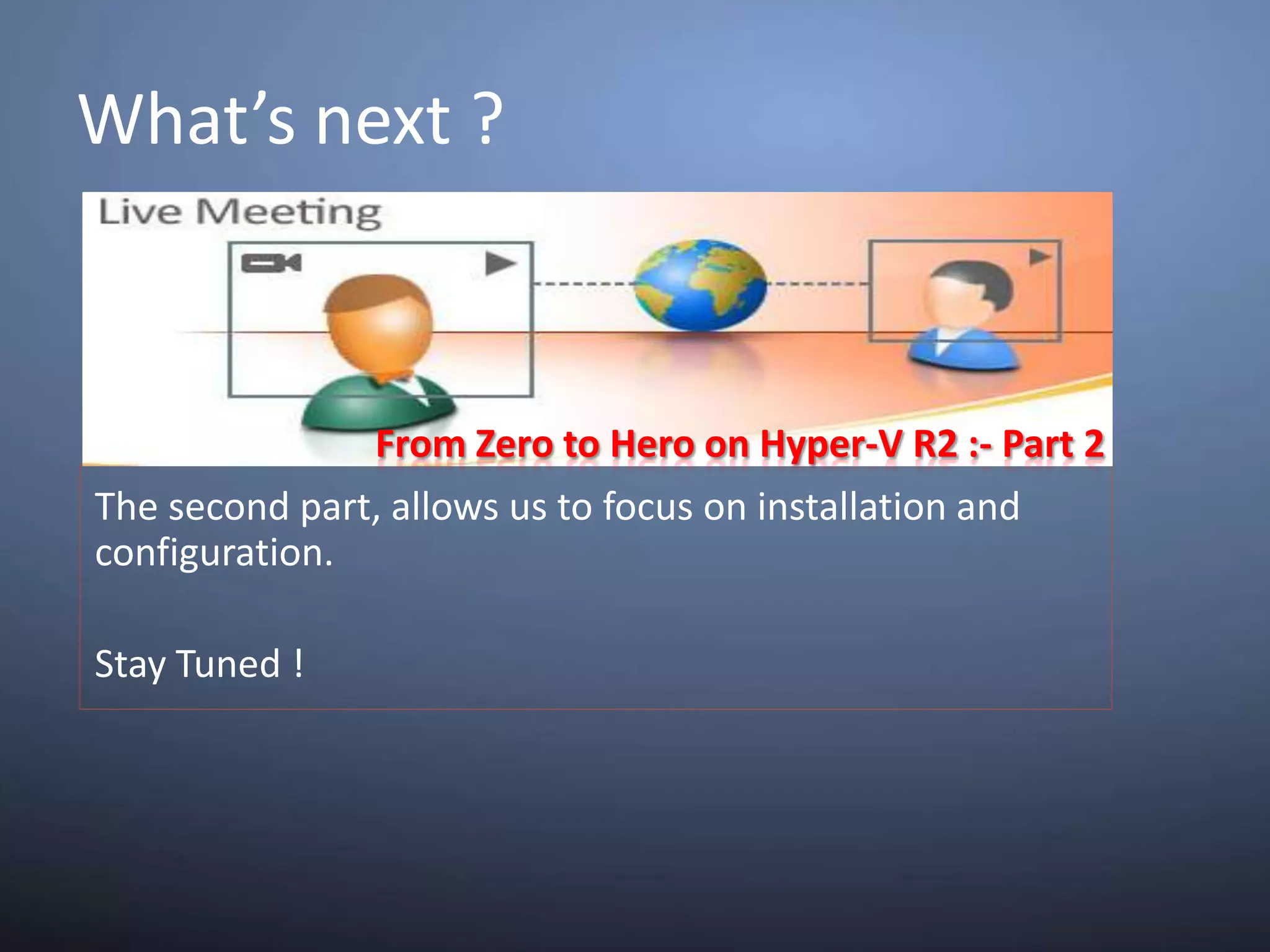
    What’s next ?FromZero to Hero on Hyper-V R2 :- Part 2The second part, allows us to focus on installation and configuration. Stay Tuned !

Editor's Notes

  • #2 Good morning everyone,Welcome to MVUG Part 1- From Zero to Hero on Hyper V R2.Let me introduce myself, my name Lai . I’m a MVP on Virtual Machine and I’m one of the founder for MVUG.
  • #4 Alright . . . so what is Windows Virtualization?Let look into how we normally deploy app. We tend buy a server and then you install an app. This is an on going process, and without you realise you have buy a lot of server. When you do assessment, you will find out that most of the server is underutilize, which is running only 10- 20%.
  • #5 1970 –IBM is 1st company who introduce virtualizationMicrosoft start look into virtualization when they bought over Connectix and releasing 2 products.Virtual Pc is the desktop virtualization product. And in 2009, Microsoft release Virtual Pc for Win7 which require hardware virtualization. As time pass by, Microsoft receive a lot of feedback from consumer on running Virtual Pc without H/w Virtualization. So on this year March 2010, an update is release to run Virtual Pc without h/w virtualization technologies.On Server Virtualization, this is where Virtual Server is release. Virtual Server is a Type 2 hypervisor which need to run on top of OS and on my perspective it is an application. On year 2008, Microsoft start to release type 1 hypervisor which called Hyper V. Last year, Microsoft add more enhancement and came out with Hyper V R2 which is the current version which I’m going to cover in this webcast.More good news, on 1st half of 2011 – Microsoft will release more feature for Virtualization on SP1.
  • #8 Title: Hypervisor Design GoalsTalking Points:VSP = Virtualization Service ProvidersVSC = Virtualization Service ClientsThe hypervisor instance must have at least one Parent or Root partition Parent partition is responsible for: Managing and assigning hardware resources. Power management, plug and play, and hardware failure events Creating and managing other partitions Loading and starting the hypervisor.Windows Vista SP1 and Windows Server 2008 include enlightenments and are able to detect the presence of a hypervisor at run time. These changes are built into the Kernel and the HAL components for both performance optimization and functional enhancements. Virtualization Solutions traditionally emulate legacy devices for their guests.
  • #16 In this slide, I’m going to discuss about virtualization right for guest VM.Free edition Hyper V – do not have virtualization right license. For each VM, you need to buy each license. I normally use Hyper V free edition when I want to perform Virtual standby (backup) or P2V older operating system with you have license.Windows Server 2008 Std Edition – allow you to install 1 instance of operating system.Windows Server 2008 Ent Edition – allow you to install 4 instance of operating systemWindows Server 2008 Datacenter – allow you to install unlimited VM.Let look into scenario:-OS for guest VM – Std allow you to install only Std Edition OS, Ent allow you to install either Std/ Enterprise Edition.Linux OS as guest VM. As we all know, linux is open source but in Microsoft Virtualization right, example I take Ent edition. So 4-1 =3Malaysia best practice is install roles such as DC in parent partition. In virtualization right is 4-1 =3 allowed guest VM.Microsoft recommendation is do not install other roles into Hyper V host machine. The reason is not because of the virtualization right license but because other roles will share and use the resource which will impact the performance of the VM.d) What happen if you exceed the VM virtualization license installed. Example: Ent edition, you install 6 VM, you just need to buy 2 additional license.For more further info about license, feel free to contact Microsoft.
  • #17 Support for more logical processorsUp to 8 socket system with 8 cores/socketUp to 64 logical processors (8 cores x 8 CPUs)Support for more concurrent VMsUp to 384 powered -on VMs (6 VMs x 64 logical processors)Support for more virtual processorsUp to 512 virtual processors (8 virtual processors x 64 logical processors)Up to 4 virtual processor allocation per virtual machineVM Example (assuming 64 logical processors & lots of RAM)128 VMs with 4 virtual processors (maxes out 512 virtual processors)384 VMs with 1 virtual processor (maxes out 384 virtual machines)300 VMs with 1 virtual processor and 53 VMs with 4 virtual processors (maxes out 512 virtual processors)
  • #33 In Part 1, we will run through a bit of history of how machine virtualization started in MS. Very quickly this takes us to the present with Hyper-V R1 and R2 for both the totally free version, MS Hyper-V Server 2008 and 2008 R2 and the Windows Hyper-V versions. Hyper-V overview and architecture will also be covered and then key capabilities with a whole series of demos.2. From Zero to Hero on Hyper-V R2 part 2 - 75 minutesThe second part, allows us to focus on installation and configuration. We will also provide some understanding on the Authorization Manager which governs the heart of authorization and access to Hyper-V.