

Kuba Cupisz &
Tobias Alexander Franke
Progressive Lightmapper: An introduction to lightmapping
in Unity
Unity Technologies
Progressive Lightmapper:
An introduction to
lightmapping in Unity
Who are we?
Kuba
Cupisz
Tobias Alexander
Franke
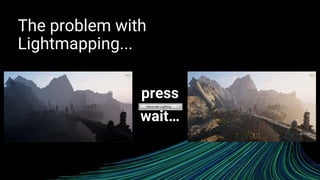
The problem with
Lightmapping...
press
wait…
Milliseconds
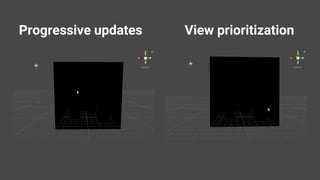
Progressive updates View prioritization
Today’s menu
• Optimizing content for the Progressive Lightmapper
• i.e. “What can you do to make baking faster”
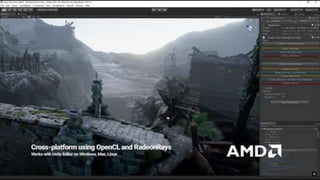
• A sneak peak into the GPU backend for the Progressive Lightmapper
• i.e. “What we are doing to make baking faster”
• Future developments
• i.e. “What we have in store to make baking more convenient”
Part 1: Optimizing
baking in the
Progressive
Lightmapper
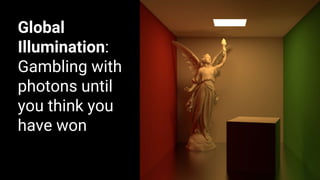
Global
Illumination:
Gambling with
photons until
you think you
have won
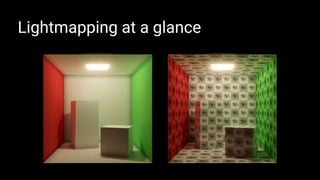
Lightmapping at a glance
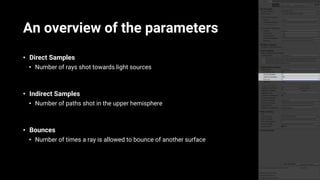
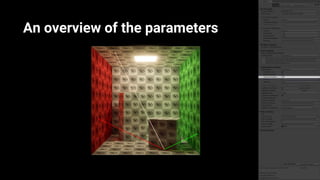
An overview of the parameters
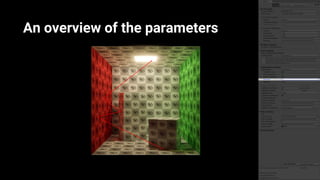
• Direct Samples
• Number of rays shot towards light sources
• Indirect Samples
• Number of paths shot in the upper hemisphere
• Bounces
• Number of times a ray is allowed to bounce of another surface
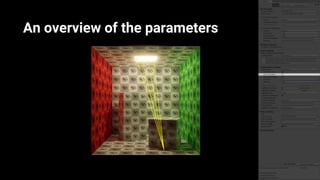
An overview of the parameters
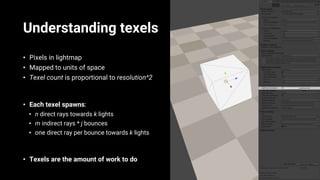
Understanding texels
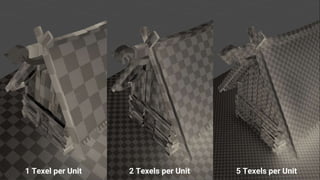
• Pixels in lightmap
• Mapped to units of space
• Texel count is proportional to resolution^2
• Each texel spawns:
• n direct rays towards k lights
• m indirect rays * j bounces
• one direct ray per bounce towards k lights
• Texels are the amount of work to do
• Texels are the amount of work to
1 Texel per Unit 2 Texels per Unit 5 Texels per Unit
You don’t need to bake texels if you
don’t put them into the lightmap!
Keep a low texel count
• Do not waste (a lot of) texels on these:
• Surfaces with low variation
• Surfaces which receive indirect bounce light only
• Small objects
• Thin objects
• Surfaces hidden from the player
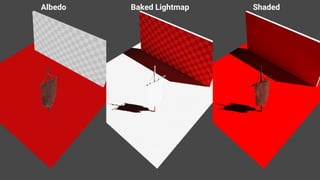
Albedo Baked Lightmap Shaded
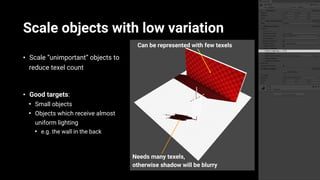
Scale objects with low variation
• Scale “unimportant” objects to
reduce texel count
• Good targets:
• Small objects
• Objects which receive almost
uniform lighting
• e.g. the wall in the back
Can be represented with few texels
Needs many texels,
otherwise shadow will be blurry
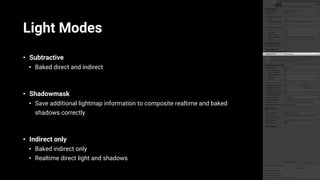
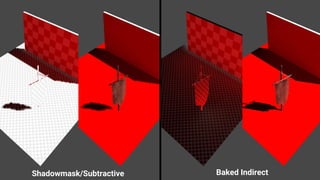
Light Modes
• Subtractive
• Baked direct and indirect
• Shadowmask
• Save additional lightmap information to composite realtime and baked
shadows correctly
• Indirect only
• Baked indirect only
• Realtime direct light and shadows
Shadowmask/Subtractive Baked Indirect
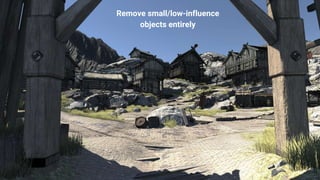
Remove small/low-influence
objects entirely
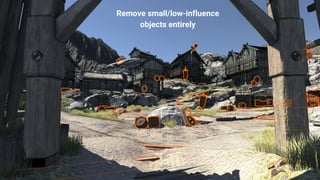
Remove small/low-influence
objects entirely
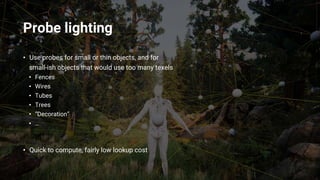
Probe lighting
• Use probes for small or thin objects, and for
small-ish objects that would use too many texels
• Fences
• Wires
• Tubes
• Trees
• “Decoration”
• …
• Quick to compute, fairly low lookup cost
(not)Lightmapping LODs
• Marking all LODs in an LOD Group as lightmap static
• Each renderer gets lightmap texels
• Slow bakes
• Lower LODs need to be processed one by one
• Not enough work to saturate the hardware
• Raytracer’s acceleration structure needs to be changed
• Can be slow
(not)Lightmapping LODs - projection
• Marking only LOD0 in an LOD Group as lightmap static
• Only renderers in LOD0 get lightmap texels
• Lower LODs reuse those texels
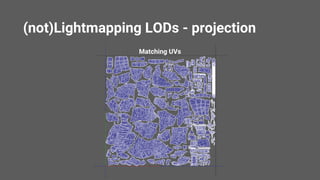
• UVs need to match between LOD levels
• Same UV island outline, simpler topology inside
• Bakes are fast again
• All renderers processed in one go
• Raytracer’s acceleration structure is static
(not)Lightmapping LODs - projection
Matching UVs
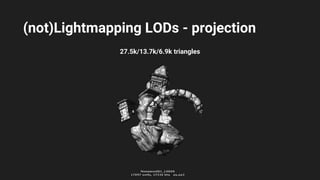
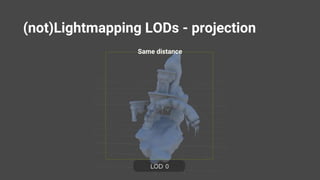
(not)Lightmapping LODs - projection
27.5k/13.7k/6.9k triangles
(not)Lightmapping LODs - projection
Same distance
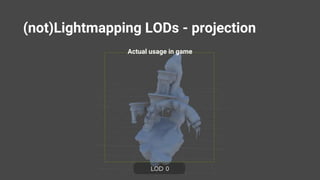
(not)Lightmapping LODs - projection
Actual usage in game
(not)Lightmapping LODs - projection
• Will be released as scripts soon
• Copy lightmap scale/offset and lightmap index
• From LOD0 to lower LODs
• Fully built-in in one of the coming releases
Filtering
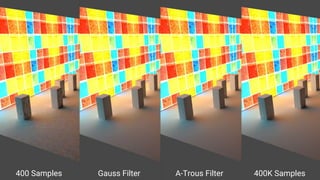
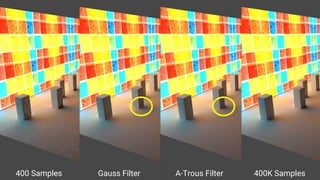
• Post process to filter out noise by applying a “blur”
• Two variants
• Gaussian
• Edge-Aware A-Trous
• Used to fix small amounts of noise
• How NOT to optimize
• Lower sample count to bake fast
• Counter noise with more filtering
400 Samples Gauss Filter A-Trous Filter 400K Samples
An overview of the parameters
• Lightmap Padding
• Space between UV islands
• Lightmap Size
• Max atlas width/height
Part 2: The GPU baking
backend
Speedup
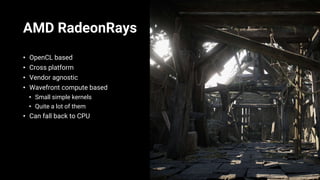
AMD RadeonRays
• OpenCL based
• Cross platform
• Vendor agnostic
• Wavefront compute based
• Small simple kernels
• Quite a lot of them
• Can fall back to CPU
Part 3: The Future
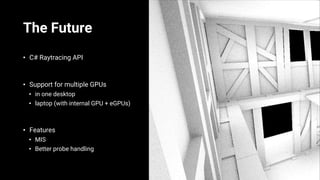
The Future
• C# Raytracing API
• Support for multiple GPUs
• in one desktop
• laptop (with internal GPU + eGPUs)
• Features
• MIS
• Better probe handling
Take-away
• Minimize texel count for faster baking
• Use probes wherever possible, but most importantly for small objects
• Scale objects in lightmaps if they have low lighting variation
• Use appropriate light modes
• Try to avoid baking high-frequency details
• Indirect light is usually very blurry/low-frequency, no need for many texels
• GPU Lightmapper
• Future development
Thank you!
Q&A

Progressive Lightmapper: An Introduction to Lightmapping in Unity

  • 1.
    Kuba Cupisz & TobiasAlexander Franke Progressive Lightmapper: An introduction to lightmapping in Unity Unity Technologies
  • 2.
  • 3.
  • 4.
  • 5.
  • 6.
  • 7.
    Today’s menu • Optimizingcontent for the Progressive Lightmapper • i.e. “What can you do to make baking faster” • A sneak peak into the GPU backend for the Progressive Lightmapper • i.e. “What we are doing to make baking faster” • Future developments • i.e. “What we have in store to make baking more convenient”
  • 8.
    Part 1: Optimizing bakingin the Progressive Lightmapper
  • 9.
  • 10.
  • 11.
    An overview ofthe parameters • Direct Samples • Number of rays shot towards light sources • Indirect Samples • Number of paths shot in the upper hemisphere • Bounces • Number of times a ray is allowed to bounce of another surface
  • 12.
    An overview ofthe parameters
  • 13.
    An overview ofthe parameters
  • 14.
    An overview ofthe parameters
  • 15.
    Understanding texels • Pixelsin lightmap • Mapped to units of space • Texel count is proportional to resolution^2 • Each texel spawns: • n direct rays towards k lights • m indirect rays * j bounces • one direct ray per bounce towards k lights • Texels are the amount of work to do • Texels are the amount of work to
  • 16.
    1 Texel perUnit 2 Texels per Unit 5 Texels per Unit
  • 17.
    You don’t needto bake texels if you don’t put them into the lightmap!
  • 18.
    Keep a lowtexel count • Do not waste (a lot of) texels on these: • Surfaces with low variation • Surfaces which receive indirect bounce light only • Small objects • Thin objects • Surfaces hidden from the player
  • 19.
  • 20.
    Scale objects withlow variation • Scale “unimportant” objects to reduce texel count • Good targets: • Small objects • Objects which receive almost uniform lighting • e.g. the wall in the back Can be represented with few texels Needs many texels, otherwise shadow will be blurry
  • 21.
    Light Modes • Subtractive •Baked direct and indirect • Shadowmask • Save additional lightmap information to composite realtime and baked shadows correctly • Indirect only • Baked indirect only • Realtime direct light and shadows
  • 22.
  • 23.
  • 24.
  • 25.
    Probe lighting • Useprobes for small or thin objects, and for small-ish objects that would use too many texels • Fences • Wires • Tubes • Trees • “Decoration” • … • Quick to compute, fairly low lookup cost
  • 26.
    (not)Lightmapping LODs • Markingall LODs in an LOD Group as lightmap static • Each renderer gets lightmap texels • Slow bakes • Lower LODs need to be processed one by one • Not enough work to saturate the hardware • Raytracer’s acceleration structure needs to be changed • Can be slow
  • 27.
    (not)Lightmapping LODs -projection • Marking only LOD0 in an LOD Group as lightmap static • Only renderers in LOD0 get lightmap texels • Lower LODs reuse those texels • UVs need to match between LOD levels • Same UV island outline, simpler topology inside • Bakes are fast again • All renderers processed in one go • Raytracer’s acceleration structure is static
  • 28.
    (not)Lightmapping LODs -projection Matching UVs
  • 29.
    (not)Lightmapping LODs -projection 27.5k/13.7k/6.9k triangles
  • 30.
    (not)Lightmapping LODs -projection Same distance
  • 31.
    (not)Lightmapping LODs -projection Actual usage in game
  • 32.
    (not)Lightmapping LODs -projection • Will be released as scripts soon • Copy lightmap scale/offset and lightmap index • From LOD0 to lower LODs • Fully built-in in one of the coming releases
  • 33.
    Filtering • Post processto filter out noise by applying a “blur” • Two variants • Gaussian • Edge-Aware A-Trous • Used to fix small amounts of noise • How NOT to optimize • Lower sample count to bake fast • Counter noise with more filtering
  • 34.
    400 Samples GaussFilter A-Trous Filter 400K Samples
  • 35.
    400 Samples GaussFilter A-Trous Filter 400K Samples
  • 36.
    An overview ofthe parameters • Lightmap Padding • Space between UV islands • Lightmap Size • Max atlas width/height
  • 37.
    Part 2: TheGPU baking backend
  • 39.
  • 40.
    AMD RadeonRays • OpenCLbased • Cross platform • Vendor agnostic • Wavefront compute based • Small simple kernels • Quite a lot of them • Can fall back to CPU
  • 41.
  • 42.
    The Future • C#Raytracing API • Support for multiple GPUs • in one desktop • laptop (with internal GPU + eGPUs) • Features • MIS • Better probe handling
  • 43.
    Take-away • Minimize texelcount for faster baking • Use probes wherever possible, but most importantly for small objects • Scale objects in lightmaps if they have low lighting variation • Use appropriate light modes • Try to avoid baking high-frequency details • Indirect light is usually very blurry/low-frequency, no need for many texels • GPU Lightmapper • Future development
  • 44.
  • 45.