Annotated Bibliography &
   Research Strategies


Writing Seminar
Dr. Robert Scott
                           Traci Welch Moritz
     Public Services Librarian/Assistant Professor
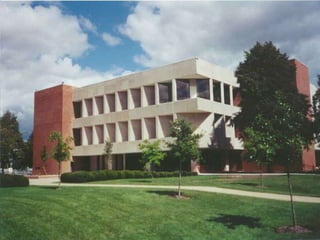
                       Heterick Memorial Library
What today is all about
Aid in constructing research
 strategy for finding resources
 for annotated bibliography
Find resources in library catalog
 and databases available
 Everything shown today is available at
 Research Guides for Writing Seminar
WELCOME to the LIBRARY
What you can expect from HML

 Knowledgeable degreed librarians on duty
  over 60 hours per week
 Friendly faces ready to help 101.5 hours per
  week
 Access to the resources you need both on
  and off campus
 Resources available in a timely manner
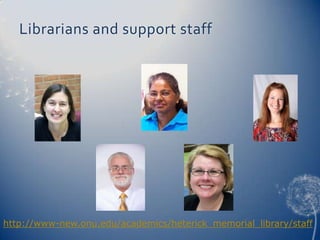
Librarians and support staff


http://www-new.onu.edu/academics/heterick_memorial_library/staff
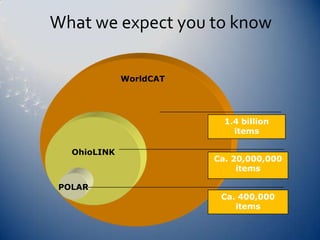
What we expect you to know

             WorldCAT


                          1.4 billion
                            items

  OhioLINK
                        Ca. 20,000,000
                             items

POLAR
                         Ca. 400,000
                            items
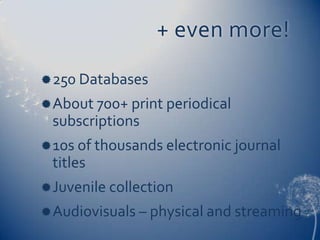
+ even more!
 250 Databases
 About 700+ print periodical
 subscriptions
 10s of thousands electronic journal
 titles
 Juvenile collection
 Audiovisuals – physical and streaming
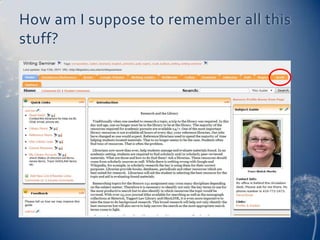
How am I suppose to remember all this
stuff?
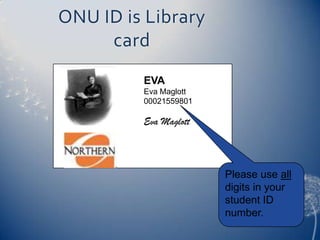
ONU ID is Library
     card
         EVA
         Eva Maglott
         00021559801

         Eva Maglott


                       Please use all
                       digits in your
                       student ID
                       number.
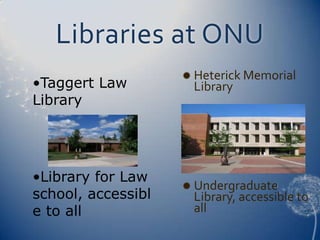
Libraries at ONU
                     Heterick Memorial
•Taggert Law         Library
Library


•Library for Law
                     Undergraduate
school, accessibl    Library, accessible to
e to all             all
This is Jeopardy
Annotated Bibliography
 Allows you to see what is out
  there
 Helps you narrow your topic and
  discard any irrelevant materials
 Aids in developing the thesis
 Makes you a better scholar
What should I do first?

•   Finding the right search term
•   Start big and then use patterns you see
    in the results list to narrow your topic
•   Most resources will have built into their
    system a “thesaurus” or “subject” or
    suggested topics links, use them
•   Ask a librarian or your professor for
    suggestions
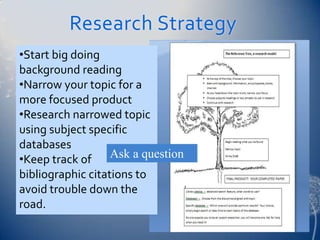
Research Strategy
•Start big doing
background reading
•Narrow your topic for a
more focused product
•Research narrowed topic
using subject specific
databases
•Keep track of Ask a question
bibliographic citations to
avoid trouble down the
road.
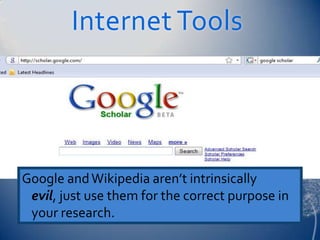
Internet Tools


Google and Wikipedia aren’t intrinsically
 evil, just use them for the correct purpose in
 your research.
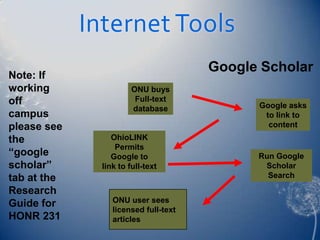
Internet Tools
                                       Google Scholar
Note: If
working                 ONU buys
off                      Full-text
                        database             Google asks
campus                                        to link to
please see                                     content
the               OhioLINK
                   Permits
“google           Google to                  Run Google
scholar”       link to full-text              Scholar
tab at the                                     Search
Research
Guide for         ONU user sees
                  licensed full-text
HONR 231          articles
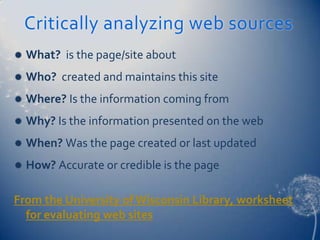
Critically analyzing web sources
   What? is the page/site about
   Who? created and maintains this site
   Where? Is the information coming from
   Why? Is the information presented on the web
   When? Was the page created or last updated
   How? Accurate or credible is the page

From the University of Wisconsin Library, worksheet
  for evaluating web sites
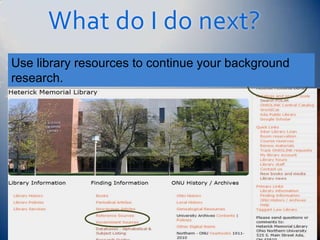
What do I do next?
Use library resources to continue your background
research.
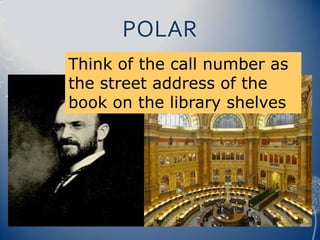
POLAR
Think of the call number as
the street address of the
book on the library shelves
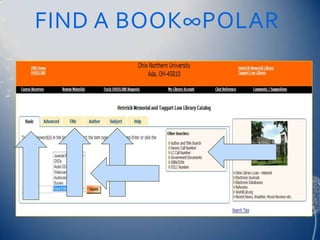
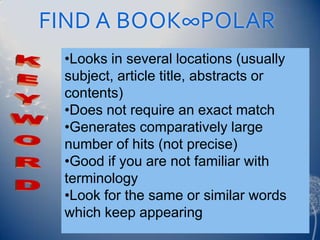
FIND A BOOK∞POLAR
FIND A BOOK∞POLAR
 •Looks in several locations (usually
 subject, article title, abstracts or
 contents)
 •Does not require an exact match
 •Generates comparatively large
 number of hits (not precise)
 •Good if you are not familiar with
 terminology
 •Look for the same or similar words
 which keep appearing
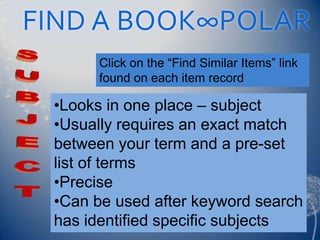
FIND A BOOK∞POLAR
       Click on the “Find Similar Items” link
       found on each item record

 •Looks in one place – subject
 •Usually requires an exact match
 between your term and a pre-set
 list of terms
 •Precise
 •Can be used after keyword search
 has identified specific subjects
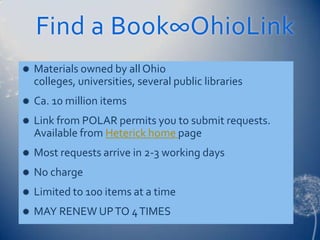
Find a Book∞OhioLink
   Materials owned by all Ohio
    colleges, universities, several public libraries
   Ca. 10 million items
   Link from POLAR permits you to submit requests.
    Available from Heterick home page
   Most requests arrive in 2-3 working days
   No charge
   Limited to 100 items at a time
   MAY RENEW UP TO 4 TIMES
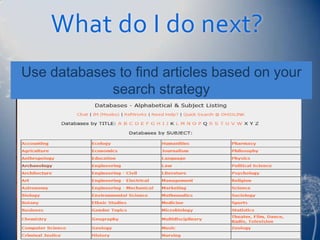
What do I do next?
Use databases to find articles based on your
             search strategy
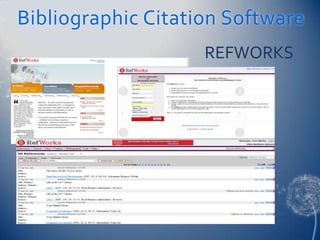
Bibliographic Citation Software
                    REFWORKS
Research Tools∞Databases

Often tools for locating journal and
 newspaper articles
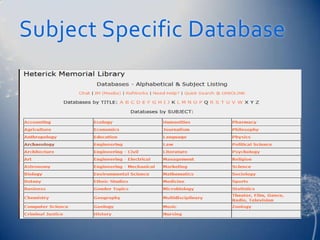
Most are subject-specific – some
 multi-disciplinary
Many give access to full text of articles
Heterick has over 250
Research Tools∞Databases

Over 20,000 journals indexed, most
 are full text
Divided by subject area offered at
 ONU
Begin with a general database,
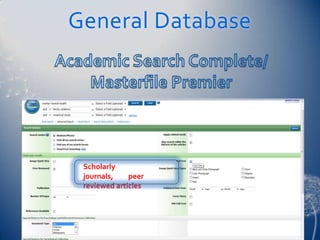
 Academic Search Complete

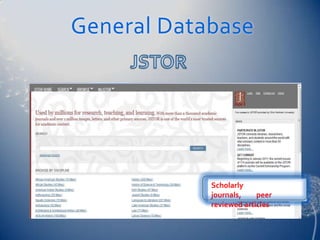
 JSTOR
Find an Article
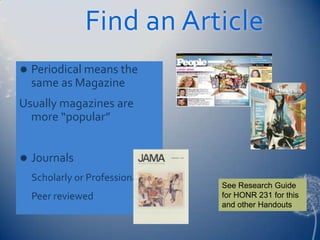
   Periodical means the
    same as Magazine
Usually magazines are
  more “popular”


   Journals
    Scholarly or Professional
                                See Research Guide
    Peer reviewed               for HONR 231 for this
                                and other Handouts
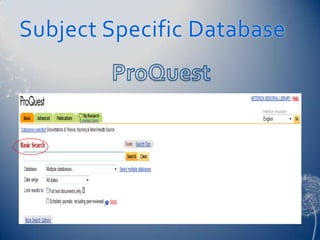
Research Tools∞Databases

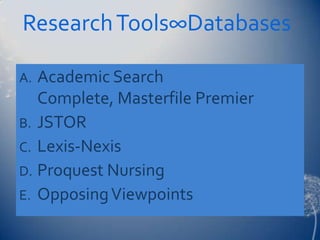
A. Academic Search
   Complete, Masterfile Premier
B. JSTOR
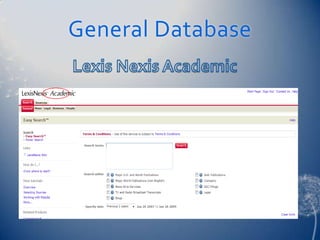
C. Lexis-Nexis
D. Proquest Nursing
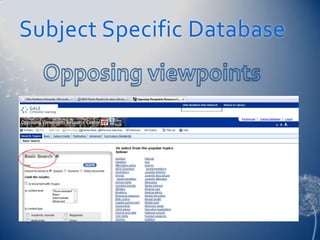
E. Opposing Viewpoints
General Database


 Scholarly
 journals,    peer
 reviewed articles
General Database


            Scholarly
            journals,    peer
            reviewed articles
General Database
Subject Specific Database
Managing Information -
RefWorks
 Licensed state-wide, access free to Ohio
  students for the rest of your life!
 See: http://0-www.refworks.com.polar.onu.edu/
 Write n’ Cite interfaces with MS Word
 Excellent Tutorials
 Help available at Heterick
 Research Guide for Writing Seminar for
  instructions on how to get your free-for-a-life-
  time account
Interlibrary Loan (ILL)

Use when you need a book or article
 that is not available online, not
 owned by ONU or available via
 OhioLINK
No charge/ limit on requests
Most requests take 5-7 days to fill
Use ILL form on library web pages.
QUESTIONS?
 Ask at the Reference Desk

 Phone the Reference Desk – 2185
 Contact us by E-mail
 reference@onu.edu
 Use Chat Help feature or the IM

 IM feature
Writing Seminar Scott

Writing Seminar Scott

  • 1.
    Annotated Bibliography & Research Strategies Writing Seminar Dr. Robert Scott Traci Welch Moritz Public Services Librarian/Assistant Professor Heterick Memorial Library
  • 2.
    What today isall about Aid in constructing research strategy for finding resources for annotated bibliography Find resources in library catalog and databases available  Everything shown today is available at Research Guides for Writing Seminar
  • 3.
  • 4.
    What you canexpect from HML  Knowledgeable degreed librarians on duty over 60 hours per week  Friendly faces ready to help 101.5 hours per week  Access to the resources you need both on and off campus  Resources available in a timely manner
  • 5.
    Librarians and supportstaff http://www-new.onu.edu/academics/heterick_memorial_library/staff
  • 6.
    What we expectyou to know WorldCAT 1.4 billion items OhioLINK Ca. 20,000,000 items POLAR Ca. 400,000 items
  • 7.
    + even more! 250 Databases  About 700+ print periodical subscriptions  10s of thousands electronic journal titles  Juvenile collection  Audiovisuals – physical and streaming
  • 8.
    How am Isuppose to remember all this stuff?
  • 9.
    ONU ID isLibrary card EVA Eva Maglott 00021559801 Eva Maglott Please use all digits in your student ID number.
  • 10.
    Libraries at ONU  Heterick Memorial •Taggert Law Library Library •Library for Law  Undergraduate school, accessibl Library, accessible to e to all all
  • 11.
  • 12.
    Annotated Bibliography Allowsyou to see what is out there Helps you narrow your topic and discard any irrelevant materials Aids in developing the thesis Makes you a better scholar
  • 13.
    What should Ido first? • Finding the right search term • Start big and then use patterns you see in the results list to narrow your topic • Most resources will have built into their system a “thesaurus” or “subject” or suggested topics links, use them • Ask a librarian or your professor for suggestions
  • 14.
    Research Strategy •Start bigdoing background reading •Narrow your topic for a more focused product •Research narrowed topic using subject specific databases •Keep track of Ask a question bibliographic citations to avoid trouble down the road.
  • 15.
    Internet Tools Google andWikipedia aren’t intrinsically evil, just use them for the correct purpose in your research.
  • 16.
    Internet Tools Google Scholar Note: If working ONU buys off Full-text database Google asks campus to link to please see content the OhioLINK Permits “google Google to Run Google scholar” link to full-text Scholar tab at the Search Research Guide for ONU user sees licensed full-text HONR 231 articles
  • 17.
    Critically analyzing websources  What? is the page/site about  Who? created and maintains this site  Where? Is the information coming from  Why? Is the information presented on the web  When? Was the page created or last updated  How? Accurate or credible is the page From the University of Wisconsin Library, worksheet for evaluating web sites
  • 18.
    What do Ido next? Use library resources to continue your background research.
  • 19.
    POLAR Think of thecall number as the street address of the book on the library shelves
  • 20.
  • 21.
    FIND A BOOK∞POLAR •Looks in several locations (usually subject, article title, abstracts or contents) •Does not require an exact match •Generates comparatively large number of hits (not precise) •Good if you are not familiar with terminology •Look for the same or similar words which keep appearing
  • 22.
    FIND A BOOK∞POLAR Click on the “Find Similar Items” link found on each item record •Looks in one place – subject •Usually requires an exact match between your term and a pre-set list of terms •Precise •Can be used after keyword search has identified specific subjects
  • 23.
    Find a Book∞OhioLink  Materials owned by all Ohio colleges, universities, several public libraries  Ca. 10 million items  Link from POLAR permits you to submit requests. Available from Heterick home page  Most requests arrive in 2-3 working days  No charge  Limited to 100 items at a time  MAY RENEW UP TO 4 TIMES
  • 24.
    What do Ido next? Use databases to find articles based on your search strategy
  • 25.
  • 26.
    Research Tools∞Databases Often toolsfor locating journal and newspaper articles Most are subject-specific – some multi-disciplinary Many give access to full text of articles Heterick has over 250
  • 27.
    Research Tools∞Databases Over 20,000journals indexed, most are full text Divided by subject area offered at ONU Begin with a general database, Academic Search Complete JSTOR
  • 28.
    Find an Article  Periodical means the same as Magazine Usually magazines are more “popular”  Journals Scholarly or Professional See Research Guide Peer reviewed for HONR 231 for this and other Handouts
  • 29.
    Research Tools∞Databases A. AcademicSearch Complete, Masterfile Premier B. JSTOR C. Lexis-Nexis D. Proquest Nursing E. Opposing Viewpoints
  • 30.
    General Database Scholarly journals, peer reviewed articles
  • 31.
    General Database Scholarly journals, peer reviewed articles
  • 32.
  • 33.
  • 34.
  • 35.
  • 36.
    Managing Information - RefWorks Licensed state-wide, access free to Ohio students for the rest of your life!  See: http://0-www.refworks.com.polar.onu.edu/  Write n’ Cite interfaces with MS Word  Excellent Tutorials  Help available at Heterick  Research Guide for Writing Seminar for instructions on how to get your free-for-a-life- time account
  • 37.
    Interlibrary Loan (ILL) Usewhen you need a book or article that is not available online, not owned by ONU or available via OhioLINK No charge/ limit on requests Most requests take 5-7 days to fill Use ILL form on library web pages.
  • 38.
    QUESTIONS?  Ask atthe Reference Desk  Phone the Reference Desk – 2185  Contact us by E-mail reference@onu.edu  Use Chat Help feature or the IM  IM feature