Writing Seminar
             Professor Traci Welch Moritz
                    Public Services Librarian
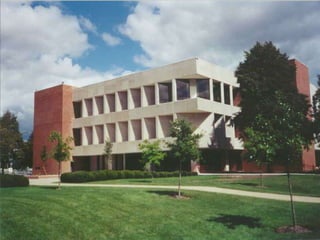
                  Heterick Memorial Library
Aid  in constructing
 research strategy for
 finding resources for
 annotated bibliography
Find resources in library
 catalog and databases
 available
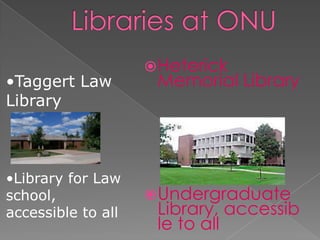
 Heterick
•Taggert Law         Memorial Library
Library


•Library for Law
school,              Undergraduate
accessible to all    Library, accessib
                     le to all
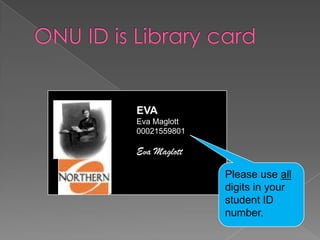
EVA
Eva Maglott
00021559801

Eva Maglott

              Please use all
              digits in your
              student ID
              number.
 Allows   you to see what is out
  there
 Helps you narrow your topic
  and discard any irrelevant
  materials
 Aids in developing the thesis
 Makes you a better scholar
 Take a look at your topic and identify
  key search terms, Ask a question.
 Most databases now use an implied
  Boolean logic search scheme so a
  keyword search will get you started.
 Boolean logic is the use of
  AND, NOT, OR to narrow or expand
  your search
 See Research Guide for Writing Seminar

           WHO CARES?
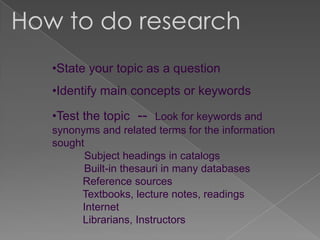
How to do research
   •State your topic as a question
   •Identify main concepts or keywords

   •Test the topic -- Look for keywords and
   synonyms and related terms for the information
   sought
          Subject headings in catalogs
          Built-in thesauri in many databases
         Reference sources
        Textbooks, lecture notes, readings
         Internet
         Librarians, Instructors
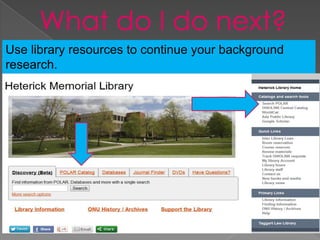
Use library resources to continue your background
research.
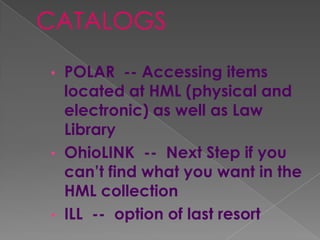
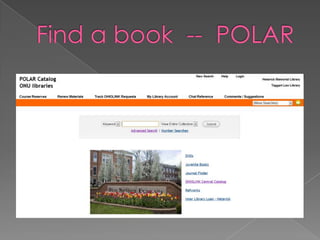
• POLAR -- Accessing items
  located at HML (physical and
  electronic) as well as Law
  Library
• OhioLINK -- Next Step if you
  can’t find what you want in the
  HML collection
• ILL -- option of last resort
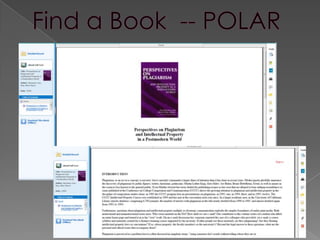
Find a Book -- POLAR
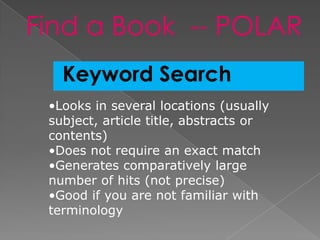
   Keyword Search
 •Looks in several locations (usually
 subject, article title, abstracts or
 contents)
 •Does not require an exact match
 •Generates comparatively large
 number of hits (not precise)
 •Good if you are not familiar with
 terminology
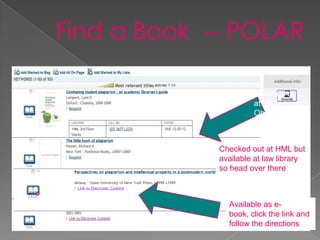
Checked out
         at HML, try at
         OhioLINK


Checked out at HML but
available at law library
so head over there


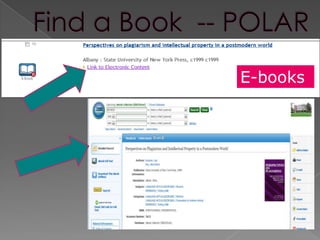
  Available as e-
  book, click the link and
  follow the directions
E-books
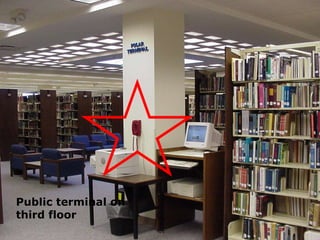
Public terminal on
third floor
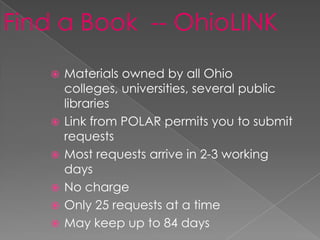
Find a Book -- OhioLINK
      Materials owned by all Ohio
       colleges, universities, several public
       libraries
      Link from POLAR permits you to submit
       requests
      Most requests arrive in 2-3 working
       days
      No charge
      Only 25 requests at a time
      May keep up to 84 days
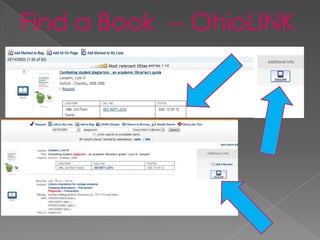
Find a Book -- OhioLINK
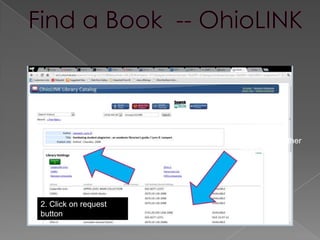
1. Make sure
                      copies are
                      available at other
                      libraries


2. Click on request
button
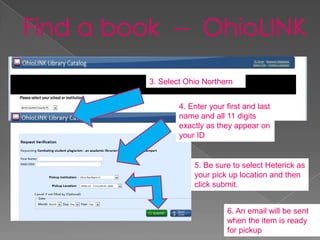
3. Select Ohio Northern


        4. Enter your first and last
        name and all 11 digits
        exactly as they appear on
        your ID


            5. Be sure to select Heterick as
            your pick up location and then
            click submit.


                      6. An email will be sent
                      when the item is ready
                      for pickup
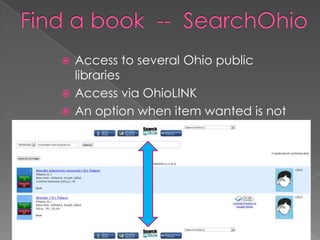
 Access to several Ohio public
  libraries
 Access via OhioLINK
 An option when item wanted is not
  available at ONU or through
    OhioLINK
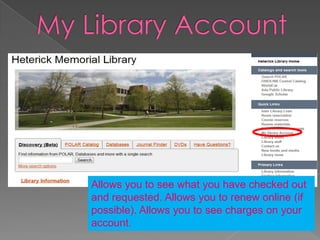
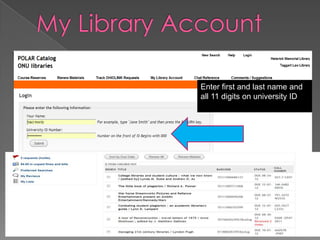
Allows you to see what you have checked out
and requested. Allows you to renew online (if
possible). Allows you to see charges on your
account.
Enter first and last name and
all 11 digits on university ID
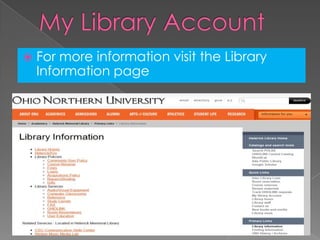
   For more information visit the Library
    Information page
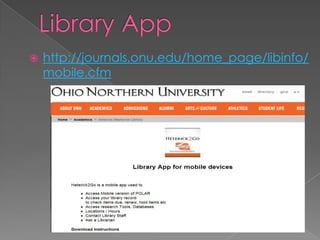
   http://journals.onu.edu/home_page/libinfo/
    mobile.cfm
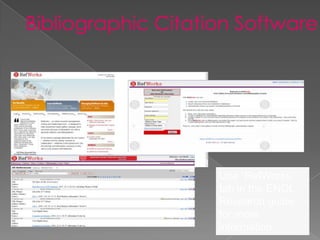
Use “RefWorks”
tab in the ENGL
Research guide
for more
information
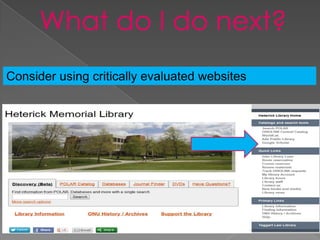
Consider using critically evaluated websites
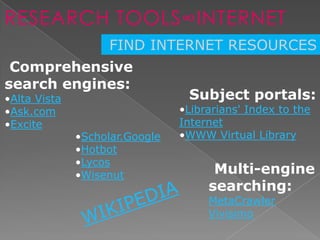
RESEARCH TOOLS∞INTERNET
                    FIND INTERNET RESOURCES
 Comprehensive
search engines:
•Alta Vista                      Subject portals:
•Ask.com                        •Librarians' Index to the
•Excite                         Internet
              •Scholar.Google   •WWW Virtual Library
              •Hotbot
              •Lycos
              •Wisenut                Multi-engine
                                     searching:
                                     MetaCrawler
                                     Vivisimo
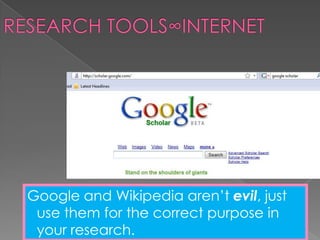
Google and Wikipedia aren’t evil, just
 use them for the correct purpose in
 your research.
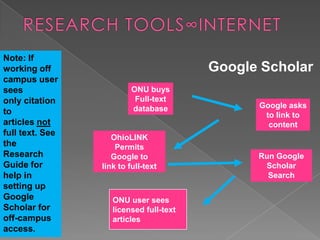
Note: If
working off                              Google Scholar
campus user
sees                      ONU buys
only citation              Full-text
                          database             Google asks
to                                              to link to
articles not                                     content
full text. See
                    OhioLINK
the                  Permits
Research            Google to                  Run Google
Guide for        link to full-text              Scholar
help in                                          Search
setting up
Google              ONU user sees
Scholar for         licensed full-text
off-campus          articles
access.
 Does   the information located
  satisfy the research need?
 Is the information factual and
  unbiased?
 See handout “Critically
  Analyzing Information Sources”
  at the “Web” tab on the Writing
  Seminar Research Guide.
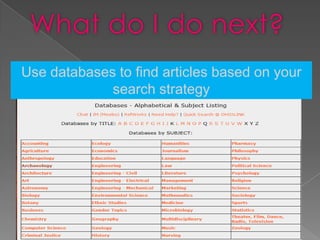
What do I do next?
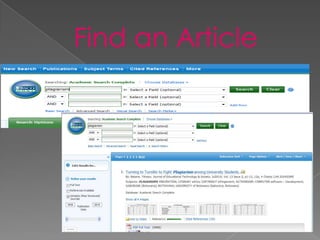
Use databases to find articles based on your
             search strategy
 Often  tools for locating
  journal and newspaper
  articles
 Most are subject-specific –
  some multi-disciplinary
 Many give access to full text
  of articles
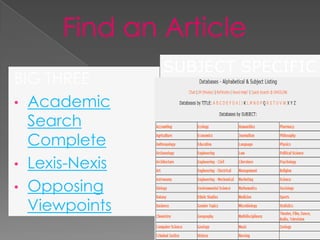
 Heterick has 212
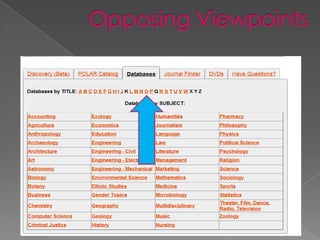
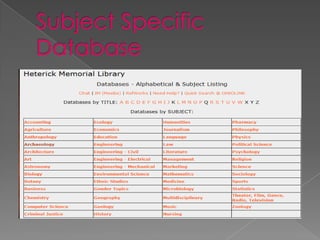
Click on “Databases”
SUBJECT SPECIFIC
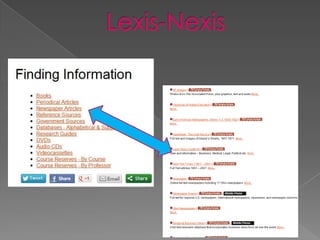
BIG THREE
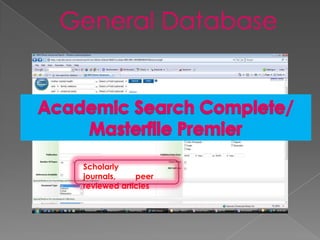
• Academic
  Search
  Complete
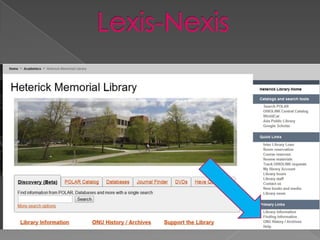
• Lexis-Nexis
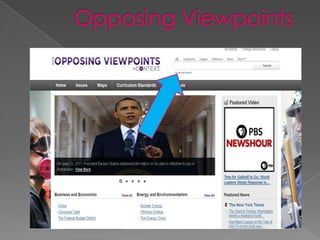
• Opposing
  Viewpoints
                           38
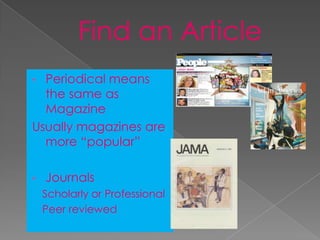
• Periodical means
  the same as
  Magazine
Usually magazines are
  more “popular”

•   Journals
    Scholarly or Professional
    Peer reviewed
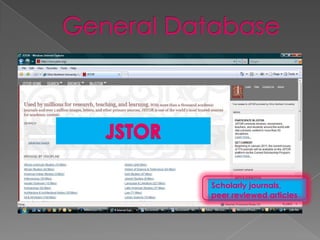
Scholarly
journals,    peer
reviewed articles
Scholarly journals,
peer reviewed articles
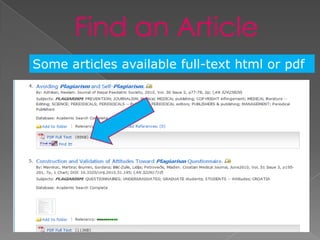
Some articles available full-text html or pdf
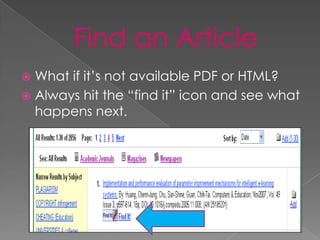
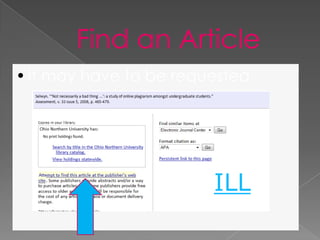
 What if it’s not available PDF or HTML?
 Always hit the “find it” icon and see what
  happens next.
• It may have to be requested


                        ILL
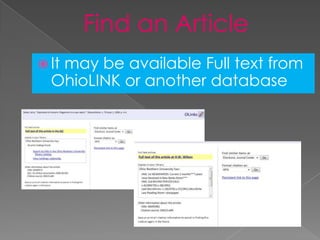
 It
   may be available Full text from
  OhioLINK or another database
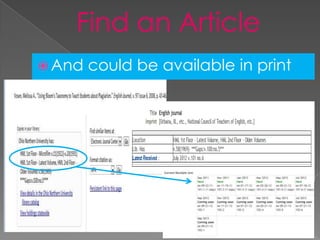
 And   could be available in print
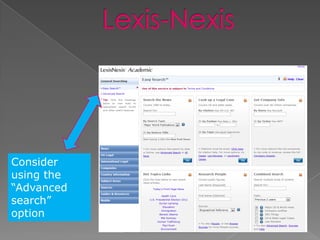
Consider
using the
“Advanced
search”
option
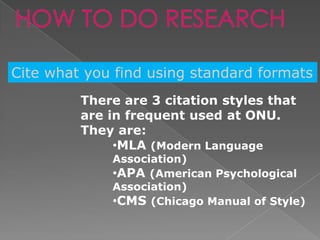
HOW TO DO RESEARCH

Cite what you find using standard formats
         There are 3 citation styles that
         are in frequent used at ONU.
         They are:
              •MLA (Modern Language
             Association)
             •APA (American Psychological
             Association)
             •CMS (Chicago Manual of Style)
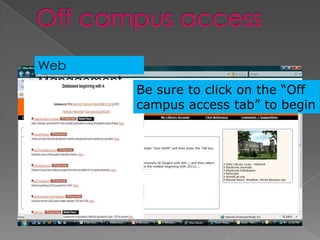
Web
Management
             Be sure to click on the “Off
             campus access tab” to begin
Traci Welch Moritz,
Reference        MLS
                 Public Services Librarian
Librarians on    Assistant Professor
                 Heterick Memorial
duty             Library
8a-4p Mon-Fri
                 t-moritz@onu.edu
6p-9p Mon-Thur   419-772-2473
10a-3:30p        419-772-2185

Sundays
ENGL 1221 Writing Seminar

ENGL 1221 Writing Seminar

  • 1.
    Writing Seminar Professor Traci Welch Moritz Public Services Librarian Heterick Memorial Library
  • 2.
    Aid inconstructing research strategy for finding resources for annotated bibliography Find resources in library catalog and databases available
  • 5.
     Heterick •Taggert Law Memorial Library Library •Library for Law school,  Undergraduate accessible to all Library, accessib le to all
  • 6.
    EVA Eva Maglott 00021559801 Eva Maglott Please use all digits in your student ID number.
  • 7.
     Allows you to see what is out there  Helps you narrow your topic and discard any irrelevant materials  Aids in developing the thesis  Makes you a better scholar
  • 8.
     Take alook at your topic and identify key search terms, Ask a question.  Most databases now use an implied Boolean logic search scheme so a keyword search will get you started.  Boolean logic is the use of AND, NOT, OR to narrow or expand your search  See Research Guide for Writing Seminar WHO CARES?
  • 9.
    How to doresearch •State your topic as a question •Identify main concepts or keywords •Test the topic -- Look for keywords and synonyms and related terms for the information sought Subject headings in catalogs Built-in thesauri in many databases Reference sources Textbooks, lecture notes, readings Internet Librarians, Instructors
  • 10.
    Use library resourcesto continue your background research.
  • 11.
    • POLAR --Accessing items located at HML (physical and electronic) as well as Law Library • OhioLINK -- Next Step if you can’t find what you want in the HML collection • ILL -- option of last resort
  • 14.
    Find a Book-- POLAR Keyword Search •Looks in several locations (usually subject, article title, abstracts or contents) •Does not require an exact match •Generates comparatively large number of hits (not precise) •Good if you are not familiar with terminology
  • 15.
    Checked out at HML, try at OhioLINK Checked out at HML but available at law library so head over there Available as e- book, click the link and follow the directions
  • 16.
  • 18.
  • 19.
    Find a Book-- OhioLINK  Materials owned by all Ohio colleges, universities, several public libraries  Link from POLAR permits you to submit requests  Most requests arrive in 2-3 working days  No charge  Only 25 requests at a time  May keep up to 84 days
  • 20.
    Find a Book-- OhioLINK
  • 21.
    1. Make sure copies are available at other libraries 2. Click on request button
  • 22.
    3. Select OhioNorthern 4. Enter your first and last name and all 11 digits exactly as they appear on your ID 5. Be sure to select Heterick as your pick up location and then click submit. 6. An email will be sent when the item is ready for pickup
  • 23.
     Access toseveral Ohio public libraries  Access via OhioLINK  An option when item wanted is not available at ONU or through OhioLINK
  • 24.
    Allows you tosee what you have checked out and requested. Allows you to renew online (if possible). Allows you to see charges on your account.
  • 25.
    Enter first andlast name and all 11 digits on university ID
  • 26.
    For more information visit the Library Information page
  • 27.
    http://journals.onu.edu/home_page/libinfo/ mobile.cfm
  • 28.
    Use “RefWorks” tab inthe ENGL Research guide for more information
  • 29.
    Consider using criticallyevaluated websites
  • 30.
    RESEARCH TOOLS∞INTERNET FIND INTERNET RESOURCES Comprehensive search engines: •Alta Vista Subject portals: •Ask.com •Librarians' Index to the •Excite Internet •Scholar.Google •WWW Virtual Library •Hotbot •Lycos •Wisenut Multi-engine searching: MetaCrawler Vivisimo
  • 31.
    Google and Wikipediaaren’t evil, just use them for the correct purpose in your research.
  • 32.
    Note: If working off Google Scholar campus user sees ONU buys only citation Full-text database Google asks to to link to articles not content full text. See OhioLINK the Permits Research Google to Run Google Guide for link to full-text Scholar help in Search setting up Google ONU user sees Scholar for licensed full-text off-campus articles access.
  • 33.
     Does the information located satisfy the research need?  Is the information factual and unbiased?  See handout “Critically Analyzing Information Sources” at the “Web” tab on the Writing Seminar Research Guide.
  • 34.
    What do Ido next? Use databases to find articles based on your search strategy
  • 35.
     Often tools for locating journal and newspaper articles  Most are subject-specific – some multi-disciplinary  Many give access to full text of articles  Heterick has 212
  • 36.
  • 38.
    SUBJECT SPECIFIC BIG THREE •Academic Search Complete • Lexis-Nexis • Opposing Viewpoints 38
  • 39.
    • Periodical means the same as Magazine Usually magazines are more “popular” • Journals Scholarly or Professional Peer reviewed
  • 40.
    Scholarly journals, peer reviewed articles
  • 41.
  • 43.
    Some articles availablefull-text html or pdf
  • 44.
     What ifit’s not available PDF or HTML?  Always hit the “find it” icon and see what happens next.
  • 45.
    • It mayhave to be requested ILL
  • 46.
     It may be available Full text from OhioLINK or another database
  • 47.
     And could be available in print
  • 50.
  • 54.
    HOW TO DORESEARCH Cite what you find using standard formats There are 3 citation styles that are in frequent used at ONU. They are: •MLA (Modern Language Association) •APA (American Psychological Association) •CMS (Chicago Manual of Style)
  • 55.
    Web Management Be sure to click on the “Off campus access tab” to begin
  • 56.
    Traci Welch Moritz, Reference MLS Public Services Librarian Librarians on Assistant Professor Heterick Memorial duty Library 8a-4p Mon-Fri t-moritz@onu.edu 6p-9p Mon-Thur 419-772-2473 10a-3:30p 419-772-2185 Sundays