Writing Seminar --
Research hints, tips
and things you need
to know
                  Traci Welch Moritz
            Public Services Librarian
                 Assistant Professor
           Heterick Memorial Library
What we’ll do today
Create a Research Strategy
Identify and locate books
Identify and locate journal
 articles
Learn how to manage your
 research
Evaluate web resources*
                 *maybe
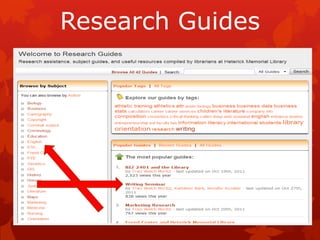
Research Guides
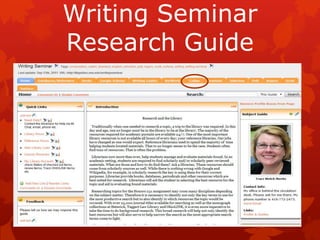
Writing Seminar
Research Guide
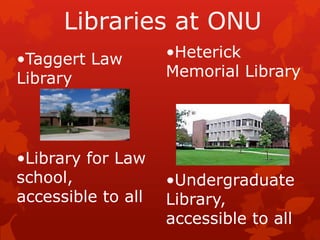
Libraries at ONU
•Taggert Law        •Heterick
Library             Memorial Library


•Library for Law
school,             •Undergraduate
accessible to all   Library,
                    accessible to all
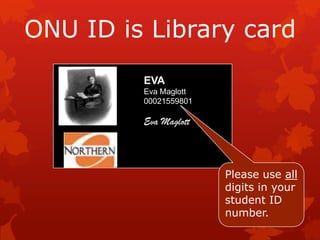
ONU ID is Library card
         EVA
         Eva Maglott
         00021559801

         Eva Maglott


                       Please use all
                       digits in your
                       student ID
                       number.
Argumentative Paper
 “The argumentative essay is a genre of
 writing that requires the student to
 investigate a topic, collect, generate, and
 evaluate evidence, and establish a position
 on the topic in a concise manner.
How do you find all this information?
Research! Argumentative essay
 assignments generally call for extensive
 research of literature or previously
 published material
 http://owl.english.purdue.edu/owl/resource/685/05/
Annotated Bibliography
Allows you to see what is out
 there
Helps you narrow your topic
 and discard any irrelevant
 materials
Aids in developing the thesis
Makes you a better scholar
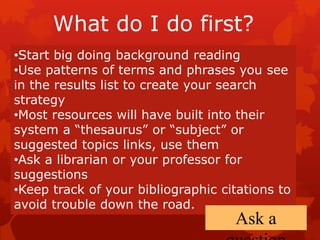
What do I do first?
•Start big doing background reading
•Use patterns of terms and phrases you see
in the results list to create your search
strategy
•Most resources will have built into their
system a “thesaurus” or “subject” or
suggested topics links, use them
•Ask a librarian or your professor for
suggestions
•Keep track of your bibliographic citations to
avoid trouble down the road.
                                    Ask a
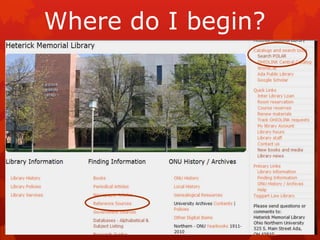
Where do I begin?
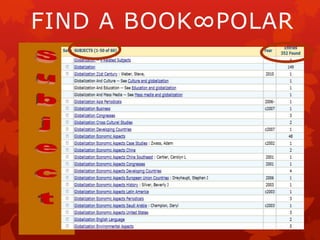
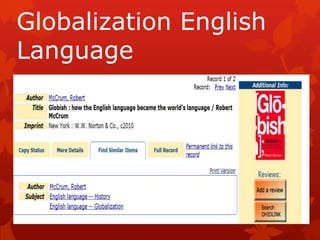
FIND A BOOK∞POLAR
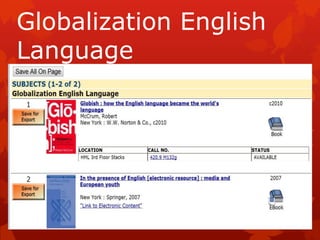
Globalization English
Language
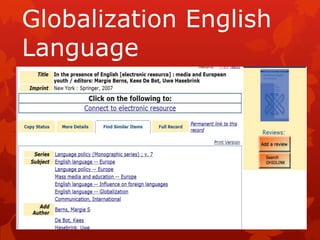
Globalization English
Language
Globalization English
Language
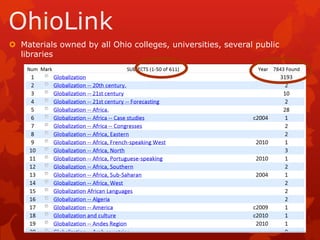
 Materials owned by all Ohio colleges, universities, several public
  libraries
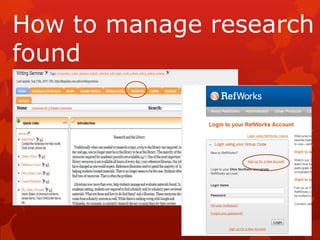
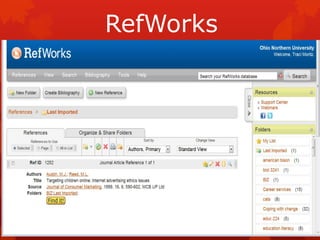
How to manage research
found
RefWorks


    REFWORKS
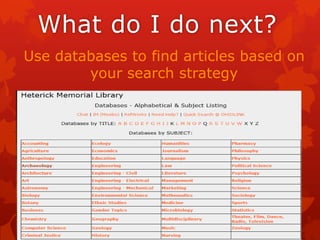
What do I do next?
Use databases to find articles based on
        your search strategy
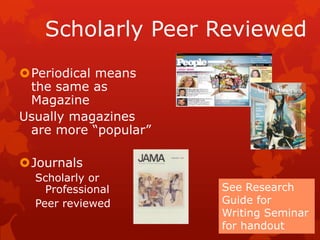
Scholarly Peer Reviewed
Periodical means
 the same as
 Magazine
Usually magazines
 are more “popular”

Journals
  Scholarly or
    Professional      See Research
  Peer reviewed       Guide for
                      Writing Seminar
                      for handout
Databases

Often tools for locating journal
 and newspaper articles
Most are subject-specific –
 some multi-disciplinary
Many give access to full text of
 articles
Heterick has over 250
Databases

Over 20,000 journals
 indexed, most are full text
Divided by subject area
 offered at ONU
Begin with a general
 database
Databases


A.Academic Search Complete
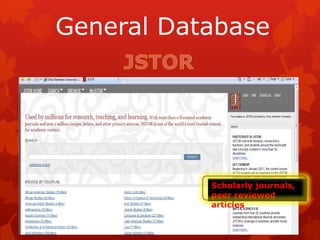
B.JSTOR
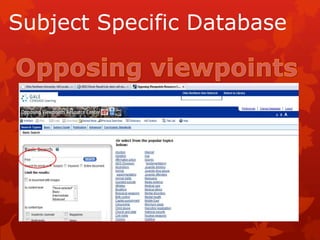
C.Opposing Viewpoints
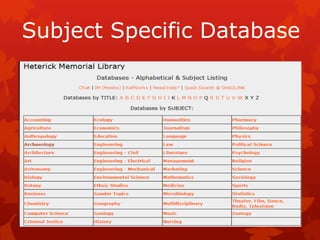
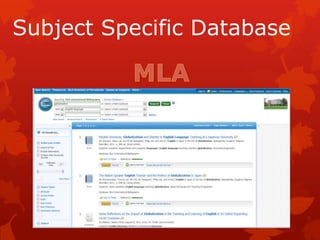
D.Subject specific
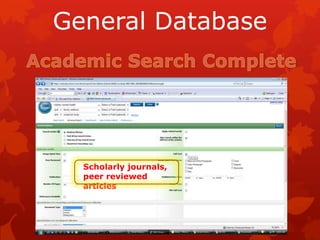
General Database


  Scholarly journals,
  peer reviewed
  articles
General Database


           Scholarly journals,
           peer reviewed
           articles
Subject Specific Database
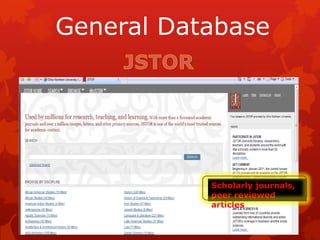
General Database


           Scholarly journals,
           peer reviewed
           articles
How to use JSTOR
 JSTOR was founded in 1995 to build trusted digital
  archives for scholarship. Today, we enable the scholarly
  community to preserve their work and the materials
  they rely upon, and to build a common research
  platform that promotes the discovery and use of these
  resources.
 Began adding current issues for some 170+ titles but
  mostly consists of back issues
 HML subscribes to the full-text component BUT also
  shows links to articles outside the library. You must pay
  attention to what you find.
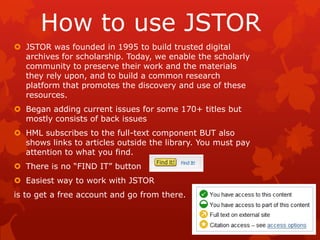
 There is no “FIND IT” button
 Easiest way to work with JSTOR
is to get a free account and go from there.
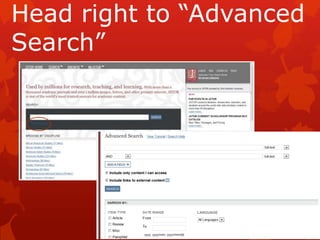
Head right to “Advanced
Search”
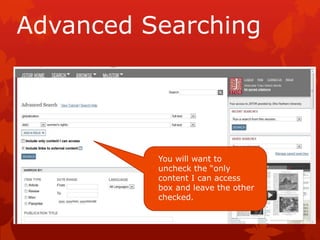
Advanced Searching


          You will want to
          uncheck the “only
          content I can access
          box and leave the other
          checked.
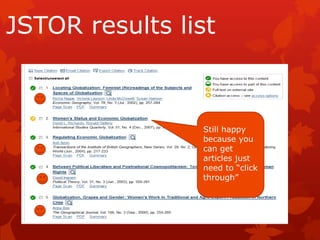
JSTOR results list


                Still happy
                because you
                can get
                articles just
                need to “click
                through”
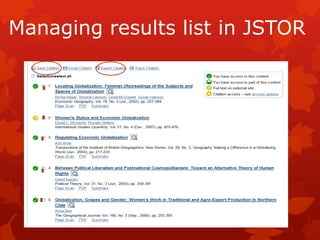
Managing results list in JSTOR
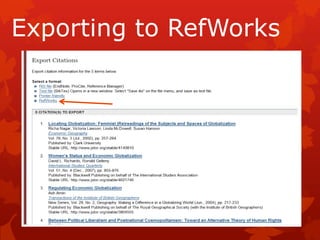
Exporting to RefWorks
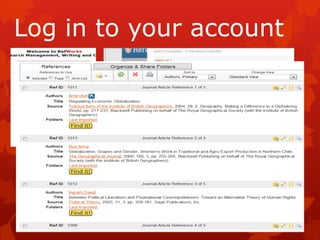
Log in to your account
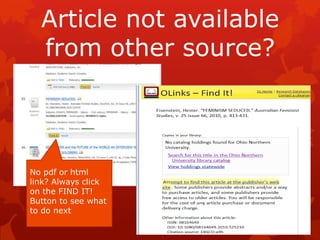
Article not available
  from other source?


No pdf or html
link? Always click
on the FIND IT!
Button to see what
to do next
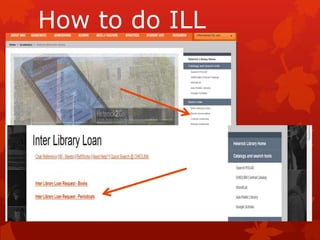
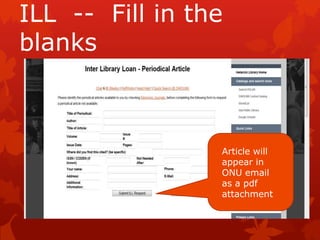
How to do ILL
ILL -- Fill in the
blanks


                 Article will
                 appear in
                 ONU email
                 as a pdf
                 attachment
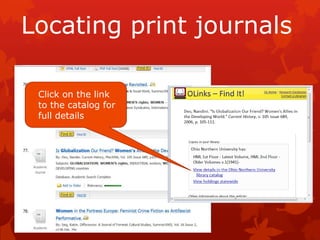
Locating print journals

 Click on the link
 to the catalog for
 full details
Locating print journals

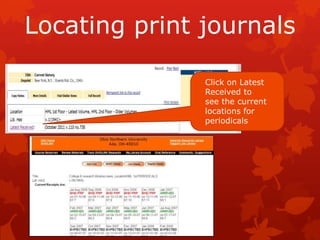
               Click on Latest
               Received to
               see the current
               locations for
               periodicals
Locating print journals
Reserve means the periodical/journal is
 held at the front desk.
Current means the issue is new and is
 available on the open shelves beside the
 computer lab.
All others are upstairs and arranged
 alphabetically by title.
Bound means it’s out of the building
Arrived means it’s on the open shelves
Expected means it’s not here yet
Internet Tools


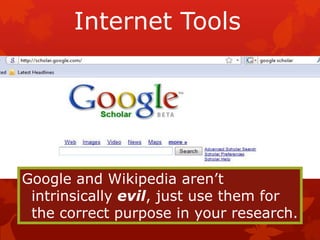
Google and Wikipedia aren’t
 intrinsically evil, just use them for
 the correct purpose in your research.
Research Tools

Does the information located
 satisfy the research need?
Is the information factual and
 unbiased?
See handout “Critically
 Analyzing Information Sources”
 under the “Handouts” tab at
 the Research Guide.
Internet Tools
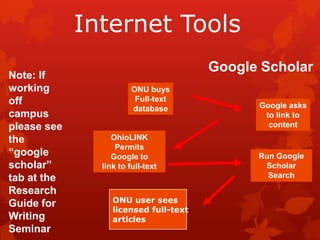
                                       Google Scholar
Note: If
working                 ONU buys
off                      Full-text
                        database             Google asks
campus                                        to link to
please see                                     content
the               OhioLINK
                   Permits
“google           Google to                  Run Google
scholar”       link to full-text              Scholar
tab at the                                     Search
Research
Guide for         ONU user sees
                  licensed full-text
Writing           articles
Seminar
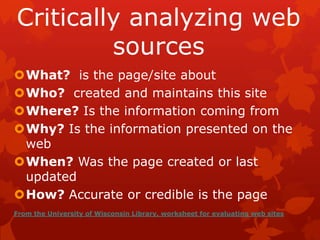
Critically analyzing web
         sources
What? is the page/site about
Who? created and maintains this site
Where? Is the information coming from
Why? Is the information presented on the
 web
When? Was the page created or last
 updated
How? Accurate or credible is the page
From the University of Wisconsin Library, worksheet for evaluating web sites
HELP
Reference
Librarians on
duty
                   Traci Welch Moritz, MLS
8a-4:30p Mon-Fri          Public Services Librarian
6p-9p Mon-Thur                  Assistant Professor
                        Heterick Memorial
10a-3:30p                         Library
Sundays
                          t-moritz@onu.edu
                             419-772-2473
                             419-772-2185
Writing Seminar Cullen

Writing Seminar Cullen

  • 1.
    Writing Seminar -- Researchhints, tips and things you need to know Traci Welch Moritz Public Services Librarian Assistant Professor Heterick Memorial Library
  • 2.
    What we’ll dotoday Create a Research Strategy Identify and locate books Identify and locate journal articles Learn how to manage your research Evaluate web resources* *maybe
  • 3.
  • 4.
  • 5.
    Libraries at ONU •TaggertLaw •Heterick Library Memorial Library •Library for Law school, •Undergraduate accessible to all Library, accessible to all
  • 6.
    ONU ID isLibrary card EVA Eva Maglott 00021559801 Eva Maglott Please use all digits in your student ID number.
  • 7.
    Argumentative Paper  “Theargumentative essay is a genre of writing that requires the student to investigate a topic, collect, generate, and evaluate evidence, and establish a position on the topic in a concise manner. How do you find all this information? Research! Argumentative essay assignments generally call for extensive research of literature or previously published material  http://owl.english.purdue.edu/owl/resource/685/05/
  • 8.
    Annotated Bibliography Allows youto see what is out there Helps you narrow your topic and discard any irrelevant materials Aids in developing the thesis Makes you a better scholar
  • 9.
    What do Ido first? •Start big doing background reading •Use patterns of terms and phrases you see in the results list to create your search strategy •Most resources will have built into their system a “thesaurus” or “subject” or suggested topics links, use them •Ask a librarian or your professor for suggestions •Keep track of your bibliographic citations to avoid trouble down the road. Ask a
  • 10.
    Where do Ibegin?
  • 11.
  • 12.
  • 13.
  • 14.
  • 15.
     Materials ownedby all Ohio colleges, universities, several public libraries
  • 16.
    How to manageresearch found
  • 17.
    RefWorks REFWORKS
  • 18.
    What do Ido next? Use databases to find articles based on your search strategy
  • 19.
    Scholarly Peer Reviewed Periodicalmeans the same as Magazine Usually magazines are more “popular” Journals Scholarly or Professional See Research Peer reviewed Guide for Writing Seminar for handout
  • 20.
    Databases Often tools forlocating journal and newspaper articles Most are subject-specific – some multi-disciplinary Many give access to full text of articles Heterick has over 250
  • 21.
    Databases Over 20,000 journals indexed, most are full text Divided by subject area offered at ONU Begin with a general database
  • 22.
  • 23.
    General Database Scholarly journals, peer reviewed articles
  • 24.
    General Database Scholarly journals, peer reviewed articles
  • 25.
  • 26.
  • 27.
  • 28.
    General Database Scholarly journals, peer reviewed articles
  • 29.
    How to useJSTOR  JSTOR was founded in 1995 to build trusted digital archives for scholarship. Today, we enable the scholarly community to preserve their work and the materials they rely upon, and to build a common research platform that promotes the discovery and use of these resources.  Began adding current issues for some 170+ titles but mostly consists of back issues  HML subscribes to the full-text component BUT also shows links to articles outside the library. You must pay attention to what you find.  There is no “FIND IT” button  Easiest way to work with JSTOR is to get a free account and go from there.
  • 30.
    Head right to“Advanced Search”
  • 31.
    Advanced Searching You will want to uncheck the “only content I can access box and leave the other checked.
  • 32.
    JSTOR results list Still happy because you can get articles just need to “click through”
  • 33.
  • 34.
  • 35.
    Log in toyour account
  • 36.
    Article not available from other source? No pdf or html link? Always click on the FIND IT! Button to see what to do next
  • 37.
  • 38.
    ILL -- Fillin the blanks Article will appear in ONU email as a pdf attachment
  • 39.
    Locating print journals Click on the link to the catalog for full details
  • 40.
    Locating print journals Click on Latest Received to see the current locations for periodicals
  • 41.
    Locating print journals Reservemeans the periodical/journal is held at the front desk. Current means the issue is new and is available on the open shelves beside the computer lab. All others are upstairs and arranged alphabetically by title. Bound means it’s out of the building Arrived means it’s on the open shelves Expected means it’s not here yet
  • 42.
    Internet Tools Google andWikipedia aren’t intrinsically evil, just use them for the correct purpose in your research.
  • 43.
    Research Tools Does theinformation located satisfy the research need? Is the information factual and unbiased? See handout “Critically Analyzing Information Sources” under the “Handouts” tab at the Research Guide.
  • 44.
    Internet Tools Google Scholar Note: If working ONU buys off Full-text database Google asks campus to link to please see content the OhioLINK Permits “google Google to Run Google scholar” link to full-text Scholar tab at the Search Research Guide for ONU user sees licensed full-text Writing articles Seminar
  • 45.
    Critically analyzing web sources What? is the page/site about Who? created and maintains this site Where? Is the information coming from Why? Is the information presented on the web When? Was the page created or last updated How? Accurate or credible is the page From the University of Wisconsin Library, worksheet for evaluating web sites
  • 46.
    HELP Reference Librarians on duty Traci Welch Moritz, MLS 8a-4:30p Mon-Fri Public Services Librarian 6p-9p Mon-Thur Assistant Professor Heterick Memorial 10a-3:30p Library Sundays t-moritz@onu.edu 419-772-2473 419-772-2185