Writing
Seminar
Develop a search strategy
Find resources in library
 catalog and databases available
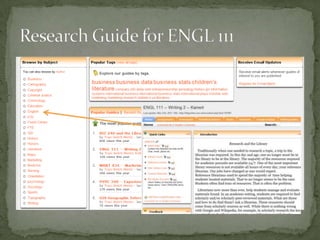
 Everything shown today is
 available at Research Guides for
 ENGL 111.
Allows you to see what is out
 there
Helps you narrow your topic
 and discard any irrelevant
 materials
Aids in developing the thesis
Makes you a better scholar
 Licensed state-wide, access free to Ohio
 students for the rest of your life!
 See: http://0-www.refworks.com.polar.onu.edu/
 Write n’ Cite interfaces with MS Word
 Excellent Tutorials
 Help available at Heterick
 Research Guide for HONR 231 for
 instructions on how to get your free-for-a-
 life-time account
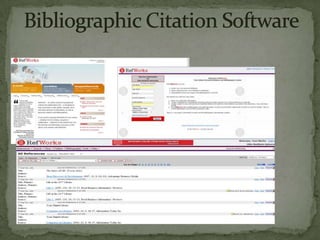
REFWORKS
 Take a look at your topic and identify key
  search terms, Ask a question.
 Most databases now use an implied
  Boolean logic search scheme so a
  keyword search will get you started.
 Boolean logic is the use of AND, NOT, OR
  to narrow or expand your search
 See Research Guide for ENGL 111 Kanwit


            WHO
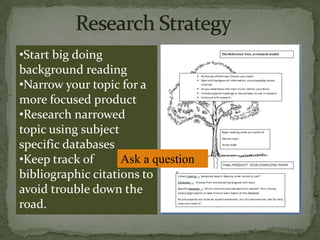
•Start big doing
background reading
•Narrow your topic for a
more focused product
•Research narrowed
topic using subject
specific databases
•Keep track of      Ask a question
bibliographic citations to
avoid trouble down the
road.
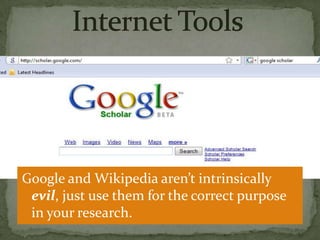
Google and Wikipedia aren’t intrinsically
 evil, just use them for the correct purpose
 in your research.
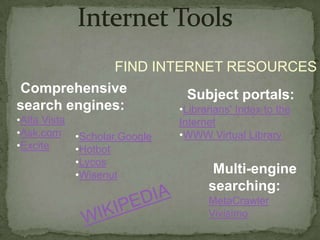
FIND INTERNET RESOURCES
Comprehensive          Subject portals:
search engines:      •Librarians' Index to the
•Alta Vista                Internet
•Ask.com •Scholar.Google   •WWW Virtual Library
•Excite     •Hotbot
            •Lycos
            •Wisenut             Multi-engine
                                searching:
                                MetaCrawler
                                Vivisimo
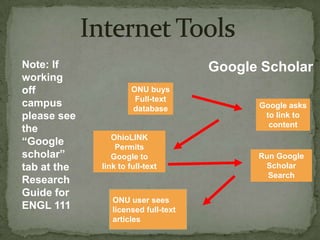
Note: If                             Google Scholar
working
off                   ONU buys
                       Full-text
campus                database             Google asks
please see                                  to link to
                                             content
the
                OhioLINK
“Google          Permits
scholar”        Google to                  Run Google
tab at the   link to full-text              Scholar
                                             Search
Research
Guide for
                ONU user sees
ENGL 111        licensed full-text
                articles
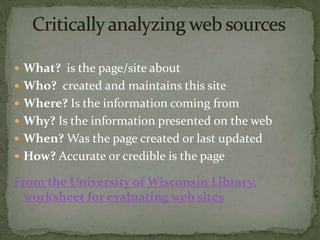
 What? is the page/site about
 Who? created and maintains this site
 Where? Is the information coming from
 Why? Is the information presented on the web
 When? Was the page created or last updated
 How? Accurate or credible is the page

From the University of Wisconsin Library,
  worksheet for evaluating web sites
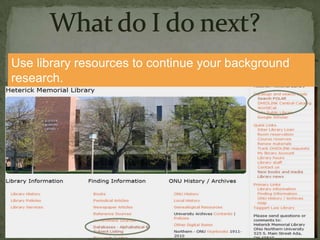
Use library resources to continue your background
research.
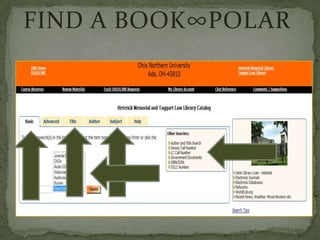
FIND A BOOK∞POLAR
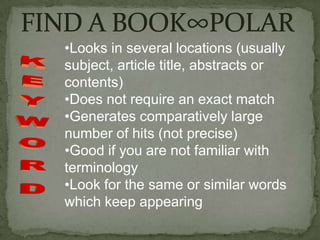
•Looks in several locations (usually
subject, article title, abstracts or
contents)
•Does not require an exact match
•Generates comparatively large
number of hits (not precise)
•Good if you are not familiar with
terminology
•Look for the same or similar words
which keep appearing
FIND A BOOK∞POLAR
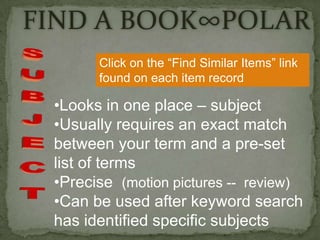
       Click on the “Find Similar Items” link
       found on each item record

 •Looks in one place – subject
 •Usually requires an exact match
 between your term and a pre-set
 list of terms
 •Precise (motion pictures -- review)
 •Can be used after keyword search
 has identified specific subjects
 Materials owned by all Ohio colleges,
    universities, several public libraries
   Ca. 10 million items
   Link from POLAR permits you to submit
    requests. Available from Heterick home page
   Most requests arrive in 2-3 working days
   No charge
   Limited to 100 items at a time
   MAY RENEW UP TO 4 TIMES
 Figure out your search strategy
 Have your search phrases ready
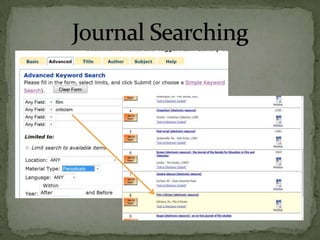
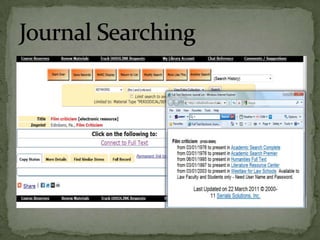
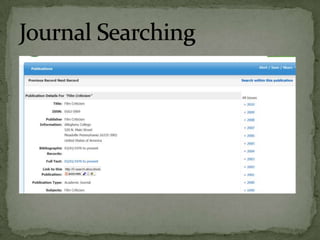
 Head to the journals to find articles
 Decide if you want to use a
 database or head directly to a
 pertinent journal.
What do I do next?
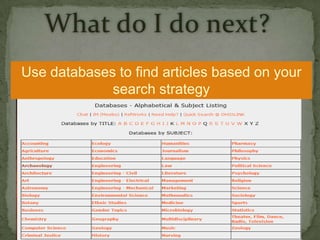
Use databases to find articles based on your
             search strategy
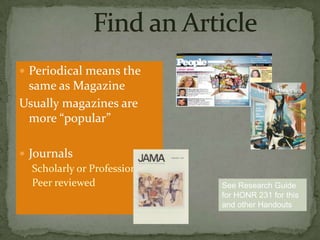
 Periodical means the
 same as Magazine
Usually magazines are
 more “popular”

 Journals
   Scholarly or Professional
   Peer reviewed               See Research Guide
                               for HONR 231 for this
                               and other Handouts
 Often tools for locating journal and
  newspaper articles
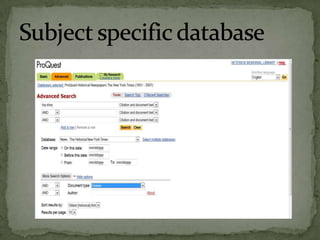
 Most are subject-specific – some
  multi-disciplinary
 Many give access to full text of
  articles
 Heterick has over 250
Over 20,000 journals indexed,
 most are full text
Divided by subject area offered at
 ONU
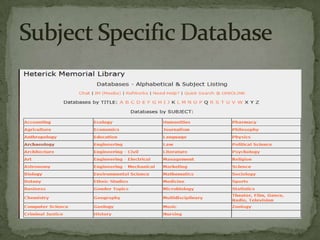
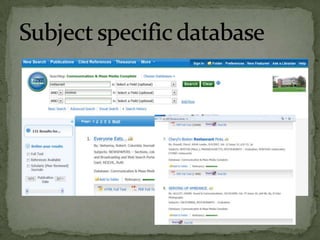
Begin with a general database,
  Academic Search Complete
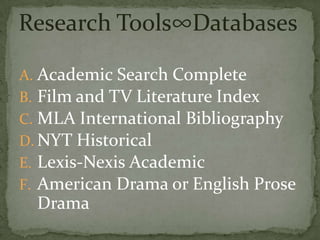
Research Tools∞Databases

A. Academic Search Complete
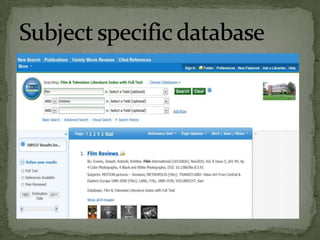
B. Film and TV Literature Index
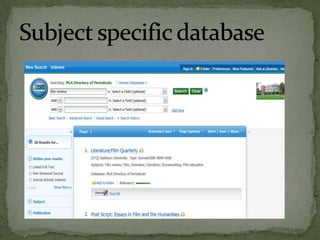
C. MLA International Bibliography
D. NYT Historical
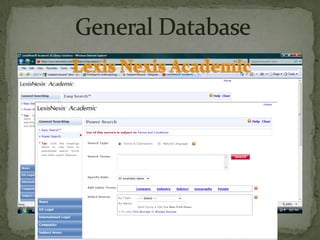
E. Lexis-Nexis Academic
F. American Drama or English Prose
  Drama
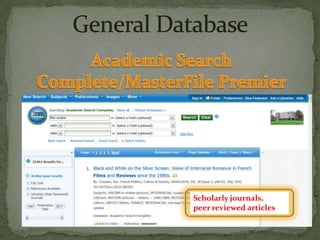
Scholarly journals,
peer reviewed articles
 Use when you need a book or
  article that is not available online,
  not owned by ONU or available via
  OhioLINK
 No charge/ limit on requests
 Most requests take 5-7 days to fill
 Use ILL form on library web pages.
 Ask at the Reference Desk
 Phone the Reference Desk – 2185
 Contact us by E-mail
  reference@onu.edu
 Use Chat Help feature or the IM
 IM feature
Writing Seminar Kanwit

Writing Seminar Kanwit

  • 1.
  • 2.
    Develop a searchstrategy Find resources in library catalog and databases available  Everything shown today is available at Research Guides for ENGL 111.
  • 4.
    Allows you tosee what is out there Helps you narrow your topic and discard any irrelevant materials Aids in developing the thesis Makes you a better scholar
  • 5.
     Licensed state-wide,access free to Ohio students for the rest of your life!  See: http://0-www.refworks.com.polar.onu.edu/  Write n’ Cite interfaces with MS Word  Excellent Tutorials  Help available at Heterick  Research Guide for HONR 231 for instructions on how to get your free-for-a- life-time account
  • 6.
  • 7.
     Take alook at your topic and identify key search terms, Ask a question.  Most databases now use an implied Boolean logic search scheme so a keyword search will get you started.  Boolean logic is the use of AND, NOT, OR to narrow or expand your search  See Research Guide for ENGL 111 Kanwit WHO
  • 8.
    •Start big doing backgroundreading •Narrow your topic for a more focused product •Research narrowed topic using subject specific databases •Keep track of Ask a question bibliographic citations to avoid trouble down the road.
  • 9.
    Google and Wikipediaaren’t intrinsically evil, just use them for the correct purpose in your research.
  • 10.
    FIND INTERNET RESOURCES Comprehensive Subject portals: search engines: •Librarians' Index to the •Alta Vista Internet •Ask.com •Scholar.Google •WWW Virtual Library •Excite •Hotbot •Lycos •Wisenut Multi-engine searching: MetaCrawler Vivisimo
  • 11.
    Note: If Google Scholar working off ONU buys Full-text campus database Google asks please see to link to content the OhioLINK “Google Permits scholar” Google to Run Google tab at the link to full-text Scholar Search Research Guide for ONU user sees ENGL 111 licensed full-text articles
  • 12.
     What? isthe page/site about  Who? created and maintains this site  Where? Is the information coming from  Why? Is the information presented on the web  When? Was the page created or last updated  How? Accurate or credible is the page From the University of Wisconsin Library, worksheet for evaluating web sites
  • 13.
    Use library resourcesto continue your background research.
  • 14.
  • 15.
    •Looks in severallocations (usually subject, article title, abstracts or contents) •Does not require an exact match •Generates comparatively large number of hits (not precise) •Good if you are not familiar with terminology •Look for the same or similar words which keep appearing
  • 16.
    FIND A BOOK∞POLAR Click on the “Find Similar Items” link found on each item record •Looks in one place – subject •Usually requires an exact match between your term and a pre-set list of terms •Precise (motion pictures -- review) •Can be used after keyword search has identified specific subjects
  • 17.
     Materials ownedby all Ohio colleges, universities, several public libraries  Ca. 10 million items  Link from POLAR permits you to submit requests. Available from Heterick home page  Most requests arrive in 2-3 working days  No charge  Limited to 100 items at a time  MAY RENEW UP TO 4 TIMES
  • 18.
     Figure outyour search strategy  Have your search phrases ready  Head to the journals to find articles  Decide if you want to use a database or head directly to a pertinent journal.
  • 19.
    What do Ido next? Use databases to find articles based on your search strategy
  • 20.
     Periodical meansthe same as Magazine Usually magazines are more “popular”  Journals Scholarly or Professional Peer reviewed See Research Guide for HONR 231 for this and other Handouts
  • 21.
     Often toolsfor locating journal and newspaper articles  Most are subject-specific – some multi-disciplinary  Many give access to full text of articles  Heterick has over 250
  • 22.
    Over 20,000 journalsindexed, most are full text Divided by subject area offered at ONU Begin with a general database,  Academic Search Complete
  • 23.
    Research Tools∞Databases A. AcademicSearch Complete B. Film and TV Literature Index C. MLA International Bibliography D. NYT Historical E. Lexis-Nexis Academic F. American Drama or English Prose Drama
  • 24.
  • 34.
     Use whenyou need a book or article that is not available online, not owned by ONU or available via OhioLINK  No charge/ limit on requests  Most requests take 5-7 days to fill  Use ILL form on library web pages.
  • 35.
     Ask atthe Reference Desk  Phone the Reference Desk – 2185  Contact us by E-mail reference@onu.edu  Use Chat Help feature or the IM  IM feature