Research at SFC Library
Nursing
Librarian: Miyo Davis
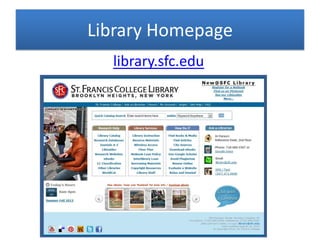
Library Homepage
library.sfc.edu
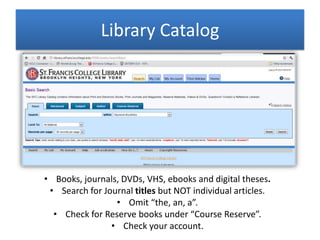
Library Catalog
• Books, journals, DVDs, VHS, ebooks and digital theses.
• Search for Journal titles but NOT individual articles.
• Omit “the, an, a”.
• Check for Reserve books under “Course Reserve”.
• Check your account.
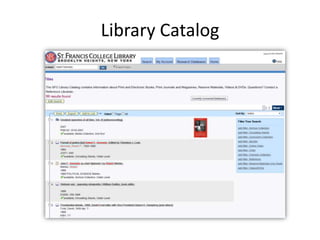
Library Catalog
eBooks
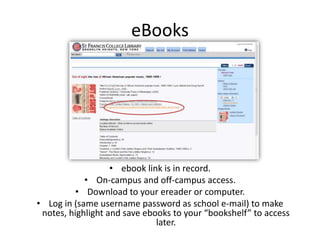
• ebook link is in record.
• On-campus and off-campus access.
• Download to your ereader or computer.
• Log in (same username password as school e-mail) to make
notes, highlight and save ebooks to your “bookshelf” to access
later.
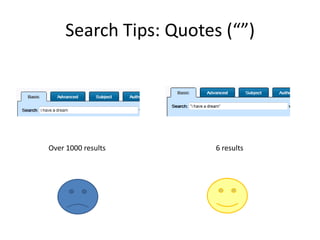
Search Tips: Quotes (“”)
Over 1000 results 6 results
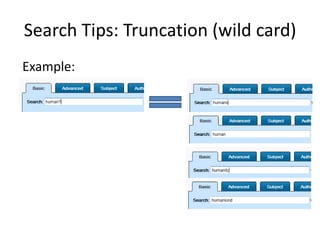
Search Tips: Truncation (wild card)
Example:
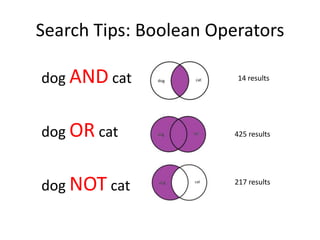
Search Tips: Boolean Operators
dog AND cat
dog OR cat
dog NOT cat
14 results
425 results
217 results
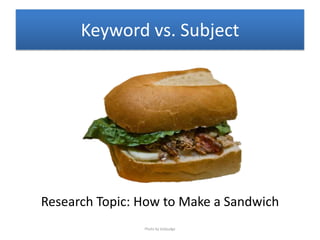
Keyword vs. Subject
Research Topic: How to Make a Sandwich
Photo by bobjudge
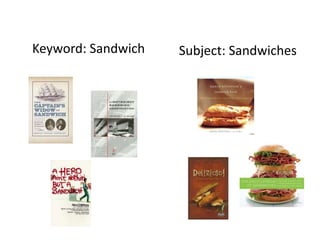
Keyword: Sandwich Subject: Sandwiches
Keyword
• May pull up more results, less of which are
specific.
• Good for: obscure or cross-disciplinary
topics, broader searches, unknown subject
heading.
Subject
• A large part of the work is devoted to that
topic.
• Good for: more specific searches.
“Database”?
• Collection of articles and journals.
• (Also includes
ebooks, video, podcasts, images.)
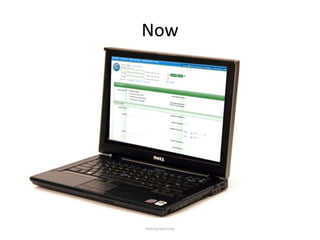
Now
Photo by MC4 Army
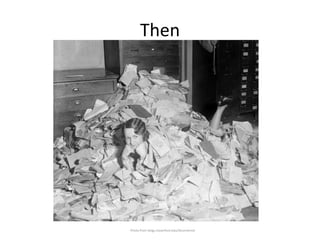
Then
Photo from blogs.haverford.edu/decentered
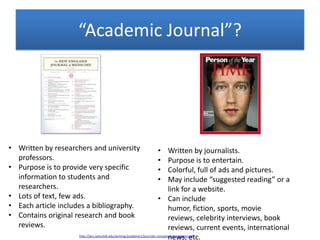
“Academic Journal”?
• Written by researchers and university
professors.
• Purpose is to provide very specific
information to students and
researchers.
• Lots of text, few ads.
• Each article includes a bibliography.
• Contains original research and book
reviews.
• Written by journalists.
• Purpose is to entertain.
• Colorful, full of ads and pictures.
• May include “suggested reading” or a
link for a website.
• Can include
humor, fiction, sports, movie
reviews, celebrity interviews, book
reviews, current events, international
news, etc.http://jerz.setonhill.edu/writing/academic1/journals-compared-to-magazines/
PEER
= other scientists, historians
REVIEW
= read, fact check
“Peer Review”?
Let’s meet some databases!
Photo by Alfred Eisenstaedt—Time & Life
Pictures/Getty Images
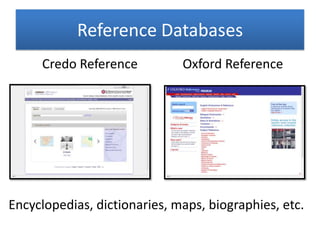
Reference Databases
Credo Reference Oxford Reference
Encyclopedias, dictionaries, maps, biographies, etc.
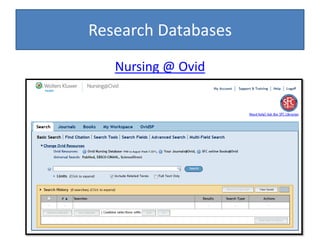
Research Databases
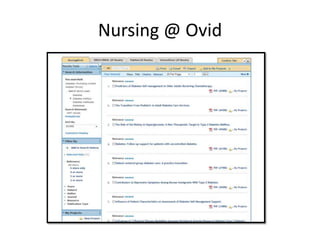
Nursing @ Ovid
Nursing @ Ovid
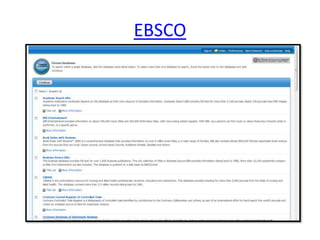
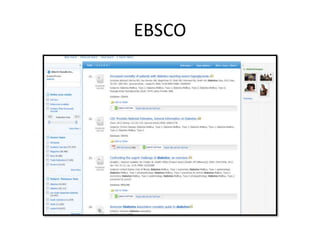
EBSCO
EBSCO
How to Search a Database
1. Start with a keyword search.
a. Get a feel for the scope of the database.
b. Find relevant subject headings
2. Do a subject search.
3. Do a combined search with
subject headings AND keywords.
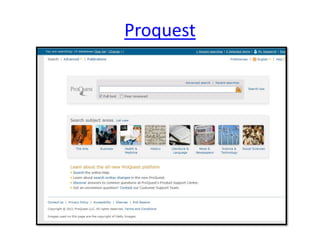
Proquest
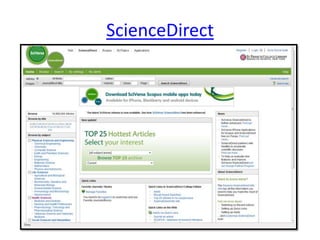
ScienceDirect
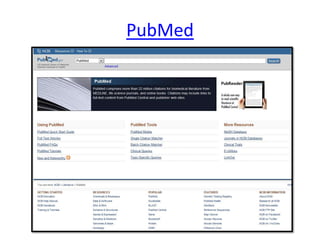
PubMed
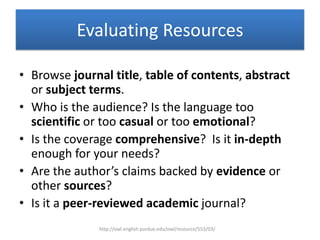
Evaluating Resources
• Browse journal title, table of contents, abstract
or subject terms.
• Who is the audience? Is the language too
scientific or too casual or too emotional?
• Is the coverage comprehensive? Is it in-depth
enough for your needs?
• Are the author’s claims backed by evidence or
other sources?
• Is it a peer-reviewed academic journal?
http://owl.english.purdue.edu/owl/resource/553/03/
Don’t use (only)
• Can’t access the most recent articles. (Search
engines don’t crawl every site every day.)
• Can’t access subscription sources.
• No way to do a subject search.
• Don’t always search the entire page just the
first 100-500k.
• Certain file formats and databases are
omitted.
How Google Searches Work: http://youtu.be/BNHR6IQJGZs
• Use “” for phrases.
• Use – instead of NOT
• Use * for wildcard
• Use “site:.edu”
• Use Google Scholar – look for “@SFC Library”
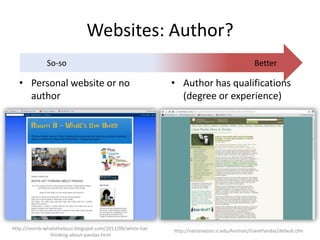
Websites: Author?
• Personal website or no
author
BetterSo-so
• Author has qualifications
(degree or experience)
http://roomb-whatsthebuzz.blogspot.com/2011/08/white-hat-
thinking-about-pandas.html
http://nationalzoo.si.edu/Animals/GiantPandas/default.cfm
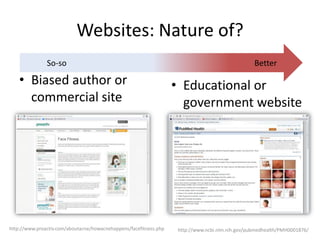
Websites: Nature of?
• Biased author or
commercial site
BetterSo-so
• Educational or
government website
http://www.proactiv.com/aboutacne/howacnehappens/facefitness.php http://www.ncbi.nlm.nih.gov/pubmedhealth/PMH0001876/
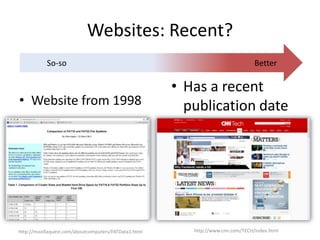
Websites: Recent?
• Website from 1998
BetterSo-so
• Has a recent
publication date
http://mozillaquest.com/aboutcomputers/FATData1.html http://www.cnn.com/TECH/index.html
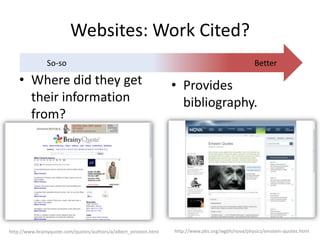
Websites: Work Cited?
• Where did they get
their information
from?
BetterSo-so
• Provides
bibliography.
http://www.brainyquote.com/quotes/authors/a/albert_einstein.html http://www.pbs.org/wgbh/nova/physics/einstein-quotes.html
Websites
• Who is the author?
– Look for credentials (degrees or titles), contact info, biography
info.
• What is the nature of the website?
– Look for educational or government (.edu or .gov domain)
rather than commercial or personal. Avoid bias or a website that
is trying to sell you a product.
• How recent is the info?
– Look for the date of when it was last updated. Watch out for
broken links.
• Where did the information come from?
– Look for websites that show where they got their information
either through bibliographies (works cited) or links.
Citations
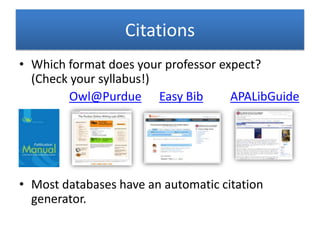
• Which format does your professor expect?
(Check your syllabus!)
Owl@Purdue Easy Bib APALibGuide
• Most databases have an automatic citation
generator.
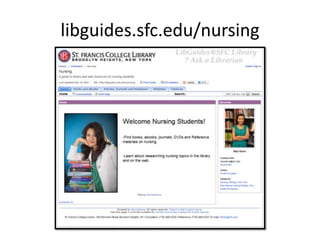
libguides.sfc.edu/nursing
Any Questions?
Contact me:
Miyo Davis
miyodavis@sfc.edu
http://libguides.sfc.edu/nursing

Research at SFC Library- Nursing

  • 1.
    Research at SFCLibrary Nursing Librarian: Miyo Davis
  • 2.
  • 3.
    Library Catalog • Books,journals, DVDs, VHS, ebooks and digital theses. • Search for Journal titles but NOT individual articles. • Omit “the, an, a”. • Check for Reserve books under “Course Reserve”. • Check your account.
  • 4.
  • 5.
    eBooks • ebook linkis in record. • On-campus and off-campus access. • Download to your ereader or computer. • Log in (same username password as school e-mail) to make notes, highlight and save ebooks to your “bookshelf” to access later.
  • 6.
    Search Tips: Quotes(“”) Over 1000 results 6 results
  • 7.
    Search Tips: Truncation(wild card) Example:
  • 8.
    Search Tips: BooleanOperators dog AND cat dog OR cat dog NOT cat 14 results 425 results 217 results
  • 9.
    Keyword vs. Subject ResearchTopic: How to Make a Sandwich Photo by bobjudge
  • 10.
  • 11.
    Keyword • May pullup more results, less of which are specific. • Good for: obscure or cross-disciplinary topics, broader searches, unknown subject heading.
  • 12.
    Subject • A largepart of the work is devoted to that topic. • Good for: more specific searches.
  • 13.
    “Database”? • Collection ofarticles and journals. • (Also includes ebooks, video, podcasts, images.)
  • 14.
  • 15.
  • 16.
    “Academic Journal”? • Writtenby researchers and university professors. • Purpose is to provide very specific information to students and researchers. • Lots of text, few ads. • Each article includes a bibliography. • Contains original research and book reviews. • Written by journalists. • Purpose is to entertain. • Colorful, full of ads and pictures. • May include “suggested reading” or a link for a website. • Can include humor, fiction, sports, movie reviews, celebrity interviews, book reviews, current events, international news, etc.http://jerz.setonhill.edu/writing/academic1/journals-compared-to-magazines/
  • 17.
    PEER = other scientists,historians REVIEW = read, fact check “Peer Review”?
  • 18.
    Let’s meet somedatabases! Photo by Alfred Eisenstaedt—Time & Life Pictures/Getty Images
  • 19.
    Reference Databases Credo ReferenceOxford Reference Encyclopedias, dictionaries, maps, biographies, etc.
  • 20.
  • 21.
  • 22.
  • 23.
  • 24.
    How to Searcha Database 1. Start with a keyword search. a. Get a feel for the scope of the database. b. Find relevant subject headings 2. Do a subject search. 3. Do a combined search with subject headings AND keywords.
  • 25.
  • 26.
  • 27.
  • 28.
    Evaluating Resources • Browsejournal title, table of contents, abstract or subject terms. • Who is the audience? Is the language too scientific or too casual or too emotional? • Is the coverage comprehensive? Is it in-depth enough for your needs? • Are the author’s claims backed by evidence or other sources? • Is it a peer-reviewed academic journal? http://owl.english.purdue.edu/owl/resource/553/03/
  • 29.
    Don’t use (only) •Can’t access the most recent articles. (Search engines don’t crawl every site every day.) • Can’t access subscription sources. • No way to do a subject search. • Don’t always search the entire page just the first 100-500k. • Certain file formats and databases are omitted. How Google Searches Work: http://youtu.be/BNHR6IQJGZs
  • 30.
    • Use “”for phrases. • Use – instead of NOT • Use * for wildcard • Use “site:.edu” • Use Google Scholar – look for “@SFC Library”
  • 31.
    Websites: Author? • Personalwebsite or no author BetterSo-so • Author has qualifications (degree or experience) http://roomb-whatsthebuzz.blogspot.com/2011/08/white-hat- thinking-about-pandas.html http://nationalzoo.si.edu/Animals/GiantPandas/default.cfm
  • 32.
    Websites: Nature of? •Biased author or commercial site BetterSo-so • Educational or government website http://www.proactiv.com/aboutacne/howacnehappens/facefitness.php http://www.ncbi.nlm.nih.gov/pubmedhealth/PMH0001876/
  • 33.
    Websites: Recent? • Websitefrom 1998 BetterSo-so • Has a recent publication date http://mozillaquest.com/aboutcomputers/FATData1.html http://www.cnn.com/TECH/index.html
  • 34.
    Websites: Work Cited? •Where did they get their information from? BetterSo-so • Provides bibliography. http://www.brainyquote.com/quotes/authors/a/albert_einstein.html http://www.pbs.org/wgbh/nova/physics/einstein-quotes.html
  • 35.
    Websites • Who isthe author? – Look for credentials (degrees or titles), contact info, biography info. • What is the nature of the website? – Look for educational or government (.edu or .gov domain) rather than commercial or personal. Avoid bias or a website that is trying to sell you a product. • How recent is the info? – Look for the date of when it was last updated. Watch out for broken links. • Where did the information come from? – Look for websites that show where they got their information either through bibliographies (works cited) or links.
  • 36.
    Citations • Which formatdoes your professor expect? (Check your syllabus!) Owl@Purdue Easy Bib APALibGuide • Most databases have an automatic citation generator.
  • 37.
  • 38.
    Any Questions? Contact me: MiyoDavis miyodavis@sfc.edu http://libguides.sfc.edu/nursing

Editor's Notes

  • #2 -We’ll be going over -Searching for and accessinglibrary resources -research process in library and online, how to do it efficiently -citations
  • #4 -PARTICIPATION: have students suggest search terms-Once you find a record: -availability, -call number (address of book), -LOCATION, -use additional subject heading links to find more, -some (more recent) books you can see cover and preview chapters
  • #9 -Must go to Advanced Searcheg. Nursing NOT doctor George Bush NOT 9/11
  • #11 -Keyword search, may pull up books with sandwich in title but are not about sandwiches-Subject search, may pull up books that don’t have sandwich in title but are about sandwiches
  • #14 -Database: collection of data or information.-NOT always accessible through google even though it’s hosted online- subscription based!-best place to find peer-reviews, scholarly journals
  • #20 -Reference-short definitions, quick information the digital equivalent of reference shelf-You can use dictionary.com but these look better when cited in a paper.
  • #21 Research Databases: -in depth articles-specific information about topicsNursing @ OvidFocuses on Nursing and Allied HealthAlso searches PubMed, Science Direct and Cinahl databasesIndexes over 400 journals, full text to 16 journals-How to find on Website: Databases A-Z, Under “N”SEARCH-Select Full TextNARROW-Too many results? Try Multi-field searchEVALUATE-Look at abstract-Click on Subject headings to do another searchTo READ-Access PDF-Save as file-E-mail full text to yourself (might want to open e-mail at same time to make sure they are sending!)-PrintCitation can only be done from search result page
  • #23 -Cochrane Controlled Trials Register, Health Source: Nursing/Academic, CINAHL, Cochrane Database of Systematic Reviews, MEDLINE-Can Narrow by Specific database (databases that are not related)-Can even choose to narrow by specific journals in some cases.-Start with “all fields” BUT select FULL-TEXT-Ask for Search Terms:-From Results List: Narrow by date, subject. Add more search terms to original search.-Save,print, e-mail, get citation, get permanent link-Biography Reference Bank
  • #25 -Reference-short definitions, quick information the digital equivalent of reference shelf-You can use dictionary.com but these look better when cited in a paper.
  • #26 Full Text of NY times (1851-2011)-demo search in publication
  • #27 -Search in Top-Browse by subject-Limit or Exclude results Focuses on scienceFull text articles from more than 2,500 peer-reviewed journalsFull text chapters from more than 11,000 books
  • #28 Focuses on biomedical literature from MEDLINE, life science journals, and online booksMore than 20 million citations Maintained by the United States National Library of Medicine
  • #29 -Before reading, browse the abstract, table of contents or intro too see if book/article is relevant to your topic.-Is your article on the history of animals in literature too scientific? Does your source contain a writing like: Abraham Lincoln was like, whatever. Is it biased?-Is it comprehensive i.e. covering all the important points of a topic? Does it cover the topic too shallow?-Is there evidence?Think of it like a dating game! You don’t want a date that is unreliable and poorly written! It may also be a good article but not the one for you!The Resource dating game!?
  • #31 -Show how to get to Google Scholar-demo a search-mention instructions to setting it up on their computer at home are on website
  • #36 -Keep in mind your “everyday information need” (i.e. looking up a recipe, looking up information about a movie), is very different from your information needs as a student and researcher. One is a much higher standard than the other.-Watch out for “content farms” eg. about.com
  • #37 -Show Easy Bib, do a citation together using an earlier source mdavis1422@sfc.edu/francislib