Writing
Sample
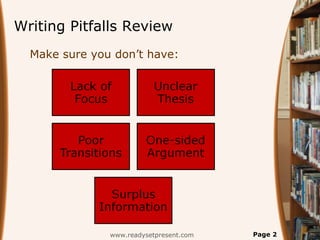
Writing Pitfalls Review
www.readysetpresent.com Page 2
Make sure you don’t have:
Definition
 To communicate specific
information or ideas, utilizing
the formats, language, and
content relevant to the
workplace.
www.readysetpresent.com Page 3
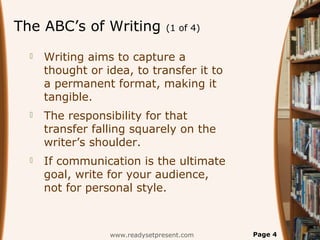
The ABC’s of Writing (1 of 4)
 Writing aims to capture a
thought or idea, to transfer it to
a permanent format, making it
tangible.
 The responsibility for that
transfer falling squarely on the
writer’s shoulder.
 If communication is the ultimate
goal, write for your audience,
not for personal style.
www.readysetpresent.com Page 4
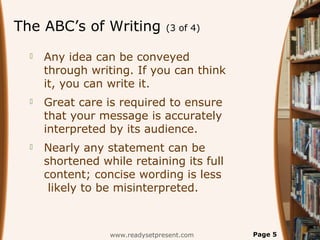
The ABC’s of Writing (3 of 4)
 Any idea can be conveyed
through writing. If you can think
it, you can write it.
 Great care is required to ensure
that your message is accurately
interpreted by its audience.
 Nearly any statement can be
shortened while retaining its full
content; concise wording is less
likely to be misinterpreted.
www.readysetpresent.com Page 5
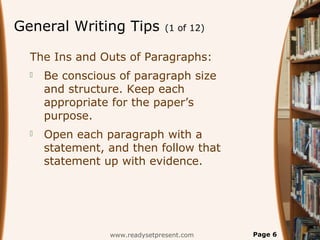
General Writing Tips (1 of 12)
The Ins and Outs of Paragraphs:
 Be conscious of paragraph size
and structure. Keep each
appropriate for the paper’s
purpose.
 Open each paragraph with a
statement, and then follow that
statement up with evidence.
www.readysetpresent.com Page 6
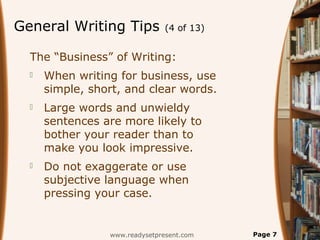
General Writing Tips (4 of 13)
The “Business” of Writing:
 When writing for business, use
simple, short, and clear words.
 Large words and unwieldy
sentences are more likely to
bother your reader than to
make you look impressive.
 Do not exaggerate or use
subjective language when
pressing your case.
www.readysetpresent.com Page 7
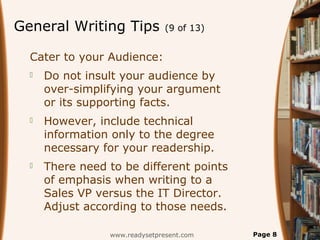
General Writing Tips (9 of 13)
Cater to your Audience:
 Do not insult your audience by
over-simplifying your argument
or its supporting facts.
 However, include technical
information only to the degree
necessary for your readership.
 There need to be different points
of emphasis when writing to a
Sales VP versus the IT Director.
Adjust according to those needs.
www.readysetpresent.com Page 8
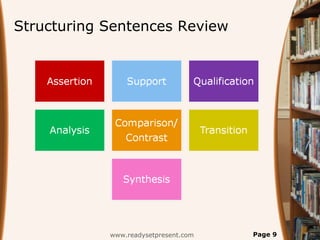
Structuring Sentences Review
www.readysetpresent.com Page 9
Letter
Writing
www.readysetpresent.com Page 10
www.readysetpresent.com Page 11
Download “Writing”
PowerPoint presentation
at ReadySetPresent.com
Slides include: 12 points on the ABC’s of writing, 13
slides on general writing tips, 23 writing pitfalls, 4 helpful
exercises, 27 points on structuring sentences, 9 points on
writer’s block, 24 points on 4 solutions for writer’s block,
10 points on brainstorming, 12 points on free writing, 7
points on writing tasks, 16 points on letter writing, 18
points on introductory letters, 21 points on sales writing,
21 points on sales letters, 19 points on report writing, 17
points on framing a report, 20 points on 9 tips for dealing
with the media, 9 mistakes in media dealings, 6 points on
professional emails, 31 professional email do’s, 11
professional email don’ts, 4 points on office email
etiquette, 8 points on the importance of email etiquette, 6
points on editing, 16 action steps and much more!
Royalty Free – Use Them Over and Over Again.
Now: more content, graphics, and diagrams

Writing

  • 1.
  • 2.
    Writing Pitfalls Review www.readysetpresent.comPage 2 Make sure you don’t have:
  • 3.
    Definition  To communicatespecific information or ideas, utilizing the formats, language, and content relevant to the workplace. www.readysetpresent.com Page 3
  • 4.
    The ABC’s ofWriting (1 of 4)  Writing aims to capture a thought or idea, to transfer it to a permanent format, making it tangible.  The responsibility for that transfer falling squarely on the writer’s shoulder.  If communication is the ultimate goal, write for your audience, not for personal style. www.readysetpresent.com Page 4
  • 5.
    The ABC’s ofWriting (3 of 4)  Any idea can be conveyed through writing. If you can think it, you can write it.  Great care is required to ensure that your message is accurately interpreted by its audience.  Nearly any statement can be shortened while retaining its full content; concise wording is less likely to be misinterpreted. www.readysetpresent.com Page 5
  • 6.
    General Writing Tips(1 of 12) The Ins and Outs of Paragraphs:  Be conscious of paragraph size and structure. Keep each appropriate for the paper’s purpose.  Open each paragraph with a statement, and then follow that statement up with evidence. www.readysetpresent.com Page 6
  • 7.
    General Writing Tips(4 of 13) The “Business” of Writing:  When writing for business, use simple, short, and clear words.  Large words and unwieldy sentences are more likely to bother your reader than to make you look impressive.  Do not exaggerate or use subjective language when pressing your case. www.readysetpresent.com Page 7
  • 8.
    General Writing Tips(9 of 13) Cater to your Audience:  Do not insult your audience by over-simplifying your argument or its supporting facts.  However, include technical information only to the degree necessary for your readership.  There need to be different points of emphasis when writing to a Sales VP versus the IT Director. Adjust according to those needs. www.readysetpresent.com Page 8
  • 9.
  • 10.
  • 11.
    www.readysetpresent.com Page 11 Download“Writing” PowerPoint presentation at ReadySetPresent.com Slides include: 12 points on the ABC’s of writing, 13 slides on general writing tips, 23 writing pitfalls, 4 helpful exercises, 27 points on structuring sentences, 9 points on writer’s block, 24 points on 4 solutions for writer’s block, 10 points on brainstorming, 12 points on free writing, 7 points on writing tasks, 16 points on letter writing, 18 points on introductory letters, 21 points on sales writing, 21 points on sales letters, 19 points on report writing, 17 points on framing a report, 20 points on 9 tips for dealing with the media, 9 mistakes in media dealings, 6 points on professional emails, 31 professional email do’s, 11 professional email don’ts, 4 points on office email etiquette, 8 points on the importance of email etiquette, 6 points on editing, 16 action steps and much more! Royalty Free – Use Them Over and Over Again. Now: more content, graphics, and diagrams