


Presentation Quest
  Levelling up your presentation skills


                Start
Chapter One
     -
The Setting
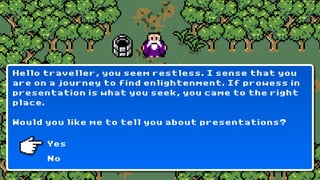
Hello traveller, you seem restless. I sense that you
are on a journey to find enlightenment. If prowess in
presentation is what you seek, you came to the right
place.

Would you like me to tell you about presentations?

      Yes
      No
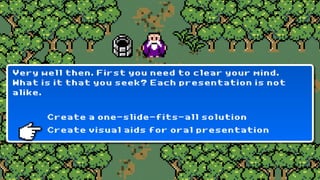
Very well then. First you need to clear your mind.
What is it that you seek? Each presentation is not
alike.


      Create a one-slide-fits-all solution
      Create visual aids for oral presentation
Indeed. The medium that you intend to use dictates
the design process. Rules that apply to one setting
need not apply to the other.

If you understand this basic premise you are ready
to move on to the next level of presentation design.
Chapter Two
     -
Structuring
Information
Before you start thinking of slides, you need to know
where you want to go. What information you want to
convey to your audience.
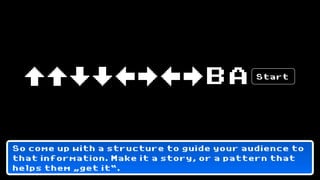
BA       Start


So come up with a structure to guide your audience to
that information. Make it a story, or a pattern that
helps them „get it“.
Chapter Three
       -
   Putting
Information on
  Your Slides
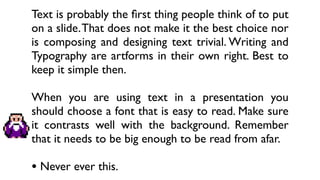
Text is probably the rst thing people think of to put
on a slide. That does not make it the best choice nor
is composing and designing text trivial. Writing and
Typography are artforms in their own right. Best to
keep it simple then.

When you are using text in a presentation you
should choose a font that is easy to read. Make sure
it contrasts well with the background. Remember
that it needs to be big enough to be read from afar.

• Never ever this.
Text is probably the rst thing people think of to put
   on a slide. That does not make it the best choice nor
   is composing and designing text trivial. Writing and
   Typography are artforms in their own right. Best to
   keep it simple then.

   When you are using text in a presentation you
   should choose a font that is easy to read. Make sure
   it contrasts well with the background. Remember
   that it needs to be big enough to be read from afar.
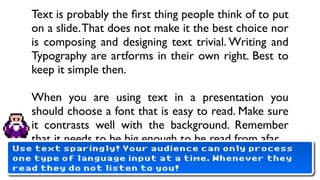
Use text sparingly! Your audience can only process
one type of language input at a time. Whenever they
   •
read Never ever this.
     they do not listen to you!
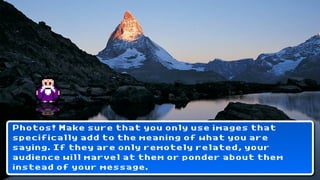
Mountains?
Photos! Make sure that you only use images that
specifically add to the meaning of what you are
saying. If they are only remotely related, your
audience will marvel at them or ponder about them
instead of your message.
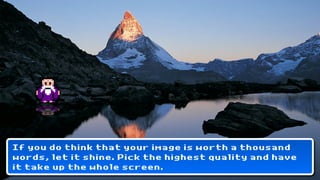
If you do think that your image is worth a thousand
words, let it shine. Pick the highest quality and have
it take up the whole screen.
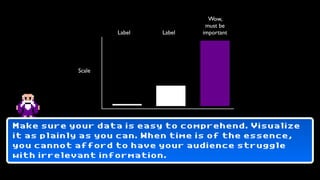
Wow,
                                     must be
                    Label   Label   important


            Scale


Make sure your data is easy to comprehend. Visualize
it as plainly as you can. When time is of the essence,
you cannot afford to have your audience struggle
with irrelevant information.
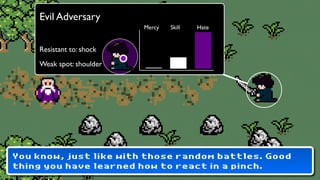
Evil Adversary
                          Mercy   Skill   Hate


    Resistant to: shock
    Weak spot: shoulder


You know, just like with those random battles. Good
thing you have learned how to react in a pinch.
Chapter Four
      -
   Putting
Meaning in Your
 Presentation
To have the meaning of your message carry over to
your audience, you need to put everything together,
your speech and your visual cues.
BA       Start


Use a content scheme like a story or a recognizeable
pattern to create coherence in your message. Then
start designing slides to match your delivery.
BA     Start


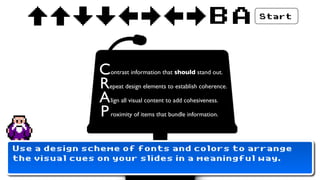
               C   ontrast information that should stand out.

               R epeat design elements to establish coherence.

               A   lign all visual content to add cohesiveness.

               P   roximity of items that bundle information.


Use a design scheme of fonts and colors to arrange
the visual cues on your slides in a meaningful way.
BA     Start


                C   ontrast information that should stand out.

                R epeat design elements to establish coherence.

                A   lign all visual content to add cohesiveness.

                P   roximity of items that bundle information.


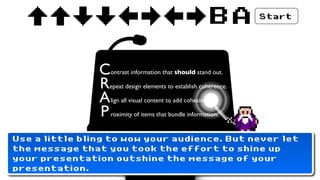
Use a little bling to wow your audience. But never let
the message that you took the effort to shine up
your presentation outshine the message of your
presentation.
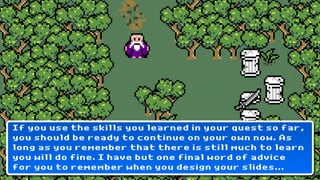
If you use the skills you learned in your quest so far,
you should be ready to continue on your own now. As
long as you remember that there is still much to learn
you will do fine. I have but one final word of advice
for you to remember when you design your slides...
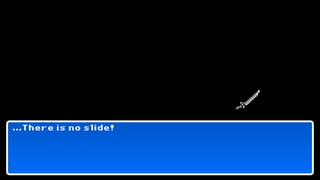
...There is no slide!
The End?
Jakob Jochmann is exploring meaning in communication.
He develops frameworks to streamline the transfer of
information. Apart from dabbling in semantics and the social
facets of media he has a penchant for design and
presentations.


Mail: jakob@jochmann.me
Twitter: @jochmann
Web: blog.jochmann.me

Presentation Quest

  • 1.
    Presentation Quest Levelling up your presentation skills Start
  • 2.
    Chapter One - The Setting
  • 3.
    Hello traveller, youseem restless. I sense that you are on a journey to find enlightenment. If prowess in presentation is what you seek, you came to the right place. Would you like me to tell you about presentations? Yes No
  • 4.
    Very well then.First you need to clear your mind. What is it that you seek? Each presentation is not alike. Create a one-slide-fits-all solution Create visual aids for oral presentation
  • 5.
    Indeed. The mediumthat you intend to use dictates the design process. Rules that apply to one setting need not apply to the other. If you understand this basic premise you are ready to move on to the next level of presentation design.
  • 6.
    Chapter Two - Structuring Information
  • 7.
    Before you startthinking of slides, you need to know where you want to go. What information you want to convey to your audience.
  • 8.
    BA Start So come up with a structure to guide your audience to that information. Make it a story, or a pattern that helps them „get it“.
  • 9.
    Chapter Three - Putting Information on Your Slides
  • 10.
    Text is probablythe first thing people think of to put on a slide. That does not make it the best choice nor is composing and designing text trivial. Writing and Typography are artforms in their own right. Best to keep it simple then. When you are using text in a presentation you should choose a font that is easy to read. Make sure it contrasts well with the background. Remember that it needs to be big enough to be read from afar. • Never ever this.
  • 11.
    Text is probablythe first thing people think of to put on a slide. That does not make it the best choice nor is composing and designing text trivial. Writing and Typography are artforms in their own right. Best to keep it simple then. When you are using text in a presentation you should choose a font that is easy to read. Make sure it contrasts well with the background. Remember that it needs to be big enough to be read from afar. Use text sparingly! Your audience can only process one type of language input at a time. Whenever they • read Never ever this. they do not listen to you!
  • 13.
  • 14.
    Photos! Make surethat you only use images that specifically add to the meaning of what you are saying. If they are only remotely related, your audience will marvel at them or ponder about them instead of your message.
  • 15.
    If you dothink that your image is worth a thousand words, let it shine. Pick the highest quality and have it take up the whole screen.
  • 16.
    Wow, must be Label Label important Scale Make sure your data is easy to comprehend. Visualize it as plainly as you can. When time is of the essence, you cannot afford to have your audience struggle with irrelevant information.
  • 17.
    Evil Adversary Mercy Skill Hate Resistant to: shock Weak spot: shoulder You know, just like with those random battles. Good thing you have learned how to react in a pinch.
  • 18.
    Chapter Four - Putting Meaning in Your Presentation
  • 19.
    To have themeaning of your message carry over to your audience, you need to put everything together, your speech and your visual cues.
  • 20.
    BA Start Use a content scheme like a story or a recognizeable pattern to create coherence in your message. Then start designing slides to match your delivery.
  • 21.
    BA Start C ontrast information that should stand out. R epeat design elements to establish coherence. A lign all visual content to add cohesiveness. P roximity of items that bundle information. Use a design scheme of fonts and colors to arrange the visual cues on your slides in a meaningful way.
  • 22.
    BA Start C ontrast information that should stand out. R epeat design elements to establish coherence. A lign all visual content to add cohesiveness. P roximity of items that bundle information. Use a little bling to wow your audience. But never let the message that you took the effort to shine up your presentation outshine the message of your presentation.
  • 23.
    If you usethe skills you learned in your quest so far, you should be ready to continue on your own now. As long as you remember that there is still much to learn you will do fine. I have but one final word of advice for you to remember when you design your slides...
  • 24.
  • 25.
  • 26.
    Jakob Jochmann isexploring meaning in communication. He develops frameworks to streamline the transfer of information. Apart from dabbling in semantics and the social facets of media he has a penchant for design and presentations. Mail: jakob@jochmann.me Twitter: @jochmann Web: blog.jochmann.me