WORKPLACE TECH I
Session 2: Word Module 1
Presenters:
Amanda & Miles
Professional Development Class
Fall 2013
Workplace Tech I
Word Module #1
 Why class on Word?
 How much do you know about Word?
 Styling Documents the “right” way
Why a Class for Word?
 Dominant choice for complex communication
 Exposition / Persuasion / Instruction
 Content matters…
 But so does presentation
Copyright ©
2013, Realogic
Analytics, Inc.
3
Using Microsoft Word within Real Estate
 Agents / Brokers
 Marketing packages, brochures, listing and offering flyers
 Lenders / Banks
 Offering memorandums, credit memos, pitch books
 Leasing / Tenant Rep
 Basic tenant abstracts, tenant correspondence, general memos
 Inspection / Appraisal
 Site inspection, asset summary reports (ASR), full appraisal documents
 Other Uses
 General correspondence, memos, letters, newsletters, white papers
Using Word – Sample Tasks
 Create
 listing flyers
 real estate newsletters
 business cards
 company brochures
 letterhead
 promotional materials
 Blogging
 Write and format correspondences
 Insert graphs, charts and images
 Use Mail Merge to expedite mail campaigns
Copyright ©
2013
Word Styles the “right” way
6
Components of style
 Fonts
 Colors
 Alignment
 Margins
 Spacing
 THEMES
7
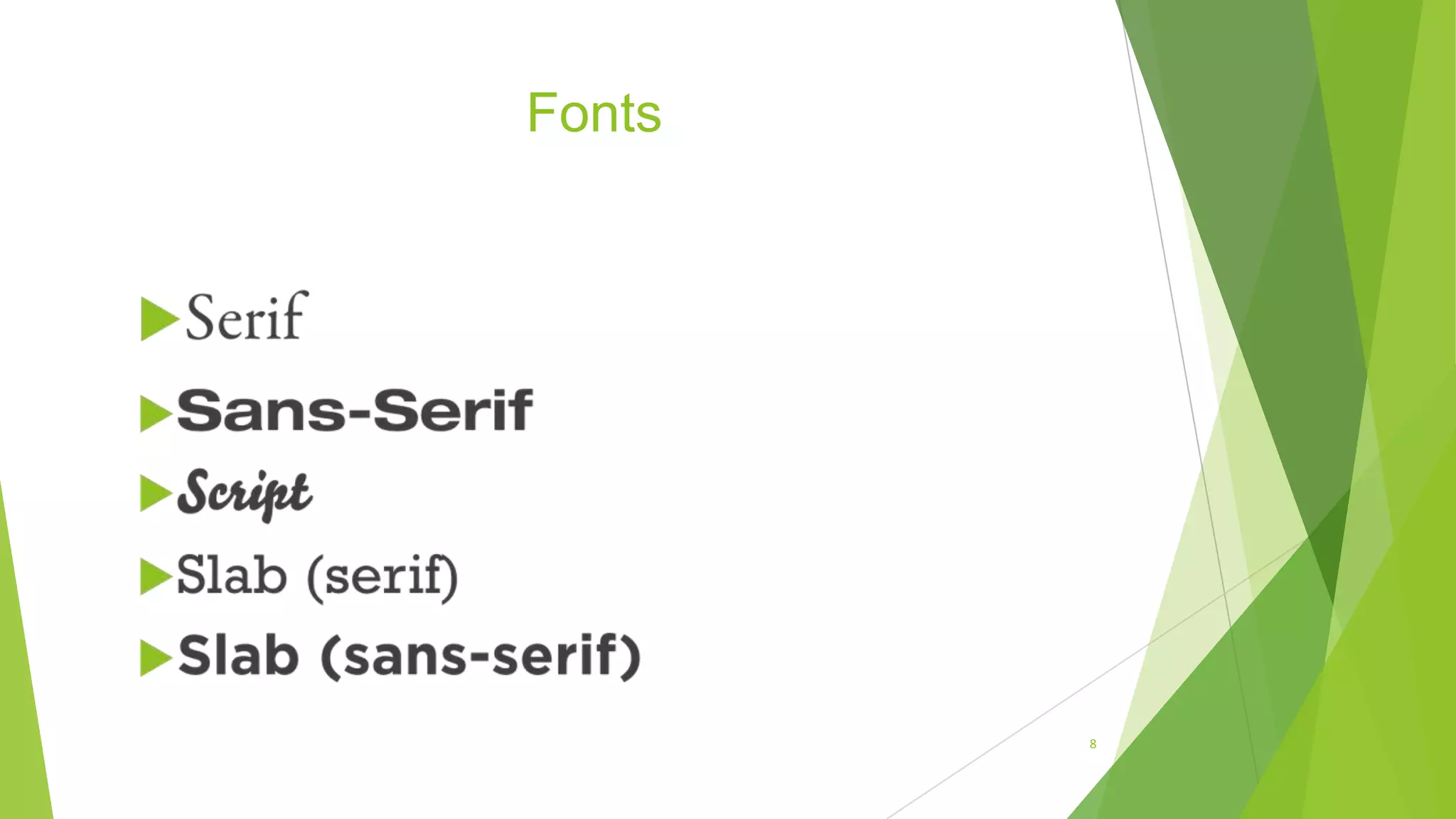
Fonts
8
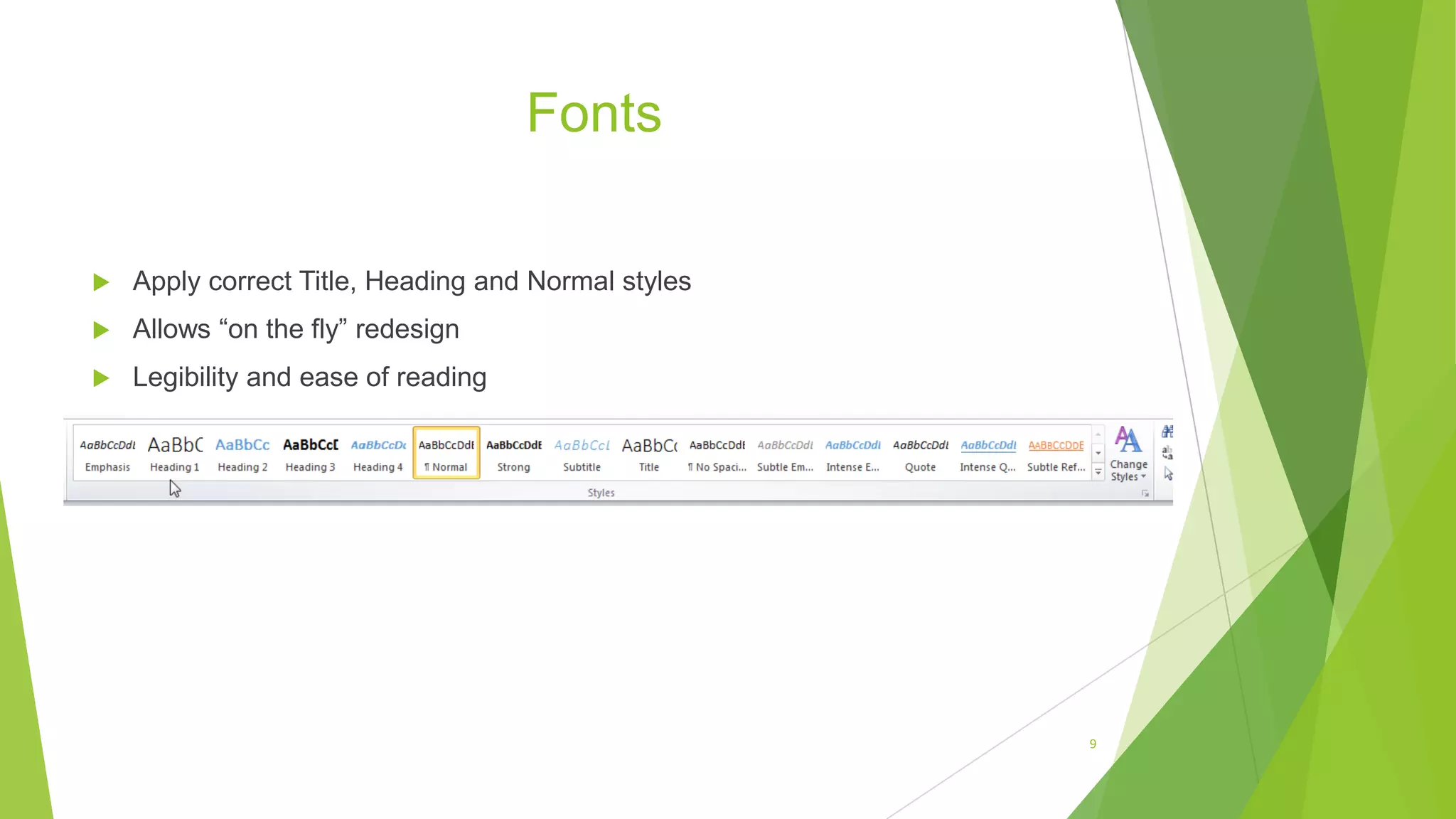
Fonts
 Apply correct Title, Heading and Normal styles
 Allows “on the fly” redesign
 Legibility and ease of reading
9
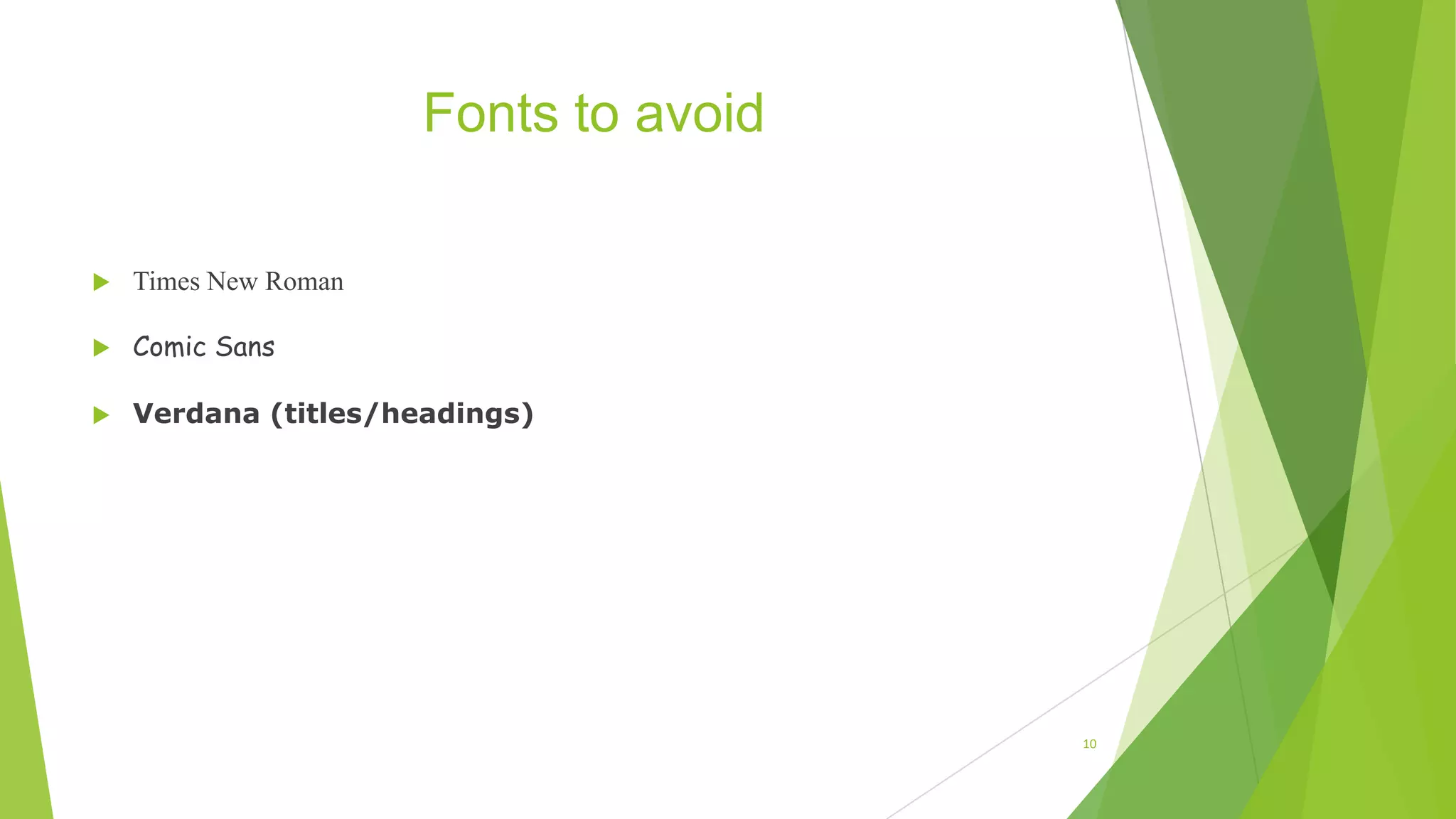
Fonts to avoid
 Times New Roman
 Comic Sans
 Verdana (titles/headings)
10
Colors
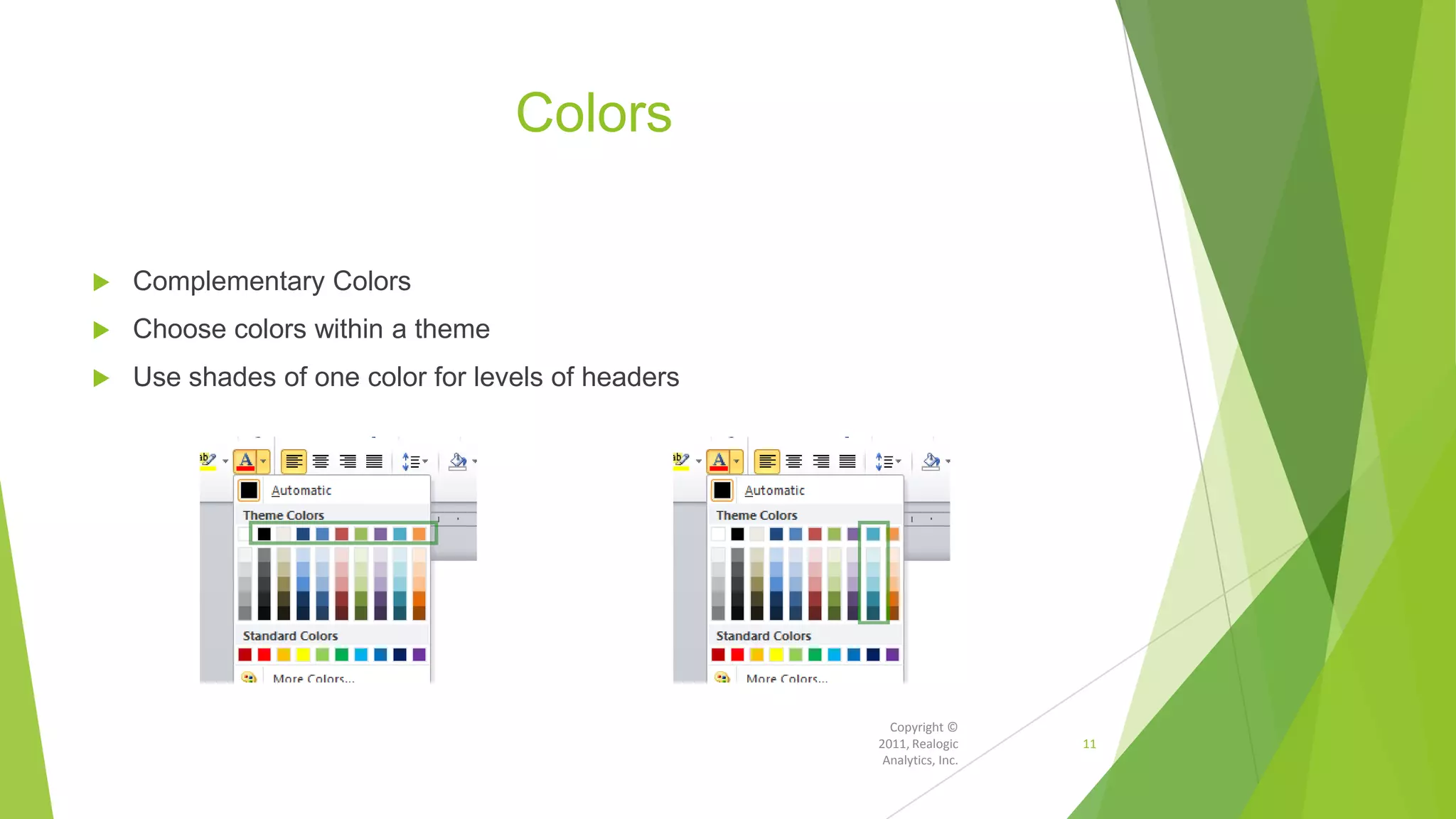
 Complementary Colors
 Choose colors within a theme
 Use shades of one color for levels of headers
Copyright ©
2011, Realogic
Analytics, Inc.
11
Alignment
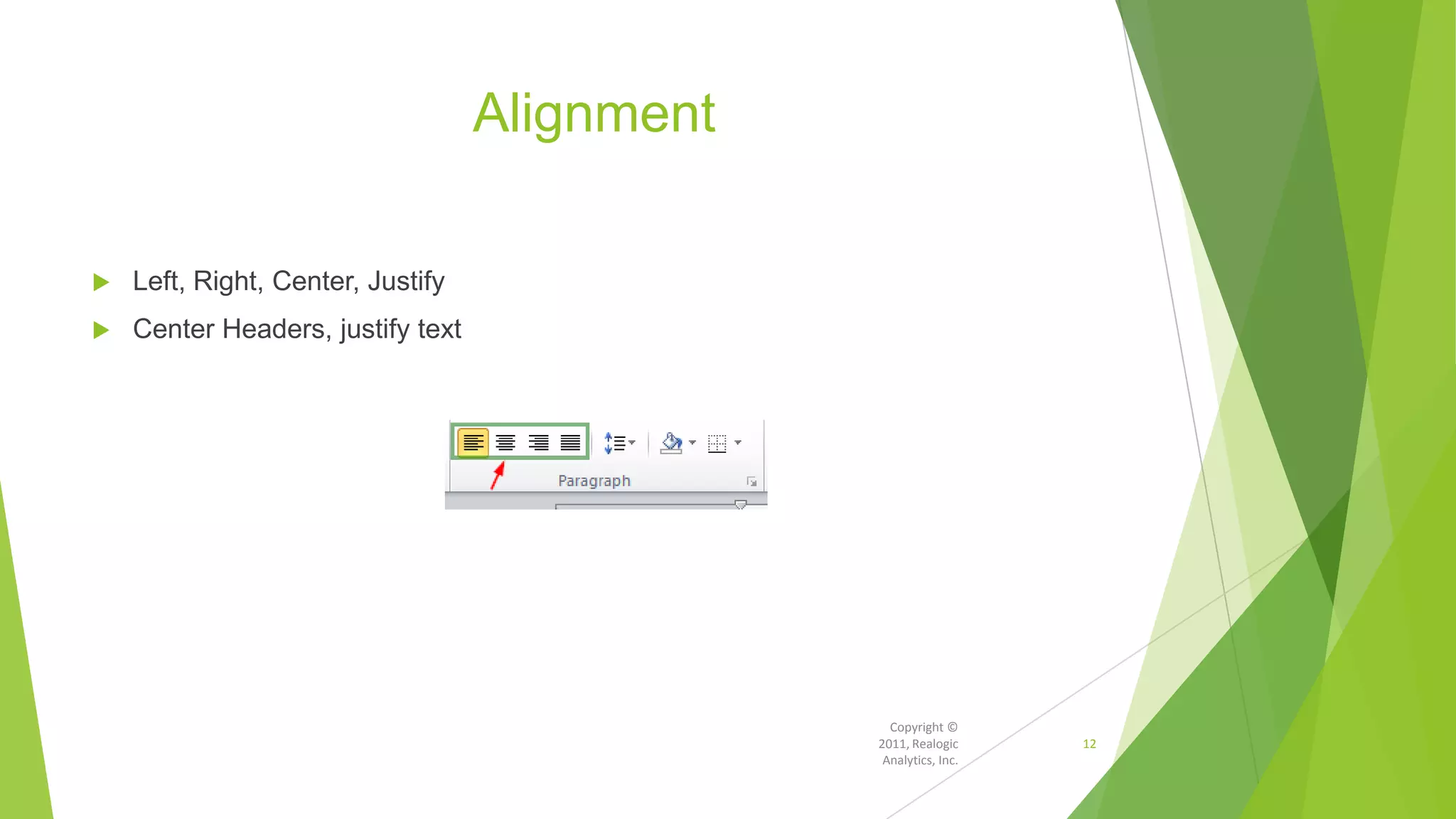
 Left, Right, Center, Justify
 Center Headers, justify text
Copyright ©
2011, Realogic
Analytics, Inc.
12
Margins
 Normal, narrow and wide
 Narrow margins allow for fewer pages
 Caution: Long lines can be hard to read
13
Spacing
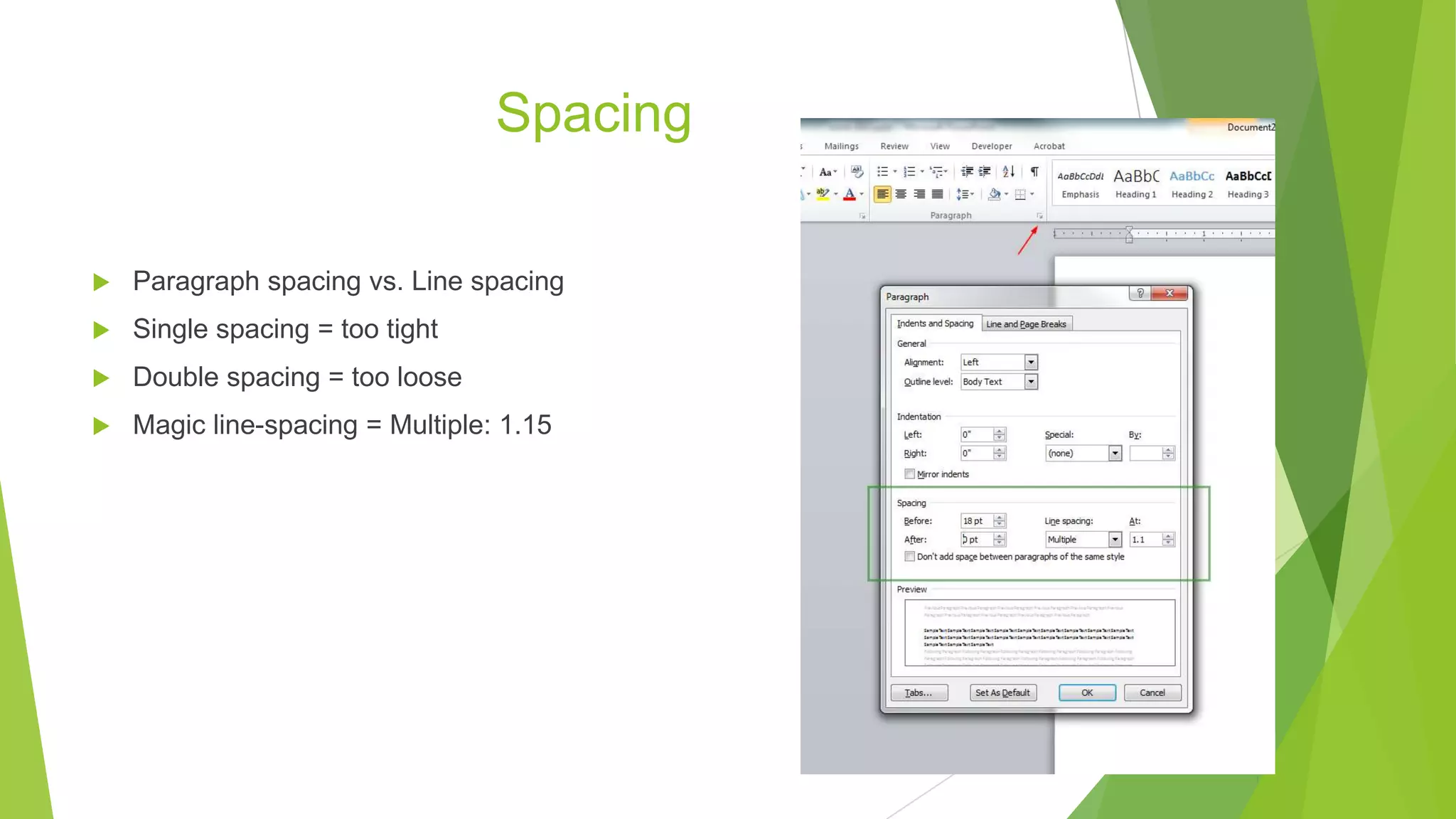
 Paragraph spacing vs. Line spacing
 Single spacing = too tight
 Double spacing = too loose
 Magic line-spacing = Multiple: 1.15
14
Themes
 After all content is labeled with styles, you can apply “Themes” on the fly
 Dramatically alter the look and feel of your document
 Think appropriate for the document: legal vs. promotional, etc.
15
Exercise!
 http://training.realogicinc.com/
16
Copyright ©
2012, Realogic
Analytics, Inc.
Next week
 Adding images, charts and graphs
 Forms, buttons, check boxes
 Quick parts, Smart Art
 Integration with Excel
 Special Templates
Copyright ©
2012, Realogic
Analytics, Inc.
17
Realogic Analytics, Inc.
230 W. Monroe, Suite 1000
Chicago, IL 60606
(312) 782-7325
Copyright ©
2012, Realogic
Analytics, Inc.
18

Workplace Technology I 2013 (Session 2: Microsoft Word)

  • 1.
    WORKPLACE TECH I Session2: Word Module 1 Presenters: Amanda & Miles Professional Development Class Fall 2013
  • 2.
    Workplace Tech I WordModule #1  Why class on Word?  How much do you know about Word?  Styling Documents the “right” way
  • 3.
    Why a Classfor Word?  Dominant choice for complex communication  Exposition / Persuasion / Instruction  Content matters…  But so does presentation Copyright © 2013, Realogic Analytics, Inc. 3
  • 4.
    Using Microsoft Wordwithin Real Estate  Agents / Brokers  Marketing packages, brochures, listing and offering flyers  Lenders / Banks  Offering memorandums, credit memos, pitch books  Leasing / Tenant Rep  Basic tenant abstracts, tenant correspondence, general memos  Inspection / Appraisal  Site inspection, asset summary reports (ASR), full appraisal documents  Other Uses  General correspondence, memos, letters, newsletters, white papers
  • 5.
    Using Word –Sample Tasks  Create  listing flyers  real estate newsletters  business cards  company brochures  letterhead  promotional materials  Blogging  Write and format correspondences  Insert graphs, charts and images  Use Mail Merge to expedite mail campaigns
  • 6.
    Copyright © 2013 Word Stylesthe “right” way 6
  • 7.
    Components of style Fonts  Colors  Alignment  Margins  Spacing  THEMES 7
  • 8.
  • 9.
    Fonts  Apply correctTitle, Heading and Normal styles  Allows “on the fly” redesign  Legibility and ease of reading 9
  • 10.
    Fonts to avoid Times New Roman  Comic Sans  Verdana (titles/headings) 10
  • 11.
    Colors  Complementary Colors Choose colors within a theme  Use shades of one color for levels of headers Copyright © 2011, Realogic Analytics, Inc. 11
  • 12.
    Alignment  Left, Right,Center, Justify  Center Headers, justify text Copyright © 2011, Realogic Analytics, Inc. 12
  • 13.
    Margins  Normal, narrowand wide  Narrow margins allow for fewer pages  Caution: Long lines can be hard to read 13
  • 14.
    Spacing  Paragraph spacingvs. Line spacing  Single spacing = too tight  Double spacing = too loose  Magic line-spacing = Multiple: 1.15 14
  • 15.
    Themes  After allcontent is labeled with styles, you can apply “Themes” on the fly  Dramatically alter the look and feel of your document  Think appropriate for the document: legal vs. promotional, etc. 15
  • 16.
  • 17.
    Next week  Addingimages, charts and graphs  Forms, buttons, check boxes  Quick parts, Smart Art  Integration with Excel  Special Templates Copyright © 2012, Realogic Analytics, Inc. 17
  • 18.
    Realogic Analytics, Inc. 230W. Monroe, Suite 1000 Chicago, IL 60606 (312) 782-7325 Copyright © 2012, Realogic Analytics, Inc. 18

Editor's Notes

  • #4 InstructionPersuasionBecause your recipient undoubtedly will also be using Word, the layout will be maintained