Learning Outcomes: Writingthe Right Message
2.1 Write a business communication given a specific audience and purpose
2.1.1 Explain the importance of audience to business communication
2.1.2 Discuss the importance of writing a clear and focused message in
business
2.1.3 Differentiate between types for writing positive, negative, and
persuasive messages
5.
Audience
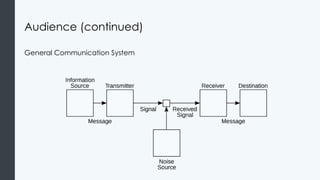
The purpose ofcommunication is to have the sender’s idea in mind reach the
receiver’s mind with identical understanding.
Communicating is not as simple and transparent as the image below suggests.
Communication is surrounded by potential pitfalls and myriad opportunities for
the main point to be lost or altered.
Good communicators are mindful of the other potential audiences when they
start writing since doing so can help advance the company and advance a
career.
Audience (cont.)
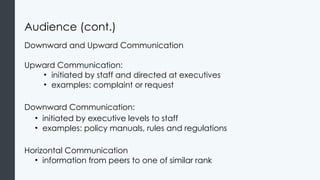
Downward andUpward Communication
Upward Communication:
• initiated by staff and directed at executives
• examples: complaint or request
Downward Communication:
• initiated by executive levels to staff
• examples: policy manuals, rules and regulations
Horizontal Communication
• information from peers to one of similar rank
8.
Activity
In groups ofthree, come up with a set of guidelines that the manager of an
electronics store could give to her section managers when addressing the
following problem:
The store has unexpectedly run out a hugely discounted “doorbuster”
product/item that has been widely advertised, and there are still customers in line
at the front of the store hoping to purchase the product
The store manager has to make sure that the section managers are consistent
when explaining the situation to the customers. Also, while that news will be
delivered verbally, the guidelines to be observed will be written down for future
use in similar situations.
What is the most effective way to craft the store’s message? How might the
verbal message and the written guidelines differ given the audiences in question?
9.
The Right Message
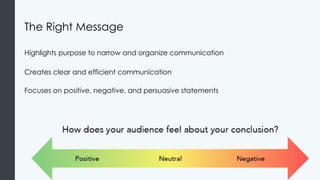
Highlightspurpose to narrow and organize communication
Creates clear and efficient communication
Focuses on positive, negative, and persuasive statements
10.
The Right Message(cont.)
Positive Messages
• Routine or good news
• Sympathy messages
Negative Messages
• Bad news- want to avoid quitting
• Refusal to provide refund, cancellation of event
Persuasive Communications
• Need encouragement to act as sender desires
• When receiver is reluctant
Learning Outcomes: WordChoices and Tone
2.2 Discuss the impact that word choice and tone can have on a business
message
2.2.1 Discuss strategies for creating reader-focused writing
2.2.2 Discuss strategies to avoid language that can confuse or exclude
readers
2.2.3 Discuss strategies to avoid language that shows bias against
individuals or populations
2.2.4 Discuss strategies to improve concision in writing
2.2.5 Discuss strategies to improve clarity in writing
2.2.6 Evaluate the parallel structure of sentences and passages
2.2.7 Discuss appropriate ways to indicate emphasis in business writing
14.
Writing for theReader
Keep in mind that the audience is the receiver of the message
Focus on how as a writer you can best convey message
Remember the You-view concept
• Puts the receiver’s needs before sender’s needs
• Starts with what receiver needs to know
15.
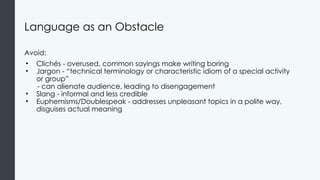
Language as anObstacle
Avoid:
• Clichés - overused, common sayings make writing boring
• Jargon - “technical terminology or characteristic idiom of a special activity
or group”
- can alienate audience, leading to disengagement
• Slang - informal and less credible
• Euphemisms/Doublespeak - addresses unpleasant topics in a polite way,
disguises actual meaning
16.
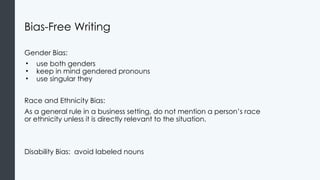
Bias-Free Writing
Gender Bias:
•use both genders
• keep in mind gendered pronouns
• use singular they
Race and Ethnicity Bias:
As a general rule in a business setting, do not mention a person’s race
or ethnicity unless it is directly relevant to the situation.
Disability Bias: avoid labeled nouns
17.
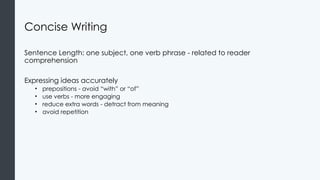
Concise Writing
Sentence Length:one subject, one verb phrase - related to reader
comprehension
Expressing ideas accurately
• prepositions - avoid “with” or “of”
• use verbs - more engaging
• reduce extra words - detract from meaning
• avoid repetition
18.
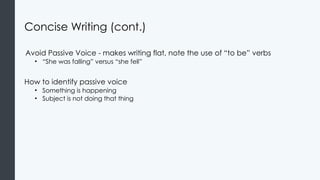
Concise Writing (cont.)
AvoidPassive Voice - makes writing flat, note the use of “to be” verbs
• “She was falling” versus “she fell”
How to identify passive voice
• Something is happening
• Subject is not doing that thing
19.
Clarity
Precision
• try tobe clear and specific
Plain Words
• focus should be on reader understanding
Lists
• draw attention, add white space, emphasis
20.
Parallel Construction
Messages areeasier to absorb for the reader
Improves writing style
• Here is a positive example: “Yara loves running, swimming, and hiking”
• Here is an example of what not to do: “Yara loves running, to swim, and biking”
21.
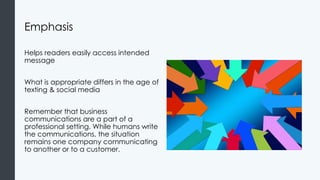
Emphasis
Helps readers easilyaccess intended
message
What is appropriate differs in the age of
texting & social media
Remember that business
communications are a part of a
professional setting. While humans write
the communications, the situation
remains one company communicating
to another or to a customer.
22.
Practice Question 1
Despitea high volume of foot traffic at the car dealership’s 4th of July sale,
the opportunity for increased sales was lost and somebody really dropped
the ball.
How could the statement be revised so as to be more effective?
Learning Outcomes: Three-PartWriting Process
2.3 Identify the three parts of the writing process
2.3.1 Discuss the importance of the planning stage in the writing process
2.3.2 Write a business message based on an outline using the appropriate
components of a business message
2.3.3 Revise a business message for tone, message, and correctness
25.
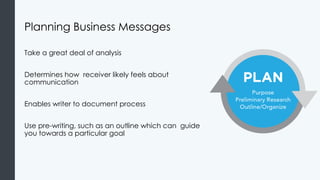
Planning Business Messages
Takea great deal of analysis
Determines how receiver likely feels about
communication
Enables writer to document process
Use pre-writing, such as an outline which can guide
you towards a particular goal
26.
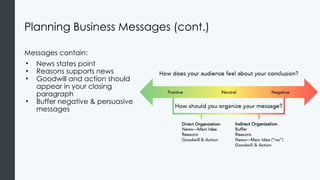
Planning Business Messages(cont.)
Messages contain:
• News states point
• Reasons supports news
• Goodwill and action should
appear in your closing
paragraph
• Buffer negative & persuasive
messages
27.
Planning Business Messages(cont. II)
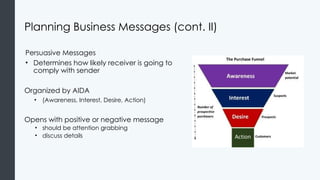
Persuasive Messages
• Determines how likely receiver is going to
comply with sender
Organized by AIDA
• (Awareness, Interest, Desire, Action)
Opens with positive or negative message
• should be attention grabbing
• discuss details
28.
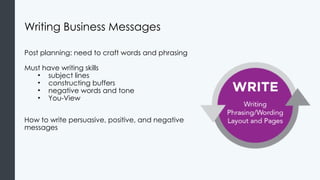
Writing Business Messages
Postplanning: need to craft words and phrasing
Must have writing skills
• subject lines
• constructing buffers
• negative words and tone
• You-View
How to write persuasive, positive, and negative
messages
29.
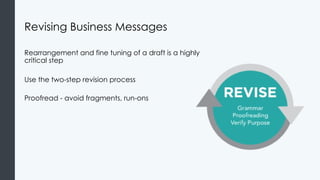
Revising Business Messages
Rearrangementand fine tuning of a draft is a highly
critical step
Use the two-step revision process
Proofread - avoid fragments, run-ons
Learning Outcomes: WordProcessing Software
2.4 Use common word processing software to write business messages
2.4.1 Discuss common guidelines to create a professionally formatted
document
2.4.2 Use Microsoft Word to create a visually appealing and accessible
document
2.4.3 Use Google Docs to create a visually appealing and accessible
document
32.
Formatting Business Writing
Generalformat:
• Non-indented paragraphs
• 1.0 line spacing in paragraph
• 2.0 line spacing between paragraphs
• Left margin: straight line
• Right margin: ragged or straight
• Font size: 10 or 12
33.
Formatting Business Writing(cont.)
Business letter format:
• Sender's address, date, inside
address, salutation, body,
closing, attachments
Business Memo & Email Format
• Pay close attention to subject
line
• Write a direct first sentence
34.
Formatting Business Writing(cont. II)
Style:
• White space between words, paragraphs
• Lists: easy-to-understand pattern
• Headings: guide/provide messages
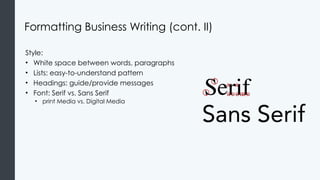
• Font: Serif vs. Sans Serif
• print Media vs. Digital Media
35.
Microsoft Word
Line andParagraph Spacing
Headers and Footers
• holds footnotes, page numbers, titles, etc.
• information repeated every page
36.
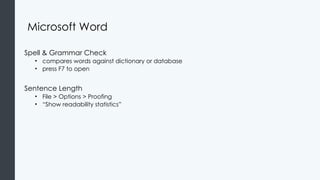
Microsoft Word
Spell &Grammar Check
• compares words against dictionary or database
• press F7 to open
Sentence Length
• File > Options > Proofing
• “Show readability statistics”
37.
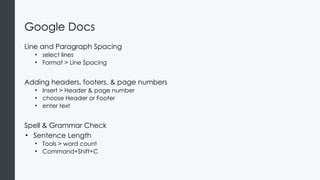
Google Docs
Line andParagraph Spacing
• select lines
• Format > Line Spacing
Adding headers, footers, & page numbers
• Insert > Header & page number
• choose Header or Footer
• enter text
Spell & Grammar Check
• Sentence Length
• Tools > word count
• Command+Shift+C
38.
Practice Question 2
Katysat down at the office computer to fix the monthly vendor letter and
realized she’d need to start from scratch. The digital file had somehow
been lost (or never saved), and all she has is a paper copy. Working in
Google Docs, where will Katy find the settings that will help her get the line
spacing and indent correct?
a) selecting Format and then choosing the Line Spacing command
b) on the ribbon marked paragraph
c) by using the [enter] key and [spacebar] repeatedly
39.
Quick Review
• Whyis it important to know your audience and how to communicate with
them?
• What are some ways to think about the purpose of a message and stay bias-
free in your writing?
• Why is it important to always be clear, concise, and provide emphasis with
your writing?
• How would you describe the planning, writing, and reviewing stages of
business communication?
• What are the important things to remember when you use Microsoft Word
and Google Docs to write messages?
Editor's Notes
#2 What are the two keys to success in business communication? Focusing on audience and purpose as a writer. This section delves into how to focus on the audience (the people you are writing to) and the purpose (the reason you are writing).
We start every module with a “Why It Matters” question to introduce students to what they will learn about in this module.
Other Guiding Questions:
What are some positive examples of communication from a company using your experience as a customer? Describe what the company communicated to you and why you thought it was effective?
Waymaker Tip:
Once student are active in your course, you can view students’ quiz histories and act on recommendations to reach out to struggling students.
To set up your Faculty Tools:
Go to the “Faculty Resources” module.
Click on the “Waymaker Faculty Tools” link.
#5 The direct audience is the receiver of the business communication. This person or group of people might be internal or external to the sender’s organization. The relationship to the organization may impact the formality of the wording and the candor of the message. When new to business writing, be sure to check the tone with appropriate staff.
#6 Image: Shannon's diagram of a general communication system. Authored by: User: Wanderingstan, User: Stannered. Provided by: Wikimedia. Located at: https://commons.wikimedia.org/wiki/File:Shannon_communication_system.svg. License: Public Domain: No Known Copyright
#8 This activity is focused on helping students understand how business communications should be crafted to address different audiences who are in need of the same information. In our retail store example the audiences have different expectations, and in the case of store employees, a particular set of responsibilities. This activity can also be an opportunity to discuss the differences between verbal and written communications, especially as the latter might be incorporated into workplace training materials.
#9
The Right Message. Authored by: Susan Kendall. Provided by: Lumen Learning. License: CC BY: Attribution
#11 There are many answers to this question. The text suggests these two ideas:
The sender’s idea is clearly received by the audience
The communication provides just what the receiver needs to know: not too much and not too little
#16 You can read more examples on this page: https://courses.lumenlearning.com/wm-businesscommunicationmgrs/chapter/bias-free-writing/
#18 Be sure to do more practice on this page with the interactive about the passive and active voice: https://courses.lumenlearning.com/wm-businesscommunicationmgrs/chapter/concise-writing/
#21 While humans write the communications, the situation remains one company communicating to another or to a customer.
Examples of what to avoid, what to try, and why are available in the course:
https://courses.lumenlearning.com/wm-businesscommunicationmgrs/chapter/emphasis/
Image: Arrows Center Inside. Authored by: Geralt. Provided by: Pixabay. Located at: https://pixabay.com/en/arrows-center-inside-middle-1412065/
License: CC0
#22 The passive voice fails to identify who failed to increase sales, whether this was an individual, several individuals, or a department or departments. Without this specific information it’s difficult to offer strategies for improvement. The statement also relies on a sports cliche with euphemistic overtones. To “drop the ball” could mean many things, and the lack of particulars here again makes it difficult to formulate a plan that addresses the disappointing sales numbers.
#25 Image: Planning Business Messages. Authored by: Susan Kendall. Provided by: Lumen Learning. License: CC BY: Attribution
#26 An outline with examples for positive, negative, and persuasive messages are available in the course:
https://courses.lumenlearning.com/wm-businesscommunicationmgrs/chapter/planning-business-messages/
Audience reception image. Provided by: Lumen Learning. License: CC BY: Attribution
#27 AIDA Purchase Funnel. Authored by: BronHiggs. Located at: https://commons.wikimedia.org/wiki/File:The_Purchase_Funnel.jpg. License: CC BY-SA: Attribution-ShareAlike
#28 Examples for how to write persuasive/positive/negative messages are available in the course:
https://courses.lumenlearning.com/wm-businesscommunicationmgrs/chapter/drafting-business-messages/
Writing Business Messages. Authored by: Susan Kendall. Provided by: Lumen Learning. License: CC BY: Attribution
#29 Revision Process: ensures final messages accomplish plan, ensures grammar is correct and error free
Revising Business Messages. Authored by: Susan Kendall. Provided by: Lumen Learning. License: CC BY: Attribution
#33 For more information on how to format a memo take a look at this document on standard memo formatting or Module 3: Written Communication page on memos.
Authored by: rawpixel. Provided by: Lumen Learning. License: CC0 Creative Commons
#35 Line
Select
Home tab > line spacing (Paragraph)
Dropdown menu
Paragraph
Line spacing menu
Add Space Before Paragraph, Remove Space After Paragraph
Headers and Footers
Insert > Header & Footer
Headers and Footers. Provided by: Lumen Learning. Located at: https://courses.lumenlearning.com/wmopen-compapp/chapter/headers-and-footers/. License: CC BY: Attribution
Line and Paragraph Spacing. Provided by: Lumen Learning. Located at: https://courses.lumenlearning.com/wmopen-compapp/chapter/line-spacing/. License: CC BY: Attribution
#36 Sentence length: in Proofing, look for “When correcting spelling and grammar in Word.”





![Practice Question 2
Katy sat down at the office computer to fix the monthly vendor letter and
realized she’d need to start from scratch. The digital file had somehow
been lost (or never saved), and all she has is a paper copy. Working in
Google Docs, where will Katy find the settings that will help her get the line
spacing and indent correct?
a) selecting Format and then choosing the Line Spacing command
b) on the ribbon marked paragraph
c) by using the [enter] key and [spacebar] repeatedly](https://image.slidesharecdn.com/presentation34258contentdocument20250403112656am1-250606040503-b7158695/85/Presentation_34258_Content_Document_20250403112656AM-1-pptx-38-320.jpg)