Slide Makeover #83:
Converting bullets to text
grouped in shapes
Based on Dave Paradi’s ideas at
www.ThinkOutsideTheSlide.com
Far too often, we see slides full of
bullets. It is the default layout, so
many presenters use it because
they aren’t aware of what options
they have for using text on slides.
Here is an example …
Product Launch Steps
• Prepare retail locations
 Get signage approved & printed
 Ship signage
 Train staff
• Local advertising
 Identify local publications to target
 Design ads
 Buy space in local newspapers
• Social media
 Prepare social media posts
 Schedule posts to go out
 Connect with influencers to re-post content
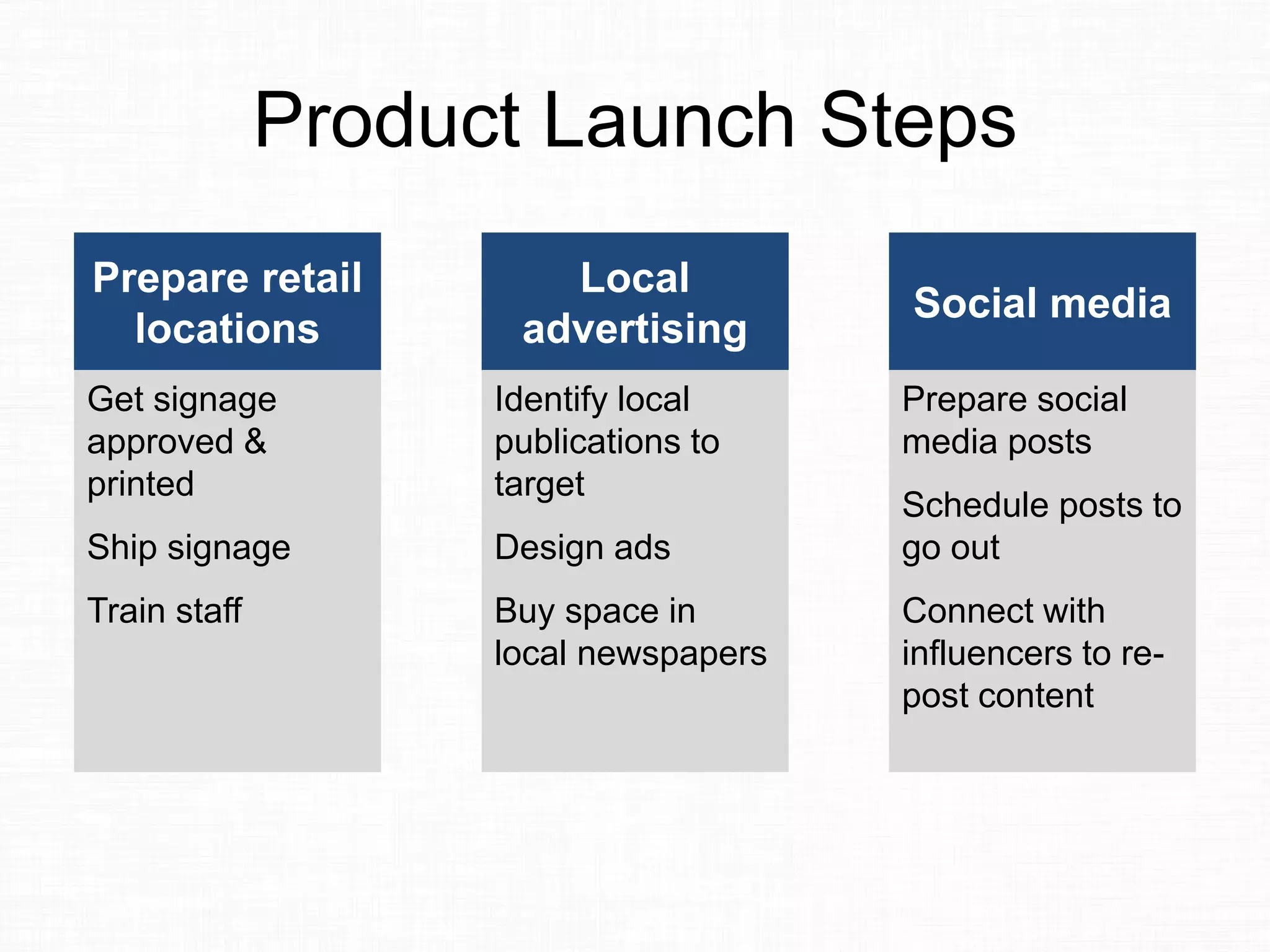
When your text is organized in
groups (ie. bullet points with sub-
bullets), you can make it easier for
the audience to understand by
grouping the text into shapes.
Like this …
Product Launch Steps
Prepare retail
locations
Get signage
approved &
printed
Ship signage
Train staff
Local
advertising
Identify local
publications to
target
Design ads
Buy space in
local newspapers
Social media
Prepare social
media posts
Schedule posts to
go out
Connect with
influencers to re-
post content
By grouping the text so there is a
header and the detailed text
underneath, it makes the
organization easier to understand.
Do you need to be a designer to
create this sort of slide? Can you
create this easily in PowerPoint?
Yes you can. Here’s how that slide
is created.
Product Launch Steps
Prepare retail
locations
Get signage
approved &
printed
Ship signage
Train staff
Local
advertising
Identify local
publications to
target
Design ads
Buy space in
local newspapers
Social media
Prepare social
media posts
Schedule posts to
go out
Connect with
influencers to re-
post content
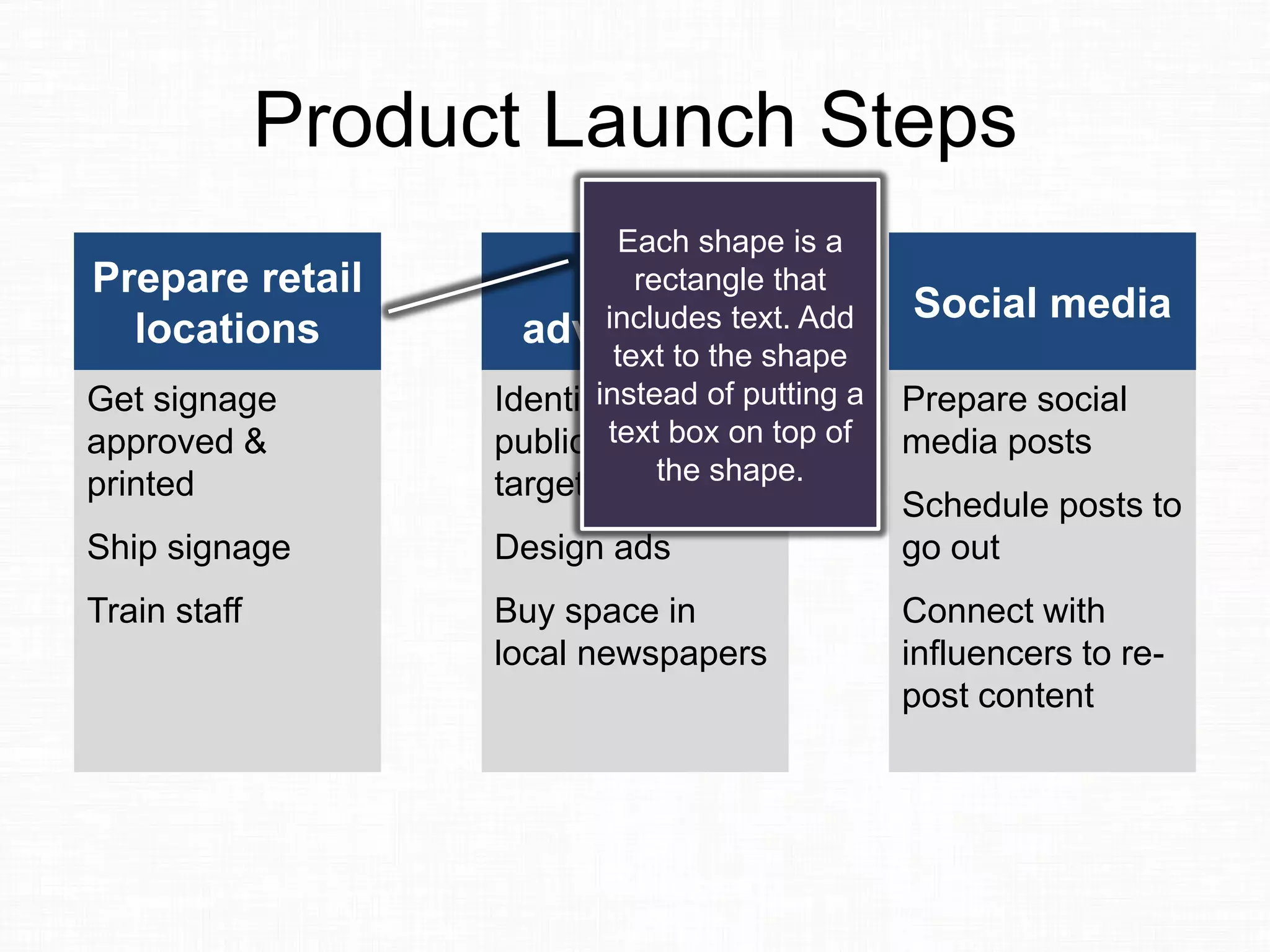
Each shape is a
rectangle that
includes text. Add
text to the shape
instead of putting a
text box on top of
the shape.
Product Launch Steps
Prepare retail
locations
Get signage
approved &
printed
Ship signage
Train staff
Local
advertising
Identify local
publications to
target
Design ads
Buy space in
local newspapers
Social media
Prepare social
media posts
Schedule posts to
go out
Connect with
influencers to re-
post content
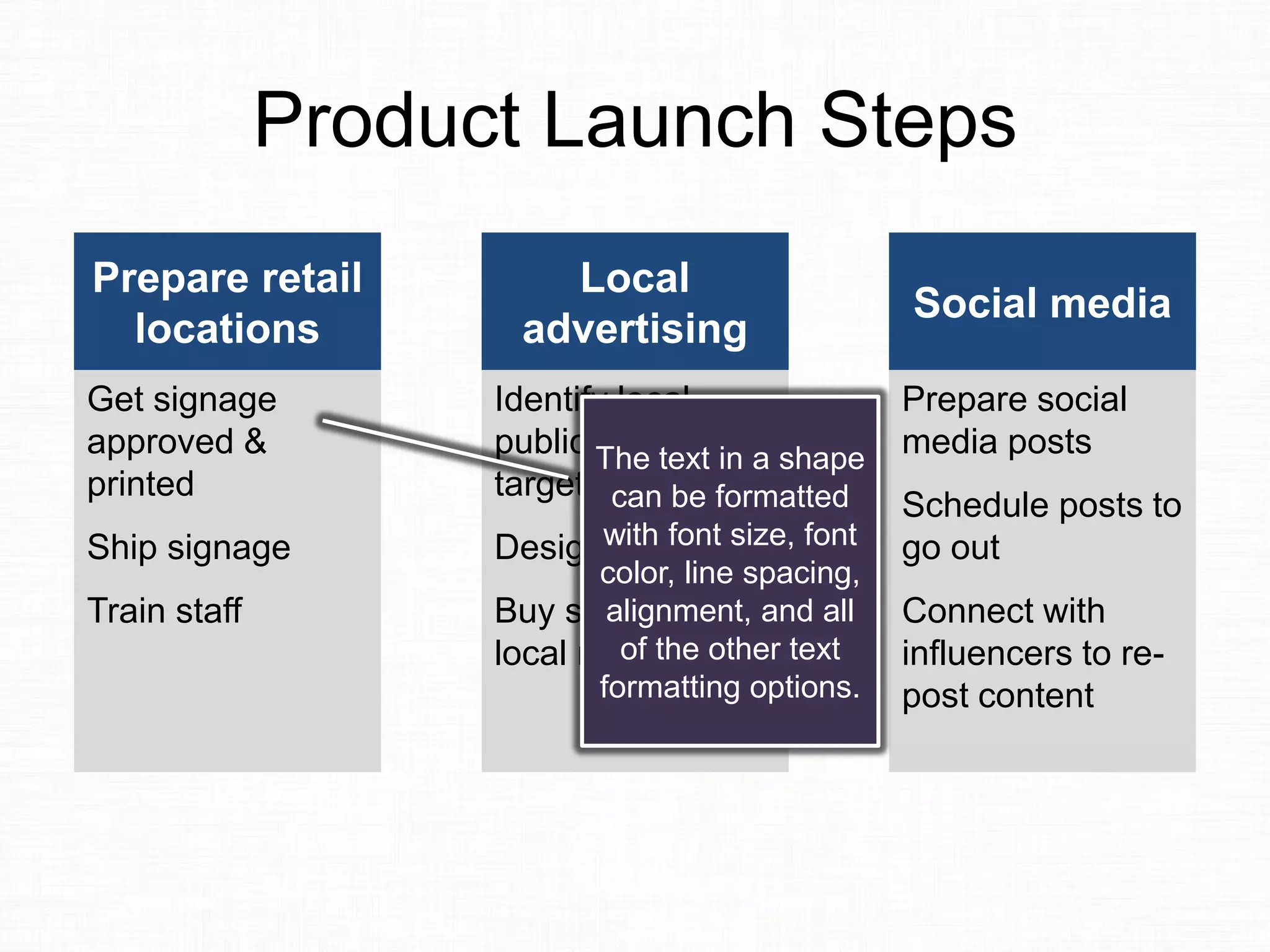
The text in a shape
can be formatted
with font size, font
color, line spacing,
alignment, and all
of the other text
formatting options.
Product Launch Steps
Prepare retail
locations
Get signage
approved &
printed
Ship signage
Train staff
Local
advertising
Identify local
publications to
target
Design ads
Buy space in
local newspapers
Social media
Prepare social
media posts
Schedule posts to
go out
Connect with
influencers to re-
post content
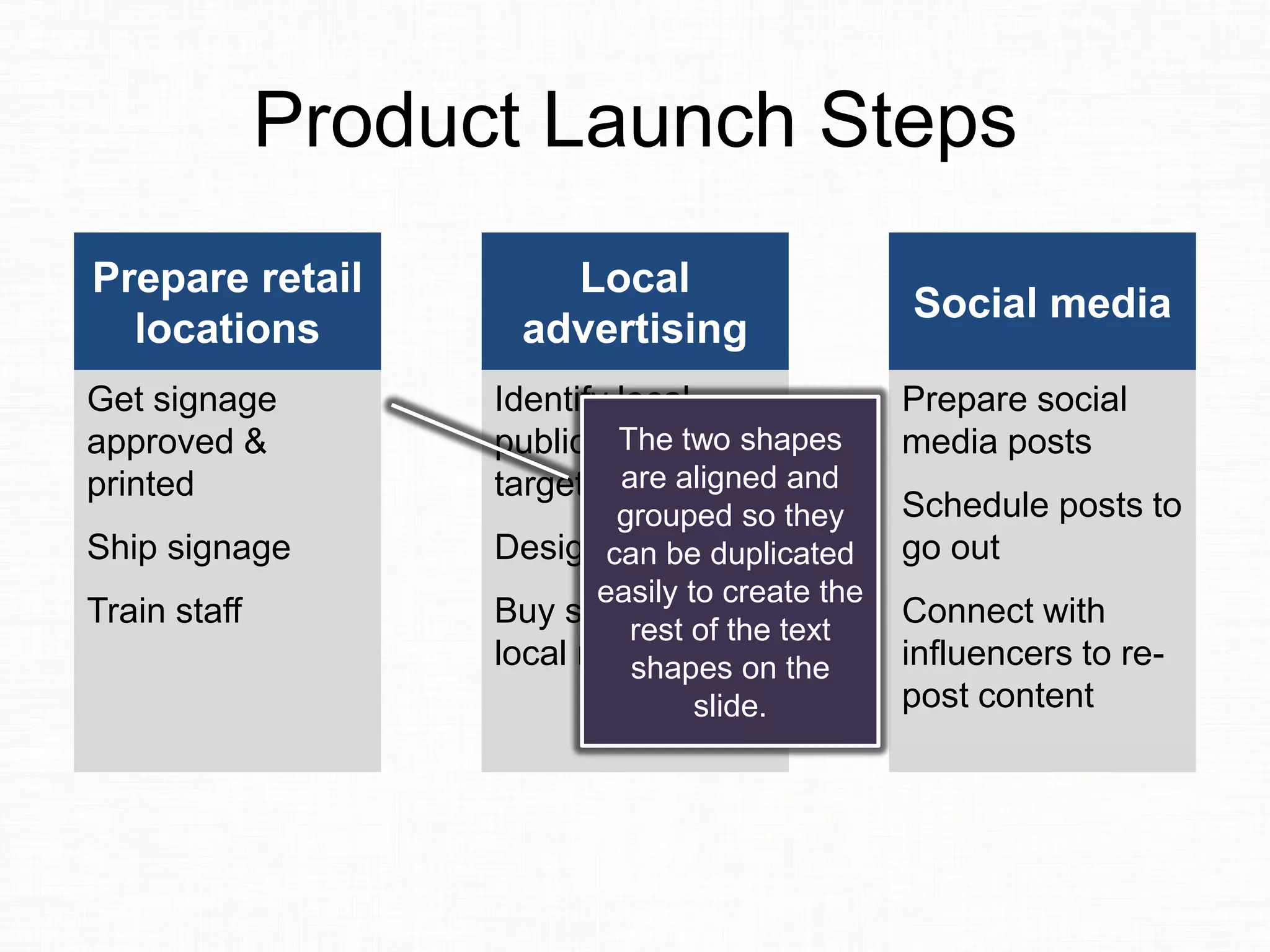
The two shapes
are aligned and
grouped so they
can be duplicated
easily to create the
rest of the text
shapes on the
slide.
Product Launch Steps
Prepare retail
locations
Get signage
approved &
printed
Ship signage
Train staff
Local
advertising
Identify local
publications to
target
Design ads
Buy space in
local newspapers
Social media
Prepare social
media posts
Schedule posts to
go out
Connect with
influencers to re-
post content
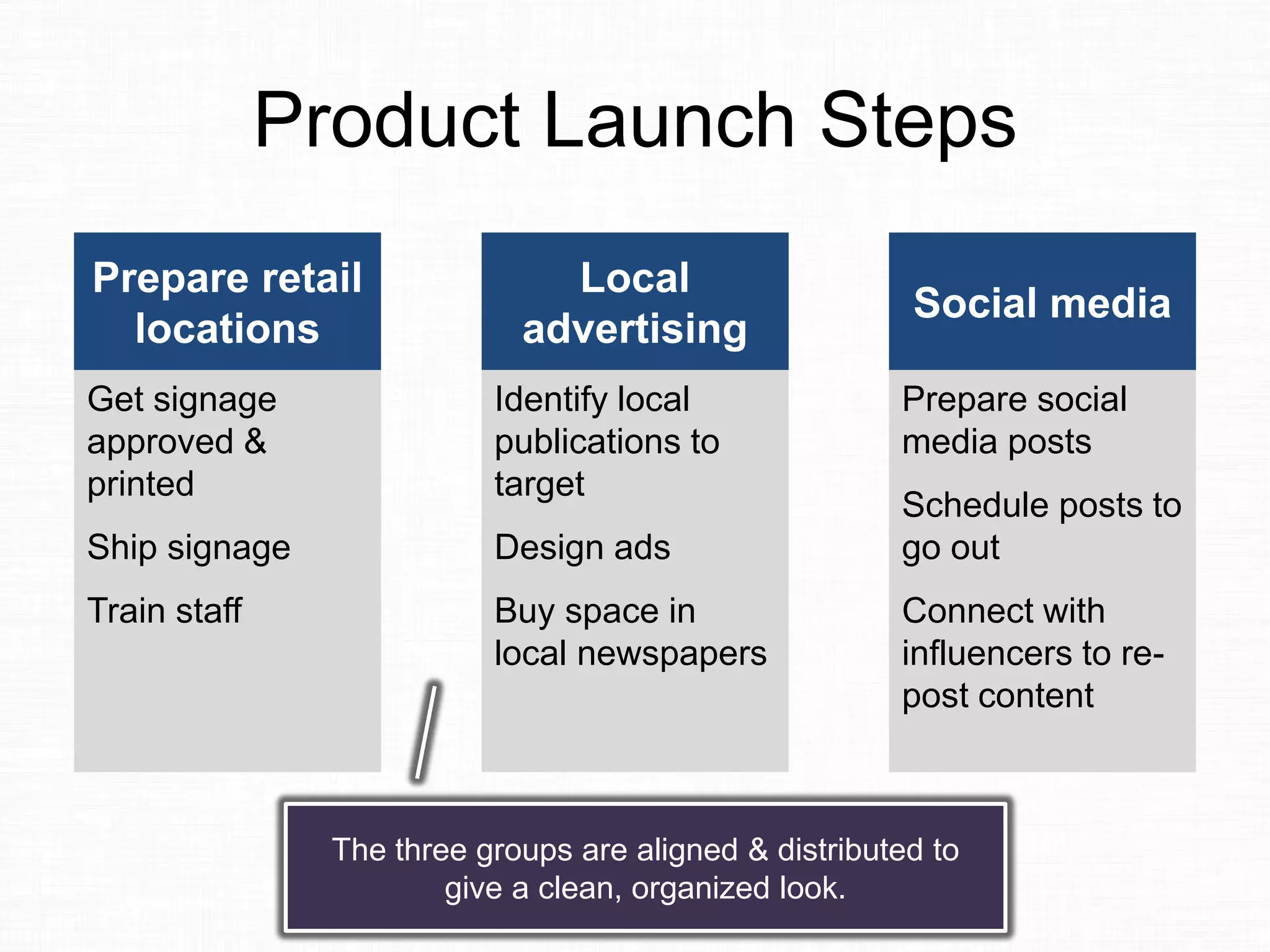
The three groups are aligned & distributed to
give a clean, organized look.
Not every text slide needs to be
converted to an image, diagram, or
graph. When you use text slides,
use options that make them more
attractive and easier to understand.
If you want more ideas on
converting bullet point slides into
more visually appealing text, you
can check out my video e-course
on Alternatives to Bullet Points.
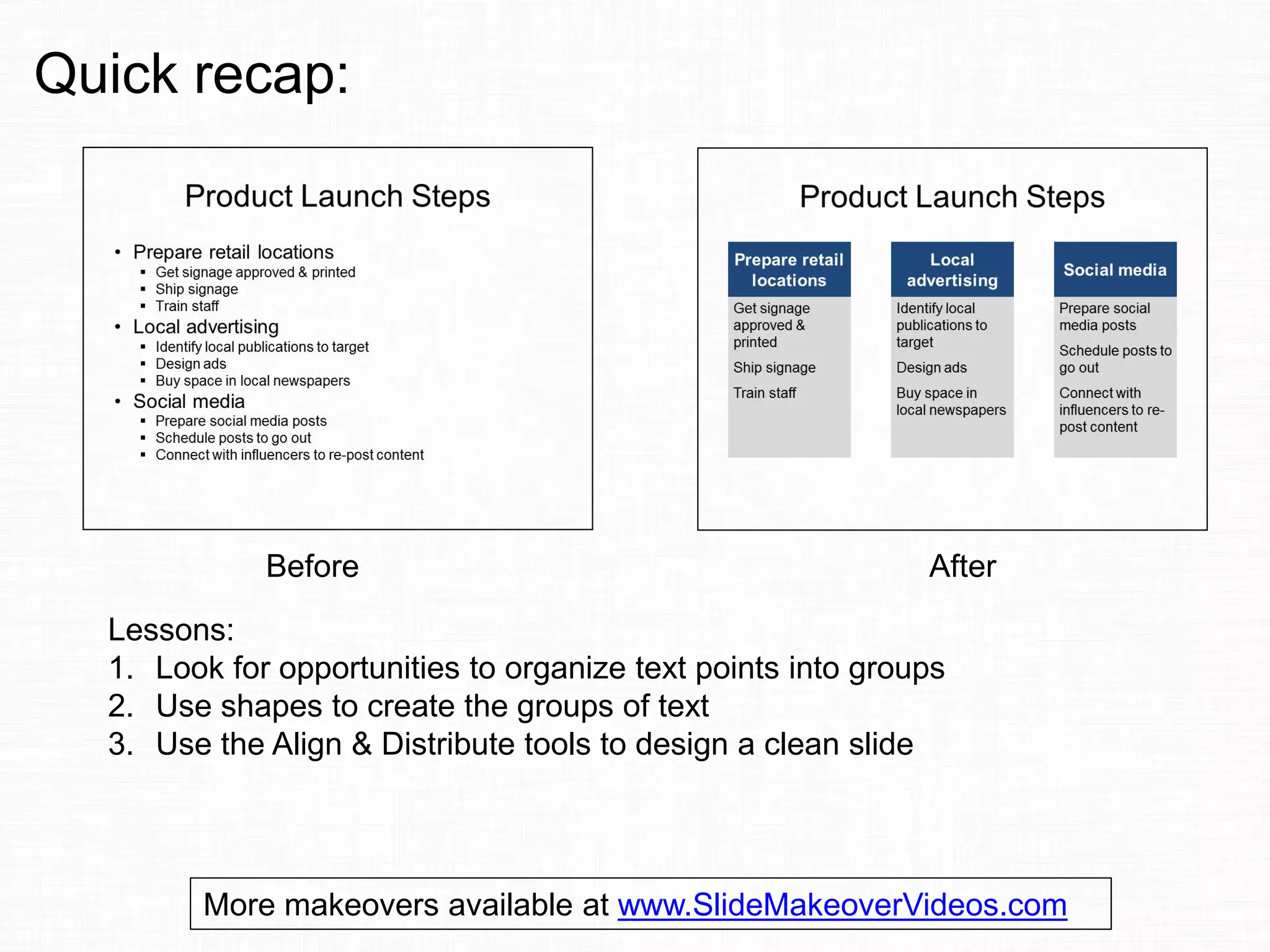
Before After
Lessons:
1. Look for opportunities to organize text points into groups
2. Use shapes to create the groups of text
3. Use the Align & Distribute tools to design a clean slide
Quick recap:
More makeovers available at www.SlideMakeoverVideos.com
If you would like me to help
your team create presentations
that have a clear message with
focused content and effective
visuals, get in touch:
P: 905-510-4911
E: Dave@ThinkOutsideTheSlide.com
W: www.ThinkOutsideTheSlide.com

Slide Makeover #83: Converting bullets to text grouped in shapes

  • 1.
    Slide Makeover #83: Convertingbullets to text grouped in shapes Based on Dave Paradi’s ideas at www.ThinkOutsideTheSlide.com
  • 2.
    Far too often,we see slides full of bullets. It is the default layout, so many presenters use it because they aren’t aware of what options they have for using text on slides. Here is an example …
  • 3.
    Product Launch Steps •Prepare retail locations  Get signage approved & printed  Ship signage  Train staff • Local advertising  Identify local publications to target  Design ads  Buy space in local newspapers • Social media  Prepare social media posts  Schedule posts to go out  Connect with influencers to re-post content
  • 4.
    When your textis organized in groups (ie. bullet points with sub- bullets), you can make it easier for the audience to understand by grouping the text into shapes. Like this …
  • 5.
    Product Launch Steps Prepareretail locations Get signage approved & printed Ship signage Train staff Local advertising Identify local publications to target Design ads Buy space in local newspapers Social media Prepare social media posts Schedule posts to go out Connect with influencers to re- post content
  • 6.
    By grouping thetext so there is a header and the detailed text underneath, it makes the organization easier to understand.
  • 7.
    Do you needto be a designer to create this sort of slide? Can you create this easily in PowerPoint? Yes you can. Here’s how that slide is created.
  • 8.
    Product Launch Steps Prepareretail locations Get signage approved & printed Ship signage Train staff Local advertising Identify local publications to target Design ads Buy space in local newspapers Social media Prepare social media posts Schedule posts to go out Connect with influencers to re- post content Each shape is a rectangle that includes text. Add text to the shape instead of putting a text box on top of the shape.
  • 9.
    Product Launch Steps Prepareretail locations Get signage approved & printed Ship signage Train staff Local advertising Identify local publications to target Design ads Buy space in local newspapers Social media Prepare social media posts Schedule posts to go out Connect with influencers to re- post content The text in a shape can be formatted with font size, font color, line spacing, alignment, and all of the other text formatting options.
  • 10.
    Product Launch Steps Prepareretail locations Get signage approved & printed Ship signage Train staff Local advertising Identify local publications to target Design ads Buy space in local newspapers Social media Prepare social media posts Schedule posts to go out Connect with influencers to re- post content The two shapes are aligned and grouped so they can be duplicated easily to create the rest of the text shapes on the slide.
  • 11.
    Product Launch Steps Prepareretail locations Get signage approved & printed Ship signage Train staff Local advertising Identify local publications to target Design ads Buy space in local newspapers Social media Prepare social media posts Schedule posts to go out Connect with influencers to re- post content The three groups are aligned & distributed to give a clean, organized look.
  • 12.
    Not every textslide needs to be converted to an image, diagram, or graph. When you use text slides, use options that make them more attractive and easier to understand.
  • 13.
    If you wantmore ideas on converting bullet point slides into more visually appealing text, you can check out my video e-course on Alternatives to Bullet Points.
  • 14.
    Before After Lessons: 1. Lookfor opportunities to organize text points into groups 2. Use shapes to create the groups of text 3. Use the Align & Distribute tools to design a clean slide Quick recap: More makeovers available at www.SlideMakeoverVideos.com
  • 15.
    If you wouldlike me to help your team create presentations that have a clear message with focused content and effective visuals, get in touch: P: 905-510-4911 E: Dave@ThinkOutsideTheSlide.com W: www.ThinkOutsideTheSlide.com