Writing an 
Official Email
Contents 
 Introduction 
 Framework of an Email- ‘4 point plan’ 
 Example 
 DO’s and DONT’s
Introduction 
Many communications are short and routine. 
You can write or dictate them without any 
special thinking/preparation. However, we need 
planning for any small email.
Framework- ‘4 point plan’ 
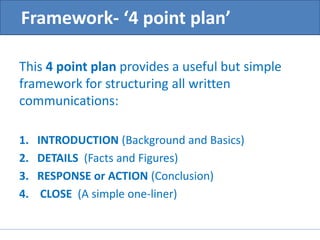
This 4 point plan provides a useful but simple 
framework for structuring all written 
communications: 
1. INTRODUCTION (Background and Basics) 
2. DETAILS (Facts and Figures) 
3. RESPONSE or ACTION (Conclusion) 
4. CLOSE (A simple one-liner)
1. Introduction 
‘Why are you writing? ‘ 
• It is Mandatory to have a meaningful Subject 
Line in all emails. 
• In the body of the email, set the scene- Maybe 
refer to a previous letter, contact or 
document.
2.Details 
• Use professional formalities like – Please, Sorry, 
etc. if necessary. 
• Provide all relevant details shortly. Separate into 
paragraphs, if necessary. Ensure logical flow. 
• Do not make demands. 
• Spell-check your message. 
• If your message includes a request, always close 
with a thank you to the recipient for considering 
it.
3.Response and Action 
Action the reader should take. Action you will 
take. Give a deadline if necessary.
Sometimes all that is needed is a simple one-line 
closing sentence. 
4.Close
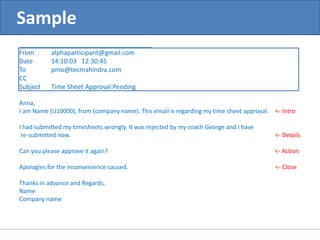
Sample 
________________________________________ 
From alphaparticipant@gmail.com 
Date 14:10:03 12:30:45 
To pmo@tecmahindra.com 
CC 
Subject Time Sheet Approval Pending 
Anna, 
I am Name (U10000), from (company name). This email is regarding my time sheet approval. <- Intro 
I had submitted my timesheets wrongly. It was rejected by my coach George and I have 
re-submitted now. <- Details 
Can you please approve it again? <- Action 
Apologies for the inconvenience caused. <- Close 
Thanks in advance and Regards, 
Name 
Company name
DO’s 
 Answer swiftly. 
 Use proper structure and layout. 
 Read the email in recipient’s perspective 
before you send it. 
 When you mention about yourselves, ‘I’ is 
used in capital letter everywhere. 
 Start a new sentence with Capital letter. 
 Try to talk only positive things in email.
DO’s 
 Take care with abbreviations and emoticons. 
Short messages (How r u) are also 
inappropriate. 
 When you receive an email click "Reply" 
instead of "New Mail”. That will help 
understand the continuity of contents. Don't 
leave out the message thread.
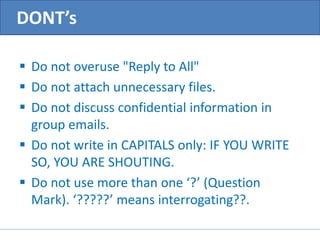
DONT’s 
 Do not overuse "Reply to All" 
 Do not attach unnecessary files. 
 Do not discuss confidential information in 
group emails. 
 Do not write in CAPITALS only: IF YOU WRITE 
SO, YOU ARE SHOUTING. 
 Do not use more than one ‘?’ (Question 
Mark). ‘?????’ means interrogating??.
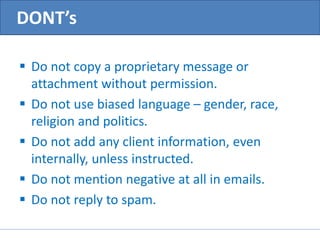
DONT’s 
 Do not copy a proprietary message or 
attachment without permission. 
 Do not use biased language – gender, race, 
religion and politics. 
 Do not add any client information, even 
internally, unless instructed. 
 Do not mention negative at all in emails. 
 Do not reply to spam.
Thank You…

Writing an official email

  • 1.
  • 2.
    Contents  Introduction  Framework of an Email- ‘4 point plan’  Example  DO’s and DONT’s
  • 3.
    Introduction Many communicationsare short and routine. You can write or dictate them without any special thinking/preparation. However, we need planning for any small email.
  • 4.
    Framework- ‘4 pointplan’ This 4 point plan provides a useful but simple framework for structuring all written communications: 1. INTRODUCTION (Background and Basics) 2. DETAILS (Facts and Figures) 3. RESPONSE or ACTION (Conclusion) 4. CLOSE (A simple one-liner)
  • 5.
    1. Introduction ‘Whyare you writing? ‘ • It is Mandatory to have a meaningful Subject Line in all emails. • In the body of the email, set the scene- Maybe refer to a previous letter, contact or document.
  • 6.
    2.Details • Useprofessional formalities like – Please, Sorry, etc. if necessary. • Provide all relevant details shortly. Separate into paragraphs, if necessary. Ensure logical flow. • Do not make demands. • Spell-check your message. • If your message includes a request, always close with a thank you to the recipient for considering it.
  • 7.
    3.Response and Action Action the reader should take. Action you will take. Give a deadline if necessary.
  • 8.
    Sometimes all thatis needed is a simple one-line closing sentence. 4.Close
  • 9.
    Sample ________________________________________ Fromalphaparticipant@gmail.com Date 14:10:03 12:30:45 To pmo@tecmahindra.com CC Subject Time Sheet Approval Pending Anna, I am Name (U10000), from (company name). This email is regarding my time sheet approval. <- Intro I had submitted my timesheets wrongly. It was rejected by my coach George and I have re-submitted now. <- Details Can you please approve it again? <- Action Apologies for the inconvenience caused. <- Close Thanks in advance and Regards, Name Company name
  • 10.
    DO’s  Answerswiftly.  Use proper structure and layout.  Read the email in recipient’s perspective before you send it.  When you mention about yourselves, ‘I’ is used in capital letter everywhere.  Start a new sentence with Capital letter.  Try to talk only positive things in email.
  • 11.
    DO’s  Takecare with abbreviations and emoticons. Short messages (How r u) are also inappropriate.  When you receive an email click "Reply" instead of "New Mail”. That will help understand the continuity of contents. Don't leave out the message thread.
  • 12.
    DONT’s  Donot overuse "Reply to All"  Do not attach unnecessary files.  Do not discuss confidential information in group emails.  Do not write in CAPITALS only: IF YOU WRITE SO, YOU ARE SHOUTING.  Do not use more than one ‘?’ (Question Mark). ‘?????’ means interrogating??.
  • 13.
    DONT’s  Donot copy a proprietary message or attachment without permission.  Do not use biased language – gender, race, religion and politics.  Do not add any client information, even internally, unless instructed.  Do not mention negative at all in emails.  Do not reply to spam.
  • 14.