Professional Emails
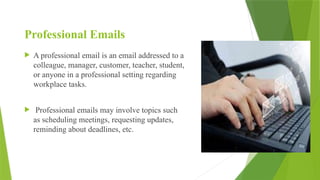
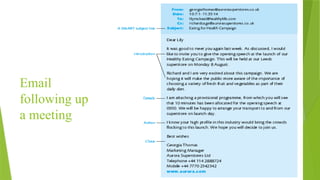
Aprofessional email is an email addressed to a
colleague, manager, customer, teacher, student,
or anyone in a professional setting regarding
workplace tasks.
Professional emails may involve topics such
as scheduling meetings, requesting updates,
reminding about deadlines, etc.
3.
Parts of aProfessional Email
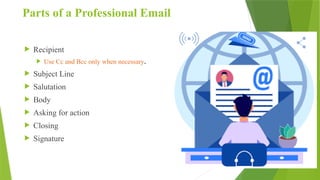
Recipient
Use Cc and Bcc only when necessary.
Subject Line
Salutation
Body
Asking for action
Closing
Signature
4.
Greeting and addressingyour recipients
Appropriate greetings for formal emails:
Respected…
Dear…
Dear Mr/Mrs…
Mr/Mrs…
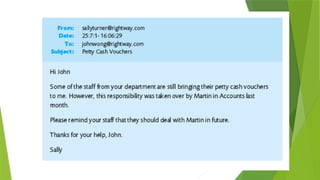
Avoid using “Hi” and “Hello” in
greetings for professional emails,
as they are reserved for informal
contexts.
5.
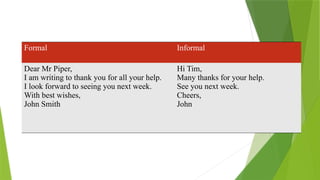
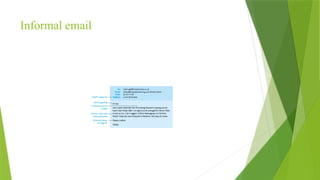
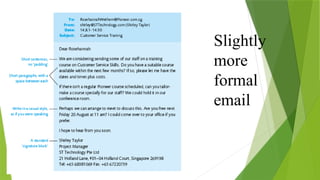
Formal Informal
Dear MrPiper,
I am writing to thank you for all your help.
I look forward to seeing you next week.
With best wishes,
John Smith
Hi Tim,
Many thanks for your help.
See you next week.
Cheers,
John
6.
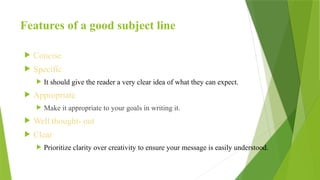
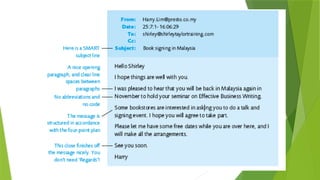
Features of agood subject line
Concise
Specific
It should give the reader a very clear idea of what they can expect.
Appropriate
Make it appropriate to your goals in writing it.
Well thought- out
Clear
Prioritize clarity over creativity to ensure your message is easily understood.
7.
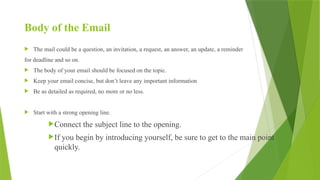
Body of theEmail
The mail could be a question, an invitation, a request, an answer, an update, a reminder
for deadline and so on.
The body of your email should be focused on the topic.
Keep your email concise, but don’t leave any important information
Be as detailed as required, no more or no less.
Start with a strong opening line.
Connect the subject line to the opening.
If you begin by introducing yourself, be sure to get to the main point
quickly.
8.
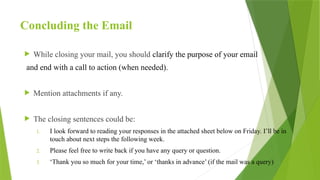
Concluding the Email
While closing your mail, you should clarify the purpose of your email
and end with a call to action (when needed).
Mention attachments if any.
The closing sentences could be:
1. I look forward to reading your responses in the attached sheet below on Friday. I’ll be in
touch about next steps the following week.
2. Please feel free to write back if you have any query or question.
3. ‘Thank you so much for your time,’ or ‘thanks in advance’ (if the mail was a query)
9.
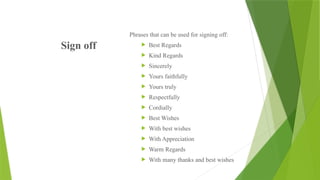
Sign off
Phrases thatcan be used for signing off:
Best Regards
Kind Regards
Sincerely
Yours faithfully
Yours truly
Respectfully
Cordially
Best Wishes
With best wishes
With Appreciation
Warm Regards
With many thanks and best wishes
10.
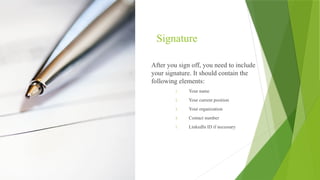
Signature
After you signoff, you need to include
your signature. It should contain the
following elements:
1. Your name
2. Your current position
3. Your organization
4. Contact number
5. LinkedIn ID if necessary
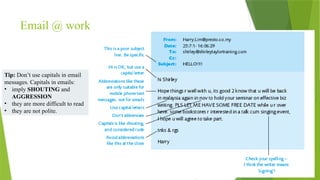
Email @ work
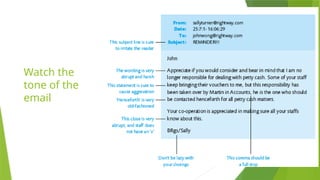
Tip:Don’t use capitals in email
messages. Capitals in emails:
• imply SHOUTING and
AGGRESSION
• they are more difficult to read
• they are not polite.
Recap…
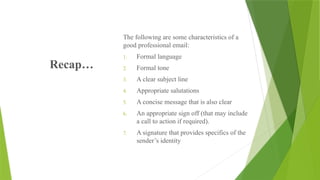
The following aresome characteristics of a
good professional email:
1. Formal language
2. Formal tone
3. A clear subject line
4. Appropriate salutations
5. A concise message that is also clear
6. An appropriate sign off (that may include
a call to action if required).
7. A signature that provides specifics of the
sender’s identity
20.
What is Email
Etiquette?
Email Etiquette refers to the
principles of behavior that one
should use when writing or
answering email messages
These rules have three goals:
1. Professionalism
2. Efficiency
3. Respectful
Communication
21.
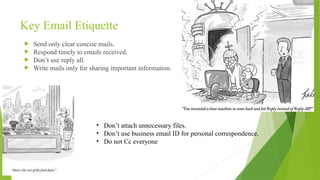
Key Email Etiquette
Send only clear concise mails.
Respond timely to emails received.
Don’t use reply all.
Write mails only for sharing important information.
• Don’t attach unnecessary files.
• Don’t use business email ID for personal correspondence.
• Do not Cc everyone
22.
Keep yourmail gender neutral when you do not know the identity
of the recipient.
If you need to share a large file, contact the recipient to know how
they would like to receive the file.
Deliver bad news in person politely and sympathetically.
Do not copy a message or attachment from another email without
obtaining the sender's permission.
Send separate mails for each topic to avoid confusion.
23.
Things to RememberBefore Sending a
formal Email
Before sending your email, you should proofread it carefully. Verify that there are no
grammatical or spelling errors.
Ensure that no casual tone is used (check to ensure there are no slangs or colloquialisms).
Avoid emojis.
Verify that the correct file has been attached.
Check for any typos, extra spaces, or errors.
Remember that your email can be forwarded to others or printed.
Provide external links if necessary.
24.
Heads-up!
Before pressing the“send” button, take a moment and consider what you are sending
in the email.
— Is it something, you would not be sending if you were not angry or frustrated?
— Is it something personal and thereby inappropriate to use the company’s email ID?
—Is there any chance that you might regret sending this e-mail later?
If the answer to any of the above is YES, then DO NOT send the email.
25.
Leave Request Email
Subject: Leave Request on [Date]
Dear [Manager’s Name],
I would like to request leave on [date] due to personal reasons. I will ensure
that my responsibilities are managed and handed over in advance.
Kindly let me know if this works for you.
Thank you.
Best regards,
Bs Ithub
26.
Work Status /Daily Update Email
Subject: Daily Work Status Update – [Date]
Hi [Manager/Team Name],
• Task 1 – Completed
• Task 2 – In progress
• Task 3 – Blocked (awaiting input)
Let me know if any changes or priorities are required.
Thanks,
Bs Ithub
27.
Asking for Help/ Clarification
Subject: Clarification Required on [Task]
Hi [Name],
I need a quick clarification regarding [specific task]. Could you please guide me
so I can proceed correctly?
Regards,
Bs Ithub
28.
Meeting Request Email
Subject:Request for Meeting – [Topic]
Hello [Name],
I would like to request a short meeting to discuss [topic]. Please let me know
your availability.
Best regards,
Bs Ithub
29.
Reporting Issue /Bug
Subject: Issue Identified in [Application/System]
Hi [Team/Manager Name],
• Issue Description
• Steps to Reproduce
• Impact
Kindly advise on the next steps.
Thanks,
Bs Ithub
#2 Writing good professional emails is a skill. It’s a basic but important tool for day-to-day communication with coworkers, managers, clients, and customers.
Nearly everyone in the academic and professional fields communicates via email, so knowing how to write them well is a key skill for any student or employed individual to master. Here we’ll discuss how to write a professional email and give you tips, suggestions, and the dos and don’ts of professional email writing.
We write emails for applying or confirming jobs, explaining something, thanking or congratulating someone, etc.
#6 The first thing your recipient notices in their inbox is the subject line. Your subject line can make the difference between your recipient deleting or opening your email.
A newspaper headline has two functions: grabbing attention, and giving gist of the subject matter, so that you can decide whether to read or not. The subject line of your mail do the same.
Blank or irrelevant subject line is likely to be rejected or overlooked with a possible impression of “spam”.
#20 Consistent adherence to email etiquette builds trust among colleagues, clients, and partners.
Effective Collaboration: Clear and respectful communication fosters better collaboration and teamwork.
Efficiency
Time Management: Properly structured emails save time for both the sender and the recipient.
Avoiding Confusion: Clear subject lines and organized content help recipients quickly understand the purpose of the email.
#21 Always responding to everyone will create a bad impact on your colleagues. They might not read your mails afterwards. You will just become “spam”

![Leave Request Email
Subject: Leave Request on [Date]
Dear [Manager’s Name],
I would like to request leave on [date] due to personal reasons. I will ensure
that my responsibilities are managed and handed over in advance.
Kindly let me know if this works for you.
Thank you.
Best regards,
Bs Ithub](https://image.slidesharecdn.com/emailppt-260210053641-a10215c5/85/email-pdffdfgdfdfdgdgfdgdgfdgdgfdgpt-pptx-25-320.jpg)
![Work Status / Daily Update Email
Subject: Daily Work Status Update – [Date]
Hi [Manager/Team Name],
• Task 1 – Completed
• Task 2 – In progress
• Task 3 – Blocked (awaiting input)
Let me know if any changes or priorities are required.
Thanks,
Bs Ithub](https://image.slidesharecdn.com/emailppt-260210053641-a10215c5/85/email-pdffdfgdfdfdgdgfdgdgfdgdgfdgpt-pptx-26-320.jpg)
![Asking for Help / Clarification
Subject: Clarification Required on [Task]
Hi [Name],
I need a quick clarification regarding [specific task]. Could you please guide me
so I can proceed correctly?
Regards,
Bs Ithub](https://image.slidesharecdn.com/emailppt-260210053641-a10215c5/85/email-pdffdfgdfdfdgdgfdgdgfdgdgfdgpt-pptx-27-320.jpg)
![Meeting Request Email
Subject: Request for Meeting – [Topic]
Hello [Name],
I would like to request a short meeting to discuss [topic]. Please let me know
your availability.
Best regards,
Bs Ithub](https://image.slidesharecdn.com/emailppt-260210053641-a10215c5/85/email-pdffdfgdfdfdgdgfdgdgfdgdgfdgpt-pptx-28-320.jpg)
![Reporting Issue / Bug
Subject: Issue Identified in [Application/System]
Hi [Team/Manager Name],
• Issue Description
• Steps to Reproduce
• Impact
Kindly advise on the next steps.
Thanks,
Bs Ithub](https://image.slidesharecdn.com/emailppt-260210053641-a10215c5/85/email-pdffdfgdfdfdgdgfdgdgfdgdgfdgpt-pptx-29-320.jpg)