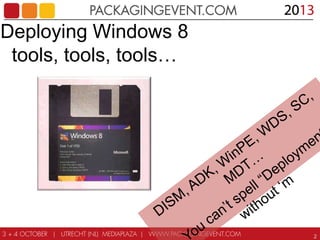
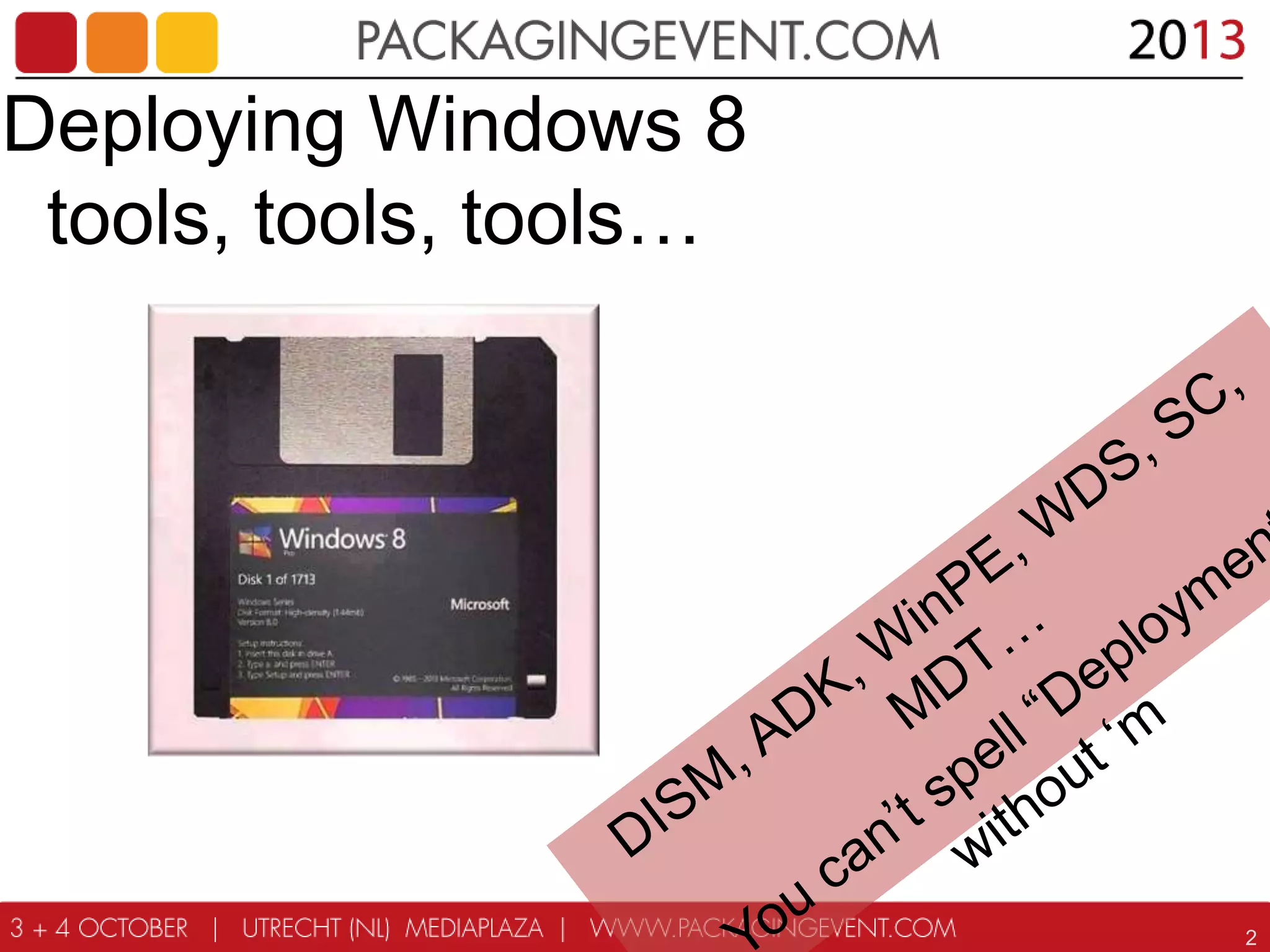
Deploying Windows 8
tools, tools, tools…

2
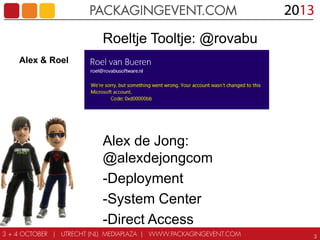
Alex & Roel

Roeltje Tooltje: @rovabu
-Deployment
-Setup Commander
-Bundle Commander

Alex de Jong:
@alexdejongcom
-Deployment
-System Center
-Direct Access
3
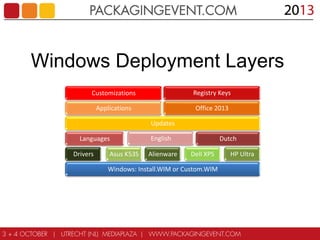
Windows Deployment Layers
Customizations

Registry Keys

Applications

Office 2013
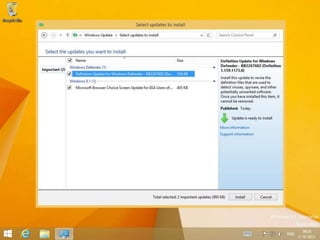
Updates
Languages
Drivers

Asus K53S

English
Alienware

Dutch
Dell XPS

Windows: Install.WIM or Custom.WIM

HP Ultra
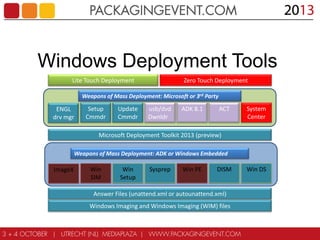
Windows Deployment Tools
Lite Touch Deployment

Zero Touch Deployment

Weapons of Mass Deployment: Microsoft or 3rd Party

ENGL
drv mgr

Setup
Cmmdr

Update
Cmmdr

usb/dvd
Dwnldr

ADK 8.1

ACT

System
Center

Microsoft Deployment Toolkit 2013 (preview)
Weapons of Mass Deployment: ADK or Windows Embedded

ImageX

Win
SIM

Win
Setup

Sysprep

Win PE

DISM

Answer Files (unattend.xml or autounattend.xml)
Windows Imaging and Windows Imaging (WIM) files

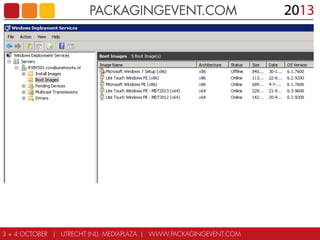
Win DS
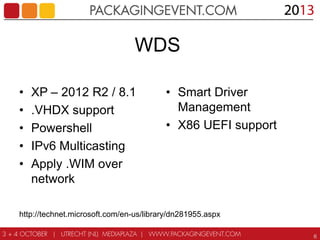
WDS
•
•
•
•
•

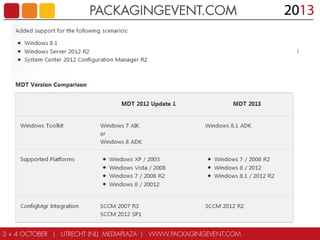
XP – 2012 R2 / 8.1
.VHDX support
Powershell
IPv6 Multicasting
Apply .WIM over
network

• Smart Driver
Management
• X86 UEFI support

http://technet.microsoft.com/en-us/library/dn281955.aspx
6
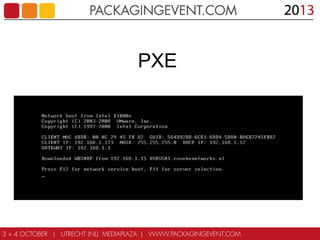
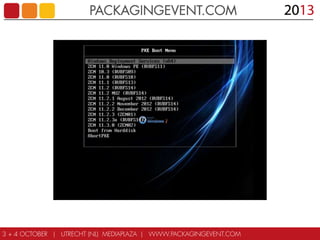
PXE
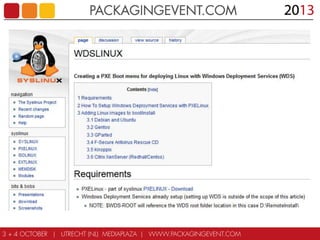
WDSLinux
PXE Boot Menu
Boot Images
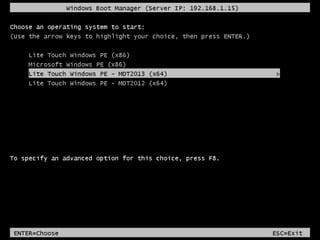
Windows Boot Manager
Windows PE
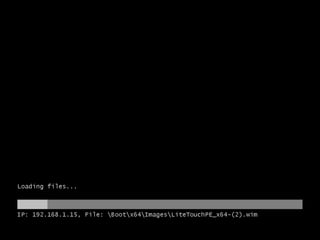
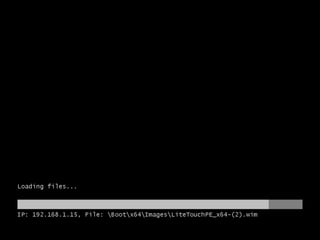
Loading files
Loading files
Startup
Solution Accelerator
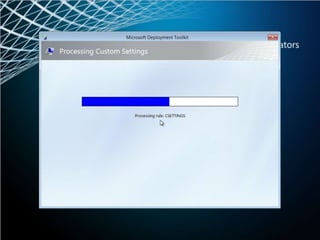
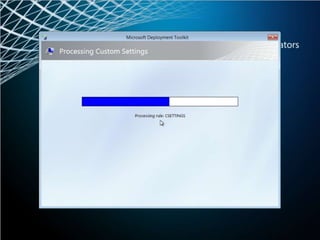
Processing Custom Settings
Processing rule
ADK 8.1

19
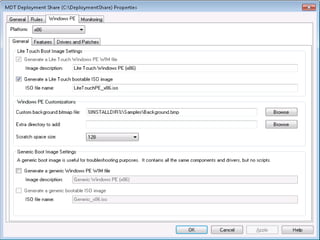
Microsoft Deployment Toolkit (MDT)
2013 Overview
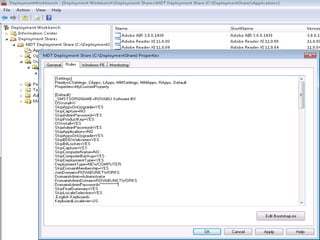
CustomSettings.ini
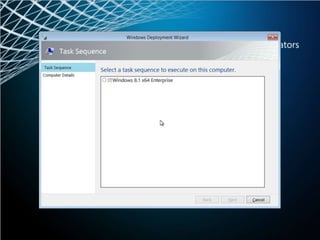
Select a task sequence
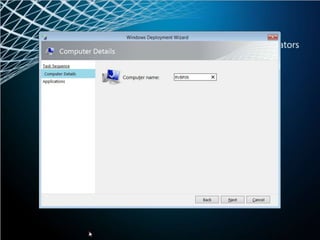
Computer name
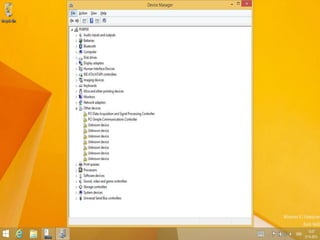
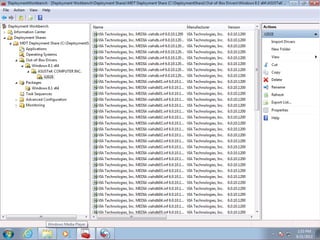
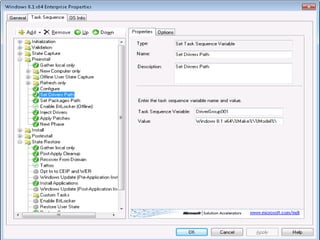
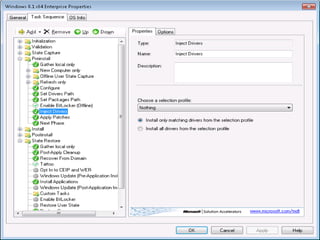
Drivers
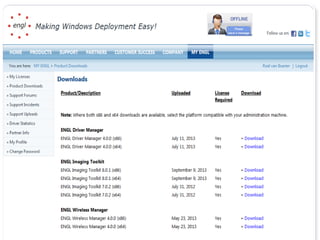
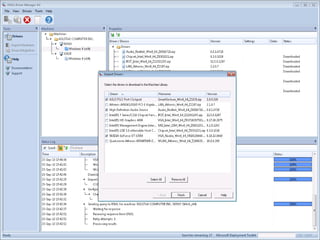
ENGL Driver Manager
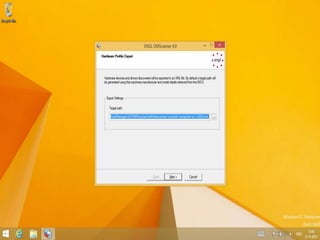
ENGL Hardware Profile Export
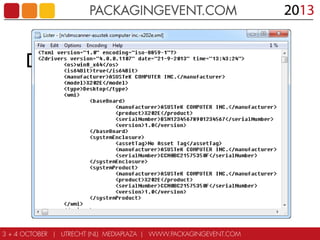
DMScanner Scanner XML File
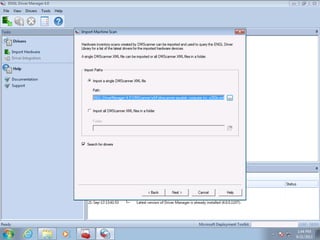
Import DMScanner XML file
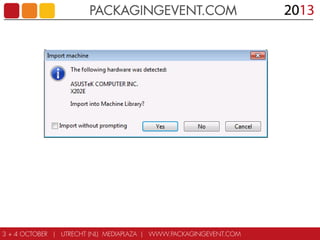
Import Machine
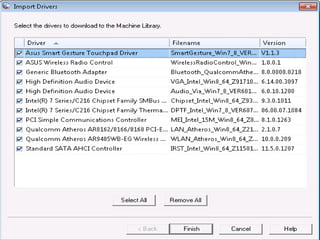
Select Drivers to download
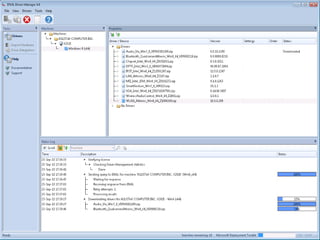
Machine Library
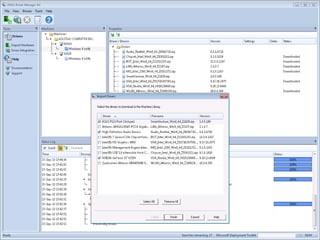
Select Drivers to download
X202E in MDT
X202E in MDT
X202E in MDT
Updates

39
Updates

40
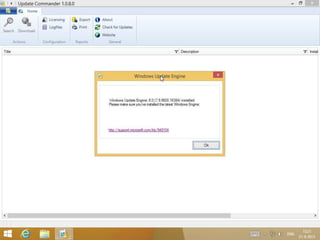
Windows Update Engine
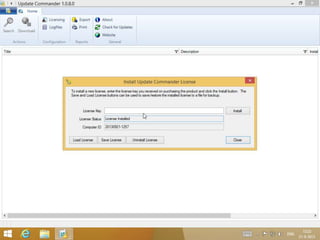
License Key
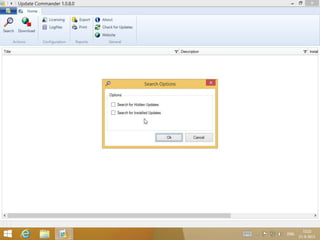
Search Options
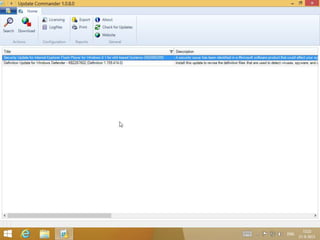
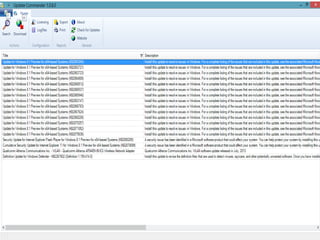
List Updates
List Updates – 8.1 Preview
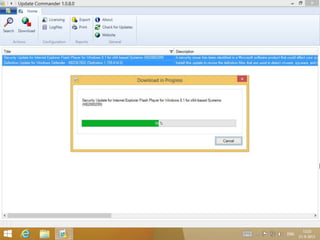
Download
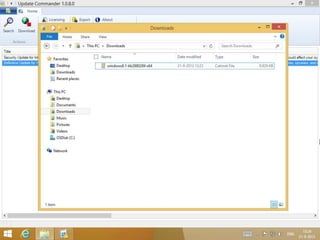
Windows8.1-kb2880289
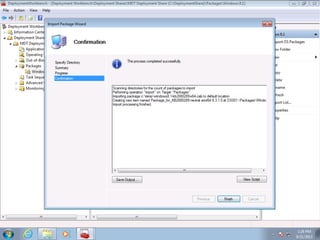
Import in MDT
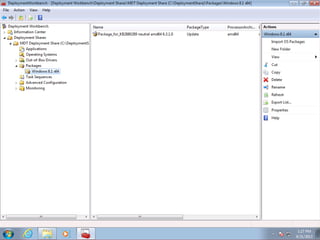
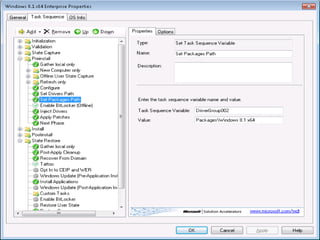
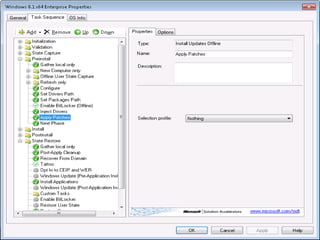
Packages folders in MDT
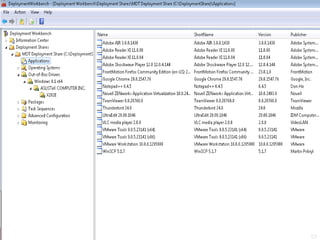
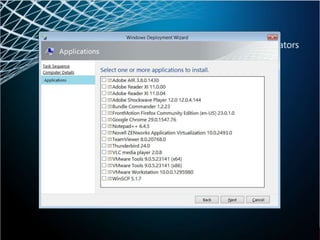
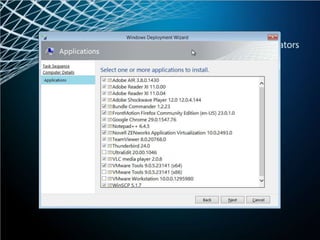
Applications

52
Applications

53
PXE
Applications
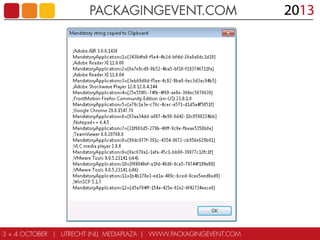
Mandatory
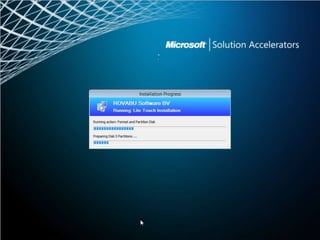
Installation Progress
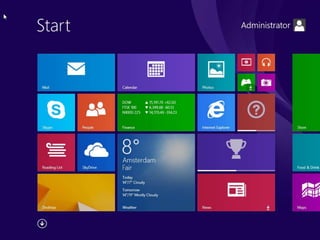
Start
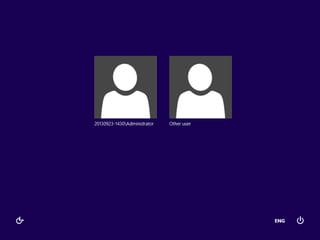
Users
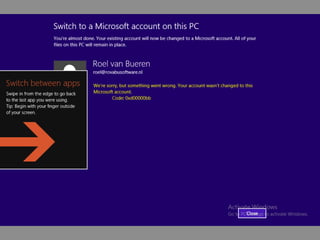
0xd00000bb
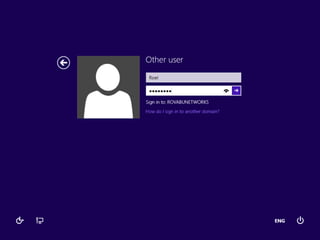
Sign in as ‘User’
Start Menu
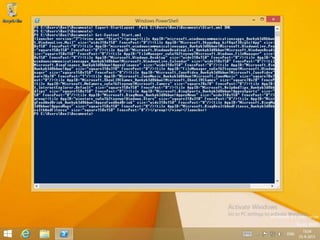
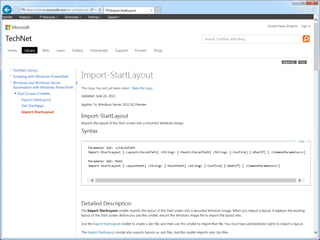
Export-StartLayout
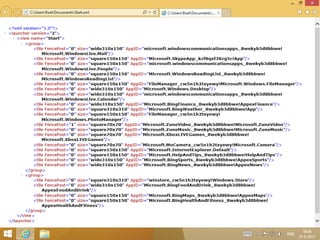
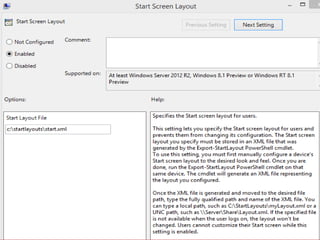
Start.xml
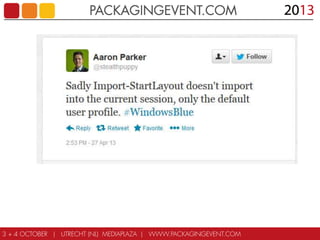
Import-StartLayout
User Profile
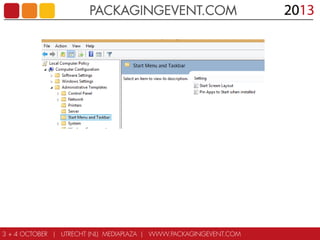
GPO
Start Screen Layout
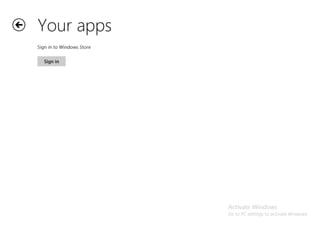
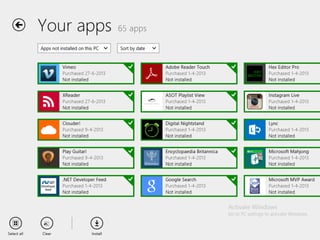
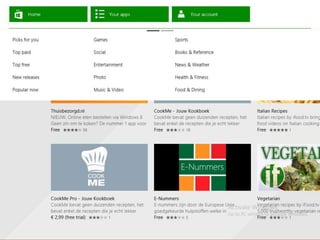
Your Apps
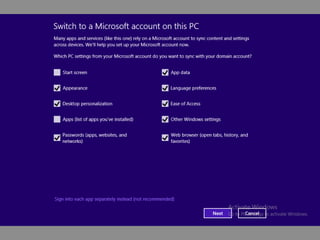
Switch
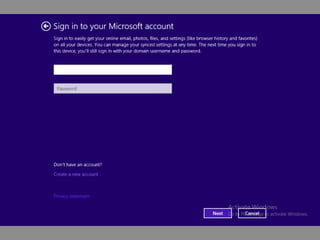
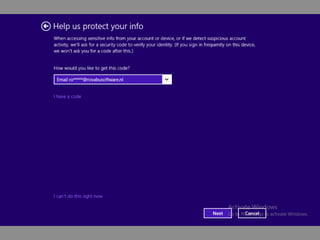
Sign in to your Microsoft Account
Security Code
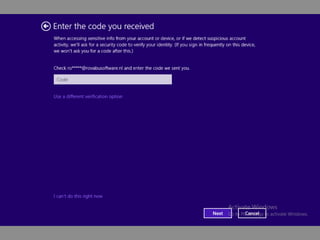
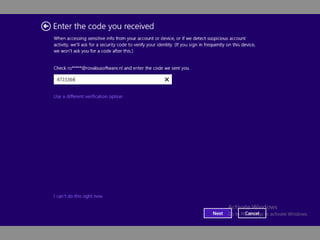
Enter the Security Code
Please Wait
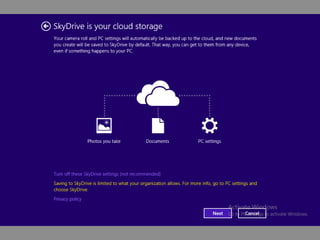
SkyDrive
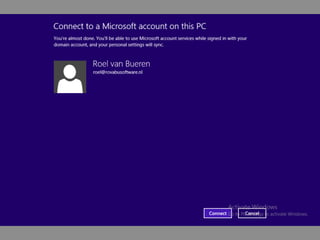
Connect to a Microsoft Account
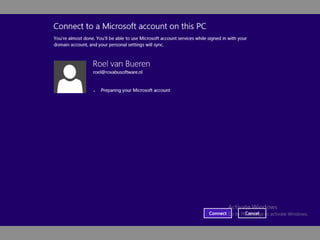
Preparing
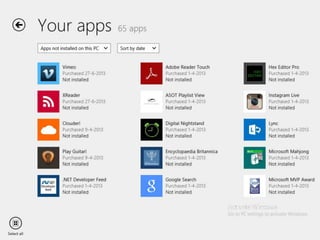
Your Apps
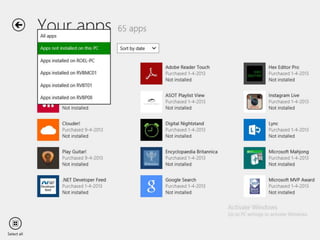
Your Apps – Select All
Your Apps
Apps not installed
Registry Tweaks
•

Windows Registry Editor Version 5.00

•
•
•
•
•
•
•

; Enable Metro Apps to Work on In-Built Administrator Account with UAC Prompt Disabled (Requires Reboot)
[HKEY_LOCAL_MACHINESOFTWAREMicrosoftWindowsCurrentVersionPoliciesSystem]
"EnableLUA"=dword:00000001
"FilterAdministratorToken"=dword:00000001
"ConsentPromptBehaviorAdmin"=dword:00000000
"ConsentPromptBehaviorUser"=dword:00000000
"PromptOnSecureDesktop"=dword:00000000

•
•
•
•

; Apply Thin Windows Borders
[HKEY_CURRENT_USERControl PanelDesktopWindowMetrics]
"BorderWidth"="2"
"PaddedBorderWidth"="2"

•
•
•
•

; Disable the Lock Screen
[HKEY_LOCAL_MACHINESOFTWAREPoliciesMicrosoftWindowsPersonalization]
"NoLockScreen"=dword:00000001

•
•
•

; Disable New App Toast Notification
[HKEY_LOCAL_MACHINESOFTWAREPoliciesMicrosoftWindowsExplorer]
"NoNewAppAlert"=dword:00000001

•
•
•
•
•

; Disable Charms Bar and the Apps Switcher
[HKEY_CURRENT_USERSoftwareMicrosoftWindowsCurrentVersionImmersiveShellEdgeUI]
"DisableCharmsHint"=dword:00000001
"DisableTRcorner"=dword:00000001
"DisableTLcorner"=dword:00000001

•
•

; Go to the Desktop instead of Start when I Sign in
[HKEY_CURRENT_USERSoftwareMicrosoftWindowsCurrentVersionExplorerStartPage]
Registry Tweaks
•

Windows Registry Editor Version 5.00

•
•
•
•

; Show Desktop Background as Start Screen Background
[HKEY_CURRENT_USERSoftwareMicrosoftWindowsCurrentVersionExplorerAccent]
"MotionAccentId_v1.00"=dword:000000db

•
•
•

; Show the Apps View Automatically when I go to Start
[HKEY_CURRENT_USERSoftwareMicrosoftWindowsCurrentVersionExplorerStartPage]
"MakeAllAppsDefault"=dword:00000001

•
•
•
•

; List Desktop Apps First in the Apps View when it's Sorted by Category
[HKEY_CURRENT_USERSoftwareMicrosoftWindowsCurrentVersionExplorerStartPage]
"DesktopFirst"=dword:00000001

•
•
•

; Don't Replace Command Prompt with Windows PowerShell On the WinX Menu
[HKEY_CURRENT_USERSoftwareMicrosoftWindowsCurrentVersionExplorerAdvanced]
"DontUsePowerShellOnWinX"=dword:00000001

•
•
•

; Change Sky Drive Brand Name to Microsoft Drive Brand Name
[HKCUSoftwareMicrosoftWindowsCurrentVersionSkyDriveOptIn]
"Brand"=dword:00000001

•
•
•
•

; Change LogonUI and Startscreen Default Background Color
[HKEY_CURRENT_USERSoftwareMicrosoftWindowsCurrentVersionExplorerAccent]
"StartColor"=dword:ffb76800
"AccentColor"=dword:fff86400

•
•

[HKEY_LOCAL_MACHINESOFTWAREMicrosoftWindowsCurrentVersionExplorerAccent]
"DefaultColorSet"=dword:00000011
Registry Tweaks
•

Windows Registry Editor Version 5.00

•
•

[HKEY_CURRENT_USERSOFTWAREMicrosoftWindowsCurrentVersionExplorerAccent]
"ColorSet_Version3"=dword:00000011

•
•
•
•

; Disable Backup for Windows 8.1 Apps
[HKEY_LOCAL_MACHINESOFTWAREPoliciesMicrosoftWindowsSettingSync]
"EnableBackupForWin8Apps"=dword:00000000

•
•
•

; Change Default Windows 8.1 Apps Install Folder
[HKEY_LOCAL_MACHINESOFTWAREMicrosoftWindowsCurrentVersionAppx]
"PackageRoot"=C:WindowsApps

•
•
•

; Disable Windows 8.1 Apps Store Feature
[HKEY_LOCAL_MACHINESoftwarePoliciesMicrosoftWindowsStore]
"RemoveWindowsStore"=dword:00000001

•
•
•

; Disable Windows 8.1 Apps and Store related Services (Default value is 3)
[HKEY_LOCAL_MACHINESYSTEMControlSet001ServicesAllUserInstallAgent]
"Start"=dword:00000004

•
•

[HKEY_LOCAL_MACHINESYSTEMControlSet001ServicesSystemEventsBroker]
"Start"=dword:00000004

•
•

[HKEY_LOCAL_MACHINESYSTEMControlSet001ServicesTimeBroker]
"Start"=dword:00000004

•

[HKEY_LOCAL_MACHINESYSTEMControlSet001ServicesWSService]
Registry Tweaks
•

Windows Registry Editor Version 5.00

•
•

; Remove Desktop Link from My Computer
[-HKEY_LOCAL_MACHINESOFTWAREMicrosoftWindowsCurrentVersionExplorerMyComputerNameSpace{B4BFCC3A-DB2C-424C-B029-7FE99A87C641}]

•
•

; Remove Documents Link from My Computer
[-HKEY_LOCAL_MACHINESOFTWAREMicrosoftWindowsCurrentVersionExplorerMyComputerNameSpace{A8CDFF1C-4878-43be-B5FD-F8091C1C60D0}]

•
•

; Remove Downloads Link from My Computer
[-HKEY_LOCAL_MACHINESOFTWAREMicrosoftWindowsCurrentVersionExplorerMyComputerNameSpace{374DE290-123F-4565-9164-39C4925E467B}]

•
•

; Remove Music Link from My Computer
[-HKEY_LOCAL_MACHINESOFTWAREMicrosoftWindowsCurrentVersionExplorerMyComputerNameSpace{1CF1260C-4DD0-4ebb-811F-33C572699FDE}]

•
•

; Remove Pictures Link from My Computer
[-HKEY_LOCAL_MACHINESOFTWAREMicrosoftWindowsCurrentVersionExplorerMyComputerNameSpace{3ADD1653-EB32-4cb0-BBD7-DFA0ABB5ACCA}]

•
•

; Remove Videos Link from My Computer
[-HKEY_LOCAL_MACHINESOFTWAREMicrosoftWindowsCurrentVersionExplorerMyComputerNameSpace{A0953C92-50DC-43bf-BE83-3742FED03C9C}]
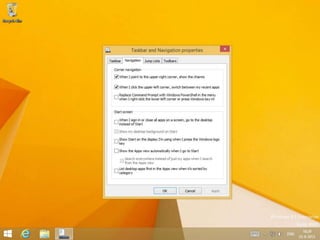
Tasbar and Navigation properties
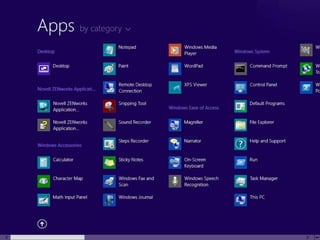
Apps by category
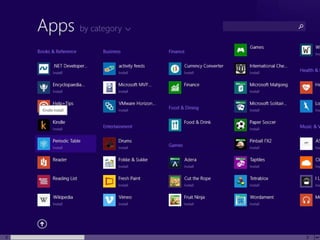
Apps by category
Session Code: TS211

Windows 8.1 Deployment - Tools, Tools, Tools

  • 1.
    Deploying Windows 8 tools,tools, tools… 2
  • 2.
    Alex & Roel RoeltjeTooltje: @rovabu -Deployment -Setup Commander -Bundle Commander Alex de Jong: @alexdejongcom -Deployment -System Center -Direct Access 3
  • 3.
    Windows Deployment Layers Customizations RegistryKeys Applications Office 2013 Updates Languages Drivers Asus K53S English Alienware Dutch Dell XPS Windows: Install.WIM or Custom.WIM HP Ultra
  • 4.
    Windows Deployment Tools LiteTouch Deployment Zero Touch Deployment Weapons of Mass Deployment: Microsoft or 3rd Party ENGL drv mgr Setup Cmmdr Update Cmmdr usb/dvd Dwnldr ADK 8.1 ACT System Center Microsoft Deployment Toolkit 2013 (preview) Weapons of Mass Deployment: ADK or Windows Embedded ImageX Win SIM Win Setup Sysprep Win PE DISM Answer Files (unattend.xml or autounattend.xml) Windows Imaging and Windows Imaging (WIM) files Win DS
  • 5.
    WDS • • • • • XP – 2012R2 / 8.1 .VHDX support Powershell IPv6 Multicasting Apply .WIM over network • Smart Driver Management • X86 UEFI support http://technet.microsoft.com/en-us/library/dn281955.aspx 6
  • 6.
  • 7.
  • 8.
  • 9.
  • 10.
  • 11.
  • 12.
  • 13.
  • 14.
  • 15.
  • 16.
  • 17.
  • 18.
  • 19.
    Microsoft Deployment Toolkit(MDT) 2013 Overview
  • 20.
  • 21.
    Select a tasksequence
  • 22.
  • 23.
  • 24.
  • 25.
  • 26.
  • 27.
  • 28.
  • 29.
  • 30.
  • 31.
  • 32.
  • 33.
  • 34.
  • 35.
  • 36.
  • 37.
  • 38.
  • 39.
  • 40.
  • 41.
  • 42.
    List Updates –8.1 Preview
  • 43.
  • 44.
  • 45.
  • 46.
  • 47.
  • 48.
  • 49.
  • 50.
  • 51.
  • 52.
  • 53.
  • 54.
  • 55.
  • 56.
  • 57.
  • 58.
    Sign in as‘User’
  • 59.
  • 60.
  • 61.
  • 62.
  • 63.
  • 64.
  • 65.
  • 66.
  • 67.
  • 68.
    Sign in toyour Microsoft Account
  • 69.
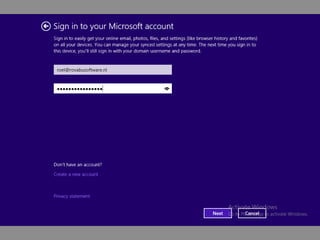
    Sign in toyour Microsoft Account
  • 70.
  • 71.
  • 72.
  • 73.
  • 74.
  • 75.
    Connect to aMicrosoft Account
  • 76.
  • 77.
  • 78.
    Your Apps –Select All
  • 79.
  • 80.
  • 81.
    Registry Tweaks • Windows RegistryEditor Version 5.00 • • • • • • • ; Enable Metro Apps to Work on In-Built Administrator Account with UAC Prompt Disabled (Requires Reboot) [HKEY_LOCAL_MACHINESOFTWAREMicrosoftWindowsCurrentVersionPoliciesSystem] "EnableLUA"=dword:00000001 "FilterAdministratorToken"=dword:00000001 "ConsentPromptBehaviorAdmin"=dword:00000000 "ConsentPromptBehaviorUser"=dword:00000000 "PromptOnSecureDesktop"=dword:00000000 • • • • ; Apply Thin Windows Borders [HKEY_CURRENT_USERControl PanelDesktopWindowMetrics] "BorderWidth"="2" "PaddedBorderWidth"="2" • • • • ; Disable the Lock Screen [HKEY_LOCAL_MACHINESOFTWAREPoliciesMicrosoftWindowsPersonalization] "NoLockScreen"=dword:00000001 • • • ; Disable New App Toast Notification [HKEY_LOCAL_MACHINESOFTWAREPoliciesMicrosoftWindowsExplorer] "NoNewAppAlert"=dword:00000001 • • • • • ; Disable Charms Bar and the Apps Switcher [HKEY_CURRENT_USERSoftwareMicrosoftWindowsCurrentVersionImmersiveShellEdgeUI] "DisableCharmsHint"=dword:00000001 "DisableTRcorner"=dword:00000001 "DisableTLcorner"=dword:00000001 • • ; Go to the Desktop instead of Start when I Sign in [HKEY_CURRENT_USERSoftwareMicrosoftWindowsCurrentVersionExplorerStartPage]
  • 82.
    Registry Tweaks • Windows RegistryEditor Version 5.00 • • • • ; Show Desktop Background as Start Screen Background [HKEY_CURRENT_USERSoftwareMicrosoftWindowsCurrentVersionExplorerAccent] "MotionAccentId_v1.00"=dword:000000db • • • ; Show the Apps View Automatically when I go to Start [HKEY_CURRENT_USERSoftwareMicrosoftWindowsCurrentVersionExplorerStartPage] "MakeAllAppsDefault"=dword:00000001 • • • • ; List Desktop Apps First in the Apps View when it's Sorted by Category [HKEY_CURRENT_USERSoftwareMicrosoftWindowsCurrentVersionExplorerStartPage] "DesktopFirst"=dword:00000001 • • • ; Don't Replace Command Prompt with Windows PowerShell On the WinX Menu [HKEY_CURRENT_USERSoftwareMicrosoftWindowsCurrentVersionExplorerAdvanced] "DontUsePowerShellOnWinX"=dword:00000001 • • • ; Change Sky Drive Brand Name to Microsoft Drive Brand Name [HKCUSoftwareMicrosoftWindowsCurrentVersionSkyDriveOptIn] "Brand"=dword:00000001 • • • • ; Change LogonUI and Startscreen Default Background Color [HKEY_CURRENT_USERSoftwareMicrosoftWindowsCurrentVersionExplorerAccent] "StartColor"=dword:ffb76800 "AccentColor"=dword:fff86400 • • [HKEY_LOCAL_MACHINESOFTWAREMicrosoftWindowsCurrentVersionExplorerAccent] "DefaultColorSet"=dword:00000011
  • 83.
    Registry Tweaks • Windows RegistryEditor Version 5.00 • • [HKEY_CURRENT_USERSOFTWAREMicrosoftWindowsCurrentVersionExplorerAccent] "ColorSet_Version3"=dword:00000011 • • • • ; Disable Backup for Windows 8.1 Apps [HKEY_LOCAL_MACHINESOFTWAREPoliciesMicrosoftWindowsSettingSync] "EnableBackupForWin8Apps"=dword:00000000 • • • ; Change Default Windows 8.1 Apps Install Folder [HKEY_LOCAL_MACHINESOFTWAREMicrosoftWindowsCurrentVersionAppx] "PackageRoot"=C:WindowsApps • • • ; Disable Windows 8.1 Apps Store Feature [HKEY_LOCAL_MACHINESoftwarePoliciesMicrosoftWindowsStore] "RemoveWindowsStore"=dword:00000001 • • • ; Disable Windows 8.1 Apps and Store related Services (Default value is 3) [HKEY_LOCAL_MACHINESYSTEMControlSet001ServicesAllUserInstallAgent] "Start"=dword:00000004 • • [HKEY_LOCAL_MACHINESYSTEMControlSet001ServicesSystemEventsBroker] "Start"=dword:00000004 • • [HKEY_LOCAL_MACHINESYSTEMControlSet001ServicesTimeBroker] "Start"=dword:00000004 • [HKEY_LOCAL_MACHINESYSTEMControlSet001ServicesWSService]
  • 84.
    Registry Tweaks • Windows RegistryEditor Version 5.00 • • ; Remove Desktop Link from My Computer [-HKEY_LOCAL_MACHINESOFTWAREMicrosoftWindowsCurrentVersionExplorerMyComputerNameSpace{B4BFCC3A-DB2C-424C-B029-7FE99A87C641}] • • ; Remove Documents Link from My Computer [-HKEY_LOCAL_MACHINESOFTWAREMicrosoftWindowsCurrentVersionExplorerMyComputerNameSpace{A8CDFF1C-4878-43be-B5FD-F8091C1C60D0}] • • ; Remove Downloads Link from My Computer [-HKEY_LOCAL_MACHINESOFTWAREMicrosoftWindowsCurrentVersionExplorerMyComputerNameSpace{374DE290-123F-4565-9164-39C4925E467B}] • • ; Remove Music Link from My Computer [-HKEY_LOCAL_MACHINESOFTWAREMicrosoftWindowsCurrentVersionExplorerMyComputerNameSpace{1CF1260C-4DD0-4ebb-811F-33C572699FDE}] • • ; Remove Pictures Link from My Computer [-HKEY_LOCAL_MACHINESOFTWAREMicrosoftWindowsCurrentVersionExplorerMyComputerNameSpace{3ADD1653-EB32-4cb0-BBD7-DFA0ABB5ACCA}] • • ; Remove Videos Link from My Computer [-HKEY_LOCAL_MACHINESOFTWAREMicrosoftWindowsCurrentVersionExplorerMyComputerNameSpace{A0953C92-50DC-43bf-BE83-3742FED03C9C}]
  • 85.
  • 86.
  • 87.
  • 88.

Editor's Notes

  • #9 http://www.syslinux.org/wiki/index.php/WDSLINUX
  • #10 http://www.syslinux.org/wiki/index.php/WDSLINUX
  • #11 http://www.syslinux.org/wiki/index.php/WDSLINUX
  • #22 http://www.ronnipedersen.com/2013/06/microsoft-deployment-toolkit-2013-overview/
  • #69 http://spanougakis.wordpress.com/2013/07/30/how-to-create-a-default-start-screen-layout-in-windows-8-1-enterprise-preview-and-dont-let-the-users-change-it/
  • #85 http://forums.mydigitallife.info/threads/46105-Windows-8-1-Registry-Tweaks
  • #86 http://forums.mydigitallife.info/threads/46105-Windows-8-1-Registry-Tweaks
  • #87 http://forums.mydigitallife.info/threads/46105-Windows-8-1-Registry-Tweaks
  • #88 http://forums.mydigitallife.info/threads/46105-Windows-8-1-Registry-Tweaks