









When your 
App hits the 
highway 
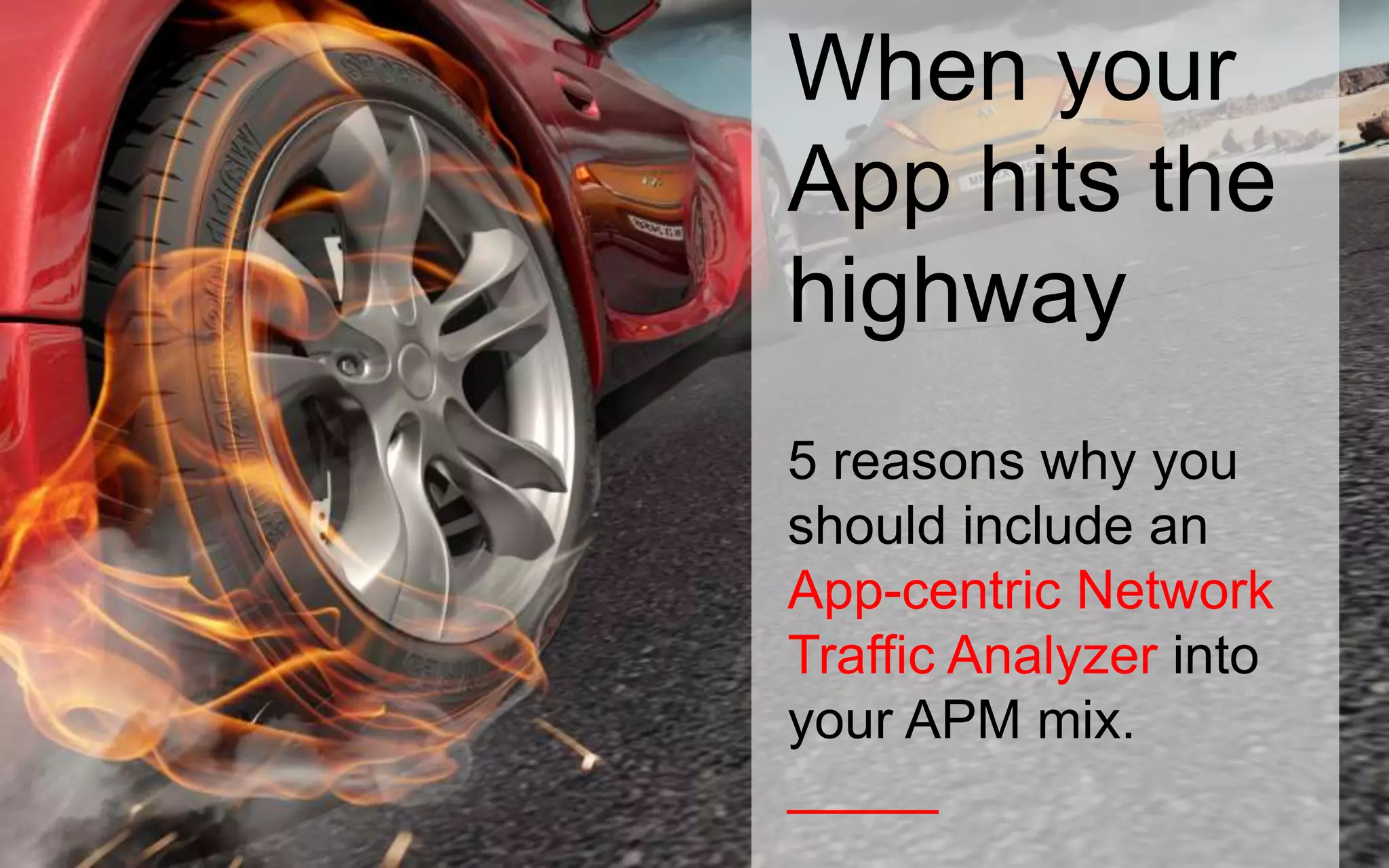
5 reasons why you 
should include an 
App-centric Network 
Traffic Analyzer into 
your APM mix. 
_____
Traditional APM 
approach 
Its like tuning a car. Ensuring that the components 
such as powertrain/ transmission/ suspension, 
braking etc. are all optimized for high-speed. In 
APM terms it’s the database/ appserver/ 
webserver/ code. Tune. Tune. Tune. 
_____
Roaring 
Performance 
That’s what every single APM tool in the market 
aspires to achieve. Every step in the APM tool 
development in recent years has been towards 
this weeding out performance bottlenecks and 
ensuring roaring performance of the app. 
_____
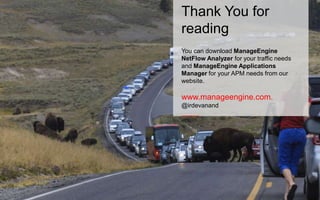
But what if your 
network looks like 
this? 
Your app is only as fast as the network. 
Irrespective of whether you have a Porsche or a 
Ferrari you would be only as fast as the car 
ahead of you when you are stuck in traffic. 
_____
End-user-experience 
will be hit 
In such a situation, if you have deployed a SAAS 
based APM tool it would report back the end user 
experience levels across your various branch 
offices as AFFECTED or POOR. Now that you 
know the user experience is impacted what would 
you do next? 
_____
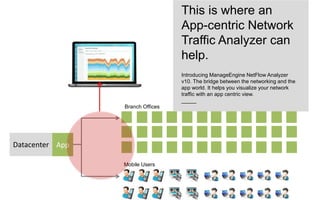
App is just fine but end users are 
suffering…how do you bridge the 
gap?
Datacenter App 
Branch Offices 
Mobile Users 
This is where an 
App-centric Network 
Traffic Analyzer can 
help. 
Introducing ManageEngine NetFlow Analyzer 
v10. The bridge between the networking and the 
app world. It helps you visualize your network 
traffic with an app centric view. 
_____
5 ways an App-centric Network 
Traffic Analyzer could help you
#1 Know who is 
using the road 
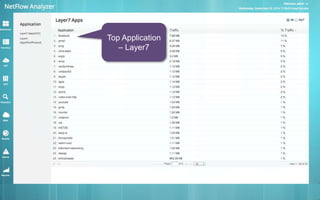
Get the visibility on who (else) is using your 
network. Drill deeper and find out which 
Ipaddress, country, protocol, application, alien is 
occupying your network and making your app 
crawl to its knees. 
_____
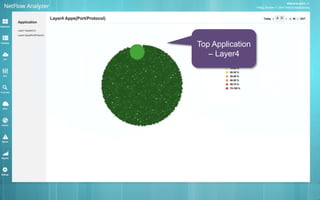
Top Application 
– Layer4
Top Application 
– Layer7
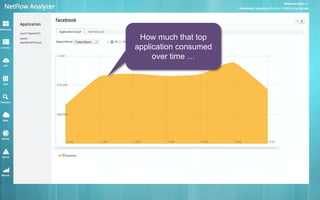
How much that top 
application consumed 
over time …
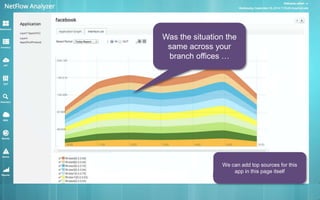
Was the situation the 
same across your 
branch offices … 
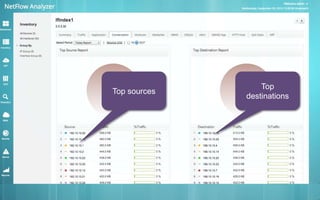
We can add top sources for this 
app in this page itself
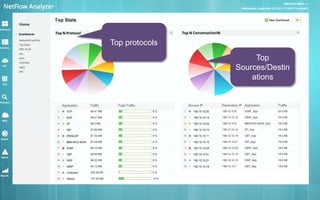
Top protocols 
Top 
Sources/Destin 
ations
Top sources 
Top 
destinations
#2 Know who’s on 
the fast lane 
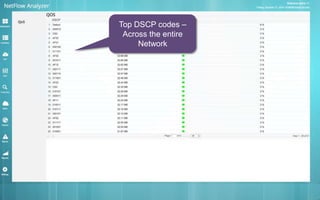
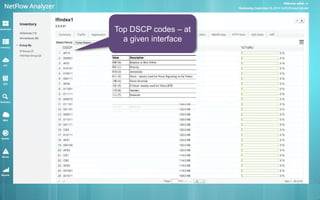
Networks are hardwired to give high priority to 
packets that are stamped high priority. For 
example if you are running a video conference 
app but there are other packets marked with 
higher priority then your video packets miss the 
fast lane resulting in delay/lag in video calls. 
_____
Top DSCP codes – 
Across the entire 
Network
Top DSCP codes – at 
a given interface
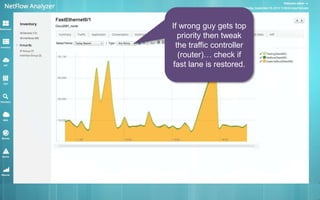
If wrong guy gets top 
priority then tweak 
the traffic controller 
(router)… check if 
fast lane is restored.
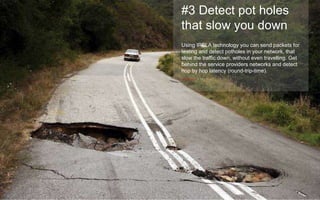
#3 Detect pot holes 
that slow you down 
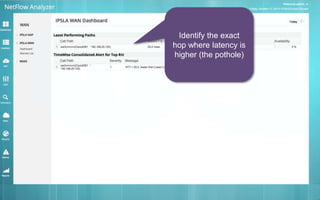
Using IPSLA technology you can send packets for 
testing and detect potholes in your network, that 
slow the traffic down, without even travelling. Get 
behind the service providers networks and detect 
hop by hop latency (round-trip-time). 
_____
Identify the exact 
hop where latency is 
higher (the pothole)
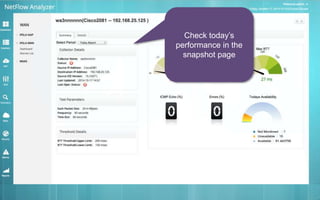
Check today’s 
performance in the 
snapshot page
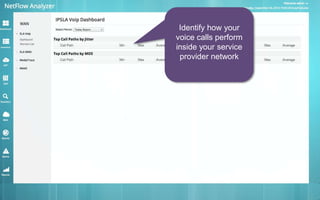
Identify how your 
voice calls perform 
inside your service 
provider network
#4 Detect denial of 
service attacks 
Natural or man made there are always some kind 
of intrusion/attack that hampers the speed of your 
app. Identifying and eliminating them is important 
to avoiding a pileup (outage). 
_____
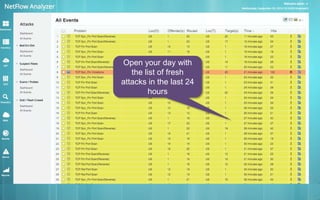
Open your day with 
the list of fresh 
attacks in the last 24 
hours
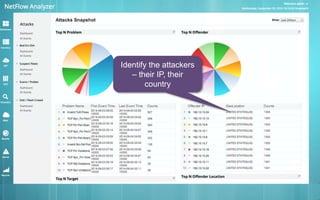
Identify the attackers 
– their IP, their 
country
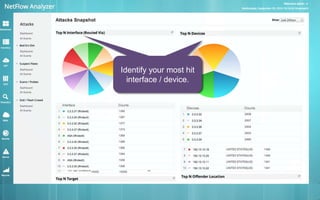
Identify the interface / 
device that got hit the 
Identify your most hit 
interface / device. 
most
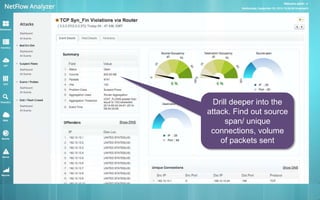
Drill deeper into the 
attack. Find out source 
span/ unique 
connections, volume 
of packets sent
#5 Get everything on 
your finger tips 
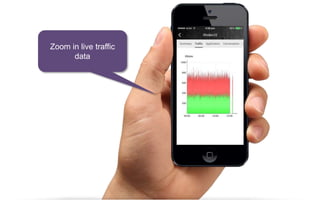
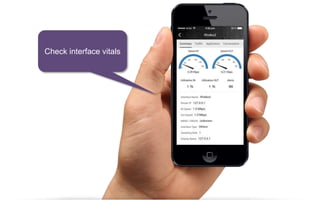
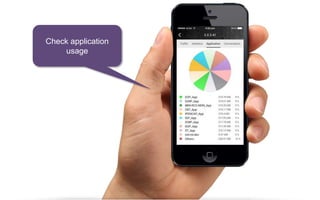
Access your network health / security data on 
your iphone or android phone. Be 100% sure that 
the network is just fine and the app is accessed 
by end users without any problems. Have a good 
night sleep. 
_____
Zoom in live traffic 
data
Check interface vitals
Check application 
usage
Thank You for 
reading 
You can download ManageEngine 
NetFlow Analyzer for your traffic needs 
and ManageEngine Applications 
Manager for your APM needs from our 
website. 
www.manageengine.com. 
@irdevanand 
_____

When Your App Hits The Highway - NetFlow Analyzer V10 Overview

  • 1.
    When your Apphits the highway 5 reasons why you should include an App-centric Network Traffic Analyzer into your APM mix. _____
  • 2.
    Traditional APM approach Its like tuning a car. Ensuring that the components such as powertrain/ transmission/ suspension, braking etc. are all optimized for high-speed. In APM terms it’s the database/ appserver/ webserver/ code. Tune. Tune. Tune. _____
  • 3.
    Roaring Performance That’swhat every single APM tool in the market aspires to achieve. Every step in the APM tool development in recent years has been towards this weeding out performance bottlenecks and ensuring roaring performance of the app. _____
  • 4.
    But what ifyour network looks like this? Your app is only as fast as the network. Irrespective of whether you have a Porsche or a Ferrari you would be only as fast as the car ahead of you when you are stuck in traffic. _____
  • 5.
    End-user-experience will behit In such a situation, if you have deployed a SAAS based APM tool it would report back the end user experience levels across your various branch offices as AFFECTED or POOR. Now that you know the user experience is impacted what would you do next? _____
  • 6.
    App is justfine but end users are suffering…how do you bridge the gap?
  • 7.
    Datacenter App BranchOffices Mobile Users This is where an App-centric Network Traffic Analyzer can help. Introducing ManageEngine NetFlow Analyzer v10. The bridge between the networking and the app world. It helps you visualize your network traffic with an app centric view. _____
  • 8.
    5 ways anApp-centric Network Traffic Analyzer could help you
  • 9.
    #1 Know whois using the road Get the visibility on who (else) is using your network. Drill deeper and find out which Ipaddress, country, protocol, application, alien is occupying your network and making your app crawl to its knees. _____
  • 10.
  • 11.
  • 12.
    How much thattop application consumed over time …
  • 13.
    Was the situationthe same across your branch offices … We can add top sources for this app in this page itself
  • 14.
    Top protocols Top Sources/Destin ations
  • 15.
    Top sources Top destinations
  • 16.
    #2 Know who’son the fast lane Networks are hardwired to give high priority to packets that are stamped high priority. For example if you are running a video conference app but there are other packets marked with higher priority then your video packets miss the fast lane resulting in delay/lag in video calls. _____
  • 17.
    Top DSCP codes– Across the entire Network
  • 18.
    Top DSCP codes– at a given interface
  • 19.
    If wrong guygets top priority then tweak the traffic controller (router)… check if fast lane is restored.
  • 20.
    #3 Detect potholes that slow you down Using IPSLA technology you can send packets for testing and detect potholes in your network, that slow the traffic down, without even travelling. Get behind the service providers networks and detect hop by hop latency (round-trip-time). _____
  • 21.
    Identify the exact hop where latency is higher (the pothole)
  • 22.
    Check today’s performancein the snapshot page
  • 23.
    Identify how your voice calls perform inside your service provider network
  • 24.
    #4 Detect denialof service attacks Natural or man made there are always some kind of intrusion/attack that hampers the speed of your app. Identifying and eliminating them is important to avoiding a pileup (outage). _____
  • 25.
    Open your daywith the list of fresh attacks in the last 24 hours
  • 26.
    Identify the attackers – their IP, their country
  • 27.
    Identify the interface/ device that got hit the Identify your most hit interface / device. most
  • 28.
    Drill deeper intothe attack. Find out source span/ unique connections, volume of packets sent
  • 29.
    #5 Get everythingon your finger tips Access your network health / security data on your iphone or android phone. Be 100% sure that the network is just fine and the app is accessed by end users without any problems. Have a good night sleep. _____
  • 30.
    Zoom in livetraffic data
  • 31.
  • 32.
  • 33.
    Thank You for reading You can download ManageEngine NetFlow Analyzer for your traffic needs and ManageEngine Applications Manager for your APM needs from our website. www.manageengine.com. @irdevanand _____