VMware performance monitoring - The Must Haves OpManager Marketing Team
Agenda  About ManageEngine Virtualized vs. Physical Server Monitoring VMware Performance Monitors Performance Management – the Essentials OpManager’s VMware Monitoring Discussion
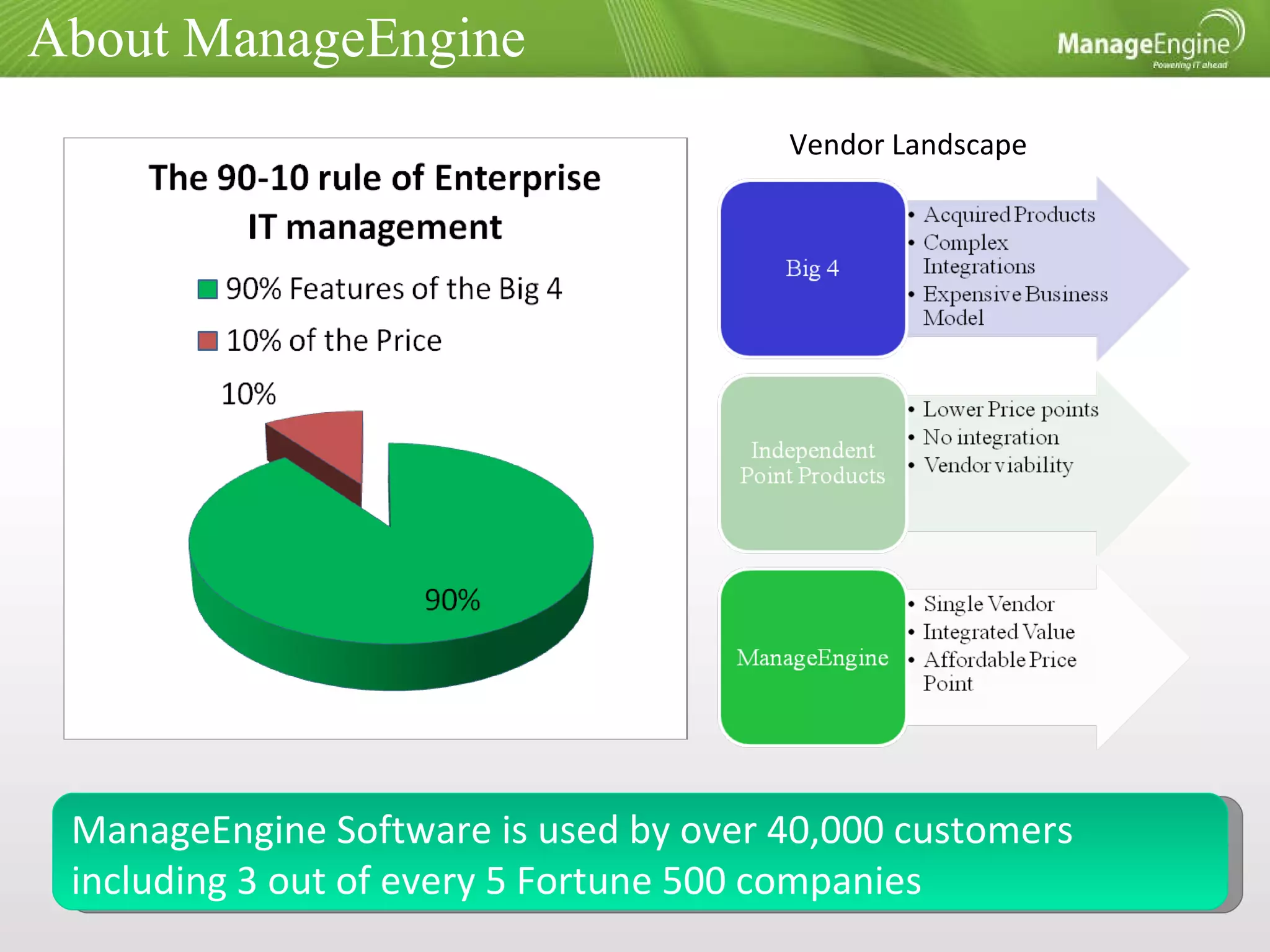
About ManageEngine ManageEngine Software is used by over 40,000 customers including 3 out of every 5 Fortune 500 companies Vendor Landscape
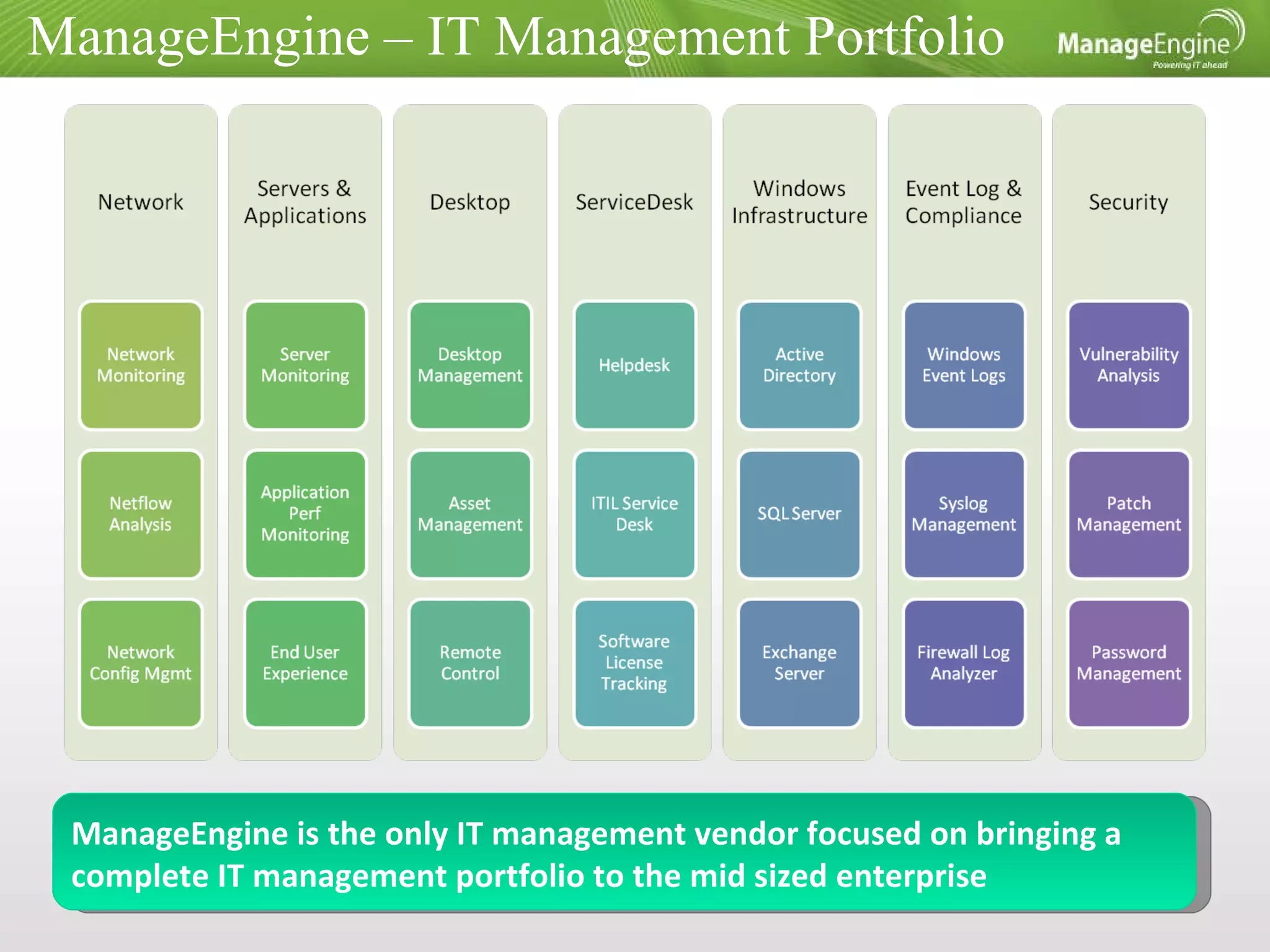
ManageEngine – IT Management Portfolio ManageEngine is the only IT management vendor focused on bringing a complete IT management portfolio to the mid sized enterprise
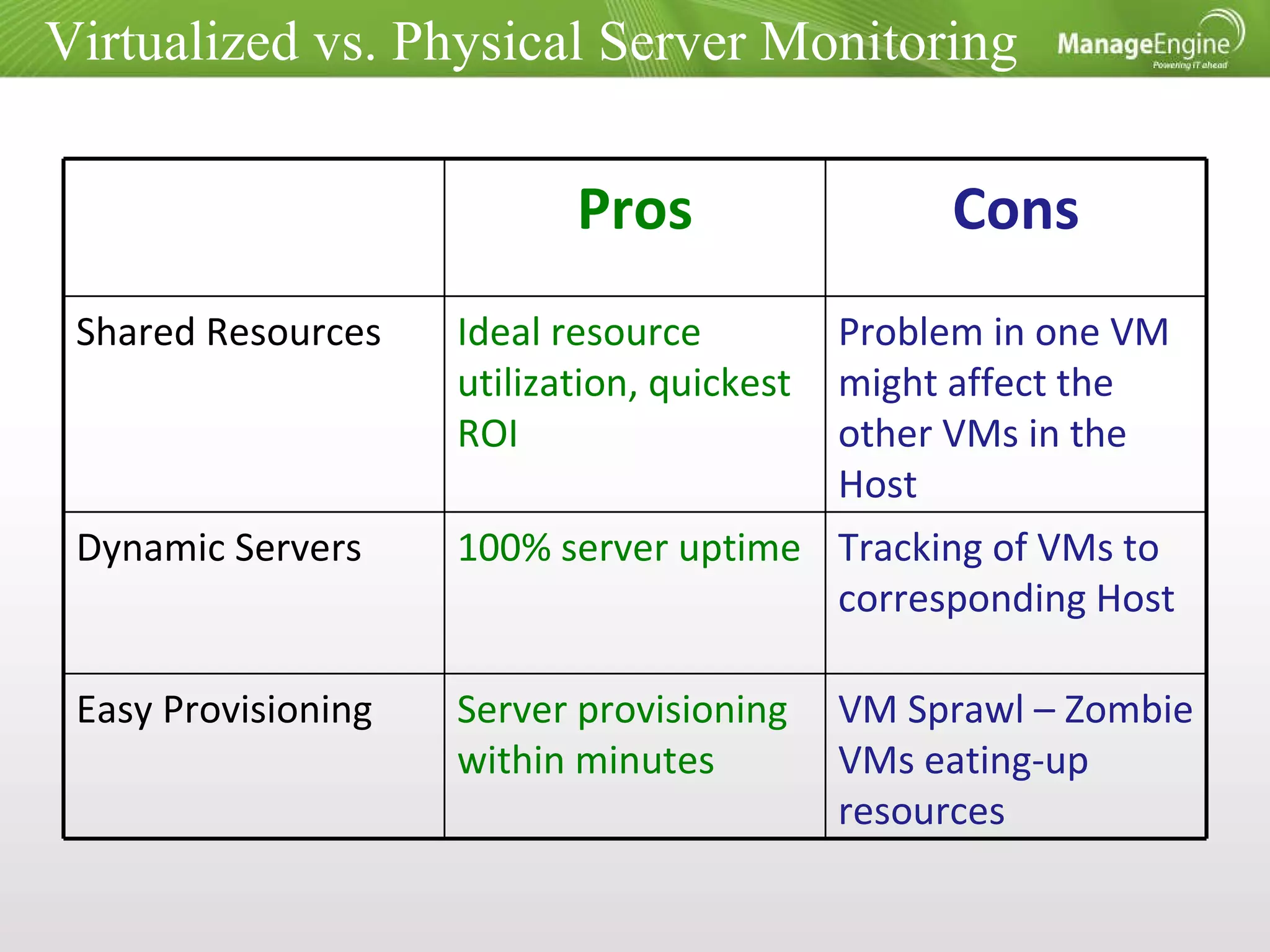
Virtualized vs. Physical Server Monitoring Pros Cons Shared Resources Ideal resource utilization, quickest ROI Problem in one VM might affect the other VMs in the Host Dynamic Servers 100% server uptime  Tracking of VMs to corresponding Host Easy Provisioning Server provisioning within minutes VM Sprawl – Zombie VMs eating-up resources
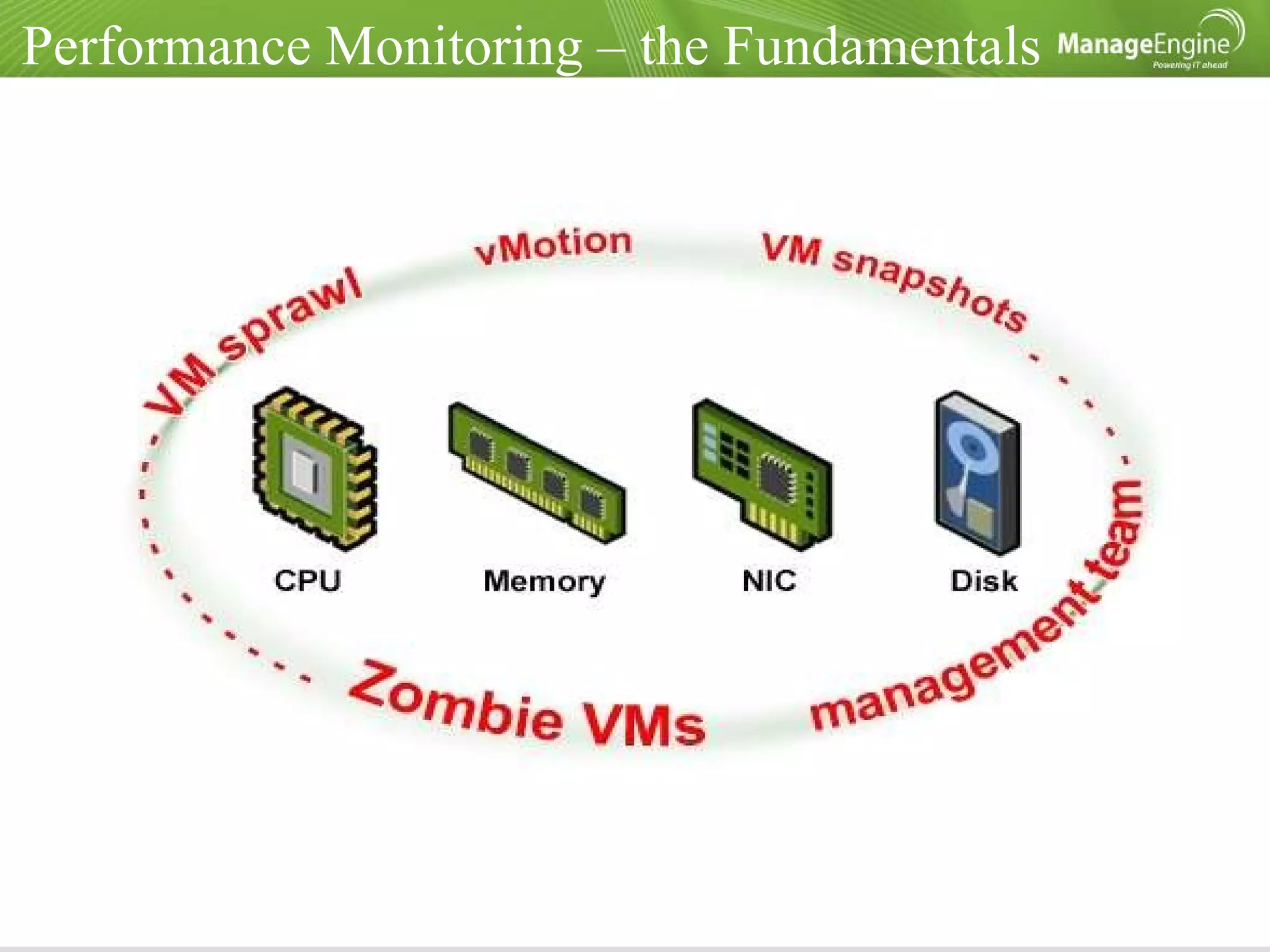
Performance Monitoring – the Fundamentals
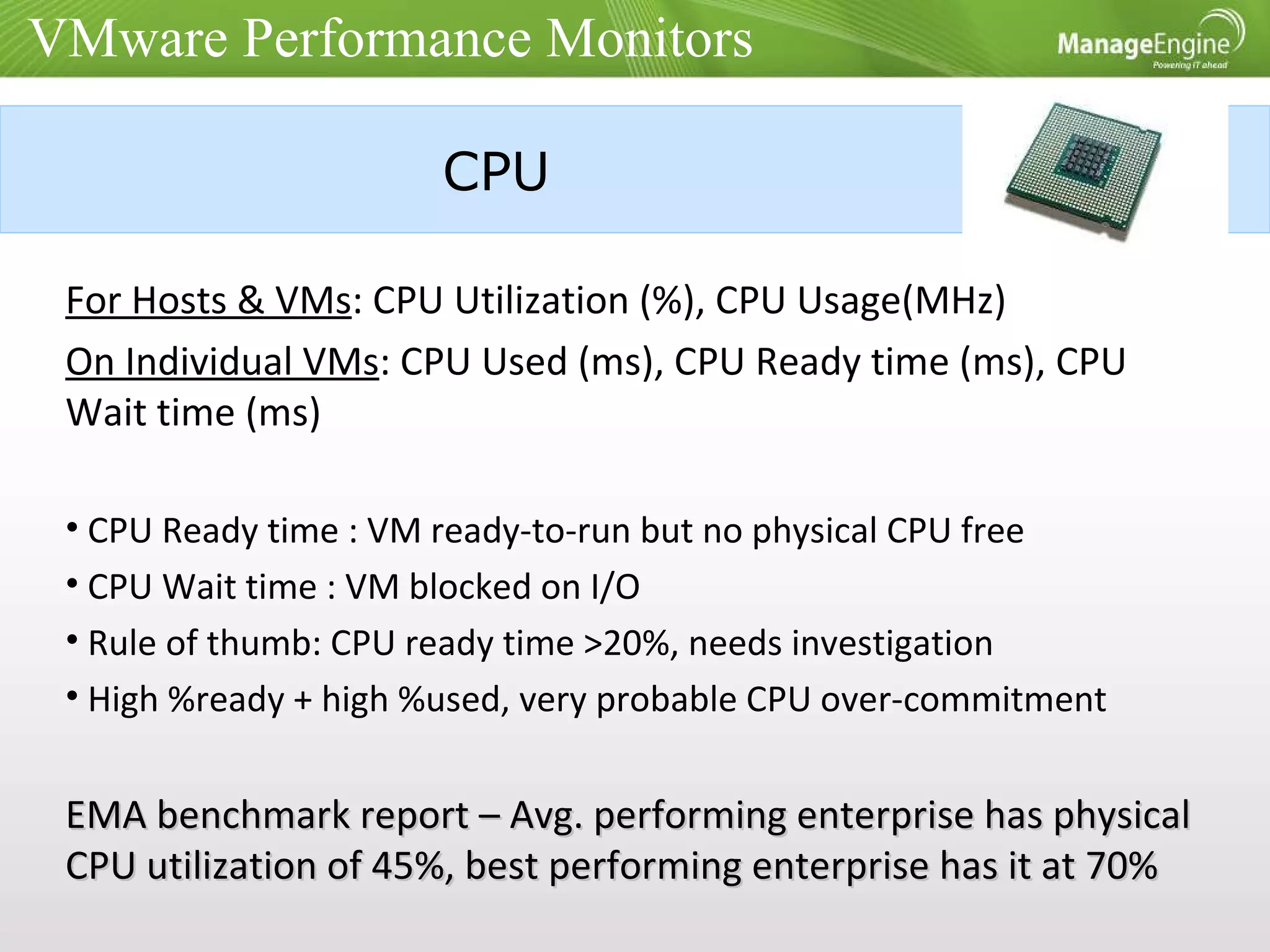
VMware Performance Monitors CPU For Hosts & VMs : CPU Utilization (%), CPU Usage(MHz)  On Individual VMs : CPU Used (ms), CPU Ready time (ms), CPU Wait time (ms) CPU Ready time : VM ready-to-run but no physical CPU free CPU Wait time : VM blocked on I/O Rule of thumb: CPU ready time >20%, needs investigation High %ready + high %used, very probable CPU over-commitment EMA benchmark report – Avg. performing enterprise has physical CPU utilization of 45%, best performing enterprise has it at 70%
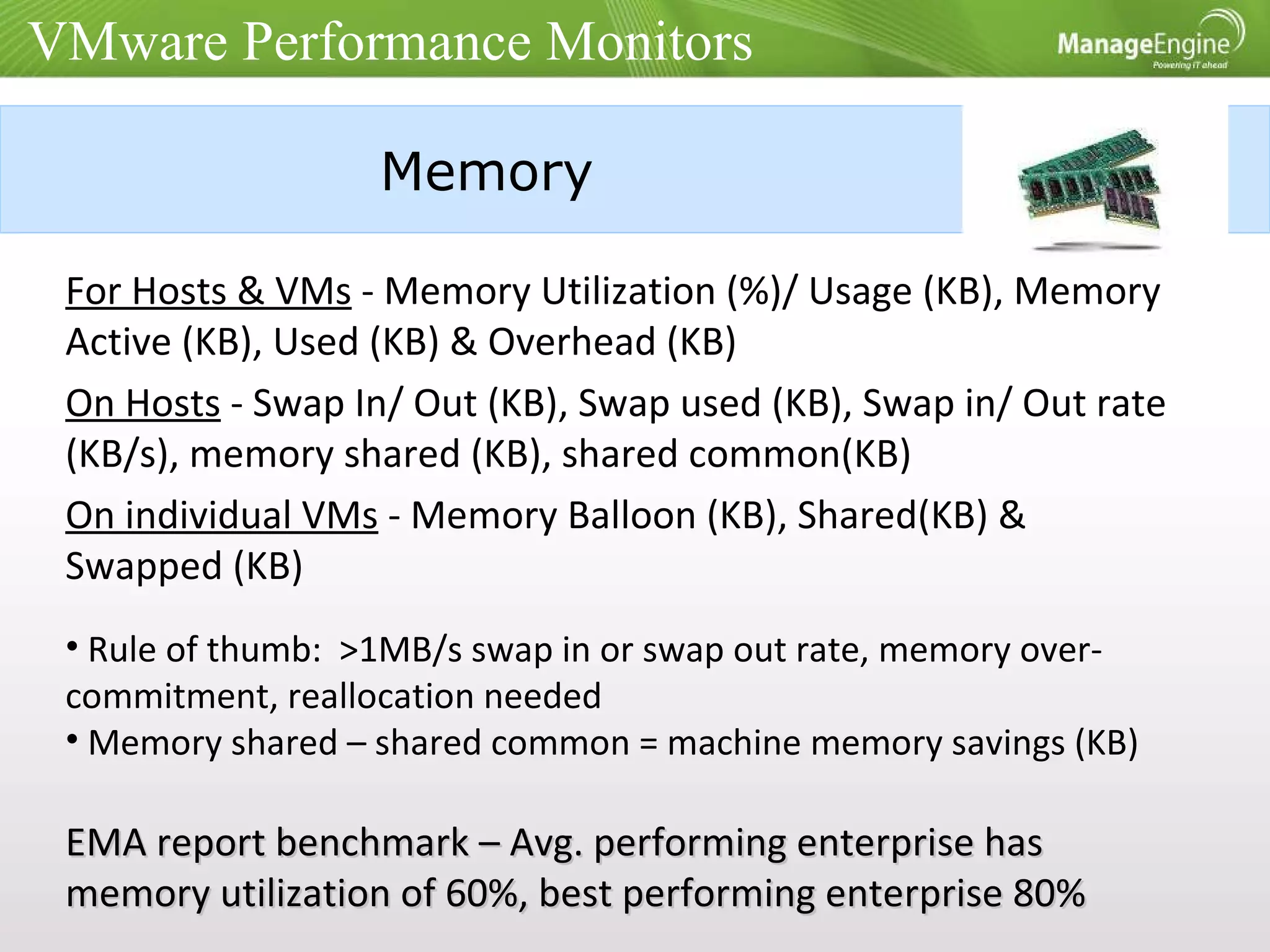
Memory For Hosts & VMs  - Memory Utilization (%)/ Usage (KB), Memory Active (KB), Used (KB) & Overhead (KB) On Hosts  - Swap In/ Out (KB), Swap used (KB), Swap in/ Out rate (KB/s), memory shared (KB), shared common(KB) On individual VMs  - Memory Balloon (KB), Shared(KB) & Swapped (KB) Rule of thumb:  >1MB/s swap in or swap out rate, memory over-commitment, reallocation needed Memory shared – shared common = machine memory savings (KB) EMA report benchmark – Avg. performing enterprise has memory utilization of 60%, best performing enterprise 80% VMware Performance Monitors
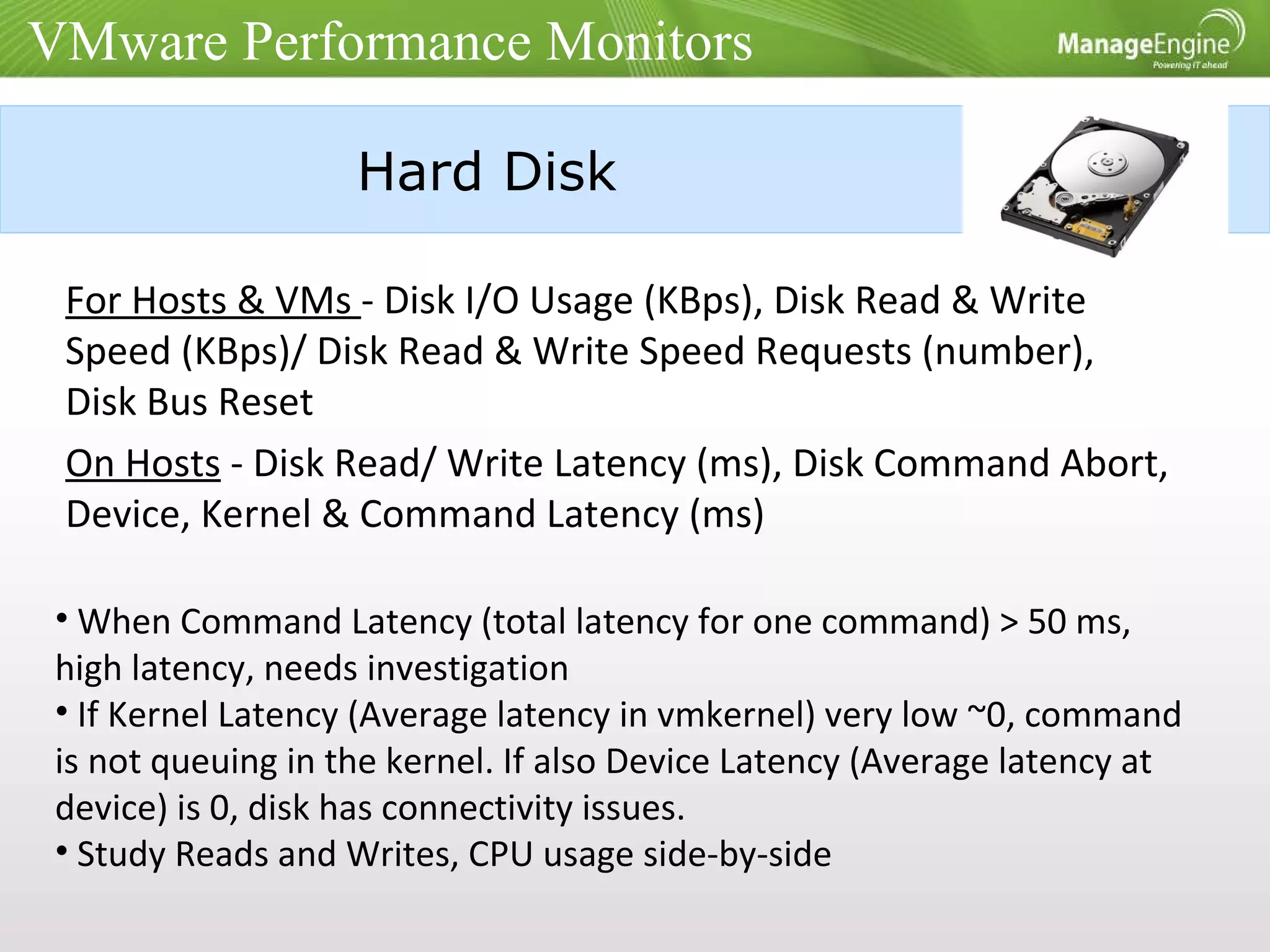
Hard Disk For Hosts & VMs  - Disk I/O Usage (KBps), Disk Read & Write Speed (KBps)/ Disk Read & Write Speed Requests (number), Disk Bus Reset On Hosts  - Disk Read/ Write Latency (ms), Disk Command Abort, Device, Kernel & Command Latency (ms) When Command Latency (total latency for one command) > 50 ms, high latency, needs investigation If Kernel Latency (Average latency in vmkernel) very low ~0, command is not queuing in the kernel. If also Device Latency (Average latency at device) is 0, disk has connectivity issues. Study Reads and Writes, CPU usage side-by-side VMware Performance Monitors
Network Interface Card For Hosts & VMs  - Packets Received/ Transmitted (packets/sec), Network Usage (KBps), Network Received/ Transmitted Speed (KBps)  Are packet rate/ bandwidth at expected levels? Are the VMs sharing one physical NIC? EMA benchmark report – Avg. performing enterprise has NIC utilization of 30-40%, best performing enterprise have it at 70-90% VMware Performance Monitors
Performance Management – the Essentials Quick views  - of problem areas e.g. top VMs by CPU Ready time Thresholds  - assigned by default for important metrics Notifications & Alarm Management -  should easily gel with the existing IT mgmt procedures Side-by-side reports  – a single dashboard having multiple metrics; VMware specific and those of the physical hardware for quick troubleshooting History Reporting
OpManager’s VMware Monitoring Supports ESX 3.5, ESX3.5i, ESX4 & ESX4i  Uses native VMware APIs: Agent-less, in-depth monitoring, zero configurations Over 70 deep metrics, with daily/weekly/monthly history reports; 15+ monitors with default thresholds  Automatically maps VMotioned VMs to the corresponding Hosts Inbuilt with OpManager – no extra plug-in or download required Exclusive dashboards & monitors for MS SQL, MS Exchange & Active Directory
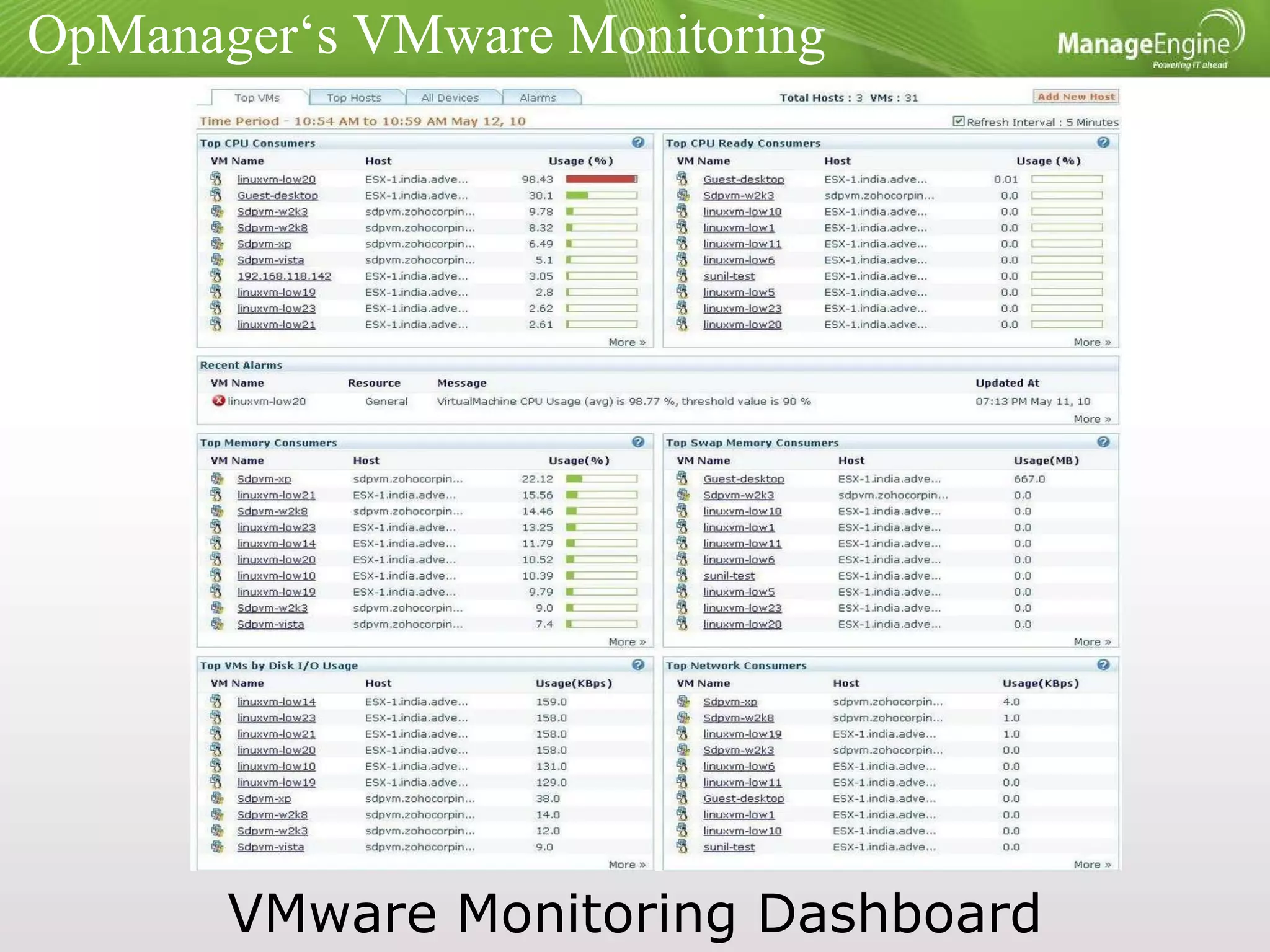
OpManager‘s VMware Monitoring VMware Monitoring Dashboard
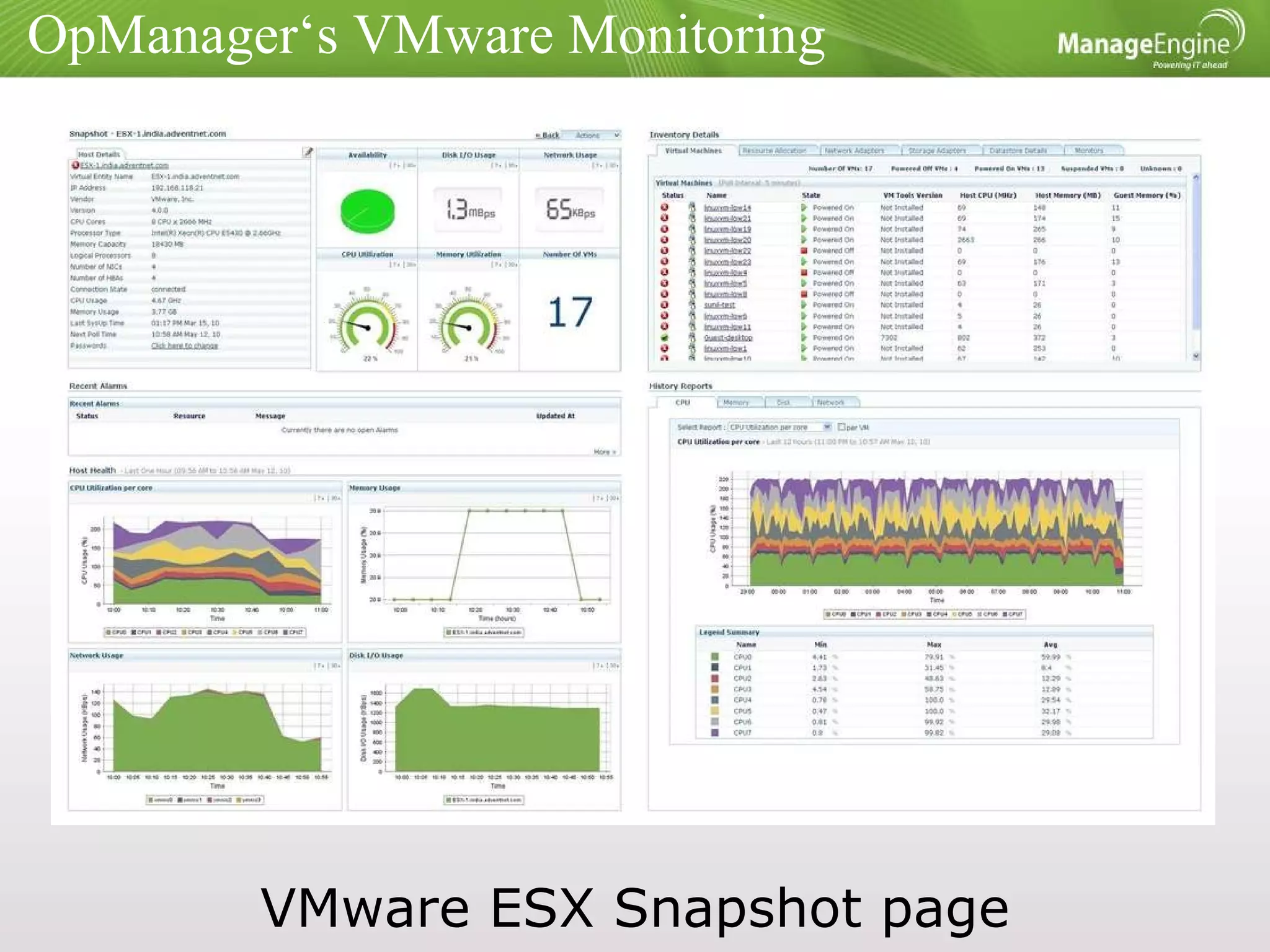
OpManager‘s VMware Monitoring VMware ESX Snapshot page
ManageEngine OpManager www.opmanager.com [email_address]
Discussion Thanks opmanager-marketing@manageengine.com

VMware monitoring must haves

  • 1.
    VMware performance monitoring- The Must Haves OpManager Marketing Team
  • 2.
    Agenda AboutManageEngine Virtualized vs. Physical Server Monitoring VMware Performance Monitors Performance Management – the Essentials OpManager’s VMware Monitoring Discussion
  • 3.
    About ManageEngine ManageEngineSoftware is used by over 40,000 customers including 3 out of every 5 Fortune 500 companies Vendor Landscape
  • 4.
    ManageEngine – ITManagement Portfolio ManageEngine is the only IT management vendor focused on bringing a complete IT management portfolio to the mid sized enterprise
  • 5.
    Virtualized vs. PhysicalServer Monitoring Pros Cons Shared Resources Ideal resource utilization, quickest ROI Problem in one VM might affect the other VMs in the Host Dynamic Servers 100% server uptime Tracking of VMs to corresponding Host Easy Provisioning Server provisioning within minutes VM Sprawl – Zombie VMs eating-up resources
  • 6.
  • 7.
    VMware Performance MonitorsCPU For Hosts & VMs : CPU Utilization (%), CPU Usage(MHz) On Individual VMs : CPU Used (ms), CPU Ready time (ms), CPU Wait time (ms) CPU Ready time : VM ready-to-run but no physical CPU free CPU Wait time : VM blocked on I/O Rule of thumb: CPU ready time >20%, needs investigation High %ready + high %used, very probable CPU over-commitment EMA benchmark report – Avg. performing enterprise has physical CPU utilization of 45%, best performing enterprise has it at 70%
  • 8.
    Memory For Hosts& VMs - Memory Utilization (%)/ Usage (KB), Memory Active (KB), Used (KB) & Overhead (KB) On Hosts - Swap In/ Out (KB), Swap used (KB), Swap in/ Out rate (KB/s), memory shared (KB), shared common(KB) On individual VMs - Memory Balloon (KB), Shared(KB) & Swapped (KB) Rule of thumb: >1MB/s swap in or swap out rate, memory over-commitment, reallocation needed Memory shared – shared common = machine memory savings (KB) EMA report benchmark – Avg. performing enterprise has memory utilization of 60%, best performing enterprise 80% VMware Performance Monitors
  • 9.
    Hard Disk ForHosts & VMs - Disk I/O Usage (KBps), Disk Read & Write Speed (KBps)/ Disk Read & Write Speed Requests (number), Disk Bus Reset On Hosts - Disk Read/ Write Latency (ms), Disk Command Abort, Device, Kernel & Command Latency (ms) When Command Latency (total latency for one command) > 50 ms, high latency, needs investigation If Kernel Latency (Average latency in vmkernel) very low ~0, command is not queuing in the kernel. If also Device Latency (Average latency at device) is 0, disk has connectivity issues. Study Reads and Writes, CPU usage side-by-side VMware Performance Monitors
  • 10.
    Network Interface CardFor Hosts & VMs - Packets Received/ Transmitted (packets/sec), Network Usage (KBps), Network Received/ Transmitted Speed (KBps) Are packet rate/ bandwidth at expected levels? Are the VMs sharing one physical NIC? EMA benchmark report – Avg. performing enterprise has NIC utilization of 30-40%, best performing enterprise have it at 70-90% VMware Performance Monitors
  • 11.
    Performance Management –the Essentials Quick views - of problem areas e.g. top VMs by CPU Ready time Thresholds - assigned by default for important metrics Notifications & Alarm Management - should easily gel with the existing IT mgmt procedures Side-by-side reports – a single dashboard having multiple metrics; VMware specific and those of the physical hardware for quick troubleshooting History Reporting
  • 12.
    OpManager’s VMware MonitoringSupports ESX 3.5, ESX3.5i, ESX4 & ESX4i Uses native VMware APIs: Agent-less, in-depth monitoring, zero configurations Over 70 deep metrics, with daily/weekly/monthly history reports; 15+ monitors with default thresholds Automatically maps VMotioned VMs to the corresponding Hosts Inbuilt with OpManager – no extra plug-in or download required Exclusive dashboards & monitors for MS SQL, MS Exchange & Active Directory
  • 13.
    OpManager‘s VMware MonitoringVMware Monitoring Dashboard
  • 14.
    OpManager‘s VMware MonitoringVMware ESX Snapshot page
  • 15.
  • 16.