I-Hen Tsai
Software Engineer
Delta Electronics Tainan Joint Labs

WHAT TO MAKE OF TODAY’S
“SMART” PLATFORMS
Outline

 Defining and debunking the “smart” myth
 History & evolution
 Market analysis
 Applications & examples
 Designing for today’s smart devices
   General advice & examples
   Advice for Android development
 Conclusions

                                            2
Definition of “smart” device

 1997 Ericsson, first mention
1. Wide range of form factors
2. Support ubiquitous computing properties
3. Impersonal physical world interaction
4. Multi-tasking capabilities


 Sounds like every laptop doesn’t it?
   We don’t call our laptop a “smart” something

                                                   3
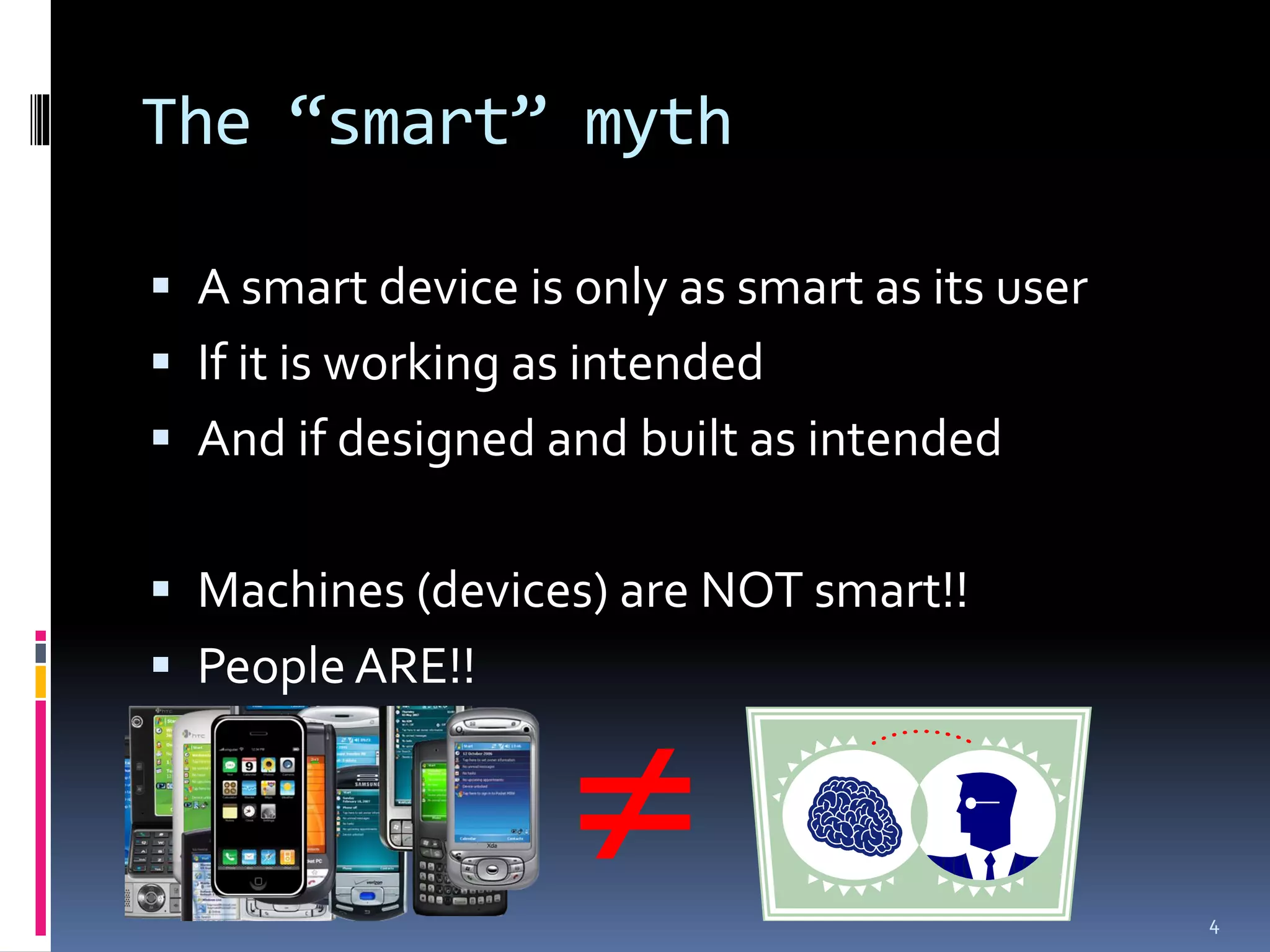
The “smart” myth

 A smart device is only as smart as its user
 If it is working as intended
 And if designed and built as intended


 Machines (devices) are NOT smart!!
 People ARE!!


                                               4
Outline

 Defining and debunking the “smart” myth
 History & evolution
 Market analysis
 Applications & examples
 Designing for today’s smart devices
   General advice & examples
   Advice for Android development
 Conclusions

                                            5
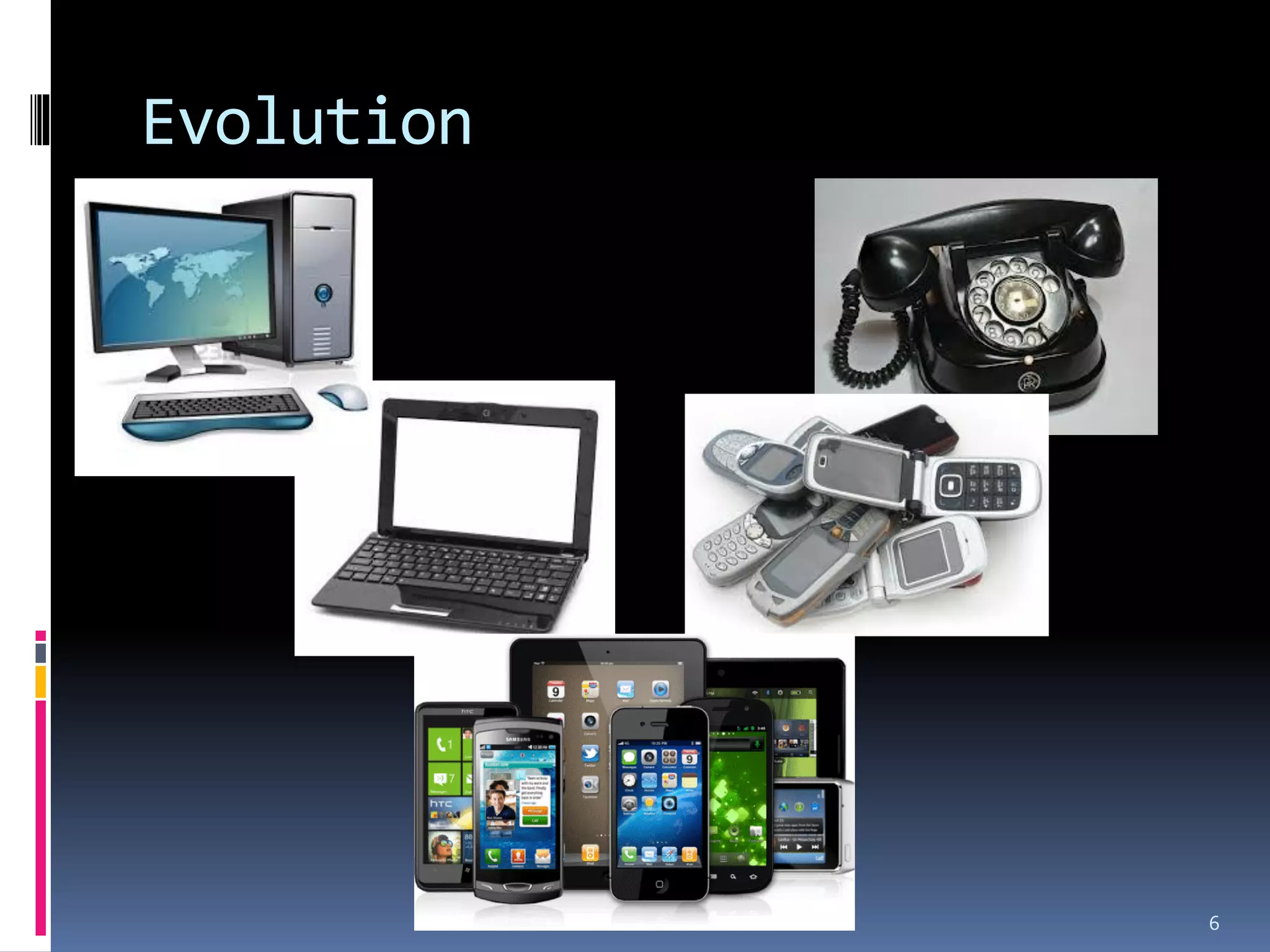
Evolution


            6
Smartphones & such platforms

 Feature phones
 Smart phones
 Tablets
   Phablets


                               7
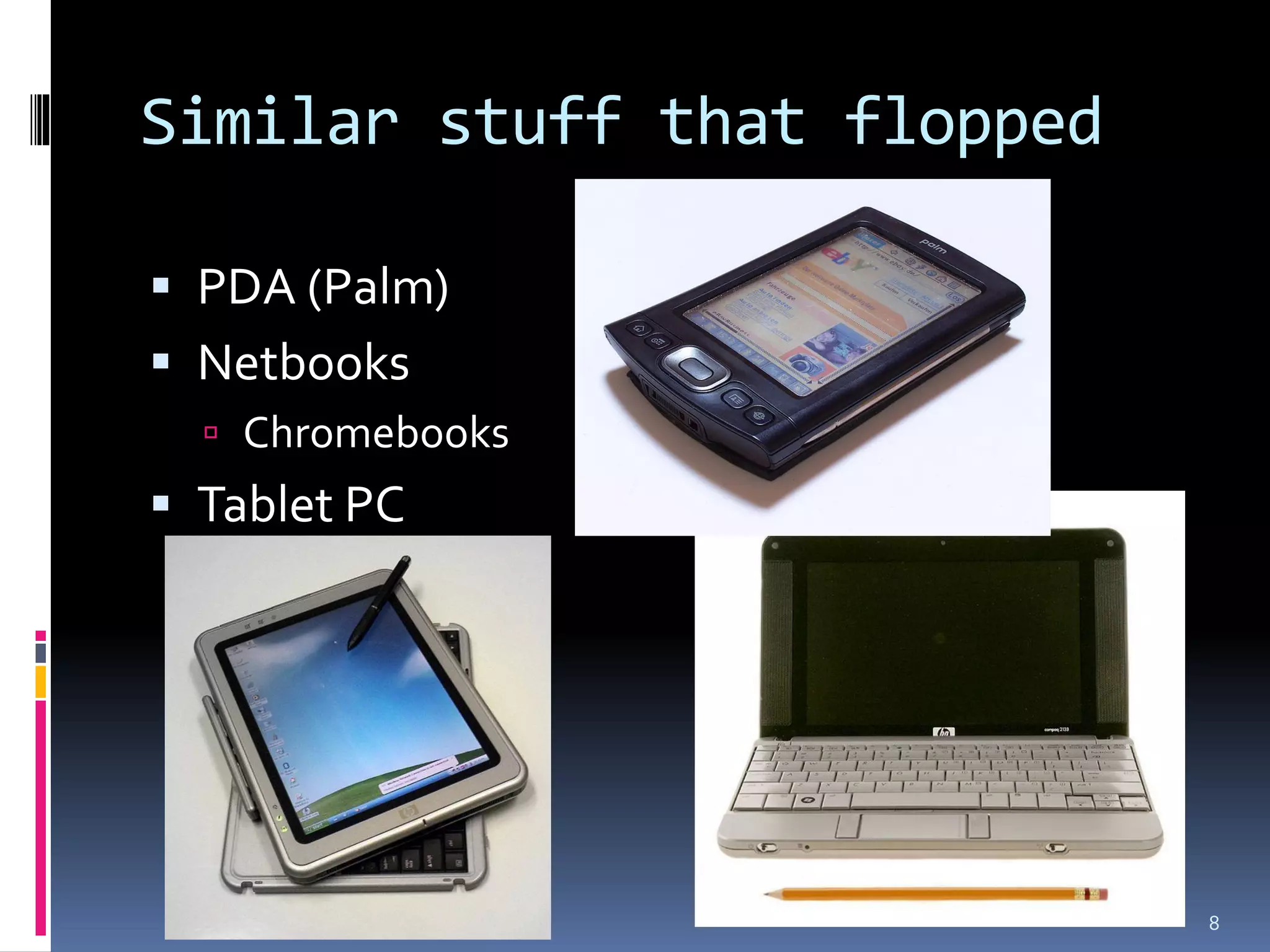
Similar stuff that flopped

 PDA (Palm)
 Netbooks
   Chromebooks
 Tablet PC


                             8
Outline

 Defining and debunking the “smart” myth
 History & evolution
 Market analysis
 Applications & examples
 Designing for today’s smart devices
   General advice & examples
   Advice for Android development
 Conclusions

                                            9
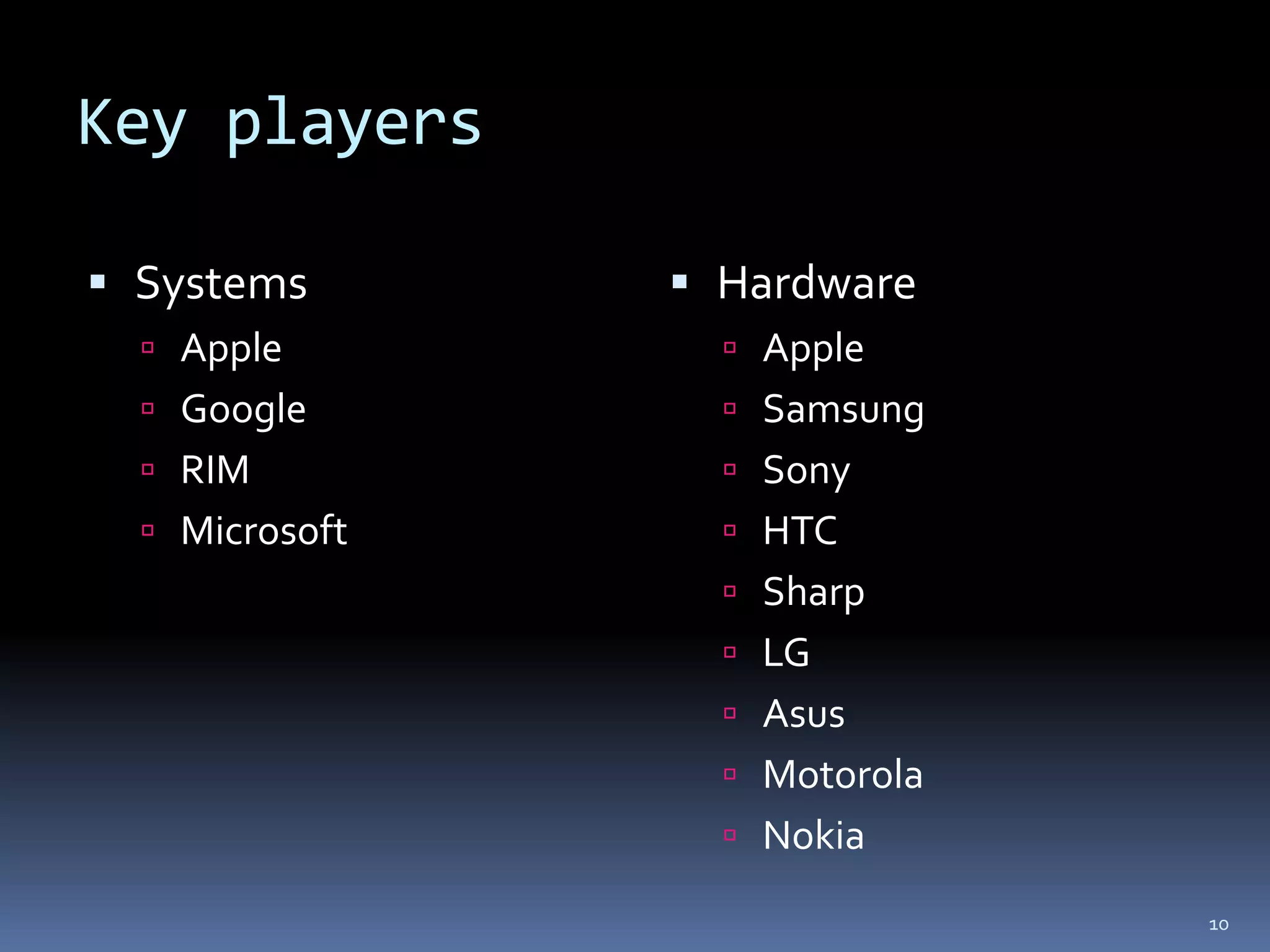
Key players

 Systems        Hardware
   Apple          Apple
   Google         Samsung
   RIM            Sony
   Microsoft      HTC
                   Sharp
                   LG
                   Asus
                   Motorola
                   Nokia

                               10
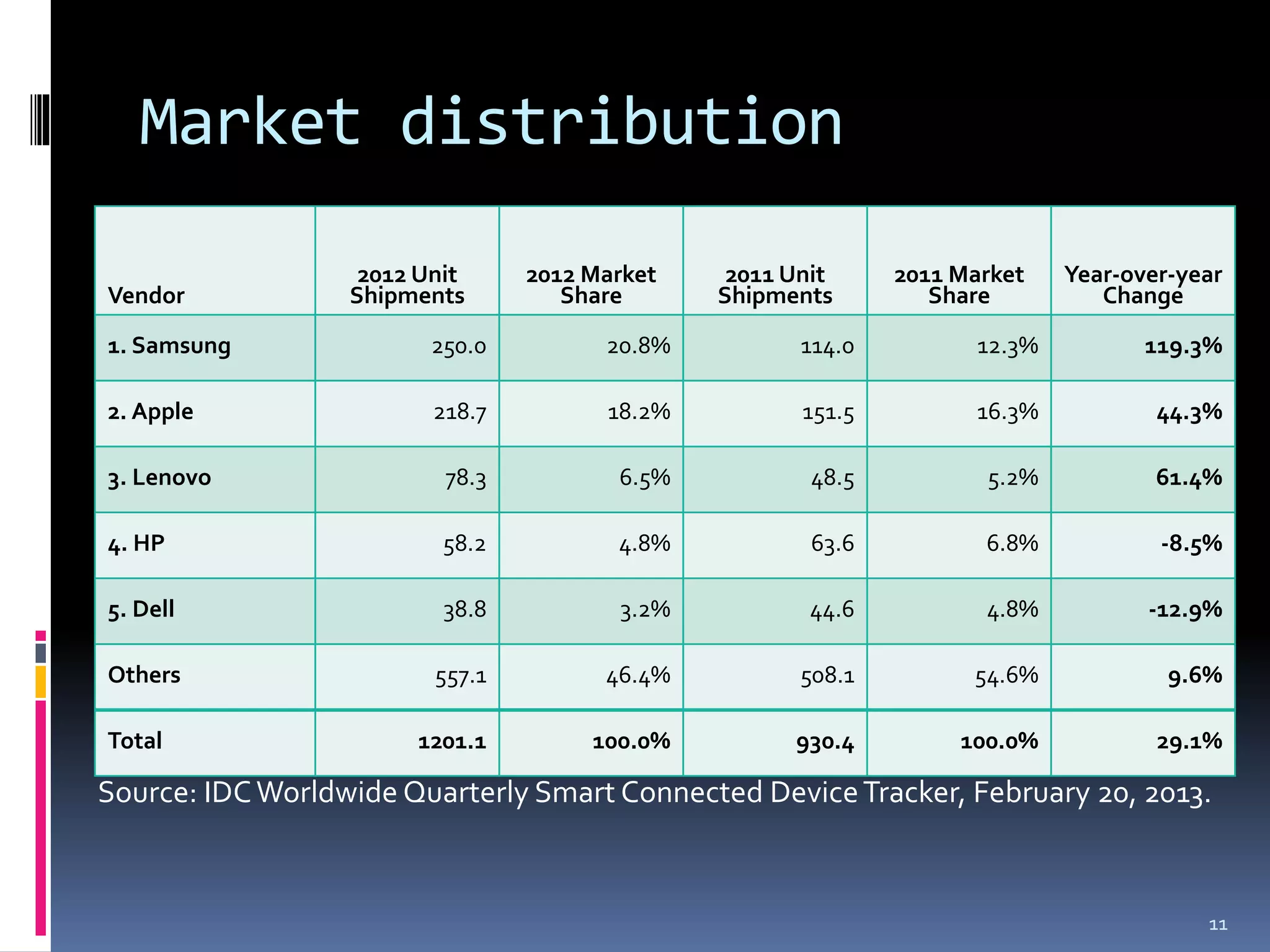
Market distribution
                   2012 Unit     2012 Market    2011 Unit     2011 Market    Year-over-year
Vendor            Shipments         Share      Shipments         Share          Change

1. Samsung               250.0         20.8%          114.0          12.3%          119.3%

2. Apple                 218.7         18.2%          151.5         16.3%            44.3%

3. Lenovo                 78.3          6.5%           48.5          5.2%            61.4%

4. HP                     58.2          4.8%           63.6          6.8%            -8.5%

5. Dell                   38.8          3.2%          44.6           4.8%           -12.9%

Others                   557.1         46.4%          508.1         54.6%             9.6%

Total                  1201.1         100.0%         930.4         100.0%            29.1%

Source: IDC Worldwide Quarterly Smart Connected Device Tracker, February 20, 2013.


                                                                                         11
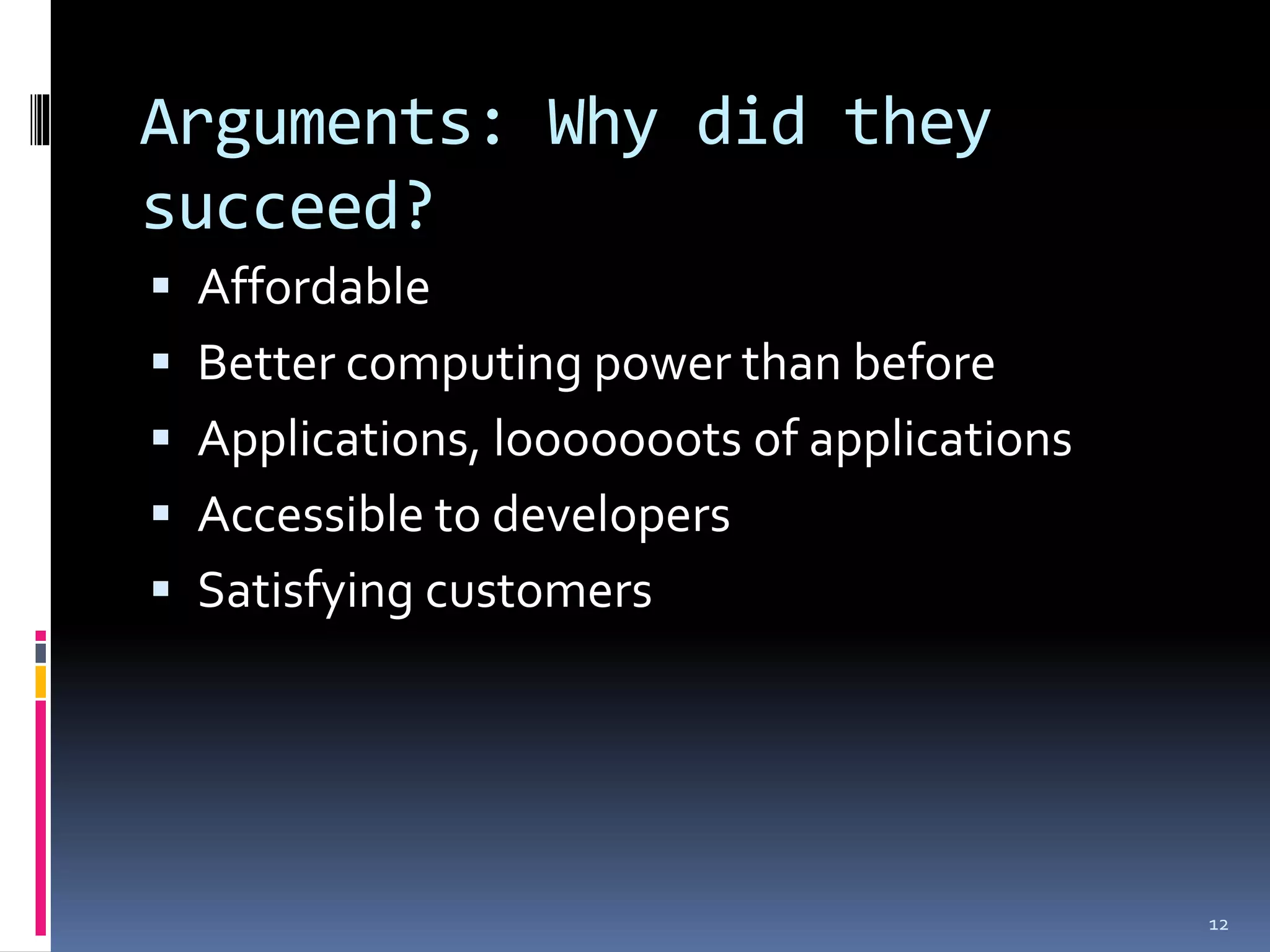
Arguments: Why did they
succeed?
 Affordable
 Better computing power than before
 Applications, looooooots of applications
 Accessible to developers
 Satisfying customers


                                             12
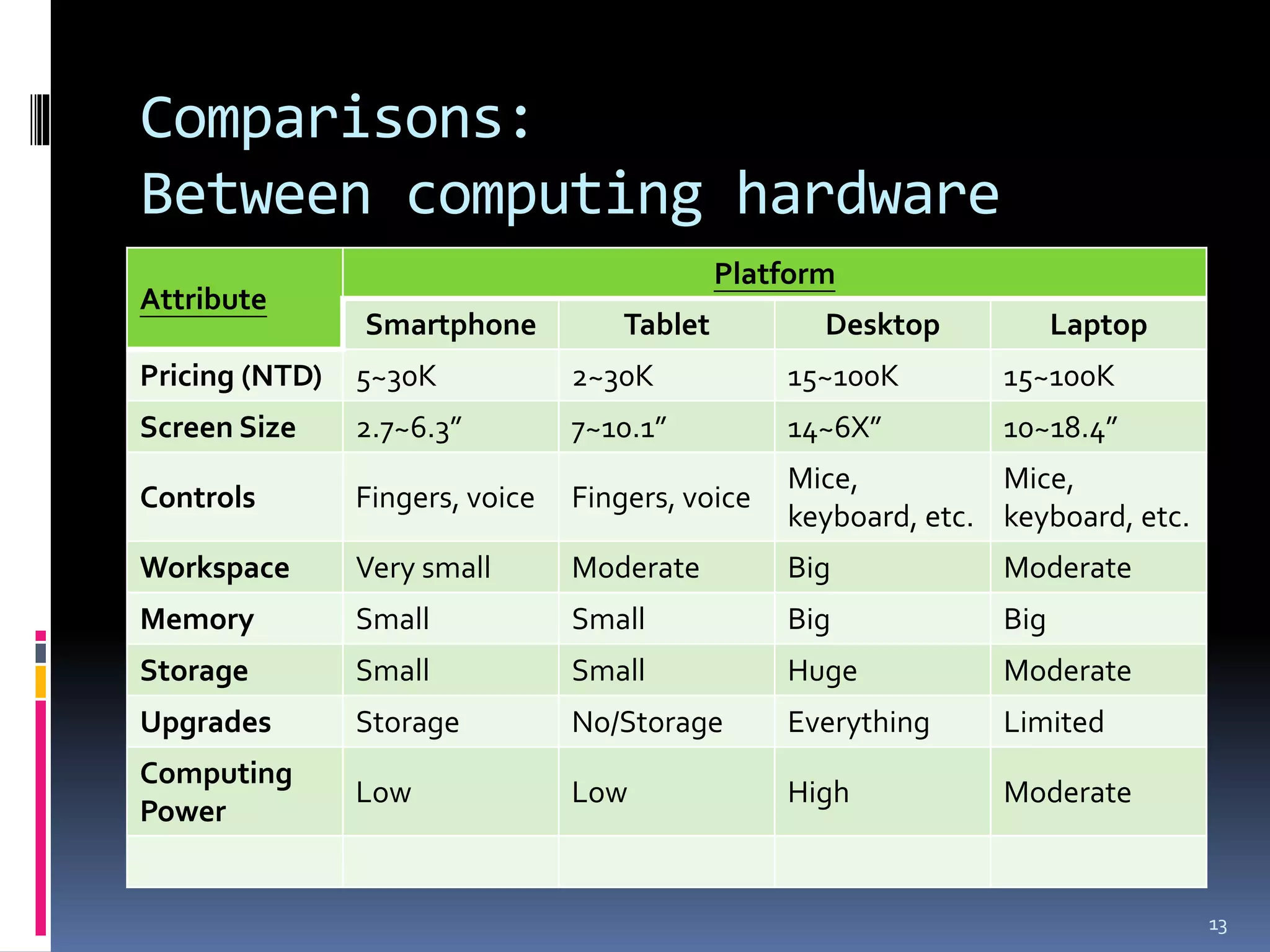
Comparisons:
Between computing hardware
                                              Platform
Attribute
                Smartphone           Tablet          Desktop           Laptop
Pricing (NTD)   5~30K            2~30K            15~100K        15~100K
Screen Size     2.7~6.3”         7~10.1”          14~6X”         10~18.4”
                                                  Mice,          Mice,
Controls        Fingers, voice   Fingers, voice
                                                  keyboard, etc. keyboard, etc.
Workspace       Very small       Moderate         Big            Moderate
Memory          Small            Small            Big            Big
Storage         Small            Small            Huge           Moderate
Upgrades        Storage          No/Storage       Everything     Limited
Computing
                Low              Low              High           Moderate
Power


                                                                                  13
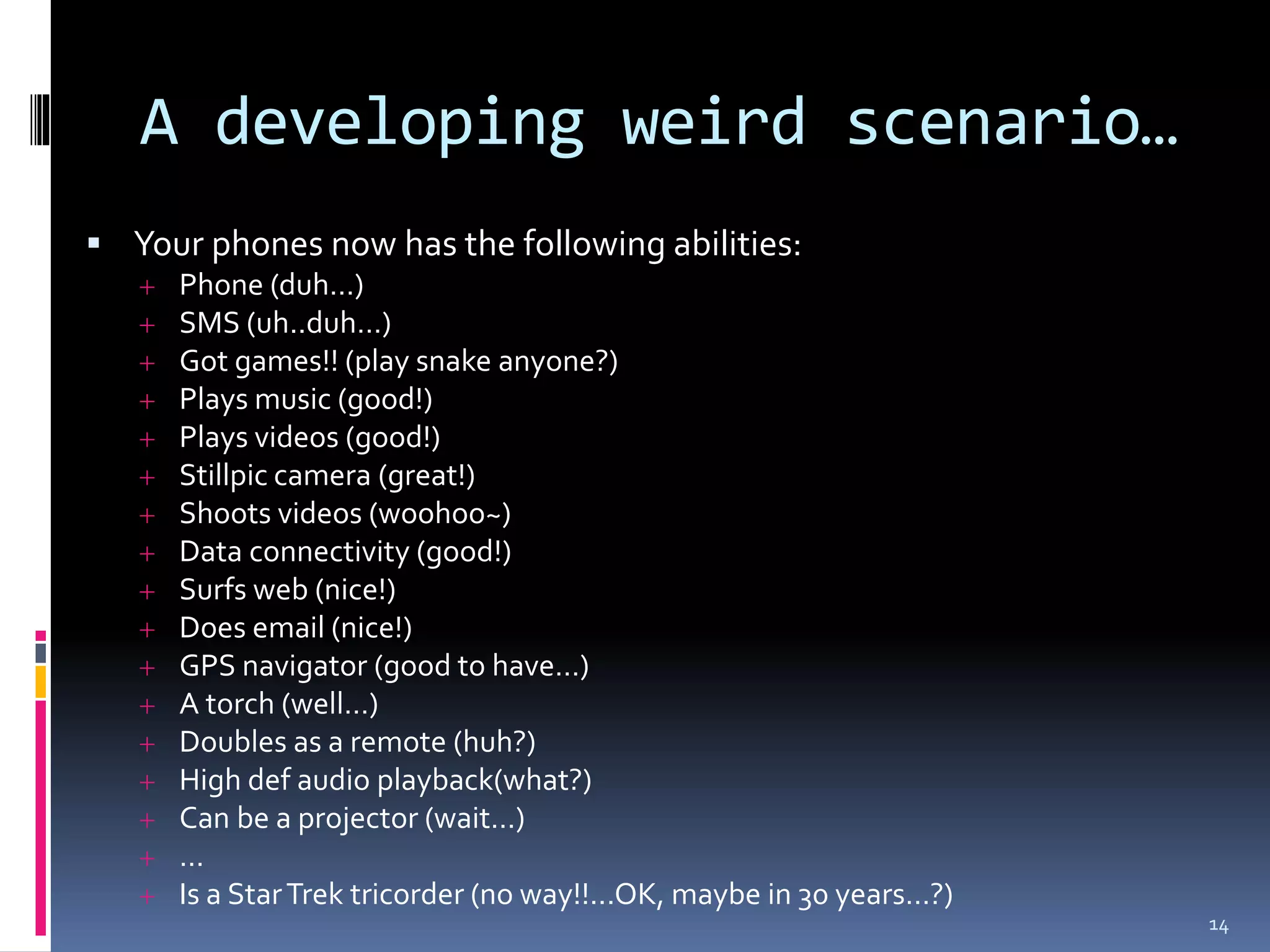
A developing weird scenario…
 Your phones now has the following abilities:
      Phone (duh…)
      SMS (uh..duh…)
      Got games!! (play snake anyone?)
      Plays music (good!)
      Plays videos (good!)
      Stillpic camera (great!)
      Shoots videos (woohoo~)
      Data connectivity (good!)
      Surfs web (nice!)
      Does email (nice!)
      GPS navigator (good to have…)
      A torch (well…)
      Doubles as a remote (huh?)
      High def audio playback(what?)
      Can be a projector (wait…)
      …
      Is a Star Trek tricorder (no way!!...OK, maybe in 30 years…?)
                                                                       14
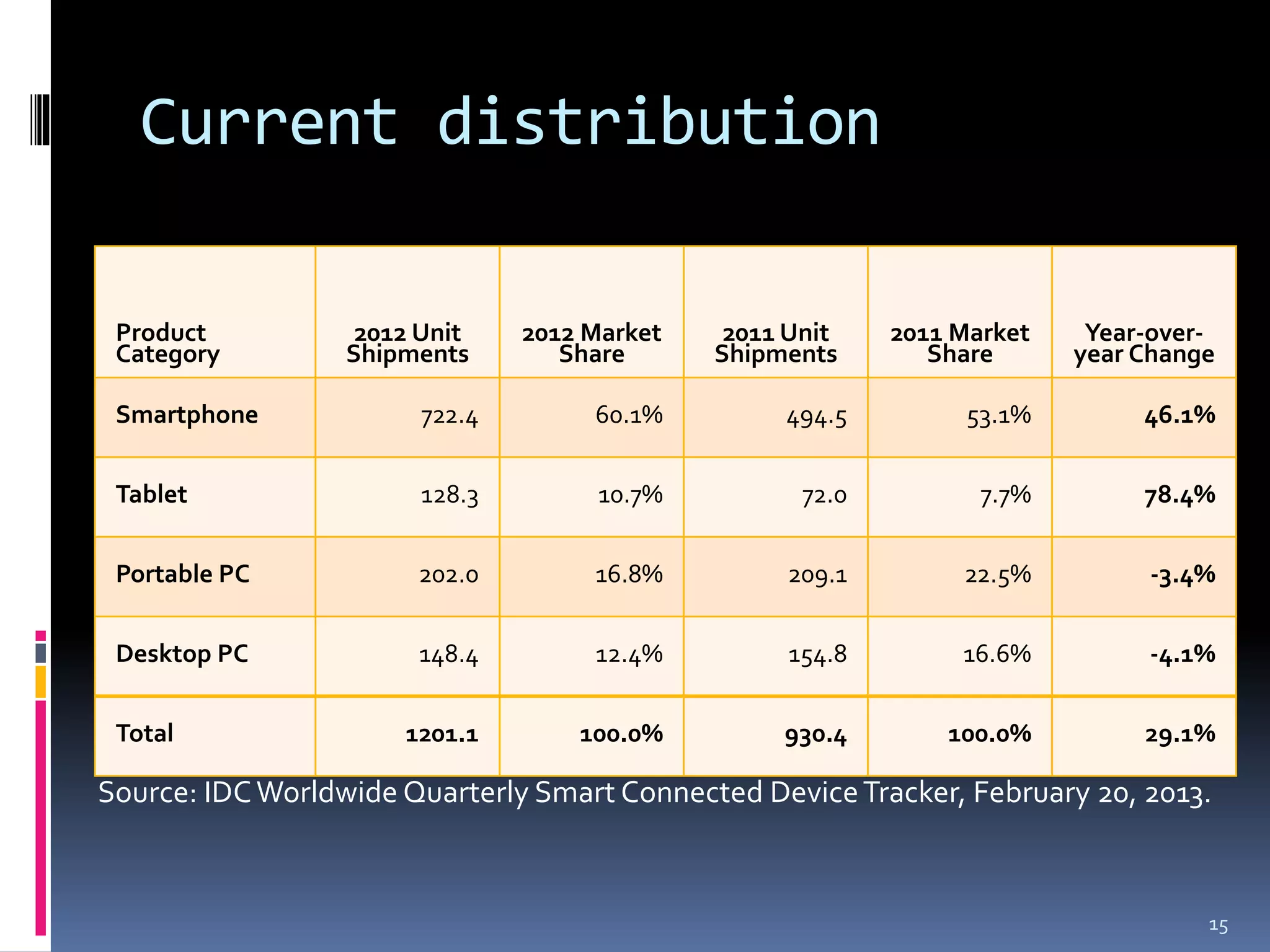
Current distribution

 Product           2012 Unit    2012 Market    2011 Unit    2011 Market    Year-over-
 Category         Shipments        Share      Shipments        Share      year Change

 Smartphone             722.4        60.1%         494.5          53.1%        46.1%


 Tablet                 128.3        10.7%           72.0          7.7%        78.4%


 Portable PC           202.0         16.8%         209.1         22.5%         -3.4%


 Desktop PC            148.4         12.4%          154.8        16.6%         -4.1%


 Total                1201.1        100.0%         930.4        100.0%         29.1%

Source: IDC Worldwide Quarterly Smart Connected Device Tracker, February 20, 2013.


                                                                                    15
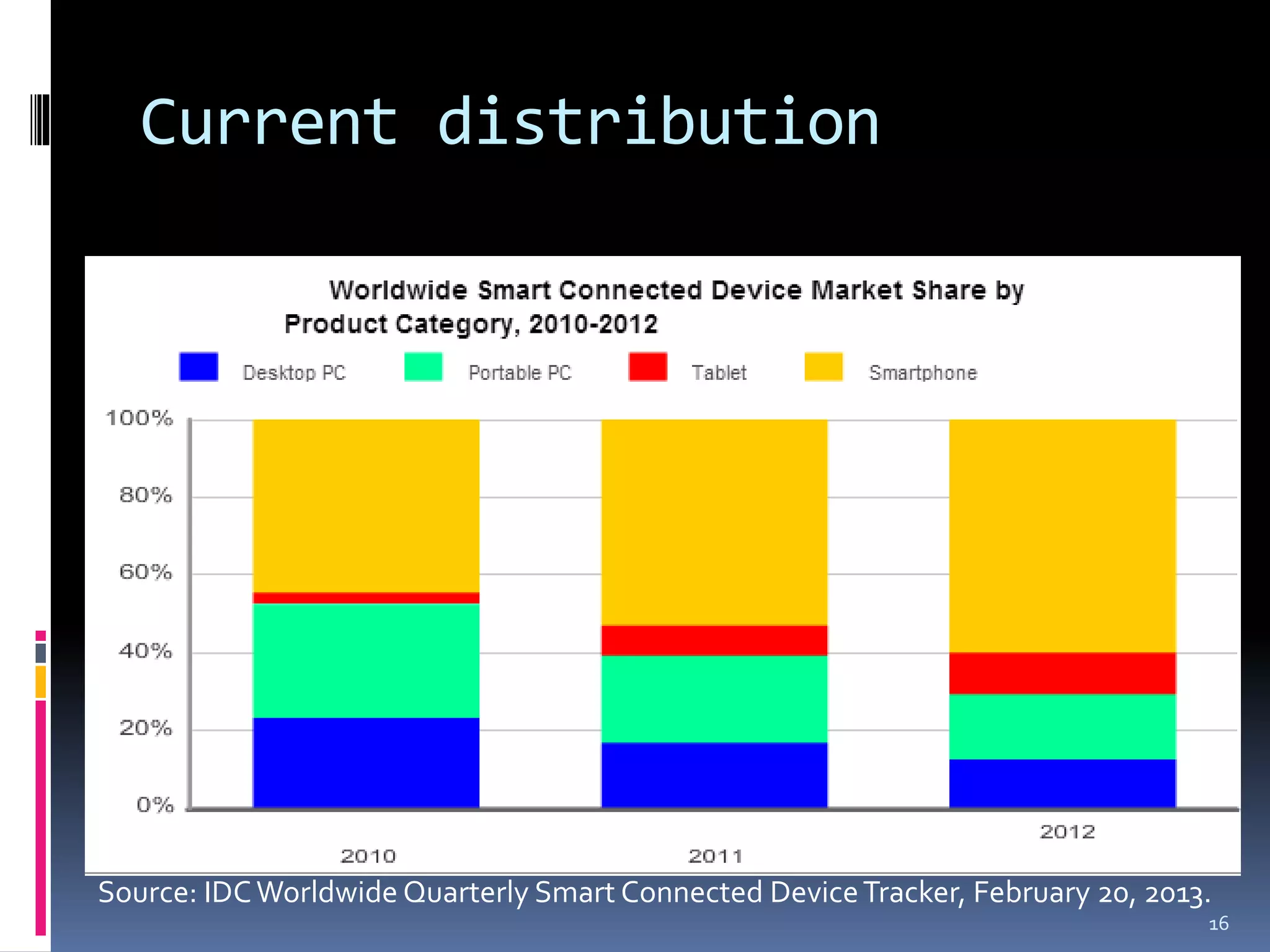
Current distribution


Source: IDC Worldwide Quarterly Smart Connected Device Tracker, February 20, 2013.
                                                                                 16
Outline

 Defining and debunking the “smart” myth
 History & evolution
 Market analysis
 Applications & examples
 Designing for today’s smart devices
   General advice & examples
   Advice for Android development
 Conclusions

                                            17
Applications

 Health diagnostics
 Music composition
 Digital education medium
 Fitness monitoring
 Mobile workplace


                             18
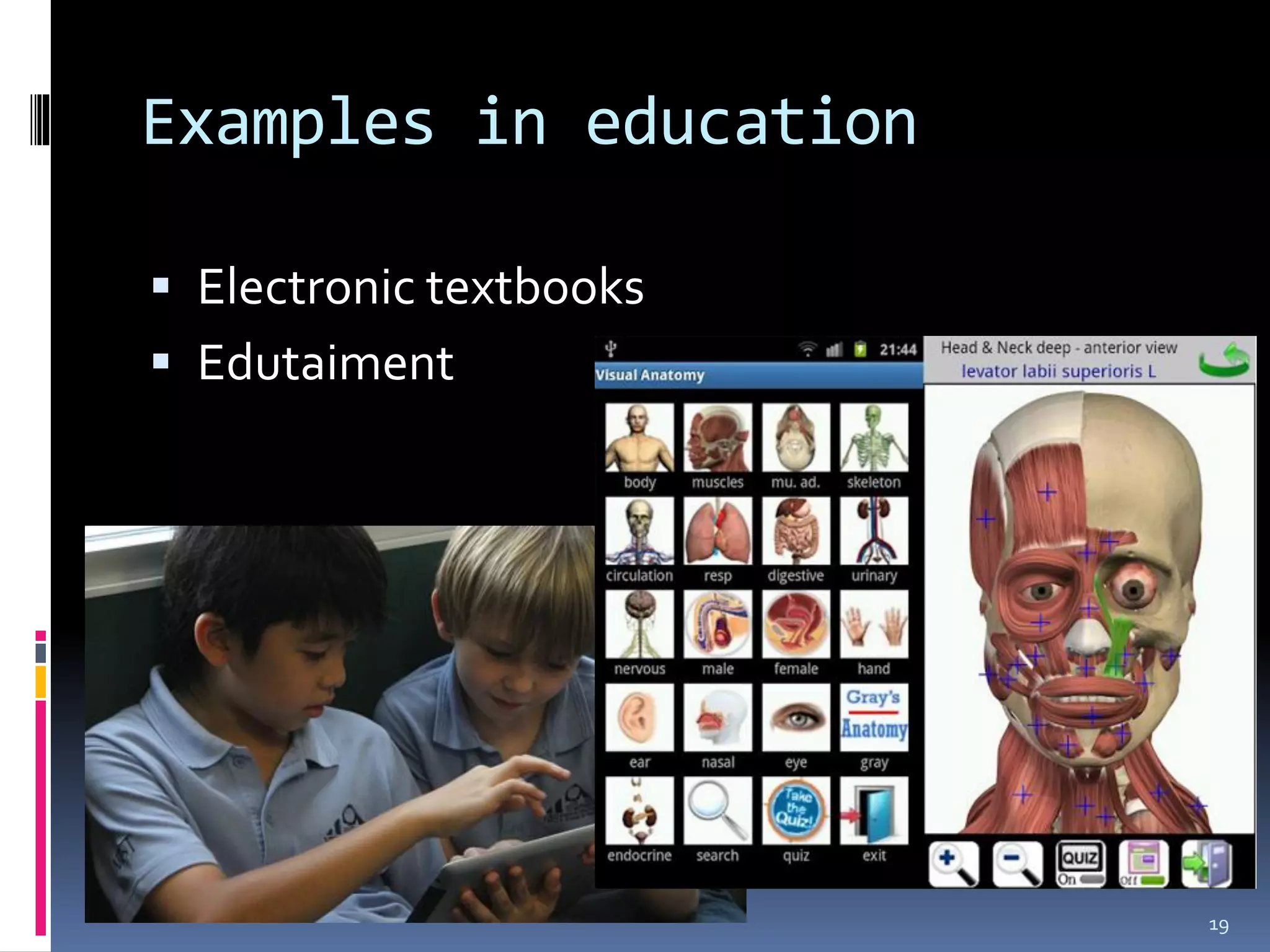
Examples in education

 Electronic textbooks
 Edutaiment


                         19
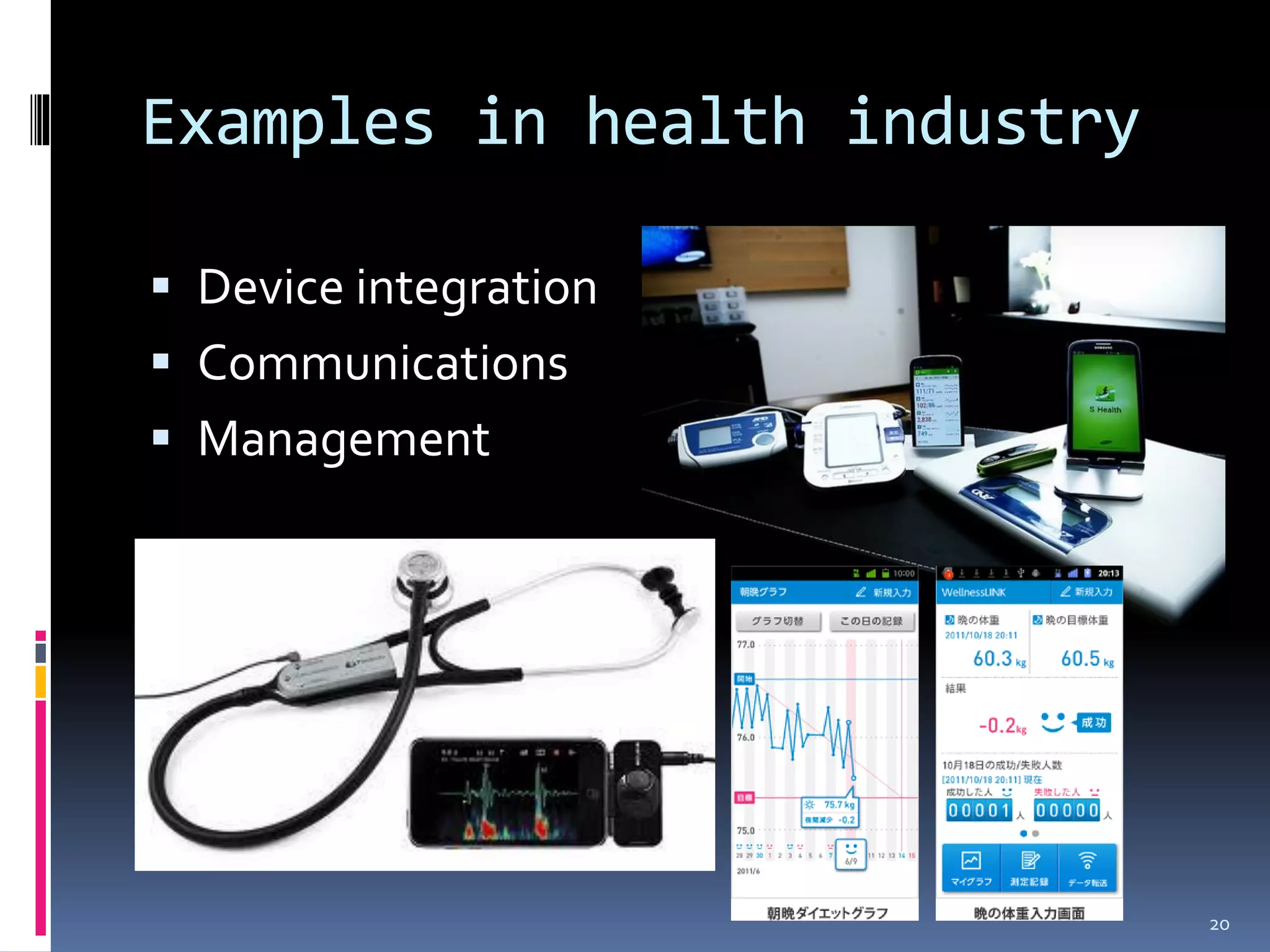
Examples in health industry

 Device integration
 Communications
 Management


                              20
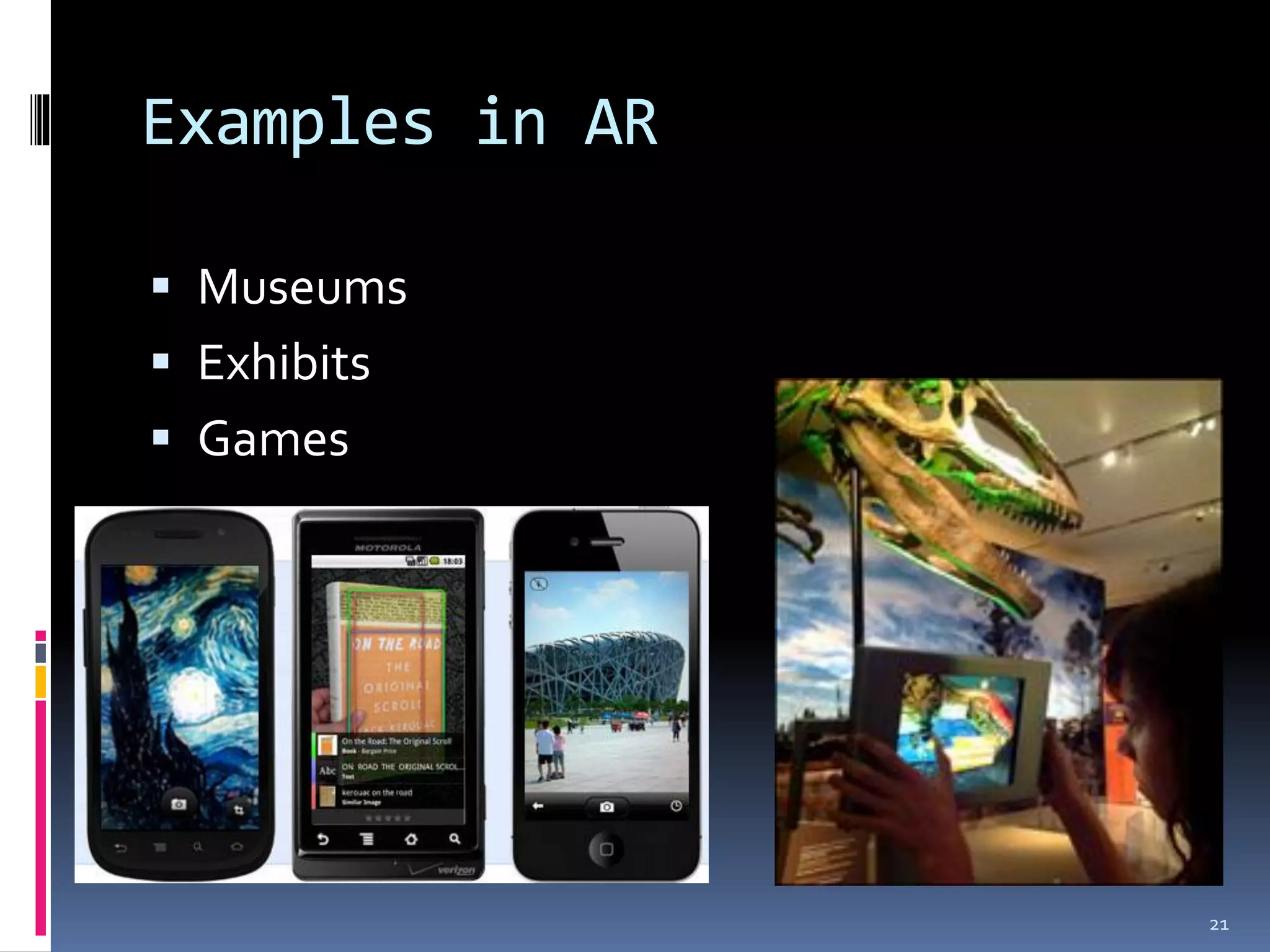
Examples in AR

 Museums
 Exhibits
 Games


                 21
The Real Value?

 Portability
 Versatility
 Connectivity


                  22
Drawbacks

 Same problems with laptops
   Limited power
   Expensive
   Crashes/hangs
 Small working space
 Cannot upgrade


                               23
Things to keep in mind (I)

 Aim of your application
 Screen real estate
 Flow of control
 Hardware requirements to run your
  application


                                      24
Things to keep in mind (II)

 Target audience
 Streamlining
 Provide alternatives


                              25
DESIGNING FOR TODAY’S
“SMART” PLATFORMS

                        26
Outline

 Defining and debunking the “smart” myth
 History & evolution
 Market analysis
 Applications & examples
 Designing for today’s smart devices
   General advice & examples
   Advice for Android development
 Conclusions

                                            27
General advice


KISS – “Keep it simple, stupid”
Kelly Johnson, Lockheed Skunk Works
(SR-71 Blackbird and other US secret
planes)
                                       28
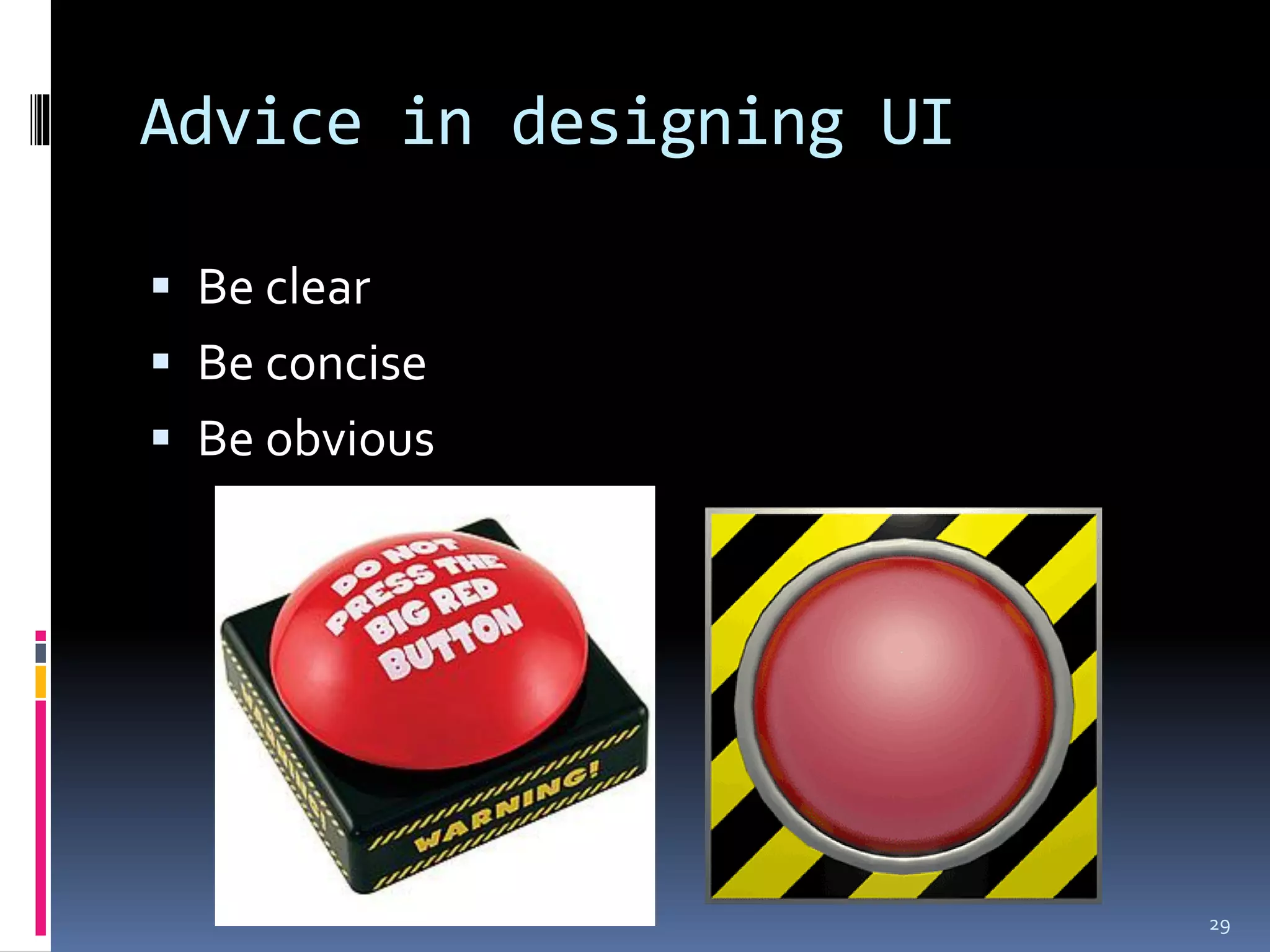
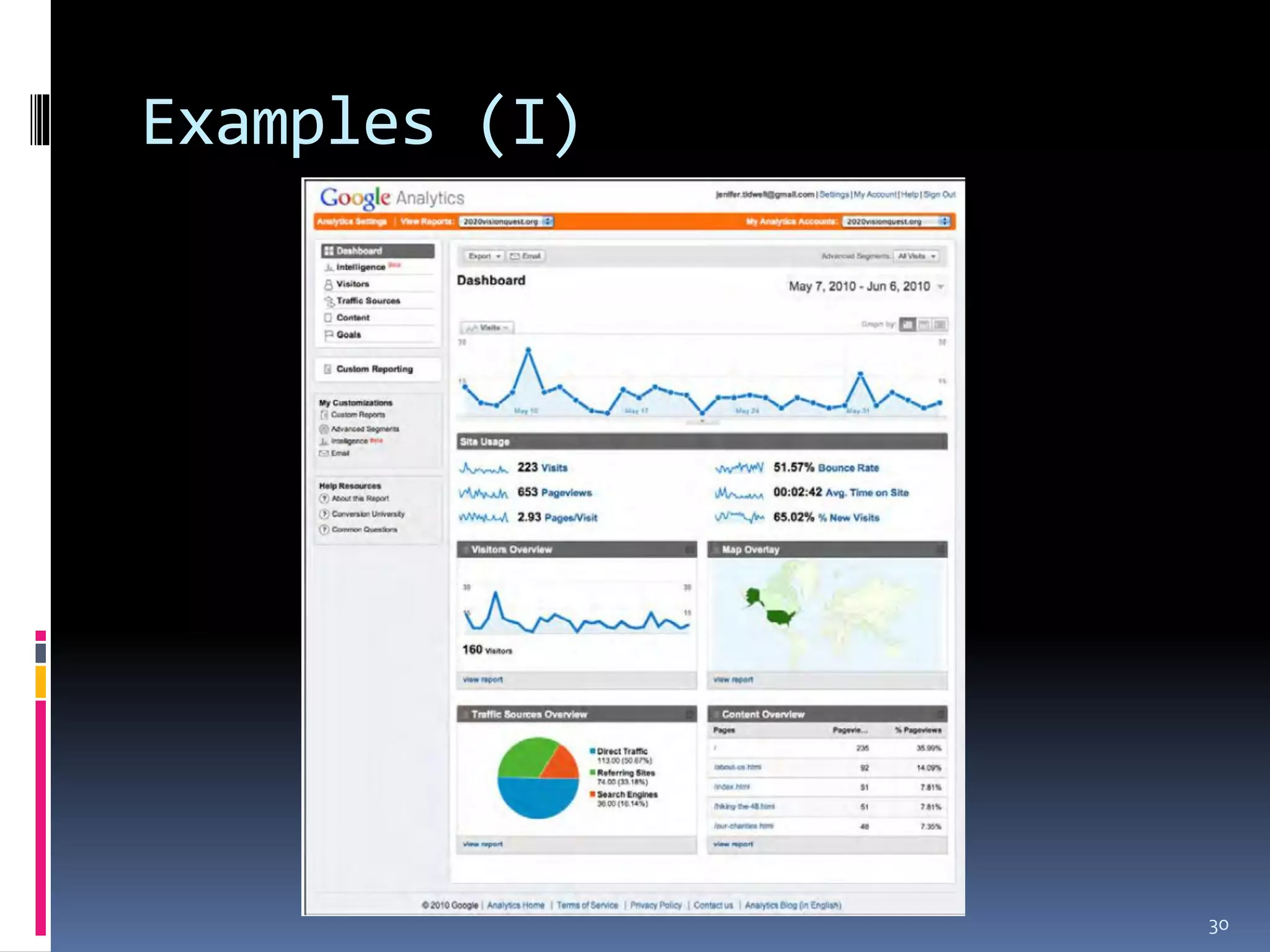
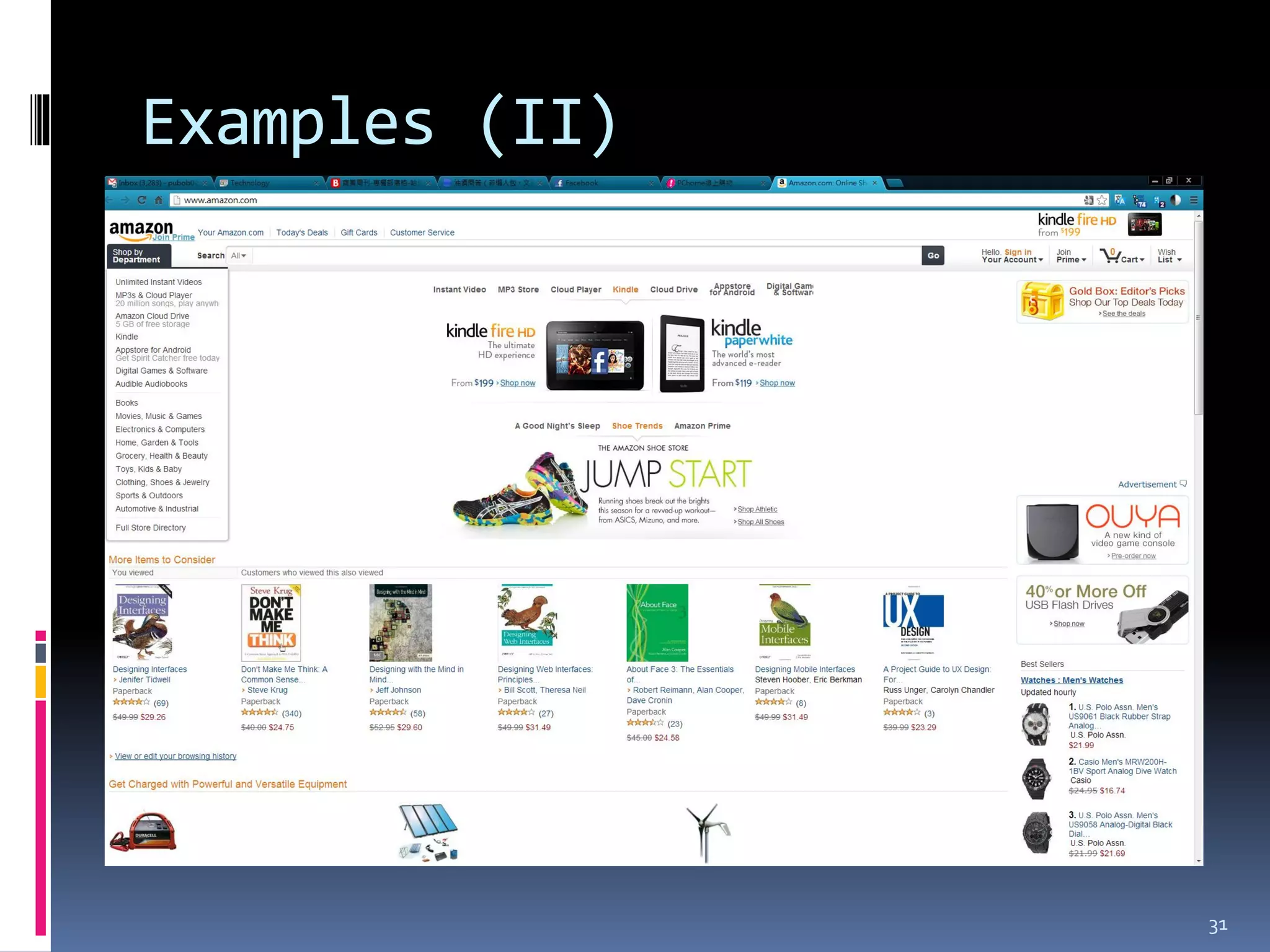
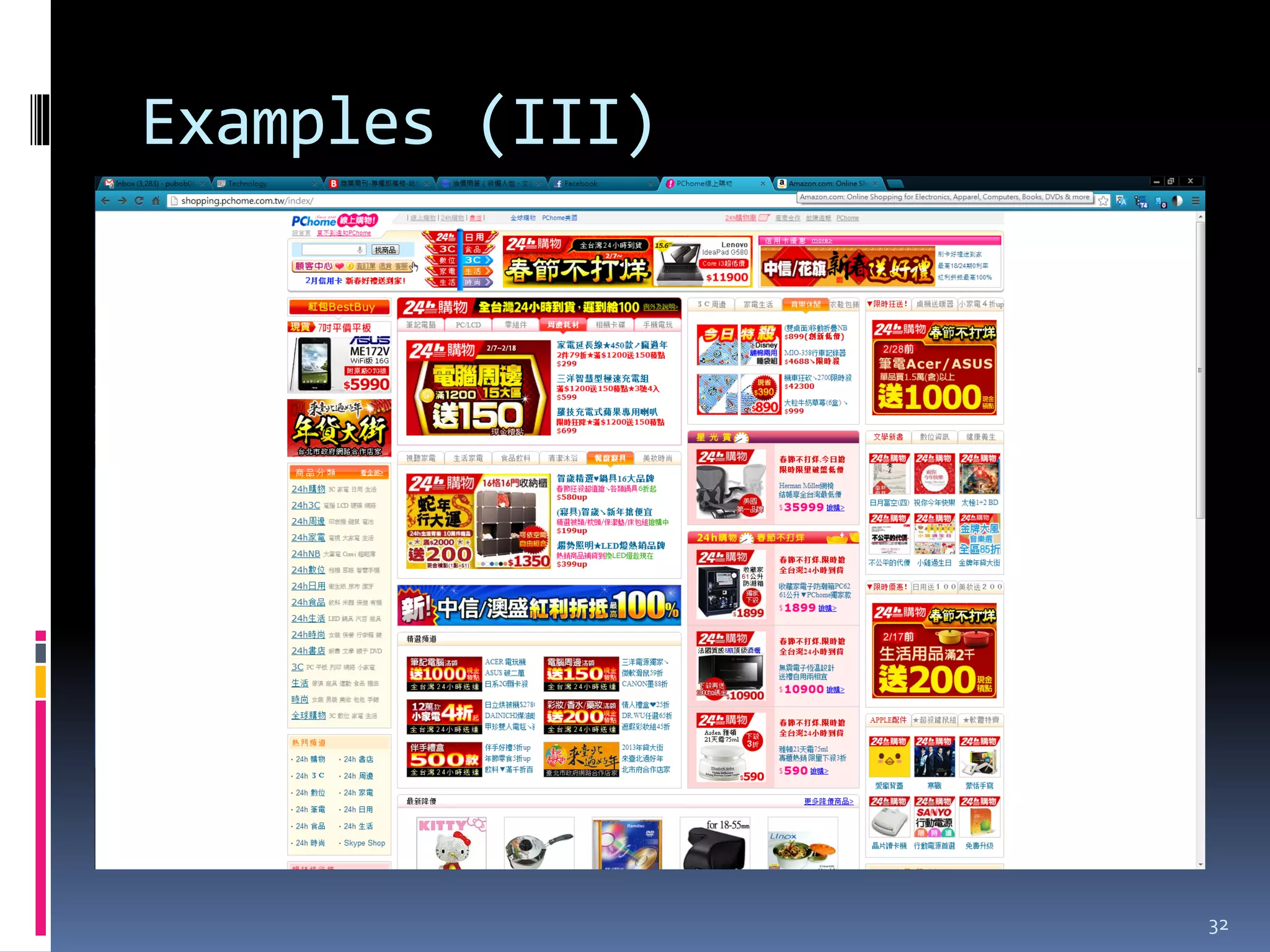
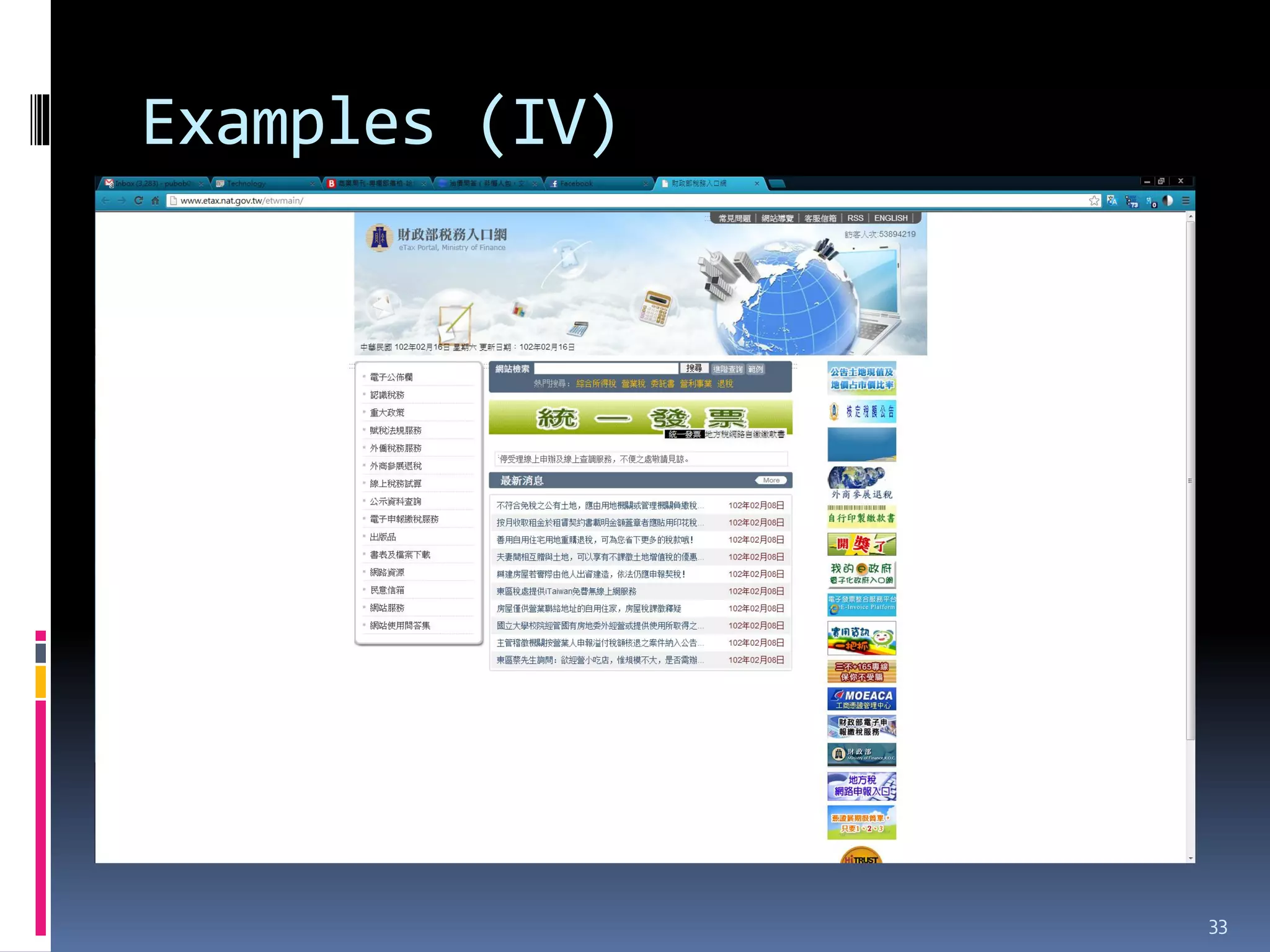
Advice in designing UI

 Be clear
 Be concise
 Be obvious


                         29
Examples (I)


               30
Examples (II)


                31
Examples (III)


                 32
Examples (IV)


                33
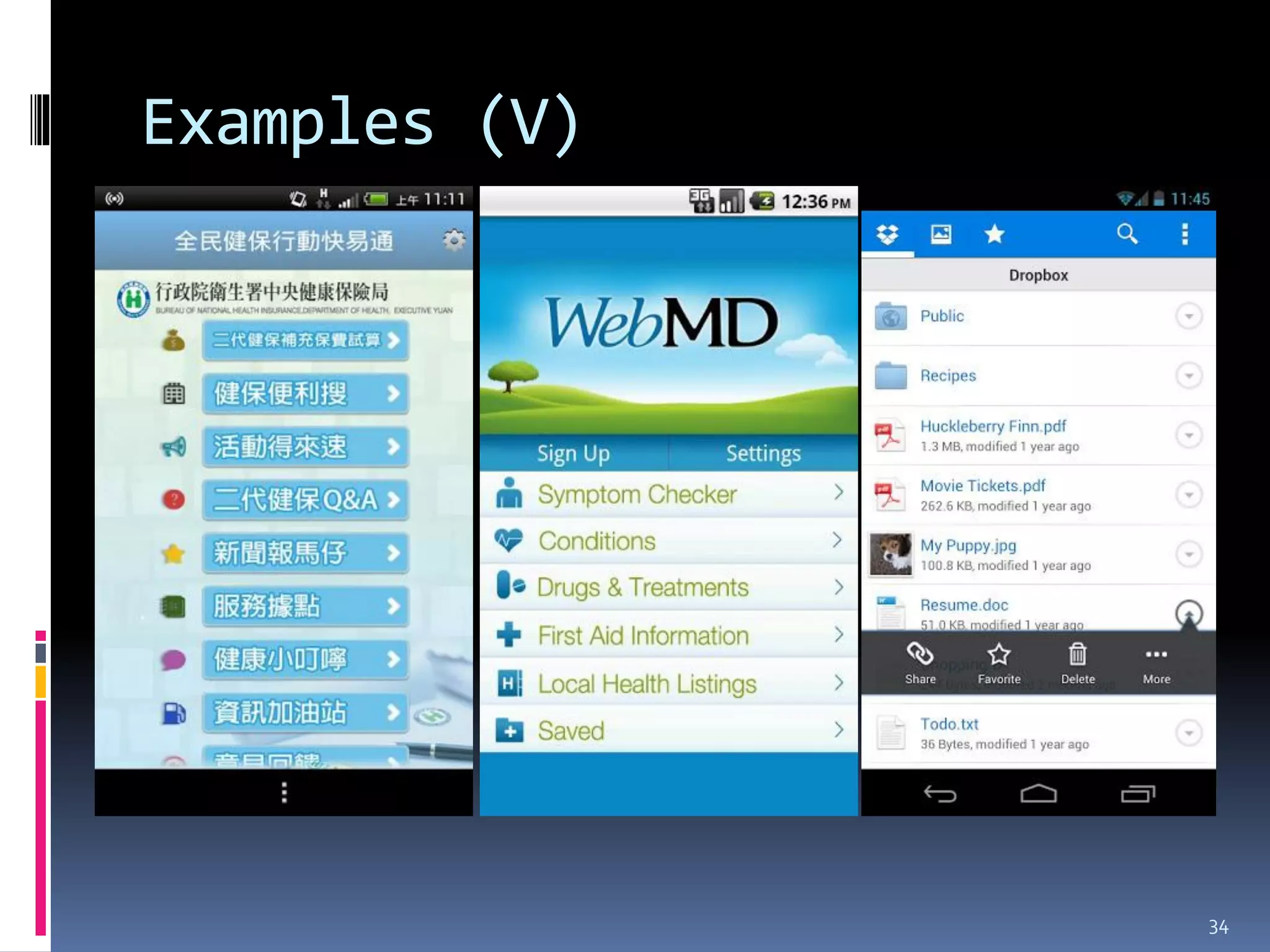
Examples (V)


               34
Advice in coding

 Make sure your application is responsive
   Don’t crash
   Debug, test, debug and test some more
 Try not to run in the background
 Don’t overdo the popup messages
 Reuse your code
   Markup with comments


                                             35
Outline

 Defining and debunking the “smart” myth
 History & evolution
 Market analysis
 Applications & examples
 Designing for today’s smart devices
   General advice & examples
   Advice for Android development
 Conclusions

                                            36
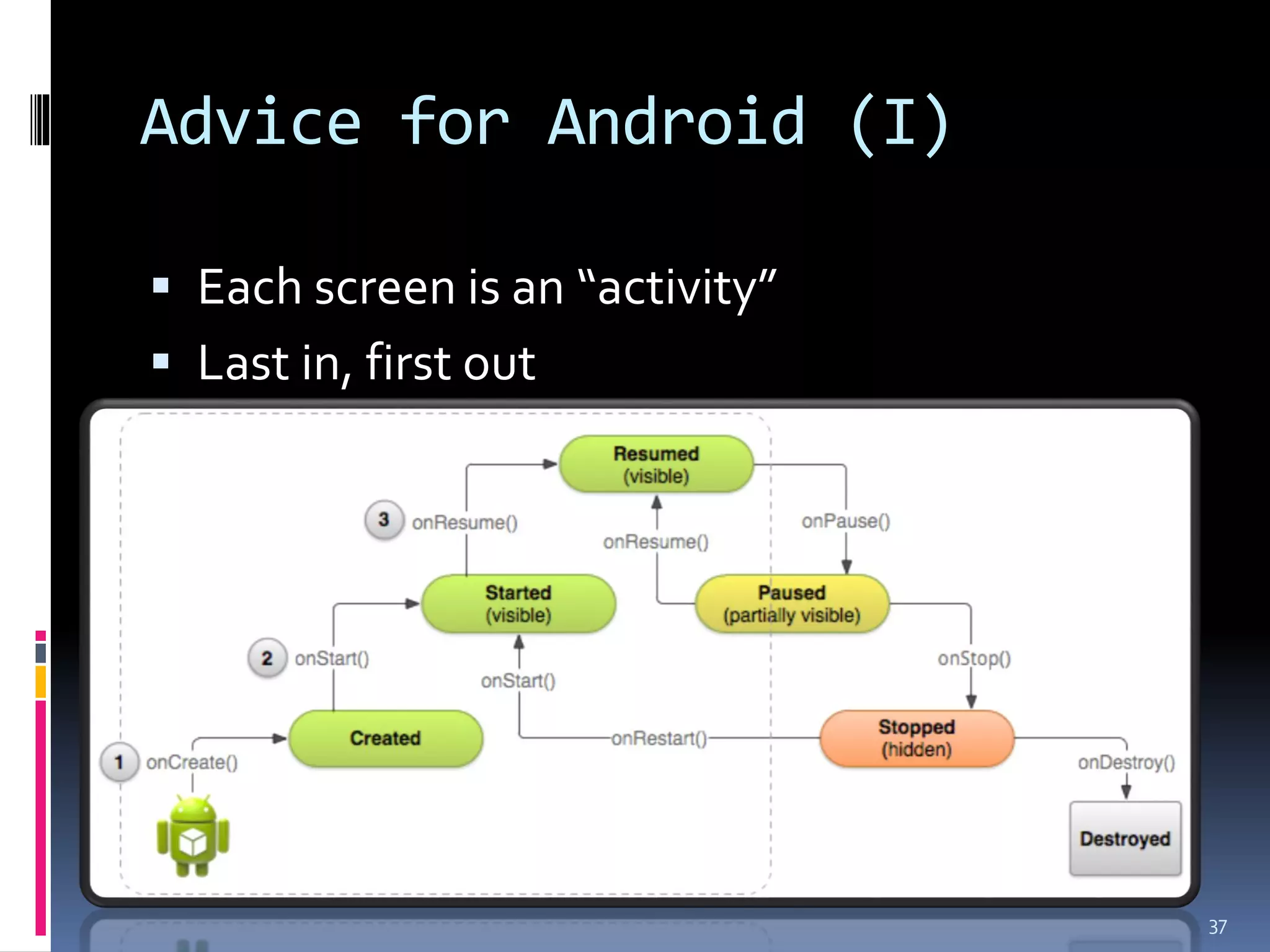
Advice for Android (I)

 Each screen is an “activity”
 Last in, first out


                                 37
Advice for Android (II)

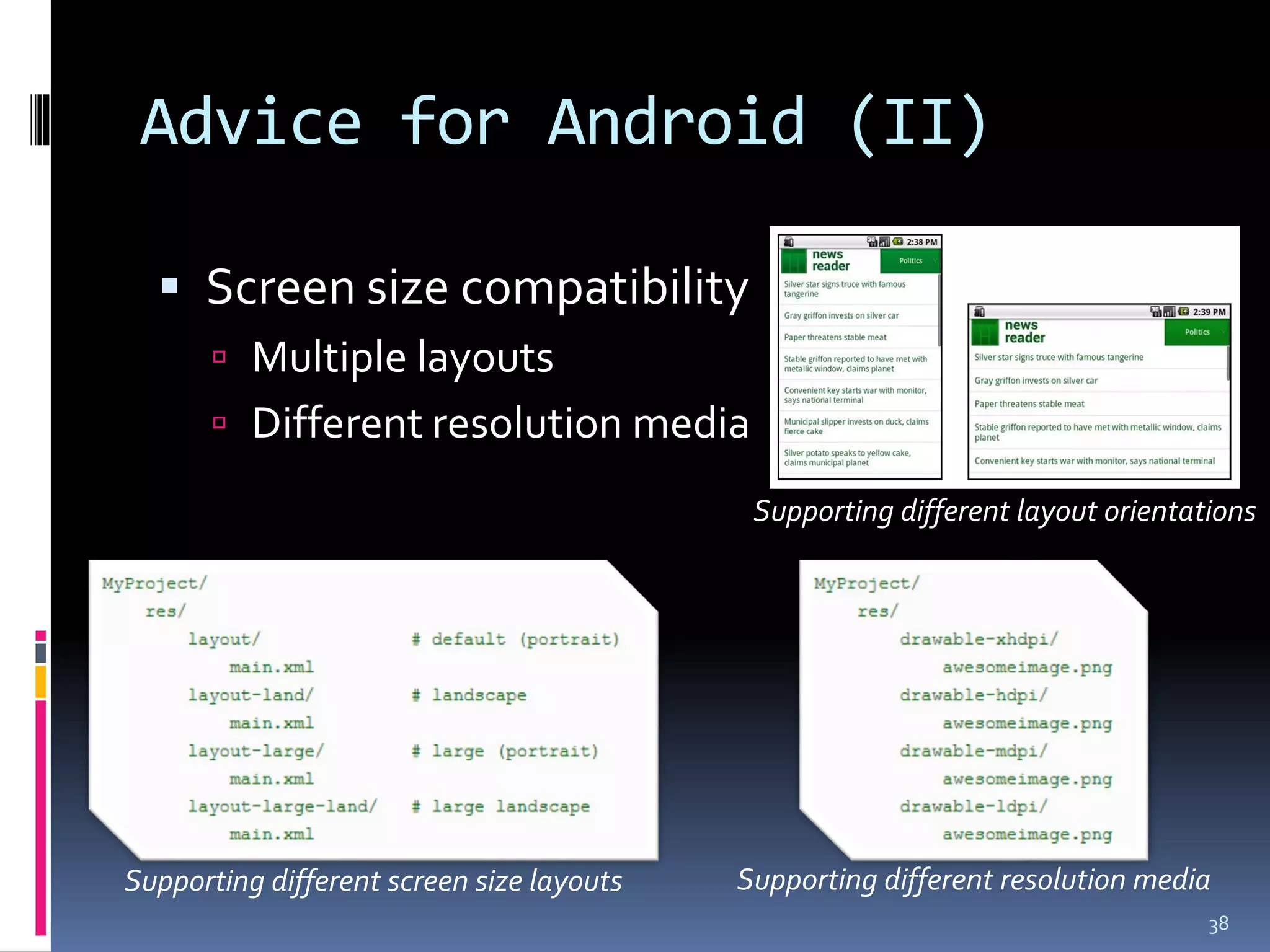
   Screen size compatibility
        Multiple layouts
        Different resolution media

                                            Supporting different layout orientations


Supporting different screen size layouts   Supporting different resolution media
                                                                                38
Advice for Android (III)

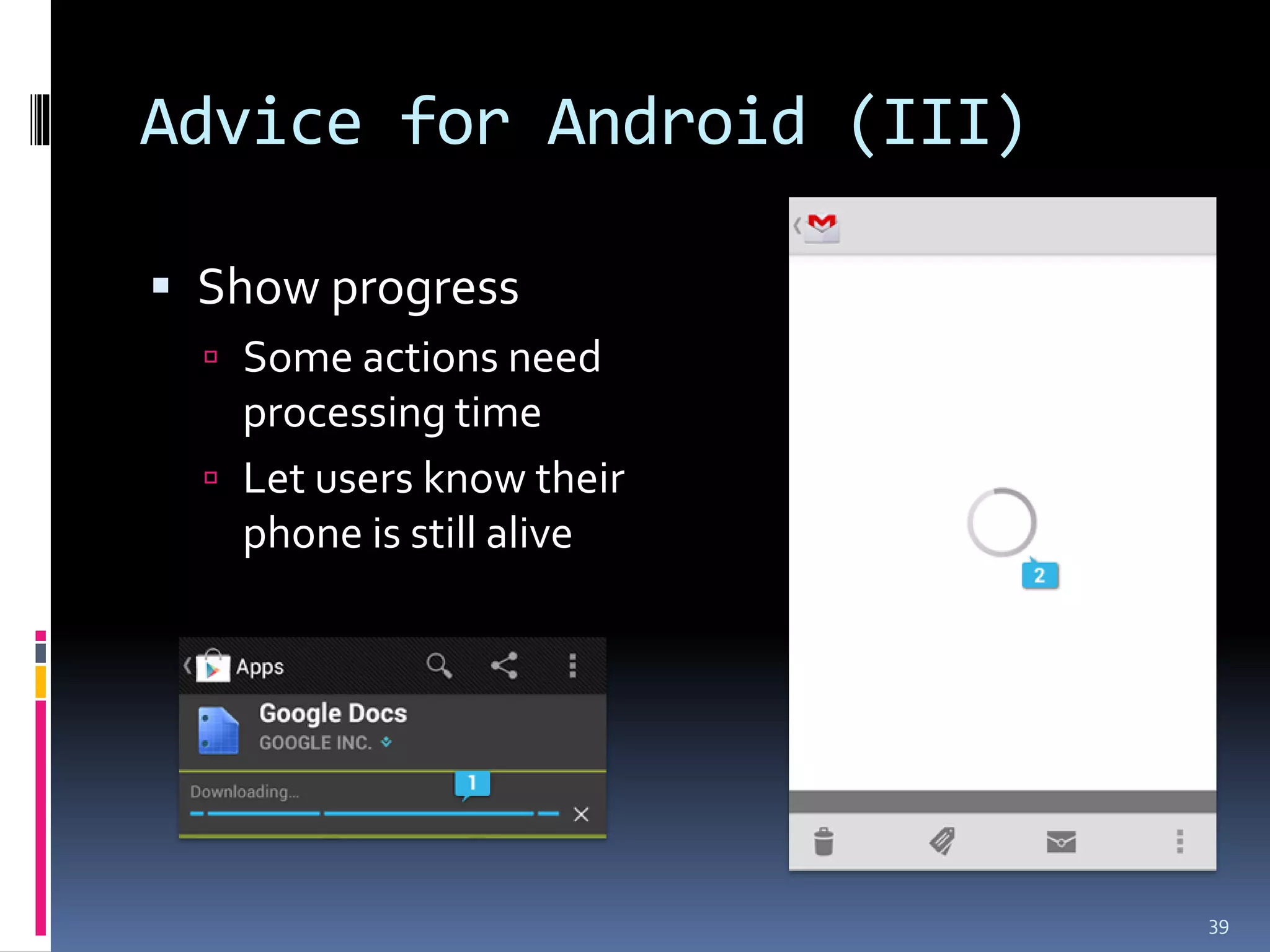
 Show progress
   Some actions need
    processing time
   Let users know their
    phone is still alive


                           39
Outline

 Defining and debunking the “smart” myth
 History & evolution
 Market analysis
 Applications & examples
 Designing for today’s smart devices
   General advice & examples
   Advice for Android development
 Conclusions

                                            40
Conclusions

 Powerful platform if utilized well
 Finite resources
 Adoption is slow
 Fragmentation
 Where is the money?


                                       41
Thank You for Your Attention!!


                                 42

[CCDD2013w] What to make of today’s "smart" platforms by 蔡亦恒

  • 1.
    I-Hen Tsai Software Engineer DeltaElectronics Tainan Joint Labs WHAT TO MAKE OF TODAY’S “SMART” PLATFORMS
  • 2.
    Outline  Defining anddebunking the “smart” myth  History & evolution  Market analysis  Applications & examples  Designing for today’s smart devices  General advice & examples  Advice for Android development  Conclusions 2
  • 3.
    Definition of “smart”device  1997 Ericsson, first mention 1. Wide range of form factors 2. Support ubiquitous computing properties 3. Impersonal physical world interaction 4. Multi-tasking capabilities  Sounds like every laptop doesn’t it?  We don’t call our laptop a “smart” something 3
  • 4.
    The “smart” myth A smart device is only as smart as its user  If it is working as intended  And if designed and built as intended  Machines (devices) are NOT smart!!  People ARE!!  4
  • 5.
    Outline  Defining anddebunking the “smart” myth  History & evolution  Market analysis  Applications & examples  Designing for today’s smart devices  General advice & examples  Advice for Android development  Conclusions 5
  • 6.
  • 7.
    Smartphones & suchplatforms  Feature phones  Smart phones  Tablets  Phablets 7
  • 8.
    Similar stuff thatflopped  PDA (Palm)  Netbooks  Chromebooks  Tablet PC 8
  • 9.
    Outline  Defining anddebunking the “smart” myth  History & evolution  Market analysis  Applications & examples  Designing for today’s smart devices  General advice & examples  Advice for Android development  Conclusions 9
  • 10.
    Key players  Systems  Hardware  Apple  Apple  Google  Samsung  RIM  Sony  Microsoft  HTC  Sharp  LG  Asus  Motorola  Nokia 10
  • 11.
    Market distribution 2012 Unit 2012 Market 2011 Unit 2011 Market Year-over-year Vendor Shipments Share Shipments Share Change 1. Samsung 250.0 20.8% 114.0 12.3% 119.3% 2. Apple 218.7 18.2% 151.5 16.3% 44.3% 3. Lenovo 78.3 6.5% 48.5 5.2% 61.4% 4. HP 58.2 4.8% 63.6 6.8% -8.5% 5. Dell 38.8 3.2% 44.6 4.8% -12.9% Others 557.1 46.4% 508.1 54.6% 9.6% Total 1201.1 100.0% 930.4 100.0% 29.1% Source: IDC Worldwide Quarterly Smart Connected Device Tracker, February 20, 2013. 11
  • 12.
    Arguments: Why didthey succeed?  Affordable  Better computing power than before  Applications, looooooots of applications  Accessible to developers  Satisfying customers 12
  • 13.
    Comparisons: Between computing hardware Platform Attribute Smartphone Tablet Desktop Laptop Pricing (NTD) 5~30K 2~30K 15~100K 15~100K Screen Size 2.7~6.3” 7~10.1” 14~6X” 10~18.4” Mice, Mice, Controls Fingers, voice Fingers, voice keyboard, etc. keyboard, etc. Workspace Very small Moderate Big Moderate Memory Small Small Big Big Storage Small Small Huge Moderate Upgrades Storage No/Storage Everything Limited Computing Low Low High Moderate Power 13
  • 14.
    A developing weirdscenario…  Your phones now has the following abilities:  Phone (duh…)  SMS (uh..duh…)  Got games!! (play snake anyone?)  Plays music (good!)  Plays videos (good!)  Stillpic camera (great!)  Shoots videos (woohoo~)  Data connectivity (good!)  Surfs web (nice!)  Does email (nice!)  GPS navigator (good to have…)  A torch (well…)  Doubles as a remote (huh?)  High def audio playback(what?)  Can be a projector (wait…)  …  Is a Star Trek tricorder (no way!!...OK, maybe in 30 years…?) 14
  • 15.
    Current distribution Product 2012 Unit 2012 Market 2011 Unit 2011 Market Year-over- Category Shipments Share Shipments Share year Change Smartphone 722.4 60.1% 494.5 53.1% 46.1% Tablet 128.3 10.7% 72.0 7.7% 78.4% Portable PC 202.0 16.8% 209.1 22.5% -3.4% Desktop PC 148.4 12.4% 154.8 16.6% -4.1% Total 1201.1 100.0% 930.4 100.0% 29.1% Source: IDC Worldwide Quarterly Smart Connected Device Tracker, February 20, 2013. 15
  • 16.
    Current distribution Source: IDCWorldwide Quarterly Smart Connected Device Tracker, February 20, 2013. 16
  • 17.
    Outline  Defining anddebunking the “smart” myth  History & evolution  Market analysis  Applications & examples  Designing for today’s smart devices  General advice & examples  Advice for Android development  Conclusions 17
  • 18.
    Applications  Health diagnostics Music composition  Digital education medium  Fitness monitoring  Mobile workplace 18
  • 19.
    Examples in education Electronic textbooks  Edutaiment 19
  • 20.
    Examples in healthindustry  Device integration  Communications  Management 20
  • 21.
    Examples in AR Museums  Exhibits  Games 21
  • 22.
    The Real Value? Portability  Versatility  Connectivity 22
  • 23.
    Drawbacks  Same problemswith laptops  Limited power  Expensive  Crashes/hangs  Small working space  Cannot upgrade 23
  • 24.
    Things to keepin mind (I)  Aim of your application  Screen real estate  Flow of control  Hardware requirements to run your application 24
  • 25.
    Things to keepin mind (II)  Target audience  Streamlining  Provide alternatives 25
  • 26.
  • 27.
    Outline  Defining anddebunking the “smart” myth  History & evolution  Market analysis  Applications & examples  Designing for today’s smart devices  General advice & examples  Advice for Android development  Conclusions 27
  • 28.
    General advice KISS –“Keep it simple, stupid” Kelly Johnson, Lockheed Skunk Works (SR-71 Blackbird and other US secret planes) 28
  • 29.
    Advice in designingUI  Be clear  Be concise  Be obvious 29
  • 30.
  • 31.
  • 32.
  • 33.
  • 34.
  • 35.
    Advice in coding Make sure your application is responsive  Don’t crash  Debug, test, debug and test some more  Try not to run in the background  Don’t overdo the popup messages  Reuse your code  Markup with comments 35
  • 36.
    Outline  Defining anddebunking the “smart” myth  History & evolution  Market analysis  Applications & examples  Designing for today’s smart devices  General advice & examples  Advice for Android development  Conclusions 36
  • 37.
    Advice for Android(I)  Each screen is an “activity”  Last in, first out 37
  • 38.
    Advice for Android(II)  Screen size compatibility  Multiple layouts  Different resolution media Supporting different layout orientations Supporting different screen size layouts Supporting different resolution media 38
  • 39.
    Advice for Android(III)  Show progress  Some actions need processing time  Let users know their phone is still alive 39
  • 40.
    Outline  Defining anddebunking the “smart” myth  History & evolution  Market analysis  Applications & examples  Designing for today’s smart devices  General advice & examples  Advice for Android development  Conclusions 40
  • 41.
    Conclusions  Powerful platformif utilized well  Finite resources  Adoption is slow  Fragmentation  Where is the money? 41
  • 42.
    Thank You forYour Attention!! 42