iPads
in the Elementary Classrooms

         Mr. Daryl Imanishi
       and Ms. Dainty Angeles
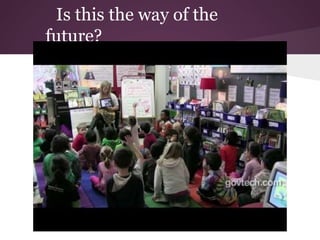
Is this the way of the
future?
Goals for iPad Implementation

•  to promote 21st century teaching and learning in the
   classroom
•  to increase student engagement and literacy skills
•  to facilitate learning by allowing students to
   o    access, use, create and publish digital and online
        information
   o    develop knowledge, understanding and skills
        through creativity and critical thinking
   o    collaborate with others
   o    communicate in a variety of ways, their knowledge
        and learning experiences
Session Learning Targets:

1. I can become familiar with the iPad and its
   features.
2. I can explore and discover at least 1 or more
   apps to use in my classroom.
3. I can start thinking of ways to utilize IT tools
   in the classroom.
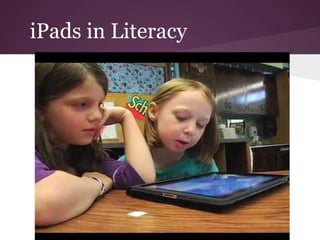
iPads in Literacy
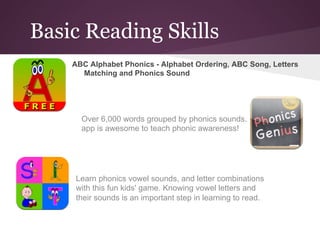
Basic Reading Skills
    ABC Alphabet Phonics - Alphabet Ordering, ABC Song, Letters
      Matching and Phonics Sound


      Over 6,000 words grouped by phonics sounds. This
      app is awesome to teach phonic awareness!


     Learn phonics vowel sounds, and letter combinations
     with this fun kids' game. Knowing vowel letters and
     their sounds is an important step in learning to read.
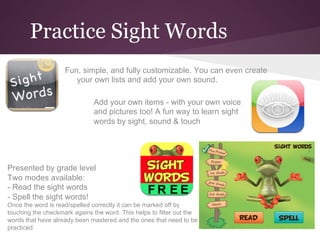
Practice Sight Words
                    Fun, simple, and fully customizable. You can even create
                       your own lists and add your own sound.

                              Add your own items - with your own voice
                              and pictures too! A fun way to learn sight
                              words by sight, sound & touch


Presented by grade level
Two modes available:
- Read the sight words
- Spell the sight words!
Once the word is read/spelled correctly it can be marked off by
touching the checkmark agains the word. This helps to filter out the
words that have already been mastered and the ones that need to be
practiced.
Word Games
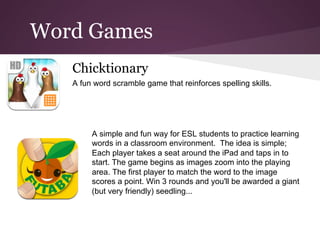
   Chicktionary
   A fun word scramble game that reinforces spelling skills.


        A simple and fun way for ESL students to practice learning
        words in a classroom environment. The idea is simple;
        Each player takes a seat around the iPad and taps in to
        start. The game begins as images zoom into the playing
        area. The first player to match the word to the image
        scores a point. Win 3 rounds and you'll be awarded a giant
        (but very friendly) seedling...
Spelling Practice
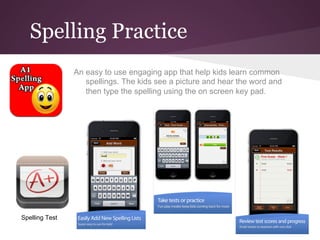
                An easy to use engaging app that help kids learn common
                   spellings. The kids see a picture and hear the word and
                   then type the spelling using the on screen key pad.


Spelling Test
Sentence Builders
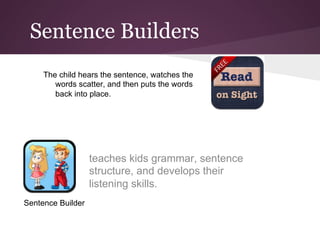
     The child hears the sentence, watches the
        words scatter, and then puts the words
        back into place.


                   teaches kids grammar, sentence
                   structure, and develops their
                   listening skills.
Sentence Builder
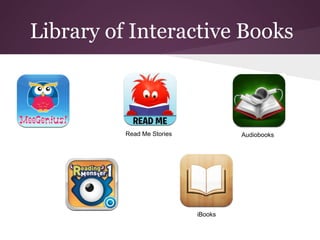
Library of Interactive Books


          Read Me Stories            Audiobooks


                            iBooks
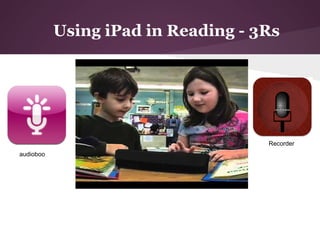
Using iPad in Reading - 3Rs


                                    Recorder
audioboo
Voice Dictation w/Siri
How to activate Siri:
 •   Open Settings and tap “General”
 •   Find “Siri” and flip the switch to “ON”, make any changes to Voice Feedback, Language, and your identity
      as necessary
 •   Close out of Settings and Siri is ready to go
With Siri enabled, hold down the Home button for about 2 seconds to activate Siri and start asking
    questions, request information, and even launch apps.


Convert speech into editable text that can be copied or sent via e-mail.


Great for learners who prefer talking over writing. Improves spelling too.
Access Educational
Resources
Brainpop
               Username: risthailand
               Password: bangkok


Brainpop Jr.


Khan Academy
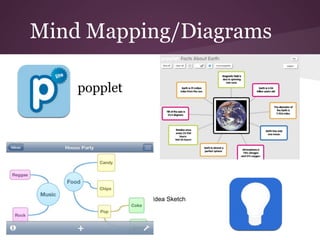
Mind Mapping/Diagrams

    popplet


              Idea Sketch
Math Practice

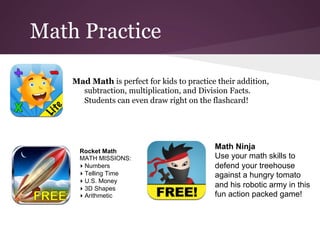
    Mad Math is perfect for kids to practice their addition,
      subtraction, multiplication, and Division Facts.
      Students can even draw right on the flashcard!


                                            Math Ninja
      Rocket Math
      MATH MISSIONS:                        Use your math skills to
      ▸ Numbers                             defend your treehouse
      ▸ Telling Time                        against a hungry tomato
      ▸ U.S. Money
      ▸ 3D Shapes
                                            and his robotic army in this
      ▸ Arithmetic                          fun action packed game!
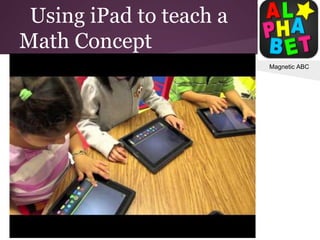
Using iPad to teach a
Math Concept
                         Magnetic ABC
Social Studies


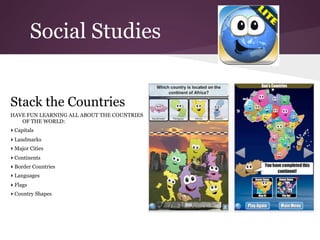
Stack the Countries
HAVE FUN LEARNING ALL ABOUT THE COUNTRIES
   OF THE WORLD:
▸ Capitals
▸ Landmarks
▸ Major Cities
▸ Continents
▸ Border Countries
▸ Languages
▸ Flags
▸ Country Shapes
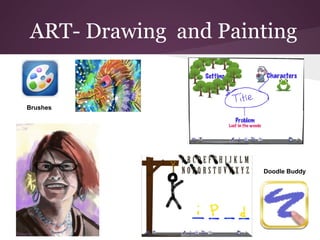
ART- Drawing and Painting


Brushes


                     Doodle Buddy
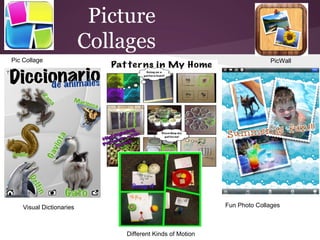
Picture
                          Collages
Pic Collage                                                              PicWall


    Visual Dictionaries                                    Fun Photo Collages


                               Different Kinds of Motion
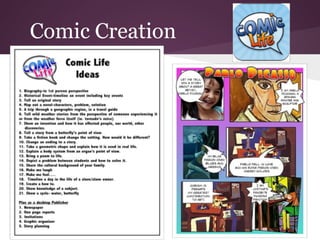
Comic Creation
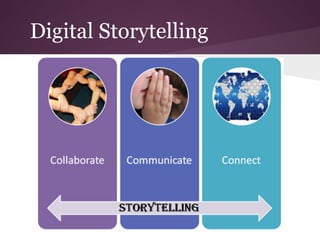
Digital Storytelling
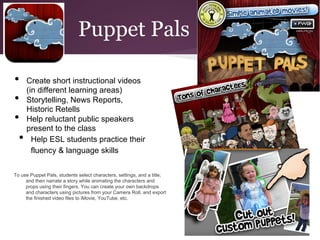
Puppet Pals

•      Create short instructional videos
       (in different learning areas)
•      Storytelling, News Reports,
       Historic Retells
•      Help reluctant public speakers
       present to the class
  •      Help ESL students practice their
         fluency & language skills

To use Puppet Pals, students select characters, settings, and a title;
     and then narrate a story while animating the characters and
     props using their fingers. You can create your own backdrops
     and characters using pictures from your Camera Roll, and export
     the finished video files to iMovie, YouTube, etc.
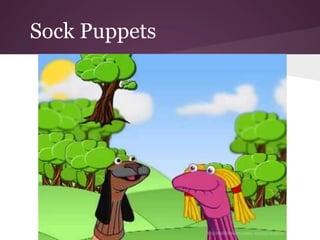
Sock Puppets
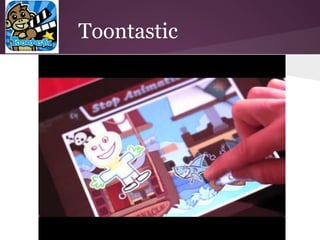
Toontastic
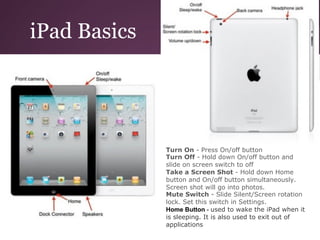
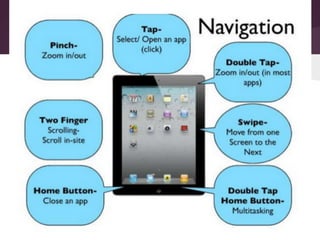
iPad Basics


              Turn On - Press On/off button
              Turn Off - Hold down On/off button and
              slide on screen switch to off
              Take a Screen Shot - Hold down Home
              button and On/off button simultaneously.
              Screen shot will go into photos.
              Mute Switch - Slide Silent/Screen rotation
              lock. Set this switch in Settings.
              Home Button - used to wake the iPad when it
              is sleeping. It is also used to exit out of
              applications
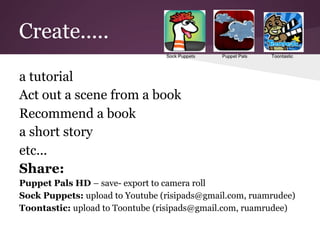
Create.....

a tutorial
Act out a scene from a book
Recommend a book
a short story
etc...
Share:
Puppet Pals HD – save- export to camera roll
Sock Puppets: upload to Youtube (risipads@gmail.com, ruamrudee)
Toontastic: upload to Toontube (risipads@gmail.com, ruamrudee)
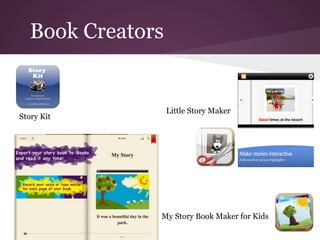
Book Creators


                   Little Story Maker
Story Kit


               My Story Book Maker for Kids
Digital Storytelling using
images /videos :
Sonic Pics

Animoto

VoiceThread
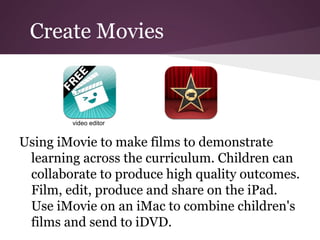
Create Movies


        video editor


Using iMovie to make films to demonstrate
 learning across the curriculum. Children can
 collaborate to produce high quality outcomes.
 Film, edit, produce and share on the iPad.
 Use iMovie on an iMac to combine children's
 films and send to iDVD.
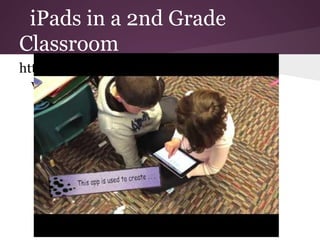
iPads in a 2nd Grade
Classroom
http://www.youtube.com/watch?
  v=7WLEr4lp4o8&feature=relmfu
Design a Tutorial
Directions:
Choose one of the above screen recording with interactive whiteboards.
Create a step by step a tutorial for students that teaches any concept or a
   tutorial showcasing your favorite iPad app that you want your students to
   start using (take screenshots of your app to be included in tutorial.
Your tutorial should not be longer than 3 minutes

Share:
With Educreations: to share, press Done-Save Lesson- Public view
With ShowmeApp: Share the tutorial clip by uploading it to ShowMeApp.com
   from within the app.
With ScreenChomp: send it to the "cloud"after recording is complete, you will
   receive a unique URL (Web address). Please note (copy) that URL and
   email it to me: dainty@rism.ac.th. We will share the example on a
   webpage.
Content Management
•  Email
•  Google Drive
•  GDrive
•  Connect to your computer
- Iphoto (photos and videos)
     with Google Drive you can:                                 GDrive is a Google Drive client on
     - Edit Google documents with formatting and                iDevice. With the help of GDrive,
     collaboration
     - Edits to your Google documents appear to collaborators
                                                                you're able to read your
     in seconds                                                 documents, view photos, watch
     - Richer Google presentations with animations and          videos and manager your files
     speaker notes                                              stored on Google Drive.
     - Create a new folder or Google document
     - Upload photos and videos from your device or a photo
     directly from your camera
     - Move an item to a folder in your Drive
     - Delete and remove files from your Drive
iPad app resources
•  Shared Google Doc
•  http://tcea.org/ipad
•  http://tvstechtips.edublogs.org/ipads/
•  Free Apps for iPad (HongXiu)
•  Appsfire Deals
iPad app
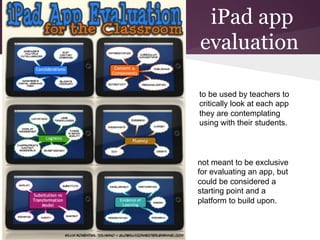
evaluation

to be used by teachers to
critically look at each app
they are contemplating
using with their students.


not meant to be exclusive
for evaluating an app, but
could be considered a
starting point and a
platform to build upon.
ES iPad Team
1. Curriculum Apps Content

2. Logistics & Procedures

3. Training

iPads in the Elementary

  • 1.
    iPads in the ElementaryClassrooms Mr. Daryl Imanishi and Ms. Dainty Angeles
  • 2.
    Is this theway of the future?
  • 3.
    Goals for iPadImplementation •  to promote 21st century teaching and learning in the classroom •  to increase student engagement and literacy skills •  to facilitate learning by allowing students to o  access, use, create and publish digital and online information o  develop knowledge, understanding and skills through creativity and critical thinking o  collaborate with others o  communicate in a variety of ways, their knowledge and learning experiences
  • 4.
    Session Learning Targets: 1.I can become familiar with the iPad and its features. 2. I can explore and discover at least 1 or more apps to use in my classroom. 3. I can start thinking of ways to utilize IT tools in the classroom.
  • 7.
  • 8.
    Basic Reading Skills ABC Alphabet Phonics - Alphabet Ordering, ABC Song, Letters Matching and Phonics Sound Over 6,000 words grouped by phonics sounds. This app is awesome to teach phonic awareness! Learn phonics vowel sounds, and letter combinations with this fun kids' game. Knowing vowel letters and their sounds is an important step in learning to read.
  • 9.
    Practice Sight Words Fun, simple, and fully customizable. You can even create your own lists and add your own sound. Add your own items - with your own voice and pictures too! A fun way to learn sight words by sight, sound & touch Presented by grade level Two modes available: - Read the sight words - Spell the sight words! Once the word is read/spelled correctly it can be marked off by touching the checkmark agains the word. This helps to filter out the words that have already been mastered and the ones that need to be practiced.
  • 10.
    Word Games Chicktionary A fun word scramble game that reinforces spelling skills. A simple and fun way for ESL students to practice learning words in a classroom environment. The idea is simple; Each player takes a seat around the iPad and taps in to start. The game begins as images zoom into the playing area. The first player to match the word to the image scores a point. Win 3 rounds and you'll be awarded a giant (but very friendly) seedling...
  • 11.
    Spelling Practice An easy to use engaging app that help kids learn common spellings. The kids see a picture and hear the word and then type the spelling using the on screen key pad. Spelling Test
  • 12.
    Sentence Builders The child hears the sentence, watches the words scatter, and then puts the words back into place. teaches kids grammar, sentence structure, and develops their listening skills. Sentence Builder
  • 13.
    Library of InteractiveBooks Read Me Stories Audiobooks iBooks
  • 14.
    Using iPad inReading - 3Rs Recorder audioboo
  • 15.
    Voice Dictation w/Siri Howto activate Siri: •  Open Settings and tap “General” •  Find “Siri” and flip the switch to “ON”, make any changes to Voice Feedback, Language, and your identity as necessary •  Close out of Settings and Siri is ready to go With Siri enabled, hold down the Home button for about 2 seconds to activate Siri and start asking questions, request information, and even launch apps. Convert speech into editable text that can be copied or sent via e-mail. Great for learners who prefer talking over writing. Improves spelling too.
  • 16.
    Access Educational Resources Brainpop Username: risthailand Password: bangkok Brainpop Jr. Khan Academy
  • 17.
    Mind Mapping/Diagrams popplet Idea Sketch
  • 18.
    Math Practice Mad Math is perfect for kids to practice their addition, subtraction, multiplication, and Division Facts. Students can even draw right on the flashcard! Math Ninja Rocket Math MATH MISSIONS: Use your math skills to ▸ Numbers defend your treehouse ▸ Telling Time against a hungry tomato ▸ U.S. Money ▸ 3D Shapes and his robotic army in this ▸ Arithmetic fun action packed game!
  • 19.
    Using iPad toteach a Math Concept Magnetic ABC
  • 20.
    Social Studies Stack theCountries HAVE FUN LEARNING ALL ABOUT THE COUNTRIES OF THE WORLD: ▸ Capitals ▸ Landmarks ▸ Major Cities ▸ Continents ▸ Border Countries ▸ Languages ▸ Flags ▸ Country Shapes
  • 21.
    ART- Drawing andPainting Brushes Doodle Buddy
  • 22.
    Picture Collages Pic Collage PicWall Visual Dictionaries Fun Photo Collages Different Kinds of Motion
  • 23.
  • 24.
  • 25.
    Puppet Pals •  Create short instructional videos (in different learning areas) •  Storytelling, News Reports, Historic Retells •  Help reluctant public speakers present to the class •  Help ESL students practice their fluency & language skills To use Puppet Pals, students select characters, settings, and a title; and then narrate a story while animating the characters and props using their fingers. You can create your own backdrops and characters using pictures from your Camera Roll, and export the finished video files to iMovie, YouTube, etc.
  • 26.
  • 27.
  • 28.
    iPad Basics Turn On - Press On/off button Turn Off - Hold down On/off button and slide on screen switch to off Take a Screen Shot - Hold down Home button and On/off button simultaneously. Screen shot will go into photos. Mute Switch - Slide Silent/Screen rotation lock. Set this switch in Settings. Home Button - used to wake the iPad when it is sleeping. It is also used to exit out of applications
  • 30.
    Create..... a tutorial Act outa scene from a book Recommend a book a short story etc... Share: Puppet Pals HD – save- export to camera roll Sock Puppets: upload to Youtube (risipads@gmail.com, ruamrudee) Toontastic: upload to Toontube (risipads@gmail.com, ruamrudee)
  • 31.
    Book Creators Little Story Maker Story Kit My Story Book Maker for Kids
  • 32.
    Digital Storytelling using images/videos : Sonic Pics Animoto VoiceThread
  • 33.
    Create Movies video editor Using iMovie to make films to demonstrate learning across the curriculum. Children can collaborate to produce high quality outcomes. Film, edit, produce and share on the iPad. Use iMovie on an iMac to combine children's films and send to iDVD.
  • 34.
    iPads in a2nd Grade Classroom http://www.youtube.com/watch? v=7WLEr4lp4o8&feature=relmfu
  • 35.
    Design a Tutorial Directions: Chooseone of the above screen recording with interactive whiteboards. Create a step by step a tutorial for students that teaches any concept or a tutorial showcasing your favorite iPad app that you want your students to start using (take screenshots of your app to be included in tutorial. Your tutorial should not be longer than 3 minutes Share: With Educreations: to share, press Done-Save Lesson- Public view With ShowmeApp: Share the tutorial clip by uploading it to ShowMeApp.com from within the app. With ScreenChomp: send it to the "cloud"after recording is complete, you will receive a unique URL (Web address). Please note (copy) that URL and email it to me: dainty@rism.ac.th. We will share the example on a webpage.
  • 36.
    Content Management •  Email • Google Drive •  GDrive •  Connect to your computer - Iphoto (photos and videos) with Google Drive you can: GDrive is a Google Drive client on - Edit Google documents with formatting and iDevice. With the help of GDrive, collaboration - Edits to your Google documents appear to collaborators you're able to read your in seconds documents, view photos, watch - Richer Google presentations with animations and videos and manager your files speaker notes stored on Google Drive. - Create a new folder or Google document - Upload photos and videos from your device or a photo directly from your camera - Move an item to a folder in your Drive - Delete and remove files from your Drive
  • 37.
    iPad app resources • Shared Google Doc •  http://tcea.org/ipad •  http://tvstechtips.edublogs.org/ipads/ •  Free Apps for iPad (HongXiu) •  Appsfire Deals
  • 38.
    iPad app evaluation to beused by teachers to critically look at each app they are contemplating using with their students. not meant to be exclusive for evaluating an app, but could be considered a starting point and a platform to build upon.
  • 39.
    ES iPad Team 1.Curriculum Apps Content 2. Logistics & Procedures 3. Training