Making Technology Integration Decisions
To provide you with a framework for making decisions about technology
Outline a process for instructional planning page 70 Identify the important characteristics of a group of students and how those characteristics may influence your use of instructional technology pages 71 - 76 Describe how diversity can be used as an asset in instructional planning pages 76 - 79 Specify the objectives for a lesson of your choice pages 79 - 83 Identify the relevant characteristics of a learning environment pages 83 - 84
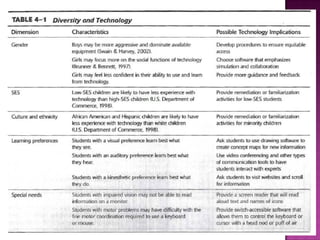
Students Gender Socioeconomic status Culture and ethnicity Existing knowledge of the content Motivation Learning style Special needs Technology literacy Diversity as an asset
 
Environment The setting or physical surroundings in which learning is expected to take place. Size Layout Lighting Seating Setting (computer lab, science labs, playground, home)
Questions to ask: Where will learning occur?  e.g., classroom, lab, home, field trip What are the characteristics of those environments?  how large is the space, how are seat arranged, can seats be moved, noise levels,  distractions, lighting How will these characteristics influence instruction?  can setting be modified, what constraints will setting impose on instruction?
Internet access (4.5 students:1 computer) Computer lab Let’s see what your field placement schools will look like…
Conditions (What you give the students) Performance (What the students will do) Criteria (How you judge whether they have met the goal) Given the ____, the students will be able to ____, based on _____.
Use verbs such as: Compare Translate Construct Create Describe Explain Measure Identify Define Draw Avoid verbs such as: Understand Appreciate Think Know Believe Recognize Become familiar with
Write your own objective Conditions Performance Criteria Given the (conditions), The students will be able to (performance) based on the following desired level of performance (criteria)
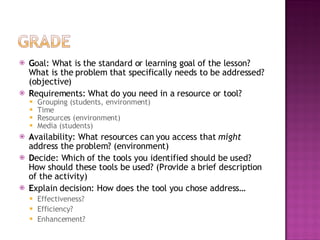
G-R-A-D-E G oal: What is the standard or learning goal of the lesson? What is the problem that specifically needs to be addressed? R equirements: What do you need in a resource or tool? Grouping Time Resources Media A vailability: What resources can you access that  might  address the problem? D ecide: Which of the tools you identified should be used? How should these tools be used? (Provide a brief description of the activity) E xplain decision: How does the tool you chose address… Effectiveness? Efficiency? Enhancement?
Mr. Jackson teaches a high school social studies class.  With the election coming up, he wants his students to compare and select their preferred presidential candidate.  He teaches 9 th  – 12 th  grade social studies courses, so trying to figure out ways to address this topic in each class can be difficult.
First of all, Mr. Jackson would like to make students' time spent researching more efficient. They often have difficulties finding information on the specific issue they value the most and end up settling on the issues with the most information. This makes the concluding debate dull, focusing on only one or two issues. In addition, he'd like students to get more involved in the activity; most students have been gathering information from the materials he brings to class. In order to gain access to a wider variety of resources, he's managed to reserve the computer lab for one week so that every student has access to a computer with an internet connection for five hours. However, Mr. Jackson doesn't know how to help students conduct research online or where to begin to help students collect resources.
GOAL:  Students need to learn about the electoral process and visually see the significance of voting. They need to gain insight into why people vote for a particular candidate, and learn the importance of statistics in the election process, while developing their skills in this area. STUDENTS: 25 students (15 boys, 10 girls) 9 th  grade Special needs: 1 student with visual impairments Lack of prior knowledge on democratic process Motivation – low (intrinsic and extrinsic) Learning style: visual and auditory Culture/ethnicity: Very diverse Technology literacy: medium to low (strong with entertainment) ENVIRONMENT: Classroom 30 desks facing front of class 1 Teacher computer (with Internet access) Checked out LCD projector
G-R-A-D-E G oal: What is the standard or learning goal of the lesson? What is the problem that specifically needs to be addressed? (objective) R equirements: What do you need in a resource or tool? Grouping (students, environment) Time Resources (environment) Media (students) A vailability: What resources can you access that  might  address the problem? (environment) D ecide: Which of the tools you identified should be used? How should these tools be used? (Provide a brief description of the activity) E xplain decision: How does the tool you chose address… Effectiveness? Efficiency? Enhancement?
What is the standard or learning goal of the lesson? USG.3.13 Explain the electoral process in terms of election laws and election systems on the national, state and local level. Example: Voter registration, primary elections and campaign finance laws What is the problem that specifically needs to be addressed? (objective) Given the content on the electoral process delivered by Mr. Jackson, the students will be able to explain the electoral process. Student explanations will need to include the number of total electoral votes available, how many are needed to become president, and the relationship between individual people’s votes and electoral votes.
R equirements: What do you need in a resource or tool? Grouping (students, environment) Lecture style Individual and whole group instruction Home and classroom Time One full 50 minutes class period (plus two nights of homework) Resources (environment) 1 teacher computer 1 checked out projector Map Chalkboard Media (students) Visual and auditory learners Text for complicated ideas Video for further explanation and understanding Images
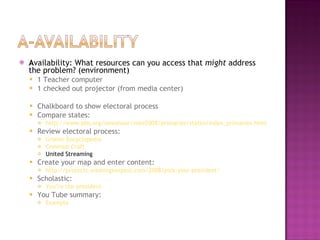
A vailability: What resources can you access that  might  address the problem? (environment) 1 Teacher computer 1 checked out projector (from media center) Chalkboard to show electoral process Compare states: http://www.pbs.org/newshour/vote2008/primaries/states/index_primaries.html Review electoral process: Grolier Encyclopedia Common Craft United Streaming Create your map and enter content: http://projects.washingtonpost.com/2008/pick-your-president/   Scholastic: You’re the president You Tube summary: Example
D ecide: Which of the tools you identified should be used? How should these tools be used? (Provide a brief description of the activity) E xplain decision: How does the tool you chose address… Effectiveness? Efficiency? Enhancement?
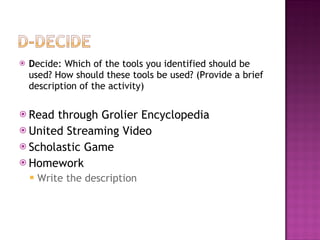
D ecide: Which of the tools you identified should be used? How should these tools be used? (Provide a brief description of the activity) Read through Grolier Encyclopedia United Streaming Video Scholastic Game Homework Write the description
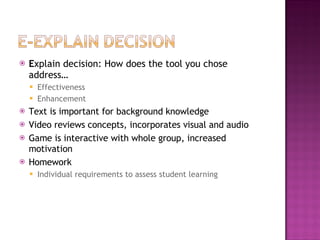
E xplain decision: How does the tool you chose address… Effectiveness Enhancement Text is important for background knowledge Video reviews concepts, incorporates visual and audio Game is interactive with whole group, increased motivation Homework Individual requirements to assess student learning
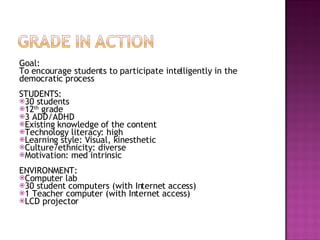
Goal: To encourage students to participate intelligently in the democratic process  STUDENTS: 30 students 12 th  grade 3 ADD/ADHD Existing knowledge of the content Technology literacy: high Learning style: Visual, kinesthetic Culture/ethnicity: diverse Motivation: med intrinsic ENVIRONMENT: Computer lab 30 student computers (with Internet access) 1 Teacher computer (with Internet access) LCD projector
G oal: What is the standard or learning goal of the lesson? What is the problem that specifically needs to be addressed? (objective) R equirements: What do you need in a resource or tool? Grouping (students, environment) Time Resources (environment) Media (students) A vailability: What resources can you access that  might  address the problem? (environment) D ecide: Which of the tools you identified should be used? How should these tools be used? (Provide a brief description of the activity) E xplain decision: How does the tool you chose address… Effectiveness? Efficiency? Enhancement?
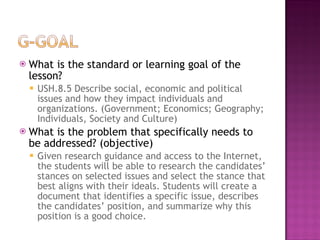
What is the standard or learning goal of the lesson? USH.8.5 Describe social, economic and political issues and how they impact individuals and organizations. (Government; Economics; Geography; Individuals, Society and Culture) What is the problem that specifically needs to be addressed? (objective) Given research guidance and access to the Internet, the students will be able to research the candidates’ stances on selected issues and select the stance that best aligns with their ideals. Students will create a document that identifies a specific issue, describes the candidates’ position, and summarize why this position is a good choice.
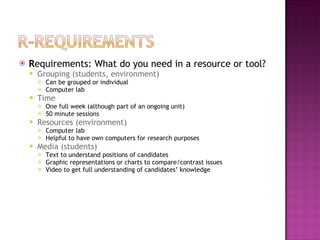
R equirements: What do you need in a resource or tool? Grouping (students, environment) Can be grouped or individual Computer lab Time One full week (although part of an ongoing unit) 50 minute sessions Resources (environment) Computer lab Helpful to have own computers for research purposes Media (students) Text to understand positions of candidates Graphic representations or charts to compare/contrast issues Video to get full understanding of candidates’ knowledge
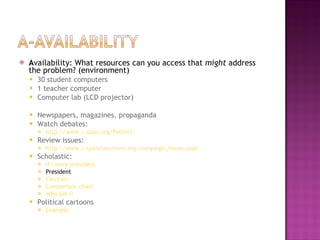
A vailability: What resources can you access that  might  address the problem? (environment) 30 student computers 1 teacher computer Computer lab (LCD projector) Newspapers, magazines, propaganda Watch debates: http://www.c-span.org/Politics/ Review issues: http://www.c-spanclassroom.org/campaign_issues.aspx Scholastic: If I were president President Election Comparison chart Who am I? Political cartoons Example
D ecide: Which of the tools you identified should be used? How should these tools be used? (Provide a brief description of the activity)
E xplain decision: How does the tool you chose address… Effectiveness? Efficiency? Enhancement?
Between these two examples: 4. How did different students impact technology integration decisions? 5.  How did different learning environments impact technology integration decisions? 6.  Did the objectives change with different technology integration decisions?
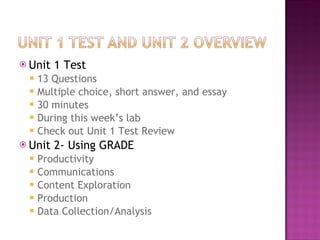
Unit 1 Test 13 Questions Multiple choice, short answer, and essay 30 minutes During this week’s lab Check out Unit 1 Test Review Unit 2- Using GRADE Productivity Communications Content Exploration Production Data Collection/Analysis

Week 5 Making Decisions

  • 1.
  • 2.
    To provide youwith a framework for making decisions about technology
  • 3.
    Outline a processfor instructional planning page 70 Identify the important characteristics of a group of students and how those characteristics may influence your use of instructional technology pages 71 - 76 Describe how diversity can be used as an asset in instructional planning pages 76 - 79 Specify the objectives for a lesson of your choice pages 79 - 83 Identify the relevant characteristics of a learning environment pages 83 - 84
  • 4.
    Students Gender Socioeconomicstatus Culture and ethnicity Existing knowledge of the content Motivation Learning style Special needs Technology literacy Diversity as an asset
  • 5.
  • 6.
    Environment The settingor physical surroundings in which learning is expected to take place. Size Layout Lighting Seating Setting (computer lab, science labs, playground, home)
  • 7.
    Questions to ask:Where will learning occur? e.g., classroom, lab, home, field trip What are the characteristics of those environments? how large is the space, how are seat arranged, can seats be moved, noise levels, distractions, lighting How will these characteristics influence instruction? can setting be modified, what constraints will setting impose on instruction?
  • 8.
    Internet access (4.5students:1 computer) Computer lab Let’s see what your field placement schools will look like…
  • 9.
    Conditions (What yougive the students) Performance (What the students will do) Criteria (How you judge whether they have met the goal) Given the ____, the students will be able to ____, based on _____.
  • 10.
    Use verbs suchas: Compare Translate Construct Create Describe Explain Measure Identify Define Draw Avoid verbs such as: Understand Appreciate Think Know Believe Recognize Become familiar with
  • 11.
    Write your ownobjective Conditions Performance Criteria Given the (conditions), The students will be able to (performance) based on the following desired level of performance (criteria)
  • 12.
    G-R-A-D-E G oal:What is the standard or learning goal of the lesson? What is the problem that specifically needs to be addressed? R equirements: What do you need in a resource or tool? Grouping Time Resources Media A vailability: What resources can you access that might address the problem? D ecide: Which of the tools you identified should be used? How should these tools be used? (Provide a brief description of the activity) E xplain decision: How does the tool you chose address… Effectiveness? Efficiency? Enhancement?
  • 13.
    Mr. Jackson teachesa high school social studies class. With the election coming up, he wants his students to compare and select their preferred presidential candidate. He teaches 9 th – 12 th grade social studies courses, so trying to figure out ways to address this topic in each class can be difficult.
  • 14.
    First of all,Mr. Jackson would like to make students' time spent researching more efficient. They often have difficulties finding information on the specific issue they value the most and end up settling on the issues with the most information. This makes the concluding debate dull, focusing on only one or two issues. In addition, he'd like students to get more involved in the activity; most students have been gathering information from the materials he brings to class. In order to gain access to a wider variety of resources, he's managed to reserve the computer lab for one week so that every student has access to a computer with an internet connection for five hours. However, Mr. Jackson doesn't know how to help students conduct research online or where to begin to help students collect resources.
  • 15.
    GOAL: Studentsneed to learn about the electoral process and visually see the significance of voting. They need to gain insight into why people vote for a particular candidate, and learn the importance of statistics in the election process, while developing their skills in this area. STUDENTS: 25 students (15 boys, 10 girls) 9 th grade Special needs: 1 student with visual impairments Lack of prior knowledge on democratic process Motivation – low (intrinsic and extrinsic) Learning style: visual and auditory Culture/ethnicity: Very diverse Technology literacy: medium to low (strong with entertainment) ENVIRONMENT: Classroom 30 desks facing front of class 1 Teacher computer (with Internet access) Checked out LCD projector
  • 16.
    G-R-A-D-E G oal:What is the standard or learning goal of the lesson? What is the problem that specifically needs to be addressed? (objective) R equirements: What do you need in a resource or tool? Grouping (students, environment) Time Resources (environment) Media (students) A vailability: What resources can you access that might address the problem? (environment) D ecide: Which of the tools you identified should be used? How should these tools be used? (Provide a brief description of the activity) E xplain decision: How does the tool you chose address… Effectiveness? Efficiency? Enhancement?
  • 17.
    What is thestandard or learning goal of the lesson? USG.3.13 Explain the electoral process in terms of election laws and election systems on the national, state and local level. Example: Voter registration, primary elections and campaign finance laws What is the problem that specifically needs to be addressed? (objective) Given the content on the electoral process delivered by Mr. Jackson, the students will be able to explain the electoral process. Student explanations will need to include the number of total electoral votes available, how many are needed to become president, and the relationship between individual people’s votes and electoral votes.
  • 18.
    R equirements: Whatdo you need in a resource or tool? Grouping (students, environment) Lecture style Individual and whole group instruction Home and classroom Time One full 50 minutes class period (plus two nights of homework) Resources (environment) 1 teacher computer 1 checked out projector Map Chalkboard Media (students) Visual and auditory learners Text for complicated ideas Video for further explanation and understanding Images
  • 19.
    A vailability: Whatresources can you access that might address the problem? (environment) 1 Teacher computer 1 checked out projector (from media center) Chalkboard to show electoral process Compare states: http://www.pbs.org/newshour/vote2008/primaries/states/index_primaries.html Review electoral process: Grolier Encyclopedia Common Craft United Streaming Create your map and enter content: http://projects.washingtonpost.com/2008/pick-your-president/ Scholastic: You’re the president You Tube summary: Example
  • 20.
    D ecide: Whichof the tools you identified should be used? How should these tools be used? (Provide a brief description of the activity) E xplain decision: How does the tool you chose address… Effectiveness? Efficiency? Enhancement?
  • 21.
    D ecide: Whichof the tools you identified should be used? How should these tools be used? (Provide a brief description of the activity) Read through Grolier Encyclopedia United Streaming Video Scholastic Game Homework Write the description
  • 22.
    E xplain decision:How does the tool you chose address… Effectiveness Enhancement Text is important for background knowledge Video reviews concepts, incorporates visual and audio Game is interactive with whole group, increased motivation Homework Individual requirements to assess student learning
  • 23.
    Goal: To encouragestudents to participate intelligently in the democratic process STUDENTS: 30 students 12 th grade 3 ADD/ADHD Existing knowledge of the content Technology literacy: high Learning style: Visual, kinesthetic Culture/ethnicity: diverse Motivation: med intrinsic ENVIRONMENT: Computer lab 30 student computers (with Internet access) 1 Teacher computer (with Internet access) LCD projector
  • 24.
    G oal: Whatis the standard or learning goal of the lesson? What is the problem that specifically needs to be addressed? (objective) R equirements: What do you need in a resource or tool? Grouping (students, environment) Time Resources (environment) Media (students) A vailability: What resources can you access that might address the problem? (environment) D ecide: Which of the tools you identified should be used? How should these tools be used? (Provide a brief description of the activity) E xplain decision: How does the tool you chose address… Effectiveness? Efficiency? Enhancement?
  • 25.
    What is thestandard or learning goal of the lesson? USH.8.5 Describe social, economic and political issues and how they impact individuals and organizations. (Government; Economics; Geography; Individuals, Society and Culture) What is the problem that specifically needs to be addressed? (objective) Given research guidance and access to the Internet, the students will be able to research the candidates’ stances on selected issues and select the stance that best aligns with their ideals. Students will create a document that identifies a specific issue, describes the candidates’ position, and summarize why this position is a good choice.
  • 26.
    R equirements: Whatdo you need in a resource or tool? Grouping (students, environment) Can be grouped or individual Computer lab Time One full week (although part of an ongoing unit) 50 minute sessions Resources (environment) Computer lab Helpful to have own computers for research purposes Media (students) Text to understand positions of candidates Graphic representations or charts to compare/contrast issues Video to get full understanding of candidates’ knowledge
  • 27.
    A vailability: Whatresources can you access that might address the problem? (environment) 30 student computers 1 teacher computer Computer lab (LCD projector) Newspapers, magazines, propaganda Watch debates: http://www.c-span.org/Politics/ Review issues: http://www.c-spanclassroom.org/campaign_issues.aspx Scholastic: If I were president President Election Comparison chart Who am I? Political cartoons Example
  • 28.
    D ecide: Whichof the tools you identified should be used? How should these tools be used? (Provide a brief description of the activity)
  • 29.
    E xplain decision:How does the tool you chose address… Effectiveness? Efficiency? Enhancement?
  • 30.
    Between these twoexamples: 4. How did different students impact technology integration decisions? 5. How did different learning environments impact technology integration decisions? 6. Did the objectives change with different technology integration decisions?
  • 31.
    Unit 1 Test13 Questions Multiple choice, short answer, and essay 30 minutes During this week’s lab Check out Unit 1 Test Review Unit 2- Using GRADE Productivity Communications Content Exploration Production Data Collection/Analysis