Table of Contents

Committee Members.......................................................................................              2

Abstract...........................................................................................................   3

FULL: National Educational Technology Standards
(NETS *Student)............................................................................................           4

Creativity and Innovation (new).................................................................                      6

Communication and Collaboration (4)......................................................                             11

Research and Information Fluency (5)......................................................                            32

Critical Thinking, Problem-Solving & Decision-Making (6, 3)...............                                            48

Digital Citizenship (2)..................................................................................             53

Technology Operations and Concepts (1, 3)..............................................                               60

General Notes.................................................................................................        66

Appendices
I. 21st Century Skills....................................................................................            69
II. Team Member Bios...................................................................................               70
~Committee Members~

            Vincennes Community School Corporation Administrative Office
    Ande Warren, Director & Project Lead                  Thomas Nonte, Executive Director
     Department of Information Systems                 Department of Curriculum and Instruction

                                            Consultant
                                             David Barr
                         International Society for Technology in Education

                                     Frona Carson, Secretary
                                Department of Information Systems
                                 Data manipulation and Compiler

                                  Academic Year 2007-2008

           Vincennes Community School Corporation Building Representatives
                                     Building Administrator
                                     Eric Goggins, Principal
                                  Washington Elementary School


        Kindergarten- Second Grade                              Third Grade- Fifth Grade
    Carolynn Stevenson, Teacher- 2nd Grade                 Molly Battles, Teacher- 3rd Grade
          Franklin Elementary School                         Franklin Elementary School
     Mollie Ravellette, Teacher- 2nd Grade                 Ann Donovan, Teacher- 5th Grade
           Vigo Elementary School                           Washington Elementary School
                                      Assist with Examples-
                               Kayla Kiefer, Teacher- Kindergarten

                                  Academic Year 2006-2007

           Vincennes Community School Corporation Building Representatives
                                     Building Administrator
                                     Tim Hutchison, Principal
                                     Riley Elementary School


        Kindergarten- Second Grade                              Third Grade- Fifth Grade

    Carolynn Stevenson, Teacher- 2nd Grade                  Molly Battles, Teacher- 3rd Grade
          Franklin Elementary School                           Franklin Elementary School
     Susan Marchino, Teacher- 3rd Grade                Jerri Johanningsmeier, Teacher- 5th Grade
           Vigo Elementary School                            Washington Elementary School


Vincennes Community School Corporation                                                             2
Abstract
“Today the next generation of Web sites gives power to the end-user, providing visitors with a new level of
customization, interaction, and participation. These new technologies are changing our relationship to the Internet.
What can Web 2.0 tools offer educators?”
                                                                  -Web 2.0: New Tools, New Schools, by Solomon and Schrum


          Effectiveness, like beauty, is in the eye of the beholder. Technology can be beautiful when
you see the students interact and manipulate information digitally. The equalizer for all is...
Technology; from tall to short, big to little, and poor or rich, technology can level the playing field.
Web 2.0 is so important to schools because of the group projects and teaching the students can do. By
using technology they learn to communicate with one another in different ways. There are too many
attributes to these tools to dismiss as just social. Kids are discussing school projects online and
creating these projects using sophisticated programs that enhance the final product.
There are several resources to consider when planning for technology activities:
     1.   Are students proficient in the use of technology in the teaching/learning environment?
     2.   Is technology integrated into the teaching/learning environment?
     3.   Are technology proficiencies and measures incorporated into teaching and learning standards?
     4.   Are technology proficiencies and measures incorporated into student assessment?
     5.   Is equipment available for use by students?
     6.   Do the school or district’s instructional applications support teaching and learning standards
          across the curriculum?

     By using technology the users have the ability to have an openness to experiences- by seeking
out new experiences and having global exploration…positive rewards to new experiences;
observational power- being able to see the 'whole' without having to view each of the component
parts in an operational system...a problem, an issue, a solution... technology supplies the tools to look
at the whole while users are solving the problem.
     Many times things get lost in translation and it is extremely important to teach students with tools
they live with. Video Games for example, students spend so much time playing games that it needs to
be recognized by schools. Technology in society is changing rapidly and schools need to keep pace in
preparing our children to be able to compete in the global market.
     The goal of the preparation of this document is to aid in the alignment of activities which focus on
technology skills and preparation of students being comfortable with the technology of today. We
have taken the National Educational Technology Standards (created by the International Society of
Technology in Education), the Indiana Department of Education’s definition of Technology Proficient
Literacy and the Academic Standards of Indiana and placed them into easy to find sections of “what
academic standards are being hit and what technology proficiencies are being hit”.


Vincennes Community School Corporation                                                                                 3
Curriculum and Content Area
           Standards

       NETS for Students

I. Creativity and Innovation (new)
Students demonstrate creative thinking, construct knowledge, and develop innovative
products and process using technology.
 Students:
    • Apply existing knowledge to generate new ideas, products or processes
    • Create original works as a means of personal or group expression
    • Use models and stimulations to explore complex systems and issues
    • Identify trends and forecast possibilities


II. Communication and Collaboration (4)
Students use digital media and environments to communicate and work collaboratively,
including at a distance, to support individual learning and contribute to the learning of
others.
 Students:
    • Interact, collaborate, and publish with peers, experts or others employing a variety
        of digital environments and media
    • Communicate information and ideas effectively to multiple audiences using a
        variety of media and formats
    • Develop cultural understanding and global awareness by engaging with learners
        of other cultures
    • Contribute to project teams to produce original works to solve problems


III. Research and Information Fluency (5)
Students apply digital tools to gather, evaluate, and use information.
 Students:
    • Plan strategies to guide inquiry
    • Locate, organize, analyze, evaluate, synthesize, and ethically use information
       from a variety of sources and media.
    • Evaluate and select information sources and digital tools based on the
       appropriateness to specific tasks.
    • Process data and report results.


Vincennes Community School Corporation                                                  4
IV. Critical Thinking, Problem-Solving & Decision-Making (6,3)
Students use critical thinking skills to plan and conduct research, manage projects, solve
problems and make informed decisions using appropriate digital tools and resources.
 Students:
    • Identify and define authentic problems and make significant questions for
       investigation.
    • Plan and manage activities to develop a solution or complete a project.
    • Collect and analyze data to identify solutions and/or make informed decisions.
    • Use multiple processes and diverse perspectives to explore alternative solutions.


V. Digital Citizenship (2)
Students understand human, cultural, and societal issues related to technology and
practice legal and ethical behavior.
 Students:
   • Advocate and practice safe, legal, and responsible use of the information and
        technology.
   • Exhibit a positive attitude toward using technology that supports collaboration,
        learning, and productivity.
   • Demonstrate personal responsibility for lifetime learning.
   • Exhibit leadership for digital citizenship.


VI. Technology Operations and Concepts (1,3)
Students demonstrate a sound understanding of technology concepts, systems and
operations.
 Students:
    • Understand and use technology systems.
    • Select and use applications effectively and productively.
    • Troubleshoot systems and applications.
    • Transfer current knowledge to learning of new technologies.


                                 http://www.iste.org/


               -The NETS Are Searchable Online and Available for Download-


Vincennes Community School Corporation                                                       5
NETS*S aligned to NCLB Student
           Technology Literacy Proficiency Checklist

NETS- Curriculum and Content Area Standards

I. Creativity and Innovation (new)
Students demonstrate creative thinking, construct knowledge, and develop innovative
products and process using technology.
 Students:
    • Apply existing knowledge to generate new ideas, products or processes
    • Create original works as a means of personal or group expression
    • Use models and stimulations to explore complex systems and issues
    • Identify trends and forecast possibilities


The following experiences with technology and digital resources are examples of
learning activities in which students might engage during Grades 3–5 (ages 8–11):

1. Produce a media-rich digital story about a significant local event based on first-person
interviews. (1, 2, 3, 4)
   -The Numbers in Parenthesis are the other NETS Standards that are met with the example-

2. Use digital-imaging technology to modify or create works of art for use in a digital
presentation. (1, 2, 6)


Description of technologies to use:
   • Presentation software (i.e. PowerPoint), digital camera, internet resources, word
      processing software.


Ways to Evaluate:
  • Performance Assessments such as:
  • Rubrics
  • Check lists
  • Teacher observation
  • Oral presentation
         o peer evaluation


Vincennes Community School Corporation                                                        6
Indiana Department of Education-
NCLB Student Technology Literacy Proficiency Checklist


Technology Conceptualization Skills: The student is able to demonstrate a
comprehensive understanding of the interactivity and operation of technology systems.


1. Understands the organizational concept behind using files and folders for storing
information and is able to organize files into folders. Students identify information
storage devices and strategies used most efficiently and effectively for storing different
types of data, for different purposes, for portability, and for very large files

              Content Area                   Social Mathematics Language Science
                                             Studies               Arts
               Third Grade                                      3.4.5    3.1.3
                                                                         3.1.4
                                                                         3.1.7
               Fourth Grade                  4.1.13  4.4.1      4.3.1
                                             4.2.3   4.4.2      4.4.1
                                             4.2.4   4.4.3      4.4.5
                                             4.4.1   4.7.4      4.7.13
               Fifth Grade                   5.1.18             5.2.2
                                             5.1.19             5.3.1
                                             5.1.20             5.3.9
                                             5.1.22             5.4.1
                                                                5.4.4
                                                                5.4.5
                                                                5.5.1
                                                                5.7.7
                                                                5.7.8
                                                                5.7.10

1. Indiana’s Academic Standards http://www.doe.in.gov/standards/welcome.html
          o Searchable Online or Available for Download

2. Standardized Lesson Plans for Indiana Teachers http://www.lessonlocator.org/

Example:

   •   Students save work to shared folder on the network and/or removable media
   •   Browsing to a specific folder to access a stored file or save a document in a
       specific location/folder for late retrieval
   •
   •


Vincennes Community School Corporation                                                   7
2. Understands the use of and the difference between temporary memory (RAM),
 permanent memory (ROM), and storage (such as digital storage on hard, floppy,
 and zip disks; magnetic tape; and CD/DVD optical storage). Students demonstrate an
 understanding of concepts underlying hardware, software, and connectivity; the variety of
 ways that Information and technology resources can be combined to develop and promote
 understanding; and the value of visual and auditory features to convey accurate and
 convincing information.

                Content Area                  Social Mathematics Language Science
                                              Studies               Arts
                 Third Grade                                              3.2.7
                 Fourth Grade                 4.1.13  4.4.1      4.3.1
                                              4.2.3   4.4.2      4.4.1
                                              4.2.4   4.4.3      4.4.5
                                              4.4.1   4.7.4      4.4.9
                                                                 4.7.13
                 Fifth Grade                  5.1.18             5.2.2
                                              5.1.19             5.3.1
                                              5.1.20             5.3.9
                                              5.1.22             5.4.1
                                                                 5.4.4
                                                                 5.4.5
                                                                 5.5.1
                                                                 5.7.7
                                                                 5.7.8
                                                                 5.7.10

1.    Indiana’s Academic Standards http://www.doe.in.gov/standards/welcome.html
          o Searchable Online or Available for Download

2.    Standardized Lesson Plans for Indiana Teachers http://www.lessonlocator.org/

 Example

      •   Students will use educational software directly from CD (i.e. Storybook Weaver)
      •   Have access use of online storage space
      •   Burning a CD
      •
      •


     Section Notes:


 Vincennes Community School Corporation                                                 8
3. Can identify technological advances in society. Students identify legal and ethical
issues related to use of information and communication technology, recognize
consequences of its misuse, and predict possible long-range effects of ethical and
unethical use of technology on culture and society.

                  Content Area                 Social Mathematics Language Science
                                               Studies              Arts
                   Third Grade
                   Fourth Grade                4.4.2
                                               4.5.5
                    Fifth Grade
-Can we think of more standards to identify?

1. Indiana’s Academic Standards http://www.doe.in.gov/standards/welcome.html
       o Searchable Online or Available for Download

2. Standardized Lesson Plans for Indiana Teachers http://www.lessonlocator.org/


Examples:

    •    After watching video clip @ united streaming about net safety students can write
         a persuasive paragraph about the importance of following chat room do’s and
         don’ts.
    •
    •


   Section Notes:


Vincennes Community School Corporation                                                      9
Ideas for Lesson Development:
Ideas for Lesson Development
1.


2.


3.


             Content Area                Standard(s)


Technology to Use:


Resources:


Rubric to Use/Evaluation Method:


Hardware/Software Needs:


Vincennes Community School Corporation                 10
NETS- Curriculum and Content Area Standards

II. Communication and Collaboration (4)
Students use digital media and environments to communicate and work collaboratively,
including at a distance, to support individual learning and contribute to the learning of
others.
 Students:
    • Interact, collaborate, and publish with peers, experts or others employing a variety
        of digital environments and media
    • Communicate information and ideas effectively to multiple audiences using a
        variety of media and formats
    • Develop cultural understanding and global awareness by engaging with learners
        of other cultures
    • Contribute to project teams to produce original works to solve problems


The following experiences with technology and digital resources are examples of
learning activities in which students might engage during Grades 3–5 (ages 8–11):

1. Produce a media-rich digital story about a significant local event based on first-person
interviews. (1, 2, 3, 4)
   -The Numbers in Parenthesis are the other NETS Standards that are met with the example-

2. Use digital-imaging technology to modify or create works of art for use in a digital
presentation. (1, 2, 6)


Description of technologies to use:
Student could use website such as wiki.com, edublogs, wiki spaces, pbwiki, wet paint to
share and build an online class project and topic of choice


Ways to Evaluate:
  • Students journal daily on information shared with other students in on line project
  • Software to navigate ideas for others
  • Audio capture software
  • ePals- Partner with another country, state, school


Vincennes Community School Corporation                                                       11
Indiana Department of Education-
NCLB Student Technology Literacy Proficiency Checklist


Technology as a Productivity Tool: The student is able to use technology as a tool to
enhance learning and creativity. Students are able to use technology to increase
productivity in developing models, publications, and other creative works.


1. Uses the graphical user interface of the operating system with application
software to import images, text, and video/sound (i.e., databases, spreadsheets, word
processors, or educational software). See specific Productivity Tools. Students know
how to identify appropriate file formats for a variety of applications and apply utility
programs to convert formats, as necessary, for effective use in Web, video, audio,
graphic, presentation, word-processing, database, publication, and spreadsheet
applications.

Content Area                                Social    Mathematics    Language    Science
                                           Studies                      Arts
Third Grade                             3.2.7                        3.4.1
                                                                     3.4.5
                                                                     3.5.1
                                                                     3.5.2
                                                                     3.5.3
                                                                     3.5.4
                                                                     3.5.5
                                                                     3.6.2
Fourth Grade                            4.1.11        4.4.1          4.2.2        4.1.2
                                        4.1.13        4.4.2          4.2.7        4.1.4
                                        4.2.3         4.4.3          4.3.2        4.1.7
                                        4.2.4                        4.4.9        4.2.5
                                        4.2.8                                     4.3.9
                                        4.3.4                                     4.4.7
                                        4.3.5                                     4.5.3
                                        4.3.8
                                        4.3.9
                                        4.4.1
                                        4.5.2
                                        4.5.4
Fifth Grade                             5.1.1         5.2.5          5.2.1        5.1.14
                                        5.1.3         5.4.4          5.4.3        5.2.1
                                        5.2.1         5.4.9          5.4.5        5.2.5
                                        5.3.1                        5.4.6
                                        5.3.9                        5.4.7
                                        5.5.4                        5.4.9
                                                                     5.4.10
                                                                     5.5.1
                                                                     5.5.2


Vincennes Community School Corporation                                                  12
5.5.4
                                                                            5.5.5
                                                                            5.7.7
                                                                            5.7.8

1.      Indiana’s Academic Standards http://www.doe.in.gov/standards/welcome.html
            o Searchable Online or Available for Download

2.      Standardized Lesson Plans for Indiana Teachers http://www.lessonlocator.org/

     Example:

        •   While creating a presentation using a presentation software (PowerPoint, etc.)
            students will cut and paste images, video, and text to enrich their presentation
            document
                o Addition of transitions, inserting tables and hyperlinks
        •
        •


       Section Notes:


     Vincennes Community School Corporation                                                    13
2. Demonstrates telecommunications skills through the use of e-mail to contact
peers, family, teachers, and experts. Students know how to use technology tools and
resources for managing and communicating personal, professional, or educational
information (e.g., managing finances, schedules, addresses, purchases, correspondence,
uniform resource locators [URLs], e-mail addresses, online references, citations).

Content Area                                  Social Mathematics Language         Science
                                             Studies                Arts
Third Grade                                  3.5.2               3.4.1
                                                                 3.4.5
                                                                 3.5.1
                                                                 3.5.2
                                                                 3.5.3
                                                                 3.5.4
                                                                 3.5.5
                                                                 3.6.2
Fourth Grade                                         4.4.1       4.2.1            4.3.9
                                                     4.4.2       4.4.9
                                                     4.4.3       4.6.6
                                                     4.7.4       4.7.12
Fifth Grade                                  5.1.1   5.2.5       5.2.1            5.1.14
                                             5.1.3   5.4.4       5.4.3            5.2.1
                                             5.2.1   5.4.9       5.4.5            5.2.5
                                             5.3.1               5.4.6
                                             5.3.9               5.4.7
                                             5.5.4               5.4.9
                                                                 5.4.10
                                                                 5.5.1
                                                                 5.5.2
                                                                 5.5.4
                                                                 5.5.5
                                                                 5.7.7
                                                                 5.7.8

1. Indiana’s Academic Standards http://www.doe.in.gov/standards/welcome.html
       o Searchable Online or Available for Download

2. Standardized Lesson Plans for Indiana Teachers http://www.lessonlocator.org/

Example:

   •   Students use email to communicate with/interview a source for a research
       document
   •   Use spreadsheets to use a checkbook
   •   ePals with others from various states, countries
   •   Interview of contact specialists for information
   •
   •


Vincennes Community School Corporation                                                    14
3. Demonstrates multimedia production through the use of paint, draw, or graphics
packages to create simple visual aids (e.g., signs, posters, banners, and charts).
Students know how to work in teams to use hardware and software tools (e.g., concept-
mapping software, word processor, database, spreadsheet, publishing software, Web
publishing software, drawing software, puzzle development software, timeline
development software, digital still and video cameras, probes, motion detectors, light
detectors, digital microscopes) to support learning, research, productivity, and creativity.

Content Area                                     Social Mathematics Language         Science
                                                Studies                Arts
Third Grade                                     3.3.7               3.4.1            3.2.4
                                                                    3.4.5
                                                                    3.5.1
                                                                    3.5.2
                                                                    3.5.3
                                                                    3.5.4
                                                                    3.5.5
                                                                    3.6.2
                                                                    3.7.5
                                                                    3.7.8
Fourth Grade                                            4.4.1       4.2.1            4.3.9
                                                        4.4.2       4.4.9
                                                        4.4.3       4.6.6
                                                        4.7.4       4.7.12
Fifth Grade                                     5.1.1   5.2.5       5.2.1            5.1.14
                                                5.1.3   5.4.4       5.4.3            5.2.1
                                                5.2.1   5.4.9       5.4.5            5.2.5
                                                5.3.1               5.4.6
                                                5.3.9               5.4.7
                                                5.5.4               5.4.9
                                                                    5.4.10
                                                                    5.5.1
                                                                    5.5.2
                                                                    5.5.4
                                                                    5.5.5
                                                                    5.7.7
                                                                    5.7.8

1. Indiana’s Academic Standards http://www.doe.in.gov/standards/welcome.html
       o Searchable Online or Available for Download

2. Standardized Lesson Plans for Indiana Teachers http://www.lessonlocator.org/


Vincennes Community School Corporation                                                       15
Example:

   •   Use Kidspiration to create a story map based on a story read in class and other
       graphic organizers
   •   Publisher (desktop publishing) classroom newsletter monthly
   •   Use paint (drawing) to design an amusement park, playground, or mall ??
   •
   •


  Section Notes:


Vincennes Community School Corporation                                                   16
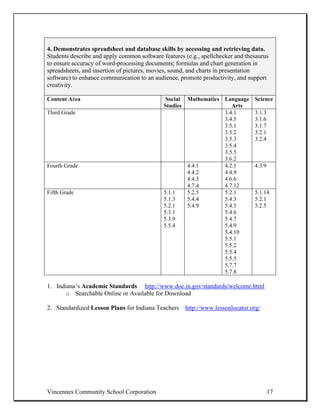
4. Demonstrates spreadsheet and database skills by accessing and retrieving data.
Students describe and apply common software features (e.g., spellchecker and thesaurus
to ensure accuracy of word-processing documents; formulas and chart generation in
spreadsheets, and insertion of pictures, movies, sound, and charts in presentation
software) to enhance communication to an audience, promote productivity, and support
creativity.

Content Area                                  Social Mathematics Language       Science
                                             Studies                Arts
Third Grade                                                      3.4.1          3.1.3
                                                                 3.4.5          3.1.6
                                                                 3.5.1          3.1.7
                                                                 3.5.2          3.2.1
                                                                 3.5.3          3.2.4
                                                                 3.5.4
                                                                 3.5.5
                                                                 3.6.2
Fourth Grade                                         4.4.1       4.2.1          4.3.9
                                                     4.4.2       4.4.9
                                                     4.4.3       4.6.6
                                                     4.7.4       4.7.12
Fifth Grade                                  5.1.1   5.2.5       5.2.1          5.1.14
                                             5.1.3   5.4.4       5.4.3          5.2.1
                                             5.2.1   5.4.9       5.4.5          5.2.5
                                             5.3.1               5.4.6
                                             5.3.9               5.4.7
                                             5.5.4               5.4.9
                                                                 5.4.10
                                                                 5.5.1
                                                                 5.5.2
                                                                 5.5.4
                                                                 5.5.5
                                                                 5.7.7
                                                                 5.7.8

1. Indiana’s Academic Standards http://www.doe.in.gov/standards/welcome.html
       o Searchable Online or Available for Download

2. Standardized Lesson Plans for Indiana Teachers http://www.lessonlocator.org/


Vincennes Community School Corporation                                                  17
Example:

   •   Make a database of pertinent names & addresses and import into spreadsheet.
       Then take this information and mail merge into word processing document to
       make labels.
   •   Watch television for a week, chart most watched shows @ what times
   •   Internet ? Chart this too – what sites, for how long?)
   •
   •


  Section Notes:


Vincennes Community School Corporation                                               18
5. Demonstrates word-processing skills by creating documents and opening previously
and apply common software features (e.g., spellchecker and thesaurus to ensure accuracy o
and chart generation in spreadsheets, and insertion of pictures, movies, sound, and charts in
communication to an audience, promote productivity, and support creativity.

Content Area                                     Social Mathematics Language          Science
                                                Studies                Arts
Third Grade                                                         3.4.1
                                                                    3.4.5
                                                                    3.5.1
                                                                    3.5.2
                                                                    3.5.3
                                                                    3.5.4
                                                                    3.5.5
                                                                    3.6.2
Fourth Grade                                            4.4.1       4.2.1             4.3.9
                                                        4.4.2       4.4.9
                                                        4.4.3       4.6.6
                                                        4.7.4       4.7.12
Fifth Grade                                     5.1.1   5.2.5       5.2.1             5.1.14
                                                5.1.3   5.4.4       5.4.3             5.2.1
                                                5.2.1   5.4.9       5.4.5             5.2.5
                                                5.3.1               5.4.6
                                                5.3.9               5.4.7
                                                5.5.4               5.4.9
                                                                    5.4.10
                                                                    5.5.1
                                                                    5.5.2
                                                                    5.5.4
                                                                    5.5.5
                                                                    5.7.7
                                                                    5.7.8

1. Indiana’s Academic Standards http://www.doe.in.gov/standards/welcome.html
       o Searchable Online or Available for Download

2. Standardized Lesson Plans for Indiana Teachers http://www.lessonlocator.org/

Example:

   •   Creating a document, saving it to a file/folder, then reopening it to edit it and
       enrich
           o Add a form field
           o Add a water mark
           o Use a template from the internet
   •
   •


Vincennes Community School Corporation                                                        19
8. Demonstrates word-processing skills by using editing functions effectively (e.g.,
delete, cut and paste, and insert). Students describe how to use online environments or
other collaborative tools to facilitate design and development of materials, models,
publications, and presentations; they know how to apply utilities for editing pictures,
images, and charts.

Content Area                                  Social Mathematics Language        Science
                                             Studies                Arts
Third Grade                                                      3.4.1
                                                                 3.4.5
                                                                 3.5.1
                                                                 3.5.2
                                                                 3.5.3
                                                                 3.5.4
                                                                 3.5.5
                                                                 3.6.2
                                                                 3.7.8
Fourth Grade                                         4.4.1       4.2.1           4.3.9
                                                     4.4.2       4.4.9
                                                     4.4.3       4.6.6
                                                     4.7.4       4.7.12
Fifth Grade                                  5.1.1   5.2.5       5.2.1           5.1.14
                                             5.1.3   5.4.4       5.4.3           5.2.1
                                             5.2.1   5.4.9       5.4.5           5.2.5
                                             5.3.1               5.4.6
                                             5.3.9               5.4.7
                                             5.5.4               5.4.9
                                                                 5.4.10
                                                                 5.5.1
                                                                 5.5.2
                                                                 5.5.4
                                                                 5.5.5
                                                                 5.7.7
                                                                 5.7.8

1. Indiana’s Academic Standards http://www.doe.in.gov/standards/welcome.html
       o Searchable Online or Available for Download

2. Standardized Lesson Plans for Indiana Teachers http://www.lessonlocator.org/


Vincennes Community School Corporation                                                   20
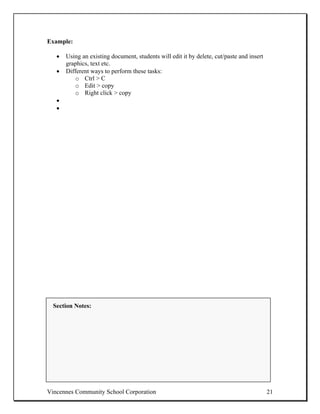
Example:

   •   Using an existing document, students will edit it by delete, cut/paste and insert
       graphics, text etc.
   •   Different ways to perform these tasks:
           o Ctrl > C
           o Edit > copy
           o Right click > copy
   •
   •


  Section Notes:


Vincennes Community School Corporation                                                     21
7. Demonstrates word-processing skills by printing and saving document. Students
describe how to use online environments or other collaborative tools to facilitate design
and development of materials, models, publications, and presentations; they know how to
apply utilities for editing pictures, images, and charts.

Content Area                                   Social Mathematics Language        Science
                                              Studies                Arts
Third Grade                                                       3.4.1
                                                                  3.4.5
                                                                  3.5.1
                                                                  3.5.2
                                                                  3.5.3
                                                                  3.5.4
                                                                  3.5.5
                                                                  3.6.2
Fourth Grade                                          4.4.1       4.2.1           4.3.9
                                                      4.4.2       4.4.9
                                                      4.4.3       4.6.6
                                                      4.7.4       4.7.12
Fifth Grade                                   5.1.1   5.2.5       5.2.1           5.1.14
                                              5.1.3   5.4.4       5.4.3           5.2.1
                                              5.2.1   5.4.9       5.4.5           5.2.5
                                              5.3.1               5.4.6
                                              5.3.9               5.4.7
                                              5.5.4               5.4.9
                                                                  5.4.10
                                                                  5.5.1
                                                                  5.5.2
                                                                  5.5.4
                                                                  5.5.5
                                                                  5.7.7
                                                                  5.7.8

1. Indiana’s Academic Standards http://www.doe.in.gov/standards/welcome.html
       o Searchable Online or Available for Download

2. Standardized Lesson Plans for Indiana Teachers http://www.lessonlocator.org/

Example:
   • Using an existing document student will print to local or networked printer then
     resave document
   • Use properties of printer to make grayscale, color, print specific page numbers
   • Make sure printers are online and power is on
   •
   •


Vincennes Community School Corporation                                                    22
8. Demonstrates word-processing skills by using spell check at an appropriate level
and demonstrating word-processing skills by typing with the correct keyboarding
skills. Students describe how to use online environments or other collaborative tools to
facilitate design and development of materials, models, publications, and presentations;
they know how to apply utilities for editing pictures, images, and charts. Students
describe how specific productivity tools support personal productivity, remediation of
skill deficits, and their capacities for learning in different subjects.

Content Area                                   Social Mathematics Language        Science
                                              Studies                Arts
Third Grade                                                       3.4.1           3.2.4
                                                                  3.4.5
                                                                  3.5.1
                                                                  3.5.2
                                                                  3.5.3
                                                                  3.5.4
                                                                  3.5.5
                                                                  3.6.2
Fourth Grade                                          4.4.1       4.2.1           4.3.9
                                                      4.4.2       4.4.9
                                                      4.4.3       4.6.6
                                                      4.7.4       4.7.12
Fifth Grade                                   5.1.1   5.2.5       5.2.1           5.1.14
                                              5.1.3   5.4.4       5.4.3           5.2.1
                                              5.2.1   5.4.9       5.4.5           5.2.5
                                              5.3.1               5.4.6
                                              5.3.9               5.4.7
                                              5.5.4               5.4.9
                                                                  5.4.10
                                                                  5.5.1
                                                                  5.5.2
                                                                  5.5.4
                                                                  5.5.5
                                                                  5.7.7
                                                                  5.7.8

1. Indiana’s Academic Standards http://www.doe.in.gov/standards/welcome.html
       o Searchable Online or Available for Download

2. Standardized Lesson Plans for Indiana Teachers http://www.lessonlocator.org/

Example:

   •   Students will use keyboarding program to develop improved typing skills and
       decrease errors
          o Words per minute will be tracked and recorded to show improvements
   •


Vincennes Community School Corporation                                                    23
9. Demonstrates spreadsheet and database skills by organizing and analyzing data.
Students describe how specific productivity tools support personal productivity,
remediation of skill deficits, and their capacities for learning in different subjects.

Content Area                                   Social Mathematics Language       Science
                                              Studies                Arts
Third Grade                                                       3.4.1          3.1.6
                                                                  3.4.5          3.1.7
                                                                  3.5.1          3.2.1
                                                                  3.5.2          3.2.4
                                                                  3.5.3          3.3.9
                                                                  3.5.4
                                                                  3.5.5
                                                                  3.6.2
Fourth Grade                                  4.1.13  4.4.1       4.3.1
                                              4.2.3   4.4.2       4.4.1
                                              4.2.4   4.4.3       4.4.5
                                              4.4.1   4.7.4       4.7.13
Fifth Grade                                   5.1.1   5.2.5       5.2.1          5.1.14
                                              5.1.3   5.4.4       5.4.3          5.2.1
                                              5.2.1   5.4.9       5.4.5          5.2.5
                                              5.3.1               5.4.6
                                              5.3.9               5.4.7
                                              5.5.4               5.4.9
                                                                  5.4.10
                                                                  5.5.1
                                                                  5.5.2
                                                                  5.5.4
                                                                  5.5.5
                                                                  5.7.7
                                                                  5.7.8

1. Indiana’s Academic Standards http://www.doe.in.gov/standards/welcome.html
       o Searchable Online or Available for Download

2. Standardized Lesson Plans for Indiana Teachers http://www.lessonlocator.org/

Example:
   • Develop a project:
   • Build a playground, skate park, mall, athletic arena, etc.
         o Estimate cost of materials
         o Kind of materials needed
         o Who will perform work
   •
   •


Vincennes Community School Corporation                                                   24
10. Demonstrates presentation skills through the use of presentations package to
create well-organized, informative oral presentations with highlighted key concepts,
and through the use of basic design skills to enhance visual presentation. Students
know how to use technology tools and resources for managing and communicating
personal, professional, or educational information (e.g., managing finances, schedules,
addresses, purchases, correspondence, uniform resource locators [URLs], e-mail
addresses, online references, citations). Students describe how to use online environments
or other collaborative tools to facilitate design and development of materials, models,
publications, and presentations; they know how to apply utilities for editing pictures,
images, and charts.

Content Area                                   Social Mathematics Language        Science
                                              Studies                Arts
Third Grade                                                       3.4.1
                                                                  3.4.5
                                                                  3.5.1
                                                                  3.5.2
                                                                  3.5.3
                                                                  3.5.4
                                                                  3.5.5
                                                                  3.6.2
Fourth Grade                                  4.1.13  4.4.1       4.3.1
                                              4.2.3   4.4.2       4.4.1
                                              4.2.4   4.4.3       4.4.5
                                              4.4.1   4.7.4       4.7.13
Fifth Grade                                   5.1.1   5.2.5       5.2.1           5.1.14
                                              5.1.3   5.4.4       5.4.3           5.2.1
                                              5.2.1   5.4.9       5.4.5           5.2.5
                                              5.3.1               5.4.6
                                              5.3.9               5.4.7
                                              5.5.4               5.4.9
                                                                  5.4.10
                                                                  5.5.1
                                                                  5.5.2
                                                                  5.5.4
                                                                  5.5.5
                                                                  5.7.7
                                                                  5.7.8

1. Indiana’s Academic Standards http://www.doe.in.gov/standards/welcome.html
       o Searchable Online or Available for Download

2. Standardized Lesson Plans for Indiana Teachers http://www.lessonlocator.org/


Vincennes Community School Corporation                                                 25
Example:
   • Students will use presentation software to develop an organized visual
     presentation to accompany an oral report
   • Using desktop publisher software, create a calendar of activities for the month
   • Create a weekly menu with grocery needs and needs
   •
   •


  Section Notes:


Vincennes Community School Corporation                                                 26
11. Demonstrates ability to use Internet search engines to access information by
utilizing Web browser functions to locate and bookmark Internet Web sites.
Students know how to use content-specific hardware and software (e.g., environmental
probes, graphing calculators, exploratory environments, simulations, Web tools) to
support learning, research, productivity, and creative thinking.

Content Area                                  Social Mathematics Language        Science
                                             Studies                Arts
Third Grade                                                      3.4.1
                                                                 3.4.5
                                                                 3.5.1
                                                                 3.5.2
                                                                 3.5.3
                                                                 3.5.4
                                                                 3.5.5
                                                                 3.6.2
                                                                 3.5.8
                                                                 3.7.10
Fourth Grade                                                     4.4.1
                                                                 4.4.7
                                                                 4.5.3
                                                                 4.7.12
Fifth Grade                                  5.1.1   5.2.5       5.2.1           5.1.14
                                             5.1.3   5.4.4       5.4.3           5.2.1
                                             5.2.1   5.4.9       5.4.5           5.2.5
                                             5.3.1               5.4.6
                                             5.3.9               5.4.7
                                             5.5.4               5.4.9
                                                                 5.4.10
                                                                 5.5.1
                                                                 5.5.2
                                                                 5.5.4
                                                                 5.5.5
                                                                 5.7.7
                                                                 5.7.8

1. Indiana’s Academic Standards http://www.doe.in.gov/standards/welcome.html
       o Searchable Online or Available for Download

2. Standardized Lesson Plans for Indiana Teachers http://www.lessonlocator.org/

Example:
   • Students use a provided list of search engines to research topic in specified
     content area and practice saving site addresses in “favorites” or bookmarks.
   • Global positioning to new national historic landmarks
   • Estimate distances back to local school
   •


Vincennes Community School Corporation                                                 27
12. Uses packaged or online help features of software program to support product
use. Students know how to use content-specific hardware and software (e.g.,
environmental probes, graphing calculators, exploratory environments, simulations, Web
tools) to support learning, research, productivity, and creative thinking.

Content Area                                 Social Mathematics Language Science
                                            Studies                Arts
Third Grade                                                     3.4.1
                                                                3.4.5
                                                                3.5.1
                                                                3.5.2
                                                                3.5.3
                                                                3.5.4
                                                                3.5.5
                                                                3.6.2
Fourth Grade
Fifth Grade                                 5.1.1    5.2.5          5.2.1      5.1.14
                                            5.1.3    5.4.4          5.4.3      5.2.1
                                            5.2.1    5.4.9          5.4.5      5.2.5
                                            5.3.1                   5.4.6
                                            5.3.9                   5.4.7
                                            5.5.4                   5.4.9
                                                                    5.4.10
                                                                    5.5.1
                                                                    5.5.2
                                                                    5.5.4
                                                                    5.5.5
                                                                    5.7.7
                                                                    5.7.8

1. Indiana’s Academic Standards http://www.doe.in.gov/standards/welcome.html
       o Searchable Online or Available for Download

2. Standardized Lesson Plans for Indiana Teachers http://www.lessonlocator.org/

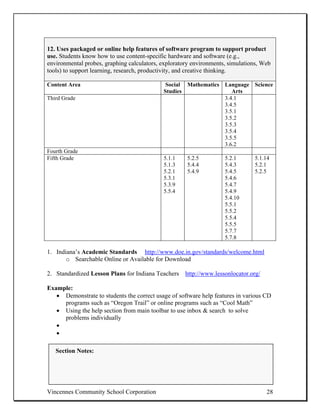
Example:
   • Demonstrate to students the correct usage of software help features in various CD
     programs such as “Oregon Trail” or online programs such as “Cool Math”
   • Using the help section from main toolbar to use inbox & search to solve
     problems individually
   •
   •

   Section Notes:


Vincennes Community School Corporation                                              28
13. Demonstrates ability to use Internet search engines to access information by
identifying and conducting searches using Internet/intranet search engines and
directories. Students know how to work collaboratively to design, develop content for,
and construct a Web-based publication.

Content Area                                  Social Mathematics Language        Science
                                             Studies                Arts
Third Grade                                                      3.4.1
                                                                 3.4.4
                                                                 3.4.5
                                                                 3.5.1
                                                                 3.5.2
                                                                 3.5.3
                                                                 3.5.4
                                                                 3.5.5
                                                                 3.6.2
                                                                 3.5.8
Fourth Grade                                                     4.4.1
                                                                 4.4.7
                                                                 4.4.9
                                                                 4.5.3
                                                                 4.7.12
Fifth Grade                                  5.1.1   5.2.5       5.2.1           5.1.14
                                             5.1.3   5.4.4       5.4.3           5.2.1
                                             5.2.1   5.4.9       5.4.5           5.2.5
                                             5.3.1               5.4.6
                                             5.3.9               5.4.7
                                             5.5.4               5.4.9
                                                                 5.4.10
                                                                 5.5.1
                                                                 5.5.2
                                                                 5.5.4
                                                                 5.5.5
                                                                 5.7.7
                                                                 5.7.8

1. Indiana’s Academic Standards http://www.doe.in.gov/standards/welcome.html
       o Searchable Online or Available for Download

2. Standardized Lesson Plans for Indiana Teachers http://www.lessonlocator.org/

Example:
   • Conduct an internet scavenger hunt using images from specific sites
         o Present findings of an archeology dig by using locations (maps), artifacts,
           and similarities to civilized society we are a part of.
   •


Vincennes Community School Corporation                                                   29
14. Demonstrates word-processing skills by using the word processor to create
outlines for papers and tables of contents for reports. Students describe and apply
common software features (e.g., spellchecker and thesaurus to ensure accuracy of word-
processing documents; formulas and chart generation in spreadsheets, and insertion of
pictures, movies, sound, and charts in presentation software) to enhance communication
to an audience, promote productivity, and support creativity.

Content Area                                  Social Mathematics Language Science
                                             Studies                Arts
Third Grade                                  3.3.7               3.4.1    3.3.9
                                             3.5.2               3.4.5
                                                                 3.5.1
                                                                 3.5.2
                                                                 3.5.3
                                                                 3.5.4
                                                                 3.5.5
                                                                 3.6.2
                                                                 3.7.8
Fourth Grade
Fifth Grade                                  5.1.1    5.2.5          5.2.1      5.1.14
                                             5.1.3    5.4.4          5.4.3      5.2.1
                                             5.2.1    5.4.9          5.4.5      5.2.5
                                             5.3.1                   5.4.6
                                             5.3.9                   5.4.7
                                             5.5.4                   5.4.9
                                                                     5.4.10
                                                                     5.5.1
                                                                     5.5.2
                                                                     5.5.4
                                                                     5.5.5
                                                                     5.7.7
                                                                     5.7.8

1. Indiana’s Academic Standards http://www.doe.in.gov/standards/welcome.html
       o Searchable Online or Available for Download

2. Standardized Lesson Plans for Indiana Teachers http://www.lessonlocator.org/

Example:
   • Students will use graphic organizer software (i.e. Kidspiration) to create an
     outline for a research report ( i.e. King Tut)
   • Using presentation software to compile the of a paper with supporting evidence
   • Use outline feature to print outline form
   •
   •


Vincennes Community School Corporation                                                30
Ideas for Lesson Development:
Ideas for Lesson Development
1.


2.


3.


             Content Area                Standard(s)


Technology to Use:


Resources:


Rubric to Use/Evaluation Method:


Hardware/Software Needs:


Vincennes Community School Corporation                 31
NETS- Curriculum and Content Area Standards

III. Research and Information Fluency (5)
Students apply digital tools to gather, evaluate, and use information.
 Students:
    • Plan strategies to guide inquiry
    • Locate, organize, analyze, evaluate, synthesize, and ethically use information
       from a variety of sources and media.
    • Evaluate and select information sources and digital tools based on the
       appropriateness to specific tasks.
    • Process data and report results.


The following experiences with technology and digital resources are examples of
learning activities in which students might engage during Grades 3–5 (ages 8–11):

1. Produce a media-rich digital story about a significant local event based on first-person
interviews. (1, 2, 3, 4)
   -The Numbers in Parenthesis are the other NETS Standards that are met with the example-

2. Recognize bias in digital resources while researching an environmental issue with
guidance from the teacher. (3, 4)

3. Select and apply digital tools to collect, organize, and analyze data to evaluate theories
or test hypotheses. (3, 4)

4. Identify and investigate a global issue and generate possible solutions using digital
tools and resources. (3, 4)


Description of technologies to use:
   • Excel and other databases, online search engines, online biographies ( 9.com,
      biogrqaphies.com)


Ways to Evaluate:
  • Rubric
  • Performance assessments
  • Teacher observation
  • Peer evaluation


Vincennes Community School Corporation                                                       32
Indiana Department of Education-
NCLB Student Technology Literacy Proficiency Checklist


Technology as an Information Research Tool: The student uses technology to access,
review, evaluate, and select information from multiple resources for reporting purposes.


1. Uses technology to conduct research by identifying a problem or question to be
researched or resolved. Students know how to search, collect, and evaluate resources
from a variety of locations online, and construct a linked list of resources (e.g.,
information, research, data, photos, video clips, illustrations, and graphics) to support
content learning and project development.

Content Area                                   Social   Mathematics     Language    Science
                                              Studies                      Arts
Third Grade                                   3.2.7                     3.1.7       3.2.4
                                              3.3.7                     3.4.1
                                                                        3.4.4
                                                                        3.5.4
                                                                        3.5.5
                                                                        3.7.10
Fourth Grade                                  4.1.12                    4.1.5       4.1.2
                                              4.1.14                    4.4.1
                                              4.1.15                    4.4.7
                                              4.2.8                     4.5.3
                                              4.4.7                     4.7.12
                                              4.5.4
Fifth Grade                                   5.1.11                                5.1.7
                                              5.1.12                                5.7.8
                                              5.1.13
                                              5.1.14
                                              5.3.9
                                              5.5.4
                                              5.2.1
                                              5.7.2
                                              5.7.8

1. Indiana’s Academic Standards http://www.doe.in.gov/standards/welcome.html
       o Searchable Online or Available for Download

2. Standardized Lesson Plans for Indiana Teachers http://www.lessonlocator.org/


Vincennes Community School Corporation                                                      33
Example:

   •   Use different search engines such as Google, Yahoo, Yahooligans to find
       information, photos and data to support content
   •   Create a document that is a list of compiled sites as hyperlinks
   •
   •


  Section Notes:


Vincennes Community School Corporation                                           34
2. Evaluates and selects several resources from a variety of information sources by
determining known and unknown information about research problem or question.
Students know how to conduct an advanced search using Boolean logic and other
sophisticated search functions; they know how to evaluate information from a variety of
sources for accuracy, bias, appropriateness, and comprehensiveness.

Content Area                                   Social Mathematics Language        Science
                                              Studies                Arts
Third Grade                                                       3.4.1           3.2.4
                                                                  3.4.4
                                                                  3.5.8
Fourth Grade                                  4.1.12              4.1.5           4.1.2
                                              4.1.14              4.4.1
                                              4.1.15              4.4.7
                                              4.2.8               4.5.3
                                              4.4.7               4.7.12
                                              4.5.4
Fifth Grade                                   5.1.11              5.4.8           5.1.7
                                              5.1.12              5.5.3
                                              5.1.13              5.5.7
                                              5.1.14              5.5.8
                                              5.3.9               5.7.9
                                              5.5.4               5.7.10

1. Indiana’s Academic Standards http://www.doe.in.gov/standards/welcome.html
       o Searchable Online or Available for Download

2. Standardized Lesson Plans for Indiana Teachers http://www.lessonlocator.org/

Example:

   •   Using multiple search engines; create a timeline showing the different eras of
       history and the characteristics of each.
   •
   •


  Section Notes:


Vincennes Community School Corporation                                                    35
3. Uses technology to conduct research by using common electronic reference
resources to access information, such as almanacs, encyclopedias, indexes, online
specialized databases, and online catalogs. Students know how to research and evaluate
the accuracy, relevance, appropriateness, comprehensiveness, and bias of electronic
information sources concerning real-world problems.

Content Area                                  Social Mathematics Language       Science
                                             Studies                Arts
Third Grade                                  3.2.7               3.1.7          3.2.4
                                             3.3.7               3.4.1
                                                                 3.4.4
                                                                 3.5.4
                                                                 3.5.8
                                                                 3.7.10
Fourth Grade                                 4.1.12              4.1.5          4.1.2
                                             4.1.14              4.4.1
                                             4.1.15              4.4.7
                                             4.2.8               4.5.3
                                             4.4.7               4.7.12
                                             4.5.4
Fifth Grade                                                      5.1.10         5.1.7
                                                                 5.5.3
                                                                 5.5.7
                                                                 5.5.8
                                                                 5.7.9

1. Indiana’s Academic Standards http://www.doe.in.gov/standards/welcome.html
       o Searchable Online or Available for Download

2. Standardized Lesson Plans for Indiana Teachers http://www.lessonlocator.org/

Example:

   •   Use online resources such as Britannica.com, encyclopedia.com, wikipedia.org to
       research real world problems
   •   Using local newspaper (online)
   •   Document & track current events fro the month and identify what are the pressing
       issues of the community
   •
   •


  Section Notes:


Vincennes Community School Corporation                                                  36
4. Evaluates and selects several resources from a variety of information sources by
reviewing print, non print, video, electronic, and human resources for supporting
and differing perspectives. Students know how to select information and technological
resources based on the appropriateness and efficiency for completing tasks, providing the
desired information, or addressing the identified objectives.

Content Area                                   Social Mathematics Language Science
                                              Studies                Arts
Third Grade                                                       3.4.1
                                                                  3.4.4
                                                                  3.5.8
                                                                  3.7.10
Fourth Grade                                  4.1.12              4.1.5    4.1.2
                                              4.1.14              4.4.1
                                              4.1.15              4.4.7
                                              4.2.8               4.5.3
                                              4.4.7               4.7.12
                                              4.5.4
Fifth Grade                                   5.2.1               5.4.8    5.1.7
                                              5.7.2               5.5.3
                                                                  5.5.7
                                                                  5.5.8
                                                                  5.7.7
                                                                  5.7.8
                                                                  5.7.9
                                                                  5.7.10

1. Indiana’s Academic Standards http://www.doe.in.gov/standards/welcome.html
       o Searchable Online or Available for Download

2. Standardized Lesson Plans for Indiana Teachers http://www.lessonlocator.org/

Example:

   •   Students will become proficient at accessing information from online resources
       such as Britannica .com, Wikipedia, dictionary.com and public library online card
       catalog
   •   Students will be able to identify ???
   •   Podcasts??
   •
   •

  Section Notes:


Vincennes Community School Corporation                                                 37
5. Evaluates and selects several resources from a variety of information sources by
reviewing each author’s credentials and validates the accuracy of information.
Students know how to identify and implement procedures for designing, creating, and
populating a database; and, in performing queries, to process data and report results
relevant to an assigned hypothesis or research question.

Content Area                                  Social Mathematics Language Science
                                             Studies                Arts
Third Grade                                                      3.5.8
Fourth Grade                                 4.1.12              4.1.5    4.1.2
                                             4.1.14              4.4.1
                                             4.1.15              4.4.7
                                             4.2.8               4.5.3
                                             4.4.7               4.7.12
                                             4.5.4
Fifth Grade                                  5.2.1               5.4.8    5.1.7
                                             5.7.2               5.5.3
                                                                 5.5.7
                                                                 5.5.8
                                                                 5.7.7
                                                                 5.7.8
                                                                 5.7.9
                                                                 5.7.10

1. Indiana’s Academic Standards http://www.doe.in.gov/standards/welcome.html
       o Searchable Online or Available for Download

2. Standardized Lesson Plans for Indiana Teachers http://www.lessonlocator.org/

Example:

   •    Can you think of your own example?
   •
   •


  Section Notes:


Vincennes Community School Corporation                                              38
6. Evaluates and selects several resources from a variety of information sources by
gathering information and applying it to solve the problem or question. Students
know how to select and use information and communication technology tools and
resources to collect and analyze information and report results on an assigned hypothesis
or research question.

Content Area                                   Social Mathematics Language        Science
                                              Studies                Arts
Third Grade                                                       3.4.1           3.2.4
                                                                  3.4.4
                                                                  3.5.8
Fourth Grade                                  4.1.12              4.1.5           4.1.2
                                              4.1.14              4.4.1
                                              4.1.15              4.4.7
                                              4.2.8               4.5.3
                                              4.4.7               4.7.12
                                              4.5.4
Fifth Grade                                   5.2.1               5.2.1           5.1.7
                                                                  5.5.3           5.2.1
                                                                  5.5.7           5.2.5
                                                                  5.5.8
                                                                  5.7.7
                                                                  5.7.8
                                                                  5.7.9
                                                                  5.7.10

1. Indiana’s Academic Standards http://www.doe.in.gov/standards/welcome.html
       o Searchable Online or Available for Download

2. Standardized Lesson Plans for Indiana Teachers http://www.lessonlocator.org/

Example:

   •   Use video conferencing to interview a credited authority on a designed topic
   •   Accumulate data
   •   Using spreadsheets, chat data
   •   Identify your conclusion based on the data you have gathered
   •
   •

  Section Notes:


Vincennes Community School Corporation                                                    39
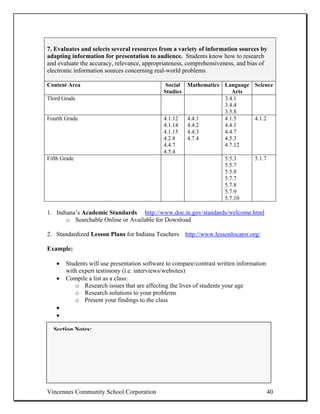
7. Evaluates and selects several resources from a variety of information sources by
adapting information for presentation to audience. Students know how to research
and evaluate the accuracy, relevance, appropriateness, comprehensiveness, and bias of
electronic information sources concerning real-world problems.

Content Area                                  Social Mathematics Language Science
                                             Studies                Arts
Third Grade                                                      3.4.1
                                                                 3.4.4
                                                                 3.5.8
Fourth Grade                                 4.1.12  4.4.1       4.1.5    4.1.2
                                             4.1.14  4.4.2       4.4.1
                                             4.1.15  4.4.3       4.4.7
                                             4.2.8   4.7.4       4.5.3
                                             4.4.7               4.7.12
                                             4.5.4
Fifth Grade                                                      5.5.3    5.1.7
                                                                 5.5.7
                                                                 5.5.8
                                                                 5.7.7
                                                                 5.7.8
                                                                 5.7.9
                                                                 5.7.10

1. Indiana’s Academic Standards http://www.doe.in.gov/standards/welcome.html
       o Searchable Online or Available for Download

2. Standardized Lesson Plans for Indiana Teachers http://www.lessonlocator.org/

Example:

   •   Students will use presentation software to compare/contrast written information
       with expert testimony (i.e. interviews/websites)
   •   Compile a list as a class:
          o Research issues that are affecting the lives of students your age
          o Research solutions to your problems
          o Present your findings to the class
   •
   •

  Section Notes:


Vincennes Community School Corporation                                                   40
8. Uses technology to conduct searches by using Boolean operators independently or
with guidance to locate information. Students know how to conduct an advanced
search using Boolean logic and other sophisticated search functions; they know how to
evaluate information from a variety of sources for accuracy, bias, appropriateness, and
comprehensiveness.

Content Area                                   Social Mathematics Language      Science
                                              Studies                Arts
Third Grade                                                       3.4.1         3.2.4
                                                                  3.5.8
Fourth Grade                                  4.1.12              4.1.5         4.1.2
                                              4.1.14              4.4.1
                                              4.1.15              4.4.7
                                              4.2.8               4.5.3
                                              4.4.7               4.7.12
                                              4.5.4
Fifth Grade                                                       5.5.3         5.1.7
                                                                  5.5.7
                                                                  5.5.8
                                                                  5.7.7
                                                                  5.7.8
                                                                  5.7.9
                                                                  5.7.10

1. Indiana’s Academic Standards http://www.doe.in.gov/standards/welcome.html
       o Searchable Online or Available for Download

2. Standardized Lesson Plans for Indiana Teachers http://www.lessonlocator.org/

Example:

   •   Students will use “and, not, or” when typing in a search request (i.e.
       planets=kids) or (i.e. planets and Venus)
   •
   •


  Section Notes:


Vincennes Community School Corporation                                                  41
9. Uses technology to conduct searches by using sophisticated reference tools, such
as biographical dictionaries and thesauruses in print and electronic formats.
Students know how to select and use information and communication technology tools
and resources to collect and analyze information and report results on an assigned
hypothesis or research question.

Content Area                                 Social   Mathematics    Language    Science
                                            Studies                     Arts
Third Grade                                                          3.5.8       3.2.4
Fourth Grade                                4.1.12                   4.1.5       4.1.2
                                            4.1.14                   4.4.1
                                            4.1.15                   4.4.7
                                            4.2.8                    4.5.3
                                            4.4.7                    4.7.12
                                            4.5.4
Fifth Grade                                                          5.5.3       5.1.7
                                                                     5.5.7
                                                                     5.5.8
                                                                     5.7.7
                                                                     5.7.8
                                                                     5.7.9
                                                                     5.7.10

1. Indiana’s Academic Standards http://www.doe.in.gov/standards/welcome.html
       o Searchable Online or Available for Download

2. Standardized Lesson Plans for Indiana Teachers http://www.lessonlocator.org/

Example:

   •   Students will access information from online biographical dictionary’s such as
       S9.com to create a report on a favorite author, presidents or explorers
   •
   •


  Section Notes:


Vincennes Community School Corporation                                                   42
10. Evaluates and selects several resources from a variety of information sources by
determining each author’s bias or point of view. Students know how to conduct an
advanced search using Boolean logic and other sophisticated search functions; they know
how to evaluate information from a variety of sources for accuracy, bias, appropriateness,
and comprehensiveness.

Content Area                                   Social Mathematics Language Science
                                              Studies                Arts
Third Grade                                                       3.4.1
                                                                  3.4.4
                                                                  3.5.8
                                                                  3.7.10
Fourth Grade                                  4.1.12              4.1.5    4.1.2
                                              4.1.14              4.4.1
                                              4.1.15              4.4.7
                                              4.2.8               4.5.3
                                              4.4.7               4.7.12
                                              4.5.4
Fifth Grade                                                       5.5.3    5.1.7
                                                                  5.5.7
                                                                  5.5.8
                                                                  5.7.7
                                                                  5.7.8
                                                                  5.7.9
                                                                  5.7.10

1. Indiana’s Academic Standards http://www.doe.in.gov/standards/welcome.html
       o Searchable Online or Available for Download

2. Standardized Lesson Plans for Indiana Teachers http://www.lessonlocator.org/

Example:

   •   Research presidential candidates pets
   •   Print pictures
   •   Students will survey classmates and create a chart showing results of survey
   •   Students use persuasive techniques to decide which pet should reside in the
       “White House”
   •
   •

  Section Notes:


Vincennes Community School Corporation                                                 43
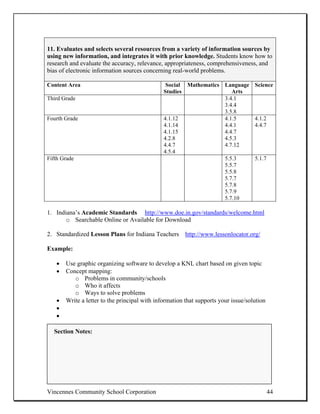
11. Evaluates and selects several resources from a variety of information sources by
using new information, and integrates it with prior knowledge. Students know how to
research and evaluate the accuracy, relevance, appropriateness, comprehensiveness, and
bias of electronic information sources concerning real-world problems.

Content Area                                    Social Mathematics Language         Science
                                               Studies                Arts
Third Grade                                                        3.4.1
                                                                   3.4.4
                                                                   3.5.8
Fourth Grade                                   4.1.12              4.1.5            4.1.2
                                               4.1.14              4.4.1            4.4.7
                                               4.1.15              4.4.7
                                               4.2.8               4.5.3
                                               4.4.7               4.7.12
                                               4.5.4
Fifth Grade                                                        5.5.3            5.1.7
                                                                   5.5.7
                                                                   5.5.8
                                                                   5.7.7
                                                                   5.7.8
                                                                   5.7.9
                                                                   5.7.10

1. Indiana’s Academic Standards http://www.doe.in.gov/standards/welcome.html
       o Searchable Online or Available for Download

2. Standardized Lesson Plans for Indiana Teachers http://www.lessonlocator.org/

Example:

   •   Use graphic organizing software to develop a KNL chart based on given topic
   •   Concept mapping:
          o Problems in community/schools
          o Who it affects
          o Ways to solve problems
   •   Write a letter to the principal with information that supports your issue/solution
   •
   •

  Section Notes:


Vincennes Community School Corporation                                                      44
12. Accesses and analyzes data for use in reporting results by using databases to
locate entries, edit data, and enter data. Students know how to create, edit, and modify
a database report and identify trends reflecting analysis of the data.

Content Area                                  Social Mathematics Language Science
                                             Studies               Arts
Third Grade
Fourth Grade                                 4.1.12                   4.1.5       4.1.2
                                             4.1.14                   4.4.1
                                             4.1.15                   4.4.7
                                             4.2.8                    4.5.3
                                             4.4.7                    4.7.12
                                             4.5.4
Fifth Grade                                                           5.5.3       5.1.7
                                                                      5.5.7
                                                                      5.5.8
                                                                      5.7.7
                                                                      5.7.8
                                                                      5.7.9
                                                                      5.7.10

1. Indiana’s Academic Standards http://www.doe.in.gov/standards/welcome.html
       o Searchable Online or Available for Download

2. Standardized Lesson Plans for Indiana Teachers http://www.lessonlocator.org/

Example:

   •   Using Excel or any other spreadsheet student will collect and record data from a
       multi-day experiment in science or any other content area
   •
   •


  Section Notes:


Vincennes Community School Corporation                                                    45
13. Accesses and analyzes data for use in reporting results by creating reports using
database information. Students know how to select and use technology tools to
efficiently analyze and display data.

Content Area                                   Social Mathematics Language Science
                                              Studies                Arts
Third Grade                                                       3.5.8
Fourth Grade                                  4.1.12  4.4.1       4.5.3    4.1.2
                                              4.1.14  4.4.2       4.7.10
                                              4.1.15  4.4.3       4.7.12
                                              4.2.8   4.7.4       4.7.13
                                              4.4.7
                                              4.5.4
Fifth Grade                                                       5.5.3    5.1.7
                                                                  5.5.7
                                                                  5.5.8
                                                                  5.7.7
                                                                  5.7.8
                                                                  5.7.9
                                                                  5.7.10

1. Indiana’s Academic Standards http://www.doe.in.gov/standards/welcome.html
       o Searchable Online or Available for Download

2. Standardized Lesson Plans for Indiana Teachers http://www.lessonlocator.org/

Example:

   •   Using previously collected data from a multiple day science experiment, students
       will use a database (i.e. Excel) to graph information using the database’s bar line
       chart, pie chart and scatter plot
   •   As a class: log results & discuss the data and what it says
   •
   •


  Section Notes:


Vincennes Community School Corporation                                                  46
Ideas for Lesson Development:
Ideas for Lesson Development
1.


2.


3.


             Content Area                Standard(s)


Technology to Use:


Resources:


Rubric to Use/Evaluation Method:


Hardware/Software Needs:


Vincennes Community School Corporation                 47
NETS- Curriculum and Content Area Standards

IV. Critical Thinking, Problem-Solving & Decision-Making (6,3)
Students use critical thinking skills to plan and conduct research, manage projects, solve
problems and make informed decisions using appropriate digital tools and resources.
 Students:
    • Identify and define authentic problems and make significant questions for
       investigation.
    • Plan and manage activities to develop a solution or complete a project.
    • Collect and analyze data to identify solutions and/or make informed decisions.
    • Use multiple processes and diverse perspectives to explore alternative solutions.


The following experiences with technology and digital resources are examples of
learning activities in which students might engage during Grades 3–5 (ages 8–11):

1. Produce a media-rich digital story about a significant local event based on first-person
interviews. (1, 2, 3, 4)
   -The Numbers in Parenthesis are the other NETS Standards that are met with the example-

2. Recognize bias in digital resources while researching an environmental issue with
guidance from the teacher. (3, 4)

3. Select and apply digital tools to collect, organize, and analyze data to evaluate theories
or test hypotheses. (3, 4)

4. Identify and investigate a global issue and generate possible solutions using digital
tools and resources. (3, 4)

5. Conduct science experiments using digital instruments and measurement devices. (4,
6)

6. Conceptualize, guide, and manage individual or group learning projects using digital
planning tools with teacher support. (4, 6)

Description of technologies to use:
   • Communication tools (email, video conferencing, blog, etc) Search engines,
      graphic organizing software

Ways to Evaluate:
  • Performance assessment
  • Rubric
  • Peer evaluation
  • Teacher observation


Vincennes Community School Corporation                                                       48
Indiana Department of Education-
NCLB Student Technology Literacy Proficiency Checklist


Technology as a Problem-Solving and Data-Driven Decision-Making Tool: The
student uses technology to develop strategies for solving problems


1. Uses technology to solve problems and make informed decisions. Students identify
two or more types of information and communication technology tools or resources that
can be used for informing and solving a specific problem and presenting results, or for
identifying and presenting an informed rationale for a decision.

Content Area                                      Social Mathematics Language Science
                                                 Studies                Arts
Third Grade                                                          3.4.1    3.2.4
                                                                     3.4.4
                                                                     3.5.8
                                                                     3.7.10
Fourth Grade                                     4.1.12              4.1.5    4.1.2
                                                 4.1.14              4.4.1
                                                 4.1.15              4.4.7
                                                 4.2.8               4.5.3
                                                 4.4.7               4.7.12
                                                 4.5.4
Fifth Grade                                                          5.5.3
                                                                     5.7.7
                                                                     5.7.8

1. Indiana’s Academic Standards http://www.doe.in.gov/standards/welcome.html
       o Searchable Online or Available for Download

2. Standardized Lesson Plans for Indiana Teachers http://www.lessonlocator.org/

Example:

       •      Students will use research from the internet based tools and communication
              tools to gather information. Environmental issues and develop a rationale fro
              developing a solution to the issue
       •
       •

  Section Notes:


Vincennes Community School Corporation                                                    49
2. Uses technology-based, data-driven, decision-support charting software tools to
analyze a problem from different perspectives. Students develop strategies for use of
data analysis, models, and simulations to make specific decisions regarding a course of
action for solving real-world problems.

Content Area                                   Social Mathematics Language Science
                                              Studies                Arts
Third Grade                                           3.1.13      3.7.10   3.1.3
                                                      3.4.5                3.2.4
                                                      3.5.8                3.5.3
Fourth Grade                                                      4.7.12
Fifth Grade                                                       5.7.7
                                                                  5.7.8

1. Indiana’s Academic Standards http://www.doe.in.gov/standards/welcome.html
       o Searchable Online or Available for Download

2. Standardized Lesson Plans for Indiana Teachers http://www.lessonlocator.org/

Example:

   •   Using Kidspiration or graphic organizing software create compare and
       contrast/pros/cons to help inform an audience on real world problems
   •   Use data for why you need an increase in your allowance
          o What you would spend it on
          o How will you save money?
          o What extra work will you so around the house?
   •
   •


  Section Notes:


Vincennes Community School Corporation                                                50
3. Uses technology-based, data-driven, decision support tools to review the outcome
of a problem scenario over time. Almanacs, encyclopedias, indexes, online
specialized databases, and online catalogs. Students know how to apply formulas,
functions, and “what if” statements in spreadsheets and graphs or charts to analyze and
interpret data for content assignments.

Content Area                                  Social Mathematics     Language Science
                                             Studies                   Arts
Third Grade                                          3.1.13                   3.1.3
                                                     3.4.5                    3.5.3
                                                     3.5.5
Fourth Grade                                 4.1.12                  4.1.5       4.1.2
                                             4.1.14                  4.4.1
                                             4.1.15                  4.4.7
                                             4.2.8
                                             4.4.7
                                             4.5.4
Fifth Grade                                                          5.7.7
                                                                     5.7.8

1. Indiana’s Academic Standards http://www.doe.in.gov/standards/welcome.html
       o Searchable Online or Available for Download

2. Standardized Lesson Plans for Indiana Teachers http://www.lessonlocator.org/

Example:

   •   Using online tools (almanacs, encyclopedias) research the changes in weather
       over a specific amount of time and use the information to form an hypothesis
       about future weather
   •   Use the formula tool to create a tracking sheet for upcoming birthdays,
       anniversaries, holidays
   •   Use desktop publishing to create a calendar with different dates of interest
   •
   •

  Section Notes:


Vincennes Community School Corporation                                                   51
Ideas for Lesson Development:
Ideas for Lesson Development
1.


2.


3.


             Content Area                Standard(s)


Technology to Use:


Resources:


Rubric to Use/Evaluation Method:


Hardware/Software Needs:


Vincennes Community School Corporation                 52
NETS- Curriculum and Content Area Standards

V. Digital Citizenship (2)
Students understand human, cultural, and societal issues related to technology and
practice legal and ethical behavior.
 Students:
   • Advocate and practice safe, legal, and responsible use of the information and
        technology.
   • Exhibit a positive attitude toward using technology that supports collaboration,
        learning, and productivity.
   • Demonstrate personal responsibility for lifetime learning.
   • Exhibit leadership for digital citizenship.


The following experiences with technology and digital resources are examples of
learning activities in which students might engage during Grades 3–5 (ages 8–11):

1. Practice injury prevention by applying a variety of ergonomic strategies when using
technology. (5)
   -The Numbers in Parenthesis are the other NETS Standards that are met with the example-

2. Debate the effect of existing and emerging technologies on individuals, society, and
the global community. (5, 6)


Description of technologies to use:
   • Publishing software word, processing software, internet resources, united
      streaming


Ways to Evaluate:
  • Rubric
  • Peer evaluation
  • Checklist
  • Teacher observation
  • Teacher created survey
  • Survey


Vincennes Community School Corporation                                                       53
Indiana Department of Education-
NCLB Student Technology Literacy Proficiency Checklist


Social and Ethical Issues of Technology: The student understands the social, legal, and
ethical issues related to technology use. The student practices responsible use of
hardware, software, and data and positively interacts with technology independently and
in collaboration with others.


1. Practices respectful and responsible use of technology through abiding by the
school technology and Internet use policy. Students identify and discuss terms and
concepts associated with safe, effective, and efficient use of the Internet and
telecommunications resources (e.g., password, firewall, spam, security, fair use,
acceptable use policy [AUP], Internet use policy [IUP], release form) and recognize
strategies that demonstrate ethical, legal, and socially responsible use of technology and
electronic resources.

Content Area                                    Social Mathematics Language Science
                                               Studies                Arts
Third Grade                                                        3.4.1
                                                                   3.4.4
                                                                   3.5.8
                                                                   3.7.10
Fourth Grade                                                       4.2.6
                                                                   4.4.1
                                                                   4.4.5
                                                                   4.5.3
                                                                   4.7.10
                                                                   4.7.12
Fifth Grade                                                        5.4.6    5.5.3
                                                                   5.5.3    5.7.8
                                                                   5.7.7
                                                                   5.7.8

1. Indiana’s Academic Standards http://www.doe.in.gov/standards/welcome.html
       o Searchable Online or Available for Download

2. Standardized Lesson Plans for Indiana Teachers http://www.lessonlocator.org/


Vincennes Community School Corporation                                                   54
Example:

   •   Provide students with list of internet terms and use internet resources to define
       commonly used internet terms. Then create a presentation to share their findings
   •   Discuss how long they use the internet
   •   Chat rooms
   •
   •


  Section Notes:


Vincennes Community School Corporation                                                 55
2. Demonstrates an understanding of plagiarism and fair use, and respects
copyright laws of information producers, such as authors and artists. Students
discuss issues related to acceptable and responsible use of information and
communication technology (e.g., privacy, security, copyright, file sharing, plagiarism),
analyze the consequences and costs of unethical use of information and computer
technology (e.g., hacking, spamming, consumer fraud, virus setting, intrusion), and
identify methods for addressing these risks.

Content Area                                    Social Mathematics Language        Science
                                               Studies                Arts
Third Grade                                                        3.4.1           3.1.3
                                                                   3.4.4
                                                                   3.4.5
                                                                   3.5.8
Fourth Grade                                                       4.4.1           4.2.6
                                                                   4.4.5
                                                                   4.4.7
                                                                   4.5.3
Fifth Grade                                                        5.5.3           5.5.3
                                                                                   5.7.8

1. Indiana’s Academic Standards http://www.doe.in.gov/standards/welcome.html
       o Searchable Online or Available for Download

2. Standardized Lesson Plans for Indiana Teachers http://www.lessonlocator.org/

Example:

   •   Discussion on music privacy and its effect on the music industry and artists rights
       and income.
   •   Analyze copyrights
          o Investigate different music download websites
          o Write a report indentifying pros/cons of pirating music verses fee based
              music sites
          o Is it right/wrong
   •
   •

  Section Notes:


Vincennes Community School Corporation                                                     56
3. Demonstrates an understanding of the interaction and interdependence between
humans and technology. Students identify how they currently use technology and
predict how they may use and benefit from its use in their future.

Content Area                                    Social Mathematics Language Science
                                               Studies               Arts
Third Grade
Fourth Grade                                                                  4.1.7
                                                                              4.4.7
Fifth Grade
-Can we think of more standards to identify?

1. Indiana’s Academic Standards http://www.doe.in.gov/standards/welcome.html
       o Searchable Online or Available for Download

2. Standardized Lesson Plans for Indiana Teachers http://www.lessonlocator.org/

Example:

    •    Career exploration:
            o Select a career and investigate how technology has changed and improved
                the efficiency of the job
            o Use Unitedstreaming for career background
            o Brainstorm future technology jobs in the states, country, and world
            o How will they use technology in the future?
    •
    •


   Section Notes:


Vincennes Community School Corporation                                                57
4. Understands how changes in technology affect the workplace and society.
Students recognize, discuss, and visually represent current changes in information
technologies and the effect those changes have on the workplace and society. Students
identify capabilities and limitations of contemporary and emerging technology resources.

Content Area                                   Social Mathematics Language Science
                                              Studies               Arts
Third Grade
Fourth Grade                                                                       4.1.7
                                                                                   4.4.7
Fifth Grade                                   5.1.1     5.1.1          5.1.1       5.1.14
                                              5.1.3     5.1.3          5.2.1
                                              5.2.1     5.2.1

1. Indiana’s Academic Standards http://www.doe.in.gov/standards/welcome.html
       o Searchable Online or Available for Download

2. Standardized Lesson Plans for Indiana Teachers http://www.lessonlocator.org/

Example:
   • Students create an itinerary/brochure of a trip to Washington DC
         o Include transportation, food, lodging, list of visitor sites and directions.
         o Spreadsheet of expenses
         o Publishing software to create brochure
         o Online visitor guide for information
         o Map website for directions
         o Use Unitedstreaming to build background knowledge
   •
   •


   Section Notes:


Vincennes Community School Corporation                                                    58
Ideas for Lesson Development:
Ideas for Lesson Development
1.


2.


3.


             Content Area                Standard(s)


Technology to Use:


Resources:


Rubric to Use/Evaluation Method:


Hardware/Software Needs:


Vincennes Community School Corporation                 59
NETS- Curriculum and Content Area Standards

VI. Technology Operations and Concepts (1,3)
Students demonstrate a sound understanding of technology concepts, systems and
operations.
 Students:
    • Understand and use technology systems.
    • Select and use applications effectively and productively.
    • Troubleshoot systems and applications.
    • Transfer current knowledge to learning of new technologies.


The following experiences with technology and digital resources are examples of
learning activities in which students might engage during Grades 3–5 (ages 8–11):

1. Use digital-imaging technology to modify or create works of art for use in a digital
presentation. (1, 2, 6)
   -The Numbers in Parenthesis are the other NETS Standards that are met with the example-

2. Conduct science experiments using digital instruments and measurement devices. (4,
6)

3. Conceptualize, guide, and manage individual or group learning projects using digital
planning tools with teacher support. (4, 6)

4. Debate the effect of existing and emerging technologies on individuals, society, and
the global community. (5, 6)

5. Apply previous knowledge of digital technology operations to analyze and solve
current hardware and software problems. (6)


Description of technologies to use:
   • Calculator, video projector, Promethean board, digital camera, keyboarding
      software , camcorder


Ways to Evaluate:
  • Rubric
  • Peer evaluation
  • Teacher observation
  • Performance assessment


Vincennes Community School Corporation                                                       60
Indiana Department of Education-
NCLB Student Technology Literacy Proficiency Checklist


Technology Operation Skills: The student is able to use hardware and software
components, The student understands the difference between input and output devices


1. Uses hardware and peripherals (input and output devices) to support content
   area learning including the use of touch screens and simple voice-recognition
   systems. Students know how to connect and use a wide variety of input and output
   devices and common peripherals (e.g., scanners, digital probes, digital cameras, and
   video projectors), and how to access networked resources.

Content Area                     Social       Mathematics      Language         Science
                                 Studies                          Arts
Third Grade                                                  3.4.1           3.1.3
                                                             3.4.4
                                                             3.4.5
                                                             3.5.8
                                                             3.7.10
Fourth Grade                                                 4.4.1
                                                             4.4.7
                                                             4.4.9
                                                             4.5.3
                                                             4.6.6
                                                             4.7.12
Fifth Grade                                                  5.4.6           5.2.1
                                                             5.5.3           5.2.5
                                                             5.7.7
                                                             5.7.8

1. Indiana’s Academic Standards http://www.doe.in.gov/standards/welcome.html
       o Searchable Online or Available for Download

2. Standardized Lesson Plans for Indiana Teachers http://www.lessonlocator.org/

Example:
   • Student will create a presentation in content area using a video projector, digital
     camera and/or Promethean board
   • Connect iPods digital cameras, camcorders
   • Sync media from/to device for offline use
   • Using login and passwords to activate to the network
   •
   •


Vincennes Community School Corporation                                                     61
2. Demonstrates effective keyboarding techniques. Students know how to use proper
   keyboarding posture, hand and finger positions, and touch-typing techniques to
   improve accuracy, speed, and general efficiency in computer operation.

Content Area                     Social      Mathematics      Language        Science
                                Studies                          Arts
Third Grade                  3.5.2                          3.4.1          3.1.3
                                                            3.4.4
                                                            3.4.5
                                                            3.5.1
                                                            3.5.2
                                                            3.5.3
                                                            3.5.4
                                                            3.5.5
                                                            3.5.8
                                                            3.6.2
                                                            3.7.10
Fourth Grade                                                4.4.1
                                                            4.4.7
                                                            4.4.9
                                                            4.5.3
                                                            4.6.6
                                                            4.7.12
Fifth Grade                                                 5.4.6          5.2.5
                                                            5.5.3

1. Indiana’s Academic Standards http://www.doe.in.gov/standards/welcome.html
       o Searchable Online or Available for Download

2. Standardized Lesson Plans for Indiana Teachers http://www.lessonlocator.org/

Example:

   •   Student will use keyboarding software such as Type to Learn to establish proper
       keyboarding techniques
   •   Know the layout of a QWERTY keyboard
          o Home row
          o Number page
          o Arrows to navigate a file
          o Page up and down
          o Print screen
   •
   •

  Section Notes:


Vincennes Community School Corporation                                                  62
3. Connects to the Internet using school network/modem and browser. Students
    know how to apply search engines, word processors, databases, spreadsheets,
    timelines, charts or graphs, communications, surveys, and other technology-based
    research and analysis tools to organize, synthesize, interpret, and communicate results
    from data collected regarding technological advances over time and the effects of the
    changes on occupations in business, industry, education, and other areas.

Content Area                  Social Studies   Mathematics       Language         Science
                                                                     Arts
Third Grade                                                    3.4.1
                                                               3.4.4
                                                               3.5.8
                                                               3.7.10
Fourth Grade                                                   4.4.1
                                                               4.4.7
                                                               4.5.3
                                                               4.7.12
Fifth Grade                   5.4.7                            5.4.4           5.1.5
                                                               5.4.7
                                                               5.5.3
                                                               5.7.7
                                                               5.7.8

1. Indiana’s Academic Standards http://www.doe.in.gov/standards/welcome.html
       o Searchable Online or Available for Download

2. Standardized Lesson Plans for Indiana Teachers http://www.lessonlocator.org/

Example:

   •   Students will use the internet to access information relevant to classroom
       instruction and activities
   •   Create a digital historical timeline using application of choice to identify dates of
       major technological advancements
   •
   •


  Section Notes:


Vincennes Community School Corporation                                                      63
4. Uses a graphing algebraic calculator to support graphing and/or arithmetic and
   algebraic functions. Students know how to evaluate, select, and use appropriate
   technology tools and information resources to plan, design, develop, and
   communicate content information, appropriately addressing the target audience and
   providing accurate citations for sources. Students know how to select and use
   technology tools efficiently and effectively to collect, analyze, and display data for
   class assignments, projects, and presentations.

Content Area                     Social      Mathematics       Language          Science
                                 Studies                         Arts
Third Grade                                                                   3.2.4

Fourth Grade
Fifth Grade                                  5.4.4                            5.2.1
                                                                              5.2.5
                                                                              5.4.4

1. Indiana’s Academic Standards http://www.doe.in.gov/standards/welcome.html
       o Searchable Online or Available for Download

2. Standardized Lesson Plans for Indiana Teachers http://www.lessonlocator.org/

Example:

   •   Students will use a calculator to solve arithmetic and algebraic functions and
       develop graphs to support their answers and solutions
   •   Create a grocery list for the day/week shopping and use a calculator to total the
       amount spent
   •   Use a calculator to assist in conversion from metric to standard or Celsius to
       Fahrenheit
   •
   •


  Section Notes:


Vincennes Community School Corporation                                                     64
Ideas for Lesson Development:
Ideas for Lesson Development
1.


2.


3.


             Content Area                Standard(s)


Technology to Use:


Resources:


Rubric to Use/Evaluation Method:


Hardware/Software Needs:


Vincennes Community School Corporation                 65
Ideas for Lesson Development
General Notes:


Vincennes Community School Corporation   66
Ideas for Lesson Development
General Notes:


Vincennes Community School Corporation   67
Ideas for Lesson Development
General Notes:


Vincennes Community School Corporation   68
Appendices
I. 21ST CENTURY STUDENT OUTCOMES:
The elements described in this section as “21st century student outcomes” (represented
by the rainbow) are the skills, knowledge and expertise students should master to succeed
in work and life in the 21st century.
    1. Core Subjects and 21st Century Themes
           o Learning and Innovation Skills
           o Creativity and Innovation Skills
           o Critical Thinking and Problem Solving Skills
           o Communication and Collaboration Skills
    2. Information, Media and Technology Skills
           o Information Literacy
           o Media Literacy
           o ICT Literacy
    3. Life and Career Skills
           o Flexibility & Adaptability
           o Initiative & Self-Direction
           o Social & Cross-Cultural Skills
           o Productivity & Accountability
           o Leadership & Responsibility


The Partnership for 21st Century Skills has developed a unified, collective vision for 21st
          century learning that can be used to strengthen American education.
                          < http://www.21stcenturyskills.org/ >


Vincennes Community School Corporation                                                  69
Team Members
                                 Administrative Office

                                 Mr. Thomas Nonte
 Mr. Tom Nonte is a K-12 Education Curriculum Specialist with 35 years of combined
 experience as a faculty member, principal, and senior administrator. Strengths include
    budget development within state and federal grants, curriculum and instruction,
       assessment, wage and salary administration, and employee management.

                                     Mr. Ande Warren
  Mr. Ande Warren had been with Indiana State University in the College of Education
   working with the Preparing Tomorrow’s Teacher’s to Use Technology grant and is
currently the Director of Information Systems with Vincennes Community Schools. He is
    the only candidate in the state to have been awarded a Graduate Certificate in the
     Advanced Study of Technology Leadership in Education from the University of
 Minnesota. He also holds a Master’s from ISU in Educational Media, with a focus as a
    Technology Coordinator, along with several computer and training certifications
  including: MCP v.2, Net+, A+, Project+, and Master Instructor, Teach to the Future.


                               Academic Year 2007-2008
                                Building Administrator

                                      Eric Goggins
Mr. Eric Goggins is the current principal at Washington Elementary School. He has three
 years of teaching experience at the elementary school level. He holds a Master of Arts
             degree in elementary education from Oakland City University.

                                  Grade Level Faculty

                                  Ann Donovan
 Mrs. Ann Donovan earned a BS from University of Southern Indiana and her Master’s
    Degree from Indiana State University. She has been a teacher in the Vincennes
 Community School Corporation at both Riley Elementary and Washington Elementary
                               for the last 20 years.

                                   Carolyn Stevenson
Mrs. Carolyn Stevenson is completing her 16th year teaching at the elementary level.
Most of her experience has been with second grade but has also taught first and fifth
grades. Before returning to school to complete her degree she was an aide in a first grade
classroom.


Vincennes Community School Corporation                                                  70
Mollie Ravellette
 Mrs. Mollie Ravellette, teacher at Vigo Elementary, has taught Title 1 Math for 4 years
 and the other 6 years have been in the regular elementary classroom. The 10 years she
                  has taught have been in the 1st, 2nd, and 3rd grades.

                                      Molly Battles
 Mrs. Molly Battles has been teaching at Franklin elementary for 4 years where she has
 taught three years of third grade and one year of second. Her degrees are from Indiana
   University, 2004, with a Bachelor’s degree in Elementary Education and a Master’s
                   degree in Education from Indiana Wesleyan, 2007.

                              Academic Year 2006-2007
                               Building Administrator

                                   Tim Hutchison
  Mr. Tim Hutchison started his year as an educator at Washington High School for 14
years and taught Computer Applications, Keyboarding, Lotus, Word Perfect, Marketing,
Business Law, Business Management. He earned his administrative license and become
 the Clark Middle School Assistant Principal for seven years and then moved to a local
 elementary building to become the Principal. He is currently working at Clark Middle
                          School teaching a Business course.

                                 Grade Level Faculty

                                 Jerri Johanningsmeier
Mrs. Jerri Johanningsmeier has been an elementary classroom teacher with Vincennes for
    34 years. She has attended computer/ technology workshop classes in sequence to
updates in computer technology to support classroom instruction with students. Jerri uses
   technology everyday in classroom activities and instruction. She is also the building
 facilitator with Gifted/Talented students, Math Bowl and Spell Bowl and has tutored in
                     Jump Start programs and after school instruction.

                                    Susan Marchino
 Mrs. Susan Marchino, currently Principal at Riley Elementary, has 15 years of teaching
 experience. Her experience was in either the second or third grade at Vigo Elementary,
 as she was part of the ‘looping’ concept for several years. She has a Master’s degree in
Education from Indiana Wesleyan and finished her administrative coursework at Oakland
                                     City University.


Vincennes Community School Corporation                                                71
Technology Proficiencies- 3-5

Technology Proficiencies- 3-5

  • 2.
    Table of Contents CommitteeMembers....................................................................................... 2 Abstract........................................................................................................... 3 FULL: National Educational Technology Standards (NETS *Student)............................................................................................ 4 Creativity and Innovation (new)................................................................. 6 Communication and Collaboration (4)...................................................... 11 Research and Information Fluency (5)...................................................... 32 Critical Thinking, Problem-Solving & Decision-Making (6, 3)............... 48 Digital Citizenship (2).................................................................................. 53 Technology Operations and Concepts (1, 3).............................................. 60 General Notes................................................................................................. 66 Appendices I. 21st Century Skills.................................................................................... 69 II. Team Member Bios................................................................................... 70
  • 3.
    ~Committee Members~ Vincennes Community School Corporation Administrative Office Ande Warren, Director & Project Lead Thomas Nonte, Executive Director Department of Information Systems Department of Curriculum and Instruction Consultant David Barr International Society for Technology in Education Frona Carson, Secretary Department of Information Systems Data manipulation and Compiler Academic Year 2007-2008 Vincennes Community School Corporation Building Representatives Building Administrator Eric Goggins, Principal Washington Elementary School Kindergarten- Second Grade Third Grade- Fifth Grade Carolynn Stevenson, Teacher- 2nd Grade Molly Battles, Teacher- 3rd Grade Franklin Elementary School Franklin Elementary School Mollie Ravellette, Teacher- 2nd Grade Ann Donovan, Teacher- 5th Grade Vigo Elementary School Washington Elementary School Assist with Examples- Kayla Kiefer, Teacher- Kindergarten Academic Year 2006-2007 Vincennes Community School Corporation Building Representatives Building Administrator Tim Hutchison, Principal Riley Elementary School Kindergarten- Second Grade Third Grade- Fifth Grade Carolynn Stevenson, Teacher- 2nd Grade Molly Battles, Teacher- 3rd Grade Franklin Elementary School Franklin Elementary School Susan Marchino, Teacher- 3rd Grade Jerri Johanningsmeier, Teacher- 5th Grade Vigo Elementary School Washington Elementary School Vincennes Community School Corporation 2
  • 4.
    Abstract “Today the nextgeneration of Web sites gives power to the end-user, providing visitors with a new level of customization, interaction, and participation. These new technologies are changing our relationship to the Internet. What can Web 2.0 tools offer educators?” -Web 2.0: New Tools, New Schools, by Solomon and Schrum Effectiveness, like beauty, is in the eye of the beholder. Technology can be beautiful when you see the students interact and manipulate information digitally. The equalizer for all is... Technology; from tall to short, big to little, and poor or rich, technology can level the playing field. Web 2.0 is so important to schools because of the group projects and teaching the students can do. By using technology they learn to communicate with one another in different ways. There are too many attributes to these tools to dismiss as just social. Kids are discussing school projects online and creating these projects using sophisticated programs that enhance the final product. There are several resources to consider when planning for technology activities: 1. Are students proficient in the use of technology in the teaching/learning environment? 2. Is technology integrated into the teaching/learning environment? 3. Are technology proficiencies and measures incorporated into teaching and learning standards? 4. Are technology proficiencies and measures incorporated into student assessment? 5. Is equipment available for use by students? 6. Do the school or district’s instructional applications support teaching and learning standards across the curriculum? By using technology the users have the ability to have an openness to experiences- by seeking out new experiences and having global exploration…positive rewards to new experiences; observational power- being able to see the 'whole' without having to view each of the component parts in an operational system...a problem, an issue, a solution... technology supplies the tools to look at the whole while users are solving the problem. Many times things get lost in translation and it is extremely important to teach students with tools they live with. Video Games for example, students spend so much time playing games that it needs to be recognized by schools. Technology in society is changing rapidly and schools need to keep pace in preparing our children to be able to compete in the global market. The goal of the preparation of this document is to aid in the alignment of activities which focus on technology skills and preparation of students being comfortable with the technology of today. We have taken the National Educational Technology Standards (created by the International Society of Technology in Education), the Indiana Department of Education’s definition of Technology Proficient Literacy and the Academic Standards of Indiana and placed them into easy to find sections of “what academic standards are being hit and what technology proficiencies are being hit”. Vincennes Community School Corporation 3
  • 5.
    Curriculum and ContentArea Standards NETS for Students I. Creativity and Innovation (new) Students demonstrate creative thinking, construct knowledge, and develop innovative products and process using technology. Students: • Apply existing knowledge to generate new ideas, products or processes • Create original works as a means of personal or group expression • Use models and stimulations to explore complex systems and issues • Identify trends and forecast possibilities II. Communication and Collaboration (4) Students use digital media and environments to communicate and work collaboratively, including at a distance, to support individual learning and contribute to the learning of others. Students: • Interact, collaborate, and publish with peers, experts or others employing a variety of digital environments and media • Communicate information and ideas effectively to multiple audiences using a variety of media and formats • Develop cultural understanding and global awareness by engaging with learners of other cultures • Contribute to project teams to produce original works to solve problems III. Research and Information Fluency (5) Students apply digital tools to gather, evaluate, and use information. Students: • Plan strategies to guide inquiry • Locate, organize, analyze, evaluate, synthesize, and ethically use information from a variety of sources and media. • Evaluate and select information sources and digital tools based on the appropriateness to specific tasks. • Process data and report results. Vincennes Community School Corporation 4
  • 6.
    IV. Critical Thinking,Problem-Solving & Decision-Making (6,3) Students use critical thinking skills to plan and conduct research, manage projects, solve problems and make informed decisions using appropriate digital tools and resources. Students: • Identify and define authentic problems and make significant questions for investigation. • Plan and manage activities to develop a solution or complete a project. • Collect and analyze data to identify solutions and/or make informed decisions. • Use multiple processes and diverse perspectives to explore alternative solutions. V. Digital Citizenship (2) Students understand human, cultural, and societal issues related to technology and practice legal and ethical behavior. Students: • Advocate and practice safe, legal, and responsible use of the information and technology. • Exhibit a positive attitude toward using technology that supports collaboration, learning, and productivity. • Demonstrate personal responsibility for lifetime learning. • Exhibit leadership for digital citizenship. VI. Technology Operations and Concepts (1,3) Students demonstrate a sound understanding of technology concepts, systems and operations. Students: • Understand and use technology systems. • Select and use applications effectively and productively. • Troubleshoot systems and applications. • Transfer current knowledge to learning of new technologies. http://www.iste.org/ -The NETS Are Searchable Online and Available for Download- Vincennes Community School Corporation 5
  • 7.
    NETS*S aligned toNCLB Student Technology Literacy Proficiency Checklist NETS- Curriculum and Content Area Standards I. Creativity and Innovation (new) Students demonstrate creative thinking, construct knowledge, and develop innovative products and process using technology. Students: • Apply existing knowledge to generate new ideas, products or processes • Create original works as a means of personal or group expression • Use models and stimulations to explore complex systems and issues • Identify trends and forecast possibilities The following experiences with technology and digital resources are examples of learning activities in which students might engage during Grades 3–5 (ages 8–11): 1. Produce a media-rich digital story about a significant local event based on first-person interviews. (1, 2, 3, 4) -The Numbers in Parenthesis are the other NETS Standards that are met with the example- 2. Use digital-imaging technology to modify or create works of art for use in a digital presentation. (1, 2, 6) Description of technologies to use: • Presentation software (i.e. PowerPoint), digital camera, internet resources, word processing software. Ways to Evaluate: • Performance Assessments such as: • Rubrics • Check lists • Teacher observation • Oral presentation o peer evaluation Vincennes Community School Corporation 6
  • 8.
    Indiana Department ofEducation- NCLB Student Technology Literacy Proficiency Checklist Technology Conceptualization Skills: The student is able to demonstrate a comprehensive understanding of the interactivity and operation of technology systems. 1. Understands the organizational concept behind using files and folders for storing information and is able to organize files into folders. Students identify information storage devices and strategies used most efficiently and effectively for storing different types of data, for different purposes, for portability, and for very large files Content Area Social Mathematics Language Science Studies Arts Third Grade 3.4.5 3.1.3 3.1.4 3.1.7 Fourth Grade 4.1.13 4.4.1 4.3.1 4.2.3 4.4.2 4.4.1 4.2.4 4.4.3 4.4.5 4.4.1 4.7.4 4.7.13 Fifth Grade 5.1.18 5.2.2 5.1.19 5.3.1 5.1.20 5.3.9 5.1.22 5.4.1 5.4.4 5.4.5 5.5.1 5.7.7 5.7.8 5.7.10 1. Indiana’s Academic Standards http://www.doe.in.gov/standards/welcome.html o Searchable Online or Available for Download 2. Standardized Lesson Plans for Indiana Teachers http://www.lessonlocator.org/ Example: • Students save work to shared folder on the network and/or removable media • Browsing to a specific folder to access a stored file or save a document in a specific location/folder for late retrieval • • Vincennes Community School Corporation 7
  • 9.
    2. Understands theuse of and the difference between temporary memory (RAM), permanent memory (ROM), and storage (such as digital storage on hard, floppy, and zip disks; magnetic tape; and CD/DVD optical storage). Students demonstrate an understanding of concepts underlying hardware, software, and connectivity; the variety of ways that Information and technology resources can be combined to develop and promote understanding; and the value of visual and auditory features to convey accurate and convincing information. Content Area Social Mathematics Language Science Studies Arts Third Grade 3.2.7 Fourth Grade 4.1.13 4.4.1 4.3.1 4.2.3 4.4.2 4.4.1 4.2.4 4.4.3 4.4.5 4.4.1 4.7.4 4.4.9 4.7.13 Fifth Grade 5.1.18 5.2.2 5.1.19 5.3.1 5.1.20 5.3.9 5.1.22 5.4.1 5.4.4 5.4.5 5.5.1 5.7.7 5.7.8 5.7.10 1. Indiana’s Academic Standards http://www.doe.in.gov/standards/welcome.html o Searchable Online or Available for Download 2. Standardized Lesson Plans for Indiana Teachers http://www.lessonlocator.org/ Example • Students will use educational software directly from CD (i.e. Storybook Weaver) • Have access use of online storage space • Burning a CD • • Section Notes: Vincennes Community School Corporation 8
  • 10.
    3. Can identifytechnological advances in society. Students identify legal and ethical issues related to use of information and communication technology, recognize consequences of its misuse, and predict possible long-range effects of ethical and unethical use of technology on culture and society. Content Area Social Mathematics Language Science Studies Arts Third Grade Fourth Grade 4.4.2 4.5.5 Fifth Grade -Can we think of more standards to identify? 1. Indiana’s Academic Standards http://www.doe.in.gov/standards/welcome.html o Searchable Online or Available for Download 2. Standardized Lesson Plans for Indiana Teachers http://www.lessonlocator.org/ Examples: • After watching video clip @ united streaming about net safety students can write a persuasive paragraph about the importance of following chat room do’s and don’ts. • • Section Notes: Vincennes Community School Corporation 9
  • 11.
    Ideas for LessonDevelopment: Ideas for Lesson Development 1. 2. 3. Content Area Standard(s) Technology to Use: Resources: Rubric to Use/Evaluation Method: Hardware/Software Needs: Vincennes Community School Corporation 10
  • 12.
    NETS- Curriculum andContent Area Standards II. Communication and Collaboration (4) Students use digital media and environments to communicate and work collaboratively, including at a distance, to support individual learning and contribute to the learning of others. Students: • Interact, collaborate, and publish with peers, experts or others employing a variety of digital environments and media • Communicate information and ideas effectively to multiple audiences using a variety of media and formats • Develop cultural understanding and global awareness by engaging with learners of other cultures • Contribute to project teams to produce original works to solve problems The following experiences with technology and digital resources are examples of learning activities in which students might engage during Grades 3–5 (ages 8–11): 1. Produce a media-rich digital story about a significant local event based on first-person interviews. (1, 2, 3, 4) -The Numbers in Parenthesis are the other NETS Standards that are met with the example- 2. Use digital-imaging technology to modify or create works of art for use in a digital presentation. (1, 2, 6) Description of technologies to use: Student could use website such as wiki.com, edublogs, wiki spaces, pbwiki, wet paint to share and build an online class project and topic of choice Ways to Evaluate: • Students journal daily on information shared with other students in on line project • Software to navigate ideas for others • Audio capture software • ePals- Partner with another country, state, school Vincennes Community School Corporation 11
  • 13.
    Indiana Department ofEducation- NCLB Student Technology Literacy Proficiency Checklist Technology as a Productivity Tool: The student is able to use technology as a tool to enhance learning and creativity. Students are able to use technology to increase productivity in developing models, publications, and other creative works. 1. Uses the graphical user interface of the operating system with application software to import images, text, and video/sound (i.e., databases, spreadsheets, word processors, or educational software). See specific Productivity Tools. Students know how to identify appropriate file formats for a variety of applications and apply utility programs to convert formats, as necessary, for effective use in Web, video, audio, graphic, presentation, word-processing, database, publication, and spreadsheet applications. Content Area Social Mathematics Language Science Studies Arts Third Grade 3.2.7 3.4.1 3.4.5 3.5.1 3.5.2 3.5.3 3.5.4 3.5.5 3.6.2 Fourth Grade 4.1.11 4.4.1 4.2.2 4.1.2 4.1.13 4.4.2 4.2.7 4.1.4 4.2.3 4.4.3 4.3.2 4.1.7 4.2.4 4.4.9 4.2.5 4.2.8 4.3.9 4.3.4 4.4.7 4.3.5 4.5.3 4.3.8 4.3.9 4.4.1 4.5.2 4.5.4 Fifth Grade 5.1.1 5.2.5 5.2.1 5.1.14 5.1.3 5.4.4 5.4.3 5.2.1 5.2.1 5.4.9 5.4.5 5.2.5 5.3.1 5.4.6 5.3.9 5.4.7 5.5.4 5.4.9 5.4.10 5.5.1 5.5.2 Vincennes Community School Corporation 12
  • 14.
    5.5.4 5.5.5 5.7.7 5.7.8 1. Indiana’s Academic Standards http://www.doe.in.gov/standards/welcome.html o Searchable Online or Available for Download 2. Standardized Lesson Plans for Indiana Teachers http://www.lessonlocator.org/ Example: • While creating a presentation using a presentation software (PowerPoint, etc.) students will cut and paste images, video, and text to enrich their presentation document o Addition of transitions, inserting tables and hyperlinks • • Section Notes: Vincennes Community School Corporation 13
  • 15.
    2. Demonstrates telecommunicationsskills through the use of e-mail to contact peers, family, teachers, and experts. Students know how to use technology tools and resources for managing and communicating personal, professional, or educational information (e.g., managing finances, schedules, addresses, purchases, correspondence, uniform resource locators [URLs], e-mail addresses, online references, citations). Content Area Social Mathematics Language Science Studies Arts Third Grade 3.5.2 3.4.1 3.4.5 3.5.1 3.5.2 3.5.3 3.5.4 3.5.5 3.6.2 Fourth Grade 4.4.1 4.2.1 4.3.9 4.4.2 4.4.9 4.4.3 4.6.6 4.7.4 4.7.12 Fifth Grade 5.1.1 5.2.5 5.2.1 5.1.14 5.1.3 5.4.4 5.4.3 5.2.1 5.2.1 5.4.9 5.4.5 5.2.5 5.3.1 5.4.6 5.3.9 5.4.7 5.5.4 5.4.9 5.4.10 5.5.1 5.5.2 5.5.4 5.5.5 5.7.7 5.7.8 1. Indiana’s Academic Standards http://www.doe.in.gov/standards/welcome.html o Searchable Online or Available for Download 2. Standardized Lesson Plans for Indiana Teachers http://www.lessonlocator.org/ Example: • Students use email to communicate with/interview a source for a research document • Use spreadsheets to use a checkbook • ePals with others from various states, countries • Interview of contact specialists for information • • Vincennes Community School Corporation 14
  • 16.
    3. Demonstrates multimediaproduction through the use of paint, draw, or graphics packages to create simple visual aids (e.g., signs, posters, banners, and charts). Students know how to work in teams to use hardware and software tools (e.g., concept- mapping software, word processor, database, spreadsheet, publishing software, Web publishing software, drawing software, puzzle development software, timeline development software, digital still and video cameras, probes, motion detectors, light detectors, digital microscopes) to support learning, research, productivity, and creativity. Content Area Social Mathematics Language Science Studies Arts Third Grade 3.3.7 3.4.1 3.2.4 3.4.5 3.5.1 3.5.2 3.5.3 3.5.4 3.5.5 3.6.2 3.7.5 3.7.8 Fourth Grade 4.4.1 4.2.1 4.3.9 4.4.2 4.4.9 4.4.3 4.6.6 4.7.4 4.7.12 Fifth Grade 5.1.1 5.2.5 5.2.1 5.1.14 5.1.3 5.4.4 5.4.3 5.2.1 5.2.1 5.4.9 5.4.5 5.2.5 5.3.1 5.4.6 5.3.9 5.4.7 5.5.4 5.4.9 5.4.10 5.5.1 5.5.2 5.5.4 5.5.5 5.7.7 5.7.8 1. Indiana’s Academic Standards http://www.doe.in.gov/standards/welcome.html o Searchable Online or Available for Download 2. Standardized Lesson Plans for Indiana Teachers http://www.lessonlocator.org/ Vincennes Community School Corporation 15
  • 17.
    Example: • Use Kidspiration to create a story map based on a story read in class and other graphic organizers • Publisher (desktop publishing) classroom newsletter monthly • Use paint (drawing) to design an amusement park, playground, or mall ?? • • Section Notes: Vincennes Community School Corporation 16
  • 18.
    4. Demonstrates spreadsheetand database skills by accessing and retrieving data. Students describe and apply common software features (e.g., spellchecker and thesaurus to ensure accuracy of word-processing documents; formulas and chart generation in spreadsheets, and insertion of pictures, movies, sound, and charts in presentation software) to enhance communication to an audience, promote productivity, and support creativity. Content Area Social Mathematics Language Science Studies Arts Third Grade 3.4.1 3.1.3 3.4.5 3.1.6 3.5.1 3.1.7 3.5.2 3.2.1 3.5.3 3.2.4 3.5.4 3.5.5 3.6.2 Fourth Grade 4.4.1 4.2.1 4.3.9 4.4.2 4.4.9 4.4.3 4.6.6 4.7.4 4.7.12 Fifth Grade 5.1.1 5.2.5 5.2.1 5.1.14 5.1.3 5.4.4 5.4.3 5.2.1 5.2.1 5.4.9 5.4.5 5.2.5 5.3.1 5.4.6 5.3.9 5.4.7 5.5.4 5.4.9 5.4.10 5.5.1 5.5.2 5.5.4 5.5.5 5.7.7 5.7.8 1. Indiana’s Academic Standards http://www.doe.in.gov/standards/welcome.html o Searchable Online or Available for Download 2. Standardized Lesson Plans for Indiana Teachers http://www.lessonlocator.org/ Vincennes Community School Corporation 17
  • 19.
    Example: • Make a database of pertinent names & addresses and import into spreadsheet. Then take this information and mail merge into word processing document to make labels. • Watch television for a week, chart most watched shows @ what times • Internet ? Chart this too – what sites, for how long?) • • Section Notes: Vincennes Community School Corporation 18
  • 20.
    5. Demonstrates word-processingskills by creating documents and opening previously and apply common software features (e.g., spellchecker and thesaurus to ensure accuracy o and chart generation in spreadsheets, and insertion of pictures, movies, sound, and charts in communication to an audience, promote productivity, and support creativity. Content Area Social Mathematics Language Science Studies Arts Third Grade 3.4.1 3.4.5 3.5.1 3.5.2 3.5.3 3.5.4 3.5.5 3.6.2 Fourth Grade 4.4.1 4.2.1 4.3.9 4.4.2 4.4.9 4.4.3 4.6.6 4.7.4 4.7.12 Fifth Grade 5.1.1 5.2.5 5.2.1 5.1.14 5.1.3 5.4.4 5.4.3 5.2.1 5.2.1 5.4.9 5.4.5 5.2.5 5.3.1 5.4.6 5.3.9 5.4.7 5.5.4 5.4.9 5.4.10 5.5.1 5.5.2 5.5.4 5.5.5 5.7.7 5.7.8 1. Indiana’s Academic Standards http://www.doe.in.gov/standards/welcome.html o Searchable Online or Available for Download 2. Standardized Lesson Plans for Indiana Teachers http://www.lessonlocator.org/ Example: • Creating a document, saving it to a file/folder, then reopening it to edit it and enrich o Add a form field o Add a water mark o Use a template from the internet • • Vincennes Community School Corporation 19
  • 21.
    8. Demonstrates word-processingskills by using editing functions effectively (e.g., delete, cut and paste, and insert). Students describe how to use online environments or other collaborative tools to facilitate design and development of materials, models, publications, and presentations; they know how to apply utilities for editing pictures, images, and charts. Content Area Social Mathematics Language Science Studies Arts Third Grade 3.4.1 3.4.5 3.5.1 3.5.2 3.5.3 3.5.4 3.5.5 3.6.2 3.7.8 Fourth Grade 4.4.1 4.2.1 4.3.9 4.4.2 4.4.9 4.4.3 4.6.6 4.7.4 4.7.12 Fifth Grade 5.1.1 5.2.5 5.2.1 5.1.14 5.1.3 5.4.4 5.4.3 5.2.1 5.2.1 5.4.9 5.4.5 5.2.5 5.3.1 5.4.6 5.3.9 5.4.7 5.5.4 5.4.9 5.4.10 5.5.1 5.5.2 5.5.4 5.5.5 5.7.7 5.7.8 1. Indiana’s Academic Standards http://www.doe.in.gov/standards/welcome.html o Searchable Online or Available for Download 2. Standardized Lesson Plans for Indiana Teachers http://www.lessonlocator.org/ Vincennes Community School Corporation 20
  • 22.
    Example: • Using an existing document, students will edit it by delete, cut/paste and insert graphics, text etc. • Different ways to perform these tasks: o Ctrl > C o Edit > copy o Right click > copy • • Section Notes: Vincennes Community School Corporation 21
  • 23.
    7. Demonstrates word-processingskills by printing and saving document. Students describe how to use online environments or other collaborative tools to facilitate design and development of materials, models, publications, and presentations; they know how to apply utilities for editing pictures, images, and charts. Content Area Social Mathematics Language Science Studies Arts Third Grade 3.4.1 3.4.5 3.5.1 3.5.2 3.5.3 3.5.4 3.5.5 3.6.2 Fourth Grade 4.4.1 4.2.1 4.3.9 4.4.2 4.4.9 4.4.3 4.6.6 4.7.4 4.7.12 Fifth Grade 5.1.1 5.2.5 5.2.1 5.1.14 5.1.3 5.4.4 5.4.3 5.2.1 5.2.1 5.4.9 5.4.5 5.2.5 5.3.1 5.4.6 5.3.9 5.4.7 5.5.4 5.4.9 5.4.10 5.5.1 5.5.2 5.5.4 5.5.5 5.7.7 5.7.8 1. Indiana’s Academic Standards http://www.doe.in.gov/standards/welcome.html o Searchable Online or Available for Download 2. Standardized Lesson Plans for Indiana Teachers http://www.lessonlocator.org/ Example: • Using an existing document student will print to local or networked printer then resave document • Use properties of printer to make grayscale, color, print specific page numbers • Make sure printers are online and power is on • • Vincennes Community School Corporation 22
  • 24.
    8. Demonstrates word-processingskills by using spell check at an appropriate level and demonstrating word-processing skills by typing with the correct keyboarding skills. Students describe how to use online environments or other collaborative tools to facilitate design and development of materials, models, publications, and presentations; they know how to apply utilities for editing pictures, images, and charts. Students describe how specific productivity tools support personal productivity, remediation of skill deficits, and their capacities for learning in different subjects. Content Area Social Mathematics Language Science Studies Arts Third Grade 3.4.1 3.2.4 3.4.5 3.5.1 3.5.2 3.5.3 3.5.4 3.5.5 3.6.2 Fourth Grade 4.4.1 4.2.1 4.3.9 4.4.2 4.4.9 4.4.3 4.6.6 4.7.4 4.7.12 Fifth Grade 5.1.1 5.2.5 5.2.1 5.1.14 5.1.3 5.4.4 5.4.3 5.2.1 5.2.1 5.4.9 5.4.5 5.2.5 5.3.1 5.4.6 5.3.9 5.4.7 5.5.4 5.4.9 5.4.10 5.5.1 5.5.2 5.5.4 5.5.5 5.7.7 5.7.8 1. Indiana’s Academic Standards http://www.doe.in.gov/standards/welcome.html o Searchable Online or Available for Download 2. Standardized Lesson Plans for Indiana Teachers http://www.lessonlocator.org/ Example: • Students will use keyboarding program to develop improved typing skills and decrease errors o Words per minute will be tracked and recorded to show improvements • Vincennes Community School Corporation 23
  • 25.
    9. Demonstrates spreadsheetand database skills by organizing and analyzing data. Students describe how specific productivity tools support personal productivity, remediation of skill deficits, and their capacities for learning in different subjects. Content Area Social Mathematics Language Science Studies Arts Third Grade 3.4.1 3.1.6 3.4.5 3.1.7 3.5.1 3.2.1 3.5.2 3.2.4 3.5.3 3.3.9 3.5.4 3.5.5 3.6.2 Fourth Grade 4.1.13 4.4.1 4.3.1 4.2.3 4.4.2 4.4.1 4.2.4 4.4.3 4.4.5 4.4.1 4.7.4 4.7.13 Fifth Grade 5.1.1 5.2.5 5.2.1 5.1.14 5.1.3 5.4.4 5.4.3 5.2.1 5.2.1 5.4.9 5.4.5 5.2.5 5.3.1 5.4.6 5.3.9 5.4.7 5.5.4 5.4.9 5.4.10 5.5.1 5.5.2 5.5.4 5.5.5 5.7.7 5.7.8 1. Indiana’s Academic Standards http://www.doe.in.gov/standards/welcome.html o Searchable Online or Available for Download 2. Standardized Lesson Plans for Indiana Teachers http://www.lessonlocator.org/ Example: • Develop a project: • Build a playground, skate park, mall, athletic arena, etc. o Estimate cost of materials o Kind of materials needed o Who will perform work • • Vincennes Community School Corporation 24
  • 26.
    10. Demonstrates presentationskills through the use of presentations package to create well-organized, informative oral presentations with highlighted key concepts, and through the use of basic design skills to enhance visual presentation. Students know how to use technology tools and resources for managing and communicating personal, professional, or educational information (e.g., managing finances, schedules, addresses, purchases, correspondence, uniform resource locators [URLs], e-mail addresses, online references, citations). Students describe how to use online environments or other collaborative tools to facilitate design and development of materials, models, publications, and presentations; they know how to apply utilities for editing pictures, images, and charts. Content Area Social Mathematics Language Science Studies Arts Third Grade 3.4.1 3.4.5 3.5.1 3.5.2 3.5.3 3.5.4 3.5.5 3.6.2 Fourth Grade 4.1.13 4.4.1 4.3.1 4.2.3 4.4.2 4.4.1 4.2.4 4.4.3 4.4.5 4.4.1 4.7.4 4.7.13 Fifth Grade 5.1.1 5.2.5 5.2.1 5.1.14 5.1.3 5.4.4 5.4.3 5.2.1 5.2.1 5.4.9 5.4.5 5.2.5 5.3.1 5.4.6 5.3.9 5.4.7 5.5.4 5.4.9 5.4.10 5.5.1 5.5.2 5.5.4 5.5.5 5.7.7 5.7.8 1. Indiana’s Academic Standards http://www.doe.in.gov/standards/welcome.html o Searchable Online or Available for Download 2. Standardized Lesson Plans for Indiana Teachers http://www.lessonlocator.org/ Vincennes Community School Corporation 25
  • 27.
    Example: • Students will use presentation software to develop an organized visual presentation to accompany an oral report • Using desktop publisher software, create a calendar of activities for the month • Create a weekly menu with grocery needs and needs • • Section Notes: Vincennes Community School Corporation 26
  • 28.
    11. Demonstrates abilityto use Internet search engines to access information by utilizing Web browser functions to locate and bookmark Internet Web sites. Students know how to use content-specific hardware and software (e.g., environmental probes, graphing calculators, exploratory environments, simulations, Web tools) to support learning, research, productivity, and creative thinking. Content Area Social Mathematics Language Science Studies Arts Third Grade 3.4.1 3.4.5 3.5.1 3.5.2 3.5.3 3.5.4 3.5.5 3.6.2 3.5.8 3.7.10 Fourth Grade 4.4.1 4.4.7 4.5.3 4.7.12 Fifth Grade 5.1.1 5.2.5 5.2.1 5.1.14 5.1.3 5.4.4 5.4.3 5.2.1 5.2.1 5.4.9 5.4.5 5.2.5 5.3.1 5.4.6 5.3.9 5.4.7 5.5.4 5.4.9 5.4.10 5.5.1 5.5.2 5.5.4 5.5.5 5.7.7 5.7.8 1. Indiana’s Academic Standards http://www.doe.in.gov/standards/welcome.html o Searchable Online or Available for Download 2. Standardized Lesson Plans for Indiana Teachers http://www.lessonlocator.org/ Example: • Students use a provided list of search engines to research topic in specified content area and practice saving site addresses in “favorites” or bookmarks. • Global positioning to new national historic landmarks • Estimate distances back to local school • Vincennes Community School Corporation 27
  • 29.
    12. Uses packagedor online help features of software program to support product use. Students know how to use content-specific hardware and software (e.g., environmental probes, graphing calculators, exploratory environments, simulations, Web tools) to support learning, research, productivity, and creative thinking. Content Area Social Mathematics Language Science Studies Arts Third Grade 3.4.1 3.4.5 3.5.1 3.5.2 3.5.3 3.5.4 3.5.5 3.6.2 Fourth Grade Fifth Grade 5.1.1 5.2.5 5.2.1 5.1.14 5.1.3 5.4.4 5.4.3 5.2.1 5.2.1 5.4.9 5.4.5 5.2.5 5.3.1 5.4.6 5.3.9 5.4.7 5.5.4 5.4.9 5.4.10 5.5.1 5.5.2 5.5.4 5.5.5 5.7.7 5.7.8 1. Indiana’s Academic Standards http://www.doe.in.gov/standards/welcome.html o Searchable Online or Available for Download 2. Standardized Lesson Plans for Indiana Teachers http://www.lessonlocator.org/ Example: • Demonstrate to students the correct usage of software help features in various CD programs such as “Oregon Trail” or online programs such as “Cool Math” • Using the help section from main toolbar to use inbox & search to solve problems individually • • Section Notes: Vincennes Community School Corporation 28
  • 30.
    13. Demonstrates abilityto use Internet search engines to access information by identifying and conducting searches using Internet/intranet search engines and directories. Students know how to work collaboratively to design, develop content for, and construct a Web-based publication. Content Area Social Mathematics Language Science Studies Arts Third Grade 3.4.1 3.4.4 3.4.5 3.5.1 3.5.2 3.5.3 3.5.4 3.5.5 3.6.2 3.5.8 Fourth Grade 4.4.1 4.4.7 4.4.9 4.5.3 4.7.12 Fifth Grade 5.1.1 5.2.5 5.2.1 5.1.14 5.1.3 5.4.4 5.4.3 5.2.1 5.2.1 5.4.9 5.4.5 5.2.5 5.3.1 5.4.6 5.3.9 5.4.7 5.5.4 5.4.9 5.4.10 5.5.1 5.5.2 5.5.4 5.5.5 5.7.7 5.7.8 1. Indiana’s Academic Standards http://www.doe.in.gov/standards/welcome.html o Searchable Online or Available for Download 2. Standardized Lesson Plans for Indiana Teachers http://www.lessonlocator.org/ Example: • Conduct an internet scavenger hunt using images from specific sites o Present findings of an archeology dig by using locations (maps), artifacts, and similarities to civilized society we are a part of. • Vincennes Community School Corporation 29
  • 31.
    14. Demonstrates word-processingskills by using the word processor to create outlines for papers and tables of contents for reports. Students describe and apply common software features (e.g., spellchecker and thesaurus to ensure accuracy of word- processing documents; formulas and chart generation in spreadsheets, and insertion of pictures, movies, sound, and charts in presentation software) to enhance communication to an audience, promote productivity, and support creativity. Content Area Social Mathematics Language Science Studies Arts Third Grade 3.3.7 3.4.1 3.3.9 3.5.2 3.4.5 3.5.1 3.5.2 3.5.3 3.5.4 3.5.5 3.6.2 3.7.8 Fourth Grade Fifth Grade 5.1.1 5.2.5 5.2.1 5.1.14 5.1.3 5.4.4 5.4.3 5.2.1 5.2.1 5.4.9 5.4.5 5.2.5 5.3.1 5.4.6 5.3.9 5.4.7 5.5.4 5.4.9 5.4.10 5.5.1 5.5.2 5.5.4 5.5.5 5.7.7 5.7.8 1. Indiana’s Academic Standards http://www.doe.in.gov/standards/welcome.html o Searchable Online or Available for Download 2. Standardized Lesson Plans for Indiana Teachers http://www.lessonlocator.org/ Example: • Students will use graphic organizer software (i.e. Kidspiration) to create an outline for a research report ( i.e. King Tut) • Using presentation software to compile the of a paper with supporting evidence • Use outline feature to print outline form • • Vincennes Community School Corporation 30
  • 32.
    Ideas for LessonDevelopment: Ideas for Lesson Development 1. 2. 3. Content Area Standard(s) Technology to Use: Resources: Rubric to Use/Evaluation Method: Hardware/Software Needs: Vincennes Community School Corporation 31
  • 33.
    NETS- Curriculum andContent Area Standards III. Research and Information Fluency (5) Students apply digital tools to gather, evaluate, and use information. Students: • Plan strategies to guide inquiry • Locate, organize, analyze, evaluate, synthesize, and ethically use information from a variety of sources and media. • Evaluate and select information sources and digital tools based on the appropriateness to specific tasks. • Process data and report results. The following experiences with technology and digital resources are examples of learning activities in which students might engage during Grades 3–5 (ages 8–11): 1. Produce a media-rich digital story about a significant local event based on first-person interviews. (1, 2, 3, 4) -The Numbers in Parenthesis are the other NETS Standards that are met with the example- 2. Recognize bias in digital resources while researching an environmental issue with guidance from the teacher. (3, 4) 3. Select and apply digital tools to collect, organize, and analyze data to evaluate theories or test hypotheses. (3, 4) 4. Identify and investigate a global issue and generate possible solutions using digital tools and resources. (3, 4) Description of technologies to use: • Excel and other databases, online search engines, online biographies ( 9.com, biogrqaphies.com) Ways to Evaluate: • Rubric • Performance assessments • Teacher observation • Peer evaluation Vincennes Community School Corporation 32
  • 34.
    Indiana Department ofEducation- NCLB Student Technology Literacy Proficiency Checklist Technology as an Information Research Tool: The student uses technology to access, review, evaluate, and select information from multiple resources for reporting purposes. 1. Uses technology to conduct research by identifying a problem or question to be researched or resolved. Students know how to search, collect, and evaluate resources from a variety of locations online, and construct a linked list of resources (e.g., information, research, data, photos, video clips, illustrations, and graphics) to support content learning and project development. Content Area Social Mathematics Language Science Studies Arts Third Grade 3.2.7 3.1.7 3.2.4 3.3.7 3.4.1 3.4.4 3.5.4 3.5.5 3.7.10 Fourth Grade 4.1.12 4.1.5 4.1.2 4.1.14 4.4.1 4.1.15 4.4.7 4.2.8 4.5.3 4.4.7 4.7.12 4.5.4 Fifth Grade 5.1.11 5.1.7 5.1.12 5.7.8 5.1.13 5.1.14 5.3.9 5.5.4 5.2.1 5.7.2 5.7.8 1. Indiana’s Academic Standards http://www.doe.in.gov/standards/welcome.html o Searchable Online or Available for Download 2. Standardized Lesson Plans for Indiana Teachers http://www.lessonlocator.org/ Vincennes Community School Corporation 33
  • 35.
    Example: • Use different search engines such as Google, Yahoo, Yahooligans to find information, photos and data to support content • Create a document that is a list of compiled sites as hyperlinks • • Section Notes: Vincennes Community School Corporation 34
  • 36.
    2. Evaluates andselects several resources from a variety of information sources by determining known and unknown information about research problem or question. Students know how to conduct an advanced search using Boolean logic and other sophisticated search functions; they know how to evaluate information from a variety of sources for accuracy, bias, appropriateness, and comprehensiveness. Content Area Social Mathematics Language Science Studies Arts Third Grade 3.4.1 3.2.4 3.4.4 3.5.8 Fourth Grade 4.1.12 4.1.5 4.1.2 4.1.14 4.4.1 4.1.15 4.4.7 4.2.8 4.5.3 4.4.7 4.7.12 4.5.4 Fifth Grade 5.1.11 5.4.8 5.1.7 5.1.12 5.5.3 5.1.13 5.5.7 5.1.14 5.5.8 5.3.9 5.7.9 5.5.4 5.7.10 1. Indiana’s Academic Standards http://www.doe.in.gov/standards/welcome.html o Searchable Online or Available for Download 2. Standardized Lesson Plans for Indiana Teachers http://www.lessonlocator.org/ Example: • Using multiple search engines; create a timeline showing the different eras of history and the characteristics of each. • • Section Notes: Vincennes Community School Corporation 35
  • 37.
    3. Uses technologyto conduct research by using common electronic reference resources to access information, such as almanacs, encyclopedias, indexes, online specialized databases, and online catalogs. Students know how to research and evaluate the accuracy, relevance, appropriateness, comprehensiveness, and bias of electronic information sources concerning real-world problems. Content Area Social Mathematics Language Science Studies Arts Third Grade 3.2.7 3.1.7 3.2.4 3.3.7 3.4.1 3.4.4 3.5.4 3.5.8 3.7.10 Fourth Grade 4.1.12 4.1.5 4.1.2 4.1.14 4.4.1 4.1.15 4.4.7 4.2.8 4.5.3 4.4.7 4.7.12 4.5.4 Fifth Grade 5.1.10 5.1.7 5.5.3 5.5.7 5.5.8 5.7.9 1. Indiana’s Academic Standards http://www.doe.in.gov/standards/welcome.html o Searchable Online or Available for Download 2. Standardized Lesson Plans for Indiana Teachers http://www.lessonlocator.org/ Example: • Use online resources such as Britannica.com, encyclopedia.com, wikipedia.org to research real world problems • Using local newspaper (online) • Document & track current events fro the month and identify what are the pressing issues of the community • • Section Notes: Vincennes Community School Corporation 36
  • 38.
    4. Evaluates andselects several resources from a variety of information sources by reviewing print, non print, video, electronic, and human resources for supporting and differing perspectives. Students know how to select information and technological resources based on the appropriateness and efficiency for completing tasks, providing the desired information, or addressing the identified objectives. Content Area Social Mathematics Language Science Studies Arts Third Grade 3.4.1 3.4.4 3.5.8 3.7.10 Fourth Grade 4.1.12 4.1.5 4.1.2 4.1.14 4.4.1 4.1.15 4.4.7 4.2.8 4.5.3 4.4.7 4.7.12 4.5.4 Fifth Grade 5.2.1 5.4.8 5.1.7 5.7.2 5.5.3 5.5.7 5.5.8 5.7.7 5.7.8 5.7.9 5.7.10 1. Indiana’s Academic Standards http://www.doe.in.gov/standards/welcome.html o Searchable Online or Available for Download 2. Standardized Lesson Plans for Indiana Teachers http://www.lessonlocator.org/ Example: • Students will become proficient at accessing information from online resources such as Britannica .com, Wikipedia, dictionary.com and public library online card catalog • Students will be able to identify ??? • Podcasts?? • • Section Notes: Vincennes Community School Corporation 37
  • 39.
    5. Evaluates andselects several resources from a variety of information sources by reviewing each author’s credentials and validates the accuracy of information. Students know how to identify and implement procedures for designing, creating, and populating a database; and, in performing queries, to process data and report results relevant to an assigned hypothesis or research question. Content Area Social Mathematics Language Science Studies Arts Third Grade 3.5.8 Fourth Grade 4.1.12 4.1.5 4.1.2 4.1.14 4.4.1 4.1.15 4.4.7 4.2.8 4.5.3 4.4.7 4.7.12 4.5.4 Fifth Grade 5.2.1 5.4.8 5.1.7 5.7.2 5.5.3 5.5.7 5.5.8 5.7.7 5.7.8 5.7.9 5.7.10 1. Indiana’s Academic Standards http://www.doe.in.gov/standards/welcome.html o Searchable Online or Available for Download 2. Standardized Lesson Plans for Indiana Teachers http://www.lessonlocator.org/ Example: • Can you think of your own example? • • Section Notes: Vincennes Community School Corporation 38
  • 40.
    6. Evaluates andselects several resources from a variety of information sources by gathering information and applying it to solve the problem or question. Students know how to select and use information and communication technology tools and resources to collect and analyze information and report results on an assigned hypothesis or research question. Content Area Social Mathematics Language Science Studies Arts Third Grade 3.4.1 3.2.4 3.4.4 3.5.8 Fourth Grade 4.1.12 4.1.5 4.1.2 4.1.14 4.4.1 4.1.15 4.4.7 4.2.8 4.5.3 4.4.7 4.7.12 4.5.4 Fifth Grade 5.2.1 5.2.1 5.1.7 5.5.3 5.2.1 5.5.7 5.2.5 5.5.8 5.7.7 5.7.8 5.7.9 5.7.10 1. Indiana’s Academic Standards http://www.doe.in.gov/standards/welcome.html o Searchable Online or Available for Download 2. Standardized Lesson Plans for Indiana Teachers http://www.lessonlocator.org/ Example: • Use video conferencing to interview a credited authority on a designed topic • Accumulate data • Using spreadsheets, chat data • Identify your conclusion based on the data you have gathered • • Section Notes: Vincennes Community School Corporation 39
  • 41.
    7. Evaluates andselects several resources from a variety of information sources by adapting information for presentation to audience. Students know how to research and evaluate the accuracy, relevance, appropriateness, comprehensiveness, and bias of electronic information sources concerning real-world problems. Content Area Social Mathematics Language Science Studies Arts Third Grade 3.4.1 3.4.4 3.5.8 Fourth Grade 4.1.12 4.4.1 4.1.5 4.1.2 4.1.14 4.4.2 4.4.1 4.1.15 4.4.3 4.4.7 4.2.8 4.7.4 4.5.3 4.4.7 4.7.12 4.5.4 Fifth Grade 5.5.3 5.1.7 5.5.7 5.5.8 5.7.7 5.7.8 5.7.9 5.7.10 1. Indiana’s Academic Standards http://www.doe.in.gov/standards/welcome.html o Searchable Online or Available for Download 2. Standardized Lesson Plans for Indiana Teachers http://www.lessonlocator.org/ Example: • Students will use presentation software to compare/contrast written information with expert testimony (i.e. interviews/websites) • Compile a list as a class: o Research issues that are affecting the lives of students your age o Research solutions to your problems o Present your findings to the class • • Section Notes: Vincennes Community School Corporation 40
  • 42.
    8. Uses technologyto conduct searches by using Boolean operators independently or with guidance to locate information. Students know how to conduct an advanced search using Boolean logic and other sophisticated search functions; they know how to evaluate information from a variety of sources for accuracy, bias, appropriateness, and comprehensiveness. Content Area Social Mathematics Language Science Studies Arts Third Grade 3.4.1 3.2.4 3.5.8 Fourth Grade 4.1.12 4.1.5 4.1.2 4.1.14 4.4.1 4.1.15 4.4.7 4.2.8 4.5.3 4.4.7 4.7.12 4.5.4 Fifth Grade 5.5.3 5.1.7 5.5.7 5.5.8 5.7.7 5.7.8 5.7.9 5.7.10 1. Indiana’s Academic Standards http://www.doe.in.gov/standards/welcome.html o Searchable Online or Available for Download 2. Standardized Lesson Plans for Indiana Teachers http://www.lessonlocator.org/ Example: • Students will use “and, not, or” when typing in a search request (i.e. planets=kids) or (i.e. planets and Venus) • • Section Notes: Vincennes Community School Corporation 41
  • 43.
    9. Uses technologyto conduct searches by using sophisticated reference tools, such as biographical dictionaries and thesauruses in print and electronic formats. Students know how to select and use information and communication technology tools and resources to collect and analyze information and report results on an assigned hypothesis or research question. Content Area Social Mathematics Language Science Studies Arts Third Grade 3.5.8 3.2.4 Fourth Grade 4.1.12 4.1.5 4.1.2 4.1.14 4.4.1 4.1.15 4.4.7 4.2.8 4.5.3 4.4.7 4.7.12 4.5.4 Fifth Grade 5.5.3 5.1.7 5.5.7 5.5.8 5.7.7 5.7.8 5.7.9 5.7.10 1. Indiana’s Academic Standards http://www.doe.in.gov/standards/welcome.html o Searchable Online or Available for Download 2. Standardized Lesson Plans for Indiana Teachers http://www.lessonlocator.org/ Example: • Students will access information from online biographical dictionary’s such as S9.com to create a report on a favorite author, presidents or explorers • • Section Notes: Vincennes Community School Corporation 42
  • 44.
    10. Evaluates andselects several resources from a variety of information sources by determining each author’s bias or point of view. Students know how to conduct an advanced search using Boolean logic and other sophisticated search functions; they know how to evaluate information from a variety of sources for accuracy, bias, appropriateness, and comprehensiveness. Content Area Social Mathematics Language Science Studies Arts Third Grade 3.4.1 3.4.4 3.5.8 3.7.10 Fourth Grade 4.1.12 4.1.5 4.1.2 4.1.14 4.4.1 4.1.15 4.4.7 4.2.8 4.5.3 4.4.7 4.7.12 4.5.4 Fifth Grade 5.5.3 5.1.7 5.5.7 5.5.8 5.7.7 5.7.8 5.7.9 5.7.10 1. Indiana’s Academic Standards http://www.doe.in.gov/standards/welcome.html o Searchable Online or Available for Download 2. Standardized Lesson Plans for Indiana Teachers http://www.lessonlocator.org/ Example: • Research presidential candidates pets • Print pictures • Students will survey classmates and create a chart showing results of survey • Students use persuasive techniques to decide which pet should reside in the “White House” • • Section Notes: Vincennes Community School Corporation 43
  • 45.
    11. Evaluates andselects several resources from a variety of information sources by using new information, and integrates it with prior knowledge. Students know how to research and evaluate the accuracy, relevance, appropriateness, comprehensiveness, and bias of electronic information sources concerning real-world problems. Content Area Social Mathematics Language Science Studies Arts Third Grade 3.4.1 3.4.4 3.5.8 Fourth Grade 4.1.12 4.1.5 4.1.2 4.1.14 4.4.1 4.4.7 4.1.15 4.4.7 4.2.8 4.5.3 4.4.7 4.7.12 4.5.4 Fifth Grade 5.5.3 5.1.7 5.5.7 5.5.8 5.7.7 5.7.8 5.7.9 5.7.10 1. Indiana’s Academic Standards http://www.doe.in.gov/standards/welcome.html o Searchable Online or Available for Download 2. Standardized Lesson Plans for Indiana Teachers http://www.lessonlocator.org/ Example: • Use graphic organizing software to develop a KNL chart based on given topic • Concept mapping: o Problems in community/schools o Who it affects o Ways to solve problems • Write a letter to the principal with information that supports your issue/solution • • Section Notes: Vincennes Community School Corporation 44
  • 46.
    12. Accesses andanalyzes data for use in reporting results by using databases to locate entries, edit data, and enter data. Students know how to create, edit, and modify a database report and identify trends reflecting analysis of the data. Content Area Social Mathematics Language Science Studies Arts Third Grade Fourth Grade 4.1.12 4.1.5 4.1.2 4.1.14 4.4.1 4.1.15 4.4.7 4.2.8 4.5.3 4.4.7 4.7.12 4.5.4 Fifth Grade 5.5.3 5.1.7 5.5.7 5.5.8 5.7.7 5.7.8 5.7.9 5.7.10 1. Indiana’s Academic Standards http://www.doe.in.gov/standards/welcome.html o Searchable Online or Available for Download 2. Standardized Lesson Plans for Indiana Teachers http://www.lessonlocator.org/ Example: • Using Excel or any other spreadsheet student will collect and record data from a multi-day experiment in science or any other content area • • Section Notes: Vincennes Community School Corporation 45
  • 47.
    13. Accesses andanalyzes data for use in reporting results by creating reports using database information. Students know how to select and use technology tools to efficiently analyze and display data. Content Area Social Mathematics Language Science Studies Arts Third Grade 3.5.8 Fourth Grade 4.1.12 4.4.1 4.5.3 4.1.2 4.1.14 4.4.2 4.7.10 4.1.15 4.4.3 4.7.12 4.2.8 4.7.4 4.7.13 4.4.7 4.5.4 Fifth Grade 5.5.3 5.1.7 5.5.7 5.5.8 5.7.7 5.7.8 5.7.9 5.7.10 1. Indiana’s Academic Standards http://www.doe.in.gov/standards/welcome.html o Searchable Online or Available for Download 2. Standardized Lesson Plans for Indiana Teachers http://www.lessonlocator.org/ Example: • Using previously collected data from a multiple day science experiment, students will use a database (i.e. Excel) to graph information using the database’s bar line chart, pie chart and scatter plot • As a class: log results & discuss the data and what it says • • Section Notes: Vincennes Community School Corporation 46
  • 48.
    Ideas for LessonDevelopment: Ideas for Lesson Development 1. 2. 3. Content Area Standard(s) Technology to Use: Resources: Rubric to Use/Evaluation Method: Hardware/Software Needs: Vincennes Community School Corporation 47
  • 49.
    NETS- Curriculum andContent Area Standards IV. Critical Thinking, Problem-Solving & Decision-Making (6,3) Students use critical thinking skills to plan and conduct research, manage projects, solve problems and make informed decisions using appropriate digital tools and resources. Students: • Identify and define authentic problems and make significant questions for investigation. • Plan and manage activities to develop a solution or complete a project. • Collect and analyze data to identify solutions and/or make informed decisions. • Use multiple processes and diverse perspectives to explore alternative solutions. The following experiences with technology and digital resources are examples of learning activities in which students might engage during Grades 3–5 (ages 8–11): 1. Produce a media-rich digital story about a significant local event based on first-person interviews. (1, 2, 3, 4) -The Numbers in Parenthesis are the other NETS Standards that are met with the example- 2. Recognize bias in digital resources while researching an environmental issue with guidance from the teacher. (3, 4) 3. Select and apply digital tools to collect, organize, and analyze data to evaluate theories or test hypotheses. (3, 4) 4. Identify and investigate a global issue and generate possible solutions using digital tools and resources. (3, 4) 5. Conduct science experiments using digital instruments and measurement devices. (4, 6) 6. Conceptualize, guide, and manage individual or group learning projects using digital planning tools with teacher support. (4, 6) Description of technologies to use: • Communication tools (email, video conferencing, blog, etc) Search engines, graphic organizing software Ways to Evaluate: • Performance assessment • Rubric • Peer evaluation • Teacher observation Vincennes Community School Corporation 48
  • 50.
    Indiana Department ofEducation- NCLB Student Technology Literacy Proficiency Checklist Technology as a Problem-Solving and Data-Driven Decision-Making Tool: The student uses technology to develop strategies for solving problems 1. Uses technology to solve problems and make informed decisions. Students identify two or more types of information and communication technology tools or resources that can be used for informing and solving a specific problem and presenting results, or for identifying and presenting an informed rationale for a decision. Content Area Social Mathematics Language Science Studies Arts Third Grade 3.4.1 3.2.4 3.4.4 3.5.8 3.7.10 Fourth Grade 4.1.12 4.1.5 4.1.2 4.1.14 4.4.1 4.1.15 4.4.7 4.2.8 4.5.3 4.4.7 4.7.12 4.5.4 Fifth Grade 5.5.3 5.7.7 5.7.8 1. Indiana’s Academic Standards http://www.doe.in.gov/standards/welcome.html o Searchable Online or Available for Download 2. Standardized Lesson Plans for Indiana Teachers http://www.lessonlocator.org/ Example: • Students will use research from the internet based tools and communication tools to gather information. Environmental issues and develop a rationale fro developing a solution to the issue • • Section Notes: Vincennes Community School Corporation 49
  • 51.
    2. Uses technology-based,data-driven, decision-support charting software tools to analyze a problem from different perspectives. Students develop strategies for use of data analysis, models, and simulations to make specific decisions regarding a course of action for solving real-world problems. Content Area Social Mathematics Language Science Studies Arts Third Grade 3.1.13 3.7.10 3.1.3 3.4.5 3.2.4 3.5.8 3.5.3 Fourth Grade 4.7.12 Fifth Grade 5.7.7 5.7.8 1. Indiana’s Academic Standards http://www.doe.in.gov/standards/welcome.html o Searchable Online or Available for Download 2. Standardized Lesson Plans for Indiana Teachers http://www.lessonlocator.org/ Example: • Using Kidspiration or graphic organizing software create compare and contrast/pros/cons to help inform an audience on real world problems • Use data for why you need an increase in your allowance o What you would spend it on o How will you save money? o What extra work will you so around the house? • • Section Notes: Vincennes Community School Corporation 50
  • 52.
    3. Uses technology-based,data-driven, decision support tools to review the outcome of a problem scenario over time. Almanacs, encyclopedias, indexes, online specialized databases, and online catalogs. Students know how to apply formulas, functions, and “what if” statements in spreadsheets and graphs or charts to analyze and interpret data for content assignments. Content Area Social Mathematics Language Science Studies Arts Third Grade 3.1.13 3.1.3 3.4.5 3.5.3 3.5.5 Fourth Grade 4.1.12 4.1.5 4.1.2 4.1.14 4.4.1 4.1.15 4.4.7 4.2.8 4.4.7 4.5.4 Fifth Grade 5.7.7 5.7.8 1. Indiana’s Academic Standards http://www.doe.in.gov/standards/welcome.html o Searchable Online or Available for Download 2. Standardized Lesson Plans for Indiana Teachers http://www.lessonlocator.org/ Example: • Using online tools (almanacs, encyclopedias) research the changes in weather over a specific amount of time and use the information to form an hypothesis about future weather • Use the formula tool to create a tracking sheet for upcoming birthdays, anniversaries, holidays • Use desktop publishing to create a calendar with different dates of interest • • Section Notes: Vincennes Community School Corporation 51
  • 53.
    Ideas for LessonDevelopment: Ideas for Lesson Development 1. 2. 3. Content Area Standard(s) Technology to Use: Resources: Rubric to Use/Evaluation Method: Hardware/Software Needs: Vincennes Community School Corporation 52
  • 54.
    NETS- Curriculum andContent Area Standards V. Digital Citizenship (2) Students understand human, cultural, and societal issues related to technology and practice legal and ethical behavior. Students: • Advocate and practice safe, legal, and responsible use of the information and technology. • Exhibit a positive attitude toward using technology that supports collaboration, learning, and productivity. • Demonstrate personal responsibility for lifetime learning. • Exhibit leadership for digital citizenship. The following experiences with technology and digital resources are examples of learning activities in which students might engage during Grades 3–5 (ages 8–11): 1. Practice injury prevention by applying a variety of ergonomic strategies when using technology. (5) -The Numbers in Parenthesis are the other NETS Standards that are met with the example- 2. Debate the effect of existing and emerging technologies on individuals, society, and the global community. (5, 6) Description of technologies to use: • Publishing software word, processing software, internet resources, united streaming Ways to Evaluate: • Rubric • Peer evaluation • Checklist • Teacher observation • Teacher created survey • Survey Vincennes Community School Corporation 53
  • 55.
    Indiana Department ofEducation- NCLB Student Technology Literacy Proficiency Checklist Social and Ethical Issues of Technology: The student understands the social, legal, and ethical issues related to technology use. The student practices responsible use of hardware, software, and data and positively interacts with technology independently and in collaboration with others. 1. Practices respectful and responsible use of technology through abiding by the school technology and Internet use policy. Students identify and discuss terms and concepts associated with safe, effective, and efficient use of the Internet and telecommunications resources (e.g., password, firewall, spam, security, fair use, acceptable use policy [AUP], Internet use policy [IUP], release form) and recognize strategies that demonstrate ethical, legal, and socially responsible use of technology and electronic resources. Content Area Social Mathematics Language Science Studies Arts Third Grade 3.4.1 3.4.4 3.5.8 3.7.10 Fourth Grade 4.2.6 4.4.1 4.4.5 4.5.3 4.7.10 4.7.12 Fifth Grade 5.4.6 5.5.3 5.5.3 5.7.8 5.7.7 5.7.8 1. Indiana’s Academic Standards http://www.doe.in.gov/standards/welcome.html o Searchable Online or Available for Download 2. Standardized Lesson Plans for Indiana Teachers http://www.lessonlocator.org/ Vincennes Community School Corporation 54
  • 56.
    Example: • Provide students with list of internet terms and use internet resources to define commonly used internet terms. Then create a presentation to share their findings • Discuss how long they use the internet • Chat rooms • • Section Notes: Vincennes Community School Corporation 55
  • 57.
    2. Demonstrates anunderstanding of plagiarism and fair use, and respects copyright laws of information producers, such as authors and artists. Students discuss issues related to acceptable and responsible use of information and communication technology (e.g., privacy, security, copyright, file sharing, plagiarism), analyze the consequences and costs of unethical use of information and computer technology (e.g., hacking, spamming, consumer fraud, virus setting, intrusion), and identify methods for addressing these risks. Content Area Social Mathematics Language Science Studies Arts Third Grade 3.4.1 3.1.3 3.4.4 3.4.5 3.5.8 Fourth Grade 4.4.1 4.2.6 4.4.5 4.4.7 4.5.3 Fifth Grade 5.5.3 5.5.3 5.7.8 1. Indiana’s Academic Standards http://www.doe.in.gov/standards/welcome.html o Searchable Online or Available for Download 2. Standardized Lesson Plans for Indiana Teachers http://www.lessonlocator.org/ Example: • Discussion on music privacy and its effect on the music industry and artists rights and income. • Analyze copyrights o Investigate different music download websites o Write a report indentifying pros/cons of pirating music verses fee based music sites o Is it right/wrong • • Section Notes: Vincennes Community School Corporation 56
  • 58.
    3. Demonstrates anunderstanding of the interaction and interdependence between humans and technology. Students identify how they currently use technology and predict how they may use and benefit from its use in their future. Content Area Social Mathematics Language Science Studies Arts Third Grade Fourth Grade 4.1.7 4.4.7 Fifth Grade -Can we think of more standards to identify? 1. Indiana’s Academic Standards http://www.doe.in.gov/standards/welcome.html o Searchable Online or Available for Download 2. Standardized Lesson Plans for Indiana Teachers http://www.lessonlocator.org/ Example: • Career exploration: o Select a career and investigate how technology has changed and improved the efficiency of the job o Use Unitedstreaming for career background o Brainstorm future technology jobs in the states, country, and world o How will they use technology in the future? • • Section Notes: Vincennes Community School Corporation 57
  • 59.
    4. Understands howchanges in technology affect the workplace and society. Students recognize, discuss, and visually represent current changes in information technologies and the effect those changes have on the workplace and society. Students identify capabilities and limitations of contemporary and emerging technology resources. Content Area Social Mathematics Language Science Studies Arts Third Grade Fourth Grade 4.1.7 4.4.7 Fifth Grade 5.1.1 5.1.1 5.1.1 5.1.14 5.1.3 5.1.3 5.2.1 5.2.1 5.2.1 1. Indiana’s Academic Standards http://www.doe.in.gov/standards/welcome.html o Searchable Online or Available for Download 2. Standardized Lesson Plans for Indiana Teachers http://www.lessonlocator.org/ Example: • Students create an itinerary/brochure of a trip to Washington DC o Include transportation, food, lodging, list of visitor sites and directions. o Spreadsheet of expenses o Publishing software to create brochure o Online visitor guide for information o Map website for directions o Use Unitedstreaming to build background knowledge • • Section Notes: Vincennes Community School Corporation 58
  • 60.
    Ideas for LessonDevelopment: Ideas for Lesson Development 1. 2. 3. Content Area Standard(s) Technology to Use: Resources: Rubric to Use/Evaluation Method: Hardware/Software Needs: Vincennes Community School Corporation 59
  • 61.
    NETS- Curriculum andContent Area Standards VI. Technology Operations and Concepts (1,3) Students demonstrate a sound understanding of technology concepts, systems and operations. Students: • Understand and use technology systems. • Select and use applications effectively and productively. • Troubleshoot systems and applications. • Transfer current knowledge to learning of new technologies. The following experiences with technology and digital resources are examples of learning activities in which students might engage during Grades 3–5 (ages 8–11): 1. Use digital-imaging technology to modify or create works of art for use in a digital presentation. (1, 2, 6) -The Numbers in Parenthesis are the other NETS Standards that are met with the example- 2. Conduct science experiments using digital instruments and measurement devices. (4, 6) 3. Conceptualize, guide, and manage individual or group learning projects using digital planning tools with teacher support. (4, 6) 4. Debate the effect of existing and emerging technologies on individuals, society, and the global community. (5, 6) 5. Apply previous knowledge of digital technology operations to analyze and solve current hardware and software problems. (6) Description of technologies to use: • Calculator, video projector, Promethean board, digital camera, keyboarding software , camcorder Ways to Evaluate: • Rubric • Peer evaluation • Teacher observation • Performance assessment Vincennes Community School Corporation 60
  • 62.
    Indiana Department ofEducation- NCLB Student Technology Literacy Proficiency Checklist Technology Operation Skills: The student is able to use hardware and software components, The student understands the difference between input and output devices 1. Uses hardware and peripherals (input and output devices) to support content area learning including the use of touch screens and simple voice-recognition systems. Students know how to connect and use a wide variety of input and output devices and common peripherals (e.g., scanners, digital probes, digital cameras, and video projectors), and how to access networked resources. Content Area Social Mathematics Language Science Studies Arts Third Grade 3.4.1 3.1.3 3.4.4 3.4.5 3.5.8 3.7.10 Fourth Grade 4.4.1 4.4.7 4.4.9 4.5.3 4.6.6 4.7.12 Fifth Grade 5.4.6 5.2.1 5.5.3 5.2.5 5.7.7 5.7.8 1. Indiana’s Academic Standards http://www.doe.in.gov/standards/welcome.html o Searchable Online or Available for Download 2. Standardized Lesson Plans for Indiana Teachers http://www.lessonlocator.org/ Example: • Student will create a presentation in content area using a video projector, digital camera and/or Promethean board • Connect iPods digital cameras, camcorders • Sync media from/to device for offline use • Using login and passwords to activate to the network • • Vincennes Community School Corporation 61
  • 63.
    2. Demonstrates effectivekeyboarding techniques. Students know how to use proper keyboarding posture, hand and finger positions, and touch-typing techniques to improve accuracy, speed, and general efficiency in computer operation. Content Area Social Mathematics Language Science Studies Arts Third Grade 3.5.2 3.4.1 3.1.3 3.4.4 3.4.5 3.5.1 3.5.2 3.5.3 3.5.4 3.5.5 3.5.8 3.6.2 3.7.10 Fourth Grade 4.4.1 4.4.7 4.4.9 4.5.3 4.6.6 4.7.12 Fifth Grade 5.4.6 5.2.5 5.5.3 1. Indiana’s Academic Standards http://www.doe.in.gov/standards/welcome.html o Searchable Online or Available for Download 2. Standardized Lesson Plans for Indiana Teachers http://www.lessonlocator.org/ Example: • Student will use keyboarding software such as Type to Learn to establish proper keyboarding techniques • Know the layout of a QWERTY keyboard o Home row o Number page o Arrows to navigate a file o Page up and down o Print screen • • Section Notes: Vincennes Community School Corporation 62
  • 64.
    3. Connects tothe Internet using school network/modem and browser. Students know how to apply search engines, word processors, databases, spreadsheets, timelines, charts or graphs, communications, surveys, and other technology-based research and analysis tools to organize, synthesize, interpret, and communicate results from data collected regarding technological advances over time and the effects of the changes on occupations in business, industry, education, and other areas. Content Area Social Studies Mathematics Language Science Arts Third Grade 3.4.1 3.4.4 3.5.8 3.7.10 Fourth Grade 4.4.1 4.4.7 4.5.3 4.7.12 Fifth Grade 5.4.7 5.4.4 5.1.5 5.4.7 5.5.3 5.7.7 5.7.8 1. Indiana’s Academic Standards http://www.doe.in.gov/standards/welcome.html o Searchable Online or Available for Download 2. Standardized Lesson Plans for Indiana Teachers http://www.lessonlocator.org/ Example: • Students will use the internet to access information relevant to classroom instruction and activities • Create a digital historical timeline using application of choice to identify dates of major technological advancements • • Section Notes: Vincennes Community School Corporation 63
  • 65.
    4. Uses agraphing algebraic calculator to support graphing and/or arithmetic and algebraic functions. Students know how to evaluate, select, and use appropriate technology tools and information resources to plan, design, develop, and communicate content information, appropriately addressing the target audience and providing accurate citations for sources. Students know how to select and use technology tools efficiently and effectively to collect, analyze, and display data for class assignments, projects, and presentations. Content Area Social Mathematics Language Science Studies Arts Third Grade 3.2.4 Fourth Grade Fifth Grade 5.4.4 5.2.1 5.2.5 5.4.4 1. Indiana’s Academic Standards http://www.doe.in.gov/standards/welcome.html o Searchable Online or Available for Download 2. Standardized Lesson Plans for Indiana Teachers http://www.lessonlocator.org/ Example: • Students will use a calculator to solve arithmetic and algebraic functions and develop graphs to support their answers and solutions • Create a grocery list for the day/week shopping and use a calculator to total the amount spent • Use a calculator to assist in conversion from metric to standard or Celsius to Fahrenheit • • Section Notes: Vincennes Community School Corporation 64
  • 66.
    Ideas for LessonDevelopment: Ideas for Lesson Development 1. 2. 3. Content Area Standard(s) Technology to Use: Resources: Rubric to Use/Evaluation Method: Hardware/Software Needs: Vincennes Community School Corporation 65
  • 67.
    Ideas for LessonDevelopment General Notes: Vincennes Community School Corporation 66
  • 68.
    Ideas for LessonDevelopment General Notes: Vincennes Community School Corporation 67
  • 69.
    Ideas for LessonDevelopment General Notes: Vincennes Community School Corporation 68
  • 70.
    Appendices I. 21ST CENTURYSTUDENT OUTCOMES: The elements described in this section as “21st century student outcomes” (represented by the rainbow) are the skills, knowledge and expertise students should master to succeed in work and life in the 21st century. 1. Core Subjects and 21st Century Themes o Learning and Innovation Skills o Creativity and Innovation Skills o Critical Thinking and Problem Solving Skills o Communication and Collaboration Skills 2. Information, Media and Technology Skills o Information Literacy o Media Literacy o ICT Literacy 3. Life and Career Skills o Flexibility & Adaptability o Initiative & Self-Direction o Social & Cross-Cultural Skills o Productivity & Accountability o Leadership & Responsibility The Partnership for 21st Century Skills has developed a unified, collective vision for 21st century learning that can be used to strengthen American education. < http://www.21stcenturyskills.org/ > Vincennes Community School Corporation 69
  • 71.
    Team Members Administrative Office Mr. Thomas Nonte Mr. Tom Nonte is a K-12 Education Curriculum Specialist with 35 years of combined experience as a faculty member, principal, and senior administrator. Strengths include budget development within state and federal grants, curriculum and instruction, assessment, wage and salary administration, and employee management. Mr. Ande Warren Mr. Ande Warren had been with Indiana State University in the College of Education working with the Preparing Tomorrow’s Teacher’s to Use Technology grant and is currently the Director of Information Systems with Vincennes Community Schools. He is the only candidate in the state to have been awarded a Graduate Certificate in the Advanced Study of Technology Leadership in Education from the University of Minnesota. He also holds a Master’s from ISU in Educational Media, with a focus as a Technology Coordinator, along with several computer and training certifications including: MCP v.2, Net+, A+, Project+, and Master Instructor, Teach to the Future. Academic Year 2007-2008 Building Administrator Eric Goggins Mr. Eric Goggins is the current principal at Washington Elementary School. He has three years of teaching experience at the elementary school level. He holds a Master of Arts degree in elementary education from Oakland City University. Grade Level Faculty Ann Donovan Mrs. Ann Donovan earned a BS from University of Southern Indiana and her Master’s Degree from Indiana State University. She has been a teacher in the Vincennes Community School Corporation at both Riley Elementary and Washington Elementary for the last 20 years. Carolyn Stevenson Mrs. Carolyn Stevenson is completing her 16th year teaching at the elementary level. Most of her experience has been with second grade but has also taught first and fifth grades. Before returning to school to complete her degree she was an aide in a first grade classroom. Vincennes Community School Corporation 70
  • 72.
    Mollie Ravellette Mrs.Mollie Ravellette, teacher at Vigo Elementary, has taught Title 1 Math for 4 years and the other 6 years have been in the regular elementary classroom. The 10 years she has taught have been in the 1st, 2nd, and 3rd grades. Molly Battles Mrs. Molly Battles has been teaching at Franklin elementary for 4 years where she has taught three years of third grade and one year of second. Her degrees are from Indiana University, 2004, with a Bachelor’s degree in Elementary Education and a Master’s degree in Education from Indiana Wesleyan, 2007. Academic Year 2006-2007 Building Administrator Tim Hutchison Mr. Tim Hutchison started his year as an educator at Washington High School for 14 years and taught Computer Applications, Keyboarding, Lotus, Word Perfect, Marketing, Business Law, Business Management. He earned his administrative license and become the Clark Middle School Assistant Principal for seven years and then moved to a local elementary building to become the Principal. He is currently working at Clark Middle School teaching a Business course. Grade Level Faculty Jerri Johanningsmeier Mrs. Jerri Johanningsmeier has been an elementary classroom teacher with Vincennes for 34 years. She has attended computer/ technology workshop classes in sequence to updates in computer technology to support classroom instruction with students. Jerri uses technology everyday in classroom activities and instruction. She is also the building facilitator with Gifted/Talented students, Math Bowl and Spell Bowl and has tutored in Jump Start programs and after school instruction. Susan Marchino Mrs. Susan Marchino, currently Principal at Riley Elementary, has 15 years of teaching experience. Her experience was in either the second or third grade at Vigo Elementary, as she was part of the ‘looping’ concept for several years. She has a Master’s degree in Education from Indiana Wesleyan and finished her administrative coursework at Oakland City University. Vincennes Community School Corporation 71