Dig Your Heels Into
  Web 2.0 Tools!


      Baltimore County, Maryland
Dig Your Heels Into
  Web 2.0 Tools!
               PRESENTERS:
        Justin Field, Mathematics Teacher
     LJ Foust, Television Broadcasting Teacher
  Janine Holmes, Social Studies Department Chair
  MiVida Parham, Business Education Coordinator
        Corinne Roche, STEM Coordinator
Dig Your Heels Into
  Web 2.0 Tools!
             Session Objectives:
• Explore some innovative applications of Web 2.0 tools in
various curriculum areas
• Learn and share some ideas for beginning
implementation in your school
• Experience hands-on activities with Web 2.0 tools
Chesapeake STEM Academy
                         Magnet Pathways


   Science,       Arts, Multimedia    Business &   Leadership &
Engineering &            &           Information    Humanities
 Mathematics      Communications      Technology     Academy
   Academy            Academy          Academy
_____________      ____________      ___________   ____________

Pre-Engineering     Photography      Information   Marine JROTC
                                     Technology
                    Interactive
Environmental       Multimedia
   Science          Production        Business     Criminal Justice
                                     Management
                     Journalism/
 Mathematics       Communications
                                      Marketing
Current Demographics
 Grade       African   American   Asian      Native    His-panic   White     Two or     Totals     Free/
 Level      American    Indian/            Hawaiian/                          More                Reduced-
                        Alaskan              Pacific                         Races                 priced
                        Native              Islander                                               Lunch

Grade 9       165          0         6         0           18        102        5     296           200
            (15.0%)      (0%)     (0.5%)    (0.0%)      (1.6 %)    (9.3%)    (0.5%)   (26.9%)     (68.3%)


Grade 10      160          0         5         0          12         104        3     284           177
            (14.6%)     (0.0%)    (0.5%)    (0.0%)      (1.1%)     (9.5%)    (0.3%)   (26.0%)     (61.9%)


Grade 11      122          2         4         0          14         108        0     250           167
            (11.2%)     (0.2%)    (0.4%)    (0.0%)      (1.3%)     (9.8%)    (0.0%)   (22.9%)     (62.1%)


Grade 12      151          4         2         0          16         92         2     267           149
            (13.8%)     (0.4%)    (0.2%)    (0.0%)      (1.5%)     (8.4%)    (0.2%)   (24.3%)     (61.1%)


 Totals       598          6        17         0          60         406       10     1097          693
            (54.6%)     (0.6%)    (1.6%)    (0.0%)      (5.5%)     (37.0%)   (1.0%)   (100%)       (63.5)


Dist-rict    40,715       388      6,562      78         6,637      47,607    3,349     105,436    46,514
            (38.6%)     (0.4%)    (6.2%)    (0.1%)      (6.3%)     (45.2%)   (3.3%)     (100%)    (44.1%)
CHS Vision
All students will apply the knowledge, skills, values, and behaviors learned
    through participation in a rigorous STEM-based education in order to
 realize their maximum potential as citizens and become more productive
               individuals in the global economy, keeping the
                United States high in global competitiveness.


How we work to achieve this:
6. Innovative Faculty and Students
7. On-going Professional Development
8. Administrative Support
What are
 Web 2.0 Tools?

     What are
21 Century Skills?
  st
How we define…

Web 2.0 & 21st Century Skills

  “…a trend in the use of World Wide Web
      technology…that aims to facilitate
     creativity, information sharing, and
     most notably, collaboration among
                     users”
   Source: From Leading 21st Century Schools, by L. Shrum and B. Levin,
                                                     2009. Corwin Press


                           http://www.p21.org/
Web 2.0 & 21st Century Skills


        These tools promote
   a true TRANSFORMATION IN
     TEACHING AND LEARNING
Objective 1:
Explore some innovative applications of Web 2.0
        tools in various curriculum areas
               Tools to be Explored:
   • Podcasts & Vodcasts
   • Prezi
   • Voicethread
   • SchoolTube
   • Wikis
   • iPads
   • Edmodo
   • Virtual Environments
   • App Use & Development
   • Skype
Objective 1:
Explore some innovative applications of Web 2.0
        tools in various curriculum areas

           What is a Podcast?

       A podcast is an audio file that can be
     created and distributed over the Internet
         for playback on mobile devices or
                personal computers.
Social Studies
 Objective: Students will …
Biology
    Objective: Students will explore various theories about the
                    causes of global warming

   You will listen to the podcast that you have
    downloaded on your mp3 player.
   Take notes on your paper as you listen.
   You may not be able to fill in every box.
   After everyone is finished, you will be put into a
    group with at least 3 other people, each of whom
    has listened to a different podcast.
   Then, you will teach each other the information
    that you learned from your podcast!
Objective 1:
Explore some innovative applications of Web 2.0
        tools in various curriculum areas

            What is a Vodcast?

     A vodcast is an audio file with video that
     can be created and distributed over the
    Internet for playback on mobile devices or
               personal computers.
Spanish 2
Objective: Students will explore various stereotypes of Latinos
                     living in America.
Advanced Placement Spanish
Objective: Students will prepare for the AP Spanish oral exam by
                        reciting a recipe
Objective 1:
Explore some innovative applications of Web 2.0
        tools in various curriculum areas

            What is Voicethread?
      VoiceThread is an online media album
       that can hold images, documents and
       videos and allows people to comment
      using voice, text, audio files, or videos.


               http://Ed.voicethread.com
American Government
Objective: Students will identify, discuss and evaluate the
                  Presidential Cabinet
Objective 1:
Explore some innovative applications of Web 2.0
        tools in various curriculum areas

              What is Prezi?

    A cloud-based software used to create visually
              captivating presentations.
Economics
Objective: Students will create a Prezi in order to explore the
                 debate over Euthanasia.
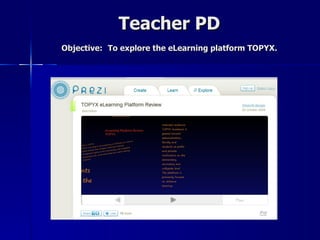
Teacher PD
Objective: To explore the eLearning platform TOPYX.
Objective 1:
Explore some innovative applications of Web 2.0
        tools in various curriculum areas

           What is a SchoolTube?
      SchoolTube is the nation's largest K-12
       moderated video sharing website that
      provides students and educators with a
     safe and FREE video sharing website that
         is exclusively endorsed by leading
               education associations.
Televideo I
Objective: Students will create a PSA in order to promote positive
              climate within the school community.
Objective 1:
Explore some innovative applications of Web 2.0
        tools in various curriculum areas

               What is a Wiki?
     A wiki is a web-based collaborative tool
     that allows people to participate in and
       create a long-term database, often
      devoted to a specific subject or topic.
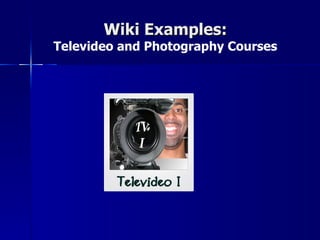
Wiki Examples:
Televideo and Photography Courses
Objective 1:
Explore some innovative applications of Web 2.0
        tools in various curriculum areas

            What are iPads?
 A tablet computer from Apple designed for Web
  browsing, e-book reading and entertainment,
     storage, and cameras for video calling
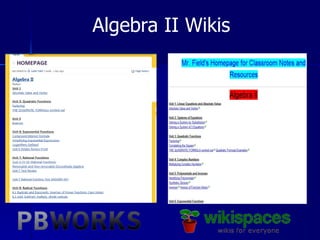
iPads and Wikis in Mathematics
    1. Class       2. Notes Saved in   3. Notes URL added
  Instruction      “Dropbox” Public    as link on class wiki
given from iPad         Folder           page –from iPad


     Using
“Notability” App     Copy URL Link
Algebra II Wikis
Objective 1:
Explore some innovative applications of Web 2.0
        tools in various curriculum areas

             What is Edmodo?

        A social learning platform for teachers,
     students, schools and districts that provides
       an easy way to connect and collaborate.
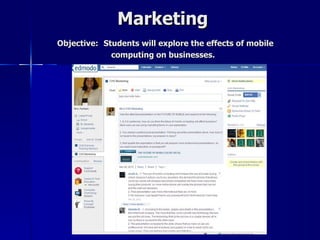
Marketing
Objective: Students will explore the effects of mobile
             computing on businesses.
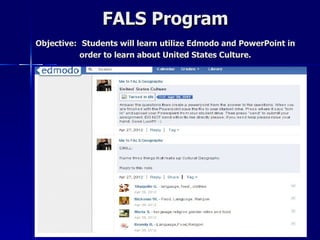
FALS Program
Objective: Students will learn utilize Edmodo and PowerPoint in
           order to learn about United States Culture.
FALS Program
Objective: Students will evaluate the use of Edmodo as a
                     learning tool.
Objective 1:
Explore some innovative applications of Web 2.0
        tools in various curriculum areas

       What is a Virtual Learning?

        A Virtual Environment is an online
    interactive system in which multiple users
    share in the development of an interactive
                     narrative.
The Virtual Learning Environment
       at Chesapeake High
The VLE at CHS is a sophisticated learning tool that
  blends state-of-the-art 3-D gaming and simulation
 technology with cutting edge classroom instruction.
 The VLE ushers in a new era of science, technology,
     engineering, and mathematics instruction in
          Baltimore County Public Schools.
VL
                  E


          N A
    R E
A
LA
        BO
           RA
             TO
                  RY


VLE
Objective 1:
Explore some innovative applications of Web 2.0
        tools in various curriculum areas

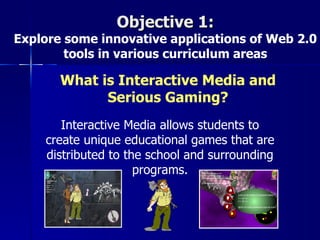
       What is Interactive Media and
             Serious Gaming?
       Interactive Media allows students to
    create unique educational games that are
    distributed to the school and surrounding
                     programs.
Interactive Multimedia
     Objective: Students will…
Business Pathways
Objective: Students will practice money management skills in a simulated
    environment in the context of a national competition in order to
                 understand personal financial literacy.


 CHS students took first place in the State of Maryland on the H & R Block
        Dollars and Sense Financial Fitness Challenge in 2012…AGAIN

              http://vbc.knowledgematters.com/vbc/finance/
Objective 1:
Explore some innovative applications of Web 2.0
        tools in various curriculum areas

               What is an App?

      Short for application, a small, specialized
     program downloaded onto mobile devices.
Project Innovation
  Objective: Students will develop an app for a Grade 5 science
curriculum through a partnership with a district elementary school.
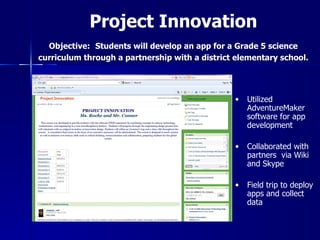
Project Innovation
  Objective: Students will develop an app for a Grade 5 science
curriculum through a partnership with a district elementary school.


                                                •   Utilized
                                                    AdventureMaker
                                                    software for app
                                                    development

                                                •   Collaborated with
                                                    partners via Wiki
                                                    and Skype

                                                •   Field trip to deploy
                                                    apps and collect
                                                    data
Objective 1:
Explore some innovative applications of Web 2.0
        tools in various curriculum areas

              What is Skype?
   A software application that lets you make free
    calls, instant message, and video chat with
   anyone else on Skype, anywhere in the world.
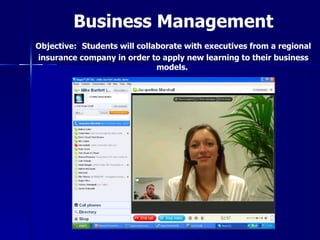
Business Management
Objective: Students will collaborate with executives from a regional
insurance company in order to apply new learning to their business
                              models.
Objective 2:
Learn and share some ideas for beginning
     implementation in your school

         What we have to share…
• Resources
• Committee Focus
• Professional Development
Objective 2:
Learn and share some ideas for beginning
     implementation in your school

              Resources:
   21 FREE Web 2.0 Tools for Educators

      #1 – Wallwisher            #12 - Animoto
  #2 - Self-grading Quizzes    #13 - VoiceThreads
  #3 - Bitstrips for Schools    #14 - PhotoFiltre
     #4 - Classtools.net        #15 - Livebinders
        #5 - Edmodo             #16 - WeeBehave
         #6 - DoInk              #17 - DropBox
        #7 - Kerpoof               #18 - Jing
        #8 - Glogster            #19 - Audacity
       #9 - ToonDoo             #20 - LearnBoost
        #10 - Wordle             #21 - Wetoku
        #11 - Skype
Objective 2:
    Learn and share some ideas for beginning
         implementation in your school
                         Resources:
                   Web 2.0 Tools by Category
      Authoring Tools                     Communication
MyDdutu: www.myudutu.com          Google Talk: www.google.com/talk
Raptivity: www.raptivity.com      Skype: www.skype.com
Weebly: www.weebly.com            Yammer: www.yammer.com

              Blogs
                                                 VLEs
Edublogs: www.edublogs.com
                                   Balckboard: www.blackboard.com
Google Blogger: www.blogger.com
                                   Drupal: www.drupal.org
Kidblog: www.kidblog.org
                                   Edmodo: www.edmodo.com
                                   Moodle: www.moodle.org
                                   Schoology: www.schoology.com
Objective 2:
     Learn and share some ideas for beginning
          implementation in your school
                        Resources:
                  Web 2.0 Tools by Category
        Networking                       Publishing/Productivity
LinkedIn: www.linkedin.com        Diigo: www.diigo.com
Ning: www.ning.com                Google Docs: www.docs.google.com
                                  NewsMaker:
                                  www.aboutnewsmaker.com
         Presentations            ToonDoo: www.toondoo.com
                                           Quizzes/Quiz Makers
PhotoPeach: www.photopeach.com
                                   BrainPop: www.brainpop.com
Prezi: www.prezi.com
                                   Examview: www.einstruction.com
VoiceThread:
                                   QuizStar: www.quizstar.4teachers.org
www.voicethread.com
Objective 2:
    Learn and share some ideas for beginning
         implementation in your school
                       Resources:
Free and/or Open Source Game Development Software
           GameMaker (yoyogames.com)
           Traditional Game Engine
           Unity3D (unity3d.com)
           3D Game Engine
           Adventure Maker (adventuremaker.com)
           Point and Click Adventure Game Software
           Blender (blender.org)
           3D Modeling Software
           Gimp (www.gimp.org)
           Photo Editing Software
           Spriter’s Resource (http://spriters-resource.com/)
Objective 2:
 Learn and share some ideas for beginning
      implementation in your school
Resources: Publications, Organizations & Funding
  Books:
  -Web 2.0: New Tools, New Schools by Solomon and Schrum
  -Web 2.0: How-To for Educators by Solomon and Schrum
  - Leading 21st Century Schools by Schrum and Levin
  - Many other ISTE publications

  Organizations:
  - ISTE (International Society for Technology in Education)
  - MSET (Maryland Society for Educational technology)

  Funding
  - District magnet or system funding– ASK!!
  - Local and national educational technology organizations
  - Google technology grants for k-12 schools/public schools
  - Many Web 2.0 resources are FREE!
Objective 2:
Learn and share some ideas for beginning
     implementation in your school

 Committee Focus: The CHS STEM Committee


 • Meets monthly
 • Identify subcommittees
 • Encourages teacher leaders to emerge
Objective 2:
  Learn and share some ideas for beginning
       implementation in your school

Professional Development: 21st Century Skills Focus
 •Where to start?
    • Provide focused Professional development
    • Have teachers choose one tool to implement in
    there classes
    • Incorporate 21st Century teaching and learning
    into observation expectations
    • Share ideas and insights
    • Involve students
    • Teach others
Objective 3:
Experience hands-on activities with Web 2.0 tools

                    Your Turn!
            • Create a vodcast or podcast
            • Explore and comment on our wiki
            • Explore the Web 2.0 resources
Visit the following wiki for session materials
      from MSA 2011 and 2012, contact
    information, and more details about
           Chesapeake High School.
         http://tinyurl.com/camr9y5
http://chesapeakehs.bcps.org/

"Dig Your Heels Into Web 2.0 Tools"

  • 1.
    Dig Your HeelsInto Web 2.0 Tools! Baltimore County, Maryland
  • 2.
    Dig Your HeelsInto Web 2.0 Tools! PRESENTERS: Justin Field, Mathematics Teacher LJ Foust, Television Broadcasting Teacher Janine Holmes, Social Studies Department Chair MiVida Parham, Business Education Coordinator Corinne Roche, STEM Coordinator
  • 3.
    Dig Your HeelsInto Web 2.0 Tools! Session Objectives: • Explore some innovative applications of Web 2.0 tools in various curriculum areas • Learn and share some ideas for beginning implementation in your school • Experience hands-on activities with Web 2.0 tools
  • 4.
    Chesapeake STEM Academy Magnet Pathways Science, Arts, Multimedia Business & Leadership & Engineering & & Information Humanities Mathematics Communications Technology Academy Academy Academy Academy _____________ ____________ ___________ ____________ Pre-Engineering Photography Information Marine JROTC Technology Interactive Environmental Multimedia Science Production Business Criminal Justice Management Journalism/ Mathematics Communications Marketing
  • 5.
    Current Demographics Grade African American Asian Native His-panic White Two or Totals Free/ Level American Indian/ Hawaiian/ More Reduced- Alaskan Pacific Races priced Native Islander Lunch Grade 9 165 0 6 0 18 102 5 296 200 (15.0%) (0%) (0.5%) (0.0%) (1.6 %) (9.3%) (0.5%) (26.9%) (68.3%) Grade 10 160 0 5 0 12 104 3 284 177 (14.6%) (0.0%) (0.5%) (0.0%) (1.1%) (9.5%) (0.3%) (26.0%) (61.9%) Grade 11 122 2 4 0 14 108 0 250 167 (11.2%) (0.2%) (0.4%) (0.0%) (1.3%) (9.8%) (0.0%) (22.9%) (62.1%) Grade 12 151 4 2 0 16 92 2 267 149 (13.8%) (0.4%) (0.2%) (0.0%) (1.5%) (8.4%) (0.2%) (24.3%) (61.1%) Totals 598 6 17 0 60 406 10 1097 693 (54.6%) (0.6%) (1.6%) (0.0%) (5.5%) (37.0%) (1.0%) (100%) (63.5) Dist-rict 40,715 388 6,562 78 6,637 47,607 3,349 105,436 46,514 (38.6%) (0.4%) (6.2%) (0.1%) (6.3%) (45.2%) (3.3%) (100%) (44.1%)
  • 6.
    CHS Vision All studentswill apply the knowledge, skills, values, and behaviors learned through participation in a rigorous STEM-based education in order to realize their maximum potential as citizens and become more productive individuals in the global economy, keeping the United States high in global competitiveness. How we work to achieve this: 6. Innovative Faculty and Students 7. On-going Professional Development 8. Administrative Support
  • 7.
    What are Web2.0 Tools? What are 21 Century Skills? st
  • 8.
    How we define… Web2.0 & 21st Century Skills “…a trend in the use of World Wide Web technology…that aims to facilitate creativity, information sharing, and most notably, collaboration among users” Source: From Leading 21st Century Schools, by L. Shrum and B. Levin, 2009. Corwin Press http://www.p21.org/
  • 9.
    Web 2.0 &21st Century Skills These tools promote a true TRANSFORMATION IN TEACHING AND LEARNING
  • 10.
    Objective 1: Explore someinnovative applications of Web 2.0 tools in various curriculum areas Tools to be Explored: • Podcasts & Vodcasts • Prezi • Voicethread • SchoolTube • Wikis • iPads • Edmodo • Virtual Environments • App Use & Development • Skype
  • 11.
    Objective 1: Explore someinnovative applications of Web 2.0 tools in various curriculum areas What is a Podcast? A podcast is an audio file that can be created and distributed over the Internet for playback on mobile devices or personal computers.
  • 12.
    Social Studies Objective:Students will …
  • 13.
    Biology Objective: Students will explore various theories about the causes of global warming  You will listen to the podcast that you have downloaded on your mp3 player.  Take notes on your paper as you listen.  You may not be able to fill in every box.  After everyone is finished, you will be put into a group with at least 3 other people, each of whom has listened to a different podcast.  Then, you will teach each other the information that you learned from your podcast!
  • 14.
    Objective 1: Explore someinnovative applications of Web 2.0 tools in various curriculum areas What is a Vodcast? A vodcast is an audio file with video that can be created and distributed over the Internet for playback on mobile devices or personal computers.
  • 15.
    Spanish 2 Objective: Studentswill explore various stereotypes of Latinos living in America.
  • 16.
    Advanced Placement Spanish Objective:Students will prepare for the AP Spanish oral exam by reciting a recipe
  • 17.
    Objective 1: Explore someinnovative applications of Web 2.0 tools in various curriculum areas What is Voicethread? VoiceThread is an online media album that can hold images, documents and videos and allows people to comment using voice, text, audio files, or videos. http://Ed.voicethread.com
  • 18.
    American Government Objective: Studentswill identify, discuss and evaluate the Presidential Cabinet
  • 19.
    Objective 1: Explore someinnovative applications of Web 2.0 tools in various curriculum areas What is Prezi? A cloud-based software used to create visually captivating presentations.
  • 20.
    Economics Objective: Students willcreate a Prezi in order to explore the debate over Euthanasia.
  • 21.
    Teacher PD Objective: Toexplore the eLearning platform TOPYX.
  • 22.
    Objective 1: Explore someinnovative applications of Web 2.0 tools in various curriculum areas What is a SchoolTube? SchoolTube is the nation's largest K-12 moderated video sharing website that provides students and educators with a safe and FREE video sharing website that is exclusively endorsed by leading education associations.
  • 23.
    Televideo I Objective: Studentswill create a PSA in order to promote positive climate within the school community.
  • 24.
    Objective 1: Explore someinnovative applications of Web 2.0 tools in various curriculum areas What is a Wiki? A wiki is a web-based collaborative tool that allows people to participate in and create a long-term database, often devoted to a specific subject or topic.
  • 25.
    Wiki Examples: Televideo andPhotography Courses
  • 26.
    Objective 1: Explore someinnovative applications of Web 2.0 tools in various curriculum areas What are iPads? A tablet computer from Apple designed for Web browsing, e-book reading and entertainment, storage, and cameras for video calling
  • 27.
    iPads and Wikisin Mathematics 1. Class 2. Notes Saved in 3. Notes URL added Instruction “Dropbox” Public as link on class wiki given from iPad Folder page –from iPad Using “Notability” App Copy URL Link
  • 28.
  • 29.
    Objective 1: Explore someinnovative applications of Web 2.0 tools in various curriculum areas What is Edmodo? A social learning platform for teachers, students, schools and districts that provides an easy way to connect and collaborate.
  • 30.
    Marketing Objective: Students willexplore the effects of mobile computing on businesses.
  • 31.
    FALS Program Objective: Studentswill learn utilize Edmodo and PowerPoint in order to learn about United States Culture.
  • 32.
    FALS Program Objective: Studentswill evaluate the use of Edmodo as a learning tool.
  • 33.
    Objective 1: Explore someinnovative applications of Web 2.0 tools in various curriculum areas What is a Virtual Learning? A Virtual Environment is an online interactive system in which multiple users share in the development of an interactive narrative.
  • 34.
    The Virtual LearningEnvironment at Chesapeake High The VLE at CHS is a sophisticated learning tool that blends state-of-the-art 3-D gaming and simulation technology with cutting edge classroom instruction. The VLE ushers in a new era of science, technology, engineering, and mathematics instruction in Baltimore County Public Schools.
  • 35.
    VL E N A R E A
  • 36.
    LA BO RA TO RY VLE
  • 37.
    Objective 1: Explore someinnovative applications of Web 2.0 tools in various curriculum areas What is Interactive Media and Serious Gaming? Interactive Media allows students to create unique educational games that are distributed to the school and surrounding programs.
  • 38.
    Interactive Multimedia Objective: Students will…
  • 39.
    Business Pathways Objective: Studentswill practice money management skills in a simulated environment in the context of a national competition in order to understand personal financial literacy. CHS students took first place in the State of Maryland on the H & R Block Dollars and Sense Financial Fitness Challenge in 2012…AGAIN http://vbc.knowledgematters.com/vbc/finance/
  • 40.
    Objective 1: Explore someinnovative applications of Web 2.0 tools in various curriculum areas What is an App? Short for application, a small, specialized program downloaded onto mobile devices.
  • 41.
    Project Innovation Objective: Students will develop an app for a Grade 5 science curriculum through a partnership with a district elementary school.
  • 42.
    Project Innovation Objective: Students will develop an app for a Grade 5 science curriculum through a partnership with a district elementary school. • Utilized AdventureMaker software for app development • Collaborated with partners via Wiki and Skype • Field trip to deploy apps and collect data
  • 43.
    Objective 1: Explore someinnovative applications of Web 2.0 tools in various curriculum areas What is Skype? A software application that lets you make free calls, instant message, and video chat with anyone else on Skype, anywhere in the world.
  • 44.
    Business Management Objective: Studentswill collaborate with executives from a regional insurance company in order to apply new learning to their business models.
  • 45.
    Objective 2: Learn andshare some ideas for beginning implementation in your school What we have to share… • Resources • Committee Focus • Professional Development
  • 46.
    Objective 2: Learn andshare some ideas for beginning implementation in your school Resources: 21 FREE Web 2.0 Tools for Educators #1 – Wallwisher #12 - Animoto #2 - Self-grading Quizzes #13 - VoiceThreads #3 - Bitstrips for Schools #14 - PhotoFiltre #4 - Classtools.net #15 - Livebinders #5 - Edmodo #16 - WeeBehave #6 - DoInk #17 - DropBox #7 - Kerpoof #18 - Jing #8 - Glogster #19 - Audacity #9 - ToonDoo #20 - LearnBoost #10 - Wordle #21 - Wetoku #11 - Skype
  • 47.
    Objective 2: Learn and share some ideas for beginning implementation in your school Resources: Web 2.0 Tools by Category Authoring Tools Communication MyDdutu: www.myudutu.com Google Talk: www.google.com/talk Raptivity: www.raptivity.com Skype: www.skype.com Weebly: www.weebly.com Yammer: www.yammer.com Blogs VLEs Edublogs: www.edublogs.com Balckboard: www.blackboard.com Google Blogger: www.blogger.com Drupal: www.drupal.org Kidblog: www.kidblog.org Edmodo: www.edmodo.com Moodle: www.moodle.org Schoology: www.schoology.com
  • 48.
    Objective 2: Learn and share some ideas for beginning implementation in your school Resources: Web 2.0 Tools by Category Networking Publishing/Productivity LinkedIn: www.linkedin.com Diigo: www.diigo.com Ning: www.ning.com Google Docs: www.docs.google.com NewsMaker: www.aboutnewsmaker.com Presentations ToonDoo: www.toondoo.com Quizzes/Quiz Makers PhotoPeach: www.photopeach.com BrainPop: www.brainpop.com Prezi: www.prezi.com Examview: www.einstruction.com VoiceThread: QuizStar: www.quizstar.4teachers.org www.voicethread.com
  • 49.
    Objective 2: Learn and share some ideas for beginning implementation in your school Resources: Free and/or Open Source Game Development Software GameMaker (yoyogames.com) Traditional Game Engine Unity3D (unity3d.com) 3D Game Engine Adventure Maker (adventuremaker.com) Point and Click Adventure Game Software Blender (blender.org) 3D Modeling Software Gimp (www.gimp.org) Photo Editing Software Spriter’s Resource (http://spriters-resource.com/)
  • 50.
    Objective 2: Learnand share some ideas for beginning implementation in your school Resources: Publications, Organizations & Funding Books: -Web 2.0: New Tools, New Schools by Solomon and Schrum -Web 2.0: How-To for Educators by Solomon and Schrum - Leading 21st Century Schools by Schrum and Levin - Many other ISTE publications Organizations: - ISTE (International Society for Technology in Education) - MSET (Maryland Society for Educational technology) Funding - District magnet or system funding– ASK!! - Local and national educational technology organizations - Google technology grants for k-12 schools/public schools - Many Web 2.0 resources are FREE!
  • 51.
    Objective 2: Learn andshare some ideas for beginning implementation in your school Committee Focus: The CHS STEM Committee • Meets monthly • Identify subcommittees • Encourages teacher leaders to emerge
  • 52.
    Objective 2: Learn and share some ideas for beginning implementation in your school Professional Development: 21st Century Skills Focus •Where to start? • Provide focused Professional development • Have teachers choose one tool to implement in there classes • Incorporate 21st Century teaching and learning into observation expectations • Share ideas and insights • Involve students • Teach others
  • 53.
    Objective 3: Experience hands-onactivities with Web 2.0 tools Your Turn! • Create a vodcast or podcast • Explore and comment on our wiki • Explore the Web 2.0 resources
  • 54.
    Visit the followingwiki for session materials from MSA 2011 and 2012, contact information, and more details about Chesapeake High School. http://tinyurl.com/camr9y5
  • 55.

Editor's Notes

  • #5 Each student will select a pathway /Academy