CLOUD COMPUTING
Private Cloud Implementation using OpenStack
PROF. SOUMYA K. GHOSH
DEPARTMENT OF COMPUTER SCIENCE AND ENGINEERING
IIT KHARAGPUR
Overview
• Meghamala @IITKgp
on OpenStack Cloud
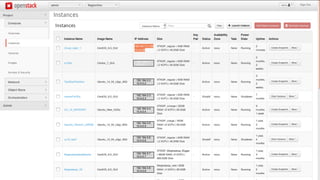
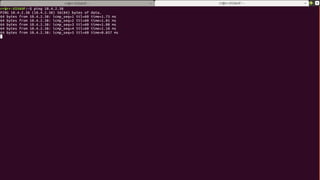
• VM Creation
• Accessing VM by User
• VM Termination
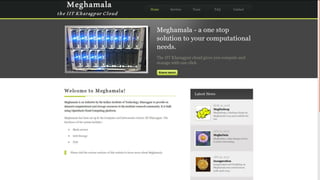
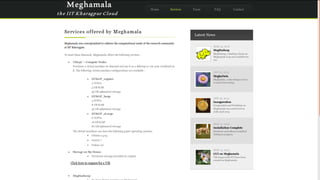
Meghamala - IITKgp Cloud
(using OpenStack)
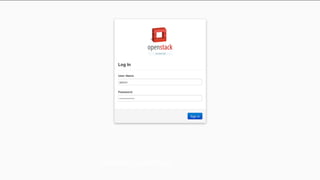
Horizon Login Page
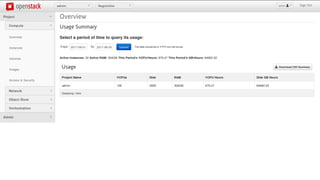
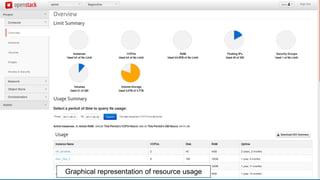
Overview of OpenStack Compute Nodes
Graphical representation of resource usage
192.164.0.8
10.4.0.8
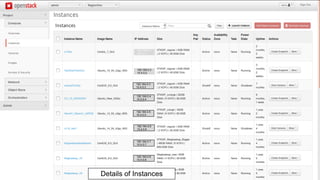
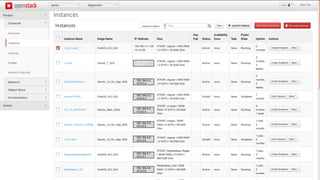
Details of Instances
192.164.0.1
10.4.0.1
192.164.0.2
10.4.0.2
192.164.0.3
10.4.0.3
192.164.0.4
10.4.0.4
192.164.0.5
10.4.0.5
192.164.0.6
10.4.0.6
192.164.0.7
10.4.0.7
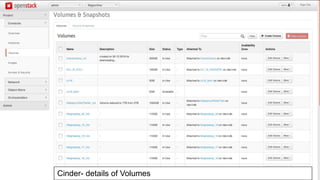
Cinder- details of Volumes
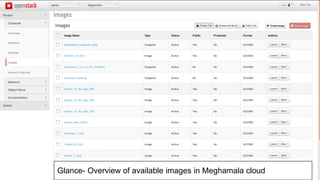
Glance- Overview of available images in Meghamala cloud
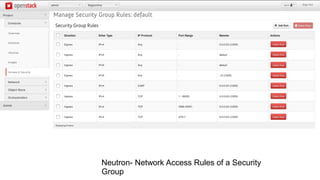
Neutron- Network Access Rules of a Security
Group
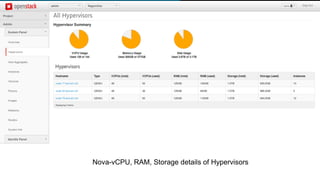
Nova-vCPU, RAM, Storage details of Hypervisors
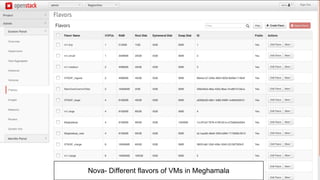
Nova- Different flavors of VMs in Meghamala
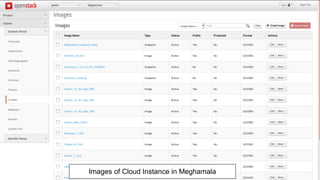
Images of Cloud Instance in Meghamala
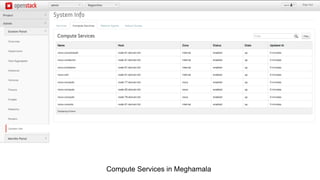
Compute Services in Meghamala
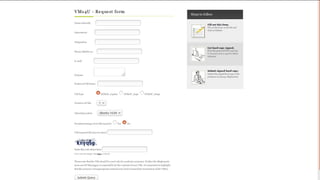
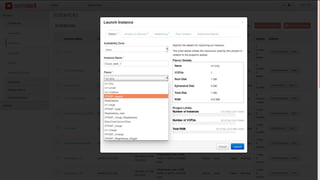
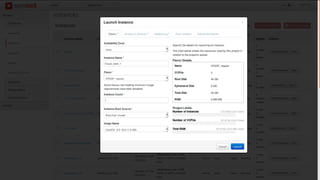
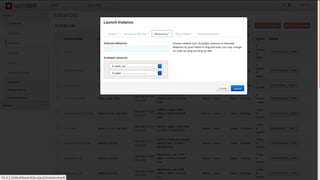
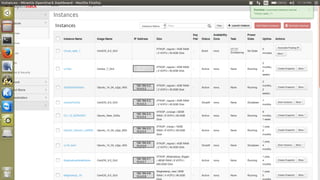
VM Creation
192.168.0.1
10.4.0.1
192.168.0.2
10.4.0.2
192.168.0.3
10.4.0.3
192.168.0.4
10.4.0.4
192.168.0.5
10.4.0.5
192.168.0.6
10.4.0.6
192.168.0.7
10.4.0.7
192.168.0.0
10.4.0.7
192.164.0.1
10.4.0.1
192.164.0.2
10.4.0.2
192.164.0.3
10.4.0.3
192.164.0.4
10.4.0.4
192.164.0.5
10.4.0.5
192.164.0.6
10.4.0.6
192.164.0.7
10.4.0.7
192.164.0.8
10.4.0.8
192.168.0.1
10.4.0.1
192.168.0.2
10.4.0.2
192.168.0.3
10.4.0.3
192.168.0.4
10.4.0.4
192.168.0.5
10.4.0.5
192.168.0.6
10.4.0.6
192.168.0.7
10.4.0.7
192.168.0.0
10.4.0.7
192.164.0.1
10.4.0.1
192.164.0.2
10.4.0.2
192.164.0.3
10.4.0.3
192.164.0.4
10.4.0.4
192.164.0.5
10.4.0.5
192.164.0.6
10.4.0.6
192.164.0.7
10.4.0.7
192.164.0.8
10.4.0.8
192.164.0.1
10.4.0.1
192.164.0.2
10.4.0.2
192.164.0.3
10.4.0.3
192.164.0.4
10.4.0.4
192.164.0.5
10.4.0.5
192.164.0.6
10.4.0.6
192.164.0.7
10.4.0.7
192.164.0.8
10.4.0.8
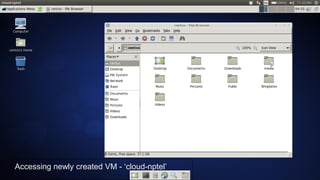
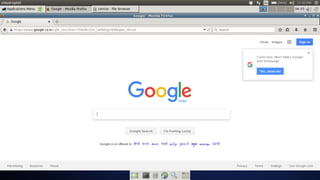
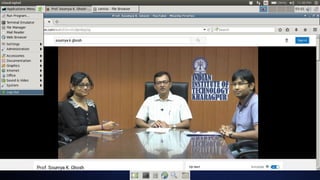
Accessing VM by User
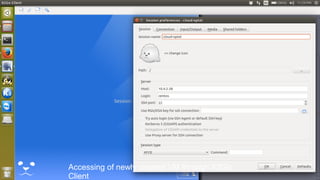
Accessing of newly created VM through X2Go
Client
Accessing newly created VM - ‘cloud-nptel’
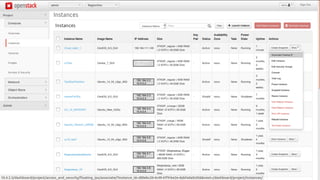
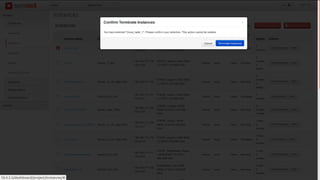
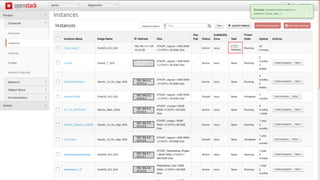
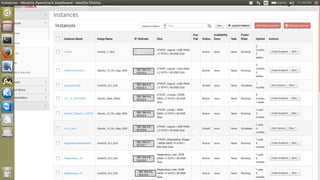
VM Termination
192.164.0.1
10.4.0.1
192.164.0.2
10.4.0.2
192.164.0.3
10.4.0.3
192.164.0.4
10.4.0.4
192.164.0.5
10.4.0.5
192.164.0.6
10.4.0.6
192.164.0.7
10.4.0.7
192.164.0.8
10.4.0.8
192.164.0.1
10.4.0.1
192.164.0.2
10.4.0.2
192.164.0.3
10.4.0.3
192.164.0.4
10.4.0.4
192.164.0.5
10.4.0.5
192.164.0.6
10.4.0.6
192.164.0.7
10.4.0.7
192.164.0.8
10.4.0.8
192.164.0.1
10.4.0.1
192.164.0.2
10.4.0.2
192.164.0.3
10.4.0.3
192.164.0.4
10.4.0.4
192.164.0.5
10.4.0.5
192.164.0.6
10.4.0.6
192.164.0.7
10.4.0.7
192.164.0.8
10.4.0.8
192.164.0.9
10.4.0.9
Thank You!
38
CLOUD COMPUTING
CREATE A PYTHON WEB APP IN MICROSOFT AZURE:
PROF. SOUMYA K. GHOSH
DEPARTMENT OF COMPUTER SCIENCE AND ENGINEERING
IIT KHARAGPUR
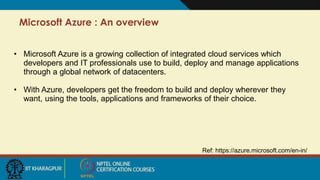
Microsoft Azure : An overview
Ref: https://azure.microsoft.com/en-in/
• Microsoft Azure is a growing collection of integrated cloud services which
developers and IT professionals use to build, deploy and manage applications
through a global network of datacenters.
• With Azure, developers get the freedom to build and deploy wherever they
want, using the tools, applications and frameworks of their choice.
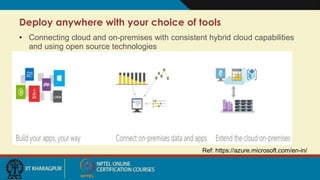
Deploy anywhere with your choice of tools
Ref: https://azure.microsoft.com/en-in/
• Connecting cloud and on-premises with consistent hybrid cloud capabilities
and using open source technologies
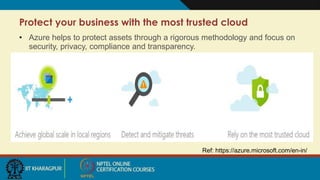
Protect your business with the most trusted cloud
Ref: https://azure.microsoft.com/en-in/
• Azure helps to protect assets through a rigorous methodology and focus on
security, privacy, compliance and transparency.
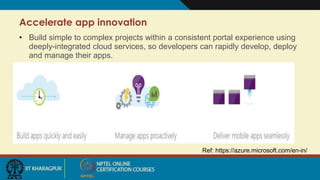
Accelerate app innovation
Ref: https://azure.microsoft.com/en-in/
• Build simple to complex projects within a consistent portal experience using
deeply-integrated cloud services, so developers can rapidly develop, deploy
and manage their apps.
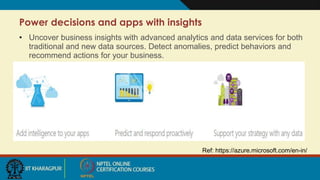
Power decisions and apps with insights
Ref: https://azure.microsoft.com/en-in/
• Uncover business insights with advanced analytics and data services for both
traditional and new data sources. Detect anomalies, predict behaviors and
recommend actions for your business.
In this demo, we are going to present the creation of a
python web app in Microsoft Azure.
Ref: https://azure.microsoft.com/en-in/
Azure Web Apps
• Highly scalable, Self-patching web hosting service.
• Prerequisites
 To complete this demo:
 Install Git
 Install Python
Ref: https://docs.microsoft.com/en-us/azure/app-service-web/app-service-web-get-started-python
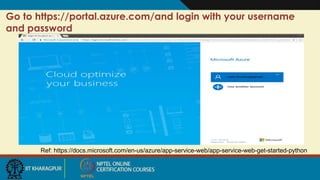
Go to https://portal.azure.com/and login with your username
and password
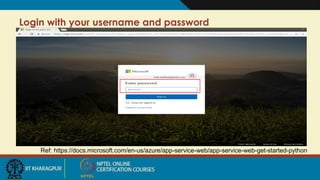
Login with your username and password
Ref: https://docs.microsoft.com/en-us/azure/app-service-web/app-service-web-get-started-python
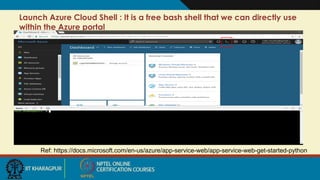
Launch Azure Cloud Shell : It is a free bash shell that we can directly use
within the Azure portal
Ref: https://docs.microsoft.com/en-us/azure/app-service-web/app-service-web-get-started-python
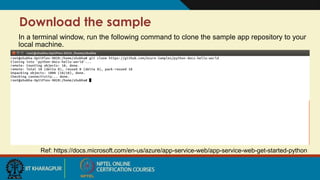
Download the sample
In a terminal window, run the following command to clone the sample app repository to your
local machine.
Ref: https://docs.microsoft.com/en-us/azure/app-service-web/app-service-web-get-started-python
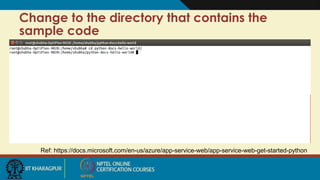
Change to the directory that contains the
sample code
Ref: https://docs.microsoft.com/en-us/azure/app-service-web/app-service-web-get-started-python
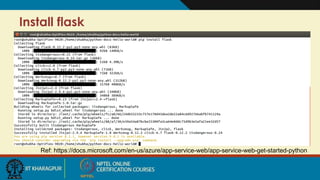
Install flask
Ref: https://docs.microsoft.com/en-us/azure/app-service-web/app-service-web-get-started-python
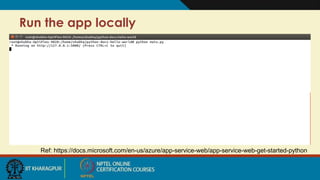
Run the app locally
Ref: https://docs.microsoft.com/en-us/azure/app-service-web/app-service-web-get-started-python
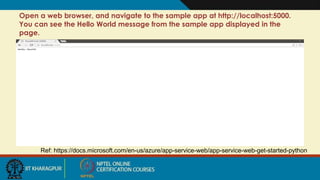
Open a web browser, and navigate to the sample app at http://localhost:5000.
You can see the Hello World message from the sample app displayed in the
page.
Ref: https://docs.microsoft.com/en-us/azure/app-service-web/app-service-web-get-started-python
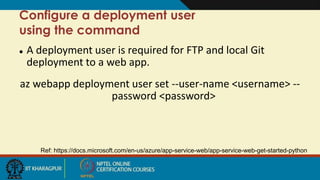
 A deployment user is required for FTP and local Git
deployment to a web app.
az webapp deployment user set --user-name <username> --
password <password>
Ref: https://docs.microsoft.com/en-us/azure/app-service-web/app-service-web-get-started-python
Configure a deployment user
using the command
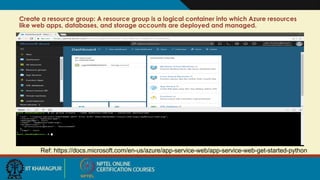
Create a resource group: A resource group is a logical container into which Azure resources
like web apps, databases, and storage accounts are deployed and managed.
Ref: https://docs.microsoft.com/en-us/azure/app-service-web/app-service-web-get-started-python
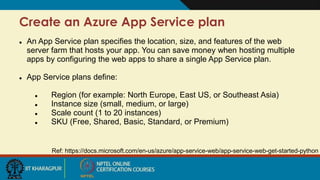
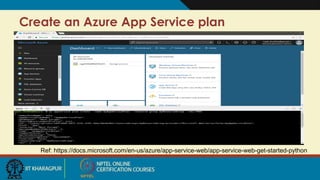
Create an Azure App Service plan
Ref: https://docs.microsoft.com/en-us/azure/app-service-web/app-service-web-get-started-python
 An App Service plan specifies the location, size, and features of the web
server farm that hosts your app. You can save money when hosting multiple
apps by configuring the web apps to share a single App Service plan.
 App Service plans define:
 Region (for example: North Europe, East US, or Southeast Asia)
 Instance size (small, medium, or large)
 Scale count (1 to 20 instances)
 SKU (Free, Shared, Basic, Standard, or Premium)
Create an Azure App Service plan
Ref: https://docs.microsoft.com/en-us/azure/app-service-web/app-service-web-get-started-python
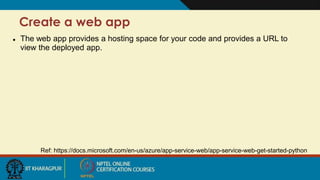
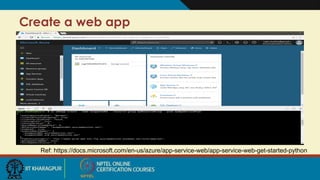
Create a web app
Ref: https://docs.microsoft.com/en-us/azure/app-service-web/app-service-web-get-started-python
 The web app provides a hosting space for your code and provides a URL to
view the deployed app.
Create a web app
Ref: https://docs.microsoft.com/en-us/azure/app-service-web/app-service-web-get-started-python
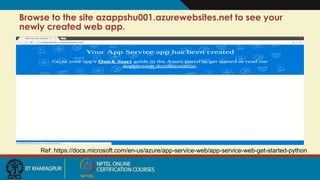
Browse to the site azappshu001.azurewebsites.net to see your
newly created web app.
Ref: https://docs.microsoft.com/en-us/azure/app-service-web/app-service-web-get-started-python
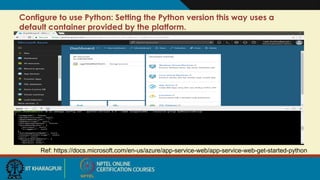
Configure to use Python: Setting the Python version this way uses a
default container provided by the platform.
Ref: https://docs.microsoft.com/en-us/azure/app-service-web/app-service-web-get-started-python
Configure local Git deployment
Ref: https://docs.microsoft.com/en-us/azure/app-service-web/app-service-web-get-started-python
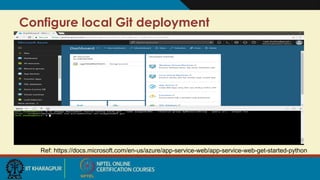
 App Service supports several ways to deploy content to a web app, such as
FTP, local Git, GitHub, Visual Studio Team Services, and Bitbucket. For this
quickstart, you deploy by using local Git. That means you deploy by using a Git
command to push from a local repository to a repository in Azure.
Configure local Git deployment
Ref: https://docs.microsoft.com/en-us/azure/app-service-web/app-service-web-get-started-python
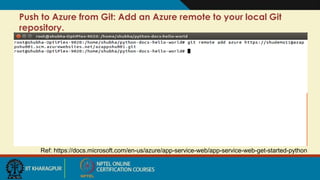
Push to Azure from Git: Add an Azure remote to your local Git
repository.
Ref: https://docs.microsoft.com/en-us/azure/app-service-web/app-service-web-get-started-python
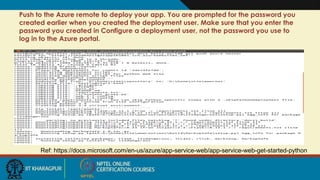
Push to the Azure remote to deploy your app. You are prompted for the password you
created earlier when you created the deployment user. Make sure that you enter the
password you created in Configure a deployment user, not the password you use to
log in to the Azure portal.
Ref: https://docs.microsoft.com/en-us/azure/app-service-web/app-service-web-get-started-python
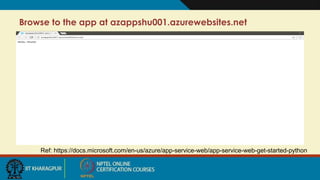
Browse to the app at azappshu001.azurewebsites.net
Ref: https://docs.microsoft.com/en-us/azure/app-service-web/app-service-web-get-started-python
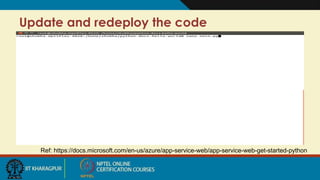
Update and redeploy the code
Ref: https://docs.microsoft.com/en-us/azure/app-service-web/app-service-web-get-started-python
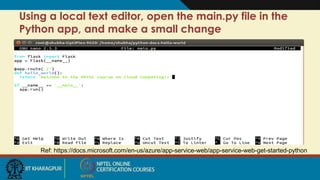
Using a local text editor, open the main.py file in the
Python app, and make a small change
Ref: https://docs.microsoft.com/en-us/azure/app-service-web/app-service-web-get-started-python
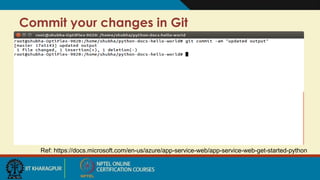
Commit your changes in Git
Ref: https://docs.microsoft.com/en-us/azure/app-service-web/app-service-web-get-started-python
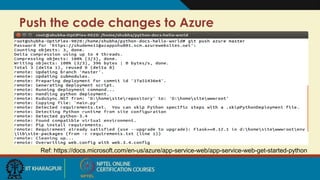
Push the code changes to Azure
Ref: https://docs.microsoft.com/en-us/azure/app-service-web/app-service-web-get-started-python
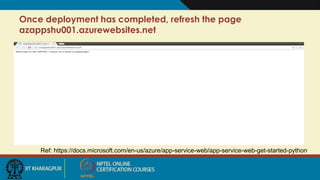
Once deployment has completed, refresh the page
azappshu001.azurewebsites.net
Ref: https://docs.microsoft.com/en-us/azure/app-service-web/app-service-web-get-started-python
References
1. https://docs.microsoft.com/en-us/azure/app-service-web/app-service-web-get-started-
python
Thank You!!
1
Google Cloud Platform (GCP)
Prof. Soumya K Ghosh
Department of Computer Science and Engineering
IIT KHARAGPUR
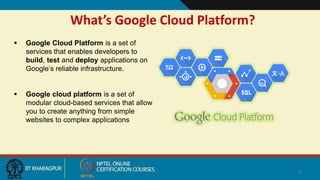
What’s Google Cloud Platform?
 Google Cloud Platform is a set of
services that enables developers to
build, test and deploy applications on
Google’s reliable infrastructure.
 Google cloud platform is a set of
modular cloud-based services that allow
you to create anything from simple
websites to complex applications
2
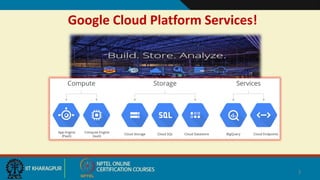
Google Cloud Platform Services!
3
Why Google Cloud Platform?
4
Run on Google’s Infrastructure
Build on the same infrastructure that allows Google to return billions of
search results in milliseconds, serve 6 billion hours of YouTube video per
month and provide storage for 425 million Gmail users.
 Global Network
 Redundancy
 Innovative Infrastructure
Why Google Cloud Platform? (contd..)
5
Focus on your product
Rapidly develop, deploy and iterate your applications without worrying about
system administration. Google manages your application, database and
storage servers so you don’t have to.
 Managed services
 Developer Tools and SDKs
 Console and Administration
Why Google Cloud Platform? (contd..)
6
Mix and Match Services
Virtual machines. Managed platform. Blob storage. Block storage. NoSQL
datastore. MySQL database. Big Data analytics. Google Cloud Platform has all
the services your application architecture needs.
 Compute
 Storage
 Services
Why Google Cloud Platform? (contd..)
7
Scale to millions of users
Applications hosted on Cloud Platform can automatically scale up to handle the
most demanding workloads and scale down when traffic subsides. You pay only
for what you use.
Scale-up: Cloud Platform is designed to scale like Google’s own products, even when you
experience a huge traffic spike. Managed services such as App Engine or Cloud Datastore give
you auto-scaling that enables your application to grow with your users.
Scale-down: Just as Cloud Platform allows you to scale-up, managed services also scale down.
You don’t pay for computing resources that you don’t need.
Why Google Cloud Platform? (contd..)
8
Performance you can count on
Google’s compute infrastructure gives you consistent CPU, memory and disk
performance. The network and edge cache serve responses rapidly to your
users across the world.
 CPU, Memory and Disk
 Global Network
 Transparent maintenance
Why Google Cloud Platform? (contd..)
9
Get the support you need
With a worldwide community of users, partner ecosystem and premium support
packages, Google provides a full range of resources to help you get started and
grow.
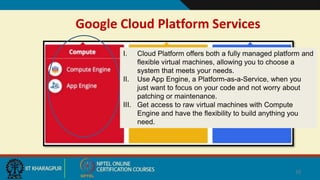
Google Cloud Platform Services
10
I. Cloud Platform offers both a fully managed platform and
flexible virtual machines, allowing you to choose a
system that meets your needs.
II. Use App Engine, a Platform-as-a-Service, when you
just want to focus on your code and not worry about
patching or maintenance.
III. Get access to raw virtual machines with Compute
Engine and have the flexibility to build anything you
need.
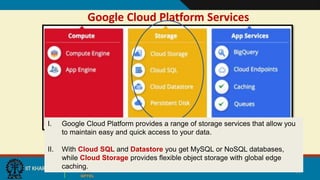
Google Cloud Platform Services
11
I. Google Cloud Platform provides a range of storage services that allow you
to maintain easy and quick access to your data.
II. With Cloud SQL and Datastore you get MySQL or NoSQL databases,
while Cloud Storage provides flexible object storage with global edge
caching.
Google Cloud Platform Services
12
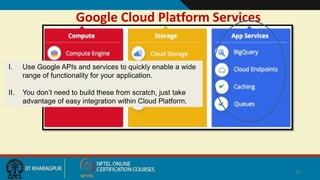
I. Use Google APIs and services to quickly enable a wide
range of functionality for your application.
II. You don’t need to build these from scratch, just take
advantage of easy integration within Cloud Platform.
Google Cloud Platform Services – from User end!
13
 Consider to migrate your web application to Google Cloud Platform for
better performance using GoogleAppEngine.
 Your application should go wherever your users go: Scale your application
using GoogleCloudEndpoints.
 Integrate Google’s services into your Application using GoogleAPIs.
14
Example 1: Host your web-page in Google Cloud Platform
Example 2: Build your web-app using Google App Engine
15
Example 1: Host your web-page in Google Cloud Platform
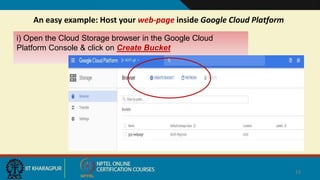
An easy example: Host your web-page inside Google Cloud Platform
16
i) Open the Cloud Storage browser in the Google Cloud
Platform Console & click on Create Bucket
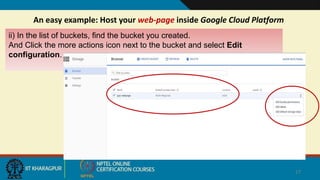
An easy example: Host your web-page inside Google Cloud Platform
17
ii) In the list of buckets, find the bucket you created.
And Click the more actions icon next to the bucket and select Edit
configuration.
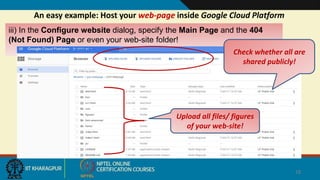
An easy example: Host your web-page inside Google Cloud Platform
18
iii) In the Configure website dialog, specify the Main Page and the 404
(Not Found) Page or even your web-site folder!
Upload all files/ figures
of your web-site!
Check whether all are
shared publicly!
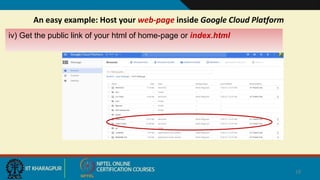
An easy example: Host your web-page inside Google Cloud Platform
19
iv) Get the public link of your html of home-page or index.html
20
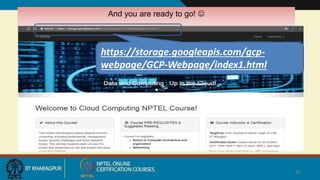
And you are ready to go! 
https://storage.googleapis.com/gcp-
webpage/GCP-Webpage/index1.html
21
Example 2: Build your web-app using Google App Engine
Another example: Host your web-app using Google App Engine
22
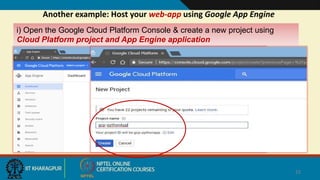
i) Open the Google Cloud Platform Console & create a new project using
Cloud Platform project and App Engine application
Another example: Host your web-app using Google App Engine
23
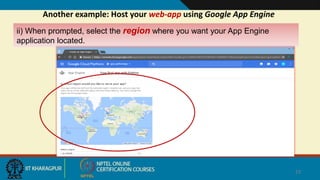
ii) When prompted, select the region where you want your App Engine
application located.
Another example: Host your web-app using Google App Engine
24
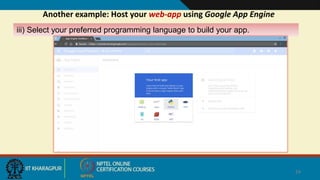
iii) Select your preferred programming language to build your app.
25
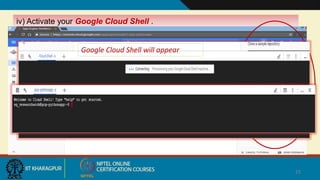
iv) Activate your Google Cloud Shell .
Google Cloud Shell will appear
26
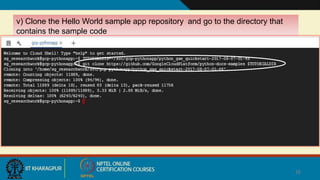
v) Clone the Hello World sample app repository and go to the directory that
contains the sample code
27
v) Each application must contain ‘app.yaml’ and code base ‘main.py’ [with
Flask web app deployment ]
28
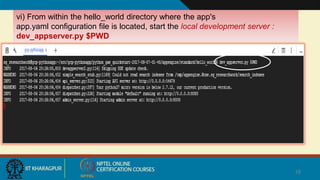
vi) From within the hello_world directory where the app's
app.yaml configuration file is located, start the local development server :
dev_appserver.py $PWD
29
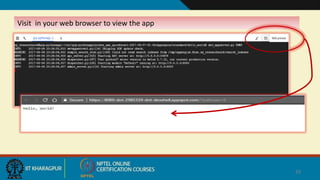
Visit in your web browser to view the app
30
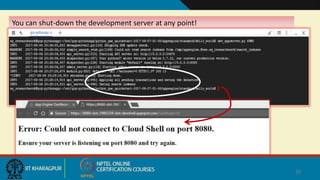
You can shut-down the development server at any point!
31
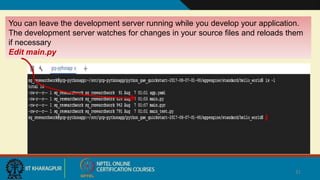
You can leave the development server running while you develop your application.
The development server watches for changes in your source files and reloads them
if necessary
Edit main.py
32
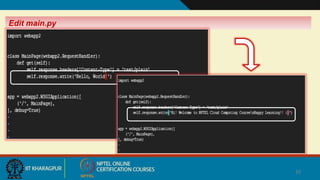
Edit main.py
33
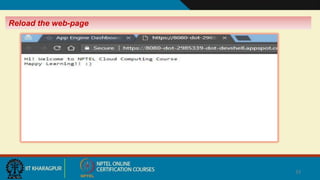
Reload the web-page
34
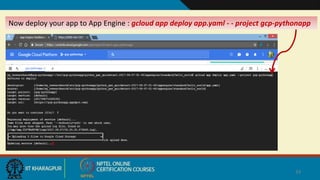
Now deploy your app to App Engine : gcloud app deploy app.yaml - - project gcp-pythonapp
35
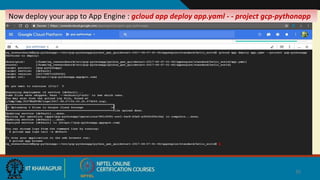
Now deploy your app to App Engine : gcloud app deploy app.yaml - - project gcp-pythonapp
36
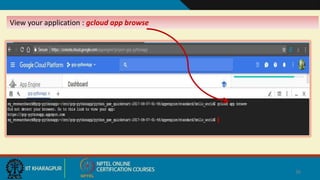
View your application : gcloud app browse
37
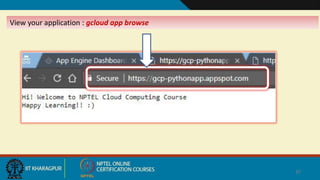
View your application : gcloud app browse
38
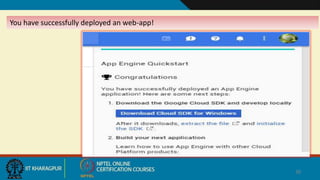
You have successfully deployed an web-app!
Some Useful Links!
• Google Cloud Platform Developers Portal: https://cloud.google.com/developers
• Google Developers Global Portal: https://developers.google.com
• Google Cloud Platform Products list: https://cloud.google.com/products/compute-engine/
• Understanding Google APIs: https://fethidilmi.blogspot.com/2013/01/understanding-google-
apis.html
39
References
• https://cloud.google.com/storage/docs/
• https://cloud.google.com/why-google/
• https://cloud.google.com/products/
• http://fethidilmi.blogspot.com
• https://www.slideshare.net/delphiexile/google-cloud-platform-overview-28927697
40
41

Week 4 lecture material cc (1)