Creating, Implementing, andEvaluating a WebpageTerri Harings2010-2011
WHY?CORE VALUES WorksheetTechnology is important to students and teachers because:
National Educational Technology StandardsInternational Society for Technology in Education(I.S.T.E)N.E.T.S.
Standard 1.Facilitate and Inspire Student Learning and CreativityTeachers use their knowledge of teaching, learning, and technology to facilitate learning experiences that advance student creativity and innovation in both face-to-face and virtual environments.
*promote, support, and model creative and innovative thinking and inventiveness;*promote student reflection using collaborative tools to illuminate their own thinking, planning, and creative processes;*model knowledge construction and creative thinking by engaging in face-to-face and virtual learning with students, colleagues, and others
Standard2. Design Digital-Age Learning Experiences and AssessmentsTeachers plan and design authentic learning experiences and assessments incorporating contemporary tools and resources to maximize content learning in context and to develop the knowledge, skills, and attitudes identified in the NETS.
*design or adapt relevant learning experiences to incorporate digital tools and resources that promote student learning and creativity;*develop technology-enriched learning environments that enable students to become active participants in setting their own educational goals, managing their own learning, and assessing their own progress.
Standard 3. Model Digital-Age Work and LearningTeachers exhibit knowledge, skills, and work processes that are representative of an innovative professional in a global and digital society.
*collaborate with students, peers, parents, and community members using digital tools and resources to support student success and innovation;*communicate relevant information and ideas effectively to students, parents, and peers using a variety of digital-age media and formats;*model and facilitate effective use of current and emerging digital tools to locate, analyze, evaluate, and use information resources to support research and learning.
Standard 4. Promote Digital Citizenship and ResponsibilityTeachers understand local and global societal issues and responsibilities in an evolving digital culture and exhibit legal and ethical behavior in their professional practices.
*advocate, model, and teach safe, legal, and ethical use of digital information and technology, including respect of copyright and the appropriate documentation of sources;*promote digital etiquette and responsible social interactions related to the use of technology and information.
Standard5.Engage in Professional Growth and LeadershipTeachers continuously improve their professional practices, model lifelong learning, and exhibit leadership in their school and professional community by promoting and demonstrating the effective use of digital tools and resources.
*participate in local and global learning communities to explore creative applications of technology to improve student learning;*exhibit leadership by demonstrating a vision of technology infusion, participating in shared decision making and community building, and developing the leadership and technology skills of others;*evaluate and reflect on current research and professional practice on a regular basis to make effective use of existing and emerging digital tools and resources in support or student learning;*contribute to the effectiveness, vitality, and self-renewal of the teaching profession and of their school and community.
Highlighter- Your reasons?Discuss with a partner/neighbor
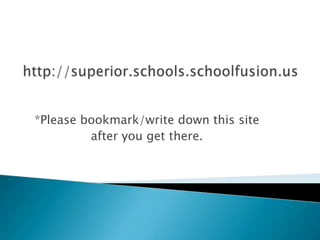
http://superior.schools.schoolfusion.us*Please bookmark/write down this site after you get there.
Profile page – “activate”Writing your “blurb”Personalized public information – family/hobby OR“Private” -  classes, length of time at positionHow do I set up and design my webpage?
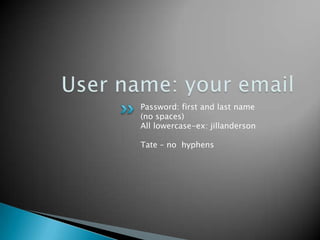
User name: your email Password: first and last name(no spaces)All lowercase-ex: jillandersonTate – no  hyphens
PROFILE PICTURE: personal/clip artMrs. Terri Harings Welcome/Greeting:  Welcome to our class web page at Lake Superior Elementary! My name is Mrs. Harings, and we will be learning together in a 4th and 5th grade split classroom!ACTIVATE your page! Woo-hoo!
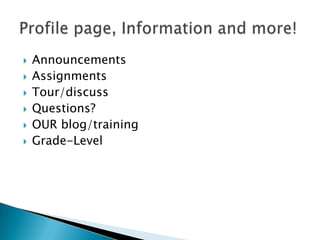
AnnouncementsAssignmentsTour/discussQuestions?OUR blog/trainingGrade-LevelProfile page, Information and more!
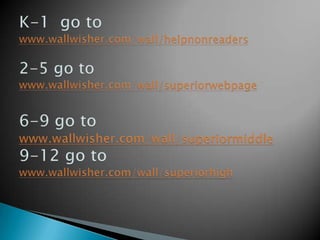
K-1  go to www.wallwisher.com/wall/helpnonreaders2-5 go towww.wallwisher.com/wall/superiorwebpage6-9 go towww.wallwisher.com/wall/superiormiddle9-12 go towww.wallwisher.com/wall/superiorhigh
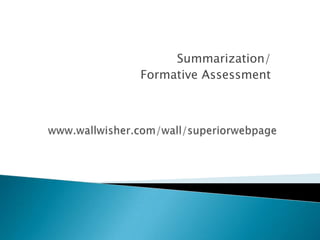
Summarization/Formative Assessmentwww.wallwisher.com/wall/superiorwebpage
LEQ2: How can I implement my webpage and use it effectively? Review: Why are we doing this?Technology
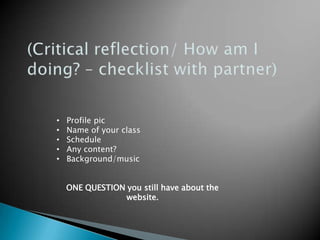
(Critical reflection/ How am I doing? – checklist with partner)Profile pic
Name of your class
Schedule
Any content?
Background/musicONE QUESTION you still have about the website.
Adding blogs, links and announcementsComment on our “Creating a Webpage” blog, respond to two others.Comment with a twist. (ex: lightbulb)
Create an announcement with what you have learned. Add clip art to your announcement if you know how…..
Clip art, videos, animated graphics, hotlinksCopyright discussion/websites
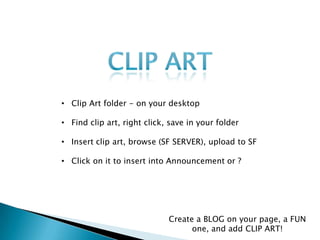
Clip ARTClip Art folder - on your desktop
Find clip art, right click, save in your folder
Insert clip art, browse (SF SERVER), upload to SF
Click on it to insert into Announcement or ?Create a BLOG on your page, a FUN one, and add CLIP ART!
Clip Art-  Approved Links – Create a category/linkImages/documentsQuestions?  - Break
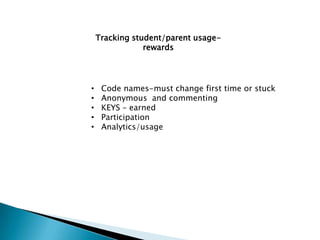
Tracking student/parent usage-rewardsCode names-must change first time or stuck
Anonymous  and commenting

Website facilitation

  • 1.
    Creating, Implementing, andEvaluatinga WebpageTerri Harings2010-2011
  • 2.
    WHY?CORE VALUES WorksheetTechnologyis important to students and teachers because:
  • 3.
    National Educational TechnologyStandardsInternational Society for Technology in Education(I.S.T.E)N.E.T.S.
  • 4.
    Standard 1.Facilitate andInspire Student Learning and CreativityTeachers use their knowledge of teaching, learning, and technology to facilitate learning experiences that advance student creativity and innovation in both face-to-face and virtual environments.
  • 5.
    *promote, support, andmodel creative and innovative thinking and inventiveness;*promote student reflection using collaborative tools to illuminate their own thinking, planning, and creative processes;*model knowledge construction and creative thinking by engaging in face-to-face and virtual learning with students, colleagues, and others
  • 6.
    Standard2. Design Digital-AgeLearning Experiences and AssessmentsTeachers plan and design authentic learning experiences and assessments incorporating contemporary tools and resources to maximize content learning in context and to develop the knowledge, skills, and attitudes identified in the NETS.
  • 7.
    *design or adaptrelevant learning experiences to incorporate digital tools and resources that promote student learning and creativity;*develop technology-enriched learning environments that enable students to become active participants in setting their own educational goals, managing their own learning, and assessing their own progress.
  • 8.
    Standard 3. ModelDigital-Age Work and LearningTeachers exhibit knowledge, skills, and work processes that are representative of an innovative professional in a global and digital society.
  • 9.
    *collaborate with students,peers, parents, and community members using digital tools and resources to support student success and innovation;*communicate relevant information and ideas effectively to students, parents, and peers using a variety of digital-age media and formats;*model and facilitate effective use of current and emerging digital tools to locate, analyze, evaluate, and use information resources to support research and learning.
  • 10.
    Standard 4. PromoteDigital Citizenship and ResponsibilityTeachers understand local and global societal issues and responsibilities in an evolving digital culture and exhibit legal and ethical behavior in their professional practices.
  • 11.
    *advocate, model, andteach safe, legal, and ethical use of digital information and technology, including respect of copyright and the appropriate documentation of sources;*promote digital etiquette and responsible social interactions related to the use of technology and information.
  • 12.
    Standard5.Engage in ProfessionalGrowth and LeadershipTeachers continuously improve their professional practices, model lifelong learning, and exhibit leadership in their school and professional community by promoting and demonstrating the effective use of digital tools and resources.
  • 13.
    *participate in localand global learning communities to explore creative applications of technology to improve student learning;*exhibit leadership by demonstrating a vision of technology infusion, participating in shared decision making and community building, and developing the leadership and technology skills of others;*evaluate and reflect on current research and professional practice on a regular basis to make effective use of existing and emerging digital tools and resources in support or student learning;*contribute to the effectiveness, vitality, and self-renewal of the teaching profession and of their school and community.
  • 14.
    Highlighter- Your reasons?Discusswith a partner/neighbor
  • 15.
  • 16.
    Profile page –“activate”Writing your “blurb”Personalized public information – family/hobby OR“Private” - classes, length of time at positionHow do I set up and design my webpage?
  • 17.
    User name: youremail Password: first and last name(no spaces)All lowercase-ex: jillandersonTate – no hyphens
  • 18.
    PROFILE PICTURE: personal/clipartMrs. Terri Harings Welcome/Greeting: Welcome to our class web page at Lake Superior Elementary! My name is Mrs. Harings, and we will be learning together in a 4th and 5th grade split classroom!ACTIVATE your page! Woo-hoo!
  • 19.
  • 20.
    K-1 goto www.wallwisher.com/wall/helpnonreaders2-5 go towww.wallwisher.com/wall/superiorwebpage6-9 go towww.wallwisher.com/wall/superiormiddle9-12 go towww.wallwisher.com/wall/superiorhigh
  • 21.
  • 22.
    LEQ2: How canI implement my webpage and use it effectively? Review: Why are we doing this?Technology
  • 23.
    (Critical reflection/ Howam I doing? – checklist with partner)Profile pic
  • 24.
  • 25.
  • 26.
  • 27.
    Background/musicONE QUESTION youstill have about the website.
  • 28.
    Adding blogs, linksand announcementsComment on our “Creating a Webpage” blog, respond to two others.Comment with a twist. (ex: lightbulb)
  • 29.
    Create an announcementwith what you have learned. Add clip art to your announcement if you know how…..
  • 30.
    Clip art, videos,animated graphics, hotlinksCopyright discussion/websites
  • 31.
    Clip ARTClip Artfolder - on your desktop
  • 32.
    Find clip art,right click, save in your folder
  • 33.
    Insert clip art,browse (SF SERVER), upload to SF
  • 34.
    Click on itto insert into Announcement or ?Create a BLOG on your page, a FUN one, and add CLIP ART!
  • 35.
    Clip Art- Approved Links – Create a category/linkImages/documentsQuestions? - Break
  • 36.
    Tracking student/parent usage-rewardsCodenames-must change first time or stuck
  • 37.
    Anonymous andcommenting