
Is the Cloud Right For You?
October 18, 2016
Linda Widdop, Tech Impact
. © TechSoup Global | All rights reserved2
Using ReadyTalk
• Chat to ask questions
• All lines are muted
• If you lose your Internet
connection, reconnect using the
link emailed to you.
• If you lose your phone
connection, re-dial
the phone number
and re-join.
• ReadyTalk support:
800-843-9166
Your audio will play through your computer’s speakers. Hear an
echo? You may be logged in twice and will need to close one
instance of ReadyTalk.
. © TechSoup Global | All rights reserved3
You Are Being Recorded…
You can find upcoming and past webinars on the TechSoup website:
www.techsoup.org/community/events-webinars
You can also view recorded webinars and videos on our YouTube channel:
https://www.youtube.com/TechSoupVideo
You will receive an email with this presentation, recording, and links within a few days.
Tweet us @TechSoup or using hashtags: #tswebinars
. © TechSoup Global | All rights reserved4
Presenters
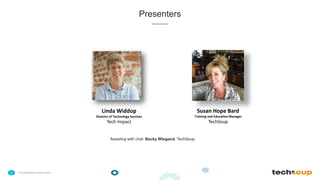
Susan Hope Bard
Training and Education Manager
TechSoup
Linda Widdop
Director of Technology Services
Tech Impact
Assisting with chat: Becky Wiegand, TechSoup
. © TechSoup Global | All rights reserved5
Objectives
1. Understand and analyze the benefits and features of cloud-based products
2. Access TechSoup cloud-based products
3. Answer your questions
6
About TechSoup
. © TechSoup Global | All rights reserved7
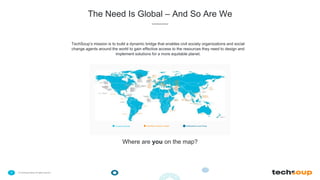
The Need Is Global – And So Are We
TechSoup’s mission is to build a dynamic bridge that enables civil society organizations and social
change agents around the world to gain effective access to the resources they need to design and
implement solutions for a more equitable planet.
Countries Served TechSoup Partner Location NetSquared Local Group
Where are you on the map?
. © TechSoup Global | All rights reserved8
www.TechSoup.Global
. © TechSoup Global | All rights reserved9
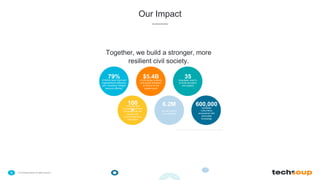
Our Impact
Together, we build a stronger, more
resilient civil society.
$5.4Bin technology products
and grants employed
by NGOs for the
greater good
35languages used to
provide education
and support
100
+
corporate and
foundation partners
connected with the
causes and
communities they
care about
6.2M
annual visits to
our websites
600,000newsletter
subscribers
empowered with
actionable
knowledge
79%of NGOs have improved
organizational efficiency
with TechSoup Global's
resource offering*
*Source: survey conducted among TechSoup members in 2013
Cloud Solutions:
HowThey areTransforming the
Way Nonprofits Work
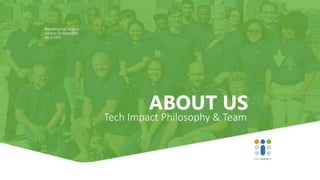
ABOUT US
Providing high impact
services to nonprofits
since 2003
Tech Impact Philosophy & Team
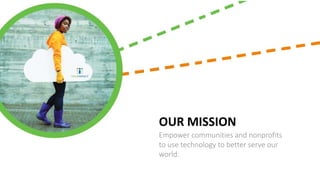
OUR MISSION
Empower communities and nonprofits
to use technology to better serve our
world.
• Just like you, we are a 501c3 Nonprofit
• Capacity building organization
• Workforce development in technology for at-risk-youth
• Providing IT Services to Nonprofits since 2003
• Serving 100+ NGO’s with Managed IT Services nationally
• Network engineering and implementation nationally
• 600+ Office365 Assessment & Implementations globally
• VoIP Phone Services nationally
• Data Analytics and Support Services
Solutions.Integration.Support.
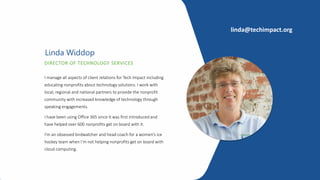
DIRECTOR OF TECHNOLOGY SERVICES
Linda Widdop
I manage all aspects of client relations for Tech Impact including
educating nonprofits about technology solutions. I work with
local, regional and national partners to provide the nonprofit
community with increased knowledge of technology through
speaking engagements.
I have been using Office 365 since it was first introduced and
have helped over 600 nonprofits get on board with it.
I’m an obsessed birdwatcher and head coach for a women’s ice
hockey team when I’m not helping nonprofits get on board with
cloud computing.
linda@techimpact.org
Typical Needs
Solutions for Nonprofits
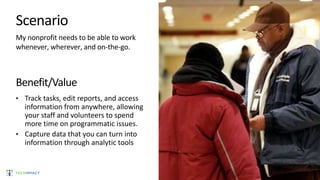
Scenario
My nonprofit needs to be able to work
whenever, wherever, and on-the-go.
Benefit/Value
• Track tasks, edit reports, and access
information from anywhere, allowing
your staff and volunteers to spend
more time on programmatic issues.
• Capture data that you can turn into
information through analytic tools
Scenario
My nonprofit needs to communicate with staff
and volunteers.
Benefit/Value
• Save time, connect and share knowledge in a
highly secure environment
• Allow people from across your nonprofit to
have input on critical decisions and quickly
get stuff done.
• Communicate even when power or network
is down
Scenario
My nonprofit needs to engage with and
retain donors, members, and volunteers.
Benefit/Value
• Enable your staff to find new donors,
strengthen existing relationships, and align
donors or volunteers with your organizational
needs
• Increase revenue by using data to connect
with constituents
Scenario
My nonprofit needs to understand and drive
impact.
Benefit/Value
• Enable your staff to make more informed
decisions by giving everyone powerful new
ways to work with data
• Access dashboard views with interactive
visualization to evaluate trends and analyze
data.
20
Making the Case for Cloud
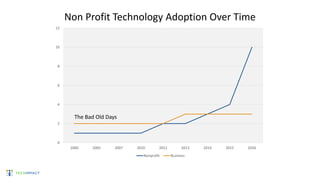
Non Profit Technology Adoption Over Time
0
2
4
6
8
10
12
2000 2005 2007 2010 2012 2013 2014 2015 2016
Nonprofit Business
The Bad Old Days
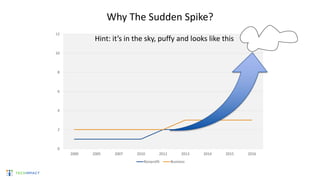
Why The Sudden Spike?
0
2
4
6
8
10
12
2000 2005 2007 2010 2012 2013 2014 2015 2016
Nonprofit Business
Hint: it’s in the sky, puffy and looks like this
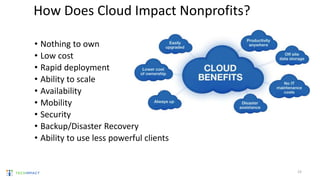
• Nothing to own
• Low cost
• Rapid deployment
• Ability to scale
• Availability
• Mobility
• Security
• Backup/Disaster Recovery
• Ability to use less powerful clients
How Does Cloud Impact Nonprofits?
23
How can Cloud be Affordable?
One Word - Competition
–Internet bandwidth, speed, pricing
–Data Center Infrastructure in place
–Cloud solutions developed for commercial use
–Vendors want market share
–Philanthropic commitment
24
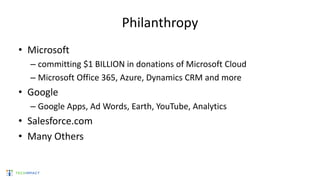
Philanthropy
• Microsoft
– committing $1 BILLION in donations of Microsoft Cloud
– Microsoft Office 365, Azure, Dynamics CRM and more
• Google
– Google Apps, Ad Words, Earth, YouTube, Analytics
• Salesforce.com
• Many Others
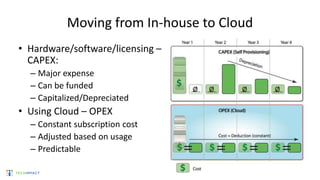
Moving from In-house to Cloud
• Hardware/software/licensing –
CAPEX:
– Major expense
– Can be funded
– Capitalized/Depreciated
• Using Cloud – OPEX
– Constant subscription cost
– Adjusted based on usage
– Predictable
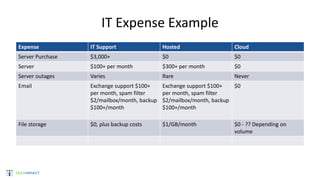
IT Expense Example
Expense IT Support Hosted Cloud
Server Purchase $3,000+ $0 $0
Server $100+ per month $300+ per month $0
Server outages Varies Rare Never
Email Exchange support $100+
per month, spam filter
$2/mailbox/month, backup
$100+/month
Exchange support $100+
per month, spam filter
$2/mailbox/month, backup
$100+/month
$0
File storage $0, plus backup costs $1/GB/month $0 - ?? Depending on
volume
Cloud
Cloud Solutions for Nonprofits
Grow &
Transform
Run
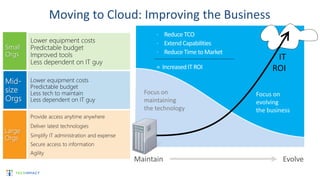
Focus on
evolving
the business
Focus on
maintaining
the technology
Maintain Evolve
 Reduce TCO
 Extend Capabilities
 Reduce Time to Market
= Increased IT ROI
IT
ROI
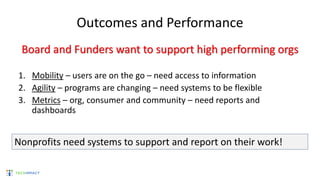
Outcomes and Performance
Board and Funders want to support high performing orgs
1. Mobility – users are on the go – need access to information
2. Agility – programs are changing – need systems to be flexible
3. Metrics – org, consumer and community – need reports and
dashboards
Nonprofits need systems to support and report on their work!
Why Does Cloud Advance Nonprofit Performance?
1. Mobility – users gain access to information hosted on cloud, accessed
by wifi or mobile device
2. Agility – subscribe to cloud systems paying for usage. Vendors upgrade
and adapt to customer requests eliminating the need to replace in-
house server and systems.
3. Metrics – data systems tuned to provide dashboards and flexible
reporting
Benefits of Cloud Computing
• Availability
– Access from anywhere
– Host provides SLA
– Business Continuity and Disaster recovery
• Security
– Provider responsible for physical hardware, operating
system, application security
– User/group permissions set by admin
– All information stored in one location – not emailed
around
• Reduces Capital Expenses
– No more server purchases!
• Scalable
– Add users and data on the fly
32
Benefits of Cloud Computing
• Eliminates or reduces maintenance costs
– No more servers to maintain!
• Better collaboration
– Work on the same doc/data with coworkers
• Agility
– Ease of adoption
– Pay as you go, move when something better comes along
• Access to Cutting Edge Technology
– Vendors are faster to market
– Competition drives down pricing
– Initial investment is reduced 33
Inside the Cloud
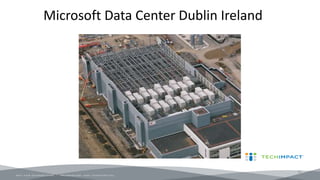
Microsoft Data Center Dublin Ireland
35
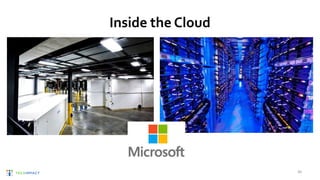
Inside the Cloud
36
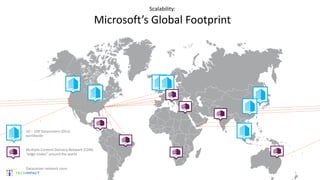
Scalability:
Microsoft’s Global Footprint
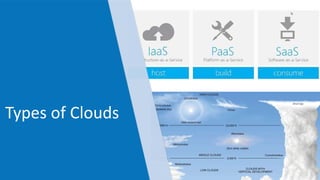
Types of Clouds
SaaS, IaaS, PaaS
• SaaS – Software as a Service – provides a system or application that you
connect to via web browser. Paid per license or user as a subscription
– Office 365, Salesforce.com, Google Apps, Box, DropBox, NetSuite, Adobe Creative
Cloud
• IaaS – Infrastructure as a Service – provides cloud based servers that you
can use to host your applications. Paid per month priced based on amount
of server power
– Microsoft Azure, Amazon Web Services,
• PaaS – Platform as a Service – allows you to develop, run and maintain
your own applications without building infrastructure
– Microsoft Azure, Force.com (underlying Salesforce), Amazon EC2 Beanstalk
Which Tools?
• Wifi or Cell Signal are required
• Any Internet Connected Device - SmartPhone/Laptop/Tablet
• Productivity using Office 365/Google Apps
• File Storage and Sharing using SharePoint/GoogleDrive/Box
• Cloud Server using Azure / AWS
• Communications with Skype, Groups and Hangouts
• Online meetings with Skype for Business/Webex/GoToMeeting
• Voice Communications with Hosted PBX and Remote Office features
Cloud Productivity Solutions
Low Cost/ Productive/Secure/Accessible Solutions for Nonprofits
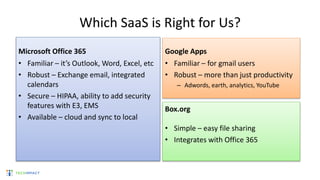
Which SaaS is Right for Us?
Microsoft Office 365
• Familiar – it’s Outlook, Word, Excel, etc
• Robust – Exchange email, integrated
calendars
• Secure – HIPAA, ability to add security
features with E3, EMS
• Available – cloud and sync to local
Google Apps
• Familiar – for gmail users
• Robust – more than just productivity
– Adwords, earth, analytics, YouTube
Box.org
• Simple – easy file sharing
• Integrates with Office 365
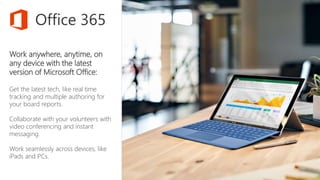
Work anywhere, anytime, on
any device with the latest
version of Microsoft Office:
Get the latest tech, like real time
tracking and multiple authoring for
your board reports.
Collaborate with your volunteers with
video conferencing and instant
messaging.
Work seamlessly across devices, like
iPads and PCs.
Office 365
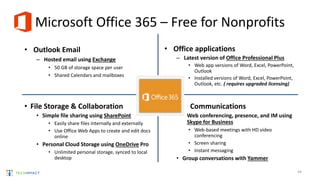
Microsoft Office 365 – Free for Nonprofits
• Outlook Email
– Hosted email using Exchange
• 50 GB of storage space per user
• Shared Calendars and mailboxes
• Office applications
– Latest version of Office Professional Plus
• Web app versions of Word, Excel, PowerPoint,
Outlook
• Installed versions of Word, Excel, PowerPoint,
Outlook, etc. ( requires upgraded licensing)
44
• File Storage & Collaboration
• Simple file sharing using SharePoint
• Easily share files internally and externally
• Use Office Web Apps to create and edit docs
online
• Personal Cloud Storage using OneDrive Pro
• Unlimited personal storage, synced to local
desktop
• Communications
• Web conferencing, presence, and IM using
Skype for Business
• Web-based meetings with HD video
conferencing
• Screen sharing
• Instant messaging
• Group conversations with Yammer
See Demos of Office 365, Box and more
• Register for a free online demo – scheduled biweekly
http://techimpact.org/events/
• View a recording of previous demo
http://techimpact.org/our-resources/
45
More Cloud Platforms
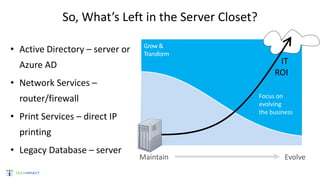
So, What’s Left in the Server Closet?
• Active Directory – server or
Azure AD
• Network Services –
router/firewall
• Print Services – direct IP
printing
• Legacy Database – server
Run
Grow &
Transform
Focus on
evolving
the business
Maintain Evolve
IT
ROI
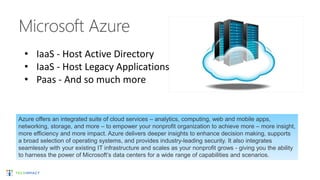
Azure offers an integrated suite of cloud services – analytics, computing, web and mobile apps,
networking, storage, and more – to empower your nonprofit organization to achieve more – more insight,
more efficiency and more impact. Azure delivers deeper insights to enhance decision making, supports
a broad selection of operating systems, and provides industry-leading security. It also integrates
seamlessly with your existing IT infrastructure and scales as your nonprofit grows - giving you the ability
to harness the power of Microsoft’s data centers for a wide range of capabilities and scenarios.
• IaaS - Host Active Directory
• IaaS - Host Legacy Applications
• Paas - And so much more
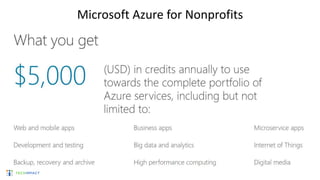
Microsoft Azure for Nonprofits
Questions?
How Tech Impact Can Help
• Strategic Technology Planning – work with your team to create a plan
that aligns tech with mission/business goals
• Tech Consultation – specific to cloud solutions available through
Techsoup
• Office 365 Implementation
• Ongoing Support
• Analytics and Report Generation
http://techimpact.org/our-services/
Thank You!
Contact Linda Widdop, Director of Technology Services for more information
linda@techimpact.org | (215) 557-1559 x 111
53
Questions?
Learn and Share!
Chat in one thing that you learned in
today’s webinar or will try to implement.
Will you share this information with your
colleagues and within your network?
Please complete the post-event survey
that will pop up once the webinar ends!
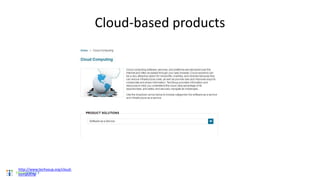
Cloud-based products
http://www.techsoup.org/cloud-
computing
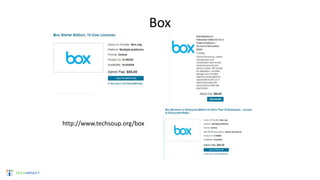
Box
http://www.techsoup.org/box
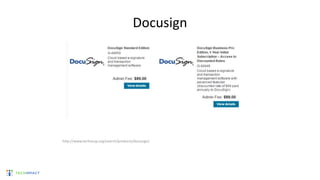
Docusign
http://www.techsoup.org/search/products/docusign/
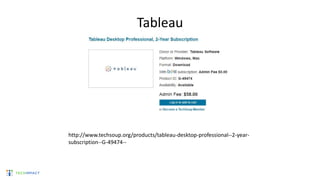
Tableau
http://www.techsoup.org/products/tableau-desktop-professional--2-year-
subscription--G-49474--
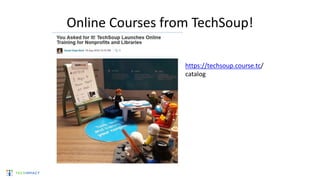
Online Courses from TechSoup!
https://techsoup.course.tc/
catalog
Upcoming Webinars and Events
10/19: Microsoft Azure
10/20: Broadband Planning for Libraries: Enough Is Never
Enough
10/25: Show Your Impact! Introduction to Data Visualization
with Tableau
10/26: Idealware Technology Planning for Nonprofits and
Libraries
10/27: What Microsoft's Cloud Services Can Do for Your
Nonprofit
Explore our webinar archives for more!
ReadyTalk offers dedicated product demos for
TechSoup organizations 4 times per week.
For more information: www.techsoup.org/readytalk
Please complete the post-event survey that will
pop up once you close this window.
Thank You to Our Webinar Sponsor!

Webinar: Is the Cloud Right for You 2016-10-18

  • 1.
    Is the CloudRight For You? October 18, 2016 Linda Widdop, Tech Impact
  • 2.
    . © TechSoupGlobal | All rights reserved2 Using ReadyTalk • Chat to ask questions • All lines are muted • If you lose your Internet connection, reconnect using the link emailed to you. • If you lose your phone connection, re-dial the phone number and re-join. • ReadyTalk support: 800-843-9166 Your audio will play through your computer’s speakers. Hear an echo? You may be logged in twice and will need to close one instance of ReadyTalk.
  • 3.
    . © TechSoupGlobal | All rights reserved3 You Are Being Recorded… You can find upcoming and past webinars on the TechSoup website: www.techsoup.org/community/events-webinars You can also view recorded webinars and videos on our YouTube channel: https://www.youtube.com/TechSoupVideo You will receive an email with this presentation, recording, and links within a few days. Tweet us @TechSoup or using hashtags: #tswebinars
  • 4.
    . © TechSoupGlobal | All rights reserved4 Presenters Susan Hope Bard Training and Education Manager TechSoup Linda Widdop Director of Technology Services Tech Impact Assisting with chat: Becky Wiegand, TechSoup
  • 5.
    . © TechSoupGlobal | All rights reserved5 Objectives 1. Understand and analyze the benefits and features of cloud-based products 2. Access TechSoup cloud-based products 3. Answer your questions
  • 6.
  • 7.
    . © TechSoupGlobal | All rights reserved7 The Need Is Global – And So Are We TechSoup’s mission is to build a dynamic bridge that enables civil society organizations and social change agents around the world to gain effective access to the resources they need to design and implement solutions for a more equitable planet. Countries Served TechSoup Partner Location NetSquared Local Group Where are you on the map?
  • 8.
    . © TechSoupGlobal | All rights reserved8 www.TechSoup.Global
  • 9.
    . © TechSoupGlobal | All rights reserved9 Our Impact Together, we build a stronger, more resilient civil society. $5.4Bin technology products and grants employed by NGOs for the greater good 35languages used to provide education and support 100 + corporate and foundation partners connected with the causes and communities they care about 6.2M annual visits to our websites 600,000newsletter subscribers empowered with actionable knowledge 79%of NGOs have improved organizational efficiency with TechSoup Global's resource offering* *Source: survey conducted among TechSoup members in 2013
  • 10.
  • 11.
    ABOUT US Providing highimpact services to nonprofits since 2003 Tech Impact Philosophy & Team
  • 12.
    OUR MISSION Empower communitiesand nonprofits to use technology to better serve our world.
  • 13.
    • Just likeyou, we are a 501c3 Nonprofit • Capacity building organization • Workforce development in technology for at-risk-youth • Providing IT Services to Nonprofits since 2003 • Serving 100+ NGO’s with Managed IT Services nationally • Network engineering and implementation nationally • 600+ Office365 Assessment & Implementations globally • VoIP Phone Services nationally • Data Analytics and Support Services Solutions.Integration.Support.
  • 14.
    DIRECTOR OF TECHNOLOGYSERVICES Linda Widdop I manage all aspects of client relations for Tech Impact including educating nonprofits about technology solutions. I work with local, regional and national partners to provide the nonprofit community with increased knowledge of technology through speaking engagements. I have been using Office 365 since it was first introduced and have helped over 600 nonprofits get on board with it. I’m an obsessed birdwatcher and head coach for a women’s ice hockey team when I’m not helping nonprofits get on board with cloud computing. linda@techimpact.org
  • 15.
  • 16.
    Scenario My nonprofit needsto be able to work whenever, wherever, and on-the-go. Benefit/Value • Track tasks, edit reports, and access information from anywhere, allowing your staff and volunteers to spend more time on programmatic issues. • Capture data that you can turn into information through analytic tools
  • 17.
    Scenario My nonprofit needsto communicate with staff and volunteers. Benefit/Value • Save time, connect and share knowledge in a highly secure environment • Allow people from across your nonprofit to have input on critical decisions and quickly get stuff done. • Communicate even when power or network is down
  • 18.
    Scenario My nonprofit needsto engage with and retain donors, members, and volunteers. Benefit/Value • Enable your staff to find new donors, strengthen existing relationships, and align donors or volunteers with your organizational needs • Increase revenue by using data to connect with constituents
  • 19.
    Scenario My nonprofit needsto understand and drive impact. Benefit/Value • Enable your staff to make more informed decisions by giving everyone powerful new ways to work with data • Access dashboard views with interactive visualization to evaluate trends and analyze data.
  • 20.
  • 21.
    Non Profit TechnologyAdoption Over Time 0 2 4 6 8 10 12 2000 2005 2007 2010 2012 2013 2014 2015 2016 Nonprofit Business The Bad Old Days
  • 22.
    Why The SuddenSpike? 0 2 4 6 8 10 12 2000 2005 2007 2010 2012 2013 2014 2015 2016 Nonprofit Business Hint: it’s in the sky, puffy and looks like this
  • 23.
    • Nothing toown • Low cost • Rapid deployment • Ability to scale • Availability • Mobility • Security • Backup/Disaster Recovery • Ability to use less powerful clients How Does Cloud Impact Nonprofits? 23
  • 24.
    How can Cloudbe Affordable? One Word - Competition –Internet bandwidth, speed, pricing –Data Center Infrastructure in place –Cloud solutions developed for commercial use –Vendors want market share –Philanthropic commitment 24
  • 25.
    Philanthropy • Microsoft – committing$1 BILLION in donations of Microsoft Cloud – Microsoft Office 365, Azure, Dynamics CRM and more • Google – Google Apps, Ad Words, Earth, YouTube, Analytics • Salesforce.com • Many Others
  • 26.
    Moving from In-houseto Cloud • Hardware/software/licensing – CAPEX: – Major expense – Can be funded – Capitalized/Depreciated • Using Cloud – OPEX – Constant subscription cost – Adjusted based on usage – Predictable
  • 27.
    IT Expense Example ExpenseIT Support Hosted Cloud Server Purchase $3,000+ $0 $0 Server $100+ per month $300+ per month $0 Server outages Varies Rare Never Email Exchange support $100+ per month, spam filter $2/mailbox/month, backup $100+/month Exchange support $100+ per month, spam filter $2/mailbox/month, backup $100+/month $0 File storage $0, plus backup costs $1/GB/month $0 - ?? Depending on volume
  • 28.
  • 29.
    Grow & Transform Run Focus on evolving thebusiness Focus on maintaining the technology Maintain Evolve  Reduce TCO  Extend Capabilities  Reduce Time to Market = Increased IT ROI IT ROI
  • 30.
    Outcomes and Performance Boardand Funders want to support high performing orgs 1. Mobility – users are on the go – need access to information 2. Agility – programs are changing – need systems to be flexible 3. Metrics – org, consumer and community – need reports and dashboards Nonprofits need systems to support and report on their work!
  • 31.
    Why Does CloudAdvance Nonprofit Performance? 1. Mobility – users gain access to information hosted on cloud, accessed by wifi or mobile device 2. Agility – subscribe to cloud systems paying for usage. Vendors upgrade and adapt to customer requests eliminating the need to replace in- house server and systems. 3. Metrics – data systems tuned to provide dashboards and flexible reporting
  • 32.
    Benefits of CloudComputing • Availability – Access from anywhere – Host provides SLA – Business Continuity and Disaster recovery • Security – Provider responsible for physical hardware, operating system, application security – User/group permissions set by admin – All information stored in one location – not emailed around • Reduces Capital Expenses – No more server purchases! • Scalable – Add users and data on the fly 32
  • 33.
    Benefits of CloudComputing • Eliminates or reduces maintenance costs – No more servers to maintain! • Better collaboration – Work on the same doc/data with coworkers • Agility – Ease of adoption – Pay as you go, move when something better comes along • Access to Cutting Edge Technology – Vendors are faster to market – Competition drives down pricing – Initial investment is reduced 33
  • 34.
  • 35.
    Microsoft Data CenterDublin Ireland 35
  • 36.
  • 37.
  • 38.
  • 39.
    SaaS, IaaS, PaaS •SaaS – Software as a Service – provides a system or application that you connect to via web browser. Paid per license or user as a subscription – Office 365, Salesforce.com, Google Apps, Box, DropBox, NetSuite, Adobe Creative Cloud • IaaS – Infrastructure as a Service – provides cloud based servers that you can use to host your applications. Paid per month priced based on amount of server power – Microsoft Azure, Amazon Web Services, • PaaS – Platform as a Service – allows you to develop, run and maintain your own applications without building infrastructure – Microsoft Azure, Force.com (underlying Salesforce), Amazon EC2 Beanstalk
  • 40.
    Which Tools? • Wifior Cell Signal are required • Any Internet Connected Device - SmartPhone/Laptop/Tablet • Productivity using Office 365/Google Apps • File Storage and Sharing using SharePoint/GoogleDrive/Box • Cloud Server using Azure / AWS • Communications with Skype, Groups and Hangouts • Online meetings with Skype for Business/Webex/GoToMeeting • Voice Communications with Hosted PBX and Remote Office features
  • 41.
    Cloud Productivity Solutions LowCost/ Productive/Secure/Accessible Solutions for Nonprofits
  • 42.
    Which SaaS isRight for Us? Microsoft Office 365 • Familiar – it’s Outlook, Word, Excel, etc • Robust – Exchange email, integrated calendars • Secure – HIPAA, ability to add security features with E3, EMS • Available – cloud and sync to local Google Apps • Familiar – for gmail users • Robust – more than just productivity – Adwords, earth, analytics, YouTube Box.org • Simple – easy file sharing • Integrates with Office 365
  • 43.
    Work anywhere, anytime,on any device with the latest version of Microsoft Office: Get the latest tech, like real time tracking and multiple authoring for your board reports. Collaborate with your volunteers with video conferencing and instant messaging. Work seamlessly across devices, like iPads and PCs. Office 365
  • 44.
    Microsoft Office 365– Free for Nonprofits • Outlook Email – Hosted email using Exchange • 50 GB of storage space per user • Shared Calendars and mailboxes • Office applications – Latest version of Office Professional Plus • Web app versions of Word, Excel, PowerPoint, Outlook • Installed versions of Word, Excel, PowerPoint, Outlook, etc. ( requires upgraded licensing) 44 • File Storage & Collaboration • Simple file sharing using SharePoint • Easily share files internally and externally • Use Office Web Apps to create and edit docs online • Personal Cloud Storage using OneDrive Pro • Unlimited personal storage, synced to local desktop • Communications • Web conferencing, presence, and IM using Skype for Business • Web-based meetings with HD video conferencing • Screen sharing • Instant messaging • Group conversations with Yammer
  • 45.
    See Demos ofOffice 365, Box and more • Register for a free online demo – scheduled biweekly http://techimpact.org/events/ • View a recording of previous demo http://techimpact.org/our-resources/ 45
  • 46.
  • 47.
    So, What’s Leftin the Server Closet? • Active Directory – server or Azure AD • Network Services – router/firewall • Print Services – direct IP printing • Legacy Database – server Run Grow & Transform Focus on evolving the business Maintain Evolve IT ROI
  • 48.
    Azure offers anintegrated suite of cloud services – analytics, computing, web and mobile apps, networking, storage, and more – to empower your nonprofit organization to achieve more – more insight, more efficiency and more impact. Azure delivers deeper insights to enhance decision making, supports a broad selection of operating systems, and provides industry-leading security. It also integrates seamlessly with your existing IT infrastructure and scales as your nonprofit grows - giving you the ability to harness the power of Microsoft’s data centers for a wide range of capabilities and scenarios. • IaaS - Host Active Directory • IaaS - Host Legacy Applications • Paas - And so much more
  • 49.
  • 50.
  • 51.
    How Tech ImpactCan Help • Strategic Technology Planning – work with your team to create a plan that aligns tech with mission/business goals • Tech Consultation – specific to cloud solutions available through Techsoup • Office 365 Implementation • Ongoing Support • Analytics and Report Generation http://techimpact.org/our-services/
  • 52.
    Thank You! Contact LindaWiddop, Director of Technology Services for more information linda@techimpact.org | (215) 557-1559 x 111
  • 53.
  • 54.
    Learn and Share! Chatin one thing that you learned in today’s webinar or will try to implement. Will you share this information with your colleagues and within your network? Please complete the post-event survey that will pop up once the webinar ends!
  • 55.
  • 56.
  • 57.
  • 58.
  • 59.
    Online Courses fromTechSoup! https://techsoup.course.tc/ catalog
  • 60.
    Upcoming Webinars andEvents 10/19: Microsoft Azure 10/20: Broadband Planning for Libraries: Enough Is Never Enough 10/25: Show Your Impact! Introduction to Data Visualization with Tableau 10/26: Idealware Technology Planning for Nonprofits and Libraries 10/27: What Microsoft's Cloud Services Can Do for Your Nonprofit Explore our webinar archives for more!
  • 61.
    ReadyTalk offers dedicatedproduct demos for TechSoup organizations 4 times per week. For more information: www.techsoup.org/readytalk Please complete the post-event survey that will pop up once you close this window. Thank You to Our Webinar Sponsor!

Editor's Notes

  • #3 Before we get started I want to make sure everyone is comfortable using Readytalk, the webinar platform we are using today. You can chat using the box in the lower left side of your screen. At any time let us know if you have any technical issues such as audio problems or being able to view the slides. You may ask questions for our presenters at any time and we will keep track of them. We will keep all lines muted so that you can get a clear recording to refer to later. You will get that full recording, slides, and any links we share today in a followup email from me by tomorrow. If you lose your connection, you can go back to your registration email to reconnect. If you were registered more than an hour ago, the reminder email has the PowerPoint slide deck attached as a link in the right hand column. Keep in mind a lot of today’s webinar will be a live shared demo so that won’t be in the slides, but will be in the recording to view later. If you are hearing an echo, you may be logged in twice, so you will need to close one of the Readytalk windows. If you have any other technical issues, dial into the 800 number.
  • #8 TechSoup Global doesn’t just help NGOs overcome barriers to effective use of technology. We also help NGOs overcome language, economic, geographic, cultural, knowledge, and access barriers. We create new ways to access technology, new paths to connect and network, and new means to learn and develop skills — all so that NGOs can operate at their full potential, more effectively deliver their programs and services, and better achieve their missions.
  • #9 TechSoup Global doesn’t just help NGOs overcome barriers to effective use of technology. We also help NGOs overcome language, economic, geographic, cultural, knowledge, and access barriers. We create new ways to access technology, new paths to connect and network, and new means to learn and develop skills — all so that NGOs can operate at their full potential, more effectively deliver their programs and services, and better achieve their missions.
  • #10 Our work and our impact are worldwide. Additional statistics showcasing TechSoup Global’s impact (data as of September 30, 2014): 14.1 million software and hardware donations to date 2,250 social innovation technologists and civil society activists convened monthly in 41 cities (22 countries) through TechSoup Global’s NetSquared Local groups 66,000 social media followers 79%of NGOs have improved organizational efficiency with TechSoup Global's resource offering* 57% of constituents have gained new skills using technology acquired from TechSoup* * Source = survey conducted among TechSoup members in 2013
  • #24 Lack of knowledge was consistently reported as a barrier across geographies and organization sizes. The only barrier cited more frequently by smaller organizations was lack of knowledge. Medium organizations were on average 10% more likely to cite barriers to cloud computing adoption. Large organizations were 18% more likely to cite barriers. Respondents at large organizations cited all the barriers to cloud computing adoption (except lack of knowledge) at higher levels than other organizations.
  • #62 61