



June 25, 2025
Nonprofit Use
Cases and Live
Demonstrations
Kim Snyder
3DPO
Destiny Bowers
vCIO/vCISO
Korrin Wheeler
Marketing Coordinator
2 © TechSoup Global. All Rights Reserved.
Housekeeping
During Live Session:
● Chat for:
○ questions, start with “Q:”
○ comments and reactions
● Mute during the session
● Raise hand option to
speak-up
● Display name
Recording
● The live sessions will
be recorded
After Live Session:
● Recording will be emailed to you.
● Have questions? Please reach
out to Kevin Mulhall at
kmulhall@techsoup.org
3 © TechSoup Global. All Rights Reserved.
Nice to meet you!
Kim Snyder
3DPO
kim@roundtabletechnology.com
Destiny Bowers
vCIO/vCISO
destiny@roundtabletechnology.com
Korrin Wheeler
Marketing Coordinator
kwheeler@roundtabletechnology.com
Today’s Agenda
Welcome and Recap
Introduction to Prompt Writing
Nonprofit Use Cases of Copilot
Best Practices for Implementing Copilot in
an Organization
Live Demonstration and Hands-on Activity
Q&A
Closing
5 © TechSoup Global. All Rights Reserved.
Introducing:
The Jargon Buster!
If we lapse into jargon, put #jargon in the chat
and we’ll stop and explain.
Session 1 Recap
7 © TechSoup Global. All Rights Reserved.
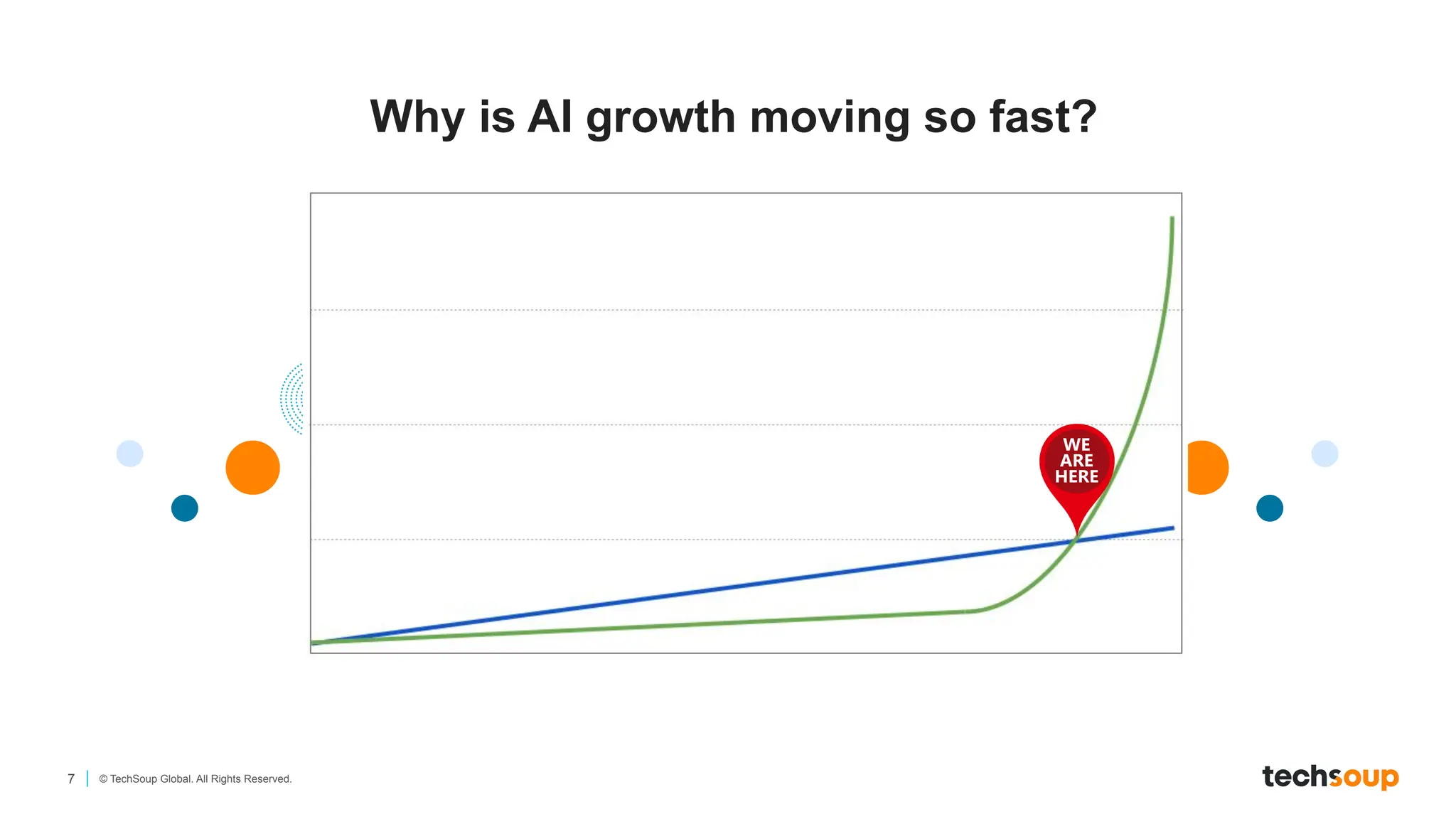
Why is AI growth moving so fast?
8 © TechSoup Global. All Rights Reserved.
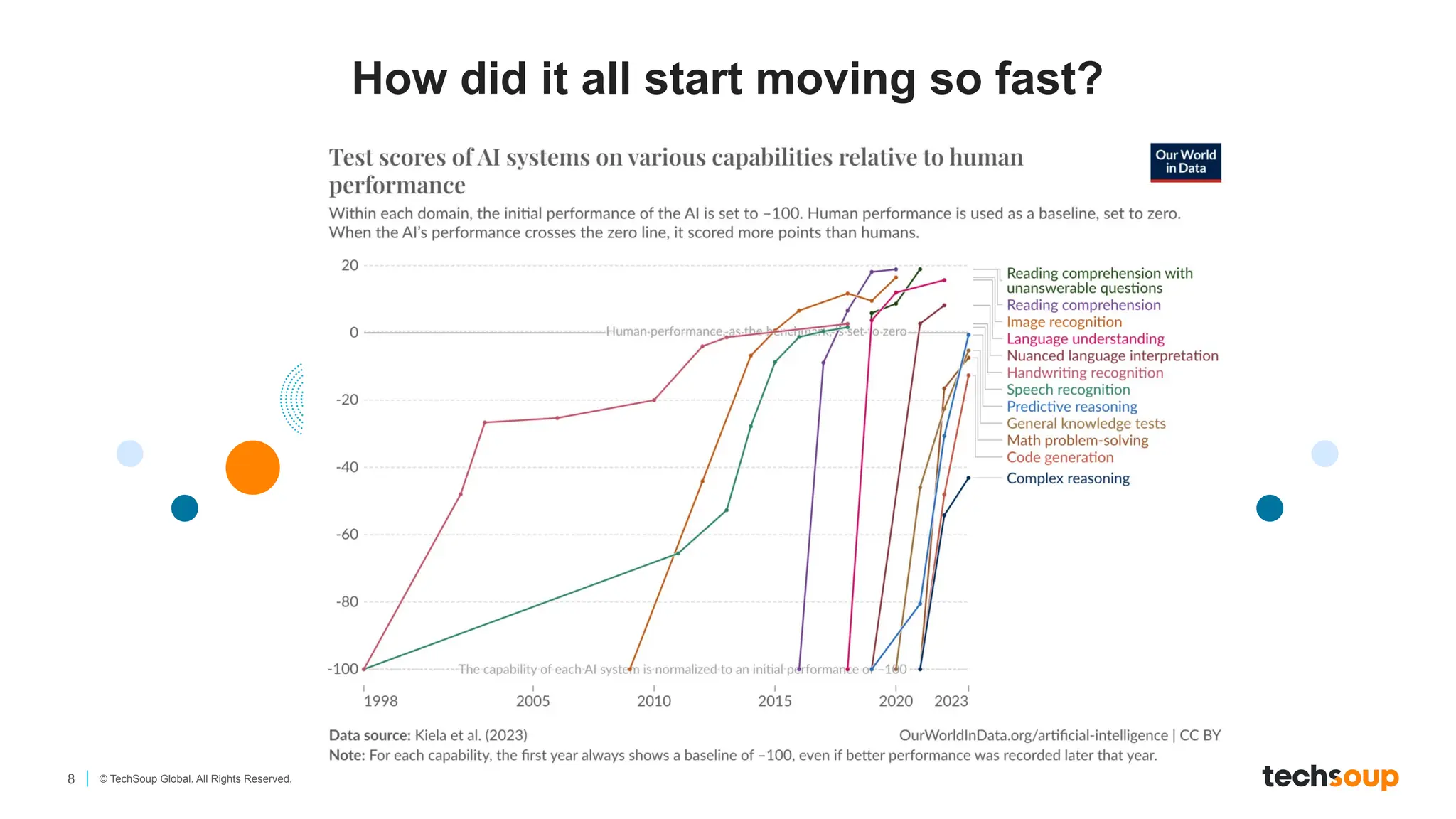
How did it all start moving so fast?
9 © TechSoup Global. All Rights Reserved.
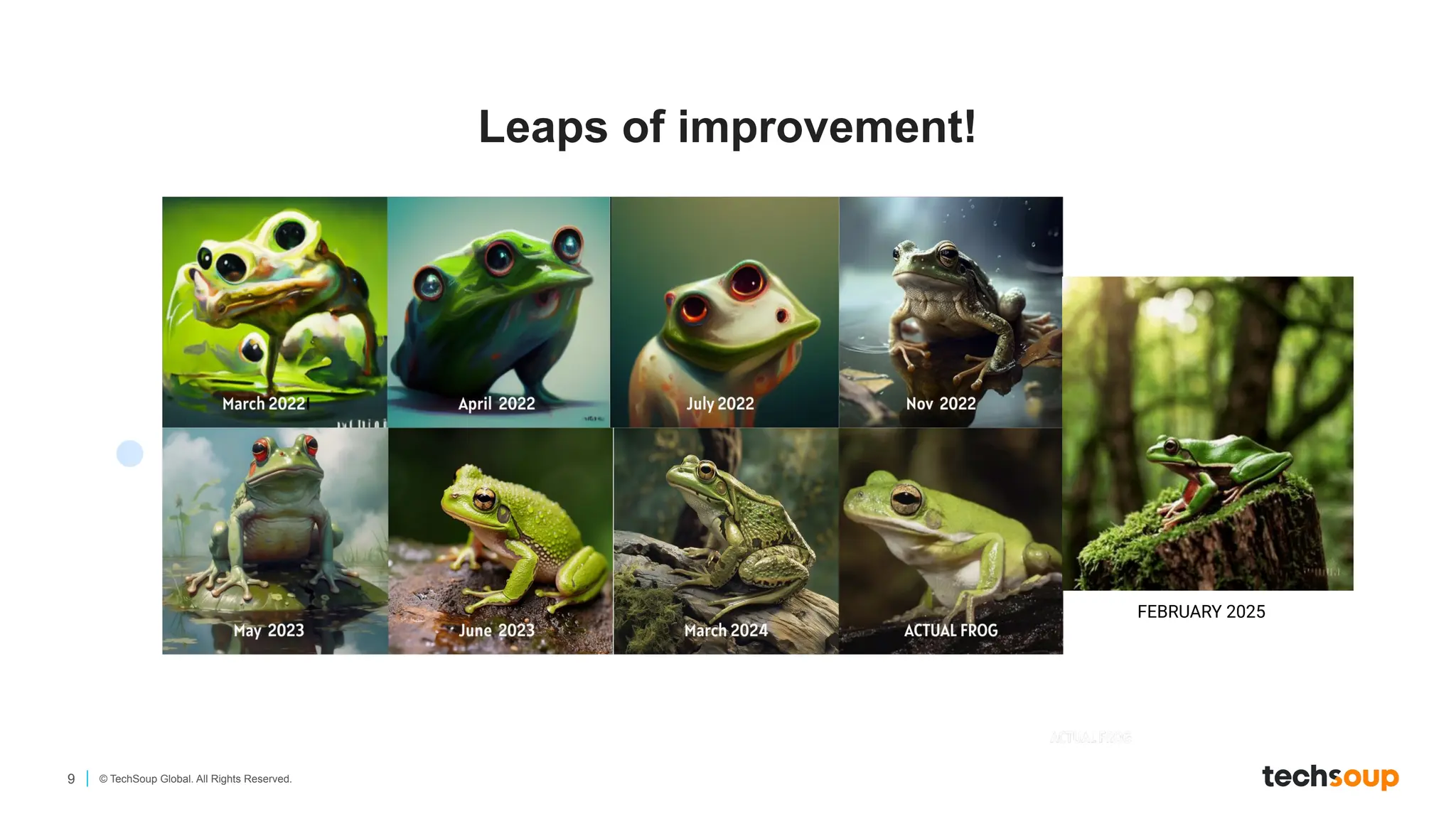
Leaps of improvement!
FEBRUARY 2025
10 © TechSoup Global. All Rights Reserved.
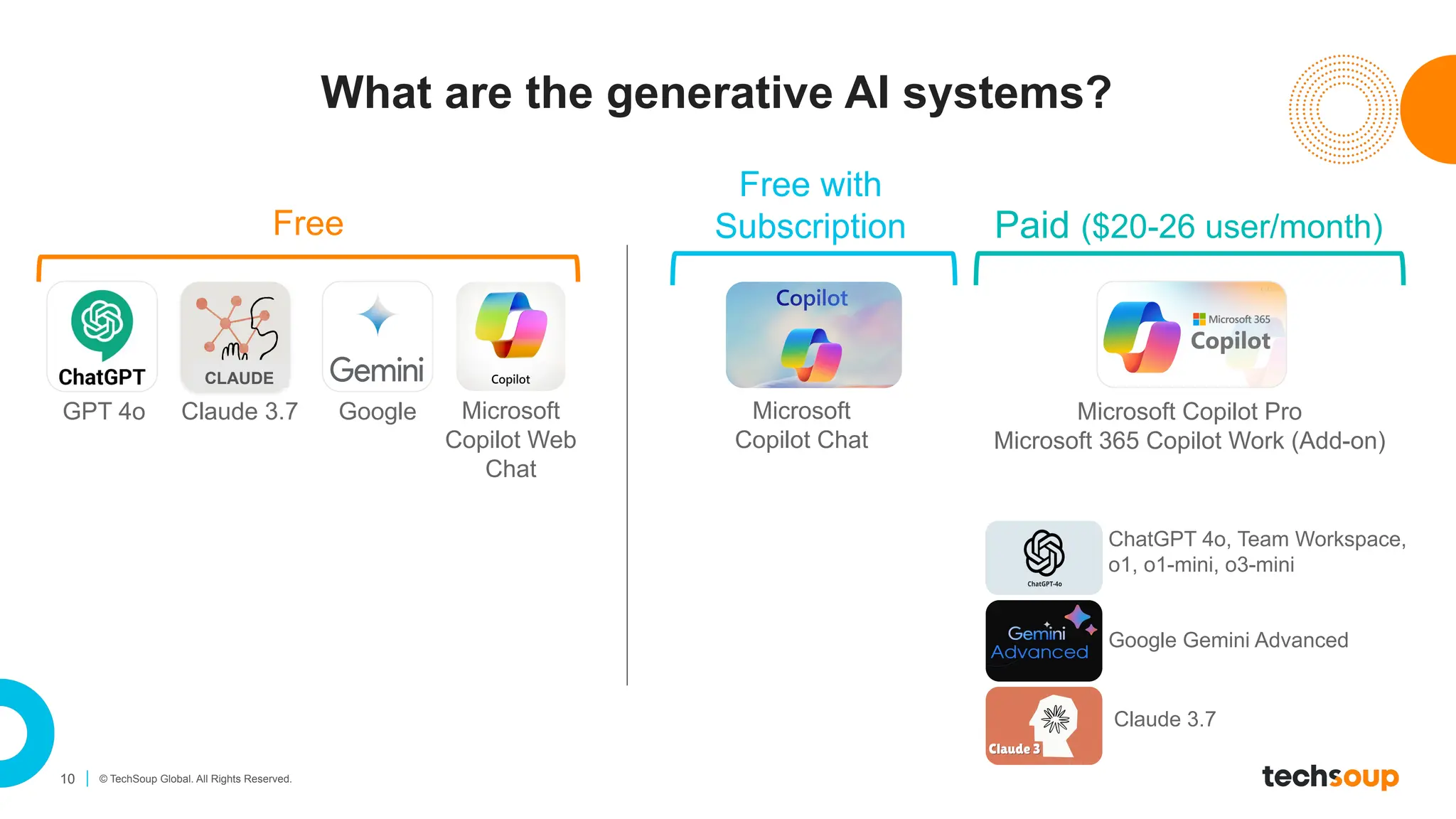
What are the generative AI systems?
GPT 4o Microsoft
Copilot Web
Chat
Google
ChatGPT 4o, Team Workspace,
o1, o1-mini, o3-mini
Free Paid ($20-26 user/month)
CLAUDE
Claude 3.7
Google Gemini Advanced
Claude 3.7
Microsoft Copilot Pro
Microsoft 365 Copilot Work (Add-on)
Free with
Subscription
Microsoft
Copilot Chat
11 © TechSoup Global. All Rights Reserved.
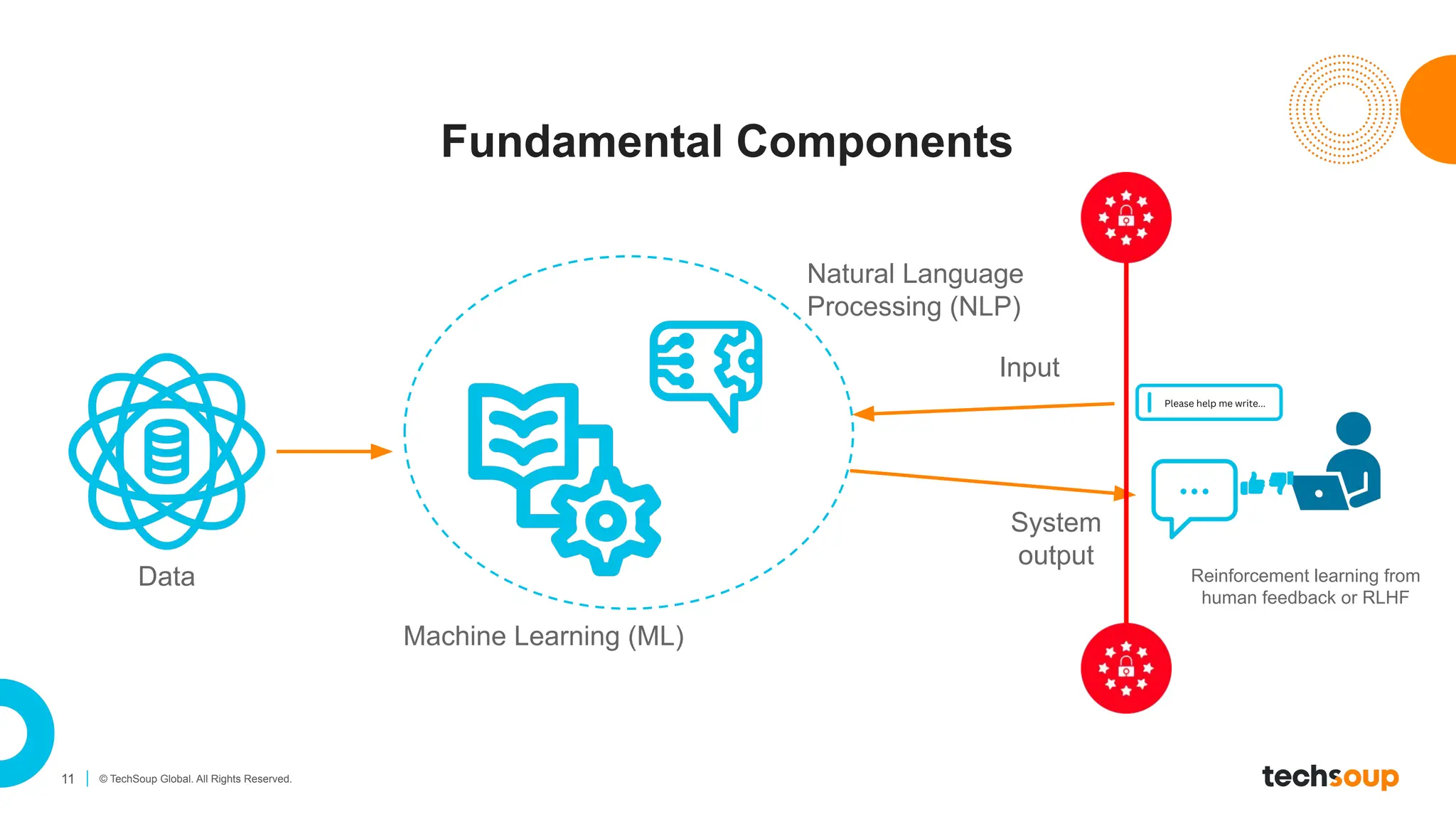
Fundamental Components
Machine Learning (ML)
Natural Language
Processing (NLP)
Data
Input
System
output
Reinforcement learning from
human feedback or RLHF
12 © TechSoup Global. All Rights Reserved.
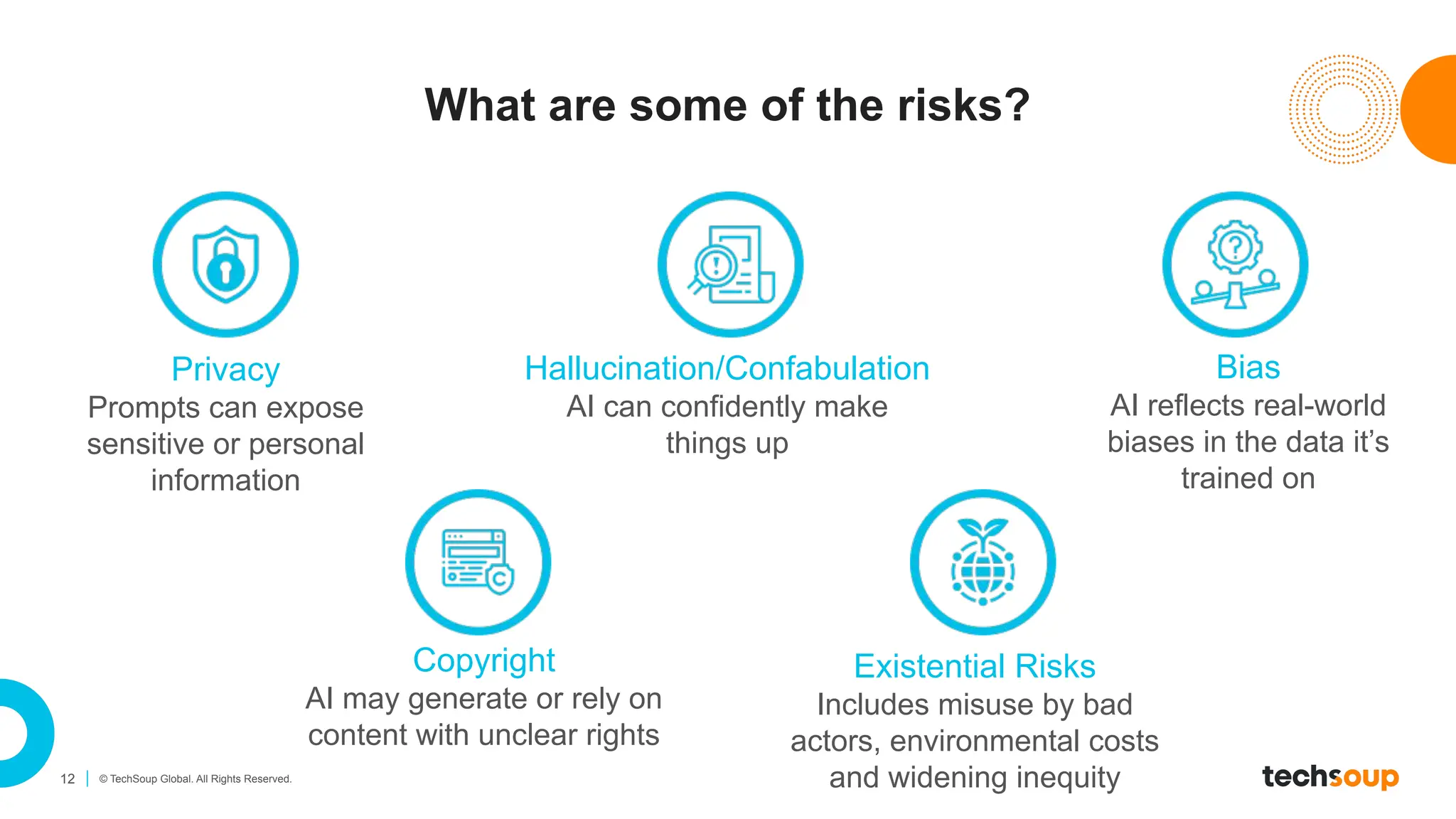
What are some of the risks?
Privacy
Prompts can expose
sensitive or personal
information
Hallucination/Confabulation
AI can confidently make
things up
Bias
AI reflects real-world
biases in the data it’s
trained on
Copyright
AI may generate or rely on
content with unclear rights
Existential Risks
Includes misuse by bad
actors, environmental costs
and widening inequity
Introduction to Prompt Writing
14 © TechSoup Global. All Rights Reserved.
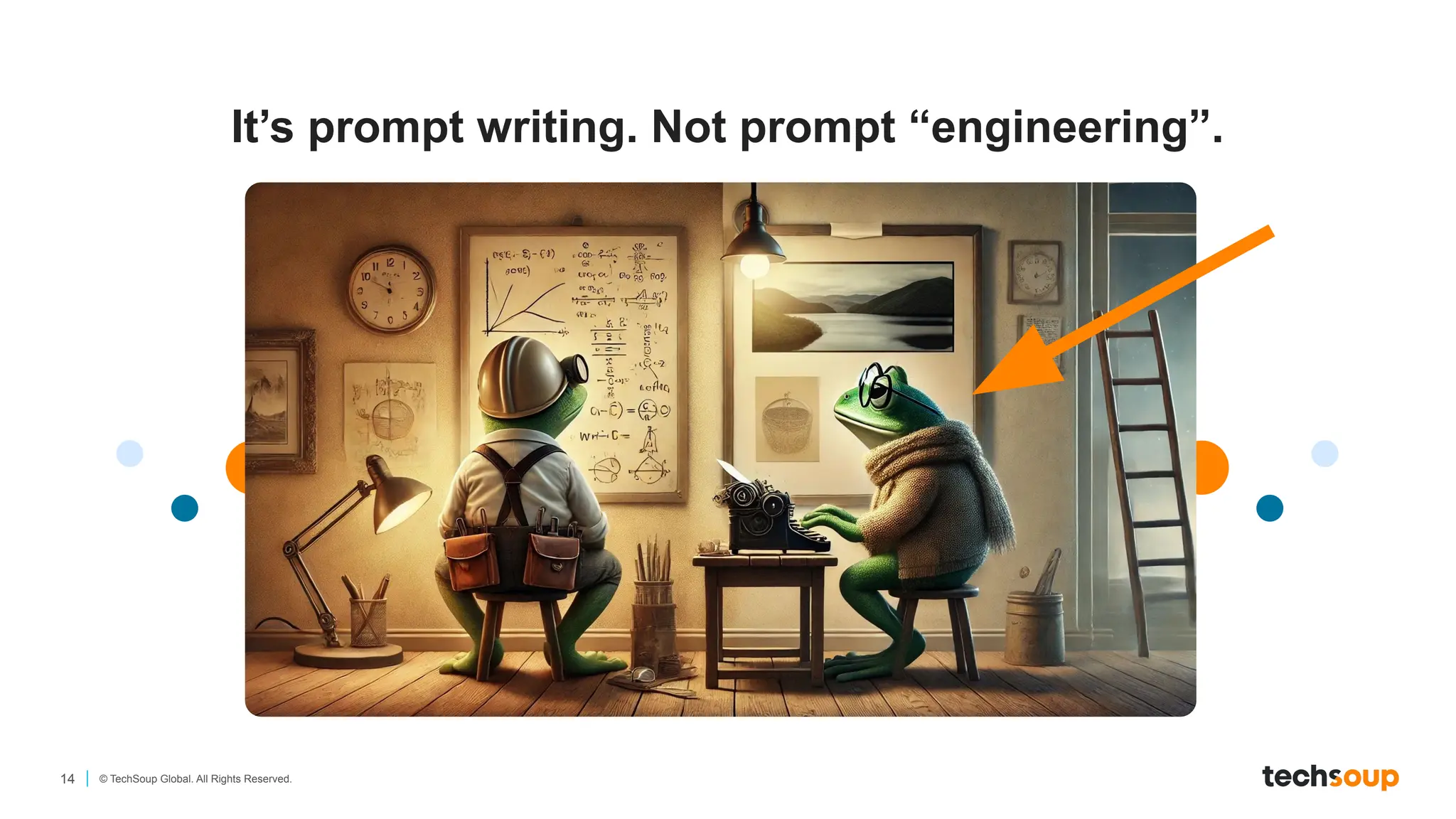
It’s prompt writing. Not prompt “engineering”.
15 © TechSoup Global. All Rights Reserved.
General tips for getting started
Talk to AI like you would to a person
It’s fine to ask AI what it needs to provide you with
better answers
It doesn’t hurt to be polite (though it does NOT have
feelings)
16 © TechSoup Global. All Rights Reserved.
Why learn about prompt techniques?
Better Prompts = Better Results
The quality of your input will always shape the quality of AI’s output
— clear prompts lead to more useful, accurate responses.
You Stay in Control
Understanding prompt structure lets you guide tone, style, and
purpose.
You Become a Creative Partner
Prompt writing helps you think more clearly about your message and
audience.
17 © TechSoup Global. All Rights Reserved.
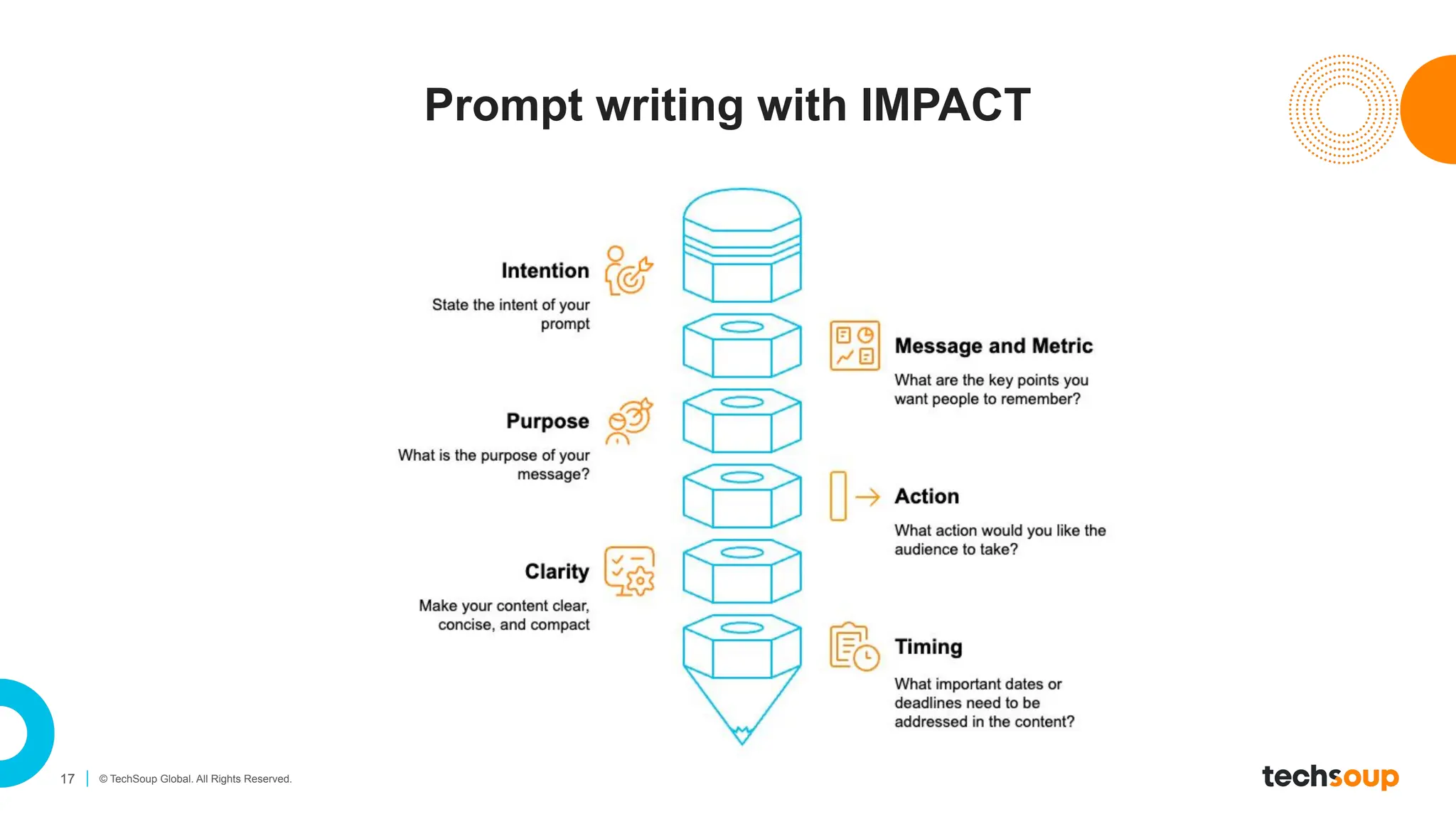
Prompt writing with IMPACT
18 © TechSoup Global. All Rights Reserved.
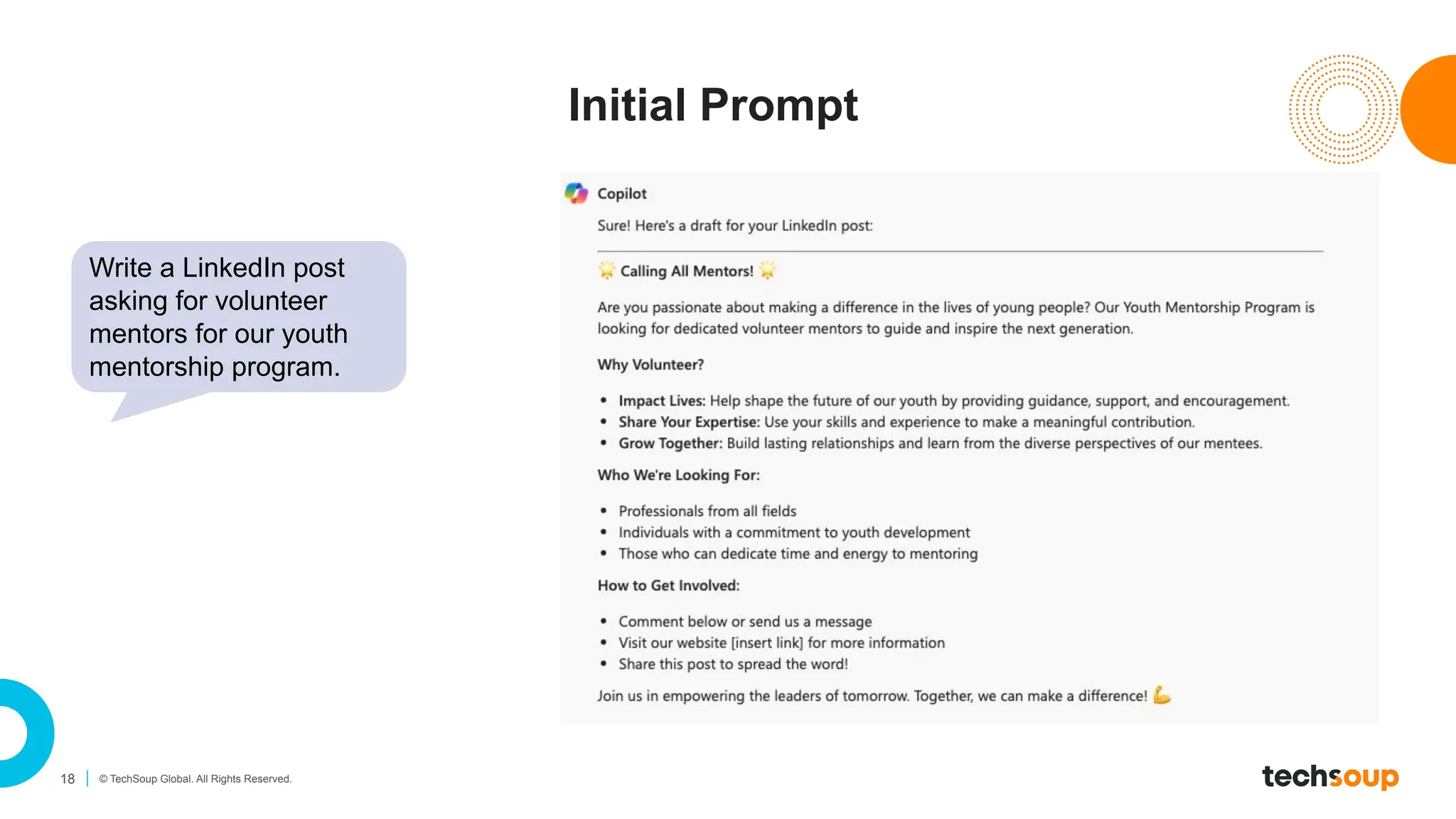
Initial Prompt
Write a LinkedIn post
asking for volunteer
mentors for our youth
mentorship program.
19 © TechSoup Global. All Rights Reserved.
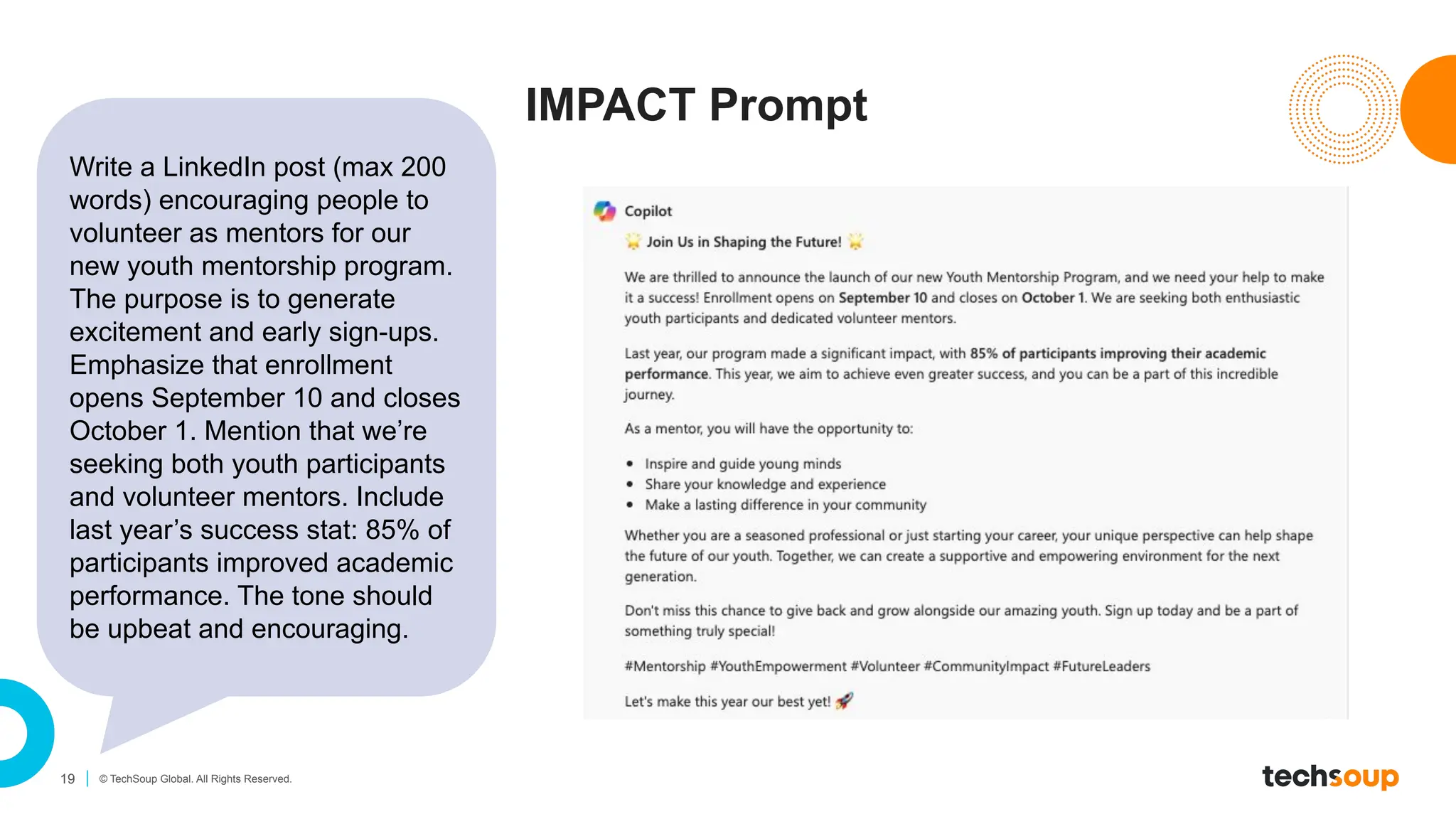
IMPACT Prompt
Write a LinkedIn post (max 200
words) encouraging people to
volunteer as mentors for our
new youth mentorship program.
The purpose is to generate
excitement and early sign-ups.
Emphasize that enrollment
opens September 10 and closes
October 1. Mention that we’re
seeking both youth participants
and volunteer mentors. Include
last year’s success stat: 85% of
participants improved academic
performance. The tone should
be upbeat and encouraging.
20 © TechSoup Global. All Rights Reserved.
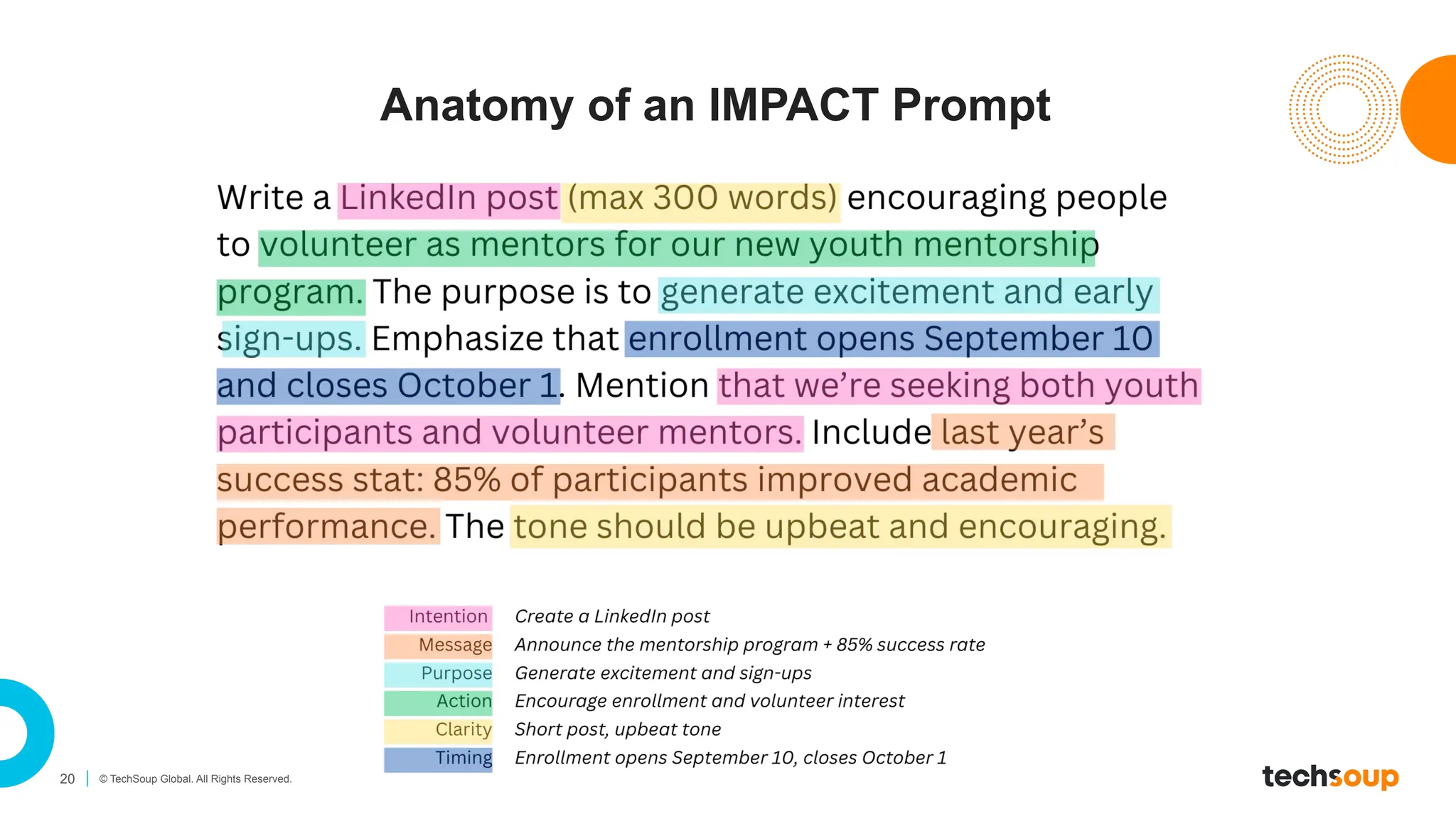
Anatomy of an IMPACT Prompt
21 © TechSoup Global. All Rights Reserved.
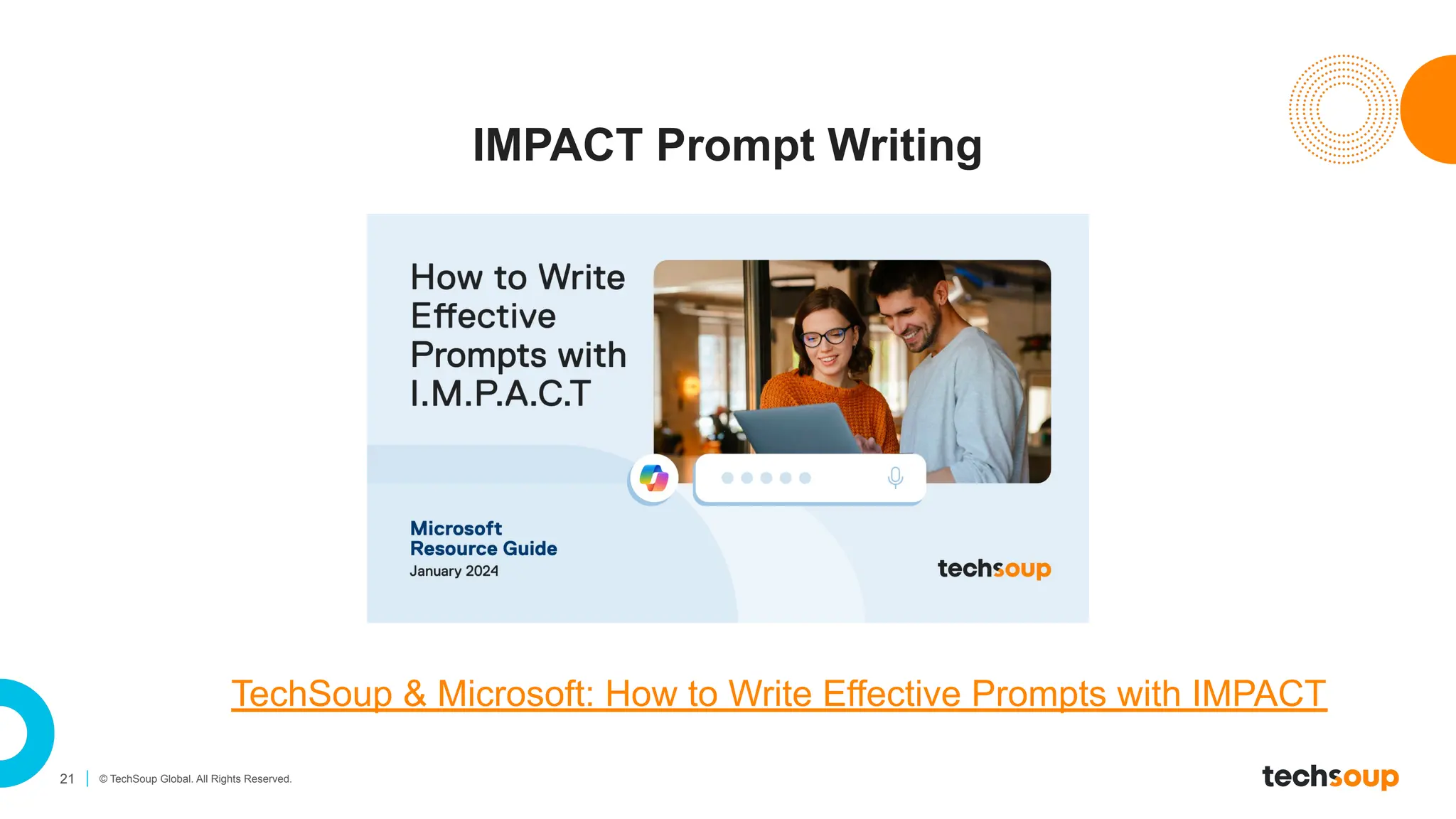
IMPACT Prompt Writing
TechSoup & Microsoft: How to Write Effective Prompts with IMPACT
22 © TechSoup Global. All Rights Reserved.
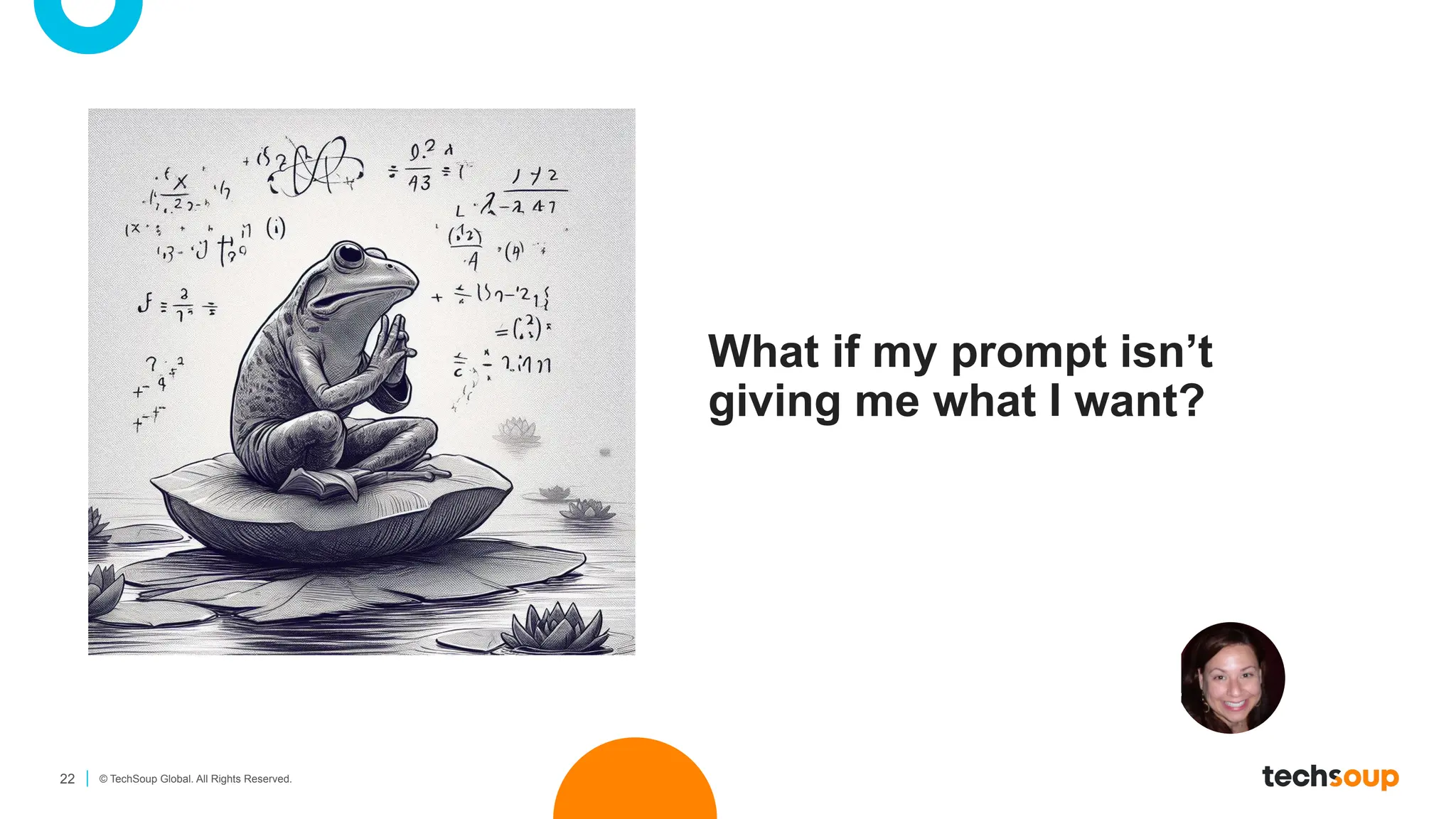
What if my prompt isn’t
giving me what I want?
23 © TechSoup Global. All Rights Reserved.
Revisit the Basics
✓ Have I clearly told the AI what I want it to do (task)?
✓ Did I include enough background or context (who it’s for,
what it’s about)?
✓ Would an example help clarify the request?
✓ Have I set a clear role for the AI (e.g., “Act as a community
engagement manager”)?
✓ Did I tell it what format I want the output in (e.g., table,
email, script)?
24 © TechSoup Global. All Rights Reserved.
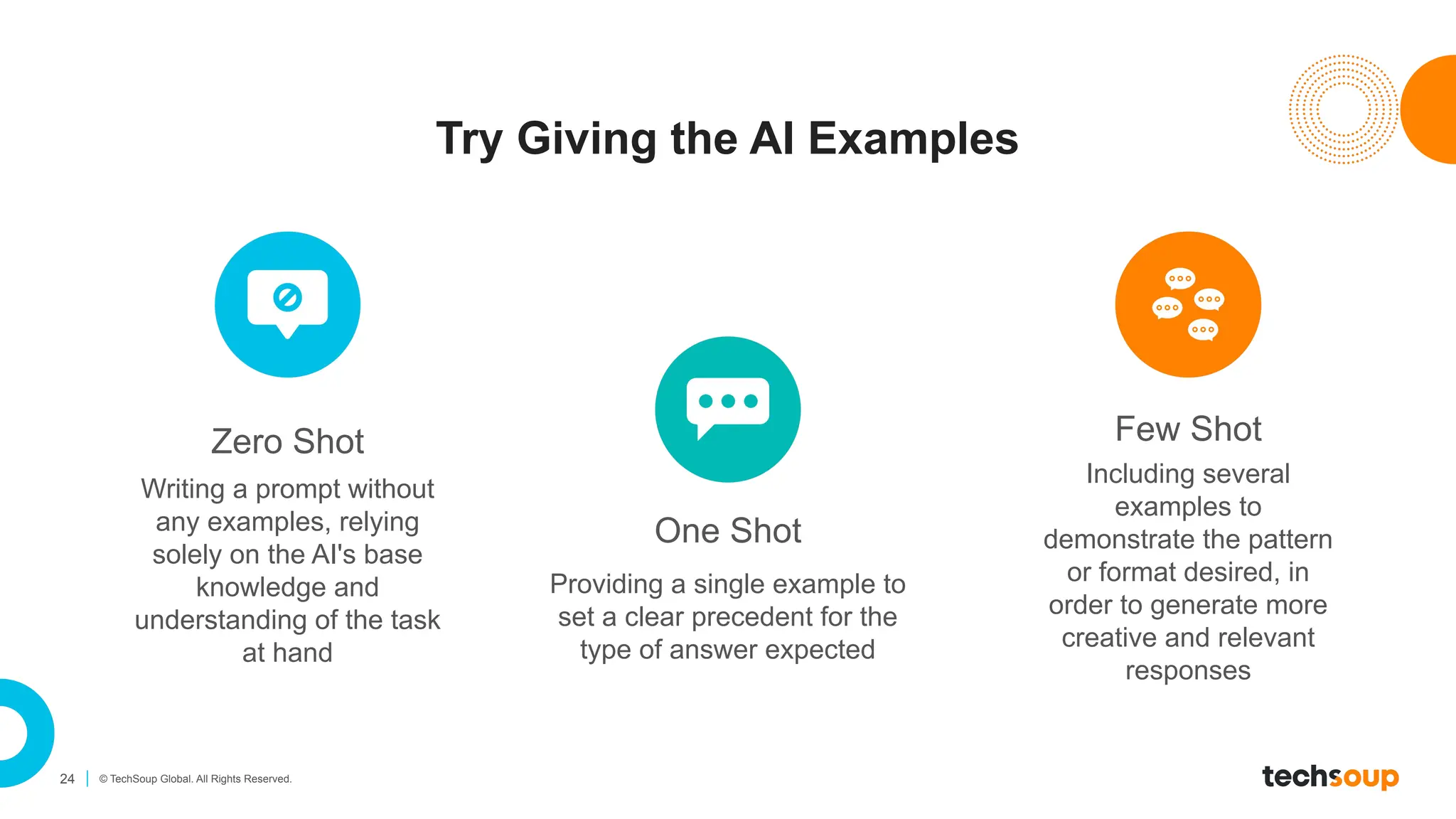
Try Giving the AI Examples
Zero Shot Few Shot
Writing a prompt without
any examples, relying
solely on the AI's base
knowledge and
understanding of the task
at hand
Including several
examples to
demonstrate the pattern
or format desired, in
order to generate more
creative and relevant
responses
One Shot
Providing a single example to
set a clear precedent for the
type of answer expected
25 © TechSoup Global. All Rights Reserved.
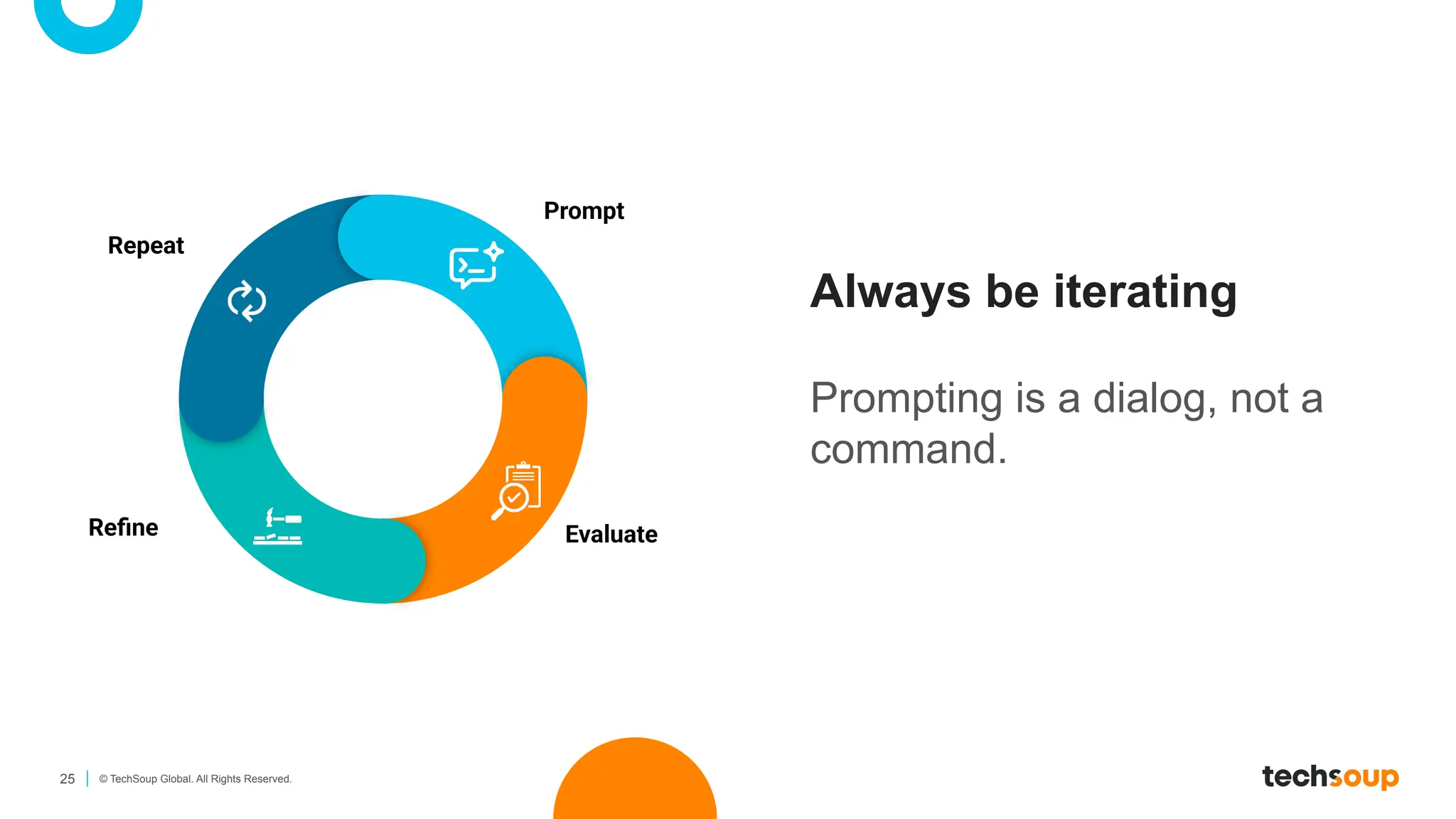
Always be iterating
Prompting is a dialog, not a
command.
Prompt
Evaluate
Refine
Repeat
26 © TechSoup Global. All Rights Reserved.
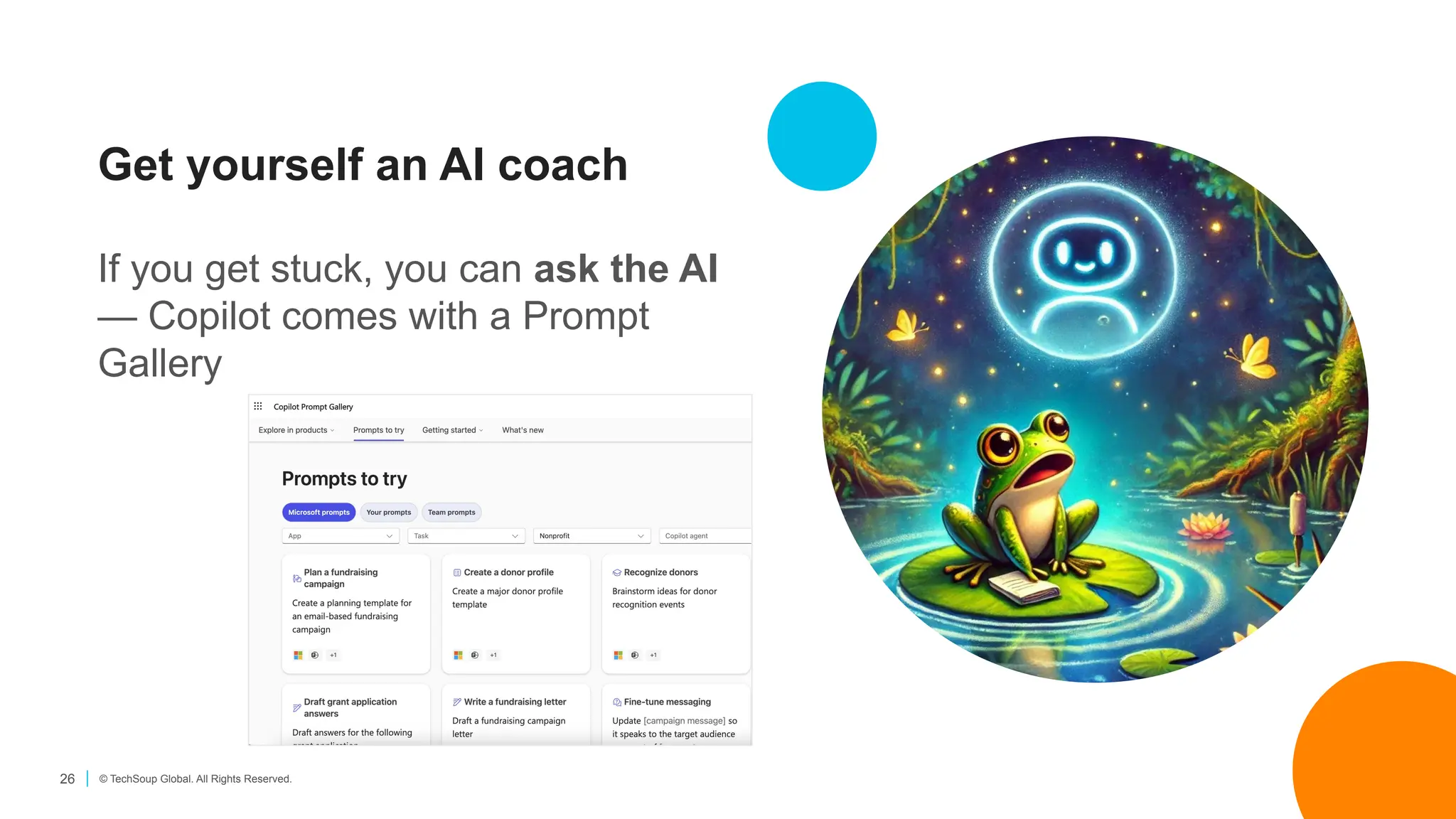
Get yourself an AI coach
If you get stuck, you can ask the AI
— Copilot comes with a Prompt
Gallery
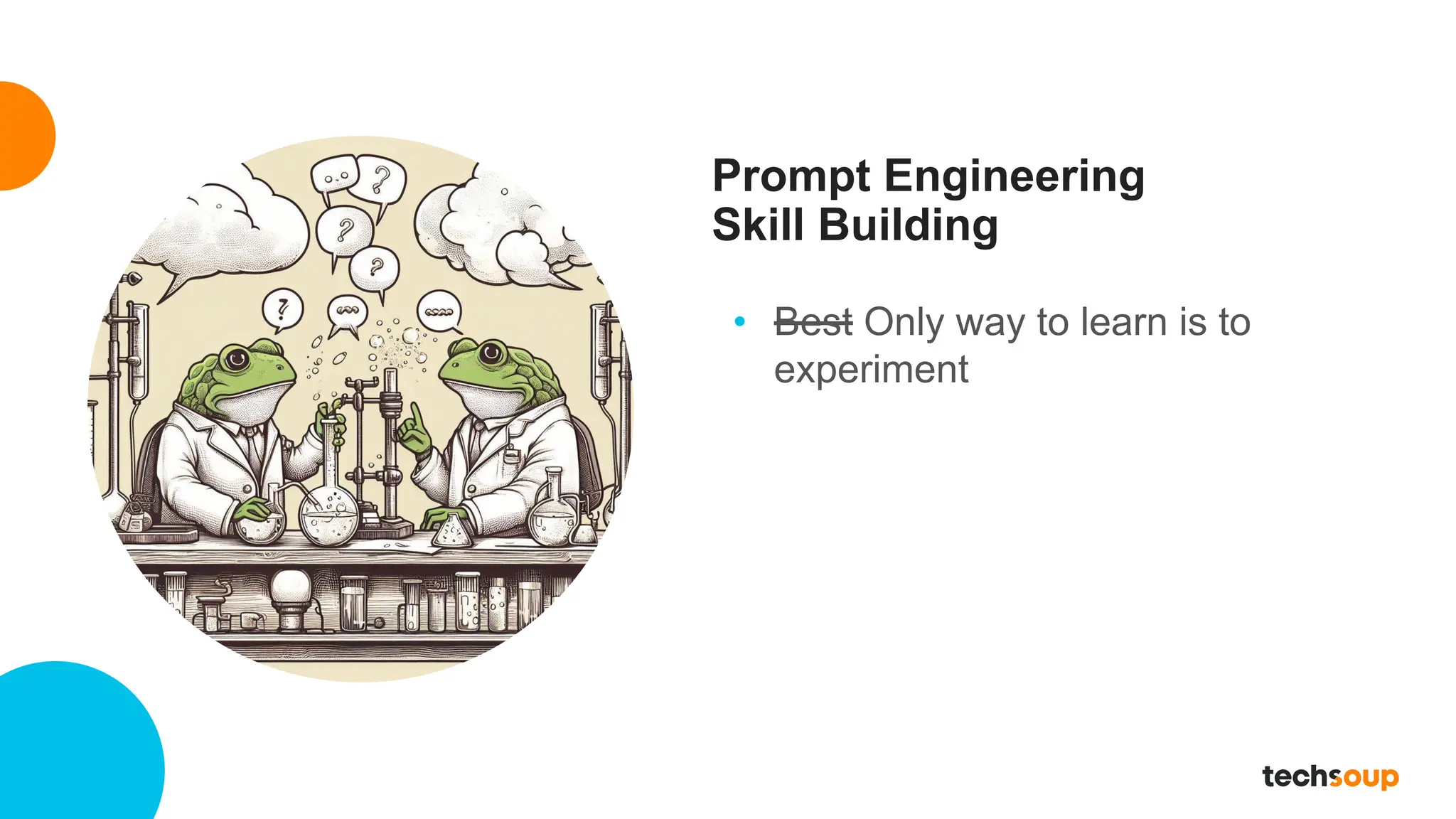
Prompt Engineering
Skill Building
• Best Only way to learn is to
experiment
Nonprofit Use Cases with Copilot
29 © TechSoup Global. All Rights Reserved.
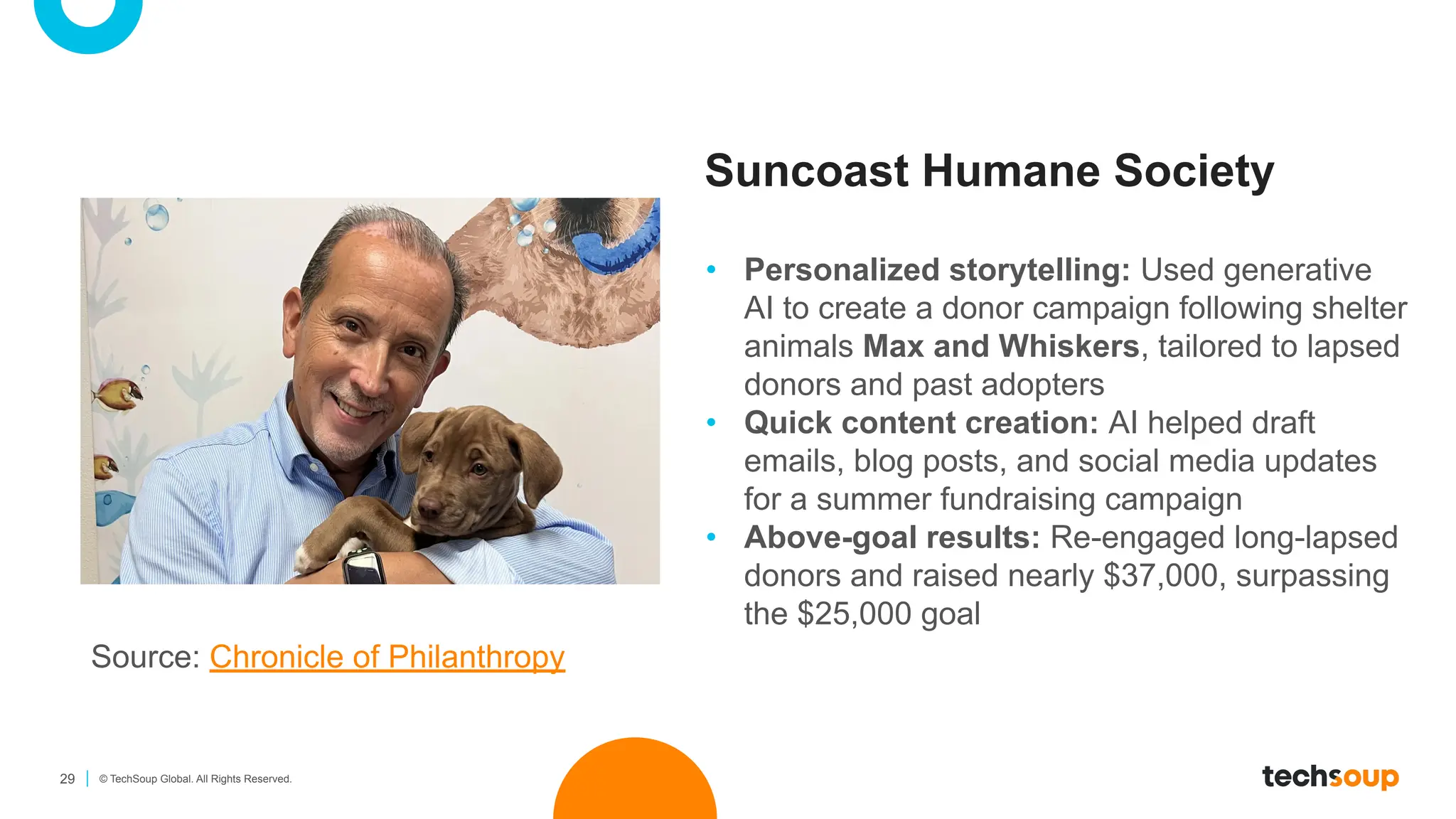
Suncoast Humane Society
• Personalized storytelling: Used generative
AI to create a donor campaign following shelter
animals Max and Whiskers, tailored to lapsed
donors and past adopters
• Quick content creation: AI helped draft
emails, blog posts, and social media updates
for a summer fundraising campaign
• Above-goal results: Re-engaged long-lapsed
donors and raised nearly $37,000, surpassing
the $25,000 goal
Source: Chronicle of Philanthropy
30 © TechSoup Global. All Rights Reserved.
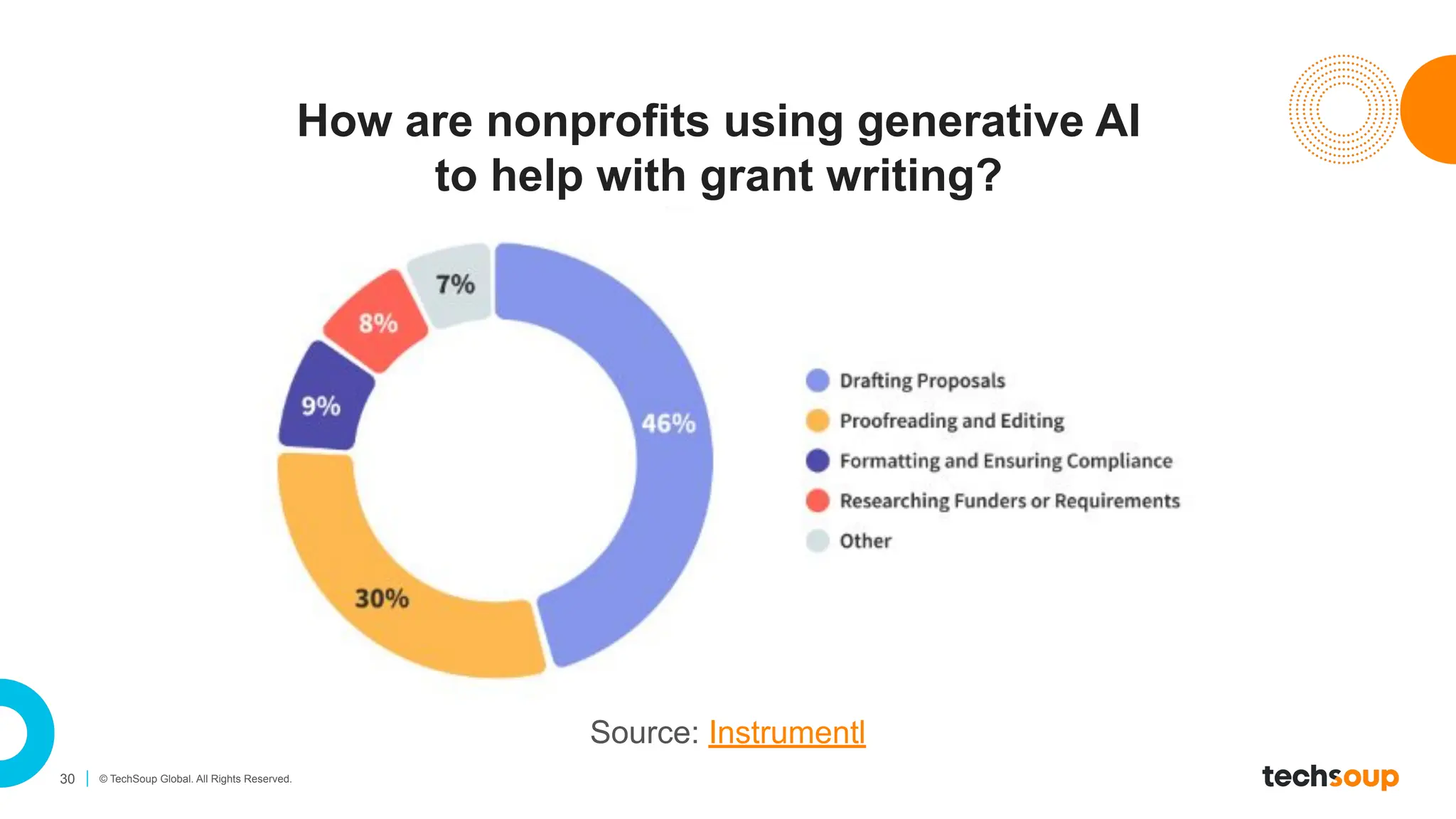
How are nonprofits using generative AI
to help with grant writing?
Source: Instrumentl
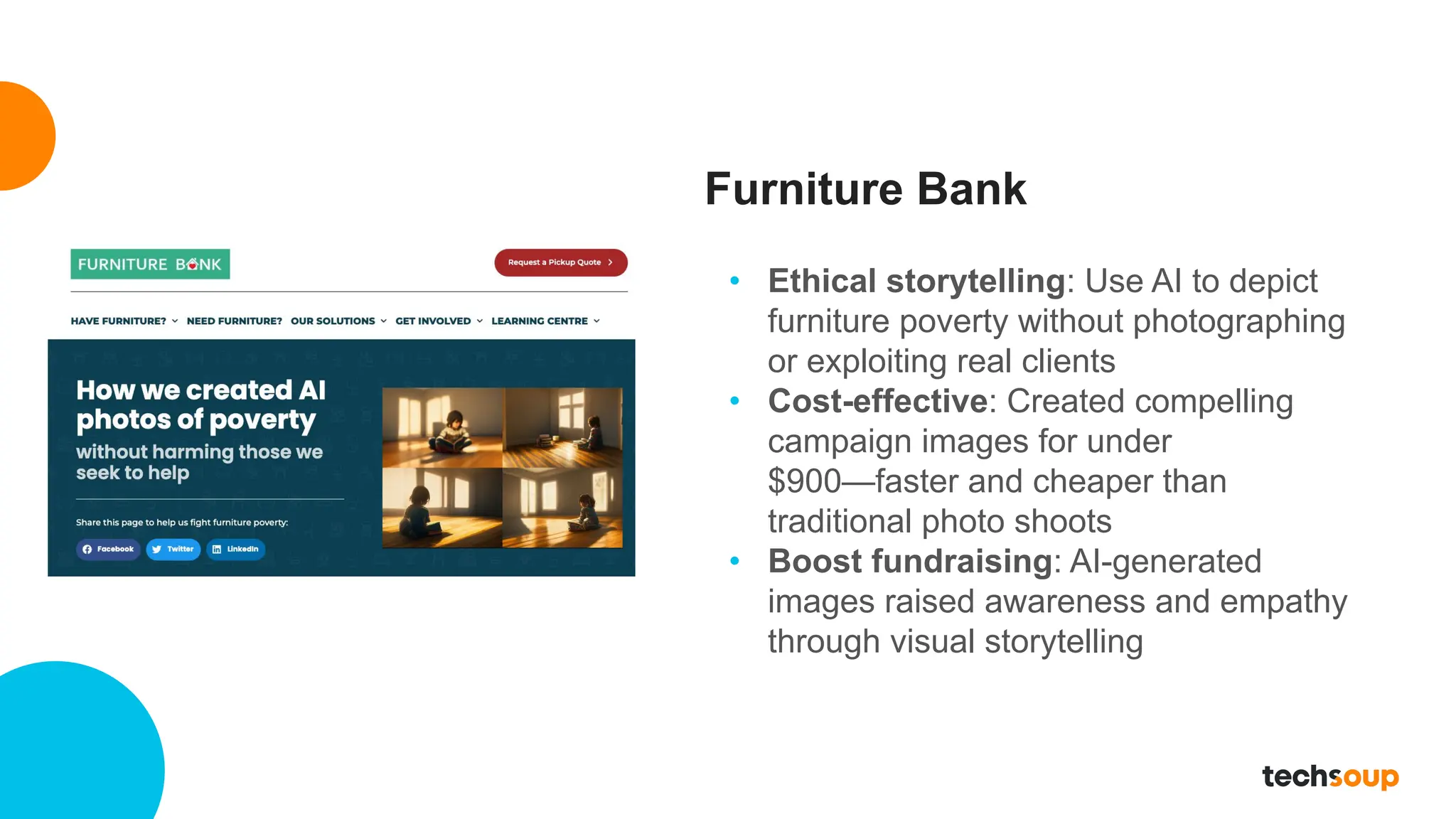
Furniture Bank
• Ethical storytelling: Use AI to depict
furniture poverty without photographing
or exploiting real clients
• Cost-effective: Created compelling
campaign images for under
$900—faster and cheaper than
traditional photo shoots
• Boost fundraising: AI-generated
images raised awareness and empathy
through visual storytelling
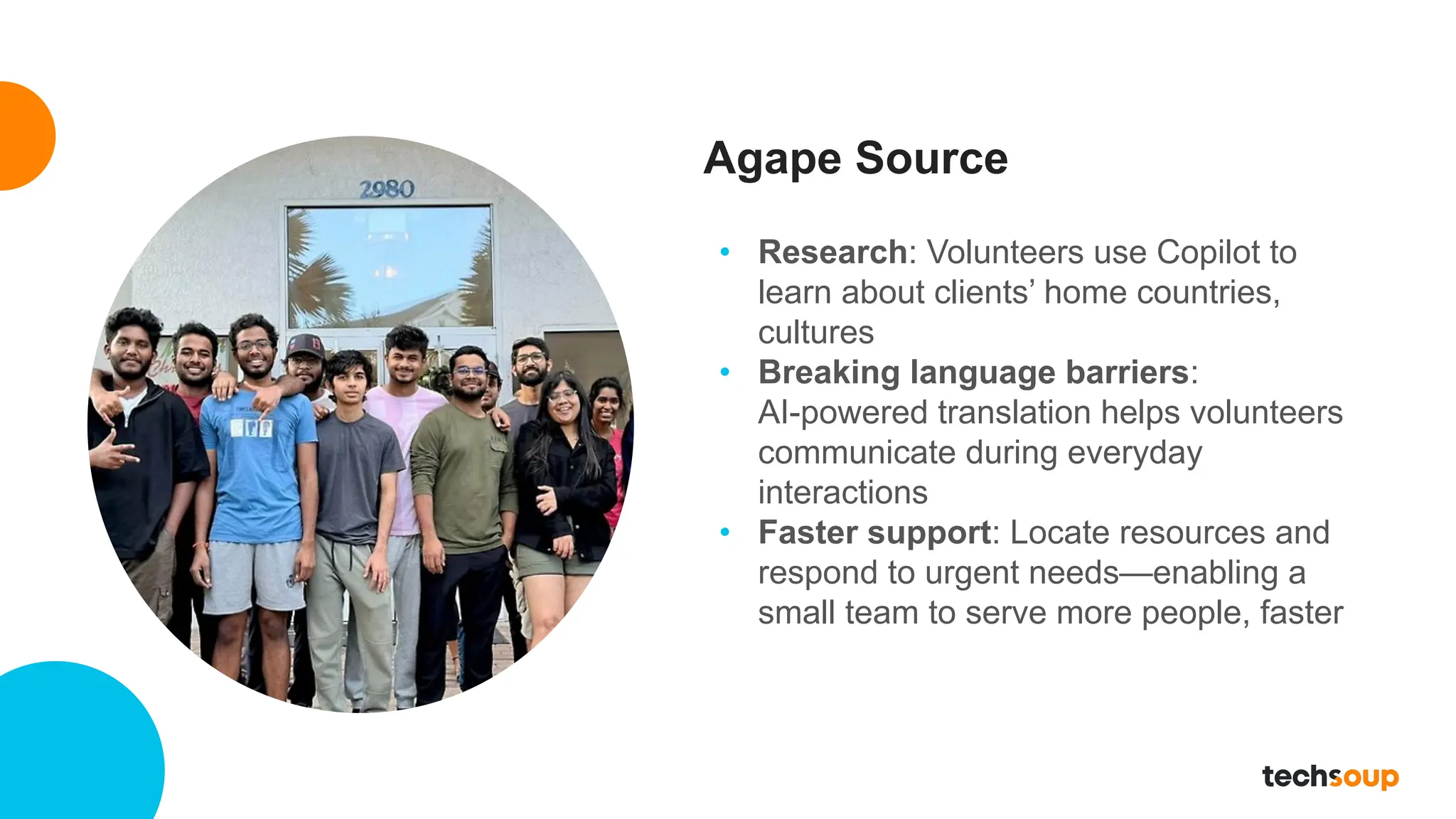
Agape Source
• Research: Volunteers use Copilot to
learn about clients’ home countries,
cultures
• Breaking language barriers:
AI-powered translation helps volunteers
communicate during everyday
interactions
• Faster support: Locate resources and
respond to urgent needs—enabling a
small team to serve more people, faster
Leading an intentional AI rollout
34 © TechSoup Global. All Rights Reserved.
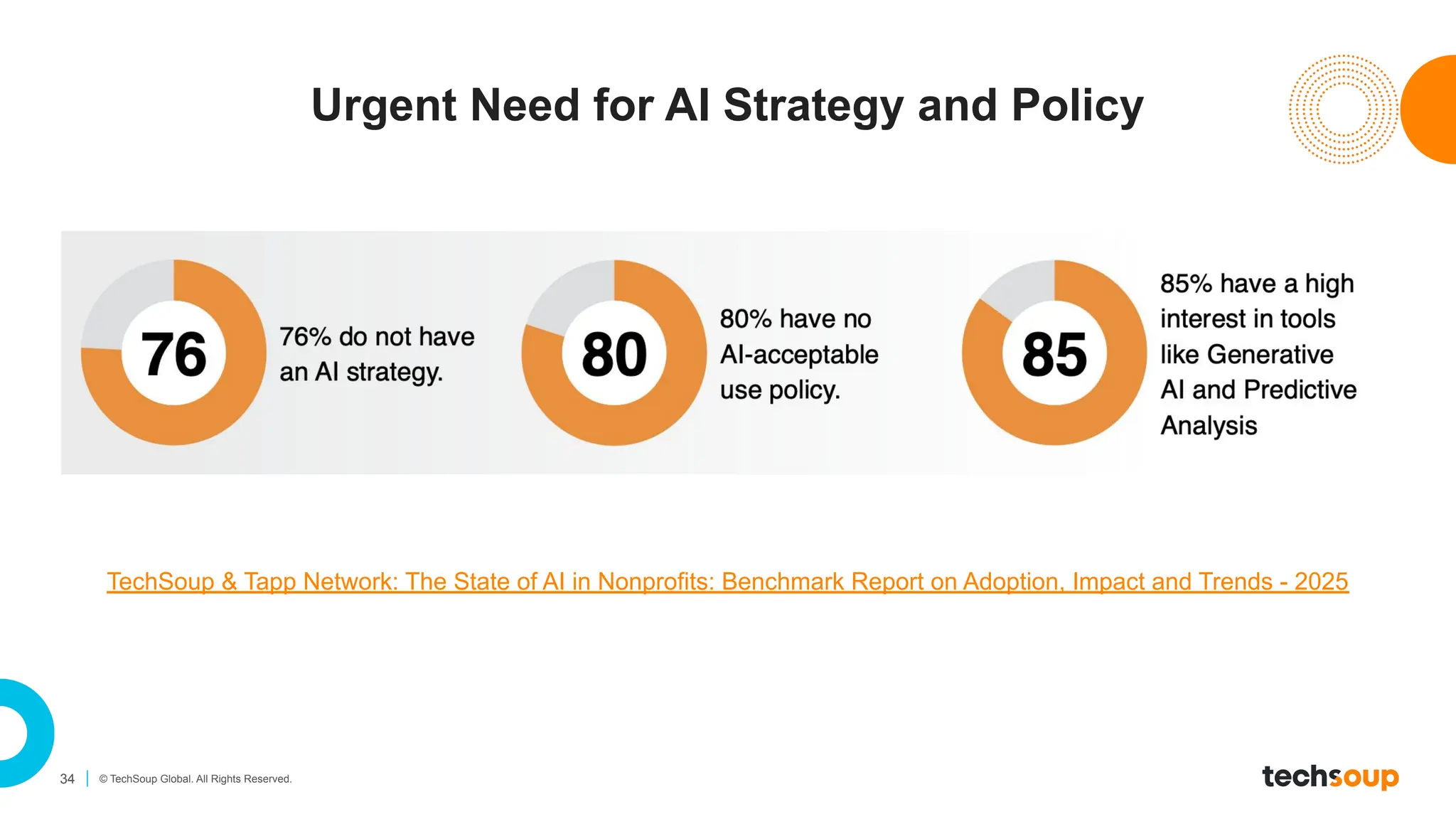
Urgent Need for AI Strategy and Policy
TechSoup & Tapp Network: The State of AI in Nonprofits: Benchmark Report on Adoption, Impact and Trends - 2025
35 © TechSoup Global. All Rights Reserved.
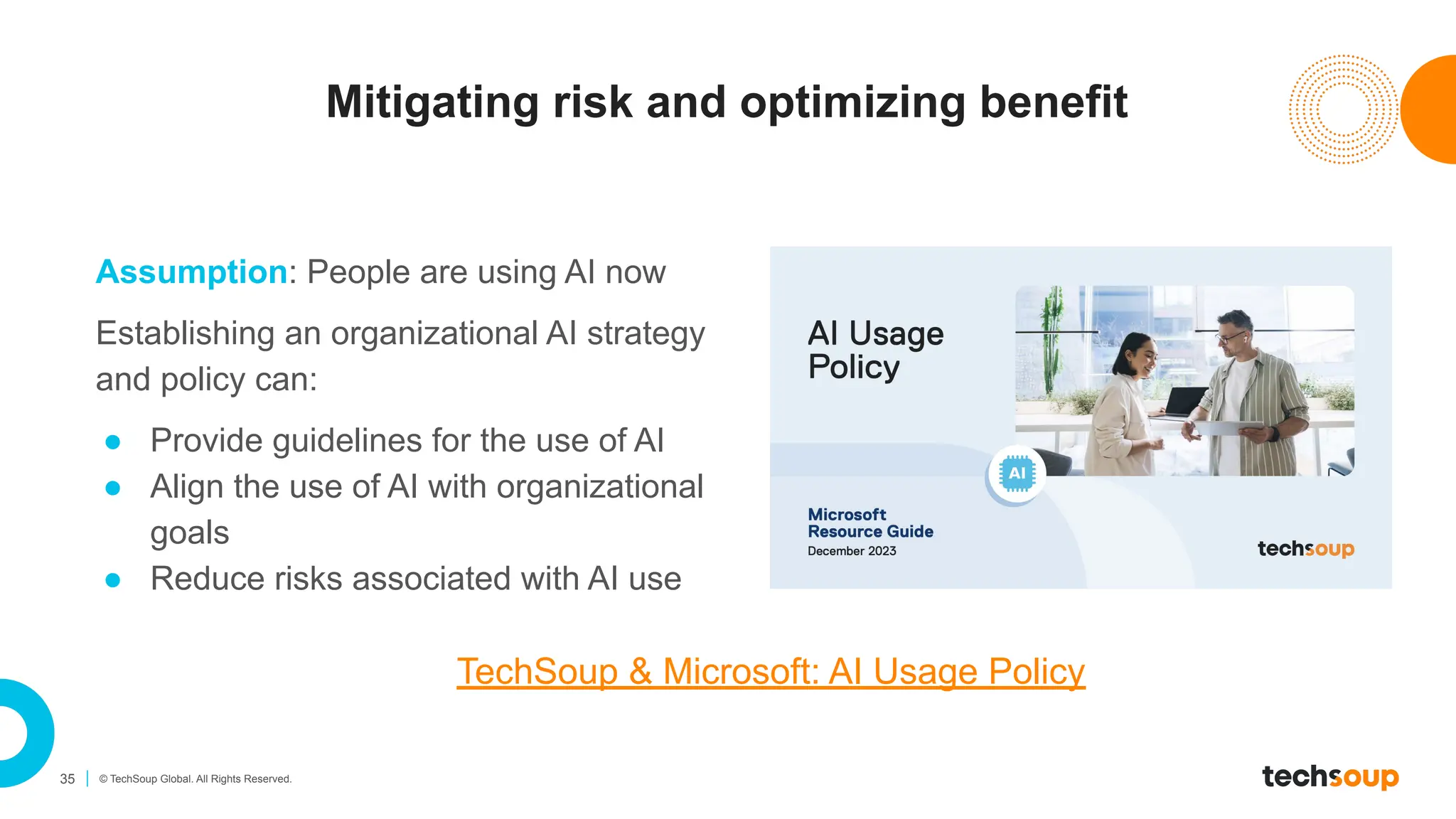
Mitigating risk and optimizing benefit
Assumption: People are using AI now
Establishing an organizational AI strategy
and policy can:
● Provide guidelines for the use of AI
● Align the use of AI with organizational
goals
● Reduce risks associated with AI use
TechSoup & Microsoft: AI Usage Policy
36 © TechSoup Global. All Rights Reserved.
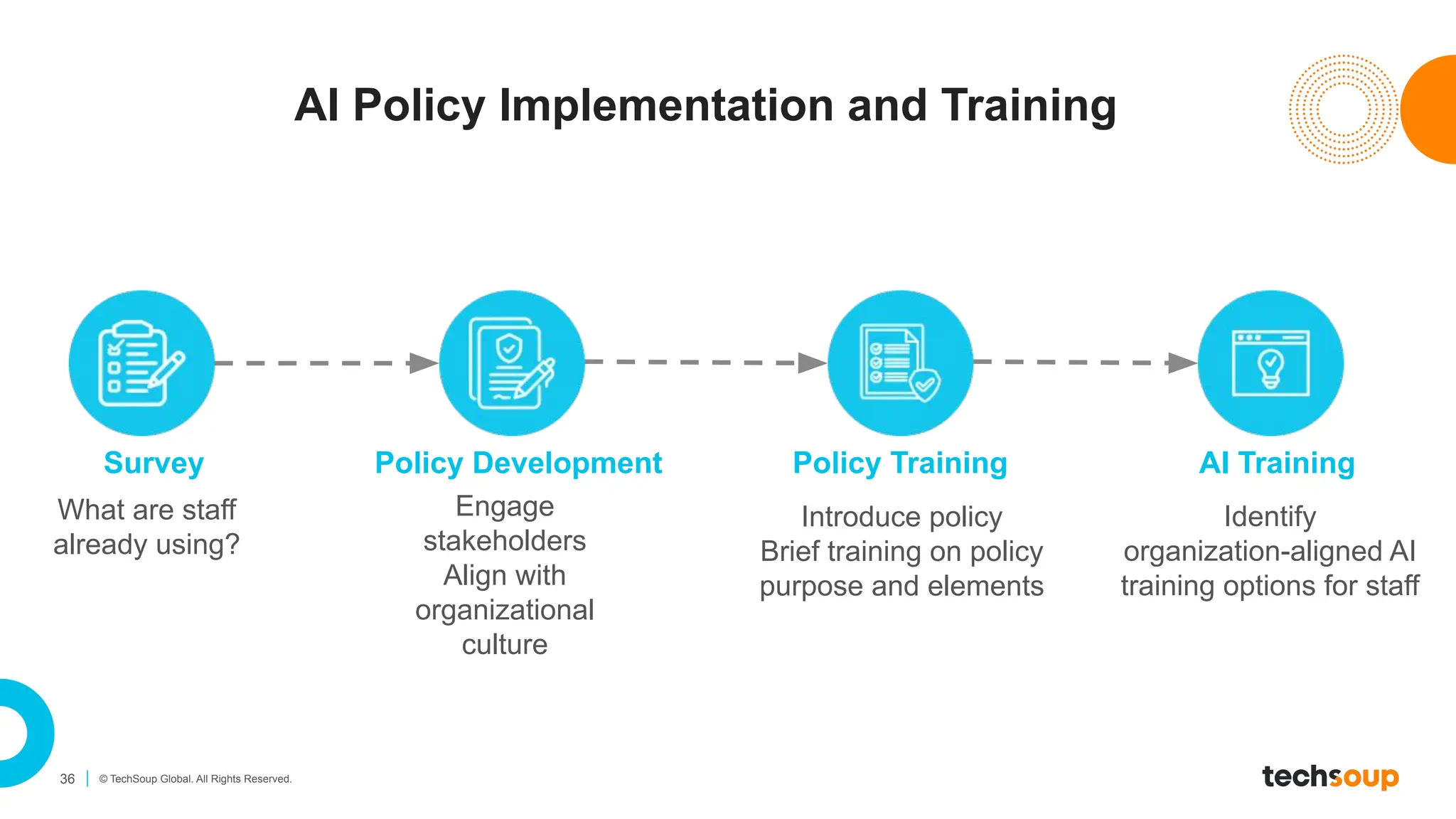
AI Policy Implementation and Training
Policy Development
Engage
stakeholders
Align with
organizational
culture
Policy Training
Introduce policy
Brief training on policy
purpose and elements
AI Training
Survey
What are staff
already using?
Identify
organization-aligned AI
training options for staff
37 © TechSoup Global. All Rights Reserved.
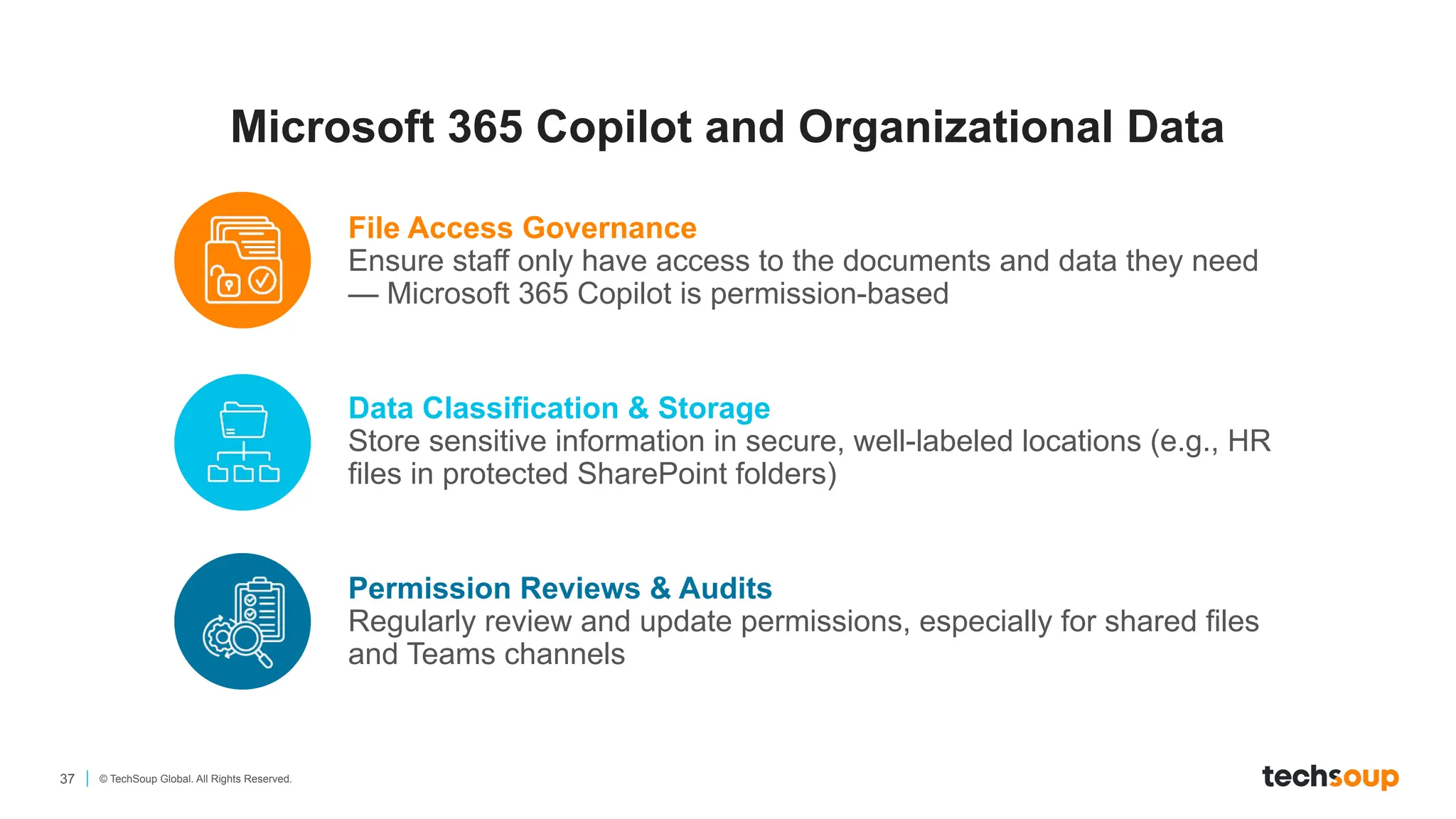
Microsoft 365 Copilot and Organizational Data
File Access Governance
Ensure staff only have access to the documents and data they need
— Microsoft 365 Copilot is permission-based
Data Classification & Storage
Store sensitive information in secure, well-labeled locations (e.g., HR
files in protected SharePoint folders)
Permission Reviews & Audits
Regularly review and update permissions, especially for shared files
and Teams channels
38 © TechSoup Global. All Rights Reserved.
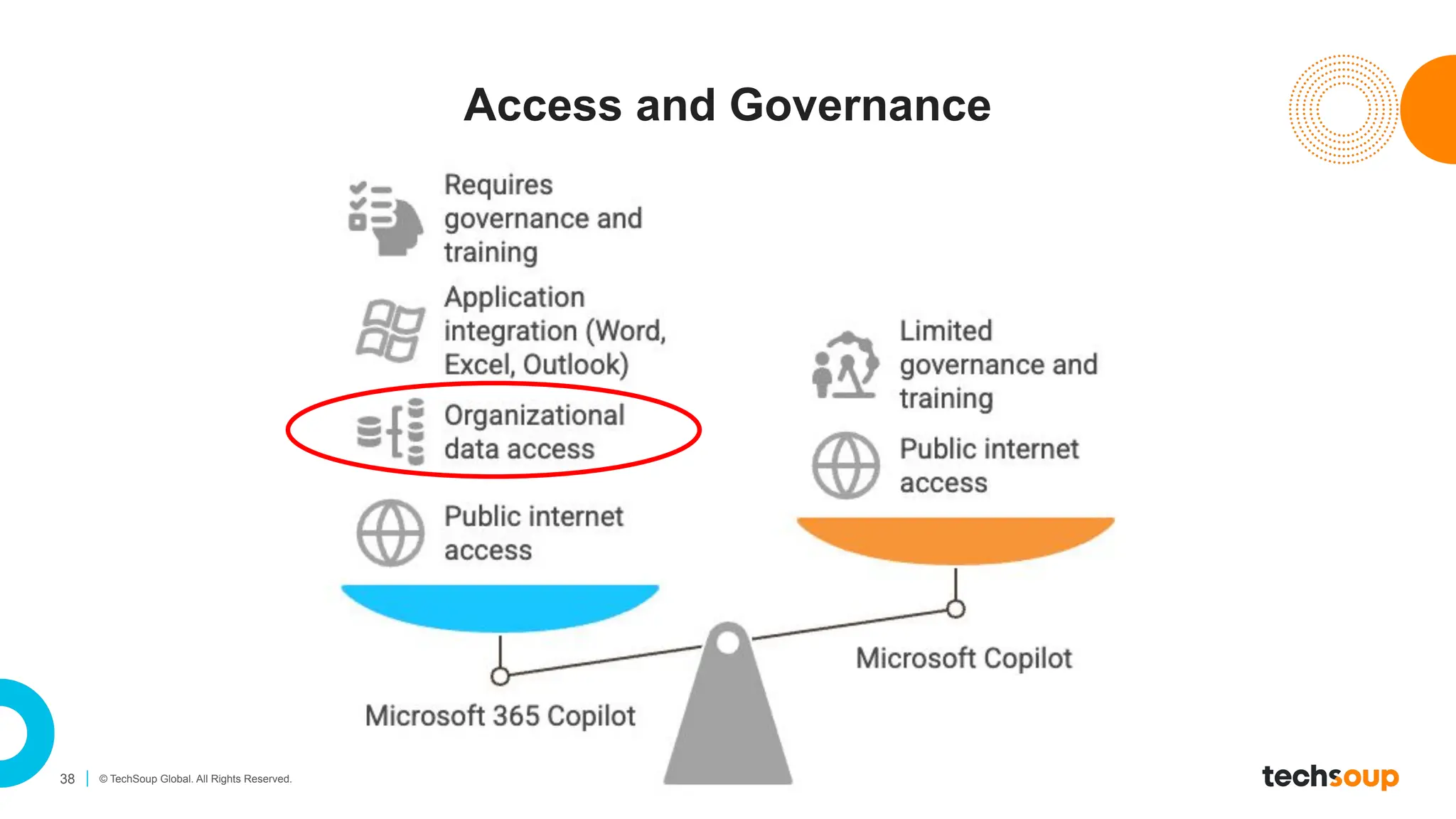
Access and Governance
AI Live Demo — Your Use Cases
40 © TechSoup Global. All Rights Reserved.
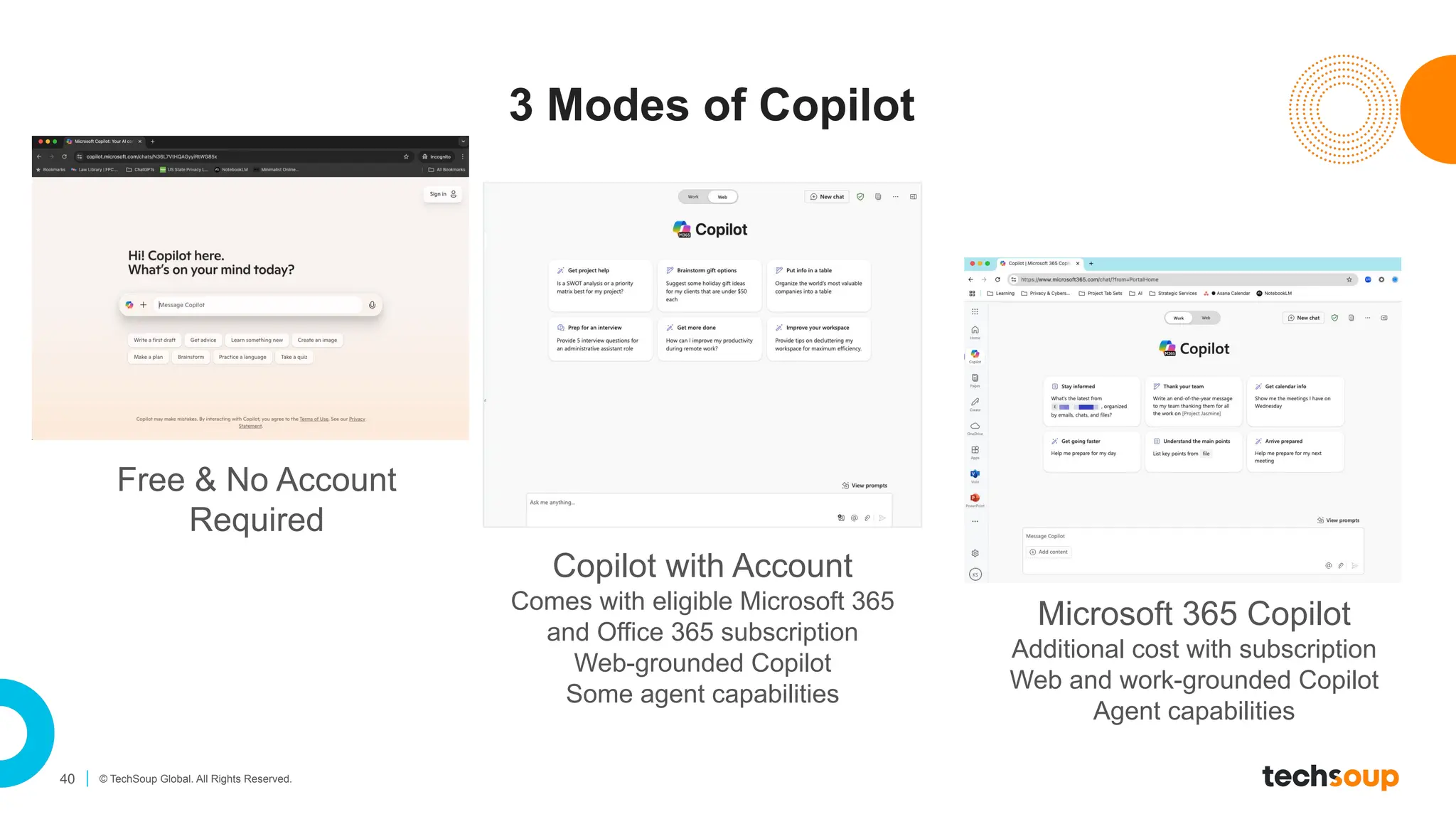
3 Modes of Copilot
Free & No Account
Required
Copilot with Account
Comes with eligible Microsoft 365
and Office 365 subscription
Web-grounded Copilot
Some agent capabilities
Microsoft 365 Copilot
Additional cost with subscription
Web and work-grounded Copilot
Agent capabilities
41 © TechSoup Global. All Rights Reserved.
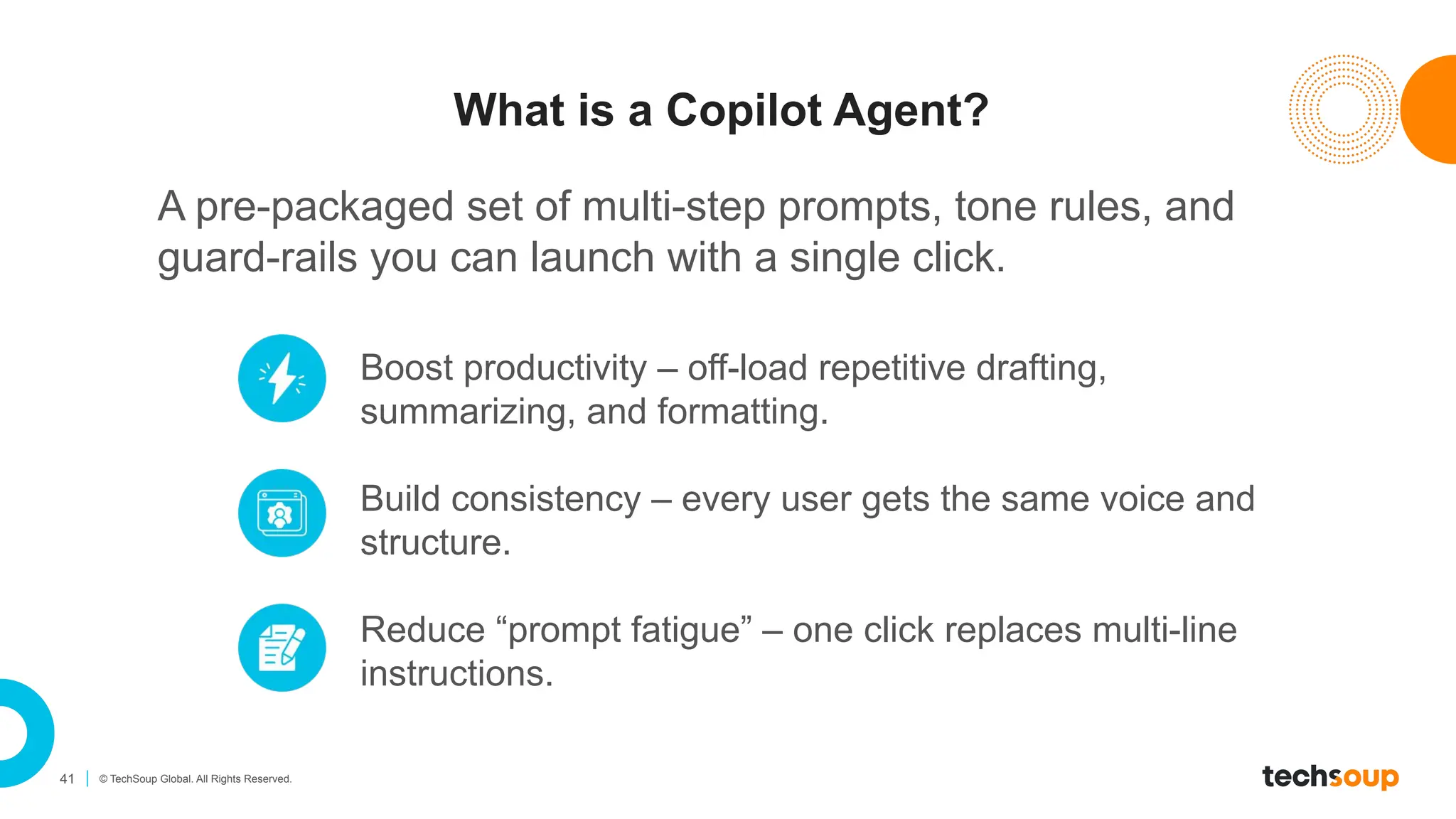
What is a Copilot Agent?
A pre-packaged set of multi-step prompts, tone rules, and
guard-rails you can launch with a single click.
Boost productivity – off-load repetitive drafting,
summarizing, and formatting.
Build consistency – every user gets the same voice and
structure.
Reduce “prompt fatigue” – one click replaces multi-line
instructions.
42 © TechSoup Global. All Rights Reserved.
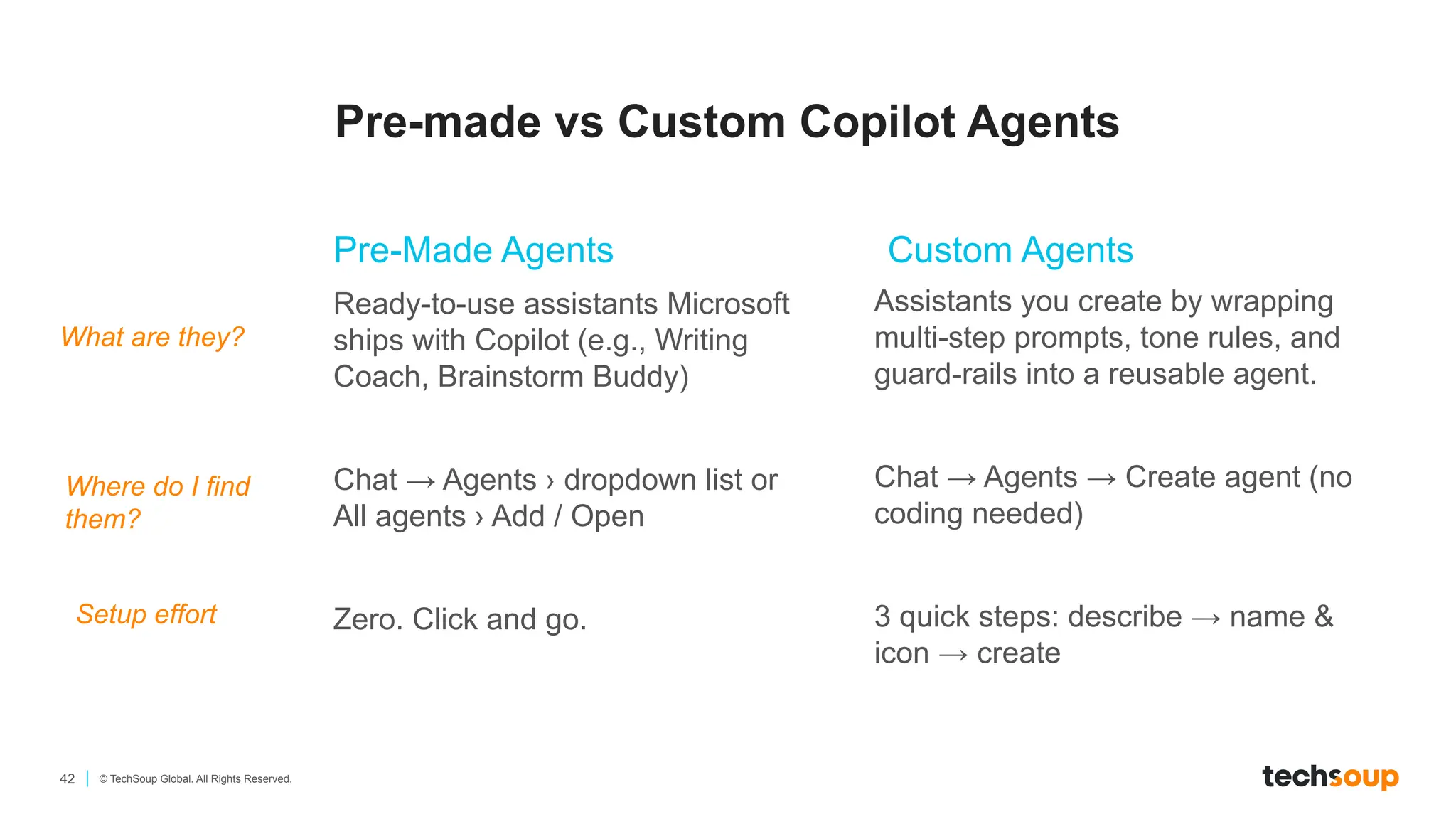
Pre-made vs Custom Copilot Agents
Pre-Made Agents Custom Agents
Ready-to-use assistants Microsoft
ships with Copilot (e.g., Writing
Coach, Brainstorm Buddy)
Chat → Agents › dropdown list or
All agents › Add / Open
Zero. Click and go.
Assistants you create by wrapping
multi-step prompts, tone rules, and
guard-rails into a reusable agent.
Chat → Agents → Create agent (no
coding needed)
3 quick steps: describe → name &
icon → create
What are they?
Where do I find
them?
Setup effort
Let’s get started…
Closing Thoughts
45 © TechSoup Global. All Rights Reserved.
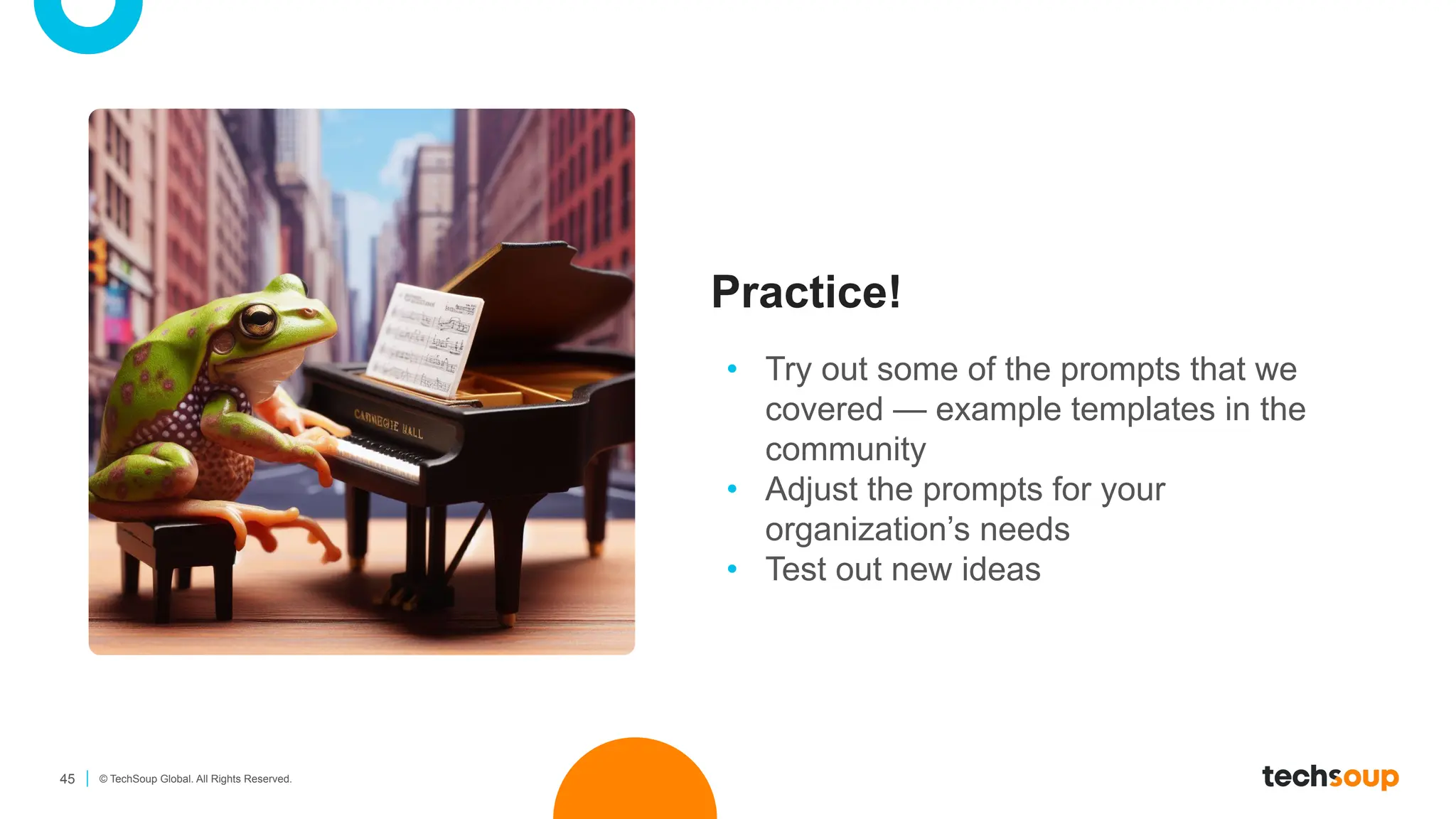
Practice!
• Try out some of the prompts that we
covered — example templates in the
community
• Adjust the prompts for your
organization’s needs
• Test out new ideas
46 © TechSoup Global. All Rights Reserved.
10 hours…
The easiest way to get started with AI is to use it for tasks you do every day. If you are
writing an email, ask the AI to do it, and then use conversational approaches to ask it
to improve its performance. If you are generating ideas, ask the AI. If you are trying
to make a decision, give the data to the AI and ask for an opinion. Don’t take any of
this too seriously, especially as you are first learning about its capabilities, but, after
10 or so hours, you will start to really understand what AI can do.
Ethan Mollick, from Working with AI: Two paths to prompting
Don't overcomplicate things
47 © TechSoup Global. All Rights Reserved.
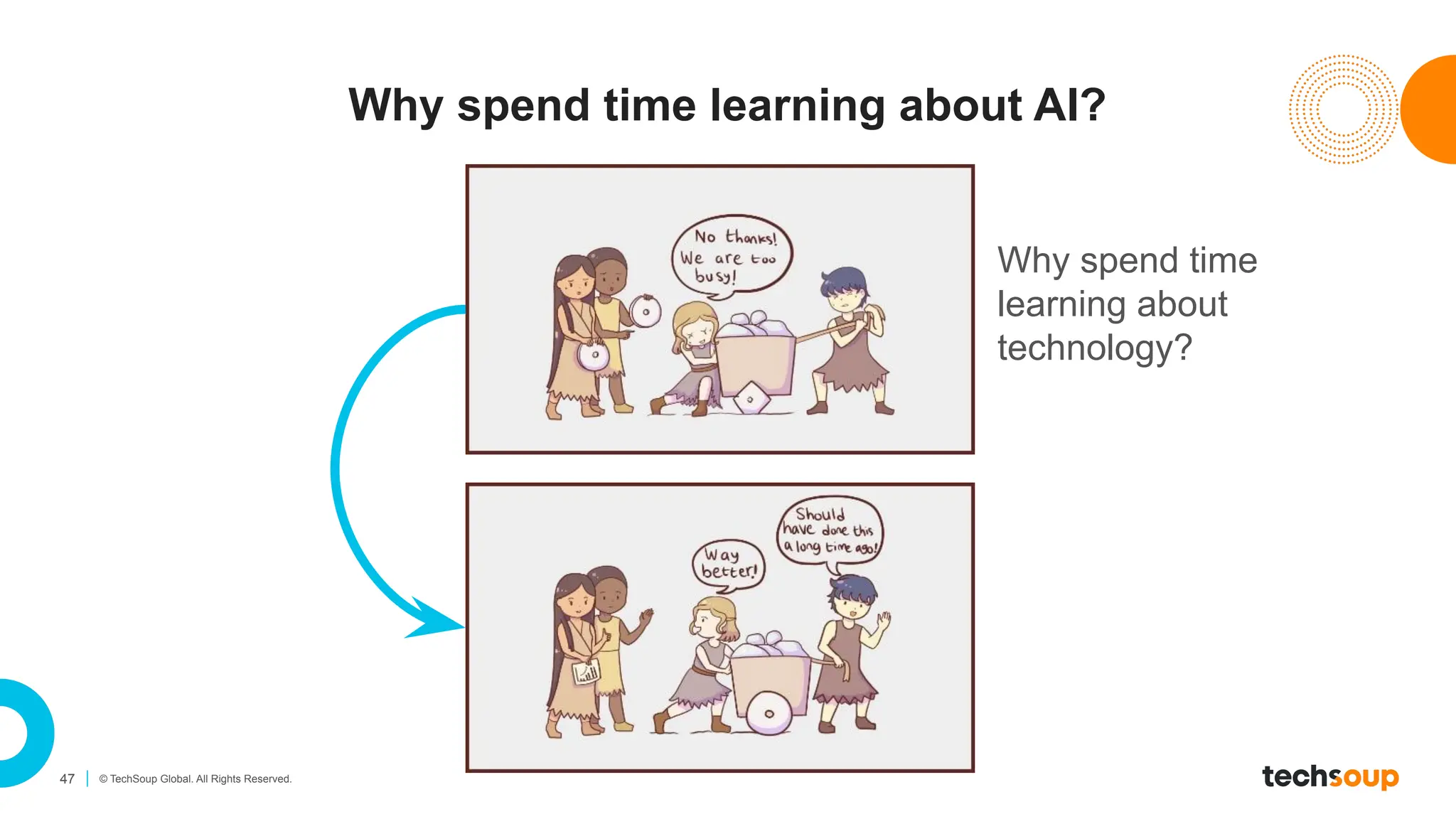
Why spend time learning about AI?
Why spend time
learning about
technology?
48 © TechSoup Global. All Rights Reserved.
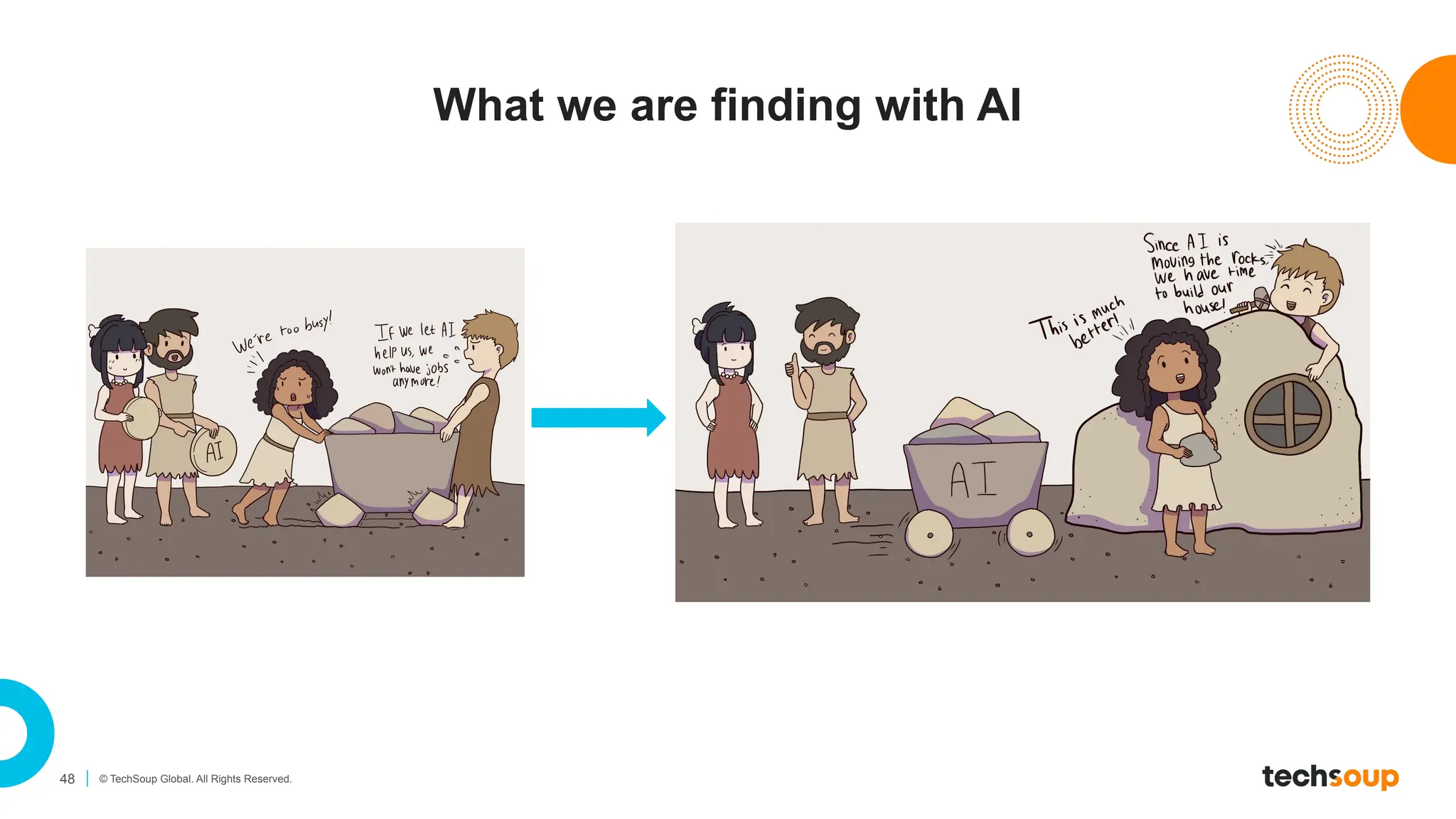
What we are finding with AI
49 © TechSoup Global. All Rights Reserved.
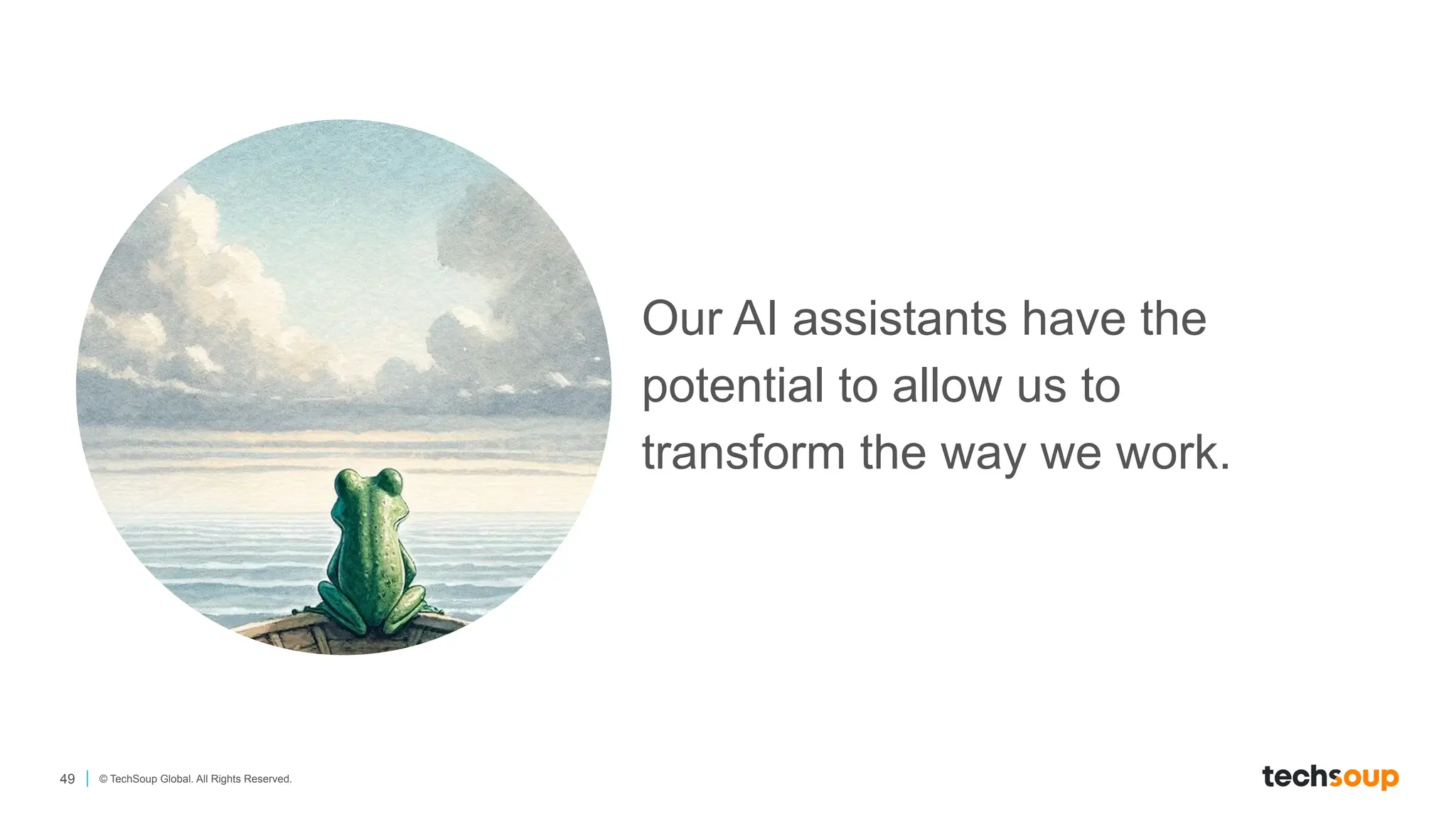
Our AI assistants have the
potential to allow us to
transform the way we work.
Thank You!
Brought to you by:
Kim Snyder
kim@roundtabletechnology.com
Destiny Bowers
destiny@roundtabletechnology.com
Korrin Wheeler
kwheeler@roundtabletechnology.com

TechSoup Microsoft Copilot Nonprofit Use Cases and Live Demo - 2025.06.25.pdf

  • 1.
    June 25, 2025 NonprofitUse Cases and Live Demonstrations Kim Snyder 3DPO Destiny Bowers vCIO/vCISO Korrin Wheeler Marketing Coordinator
  • 2.
    2 © TechSoupGlobal. All Rights Reserved. Housekeeping During Live Session: ● Chat for: ○ questions, start with “Q:” ○ comments and reactions ● Mute during the session ● Raise hand option to speak-up ● Display name Recording ● The live sessions will be recorded After Live Session: ● Recording will be emailed to you. ● Have questions? Please reach out to Kevin Mulhall at kmulhall@techsoup.org
  • 3.
    3 © TechSoupGlobal. All Rights Reserved. Nice to meet you! Kim Snyder 3DPO kim@roundtabletechnology.com Destiny Bowers vCIO/vCISO destiny@roundtabletechnology.com Korrin Wheeler Marketing Coordinator kwheeler@roundtabletechnology.com
  • 4.
    Today’s Agenda Welcome andRecap Introduction to Prompt Writing Nonprofit Use Cases of Copilot Best Practices for Implementing Copilot in an Organization Live Demonstration and Hands-on Activity Q&A Closing
  • 5.
    5 © TechSoupGlobal. All Rights Reserved. Introducing: The Jargon Buster! If we lapse into jargon, put #jargon in the chat and we’ll stop and explain.
  • 6.
  • 7.
    7 © TechSoupGlobal. All Rights Reserved. Why is AI growth moving so fast?
  • 8.
    8 © TechSoupGlobal. All Rights Reserved. How did it all start moving so fast?
  • 9.
    9 © TechSoupGlobal. All Rights Reserved. Leaps of improvement! FEBRUARY 2025
  • 10.
    10 © TechSoupGlobal. All Rights Reserved. What are the generative AI systems? GPT 4o Microsoft Copilot Web Chat Google ChatGPT 4o, Team Workspace, o1, o1-mini, o3-mini Free Paid ($20-26 user/month) CLAUDE Claude 3.7 Google Gemini Advanced Claude 3.7 Microsoft Copilot Pro Microsoft 365 Copilot Work (Add-on) Free with Subscription Microsoft Copilot Chat
  • 11.
    11 © TechSoupGlobal. All Rights Reserved. Fundamental Components Machine Learning (ML) Natural Language Processing (NLP) Data Input System output Reinforcement learning from human feedback or RLHF
  • 12.
    12 © TechSoupGlobal. All Rights Reserved. What are some of the risks? Privacy Prompts can expose sensitive or personal information Hallucination/Confabulation AI can confidently make things up Bias AI reflects real-world biases in the data it’s trained on Copyright AI may generate or rely on content with unclear rights Existential Risks Includes misuse by bad actors, environmental costs and widening inequity
  • 13.
  • 14.
    14 © TechSoupGlobal. All Rights Reserved. It’s prompt writing. Not prompt “engineering”.
  • 15.
    15 © TechSoupGlobal. All Rights Reserved. General tips for getting started Talk to AI like you would to a person It’s fine to ask AI what it needs to provide you with better answers It doesn’t hurt to be polite (though it does NOT have feelings)
  • 16.
    16 © TechSoupGlobal. All Rights Reserved. Why learn about prompt techniques? Better Prompts = Better Results The quality of your input will always shape the quality of AI’s output — clear prompts lead to more useful, accurate responses. You Stay in Control Understanding prompt structure lets you guide tone, style, and purpose. You Become a Creative Partner Prompt writing helps you think more clearly about your message and audience.
  • 17.
    17 © TechSoupGlobal. All Rights Reserved. Prompt writing with IMPACT
  • 18.
    18 © TechSoupGlobal. All Rights Reserved. Initial Prompt Write a LinkedIn post asking for volunteer mentors for our youth mentorship program.
  • 19.
    19 © TechSoupGlobal. All Rights Reserved. IMPACT Prompt Write a LinkedIn post (max 200 words) encouraging people to volunteer as mentors for our new youth mentorship program. The purpose is to generate excitement and early sign-ups. Emphasize that enrollment opens September 10 and closes October 1. Mention that we’re seeking both youth participants and volunteer mentors. Include last year’s success stat: 85% of participants improved academic performance. The tone should be upbeat and encouraging.
  • 20.
    20 © TechSoupGlobal. All Rights Reserved. Anatomy of an IMPACT Prompt
  • 21.
    21 © TechSoupGlobal. All Rights Reserved. IMPACT Prompt Writing TechSoup & Microsoft: How to Write Effective Prompts with IMPACT
  • 22.
    22 © TechSoupGlobal. All Rights Reserved. What if my prompt isn’t giving me what I want?
  • 23.
    23 © TechSoupGlobal. All Rights Reserved. Revisit the Basics ✓ Have I clearly told the AI what I want it to do (task)? ✓ Did I include enough background or context (who it’s for, what it’s about)? ✓ Would an example help clarify the request? ✓ Have I set a clear role for the AI (e.g., “Act as a community engagement manager”)? ✓ Did I tell it what format I want the output in (e.g., table, email, script)?
  • 24.
    24 © TechSoupGlobal. All Rights Reserved. Try Giving the AI Examples Zero Shot Few Shot Writing a prompt without any examples, relying solely on the AI's base knowledge and understanding of the task at hand Including several examples to demonstrate the pattern or format desired, in order to generate more creative and relevant responses One Shot Providing a single example to set a clear precedent for the type of answer expected
  • 25.
    25 © TechSoupGlobal. All Rights Reserved. Always be iterating Prompting is a dialog, not a command. Prompt Evaluate Refine Repeat
  • 26.
    26 © TechSoupGlobal. All Rights Reserved. Get yourself an AI coach If you get stuck, you can ask the AI — Copilot comes with a Prompt Gallery
  • 27.
    Prompt Engineering Skill Building •Best Only way to learn is to experiment
  • 28.
    Nonprofit Use Caseswith Copilot
  • 29.
    29 © TechSoupGlobal. All Rights Reserved. Suncoast Humane Society • Personalized storytelling: Used generative AI to create a donor campaign following shelter animals Max and Whiskers, tailored to lapsed donors and past adopters • Quick content creation: AI helped draft emails, blog posts, and social media updates for a summer fundraising campaign • Above-goal results: Re-engaged long-lapsed donors and raised nearly $37,000, surpassing the $25,000 goal Source: Chronicle of Philanthropy
  • 30.
    30 © TechSoupGlobal. All Rights Reserved. How are nonprofits using generative AI to help with grant writing? Source: Instrumentl
  • 31.
    Furniture Bank • Ethicalstorytelling: Use AI to depict furniture poverty without photographing or exploiting real clients • Cost-effective: Created compelling campaign images for under $900—faster and cheaper than traditional photo shoots • Boost fundraising: AI-generated images raised awareness and empathy through visual storytelling
  • 32.
    Agape Source • Research:Volunteers use Copilot to learn about clients’ home countries, cultures • Breaking language barriers: AI-powered translation helps volunteers communicate during everyday interactions • Faster support: Locate resources and respond to urgent needs—enabling a small team to serve more people, faster
  • 33.
  • 34.
    34 © TechSoupGlobal. All Rights Reserved. Urgent Need for AI Strategy and Policy TechSoup & Tapp Network: The State of AI in Nonprofits: Benchmark Report on Adoption, Impact and Trends - 2025
  • 35.
    35 © TechSoupGlobal. All Rights Reserved. Mitigating risk and optimizing benefit Assumption: People are using AI now Establishing an organizational AI strategy and policy can: ● Provide guidelines for the use of AI ● Align the use of AI with organizational goals ● Reduce risks associated with AI use TechSoup & Microsoft: AI Usage Policy
  • 36.
    36 © TechSoupGlobal. All Rights Reserved. AI Policy Implementation and Training Policy Development Engage stakeholders Align with organizational culture Policy Training Introduce policy Brief training on policy purpose and elements AI Training Survey What are staff already using? Identify organization-aligned AI training options for staff
  • 37.
    37 © TechSoupGlobal. All Rights Reserved. Microsoft 365 Copilot and Organizational Data File Access Governance Ensure staff only have access to the documents and data they need — Microsoft 365 Copilot is permission-based Data Classification & Storage Store sensitive information in secure, well-labeled locations (e.g., HR files in protected SharePoint folders) Permission Reviews & Audits Regularly review and update permissions, especially for shared files and Teams channels
  • 38.
    38 © TechSoupGlobal. All Rights Reserved. Access and Governance
  • 39.
    AI Live Demo— Your Use Cases
  • 40.
    40 © TechSoupGlobal. All Rights Reserved. 3 Modes of Copilot Free & No Account Required Copilot with Account Comes with eligible Microsoft 365 and Office 365 subscription Web-grounded Copilot Some agent capabilities Microsoft 365 Copilot Additional cost with subscription Web and work-grounded Copilot Agent capabilities
  • 41.
    41 © TechSoupGlobal. All Rights Reserved. What is a Copilot Agent? A pre-packaged set of multi-step prompts, tone rules, and guard-rails you can launch with a single click. Boost productivity – off-load repetitive drafting, summarizing, and formatting. Build consistency – every user gets the same voice and structure. Reduce “prompt fatigue” – one click replaces multi-line instructions.
  • 42.
    42 © TechSoupGlobal. All Rights Reserved. Pre-made vs Custom Copilot Agents Pre-Made Agents Custom Agents Ready-to-use assistants Microsoft ships with Copilot (e.g., Writing Coach, Brainstorm Buddy) Chat → Agents › dropdown list or All agents › Add / Open Zero. Click and go. Assistants you create by wrapping multi-step prompts, tone rules, and guard-rails into a reusable agent. Chat → Agents → Create agent (no coding needed) 3 quick steps: describe → name & icon → create What are they? Where do I find them? Setup effort
  • 43.
  • 44.
  • 45.
    45 © TechSoupGlobal. All Rights Reserved. Practice! • Try out some of the prompts that we covered — example templates in the community • Adjust the prompts for your organization’s needs • Test out new ideas
  • 46.
    46 © TechSoupGlobal. All Rights Reserved. 10 hours… The easiest way to get started with AI is to use it for tasks you do every day. If you are writing an email, ask the AI to do it, and then use conversational approaches to ask it to improve its performance. If you are generating ideas, ask the AI. If you are trying to make a decision, give the data to the AI and ask for an opinion. Don’t take any of this too seriously, especially as you are first learning about its capabilities, but, after 10 or so hours, you will start to really understand what AI can do. Ethan Mollick, from Working with AI: Two paths to prompting Don't overcomplicate things
  • 47.
    47 © TechSoupGlobal. All Rights Reserved. Why spend time learning about AI? Why spend time learning about technology?
  • 48.
    48 © TechSoupGlobal. All Rights Reserved. What we are finding with AI
  • 49.
    49 © TechSoupGlobal. All Rights Reserved. Our AI assistants have the potential to allow us to transform the way we work.
  • 50.
    Thank You! Brought toyou by: Kim Snyder kim@roundtabletechnology.com Destiny Bowers destiny@roundtabletechnology.com Korrin Wheeler kwheeler@roundtabletechnology.com