Office Productivity in the Cloud
With Jordan McCarthy, Tech Impact
David Castelhano, Amazon Web Services
August 18, 2016
. © TechSoup Global | All rights reserved2
Using ReadyTalk
• Chat to ask questions
• All lines are muted
• If you lose your Internet connection,
reconnect using the link emailed to you.
• If you lose your phone connection, re-dial
the phone number
and re-join.
• ReadyTalk support:
800-843-9166
Your audio will play through your computer’s speakers. Hear an echo? You may be
logged in twice and will need to close one instance of ReadyTalk.
. © TechSoup Global | All rights reserved3
You Are Being Recorded…
• This webinar will be available on the TechSoup website along with past webinars:
www.techsoup.org/community/events-webinars
• You can also view recorded webinars and videos on our YouTube channel:
https://www.youtube.com/TechSoupVideo
• You will receive an email with this presentation, recording, and links within a few days.
• Tweet us @TechSoup or using hashtags: #tswebinars
. © TechSoup Global | All rights reserved4
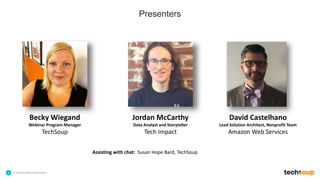
Presenters
Assisting with chat: Susan Hope Bard, TechSoup
Becky Wiegand
Webinar Program Manager
TechSoup
Jordan McCarthy
Data Analyst and Storyteller
Tech Impact
David Castelhano
Lead Solution Architect, Nonprofit Team
Amazon Web Services
. © TechSoup Global | All rights reserved5
Objectives
1. Gain a better understanding of what office productivity in the cloud is and how to
access it.
2. Alleviate some of your concerns about a potential move to the cloud for your
organization’s office productivity.
3. Name at least three choices of cloud-hosted office productivity suites on the
market.
4. Learn some benefits and features of the Amazon Web Services WorkMail,
WorkDocs, and WorkSpaces option.
5. Get your questions answered!
6
About TechSoup
. © TechSoup Global | All rights reserved7
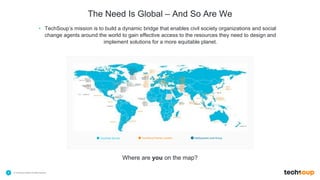
The Need Is Global – And So Are We
• TechSoup’s mission is to build a dynamic bridge that enables civil society organizations and social
change agents around the world to gain effective access to the resources they need to design and
implement solutions for a more equitable planet.
Countries Served TechSoup Partner Location NetSquared Local Group
Where are you on the map?
. © TechSoup Global | All rights reserved8
www.TechSoup.Global
. © TechSoup Global | All rights reserved9
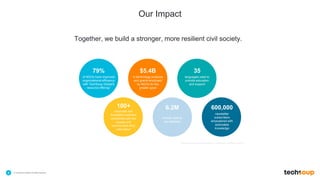
Our Impact
Together, we build a stronger, more resilient civil society.
$5.4B
in technology products
and grants employed
by NGOs for the
greater good
35
languages used to
provide education
and support
100+
corporate and
foundation partners
connected with the
causes and
communities they
care about
6.2M
annual visits to
our websites
600,000
newsletter
subscribers
empowered with
actionable
knowledge
79%
of NGOs have improved
organizational efficiency
with TechSoup Global's
resource offering*
*Source: survey conducted among TechSoup members in 2013
. © TechSoup Global | All rights reserved10
Participant Poll
What cloud productivity tools are you currently using at your organization? (select any)
• Office 365
• ThinkFree
• Amazon Web Services
• Google Apps
• Zoho
• Office Web Apps
• Salesforce
• None of the above
• None at work, but some of the above in my personal life
11
Office Productivity in
the Cloud
. © TechSoup Global | All rights reserved12
Tech Impact’s Mission
is to ensure all nonprofits can
use technology to better serve
our world.
• Just like you, we are a 501c3 Nonprofit
• Capacity building organization
• Workforce development program for underserved youth
• Providing IT Services to Nonprofits since 2003
• Serving 100+ NGO’s with Managed IT Services
• Office365 Assessment & Implementation (Outlook & SharePoint)
• Cloud Backup/Recovery
• Hosted VoIP
• Data Management Services – selection, implementation, support
Solutions.Integration.Support.
Helping mission-driven
organizations harness
the power of data to
further those missions
DATA ANALYST & STORYTELLER
Jordan McCarthy
As Tech Impact’s Data Analyst & Storyteller, I help nonprofits
harness the power of data to tell important stories about their work
to whoever needs to hear them.
Whether an organization is just beginning to think about how to use
data, or is already collecting data but wants to explore more
sophisticated ways to visualize and analyze them, I can help figure
out what kinds of tools, analyses, and presentation styles will bring
the organization’s data to life.
jordan@techimpact.org
Schedule a time to chat with me here:
https://calendly.com/jordan_mccarthy/15min
16
Making the Case for Cloud Computing
What Is This “Cloud” Thing, Anyway?
17
???
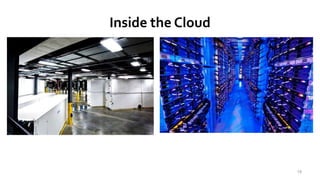
Microsoft Data Center Dublin Ireland
18
Inside the Cloud
19
. © TechSoup Global | All rights reserved20
Participant Poll
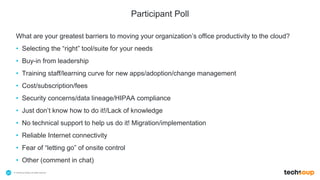
What are your greatest barriers to moving your organization’s office productivity to the cloud?
• Selecting the “right” tool/suite for your needs
• Buy-in from leadership
• Training staff/learning curve for new apps/adoption/change management
• Cost/subscription/fees
• Security concerns/data lineage/HIPAA compliance
• Just don’t know how to do it!/Lack of knowledge
• No technical support to help us do it! Migration/implementation
• Reliable Internet connectivity
• Fear of “letting go” of onsite control
• Other (comment in chat)
• Ongoing costs
• Somewhat reduced control
• Dependent on reliable connectivity
• Security / Data Integrity
What Are Some Potential Drawbacks of Cloud IT?
21
• Ongoing costs
• Heavily discounted for non-profits
• Means that you also get continuous support +
rolling upgrades
• Somewhat reduced control
• Much harder to break things
• Again, you have someone to call for support
• Dependent on reliable connectivity
• In this day and age, you probably need this anyway
• Security / Data Integrity
• Vastly improved in Cloud systems
What Are the Benefits of Cloud IT Services?
22
• Nothing to own
• Low implementation costs
• Rapid deployment
• Scalability (time + cost)
• Convenience (anywhere, anytime)
• Ability to use less powerful clients
(Net books, iPad, portable computers)
• Backup/Recovery/Disaster planning
• Downtime is minimized
• Updates are automatic/very easy
• Security
Benefits of Cloud IT Services (Continued)
23
How Can Cloud IT Be Affordable?
• Competition
– Internet bandwidth, speed, pricing
– Data Center infrastructure in place
– Solutions are already pre-built, at
commercial scale
– Vendors want market share
volume, volume, volume
24
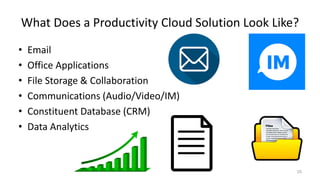
What Does a Productivity Cloud Solution Look Like?
• Email
• Office Applications
• File Storage & Collaboration
• Communications (Audio/Video/IM)
• Constituent Database (CRM)
• Data Analytics
25
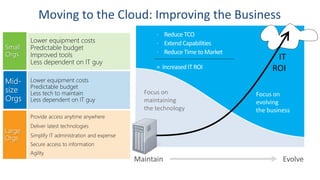
Grow &
Transform
Run
Focus on
evolving
the business
Focus on
maintaining
the technology
Maintain Evolve
 Reduce TCO
 Extend Capabilities
 Reduce Time to Market
= Increased IT ROI
IT
ROI
Microsoft Office 365
• Outlook Email
– Hosted email using Exchange
• 50 GB of storage space per user
• Shared Calendars and mailboxes
• Office applications
– Latest version of Office Professional Plus
• Web app versions of Word, Excel, PowerPoint,
Outlook
• Installed versions of Word, Excel, PowerPoint,
Outlook, etc. (E3 & P2)
27
• File Storage & Collaboration
• Simple file sharing using SharePoint
• Centrally-managed sharing / permissions
• Use Office Web Apps to create and edit docs
online
• Personal Cloud Storage using OneDrive Pro
• 1TB personal storage, synced to local
desktop
• Communications
• Web conferencing, presence, and IM using
Skype for Business
• Web-based meetings with HD video
conferencing
• Screen sharing
• Instant messaging
• Group conversations with Yammer
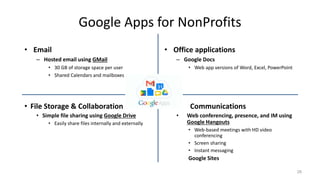
Google Apps for NonProfits
• Email
– Hosted email using GMail
• 30 GB of storage space per user
• Shared Calendars and mailboxes
• Office applications
– Google Docs
• Web app versions of Word, Excel, PowerPoint
28
• File Storage & Collaboration
• Simple file sharing using Google Drive
• Easily share files internally and externally
• Communications
• Web conferencing, presence, and IM using
Google Hangouts
• Web-based meetings with HD video
conferencing
• Screen sharing
• Instant messaging
Google Sites
29
Office Productivity from
Amazon Web Services:
WorkMail, WorkDocs,
WorkSpaces
© 2015, Amazon Web Services, Inc. or its Affiliates. All rights reserved.
Secure, Managed Business Email and Calendaring
WorkMail benefits
Managed Service
Eliminate up-front investments to license
and provision on-premises email servers
Amazon WorkMail automatically handles all
of the patches, back-ups, and upgrades
As needs grow, add more users with a few
clicks in the AWS Management Console
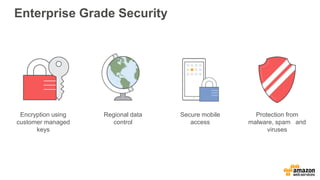
Enterprise Grade Security
Encryption using
customer managed
keys
Regional data
control
Secure mobile
access
Protection from
malware, spam and
viruses
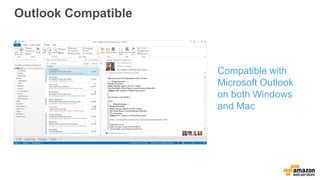
Outlook Compatible
Compatible with
Microsoft Outlook
on both Windows
and Mac
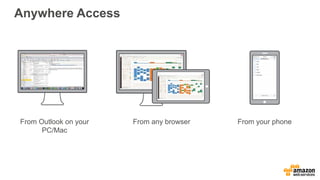
Anywhere Access
From Outlook on your
PC/Mac
From any browser From your phone
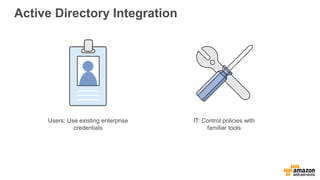
Active Directory Integration
IT: Control policies with
familiar tools
Users: Use existing enterprise
credentials
Low Cost
Pay-as-You-Go
No user or long-term commitments
Cost-effective - $4/user/month for 50GB mailbox
When purchased with WorkDocs - $6/user/month
Get started with a 30-day free trial for up to 25 users
© 2015, Amazon Web Services, Inc. or its Affiliates. All rights reserved.
Managed Desktops in the Cloud
WorkSpaces benefits
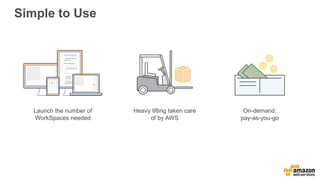
Simple to Use
On-demand,
pay-as-you-go
Launch the number of
WorkSpaces needed
Heavy lifting taken care
of by AWS
Simple to Use
Use Existing Management Tools
Manage WorkSpaces like any
other desktop
Compatible with popular tools such
as SCCM
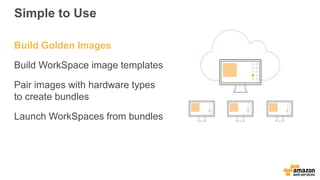
Build Golden Images
Build WorkSpace image templates
Pair images with hardware types
to create bundles
Launch WorkSpaces from bundles
Simple to Use
Keep Data Secure and Available
No data stored on end-user device
Only Pixels delivered to users
(PCoIP)
User volume backed by Amazon S3
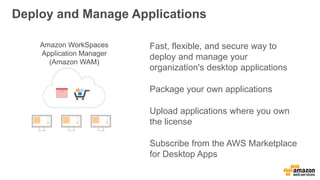
Deploy and Manage Applications
Fast, flexible, and secure way to
deploy and manage your
organization's desktop applications
Package your own applications
Upload applications where you own
the license
Subscribe from the AWS Marketplace
for Desktop Apps
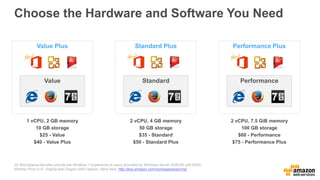
Choose the Hardware and Software You Need
All WorkSpaces Bundles provide the Windows 7 Experience to users (provided by Windows Server 2008 R2 with RDS).
Monthly Price in N. Virginia and Oregon AWS regions. More here: http://aws.amazon.com/workspaces/pricing/
Value Plus
Value
1 vCPU, 2 GB memory
10 GB storage
$25 - Value
$40 - Value Plus
Performance Plus
Performance
2 vCPU, 7.5 GiB memory
100 GB storage
$60 - Performance
$75 - Performance Plus
Standard Plus
Standard
2 vCPU, 4 GB memory
50 GB storage
$35 - Standard
$50 - Standard Plus
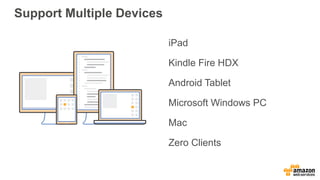
iPad
Kindle Fire HDX
Android Tablet
Microsoft Windows PC
Mac
Zero Clients
Support Multiple Devices
Integrate Your Corporate Directory
IT: Control policies with
familiar tools
Users: Use existing enterprise
credentials
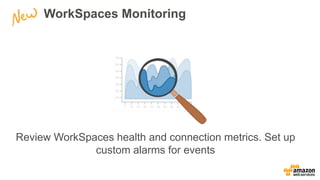
WorkSpaces Monitoring
Review WorkSpaces health and connection metrics. Set up
custom alarms for events
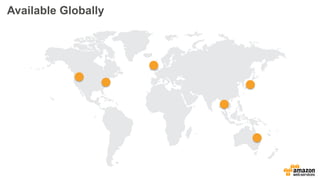
Available Globally
A secure, fully managed enterprise storage and sharing service.
Amazon WorkDocs Benefits
•
•
•
•
•
•
Easy access to documents from anywhere, across devices
Share and comment directly on documents – no more attachments
Request feedback with deadlines, and control document versions
Set sharing rules and manage document access centrally
Store files securely on the AWS cloud in the regions of your choice
Use your corporate directory and MFA to authenticate users
Access and Sync From Any Device
•
•
•
•
•
Web application
iOS Phone and tablet apps
Android Phone and tablet apps
Amazon Fire app
Windows & Mac OS desktop sync
Securing Data
•
•
•
•
•
Your data is encrypted in transit and at rest
Choose your AWS region and adhere to data sovereignty laws
Implement policies and roles for site access and sharing behavior
Store content securely in WorkDocs instead of sending via email
Authenticate using corporate directory and MFA
Amazon WorkDocs Pricing
•
•
•
•
Pay-as-you-go: $5 per user per month for 200 GB
Bundled: $2 per WorkSpaces user per month for 200 GB
Free trial for 50 users for 30 days
Additional storage available at regular S3 prices
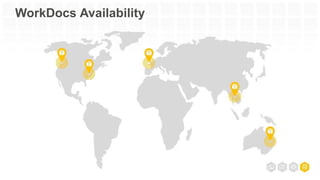
WorkDocs Availability
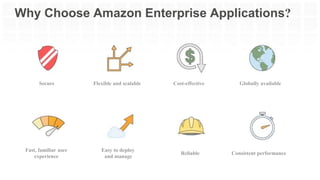
Easy to deploy
and manage
Flexible and scalableSecure
Fast, familiar user
experience
Consistent performance
Globally available
Reliable
Cost-effective
Why Choose Amazon Enterprise Applications?
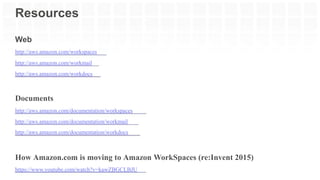
Web
http://aws.amazon.com/workspaces
http://aws.amazon.com/workmail
http://aws.amazon.com/workdocs
Documents
http://aws.amazon.com/documentation/workspaces
http://aws.amazon.com/documentation/workmail
http://aws.amazon.com/documentation/workdocs
How Amazon.com is moving to Amazon WorkSpaces (re:Invent 2015)
https://www.youtube.com/watch?v=kawZBGCLBJU
Resources
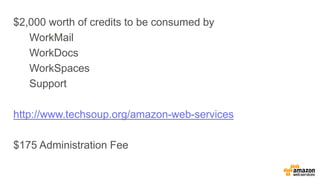
$2,000 worth of credits to be consumed by
WorkMail
WorkDocs
WorkSpaces
Support
http://www.techsoup.org/amazon-web-services
$175 Administration Fee
59
Amazon Web Services
Credits Program for
Nonprofits (and Public
Libraries!)
. © TechSoup Global | All rights reserved60
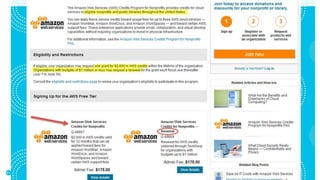
www.techsoup.org/amazon-web-services
. © TechSoup Global | All rights reserved61
62
Questions?
. © TechSoup Global | All rights reserved63
Learn and Share!
• Chat in one thing that you
learned in today’s webinar or
will try to implement.
• Will you share this information
with your colleagues and within
your network?
• Please complete the post-event
survey that will pop up once the
webinar ends!
. © TechSoup Global | All rights reserved64
Upcoming Webinars and Events
• 8/23: Training Your Staff on Technology: TechSoup Resources
• 8/24: Can Libraries Count? Getting a Grip on Social Media
Numbers
• 9/8: Get to Know GrantStation
• 9/13: Building a Powerful Grants Strategy for 2016 – 2017
• 9/22: TechSoup for Libraries - Maximize Your Technology
Services with TechSoup
• 9/28: Coding Clubs: Youth Programming for Public Libraries
• Explore our webinar archives for more!
. © TechSoup Global | All rights reserved65
ReadyTalk offers dedicated product demos for
TechSoup organizations 4 times per week.
For more information: www.techsoup.org/readytalk
Please complete the post-event survey that will
pop up once you close this window.
Thank You to Our Webinar Sponsor!

Webinar - Office Productivity in the Cloud - 2016-08-18

  • 1.
    Office Productivity inthe Cloud With Jordan McCarthy, Tech Impact David Castelhano, Amazon Web Services August 18, 2016
  • 2.
    . © TechSoupGlobal | All rights reserved2 Using ReadyTalk • Chat to ask questions • All lines are muted • If you lose your Internet connection, reconnect using the link emailed to you. • If you lose your phone connection, re-dial the phone number and re-join. • ReadyTalk support: 800-843-9166 Your audio will play through your computer’s speakers. Hear an echo? You may be logged in twice and will need to close one instance of ReadyTalk.
  • 3.
    . © TechSoupGlobal | All rights reserved3 You Are Being Recorded… • This webinar will be available on the TechSoup website along with past webinars: www.techsoup.org/community/events-webinars • You can also view recorded webinars and videos on our YouTube channel: https://www.youtube.com/TechSoupVideo • You will receive an email with this presentation, recording, and links within a few days. • Tweet us @TechSoup or using hashtags: #tswebinars
  • 4.
    . © TechSoupGlobal | All rights reserved4 Presenters Assisting with chat: Susan Hope Bard, TechSoup Becky Wiegand Webinar Program Manager TechSoup Jordan McCarthy Data Analyst and Storyteller Tech Impact David Castelhano Lead Solution Architect, Nonprofit Team Amazon Web Services
  • 5.
    . © TechSoupGlobal | All rights reserved5 Objectives 1. Gain a better understanding of what office productivity in the cloud is and how to access it. 2. Alleviate some of your concerns about a potential move to the cloud for your organization’s office productivity. 3. Name at least three choices of cloud-hosted office productivity suites on the market. 4. Learn some benefits and features of the Amazon Web Services WorkMail, WorkDocs, and WorkSpaces option. 5. Get your questions answered!
  • 6.
  • 7.
    . © TechSoupGlobal | All rights reserved7 The Need Is Global – And So Are We • TechSoup’s mission is to build a dynamic bridge that enables civil society organizations and social change agents around the world to gain effective access to the resources they need to design and implement solutions for a more equitable planet. Countries Served TechSoup Partner Location NetSquared Local Group Where are you on the map?
  • 8.
    . © TechSoupGlobal | All rights reserved8 www.TechSoup.Global
  • 9.
    . © TechSoupGlobal | All rights reserved9 Our Impact Together, we build a stronger, more resilient civil society. $5.4B in technology products and grants employed by NGOs for the greater good 35 languages used to provide education and support 100+ corporate and foundation partners connected with the causes and communities they care about 6.2M annual visits to our websites 600,000 newsletter subscribers empowered with actionable knowledge 79% of NGOs have improved organizational efficiency with TechSoup Global's resource offering* *Source: survey conducted among TechSoup members in 2013
  • 10.
    . © TechSoupGlobal | All rights reserved10 Participant Poll What cloud productivity tools are you currently using at your organization? (select any) • Office 365 • ThinkFree • Amazon Web Services • Google Apps • Zoho • Office Web Apps • Salesforce • None of the above • None at work, but some of the above in my personal life
  • 11.
  • 12.
    . © TechSoupGlobal | All rights reserved12
  • 13.
    Tech Impact’s Mission isto ensure all nonprofits can use technology to better serve our world.
  • 14.
    • Just likeyou, we are a 501c3 Nonprofit • Capacity building organization • Workforce development program for underserved youth • Providing IT Services to Nonprofits since 2003 • Serving 100+ NGO’s with Managed IT Services • Office365 Assessment & Implementation (Outlook & SharePoint) • Cloud Backup/Recovery • Hosted VoIP • Data Management Services – selection, implementation, support Solutions.Integration.Support.
  • 15.
    Helping mission-driven organizations harness thepower of data to further those missions DATA ANALYST & STORYTELLER Jordan McCarthy As Tech Impact’s Data Analyst & Storyteller, I help nonprofits harness the power of data to tell important stories about their work to whoever needs to hear them. Whether an organization is just beginning to think about how to use data, or is already collecting data but wants to explore more sophisticated ways to visualize and analyze them, I can help figure out what kinds of tools, analyses, and presentation styles will bring the organization’s data to life. jordan@techimpact.org Schedule a time to chat with me here: https://calendly.com/jordan_mccarthy/15min
  • 16.
    16 Making the Casefor Cloud Computing
  • 17.
    What Is This“Cloud” Thing, Anyway? 17 ???
  • 18.
    Microsoft Data CenterDublin Ireland 18
  • 19.
  • 20.
    . © TechSoupGlobal | All rights reserved20 Participant Poll What are your greatest barriers to moving your organization’s office productivity to the cloud? • Selecting the “right” tool/suite for your needs • Buy-in from leadership • Training staff/learning curve for new apps/adoption/change management • Cost/subscription/fees • Security concerns/data lineage/HIPAA compliance • Just don’t know how to do it!/Lack of knowledge • No technical support to help us do it! Migration/implementation • Reliable Internet connectivity • Fear of “letting go” of onsite control • Other (comment in chat)
  • 21.
    • Ongoing costs •Somewhat reduced control • Dependent on reliable connectivity • Security / Data Integrity What Are Some Potential Drawbacks of Cloud IT? 21
  • 22.
    • Ongoing costs •Heavily discounted for non-profits • Means that you also get continuous support + rolling upgrades • Somewhat reduced control • Much harder to break things • Again, you have someone to call for support • Dependent on reliable connectivity • In this day and age, you probably need this anyway • Security / Data Integrity • Vastly improved in Cloud systems What Are the Benefits of Cloud IT Services? 22
  • 23.
    • Nothing toown • Low implementation costs • Rapid deployment • Scalability (time + cost) • Convenience (anywhere, anytime) • Ability to use less powerful clients (Net books, iPad, portable computers) • Backup/Recovery/Disaster planning • Downtime is minimized • Updates are automatic/very easy • Security Benefits of Cloud IT Services (Continued) 23
  • 24.
    How Can CloudIT Be Affordable? • Competition – Internet bandwidth, speed, pricing – Data Center infrastructure in place – Solutions are already pre-built, at commercial scale – Vendors want market share volume, volume, volume 24
  • 25.
    What Does aProductivity Cloud Solution Look Like? • Email • Office Applications • File Storage & Collaboration • Communications (Audio/Video/IM) • Constituent Database (CRM) • Data Analytics 25
  • 26.
    Grow & Transform Run Focus on evolving thebusiness Focus on maintaining the technology Maintain Evolve  Reduce TCO  Extend Capabilities  Reduce Time to Market = Increased IT ROI IT ROI
  • 27.
    Microsoft Office 365 •Outlook Email – Hosted email using Exchange • 50 GB of storage space per user • Shared Calendars and mailboxes • Office applications – Latest version of Office Professional Plus • Web app versions of Word, Excel, PowerPoint, Outlook • Installed versions of Word, Excel, PowerPoint, Outlook, etc. (E3 & P2) 27 • File Storage & Collaboration • Simple file sharing using SharePoint • Centrally-managed sharing / permissions • Use Office Web Apps to create and edit docs online • Personal Cloud Storage using OneDrive Pro • 1TB personal storage, synced to local desktop • Communications • Web conferencing, presence, and IM using Skype for Business • Web-based meetings with HD video conferencing • Screen sharing • Instant messaging • Group conversations with Yammer
  • 28.
    Google Apps forNonProfits • Email – Hosted email using GMail • 30 GB of storage space per user • Shared Calendars and mailboxes • Office applications – Google Docs • Web app versions of Word, Excel, PowerPoint 28 • File Storage & Collaboration • Simple file sharing using Google Drive • Easily share files internally and externally • Communications • Web conferencing, presence, and IM using Google Hangouts • Web-based meetings with HD video conferencing • Screen sharing • Instant messaging Google Sites
  • 29.
    29 Office Productivity from AmazonWeb Services: WorkMail, WorkDocs, WorkSpaces
  • 30.
    © 2015, AmazonWeb Services, Inc. or its Affiliates. All rights reserved. Secure, Managed Business Email and Calendaring
  • 31.
  • 32.
    Managed Service Eliminate up-frontinvestments to license and provision on-premises email servers Amazon WorkMail automatically handles all of the patches, back-ups, and upgrades As needs grow, add more users with a few clicks in the AWS Management Console
  • 33.
    Enterprise Grade Security Encryptionusing customer managed keys Regional data control Secure mobile access Protection from malware, spam and viruses
  • 34.
    Outlook Compatible Compatible with MicrosoftOutlook on both Windows and Mac
  • 35.
    Anywhere Access From Outlookon your PC/Mac From any browser From your phone
  • 36.
    Active Directory Integration IT:Control policies with familiar tools Users: Use existing enterprise credentials
  • 37.
    Low Cost Pay-as-You-Go No useror long-term commitments Cost-effective - $4/user/month for 50GB mailbox When purchased with WorkDocs - $6/user/month Get started with a 30-day free trial for up to 25 users
  • 38.
    © 2015, AmazonWeb Services, Inc. or its Affiliates. All rights reserved. Managed Desktops in the Cloud
  • 39.
  • 40.
    Simple to Use On-demand, pay-as-you-go Launchthe number of WorkSpaces needed Heavy lifting taken care of by AWS
  • 41.
    Simple to Use UseExisting Management Tools Manage WorkSpaces like any other desktop Compatible with popular tools such as SCCM
  • 42.
    Build Golden Images BuildWorkSpace image templates Pair images with hardware types to create bundles Launch WorkSpaces from bundles Simple to Use
  • 43.
    Keep Data Secureand Available No data stored on end-user device Only Pixels delivered to users (PCoIP) User volume backed by Amazon S3
  • 44.
    Deploy and ManageApplications Fast, flexible, and secure way to deploy and manage your organization's desktop applications Package your own applications Upload applications where you own the license Subscribe from the AWS Marketplace for Desktop Apps
  • 45.
    Choose the Hardwareand Software You Need All WorkSpaces Bundles provide the Windows 7 Experience to users (provided by Windows Server 2008 R2 with RDS). Monthly Price in N. Virginia and Oregon AWS regions. More here: http://aws.amazon.com/workspaces/pricing/ Value Plus Value 1 vCPU, 2 GB memory 10 GB storage $25 - Value $40 - Value Plus Performance Plus Performance 2 vCPU, 7.5 GiB memory 100 GB storage $60 - Performance $75 - Performance Plus Standard Plus Standard 2 vCPU, 4 GB memory 50 GB storage $35 - Standard $50 - Standard Plus
  • 46.
    iPad Kindle Fire HDX AndroidTablet Microsoft Windows PC Mac Zero Clients Support Multiple Devices
  • 47.
    Integrate Your CorporateDirectory IT: Control policies with familiar tools Users: Use existing enterprise credentials
  • 48.
    WorkSpaces Monitoring Review WorkSpaceshealth and connection metrics. Set up custom alarms for events
  • 49.
  • 50.
    A secure, fullymanaged enterprise storage and sharing service.
  • 51.
    Amazon WorkDocs Benefits • • • • • • Easyaccess to documents from anywhere, across devices Share and comment directly on documents – no more attachments Request feedback with deadlines, and control document versions Set sharing rules and manage document access centrally Store files securely on the AWS cloud in the regions of your choice Use your corporate directory and MFA to authenticate users
  • 52.
    Access and SyncFrom Any Device • • • • • Web application iOS Phone and tablet apps Android Phone and tablet apps Amazon Fire app Windows & Mac OS desktop sync
  • 53.
    Securing Data • • • • • Your datais encrypted in transit and at rest Choose your AWS region and adhere to data sovereignty laws Implement policies and roles for site access and sharing behavior Store content securely in WorkDocs instead of sending via email Authenticate using corporate directory and MFA
  • 54.
    Amazon WorkDocs Pricing • • • • Pay-as-you-go:$5 per user per month for 200 GB Bundled: $2 per WorkSpaces user per month for 200 GB Free trial for 50 users for 30 days Additional storage available at regular S3 prices
  • 55.
  • 56.
    Easy to deploy andmanage Flexible and scalableSecure Fast, familiar user experience Consistent performance Globally available Reliable Cost-effective Why Choose Amazon Enterprise Applications?
  • 57.
  • 58.
    $2,000 worth ofcredits to be consumed by WorkMail WorkDocs WorkSpaces Support http://www.techsoup.org/amazon-web-services $175 Administration Fee
  • 59.
    59 Amazon Web Services CreditsProgram for Nonprofits (and Public Libraries!)
  • 60.
    . © TechSoupGlobal | All rights reserved60 www.techsoup.org/amazon-web-services
  • 61.
    . © TechSoupGlobal | All rights reserved61
  • 62.
  • 63.
    . © TechSoupGlobal | All rights reserved63 Learn and Share! • Chat in one thing that you learned in today’s webinar or will try to implement. • Will you share this information with your colleagues and within your network? • Please complete the post-event survey that will pop up once the webinar ends!
  • 64.
    . © TechSoupGlobal | All rights reserved64 Upcoming Webinars and Events • 8/23: Training Your Staff on Technology: TechSoup Resources • 8/24: Can Libraries Count? Getting a Grip on Social Media Numbers • 9/8: Get to Know GrantStation • 9/13: Building a Powerful Grants Strategy for 2016 – 2017 • 9/22: TechSoup for Libraries - Maximize Your Technology Services with TechSoup • 9/28: Coding Clubs: Youth Programming for Public Libraries • Explore our webinar archives for more!
  • 65.
    . © TechSoupGlobal | All rights reserved65 ReadyTalk offers dedicated product demos for TechSoup organizations 4 times per week. For more information: www.techsoup.org/readytalk Please complete the post-event survey that will pop up once you close this window. Thank You to Our Webinar Sponsor!

Editor's Notes

  • #2 Welcome everyone to: Title Thanks so much for joining us today.
  • #3 Before we get started I want to make sure everyone is comfortable using Readytalk, the webinar platform we are using today. You can chat using the box in the lower left side of your screen. At any time let us know if you have any technical issues such as audio problems or being able to view the slides. You may ask questions for our presenters at any time and we will keep track of them. We will keep all lines muted so that you can get a clear recording to refer to later. You will get that full recording, slides, and any links we share today in a followup email from me by tomorrow. If you lose your connection, you can go back to your registration email to reconnect. If you were registered more than an hour ago, the reminder email has the PowerPoint slide deck attached as a link in the right hand column. Keep in mind a lot of today’s webinar will be a live shared demo so that won’t be in the slides, but will be in the recording to view later. If you are hearing an echo, you may be logged in twice, so you will need to close one of the Readytalk windows. If you have any other technical issues, dial into the 800 number.
  • #8 TechSoup Global doesn’t just help NGOs overcome barriers to effective use of technology. We also help NGOs overcome language, economic, geographic, cultural, knowledge, and access barriers. We create new ways to access technology, new paths to connect and network, and new means to learn and develop skills — all so that NGOs can operate at their full potential, more effectively deliver their programs and services, and better achieve their missions.
  • #9 TechSoup Global doesn’t just help NGOs overcome barriers to effective use of technology. We also help NGOs overcome language, economic, geographic, cultural, knowledge, and access barriers. We create new ways to access technology, new paths to connect and network, and new means to learn and develop skills — all so that NGOs can operate at their full potential, more effectively deliver their programs and services, and better achieve their missions.
  • #10 Our work and our impact are worldwide. Additional statistics showcasing TechSoup Global’s impact (data as of September 30, 2014): 14.1 million software and hardware donations to date 2,250 social innovation technologists and civil society activists convened monthly in 41 cities (22 countries) through TechSoup Global’s NetSquared Local groups 66,000 social media followers 79%of NGOs have improved organizational efficiency with TechSoup Global's resource offering* 57% of constituents have gained new skills using technology acquired from TechSoup* * Source = survey conducted among TechSoup members in 2013
  • #22 Lack of knowledge was consistently reported as a barrier across geographies and organization sizes. The only barrier cited more frequently by smaller organizations was lack of knowledge. Medium organizations were on average 10% more likely to cite barriers to cloud computing adoption. Large organizations were 18% more likely to cite barriers. Respondents at large organizations cited all the barriers to cloud computing adoption (except lack of knowledge) at higher levels than other organizations.
  • #23 Lack of knowledge was consistently reported as a barrier across geographies and organization sizes. The only barrier cited more frequently by smaller organizations was lack of knowledge. Medium organizations were on average 10% more likely to cite barriers to cloud computing adoption. Large organizations were 18% more likely to cite barriers. Respondents at large organizations cited all the barriers to cloud computing adoption (except lack of knowledge) at higher levels than other organizations.
  • #24 Lack of knowledge was consistently reported as a barrier across geographies and organization sizes. The only barrier cited more frequently by smaller organizations was lack of knowledge. Medium organizations were on average 10% more likely to cite barriers to cloud computing adoption. Large organizations were 18% more likely to cite barriers. Respondents at large organizations cited all the barriers to cloud computing adoption (except lack of knowledge) at higher levels than other organizations.
  • #30 So let’s talk about how to get registered so you can start getting technology from TechSoup
  • #33 Amazon WorkMail makes it easy to manage your corporate email infrastructure and eliminates the need for up-front investments to license and provision on-premises email servers. There is no complex software to install or maintain and no hardware to manage. Amazon WorkMail automatically handles all of the patches, back-ups, and upgrades. WorkMail does the heavy lifting while you hold the keys. To maintain a high level of security you control the encryption keys including where they are stored. All the heavy lifting and provisioning of hardware and software is done for customers by AWS. All you need to do is launch the mailboxes you need. The service takes care of all underlying provisioning processes. Emphasis on pay-go/cloud model/no phone call needed to get started. Simple to use Amazon WorkMail makes it easy to manage your corporate email infrastructure and securely integrates with your existing directory service.
  • #34 Amazon WorkMail automatically encrypts all of your data at rest with encryption keys you control, using AWS Key Management Service. Amazon WorkMail also allows you to retain full control over data locality by choosing the AWS region where all of your data is stored. Encryption using customer managed keys Amazon WorkMail encrypts customer data using customer managed keys by integrating with AWS Key Management Service (KMS), which is a managed service that makes it easy for you to create and control the encryption keys used to encrypt your data All mailbox data is encrypted at rest using customer managed keys All data is encrypted in transit Mobile device management including remote wipe Protection from malware, spam and viruses Support for DKIM to sign outgoing messages Regional data control Customers select the region in which their mailbox data will be stored, allowing them to take advantage of lower latency and regional compliance rules. Data privacy protection and security features All mailbox data is encrypted at rest using customer managed keys All data is encrypted in transit Mobile device management including remote wipe Protection from malware, spam and viruses Support for DKIM to sign outgoing messages
  • #35 Amazon WorkMail provides native support for Microsoft Outlook on both Windows and Mac OS X, so users can continue to use the email client they are already using without needing to install any additional software, such as plug-ins for Microsoft Outlook. Native compatible with Microsoft Outlook on Windows and Mac Shared calendars and shared mailboxes Global address book Support for resource booking Advanced permissions and delegation Server side rules Supported clients: Microsoft Outlook 2007, 2010, 2013 on Windows Microsoft Outlook 2011 on Mac OS X Mobile devices including iPhone, iPad, Kindle, Android, Fire Phone, Windows Phone Web client using Internet Explorer, Firefox, Chrome, Safari
  • #36 Not only is WorkMail compatible with Outlook, but Users can synchronize their mailboxes with iOS, Android, Amazon Fire, and Windows Phone devices (using the Microsoft Exchange ActiveSync protocol). If you are migrating from an on-premises Microsoft Exchange server, your users’ mobile devices can automatically connect to WorkMail with no end-user reconfiguration required, and no change in user experience. A feature-rich web client is also available for users to access their email, calendar, and contacts. Outlook- Browser - Feature rich web application (Access to your email, contacts and calendar, Shared calendars, Scheduling, Amazon WorkDocs integration) Phone – use the email application you’re using today to pull in your WorkMail email. Amazon WorkMail provides customers with a variety of options to connect to their email, . They can use an iPad, a Kindle Fire HDK (including the ability to use a keyboard and mouse), a Windows or Mac desktop. The iPad and Android clients have numerous optimizations to make a desktop experience on the device intuitive, such as a slide out radial control to access commonly used functions and a choice of mouse modes. Zero clients added 2014 October. Provide lower TCO to customer and small device footprint on-prem
  • #37 Amazon WorkMail securely integrates with your existing Microsoft Active Directory so that users can access their mailbox using their existing credentials. This also makes it easy to manage users and groups with familiar systems management tools, such as Active Directory Users and Computers. All WorkMail accounts provisioned by a customer will join the customer’s Active Directory domain.
  • #38 Amazon WorkMail features simple, low, monthly per-user pricing and costs $4 per user per month which includes 50GB of storage per user.
  • #41 Amazon WorkSpaces is a fully managed service. All the heavy lifting and provisioning of hardware and software is done for customers by AWS. All they need to do is launch the number of WorkSpaces they need. The service takes care of all underlying provisioning processes. Emphasis on pay-go/cloud model/no phone call needed to get started.
  • #43 Also use WorkSpaces with existing app delivery services where you can bit stream apps into WorkSpace (similar to desktops)
  • #44 Amazon WorkSpaces delivers only pixels to users, using the Teradici PCoIP protocol, and customer data does not stay on the end user’s device. The user volume provided for a user’s WorkSpace is regularly backed up to Amazon S3 as a snapshot, helping ensure data durability even in the case of hardware failure.
  • #46 With Amazon WorkSpaces, customers have a choice of hardware bundles. We upgrade hardware over time – for example upgraded standard to start using 2 vCPU We will also add more hardware bundles based on customer need…have ec2 catalog of hardware profiles available. Near term – plan to add GPU support.
  • #47 Amazon WorkSpaces provides customers with a choice of devices they can use to connect to their desktop. They can use an iPad, a Kindle Fire HDK (including the ability to use a keyboard and mouse), a Windows or Mac desktop. The iPad and Android clients have numerous optimizations to make a desktop experience on the device intuitive, such as a slide out radial control to access commonly used functions and a choice of mouse modes. Zero clients added 2014 October. Provide lower TCO to customer and small device footprint on-prem
  • #48 Amazon WorkSpaces integrates with customers’ Corporate Directories. This means that all WorkSpaces provisioned by a customer will join the customer’s Active Directory domain. This means that users can continue to use their existing corporate credentials to get seamless access to corporate resources (eg. Exchange, Sharepoint, other internal applications). This also means that for administrators, as the WorkSpaces join the customer’s Active Directory domain, they can be managed just like any other desktops with management tools or processes that customers are already using. This also makes it easy to manage users and groups with familiar systems management tools, such as Active Directory Users and Computers.
  • #50 WorkSpaces is available globally, which means that users should experience low latency from almost anywhere in the world. If you are located more than 2000 miles from these AWS regions where Amazon WorkSpaces is currently available, you can still use the service, but your experience may be less responsive.
  • #60 So let’s talk about how to get registered so you can start getting technology from TechSoup
  • #66 65