Web Authoring

     Topic 3 –
HTML Formatting Tags
Objectives
Students should able to:
1. Use Web Authoring tool to format text
with the following HTML tags:
•   Bold, italic and underlining the text;
•   Change font size;
•   Change the font face;
•   Change the colour of the text; and
•   Change the colour of the links.
2. Create white space (non breaking),
   horizontal rule and quotations.
Nesting Tags
Tags are always nested. This nesting
reflects the structure of the document
(for example, emphasized text inside a
paragraph, inside a form, inside the
BODY).

However, tags can never overlap.
Nesting Tags

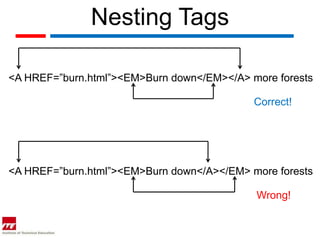
<A HREF=”burn.html”><EM>Burn down</EM></A> more forests

                                            Correct!


<A HREF=”burn.html”><EM>Burn down</A></EM> more forests

                                            Wrong!
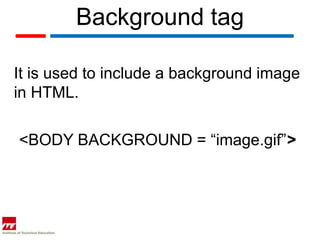
Background tag

It is used to include a background image
in HTML.

<BODY BACKGROUND = “image.gif”>
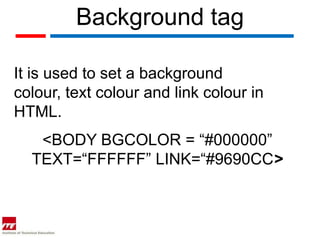
Background tag

It is used to set a background
colour, text colour and link colour in
HTML.
   <BODY BGCOLOR = “#000000”
  TEXT=“FFFFFF” LINK=“#9690CC>
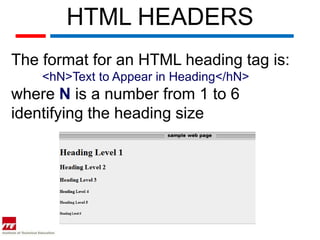
HTML HEADERS
The format for an HTML heading tag is:
    <hN>Text to Appear in Heading</hN>
where N is a number from 1 to 6
identifying the heading size
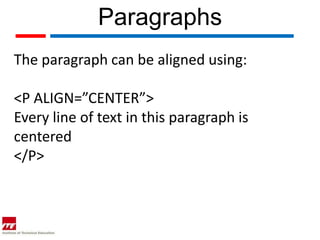
Paragraphs
The paragraph can be aligned using:

<P ALIGN=”CENTER”>
Every line of text in this paragraph is
centered
</P>
BOLD & ITALIC
Often <strong> renders as <b>, and <em>
renders as <i>

<strong> or <em> means that you want the
text to be rendered in a way that the user
understands as "important".
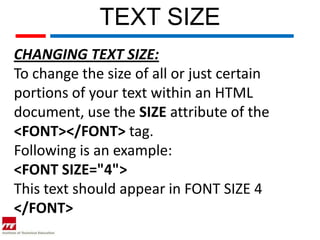
TEXT SIZE
CHANGING TEXT SIZE:
To change the size of all or just certain
portions of your text within an HTML
document, use the SIZE attribute of the
<FONT></FONT> tag.
Following is an example:
<FONT SIZE="4">
This text should appear in FONT SIZE 4
</FONT>
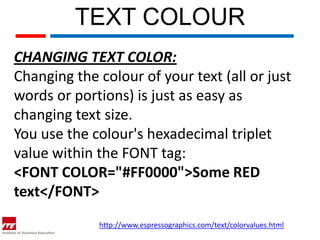
TEXT COLOUR
CHANGING TEXT COLOR:
Changing the colour of your text (all or just
words or portions) is just as easy as
changing text size.
You use the colour's hexadecimal triplet
value within the FONT tag:
<FONT COLOR="#FF0000">Some RED
text</FONT>
             http://www.espressographics.com/text/colorvalues.html
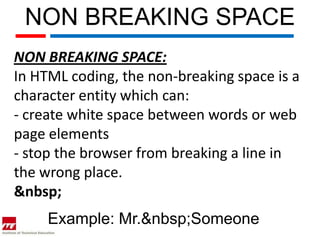
NON BREAKING SPACE
NON BREAKING SPACE:
In HTML coding, the non-breaking space is a
character entity which can:
- create white space between words or web
page elements
- stop the browser from breaking a line in
the wrong place.
&nbsp;
     Example: Mr.&nbsp;Someone
HORIZONTAL LINE
CHANGING TEXT COLOR:
Use the <hr /> tag to display lines across the
screen.
Note: the horizontal rule tag has no ending
tag like the line break tag.

Example:
Use <hr />
QUOTATION
The BLOCKQUOTE element defines a block
quotation:
The content of the BLOCKQUOTE element
should be contained within the blockquote.

<BLOCKQUOTE><P>My name is txt </P>
</BLOCKQUOTE>
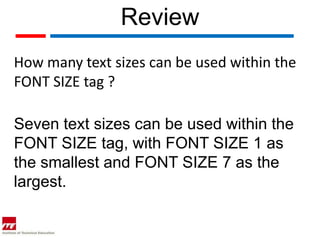
Review
How many text sizes can be used within the
FONT SIZE tag ?

Seven text sizes can be used within the
FONT SIZE tag, with FONT SIZE 1 as
the smallest and FONT SIZE 7 as the
largest.
Review
What are some problems with using the
non-breaking space HTML coding ?
1. Not all browsers acknowledge the
additional instances of the non-breaking
space.
2. If you get carried away with the use of
non-breaking space, it can cause the
horizontal scroll bar to appear, if the browser
window is not big enough.
Review
What are some problems with using the
non-breaking space HTML coding ?
3. Using the non-breaking space HTML
coding within the text or between pictures
(for example) can make your content overlap
the borders of the table

Web topic 3 html format tags

  • 1.
    Web Authoring Topic 3 – HTML Formatting Tags
  • 2.
    Objectives Students should ableto: 1. Use Web Authoring tool to format text with the following HTML tags: • Bold, italic and underlining the text; • Change font size; • Change the font face; • Change the colour of the text; and • Change the colour of the links. 2. Create white space (non breaking), horizontal rule and quotations.
  • 3.
    Nesting Tags Tags arealways nested. This nesting reflects the structure of the document (for example, emphasized text inside a paragraph, inside a form, inside the BODY). However, tags can never overlap.
  • 4.
    Nesting Tags <A HREF=”burn.html”><EM>Burndown</EM></A> more forests Correct! <A HREF=”burn.html”><EM>Burn down</A></EM> more forests Wrong!
  • 5.
    Background tag It isused to include a background image in HTML. <BODY BACKGROUND = “image.gif”>
  • 6.
    Background tag It isused to set a background colour, text colour and link colour in HTML. <BODY BGCOLOR = “#000000” TEXT=“FFFFFF” LINK=“#9690CC>
  • 7.
    HTML HEADERS The formatfor an HTML heading tag is: <hN>Text to Appear in Heading</hN> where N is a number from 1 to 6 identifying the heading size
  • 8.
    Paragraphs The paragraph canbe aligned using: <P ALIGN=”CENTER”> Every line of text in this paragraph is centered </P>
  • 9.
    BOLD & ITALIC Often<strong> renders as <b>, and <em> renders as <i> <strong> or <em> means that you want the text to be rendered in a way that the user understands as "important".
  • 10.
    TEXT SIZE CHANGING TEXTSIZE: To change the size of all or just certain portions of your text within an HTML document, use the SIZE attribute of the <FONT></FONT> tag. Following is an example: <FONT SIZE="4"> This text should appear in FONT SIZE 4 </FONT>
  • 11.
    TEXT COLOUR CHANGING TEXTCOLOR: Changing the colour of your text (all or just words or portions) is just as easy as changing text size. You use the colour's hexadecimal triplet value within the FONT tag: <FONT COLOR="#FF0000">Some RED text</FONT> http://www.espressographics.com/text/colorvalues.html
  • 12.
    NON BREAKING SPACE NONBREAKING SPACE: In HTML coding, the non-breaking space is a character entity which can: - create white space between words or web page elements - stop the browser from breaking a line in the wrong place. &nbsp; Example: Mr.&nbsp;Someone
  • 13.
    HORIZONTAL LINE CHANGING TEXTCOLOR: Use the <hr /> tag to display lines across the screen. Note: the horizontal rule tag has no ending tag like the line break tag. Example: Use <hr />
  • 14.
    QUOTATION The BLOCKQUOTE elementdefines a block quotation: The content of the BLOCKQUOTE element should be contained within the blockquote. <BLOCKQUOTE><P>My name is txt </P> </BLOCKQUOTE>
  • 15.
    Review How many textsizes can be used within the FONT SIZE tag ? Seven text sizes can be used within the FONT SIZE tag, with FONT SIZE 1 as the smallest and FONT SIZE 7 as the largest.
  • 16.
    Review What are someproblems with using the non-breaking space HTML coding ? 1. Not all browsers acknowledge the additional instances of the non-breaking space. 2. If you get carried away with the use of non-breaking space, it can cause the horizontal scroll bar to appear, if the browser window is not big enough.
  • 17.
    Review What are someproblems with using the non-breaking space HTML coding ? 3. Using the non-breaking space HTML coding within the text or between pictures (for example) can make your content overlap the borders of the table