Take Virtualization to the Next Level:
vSphere with Operations Management
Martin Yip, VMware, Inc
Himanshu Singh, VMware, Inc
INF4586
#INF4586
• This presentation may contain product features that are currently under development.
• This overview of new technology represents no commitment from VMware to deliver these
features in any generally available product.
• Features are subject to change, and must not be included in contracts, purchase orders, or
sales agreements of any kind.
• Technical feasibility and market demand will affect final delivery.
• Pricing and packaging for any new technologies or features discussed or presented have not
been determined.
Disclaimer
2
Agenda
3
1 Market Perspective
2 What’s New in vSphere
3 What’s New in Operations Management
4 Proof Points and Customer Successes
5 Next Steps
6 Q & A
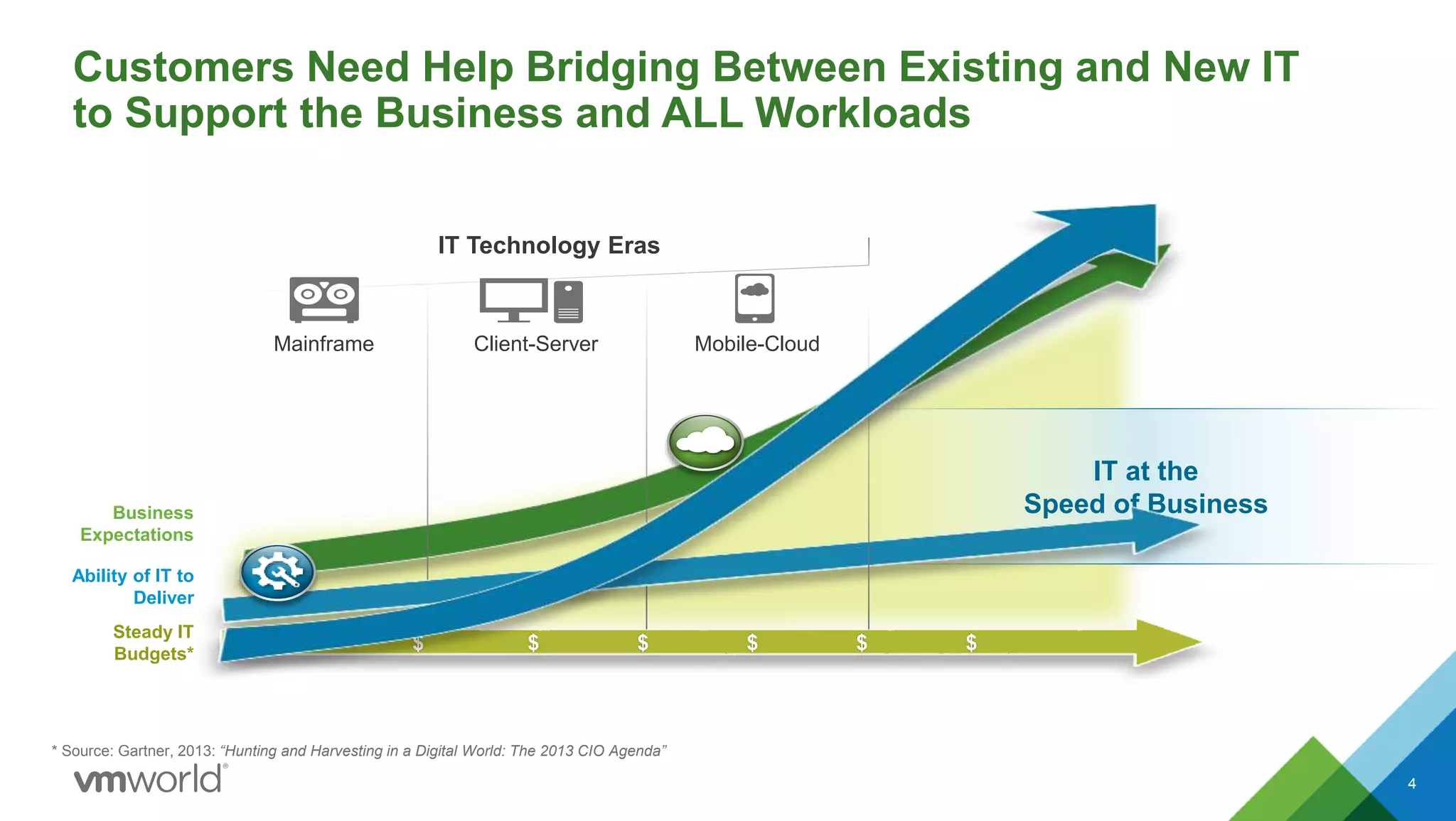
IT at the
Speed of Business
Customers Need Help Bridging Between Existing and New IT
to Support the Business and ALL Workloads
4
* Source: Gartner, 2013: “Hunting and Harvesting in a Digital World: The 2013 CIO Agenda”
IT Technology Eras
Mainframe Client-Server Mobile-Cloud
$ $ $ $ $ $
Ability of IT to
Deliver
Steady IT
Budgets*
Business
Expectations
Public CloudPrivate Cloud
Software-Defined Data Center
Hybrid Cloud
Applications
5
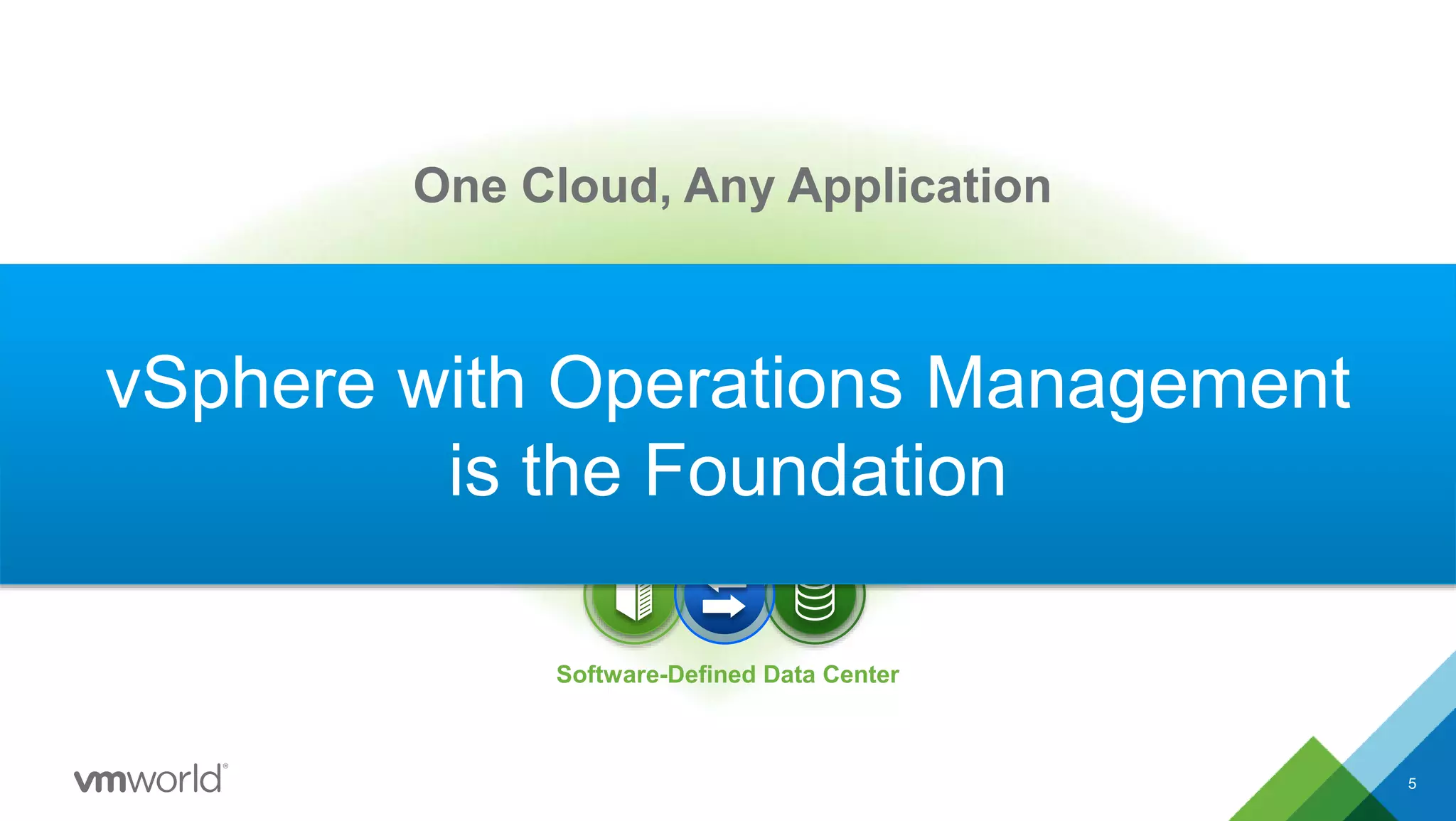
One Cloud, Any Application
vSphere with Operations Management
is the Foundation
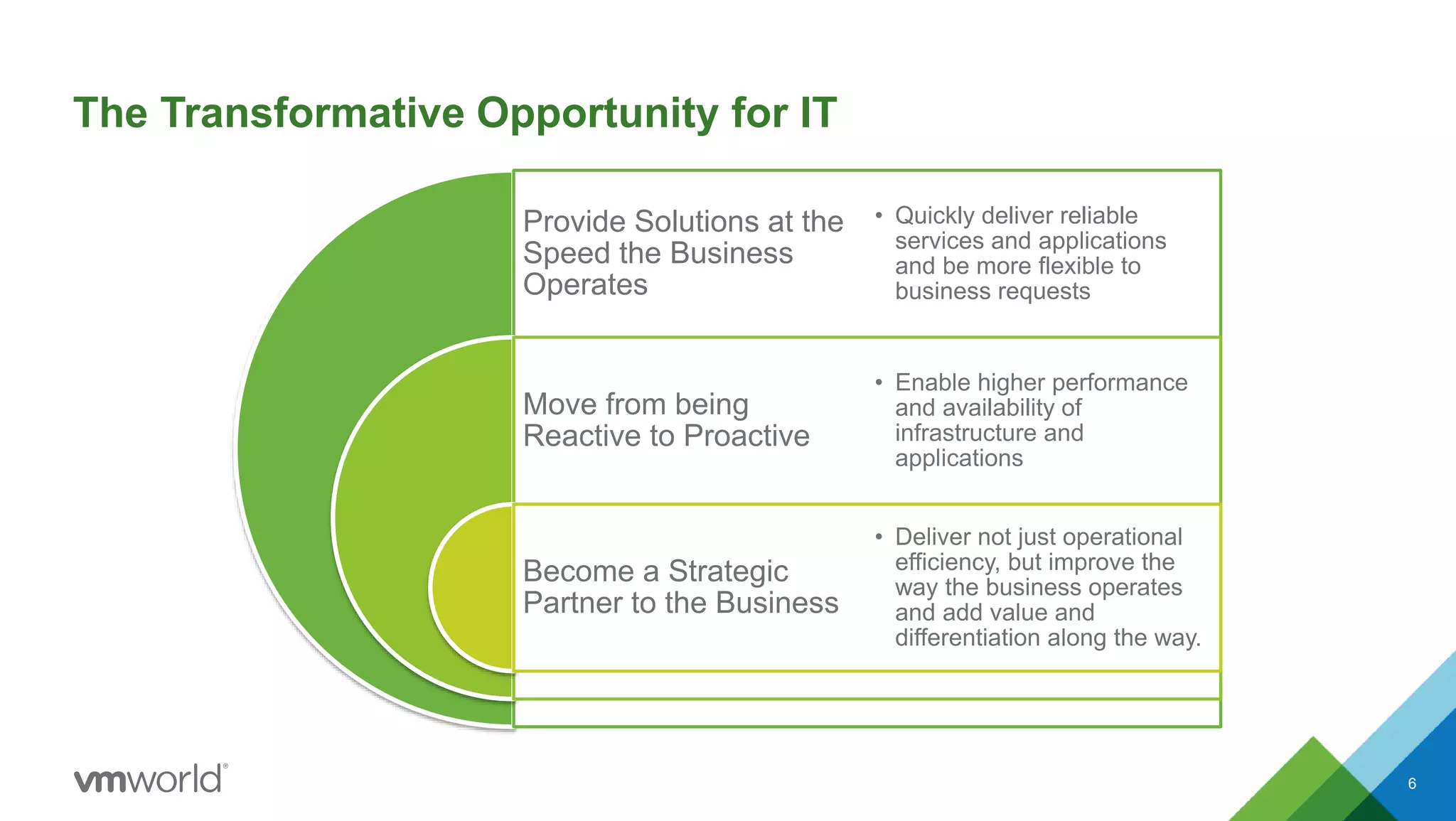
The Transformative Opportunity for IT
Provide Solutions at the
Speed the Business
Operates
Move from being
Reactive to Proactive
Become a Strategic
Partner to the Business
• Quickly deliver reliable
services and applications
and be more flexible to
business requests
• Enable higher performance
and availability of
infrastructure and
applications
• Deliver not just operational
efficiency, but improve the
way the business operates
and add value and
differentiation along the way.
6
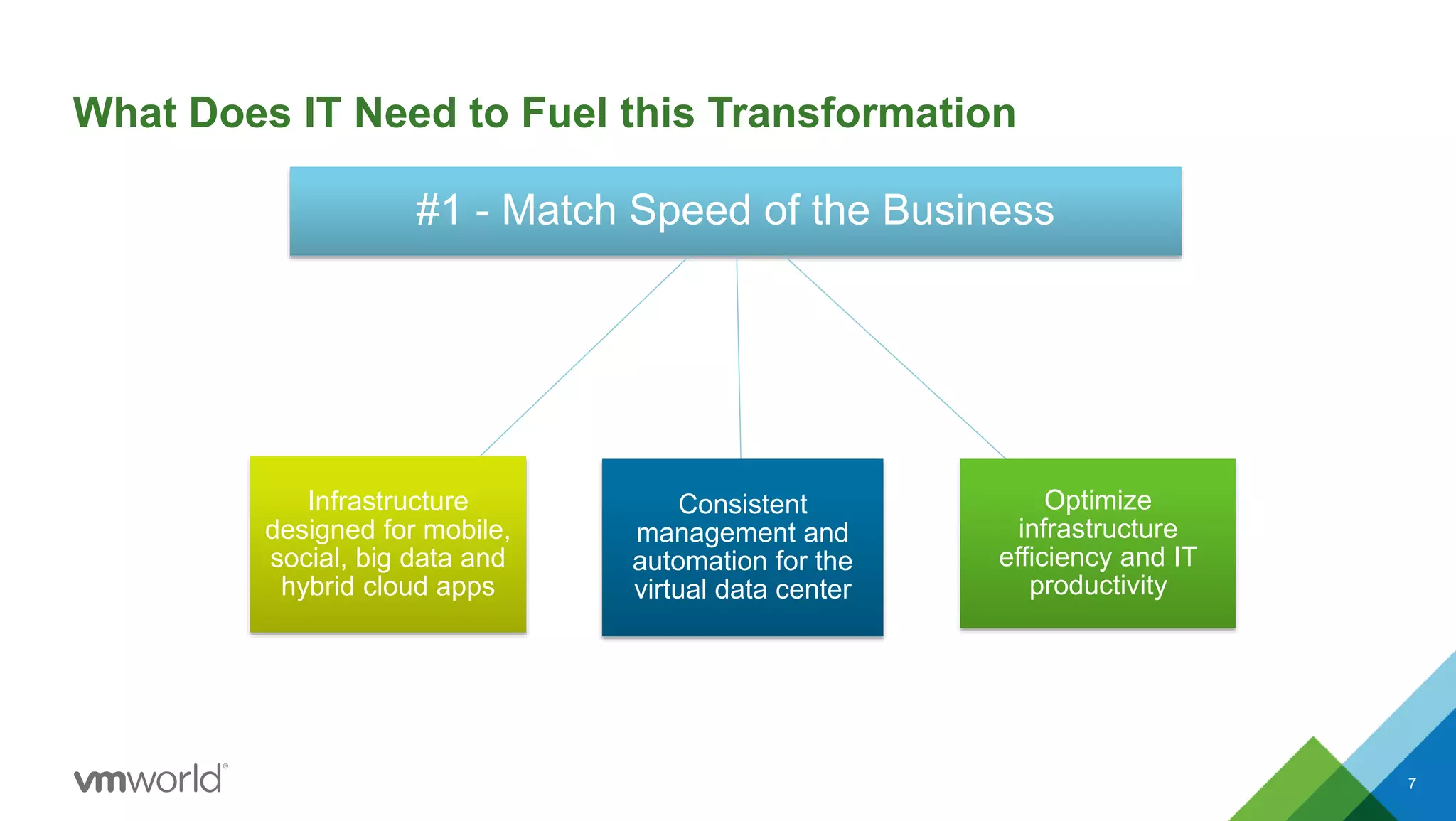
What Does IT Need to Fuel this Transformation
#1 - Match Speed of the Business
Consistent
management and
automation for the
virtual data center
Optimize
infrastructure
efficiency and IT
productivity
Infrastructure
designed for mobile,
social, big data and
hybrid cloud apps
7
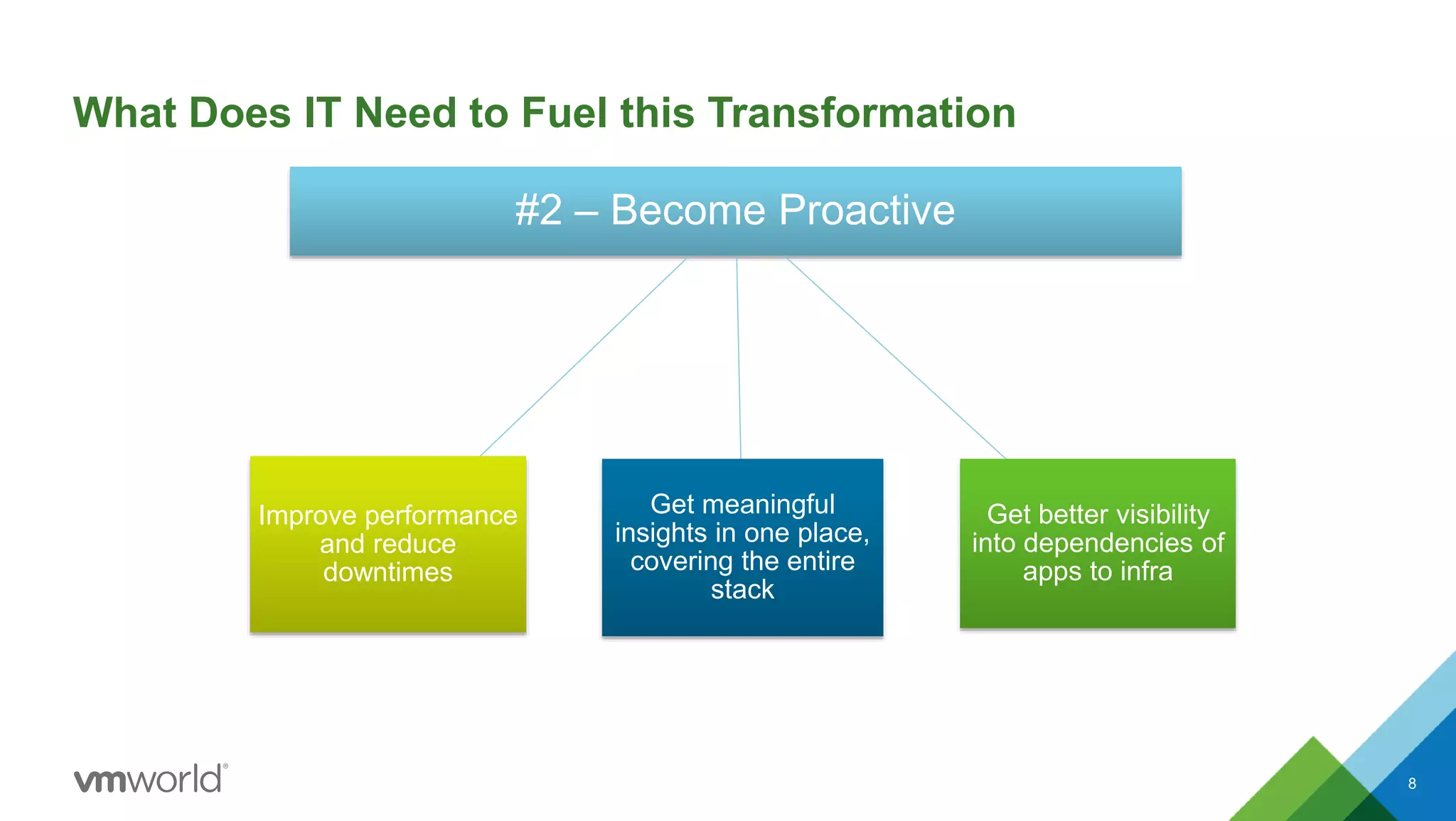
What Does IT Need to Fuel this Transformation
#2 – Become Proactive
Get meaningful
insights in one place,
covering the entire
stack
Get better visibility
into dependencies of
apps to infra
Improve performance
and reduce
downtimes
8
What Does IT Need to Fuel this Transformation
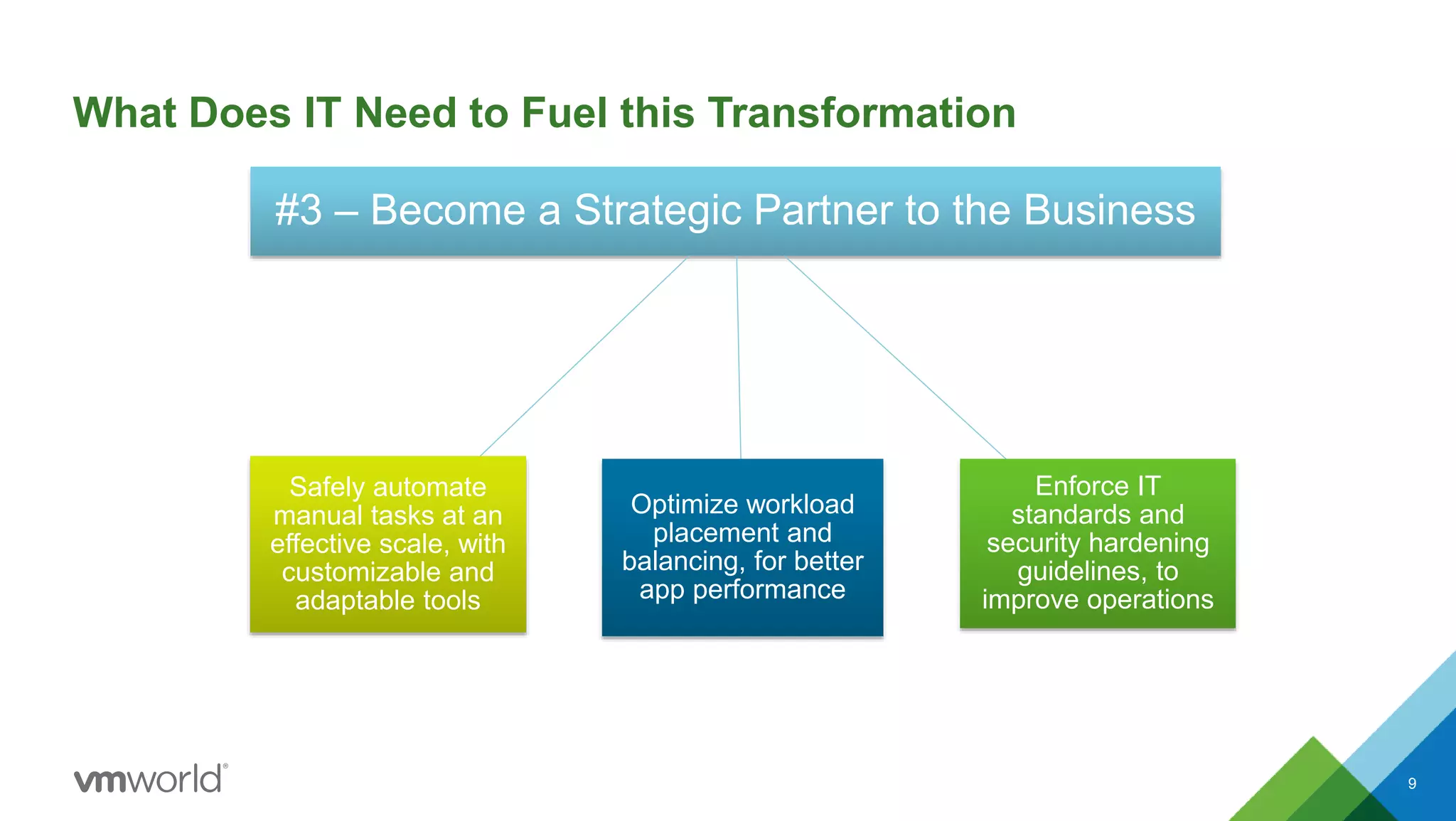
#3 – Become a Strategic Partner to the Business
Optimize workload
placement and
balancing, for better
app performance
Enforce IT
standards and
security hardening
guidelines, to
improve operations
Safely automate
manual tasks at an
effective scale, with
customizable and
adaptable tools
9
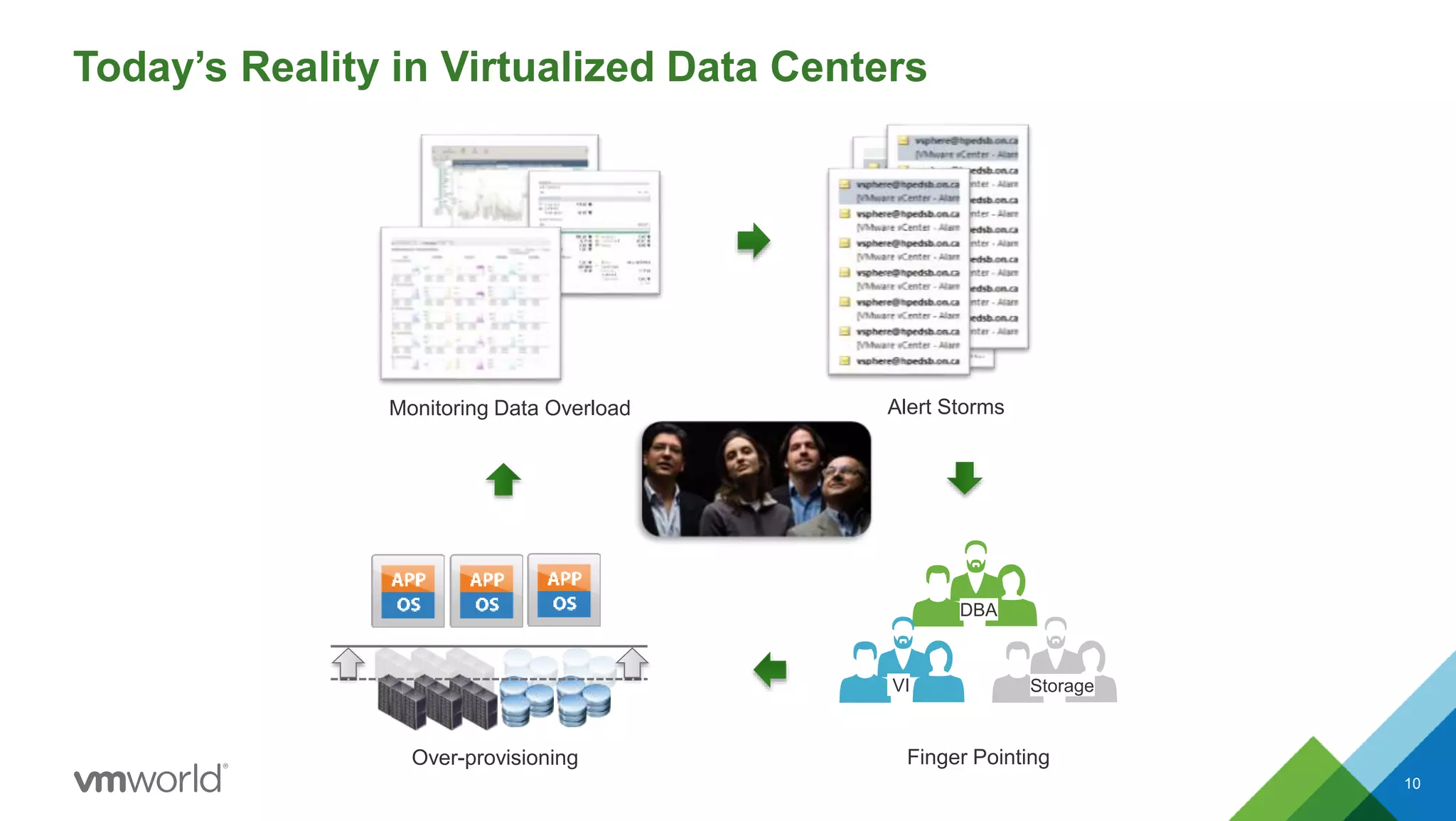
Today’s Reality in Virtualized Data Centers
10
Monitoring Data Overload Alert Storms
Finger Pointing
DBA
VI Storage
Over-provisioning
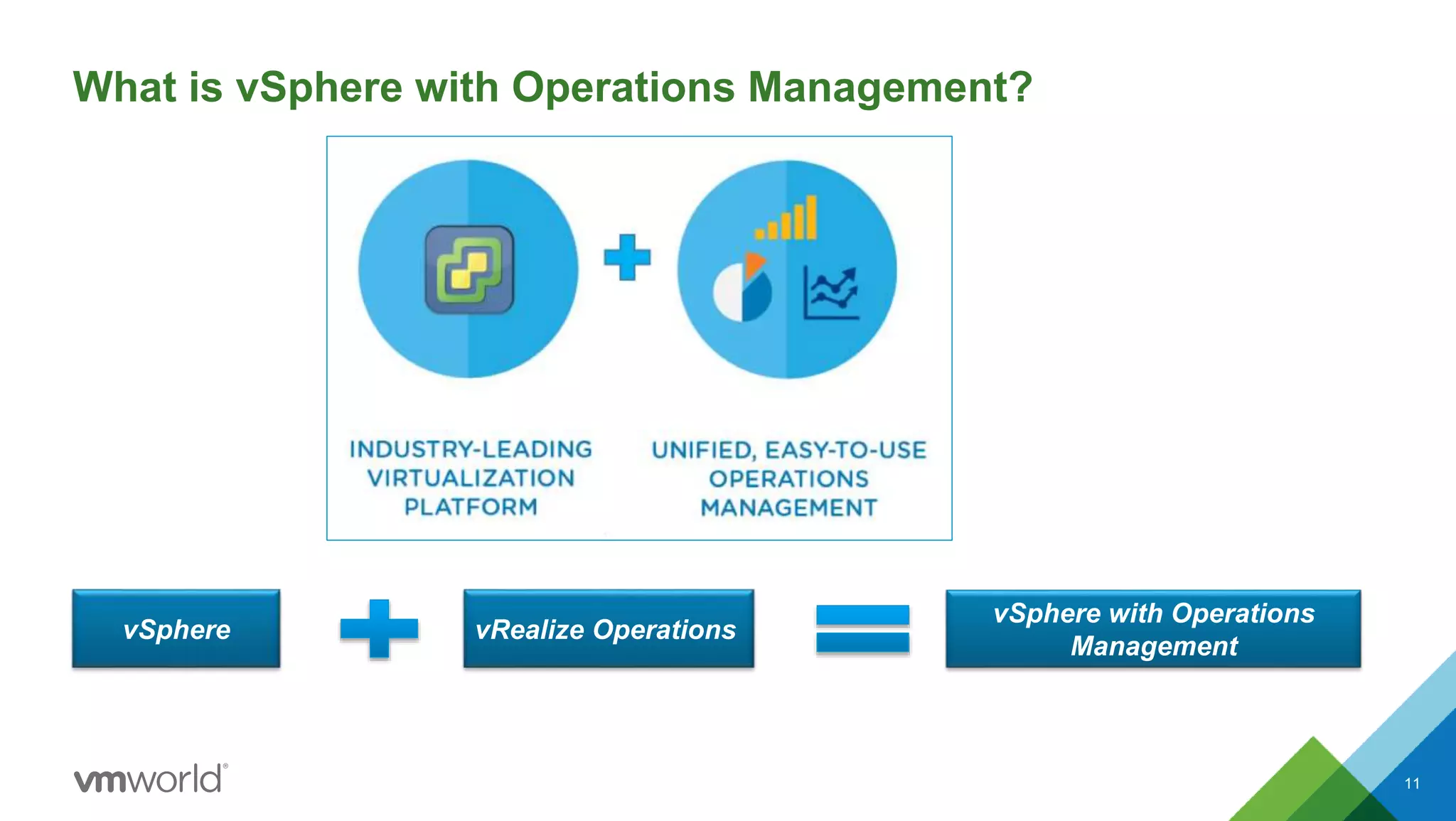
What is vSphere with Operations Management?
vSphere vRealize Operations
vSphere with Operations
Management
11
What’s New in vSphere
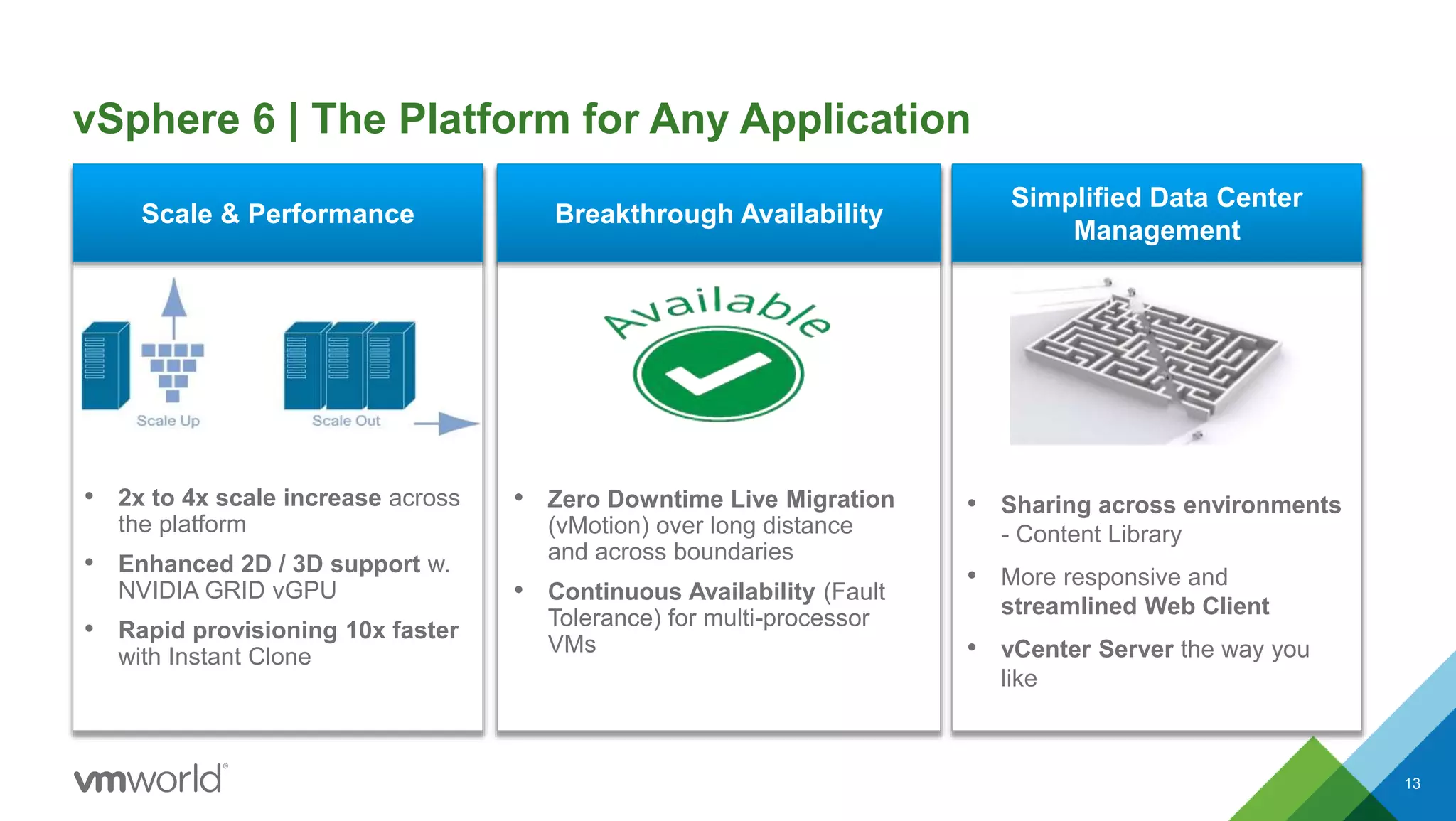
vSphere 6 | The Platform for Any Application
13
• 2x to 4x scale increase across
the platform
• Enhanced 2D / 3D support w.
NVIDIA GRID vGPU
• Rapid provisioning 10x faster
with Instant Clone
Scale & Performance Breakthrough Availability
Simplified Data Center
Management
• Zero Downtime Live Migration
(vMotion) over long distance
and across boundaries
• Continuous Availability (Fault
Tolerance) for multi-processor
VMs
• Sharing across environments
- Content Library
• More responsive and
streamlined Web Client
• vCenter Server the way you
like
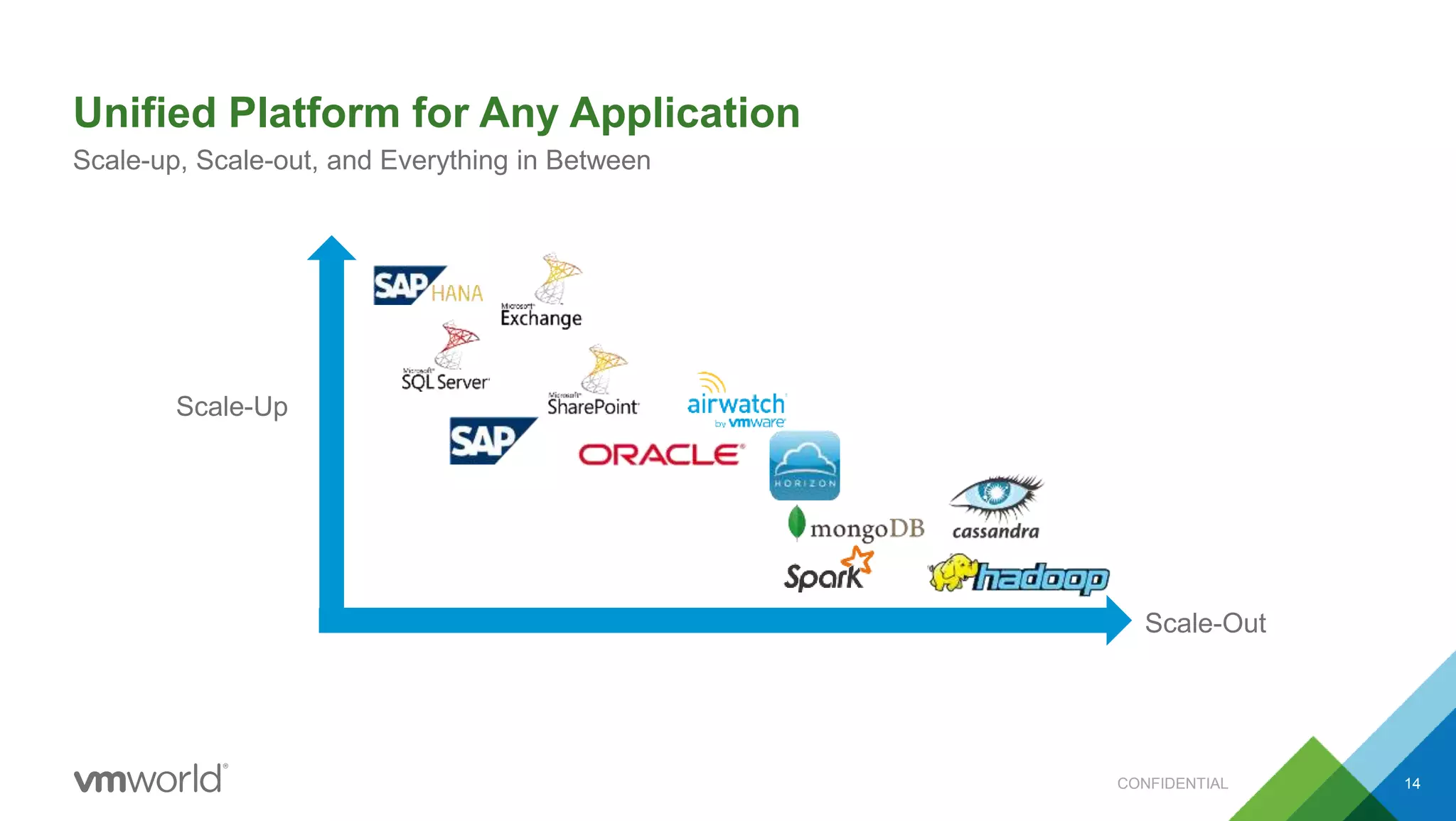
Unified Platform for Any Application
CONFIDENTIAL 14
Scale-up, Scale-out, and Everything in Between
Scale-Up
Scale-Out
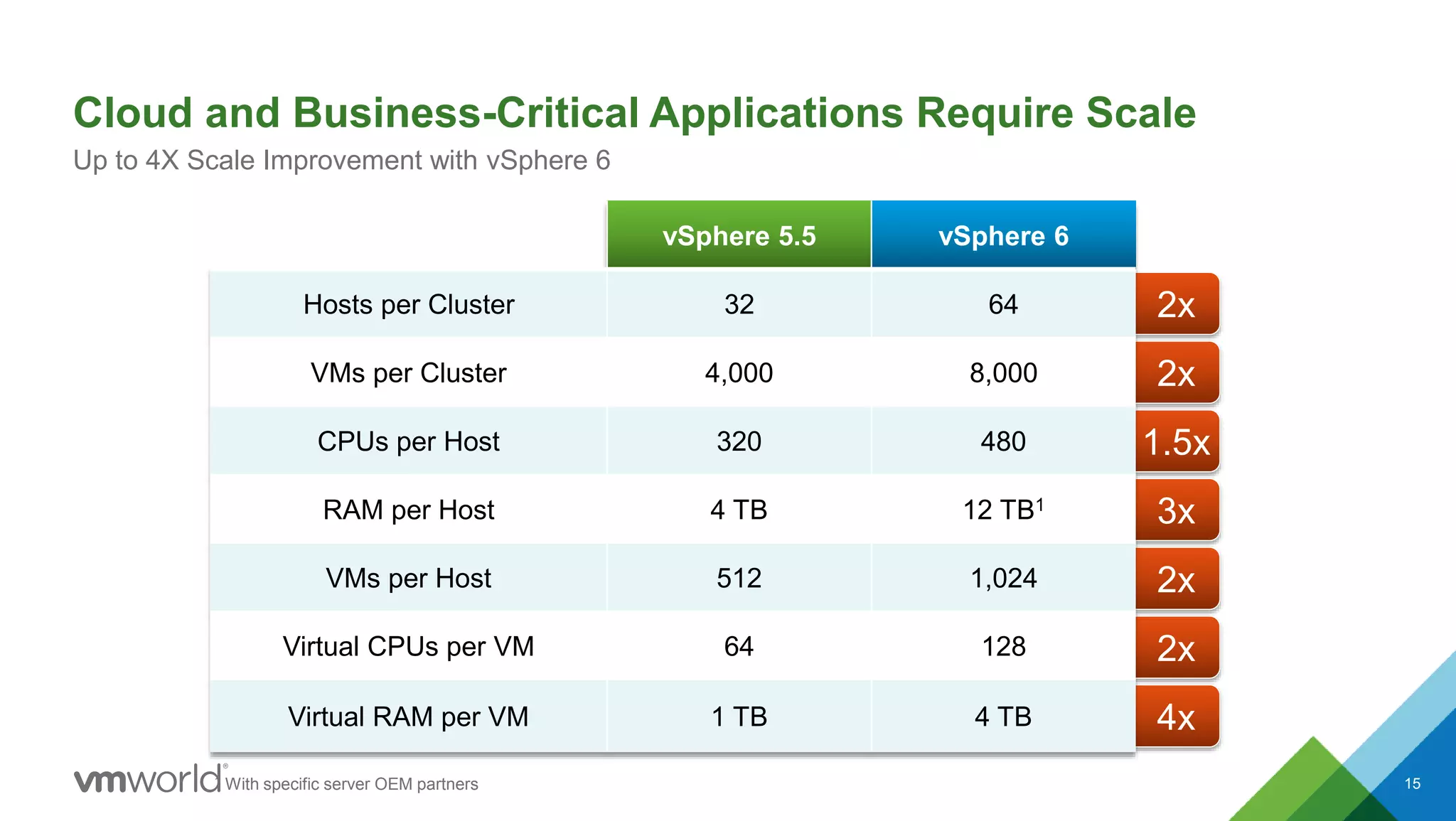
2x
2x
1.5x
3x
2x
2x
4x
Cloud and Business-Critical Applications Require Scale
15
Up to 4X Scale Improvement with vSphere 6
vSphere 5.5 vSphere 6
Hosts per Cluster 32 64
VMs per Cluster 4,000 8,000
CPUs per Host 320 480
RAM per Host 4 TB 12 TB1
VMs per Host 512 1,024
Virtual CPUs per VM 64 128
Virtual RAM per VM 1 TB 4 TB
1 With specific server OEM partners
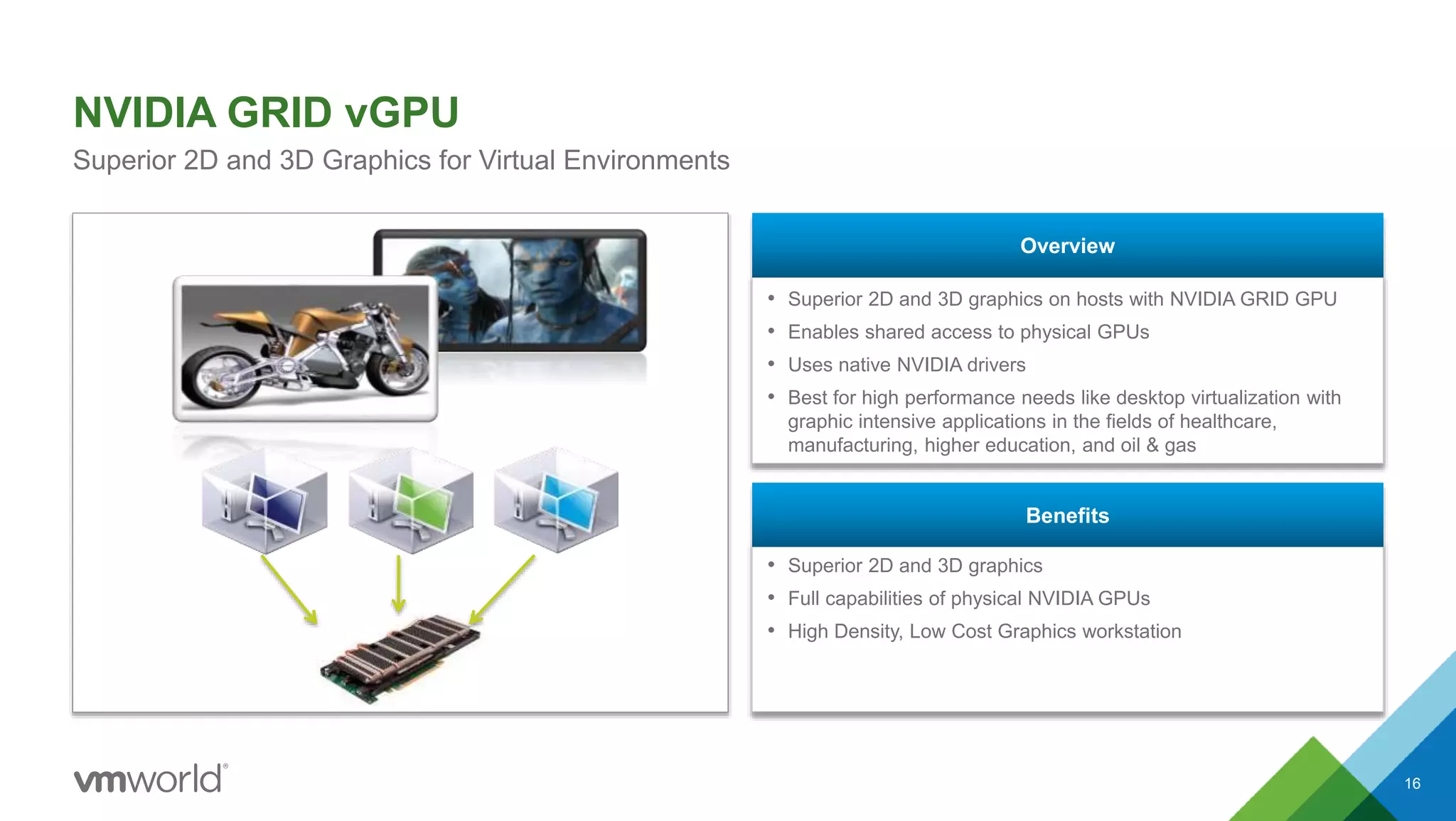
• Superior 2D and 3D graphics on hosts with NVIDIA GRID GPU
• Enables shared access to physical GPUs
• Uses native NVIDIA drivers
• Best for high performance needs like desktop virtualization with
graphic intensive applications in the fields of healthcare,
manufacturing, higher education, and oil & gas
Overview
• Superior 2D and 3D graphics
• Full capabilities of physical NVIDIA GPUs
• High Density, Low Cost Graphics workstation
Benefits
NVIDIA GRID vGPU
16
Superior 2D and 3D Graphics for Virtual Environments
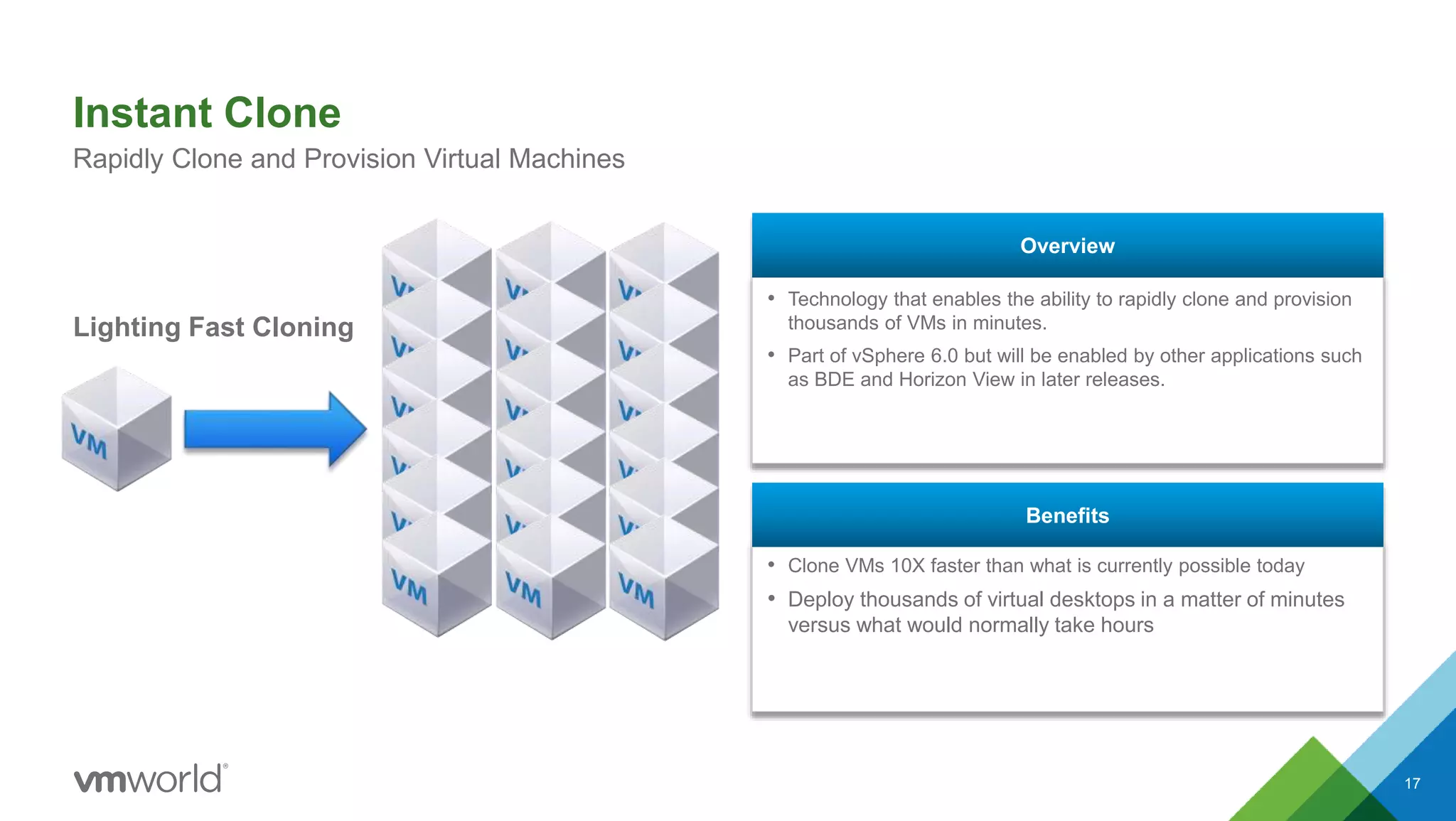
• Technology that enables the ability to rapidly clone and provision
thousands of VMs in minutes.
• Part of vSphere 6.0 but will be enabled by other applications such
as BDE and Horizon View in later releases.
Overview
• Clone VMs 10X faster than what is currently possible today
• Deploy thousands of virtual desktops in a matter of minutes
versus what would normally take hours
Benefits
Instant Clone
17
Rapidly Clone and Provision Virtual Machines
Lighting Fast Cloning
Redefine Availability
18
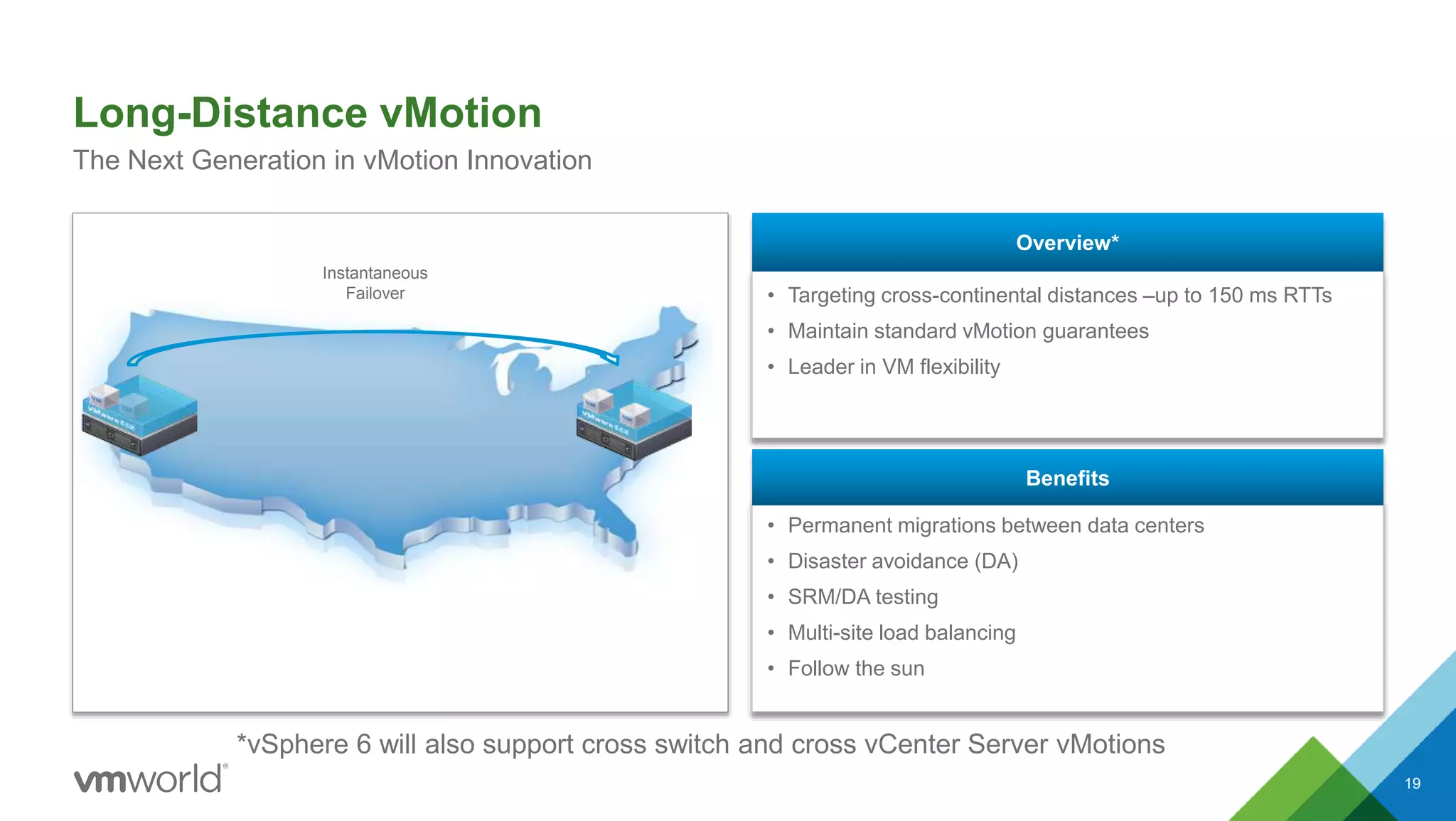
• Targeting cross-continental distances –up to 150 ms RTTs
• Maintain standard vMotion guarantees
• Leader in VM flexibility
Overview*
• Permanent migrations between data centers
• Disaster avoidance (DA)
• SRM/DA testing
• Multi-site load balancing
• Follow the sun
Benefits
Long-Distance vMotion
19
The Next Generation in vMotion Innovation
Instantaneous
Failover
*vSphere 6 will also support cross switch and cross vCenter Server vMotions
Fault Tolerance for Multi-Processor VMs
20
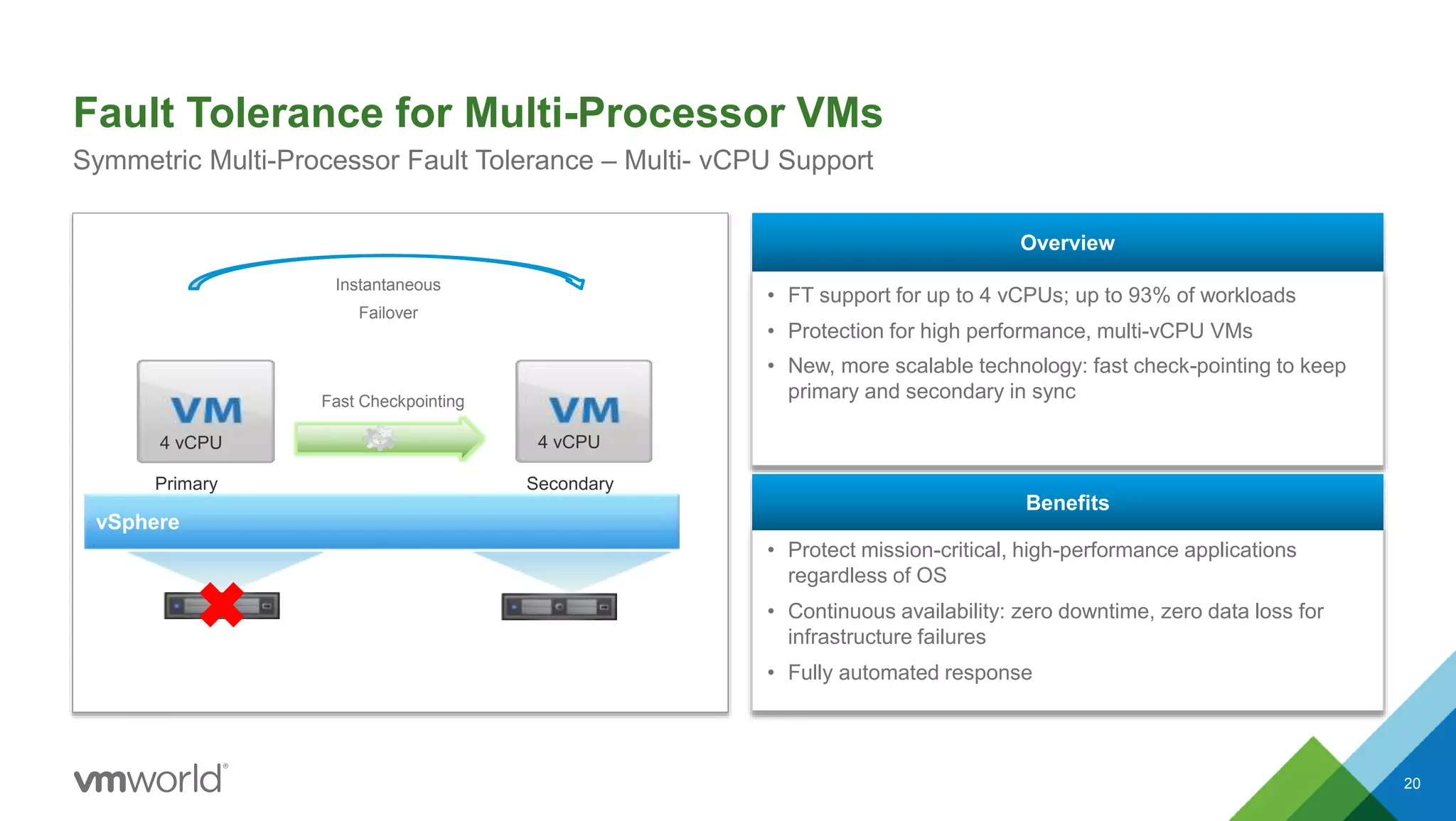
Symmetric Multi-Processor Fault Tolerance – Multi- vCPU Support
Instantaneous
Failover
4 vCPU 4 vCPU
vSphere
Primary Secondary
Fast Checkpointing
• FT support for up to 4 vCPUs; up to 93% of workloads
• Protection for high performance, multi-vCPU VMs
• New, more scalable technology: fast check-pointing to keep
primary and secondary in sync
Overview
• Protect mission-critical, high-performance applications
regardless of OS
• Continuous availability: zero downtime, zero data loss for
infrastructure failures
• Fully automated response
Benefits
Simplify Data Center
Management
21
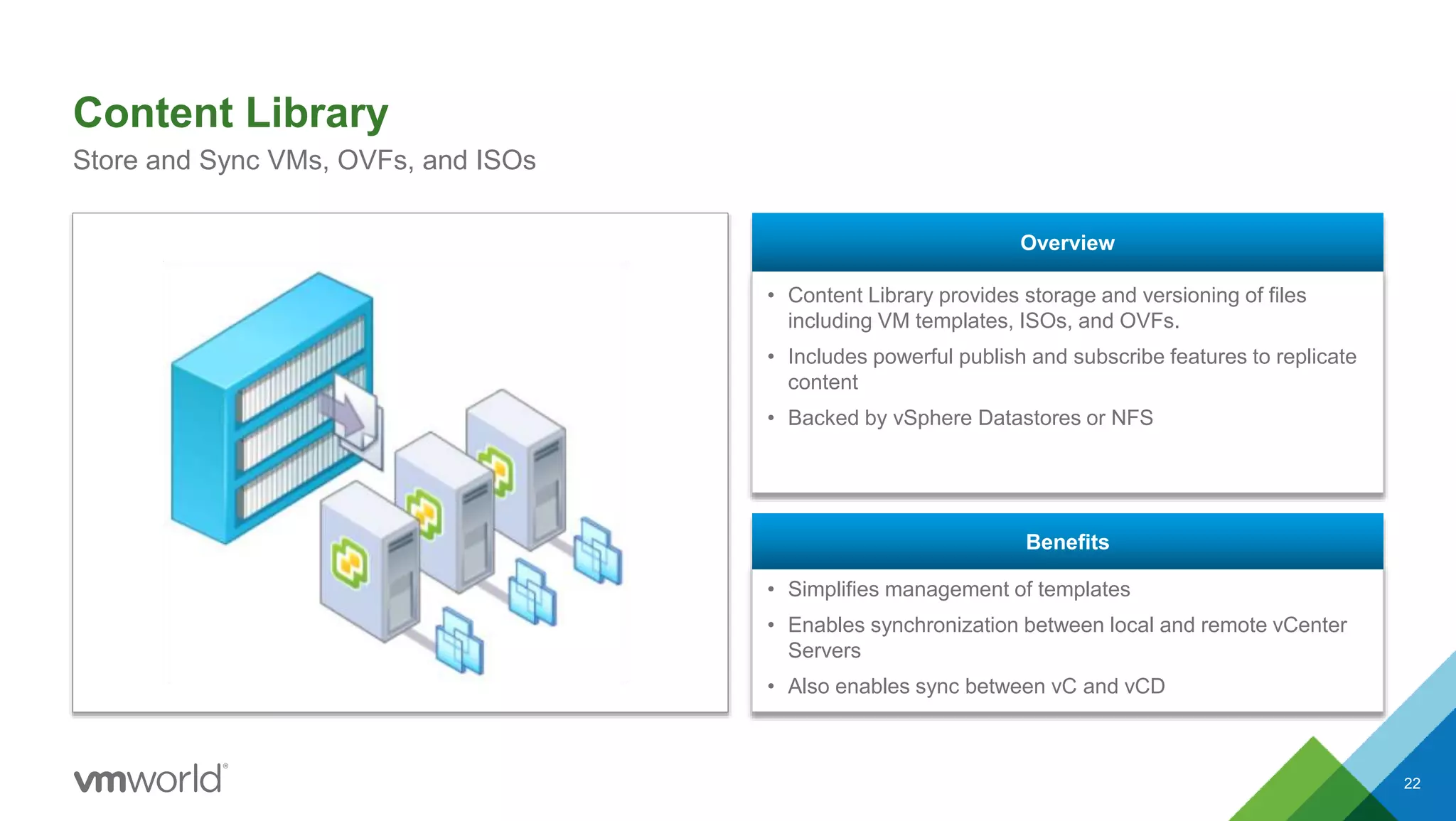
• Content Library provides storage and versioning of files
including VM templates, ISOs, and OVFs.
• Includes powerful publish and subscribe features to replicate
content
• Backed by vSphere Datastores or NFS
Overview
• Simplifies management of templates
• Enables synchronization between local and remote vCenter
Servers
• Also enables sync between vC and vCD
Benefits
Content Library
22
Store and Sync VMs, OVFs, and ISOs
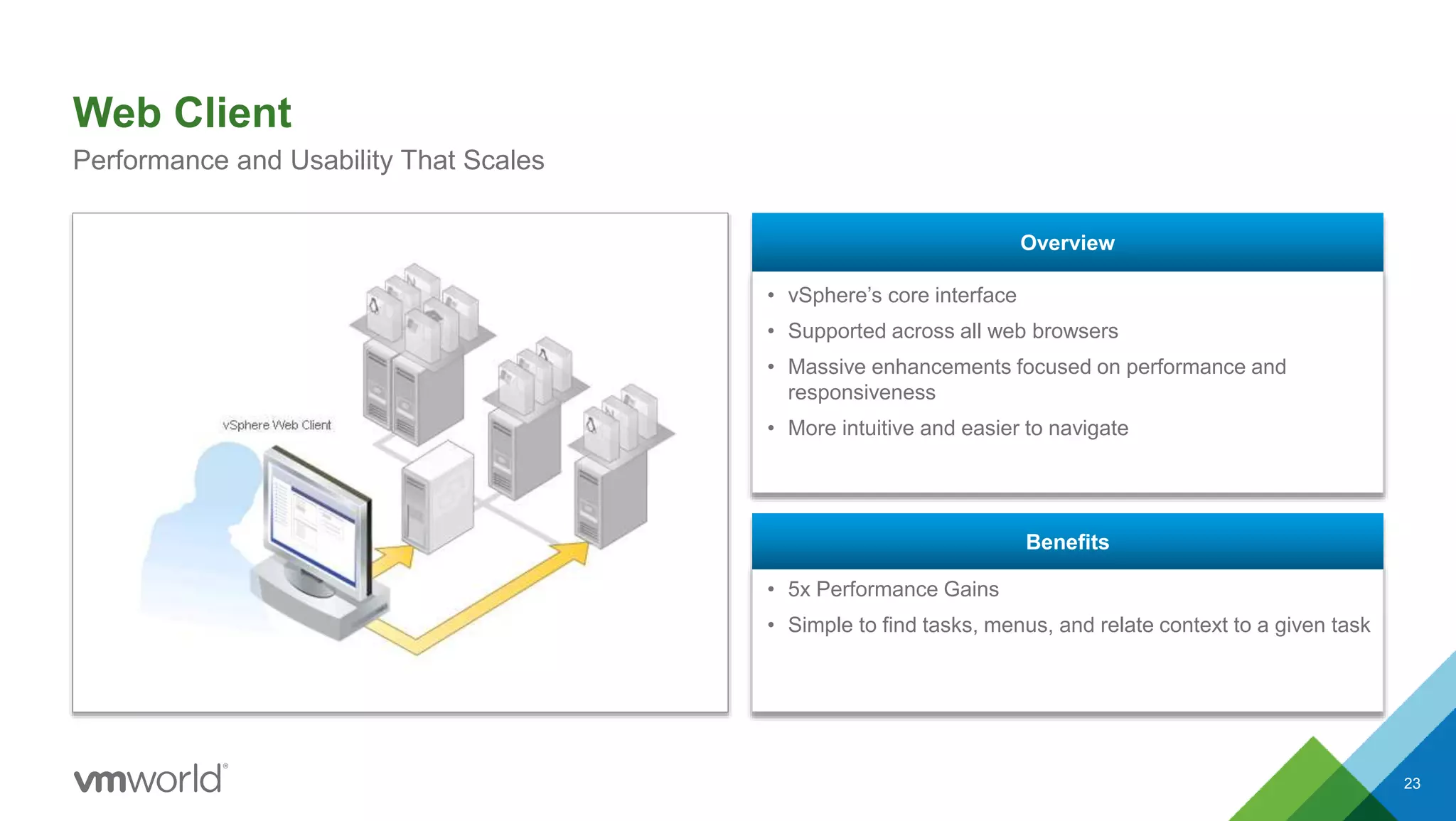
• vSphere’s core interface
• Supported across all web browsers
• Massive enhancements focused on performance and
responsiveness
• More intuitive and easier to navigate
Overview
• 5x Performance Gains
• Simple to find tasks, menus, and relate context to a given task
Benefits
Web Client
23
Performance and Usability That Scales
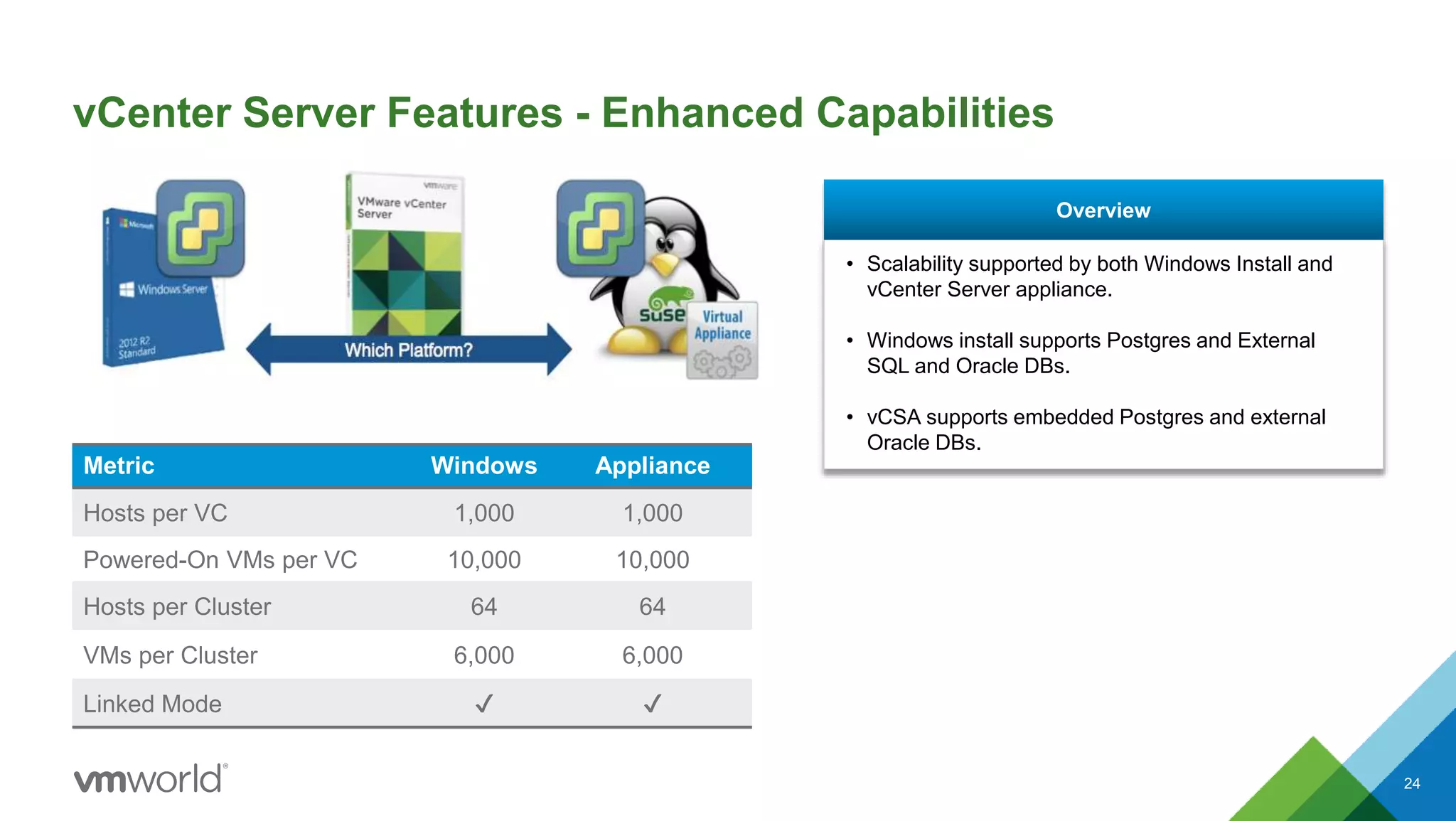
vCenter Server Features - Enhanced Capabilities
24
Metric Windows Appliance
Hosts per VC 1,000 1,000
Powered-On VMs per VC 10,000 10,000
Hosts per Cluster 64 64
VMs per Cluster 6,000 6,000
Linked Mode ✔ ✔
• Scalability supported by both Windows Install and
vCenter Server appliance.
• Windows install supports Postgres and External
SQL and Oracle DBs.
• vCSA supports embedded Postgres and external
Oracle DBs.
Overview
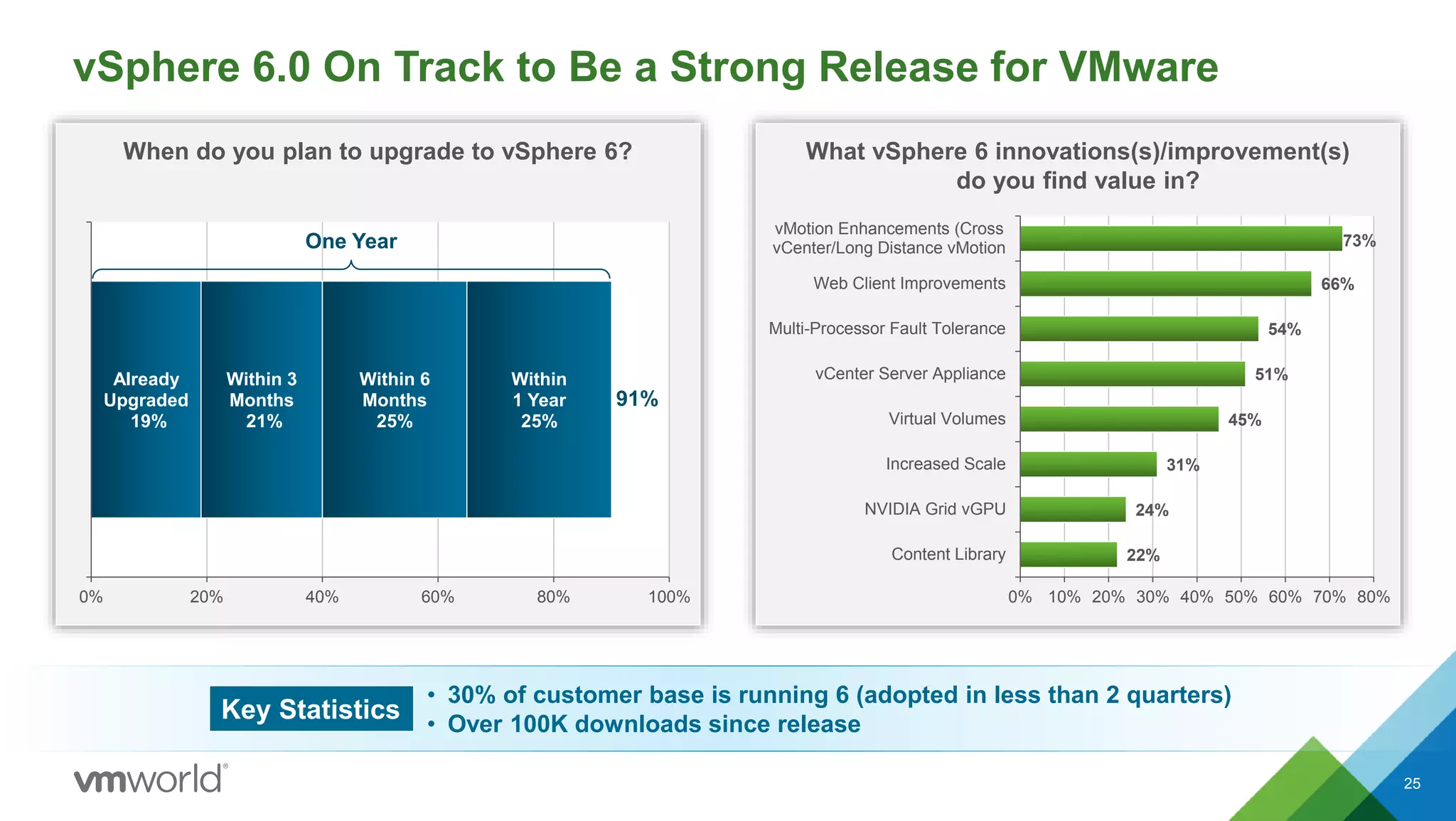
When do you plan to upgrade to vSphere 6? What vSphere 6 innovations(s)/improvement(s)
do you find value in?
vSphere 6.0 On Track to Be a Strong Release for VMware
25
22%
24%
31%
45%
51%
54%
66%
73%
0% 10% 20% 30% 40% 50% 60% 70% 80%
Content Library
NVIDIA Grid vGPU
Increased Scale
Virtual Volumes
vCenter Server Appliance
Multi-Processor Fault Tolerance
Web Client Improvements
vMotion Enhancements (Cross
vCenter/Long Distance vMotion
Already
Upgraded
19%
Within 3
Months
21%
Within 6
Months
25%
Within
1 Year
25%
0% 20% 40% 60% 80% 100%
91%
One Year
Key Statistics
• 30% of customer base is running 6 (adopted in less than 2 quarters)
• Over 100K downloads since release
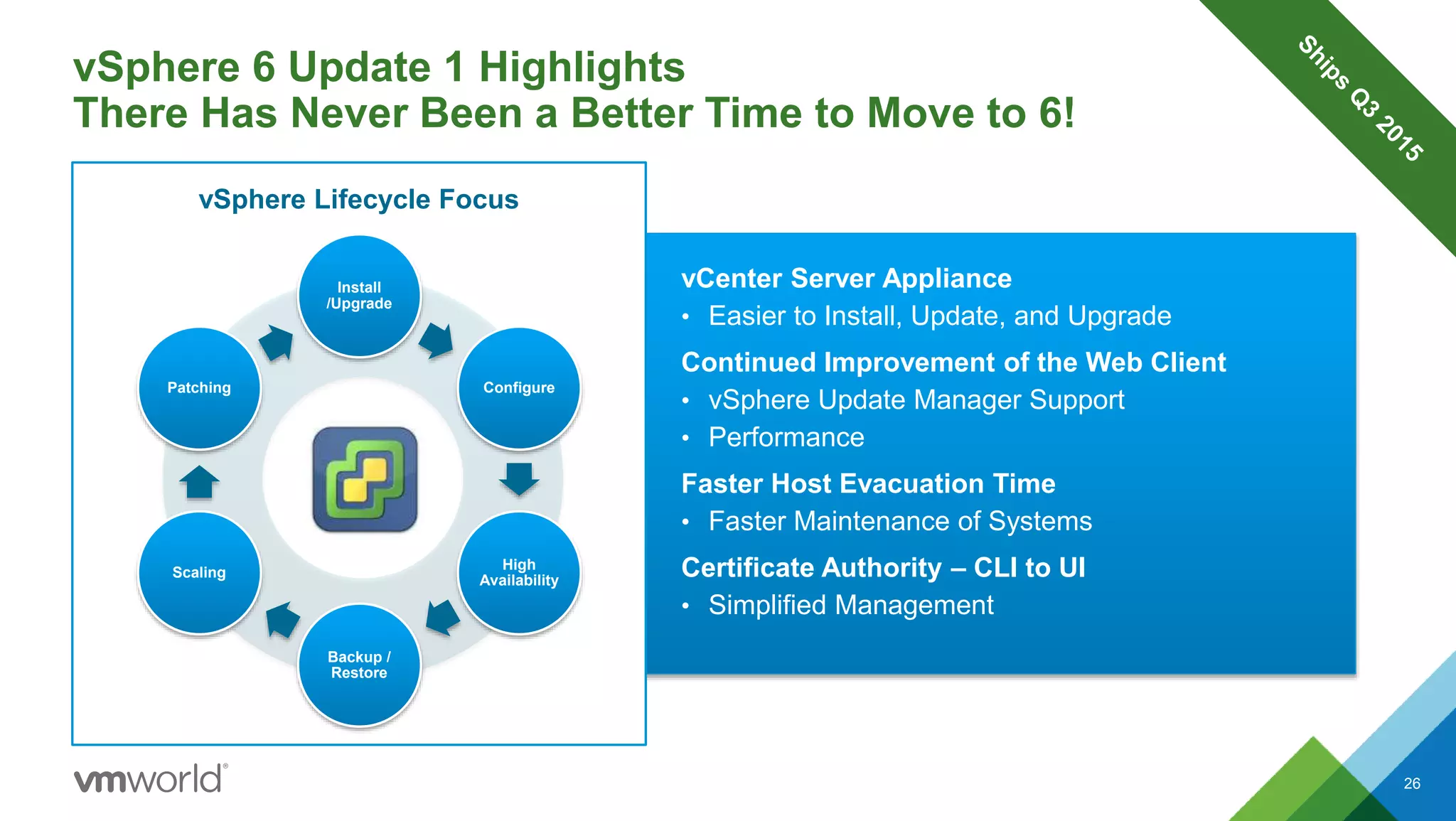
vCenter Server Appliance
• Easier to Install, Update, and Upgrade
Continued Improvement of the Web Client
• vSphere Update Manager Support
• Performance
Faster Host Evacuation Time
• Faster Maintenance of Systems
Certificate Authority – CLI to UI
• Simplified Management
vSphere 6 Update 1 Highlights
There Has Never Been a Better Time to Move to 6!
Install
/Upgrade
Configure
High
Availability
Backup /
Restore
Scaling
Patching
vSphere Lifecycle Focus
26
Let’s Talk about Operations Management
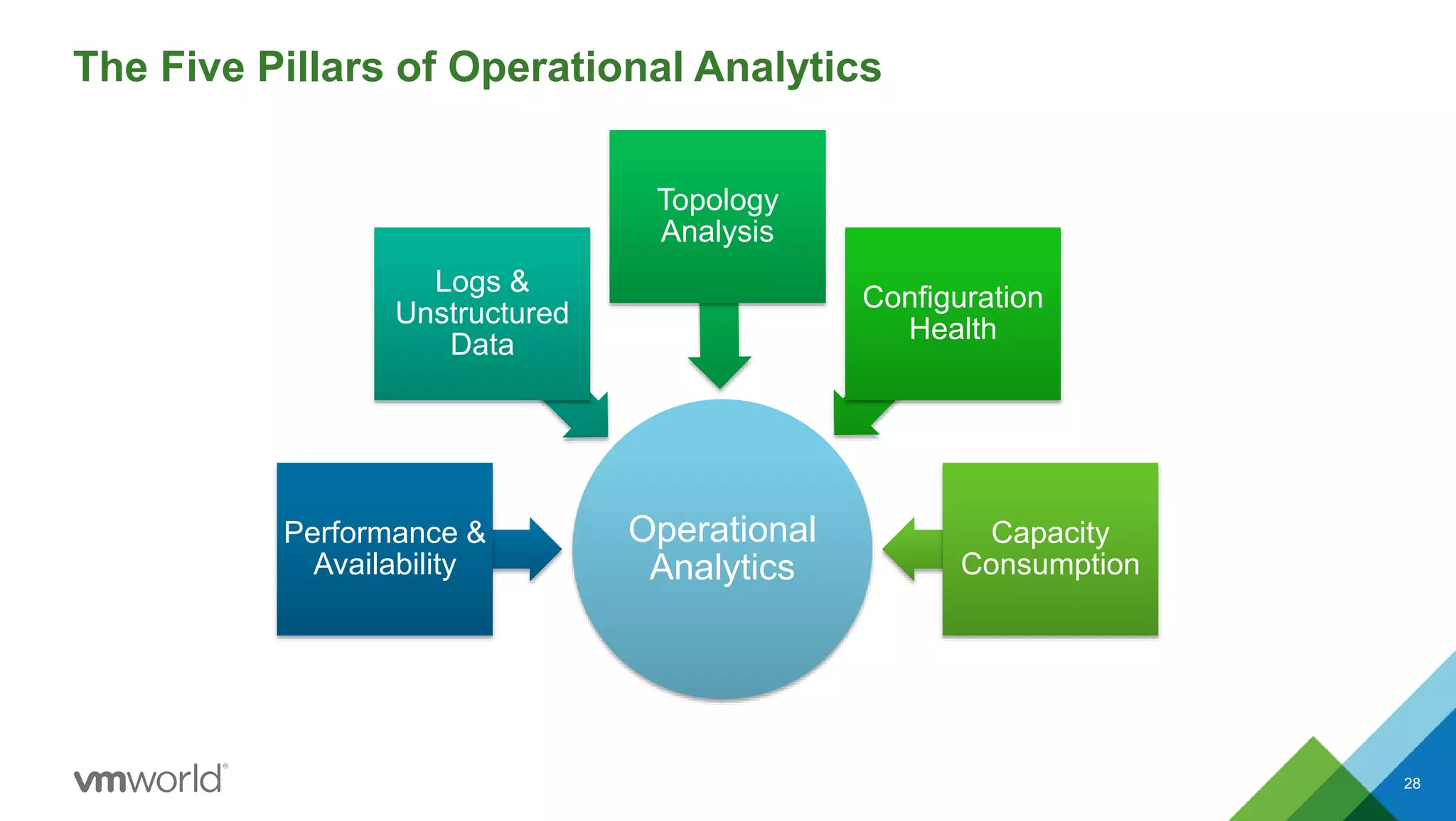
The Five Pillars of Operational Analytics
28
Operational
Analytics
Performance &
Availability
Logs &
Unstructured
Data
Topology
Analysis
Configuration
Health
Capacity
Consumption
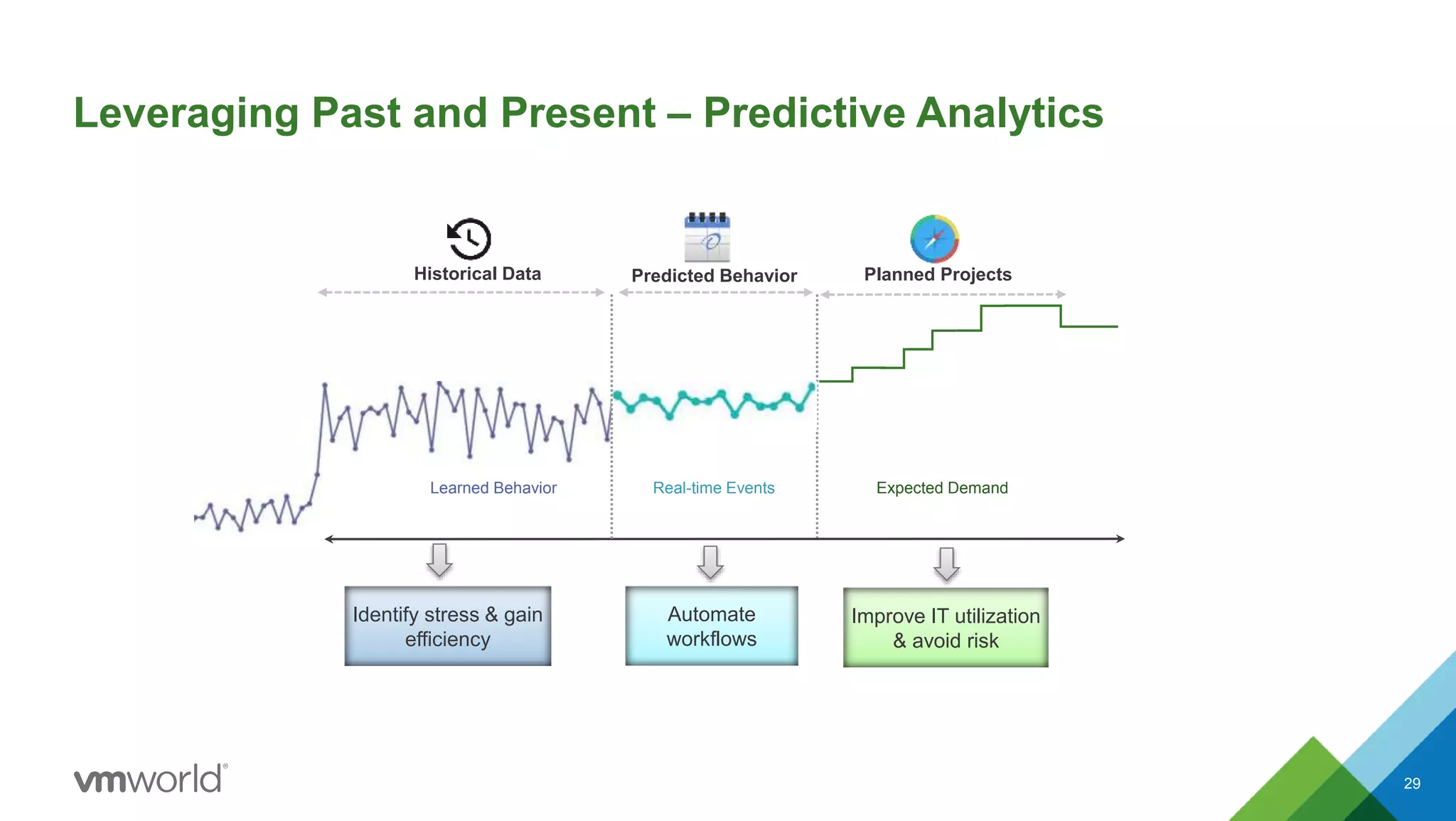
Learned Behavior
Historical Data Planned ProjectsPredicted Behavior
Leveraging Past and Present – Predictive Analytics
29
Expected DemandReal-time Events
Automate
workflows
Improve IT utilization
& avoid risk
Identify stress & gain
efficiency
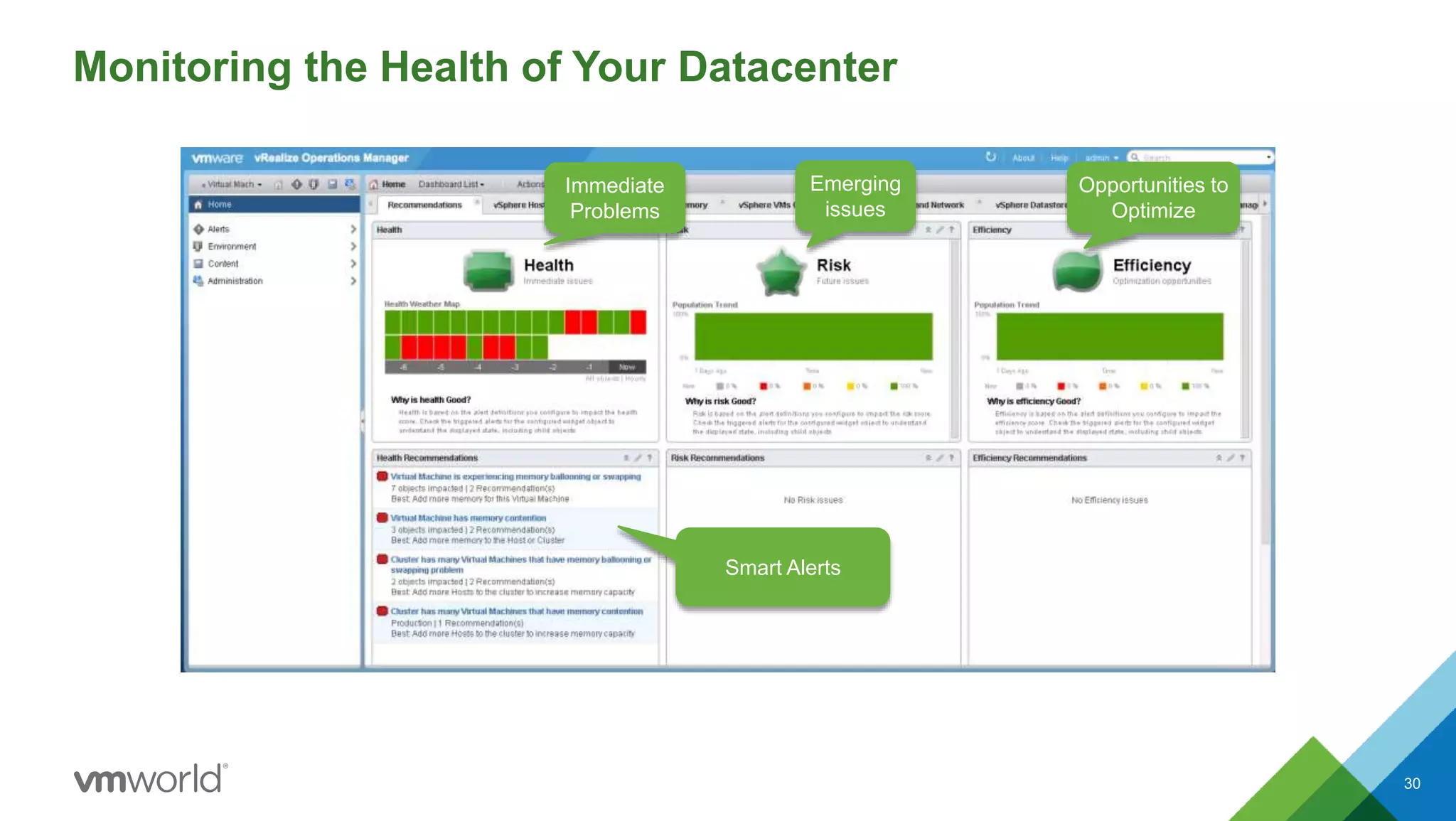
Immediate
Problems
Emerging
issues
Opportunities to
Optimize
Smart Alerts
Monitoring the Health of Your Datacenter
30
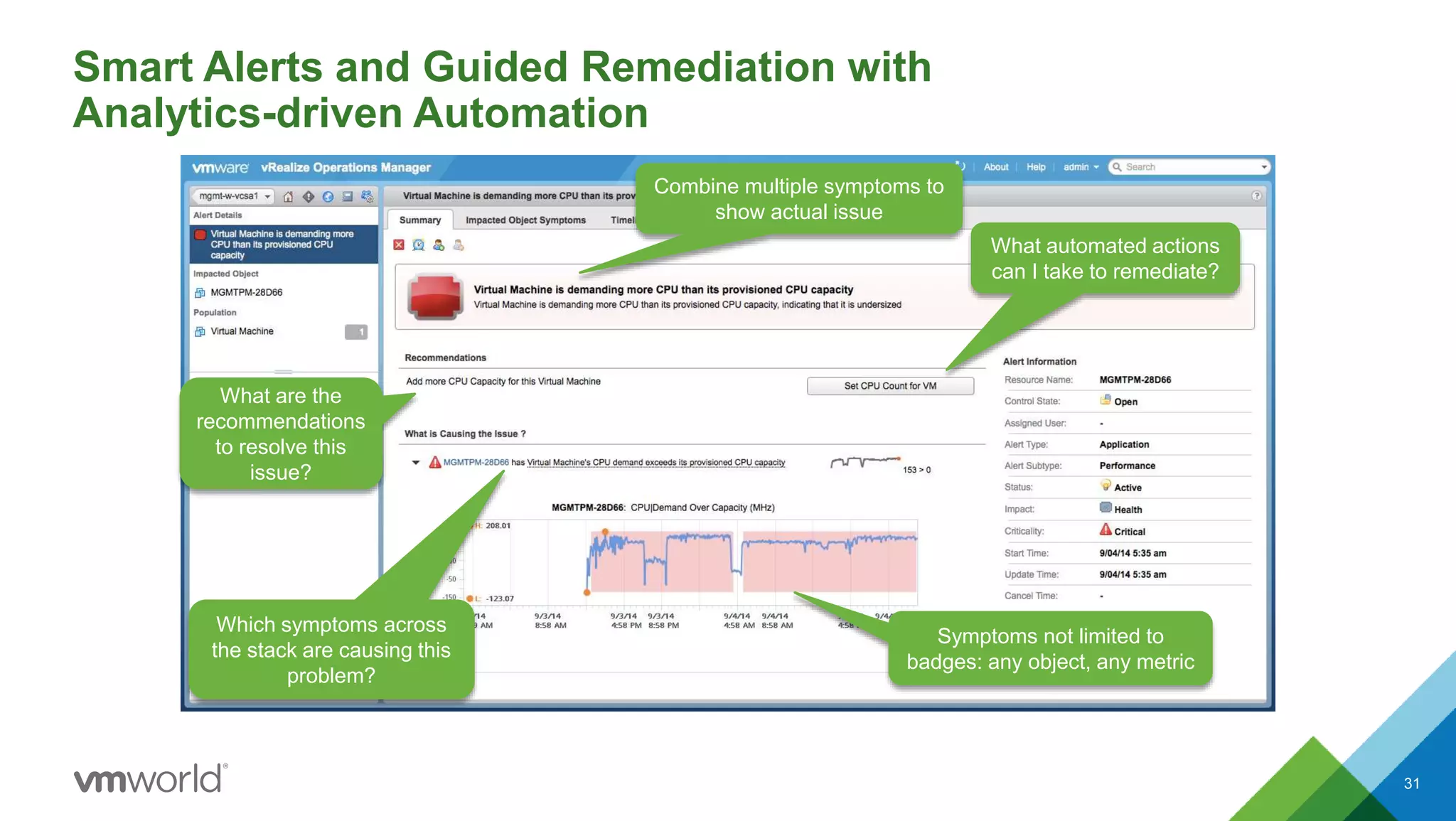
Smart Alerts and Guided Remediation with
Analytics-driven Automation
31
Combine multiple symptoms to
show actual issue
Symptoms not limited to
badges: any object, any metric
What are the
recommendations
to resolve this
issue?
What automated actions
can I take to remediate?
Which symptoms across
the stack are causing this
problem?
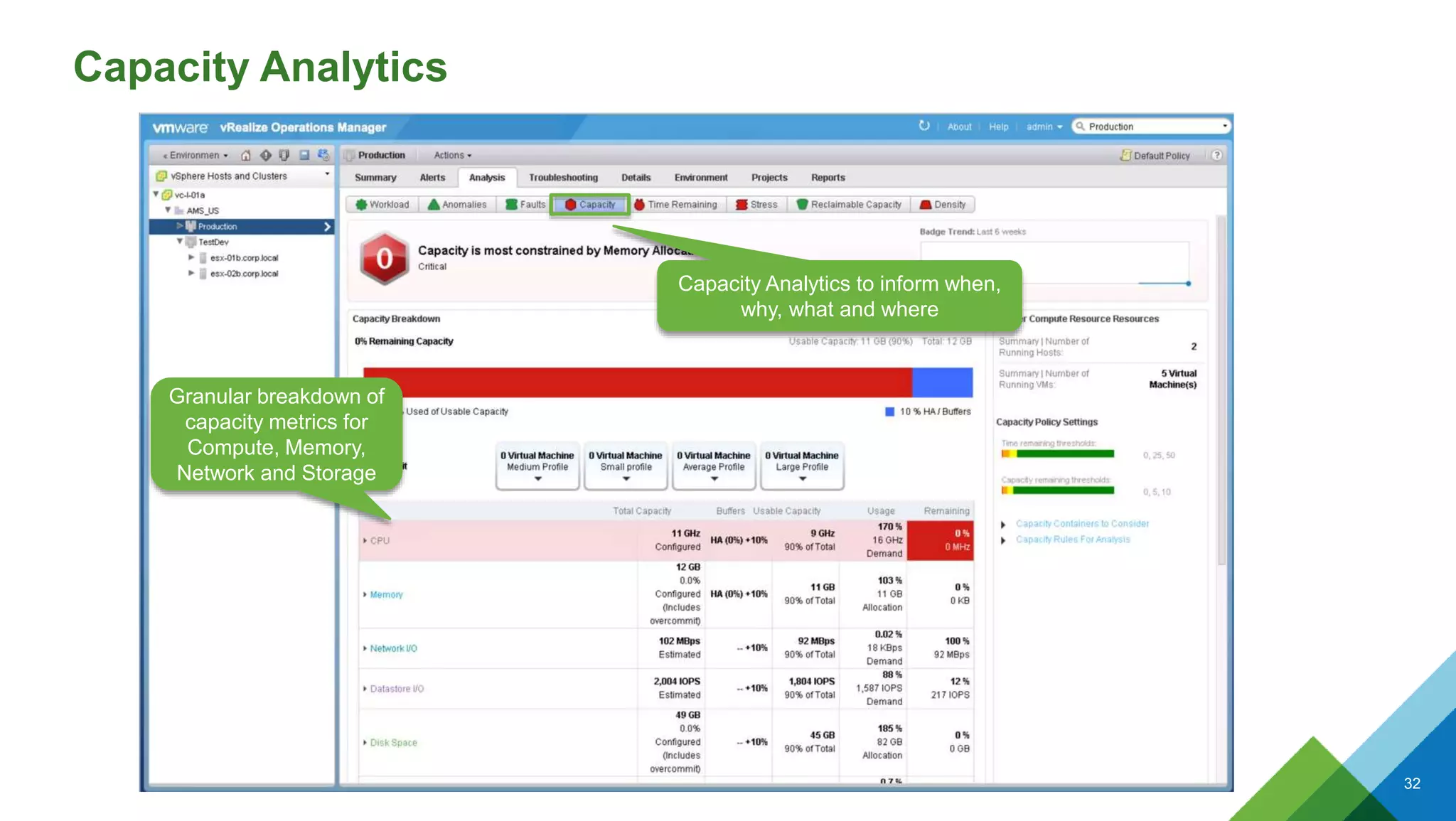
Capacity Analytics
CONFIDENTIAL 32
Capacity Analytics to inform when,
why, what and where
Granular breakdown of
capacity metrics for
Compute, Memory,
Network and Storage
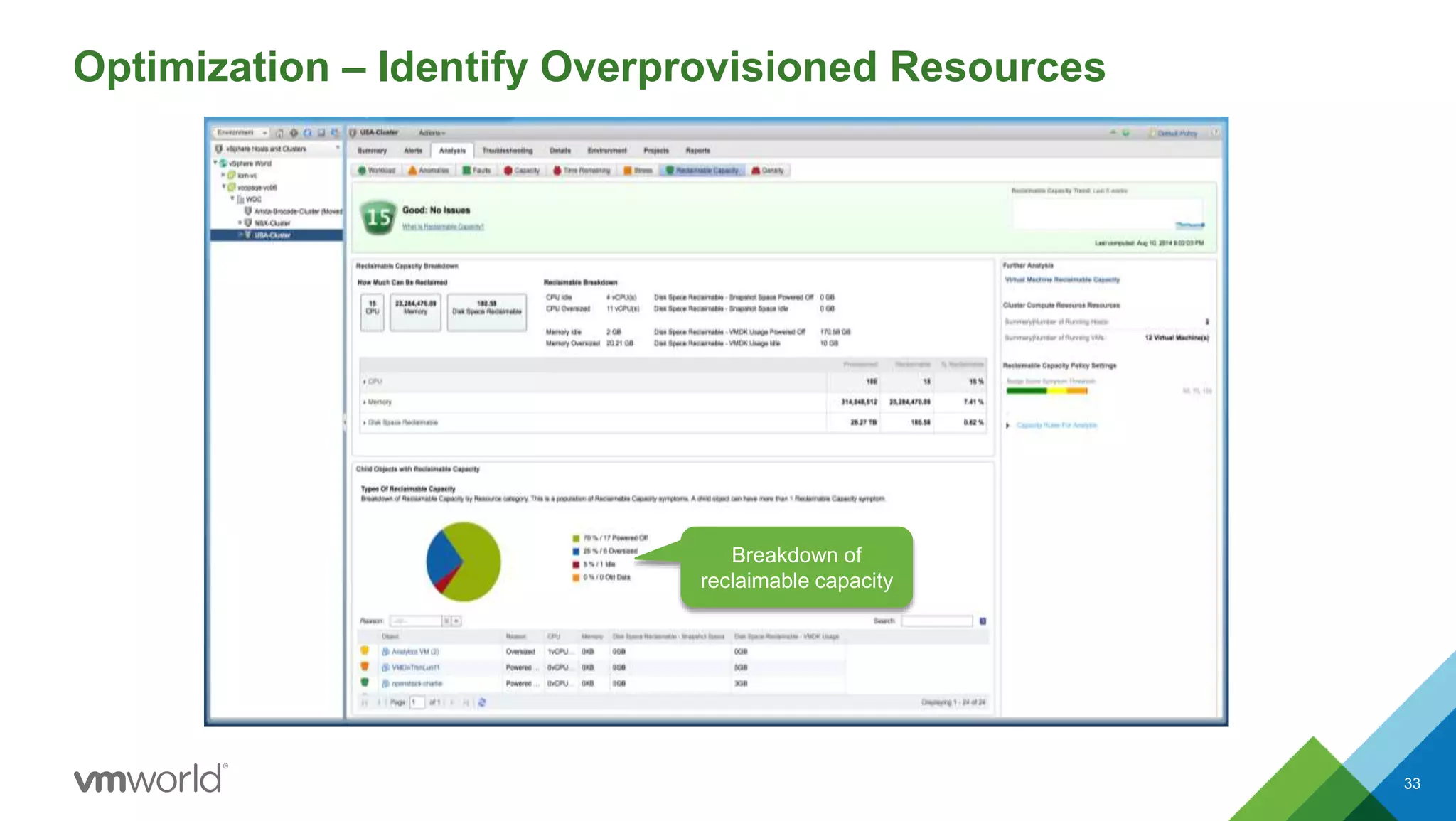
Optimization – Identify Overprovisioned Resources
33
Breakdown of
reclaimable capacity
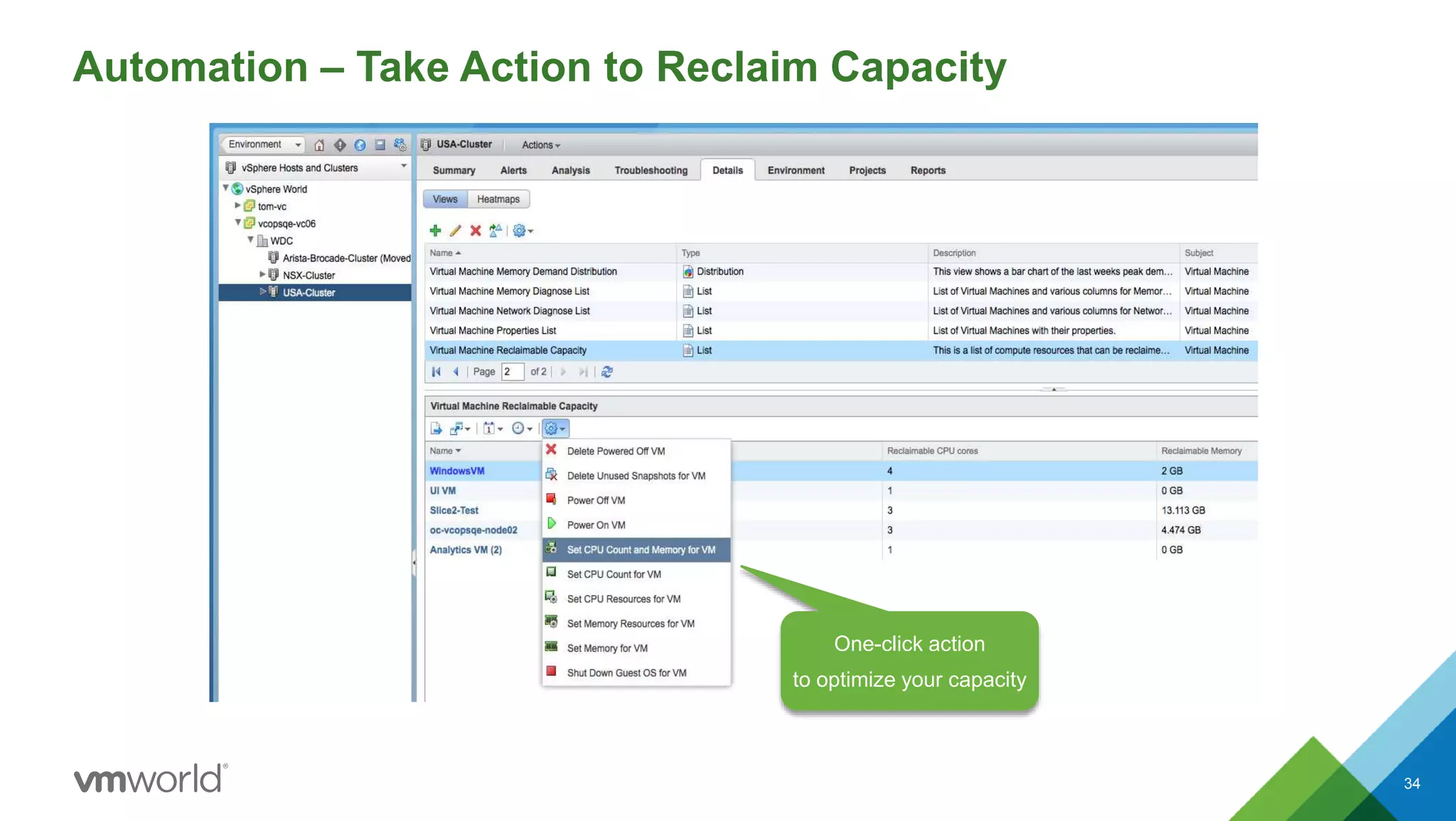
Automation – Take Action to Reclaim Capacity
34
One-click action
to optimize your capacity
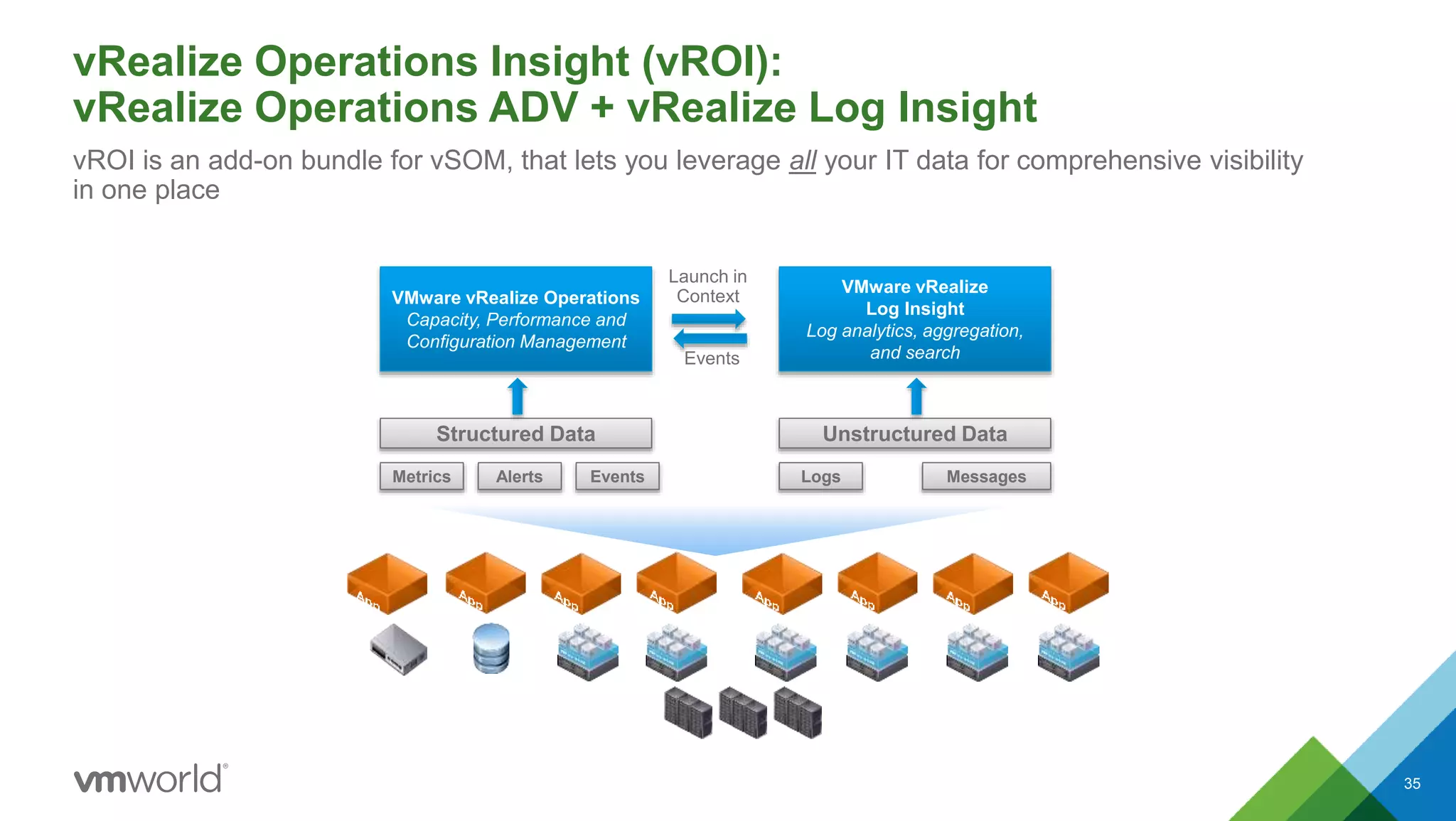
vRealize Operations Insight (vROI):
vRealize Operations ADV + vRealize Log Insight
35
vROI is an add-on bundle for vSOM, that lets you leverage all your IT data for comprehensive visibility
in one place
Structured Data
Metrics Alerts Events
VMware vRealize Operations
Capacity, Performance and
Configuration Management
Events
Launch in
Context
Unstructured Data
Logs Messages
VMware vRealize
Log Insight
Log analytics, aggregation,
and search
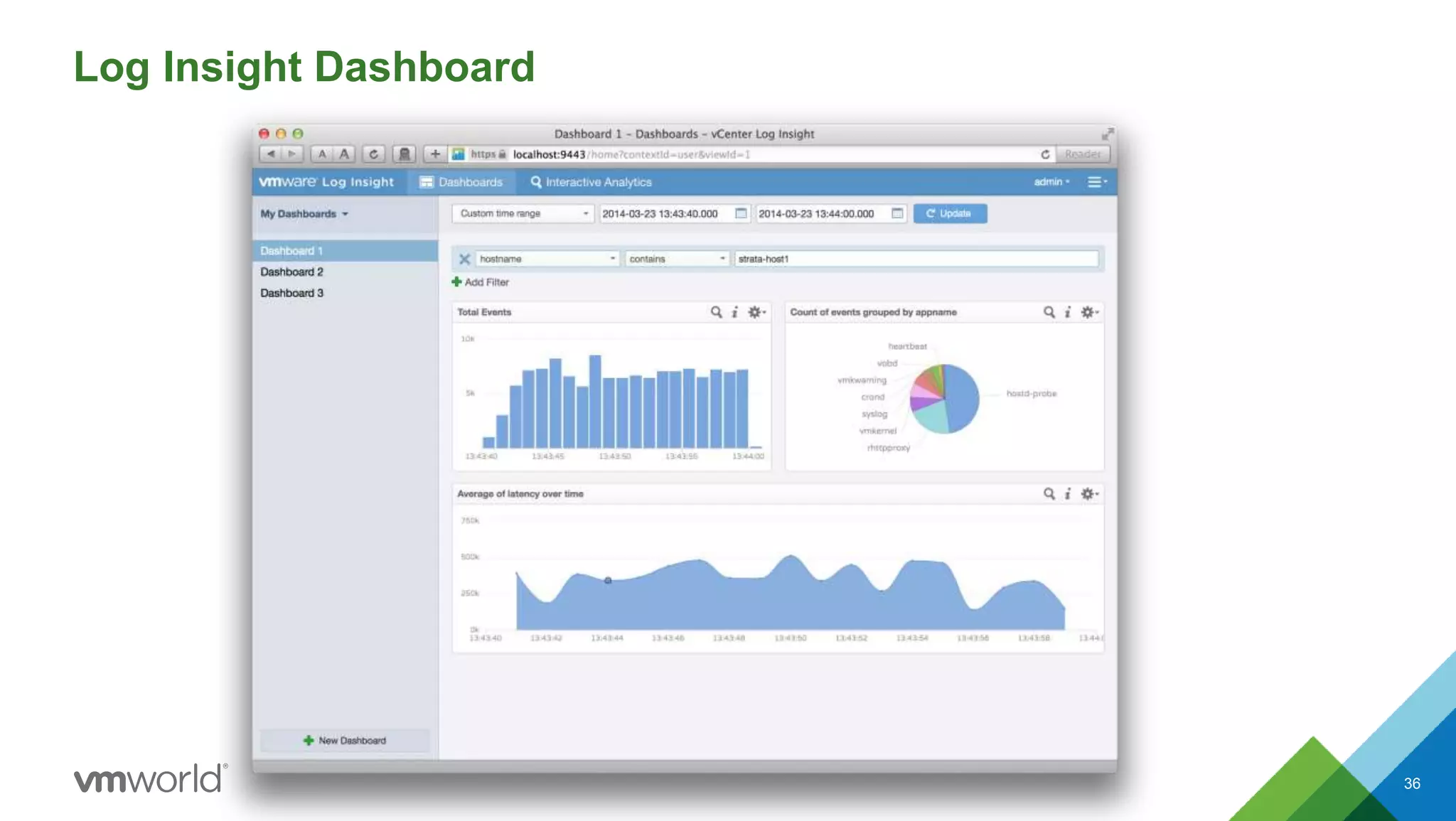
Log Insight Dashboard
36
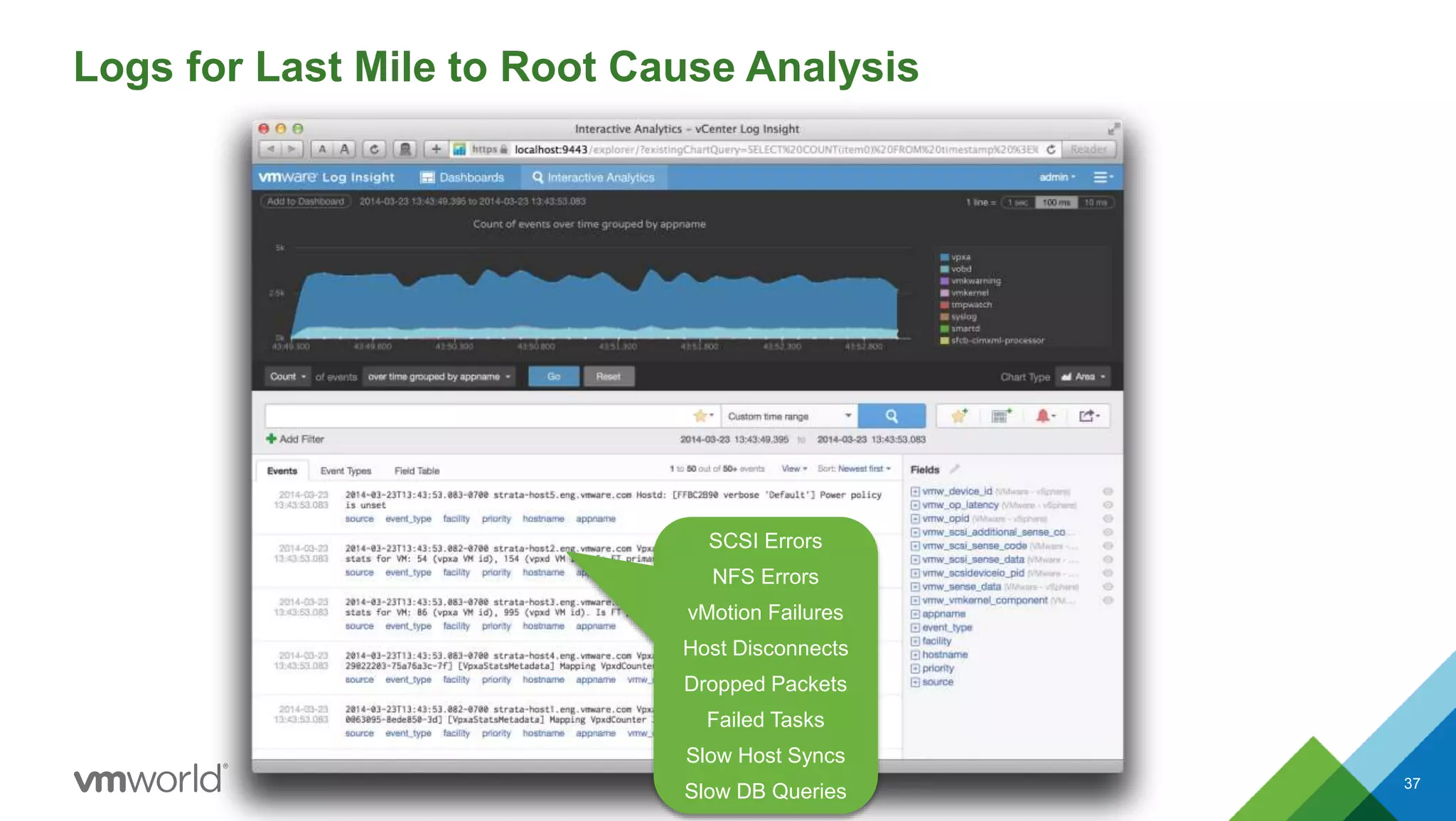
Logs for Last Mile to Root Cause Analysis
37
SCSI Errors
NFS Errors
vMotion Failures
Host Disconnects
Dropped Packets
Failed Tasks
Slow Host Syncs
Slow DB Queries
Monitor compliance to
standards
PCI DSS Standard
Take action on non-compliant items by launching
Configuration Manager
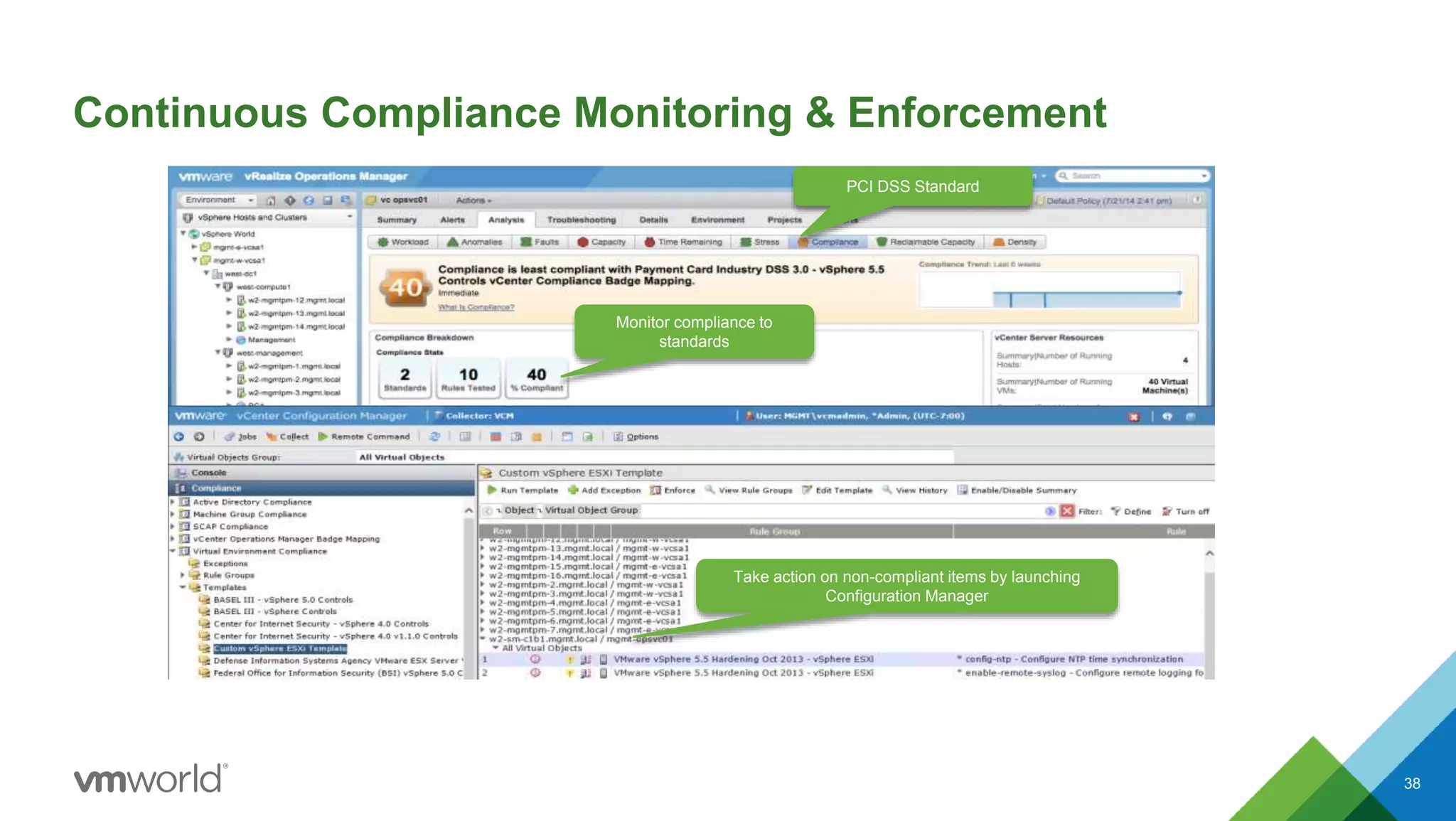
Continuous Compliance Monitoring & Enforcement
38
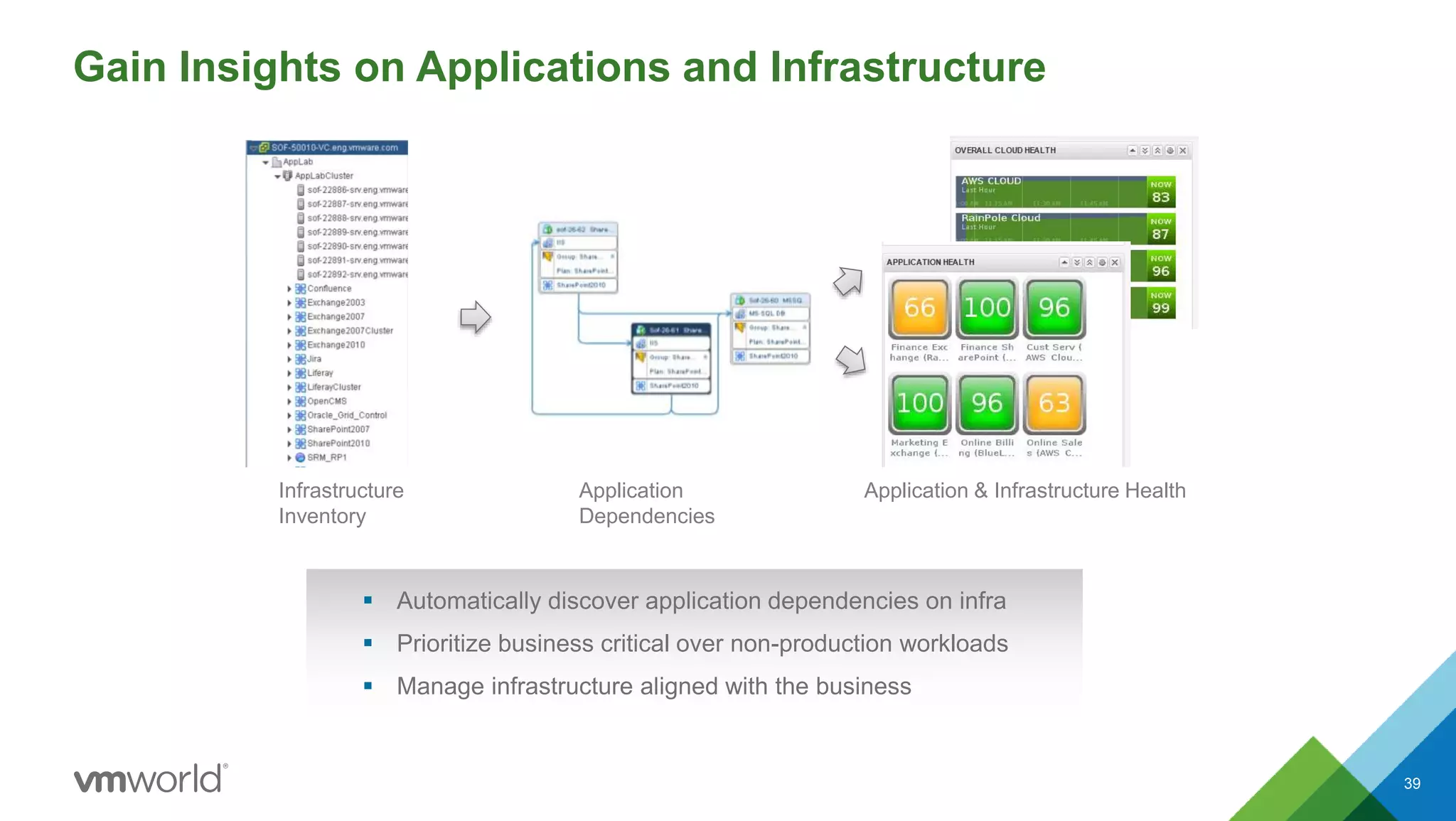
Gain Insights on Applications and Infrastructure
39
Infrastructure
Inventory
Application
Dependencies
Application & Infrastructure Health
 Automatically discover application dependencies on infra
 Prioritize business critical over non-production workloads
 Manage infrastructure aligned with the business
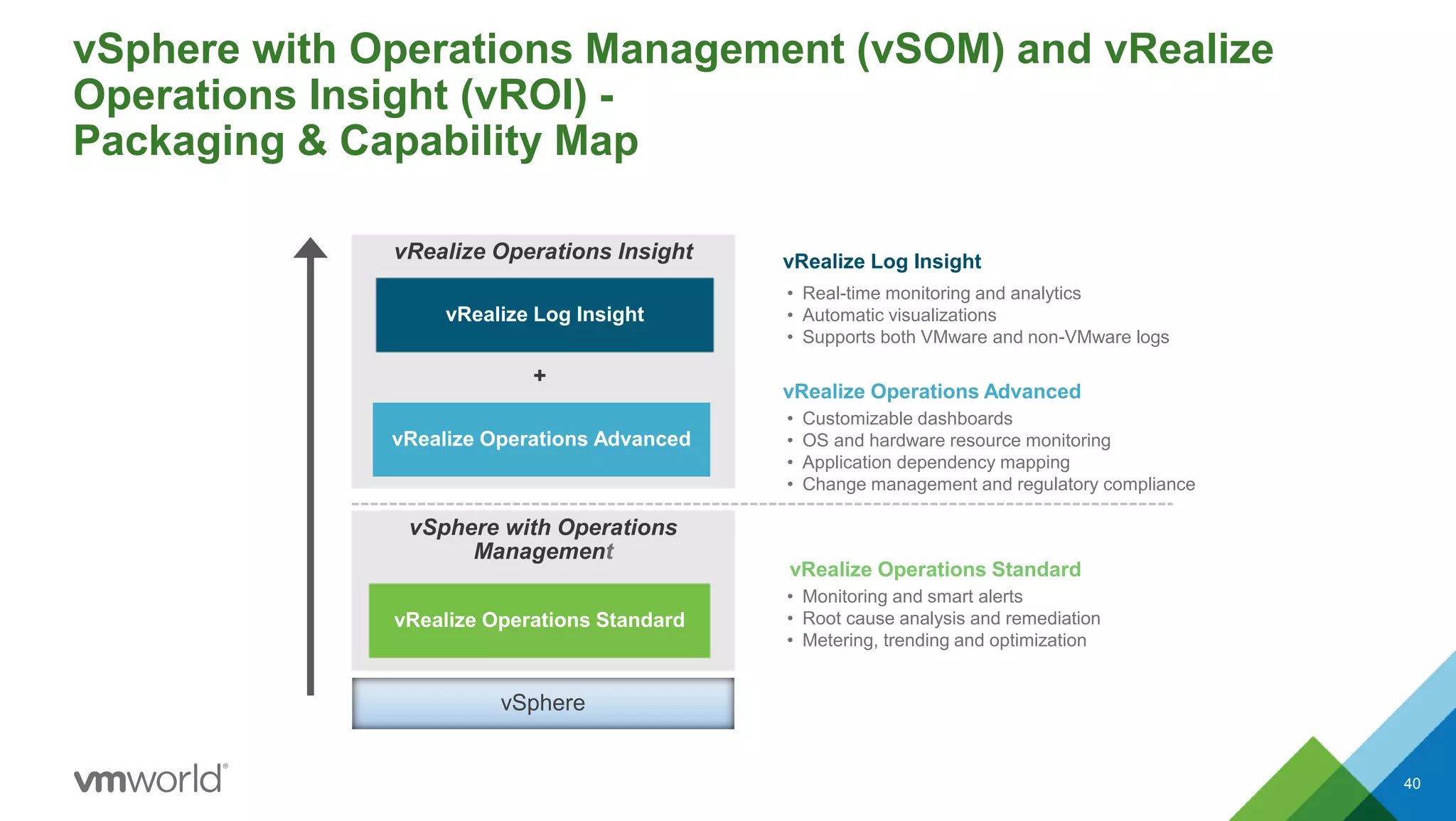
vSphere with Operations Management (vSOM) and vRealize
Operations Insight (vROI) -
Packaging & Capability Map
40
vSphere with Operations
Management
vRealize Operations Standard
vSphere
vRealize Operations Insight
vRealize Operations Advanced
vRealize Log Insight
✚
• Monitoring and smart alerts
• Root cause analysis and remediation
• Metering, trending and optimization
• Customizable dashboards
• OS and hardware resource monitoring
• Application dependency mapping
• Change management and regulatory compliance
vRealize Operations Standard
vRealize Operations Advanced
• Real-time monitoring and analytics
• Automatic visualizations
• Supports both VMware and non-VMware logs
vRealize Log Insight
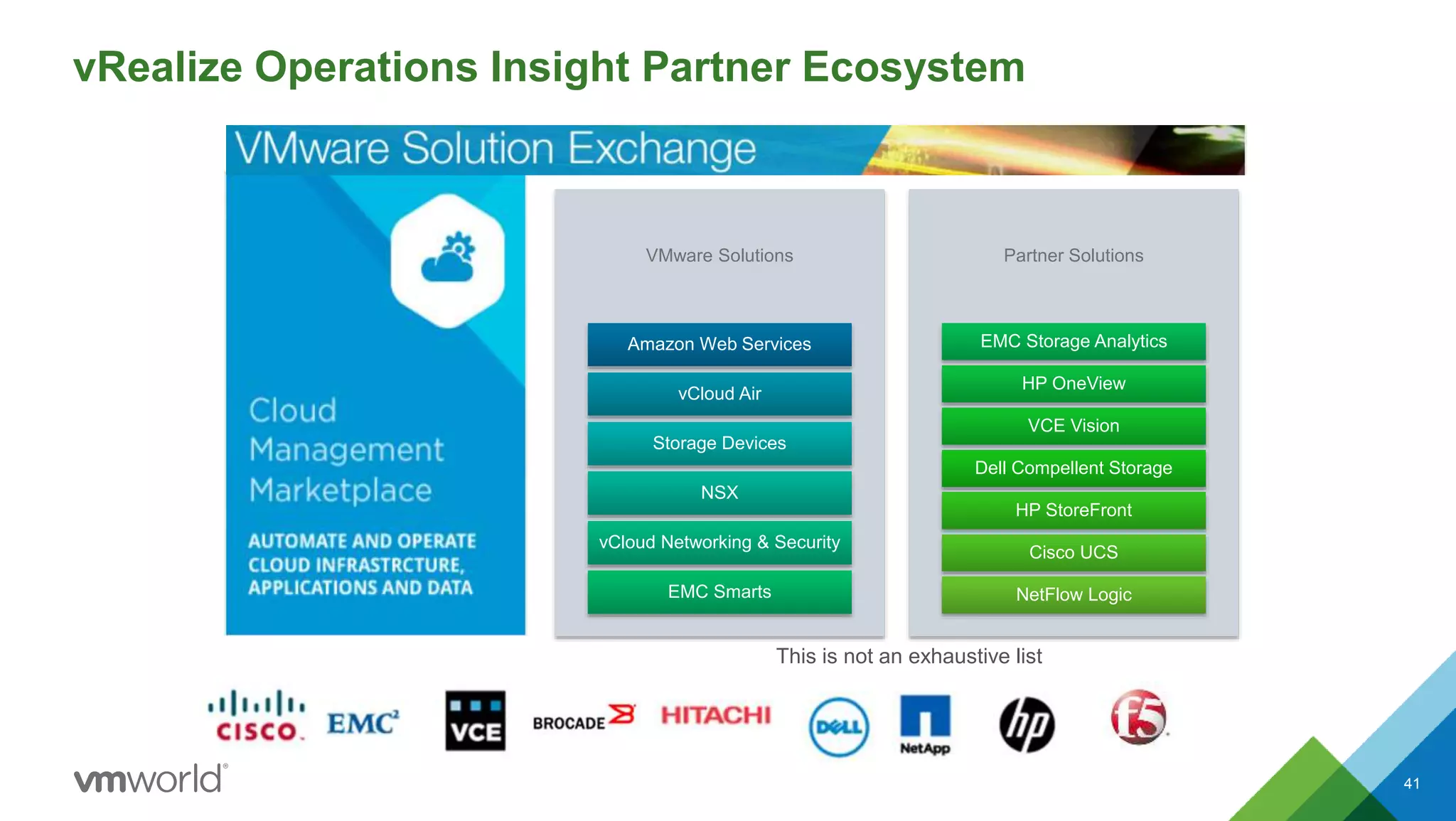
vRealize Operations Insight Partner Ecosystem
41
This is not an exhaustive list
VMware Solutions
Amazon Web Services
vCloud Air
Storage Devices
NSX
vCloud Networking & Security
EMC Smarts
Partner Solutions
EMC Storage Analytics
HP OneView
VCE Vision
Dell Compellent Storage
HP StoreFront
Cisco UCS
NetFlow Logic
vSphere with Operations Management 6.1
vRealize Operations Insight 6.1
Coming Soon
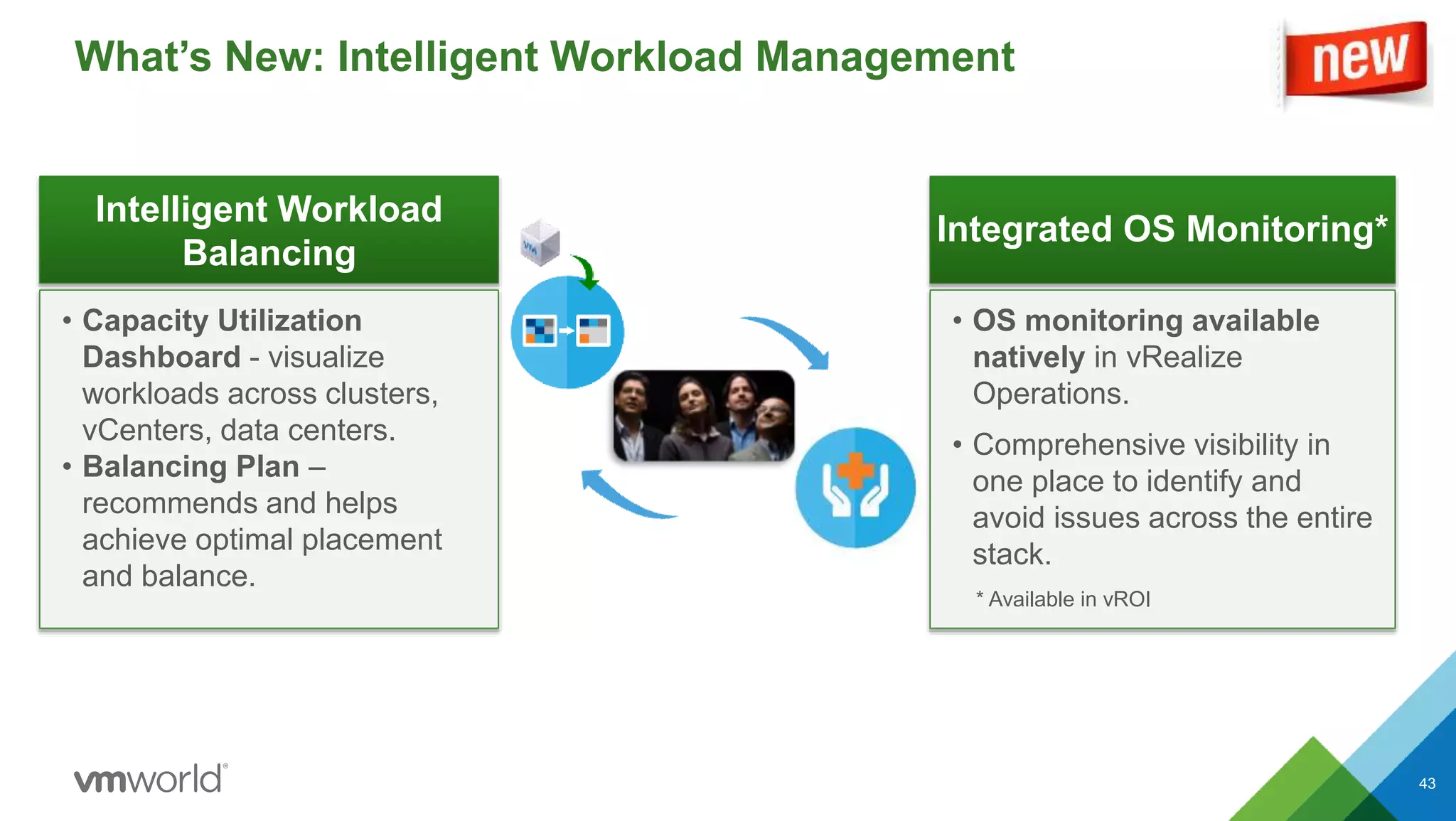
What’s New: Intelligent Workload Management
43
Intelligent Workload
Balancing
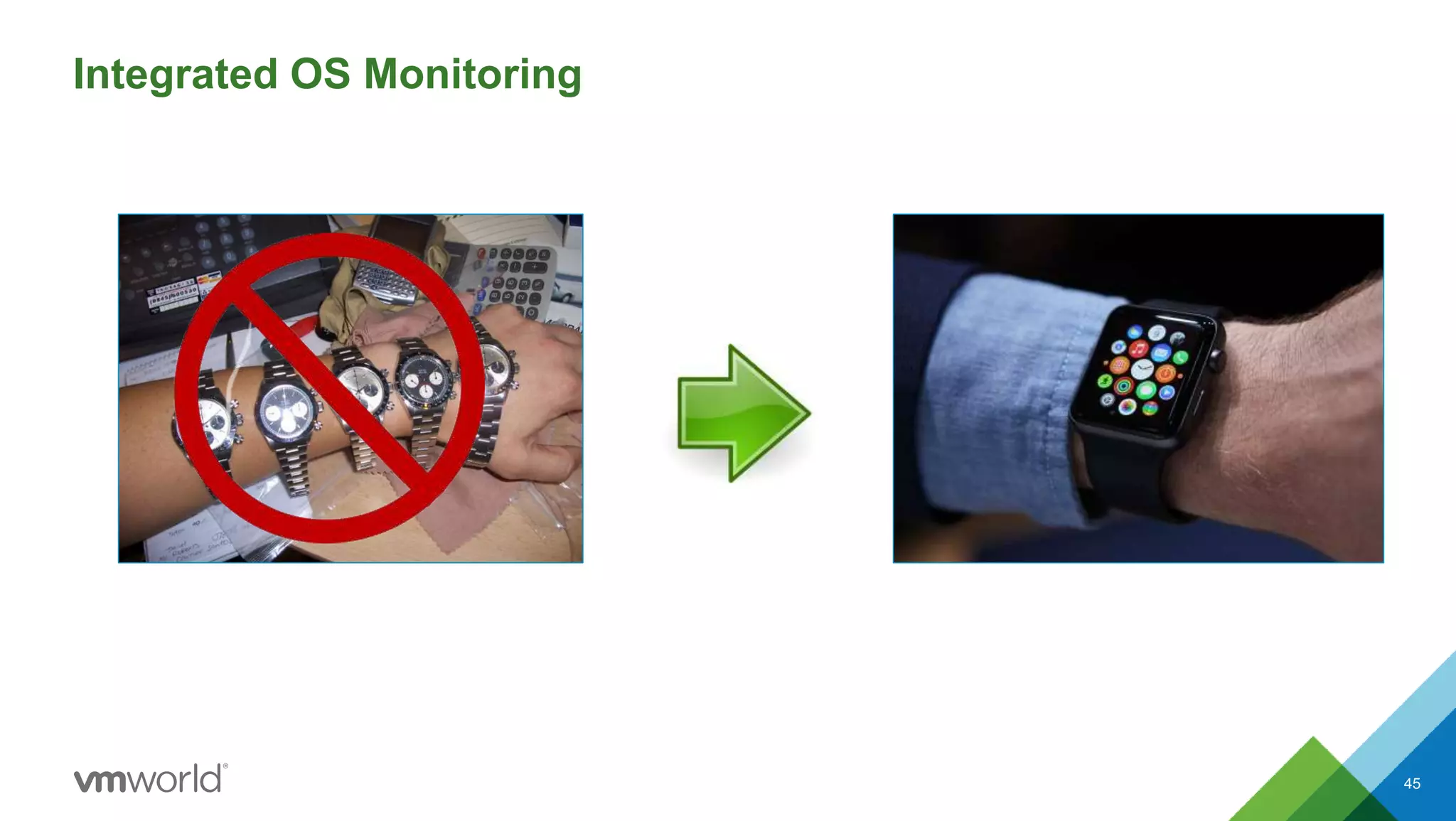
Integrated OS Monitoring*
• Capacity Utilization
Dashboard - visualize
workloads across clusters,
vCenters, data centers.
• Balancing Plan –
recommends and helps
achieve optimal placement
and balance.
• OS monitoring available
natively in vRealize
Operations.
• Comprehensive visibility in
one place to identify and
avoid issues across the entire
stack.
* Available in vROI
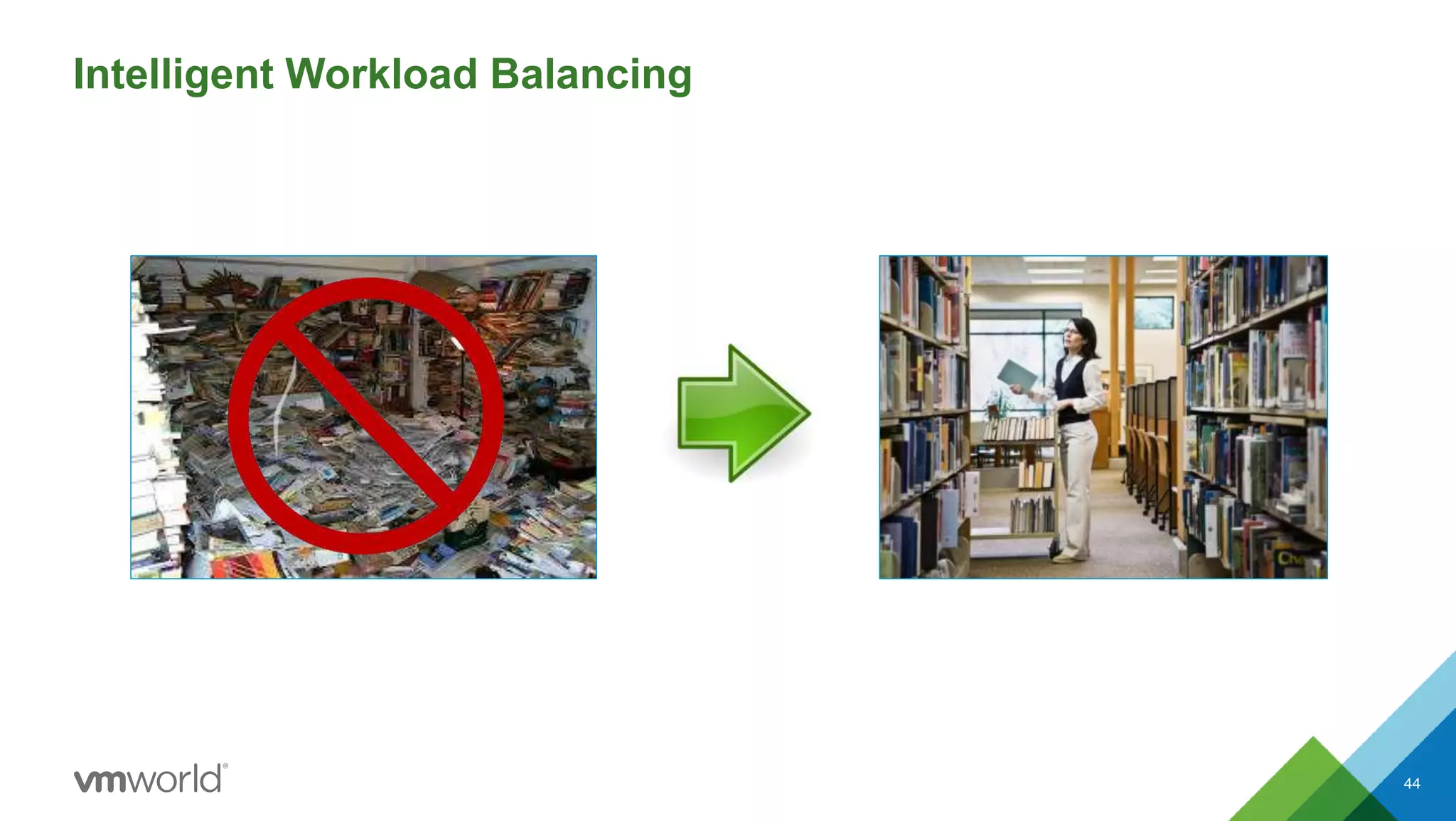
Intelligent Workload Balancing
44
Integrated OS Monitoring
45
How You and Your Organization
Can Benefit
vSphere with Operations Management –
Get More from Your vSphere
47
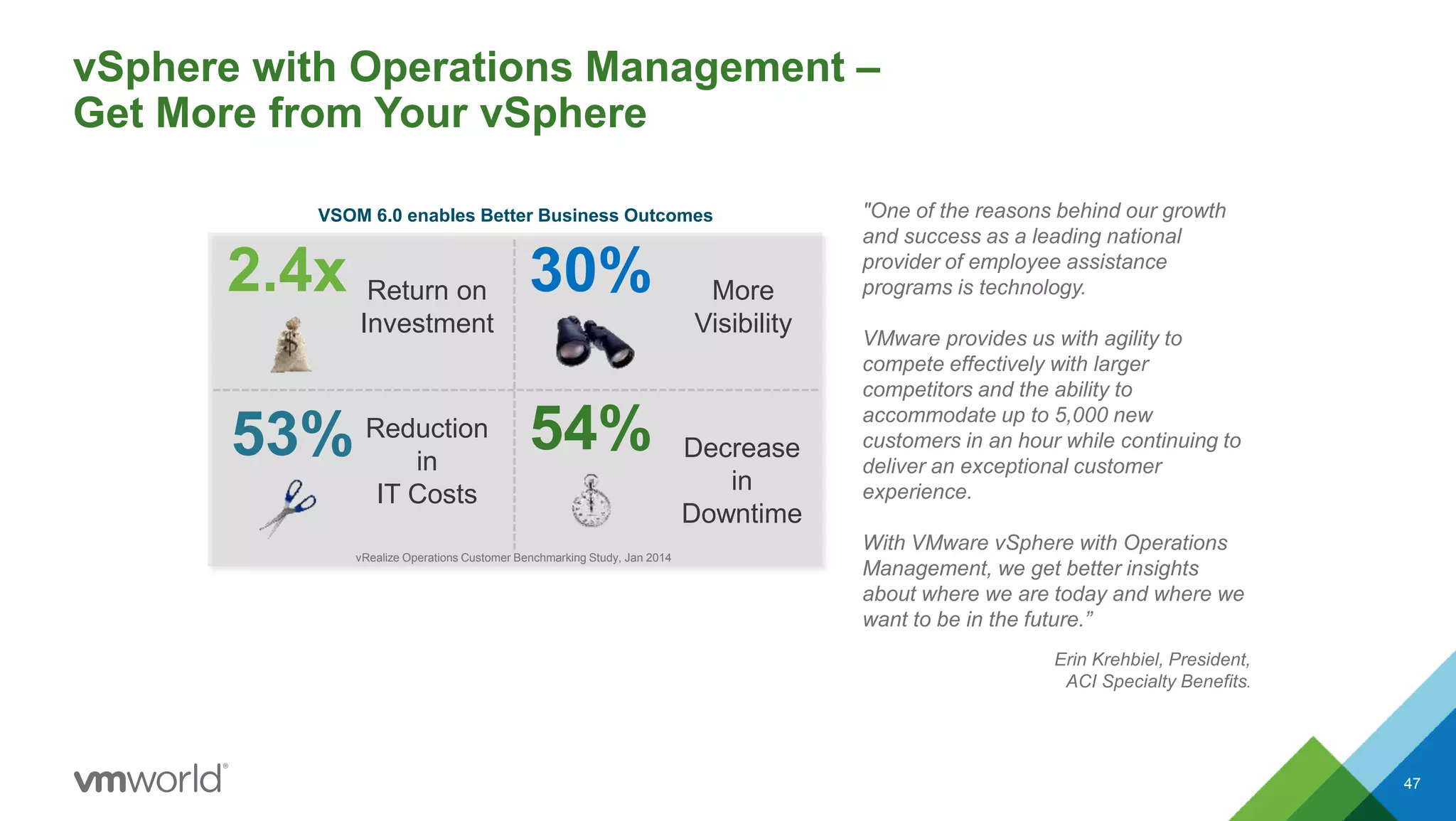
VSOM 6.0 enables Better Business Outcomes
2.4x Return on
Investment
30% More
Visibility
53% Reduction
in
IT Costs
54% Decrease
in
Downtime
vRealize Operations Customer Benchmarking Study, Jan 2014
"One of the reasons behind our growth
and success as a leading national
provider of employee assistance
programs is technology.
VMware provides us with agility to
compete effectively with larger
competitors and the ability to
accommodate up to 5,000 new
customers in an hour while continuing to
deliver an exceptional customer
experience.
With VMware vSphere with Operations
Management, we get better insights
about where we are today and where we
want to be in the future.”
Erin Krehbiel, President,
ACI Specialty Benefits.
Customers Increase Data Center Availability and
Optimize IT Resources
48
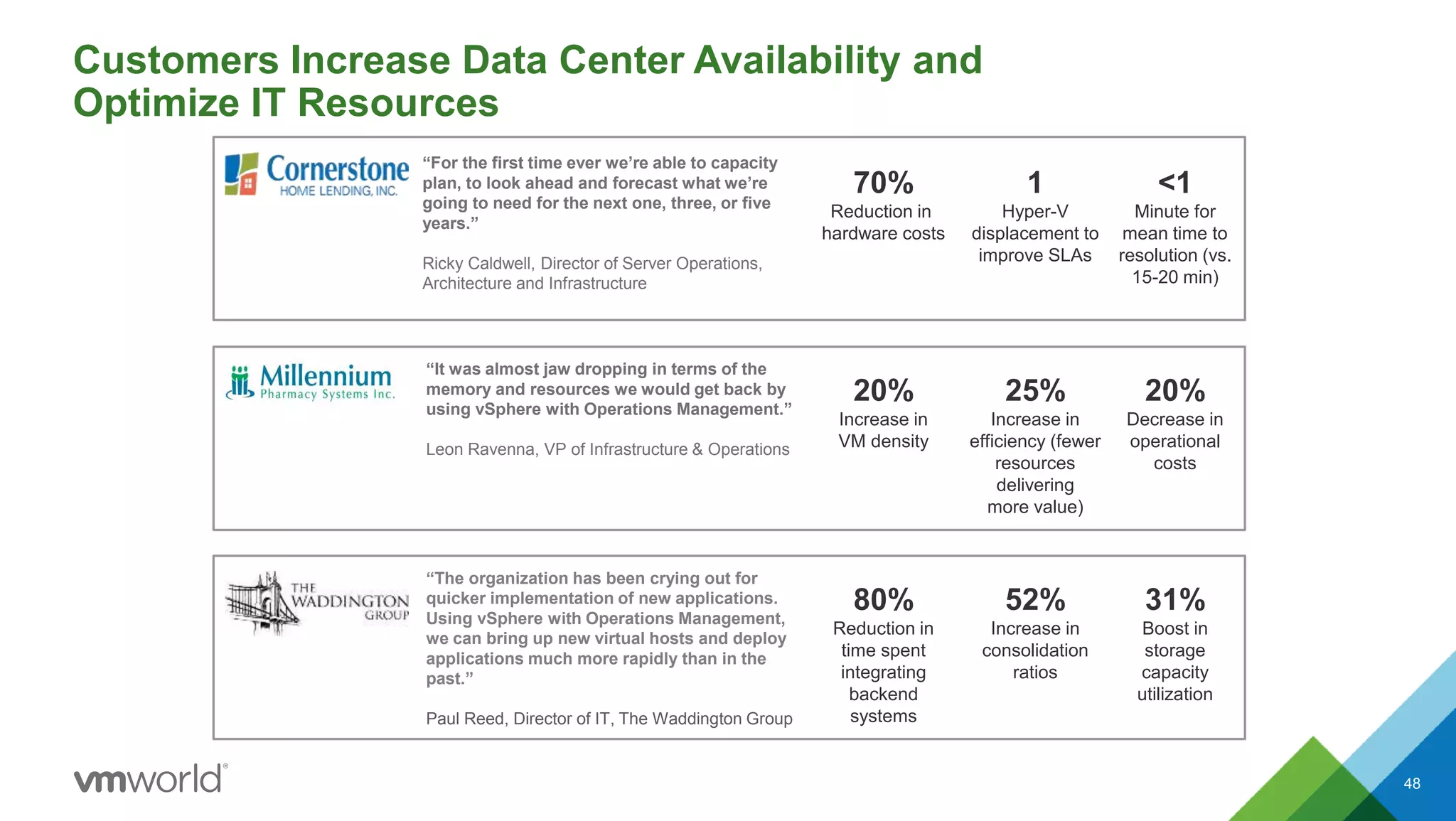
1
Hyper-V
displacement to
improve SLAs
<1
Minute for
mean time to
resolution (vs.
15-20 min)
“For the first time ever we’re able to capacity
plan, to look ahead and forecast what we’re
going to need for the next one, three, or five
years.”
Ricky Caldwell, Director of Server Operations,
Architecture and Infrastructure
“It was almost jaw dropping in terms of the
memory and resources we would get back by
using vSphere with Operations Management.”
Leon Ravenna, VP of Infrastructure & Operations
25%
Increase in
efficiency (fewer
resources
delivering
more value)
20%
Increase in
VM density
70%
Reduction in
hardware costs
20%
Decrease in
operational
costs
“The organization has been crying out for
quicker implementation of new applications.
Using vSphere with Operations Management,
we can bring up new virtual hosts and deploy
applications much more rapidly than in the
past.”
Paul Reed, Director of IT, The Waddington Group
52%
Increase in
consolidation
ratios
80%
Reduction in
time spent
integrating
backend
systems
31%
Boost in
storage
capacity
utilization
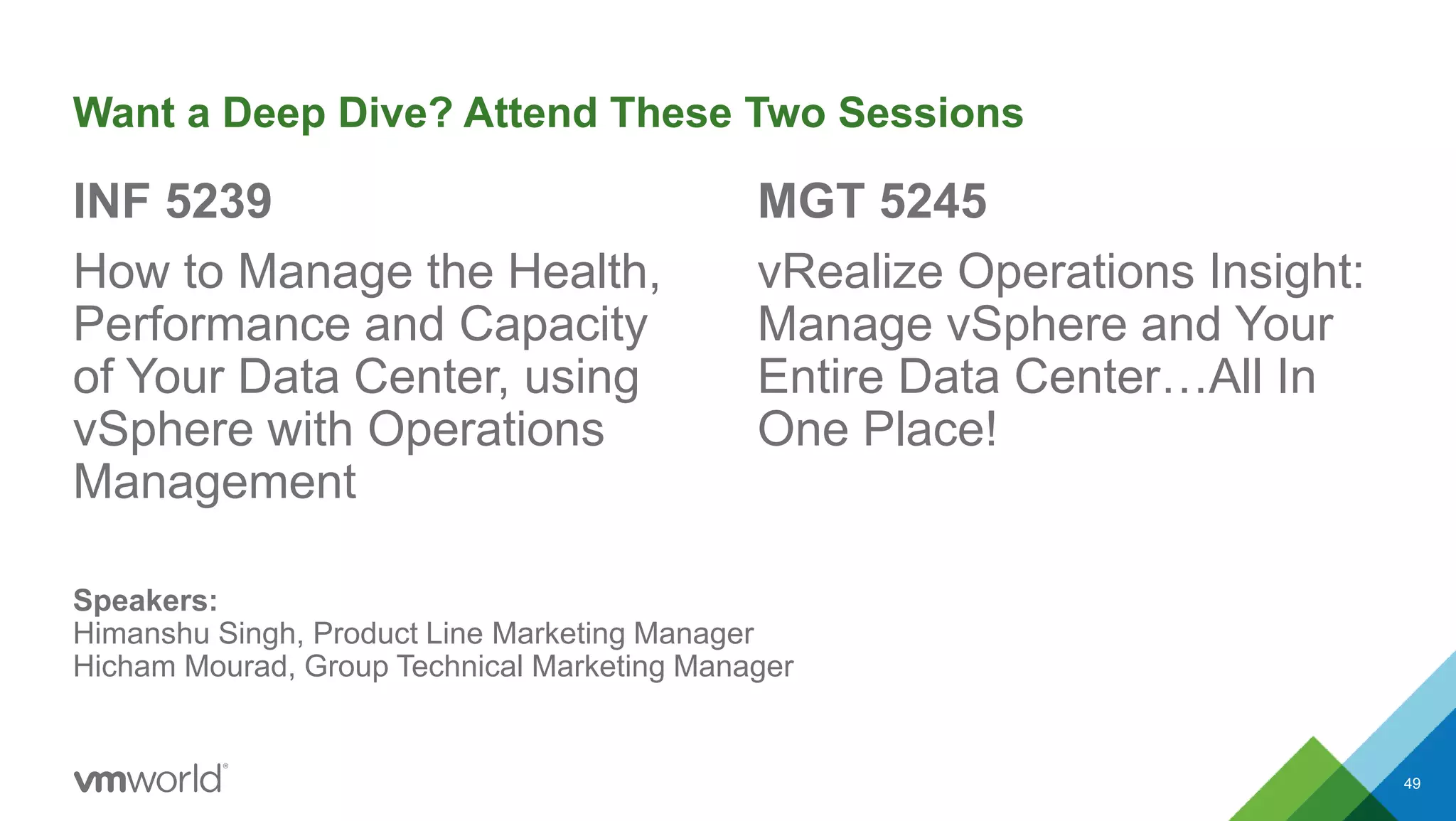
Want a Deep Dive? Attend These Two Sessions
INF 5239
How to Manage the Health,
Performance and Capacity
of Your Data Center, using
vSphere with Operations
Management
MGT 5245
vRealize Operations Insight:
Manage vSphere and Your
Entire Data Center…All In
One Place!
49
Speakers:
Himanshu Singh, Product Line Marketing Manager
Hicham Mourad, Group Technical Marketing Manager
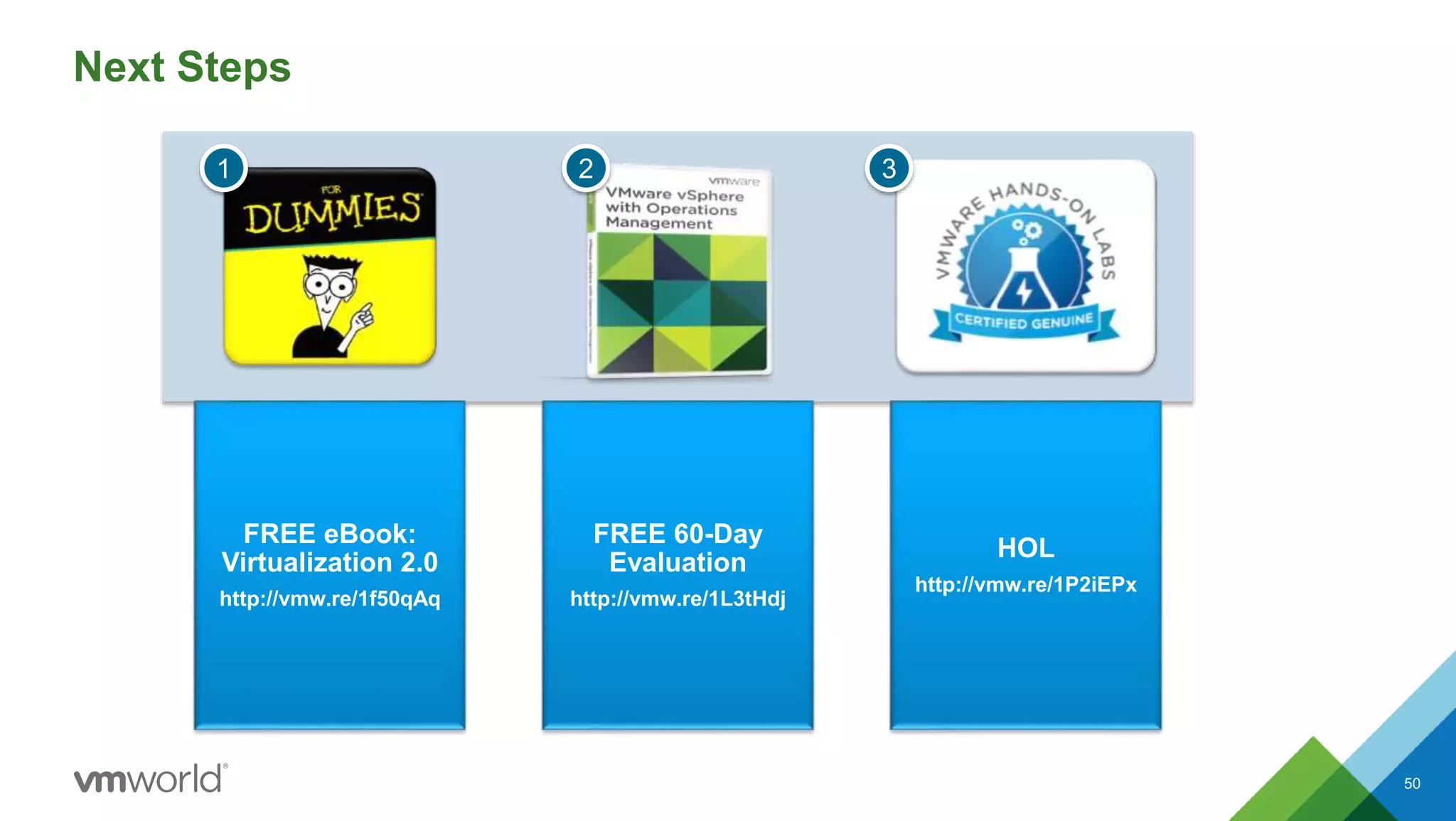
Next Steps
50
FREE eBook:
Virtualization 2.0
http://vmw.re/1f50qAq
FREE 60-Day
Evaluation
http://vmw.re/1L3tHdj
HOL
http://vmw.re/1P2iEPx
1 2 3
Q & A
Take Virtualization to the Next Level:
vSphere with Operations Management
Martin Yip, VMware, Inc
Himanshu Singh, VMware, Inc
INF4586
#INF4586

VMworld 2015: Take Virtualization to the Next Level vSphere with Operations Management

  • 1.
    Take Virtualization tothe Next Level: vSphere with Operations Management Martin Yip, VMware, Inc Himanshu Singh, VMware, Inc INF4586 #INF4586
  • 2.
    • This presentationmay contain product features that are currently under development. • This overview of new technology represents no commitment from VMware to deliver these features in any generally available product. • Features are subject to change, and must not be included in contracts, purchase orders, or sales agreements of any kind. • Technical feasibility and market demand will affect final delivery. • Pricing and packaging for any new technologies or features discussed or presented have not been determined. Disclaimer 2
  • 3.
    Agenda 3 1 Market Perspective 2What’s New in vSphere 3 What’s New in Operations Management 4 Proof Points and Customer Successes 5 Next Steps 6 Q & A
  • 4.
    IT at the Speedof Business Customers Need Help Bridging Between Existing and New IT to Support the Business and ALL Workloads 4 * Source: Gartner, 2013: “Hunting and Harvesting in a Digital World: The 2013 CIO Agenda” IT Technology Eras Mainframe Client-Server Mobile-Cloud $ $ $ $ $ $ Ability of IT to Deliver Steady IT Budgets* Business Expectations
  • 5.
    Public CloudPrivate Cloud Software-DefinedData Center Hybrid Cloud Applications 5 One Cloud, Any Application vSphere with Operations Management is the Foundation
  • 6.
    The Transformative Opportunityfor IT Provide Solutions at the Speed the Business Operates Move from being Reactive to Proactive Become a Strategic Partner to the Business • Quickly deliver reliable services and applications and be more flexible to business requests • Enable higher performance and availability of infrastructure and applications • Deliver not just operational efficiency, but improve the way the business operates and add value and differentiation along the way. 6
  • 7.
    What Does ITNeed to Fuel this Transformation #1 - Match Speed of the Business Consistent management and automation for the virtual data center Optimize infrastructure efficiency and IT productivity Infrastructure designed for mobile, social, big data and hybrid cloud apps 7
  • 8.
    What Does ITNeed to Fuel this Transformation #2 – Become Proactive Get meaningful insights in one place, covering the entire stack Get better visibility into dependencies of apps to infra Improve performance and reduce downtimes 8
  • 9.
    What Does ITNeed to Fuel this Transformation #3 – Become a Strategic Partner to the Business Optimize workload placement and balancing, for better app performance Enforce IT standards and security hardening guidelines, to improve operations Safely automate manual tasks at an effective scale, with customizable and adaptable tools 9
  • 10.
    Today’s Reality inVirtualized Data Centers 10 Monitoring Data Overload Alert Storms Finger Pointing DBA VI Storage Over-provisioning
  • 11.
    What is vSpherewith Operations Management? vSphere vRealize Operations vSphere with Operations Management 11
  • 12.
  • 13.
    vSphere 6 |The Platform for Any Application 13 • 2x to 4x scale increase across the platform • Enhanced 2D / 3D support w. NVIDIA GRID vGPU • Rapid provisioning 10x faster with Instant Clone Scale & Performance Breakthrough Availability Simplified Data Center Management • Zero Downtime Live Migration (vMotion) over long distance and across boundaries • Continuous Availability (Fault Tolerance) for multi-processor VMs • Sharing across environments - Content Library • More responsive and streamlined Web Client • vCenter Server the way you like
  • 14.
    Unified Platform forAny Application CONFIDENTIAL 14 Scale-up, Scale-out, and Everything in Between Scale-Up Scale-Out
  • 15.
    2x 2x 1.5x 3x 2x 2x 4x Cloud and Business-CriticalApplications Require Scale 15 Up to 4X Scale Improvement with vSphere 6 vSphere 5.5 vSphere 6 Hosts per Cluster 32 64 VMs per Cluster 4,000 8,000 CPUs per Host 320 480 RAM per Host 4 TB 12 TB1 VMs per Host 512 1,024 Virtual CPUs per VM 64 128 Virtual RAM per VM 1 TB 4 TB 1 With specific server OEM partners
  • 16.
    • Superior 2Dand 3D graphics on hosts with NVIDIA GRID GPU • Enables shared access to physical GPUs • Uses native NVIDIA drivers • Best for high performance needs like desktop virtualization with graphic intensive applications in the fields of healthcare, manufacturing, higher education, and oil & gas Overview • Superior 2D and 3D graphics • Full capabilities of physical NVIDIA GPUs • High Density, Low Cost Graphics workstation Benefits NVIDIA GRID vGPU 16 Superior 2D and 3D Graphics for Virtual Environments
  • 17.
    • Technology thatenables the ability to rapidly clone and provision thousands of VMs in minutes. • Part of vSphere 6.0 but will be enabled by other applications such as BDE and Horizon View in later releases. Overview • Clone VMs 10X faster than what is currently possible today • Deploy thousands of virtual desktops in a matter of minutes versus what would normally take hours Benefits Instant Clone 17 Rapidly Clone and Provision Virtual Machines Lighting Fast Cloning
  • 18.
  • 19.
    • Targeting cross-continentaldistances –up to 150 ms RTTs • Maintain standard vMotion guarantees • Leader in VM flexibility Overview* • Permanent migrations between data centers • Disaster avoidance (DA) • SRM/DA testing • Multi-site load balancing • Follow the sun Benefits Long-Distance vMotion 19 The Next Generation in vMotion Innovation Instantaneous Failover *vSphere 6 will also support cross switch and cross vCenter Server vMotions
  • 20.
    Fault Tolerance forMulti-Processor VMs 20 Symmetric Multi-Processor Fault Tolerance – Multi- vCPU Support Instantaneous Failover 4 vCPU 4 vCPU vSphere Primary Secondary Fast Checkpointing • FT support for up to 4 vCPUs; up to 93% of workloads • Protection for high performance, multi-vCPU VMs • New, more scalable technology: fast check-pointing to keep primary and secondary in sync Overview • Protect mission-critical, high-performance applications regardless of OS • Continuous availability: zero downtime, zero data loss for infrastructure failures • Fully automated response Benefits
  • 21.
  • 22.
    • Content Libraryprovides storage and versioning of files including VM templates, ISOs, and OVFs. • Includes powerful publish and subscribe features to replicate content • Backed by vSphere Datastores or NFS Overview • Simplifies management of templates • Enables synchronization between local and remote vCenter Servers • Also enables sync between vC and vCD Benefits Content Library 22 Store and Sync VMs, OVFs, and ISOs
  • 23.
    • vSphere’s coreinterface • Supported across all web browsers • Massive enhancements focused on performance and responsiveness • More intuitive and easier to navigate Overview • 5x Performance Gains • Simple to find tasks, menus, and relate context to a given task Benefits Web Client 23 Performance and Usability That Scales
  • 24.
    vCenter Server Features- Enhanced Capabilities 24 Metric Windows Appliance Hosts per VC 1,000 1,000 Powered-On VMs per VC 10,000 10,000 Hosts per Cluster 64 64 VMs per Cluster 6,000 6,000 Linked Mode ✔ ✔ • Scalability supported by both Windows Install and vCenter Server appliance. • Windows install supports Postgres and External SQL and Oracle DBs. • vCSA supports embedded Postgres and external Oracle DBs. Overview
  • 25.
    When do youplan to upgrade to vSphere 6? What vSphere 6 innovations(s)/improvement(s) do you find value in? vSphere 6.0 On Track to Be a Strong Release for VMware 25 22% 24% 31% 45% 51% 54% 66% 73% 0% 10% 20% 30% 40% 50% 60% 70% 80% Content Library NVIDIA Grid vGPU Increased Scale Virtual Volumes vCenter Server Appliance Multi-Processor Fault Tolerance Web Client Improvements vMotion Enhancements (Cross vCenter/Long Distance vMotion Already Upgraded 19% Within 3 Months 21% Within 6 Months 25% Within 1 Year 25% 0% 20% 40% 60% 80% 100% 91% One Year Key Statistics • 30% of customer base is running 6 (adopted in less than 2 quarters) • Over 100K downloads since release
  • 26.
    vCenter Server Appliance •Easier to Install, Update, and Upgrade Continued Improvement of the Web Client • vSphere Update Manager Support • Performance Faster Host Evacuation Time • Faster Maintenance of Systems Certificate Authority – CLI to UI • Simplified Management vSphere 6 Update 1 Highlights There Has Never Been a Better Time to Move to 6! Install /Upgrade Configure High Availability Backup / Restore Scaling Patching vSphere Lifecycle Focus 26
  • 27.
    Let’s Talk aboutOperations Management
  • 28.
    The Five Pillarsof Operational Analytics 28 Operational Analytics Performance & Availability Logs & Unstructured Data Topology Analysis Configuration Health Capacity Consumption
  • 29.
    Learned Behavior Historical DataPlanned ProjectsPredicted Behavior Leveraging Past and Present – Predictive Analytics 29 Expected DemandReal-time Events Automate workflows Improve IT utilization & avoid risk Identify stress & gain efficiency
  • 30.
  • 31.
    Smart Alerts andGuided Remediation with Analytics-driven Automation 31 Combine multiple symptoms to show actual issue Symptoms not limited to badges: any object, any metric What are the recommendations to resolve this issue? What automated actions can I take to remediate? Which symptoms across the stack are causing this problem?
  • 32.
    Capacity Analytics CONFIDENTIAL 32 CapacityAnalytics to inform when, why, what and where Granular breakdown of capacity metrics for Compute, Memory, Network and Storage
  • 33.
    Optimization – IdentifyOverprovisioned Resources 33 Breakdown of reclaimable capacity
  • 34.
    Automation – TakeAction to Reclaim Capacity 34 One-click action to optimize your capacity
  • 35.
    vRealize Operations Insight(vROI): vRealize Operations ADV + vRealize Log Insight 35 vROI is an add-on bundle for vSOM, that lets you leverage all your IT data for comprehensive visibility in one place Structured Data Metrics Alerts Events VMware vRealize Operations Capacity, Performance and Configuration Management Events Launch in Context Unstructured Data Logs Messages VMware vRealize Log Insight Log analytics, aggregation, and search
  • 36.
  • 37.
    Logs for LastMile to Root Cause Analysis 37 SCSI Errors NFS Errors vMotion Failures Host Disconnects Dropped Packets Failed Tasks Slow Host Syncs Slow DB Queries
  • 38.
    Monitor compliance to standards PCIDSS Standard Take action on non-compliant items by launching Configuration Manager Continuous Compliance Monitoring & Enforcement 38
  • 39.
    Gain Insights onApplications and Infrastructure 39 Infrastructure Inventory Application Dependencies Application & Infrastructure Health  Automatically discover application dependencies on infra  Prioritize business critical over non-production workloads  Manage infrastructure aligned with the business
  • 40.
    vSphere with OperationsManagement (vSOM) and vRealize Operations Insight (vROI) - Packaging & Capability Map 40 vSphere with Operations Management vRealize Operations Standard vSphere vRealize Operations Insight vRealize Operations Advanced vRealize Log Insight ✚ • Monitoring and smart alerts • Root cause analysis and remediation • Metering, trending and optimization • Customizable dashboards • OS and hardware resource monitoring • Application dependency mapping • Change management and regulatory compliance vRealize Operations Standard vRealize Operations Advanced • Real-time monitoring and analytics • Automatic visualizations • Supports both VMware and non-VMware logs vRealize Log Insight
  • 41.
    vRealize Operations InsightPartner Ecosystem 41 This is not an exhaustive list VMware Solutions Amazon Web Services vCloud Air Storage Devices NSX vCloud Networking & Security EMC Smarts Partner Solutions EMC Storage Analytics HP OneView VCE Vision Dell Compellent Storage HP StoreFront Cisco UCS NetFlow Logic
  • 42.
    vSphere with OperationsManagement 6.1 vRealize Operations Insight 6.1 Coming Soon
  • 43.
    What’s New: IntelligentWorkload Management 43 Intelligent Workload Balancing Integrated OS Monitoring* • Capacity Utilization Dashboard - visualize workloads across clusters, vCenters, data centers. • Balancing Plan – recommends and helps achieve optimal placement and balance. • OS monitoring available natively in vRealize Operations. • Comprehensive visibility in one place to identify and avoid issues across the entire stack. * Available in vROI
  • 44.
  • 45.
  • 46.
    How You andYour Organization Can Benefit
  • 47.
    vSphere with OperationsManagement – Get More from Your vSphere 47 VSOM 6.0 enables Better Business Outcomes 2.4x Return on Investment 30% More Visibility 53% Reduction in IT Costs 54% Decrease in Downtime vRealize Operations Customer Benchmarking Study, Jan 2014 "One of the reasons behind our growth and success as a leading national provider of employee assistance programs is technology. VMware provides us with agility to compete effectively with larger competitors and the ability to accommodate up to 5,000 new customers in an hour while continuing to deliver an exceptional customer experience. With VMware vSphere with Operations Management, we get better insights about where we are today and where we want to be in the future.” Erin Krehbiel, President, ACI Specialty Benefits.
  • 48.
    Customers Increase DataCenter Availability and Optimize IT Resources 48 1 Hyper-V displacement to improve SLAs <1 Minute for mean time to resolution (vs. 15-20 min) “For the first time ever we’re able to capacity plan, to look ahead and forecast what we’re going to need for the next one, three, or five years.” Ricky Caldwell, Director of Server Operations, Architecture and Infrastructure “It was almost jaw dropping in terms of the memory and resources we would get back by using vSphere with Operations Management.” Leon Ravenna, VP of Infrastructure & Operations 25% Increase in efficiency (fewer resources delivering more value) 20% Increase in VM density 70% Reduction in hardware costs 20% Decrease in operational costs “The organization has been crying out for quicker implementation of new applications. Using vSphere with Operations Management, we can bring up new virtual hosts and deploy applications much more rapidly than in the past.” Paul Reed, Director of IT, The Waddington Group 52% Increase in consolidation ratios 80% Reduction in time spent integrating backend systems 31% Boost in storage capacity utilization
  • 49.
    Want a DeepDive? Attend These Two Sessions INF 5239 How to Manage the Health, Performance and Capacity of Your Data Center, using vSphere with Operations Management MGT 5245 vRealize Operations Insight: Manage vSphere and Your Entire Data Center…All In One Place! 49 Speakers: Himanshu Singh, Product Line Marketing Manager Hicham Mourad, Group Technical Marketing Manager
  • 50.
    Next Steps 50 FREE eBook: Virtualization2.0 http://vmw.re/1f50qAq FREE 60-Day Evaluation http://vmw.re/1L3tHdj HOL http://vmw.re/1P2iEPx 1 2 3
  • 51.
  • 54.
    Take Virtualization tothe Next Level: vSphere with Operations Management Martin Yip, VMware, Inc Himanshu Singh, VMware, Inc INF4586 #INF4586

Editor's Notes

  • #5 Before I start, I want to take a quick poll of the audience. How many of you experience an IT environment that looks similar to this chart here where Business Expectations are growing faster than the ability of IT to deliver. Also how many of you have flat IT budgets this year? I want to welcome you to the new reality of the mobile-cloud era. Today with more users, more endpoints, and more data than ever before, there is a widening gap between business expectations and ability of IT to deliver. The dynamic nature of the mobile-cloud era today means that traditional ways of managing IT are simply not feasible anymore. We know that innovation is the key to enabling IT to deliver at the speed of business – and we know that freeing resources, and shifting them from maintenance to innovative projects is the only way to get there. We need game changing technology that bridges this gap <CLICK> and enables IT to deliver at the speed of Business.
  • #8 To stay ahead of the competition and take advantage of business opportunities, infrastructure needs to be designed for secure delivery of cloud, mobile, social and big data applications In order for IT to support business growth, consistent management and automation of the virtual data center is a critical first step Optimizing infrastructure efficiency and IT productivity frees up resources that could be better spent on more meaningful projects.
  • #9 Improving performance and reducing downtime remains a complex and expensive challenge—and IT teams need to be able to proactively address these issues rather than see first reports from end users IT needs meaningful insights – all in one place, across the whole stack and leveraging all types of Monitoring data —so IT teams can take proactive action IT needs to have better visibilities into dependencies of application and infrastructure components to avoid unwanted side effects of changes and extended trouble shooting
  • #10 In order for teams to spend time where they can add most value, a wide and diverse range of manual tasks need to be safely automated at an effective scale IT needs customizable and adaptable tools in order to safely automate in dynamic environments with policies and control To become more efficient in resource utilization and application performance, IT needs to optimize initial placement and ongoing balancing of workloads To improve operations, IT standards and security hardening guidelines must be more consistently and confidently enforced across the virtual infrastructure.
  • #11 Today’s reality is that operations management to achieve the goals of SLAs, efficiency and control is a tough job. Why? Because the tools that you use today don’t make it easy to manage the environment. There is too much data, too many alerts, leading to fire drills and finger pointing. End users are often our best “monitoring tools” as they tell us something is not working. In the physical world, we tend to overprovision because experience tells us that when you have enough resources, there shouldn’t be any problems. If you apply this mindset to a virtualized environment, you’ll negate the benefits of server consolidation.
  • #12 So what exactly is vSphere with Operations Management? Simply stated, vSphere with Operations Management takes your <CLICK> favorite edition of vSphere be it Standard, Enterprise, or Enterprise+ <CLICK> and combines it with vRealize Operations Manager Standard. <CLICK> The Result is a bundle called vSphere with Operations Management that combines the world’s leading virtualization platform with management tools that gives you the ability to monitor health, reclaim capacity, and gain efficiency in your datacenter environment.
  • #14 It’s has been nearly 3 years since the last major release of vSphere. Since then…. Virtualization has become ubiquitous in data centers. 2012 marked the year where the number of virtualized workloads surpassed the number of non-virtualized workloads. And each subsequent year has seen the percentage of virtualized workloads steadily increase. However, there are new categories of workloads that are perceived as un-virtualizable or too risky to virtualize. In some cases, users have also just never considered putting these newer applications on a virtualization platform. vSphere broke down the barriers for virtualizing business-critical applications such as Oracle and Exchange, but now new cloud, mobile, social, and big data applications as well as other scale-up and scale-out applications hinder data centers from being 100% virtualized. In this launch, VMware will show the industry that the vSphere platform is also the best place for these new applications just as it continues to be for the more traditional business-critical applications. vSphere 6 will showcase three major pillars of innovation: The first pillar of innovation is that vSphere 6 empowers users to virtualize scale-up and scale-out applications with confidence. Furthermore with vSphere 6, customers will be able to build and operate the cloud their way with the VMware stack or with open source technologies such as containers and OpenStack. In the second pillar, vSphere 6 redefines availability through new industry-first features that minimizes downtime for applications over a broader set of environments and uses cases. Finally, vSphere 6 simplifies management of the virtual data center content and infrastructure through a combination of new features that makes managing workloads more seamless. Let me dive deeper into each of these pillars.
  • #15 Chart illustrating that vSphere 6 can virtualize both scale-up and scale-out applications and everything in between.
  • #16 We’ve increased the maximums again with this release. vSphere 6 clusters can now support 64 hosts with 8000 virtual machines. This is up from 32 hosts and 4000 virtual machines. vSphere 6 Hosts can now support 480 physical CPU’s and 12 TB of RAM, each host can now also support up to 1000 virtual machines. Use Case: Hadoop/Big Data Workloads Scale-out applications will see greater consolidation ratios and improved performance with larger cluster sizes and greater virtual machine densities vSphere Big Data Extensions simplifies and automates the process of provisioning and configuring production Hadoop clusters
  • #17 2015 will include following features: We will enable shared access to physical GPUs on NVIDIA GRID GPU hardware for high performance 3D workloads. Also we will use native NVIDIA drivers These improvements will meet super high performance needs that healthcare, manufacturing, higher education, and oil & gas may have.
  • #18 Instant Clone, a technology built into vSphere 6.0, a foundation is put in place to allow for rapid cloning and provisioning of virtual desktops without overwhelming the storage with I/O intensive operations. With Instant Clone, users can deploy thousands of virtual desktops in a matter of minutes versus what would normally take hours.
  • #23 Many organizations have several vCenters servers across diverse geographic locations, and on these vCenters there is most likely a collection of templates and ISOs. Currently there is function within vCenter to centrally manage the templates and distribute them to all locations. The Content Catalog provides the ability to centrally manage content and ensure it’s distributed across the infrastructure. vCenter’s Content Library provides simple and effective management for: VM templates vApps ISO images Scripts Use Cases: Centrally manage VM templates Distribute templates globally Guarantee identical versions of templates/ISOs are available to all locations Accomplish automatic VM template lifecycle. New templates are automatically distributed and old templates are deleted. The Content Library breaks down into three main features. Here is a summary of those features. Store and manage content Share content Consume content As stated previously, the Content Library provides the ability to store and manage content. This ensures that the latest versions of the templates are available across the infrastructure. In addition to virtual machine templates, vApp templates, ISO files, and scripts can also be stored within a Content Library. There are three types of Catalog Libraries Local Catalog – Local only to the local vCenter Published Catalog – A local library that is published for catalog subscribers Subscribed Catalog – A library that syncs with a published library There are also two types of subscriptions to a published catalog. Immediate Download (aka Automatic Subscription) – The entire contents of the published catalog are copied to the subscriber. On-Demand - Instead of downloading all the data at once, only the metadata is downloaded as a reference to the content on the published library. This allows the administrator to download full catalog items only when needed by synchronizing individual items of within the catalog.
  • #24 The vSphere Web Client went through extensive optimization around both performance and usability. Recent Tasks moved to bottom Flattened right click menus Deep lateral linking
  • #25 Both the classic Windows installation and the vCenter Server appliance support all the new vCenter Server 6 scale numbers. There is no longer a difference in scale between Windows and the Appliance! Windows installs support embedded Postgres, external SQL, and external Oracle Databases. Full scale is still supported when running the embedded Postgres database. The Appliance supports embedded Postgres or external Oracle Databases. Full scale is still supported when running the embedded Postgres database. Use Case: Customers can now deploy the version that makes sense for their business without worrying about sacrificing stability or scalability. Customers can begin to move to the Appliance at their own pace while still having full interoperability between the Windows and Appliance vCenter Servers.
  • #29 In order to get rid of the challenges we discussed in the last slide i.e. monitoring overlaid, finger pointing, etc., what we need is a set of tools targeted for specific areas. There needs to tools to manage each of the fiver pillars of Operational Analytics: log management, capacity management, configuration management etc. Sure you do have lots of options to chose a virtualization mgmt tool, but what really moves the needle is this:  you need comprehensive operations analytics that drives a higher level of automation.  automation that works for you, not against you.
  • #30 Analytics can be used to leverage past, present and expected future behavior to get better insights into your specific environment. Traditional monitoring tool and one-size-fits all approaches don't cut it, no matter how cheap they say they are. And then the other point is that in a modern datacenter, the virtualization platform and the management tools work together to help you deliver more value to your business. Example:  automation - placement and balancing of workloads (DRS, Storage DRS) are enhanced by the recommendations and actions suggested by vR Ops to find better hosts/clusters if demands change and to proactively relocate workloads based on stress patterns.  
  • #33  ----- Meeting Notes (11/4/14 12:17) ----- This should come before automated remediation
  • #38 Operations teams can greatly benefit from unlocking the largely untapped value hidden in logs to improve service levels. The ability to quickly search for patterns and details in logs is critical for ops teams get to the root cause quickly.
  • #39 Increased integration between vCM and vRealize Operations Manager allows you to monitor critical configuration standards within the Operations Manager console. You can also do some compliance inside vRealize Operations. It can do vSphere hardening for hosts and VMs. You can’t jump over to VCM for remediation.
  • #40 Here is one example to show how we enable a holistic view into your operations. Rather than managing VMs as black boxes, we can discover application and infrastructure dependencies, monitor at the infrastructure and application level and provide customized views for each team.
  • #44 The latest 6.1 release is all about Intelligent Workload Management. There are two significant ways in which this latest release is going to make the lives of our customers better. We do it through these new capabilities –   Intelligent Workload Balancing In a typical virtualized data center, workloads are often placed sub-optimally, resulting in inefficient usage of clusters. Additionally, the ongoing balancing of resources is a difficult, time-consuming, and non-strategic activity. With vRealize Operations 6.1, we provide the solution. You can now visualize how your clusters are loaded with workloads across clusters, vCenters, and data centers. And you can get a Balancing Plan that recommends optimal placement of the workloads and balances the workloads across clusters. This helps customers save time and be more productive, and also optimize the utilization of their existing capacity, helping reduce future CapEx.   Integrated OS Monitoring (available by adding vROI) Monitoring OS and infrastructure is complex, requires multiple tools, and can lead to blind spots. With this release, we have made OS monitoring available natively in vRealize Operations Insight. This means you have a single solution to monitor and manage your environment, making management easier, troubleshooting faster, and providing a more streamlined usage experience. Predictive analytics help IT to proactively identify and avoid potential issues across infrastructure and application stacks in one place.
  • #45 Intelligent Workload Placement and Proactive Rebalancing: “It’s your library, and we help you be organized, and put books back into the right shelves.” Customer Benefit: Time savings, and optimal resource utilization. Differentiation: Every customer environment is different. Our self-learning analytics approach adapts to each unique environment, unlike a one-size-fits-all approach that other vendors use.
  • #46 Integrated OS Monitoring: “It’s like a Apple Watch for your data center. We constantly monitor and capture all the right metrics, and give you the results and expert advice, all in one place.” Customer Benefit: Comprehensive coverage and proactive visibility into the entire stack with a streamlined usage experience. Differentiation: Single solution for monitoring and analytics.
  • #48 vRealize Operations Customer Benchmarking Study, Jan 2014 Geography: Primarily U.S. & Canada with few customers distributed elsewhere Sample Size: 190; 73 vSphere with vRealize Operations deployed; 117 vSphere only