






High availability
architecture
for legacy stuff A 10.000 feet overview
$whoami
Marco Amado
Lead Developer @ Moloni
/mjamado
www.dreamsincode.com
$whoiaint
Not a sysadmin (not worthy of the title, at least)
Not a DevOps guru
Not a high availability ninja
Not a scalabilty jedi
Take that into account
Notes
●
This is code
●
Sometimes, there’s code you should change
●
“Talk to your hoster” symbol
Motivation
Or how a watched kettle
never boils, until your
kitchen’s on fre
Hypothetical Product
Find-a-Rhyme
Given a word, the application returns a set of words
that rhyme.
You can flter by word class, type of rhyme, word
length...
Where we’re standing
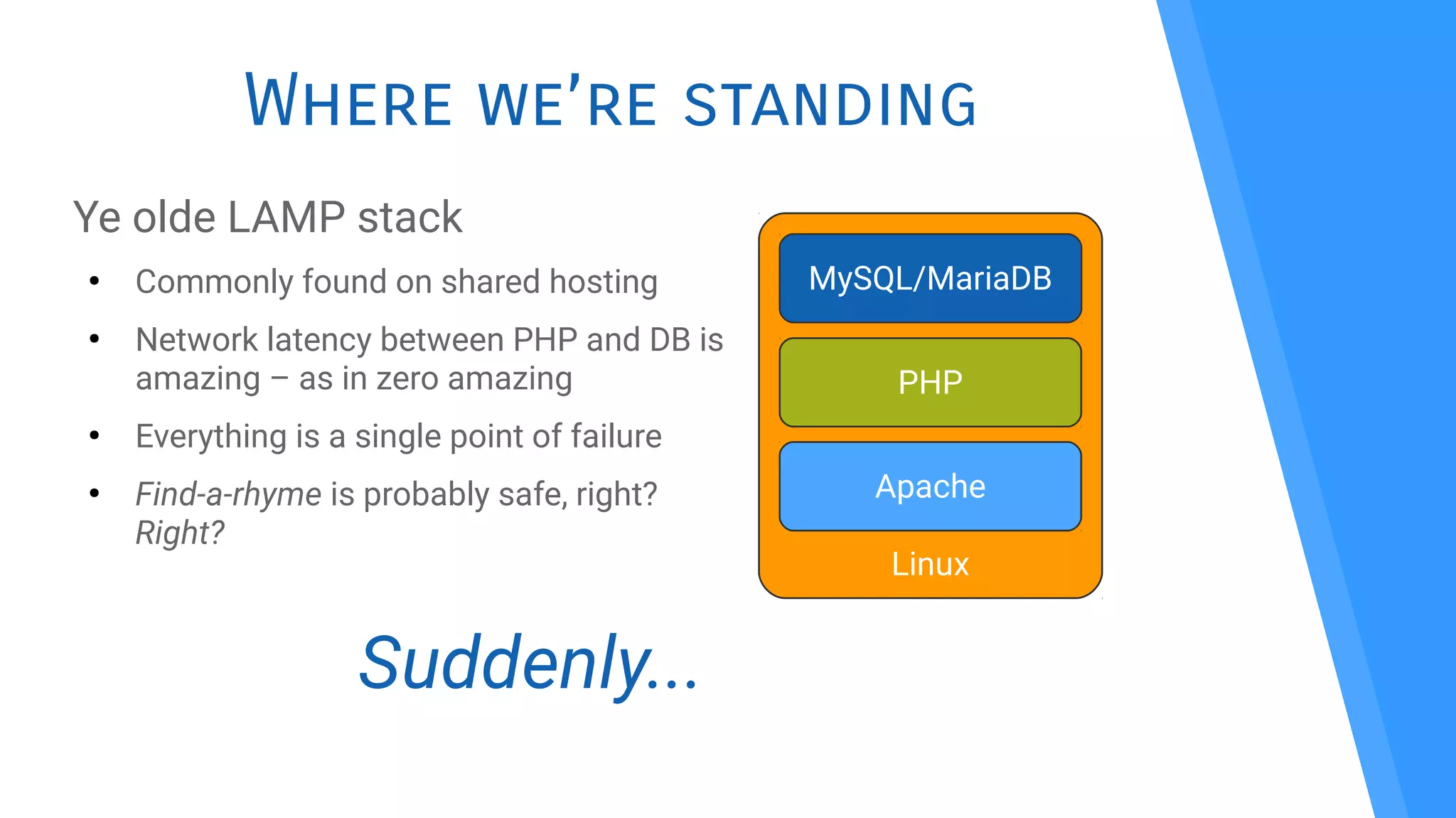
Ye olde LAMP stack
●
Commonly found on shared hosting
●
Network latency between PHP and DB is
amazing – as in zero amazing
●
Everything is a single point of failure
●
Find-a-rhyme is probably safe, right?
Right?
Linux
Apache
MySQL/MariaDB
PHP
Suddenly...
Dictatorship!
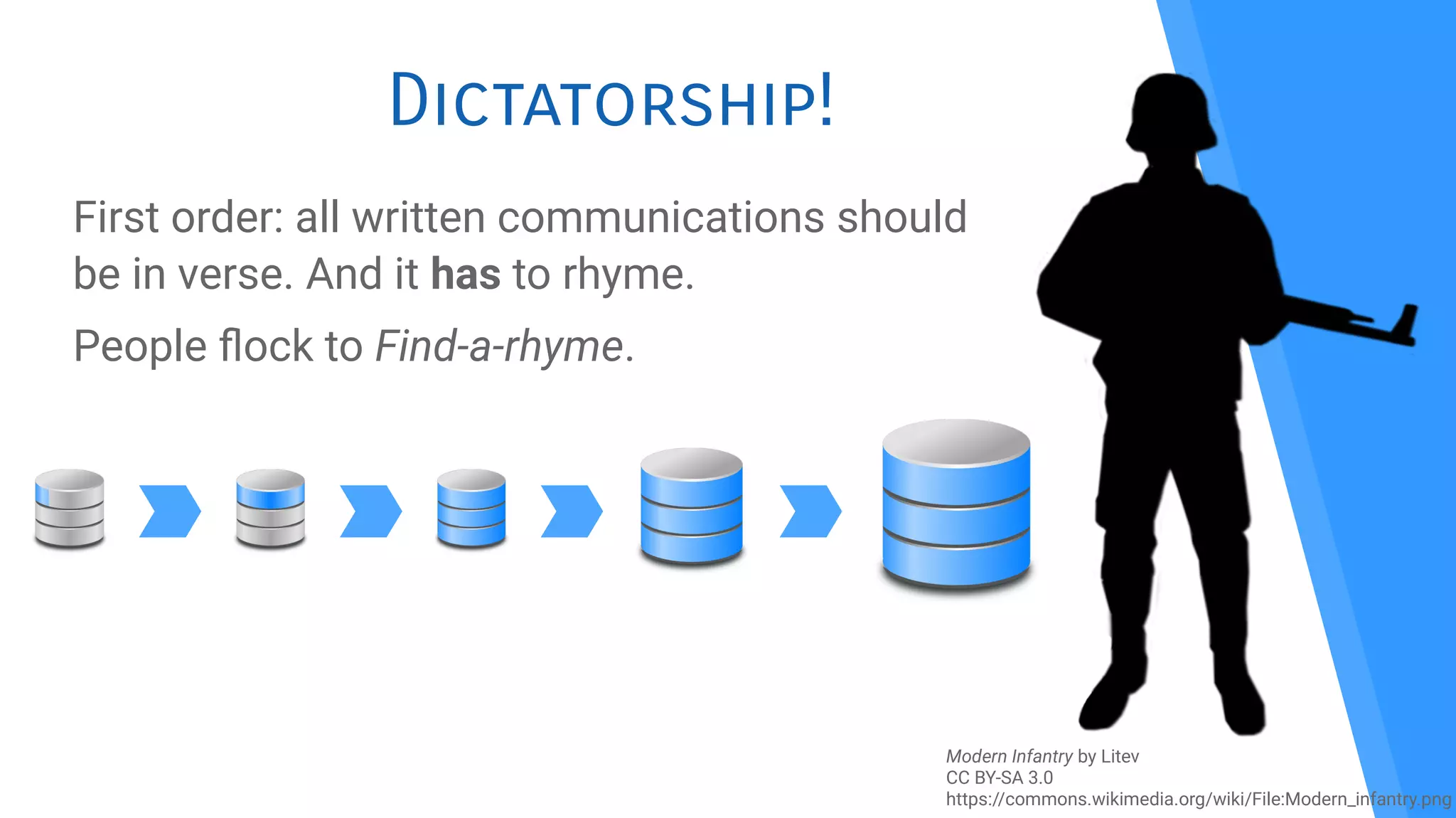
First order: all written communications should
be in verse. And it has to rhyme.
People fock to Find-a-rhyme.
Modern Infantry by Litev
CC BY-SA 3.0
https://commons.wikimedia.org/wiki/File:Modern_infantry.png
Problems
Overview
What will we encounter if we
want to avoid touching the
code (mostly)
Overview
●
Load balancing
●
DB clustering
●
Sessions
●
User assets
●
Single point of failure
●
Monitoring
●
Security
Load
Balancing
Because we’ve got to start
somewhere
Hardware
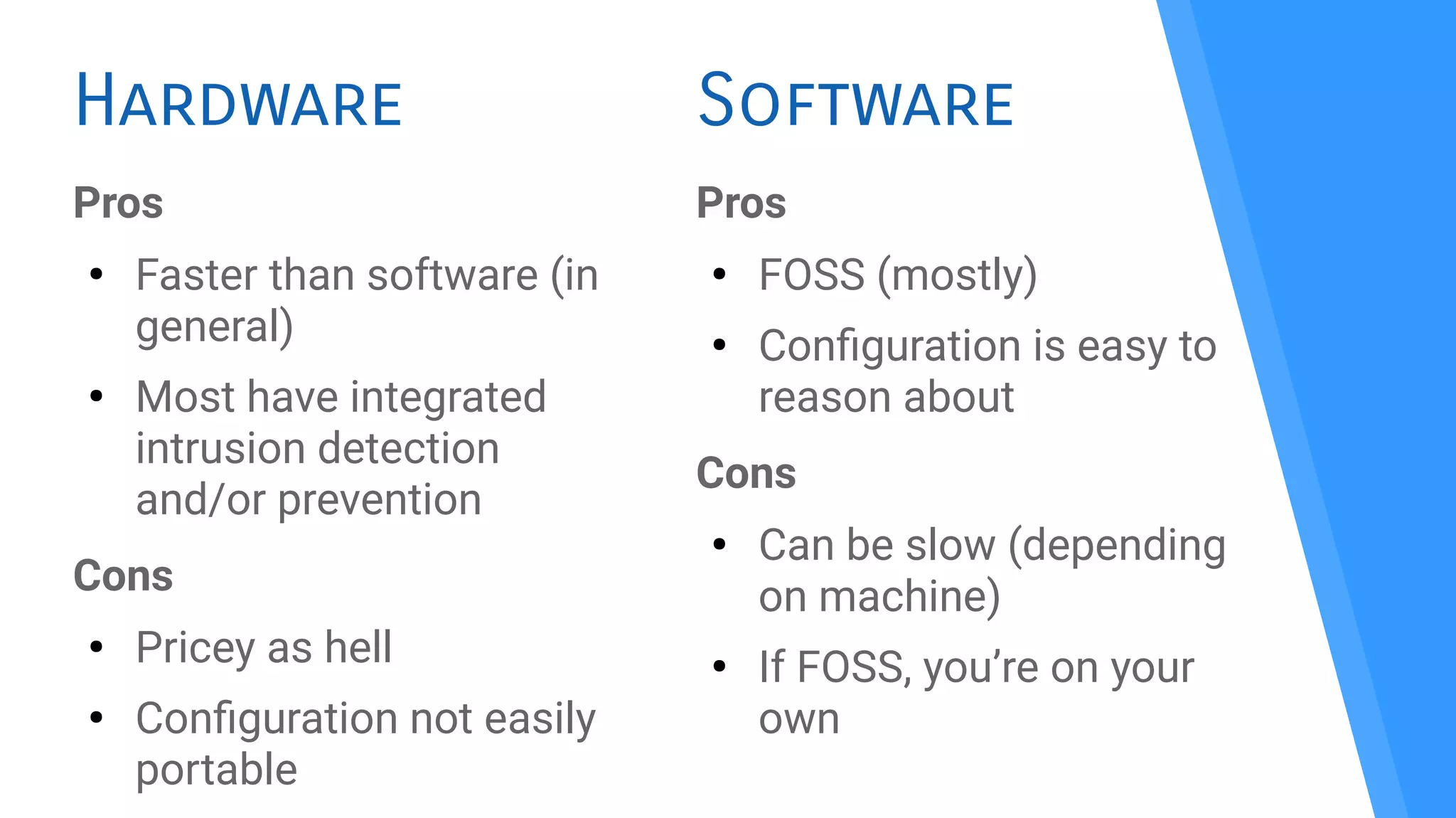
Pros
●
Faster than software (in
general)
●
Most have integrated
intrusion detection
and/or prevention
Cons
●
Pricey as hell
●
Confguration not easily
portable
Pros
●
FOSS (mostly)
●
Confguration is easy to
reason about
Cons
●
Can be slow (depending
on machine)
●
If FOSS, you’re on your
own
Software
Software solutions
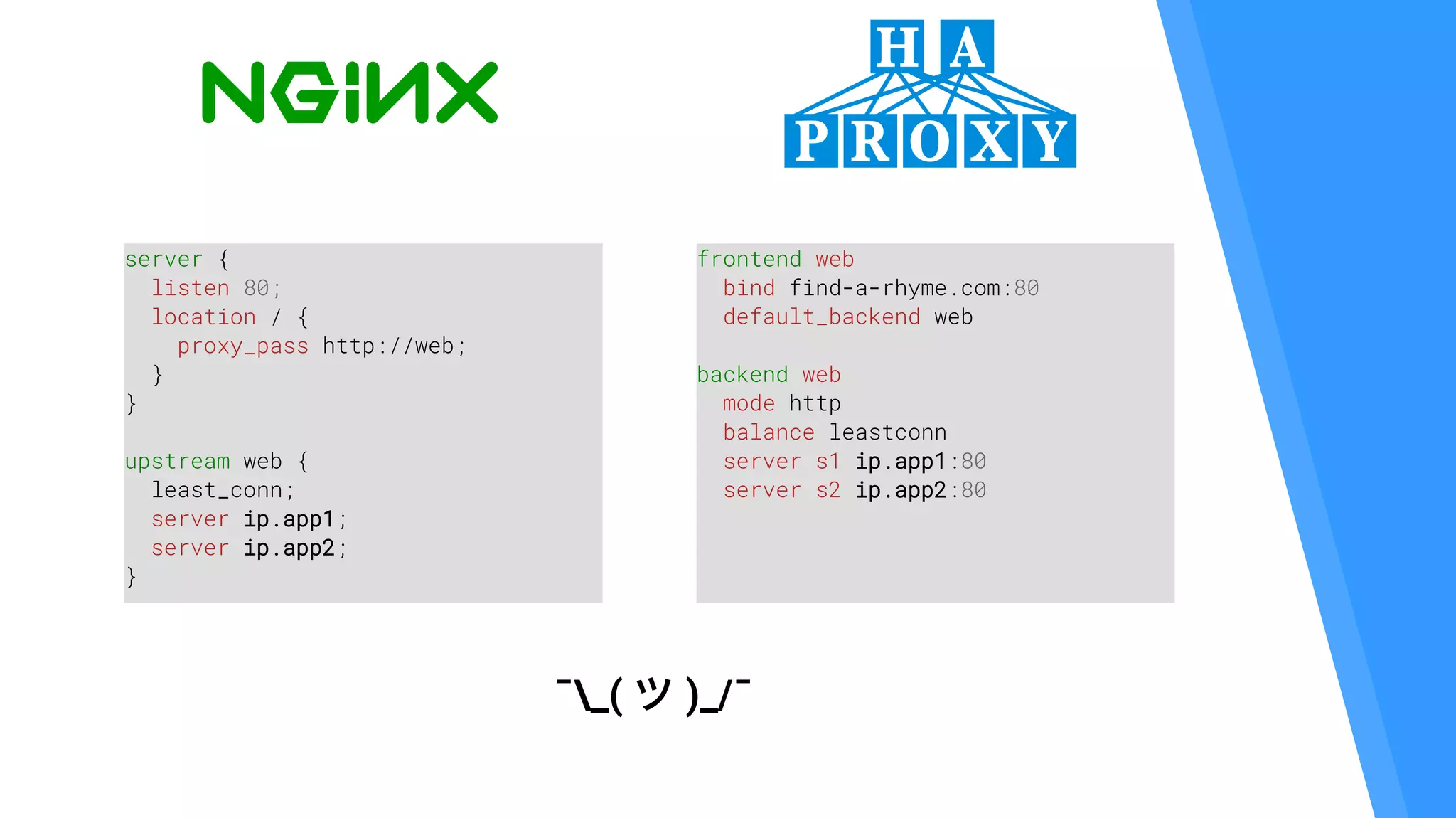
frontend web
bind find-a-rhyme.com:80
default_backend web
backend web
mode http
balance leastconn
server s1 ip.app1:80
server s2 ip.app2:80
server {
listen 80;
location / {
proxy_pass http://web;
}
}
upstream web {
least_conn;
server ip.app1;
server ip.app2;
}
¯_( ツ )_/¯
SSL Termination
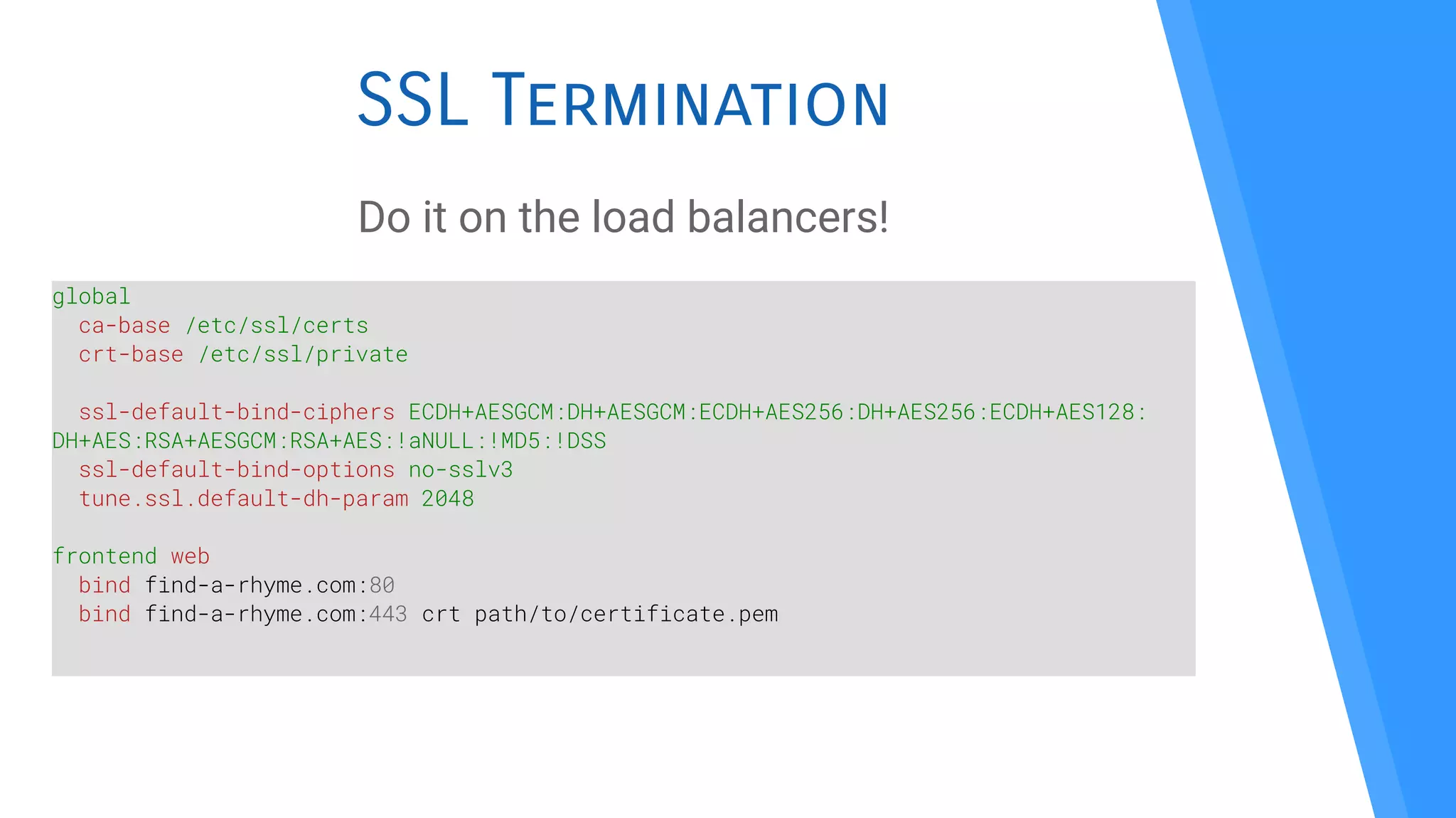
Do it on the load balancers!
global
ca-base /etc/ssl/certs
crt-base /etc/ssl/private
ssl-default-bind-ciphers ECDH+AESGCM:DH+AESGCM:ECDH+AES256:DH+AES256:ECDH+AES128:
DH+AES:RSA+AESGCM:RSA+AES:!aNULL:!MD5:!DSS
ssl-default-bind-options no-sslv3
tune.ssl.default-dh-param 2048
frontend web
bind find-a-rhyme.com:80
bind find-a-rhyme.com:443 crt path/to/certificate.pem
Database
servers
All your data are
belong to us!
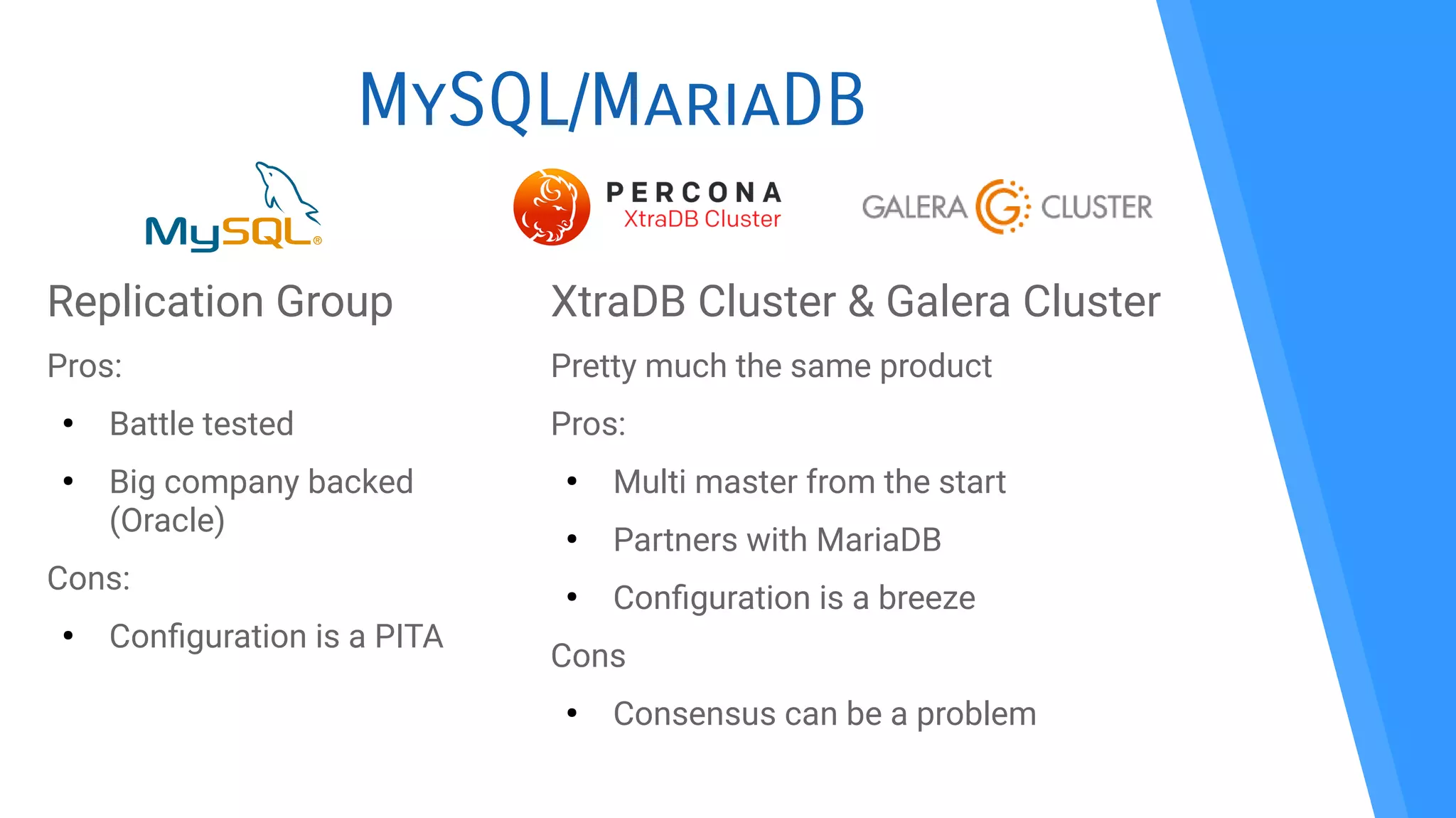
MySQL/MariaDB
Replication Group
Pros:
●
Battle tested
●
Big company backed
(Oracle)
Cons:
●
Confguration is a PITA
XtraDB Cluster & Galera Cluster
Pretty much the same product
Pros:
●
Multi master from the start
●
Partners with MariaDB
●
Confguration is a breeze
Cons
●
Consensus can be a problem
Galera Cluster
●
Included with MariaDB 10.1
●
Make sure to also install percona-xtrabackup
●
A dozen lines of confguration:
[mysqld]
binlog_format=ROW
default-storage-engine=innodb
innodb_autoinc_lock_mode=2
bind-address=0.0.0.0
wsrep_on=ON
wsrep_provider=/usr/lib/galera/libgalera_smm.so
wsrep_cluster_name="my_cluster"
wsrep_cluster_address="gcomm://ip.db1,ip.db2,ip.db3"
wsrep_sst_method=xtrabackup-v2
wsrep_sst_auth="sst:somepassword"
wsrep_node_address="each.machine.ip"
wsrep_node_name="eachMachineName"
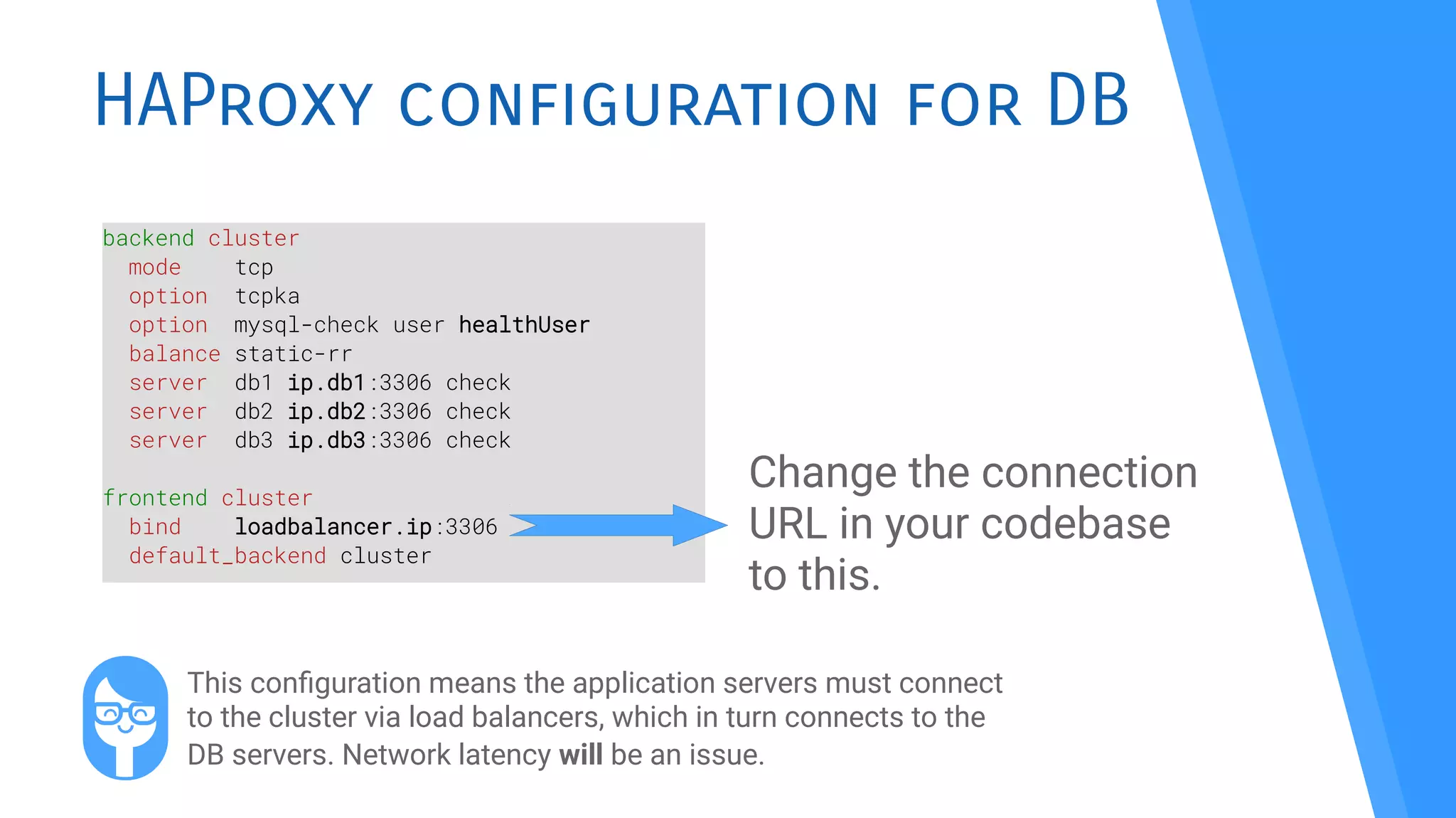
HAProxy configuration for DB
backend cluster
mode tcp
option tcpka
option mysql-check user healthUser
balance static-rr
server db1 ip.db1:3306 check
server db2 ip.db2:3306 check
server db3 ip.db3:3306 check
frontend cluster
bind loadbalancer.ip:3306
default_backend cluster
Change the connection
URL in your codebase
to this.
This confguration means the application servers must connect
to the cluster via load balancers, which in turn connects to the
DB servers. Network latency will be an issue.
Application
servers
We’re not touching
that codebase!
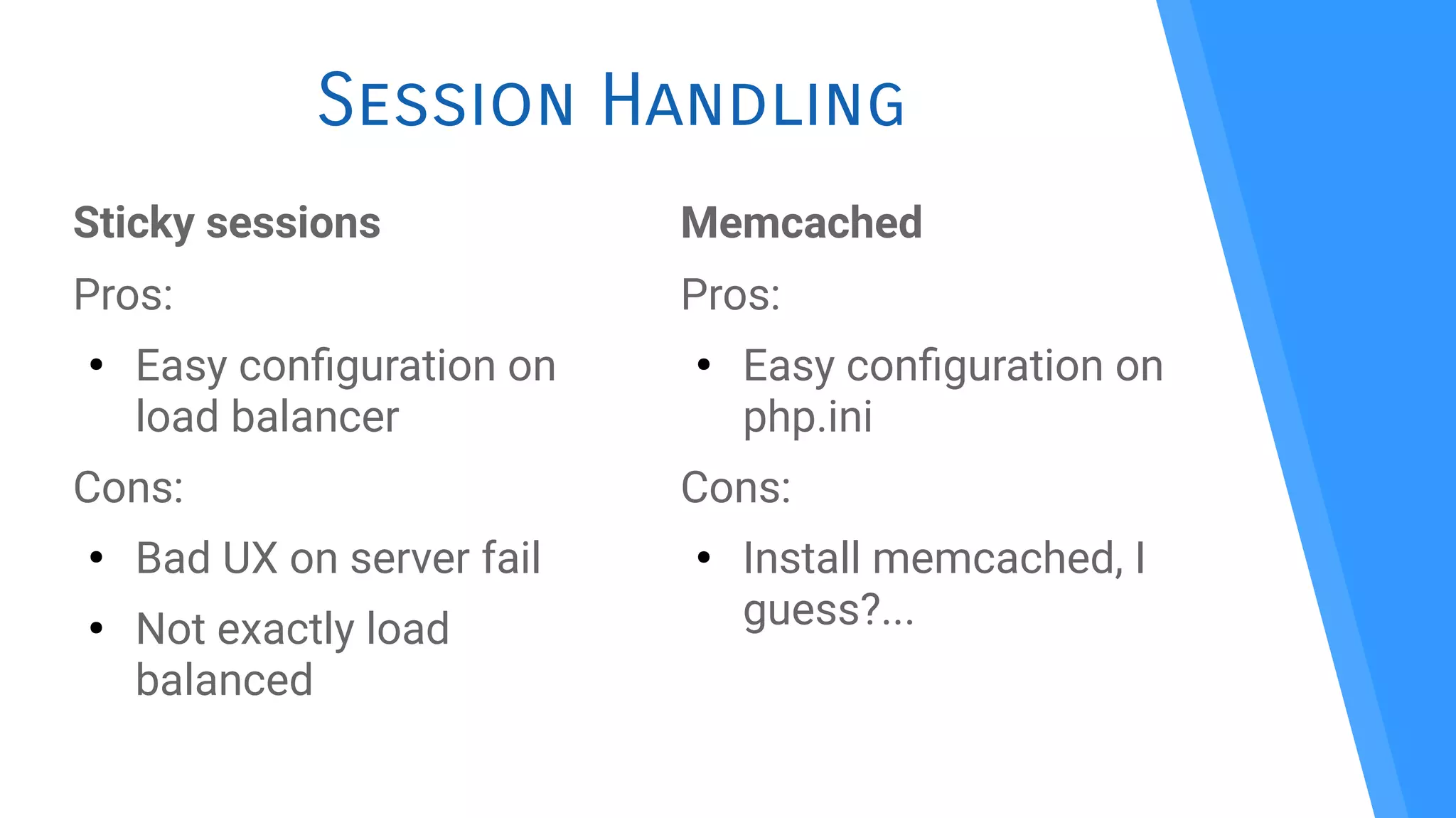
Session Handling
Sticky sessions
Pros:
●
Easy confguration on
load balancer
Cons:
●
Bad UX on server fail
●
Not exactly load
balanced
Memcached
Pros:
●
Easy confguration on
php.ini
Cons:
●
Install memcached, I
guess?...
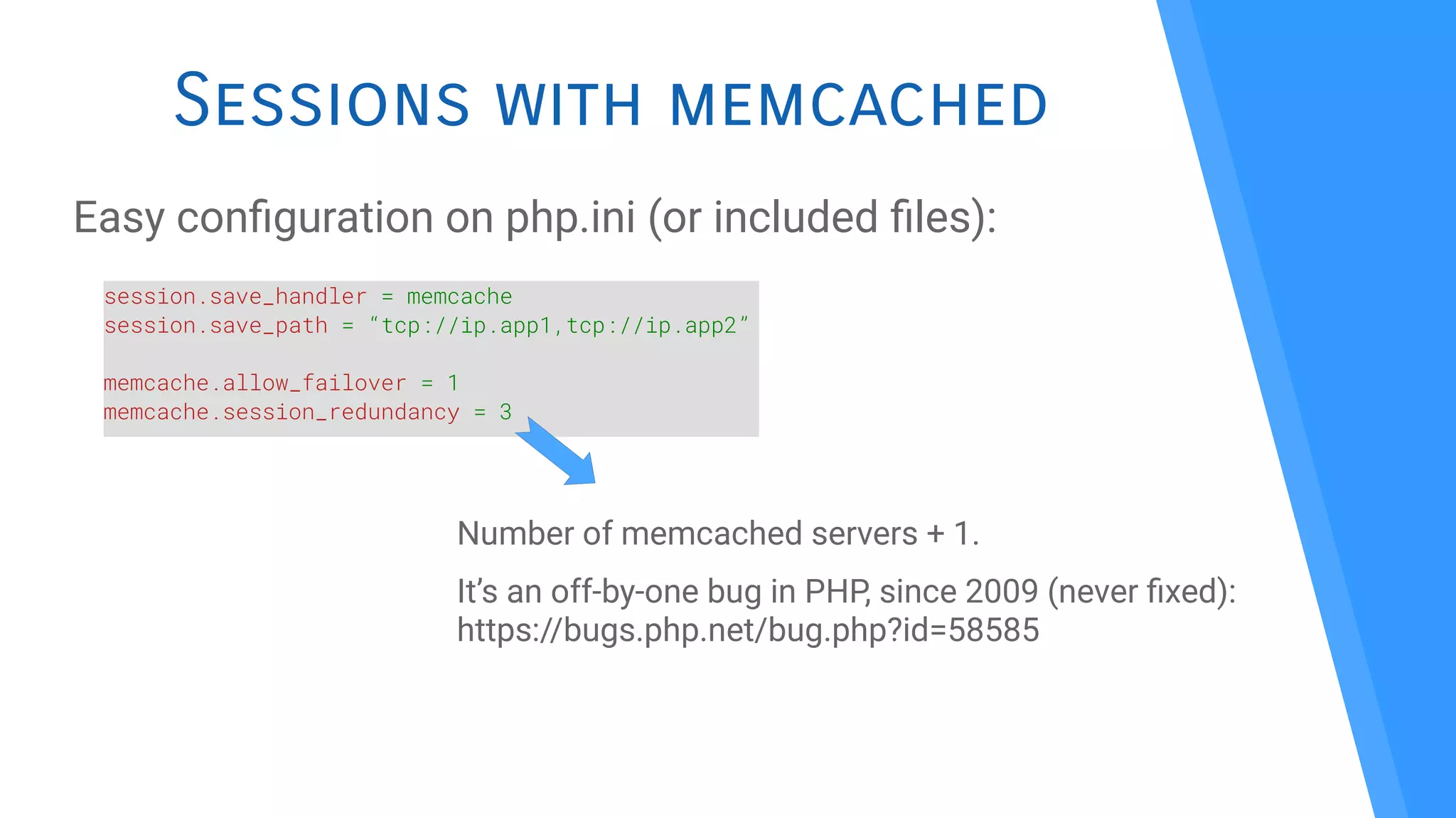
Sessions with memcached
Easy confguration on php.ini (or included fles):
session.save_handler = memcache
session.save_path = “tcp://ip.app1,tcp://ip.app2”
memcache.allow_failover = 1
memcache.session_redundancy = 3
Number of memcached servers + 1.
It’s an off-by-one bug in PHP, since 2009 (never fxed):
https://bugs.php.net/bug.php?id=58585
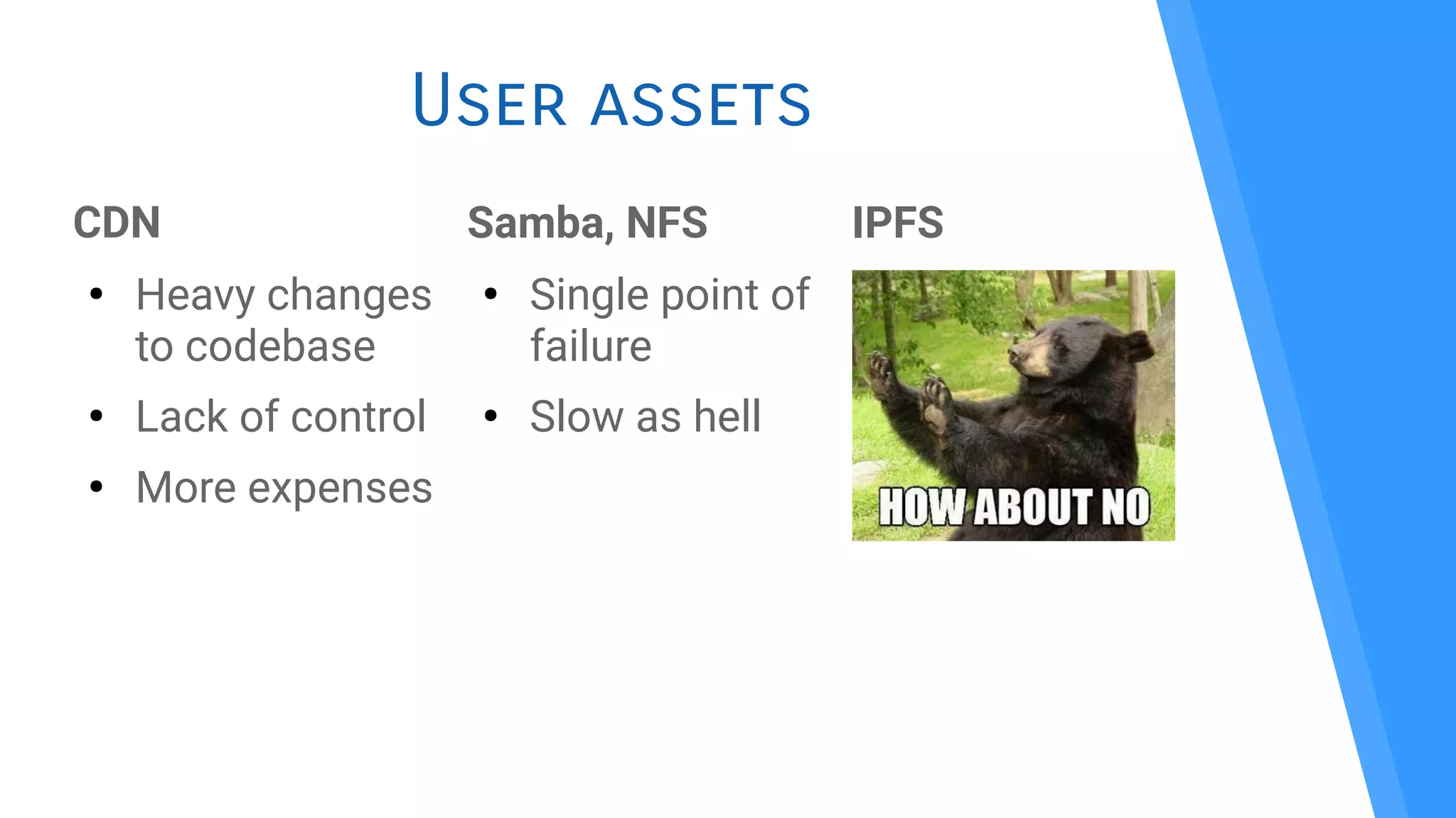
User assets
CDN
●
Heavy changes
to codebase
●
Lack of control
●
More expenses
Samba, NFS
●
Single point of
failure
●
Slow as hell
IPFS
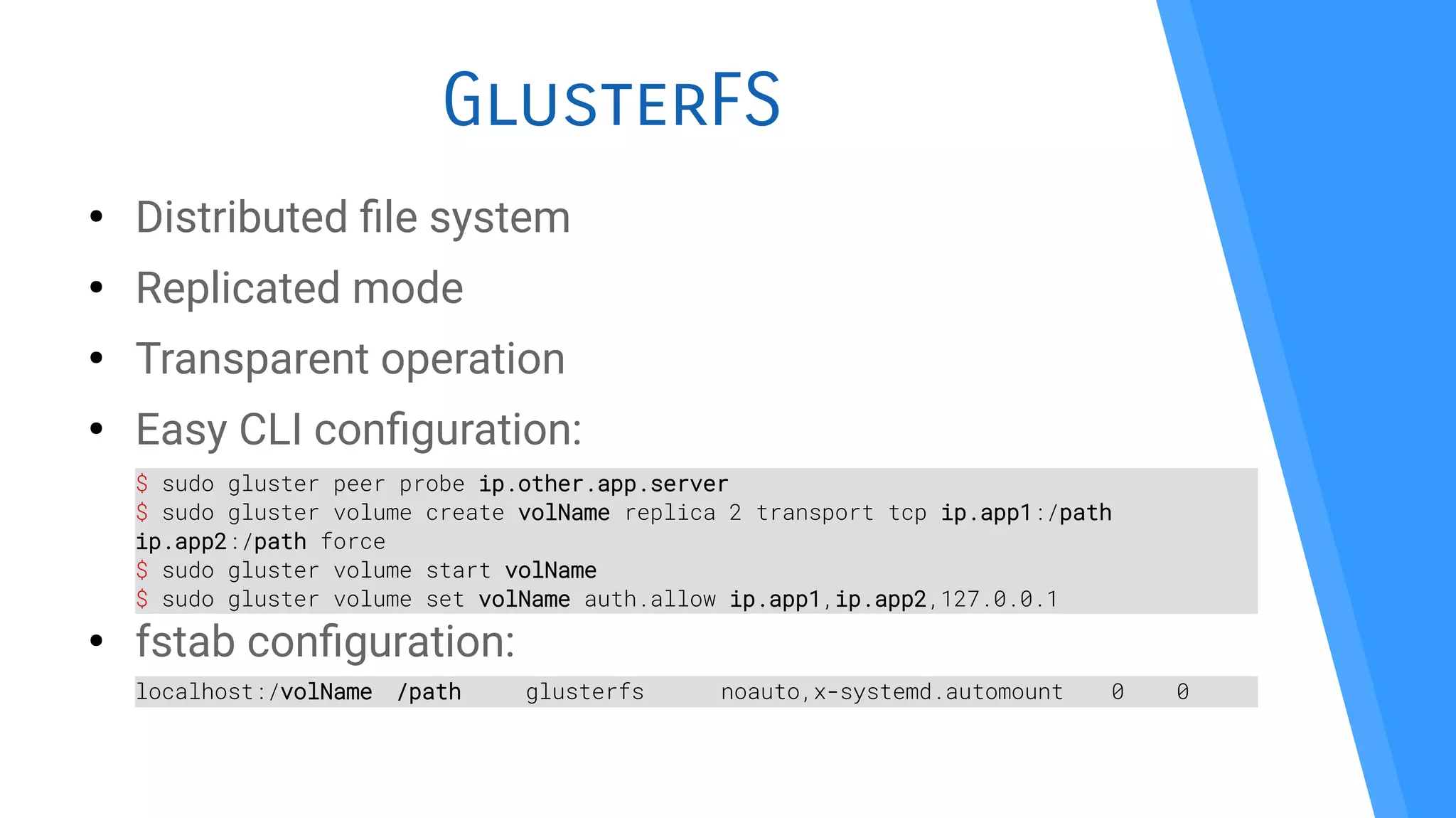
GlusterFS
●
Distributed fle system
●
Replicated mode
●
Transparent operation
●
Easy CLI confguration:
●
fstab confguration:
$ sudo gluster peer probe ip.other.app.server
$ sudo gluster volume create volName replica 2 transport tcp ip.app1:/path
ip.app2:/path force
$ sudo gluster volume start volName
$ sudo gluster volume set volName auth.allow ip.app1,ip.app2,127.0.0.1
localhost:/volName /path glusterfs noauto,x-systemd.automount 0 0
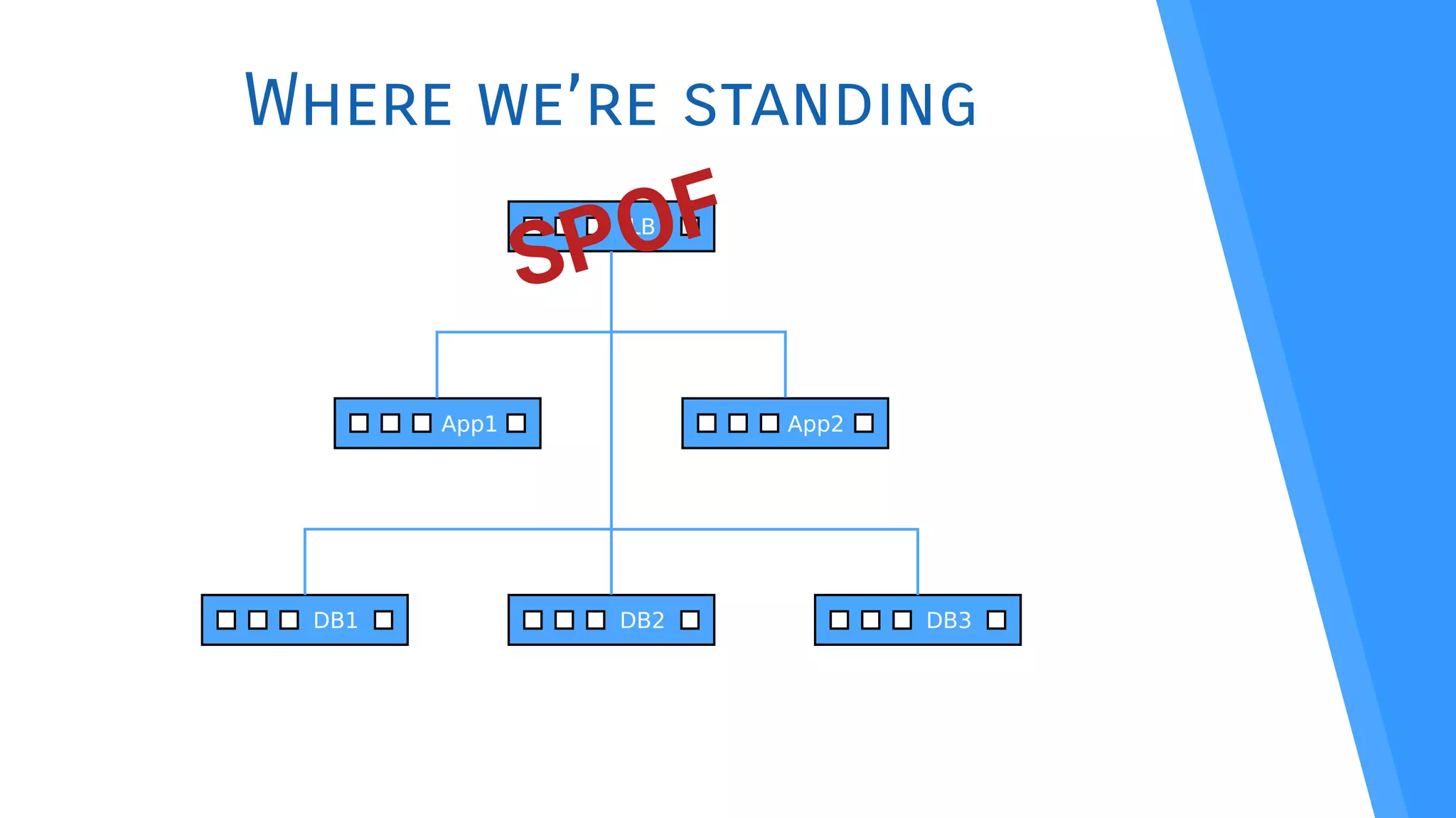
Where we’re standing
LB
App1 App2
DB1 DB2 DB3
SPOF
Eliminating
the SPOF
Load balancing the
load balancers
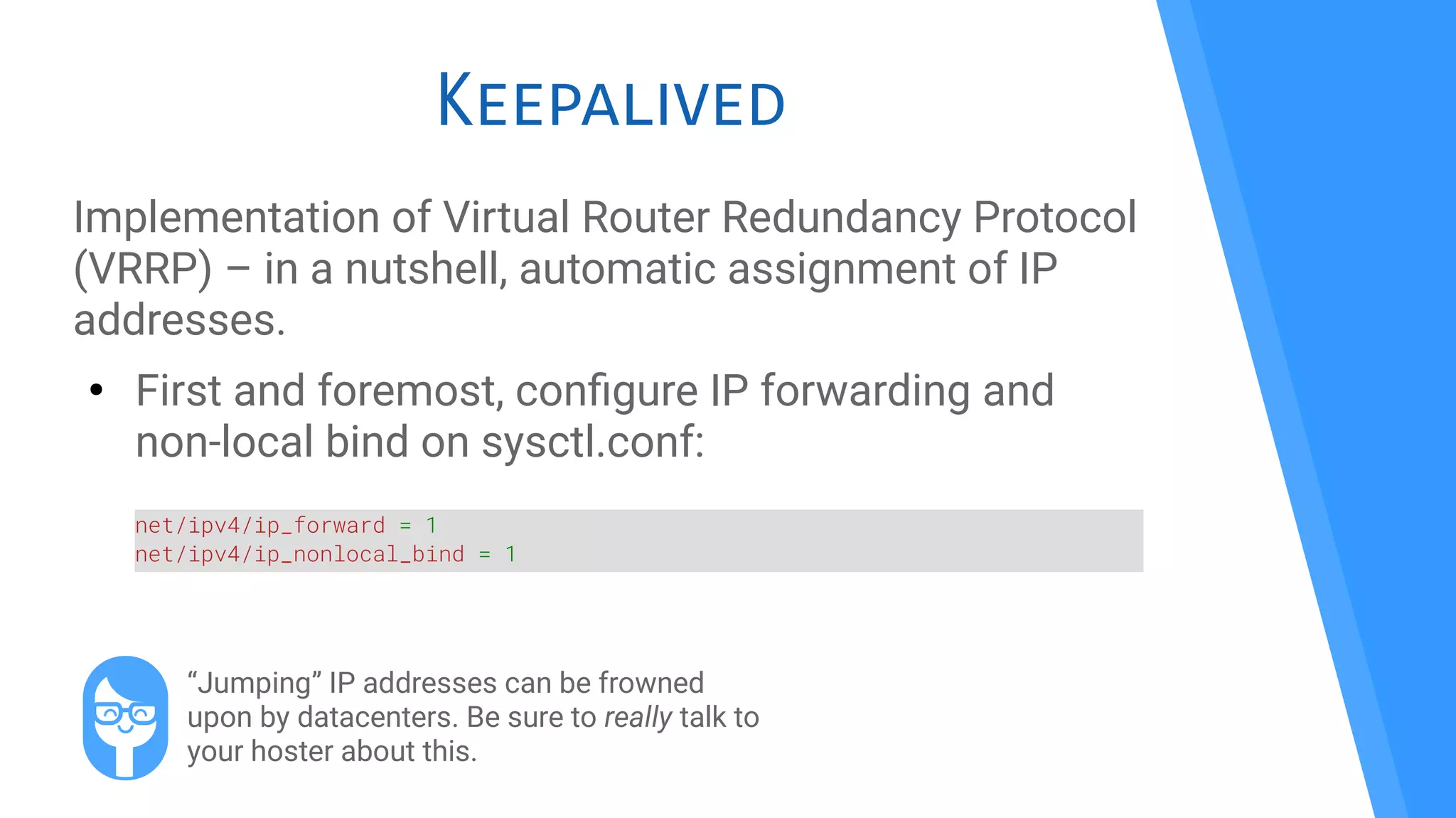
Keepalived
Implementation of Virtual Router Redundancy Protocol
(VRRP) – in a nutshell, automatic assignment of IP
addresses.
●
First and foremost, confgure IP forwarding and
non-local bind on sysctl.conf:
net/ipv4/ip_forward = 1
net/ipv4/ip_nonlocal_bind = 1
“Jumping” IP addresses can be frowned
upon by datacenters. Be sure to really talk to
your hoster about this.
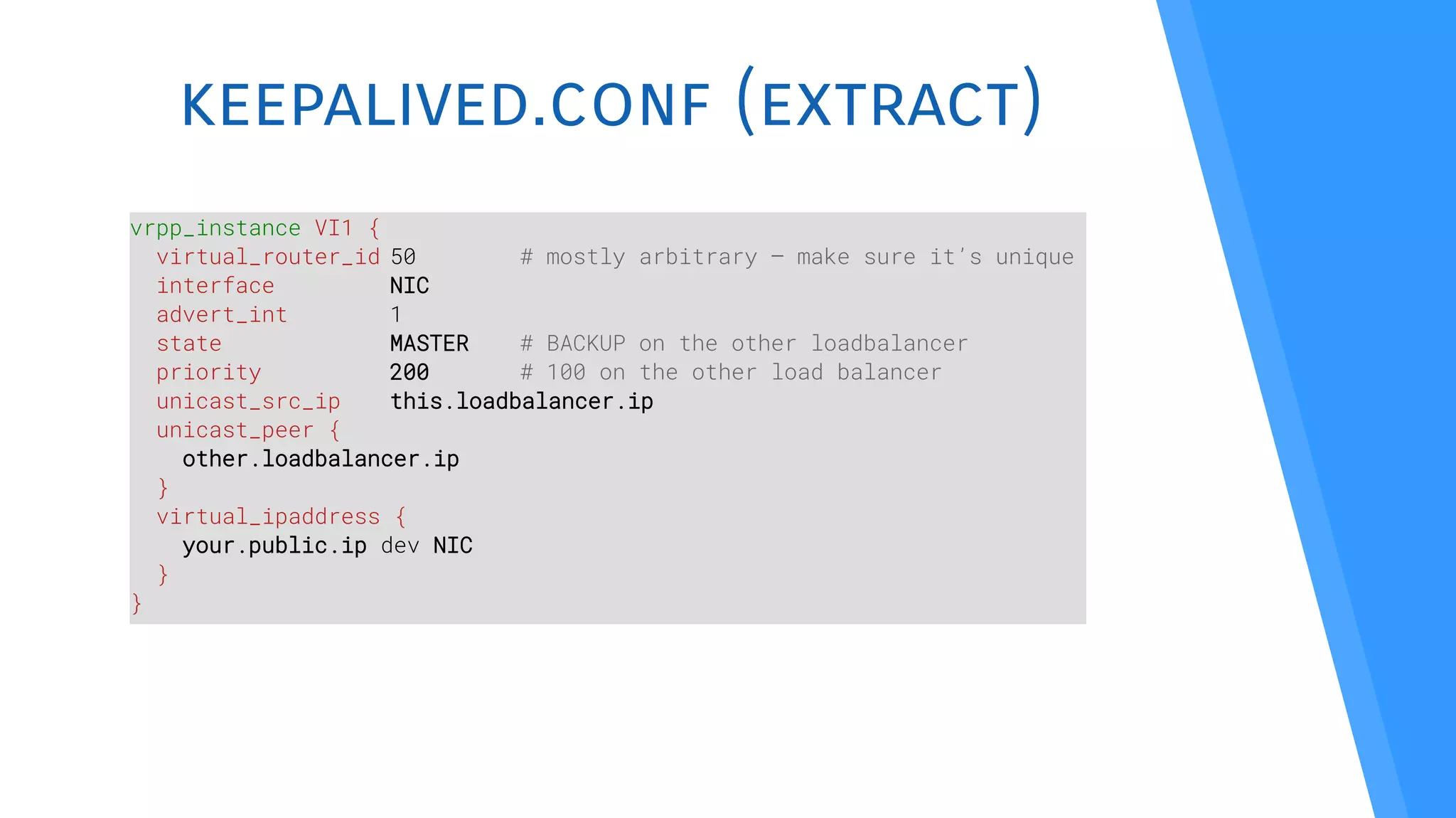
keepalived.conf (extract)
vrpp_instance VI1 {
virtual_router_id 50 # mostly arbitrary – make sure it’s unique
interface NIC
advert_int 1
state MASTER # BACKUP on the other loadbalancer
priority 200 # 100 on the other load balancer
unicast_src_ip this.loadbalancer.ip
unicast_peer {
other.loadbalancer.ip
}
virtual_ipaddress {
your.public.ip dev NIC
}
}
Virtual IP for DB access
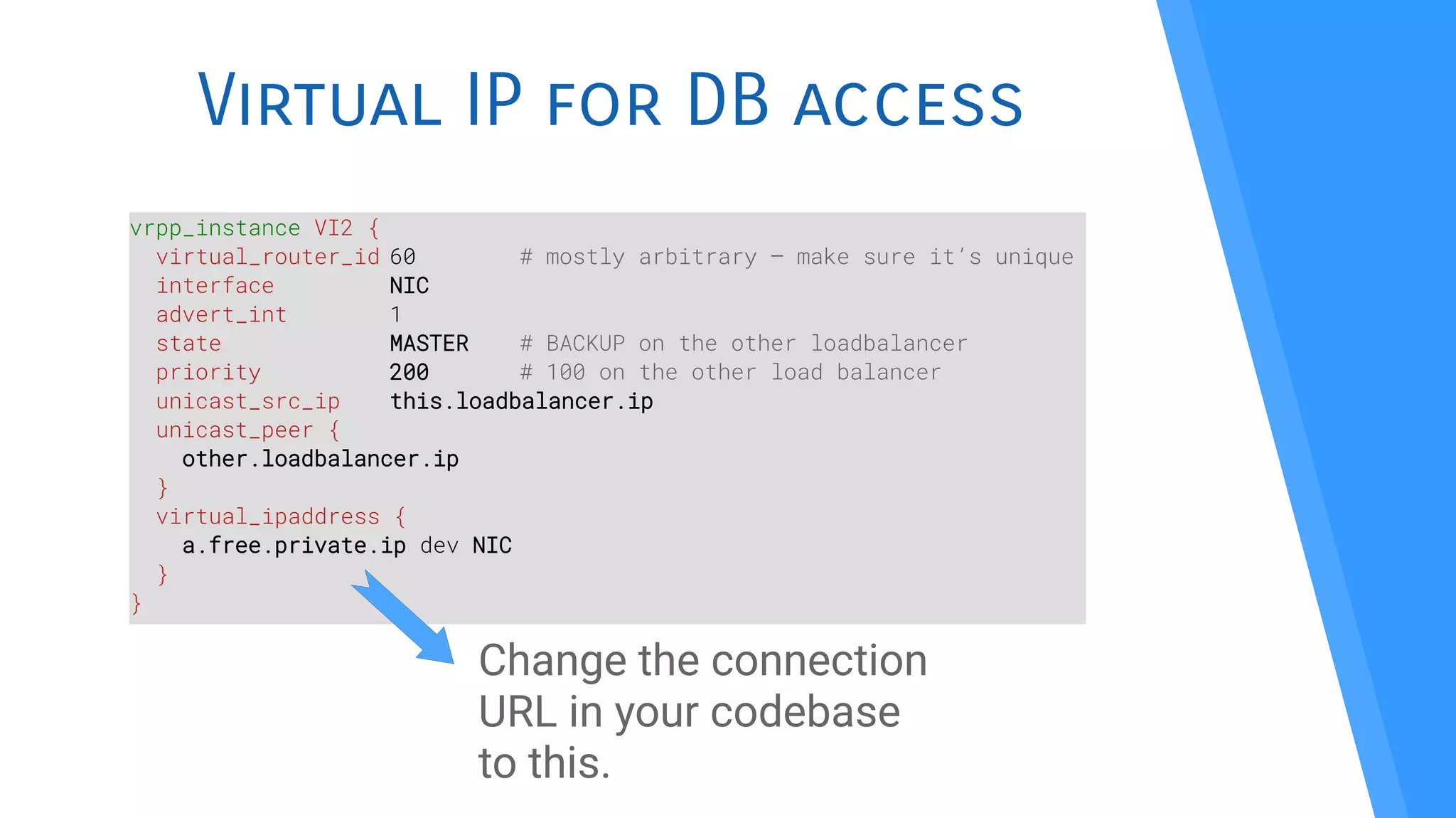
vrpp_instance VI2 {
virtual_router_id 60 # mostly arbitrary – make sure it’s unique
interface NIC
advert_int 1
state MASTER # BACKUP on the other loadbalancer
priority 200 # 100 on the other load balancer
unicast_src_ip this.loadbalancer.ip
unicast_peer {
other.loadbalancer.ip
}
virtual_ipaddress {
a.free.private.ip dev NIC
}
}
Change the connection
URL in your codebase
to this.
Don’t forget SSL termination
Two load balancers with failover, two servers where to
make SSL termination:
Duplicate your certifcates!
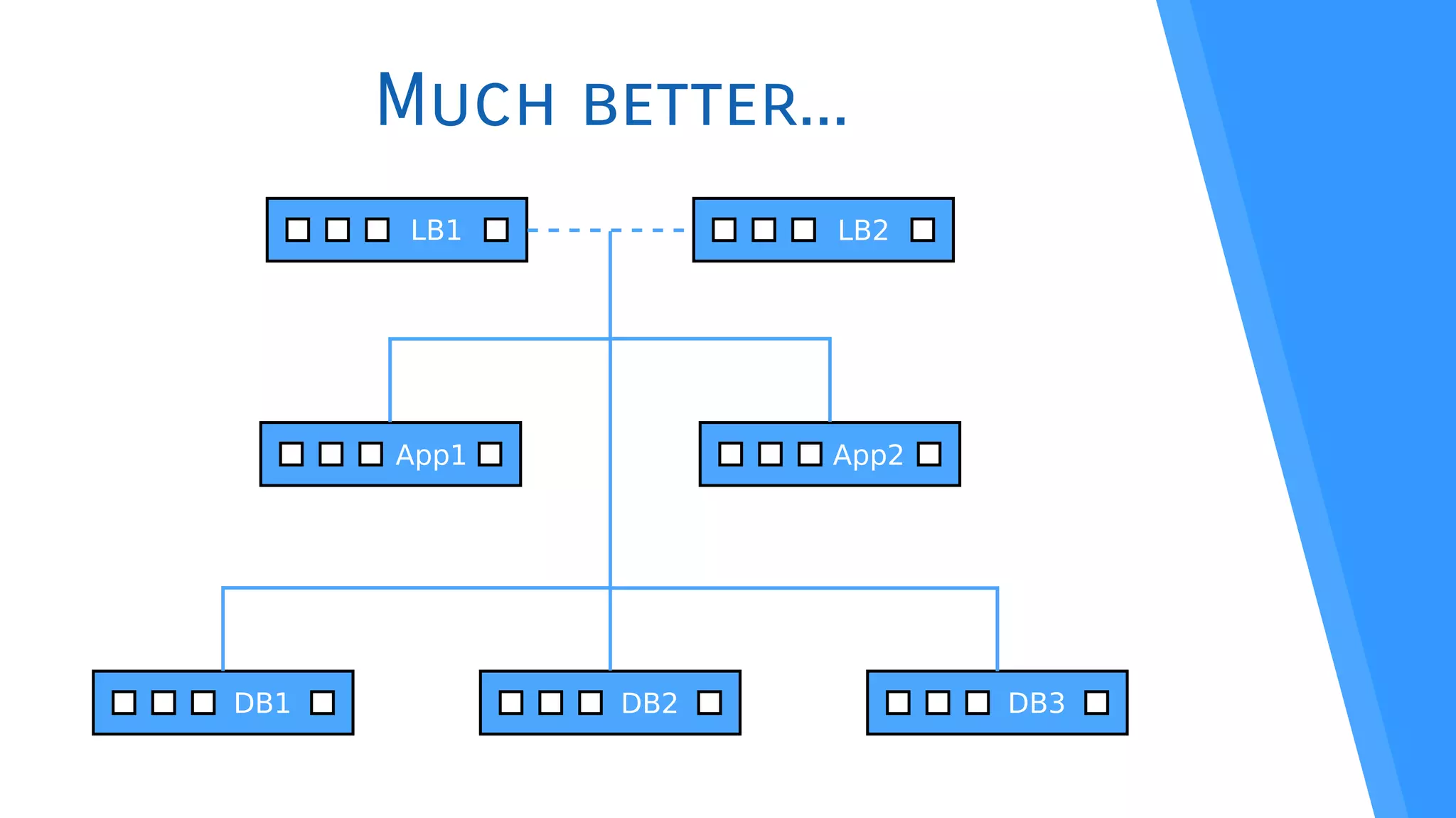
Much better...
LB1
App1 App2
DB1 DB2 DB3
LB2
Monitoring
When things go sideways,
be the frst to know
Monit
●
Monitoring and managment
●
Can do automatic maintenance and repair
●
Can execute arbitrary actions on errors
●
Can monitor system, processes, flesystem,
scripts...
Monit sample config
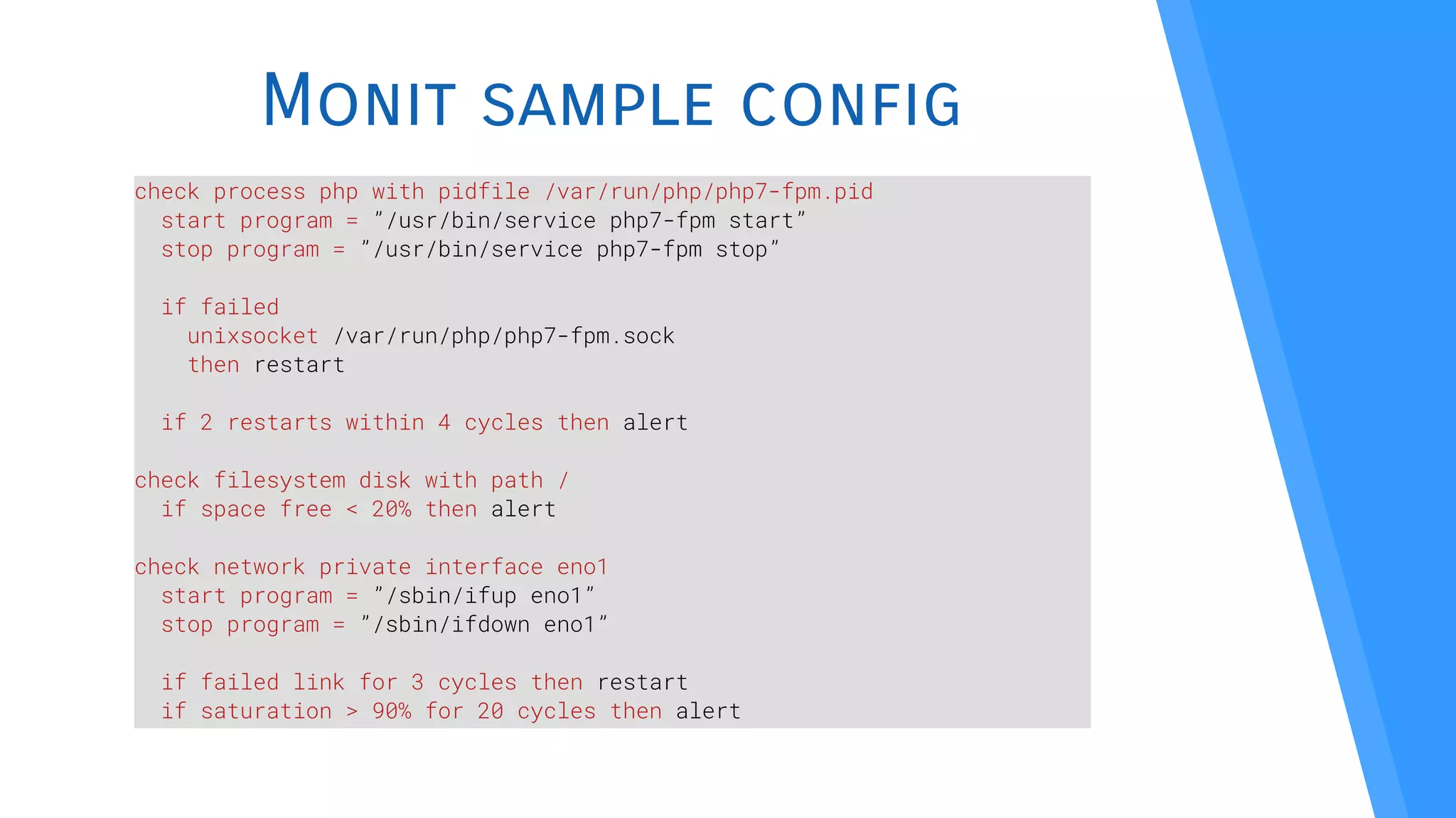
check process php with pidfile /var/run/php/php7-fpm.pid
start program = ”/usr/bin/service php7-fpm start”
stop program = ”/usr/bin/service php7-fpm stop”
if failed
unixsocket /var/run/php/php7-fpm.sock
then restart
if 2 restarts within 4 cycles then alert
check filesystem disk with path /
if space free < 20% then alert
check network private interface eno1
start program = ”/sbin/ifup eno1”
stop program = ”/sbin/ifdown eno1”
if failed link for 3 cycles then restart
if saturation > 90% for 20 cycles then alert
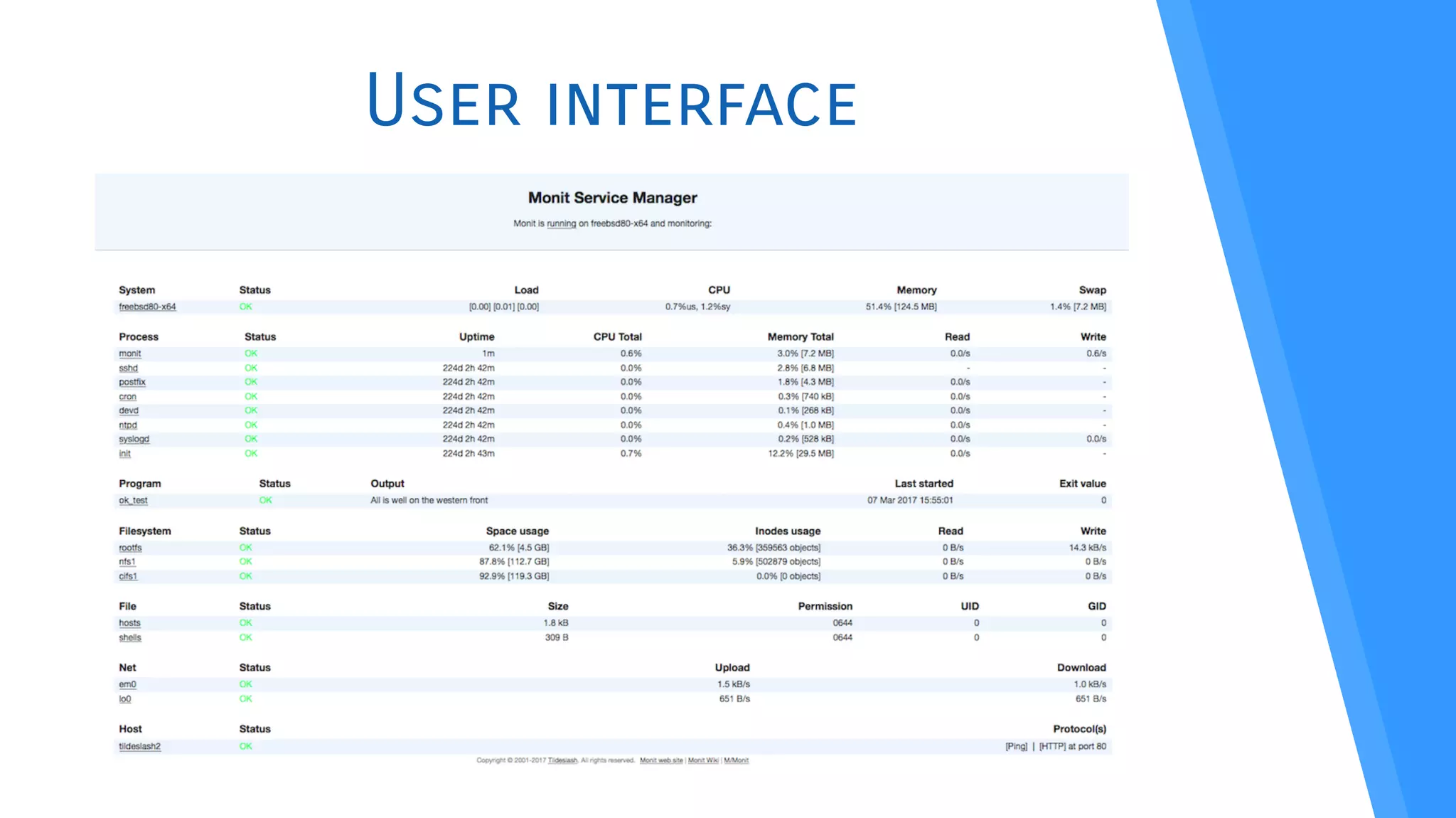
User interface
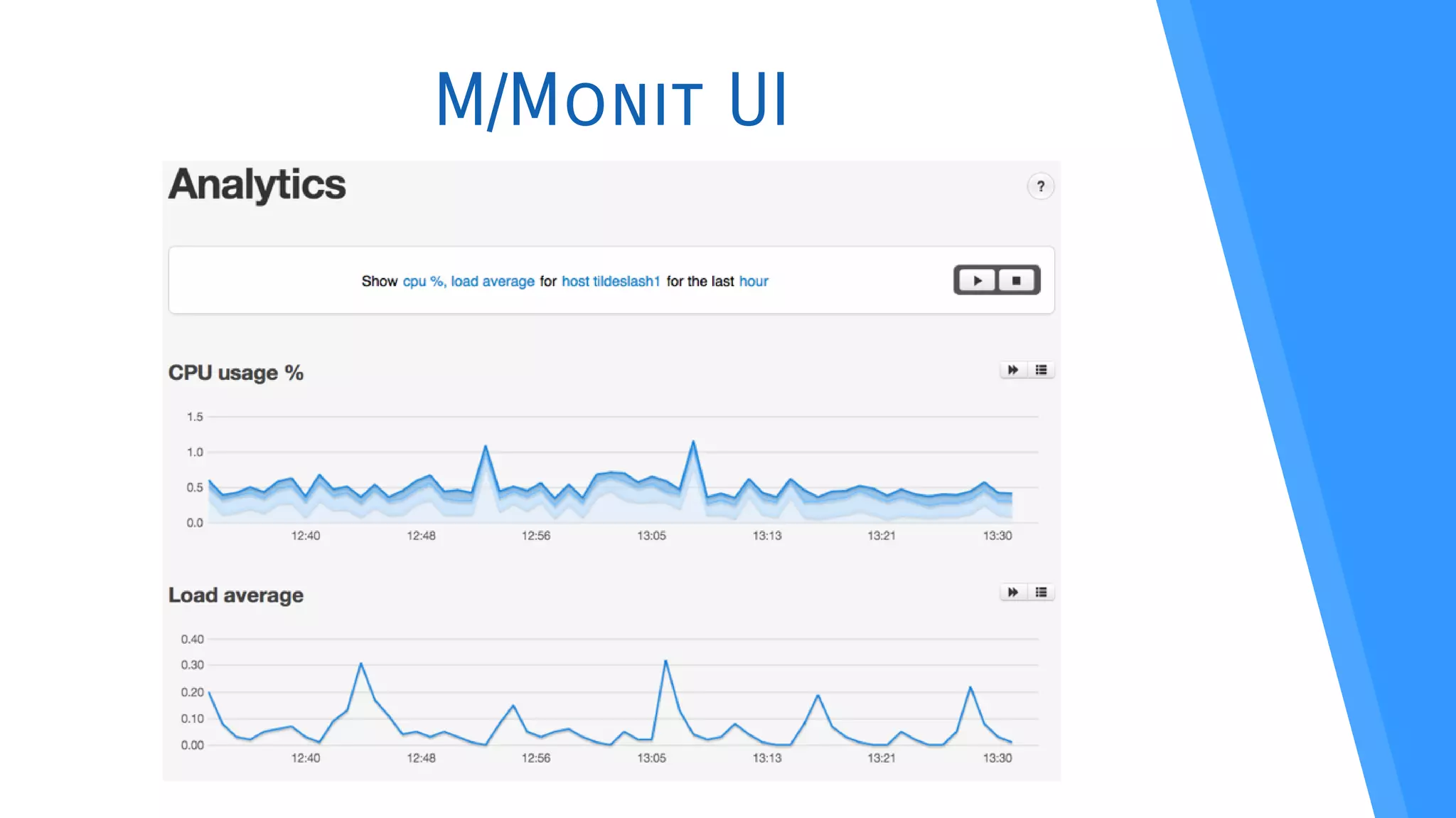
M/Monit
●
Aggregate all your Monit instances
●
Awesome UI – it’s even responsive
●
Start and stop services from the UI
●
Analytics, historical data, trend predictions, real-time
charts
●
Commercial product, but payment is one-time and the
license is perpetual – and it’s cheap, on top*
I’m in no way affliated with M/Monit. Just love the product!
*In September 2017, it costs 65€ for 5 monitored hosts, up to 699€ for 1000 hosts.
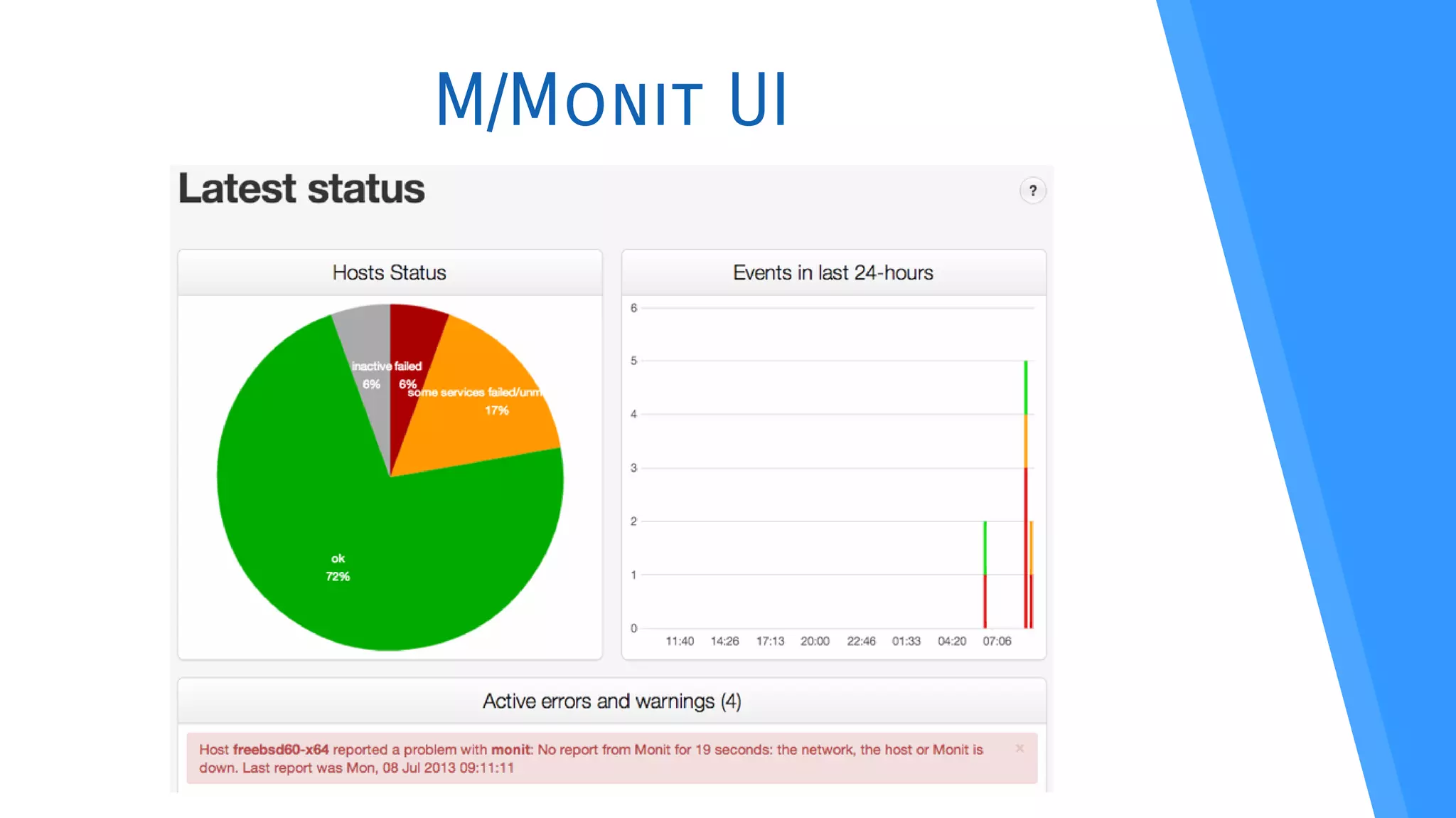
M/Monit UI
M/Monit UI
M/Monit UI
Going further Why stop now?
Keeping it secure(-ish)
●
As few public IP addresses as possible
●
Fail2ban
●
SELinux / AppArmor
●
No passwordless sudo – ever
●
Public key SSH
●
External access through the load balancers:
$ ssh -t you@public.ip ssh you@some.private.ip
There’s an app a tool for that
●
Centralize logs with Elastic Stack (Logstash,
Elasticsearch and Kibana)
●
Manage the crontab with Crontab UI
●
DB status and analytics with Cluster Control
●
Continuous Integration/Deployment
– GitLab is FOSS and self-hosted for greater control
One more thing Two, actually…
Geographic distribuition
●
Avoid datacenter SPOF
●
Watch your latency!
●
Should I say it again?…
Containers
●
Can be deployed pretty much on demand
●
Easily switch hosting (ahem… talk to your hoster?)
Q&A
“Ask, and it shall
be given to you”
Mathew, 7:7
Thank you
Marco Amado
Lead Developer @ Moloni
/mjamado
www.dreamsincode.com

High Availability Architecture for Legacy Stuff - a 10.000 feet overview

  • 1.
    High availability architecture for legacystuff A 10.000 feet overview
  • 2.
    $whoami Marco Amado Lead Developer@ Moloni /mjamado www.dreamsincode.com
  • 3.
    $whoiaint Not a sysadmin(not worthy of the title, at least) Not a DevOps guru Not a high availability ninja Not a scalabilty jedi Take that into account
  • 4.
    Notes ● This is code ● Sometimes,there’s code you should change ● “Talk to your hoster” symbol
  • 5.
    Motivation Or how awatched kettle never boils, until your kitchen’s on fre
  • 6.
    Hypothetical Product Find-a-Rhyme Given aword, the application returns a set of words that rhyme. You can flter by word class, type of rhyme, word length...
  • 7.
    Where we’re standing Yeolde LAMP stack ● Commonly found on shared hosting ● Network latency between PHP and DB is amazing – as in zero amazing ● Everything is a single point of failure ● Find-a-rhyme is probably safe, right? Right? Linux Apache MySQL/MariaDB PHP Suddenly...
  • 8.
    Dictatorship! First order: allwritten communications should be in verse. And it has to rhyme. People fock to Find-a-rhyme. Modern Infantry by Litev CC BY-SA 3.0 https://commons.wikimedia.org/wiki/File:Modern_infantry.png
  • 9.
    Problems Overview What will weencounter if we want to avoid touching the code (mostly)
  • 10.
    Overview ● Load balancing ● DB clustering ● Sessions ● Userassets ● Single point of failure ● Monitoring ● Security
  • 11.
  • 12.
    Hardware Pros ● Faster than software(in general) ● Most have integrated intrusion detection and/or prevention Cons ● Pricey as hell ● Confguration not easily portable Pros ● FOSS (mostly) ● Confguration is easy to reason about Cons ● Can be slow (depending on machine) ● If FOSS, you’re on your own Software
  • 13.
  • 14.
    frontend web bind find-a-rhyme.com:80 default_backendweb backend web mode http balance leastconn server s1 ip.app1:80 server s2 ip.app2:80 server { listen 80; location / { proxy_pass http://web; } } upstream web { least_conn; server ip.app1; server ip.app2; } ¯_( ツ )_/¯
  • 15.
    SSL Termination Do iton the load balancers! global ca-base /etc/ssl/certs crt-base /etc/ssl/private ssl-default-bind-ciphers ECDH+AESGCM:DH+AESGCM:ECDH+AES256:DH+AES256:ECDH+AES128: DH+AES:RSA+AESGCM:RSA+AES:!aNULL:!MD5:!DSS ssl-default-bind-options no-sslv3 tune.ssl.default-dh-param 2048 frontend web bind find-a-rhyme.com:80 bind find-a-rhyme.com:443 crt path/to/certificate.pem
  • 16.
  • 17.
    MySQL/MariaDB Replication Group Pros: ● Battle tested ● Bigcompany backed (Oracle) Cons: ● Confguration is a PITA XtraDB Cluster & Galera Cluster Pretty much the same product Pros: ● Multi master from the start ● Partners with MariaDB ● Confguration is a breeze Cons ● Consensus can be a problem
  • 18.
    Galera Cluster ● Included withMariaDB 10.1 ● Make sure to also install percona-xtrabackup ● A dozen lines of confguration: [mysqld] binlog_format=ROW default-storage-engine=innodb innodb_autoinc_lock_mode=2 bind-address=0.0.0.0 wsrep_on=ON wsrep_provider=/usr/lib/galera/libgalera_smm.so wsrep_cluster_name="my_cluster" wsrep_cluster_address="gcomm://ip.db1,ip.db2,ip.db3" wsrep_sst_method=xtrabackup-v2 wsrep_sst_auth="sst:somepassword" wsrep_node_address="each.machine.ip" wsrep_node_name="eachMachineName"
  • 19.
    HAProxy configuration forDB backend cluster mode tcp option tcpka option mysql-check user healthUser balance static-rr server db1 ip.db1:3306 check server db2 ip.db2:3306 check server db3 ip.db3:3306 check frontend cluster bind loadbalancer.ip:3306 default_backend cluster Change the connection URL in your codebase to this. This confguration means the application servers must connect to the cluster via load balancers, which in turn connects to the DB servers. Network latency will be an issue.
  • 20.
  • 21.
    Session Handling Sticky sessions Pros: ● Easyconfguration on load balancer Cons: ● Bad UX on server fail ● Not exactly load balanced Memcached Pros: ● Easy confguration on php.ini Cons: ● Install memcached, I guess?...
  • 22.
    Sessions with memcached Easyconfguration on php.ini (or included fles): session.save_handler = memcache session.save_path = “tcp://ip.app1,tcp://ip.app2” memcache.allow_failover = 1 memcache.session_redundancy = 3 Number of memcached servers + 1. It’s an off-by-one bug in PHP, since 2009 (never fxed): https://bugs.php.net/bug.php?id=58585
  • 23.
    User assets CDN ● Heavy changes tocodebase ● Lack of control ● More expenses Samba, NFS ● Single point of failure ● Slow as hell IPFS
  • 24.
    GlusterFS ● Distributed fle system ● Replicatedmode ● Transparent operation ● Easy CLI confguration: ● fstab confguration: $ sudo gluster peer probe ip.other.app.server $ sudo gluster volume create volName replica 2 transport tcp ip.app1:/path ip.app2:/path force $ sudo gluster volume start volName $ sudo gluster volume set volName auth.allow ip.app1,ip.app2,127.0.0.1 localhost:/volName /path glusterfs noauto,x-systemd.automount 0 0
  • 25.
    Where we’re standing LB App1App2 DB1 DB2 DB3 SPOF
  • 26.
  • 27.
    Keepalived Implementation of VirtualRouter Redundancy Protocol (VRRP) – in a nutshell, automatic assignment of IP addresses. ● First and foremost, confgure IP forwarding and non-local bind on sysctl.conf: net/ipv4/ip_forward = 1 net/ipv4/ip_nonlocal_bind = 1 “Jumping” IP addresses can be frowned upon by datacenters. Be sure to really talk to your hoster about this.
  • 28.
    keepalived.conf (extract) vrpp_instance VI1{ virtual_router_id 50 # mostly arbitrary – make sure it’s unique interface NIC advert_int 1 state MASTER # BACKUP on the other loadbalancer priority 200 # 100 on the other load balancer unicast_src_ip this.loadbalancer.ip unicast_peer { other.loadbalancer.ip } virtual_ipaddress { your.public.ip dev NIC } }
  • 29.
    Virtual IP forDB access vrpp_instance VI2 { virtual_router_id 60 # mostly arbitrary – make sure it’s unique interface NIC advert_int 1 state MASTER # BACKUP on the other loadbalancer priority 200 # 100 on the other load balancer unicast_src_ip this.loadbalancer.ip unicast_peer { other.loadbalancer.ip } virtual_ipaddress { a.free.private.ip dev NIC } } Change the connection URL in your codebase to this.
  • 30.
    Don’t forget SSLtermination Two load balancers with failover, two servers where to make SSL termination: Duplicate your certifcates!
  • 31.
  • 32.
    Monitoring When things gosideways, be the frst to know
  • 33.
    Monit ● Monitoring and managment ● Cando automatic maintenance and repair ● Can execute arbitrary actions on errors ● Can monitor system, processes, flesystem, scripts...
  • 34.
    Monit sample config checkprocess php with pidfile /var/run/php/php7-fpm.pid start program = ”/usr/bin/service php7-fpm start” stop program = ”/usr/bin/service php7-fpm stop” if failed unixsocket /var/run/php/php7-fpm.sock then restart if 2 restarts within 4 cycles then alert check filesystem disk with path / if space free < 20% then alert check network private interface eno1 start program = ”/sbin/ifup eno1” stop program = ”/sbin/ifdown eno1” if failed link for 3 cycles then restart if saturation > 90% for 20 cycles then alert
  • 35.
  • 36.
    M/Monit ● Aggregate all yourMonit instances ● Awesome UI – it’s even responsive ● Start and stop services from the UI ● Analytics, historical data, trend predictions, real-time charts ● Commercial product, but payment is one-time and the license is perpetual – and it’s cheap, on top* I’m in no way affliated with M/Monit. Just love the product! *In September 2017, it costs 65€ for 5 monitored hosts, up to 699€ for 1000 hosts.
  • 37.
  • 38.
  • 39.
  • 40.
  • 41.
    Keeping it secure(-ish) ● Asfew public IP addresses as possible ● Fail2ban ● SELinux / AppArmor ● No passwordless sudo – ever ● Public key SSH ● External access through the load balancers: $ ssh -t you@public.ip ssh you@some.private.ip
  • 42.
    There’s an appa tool for that ● Centralize logs with Elastic Stack (Logstash, Elasticsearch and Kibana) ● Manage the crontab with Crontab UI ● DB status and analytics with Cluster Control ● Continuous Integration/Deployment – GitLab is FOSS and self-hosted for greater control
  • 43.
    One more thingTwo, actually… Geographic distribuition ● Avoid datacenter SPOF ● Watch your latency! ● Should I say it again?… Containers ● Can be deployed pretty much on demand ● Easily switch hosting (ahem… talk to your hoster?)
  • 44.
    Q&A “Ask, and itshall be given to you” Mathew, 7:7
  • 45.
    Thank you Marco Amado LeadDeveloper @ Moloni /mjamado www.dreamsincode.com