EUC Application Strategy Best Practices
Raymond Dusseault, VMware
EUC4610
#EUC4610
2
Agenda
 Overview
 EUC Application Strategy
 EUC Application strategy components
 Implementation Strategy
 Roadmap
 Q&A
3
Overview
4
EUC Application Landscape Changes
 SaaS apps
 Legacy Windows Apps
 Client Server platform support
 “Home grown” applications on the rise
 Windows XP applications are still on the enterprise radar
 Windows 7 / 8 Application Compatibility concerns
 On going support for both Physical and Virtual Desktop platforms
 Hardware platform changes
• Mobile
• Tablet
• Non Windows Use Cases
5
Implications
 Each unique challenge category seems to follow a different
solution path
 Making the wrong decision could be expensive
 Making decisions without getting the whole picture first is flawed
 Windows 7 migration projects are often halted due to application
challenges
 Windows 8 is estimated to cause even more application
compatibility issues
Enterprises have more to
account for then ever before
6
EUC Application Strategy
7
New EUC Application Strategy Concept
 Need for an all encompassing Assessment Approach
 Ability to make informed decisions based on an accurate picture of
an environment
 Don’t just focus on App Virtualization
 Attempt to document a clear application footprint for the
entire enterprise
 Bridges the gap between EUC and Cloud
 Provides an Application Roadmap for the enterprise
 Integrates with the new EUC Solution Selling Focus
 EUC Application Strategy Assessment
• EUC Application Strategy Assessment Services
• PSO Service offering (Proposed)
8
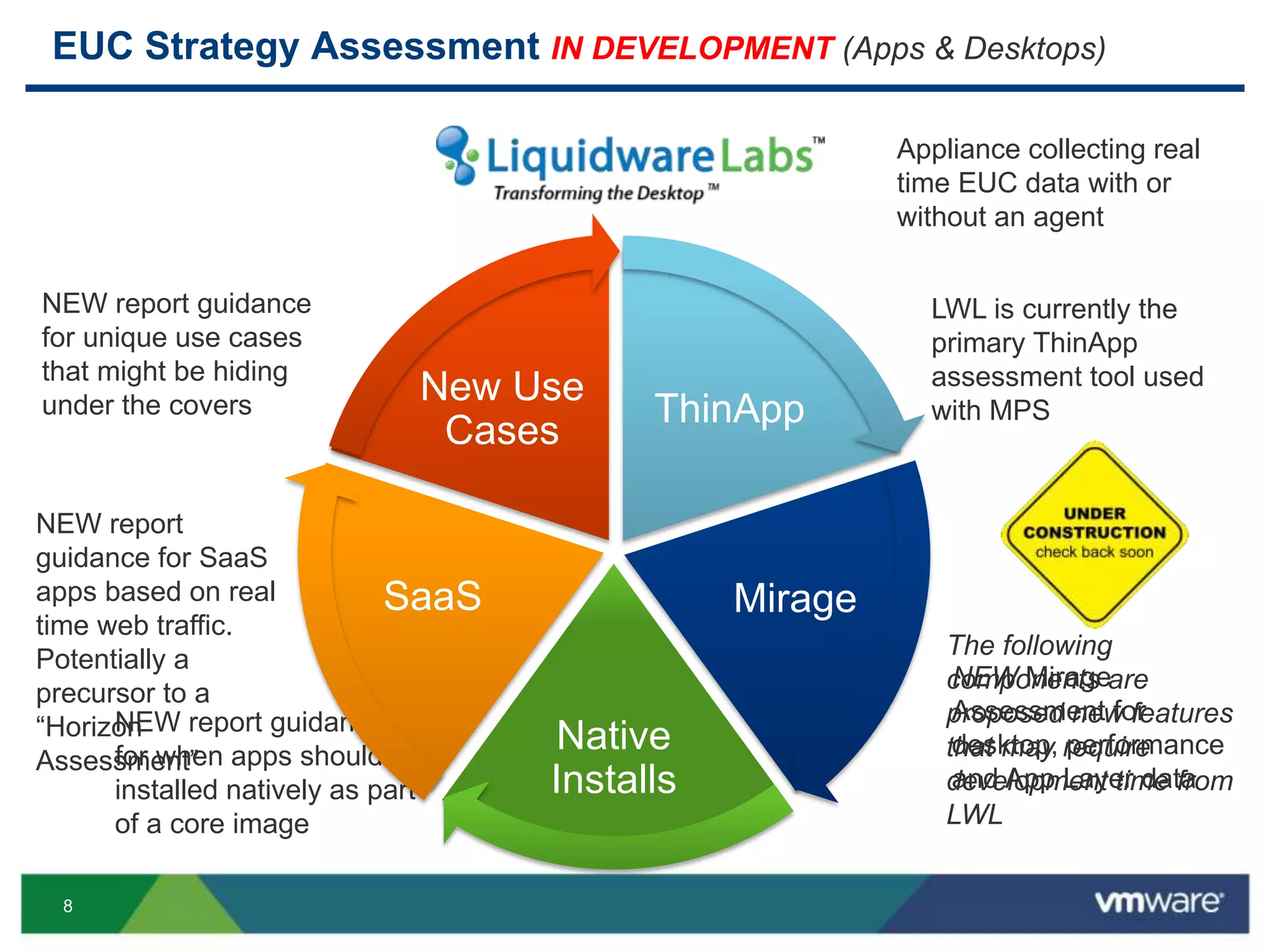
EUC Strategy Assessment IN DEVELOPMENT (Apps & Desktops)
Appliance collecting real
time EUC data with or
without an agent
LWL is currently the
primary ThinApp
assessment tool used
with MPS
New Use
Cases
ThinApp
NEW report guidance
for unique use cases
that might be hiding
under the covers
Mirage
NEW Mirage
Assessment for
desktop, performance
and App Layer data
Native
Installs
NEW report guidance
for when apps should be
installed natively as part
of a core image
SaaS
NEW report
guidance for SaaS
apps based on real
time web traffic.
Potentially a
precursor to a
“Horizon
Assessment”
The following
components are
proposed new features
that may require
development time from
LWL
9
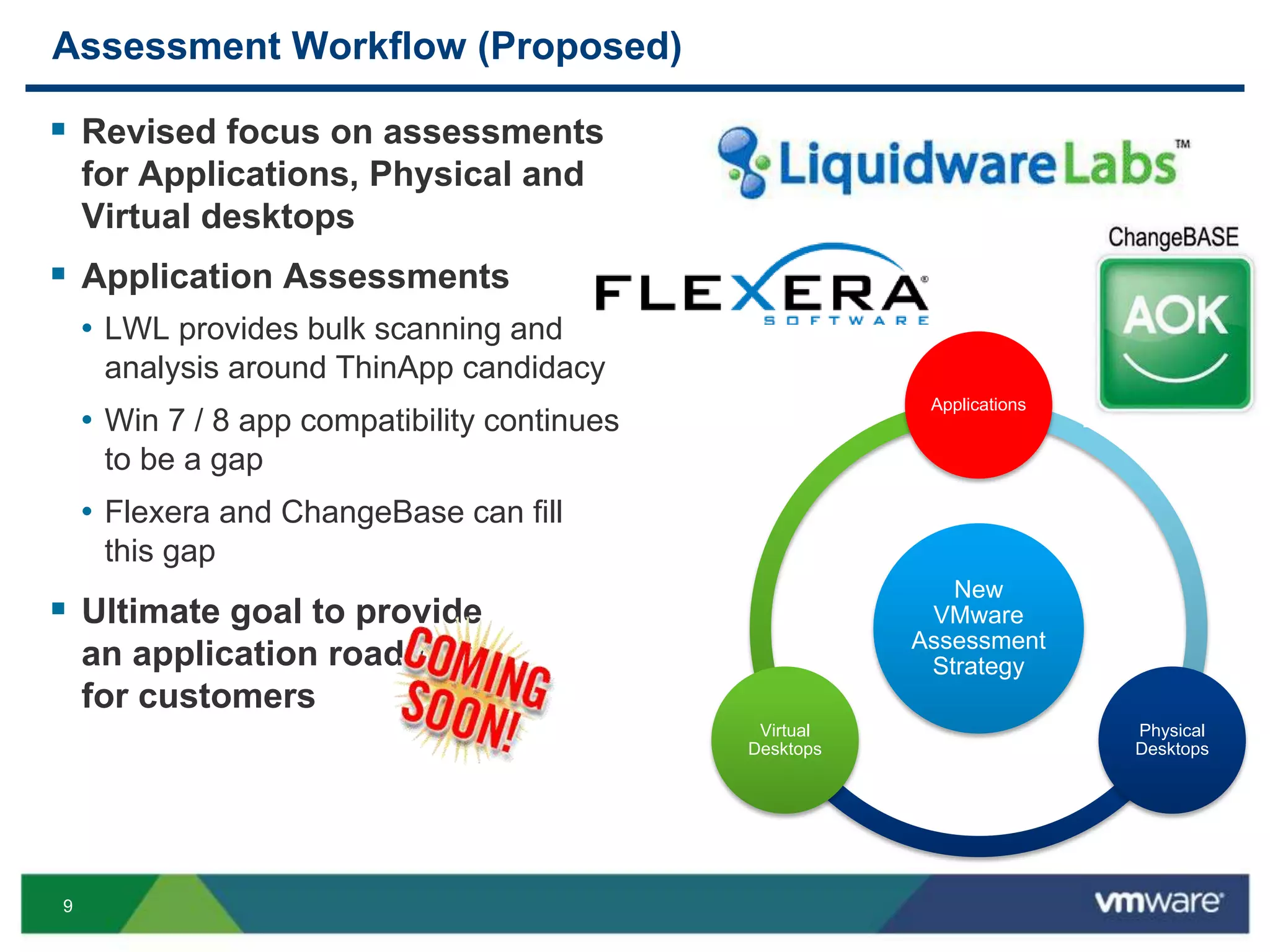
Assessment Workflow (Proposed)
 Revised focus on assessments
for Applications, Physical and
Virtual desktops
 Application Assessments
• LWL provides bulk scanning and
analysis around ThinApp candidacy
• Win 7 / 8 app compatibility continues
to be a gap
• Flexera and ChangeBase can fill
this gap
 Ultimate goal to provide
an application roadmap
for customers
New
VMware
Assessment
Strategy
Applications
Physical
Desktops
Virtual
Desktops
10
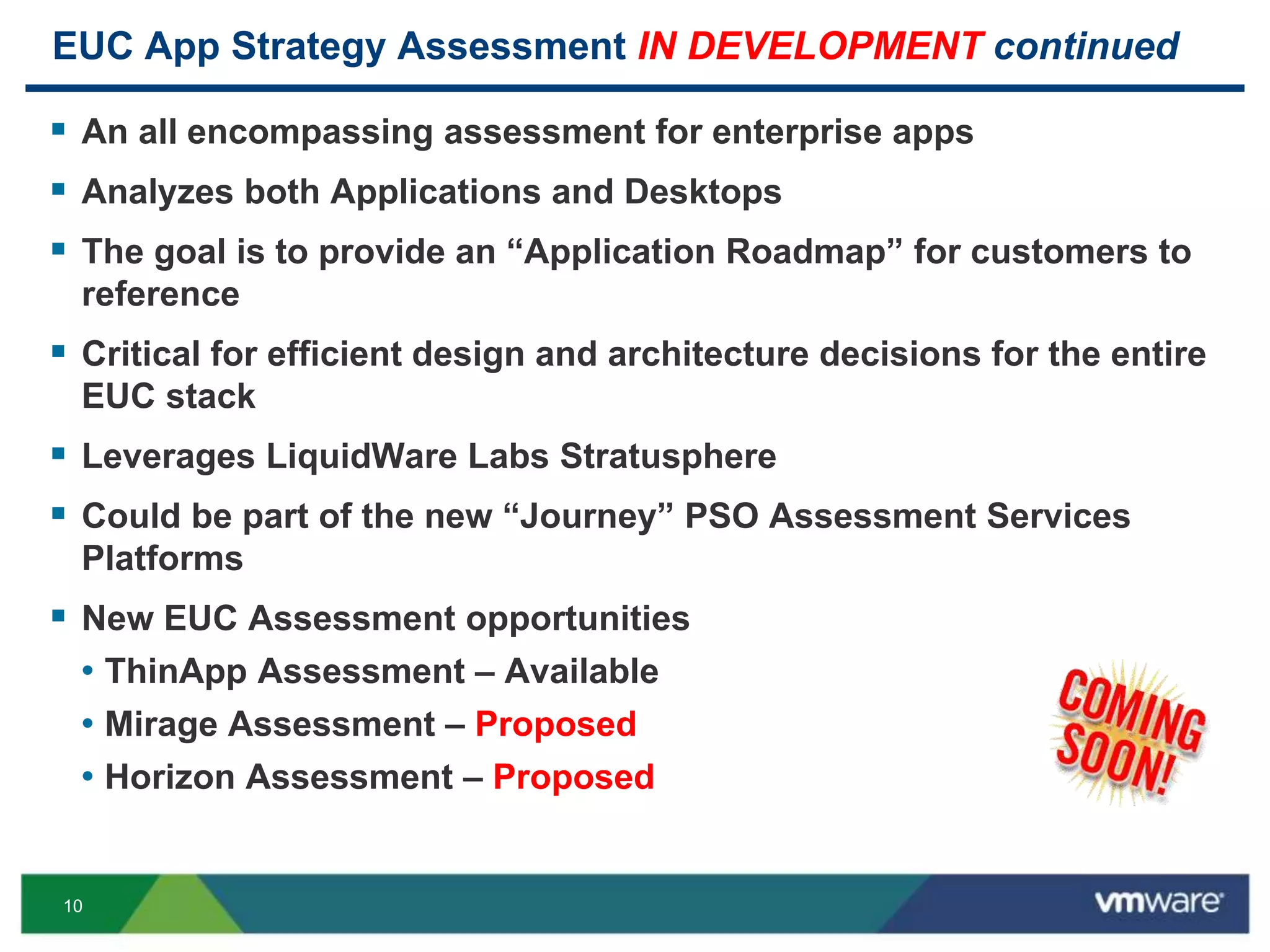
EUC App Strategy Assessment IN DEVELOPMENT continued
 An all encompassing assessment for enterprise apps
 Analyzes both Applications and Desktops
 The goal is to provide an “Application Roadmap” for customers to
reference
 Critical for efficient design and architecture decisions for the entire
EUC stack
 Leverages LiquidWare Labs Stratusphere
 Could be part of the new “Journey” PSO Assessment Services
Platforms
 New EUC Assessment opportunities
• ThinApp Assessment – Available
• Mirage Assessment – Proposed
• Horizon Assessment – Proposed
11
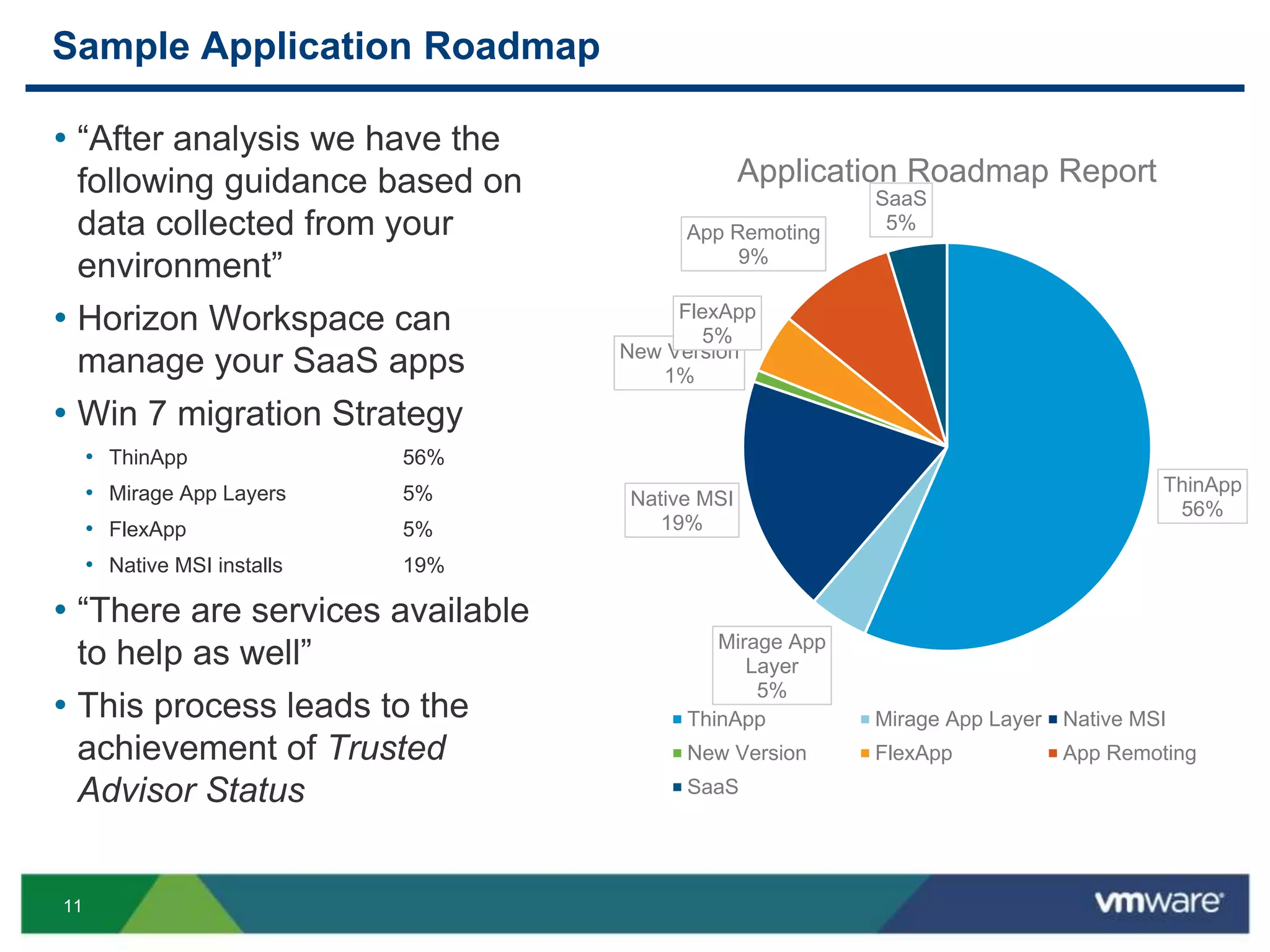
Sample Application Roadmap
ThinApp
56%
Mirage App
Layer
5%
Native MSI
19%
New Version
1%
FlexApp
5%
App Remoting
9%
SaaS
5%
Application Roadmap Report
ThinApp Mirage App Layer Native MSI
New Version FlexApp App Remoting
SaaS
• “After analysis we have the
following guidance based on
data collected from your
environment”
• Horizon Workspace can
manage your SaaS apps
• Win 7 migration Strategy
• ThinApp 56%
• Mirage App Layers 5%
• FlexApp 5%
• Native MSI installs 19%
• “There are services available
to help as well”
• This process leads to the
achievement of Trusted
Advisor Status
12
EUC Application Strategy Components
13
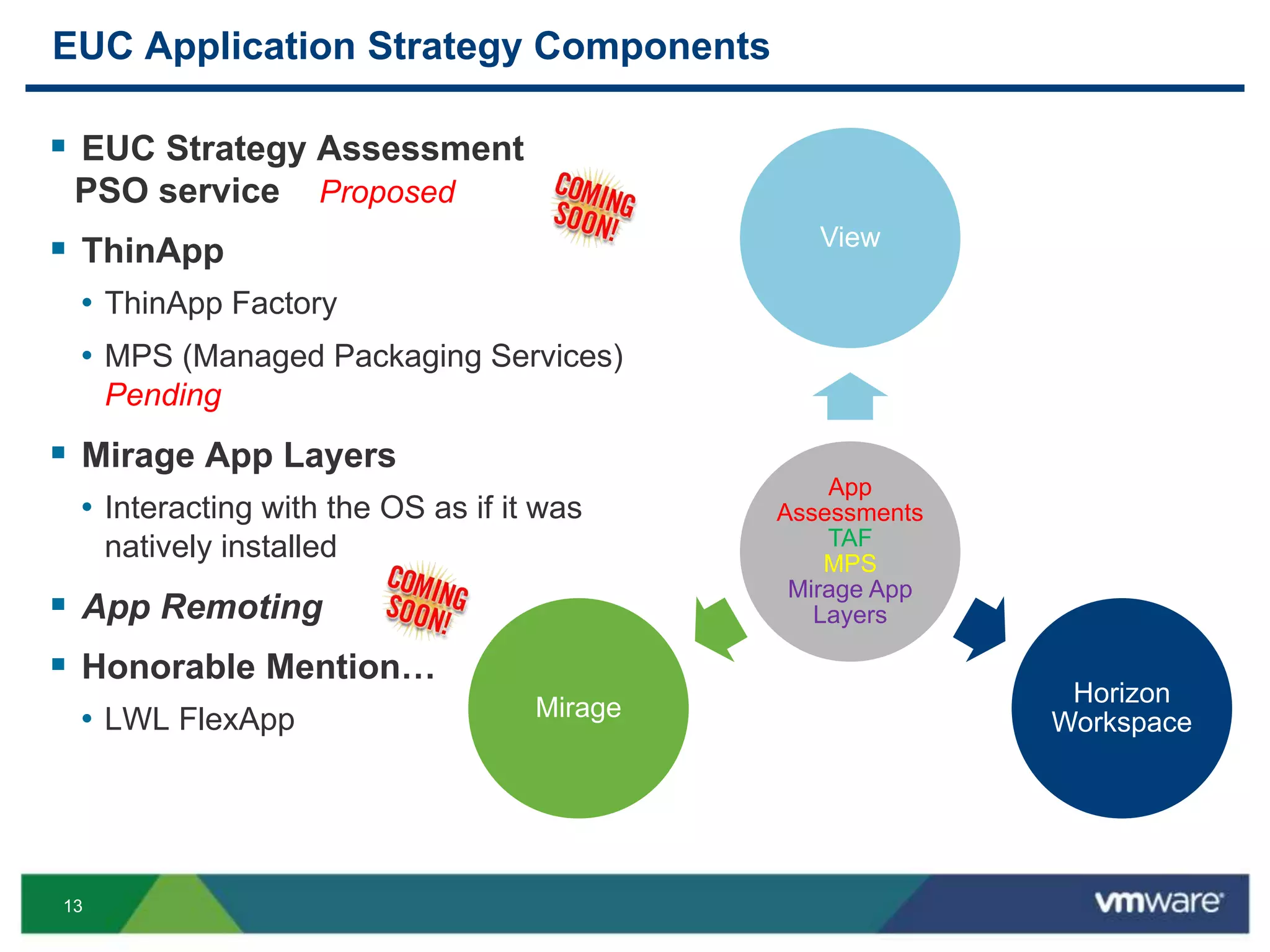
EUC Application Strategy Components
App
Assessments
TAF
MPS
Mirage App
Layers
View
Horizon
Workspace
Mirage
 EUC Strategy Assessment
PSO service Proposed
 ThinApp
• ThinApp Factory
• MPS (Managed Packaging Services)
Pending
 Mirage App Layers
• Interacting with the OS as if it was
natively installed
 App Remoting
 Honorable Mention…
• LWL FlexApp
14
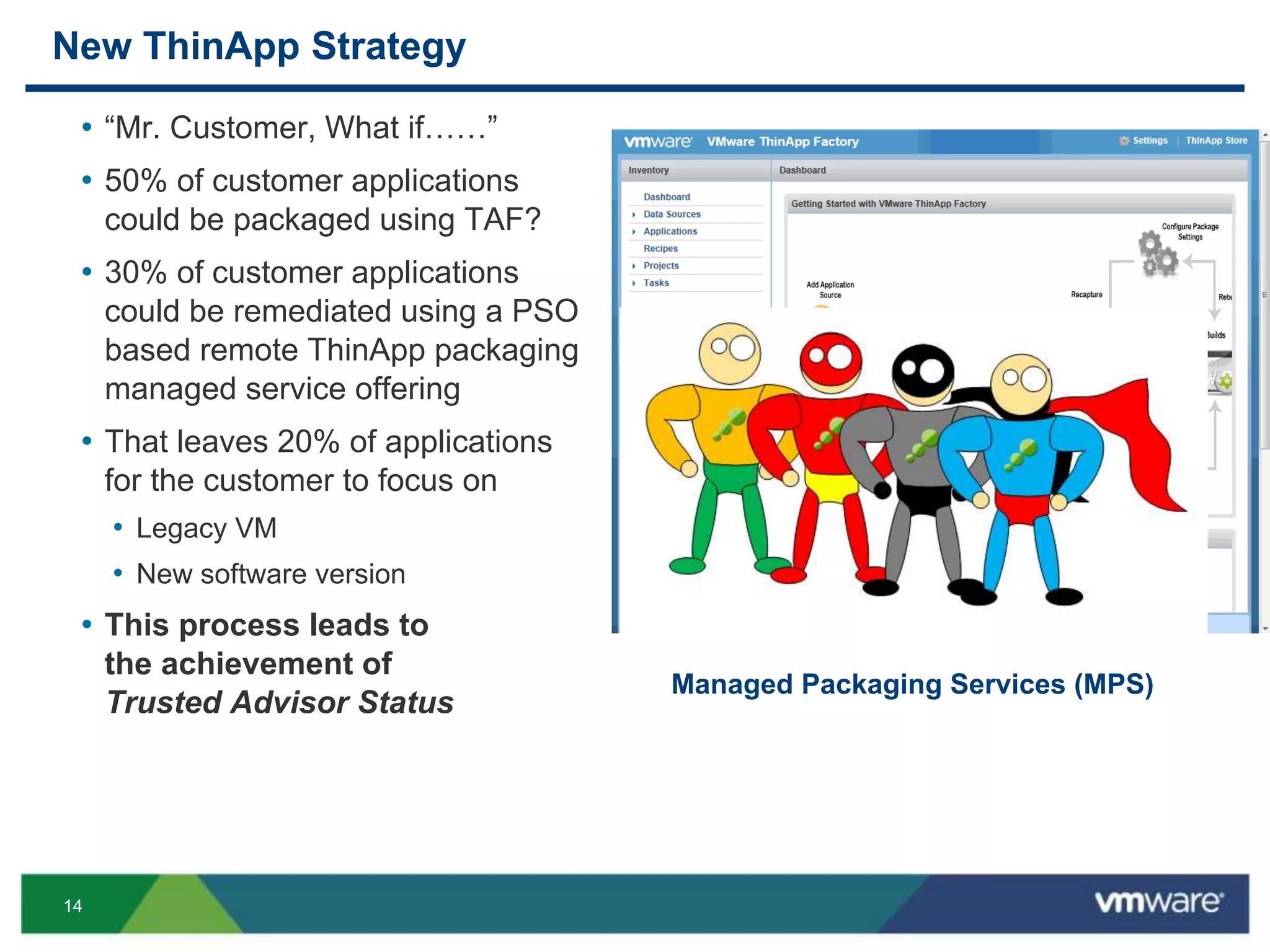
New ThinApp Strategy
• “Mr. Customer, What if……”
• 50% of customer applications
could be packaged using TAF?
• 30% of customer applications
could be remediated using a PSO
based remote ThinApp packaging
managed service offering
• That leaves 20% of applications
for the customer to focus on
• Legacy VM
• New software version
• This process leads to
the achievement of
Trusted Advisor Status
Managed Packaging Services (MPS)
15
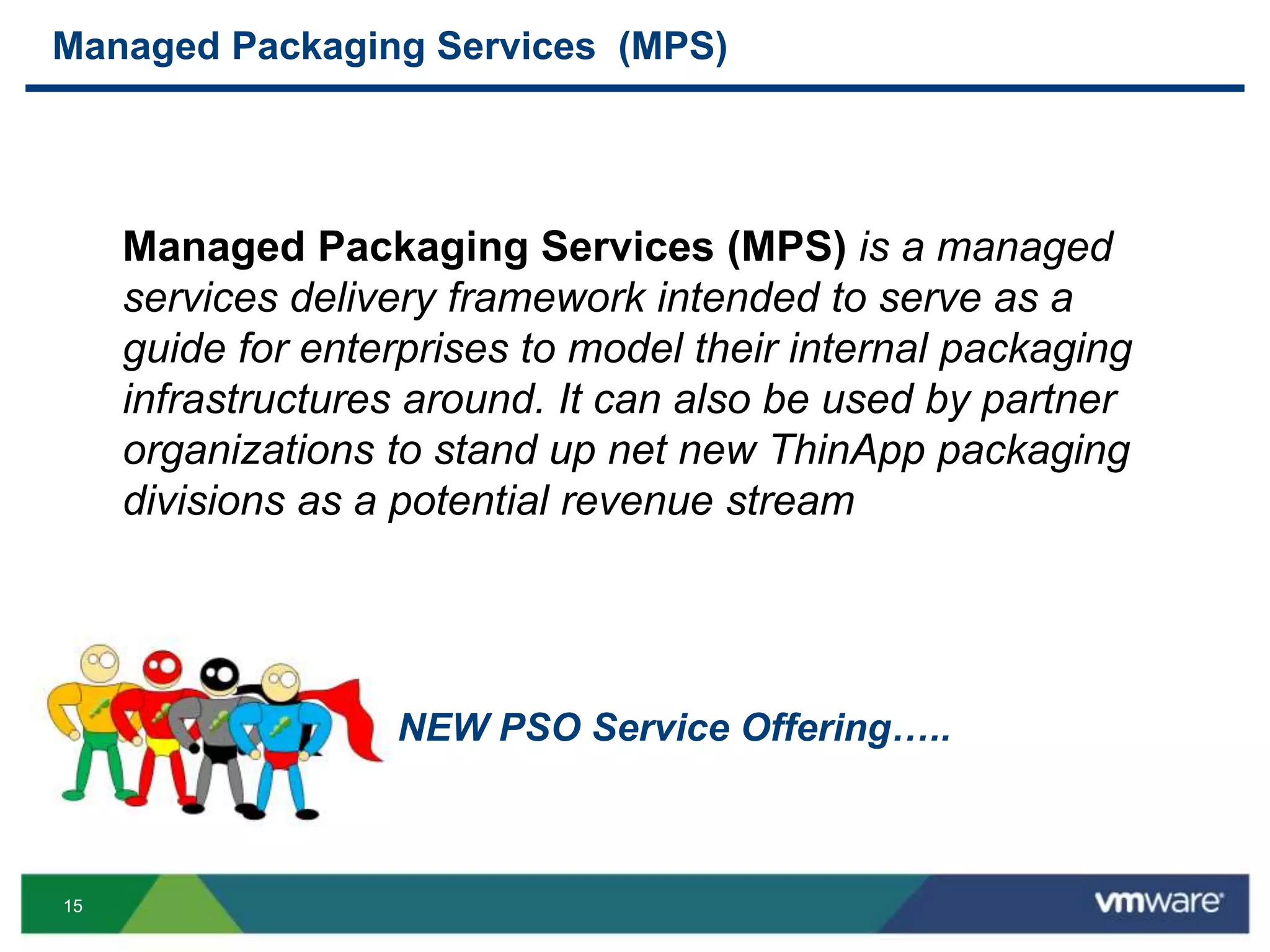
Managed Packaging Services (MPS)
Managed Packaging Services (MPS) is a managed
services delivery framework intended to serve as a
guide for enterprises to model their internal packaging
infrastructures around. It can also be used by partner
organizations to stand up net new ThinApp packaging
divisions as a potential revenue stream
NEW PSO Service Offering…..
16
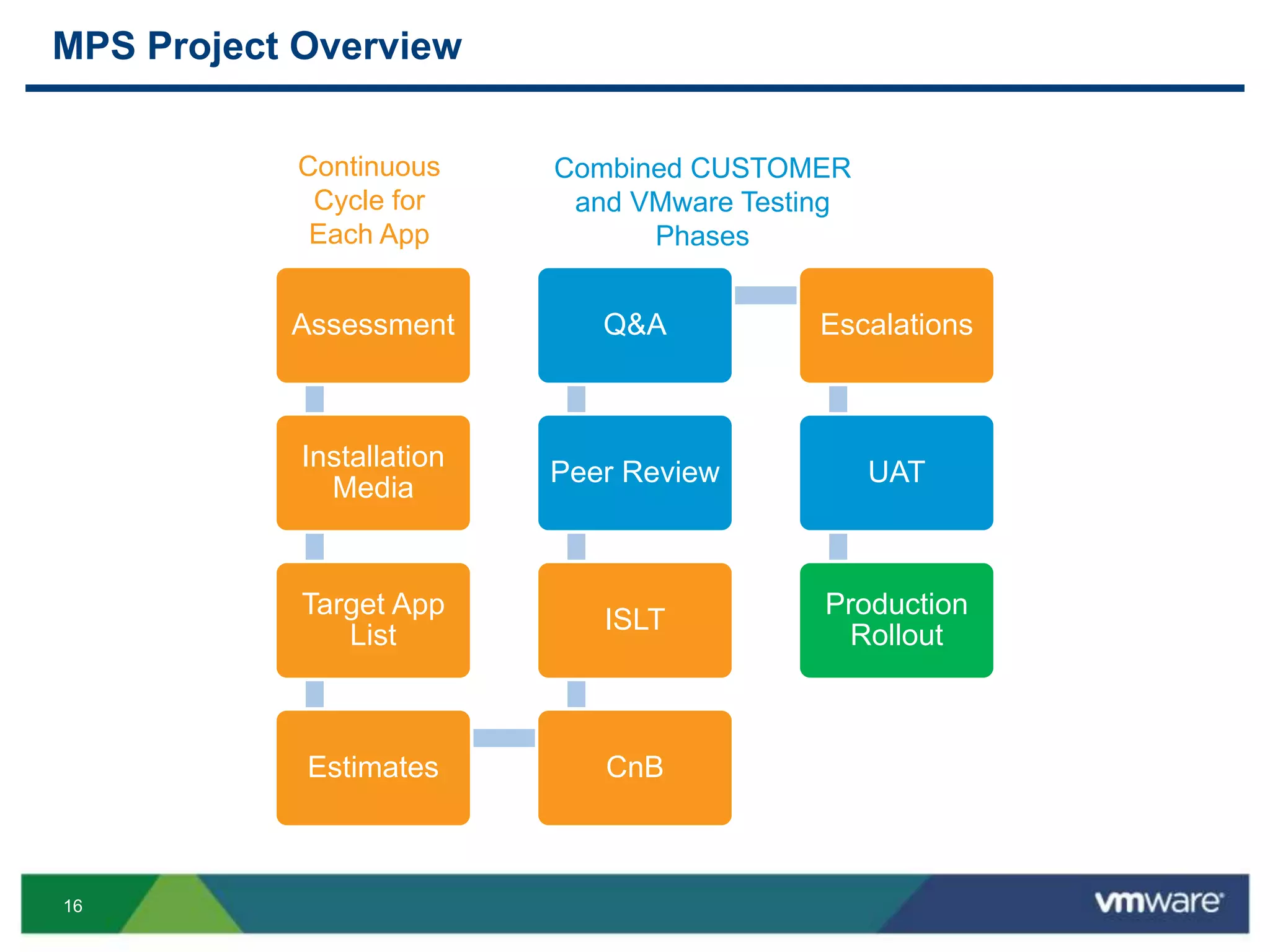
MPS Project Overview
Assessment
Installation
Media
Target App
List
Estimates CnB
ISLT
Peer Review
Q&A Escalations
UAT
Production
Rollout
Continuous
Cycle for
Each App
Combined CUSTOMER
and VMware Testing
Phases
17
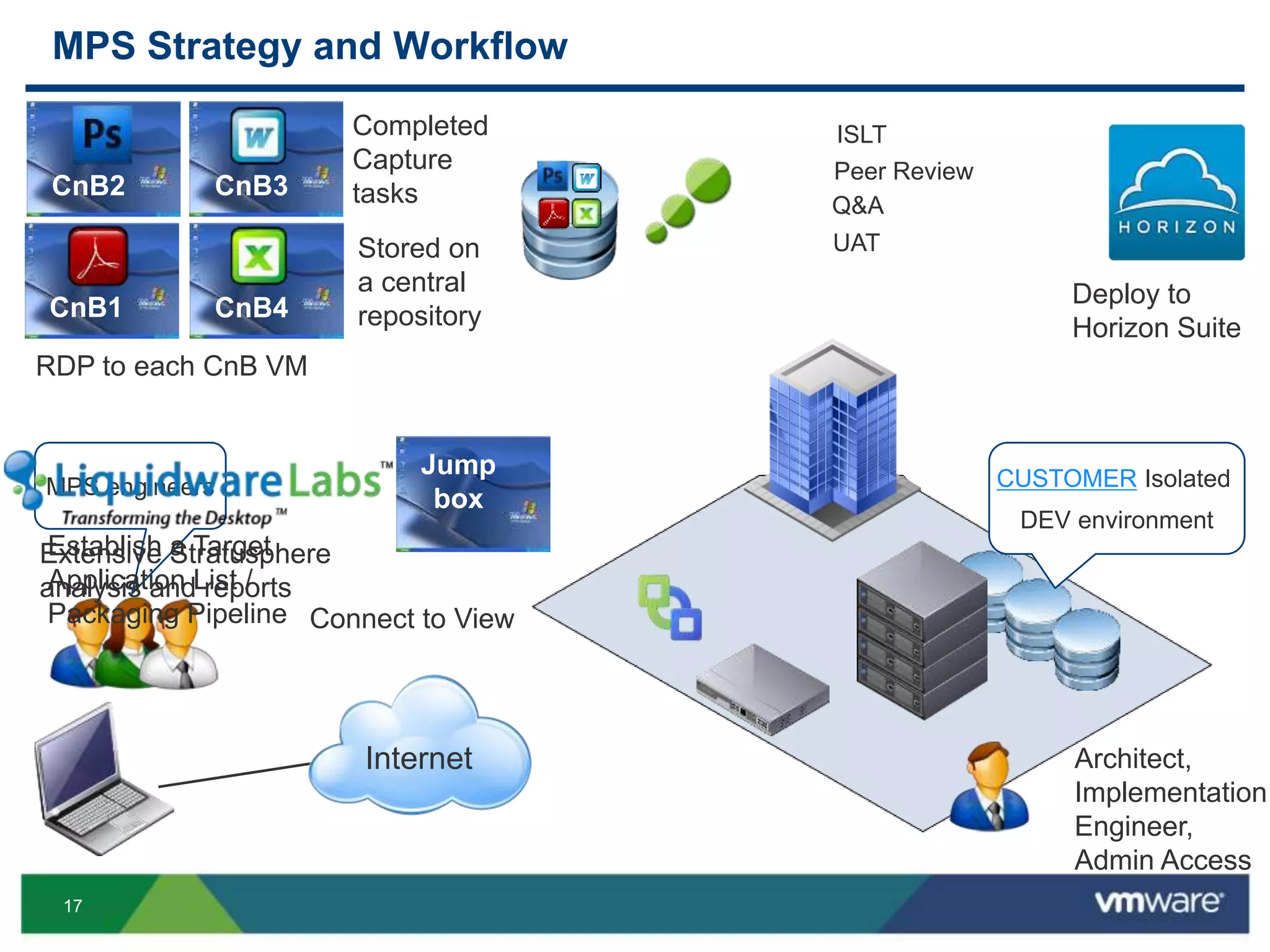
MPS Strategy and Workflow
CUSTOMER Isolated
DEV environment
Internet
MPS engineers
Jump
box
CnB1
CnB2 CnB3
CnB4
ISLT
Peer Review
Q&A
UAT
RDP to each CnB VM
Completed
Capture
tasks
Stored on
a central
repository
Deploy to
Horizon Suite
Connect to View
Architect,
Implementation
Engineer,
Admin Access
Extensive Stratusphere
analysis and reports
Establish a Target
Application List /
Packaging Pipeline
18
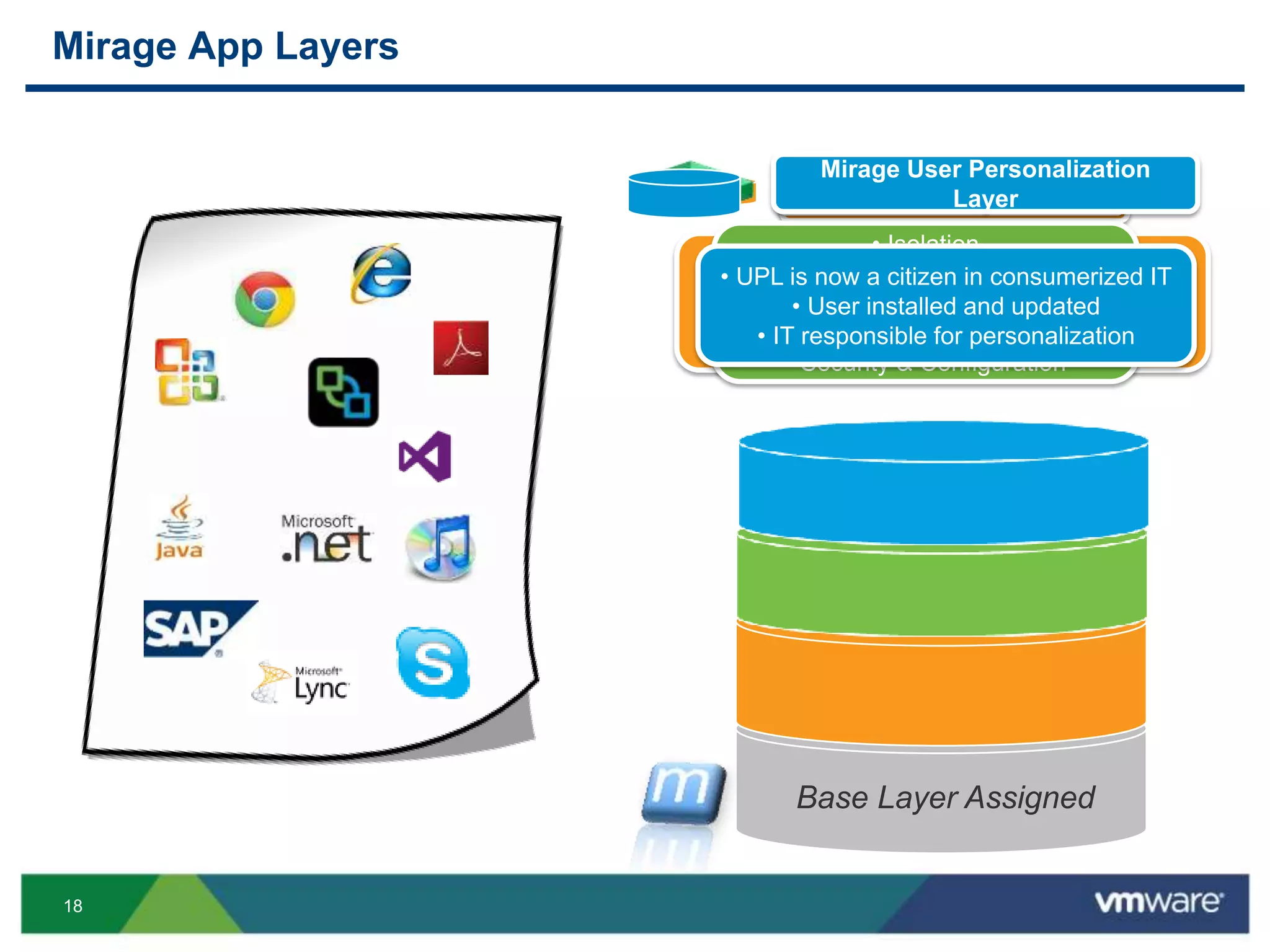
Mirage App Layers
• Native experience
• Windows Installer for updates
• Applications with drivers
• App compat challenges– mac, shell, http
Mirage Application Layers
• Isolation
• Cross-Platform
• Multi-version support
• Agentless Deployment
• Security & Configuration
ThinApp Containers
• UPL is now a citizen in consumerized IT
• User installed and updated
• IT responsible for personalization
Mirage User Personalization
Layer
Base Layer Assigned
19
Implementation Strategy
20
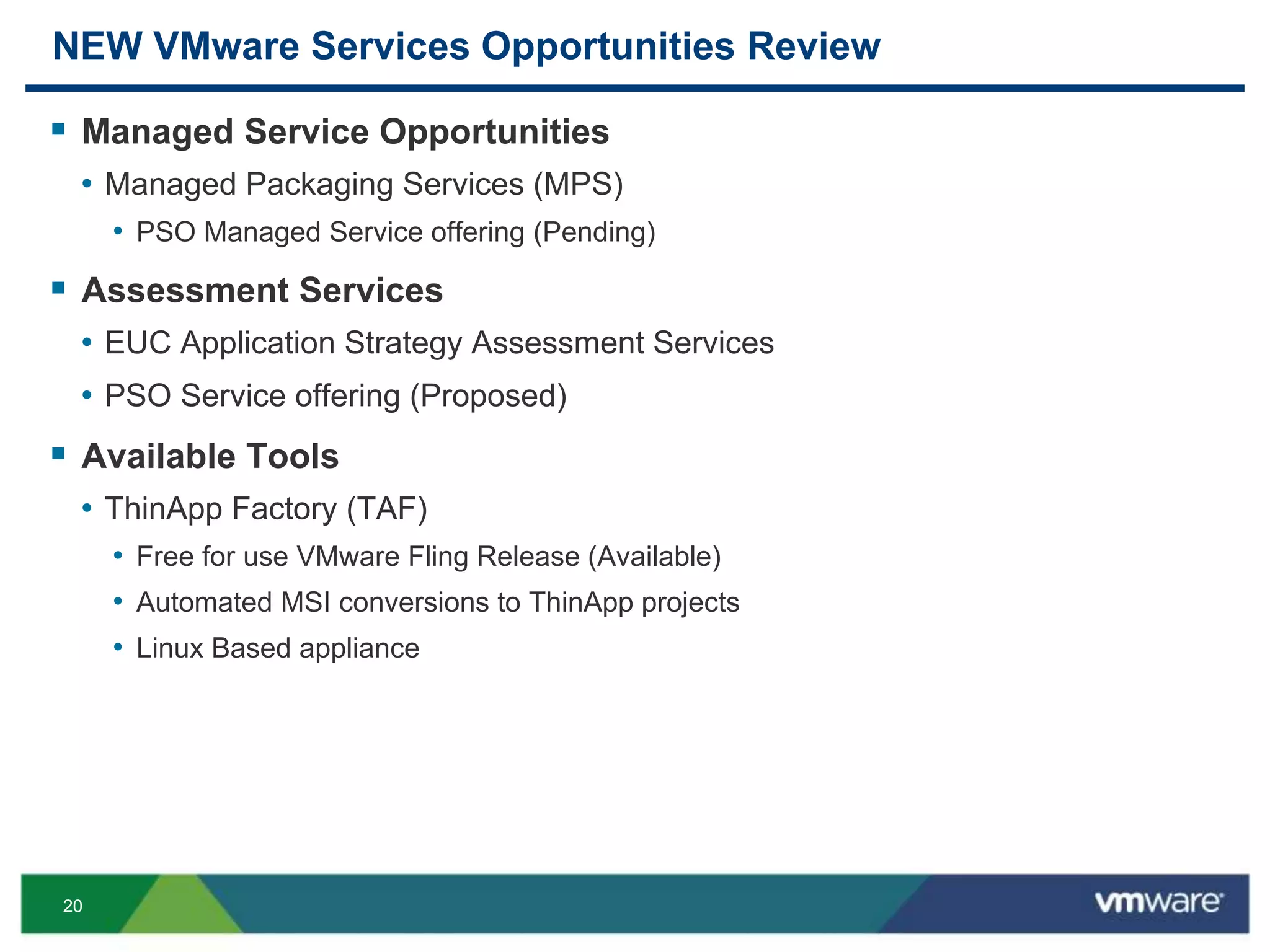
NEW VMware Services Opportunities Review
 Managed Service Opportunities
• Managed Packaging Services (MPS)
• PSO Managed Service offering (Pending)
 Assessment Services
• EUC Application Strategy Assessment Services
• PSO Service offering (Proposed)
 Available Tools
• ThinApp Factory (TAF)
• Free for use VMware Fling Release (Available)
• Automated MSI conversions to ThinApp projects
• Linux Based appliance
21
Key Points
 “Preliminary Services”
• EUC App Assessments need to be completed first
 Data collected feeds directly into other EUC initiatives
• Horizon, Mirage and View PSO Jumpstarts
• New Accelerator Services
 LWL Stratusphere tool
• Efficiently assists with App rationalization and reporting
• Real time application analysis
22
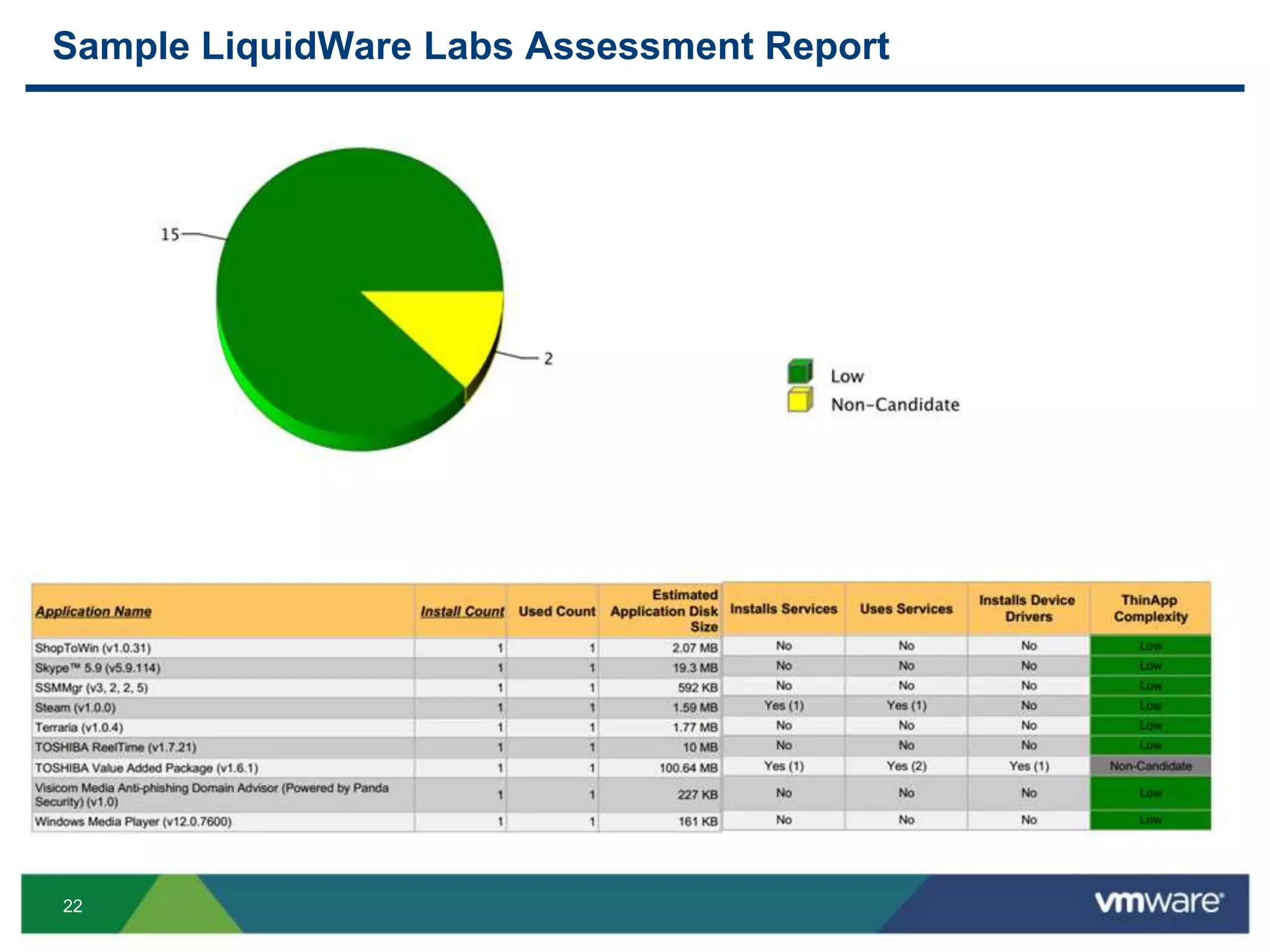
Sample LiquidWare Labs Assessment Report
23
Key Points
 Additional tools as necessary
• ChangeBase (Win 7 / 8 application compatibility)
• Existing ThinApp integration
• Stand alone analysis tool option that can be leveraged as a ThinApp package from a
consultant laptop
• Owned by DELL / Quest
• Flexera Admin Studio (Application Management Suite)
• Win 7 / 8 application compatibility
• MSI remediation
• Testing and analysis
• Existing ThinApp integration
24
Key Points continued
• AppDNA (Win 7 / 8 application compatibility)
• Owned by Citrix
• Customer feedback has been less than compelling
• No ThinApp integration
• No Stand alone analysis option
• Separate licenses required
25
Key Points continued
 Application Migration Manager for ThinApp
• Packaging coordination lifecycle utility
• Application packaging request interface
• Allows App owners to track the corresponding packages throughout the
process
• Similar license model to the current Migration Manager platform
• Built upon the existing VMware Migration Manger platform
26
Roadmap
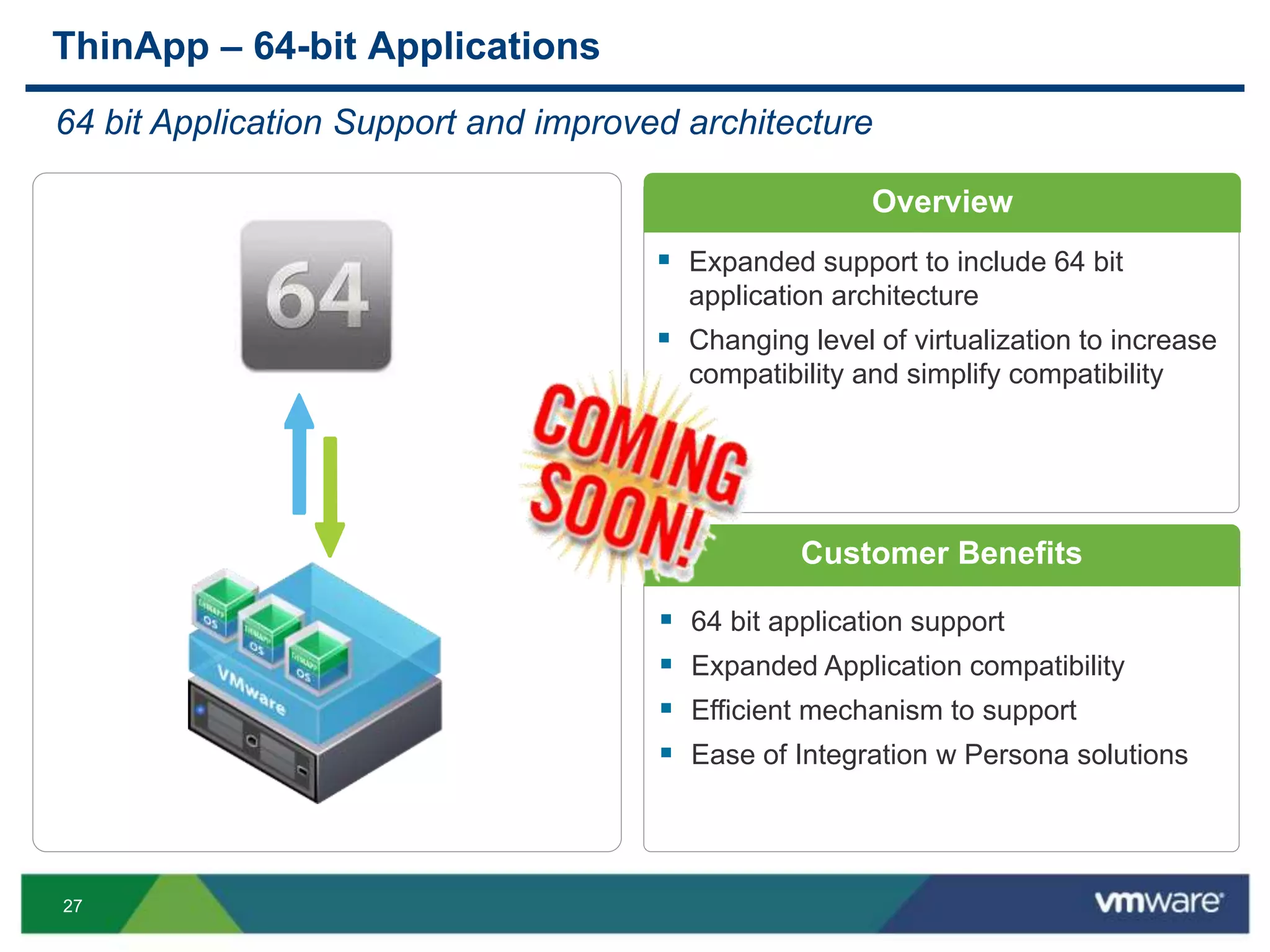
27
 64 bit application support
 Expanded Application compatibility
 Efficient mechanism to support
 Ease of Integration w Persona solutions
ThinApp – 64-bit Applications
64 bit Application Support and improved architecture
 Expanded support to include 64 bit
application architecture
 Changing level of virtualization to increase
compatibility and simplify compatibility
Overview
Customer Benefits
28
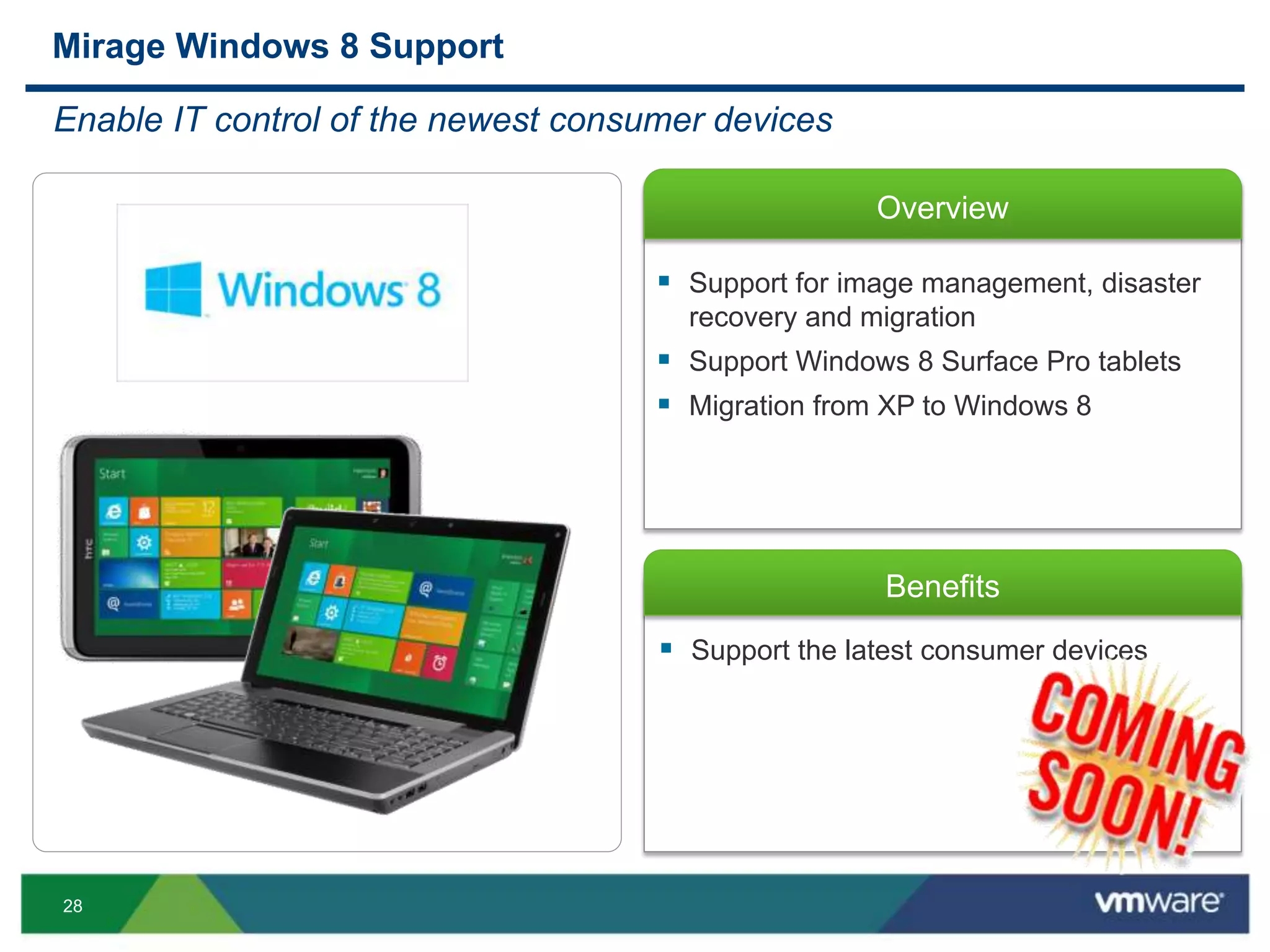
Overview
Benefits
 Support the latest consumer devices
Mirage Windows 8 Support
Enable IT control of the newest consumer devices
 Support for image management, disaster
recovery and migration
 Support Windows 8 Surface Pro tablets
 Migration from XP to Windows 8
29
Questions
30
Other VMware Activities Related to This Session
 HOL:
HOL-MBL-1304
Horizon Workspace - Explore and Deploy
 Group Discussions:
EUC1002-GD, EUC1003-GD
Overall EUC with Scott Davis or John Dodge
THANK YOU
EUC Application Strategy Best Practices
Raymond Dusseault, VMware
EUC4610
#EUC4610

VMworld 2013: EUC Application Strategy Best Practices

  • 1.
    EUC Application StrategyBest Practices Raymond Dusseault, VMware EUC4610 #EUC4610
  • 2.
    2 Agenda  Overview  EUCApplication Strategy  EUC Application strategy components  Implementation Strategy  Roadmap  Q&A
  • 3.
  • 4.
    4 EUC Application LandscapeChanges  SaaS apps  Legacy Windows Apps  Client Server platform support  “Home grown” applications on the rise  Windows XP applications are still on the enterprise radar  Windows 7 / 8 Application Compatibility concerns  On going support for both Physical and Virtual Desktop platforms  Hardware platform changes • Mobile • Tablet • Non Windows Use Cases
  • 5.
    5 Implications  Each uniquechallenge category seems to follow a different solution path  Making the wrong decision could be expensive  Making decisions without getting the whole picture first is flawed  Windows 7 migration projects are often halted due to application challenges  Windows 8 is estimated to cause even more application compatibility issues Enterprises have more to account for then ever before
  • 6.
  • 7.
    7 New EUC ApplicationStrategy Concept  Need for an all encompassing Assessment Approach  Ability to make informed decisions based on an accurate picture of an environment  Don’t just focus on App Virtualization  Attempt to document a clear application footprint for the entire enterprise  Bridges the gap between EUC and Cloud  Provides an Application Roadmap for the enterprise  Integrates with the new EUC Solution Selling Focus  EUC Application Strategy Assessment • EUC Application Strategy Assessment Services • PSO Service offering (Proposed)
  • 8.
    8 EUC Strategy AssessmentIN DEVELOPMENT (Apps & Desktops) Appliance collecting real time EUC data with or without an agent LWL is currently the primary ThinApp assessment tool used with MPS New Use Cases ThinApp NEW report guidance for unique use cases that might be hiding under the covers Mirage NEW Mirage Assessment for desktop, performance and App Layer data Native Installs NEW report guidance for when apps should be installed natively as part of a core image SaaS NEW report guidance for SaaS apps based on real time web traffic. Potentially a precursor to a “Horizon Assessment” The following components are proposed new features that may require development time from LWL
  • 9.
    9 Assessment Workflow (Proposed) Revised focus on assessments for Applications, Physical and Virtual desktops  Application Assessments • LWL provides bulk scanning and analysis around ThinApp candidacy • Win 7 / 8 app compatibility continues to be a gap • Flexera and ChangeBase can fill this gap  Ultimate goal to provide an application roadmap for customers New VMware Assessment Strategy Applications Physical Desktops Virtual Desktops
  • 10.
    10 EUC App StrategyAssessment IN DEVELOPMENT continued  An all encompassing assessment for enterprise apps  Analyzes both Applications and Desktops  The goal is to provide an “Application Roadmap” for customers to reference  Critical for efficient design and architecture decisions for the entire EUC stack  Leverages LiquidWare Labs Stratusphere  Could be part of the new “Journey” PSO Assessment Services Platforms  New EUC Assessment opportunities • ThinApp Assessment – Available • Mirage Assessment – Proposed • Horizon Assessment – Proposed
  • 11.
    11 Sample Application Roadmap ThinApp 56% MirageApp Layer 5% Native MSI 19% New Version 1% FlexApp 5% App Remoting 9% SaaS 5% Application Roadmap Report ThinApp Mirage App Layer Native MSI New Version FlexApp App Remoting SaaS • “After analysis we have the following guidance based on data collected from your environment” • Horizon Workspace can manage your SaaS apps • Win 7 migration Strategy • ThinApp 56% • Mirage App Layers 5% • FlexApp 5% • Native MSI installs 19% • “There are services available to help as well” • This process leads to the achievement of Trusted Advisor Status
  • 12.
  • 13.
    13 EUC Application StrategyComponents App Assessments TAF MPS Mirage App Layers View Horizon Workspace Mirage  EUC Strategy Assessment PSO service Proposed  ThinApp • ThinApp Factory • MPS (Managed Packaging Services) Pending  Mirage App Layers • Interacting with the OS as if it was natively installed  App Remoting  Honorable Mention… • LWL FlexApp
  • 14.
    14 New ThinApp Strategy •“Mr. Customer, What if……” • 50% of customer applications could be packaged using TAF? • 30% of customer applications could be remediated using a PSO based remote ThinApp packaging managed service offering • That leaves 20% of applications for the customer to focus on • Legacy VM • New software version • This process leads to the achievement of Trusted Advisor Status Managed Packaging Services (MPS)
  • 15.
    15 Managed Packaging Services(MPS) Managed Packaging Services (MPS) is a managed services delivery framework intended to serve as a guide for enterprises to model their internal packaging infrastructures around. It can also be used by partner organizations to stand up net new ThinApp packaging divisions as a potential revenue stream NEW PSO Service Offering…..
  • 16.
    16 MPS Project Overview Assessment Installation Media TargetApp List Estimates CnB ISLT Peer Review Q&A Escalations UAT Production Rollout Continuous Cycle for Each App Combined CUSTOMER and VMware Testing Phases
  • 17.
    17 MPS Strategy andWorkflow CUSTOMER Isolated DEV environment Internet MPS engineers Jump box CnB1 CnB2 CnB3 CnB4 ISLT Peer Review Q&A UAT RDP to each CnB VM Completed Capture tasks Stored on a central repository Deploy to Horizon Suite Connect to View Architect, Implementation Engineer, Admin Access Extensive Stratusphere analysis and reports Establish a Target Application List / Packaging Pipeline
  • 18.
    18 Mirage App Layers •Native experience • Windows Installer for updates • Applications with drivers • App compat challenges– mac, shell, http Mirage Application Layers • Isolation • Cross-Platform • Multi-version support • Agentless Deployment • Security & Configuration ThinApp Containers • UPL is now a citizen in consumerized IT • User installed and updated • IT responsible for personalization Mirage User Personalization Layer Base Layer Assigned
  • 19.
  • 20.
    20 NEW VMware ServicesOpportunities Review  Managed Service Opportunities • Managed Packaging Services (MPS) • PSO Managed Service offering (Pending)  Assessment Services • EUC Application Strategy Assessment Services • PSO Service offering (Proposed)  Available Tools • ThinApp Factory (TAF) • Free for use VMware Fling Release (Available) • Automated MSI conversions to ThinApp projects • Linux Based appliance
  • 21.
    21 Key Points  “PreliminaryServices” • EUC App Assessments need to be completed first  Data collected feeds directly into other EUC initiatives • Horizon, Mirage and View PSO Jumpstarts • New Accelerator Services  LWL Stratusphere tool • Efficiently assists with App rationalization and reporting • Real time application analysis
  • 22.
    22 Sample LiquidWare LabsAssessment Report
  • 23.
    23 Key Points  Additionaltools as necessary • ChangeBase (Win 7 / 8 application compatibility) • Existing ThinApp integration • Stand alone analysis tool option that can be leveraged as a ThinApp package from a consultant laptop • Owned by DELL / Quest • Flexera Admin Studio (Application Management Suite) • Win 7 / 8 application compatibility • MSI remediation • Testing and analysis • Existing ThinApp integration
  • 24.
    24 Key Points continued •AppDNA (Win 7 / 8 application compatibility) • Owned by Citrix • Customer feedback has been less than compelling • No ThinApp integration • No Stand alone analysis option • Separate licenses required
  • 25.
    25 Key Points continued Application Migration Manager for ThinApp • Packaging coordination lifecycle utility • Application packaging request interface • Allows App owners to track the corresponding packages throughout the process • Similar license model to the current Migration Manager platform • Built upon the existing VMware Migration Manger platform
  • 26.
  • 27.
    27  64 bitapplication support  Expanded Application compatibility  Efficient mechanism to support  Ease of Integration w Persona solutions ThinApp – 64-bit Applications 64 bit Application Support and improved architecture  Expanded support to include 64 bit application architecture  Changing level of virtualization to increase compatibility and simplify compatibility Overview Customer Benefits
  • 28.
    28 Overview Benefits  Support thelatest consumer devices Mirage Windows 8 Support Enable IT control of the newest consumer devices  Support for image management, disaster recovery and migration  Support Windows 8 Surface Pro tablets  Migration from XP to Windows 8
  • 29.
  • 30.
    30 Other VMware ActivitiesRelated to This Session  HOL: HOL-MBL-1304 Horizon Workspace - Explore and Deploy  Group Discussions: EUC1002-GD, EUC1003-GD Overall EUC with Scott Davis or John Dodge
  • 31.
  • 33.
    EUC Application StrategyBest Practices Raymond Dusseault, VMware EUC4610 #EUC4610