
OpStor
V 9.1
- A multi vendor storage resource management and
capacity forecasting software
AGENDA
• Understanding the user i.e, Storage Administrator, his duties
and the challenges he faces
• Introduction about OpStor
• Overview of OpStor - v9.1
• Advantages of using OpStor
• Benefits of using OpStor
STORAGE ADMINISTRATORS - Duties
• Create LUNs
• Resolve storage shortages
• Maintain a proper backup schedule and perform backups
• System performance tuning
• Forecast storage growth
• Monitor current storage environment
• Make hardware / configuration changes when adding new
servers
CHALLENGES FACED BY STORAGE ADMINISTRATORS
• Prevent system panic
• Isolating the problem
• Responsiveness
• Forecasting future storage demands
• Operate with products from different OEMs
• Security of the data (availability and retention)
OpStor
• OpStor from Manage Engine is a multi vendor SRM (Storage Resource
Management) and capacity forecasting solution
• It monitors Storage Area Network (SAN) and Network Attached Storage
(NAS) devices such as RAIDs, all-flash arrays, fabric switches, tape
libraries, host / backup servers and host bus adapter cards
• It performs auto-discovery to deliver asset, capacity, performance, and
configuration information on storage devices and their components
• It generates reports, forecasts storage demand and also performs
escalations on alerts
5 EASY STEPS TO UNDERSTAND OPSTOR
• Home - Displays the summary of the entire storage environment
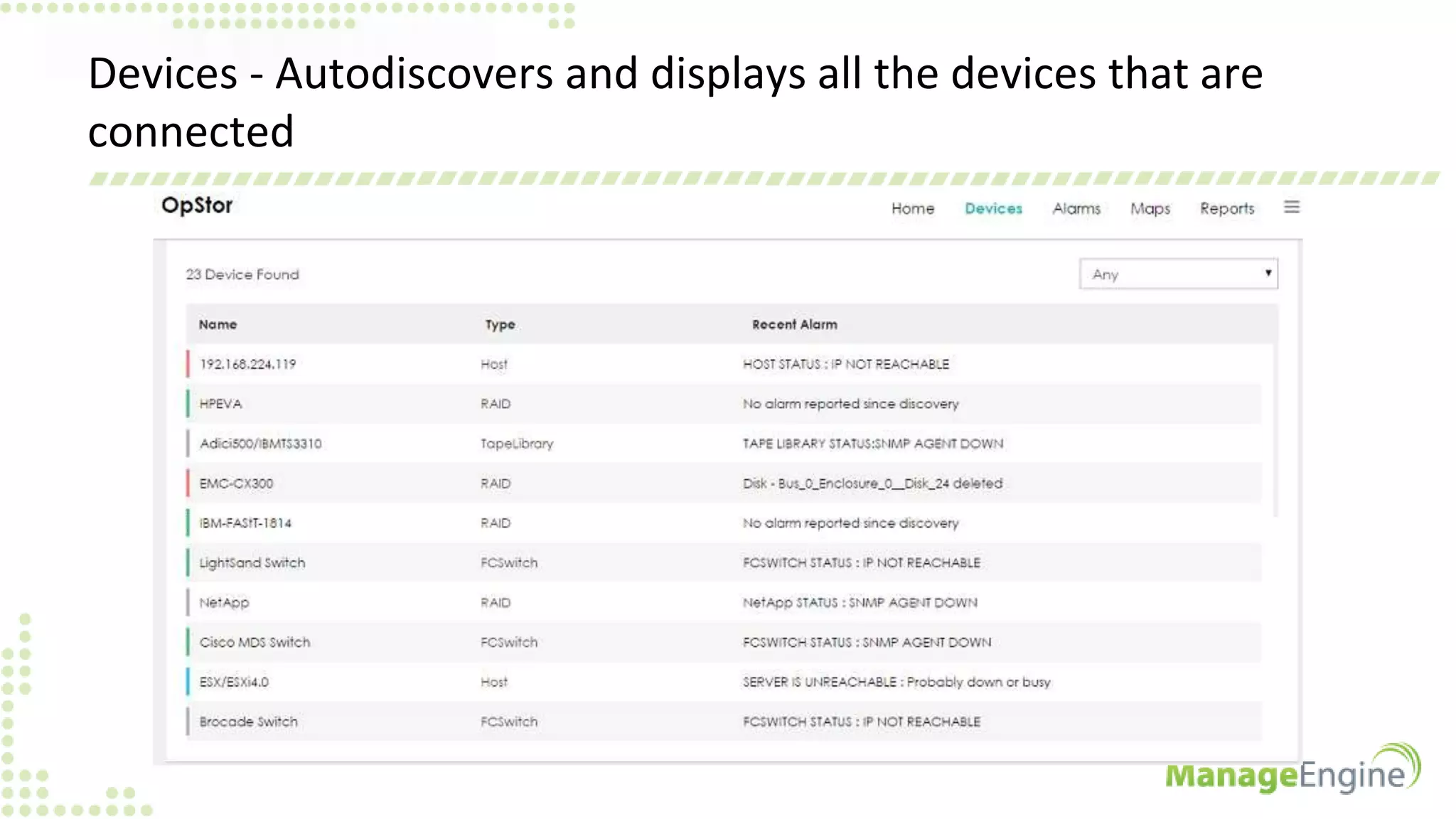
• Devices - Autodiscovers and displays all the devices that are connected
• Alarms - Allows you to select device type and view their alarms
• Maps - Gives a pictorial representation of the storage network
• Reports - Gives reports on performance, capacity, availability etc
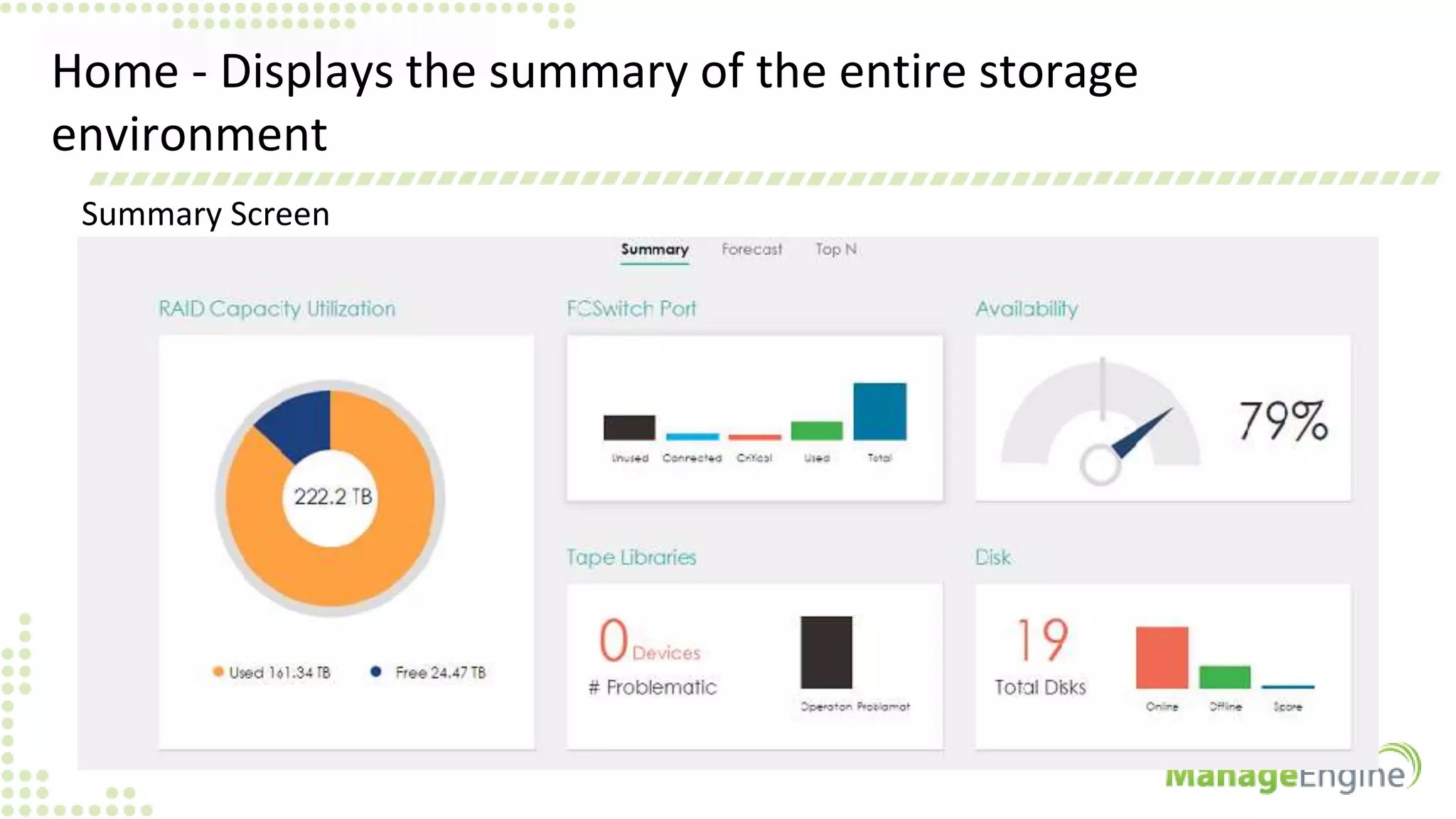
Home - Displays the summary of the entire storage
environment
Summary Screen
Home -> Forecast - Consolidated forecast for the entire storage setup
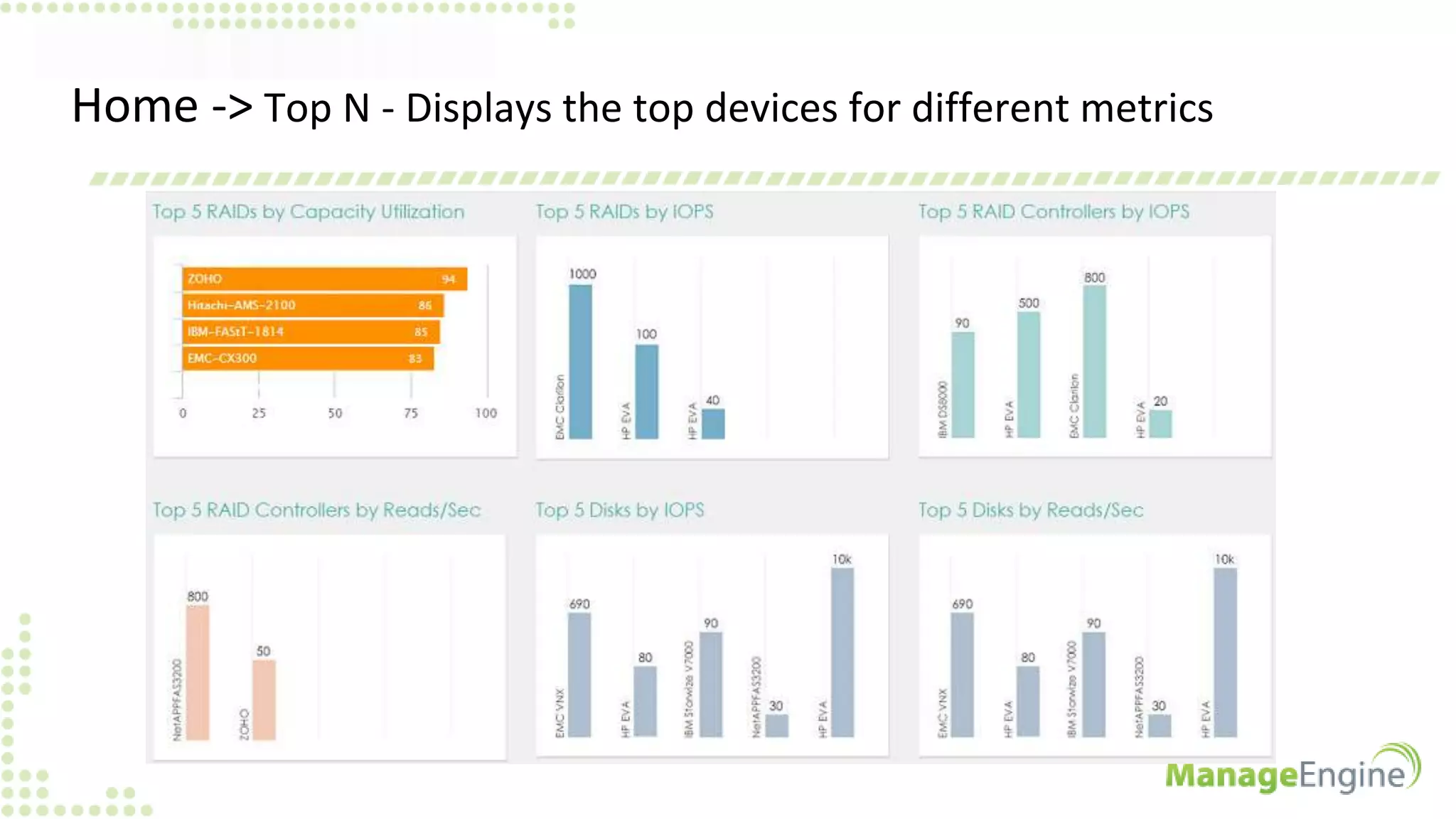
Home -> Top N - Displays the top devices for different metrics
Devices - Autodiscovers and displays all the devices that are
connected
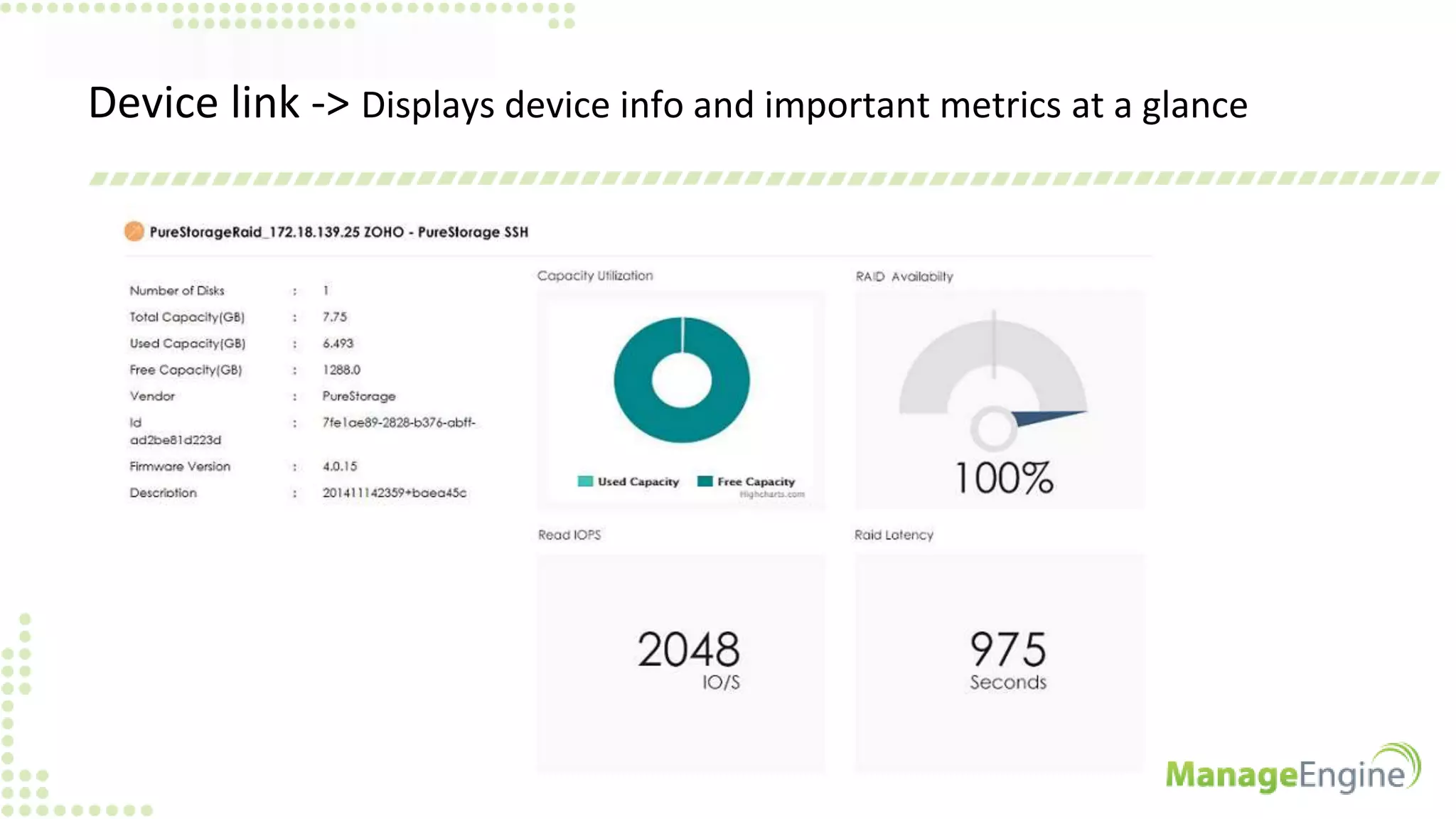
Device link -> Displays device info and important metrics at a glance
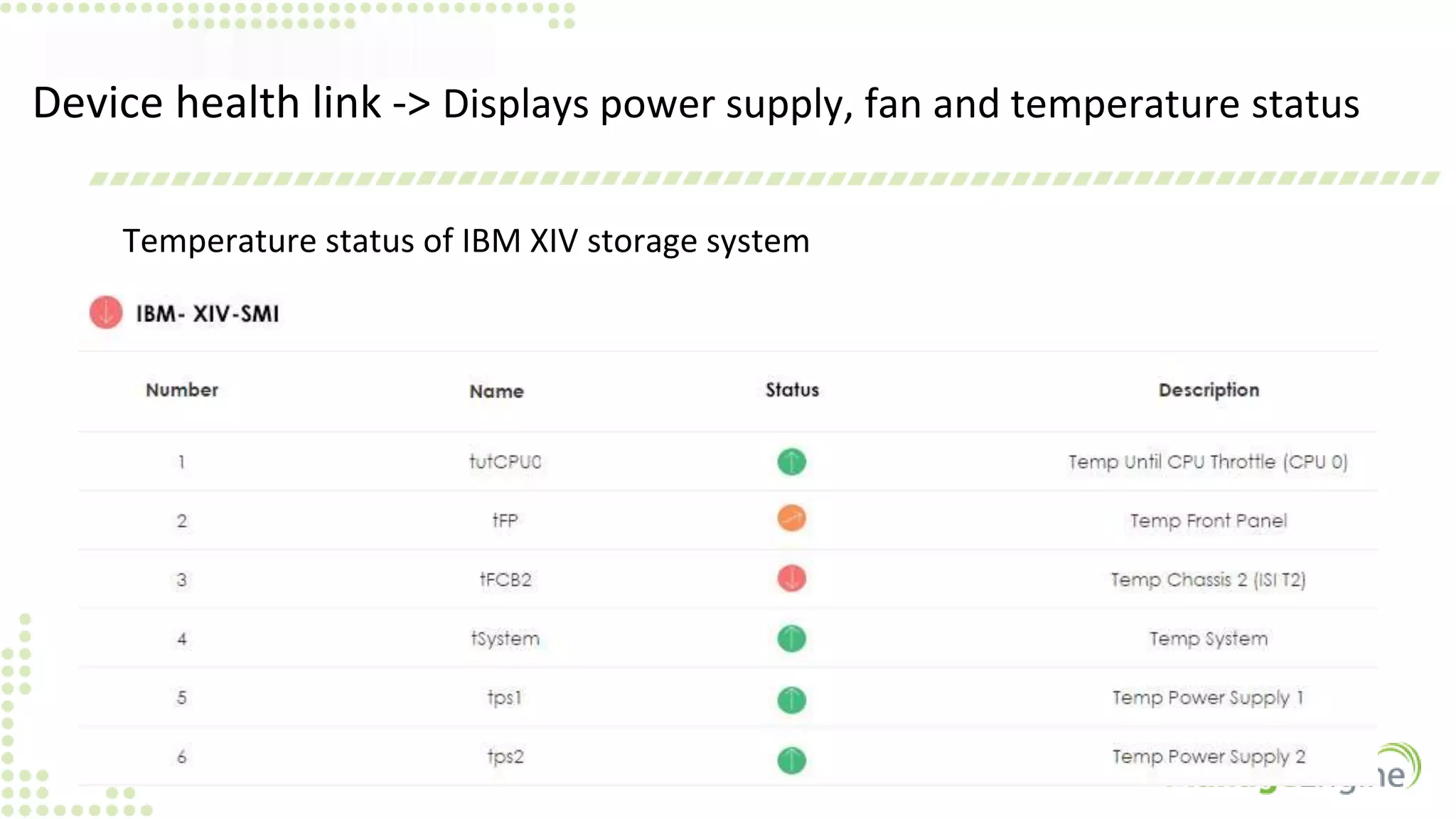
Device health link -> Displays power supply, fan and temperature status
Temperature status of IBM XIV storage system
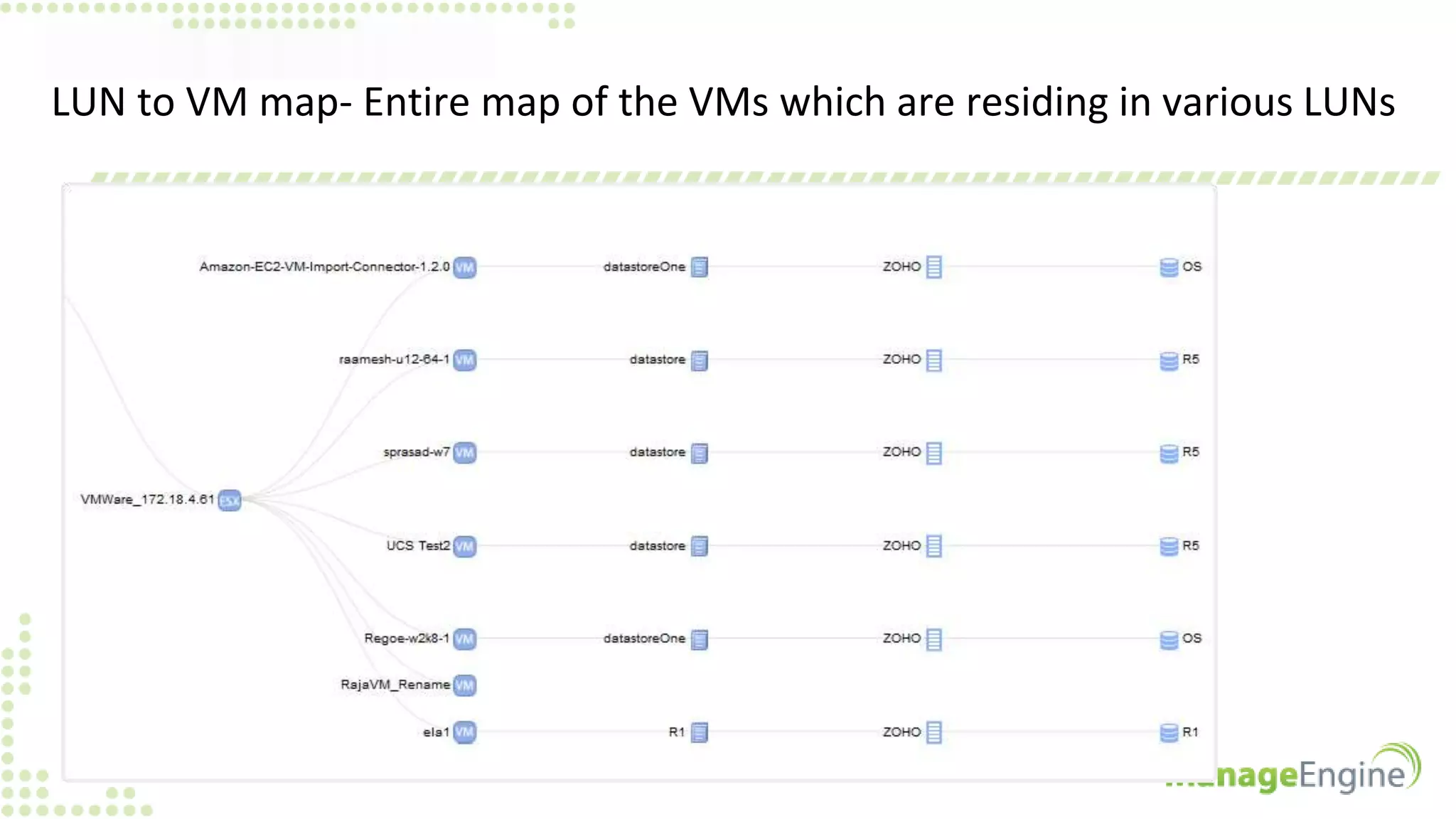
LUN to VM map- Entire map of the VMs which are residing in various LUNs
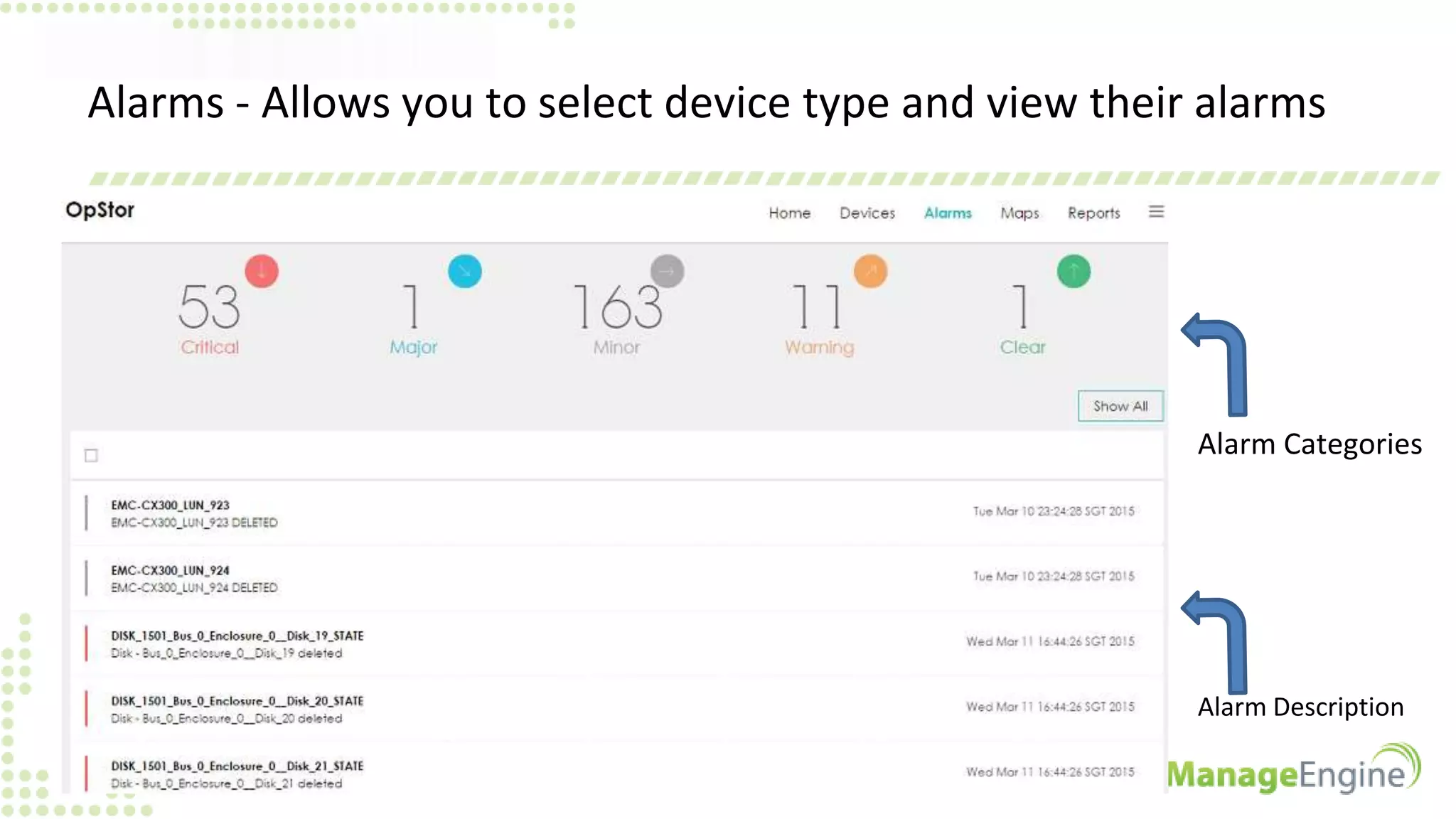
Alarms - Allows you to select device type and view their alarms
Alarm Categories
Alarm Description
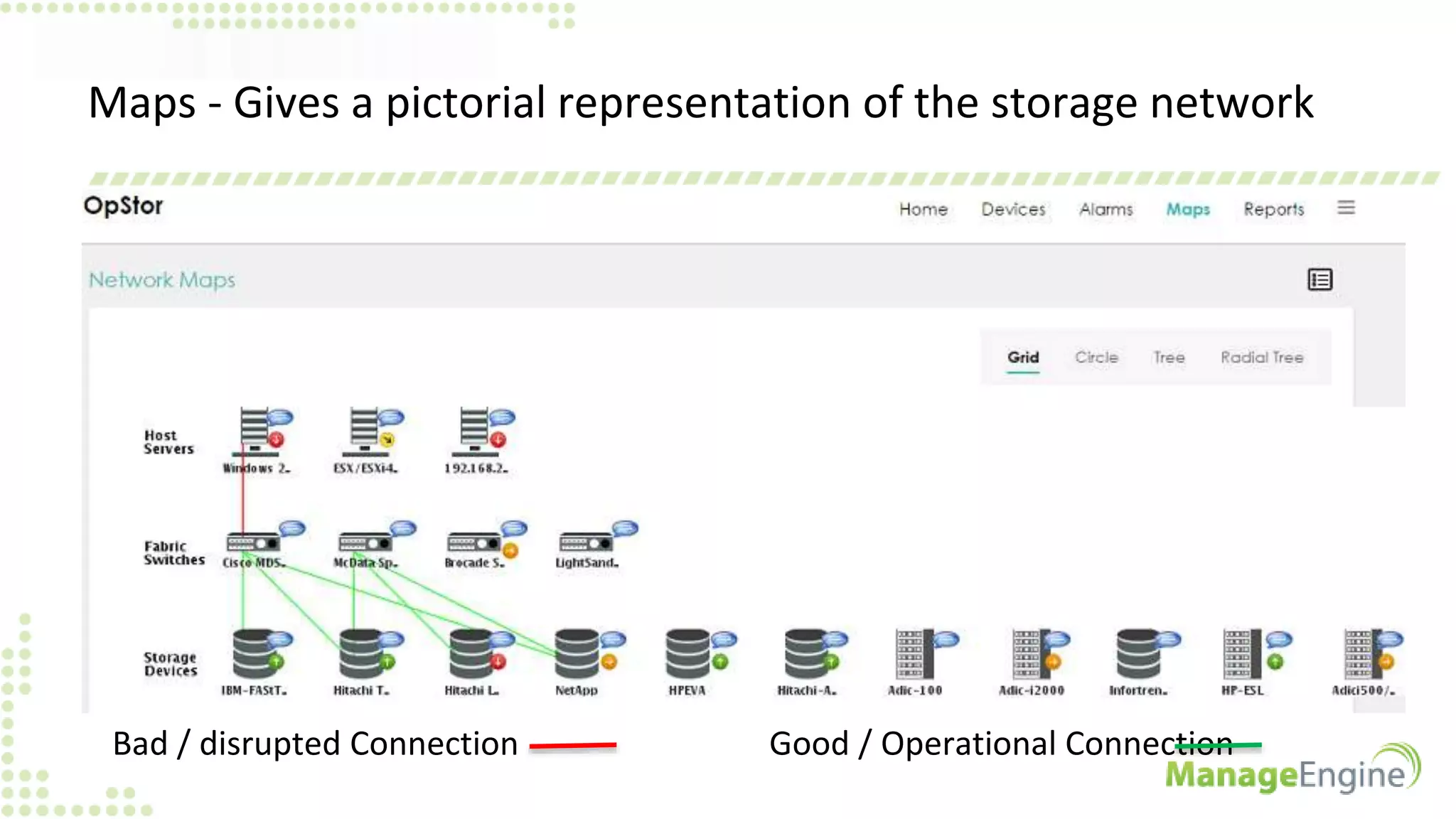
Maps - Gives a pictorial representation of the storage network
Bad / disrupted Connection Good / Operational Connection
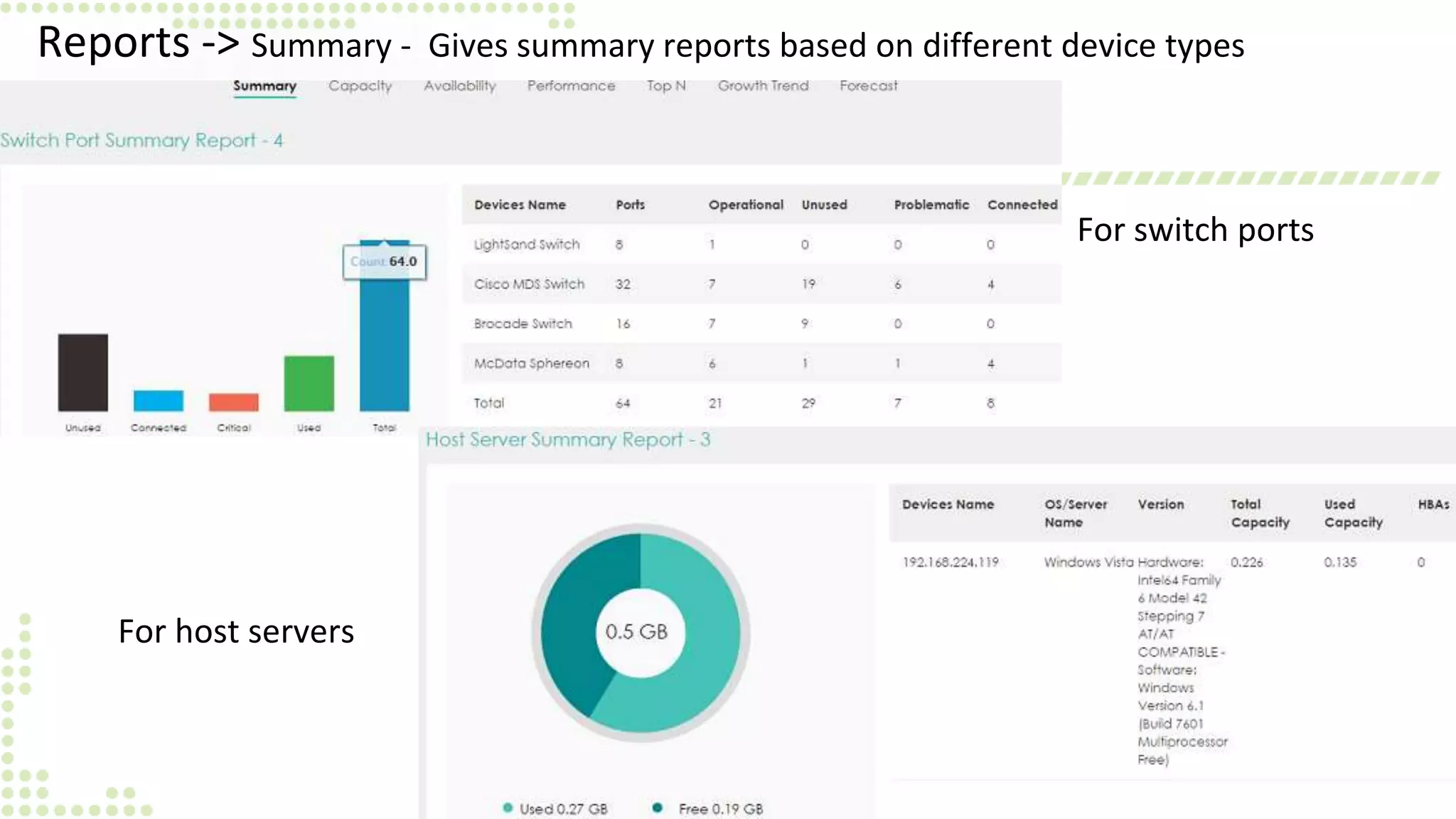
Reports -> Summary - Gives summary reports based on different device types
For switch ports
For host servers
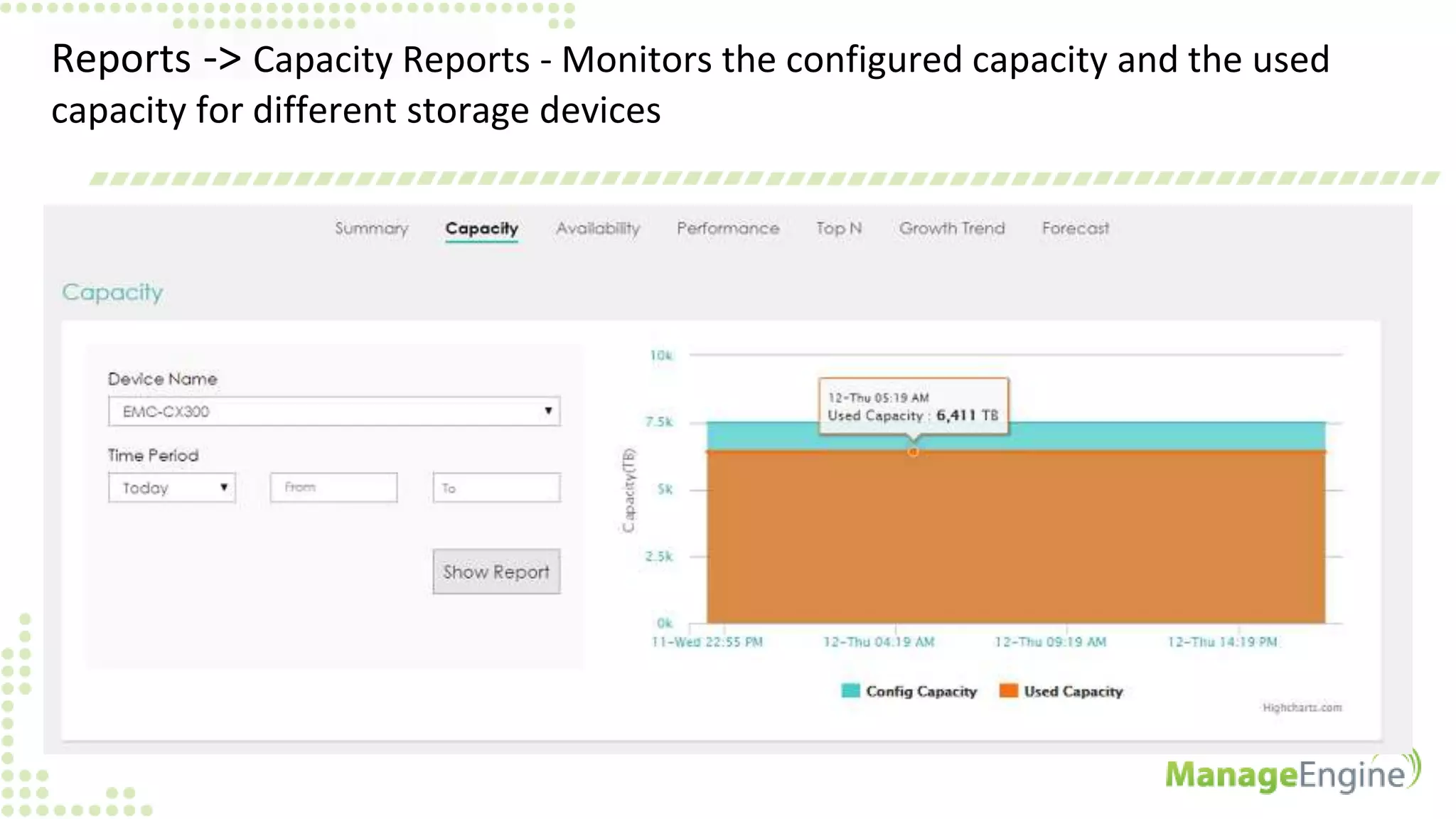
Reports -> Capacity Reports - Monitors the configured capacity and the used
capacity for different storage devices
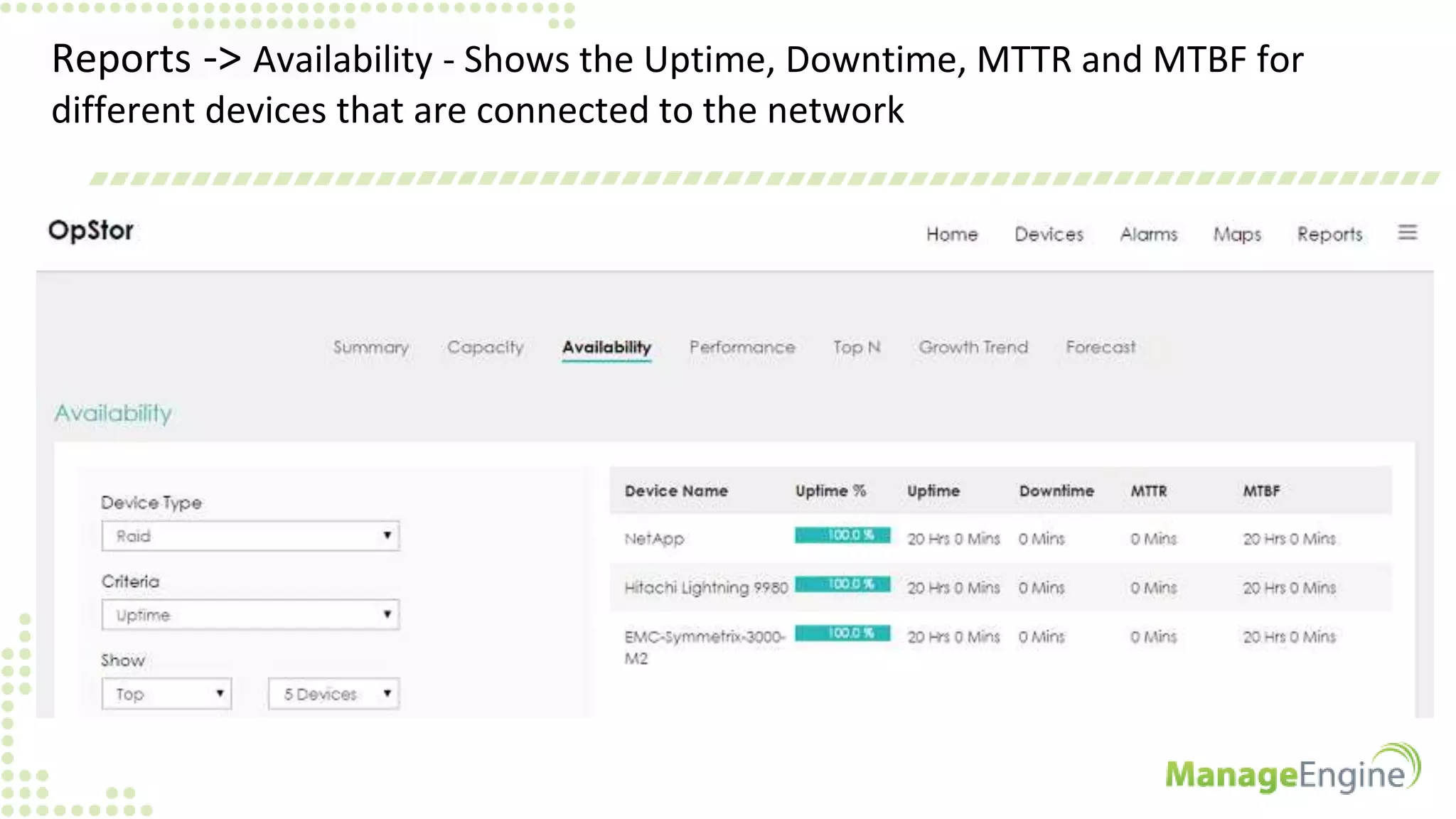
Reports -> Availability - Shows the Uptime, Downtime, MTTR and MTBF for
different devices that are connected to the network
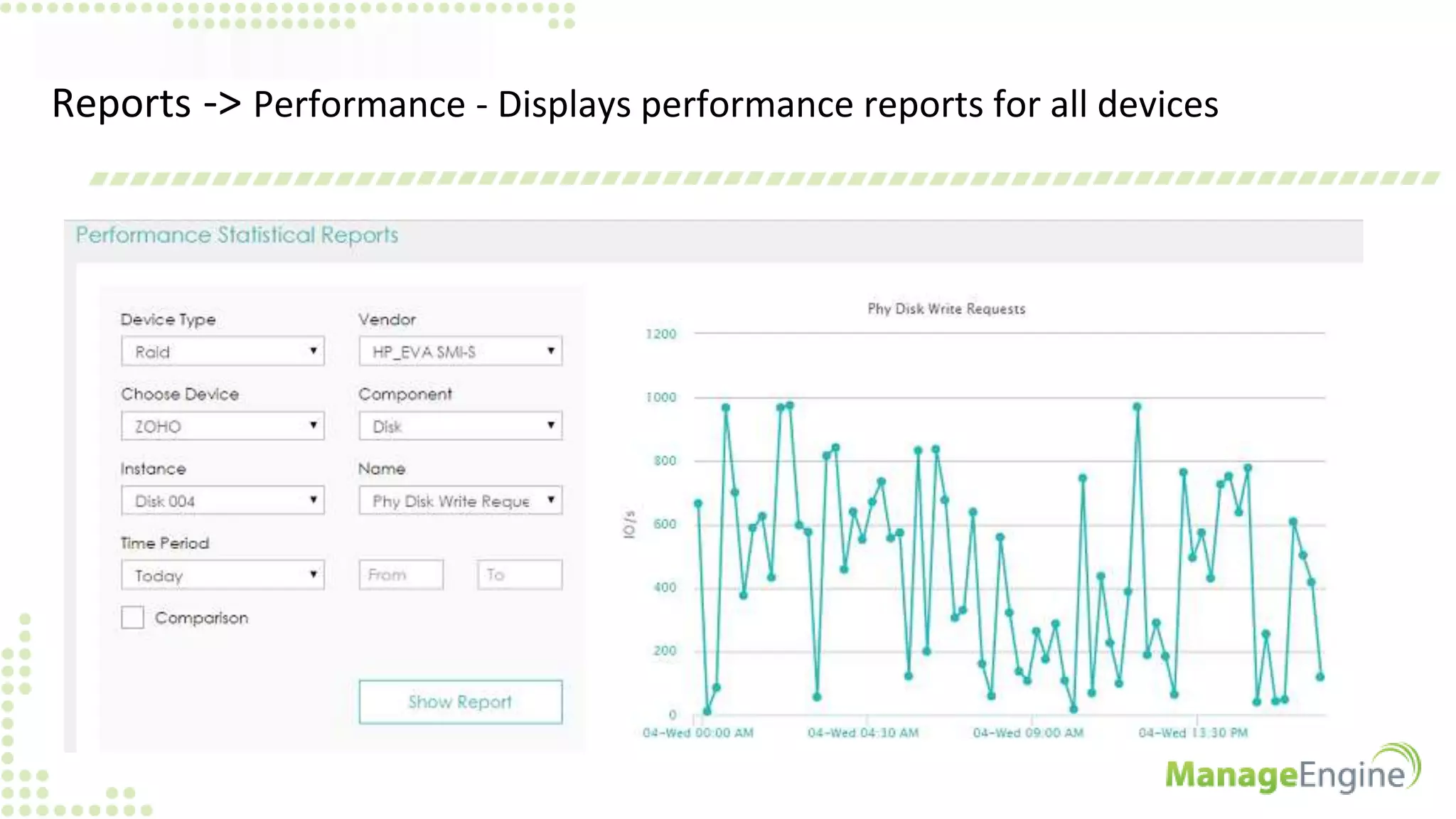
Reports -> Performance - Displays performance reports for all devices
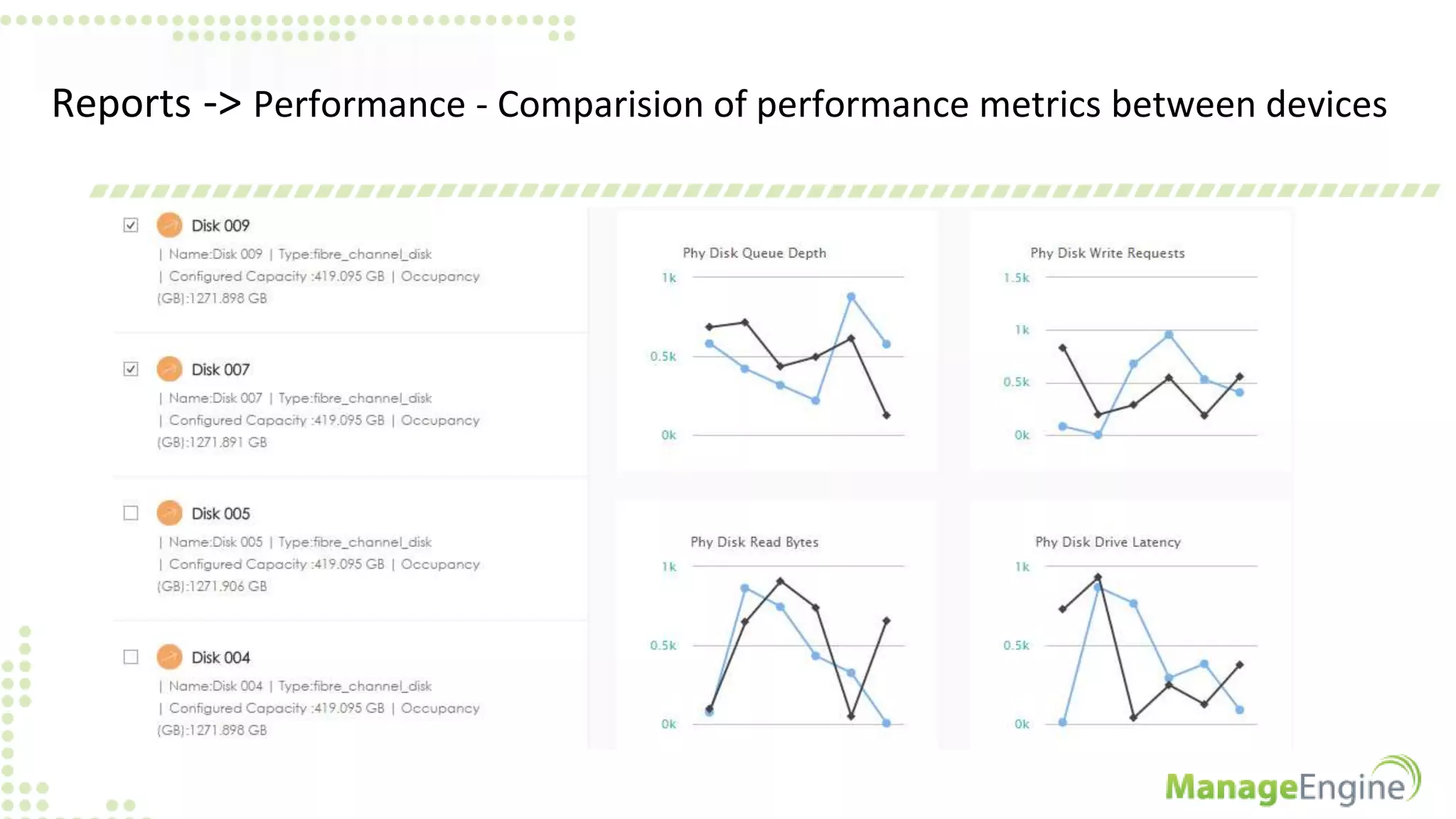
Reports -> Performance - Comparision of performance metrics between devices
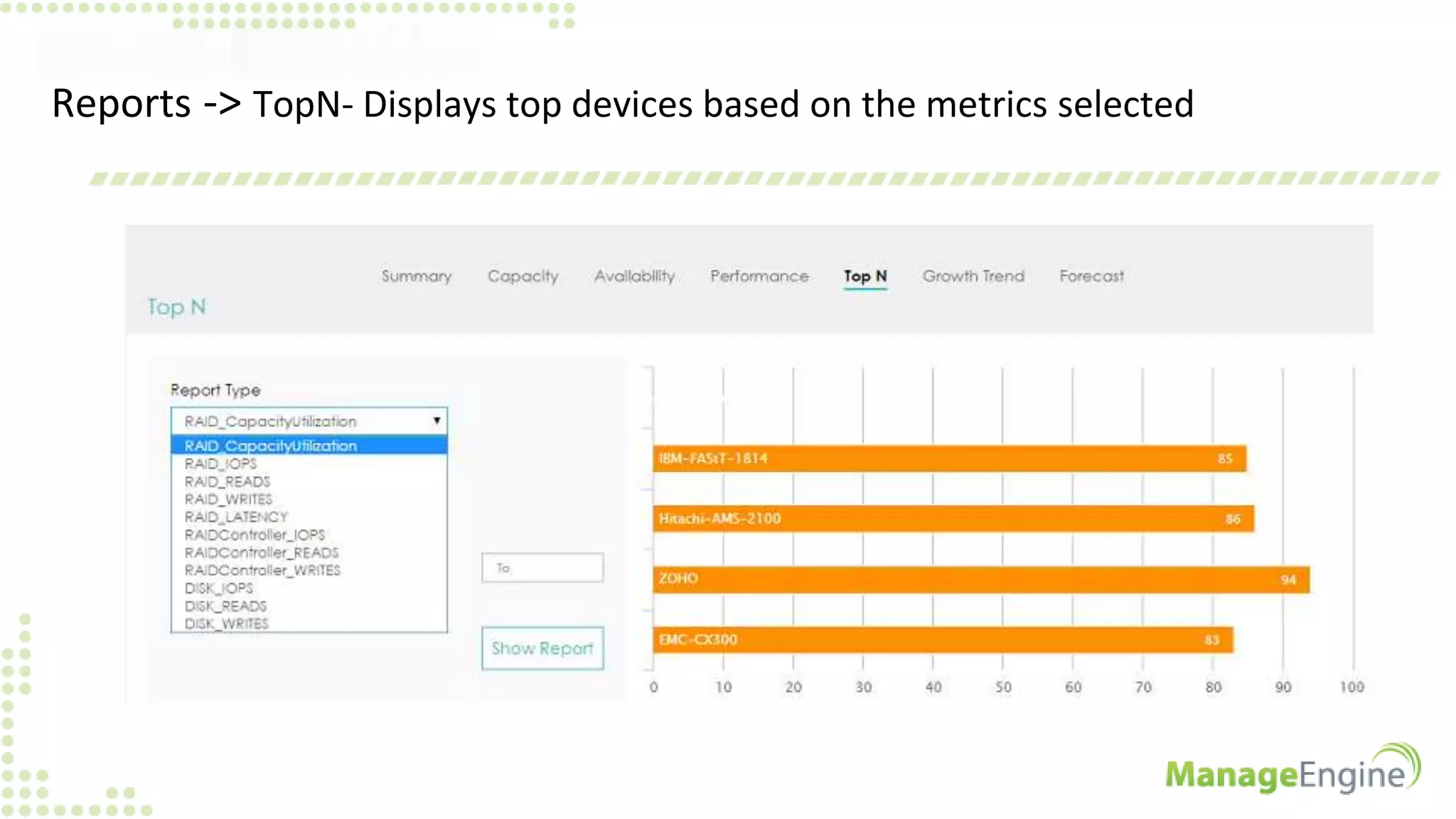
Reports -> TopN- Displays top devices based on the metrics selected
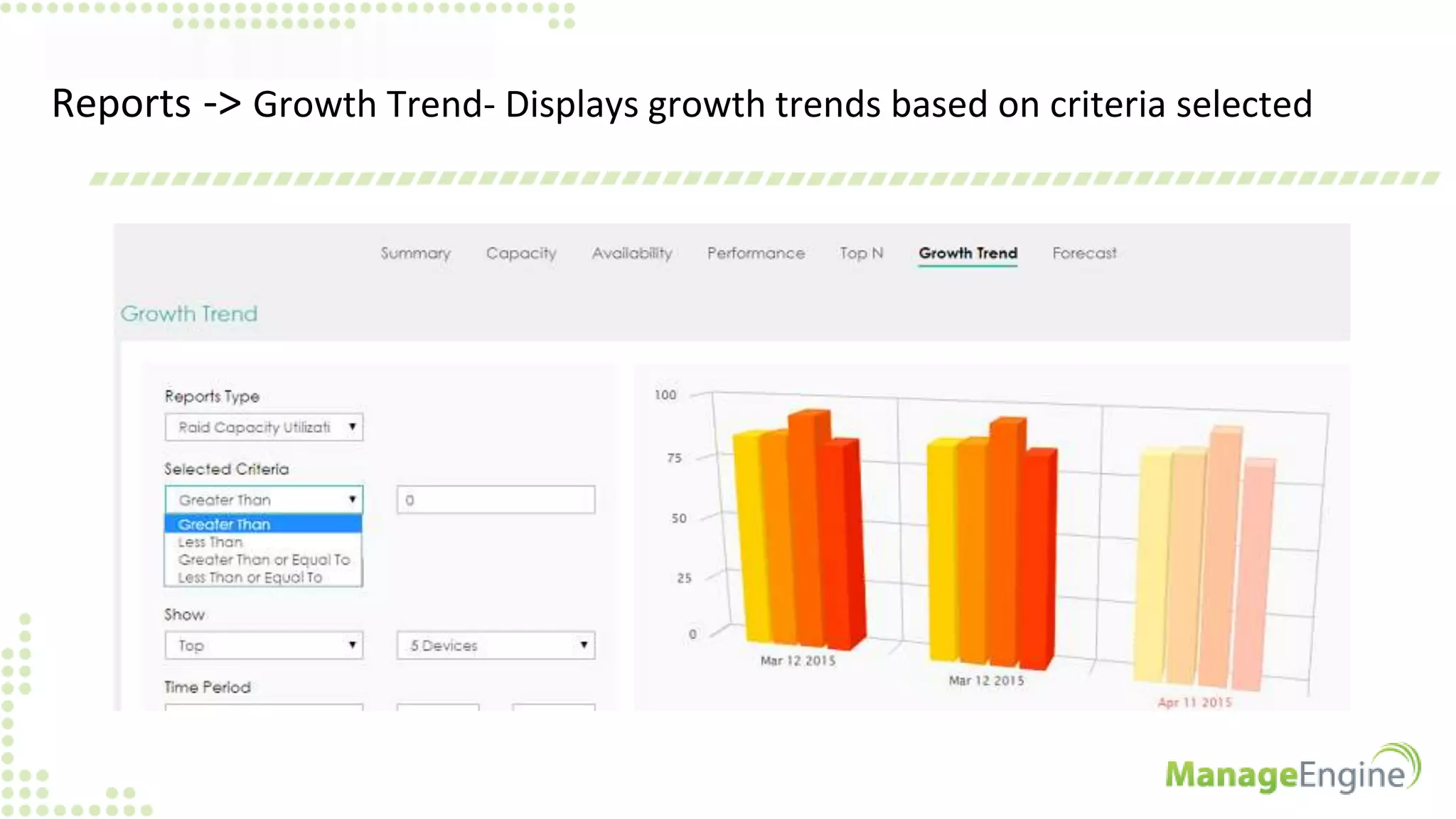
Reports -> Growth Trend- Displays growth trends based on criteria selected
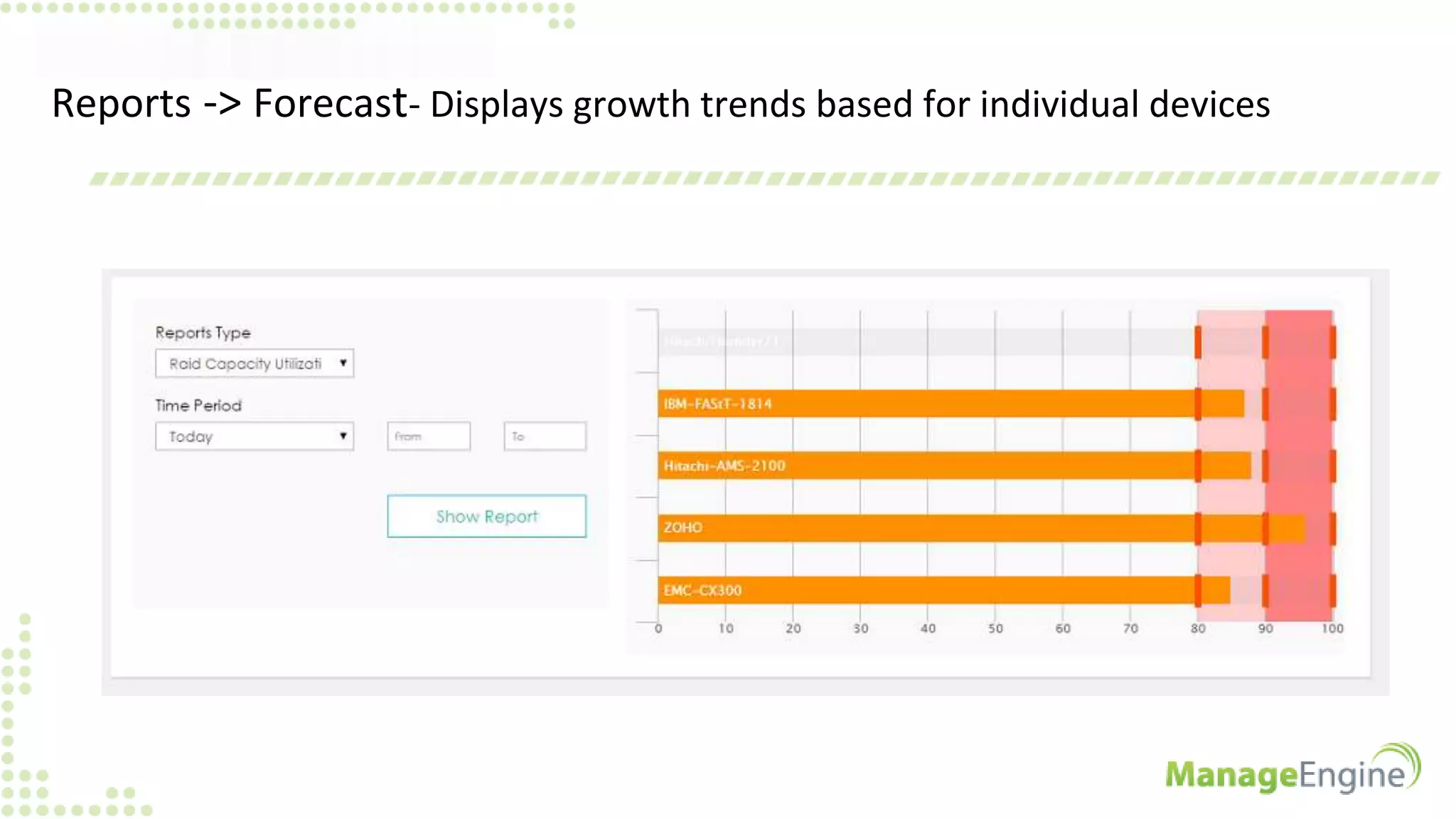
Reports -> Forecast- Displays growth trends based for individual devices
ADVANTAGES OF USING OPSTOR v9.1
• Supports devices from different vendors
• Auto discovers all the devices that are connected in the storage network
• Captures sensor faults such as power supply, temperature, fan and battery,
as well as status change notifications
• Has the map facility which provides the pictorial view of the storage network
• Administrators receive alarms through email or SMS messages based on pre-
set rules
• Can be integrated with different ME products. Customers need not use
different software for different applications
BENEFITS OF USING OPSTOR
• Increased visibility with unified view of your storage environment
• Reduced downtime with timely detection of problems
• Saves administrative time with effective reporting and escalations
• Lowers Total Cost of Ownership with NO extra software purchases
• Simplified management at an affordable price
Download OpStor now
http://www.manageengine.com/products/opstor/download.html
For more inputs
http://www.manageengine.com/products/opstor/help.html
For personalized support
Write to us: opstor-support@manageengine.com Call Toll free : +1-888-720-9500

OpStor version 9.1 - A Walkthrough

  • 1.
    OpStor V 9.1 - Amulti vendor storage resource management and capacity forecasting software
  • 2.
    AGENDA • Understanding theuser i.e, Storage Administrator, his duties and the challenges he faces • Introduction about OpStor • Overview of OpStor - v9.1 • Advantages of using OpStor • Benefits of using OpStor
  • 3.
    STORAGE ADMINISTRATORS -Duties • Create LUNs • Resolve storage shortages • Maintain a proper backup schedule and perform backups • System performance tuning • Forecast storage growth • Monitor current storage environment • Make hardware / configuration changes when adding new servers
  • 4.
    CHALLENGES FACED BYSTORAGE ADMINISTRATORS • Prevent system panic • Isolating the problem • Responsiveness • Forecasting future storage demands • Operate with products from different OEMs • Security of the data (availability and retention)
  • 5.
    OpStor • OpStor fromManage Engine is a multi vendor SRM (Storage Resource Management) and capacity forecasting solution • It monitors Storage Area Network (SAN) and Network Attached Storage (NAS) devices such as RAIDs, all-flash arrays, fabric switches, tape libraries, host / backup servers and host bus adapter cards • It performs auto-discovery to deliver asset, capacity, performance, and configuration information on storage devices and their components • It generates reports, forecasts storage demand and also performs escalations on alerts
  • 6.
    5 EASY STEPSTO UNDERSTAND OPSTOR • Home - Displays the summary of the entire storage environment • Devices - Autodiscovers and displays all the devices that are connected • Alarms - Allows you to select device type and view their alarms • Maps - Gives a pictorial representation of the storage network • Reports - Gives reports on performance, capacity, availability etc
  • 7.
    Home - Displaysthe summary of the entire storage environment Summary Screen
  • 8.
    Home -> Forecast- Consolidated forecast for the entire storage setup
  • 9.
    Home -> TopN - Displays the top devices for different metrics
  • 10.
    Devices - Autodiscoversand displays all the devices that are connected
  • 11.
    Device link ->Displays device info and important metrics at a glance
  • 12.
    Device health link-> Displays power supply, fan and temperature status Temperature status of IBM XIV storage system
  • 13.
    LUN to VMmap- Entire map of the VMs which are residing in various LUNs
  • 14.
    Alarms - Allowsyou to select device type and view their alarms Alarm Categories Alarm Description
  • 15.
    Maps - Givesa pictorial representation of the storage network Bad / disrupted Connection Good / Operational Connection
  • 16.
    Reports -> Summary- Gives summary reports based on different device types For switch ports For host servers
  • 17.
    Reports -> CapacityReports - Monitors the configured capacity and the used capacity for different storage devices
  • 18.
    Reports -> Availability- Shows the Uptime, Downtime, MTTR and MTBF for different devices that are connected to the network
  • 19.
    Reports -> Performance- Displays performance reports for all devices
  • 20.
    Reports -> Performance- Comparision of performance metrics between devices
  • 21.
    Reports -> TopN-Displays top devices based on the metrics selected
  • 22.
    Reports -> GrowthTrend- Displays growth trends based on criteria selected
  • 23.
    Reports -> Forecast-Displays growth trends based for individual devices
  • 24.
    ADVANTAGES OF USINGOPSTOR v9.1 • Supports devices from different vendors • Auto discovers all the devices that are connected in the storage network • Captures sensor faults such as power supply, temperature, fan and battery, as well as status change notifications • Has the map facility which provides the pictorial view of the storage network • Administrators receive alarms through email or SMS messages based on pre- set rules • Can be integrated with different ME products. Customers need not use different software for different applications
  • 25.
    BENEFITS OF USINGOPSTOR • Increased visibility with unified view of your storage environment • Reduced downtime with timely detection of problems • Saves administrative time with effective reporting and escalations • Lowers Total Cost of Ownership with NO extra software purchases • Simplified management at an affordable price
  • 26.
    Download OpStor now http://www.manageengine.com/products/opstor/download.html Formore inputs http://www.manageengine.com/products/opstor/help.html For personalized support Write to us: opstor-support@manageengine.com Call Toll free : +1-888-720-9500