“PATTERN”
ALIGNMENT
The most effective way of establishing visual relationship
is to align elements in the same imaginary or horizontal
line.
SHAPE
The elements could be arranged into a shape,
like a circle, triangle or those that approximate
certain letters of the alphabet that is familiar to
the viewer. Another way to guide the placement
of the elements is the rule of thirds.
BALANCE
The elements in a display could be equally distributed
on each side, either horizontally or vertically or both.
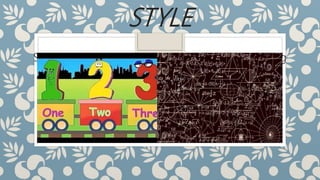
STYLE
Styles would depend on the type of audience. Young
learners should be presented with simple designs
compared to complex designs for adult learners.
COLOR SCHEME
Important elements could be highlighted using
the brightest and lightest colors. Background
colors should be used consistently in a series
of visuals. Three colors should be the
maximum in text visuals. Select colors that are
harmonious.
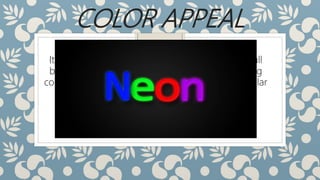
COLOR APPEAL
It is best to use bright or very strong colors on dull
background tones. This provides contrast, allowing
colors to emphasize or bring attention to a particular
thing.
“ARRANGEMENT”
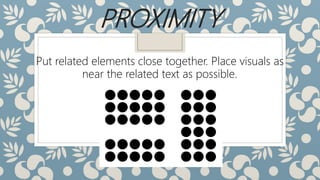
PROXIMITY
Put related elements close together. Place visuals as
near the related text as possible.
DIRECTIONAL
These are devices which could help the viewer in
“reading” the display in a particular sequence. An
arrow to direct attention could be one example.
Bold type and bullets could be used to highlight
ideas or draw attention to key words.
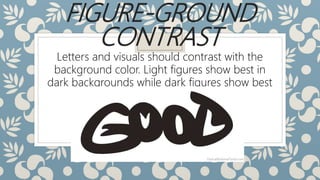
FIGURE-GROUND
CONTRAST
Letters and visuals should contrast with the
background color. Light figures show best in
dark backgrounds while dark figures show best
in light backgrounds.
CONSISTENCY
Be consistent in page layout. Use the same type
of text in the same typeface, size and layout from
page to page.
PATTERN & ARRANGEMENT

PATTERN & ARRANGEMENT

  • 1.
  • 2.
    ALIGNMENT The most effectiveway of establishing visual relationship is to align elements in the same imaginary or horizontal line.
  • 3.
    SHAPE The elements couldbe arranged into a shape, like a circle, triangle or those that approximate certain letters of the alphabet that is familiar to the viewer. Another way to guide the placement of the elements is the rule of thirds.
  • 4.
    BALANCE The elements ina display could be equally distributed on each side, either horizontally or vertically or both.
  • 5.
    STYLE Styles would dependon the type of audience. Young learners should be presented with simple designs compared to complex designs for adult learners.
  • 6.
    COLOR SCHEME Important elementscould be highlighted using the brightest and lightest colors. Background colors should be used consistently in a series of visuals. Three colors should be the maximum in text visuals. Select colors that are harmonious.
  • 7.
    COLOR APPEAL It isbest to use bright or very strong colors on dull background tones. This provides contrast, allowing colors to emphasize or bring attention to a particular thing.
  • 8.
  • 9.
    PROXIMITY Put related elementsclose together. Place visuals as near the related text as possible.
  • 10.
    DIRECTIONAL These are deviceswhich could help the viewer in “reading” the display in a particular sequence. An arrow to direct attention could be one example. Bold type and bullets could be used to highlight ideas or draw attention to key words.
  • 11.
    FIGURE-GROUND CONTRAST Letters and visualsshould contrast with the background color. Light figures show best in dark backgrounds while dark figures show best in light backgrounds.
  • 12.
    CONSISTENCY Be consistent inpage layout. Use the same type of text in the same typeface, size and layout from page to page.