Mix some music or record a
podcast.❖ Think of some audio
content you would like to
record or music you would
like to mix.
❖ Choose a free or
inexpensive tool like
Loopy HD, Audioboom,
Vocaroo, Audacity,
Garageband or something
else.
❖ Work with your colleagues
to record and share your
audio with Curtis and with
one other colleague.
Monday, March 23, 15
Gamify an upcoming
activity or quiz.
❖ Think of an upcoming quiz
or survey you would like to
do with students.
❖ Use Kahoot, Socrative,
Classtools.net’s Video
Game Templates or
another similar tool to turn
the quiz or activity into a
‘gamified’ activity.
❖ Work with your colleagues
to record and share your
quiz with Curtis and with
one other colleague.
Monday, March 23, 15
Create a short video that
introduces or summarizes
content.❖ Identify a topic that you
would like to introduce to
students or an assessment
that asks students to
demonstrate understanding.
❖ Use the video camera on
your phone, ipad or
laptop to film a short
puppet show, skit, song or
paperslide video.
❖ Work with your colleagues
to record and share your
video with Curtis and with
one other colleague.
Monday, March 23, 15
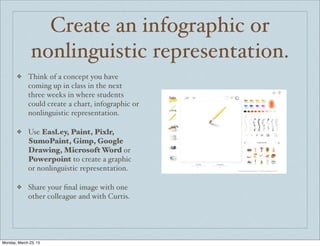
Create an infographic or
nonlinguistic representation.
❖ Think of a concept you have
coming up in class in the next
three weeks in where students
could create a chart, infographic or
nonlinguistic representation.
❖ Use Easl.ey, Paint, Pixlr,
SumoPaint, Gimp, Google
Drawing, Microsoft Word or
Powerpoint to create a graphic
or nonlinguistic representation.
❖ Share your final image with one
other colleague and with Curtis.
Monday, March 23, 15
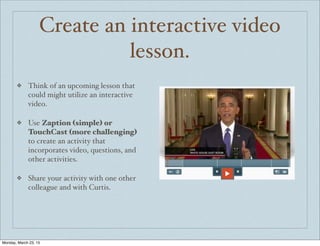
Create an interactive video
lesson.
❖ Think of an upcoming lesson that
could might utilize an interactive
video.
❖ Use Zaption (simple) or
TouchCast (more challenging)
to create an activity that
incorporates video, questions, and
other activities.
❖ Share your activity with one other
colleague and with Curtis.
Monday, March 23, 15
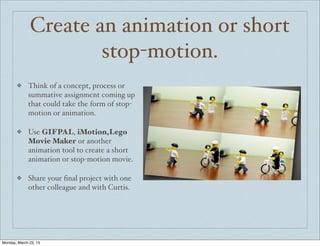
Create an animation or short
stop-motion.
❖ Think of a concept, process or
summative assignment coming up
that could take the form of stop-
motion or animation.
❖ Use GIFPAL, iMotion,Lego
Movie Maker or another
animation tool to create a short
animation or stop-motion movie.
❖ Share your final project with one
other colleague and with Curtis.
Monday, March 23, 15
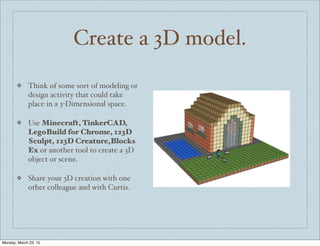
Create a 3D model.
❖ Think of some sort of modeling or
design activity that could take
place in a 3-Dimensional space.
❖ Use Minecraft, TinkerCAD,
LegoBuild for Chrome, 123D
Sculpt, 123D Creature,Blocks
Ex or another tool to create a 3D
object or scene.
❖ Share your 3D creation with one
other colleague and with Curtis.
Monday, March 23, 15
Create a Digital Story
❖ Think of an upcoming activity
that could take the form of a
digital story.
❖ Use an app or website like
Blabberize, Voki,
Educreations, Puppet Pals,
Adobe Voice, Storehouse, Our
Story or another tool to create a
3D object or scene.
❖ Share your digital story with one
other colleague and with Curtis.
Monday, March 23, 15
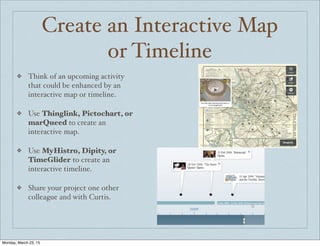
Create an Interactive Map
or Timeline
❖ Think of an upcoming activity
that could be enhanced by an
interactive map or timeline.
❖ Use Thinglink, Pictochart, or
marQueed to create an
interactive map.
❖ Use MyHistro, Dipity, or
TimeGlider to create an
interactive timeline.
❖ Share your project one other
colleague and with Curtis.
Monday, March 23, 15
Surprise me!
❖ Using the principles we have
discussed today, try to enhance
one of your upcoming activities
using a tool that has not be
discussed yet today.
❖ Use that one tool that you have
heard of...but never have had
enough time to try out.
❖ Share your final project with one
other colleague and with Curtis.
Monday, March 23, 15

Technology challenges for educators

  • 1.
    Mix some musicor record a podcast.❖ Think of some audio content you would like to record or music you would like to mix. ❖ Choose a free or inexpensive tool like Loopy HD, Audioboom, Vocaroo, Audacity, Garageband or something else. ❖ Work with your colleagues to record and share your audio with Curtis and with one other colleague. Monday, March 23, 15
  • 2.
    Gamify an upcoming activityor quiz. ❖ Think of an upcoming quiz or survey you would like to do with students. ❖ Use Kahoot, Socrative, Classtools.net’s Video Game Templates or another similar tool to turn the quiz or activity into a ‘gamified’ activity. ❖ Work with your colleagues to record and share your quiz with Curtis and with one other colleague. Monday, March 23, 15
  • 3.
    Create a shortvideo that introduces or summarizes content.❖ Identify a topic that you would like to introduce to students or an assessment that asks students to demonstrate understanding. ❖ Use the video camera on your phone, ipad or laptop to film a short puppet show, skit, song or paperslide video. ❖ Work with your colleagues to record and share your video with Curtis and with one other colleague. Monday, March 23, 15
  • 4.
    Create an infographicor nonlinguistic representation. ❖ Think of a concept you have coming up in class in the next three weeks in where students could create a chart, infographic or nonlinguistic representation. ❖ Use Easl.ey, Paint, Pixlr, SumoPaint, Gimp, Google Drawing, Microsoft Word or Powerpoint to create a graphic or nonlinguistic representation. ❖ Share your final image with one other colleague and with Curtis. Monday, March 23, 15
  • 5.
    Create an interactivevideo lesson. ❖ Think of an upcoming lesson that could might utilize an interactive video. ❖ Use Zaption (simple) or TouchCast (more challenging) to create an activity that incorporates video, questions, and other activities. ❖ Share your activity with one other colleague and with Curtis. Monday, March 23, 15
  • 6.
    Create an animationor short stop-motion. ❖ Think of a concept, process or summative assignment coming up that could take the form of stop- motion or animation. ❖ Use GIFPAL, iMotion,Lego Movie Maker or another animation tool to create a short animation or stop-motion movie. ❖ Share your final project with one other colleague and with Curtis. Monday, March 23, 15
  • 7.
    Create a 3Dmodel. ❖ Think of some sort of modeling or design activity that could take place in a 3-Dimensional space. ❖ Use Minecraft, TinkerCAD, LegoBuild for Chrome, 123D Sculpt, 123D Creature,Blocks Ex or another tool to create a 3D object or scene. ❖ Share your 3D creation with one other colleague and with Curtis. Monday, March 23, 15
  • 8.
    Create a DigitalStory ❖ Think of an upcoming activity that could take the form of a digital story. ❖ Use an app or website like Blabberize, Voki, Educreations, Puppet Pals, Adobe Voice, Storehouse, Our Story or another tool to create a 3D object or scene. ❖ Share your digital story with one other colleague and with Curtis. Monday, March 23, 15
  • 9.
    Create an InteractiveMap or Timeline ❖ Think of an upcoming activity that could be enhanced by an interactive map or timeline. ❖ Use Thinglink, Pictochart, or marQueed to create an interactive map. ❖ Use MyHistro, Dipity, or TimeGlider to create an interactive timeline. ❖ Share your project one other colleague and with Curtis. Monday, March 23, 15
  • 10.
    Surprise me! ❖ Usingthe principles we have discussed today, try to enhance one of your upcoming activities using a tool that has not be discussed yet today. ❖ Use that one tool that you have heard of...but never have had enough time to try out. ❖ Share your final project with one other colleague and with Curtis. Monday, March 23, 15