Virtualization SecurityCreated By:Bryan Miller
DISCLAIMERVirtualization SecurityI will freely admit that I am not a VMware expert or systems administrator.  I focus solely on how to exploit weaknesses in the system.  You have been warned.2
From a Computerworld article dated August 16, 2011:Logging in from a McDonald's restaurant, a former employee of a U.S. pharmaceutical company was able to wipe out most of the company's computer infrastructure earlier this year.Jason Cornish wiped out 15 VMware host systems that were running e-mail, order tracking, financial and other services.Cornish had resigned from the company in July 2010 after getting into a dispute with management, but he had been kept on as a consultant for two more months.Then, in September 2010, the drug-maker laid off Cornish and other employees, but it did a bad job of revoking passwords to the network.Cornish used a vSphere VMware management console that he'd secretly installed on the company's network a few weeks earlier.Using vSphere, he deleted 88 company servers (email, order tracking, financial) from the VMware host systems, one by one.Virtualization Security3Breaking News
AgendaSystems AdministrationVirtual VulnerabilitiesVirtualization and CompliancePoints to RememberLinksVirtualization Security4
Systems AdministrationVirtualization Security5VMware Network PortsPatching IssuesAuditing the SystemHardening the System
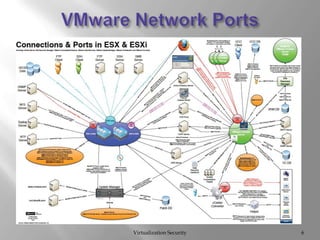
VMware Network PortsVirtualization Security6
VMware Network Ports (2)Virtualization Security7SERIOUSLY???
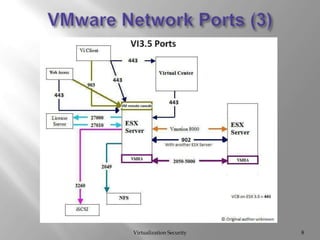
VMware Network Ports (3)Virtualization Security8
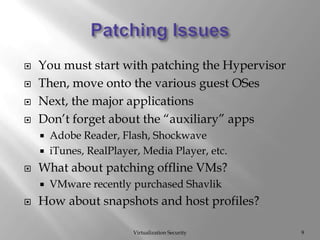
Patching IssuesVirtualization Security9You must start with patching the HypervisorThen, move onto the various guest OSesNext, the major applicationsDon’t forget about the “auxiliary” appsAdobe Reader, Flash, ShockwaveiTunes, RealPlayer, Media Player, etc.What about patching offline VMs?VMware recently purchased ShavlikHow about snapshots and host profiles?
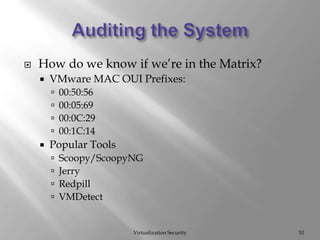
Auditing the SystemVirtualization Security10How do we know if we’re in the Matrix?VMware MAC OUI Prefixes:00:50:5600:05:6900:0C:2900:1C:14Popular ToolsScoopy/ScoopyNGJerryRedpillVMDetect
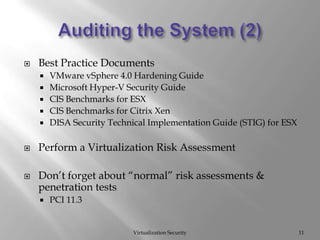
Auditing the System (2)Virtualization Security11Best Practice DocumentsVMware vSphere 4.0 Hardening GuideMicrosoft Hyper-V Security GuideCIS Benchmarks for ESXCIS Benchmarks for Citrix XenDISA Security Technical Implementation Guide (STIG) for ESXPerform a Virtualization Risk AssessmentDon’t forget about “normal” risk assessments & penetration testsPCI 11.3
Auditing the System (3)Virtualization Security12Auditing ToolsConfiguresoftTripwireDISA Gold diskCore ImpactTenable NessusMetasploitFoundstone VIDigger
Hardening the SystemVirtualization Security13NIC allocation2 NICs, 4 NICs, 6 NICs or even 8 NICsProduction trafficService Console trafficVMKernel trafficUse vSwitch to properly VLAN traffic3 different DMZ models proposed by VMware
Hardening the System (2)Virtualization Security14Start by hardening the vCenter hostBy default, local Windows Administrators group has administrative access to vCenterCreate a local user, grant full Admin role and remove local Administrators group from vCenterCreate a domain Global group for all vCenteradmins, add this to a new local group and grant the new local group vCenter administrative accessRestrict network port accessTCP 443 – vSphere client access to vCenterTCP/UDP 902/903 – used by different applications
Hardening the System (3)Virtualization Security15vCenter DatabasesOracle 10g and 11gMS SQL Server 2005 SP2 & 2008Databases should be on a separate serverDefault Oracle accounts are installedWatch those default passwords!Review roles & privileges
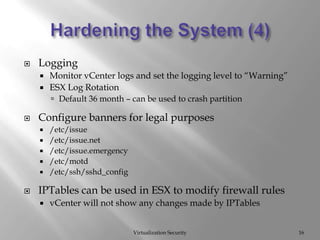
Hardening the System (4)Virtualization Security16LoggingMonitor vCenter logs and set the logging level to “Warning”ESX Log RotationDefault 36 month – can be used to crash partitionConfigure banners for legal purposes/etc/issue/etc/issue.net/etc/issue.emergency/etc/motd/etc/ssh/sshd_configIPTables can be used in ESX to modify firewall rulesvCenter will not show any changes made by IPTables
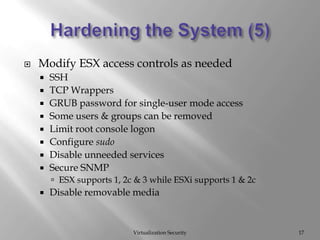
Hardening the System (5)Virtualization Security17Modify ESX access controls as neededSSHTCP WrappersGRUB password for single-user mode accessSome users & groups can be removedLimit root console logonConfigure sudoDisable unneeded servicesSecure SNMPESX supports 1, 2c & 3 while ESXi supports 1 & 2cDisable removable media
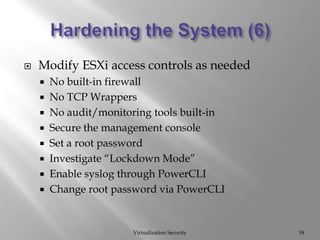
Hardening the System (6)Virtualization Security18Modify ESXi access controls as neededNo built-in firewallNo TCP WrappersNo audit/monitoring tools built-inSecure the management consoleSet a root passwordInvestigate “Lockdown Mode”Enable syslog through PowerCLIChange root password via PowerCLI
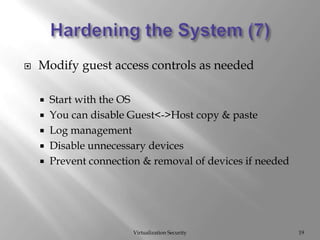
Hardening the System (7)Virtualization Security19Modify guest access controls as neededStart with the OSYou can disable Guest<->Host copy & pasteLog managementDisable unnecessary devicesPrevent connection & removal of devices if needed
Virtual VulnerabilitiesVirtualization Security20Virtualization ThreatsVM SprawlWhere exactly are my servers/data?Lack of VisibilityHow do we monitor inter-VM traffic?Separation of DutiesWho manages what aspects of the virtual world?Rights/PrivilegesHow do we manage access without giving away too many rights?
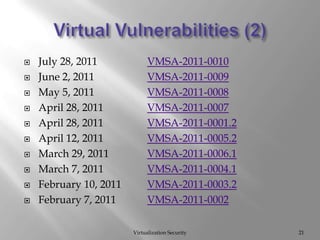
Virtual Vulnerabilities (2)Virtualization Security21July 28, 2011		VMSA-2011-0010June 2, 2011 		VMSA-2011-0009May 5, 2011 		VMSA-2011-0008April 28, 2011 		VMSA-2011-0007April 28, 2011 		VMSA-2011-0001.2April 12, 2011 		VMSA-2011-0005.2March 29, 2011 		VMSA-2011-0006.1March 7, 2011 		VMSA-2011-0004.1February 10, 2011 	VMSA-2011-0003.2February 7, 2011 	VMSA-2011-0002
Virtual Vulnerabilities (3)Virtualization Security22Past Research EffortsDaniel Ingevaldson, IBM – “Virtualization != Security”William Hau, Rudolph Araujo, Foundstone – “Virtualization and Risk – Key Security Considerations for your Enterprise Architecture”KostyaKortchinsky, Immunity – “CLOUDBURST”Wilson Leung, NimaKhamooshi, Theodore Winograd, Booz Allen Hamilton – “IT Security Risk Mitigation Report, Virtualization Security”Alfredo Andr´esOmella – “Methods for Virtual Machine Detection”Ed Skoudis, Tom Liston, IntelGuardians – “On the Cutting Edge: Thwarting Virtual Machine Detection”
Virtual Vulnerabilities (4)Virtualization Security23Ed Skoudis & Tom Liston – SANSFIRE 2007 VMchat : allows VMware guests to chat with each other over the VMware communications channelVMftp : allows VMware guests to transfer files back and forth using the VMware communications channelVMdrag-n-sploit : extends these tools to include chat, ftp, and execute between a guest and hostVMcat : can be used to “tunnel” a command shell between guests and hosts
Virtualization and ComplianceVirtualization Security24To date, only PCI has specifically outlined how virtualization should be handled by auditors.In June 2011, the PCI Security Standards Council (SSC) Virtualization Special Interest Group released:Information Supplement: PCI DSS Virtualization GuidelinesFirst release of guidelines on how virtualization affects PCI compliance.
Virtualization and Compliance (2)Virtualization Security25PCI 2.2.1 - Implement only one primary function per server to prevent functions that require different security levels from co-existing on the same server. (For example, web servers, database servers, and DNS should be implemented on separate servers.)	Note: Where virtualization technologies are in use, implement only one primary function per virtual system component.
Virtualization and Compliance (3)Virtualization SecurityScoping Guidelines:HypervisorIf any virtual component connected to (or hosted on) the hypervisor is in scope for PCI DSS, the hypervisor itself will always be in scope. GuestAn entire VM will be in scope if it stores, processes or transmits cardholder data, or if it connects to or provides an entry point into the CDE. If a VM is in scope, both the underlying host system and the hypervisor would also be considered in scope, as they are directly connected to and have a fundamental impact on the functionality and security of the VM. 26
Virtualization and Compliance (4)Virtualization SecurityScoping Guidelines:Virtual SwitchNetworks provisioned on a hypervisor-based virtual switch will be in scope if provisioned with an in-scope component or if they provide services or connect to an in-scope component. Physical devices hosting virtual switches or routers would be considered in scope if any of the hosted components connects to an in-scope network.  Virtual Desktops/ApplicationsVirtual applications and desktops will be in scope if they are involved in the processing, storage, or transmission of cardholder data, or provide access to the CDE. 27
Virtualization and Compliance (5)Virtualization SecurityGeneral Recommendations:Be very careful when mixing guests containing different levels of sensitive data.In the virtual context, a VM of lower trust will typically have lesser security controls than VMs of higher trust levelsRecognize dormant VMs and ensure they are properly protected.Dormant VMs are also unlikely to have up-to-date access policies, and may be excluded from security and monitoring functions, possibly creating an unchecked ―back door to the virtual environment.Properly secure access to VM images and snapshot files.28
Virtualization and Compliance (6)Virtualization SecurityWhat about mixed-mode environments?Section 4.2 of the PCI DSS Virtualization Guidelines states:“As a general rule, any VM or other virtual component that is hosted on the same hardware or hypervisor as an in-scope component would also be in scope for PCI DSS…”“In order for in-scope and out-of-scope VMs to co-exist on the same host or hypervisor, the VMs must be isolated from each other such that they can effectively be regarded as separate hardware on different network segments with no connectivity to each other.”“The level of segmentation required for in-scope and out-of-scope systems on the same host must be equivalent to a level of isolation achievable in the physical world…”29
Points to RememberVirtualization Security30VMotion moves data in clear text!Make sure DNS and NTP are setup correctly.There are no forensics tools that work with VMFS.You can’t easily recover deleted files from VMFS.VMotion & SVMotion don’t have granular bandwidth management.You can create users directly on the hosts that do not show up in vCenter.This includes firewall rules made with IPTables.
LinksVMware
http://www.vmware.com/security/advisories/

Virtualization Security

  • 1.
  • 2.
    DISCLAIMERVirtualization SecurityI willfreely admit that I am not a VMware expert or systems administrator. I focus solely on how to exploit weaknesses in the system. You have been warned.2
  • 3.
    From a Computerworldarticle dated August 16, 2011:Logging in from a McDonald's restaurant, a former employee of a U.S. pharmaceutical company was able to wipe out most of the company's computer infrastructure earlier this year.Jason Cornish wiped out 15 VMware host systems that were running e-mail, order tracking, financial and other services.Cornish had resigned from the company in July 2010 after getting into a dispute with management, but he had been kept on as a consultant for two more months.Then, in September 2010, the drug-maker laid off Cornish and other employees, but it did a bad job of revoking passwords to the network.Cornish used a vSphere VMware management console that he'd secretly installed on the company's network a few weeks earlier.Using vSphere, he deleted 88 company servers (email, order tracking, financial) from the VMware host systems, one by one.Virtualization Security3Breaking News
  • 4.
    AgendaSystems AdministrationVirtual VulnerabilitiesVirtualizationand CompliancePoints to RememberLinksVirtualization Security4
  • 5.
    Systems AdministrationVirtualization Security5VMwareNetwork PortsPatching IssuesAuditing the SystemHardening the System
  • 6.
  • 7.
    VMware Network Ports(2)Virtualization Security7SERIOUSLY???
  • 8.
    VMware Network Ports(3)Virtualization Security8
  • 9.
    Patching IssuesVirtualization Security9Youmust start with patching the HypervisorThen, move onto the various guest OSesNext, the major applicationsDon’t forget about the “auxiliary” appsAdobe Reader, Flash, ShockwaveiTunes, RealPlayer, Media Player, etc.What about patching offline VMs?VMware recently purchased ShavlikHow about snapshots and host profiles?
  • 10.
    Auditing the SystemVirtualizationSecurity10How do we know if we’re in the Matrix?VMware MAC OUI Prefixes:00:50:5600:05:6900:0C:2900:1C:14Popular ToolsScoopy/ScoopyNGJerryRedpillVMDetect
  • 11.
    Auditing the System(2)Virtualization Security11Best Practice DocumentsVMware vSphere 4.0 Hardening GuideMicrosoft Hyper-V Security GuideCIS Benchmarks for ESXCIS Benchmarks for Citrix XenDISA Security Technical Implementation Guide (STIG) for ESXPerform a Virtualization Risk AssessmentDon’t forget about “normal” risk assessments & penetration testsPCI 11.3
  • 12.
    Auditing the System(3)Virtualization Security12Auditing ToolsConfiguresoftTripwireDISA Gold diskCore ImpactTenable NessusMetasploitFoundstone VIDigger
  • 13.
    Hardening the SystemVirtualizationSecurity13NIC allocation2 NICs, 4 NICs, 6 NICs or even 8 NICsProduction trafficService Console trafficVMKernel trafficUse vSwitch to properly VLAN traffic3 different DMZ models proposed by VMware
  • 14.
    Hardening the System(2)Virtualization Security14Start by hardening the vCenter hostBy default, local Windows Administrators group has administrative access to vCenterCreate a local user, grant full Admin role and remove local Administrators group from vCenterCreate a domain Global group for all vCenteradmins, add this to a new local group and grant the new local group vCenter administrative accessRestrict network port accessTCP 443 – vSphere client access to vCenterTCP/UDP 902/903 – used by different applications
  • 15.
    Hardening the System(3)Virtualization Security15vCenter DatabasesOracle 10g and 11gMS SQL Server 2005 SP2 & 2008Databases should be on a separate serverDefault Oracle accounts are installedWatch those default passwords!Review roles & privileges
  • 16.
    Hardening the System(4)Virtualization Security16LoggingMonitor vCenter logs and set the logging level to “Warning”ESX Log RotationDefault 36 month – can be used to crash partitionConfigure banners for legal purposes/etc/issue/etc/issue.net/etc/issue.emergency/etc/motd/etc/ssh/sshd_configIPTables can be used in ESX to modify firewall rulesvCenter will not show any changes made by IPTables
  • 17.
    Hardening the System(5)Virtualization Security17Modify ESX access controls as neededSSHTCP WrappersGRUB password for single-user mode accessSome users & groups can be removedLimit root console logonConfigure sudoDisable unneeded servicesSecure SNMPESX supports 1, 2c & 3 while ESXi supports 1 & 2cDisable removable media
  • 18.
    Hardening the System(6)Virtualization Security18Modify ESXi access controls as neededNo built-in firewallNo TCP WrappersNo audit/monitoring tools built-inSecure the management consoleSet a root passwordInvestigate “Lockdown Mode”Enable syslog through PowerCLIChange root password via PowerCLI
  • 19.
    Hardening the System(7)Virtualization Security19Modify guest access controls as neededStart with the OSYou can disable Guest<->Host copy & pasteLog managementDisable unnecessary devicesPrevent connection & removal of devices if needed
  • 20.
    Virtual VulnerabilitiesVirtualization Security20VirtualizationThreatsVM SprawlWhere exactly are my servers/data?Lack of VisibilityHow do we monitor inter-VM traffic?Separation of DutiesWho manages what aspects of the virtual world?Rights/PrivilegesHow do we manage access without giving away too many rights?
  • 21.
    Virtual Vulnerabilities (2)VirtualizationSecurity21July 28, 2011 VMSA-2011-0010June 2, 2011 VMSA-2011-0009May 5, 2011 VMSA-2011-0008April 28, 2011 VMSA-2011-0007April 28, 2011 VMSA-2011-0001.2April 12, 2011 VMSA-2011-0005.2March 29, 2011 VMSA-2011-0006.1March 7, 2011 VMSA-2011-0004.1February 10, 2011 VMSA-2011-0003.2February 7, 2011 VMSA-2011-0002
  • 22.
    Virtual Vulnerabilities (3)VirtualizationSecurity22Past Research EffortsDaniel Ingevaldson, IBM – “Virtualization != Security”William Hau, Rudolph Araujo, Foundstone – “Virtualization and Risk – Key Security Considerations for your Enterprise Architecture”KostyaKortchinsky, Immunity – “CLOUDBURST”Wilson Leung, NimaKhamooshi, Theodore Winograd, Booz Allen Hamilton – “IT Security Risk Mitigation Report, Virtualization Security”Alfredo Andr´esOmella – “Methods for Virtual Machine Detection”Ed Skoudis, Tom Liston, IntelGuardians – “On the Cutting Edge: Thwarting Virtual Machine Detection”
  • 23.
    Virtual Vulnerabilities (4)VirtualizationSecurity23Ed Skoudis & Tom Liston – SANSFIRE 2007 VMchat : allows VMware guests to chat with each other over the VMware communications channelVMftp : allows VMware guests to transfer files back and forth using the VMware communications channelVMdrag-n-sploit : extends these tools to include chat, ftp, and execute between a guest and hostVMcat : can be used to “tunnel” a command shell between guests and hosts
  • 24.
    Virtualization and ComplianceVirtualizationSecurity24To date, only PCI has specifically outlined how virtualization should be handled by auditors.In June 2011, the PCI Security Standards Council (SSC) Virtualization Special Interest Group released:Information Supplement: PCI DSS Virtualization GuidelinesFirst release of guidelines on how virtualization affects PCI compliance.
  • 25.
    Virtualization and Compliance(2)Virtualization Security25PCI 2.2.1 - Implement only one primary function per server to prevent functions that require different security levels from co-existing on the same server. (For example, web servers, database servers, and DNS should be implemented on separate servers.) Note: Where virtualization technologies are in use, implement only one primary function per virtual system component.
  • 26.
    Virtualization and Compliance(3)Virtualization SecurityScoping Guidelines:HypervisorIf any virtual component connected to (or hosted on) the hypervisor is in scope for PCI DSS, the hypervisor itself will always be in scope. GuestAn entire VM will be in scope if it stores, processes or transmits cardholder data, or if it connects to or provides an entry point into the CDE. If a VM is in scope, both the underlying host system and the hypervisor would also be considered in scope, as they are directly connected to and have a fundamental impact on the functionality and security of the VM. 26
  • 27.
    Virtualization and Compliance(4)Virtualization SecurityScoping Guidelines:Virtual SwitchNetworks provisioned on a hypervisor-based virtual switch will be in scope if provisioned with an in-scope component or if they provide services or connect to an in-scope component. Physical devices hosting virtual switches or routers would be considered in scope if any of the hosted components connects to an in-scope network. Virtual Desktops/ApplicationsVirtual applications and desktops will be in scope if they are involved in the processing, storage, or transmission of cardholder data, or provide access to the CDE. 27
  • 28.
    Virtualization and Compliance(5)Virtualization SecurityGeneral Recommendations:Be very careful when mixing guests containing different levels of sensitive data.In the virtual context, a VM of lower trust will typically have lesser security controls than VMs of higher trust levelsRecognize dormant VMs and ensure they are properly protected.Dormant VMs are also unlikely to have up-to-date access policies, and may be excluded from security and monitoring functions, possibly creating an unchecked ―back door to the virtual environment.Properly secure access to VM images and snapshot files.28
  • 29.
    Virtualization and Compliance(6)Virtualization SecurityWhat about mixed-mode environments?Section 4.2 of the PCI DSS Virtualization Guidelines states:“As a general rule, any VM or other virtual component that is hosted on the same hardware or hypervisor as an in-scope component would also be in scope for PCI DSS…”“In order for in-scope and out-of-scope VMs to co-exist on the same host or hypervisor, the VMs must be isolated from each other such that they can effectively be regarded as separate hardware on different network segments with no connectivity to each other.”“The level of segmentation required for in-scope and out-of-scope systems on the same host must be equivalent to a level of isolation achievable in the physical world…”29
  • 30.
    Points to RememberVirtualizationSecurity30VMotion moves data in clear text!Make sure DNS and NTP are setup correctly.There are no forensics tools that work with VMFS.You can’t easily recover deleted files from VMFS.VMotion & SVMotion don’t have granular bandwidth management.You can create users directly on the hosts that do not show up in vCenter.This includes firewall rules made with IPTables.
  • 31.
  • 32.