Putting the YOU in 
Master Gardener Video Production 
Victor Villegas, ECTU 
Jeff Hino, EESC
...it’s all about 
DIY 
(Do It Yourself)
It’s all about storytelling.
Examples of Gardening 
Videos on YouTube 
What do you think?
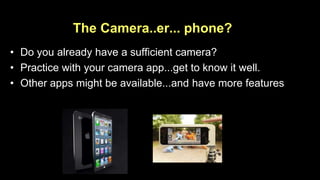
The Camera..er... phone? 
• Do you already have a sufficient camera? 
• Practice with your camera app...get to know it well. 
• Other apps might be available...and have more features
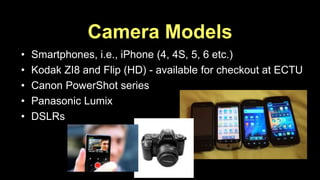
Camera Models 
• Smartphones, i.e., iPhone (4, 4S, 5, 6 etc.) 
• Kodak ZI8 and Flip (HD) - available for checkout at ECTU 
• Canon PowerShot series 
• Panasonic Lumix 
• DSLRs
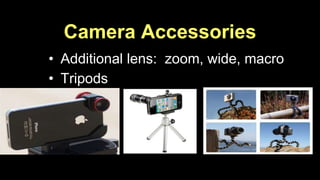
Camera Accessories 
• Additional lens: zoom, wide, macro 
• Tripods
Getting Good Video 
• Beware of camera movement and zooms 
– Avoid zooming altogether… 
• Video is always more interesting when the action takes place 
in the frame rather than when the frame is moving around the 
action. 
• Break the “eye-level” habit. Get Creative!! 
• Keep your story firmly in mind as you shoot 
• Be creative!
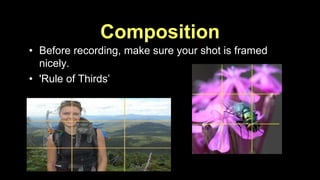
Composition 
• Before recording, make sure your shot is framed 
nicely. 
• 'Rule of Thirds’
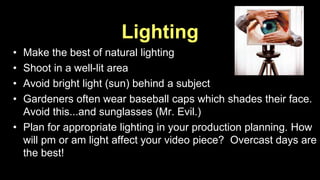
Lighting 
• Make the best of natural lighting 
• Shoot in a well-lit area 
• Avoid bright light (sun) behind a subject 
• Gardeners often wear baseball caps which shades their face. 
Avoid this...and sunglasses (Mr. Evil.) 
• Plan for appropriate lighting in your production planning. How 
will pm or am light affect your video piece? Overcast days are 
the best!
Camera Movement in Video 
• Do you NEED to? 
• Pan very slowly—& have a reason for it! 
• Avoid zooming; video quality is poor 
• Take a shot, leave it on subject for 10-20 seconds. To move 
to another location, stop the recording, move the camera, 
and then take the other shot.
Getting Good “B-Roll” 
What is it and why? 
Needed for editing 
Helps to tell the story 
Identify shots related to story or action 
Shoot sequences 
Be creative in shots
Getting Good Video 
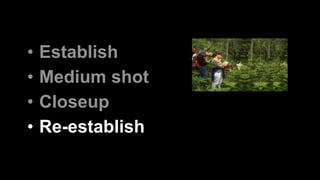
The U.S. Army Video Method
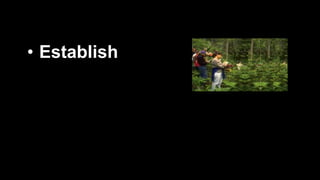
• Establish
• Establish 
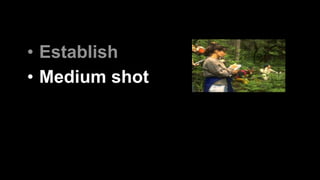
• Medium shot
• Establish 
• Medium shot 
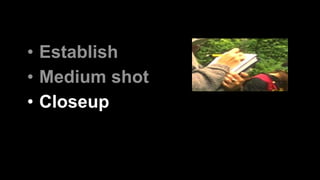
• Closeup
• Establish 
• Medium shot 
• Closeup 
• Re-establish
The U.S. Army Video Method 
• Establish 
• Medium shot 
• Closeup 
• Re-establish
Audio Problems 
• Poor quality microphone 
• Subject not close enough 
• Too much background noise
Audio Solutions 
• Capture audio separate from video 
• Shoot audio in protected location 
• Use an external microphone
Interviews 
• Use voice over? Or do you need to hear the story 
from the interviewee? 
• Draft good interview questions 
• Make them comfortable 
• Get name with spelling, and location/title on audio 
• Composition of a talking head - off-axis; 
backgrounds 
• Common issues --too long of an answer! No context
Interviews (cont.) 
• Interviewers don’t need to be in the shot, stand next to the 
camera. 
• Remember to leave plenty of space in the shot to allow 
interviewee to move naturally and nod...so they won't slip out 
of the shot. 
• Ask speaker to pause between ideas 
• Start shooting a few seconds before talking and leave a few 
seconds of dead air after.
It’s Your Turn! 
Time to Make Your YouTube 
• Editing demo from Jeff & Victor 
• Upload your video to YouTube 
• Brown Bag View & Critique
Editing 
Using iMovie...a demonstration.
Uploading To 
All posts to Lane MG YouTube channel must 
be approved prior to going public. 
• Submit to LMG YouTube as “Private” 
• Once approved, it will be changed to 
“Public”
Uploading to YouTube 
...another demonstration.
It’s Your Turn! 
Time to Make Your YouTube 
• Break into groups of 3-4 
• Decide on a simple gardening topic 
• Plan for your video shoot 
– Goal ---what one thing should viewers recall? 
– Shot list ---think visual storytelling 
– Simple on-camera dialog and/or interview
It’s Your Turn! 
Time to Make Your YouTube 
• Determine site, tools, props needed 
• Assign roles: 
– camera person 
– on-camera talent 
– director 
• Shoot in sequence to minimize editing
If You Remember Nothing Else... 
• Avoid unnecessary camera movement 
• Get good sound 
• Get close to the action 
• Vary angles and distances 
• Always think “STORY” 
• Give proper credit
Homework 
• Get to know your app 
• Film someone talking 
– Test out your camera's microphone: 
– film someone talking at different distances 
• Film moving footage 
• Film something still by panning 
• Watch how they shoot & edit tv shows 
• Make a video and upload it to your YouTube account!

Master gardener video production workshop 2

  • 1.
    Putting the YOUin Master Gardener Video Production Victor Villegas, ECTU Jeff Hino, EESC
  • 2.
    ...it’s all about DIY (Do It Yourself)
  • 3.
    It’s all aboutstorytelling.
  • 4.
    Examples of Gardening Videos on YouTube What do you think?
  • 5.
    The Camera..er... phone? • Do you already have a sufficient camera? • Practice with your camera app...get to know it well. • Other apps might be available...and have more features
  • 6.
    Camera Models •Smartphones, i.e., iPhone (4, 4S, 5, 6 etc.) • Kodak ZI8 and Flip (HD) - available for checkout at ECTU • Canon PowerShot series • Panasonic Lumix • DSLRs
  • 7.
    Camera Accessories •Additional lens: zoom, wide, macro • Tripods
  • 8.
    Getting Good Video • Beware of camera movement and zooms – Avoid zooming altogether… • Video is always more interesting when the action takes place in the frame rather than when the frame is moving around the action. • Break the “eye-level” habit. Get Creative!! • Keep your story firmly in mind as you shoot • Be creative!
  • 9.
    Composition • Beforerecording, make sure your shot is framed nicely. • 'Rule of Thirds’
  • 10.
    Lighting • Makethe best of natural lighting • Shoot in a well-lit area • Avoid bright light (sun) behind a subject • Gardeners often wear baseball caps which shades their face. Avoid this...and sunglasses (Mr. Evil.) • Plan for appropriate lighting in your production planning. How will pm or am light affect your video piece? Overcast days are the best!
  • 11.
    Camera Movement inVideo • Do you NEED to? • Pan very slowly—& have a reason for it! • Avoid zooming; video quality is poor • Take a shot, leave it on subject for 10-20 seconds. To move to another location, stop the recording, move the camera, and then take the other shot.
  • 12.
    Getting Good “B-Roll” What is it and why? Needed for editing Helps to tell the story Identify shots related to story or action Shoot sequences Be creative in shots
  • 13.
    Getting Good Video The U.S. Army Video Method
  • 14.
  • 15.
    • Establish •Medium shot
  • 16.
    • Establish •Medium shot • Closeup
  • 17.
    • Establish •Medium shot • Closeup • Re-establish
  • 18.
    The U.S. ArmyVideo Method • Establish • Medium shot • Closeup • Re-establish
  • 19.
    Audio Problems •Poor quality microphone • Subject not close enough • Too much background noise
  • 20.
    Audio Solutions •Capture audio separate from video • Shoot audio in protected location • Use an external microphone
  • 21.
    Interviews • Usevoice over? Or do you need to hear the story from the interviewee? • Draft good interview questions • Make them comfortable • Get name with spelling, and location/title on audio • Composition of a talking head - off-axis; backgrounds • Common issues --too long of an answer! No context
  • 22.
    Interviews (cont.) •Interviewers don’t need to be in the shot, stand next to the camera. • Remember to leave plenty of space in the shot to allow interviewee to move naturally and nod...so they won't slip out of the shot. • Ask speaker to pause between ideas • Start shooting a few seconds before talking and leave a few seconds of dead air after.
  • 23.
    It’s Your Turn! Time to Make Your YouTube • Editing demo from Jeff & Victor • Upload your video to YouTube • Brown Bag View & Critique
  • 24.
  • 25.
    Uploading To Allposts to Lane MG YouTube channel must be approved prior to going public. • Submit to LMG YouTube as “Private” • Once approved, it will be changed to “Public”
  • 26.
    Uploading to YouTube ...another demonstration.
  • 27.
    It’s Your Turn! Time to Make Your YouTube • Break into groups of 3-4 • Decide on a simple gardening topic • Plan for your video shoot – Goal ---what one thing should viewers recall? – Shot list ---think visual storytelling – Simple on-camera dialog and/or interview
  • 28.
    It’s Your Turn! Time to Make Your YouTube • Determine site, tools, props needed • Assign roles: – camera person – on-camera talent – director • Shoot in sequence to minimize editing
  • 29.
    If You RememberNothing Else... • Avoid unnecessary camera movement • Get good sound • Get close to the action • Vary angles and distances • Always think “STORY” • Give proper credit
  • 30.
    Homework • Getto know your app • Film someone talking – Test out your camera's microphone: – film someone talking at different distances • Film moving footage • Film something still by panning • Watch how they shoot & edit tv shows • Make a video and upload it to your YouTube account!