Using Technology in your Teaching as a GA/TA UWindsor GATAcademy 2011   Candace Nast [email_address]
Technology: the application of scientific knowledge for practical purposes, esp. in industry : advances in computer technology | recycling technologies. machinery and equipment developed from such scientific knowledge. Oxford American Dictionary
Outcomes How might I use technology in my teaching? How can I do so effectively? What are some tools I can use to get started? Where can I find additional resources?
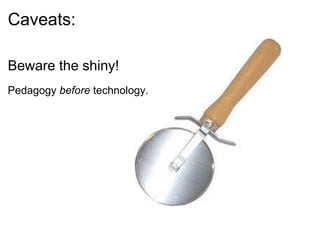
Caveats: Beware the shiny!   Pedagogy  before  technology.
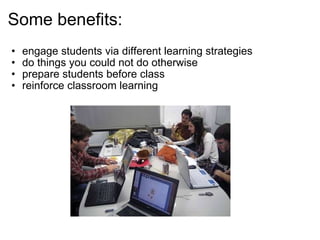
engage students via different learning strategies do things you could not do otherwise prepare students before class reinforce classroom learning Some benefits:
Keep in mind: Access Ability Privacy Have a back up Practice!
The process: Define the learning goal Identify an appropriate technology Design the lesson Engage! Reflect
Some tools: C4LPT: Centre for Learning & Performance Technologies:    Top 100 Tools for Learning 2011 http://c4lpt.co.uk/top-tools/top-100-tools-for-learning-2011/  Twitter - microsharing tool  YouTube - video-sharing tool  Google Docs – collaboration suite  Skype - instant messaging/VoIP tool  Wikipedia - collaborative encyclopaedia  Facebook - social network  Prezi - presentation software  WordPress - blogging tool 
http://bit.ly/GATAcademy  
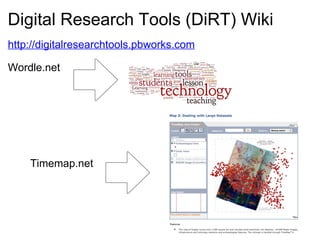
http://digitalresearchtools.pbworks.com Wordle.net  Digital Research Tools (DiRT) Wiki Timemap.net
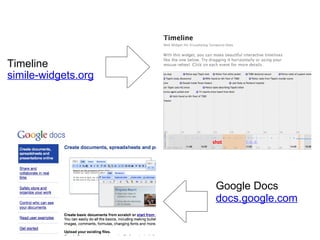
  Timeline  simile-widgets.org Google Docs docs.google.com
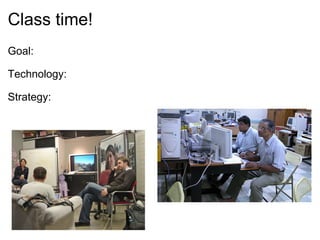
Class time! Goal:   Technology: Strategy:  
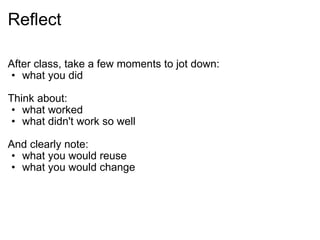
Reflect After class, take a few moments to jot down: what you did   Think about: what worked what didn't work so well   And clearly note:  what you would reuse what you would change
Image credits http://uncageddesign.blogspot.com/ http://intergalacticrobot.blogspot.com  http://orangoodling.blogspot.com http://www.flickr.com/photos/cibomahto/2291127824/ http://www.flickr.com/photos/rmgimages/4881844153 http://www.flickr.com/photos/mfinleydesigns/3652807080/ http://www.flickr.com/photos/ikkoskinen/309087092/ http://frank.itlab.us/photo_essays/wrapper.php?mar_25_2004_madras.html   Questions?   cnast@uwindsor.ca  http://uwindsor.ca/betterteaching

Using technology in your teaching as a GA or TA

  • 1.
  • 2.
    Using Technology inyour Teaching as a GA/TA UWindsor GATAcademy 2011   Candace Nast [email_address]
  • 3.
    Technology: the applicationof scientific knowledge for practical purposes, esp. in industry : advances in computer technology | recycling technologies. machinery and equipment developed from such scientific knowledge. Oxford American Dictionary
  • 4.
    Outcomes How mightI use technology in my teaching? How can I do so effectively? What are some tools I can use to get started? Where can I find additional resources?
  • 5.
    Caveats: Beware theshiny!   Pedagogy before technology.
  • 6.
    engage students viadifferent learning strategies do things you could not do otherwise prepare students before class reinforce classroom learning Some benefits:
  • 7.
    Keep in mind:Access Ability Privacy Have a back up Practice!
  • 8.
    The process: Definethe learning goal Identify an appropriate technology Design the lesson Engage! Reflect
  • 9.
    Some tools: C4LPT:Centre for Learning & Performance Technologies:    Top 100 Tools for Learning 2011 http://c4lpt.co.uk/top-tools/top-100-tools-for-learning-2011/ Twitter - microsharing tool  YouTube - video-sharing tool  Google Docs – collaboration suite  Skype - instant messaging/VoIP tool  Wikipedia - collaborative encyclopaedia  Facebook - social network  Prezi - presentation software  WordPress - blogging tool 
  • 10.
  • 11.
    http://digitalresearchtools.pbworks.com Wordle.net Digital Research Tools (DiRT) Wiki Timemap.net
  • 12.
      Timeline  simile-widgets.orgGoogle Docs docs.google.com
  • 13.
    Class time! Goal:  Technology: Strategy:  
  • 14.
    Reflect After class,take a few moments to jot down: what you did   Think about: what worked what didn't work so well   And clearly note: what you would reuse what you would change
  • 15.
    Image credits http://uncageddesign.blogspot.com/http://intergalacticrobot.blogspot.com http://orangoodling.blogspot.com http://www.flickr.com/photos/cibomahto/2291127824/ http://www.flickr.com/photos/rmgimages/4881844153 http://www.flickr.com/photos/mfinleydesigns/3652807080/ http://www.flickr.com/photos/ikkoskinen/309087092/ http://frank.itlab.us/photo_essays/wrapper.php?mar_25_2004_madras.html   Questions?   cnast@uwindsor.ca http://uwindsor.ca/betterteaching