The Met Digital Literacy Coach Initiative Summary Presented by: Ronia Peguero
REAL WORLD LEARNING PLAN   Objective:   For all East Bay students to create their own individualized student digital space to document, communicate & share text and multimedia based on their internship experience including but not limited to: Research Paper Data Archived Work Reflections Portfolios Mentor Interviews Videos Collaborations (Peer to Peer) Conversations/Interactions (P2P & Advisor/Staff 2 Student)
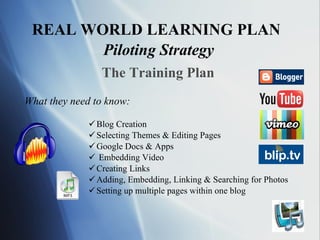
REAL WORLD LEARNING PLAN   Piloting Strategy What they need to know: Blog Creation Selecting Themes & Editing Pages Google Docs & Apps Embedding Video Creating Links Adding, Embedding, Linking & Searching for Photos Setting up multiple pages within one blog The Training Plan
The Real World Learning Plan Piloting Strategy The Training Plan How I will train them: Hands on 1-on-1 Group Workshops In-class Webinars Online Tutorials with: illustrated instructions video links images & text
The Real World Learning Plan Piloting Strategy The Support, Communication & Feedback Plan 24/7 Mobile Access via E-mail
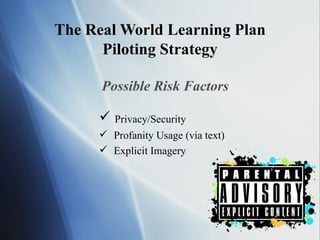
The Real World Learning Plan Piloting Strategy Possible Risk Factors Privacy/Security  Profanity Usage (via text) Explicit Imagery
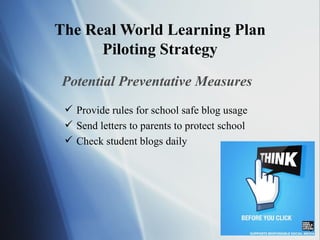
The Real World Learning Plan Piloting Strategy Potential Preventative Measures Provide rules for school safe blog usage Send letters to parents to protect school Check student blogs daily
The Real World Learning Plan Piloting Strategy Backup & Recovery Plan Save blog as website to view offline Create folder with text, pics and/or video E-mail to self or save on flash or CD
Digital Literacy Coach Long Term Goals Create a digital version of the analog Met Individualized student digital space to communicate & share multimedia Document process for packaging & franchising to 60 Big Picture Schools Providence HS Credit Recovery & Accelerated HS Diploma Program Provide guidance to teacher for online resources Virtual High School 50% Technology & 50% Face to Face Environment
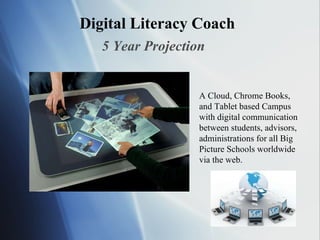
Digital Literacy Coach 5 Year Projection A Cloud, Chrome Books, and Tablet based Campus with digital communication between students, advisors, administrations for all Big Picture Schools worldwide via the web.
Digital Literacy Coach Free Online Based Digital Tools Gmail – e-mail client Blogger – Google based Blogging Site (integrates Google Apps) Animoto – Free video animation/slideshow creator w/ audio Prezi.com – free online dynamic slideshow creator Pixlr.com – free online photo editor like Photoshop Jaycut.com – free online video editor Aviary.com – free online graphic & audio creator & editors
Digital Literacy Coach Final Recommendation All advisors/teachers should require students to add at least one digital project related to their coursework onto their blog in order to promote Real Life Digital Learning at the Met School.

The met

  • 1.
    The Met DigitalLiteracy Coach Initiative Summary Presented by: Ronia Peguero
  • 2.
    REAL WORLD LEARNINGPLAN Objective: For all East Bay students to create their own individualized student digital space to document, communicate & share text and multimedia based on their internship experience including but not limited to: Research Paper Data Archived Work Reflections Portfolios Mentor Interviews Videos Collaborations (Peer to Peer) Conversations/Interactions (P2P & Advisor/Staff 2 Student)
  • 3.
    REAL WORLD LEARNINGPLAN Piloting Strategy What they need to know: Blog Creation Selecting Themes & Editing Pages Google Docs & Apps Embedding Video Creating Links Adding, Embedding, Linking & Searching for Photos Setting up multiple pages within one blog The Training Plan
  • 4.
    The Real WorldLearning Plan Piloting Strategy The Training Plan How I will train them: Hands on 1-on-1 Group Workshops In-class Webinars Online Tutorials with: illustrated instructions video links images & text
  • 5.
    The Real WorldLearning Plan Piloting Strategy The Support, Communication & Feedback Plan 24/7 Mobile Access via E-mail
  • 6.
    The Real WorldLearning Plan Piloting Strategy Possible Risk Factors Privacy/Security Profanity Usage (via text) Explicit Imagery
  • 7.
    The Real WorldLearning Plan Piloting Strategy Potential Preventative Measures Provide rules for school safe blog usage Send letters to parents to protect school Check student blogs daily
  • 8.
    The Real WorldLearning Plan Piloting Strategy Backup & Recovery Plan Save blog as website to view offline Create folder with text, pics and/or video E-mail to self or save on flash or CD
  • 9.
    Digital Literacy CoachLong Term Goals Create a digital version of the analog Met Individualized student digital space to communicate & share multimedia Document process for packaging & franchising to 60 Big Picture Schools Providence HS Credit Recovery & Accelerated HS Diploma Program Provide guidance to teacher for online resources Virtual High School 50% Technology & 50% Face to Face Environment
  • 10.
    Digital Literacy Coach5 Year Projection A Cloud, Chrome Books, and Tablet based Campus with digital communication between students, advisors, administrations for all Big Picture Schools worldwide via the web.
  • 11.
    Digital Literacy CoachFree Online Based Digital Tools Gmail – e-mail client Blogger – Google based Blogging Site (integrates Google Apps) Animoto – Free video animation/slideshow creator w/ audio Prezi.com – free online dynamic slideshow creator Pixlr.com – free online photo editor like Photoshop Jaycut.com – free online video editor Aviary.com – free online graphic & audio creator & editors
  • 12.
    Digital Literacy CoachFinal Recommendation All advisors/teachers should require students to add at least one digital project related to their coursework onto their blog in order to promote Real Life Digital Learning at the Met School.